Social Media for Events:
Engaging Participants
Before, During and After
Introducing…Us!
Jessica Levin, CMP
President,
7 Degrees Communications
Midori Connolly, Chief AVGirl
Pulse Staging and Events
(and 7D!)

                                Jessica and Midori creating their “No Fear
                                      Zone” at a recent Social Tech Clinic!
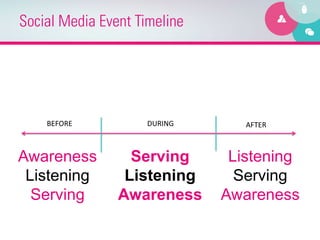
Social Media Event Timeline


    BEFORE	
         DURING	
        AFTER	


Awareness          Serving         Listening
 Listening        Listening         Serving
  Serving        Awareness        Awareness
Choose Your Platform

•    Facebook
•    Twitter            You	
  can	
  have	
  TOO	
  
•    Pinterest            many	
  places	
  to	
  
                               connect.	
  	
  
•    Blog              Select	
  your	
  pla6orm	
  
                         and	
  use	
  it	
  well!	
  
•    LinkedIn
•    YouTube
•    Other
Facebook


  Why are you using Facebook
   for your Organization or
           Meeting?
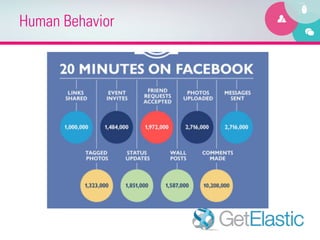
Human Behavior
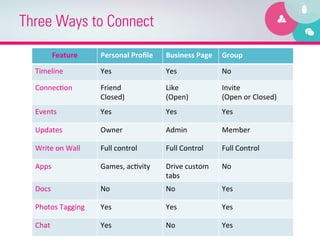
Three Ways to Connect
          Feature	
         Personal	
  Profile	
     Business	
  Page	
   Group	
  

  Timeline	
                Yes	
                    Yes	
                 No	
  

  Connec8on	
               Friend	
  	
             Like	
                Invite	
  
                            Closed)	
                (Open)	
              (Open	
  or	
  Closed)	
  
  Events	
                  Yes	
                    Yes	
                 Yes	
  

  Updates	
                 Owner	
                  Admin	
               Member	
  

  Write	
  on	
  Wall	
     Full	
  control	
        Full	
  Control	
     Full	
  Control	
  

  Apps	
                    Games,	
  ac8vity	
      Drive	
  custom	
     No	
  
                                                     tabs	
  
  Docs	
                    No	
                     No	
                  Yes	
  

  Photos	
  Tagging	
       Yes	
                    Yes	
                 Yes	
  

  Chat	
                    Yes	
                    No	
                  Yes	
  
Storytelling


 How Can You Tell YOUR
      Event Story?
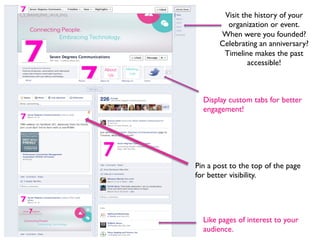
Visit the history of your
         organization or event. 	

       When were you founded?
       Celebrating an anniversary?
        Timeline makes the past
                accessible!	


  Display custom tabs for better
  engagement!	


Pin a post to the top of the page
for better visibility.	


  Like pages of interest to your
  audience.
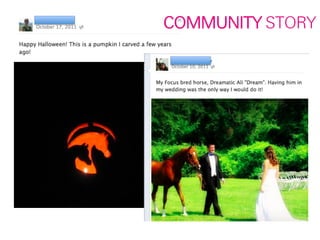
WHAT’S YOUR STORY?


        WHAT’S YOUR COMMUNITY
                       STORY?
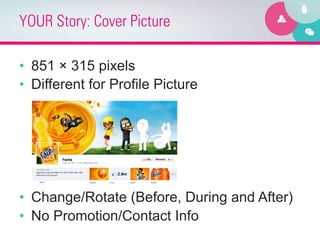
YOUR Story: Cover Picture

•  851 × 315 pixels
•  Different for Profile Picture


•  Change/Rotate (Before, During and After)
•  No Promotion/Contact Info
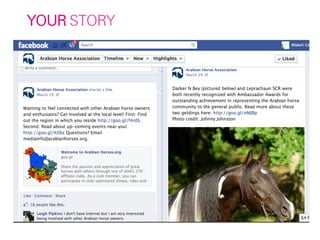
YOUR STORY
COMMUNITY STORY
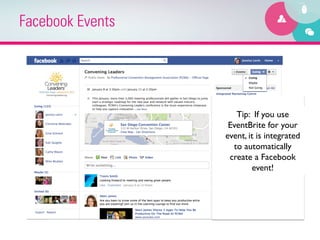
Facebook Events


                     Tip: If you use
                   EventBrite for your
                  event, it is integrated
                    to automatically
                   create a Facebook
                          event!
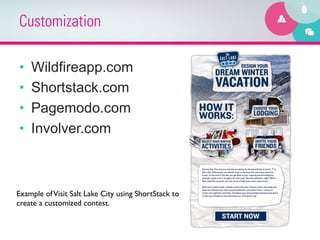
Customization

•    Wildfireapp.com
•    Shortstack.com
•    Pagemodo.com
•    Involver.com


Example of Visit Salt Lake City using ShortStack to 	

create a customized contest.
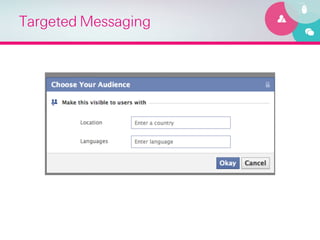
Targeted Messaging
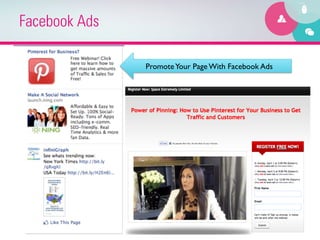
Facebook Ads

               Promote Your Page With Facebook Ads
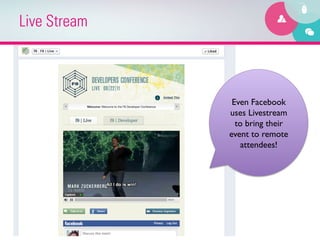
Live Stream


               Even Facebook
              uses Livestream
                to bring their
              event to remote
                 attendees!
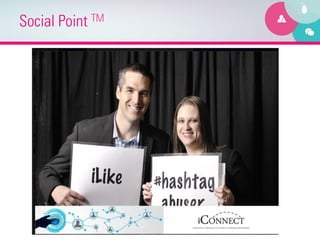
Social Point TM
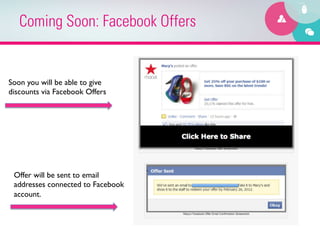
Coming Soon: Facebook Offers


Soon you will be able to give
discounts via Facebook Offers	


 Offer will be sent to email
 addresses connected to Facebook
 account.
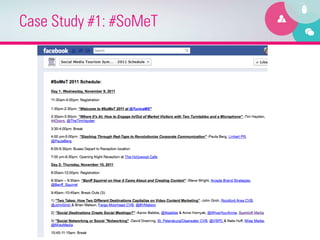
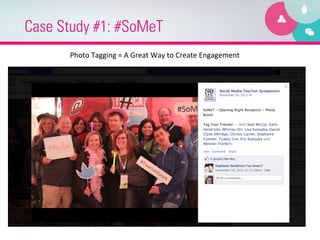
Case Study #1: #SoMeT
      Photo	
  Tagging	
  =	
  A	
  Great	
  Way	
  to	
  Create	
  Engagement	
  
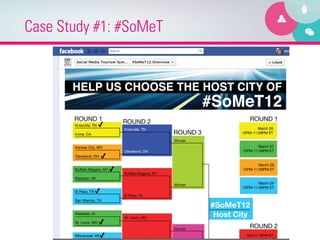
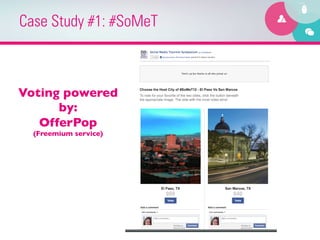
Case Study #1: #SoMeT


Voting powered
      by:	

   OfferPop	

  (Freemium service)
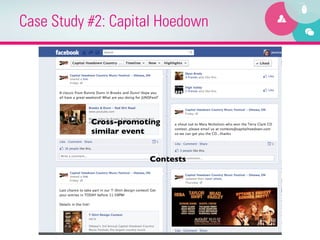
Case Study #2: Capital Hoedown


           Cross-promoting
           similar event	


                        Contests
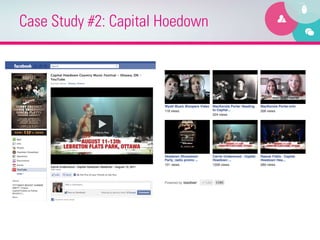
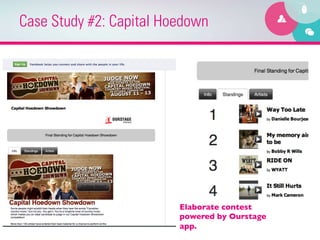
Case Study #2: Capital Hoedown


                         Elaborate contest
                         powered by Ourstage
                         app.
Case Study #2: Capital Hoedown


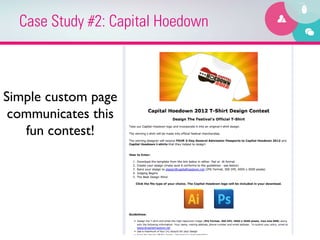
Simple custom page
 communicates this
   fun contest!
EdgeRank and Engagement

    “How does News Feed determine which
            content is most interesting? 	


The News Feed algorithm uses several factors, including:
how many friends are commenting on a certain piece of
    content, who posted the content, and what type of
      content it is (e.g. photo, video, or status update).
                                  
  If you feel you are missing stories you'd like to see or
seeing stories in your News Feed that you don't want to
see, use the different News Feed controls to adjust your
 settings and give us feedback about your preferences.”
Generating Awareness
(…while Listening!)


                       Today’s	
  
                       Special!	
  
Awareness/Listening: Hashtags

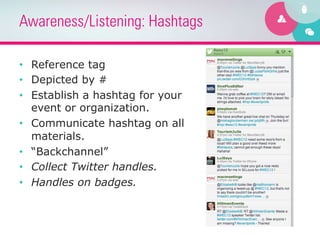
•  Reference tag
•  Depicted by #
•  Establish a hashtag for your
   event or organization.
•  Communicate hashtag on all
   materials.
•  “Backchannel”
•  Collect Twitter handles.
•  Handles on badges.
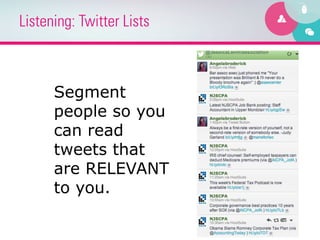
Listening: Twitter Lists


      Segment
      people so you
      can read
      tweets that
      are RELEVANT
      to you.
Listening, then Awareness:
Twitter Chats

•  Tweetchat.com
•  Twitter Chat Schedule
Awareness: Promos/Specials


         •  Shhhhh:	
  today’s	
  secret	
  code	
  	
  
                         •  =	
  
                 •  TWITTER!	
  
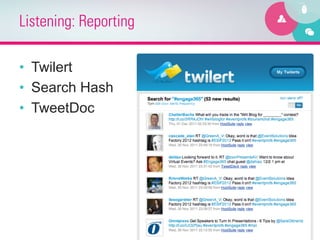
Listening: Reporting

•  Twilert
•  Search Hash
•  TweetDoc
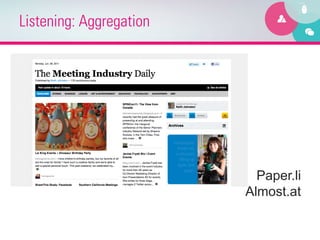
Listening: Aggregation


                           Paper.li
                         Almost.at
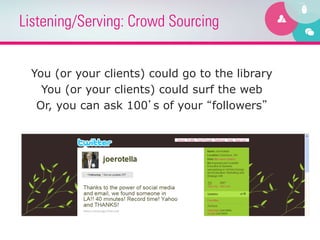
Listening/Serving: Crowd Sourcing


 You (or your clients) could go to the library
   You (or your clients) could surf the web
  Or, you can ask 100’s of your “followers”
Engagement Tool: Twitter Display

•    TwitterFall
•    Wiffitti
•    Tweet Wall Pro
•    Visible Tweets

                            Make sure you know WHY
                             you’re displaying tweets!
Engagement Tool: Polling

•  Twtpoll
•  PollEverywhere.com
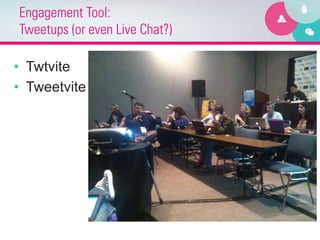
Engagement Tool:
Tweetups (or even Live Chat?)

•  Twtvite
•  Tweetvite
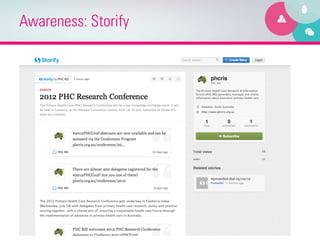
Awareness: Storify
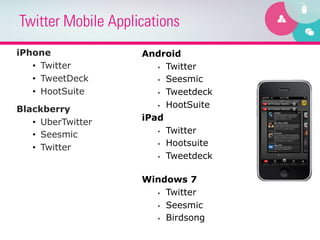
Twitter Mobile Applications
iPhone              Android
   •  Twitter          •  Twitter

   •  TweetDeck        •  Seesmic

   •  HootSuite        •  Tweetdeck

                       •  HootSuite
Blackberry
   •  UberTwitter   iPad
                       •  Twitter
   •  Seesmic
                       •  Hootsuite
   •  Twitter
                       •  Tweetdeck


                    Windows 7
                      •  Twitter

                      •  Seesmic

                      •  Birdsong
Keeping the Flame Lit


•  Deep-dive into content
   (Tweetchat)
                                   Build	
  a	
  
•  Hashtag consistency      community,	
  not	
  
                             just	
  a	
  hashtag!	
  
•  Feedback

•  Announcements

•  Content themes
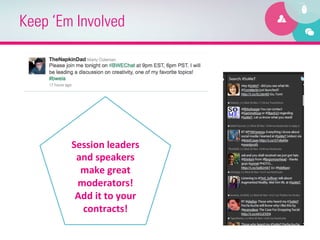
Keep ‘Em Involved


        Session	
  leaders	
  
         and	
  speakers	
  
          make	
  great	
  
         moderators!	
  
         Add	
  it	
  to	
  your	
  
          contracts!	
  
A few ideas..

•  USE your content!
•  “Recognize”
  –  Awards: Best Tweet, Best Ideas, Best
     Pictures, Twitterati, etc.
•  Speaker Evaluations
  –  Qualitative
  –  Honesty and no Anonymity
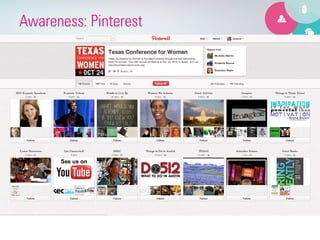
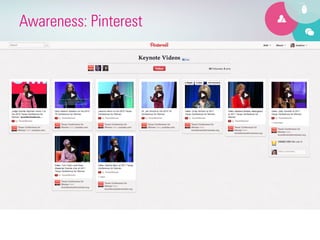
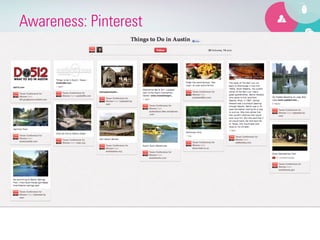
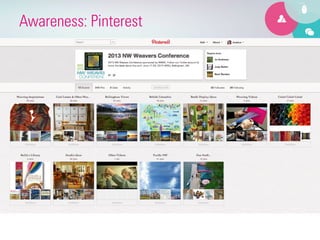
Awareness: Pinterest
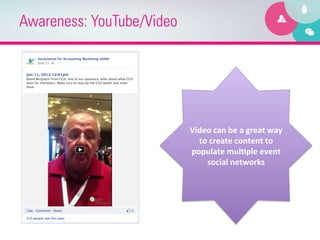
Awareness: YouTube/Video


                           Video	
  can	
  be	
  a	
  great	
  way	
  
                             to	
  create	
  content	
  to	
  
                           populate	
  mulEple	
  event	
  
                               social	
  networks	
  
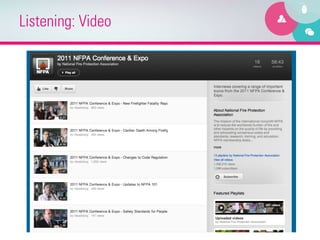
Listening: Video
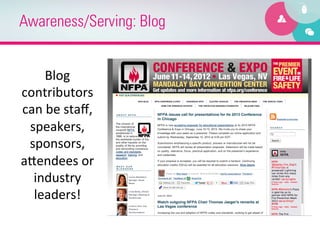
Awareness/Serving: Blog


      Blog	
  
contributors	
  
can	
  be	
  staff,	
  
 speakers,	
  
 sponsors,	
  
aTendees	
  or	
  
  industry	
  
  leaders!	
  
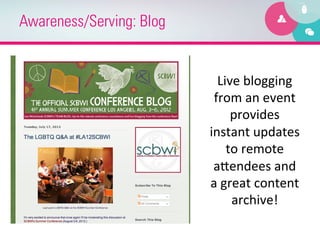
Awareness/Serving: Blog


                            Live	
  blogging	
  
                           from	
  an	
  event	
  
                                 provides	
  
                          instant	
  updates	
  
                                to	
  remote	
  
                           aTendees	
  and	
  
                          a	
  great	
  content	
  
                                 archive!	
  
Listening, then Awareness:
Social Reporters

•  http://bit.ly/SocialReporter

•  During awareness phase, ID leaders and
   empower!
“The Speakers Who Won’t Leave”

       Jessica	
  L.	
  Levin,	
  MBA,	
  CMP,	
  CAE	
                       Midori	
  Connolly	
  
        President	
  and	
  Chief	
  Connector	
                                Chief	
  AVGirl	
  
       Seven	
  Degrees	
  Communica8ons	
                       Pulse	
  Staging	
  and	
  Events	
  (AND	
  7D!)	
  
                     @jessicalevin	
                                          @AVGirlMidori	
  
      www.linkedin.com/in/jessicalevin	
                       www.linkedin.com/in/MidoriConnolly	
  
 jlevin@sevendegreescommunica8ons.com	
                              Midori@pulsestaging.com	
  
                    908-­‐912-­‐4418	
                                         619-­‐517-­‐5916	


Productivity Apps

  • 1.
    Social Media forEvents: Engaging Participants Before, During and After
  • 2.
    Introducing…Us! Jessica Levin, CMP President, 7Degrees Communications Midori Connolly, Chief AVGirl Pulse Staging and Events (and 7D!) Jessica and Midori creating their “No Fear Zone” at a recent Social Tech Clinic!
  • 3.
    Social Media EventTimeline BEFORE   DURING   AFTER   Awareness Serving Listening Listening Listening Serving Serving Awareness Awareness
  • 4.
    Choose Your Platform •  Facebook •  Twitter You  can  have  TOO   •  Pinterest many  places  to   connect.     •  Blog Select  your  pla6orm   and  use  it  well!   •  LinkedIn •  YouTube •  Other
  • 5.
    Facebook Whyare you using Facebook for your Organization or Meeting?
  • 6.
  • 7.
    Three Ways toConnect Feature   Personal  Profile   Business  Page   Group   Timeline   Yes   Yes   No   Connec8on   Friend     Like   Invite   Closed)   (Open)   (Open  or  Closed)   Events   Yes   Yes   Yes   Updates   Owner   Admin   Member   Write  on  Wall   Full  control   Full  Control   Full  Control   Apps   Games,  ac8vity   Drive  custom   No   tabs   Docs   No   No   Yes   Photos  Tagging   Yes   Yes   Yes   Chat   Yes   No   Yes  
  • 8.
    Storytelling How CanYou Tell YOUR Event Story?
  • 9.
    Visit the historyof your organization or event. When were you founded? Celebrating an anniversary? Timeline makes the past accessible! Display custom tabs for better engagement! Pin a post to the top of the page for better visibility. Like pages of interest to your audience.
  • 10.
    WHAT’S YOUR STORY? WHAT’S YOUR COMMUNITY STORY?
  • 11.
  • 12.
    YOUR Story: CoverPicture •  851 × 315 pixels •  Different for Profile Picture •  Change/Rotate (Before, During and After) •  No Promotion/Contact Info
  • 13.
  • 14.
  • 15.
    Facebook Events Tip: If you use EventBrite for your event, it is integrated to automatically create a Facebook event!
  • 16.
    Customization •  Wildfireapp.com •  Shortstack.com •  Pagemodo.com •  Involver.com Example of Visit Salt Lake City using ShortStack to create a customized contest.
  • 17.
  • 18.
    Facebook Ads Promote Your Page With Facebook Ads
  • 19.
    Live Stream Even Facebook uses Livestream to bring their event to remote attendees!
  • 20.
  • 21.
    Coming Soon: FacebookOffers Soon you will be able to give discounts via Facebook Offers Offer will be sent to email addresses connected to Facebook account.
  • 22.
  • 23.
  • 24.
    Case Study #1:#SoMeT Photo  Tagging  =  A  Great  Way  to  Create  Engagement  
  • 25.
  • 26.
    Case Study #1:#SoMeT Voting powered by: OfferPop (Freemium service)
  • 27.
    Case Study #2:Capital Hoedown Cross-promoting similar event Contests
  • 28.
    Case Study #2:Capital Hoedown
  • 29.
    Case Study #2:Capital Hoedown Elaborate contest powered by Ourstage app.
  • 30.
    Case Study #2:Capital Hoedown Simple custom page communicates this fun contest!
  • 31.
    EdgeRank and Engagement “How does News Feed determine which content is most interesting? The News Feed algorithm uses several factors, including: how many friends are commenting on a certain piece of content, who posted the content, and what type of content it is (e.g. photo, video, or status update). If you feel you are missing stories you'd like to see or seeing stories in your News Feed that you don't want to see, use the different News Feed controls to adjust your settings and give us feedback about your preferences.”
  • 32.
  • 33.
    Awareness/Listening: Hashtags •  Referencetag •  Depicted by # •  Establish a hashtag for your event or organization. •  Communicate hashtag on all materials. •  “Backchannel” •  Collect Twitter handles. •  Handles on badges.
  • 34.
    Listening: Twitter Lists Segment people so you can read tweets that are RELEVANT to you.
  • 35.
    Listening, then Awareness: TwitterChats •  Tweetchat.com •  Twitter Chat Schedule
  • 36.
    Awareness: Promos/Specials •  Shhhhh:  today’s  secret  code     •  =   •  TWITTER!  
  • 37.
    Listening: Reporting •  Twilert • Search Hash •  TweetDoc
  • 38.
    Listening: Aggregation Paper.li Almost.at
  • 39.
    Listening/Serving: Crowd Sourcing You (or your clients) could go to the library You (or your clients) could surf the web Or, you can ask 100’s of your “followers”
  • 40.
    Engagement Tool: TwitterDisplay •  TwitterFall •  Wiffitti •  Tweet Wall Pro •  Visible Tweets Make sure you know WHY you’re displaying tweets!
  • 41.
    Engagement Tool: Polling • Twtpoll •  PollEverywhere.com
  • 42.
    Engagement Tool: Tweetups (oreven Live Chat?) •  Twtvite •  Tweetvite
  • 43.
  • 44.
    Twitter Mobile Applications iPhone Android •  Twitter •  Twitter •  TweetDeck •  Seesmic •  HootSuite •  Tweetdeck •  HootSuite Blackberry •  UberTwitter iPad •  Twitter •  Seesmic •  Hootsuite •  Twitter •  Tweetdeck Windows 7 •  Twitter •  Seesmic •  Birdsong
  • 45.
    Keeping the FlameLit •  Deep-dive into content (Tweetchat) Build  a   •  Hashtag consistency community,  not   just  a  hashtag!   •  Feedback •  Announcements •  Content themes
  • 46.
    Keep ‘Em Involved Session  leaders   and  speakers   make  great   moderators!   Add  it  to  your   contracts!  
  • 47.
    A few ideas.. • USE your content! •  “Recognize” –  Awards: Best Tweet, Best Ideas, Best Pictures, Twitterati, etc. •  Speaker Evaluations –  Qualitative –  Honesty and no Anonymity
  • 48.
  • 49.
  • 50.
  • 51.
  • 52.
    Awareness: YouTube/Video Video  can  be  a  great  way   to  create  content  to   populate  mulEple  event   social  networks  
  • 53.
  • 54.
    Awareness/Serving: Blog Blog   contributors   can  be  staff,   speakers,   sponsors,   aTendees  or   industry   leaders!  
  • 55.
    Awareness/Serving: Blog Live  blogging   from  an  event   provides   instant  updates   to  remote   aTendees  and   a  great  content   archive!  
  • 56.
    Listening, then Awareness: SocialReporters •  http://bit.ly/SocialReporter •  During awareness phase, ID leaders and empower!
  • 57.
    “The Speakers WhoWon’t Leave” Jessica  L.  Levin,  MBA,  CMP,  CAE   Midori  Connolly   President  and  Chief  Connector   Chief  AVGirl   Seven  Degrees  Communica8ons   Pulse  Staging  and  Events  (AND  7D!)   @jessicalevin   @AVGirlMidori   www.linkedin.com/in/jessicalevin   www.linkedin.com/in/MidoriConnolly   jlevin@sevendegreescommunica8ons.com   Midori@pulsestaging.com   908-­‐912-­‐4418   619-­‐517-­‐5916