Event Technology Bootcamp
Mobile Event Apps
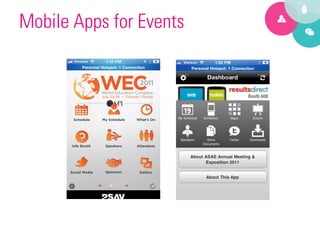
Mobile Apps for Events
Benefits
 •    Paper-­‐light	
  
 •    Quick	
  Access	
  to	
  Info	
  
 •    Sponsorship	
  Opportuni9es	
  
 •    Social	
  Interac9on	
  
 •    Q&A	
  
 •    Customer	
  Service	
  
 •    Concierge	
  
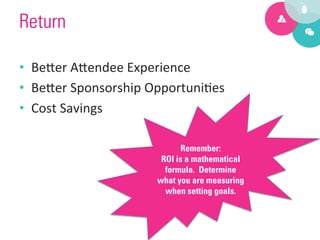
Return

•  Be?er	
  A?endee	
  Experience	
  
•  Be?er	
  Sponsorship	
  Opportuni9es	
  
•  Cost	
  Savings	
  

                                  Remember:
                             ROI is a mathematical
                              formula. Determine
                            what you are measuring
                              when setting goals.
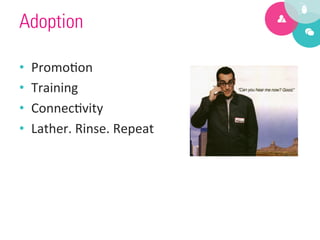
Adoption

•    Promo9on	
  
•    Training	
  
•    Connec9vity	
  
•    Lather.	
  Rinse.	
  Repeat	
  
Native App v.
 Mobile Site
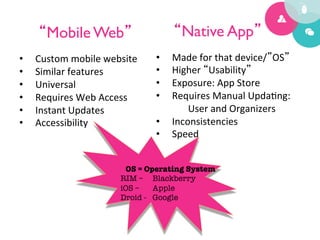
“Mobile Web”	

                       “Native App”	

•    Custom	
  mobile	
  website	
     •    Made	
  for	
  that	
  device/”OS”	
  
•    Similar	
  features	
             •    Higher	
  “Usability”	
  
•    Universal	
                       •    Exposure:	
  App	
  Store	
  
•    Requires	
  Web	
  Access	
       •    Requires	
  Manual	
  Upda9ng:	
  
•    Instant	
  Updates	
                       User	
  and	
  Organizers	
  
•    Accessibility	
                   •    Inconsistencies	
  
                                       •    Speed	


                               OS = Operating System
                              RIM – 
Blackberry
                              iOS – 
Apple
                              Droid - 
Google
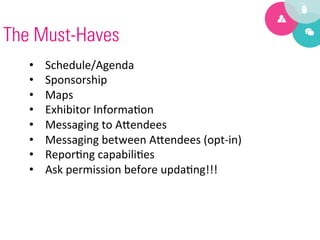
The Must-Haves
   •    Schedule/Agenda	
  
   •    Sponsorship	
  
   •    Maps	
  
   •    Exhibitor	
  Informa9on	
  
   •    Messaging	
  to	
  A?endees	
  
   •    Messaging	
  between	
  A?endees	
  (opt-­‐in)	
  
   •    Repor9ng	
  capabili9es	
  
   •    Ask	
  permission	
  before	
  upda9ng!!!	
  
The Should-Haves
   •  Social	
  Networks:	
  Facebook,	
  Private	
  
      Community,	
  Twi?er	
  
   •  Customized	
  Agendas	
  
   •  What’s	
  on	
  Now	
  
   •  Speaker	
  Profiles	
  
   •  A?endee	
  Profiles	
  
The Would-Love-to-Haves

   •      Full	
  Social	
  Media	
  integra9on	
  
   •      Mul9media	
  accessibility	
  and	
  sharing	
  
   •      Social	
  Gaming	
  elements	
  
   •      Audience	
  Response	
  Systems	
  
   •      Instant	
  Surveys	
  
   •      Match	
  Making	


Factors for Selection

   •    Size,	
  Frequency,	
  Consistency	
  of	
  Mee9ng	
  
   •    Year	
  Round	
  v.	
  Event/Mee9ng	
  Dura9on	
  
   •    Cost	
  –	
  Cost	
  per	
  a?endee?	
  
   •    A	
  la	
  mode	
  features?	
  
What goes into great design?

   •  Color?	

   •  Texture?	

   •  Shadowing?	


                                Instead, try:	

                                Easy to Find	

                           Easy to Navigate	

                      Clean, simple graphics
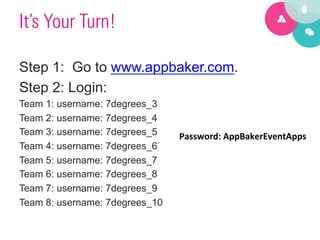
It’s Your Turn!

Step 1: Go to www.appbaker.com.
Step 2: Login:
Team 1: username: 7degrees_3
Team 2: username: 7degrees_4
Team 3: username: 7degrees_5    Password:	
  AppBakerEventApps	
  
Team 4: username: 7degrees_6    	
  
Team 5: username: 7degrees_7
Team 6: username: 7degrees_8
Team 7: username: 7degrees_9
Team 8: username: 7degrees_10
Optional Step

•  Download the Mobile App on your phone
   from your app store.


    AppBaker Player
Next Steps

•  Click on “My Apps”
•  Click on “Manage App” (next to new
   events app)
•  Click on “Edit this App”
Tasks

1.  Create a new title for the app
2.  Add a new speaker to the database and
    add to app.
3.  Add a new content screen and use a
    URL for the content.
4.  Move Twitter Live to top spot.
And the winner
     is….
App Baker Discount

       www.Appbaker.com/events

   Discount code: 7DEGREES10%OFF

Mobile Apps for Events - PCMA Heartland

  • 1.
  • 2.
  • 3.
    Benefits •  Paper-­‐light   •  Quick  Access  to  Info   •  Sponsorship  Opportuni9es   •  Social  Interac9on   •  Q&A   •  Customer  Service   •  Concierge  
  • 4.
    Return •  Be?er  A?endee  Experience   •  Be?er  Sponsorship  Opportuni9es   •  Cost  Savings   Remember: ROI is a mathematical formula. Determine what you are measuring when setting goals.
  • 5.
    Adoption •  Promo9on   •  Training   •  Connec9vity   •  Lather.  Rinse.  Repeat  
  • 7.
    Native App v. Mobile Site
  • 10.
    “Mobile Web” “Native App” •  Custom  mobile  website   •  Made  for  that  device/”OS”   •  Similar  features   •  Higher  “Usability”   •  Universal   •  Exposure:  App  Store   •  Requires  Web  Access   •  Requires  Manual  Upda9ng:   •  Instant  Updates   User  and  Organizers   •  Accessibility   •  Inconsistencies   •  Speed   OS = Operating System RIM – Blackberry iOS – Apple Droid - Google
  • 11.
    The Must-Haves •  Schedule/Agenda   •  Sponsorship   •  Maps   •  Exhibitor  Informa9on   •  Messaging  to  A?endees   •  Messaging  between  A?endees  (opt-­‐in)   •  Repor9ng  capabili9es   •  Ask  permission  before  upda9ng!!!  
  • 12.
    The Should-Haves •  Social  Networks:  Facebook,  Private   Community,  Twi?er   •  Customized  Agendas   •  What’s  on  Now   •  Speaker  Profiles   •  A?endee  Profiles  
  • 13.
    The Would-Love-to-Haves •  Full  Social  Media  integra9on   •  Mul9media  accessibility  and  sharing   •  Social  Gaming  elements   •  Audience  Response  Systems   •  Instant  Surveys   •  Match  Making    
  • 14.
    Factors for Selection •  Size,  Frequency,  Consistency  of  Mee9ng   •  Year  Round  v.  Event/Mee9ng  Dura9on   •  Cost  –  Cost  per  a?endee?   •  A  la  mode  features?  
  • 15.
    What goes intogreat design? •  Color? •  Texture? •  Shadowing? Instead, try: Easy to Find Easy to Navigate Clean, simple graphics
  • 16.
    It’s Your Turn! Step1: Go to www.appbaker.com. Step 2: Login: Team 1: username: 7degrees_3 Team 2: username: 7degrees_4 Team 3: username: 7degrees_5 Password:  AppBakerEventApps   Team 4: username: 7degrees_6   Team 5: username: 7degrees_7 Team 6: username: 7degrees_8 Team 7: username: 7degrees_9 Team 8: username: 7degrees_10
  • 17.
    Optional Step •  Downloadthe Mobile App on your phone from your app store. AppBaker Player
  • 18.
    Next Steps •  Clickon “My Apps” •  Click on “Manage App” (next to new events app) •  Click on “Edit this App”
  • 19.
    Tasks 1.  Create anew title for the app 2.  Add a new speaker to the database and add to app. 3.  Add a new content screen and use a URL for the content. 4.  Move Twitter Live to top spot.
  • 20.
  • 21.
    App Baker Discount www.Appbaker.com/events Discount code: 7DEGREES10%OFF