Presenting and
 Pitching Skills
      Peter Ramsden
Paramount Learning Ltd
Aim of the session
1.   Be knowledgeable about what to do before
     making a pitch
2.   Identify with how to turn a good proposal
     into an effective pitch
3.   Generate an appreciation for good and bad
     presentation techniques
4.   Provide guidance in order to prepare a well
     structured and well delivered pitch

                    (C) Paramount Learning Ltd
Well Done
   Your proposal has made it through stage one and
    you have been invited to discuss your proposal at a
    meeting with the client.
   What’s your first thought?
       Really!
       Fantastic
       Relief
       Panic
       Oh no I have to make a formal presentation!
   What do we need to do to secure the business?
                            (C) Paramount Learning Ltd
What do we need to consider
in making an effective pitch?
   Audience
   Location
   Duration
   Content/Message
   Structure
   Delivery Methods
   Practice
   Do’s and Don'ts
                  (C) Paramount Learning Ltd
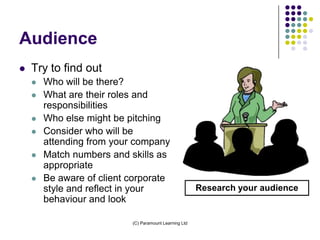
Audience
   Try to find out
       Who will be there?
       What are their roles and
        responsibilities
       Who else might be pitching
       Consider who will be
        attending from your company
       Match numbers and skills as
        appropriate
       Be aware of client corporate
        style and reflect in your                       Research your audience
        behaviour and look

                           (C) Paramount Learning Ltd
Location; Where, When and
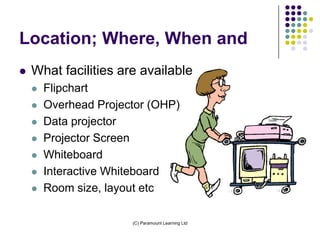
   What facilities are available
       Flipchart
       Overhead Projector (OHP)
       Data projector
       Projector Screen
       Whiteboard
       Interactive Whiteboard
       Room size, layout etc

                       (C) Paramount Learning Ltd
Duration?
   Important to find out for a number of
    reasons
       Knowing how long you have helps you develop
        a well timed and structured presentation
       Determines the maximum volume of
        information you can deliver
       People typically prefer shorter rather than
        longer presentations
       Shorter high impact presentations are
        generally more memorable
       It’s better to finish one minute early than five
        minutes late

                             (C) Paramount Learning Ltd
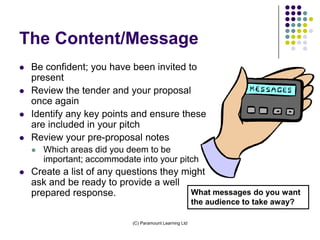
The Content/Message
   Be confident; you have been invited to
    present
   Review the tender and your proposal
    once again
   Identify any key points and ensure these
    are included in your pitch
   Review your pre-proposal notes
       Which areas did you deem to be
        important; accommodate into your pitch
   Create a list of any questions they might
    ask and be ready to provide a well
    prepared response.                    What messages do you want
                                                          the audience to take away?

                             (C) Paramount Learning Ltd
Preparation methods
   Determine the structure of
    the proposal
   Methods of creating a basic
    structure
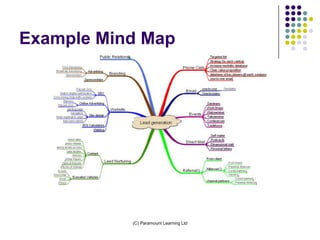
       Mind mapping
       A4-A5-A6
       Length of presentation


                            (C) Paramount Learning Ltd
Example Mind Map


           (C) Paramount Learning Ltd
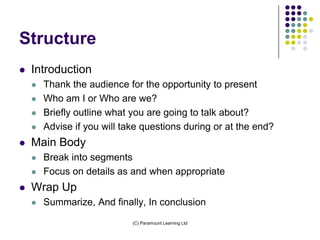
Structure
   Introduction
       Thank the audience for the opportunity to present
       Who am I or Who are we?
       Briefly outline what you are going to talk about?
       Advise if you will take questions during or at the end?
   Main Body
       Break into segments
       Focus on details as and when appropriate
   Wrap Up
       Summarize, And finally, In conclusion
                             (C) Paramount Learning Ltd
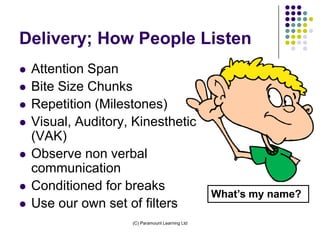
Delivery; How People Listen
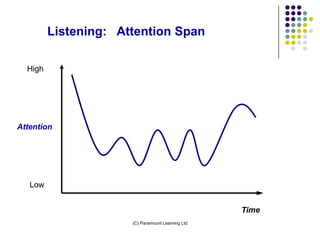
   Attention Span
   Bite Size Chunks
   Repetition (Milestones)
   Visual, Auditory, Kinesthetic
    (VAK)
   Observe non verbal
    communication
   Conditioned for breaks
                                                  What’s my name?
   Use our own set of filters
                     (C) Paramount Learning Ltd
Listening: Attention Span

  High


Attention


   Low


                                                   Time
                      (C) Paramount Learning Ltd
Delivery; What Makes People
Listen
   Self Interest; What’s in it for me/us?
       Try to guess what they want to hear
   Who is speaking
       Can this person solve my issue
   What are they saying
       Is this relevant and easy to understand
   How they are delivering the message
       Are they engaging or vague and boring
                        (C) Paramount Learning Ltd
What motivates people to buy?
   Credibility
   Expertise
   Passionate
   Honesty
   Independent referrals
   Economics
   Specifications
   Timing/convenience
                    (C) Paramount Learning Ltd
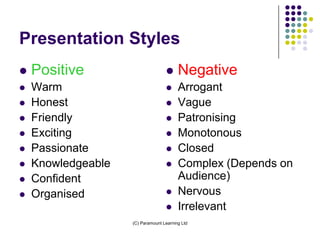
Presentation Styles
   Positive                            Negative
   Warm                                Arrogant
   Honest                              Vague
   Friendly                            Patronising
   Exciting                            Monotonous
   Passionate                          Closed
   Knowledgeable                       Complex (Depends on
   Confident                            Audience)
   Organised                           Nervous
                                        Irrelevant
                    (C) Paramount Learning Ltd
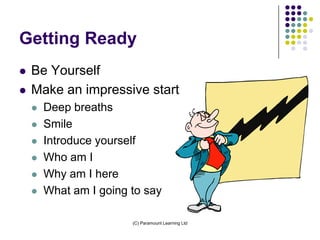
Getting Ready
   Be Yourself
   Make an impressive start
       Deep breaths
       Smile
       Introduce yourself
       Who am I
       Why am I here
       What am I going to say

                        (C) Paramount Learning Ltd
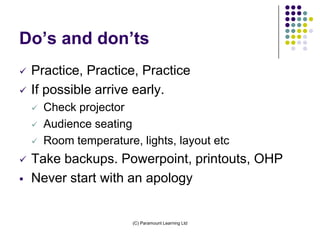
Do’s and don’ts
   Practice, Practice, Practice
   If possible arrive early.
       Check projector
       Audience seating
       Room temperature, lights, layout etc
   Take backups. Powerpoint, printouts, OHP
   Never start with an apology


                         (C) Paramount Learning Ltd
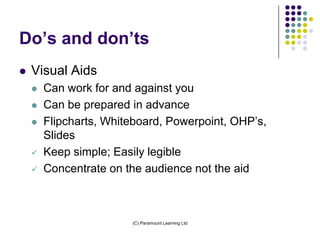
Do’s and don’ts
   Visual Aids
       Can work for and against you
       Can be prepared in advance
       Flipcharts, Whiteboard, Powerpoint, OHP’s,
        Slides
       Keep simple; Easily legible
       Concentrate on the audience not the aid


                        (C) Paramount Learning Ltd
Do’s and don’ts
   Use eye contact
   Do not walk in front of the screen
   Control nerves through deep breathing
   When using Acetates
       Beware of the shakes
       Fans can be noisy
       Can draw on them directly to illustrate a point


                          (C) Paramount Learning Ltd
Do’s and don'ts
   Avoid handouts unless essential to make a
    point; distribute at the the end
   Watch out for err’s and um’s
   Control of hands
       Clicking pens
       Shuffling coins in pocket
       Hand over mouth
       Scratching

                         (C) Paramount Learning Ltd
Do’s and don'ts
   Control of Body/Feet
       Shuffling
       Walking backward and forwards
       Stand upright
   Invest in a presenter
   Use ‘and finally’ to raise interest once only
   Use peoples names if you know them


                       (C) Paramount Learning Ltd
Do’s and Don’ts
   Voice and Vocabulary
       Vary pace and tone
       Speak to the back of the room
       Avoid jargon
• PowerPoint shortcuts
       Shift B = Black Screen
       Shift W = White Screen
       Right mouse click allows pointer options

                         (C) Paramount Learning Ltd
In Summary (4P’s)
   Preparation
       Audience, Location, Message, Structure, Delivery
       Review tender and proposal
   Practice
       Try it out
       Refine
   Pitch
       You should now be ready to make you pitch
   Purchase order?
                        (C) Paramount Learning Ltd
Presenting and
 Pitching Skills

       Thank You
 Questions Please

Presenting and Pitching skills

  • 1.
    Presenting and PitchingSkills Peter Ramsden Paramount Learning Ltd
  • 2.
    Aim of thesession 1. Be knowledgeable about what to do before making a pitch 2. Identify with how to turn a good proposal into an effective pitch 3. Generate an appreciation for good and bad presentation techniques 4. Provide guidance in order to prepare a well structured and well delivered pitch (C) Paramount Learning Ltd
  • 3.
    Well Done  Your proposal has made it through stage one and you have been invited to discuss your proposal at a meeting with the client.  What’s your first thought?  Really!  Fantastic  Relief  Panic  Oh no I have to make a formal presentation!  What do we need to do to secure the business? (C) Paramount Learning Ltd
  • 4.
    What do weneed to consider in making an effective pitch?  Audience  Location  Duration  Content/Message  Structure  Delivery Methods  Practice  Do’s and Don'ts (C) Paramount Learning Ltd
  • 5.
    Audience  Try to find out  Who will be there?  What are their roles and responsibilities  Who else might be pitching  Consider who will be attending from your company  Match numbers and skills as appropriate  Be aware of client corporate style and reflect in your Research your audience behaviour and look (C) Paramount Learning Ltd
  • 6.
    Location; Where, Whenand  What facilities are available  Flipchart  Overhead Projector (OHP)  Data projector  Projector Screen  Whiteboard  Interactive Whiteboard  Room size, layout etc (C) Paramount Learning Ltd
  • 7.
    Duration?  Important to find out for a number of reasons  Knowing how long you have helps you develop a well timed and structured presentation  Determines the maximum volume of information you can deliver  People typically prefer shorter rather than longer presentations  Shorter high impact presentations are generally more memorable  It’s better to finish one minute early than five minutes late (C) Paramount Learning Ltd
  • 8.
    The Content/Message  Be confident; you have been invited to present  Review the tender and your proposal once again  Identify any key points and ensure these are included in your pitch  Review your pre-proposal notes  Which areas did you deem to be important; accommodate into your pitch  Create a list of any questions they might ask and be ready to provide a well prepared response. What messages do you want the audience to take away? (C) Paramount Learning Ltd
  • 9.
    Preparation methods  Determine the structure of the proposal  Methods of creating a basic structure  Mind mapping  A4-A5-A6  Length of presentation (C) Paramount Learning Ltd
  • 10.
    Example Mind Map (C) Paramount Learning Ltd
  • 11.
    Structure  Introduction  Thank the audience for the opportunity to present  Who am I or Who are we?  Briefly outline what you are going to talk about?  Advise if you will take questions during or at the end?  Main Body  Break into segments  Focus on details as and when appropriate  Wrap Up  Summarize, And finally, In conclusion (C) Paramount Learning Ltd
  • 12.
    Delivery; How PeopleListen  Attention Span  Bite Size Chunks  Repetition (Milestones)  Visual, Auditory, Kinesthetic (VAK)  Observe non verbal communication  Conditioned for breaks What’s my name?  Use our own set of filters (C) Paramount Learning Ltd
  • 13.
    Listening: Attention Span High Attention Low Time (C) Paramount Learning Ltd
  • 14.
    Delivery; What MakesPeople Listen  Self Interest; What’s in it for me/us?  Try to guess what they want to hear  Who is speaking  Can this person solve my issue  What are they saying  Is this relevant and easy to understand  How they are delivering the message  Are they engaging or vague and boring (C) Paramount Learning Ltd
  • 15.
    What motivates peopleto buy?  Credibility  Expertise  Passionate  Honesty  Independent referrals  Economics  Specifications  Timing/convenience (C) Paramount Learning Ltd
  • 16.
    Presentation Styles  Positive  Negative  Warm  Arrogant  Honest  Vague  Friendly  Patronising  Exciting  Monotonous  Passionate  Closed  Knowledgeable  Complex (Depends on  Confident Audience)  Organised  Nervous  Irrelevant (C) Paramount Learning Ltd
  • 17.
    Getting Ready  Be Yourself  Make an impressive start  Deep breaths  Smile  Introduce yourself  Who am I  Why am I here  What am I going to say (C) Paramount Learning Ltd
  • 18.
    Do’s and don’ts  Practice, Practice, Practice  If possible arrive early.  Check projector  Audience seating  Room temperature, lights, layout etc  Take backups. Powerpoint, printouts, OHP  Never start with an apology (C) Paramount Learning Ltd
  • 19.
    Do’s and don’ts  Visual Aids  Can work for and against you  Can be prepared in advance  Flipcharts, Whiteboard, Powerpoint, OHP’s, Slides  Keep simple; Easily legible  Concentrate on the audience not the aid (C) Paramount Learning Ltd
  • 20.
    Do’s and don’ts  Use eye contact  Do not walk in front of the screen  Control nerves through deep breathing  When using Acetates  Beware of the shakes  Fans can be noisy  Can draw on them directly to illustrate a point (C) Paramount Learning Ltd
  • 21.
    Do’s and don'ts  Avoid handouts unless essential to make a point; distribute at the the end  Watch out for err’s and um’s  Control of hands  Clicking pens  Shuffling coins in pocket  Hand over mouth  Scratching (C) Paramount Learning Ltd
  • 22.
    Do’s and don'ts  Control of Body/Feet  Shuffling  Walking backward and forwards  Stand upright  Invest in a presenter  Use ‘and finally’ to raise interest once only  Use peoples names if you know them (C) Paramount Learning Ltd
  • 23.
    Do’s and Don’ts  Voice and Vocabulary  Vary pace and tone  Speak to the back of the room  Avoid jargon • PowerPoint shortcuts  Shift B = Black Screen  Shift W = White Screen  Right mouse click allows pointer options (C) Paramount Learning Ltd
  • 24.
    In Summary (4P’s)  Preparation  Audience, Location, Message, Structure, Delivery  Review tender and proposal  Practice  Try it out  Refine  Pitch  You should now be ready to make you pitch  Purchase order? (C) Paramount Learning Ltd
  • 25.
    Presenting and PitchingSkills Thank You Questions Please