Oral presentation
 Physical context: will the room be large? How many
people will be there? How much time do you have?
Will you be speaking at the end of the day, when
people are more tired, or at the beginning?
 Audience: what does your audience know about the
subject? Is there any background you need to give
them to help them get your main point?
 Format: much like an essay, a good presentation will
have an introduction, a body, and a conclusion. Giving
an idea of the structure of your talk at the beginning is
always helpful to the audience.
 Use your time carefully. If you only have ten minutes, you cannot spend more
than a minute or two giving background information. Make sure you practice
your presentation ahead of time, timing yourself. Pets make good audiences
when you need to rehearse you presentation. The more you rehearse, the more
confident you will be on your material and your ability to present it.
 Prepare yourself some notes to make sure you say what you prepared to say.
Many speakers recommend using cue cards so you can have them in your hand.
Nowadays, speakers often use tablets or even smartphones as their cue cards.
Avoid holding sheets of paper in your hands while speaking in front of an
audience.
 Many of us speak faster when nervous. Be conscious of that and slow down,
particularly if your audience is meant to be taking notes of what you say.
 Consider ending your talk with a suggestion of where to go from there, a
summary of what you said, or a challenge to the audience. Allow for a few
minutes at the end to entertain questions from the audience.
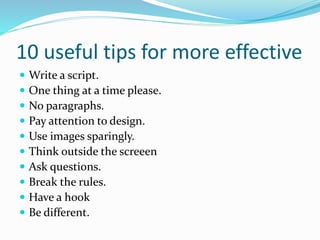
10 useful tips for more effective
 Write a script.
 One thing at a time please.
 No paragraphs.
 Pay attention to design.
 Use images sparingly.
 Think outside the screeen
 Ask questions.
 Break the rules.
 Have a hook
 Be different.
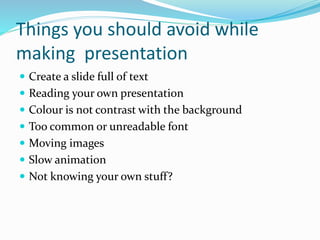
Things you should avoid while
making presentation
 Create a slide full of text
 Reading your own presentation
 Colour is not contrast with the background
 Too common or unreadable font
 Moving images
 Slow animation
 Not knowing your own stuff?
 THANK YOU
PRACHI GOSWAMI

Effective presentation skills

  • 2.
    Oral presentation  Physicalcontext: will the room be large? How many people will be there? How much time do you have? Will you be speaking at the end of the day, when people are more tired, or at the beginning?  Audience: what does your audience know about the subject? Is there any background you need to give them to help them get your main point?  Format: much like an essay, a good presentation will have an introduction, a body, and a conclusion. Giving an idea of the structure of your talk at the beginning is always helpful to the audience.
  • 3.
     Use yourtime carefully. If you only have ten minutes, you cannot spend more than a minute or two giving background information. Make sure you practice your presentation ahead of time, timing yourself. Pets make good audiences when you need to rehearse you presentation. The more you rehearse, the more confident you will be on your material and your ability to present it.  Prepare yourself some notes to make sure you say what you prepared to say. Many speakers recommend using cue cards so you can have them in your hand. Nowadays, speakers often use tablets or even smartphones as their cue cards. Avoid holding sheets of paper in your hands while speaking in front of an audience.  Many of us speak faster when nervous. Be conscious of that and slow down, particularly if your audience is meant to be taking notes of what you say.  Consider ending your talk with a suggestion of where to go from there, a summary of what you said, or a challenge to the audience. Allow for a few minutes at the end to entertain questions from the audience.
  • 4.
    10 useful tipsfor more effective  Write a script.  One thing at a time please.  No paragraphs.  Pay attention to design.  Use images sparingly.  Think outside the screeen  Ask questions.  Break the rules.  Have a hook  Be different.
  • 5.
    Things you shouldavoid while making presentation  Create a slide full of text  Reading your own presentation  Colour is not contrast with the background  Too common or unreadable font  Moving images  Slow animation  Not knowing your own stuff?
  • 6.