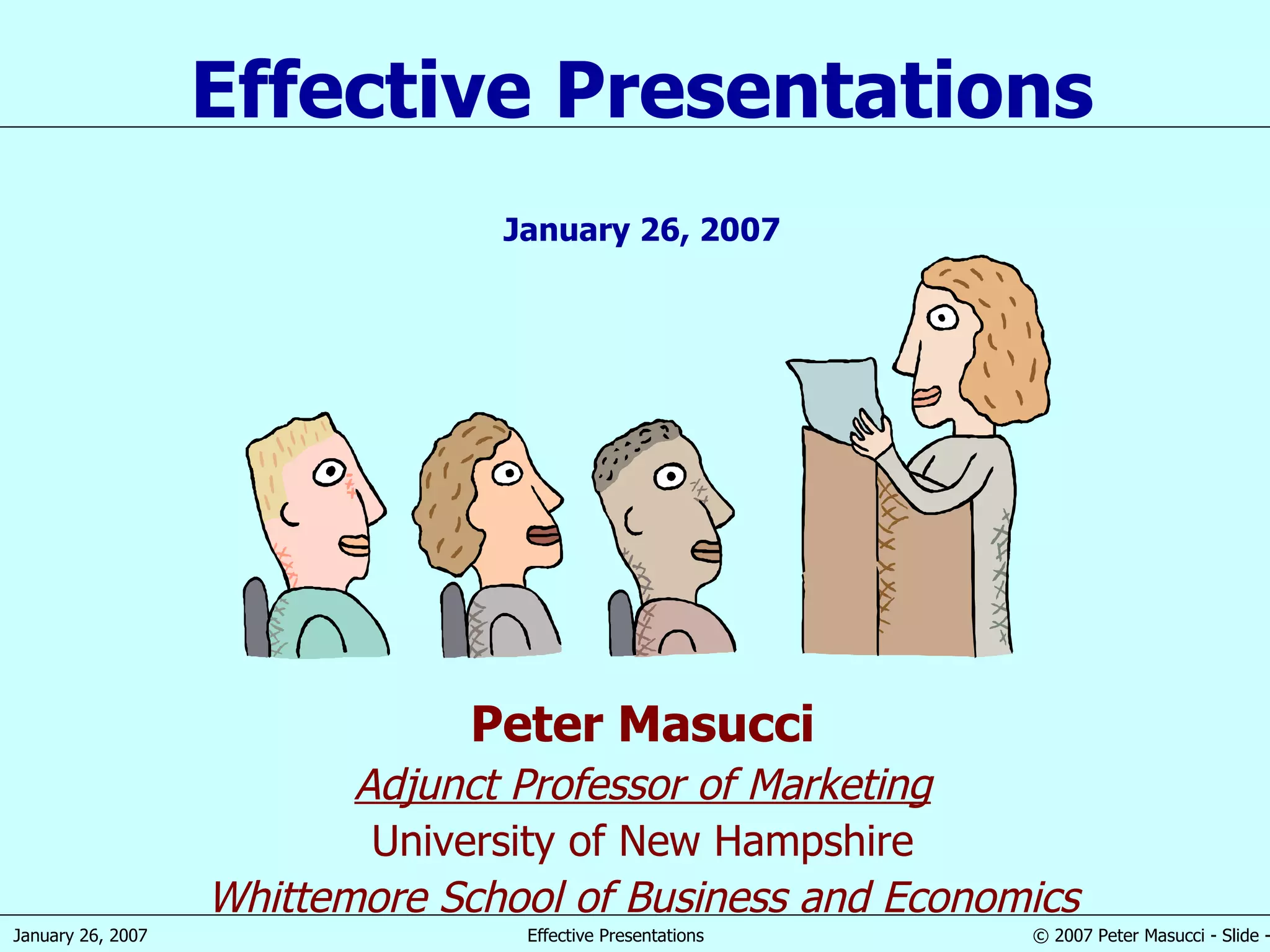
Peter Masucci Adjunct Professor of Marketing University of New Hampshire Whittemore School of Business and Economics Effective Presentations January 26, 2007
“ Great speakers aren’t born, they are trained.” Presenting is a Skill… Developed through training and experience
Agenda  Introduction Planning your presentation The presentation sequence Creating effective visual aids Effective presentation techniques
Peter Masucci – Teaching Experience UNH ,  Whittemore School of Business & Economics,  Durham, NH Undergraduate courses ADMN 651 – Principles of Marketing MGT 732 – Explorations in Entrepreneurial Management MGT 755 – International Management MKTG 752 – Marketing Research MKTG 757 – Advertising and Integrated Marketing Communications MKTG 762 – Marketing Workshop MKTG 763 – Market Opportunities Analysis MKTG 798 – Advertising Workshop Graduate courses ADMN 852 – Marketing Research, MBA ADMN 898 – Advertising and Integrated Marketing Communications, MBA ADMN 898 – New Product Development, MBA ADMN 960 – Marketing Management, MBA MOT 898 – Market Research for Emerging Technologies, MS MOT MOT 941 – Product Development and Marketing, MS MOT Simmons College , Boston, MA Graduate School, Master’s in Communications Management Program (MCM) MCM 442 – Emerging Communications Technologies MCM 451 – Advertising and Integrated Marketing Communications MCM 453 – Strategic Marketing Planning MCM 458 – Online Marketing
Peter Masucci – Professional Experience Professional experience: 2001 VX Management Group, Founding Partner Management and marketing consulting 1998 Open Market/FutureTense, VP Business Development Internet content management and transaction processing software 1998 Saradam Telemedicine Systems, Founder and CEO Remote medical services delivered via videoconferencing over the Internet 1996 PictureTel, VP Marketing Videoconferencing equipment and services 1994 Sequoia Systems, VP Marketing High-performance, fault-tolerant business computer systems 1986 Alliant Computer Systems, VP International Operations High-performance, scientific supercomputer systems 1973 Digital Equipment, various marketing management positions PCs, minicomputer systems, embedded real-time computers, semiconductors 1970 Rockwell International Space Division, Project Engineer Apollo moon missions and Skylab space station programs 1967 NASA – Electronics Research Center, Research Assistant Trajectory analysis planning for deep space probes Education : Boston University, BS in Aerospace Engineering Clark University, MBA with concentration in marketing
Introduction
Why Give A Presentation? Three Main Purposes Inform Persuade Educate
Definitions  Presentation “ Something set forth to an audience for the attention of the mind “ Effective “… producing a desired result”
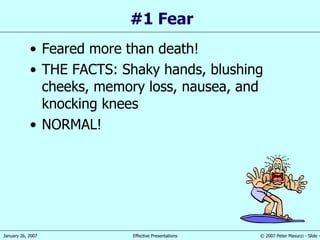
#1 Fear Feared more than death! THE FACTS: Shaky hands, blushing cheeks, memory loss, nausea, and knocking knees NORMAL!
Causes of the Anxiety Fear of the unknown OR loss of control Fight or flight mode No backup plan No enthusiasm for subject Focus of attention
Effective Presentations Control anxiety – Don’t fight it Audience centered Accomplishes objective Fun for audience Fun for you Conducted within time frame
Planning Your Presentation
Planning Your Presentation Determine purpose What do you want to accomplish? Know your audience !!! Success depends on your ability to reach your audience Size Demographics Knowledge level Motivation Why are they attending? What do  THEY  expect?
More Planning Plan Space Number of attendees and seats Seating arrangement Lighting, and lighting controls Audio/Visual equipment Distracters What Day and Time? Morning Afternoon Evening Work day versus weekend Any day!
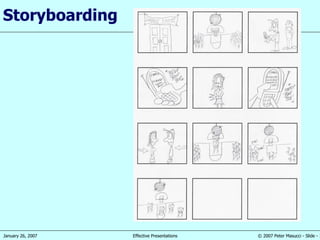
Still More Planning  Organization Determine main points (1-5) Evidence Transitions Prepare outline Prepare a Storyboard Rehearse…Rehearse…Rehearse!! In the actual room if possible Work to a script and time your presentation Practice Q & A Check equipment – load your slides in advance Make contingency plans
Organizing Your Presentation Organizational patterns Topical Chronological  Problem/Solution Cause/Effect
Presentation Outline Keyword reminders Conversational flow Flexibility  More responsive to audience
Storyboarding
The Presentation Sequence
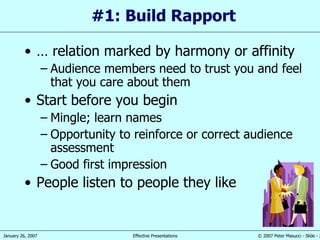
#1: Build Rapport …  relation marked by harmony or affinity   Audience members need to trust you and feel that you care about them Start before you begin Mingle; learn names Opportunity to reinforce or correct audience assessment Good first impression People listen to people they like
#2: Opening Your Presentation  Introduce yourself Why should they listen Get attention, build more rapport, introduce topic Humor Short story Startling statistic Make audience think Invite participation Get audience response
#2…Completing the Opening  Clearly defining topic If informative… Clear parameters for content within time If persuasive… What’s the problem Who cares What’s the solution Overview
#3:  Presenting Main Points Make point-transition,…make point-transition,…make point-transition, etc… Supporting evidence Examples Feedback & questions from audience Attention to, and focus on, audience… are they listening?
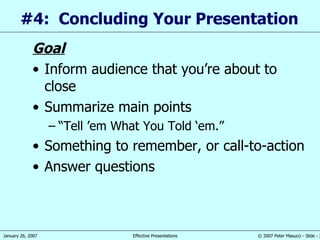
#4:  Concluding Your Presentation  Goal Inform audience that you’re about to close Summarize main points “ Tell ’em What You Told ‘em.” Something to remember, or call-to-action Answer questions
Creating Effective Visual Aids
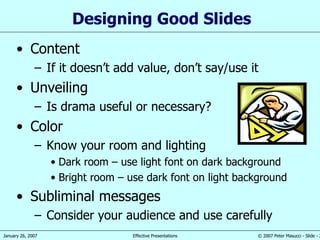
Designing Good Slides Content If it doesn’t add value, don’t say/use it Unveiling Is drama useful or necessary? Color Know your room and lighting Dark room – use light font on dark background Bright room – use dark font on light background Subliminal messages Consider your audience and use carefully
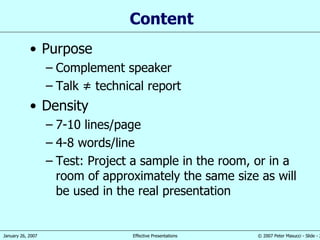
Content Purpose Complement speaker Talk ≠ technical report Density 7-10 lines/page 4-8 words/line Test: Project a sample in the room, or in a room of approximately the same size as will be used in the real presentation
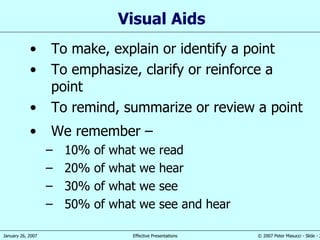
Visual Aid s To make, explain or identify a point To emphasize,   clarify or r e inforce a point To remind, summarize or review a point We remember  –  10% of what we read 20% of what we hear 30% of what we see 50% of what we see and hear
Visual Aids Enhance understanding Add variety Support claims Lasting impact Used poorly, however, they can be a distraction and lead to an  ineffective  presentation
PowerPoint slides Overhead transparencies Graphs/charts Pictures Web links  ( http://www.unh.edu/uacc/unhpathways.html   ) Films/video Flip charts Sketches Chalk or white board Visual Aids
Visual Aids Should… Outline, explain, support main points Serve audience’s needs, not speaker’s Be simple and clear Supplement and support…   NOT DOMINATE!...   the presentation
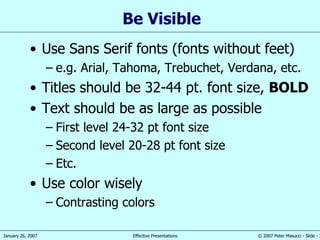
Be Visible Use Sans Serif fonts (fonts without feet) e.g. Arial, Tahoma, Trebuchet, Verdana, etc. Titles should be 32-44 pt. font size,  BOLD Text should be as large as possible First level 24-32 pt font size Second level 20-28 pt font size Etc. Use color wisely Contrasting colors
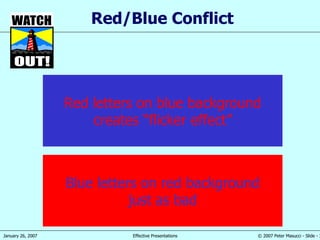
Red/Blue Conflict Red letters on blue background creates “flicker effect” Blue letters on red background just as bad
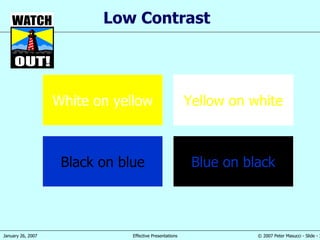
Low Contrast White on yellow Yellow on white Black on blue Blue on black
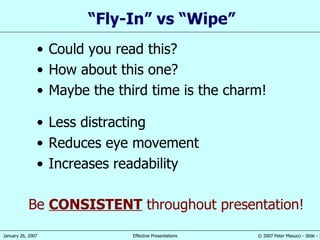
“ Fly-In” vs “Wipe” Less distracting Reduces eye movement Increases readability Could you read this? How about this one? Maybe the third time is the charm! Be  CONSISTENT  throughout presentation!
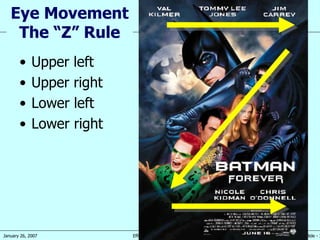
Upper left Upper right Lower left Lower right  Eye Movement The “Z” Rule
Effective Presentation Techniques
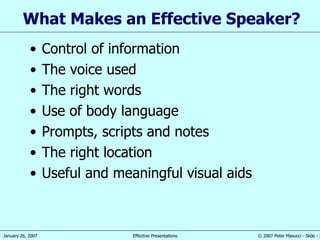
What  M akes an  E ffective  S peaker ? Control of information The voice used The right words Use of body language Prompts, scripts and notes The right location Useful  and meaningful visual aids
Vocal Techniques Loudness Will you be using a microphone? Pitch Vary to make points Rate Watch your audience Pause for effect Allow time for message to “sink in” Deviate from the norm for emphasis
The Voice C : Clear  –  the use of simple,   easily understood words and phrases L : Loud (enough)  –  it is important that everyone can hear you A : Assertive  – a  bright and confident air born of knowledge of the subject and good preparation P : Pause  –  it is essential to allow the listeners  time  to digest what you have said
Use t he Rights Words What you say ,  and  how you say it , is the key to a successful presentation: P  –  state your position or  point R  – explain your ideas E  – use  example s P  –  restate your position or point
Use of  B ody Language Make eye contact Use your hands , but don’t go crazy If possible move around, but slowly! DON’T speak with your back to the audience
Body Language Make eye contact ,…but move focus around the audience Use your hands ,…but don’t go crazy If possible move around,…but slowly! Maintain good posture Make sure everyone can see you DON’T speak with your back to the audience
Scripts and  Notes  Learn and use a script for formal presentations to large groups Small note  cards , or PPT notes page,   can be used, but FIRST write a script Underline  key  words that will best remind you what you want to say Use one card for each  slide or topic If possible, have someone else advance slides for you
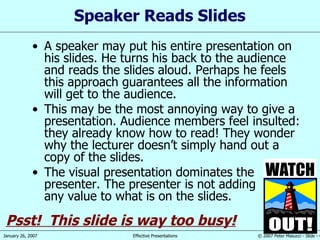
Speaker Reads Slides A speaker may put his entire presentation on his slides. He turns his back to the audience and reads the slides aloud. Perhaps he feels this approach guarantees all the information will get to the audience. This may be the most annoying way to give a presentation. Audience members feel insulted: they already know how to read! They wonder why the lecturer doesn’t simply hand out a copy of the slides. The visual presentation dominates the presenter. The presenter is not adding any value to what is on the slides. Psst!  This slide is way too busy!
Common Problems Verbal fillers “ Um”, “uh”, “like”, “you guys” Any unrelated word or phrase Swaying, rocking, and pacing Hands in pockets Lip smacking Fidgeting Failure to be audience-centered
Pauses Useful Awaiting thought Switching gaze Reading slide Reinforcing point Powerful Difficult
Control of  Information Know your subject well Know what you are talking about Practice More practice More reh e arsal s - in   front of the mirror - in   front of colleagues or friends - in   front of family  members Believ e  in yourself Know your opening by heart
Closing Summary Audience is always a ttentive at the begining Somewhat l ess attentive  in  the middle Generally more  attentive at the end Tell them  what you are  going to  say Then s ay it At the end, s ay it again Allow time for questions
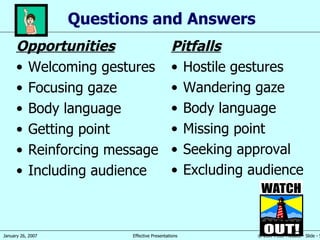
Questions and Answers Opportunities Welcoming gestures Focusing gaze Body language Getting point Reinforcing message Including audience Pitfalls Hostile gestures Wandering gaze Body language Missing point Seeking approval Excluding audience
5 Presentation Tips Smile Breathe Water Notes Finish on, or under time
Summary Guide audience gently Design slides carefully Use pauses effectively Answer questions inclusively
Questions ?

Effectivepresentations

  • 1.
    Peter Masucci AdjunctProfessor of Marketing University of New Hampshire Whittemore School of Business and Economics Effective Presentations January 26, 2007
  • 2.
    “ Great speakersaren’t born, they are trained.” Presenting is a Skill… Developed through training and experience
  • 3.
    Agenda IntroductionPlanning your presentation The presentation sequence Creating effective visual aids Effective presentation techniques
  • 4.
    Peter Masucci –Teaching Experience UNH , Whittemore School of Business & Economics, Durham, NH Undergraduate courses ADMN 651 – Principles of Marketing MGT 732 – Explorations in Entrepreneurial Management MGT 755 – International Management MKTG 752 – Marketing Research MKTG 757 – Advertising and Integrated Marketing Communications MKTG 762 – Marketing Workshop MKTG 763 – Market Opportunities Analysis MKTG 798 – Advertising Workshop Graduate courses ADMN 852 – Marketing Research, MBA ADMN 898 – Advertising and Integrated Marketing Communications, MBA ADMN 898 – New Product Development, MBA ADMN 960 – Marketing Management, MBA MOT 898 – Market Research for Emerging Technologies, MS MOT MOT 941 – Product Development and Marketing, MS MOT Simmons College , Boston, MA Graduate School, Master’s in Communications Management Program (MCM) MCM 442 – Emerging Communications Technologies MCM 451 – Advertising and Integrated Marketing Communications MCM 453 – Strategic Marketing Planning MCM 458 – Online Marketing
  • 5.
    Peter Masucci –Professional Experience Professional experience: 2001 VX Management Group, Founding Partner Management and marketing consulting 1998 Open Market/FutureTense, VP Business Development Internet content management and transaction processing software 1998 Saradam Telemedicine Systems, Founder and CEO Remote medical services delivered via videoconferencing over the Internet 1996 PictureTel, VP Marketing Videoconferencing equipment and services 1994 Sequoia Systems, VP Marketing High-performance, fault-tolerant business computer systems 1986 Alliant Computer Systems, VP International Operations High-performance, scientific supercomputer systems 1973 Digital Equipment, various marketing management positions PCs, minicomputer systems, embedded real-time computers, semiconductors 1970 Rockwell International Space Division, Project Engineer Apollo moon missions and Skylab space station programs 1967 NASA – Electronics Research Center, Research Assistant Trajectory analysis planning for deep space probes Education : Boston University, BS in Aerospace Engineering Clark University, MBA with concentration in marketing
  • 6.
  • 7.
    Why Give APresentation? Three Main Purposes Inform Persuade Educate
  • 8.
    Definitions Presentation“ Something set forth to an audience for the attention of the mind “ Effective “… producing a desired result”
  • 9.
    #1 Fear Fearedmore than death! THE FACTS: Shaky hands, blushing cheeks, memory loss, nausea, and knocking knees NORMAL!
  • 10.
    Causes of theAnxiety Fear of the unknown OR loss of control Fight or flight mode No backup plan No enthusiasm for subject Focus of attention
  • 11.
    Effective Presentations Controlanxiety – Don’t fight it Audience centered Accomplishes objective Fun for audience Fun for you Conducted within time frame
  • 12.
  • 13.
    Planning Your PresentationDetermine purpose What do you want to accomplish? Know your audience !!! Success depends on your ability to reach your audience Size Demographics Knowledge level Motivation Why are they attending? What do THEY expect?
  • 14.
    More Planning PlanSpace Number of attendees and seats Seating arrangement Lighting, and lighting controls Audio/Visual equipment Distracters What Day and Time? Morning Afternoon Evening Work day versus weekend Any day!
  • 15.
    Still More Planning Organization Determine main points (1-5) Evidence Transitions Prepare outline Prepare a Storyboard Rehearse…Rehearse…Rehearse!! In the actual room if possible Work to a script and time your presentation Practice Q & A Check equipment – load your slides in advance Make contingency plans
  • 16.
    Organizing Your PresentationOrganizational patterns Topical Chronological Problem/Solution Cause/Effect
  • 17.
    Presentation Outline Keywordreminders Conversational flow Flexibility More responsive to audience
  • 18.
  • 19.
  • 20.
    #1: Build Rapport… relation marked by harmony or affinity Audience members need to trust you and feel that you care about them Start before you begin Mingle; learn names Opportunity to reinforce or correct audience assessment Good first impression People listen to people they like
  • 21.
    #2: Opening YourPresentation Introduce yourself Why should they listen Get attention, build more rapport, introduce topic Humor Short story Startling statistic Make audience think Invite participation Get audience response
  • 22.
    #2…Completing the Opening Clearly defining topic If informative… Clear parameters for content within time If persuasive… What’s the problem Who cares What’s the solution Overview
  • 23.
    #3: PresentingMain Points Make point-transition,…make point-transition,…make point-transition, etc… Supporting evidence Examples Feedback & questions from audience Attention to, and focus on, audience… are they listening?
  • 24.
    #4: ConcludingYour Presentation Goal Inform audience that you’re about to close Summarize main points “ Tell ’em What You Told ‘em.” Something to remember, or call-to-action Answer questions
  • 25.
  • 26.
    Designing Good SlidesContent If it doesn’t add value, don’t say/use it Unveiling Is drama useful or necessary? Color Know your room and lighting Dark room – use light font on dark background Bright room – use dark font on light background Subliminal messages Consider your audience and use carefully
  • 27.
    Content Purpose Complementspeaker Talk ≠ technical report Density 7-10 lines/page 4-8 words/line Test: Project a sample in the room, or in a room of approximately the same size as will be used in the real presentation
  • 28.
    Visual Aid sTo make, explain or identify a point To emphasize, clarify or r e inforce a point To remind, summarize or review a point We remember – 10% of what we read 20% of what we hear 30% of what we see 50% of what we see and hear
  • 29.
    Visual Aids Enhanceunderstanding Add variety Support claims Lasting impact Used poorly, however, they can be a distraction and lead to an ineffective presentation
  • 30.
    PowerPoint slides Overheadtransparencies Graphs/charts Pictures Web links ( http://www.unh.edu/uacc/unhpathways.html ) Films/video Flip charts Sketches Chalk or white board Visual Aids
  • 31.
    Visual Aids Should…Outline, explain, support main points Serve audience’s needs, not speaker’s Be simple and clear Supplement and support… NOT DOMINATE!... the presentation
  • 32.
    Be Visible UseSans Serif fonts (fonts without feet) e.g. Arial, Tahoma, Trebuchet, Verdana, etc. Titles should be 32-44 pt. font size, BOLD Text should be as large as possible First level 24-32 pt font size Second level 20-28 pt font size Etc. Use color wisely Contrasting colors
  • 33.
    Red/Blue Conflict Redletters on blue background creates “flicker effect” Blue letters on red background just as bad
  • 34.
    Low Contrast Whiteon yellow Yellow on white Black on blue Blue on black
  • 35.
    “ Fly-In” vs“Wipe” Less distracting Reduces eye movement Increases readability Could you read this? How about this one? Maybe the third time is the charm! Be CONSISTENT throughout presentation!
  • 36.
    Upper left Upperright Lower left Lower right Eye Movement The “Z” Rule
  • 37.
  • 38.
    What Makes an E ffective S peaker ? Control of information The voice used The right words Use of body language Prompts, scripts and notes The right location Useful and meaningful visual aids
  • 39.
    Vocal Techniques LoudnessWill you be using a microphone? Pitch Vary to make points Rate Watch your audience Pause for effect Allow time for message to “sink in” Deviate from the norm for emphasis
  • 40.
    The Voice C: Clear – the use of simple, easily understood words and phrases L : Loud (enough) – it is important that everyone can hear you A : Assertive – a bright and confident air born of knowledge of the subject and good preparation P : Pause – it is essential to allow the listeners time to digest what you have said
  • 41.
    Use t heRights Words What you say , and how you say it , is the key to a successful presentation: P – state your position or point R – explain your ideas E – use example s P – restate your position or point
  • 42.
    Use of B ody Language Make eye contact Use your hands , but don’t go crazy If possible move around, but slowly! DON’T speak with your back to the audience
  • 43.
    Body Language Makeeye contact ,…but move focus around the audience Use your hands ,…but don’t go crazy If possible move around,…but slowly! Maintain good posture Make sure everyone can see you DON’T speak with your back to the audience
  • 44.
    Scripts and Notes Learn and use a script for formal presentations to large groups Small note cards , or PPT notes page, can be used, but FIRST write a script Underline key words that will best remind you what you want to say Use one card for each slide or topic If possible, have someone else advance slides for you
  • 45.
    Speaker Reads SlidesA speaker may put his entire presentation on his slides. He turns his back to the audience and reads the slides aloud. Perhaps he feels this approach guarantees all the information will get to the audience. This may be the most annoying way to give a presentation. Audience members feel insulted: they already know how to read! They wonder why the lecturer doesn’t simply hand out a copy of the slides. The visual presentation dominates the presenter. The presenter is not adding any value to what is on the slides. Psst! This slide is way too busy!
  • 46.
    Common Problems Verbalfillers “ Um”, “uh”, “like”, “you guys” Any unrelated word or phrase Swaying, rocking, and pacing Hands in pockets Lip smacking Fidgeting Failure to be audience-centered
  • 47.
    Pauses Useful Awaitingthought Switching gaze Reading slide Reinforcing point Powerful Difficult
  • 48.
    Control of Information Know your subject well Know what you are talking about Practice More practice More reh e arsal s - in front of the mirror - in front of colleagues or friends - in front of family members Believ e in yourself Know your opening by heart
  • 49.
    Closing Summary Audienceis always a ttentive at the begining Somewhat l ess attentive in the middle Generally more attentive at the end Tell them what you are going to say Then s ay it At the end, s ay it again Allow time for questions
  • 50.
    Questions and AnswersOpportunities Welcoming gestures Focusing gaze Body language Getting point Reinforcing message Including audience Pitfalls Hostile gestures Wandering gaze Body language Missing point Seeking approval Excluding audience
  • 51.
    5 Presentation TipsSmile Breathe Water Notes Finish on, or under time
  • 52.
    Summary Guide audiencegently Design slides carefully Use pauses effectively Answer questions inclusively
  • 53.