AUTO CAD
.
OUTLINES
• DEFINATION
• SCREEN LAYOUT
• COMMANDS
• FUNCTION KEYS
WHAT IS AUTO CAD ?
AutoCAD stands for “Automatically Computer
Aided Design/Drafting”. It is an electronic tool
that enables you to make quick and accurate
drawing with the use of a computer.
SCREEN LAYOUT
• The default autoCAD drawing screen can be divided
into four areas.
– Drawing area
– Command area
– Menu bar area
– Tool bar area
COMMANDS
• The basic commands and their structure of various
geometric figures are given in details for drawing
AutoCAD 2d drawing.
COMMANDS
• Line (L)
• Erase (E)
• Circle (C)
• Undo (U)
• Oops (or) redo (OOPS)
• Arc (A)
• Ellipse(EL)
COMMANDS
• Polygon (POL)
• Polyline (PL)
• Zoom (Z)
• Rectangle (REC)
• Mirror (MI)
• Offset (O)
• Trim (TR)
COMMANDS
• Commands for using AutoCAD 3d drawing.
• Extrued (EXT)
• Subtract (SU)
• Region (REG)
FUNCTION KEYS
• F1 - online help
• F2 - text screen ON-OFF
• F3 - osnap ON-OFF
• F4 - tablet ON-OFF
• F5 - iso plans top,right,left
• F6 - co-ordinates ON-OFF
FUNCTION KEYS
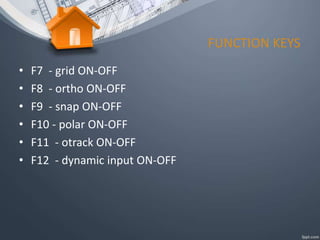
• F7 - grid ON-OFF
• F8 - ortho ON-OFF
• F9 - snap ON-OFF
• F10 - polar ON-OFF
• F11 - otrack ON-OFF
• F12 - dynamic input ON-OFF

Ppt autocad

  • 1.
  • 2.
    OUTLINES • DEFINATION • SCREENLAYOUT • COMMANDS • FUNCTION KEYS
  • 3.
    WHAT IS AUTOCAD ? AutoCAD stands for “Automatically Computer Aided Design/Drafting”. It is an electronic tool that enables you to make quick and accurate drawing with the use of a computer.
  • 4.
    SCREEN LAYOUT • Thedefault autoCAD drawing screen can be divided into four areas. – Drawing area – Command area – Menu bar area – Tool bar area
  • 5.
    COMMANDS • The basiccommands and their structure of various geometric figures are given in details for drawing AutoCAD 2d drawing.
  • 6.
    COMMANDS • Line (L) •Erase (E) • Circle (C) • Undo (U) • Oops (or) redo (OOPS) • Arc (A) • Ellipse(EL)
  • 7.
    COMMANDS • Polygon (POL) •Polyline (PL) • Zoom (Z) • Rectangle (REC) • Mirror (MI) • Offset (O) • Trim (TR)
  • 8.
    COMMANDS • Commands forusing AutoCAD 3d drawing. • Extrued (EXT) • Subtract (SU) • Region (REG)
  • 9.
    FUNCTION KEYS • F1- online help • F2 - text screen ON-OFF • F3 - osnap ON-OFF • F4 - tablet ON-OFF • F5 - iso plans top,right,left • F6 - co-ordinates ON-OFF
  • 10.
    FUNCTION KEYS • F7- grid ON-OFF • F8 - ortho ON-OFF • F9 - snap ON-OFF • F10 - polar ON-OFF • F11 - otrack ON-OFF • F12 - dynamic input ON-OFF