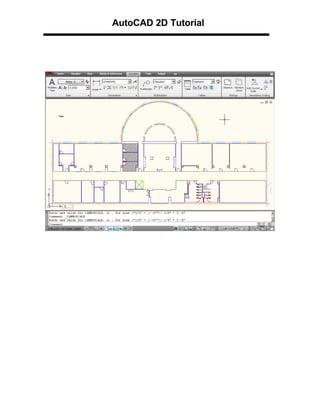
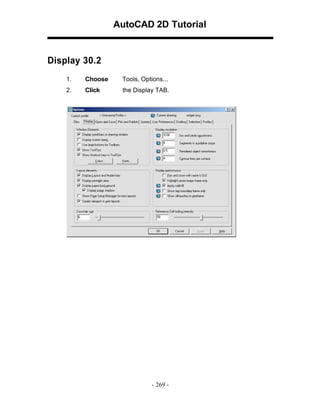
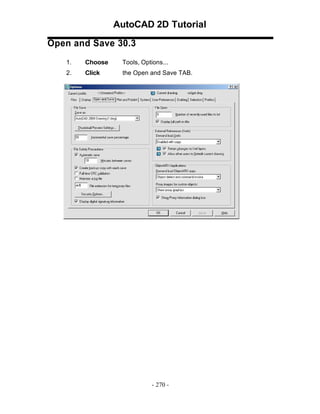
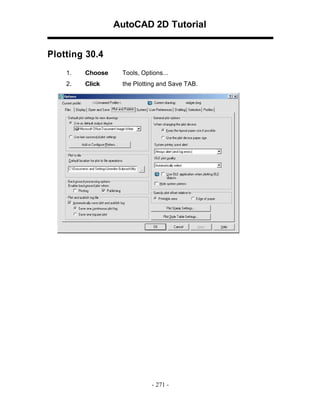
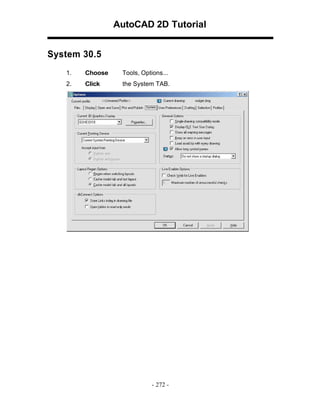
This document provides an overview and instructions for using basic AutoCAD 2D commands and functions, including:
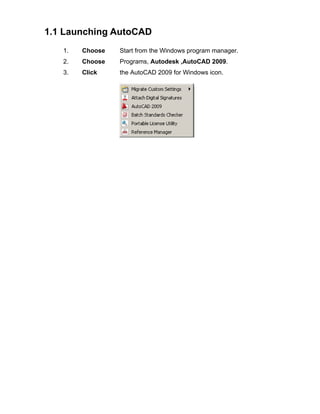
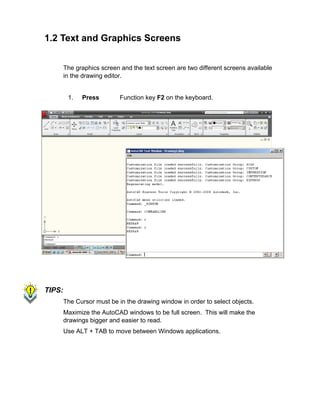
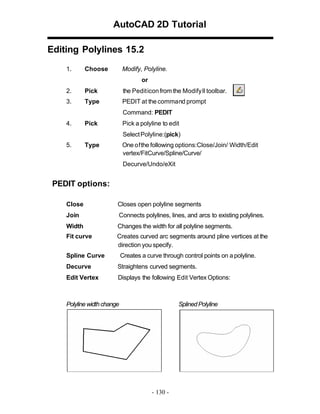
- Launching and navigating the AutoCAD interface
- Opening, creating, and saving drawings
- Using basic drawing tools like LINE, CIRCLE, and ARC
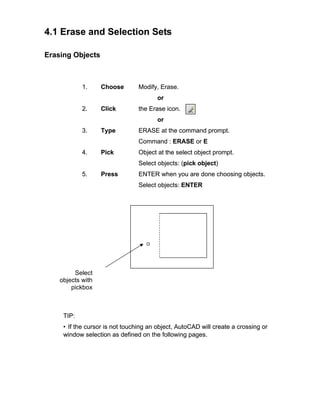
- Manipulating objects with commands like ERASE
- Working with coordinates, ortho mode, and other drafting settings
- Accessing help resources and exiting the program
The summary highlights the main topics and commands covered in the tutorial to introduce a new AutoCAD user to essential 2D drawing and interface tools.
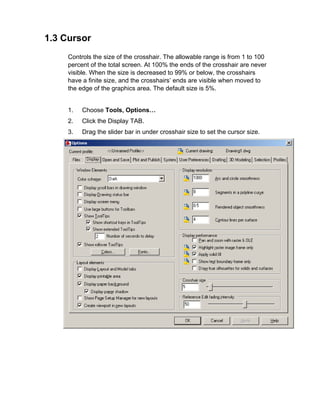

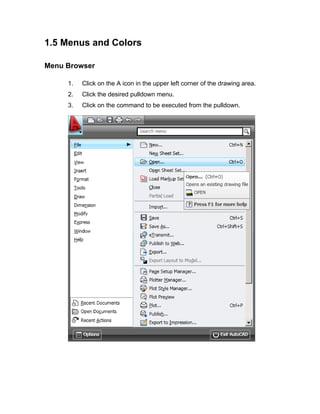
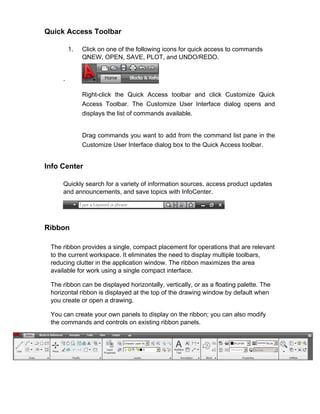
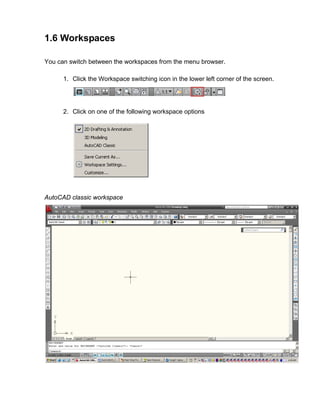
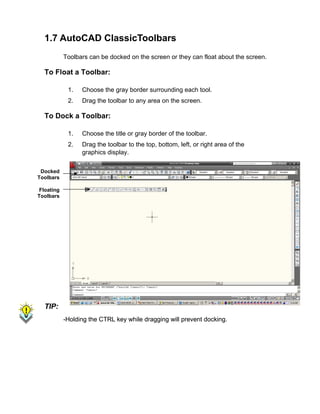
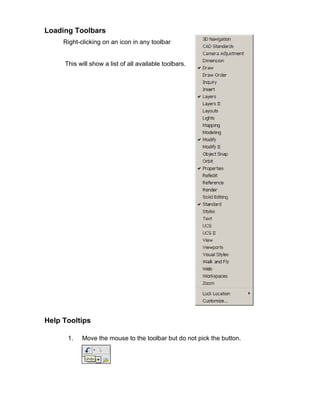
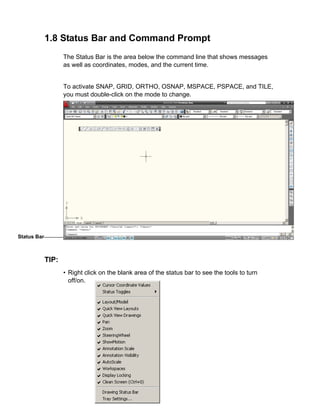
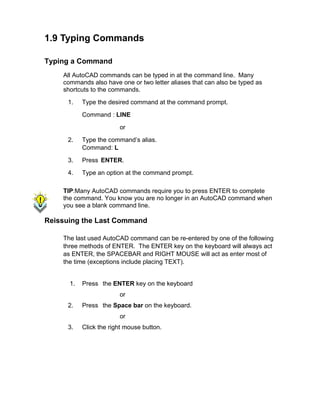
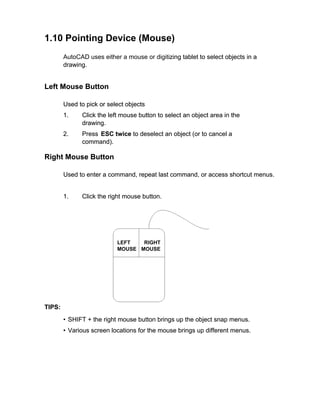
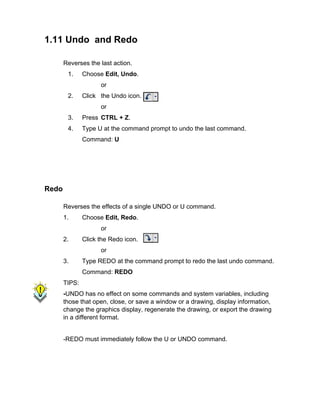
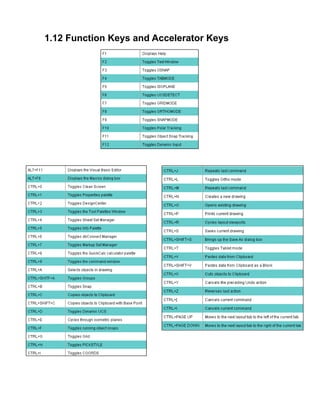
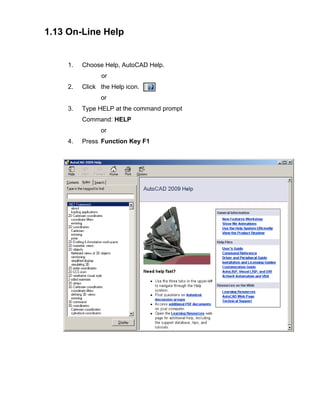
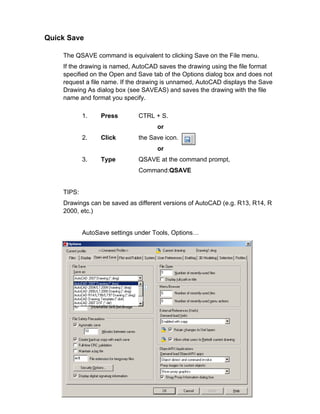
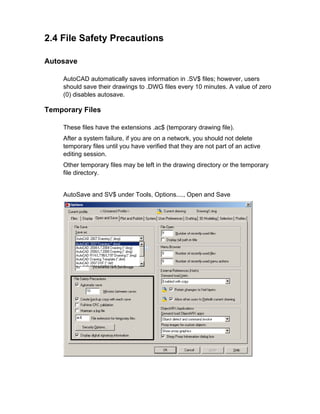
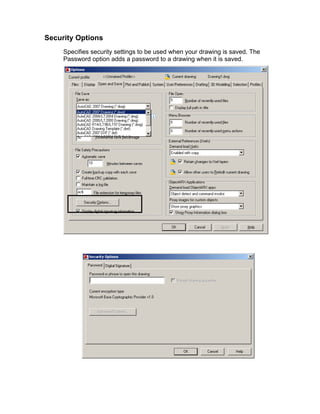
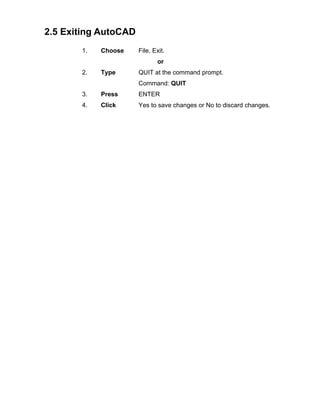
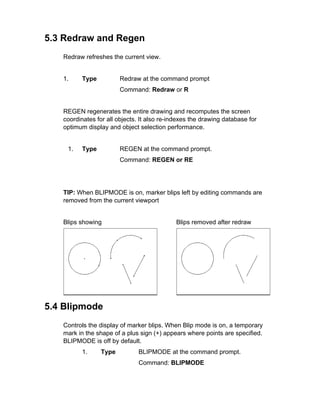
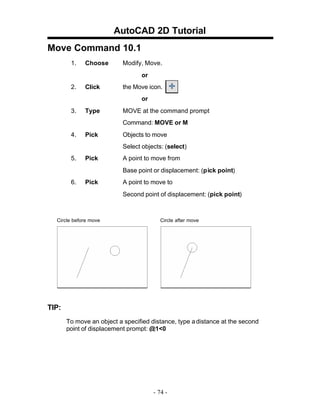
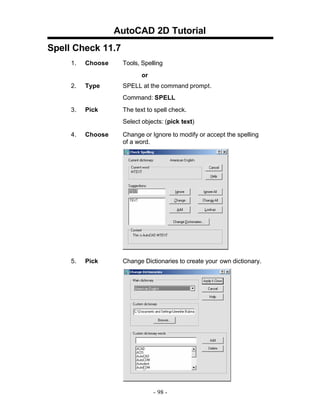
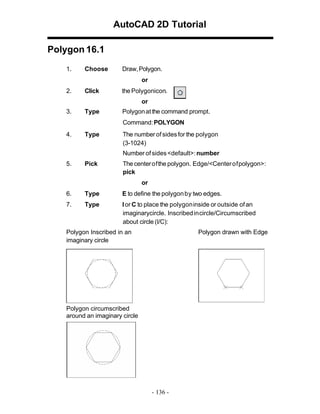
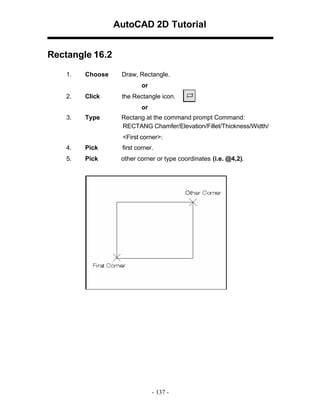
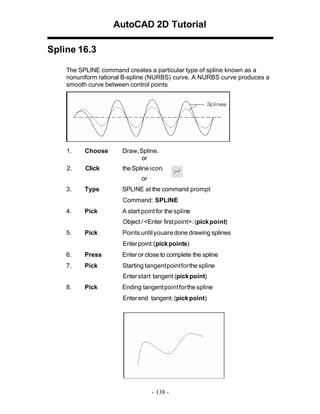
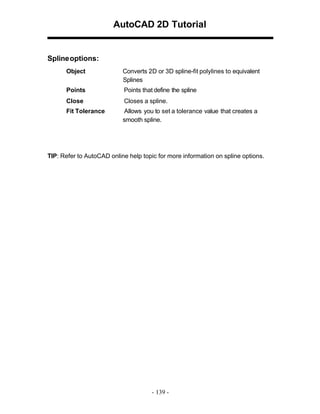
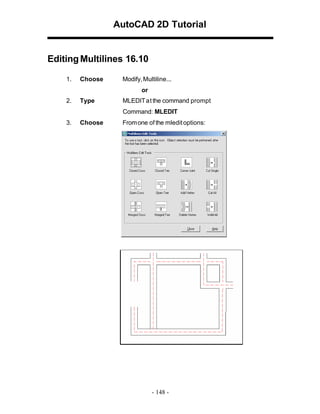
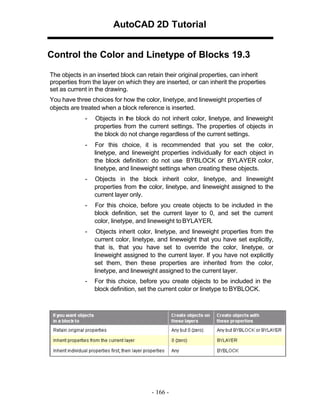
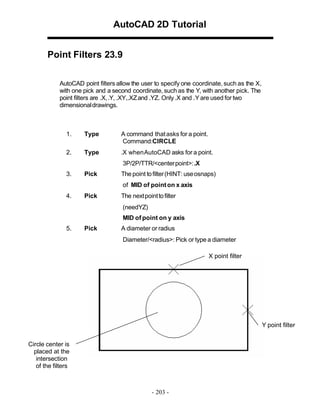
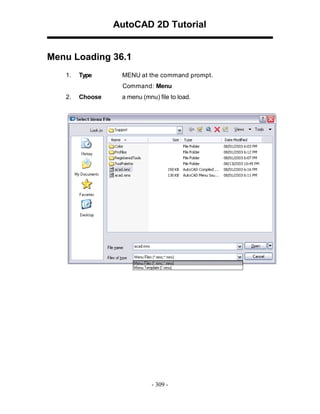
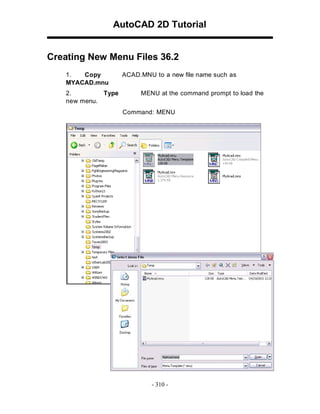
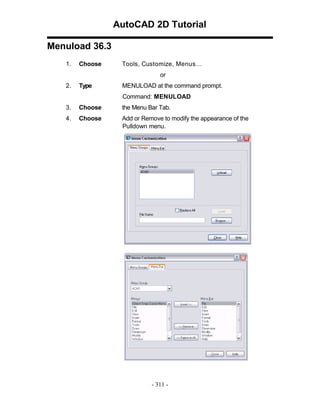
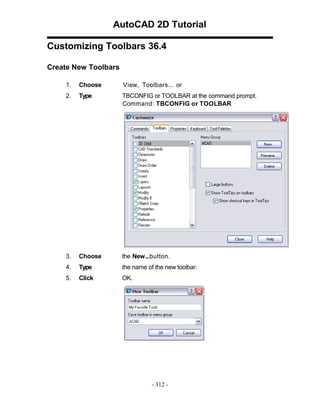
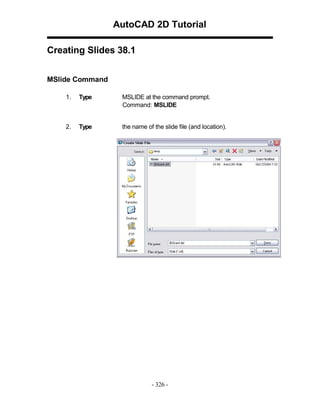
![3.1 Line Command
Creates single straight line segments
1.
Choose
Draw, Line.
or
2.
Click
the Line icon.
or
3.
Type
LINE from the command prompt
Command: LINE or L
4.
Press
ENTER
5.
Pick
From point: (point)
6.
Pick
Specify next point or [Close/Undo]:(point)
7.
Pick
Specify next point or [Close/Undo]:(point)
8.
Press
ENTER to end line sequence
or
9.
Type
U to undo the last segment
To point: U (undo)
or
10.
Type
C to create a closed polygon
To point : C (close)
TIPS:
• You can continue the previous line or arc by responding to
the From point: prompt with a space or ENTER.
• Choose the right mouse button for the line pop-up menu to
appear while in the line command](https://image.slidesharecdn.com/2dautocad2009-140121093339-phpapp01/85/2-d-autocad_2009-27-320.jpg)
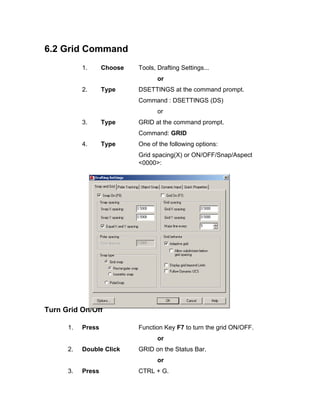
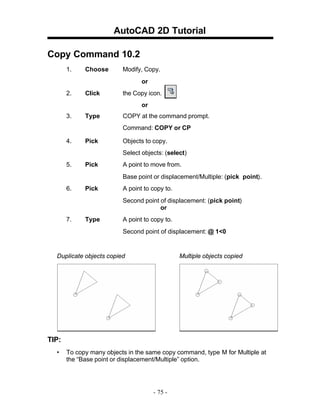
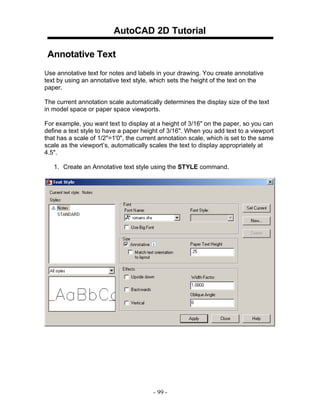
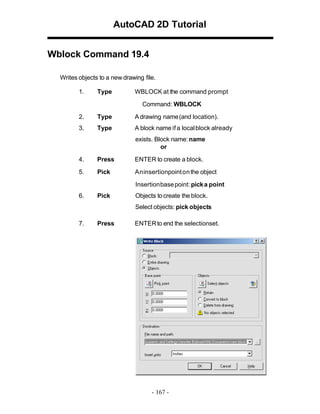
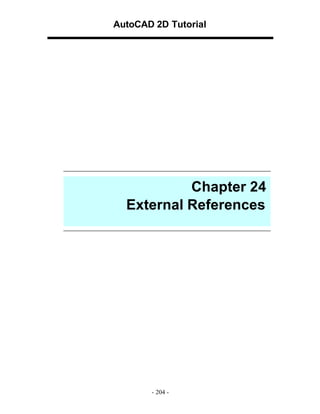
![6.1 SNAP Command
1.
Choose
Tools, Drafting Settings...
or
2.
Type
SNAP at the command prompt.
Command: SNAP or SN
3.
Type
One of the following options: Snap
spacing or
[ON/OFF/Aspect/Style/Type]:
Turn Snap On/OFF
1.
Press
Function Key F9 to turn the snap
ON/OFF.
or
2.
Double Click
SNAP on the Status Bar.
or
3.
Press
CTRL + B.
TIP:
Click with the right mouse button on the SNAP
option from the status bar as a shortcut to changing
the snap settings.](https://image.slidesharecdn.com/2dautocad2009-140121093339-phpapp01/85/2-d-autocad_2009-45-320.jpg)
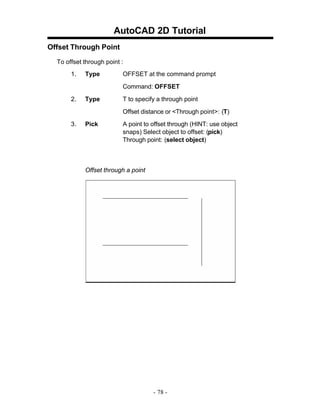
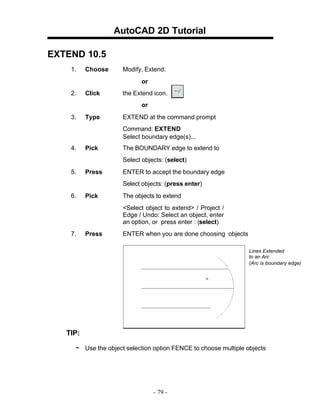
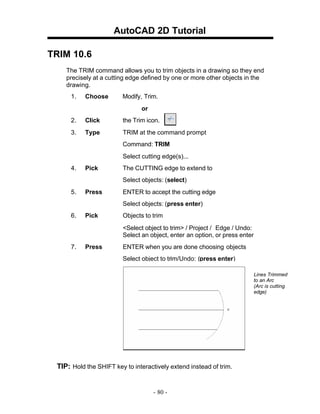
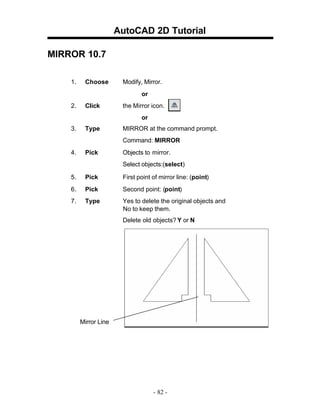
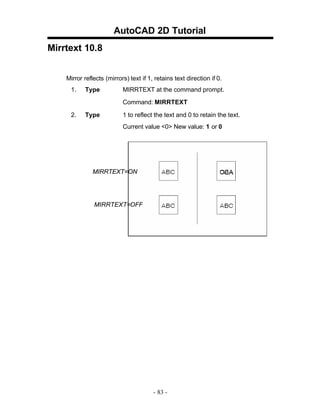
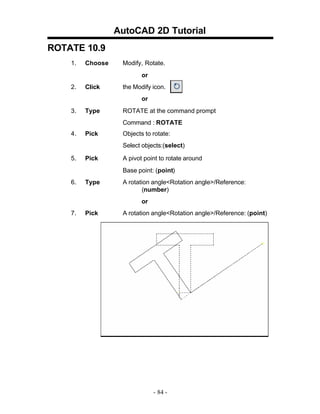
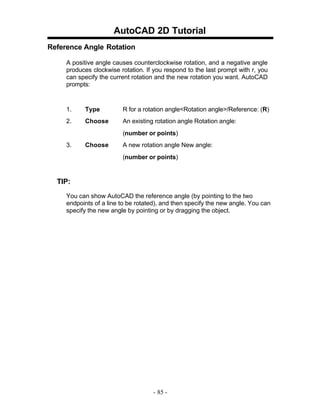
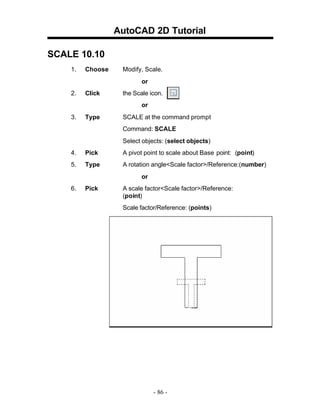
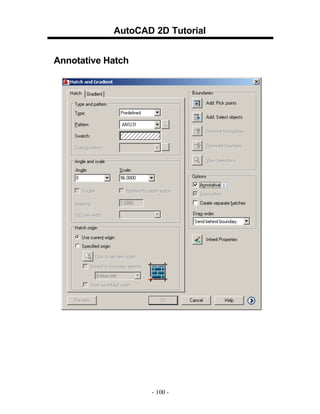
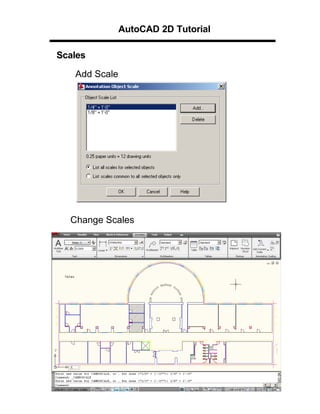
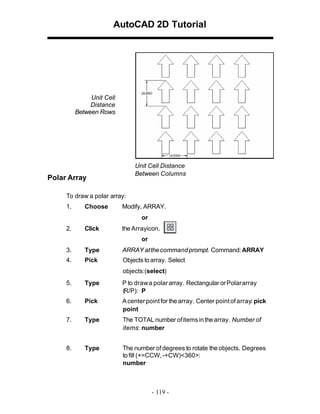
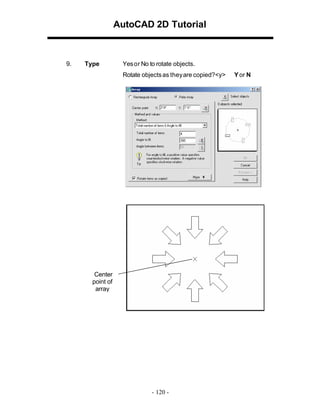
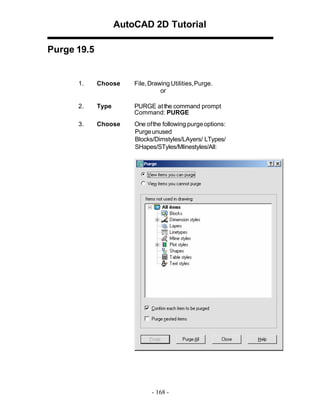
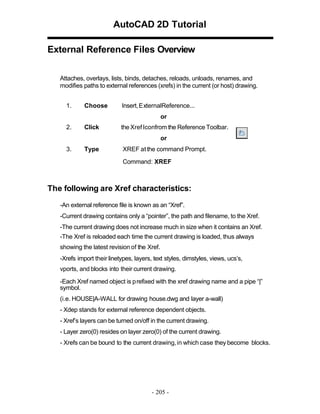
![AutoCAD 2D Tutorial
Lengthen 13.6
1.
Choose
Modify, LENGTHEN.
o
r
2.
Type
LENGTHEN at the command
prompt. Command: _lengthen
Select an object or [DElta/Percent/Total/
Enter delta lengthor [Angle] <0.0000>:2
Select an object to change or [Undo]: pick object
Object before lengthen
Object after lengthen
- 121 -](https://image.slidesharecdn.com/2dautocad2009-140121093339-phpapp01/85/2-d-autocad_2009-122-320.jpg)
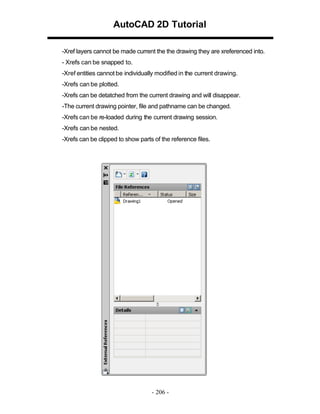
![AutoCAD 2D Tutorial
Transparent Commands 14.1
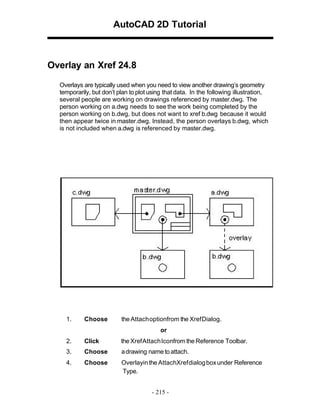
Transparent commands are those started while another is in progress.
Precede transparent commands with an apostrophe.
1.
Type
LINE at the command prompt.
Command: LINE
Specify first point: (pick point)
Specify next point or [Undo]: 'zoom
>>Specify corner of window, enter a scale factor
(nX or nXP), or
[All/Center/Dynamic/Extents/Previous/Scale/ Window]
<real time>: (pick corner)
>>>>Specify opposite corner: (pick other corner)
Resuming L INE command.
Specify next point or [Undo]: (pick point)
TIP:
Commands that do not select objects, create new objects, or
end the drawing sessionusuallycan be used transparently.
- 123 -](https://image.slidesharecdn.com/2dautocad2009-140121093339-phpapp01/85/2-d-autocad_2009-124-320.jpg)
![AutoCAD 2D Tutorial
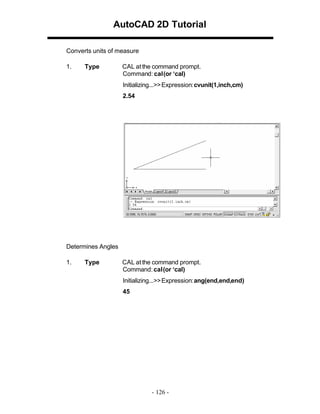
Calculator (CAL Command) 14.3
Evaluates mathematicaland geometric expressions
1.
Type
CAL at the command
prompt. Command: cal
(or ‘cal) Initializing...>>
Expression: 1+1
2
Numeric operators
()
Groups expressions
^
Indicates exponentiation
*,/
Multiplies, divides
+, -
Adds, subtracts
Vector operators
()
&
Groups expressions
Determines the vector product of vectors (as a vector)
[a,b,c]&[x,y,z] = [ (b*z) - (c*y) , (c*x) - (a*z) , (a*y) - (b*x) ]
*
Determines the scalar product of vectors (as a real number)
[a,b,c]*[x,y,z] = ax + by + cz
*, /
Multiplies, divides a vector by a real number a*
[x,y,z] = [a*x,a*y,a*z]
+,-
Adds, subtracts vectors (points)
[a,b,c] + [x,y,z] = [a+x,b+y,c+z]
- 125 -](https://image.slidesharecdn.com/2dautocad2009-140121093339-phpapp01/85/2-d-autocad_2009-126-320.jpg)
![AutoCAD 2D Tutorial
Editing Multiple Polylines 15.3
1.
Type
the PEDIT at the command
prompt. Command: PEDIT
Select polyline or [Multiple]:M
Pick multiple polylines to edit.
- 132 -](https://image.slidesharecdn.com/2dautocad2009-140121093339-phpapp01/85/2-d-autocad_2009-133-320.jpg)
![AutoCAD 2D Tutorial
Turning Lines into Polylines 15.5
Use the PEDIT command to pick lines. AutoCAD will ask if you want to turn
these lines into polylines. You can then use the JOIN option under PEDIT to join
additional lines to the polyline.
1.
Command: pedit
Select polyline or [Multiple]: pick line
Object selected is not a polyline
Do you want to turn it into one? <Y>
Enter an option [Close/Join/Width/Edit
vertex/Fit/Spline/Decurve/Ltype gen/Undo]: j
TIP:
• Lines and Arcs must have a common endpoint to join them together.
- 134 -](https://image.slidesharecdn.com/2dautocad2009-140121093339-phpapp01/85/2-d-autocad_2009-135-320.jpg)
![AutoCAD 2D Tutorial
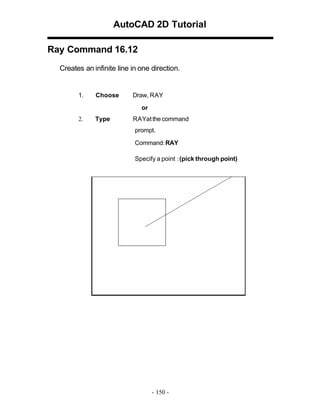
Construction Line 16.11
Creates an infinite line.
1.
Choose
Draw, ConstructionLine
or
2.
Choose
the XLINE icon.
or
3.
Type
XLINE at the command prompt.
Command: XLINE
Specifya point or [Hor/Ver/Ang/Bisect/Offset]:
XLINE Options
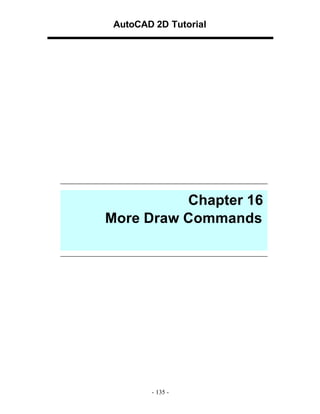
HOR
VE R
ANG
BISECT
Creates a horizontal xline passing throug haspecified point.
Creates a vertical xline passing throug h aspecified point
Creates an xline at a specified angle.
Creates an xline thatpasses throughthe selected angle vertex
and bisects the angle between the first and second line
OFFSET
Creates an xline parallelto another object.
- 149 -](https://image.slidesharecdn.com/2dautocad2009-140121093339-phpapp01/85/2-d-autocad_2009-150-320.jpg)
![AutoCAD 2D Tutorial
Mass Properties 18.3
Calculates the mass properties of regions or solids.
1.
Choose
Tools,Inquiry, Region/Mass Properties
2.
Type
MASSPROP at the command prompt.
Command: MASSPROP
Select objects: (pick region)
---------------- REGIONS ----------------
Area:
Perimeter:
Bounding box:
Centroid:
Moments of inertia:
Product of inertia:
Radii of gyration:
11.1328
16.3734
X: 3.1508 -- 7.1352
Y: 2.8950 -- 6.8942
X: 5.1508
Y: 4.8946
X: 276.6983
Y: 305.3510
XY: 280.6701
X: 4.9854
Y: 5.2372
Principal moments and X-Y directions about centroid:
I: 9.9891 along [1.0000 0.0000] J: 9.9891 along
[0.0000 1.0000]
Write analysis to a file? [Yes/No] <N>:
- 161 -](https://image.slidesharecdn.com/2dautocad2009-140121093339-phpapp01/85/2-d-autocad_2009-162-320.jpg)
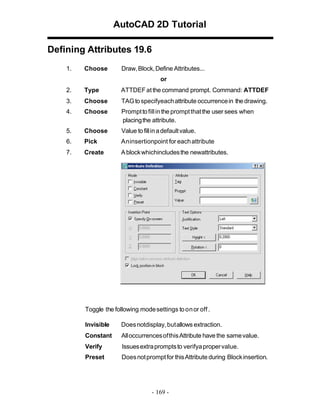
![AutoCAD 2D Tutorial
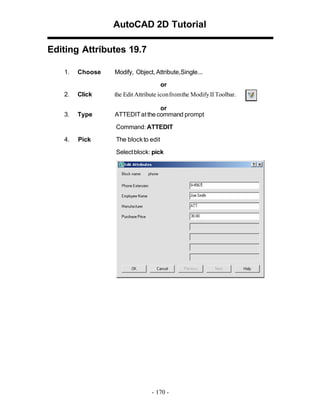
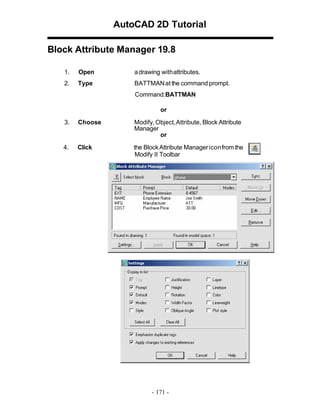
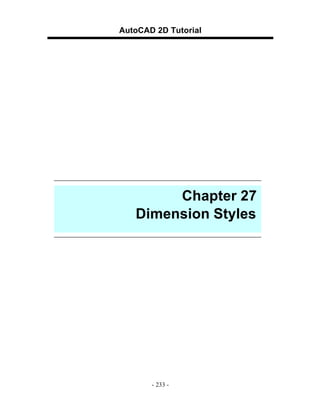
Synchronize Attributes 19.9
Updates all instances of a specified block with the current attributes defined for
the block
1.
Open
a drawing with attributes.
2.
Type
ATTSYNC at the command prompt.
Command:ATTSYNC
3.
Click
the Block Attribute Manager icon from the
Modify IItoolbar.
4.
Press
Enter anoption [?/Name/Select] <Select>:
enter and select a block with attributes.
5.
Press
ATTSYNC block computer? [Yes/No]<Yes>:
enter to synchronies. ATTSYNC complete.
- 172 -](https://image.slidesharecdn.com/2dautocad2009-140121093339-phpapp01/85/2-d-autocad_2009-173-320.jpg)
![AutoCAD 2D Tutorial
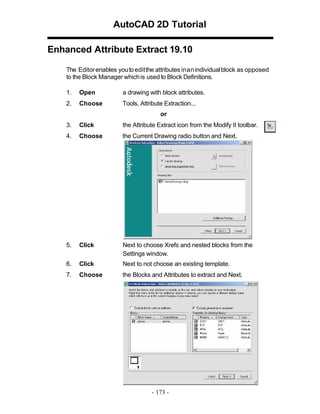
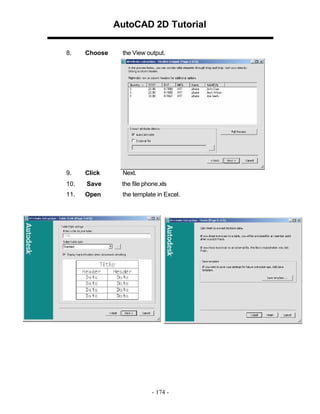
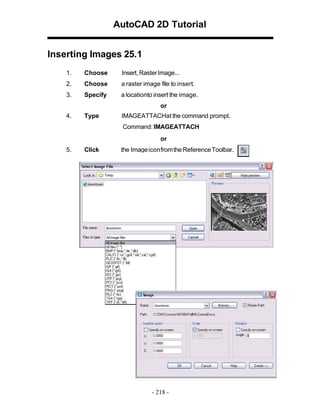
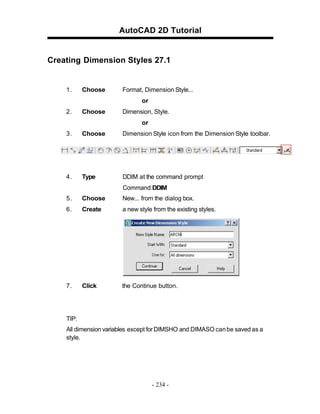
Image Transparency
1.
Choose
Modify, Object, Image,Transparency.
2.
Choose
a raster image file edit.
3.
Type
ONor OFF to turnan image’s transparency on or off.
Erasing Images
1.
Click
once on the image to remove.
2.
Choose
Edit, Cut.
Imagequality
1.
Type
IMAGEQUALITY at the command prompt.
Command: imagequality
Enter image quality setting [High/Draft] <High>:
- 220 -](https://image.slidesharecdn.com/2dautocad2009-140121093339-phpapp01/85/2-d-autocad_2009-221-320.jpg)
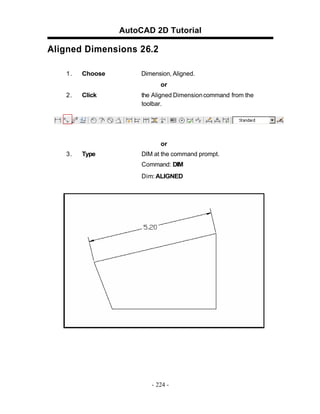
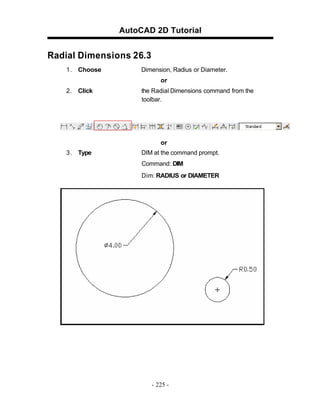
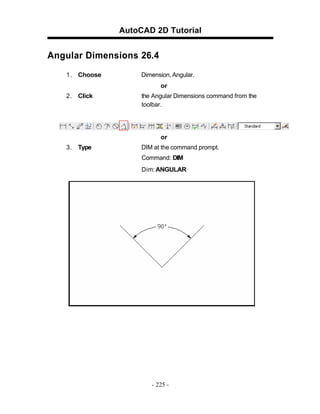
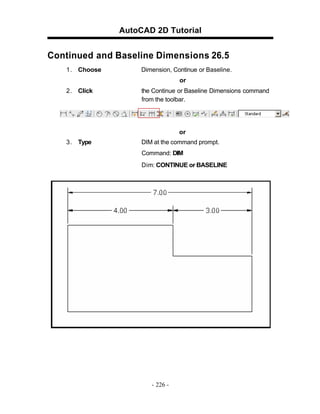
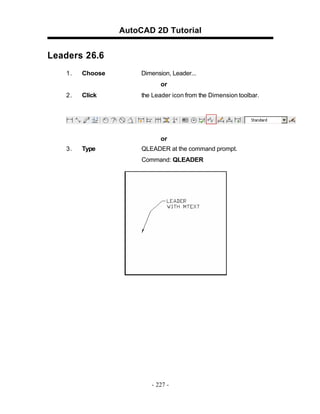
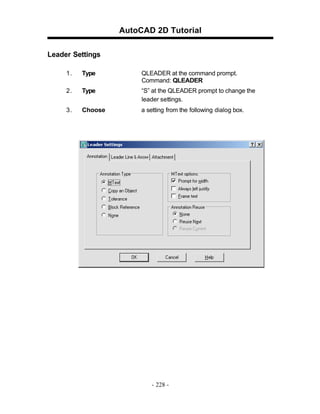
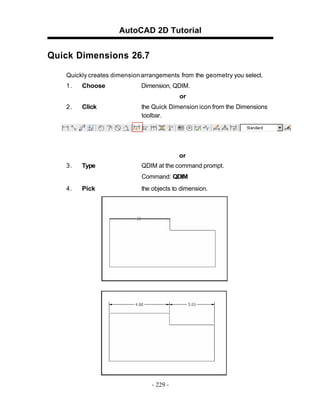
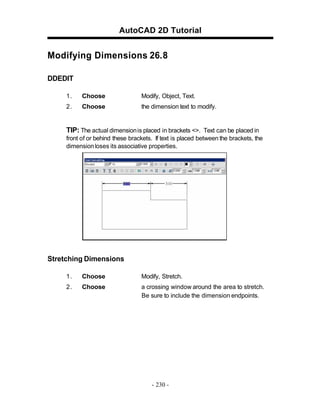
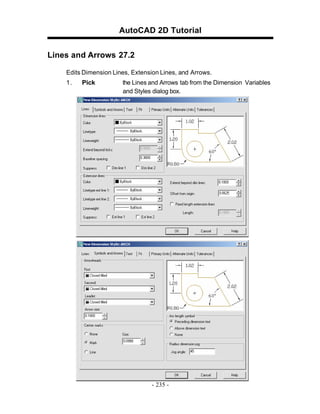
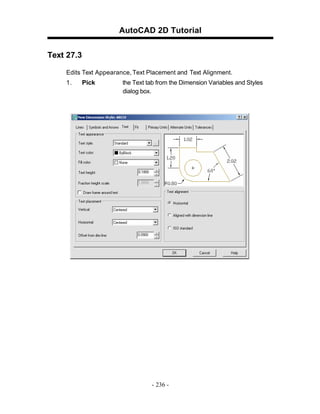
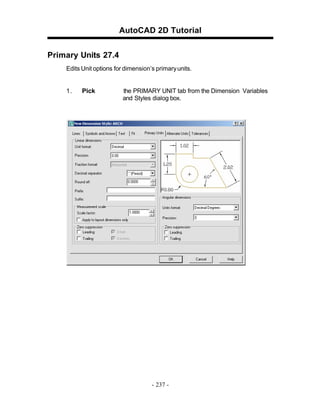
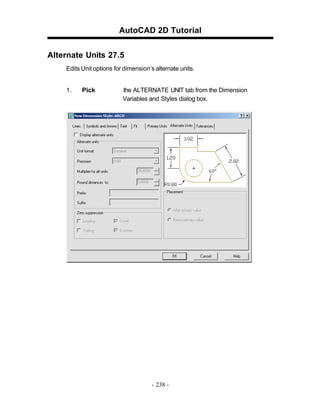
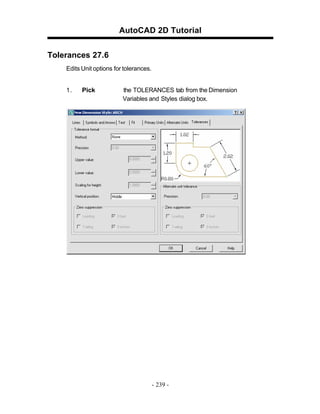
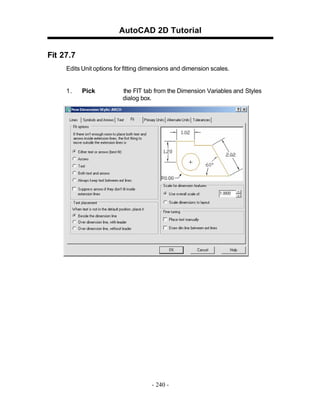
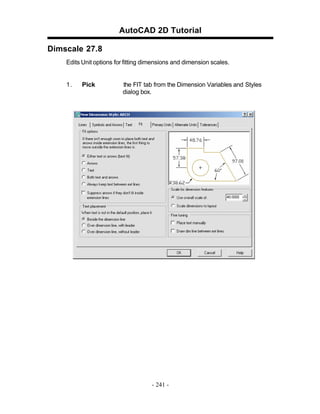
![AutoCAD 2D Tutorial
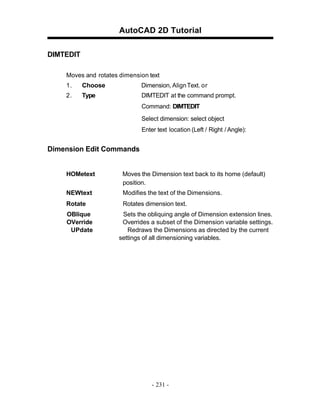
Dimension Overrride 27.9
1.
Choose
2.
Type
Dimension, Override.
a dimension setting to change (i.e. DIMSE1 which
suppresses the first extension line).
Command: _dimoverride
Enter dimension variable name to override or [Clear
overrides]: dimse1
3.
Set
the new value.
Enter new value for dimension variable <Off>: on
4.
Press
enter.
5.
Pick
the dimension to override.
- 242 -](https://image.slidesharecdn.com/2dautocad2009-140121093339-phpapp01/85/2-d-autocad_2009-244-320.jpg)
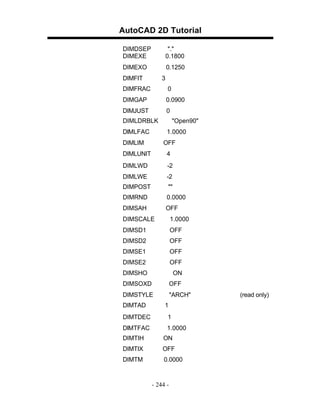
![AutoCAD 2D Tutorial
Dimension Variables 27.10
1.
Type
SETVAR at the command prompt.
Command: SETVAR
Enter variable name or [?]: ?
Enter variable(s) to list <*>: dim*
DIMADEC
0
DIMALT
OFF
DIMALTD
2
DIMALTF
25.4000
DIMALTRND
0.0000
DIMALTTD
2
DIMALTTZ
0
DIMALTU
2
DIMALTZ
DIMAPOST
0
DIMASO
ON
""
DIMASSOC
1
DIMASZ
0.1800
DIMATFIT
3
DIMAUNIT
0
DIMAZIN
DIMBLK
0
"ArchTick"
DIMBLK1
""
DIMBLK2
""
DIMCEN
0.0900
DIMCLRD
0
DIMCLRE
0
DIMCLRT
5
DIMDEC
1
DIMDLE
0.1250
DIMDLI
0.5000
- 243 -](https://image.slidesharecdn.com/2dautocad2009-140121093339-phpapp01/85/2-d-autocad_2009-245-320.jpg)
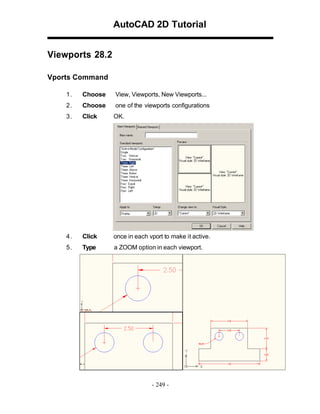
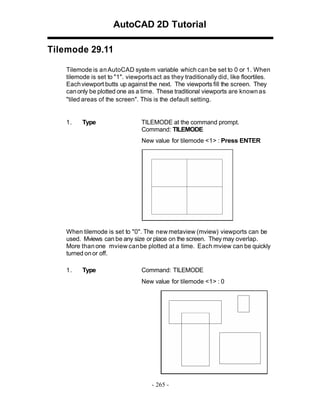
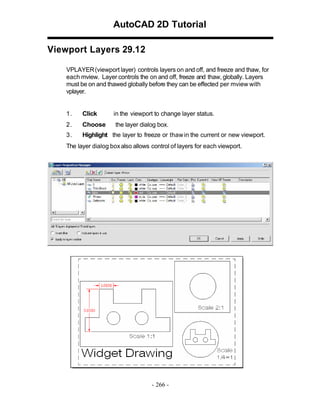
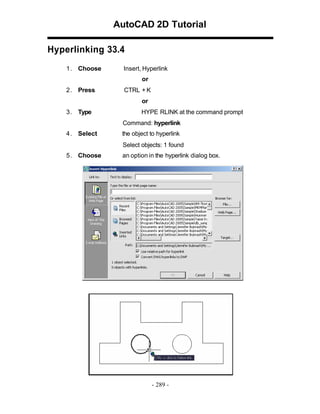
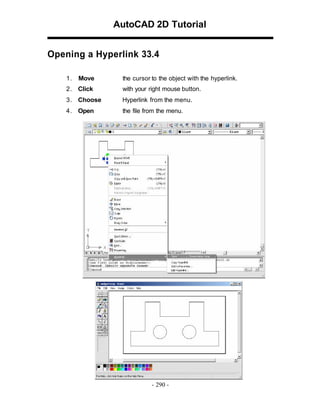
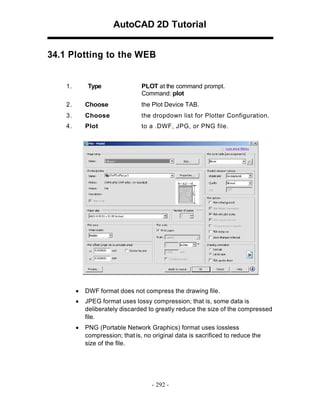
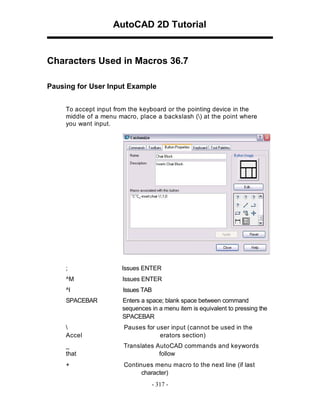
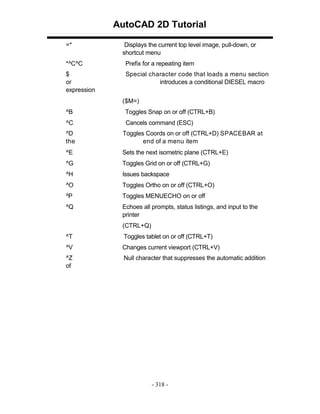
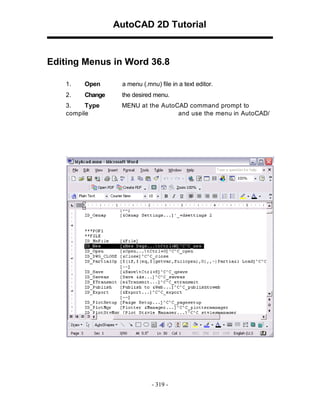
![AutoCAD 2D Tutorial
39.6 Revision Cloud
1. Choose
Draw, Revcloud
or
2. Type
REVCLOUD at the command prompt.
Command: revcloud
Minimum arc length: 0.5000
Maximum arc length: 0.5000
Specify start point or [Arc length/Object]
<Object>: Guide crosshairs along cloud path...
Revision cloud finished.
or
3.
Click
the Revcloud icon from the draw menu.
- 337 -](https://image.slidesharecdn.com/2dautocad2009-140121093339-phpapp01/85/2-d-autocad_2009-334-320.jpg)
![AutoCAD 2D Tutorial
39.8 Wipeout
Creates a polygonal area that masks underlying objects with the
current background color. This area is bounded by the wipeout
frame. You can turn on the wipeout frame for editing and turn it off for
plotting.
1.
Choose
Draw, Wipeout
or
2.
Type
WIPEOUT at the command prompt.
Command: _wipeout
Specify first point or [Frames/Polyline] <Polyline>:
Select a closed polyline:
- 338 -](https://image.slidesharecdn.com/2dautocad2009-140121093339-phpapp01/85/2-d-autocad_2009-335-320.jpg)


![5G Explained! A High Level Overview [Introduction]](https://cdn.slidesharecdn.com/ss_thumbnails/5gexplainedahighleveloverview-260119165306-cc137a3e-thumbnail.jpg?width=640&height=640&fit=bounds)


