Presenting with PowerPoint 2000
Today’s Topic: Presenting with PowerPoint Define: Presentation Software Examine the different uses of presentation software  Examine the “object” as the essence of presentation software Goals:
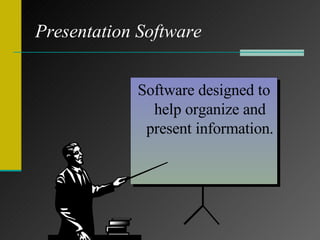
Presentation Software Provides all of the tools needed to combine text, graphics, charts, animations, and sound into a series of electronic slides. Software designed to help organize and present information.
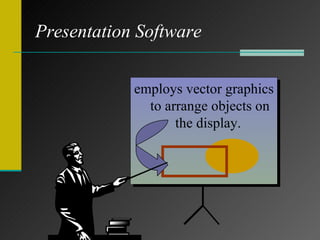
Presentation Software Provides all of the tools needed to combine text, graphics, charts, animations, and sound into a series of electronic slides. employs vector graphics to arrange objects on the display.
Consider This…. How do individuals and organizations use presentation software?
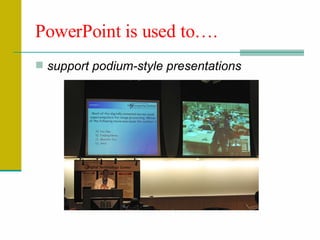
PowerPoint is used to…. support podium-style presentations
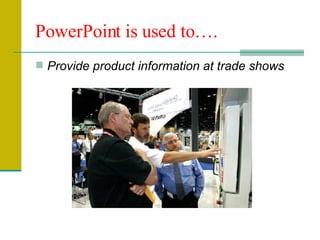
Provide product information at trade shows PowerPoint is used to….
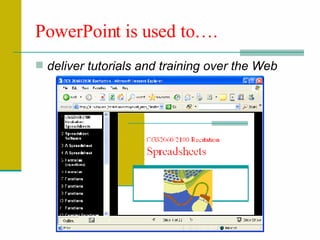
deliver tutorials and training over the Web  PowerPoint is used to….
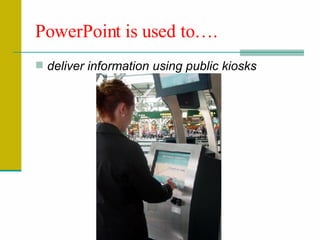
deliver information using public kiosks PowerPoint is used to….
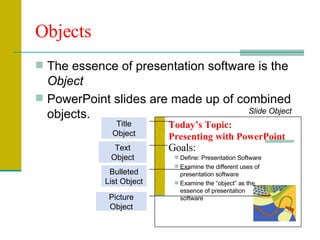
Objects The essence of presentation software is the  Object PowerPoint slides are made up of combined objects.  Today’s Topic:  Presenting with PowerPoint Define: Presentation Software Examine the different uses of presentation software  Examine the “object” as the essence of presentation software Goals: Title Object Bulleted List Object Picture Object Text Object Slide Object
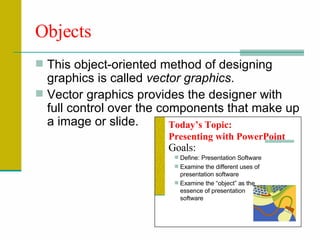
Objects This object-oriented method of designing graphics is called  vector graphics . Vector graphics provides the designer with full control over the components that make up a image or slide. Today’s Topic:  Presenting with PowerPoint Define: Presentation Software Examine the different uses of presentation software  Examine the “object” as the essence of presentation software Goals:
Objects We know intuitively that  items in the physical  world have particular  properties  and  behaviors . Consider a common item...
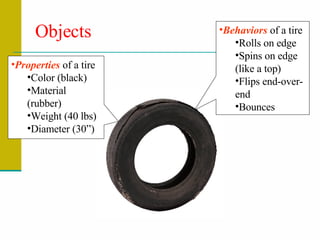
Objects Properties  of a tire Color (black) Material (rubber) Weight (40 lbs) Diameter (30”) Behaviors  of a tire Rolls on edge  Spins on edge (like a top) Flips end-over-end Bounces
Objects PowerPoint Objects also have  Properties  and  Behaviors
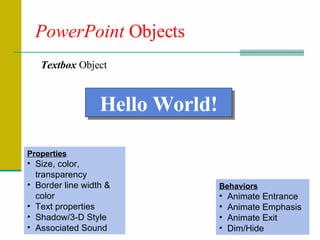
PowerPoint  Objects Textbox  Object Properties Size, color, transparency Border line width & color Text properties Shadow/3-D Style Associated Sound Hello World! Behaviors Animate Entrance Animate Emphasis Animate Exit Dim/Hide
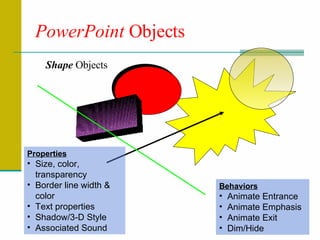
PowerPoint  Objects Shape  Objects Properties Size, color, transparency Border line width & color Text properties Shadow/3-D Style Associated Sound Behaviors Animate Entrance Animate Emphasis Animate Exit Dim/Hide
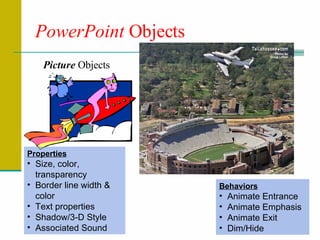
PowerPoint  Objects Picture  Objects Properties Size, color, transparency Border line width & color Text properties Shadow/3-D Style Associated Sound Behaviors Animate Entrance Animate Emphasis Animate Exit Dim/Hide
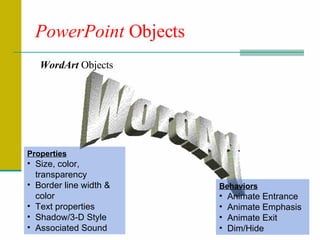
PowerPoint  Objects WordArt WordArt  Objects Properties Size, color, transparency Border line width & color Text properties Shadow/3-D Style Associated Sound Behaviors Animate Entrance Animate Emphasis Animate Exit Dim/Hide
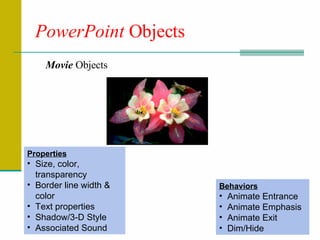
PowerPoint  Objects Movie  Objects Properties Size, color, transparency Border line width & color Text properties Shadow/3-D Style Associated Sound Behaviors Animate Entrance Animate Emphasis Animate Exit Dim/Hide
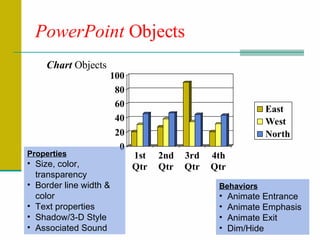
PowerPoint  Objects Chart  Objects Properties Size, color, transparency Border line width & color Text properties Shadow/3-D Style Associated Sound Behaviors Animate Entrance Animate Emphasis Animate Exit Dim/Hide
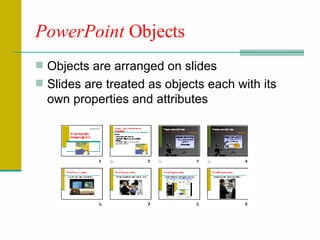
PowerPoint  Objects Objects are arranged on slides Slides are treated as objects each with its own properties and attributes
PowerPoint  Objects Slide  Properties Background Color Scheme Layout Design Template Associated Sound/Music Slide Behaviors Transition
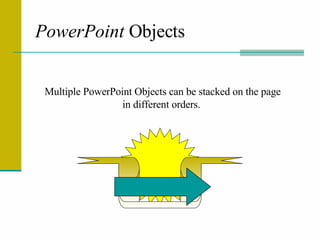
PowerPoint  Objects Multiple PowerPoint Objects can be stacked on the page in different orders.
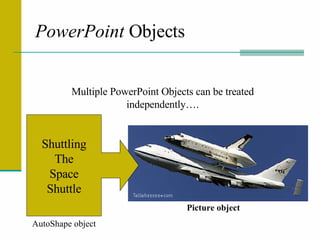
PowerPoint  Objects Multiple PowerPoint Objects can be treated independently…. Picture object Shuttling The Space Shuttle AutoShape object
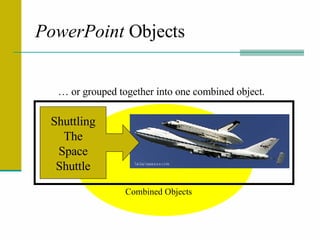
PowerPoint  Objects … or grouped together into one combined object.  Shuttling The Space Shuttle Combined Objects
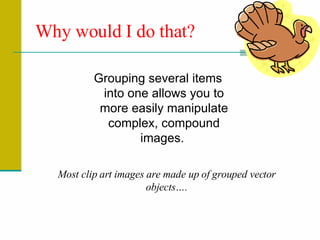
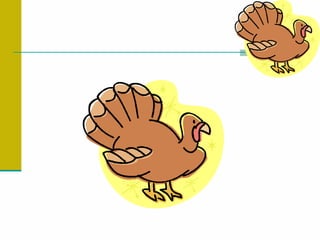
Why would I do that? Grouping several items into one allows you to more easily manipulate complex, compound images.  Most clip art images are made up of grouped vector objects….
 
Slide Show Delivery Slide shows can be delivered manually or set up to run automatically. View the automated demo presentation at  http://lit.cs.fsu.edu/recitation-notes/ppt_demo.ppt   (click  Read Only  when prompted for a password) note: this presentation is fully automated, do not use your mouse to progress the slides.
Time to Practice

Powerpoint Overview

  • 1.
  • 2.
    Today’s Topic: Presentingwith PowerPoint Define: Presentation Software Examine the different uses of presentation software Examine the “object” as the essence of presentation software Goals:
  • 3.
    Presentation Software Providesall of the tools needed to combine text, graphics, charts, animations, and sound into a series of electronic slides. Software designed to help organize and present information.
  • 4.
    Presentation Software Providesall of the tools needed to combine text, graphics, charts, animations, and sound into a series of electronic slides. employs vector graphics to arrange objects on the display.
  • 5.
    Consider This…. Howdo individuals and organizations use presentation software?
  • 6.
    PowerPoint is usedto…. support podium-style presentations
  • 7.
    Provide product informationat trade shows PowerPoint is used to….
  • 8.
    deliver tutorials andtraining over the Web PowerPoint is used to….
  • 9.
    deliver information usingpublic kiosks PowerPoint is used to….
  • 10.
    Objects The essenceof presentation software is the Object PowerPoint slides are made up of combined objects. Today’s Topic: Presenting with PowerPoint Define: Presentation Software Examine the different uses of presentation software Examine the “object” as the essence of presentation software Goals: Title Object Bulleted List Object Picture Object Text Object Slide Object
  • 11.
    Objects This object-orientedmethod of designing graphics is called vector graphics . Vector graphics provides the designer with full control over the components that make up a image or slide. Today’s Topic: Presenting with PowerPoint Define: Presentation Software Examine the different uses of presentation software Examine the “object” as the essence of presentation software Goals:
  • 12.
    Objects We knowintuitively that items in the physical world have particular properties and behaviors . Consider a common item...
  • 13.
    Objects Properties of a tire Color (black) Material (rubber) Weight (40 lbs) Diameter (30”) Behaviors of a tire Rolls on edge Spins on edge (like a top) Flips end-over-end Bounces
  • 14.
    Objects PowerPoint Objectsalso have Properties and Behaviors
  • 15.
    PowerPoint ObjectsTextbox Object Properties Size, color, transparency Border line width & color Text properties Shadow/3-D Style Associated Sound Hello World! Behaviors Animate Entrance Animate Emphasis Animate Exit Dim/Hide
  • 16.
    PowerPoint ObjectsShape Objects Properties Size, color, transparency Border line width & color Text properties Shadow/3-D Style Associated Sound Behaviors Animate Entrance Animate Emphasis Animate Exit Dim/Hide
  • 17.
    PowerPoint ObjectsPicture Objects Properties Size, color, transparency Border line width & color Text properties Shadow/3-D Style Associated Sound Behaviors Animate Entrance Animate Emphasis Animate Exit Dim/Hide
  • 18.
    PowerPoint ObjectsWordArt WordArt Objects Properties Size, color, transparency Border line width & color Text properties Shadow/3-D Style Associated Sound Behaviors Animate Entrance Animate Emphasis Animate Exit Dim/Hide
  • 19.
    PowerPoint ObjectsMovie Objects Properties Size, color, transparency Border line width & color Text properties Shadow/3-D Style Associated Sound Behaviors Animate Entrance Animate Emphasis Animate Exit Dim/Hide
  • 20.
    PowerPoint ObjectsChart Objects Properties Size, color, transparency Border line width & color Text properties Shadow/3-D Style Associated Sound Behaviors Animate Entrance Animate Emphasis Animate Exit Dim/Hide
  • 21.
    PowerPoint ObjectsObjects are arranged on slides Slides are treated as objects each with its own properties and attributes
  • 22.
    PowerPoint ObjectsSlide Properties Background Color Scheme Layout Design Template Associated Sound/Music Slide Behaviors Transition
  • 23.
    PowerPoint ObjectsMultiple PowerPoint Objects can be stacked on the page in different orders.
  • 24.
    PowerPoint ObjectsMultiple PowerPoint Objects can be treated independently…. Picture object Shuttling The Space Shuttle AutoShape object
  • 25.
    PowerPoint Objects… or grouped together into one combined object. Shuttling The Space Shuttle Combined Objects
  • 26.
    Why would Ido that? Grouping several items into one allows you to more easily manipulate complex, compound images. Most clip art images are made up of grouped vector objects….
  • 27.
  • 28.
    Slide Show DeliverySlide shows can be delivered manually or set up to run automatically. View the automated demo presentation at http://lit.cs.fsu.edu/recitation-notes/ppt_demo.ppt (click Read Only when prompted for a password) note: this presentation is fully automated, do not use your mouse to progress the slides.
  • 29.