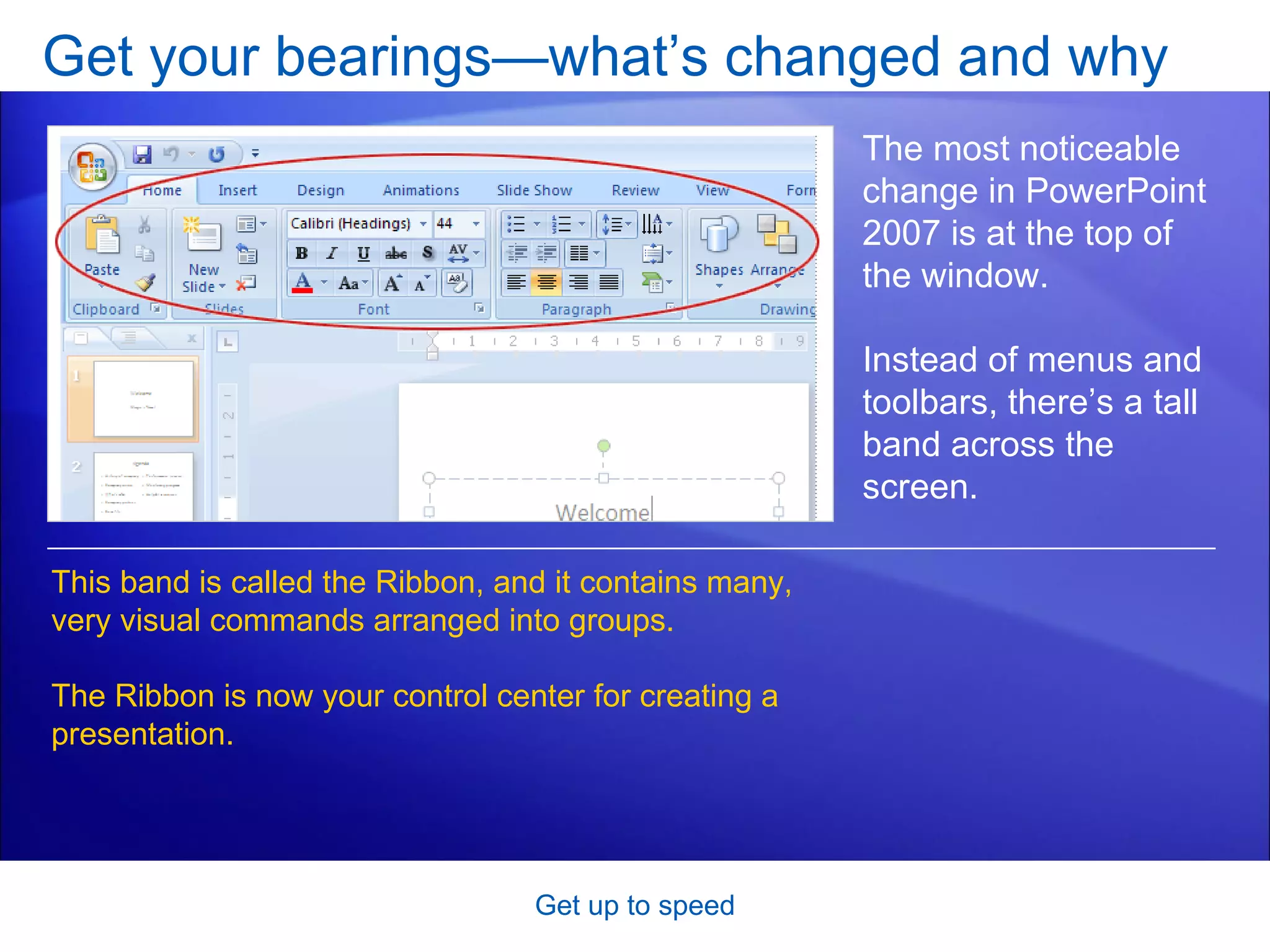
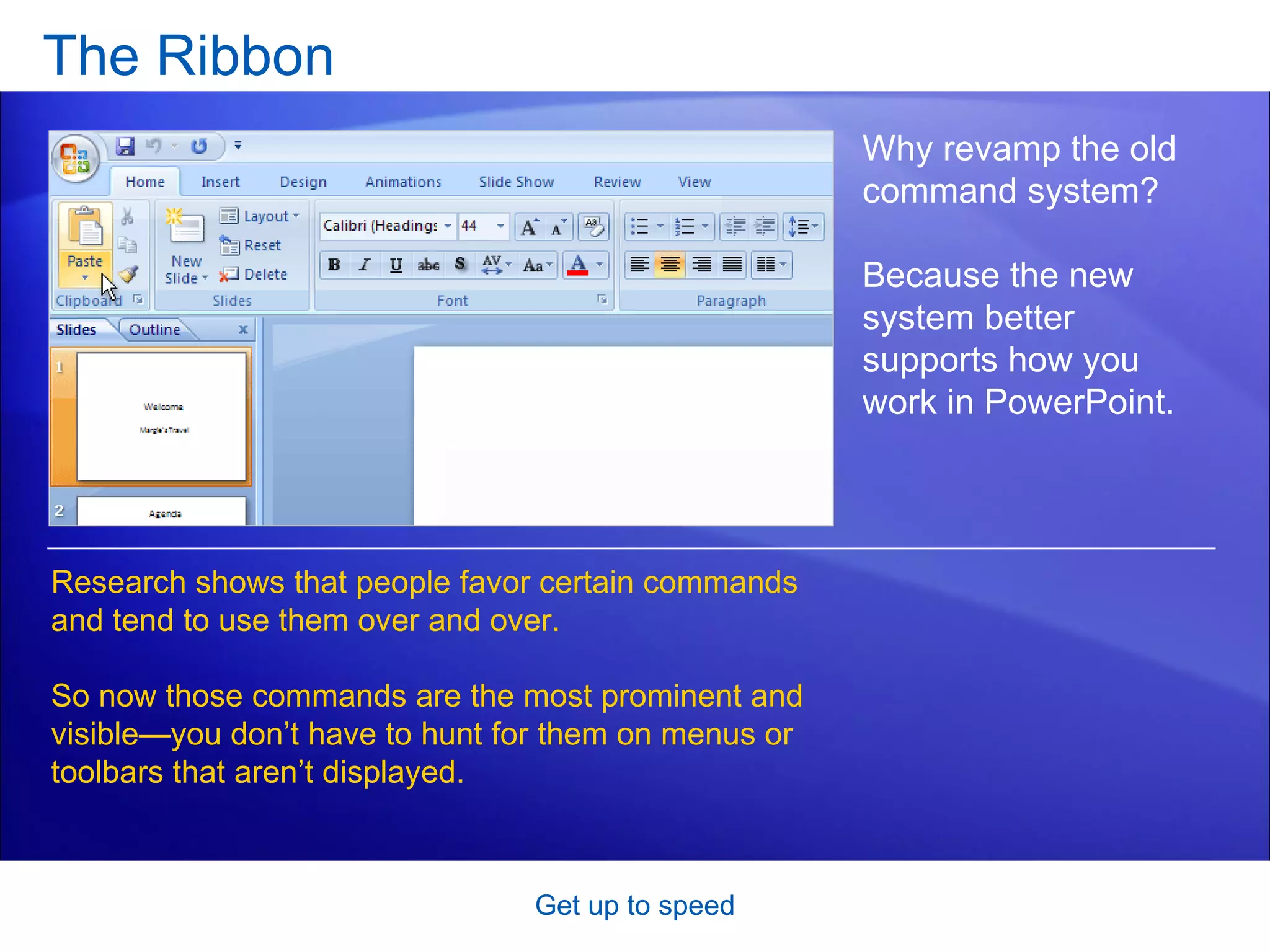
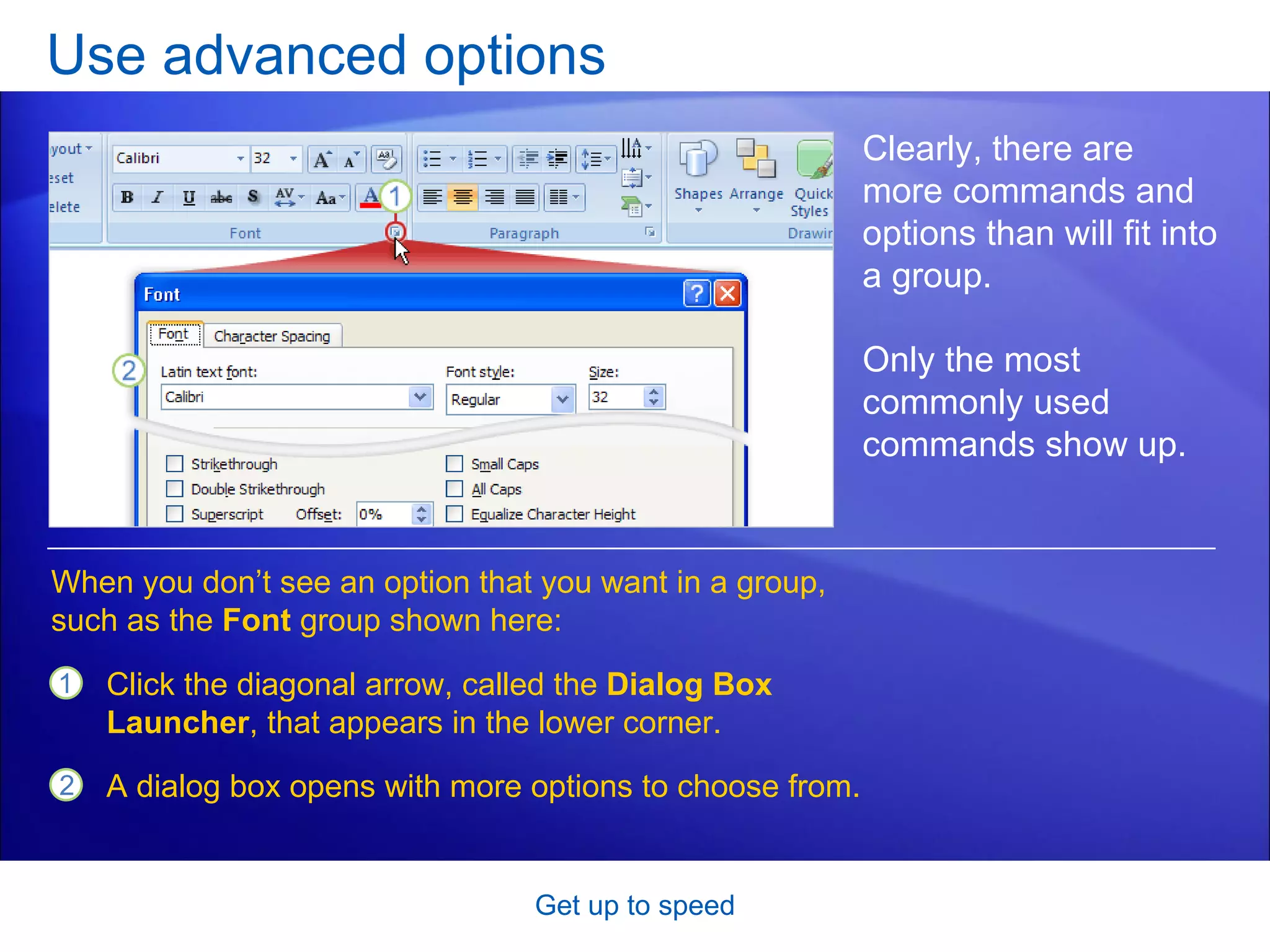
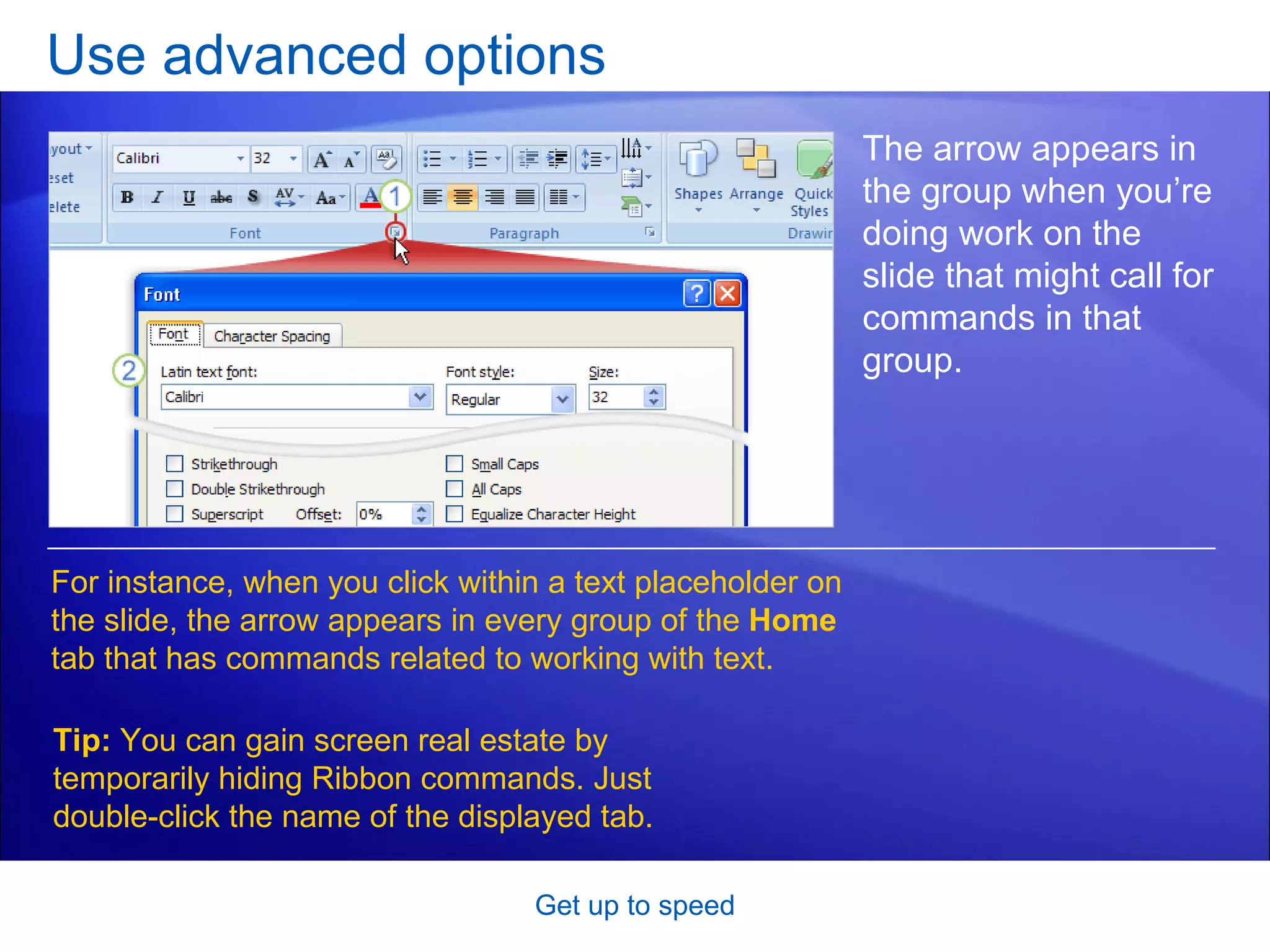
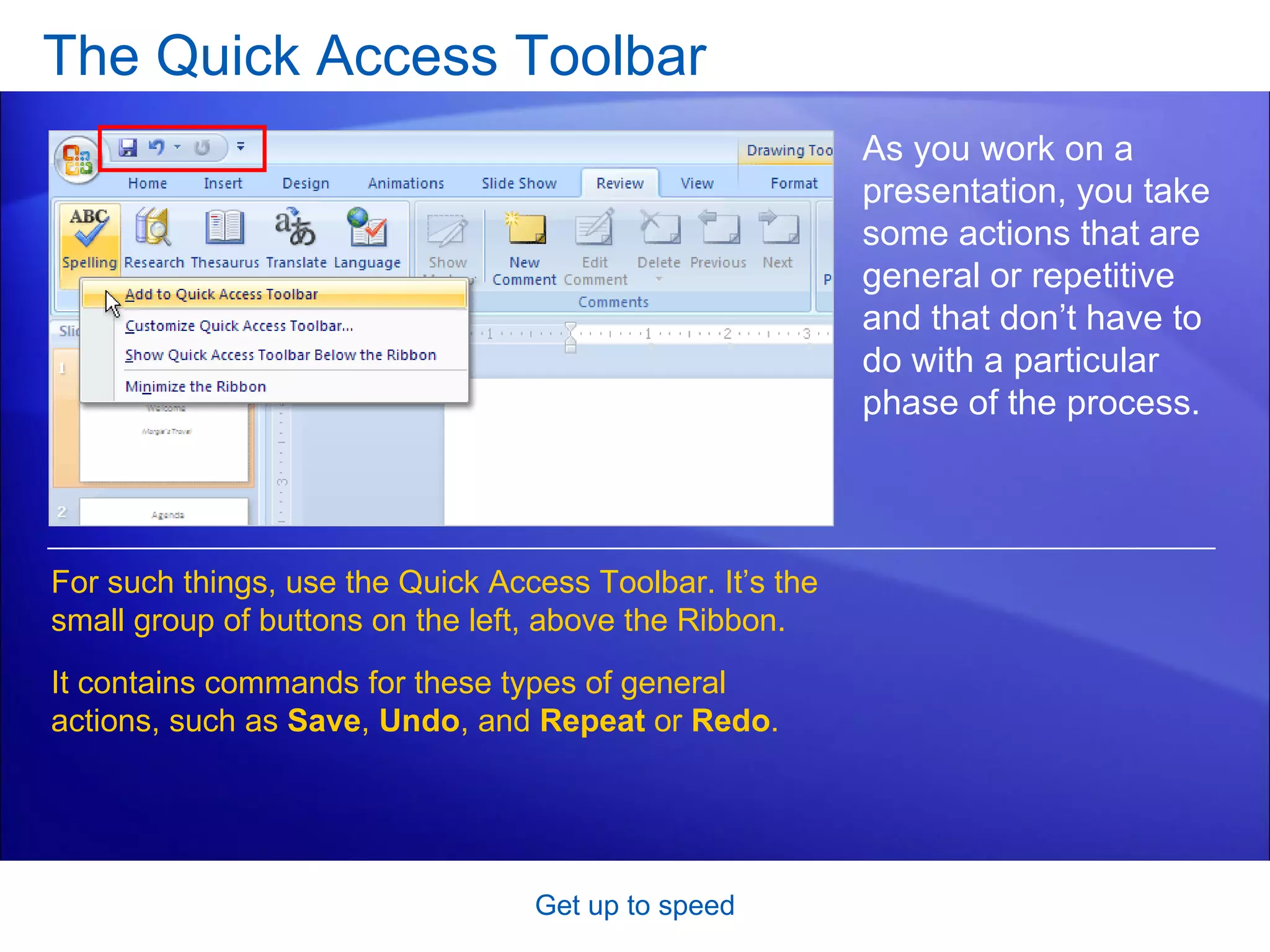
![The Quick Access Toolbar [Author: .swf gets inserted here; delete this placeholder before inserting .swf file.] Get up to speed As you work on a presentation, you take some actions that are general or repetitive and that don’t have to do with a particular phase of the process. For such things, use the Quick Access Toolbar. It’s the small group of buttons on the left, above the Ribbon. It contains commands for general actions such as Save , Undo , and Repeat or Redo . Animation: Right-click, and click Play .](https://image.slidesharecdn.com/powerpoint2007-getuptospeed-090326145434-phpapp02/75/Power-Point-2007-Get-Up-To-Speed-15-2048.jpg)
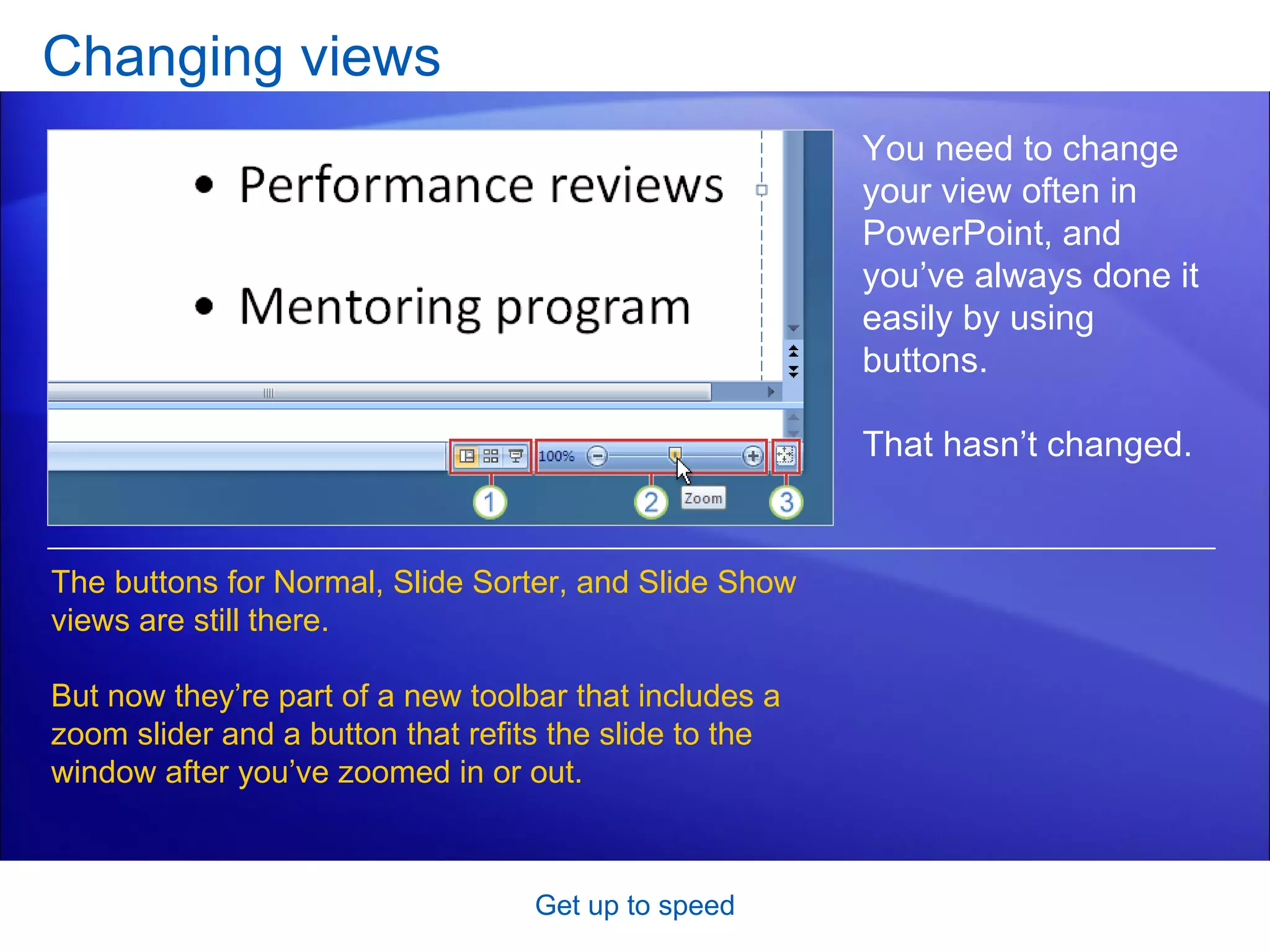
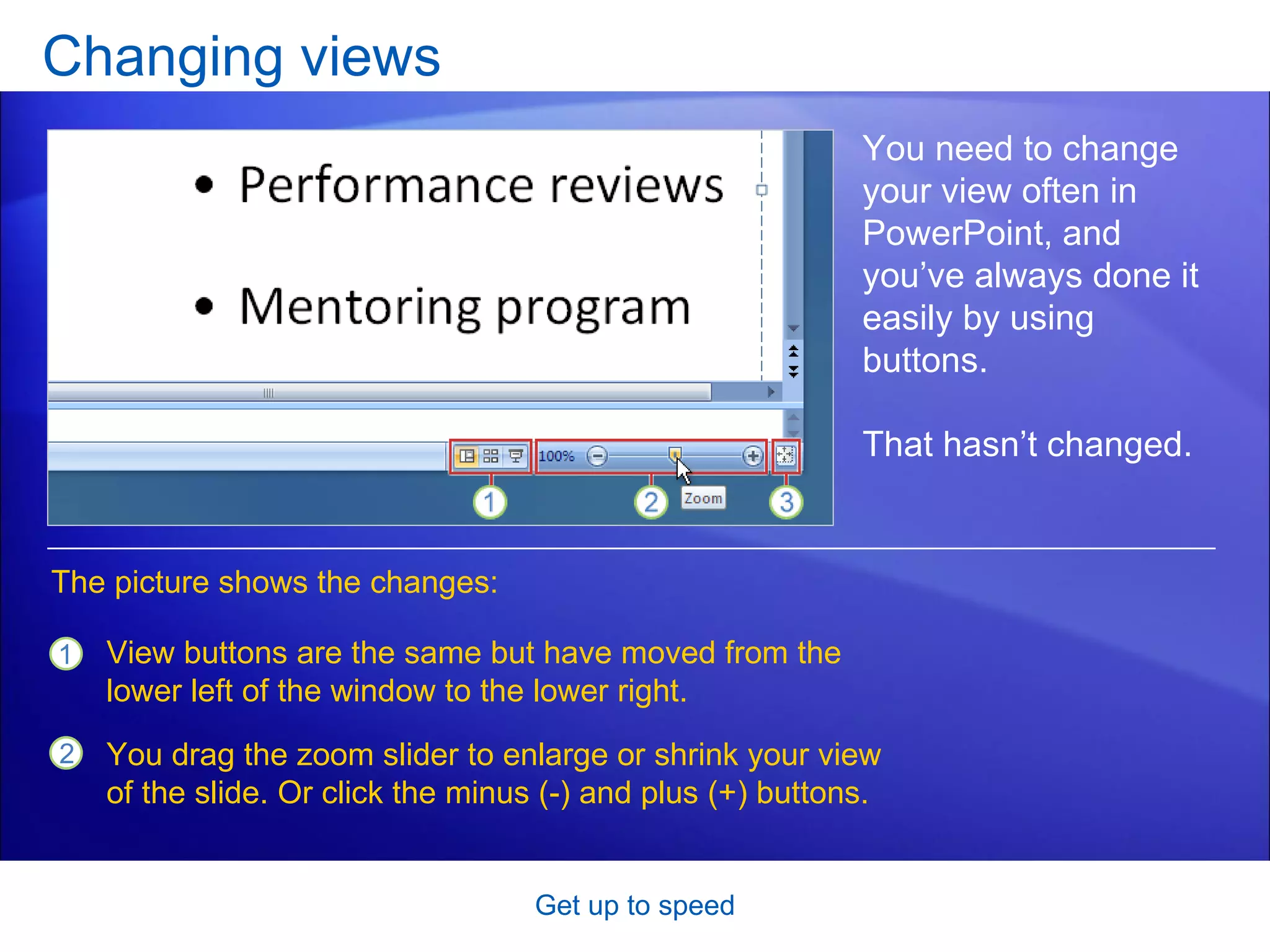
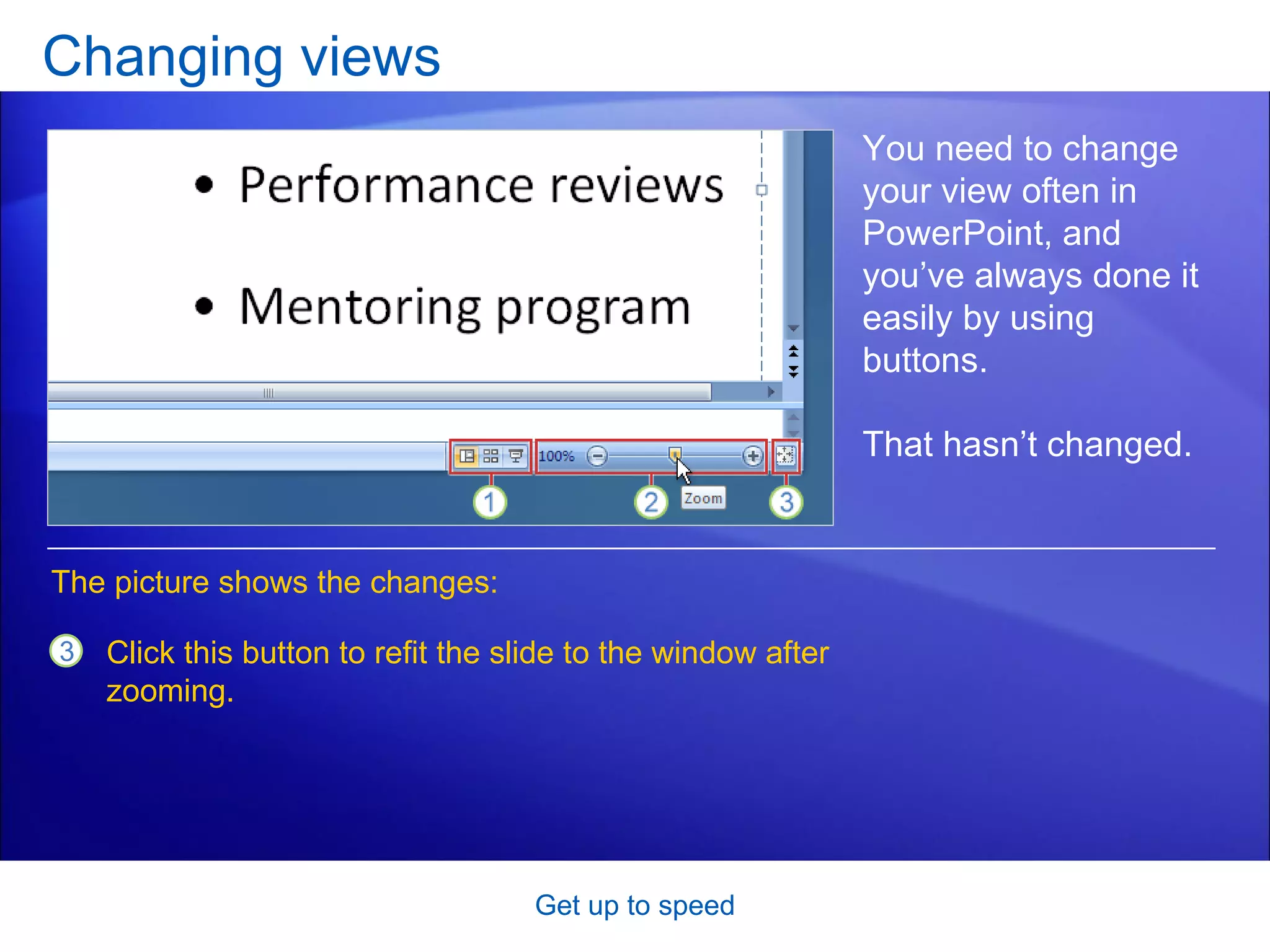
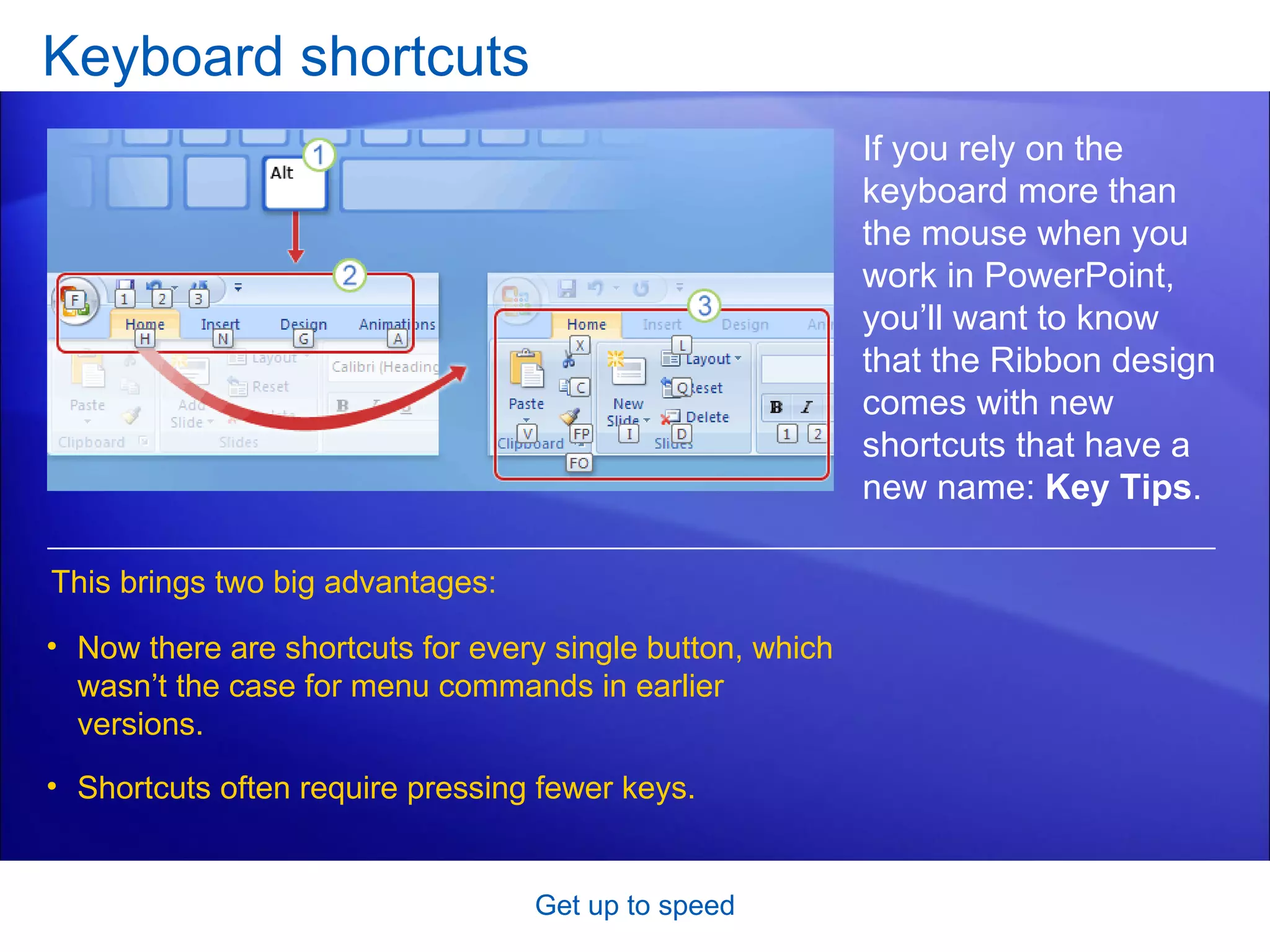
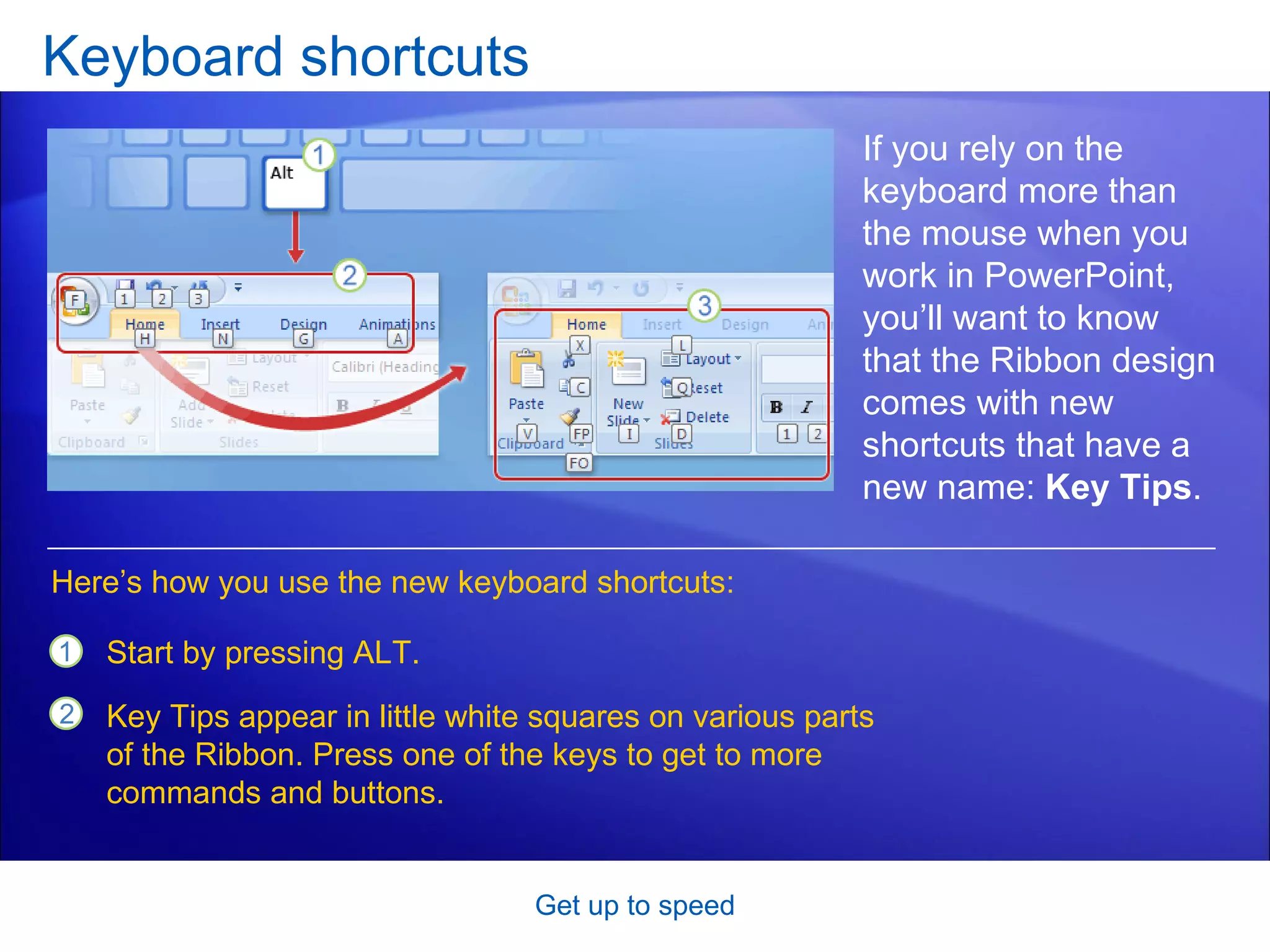
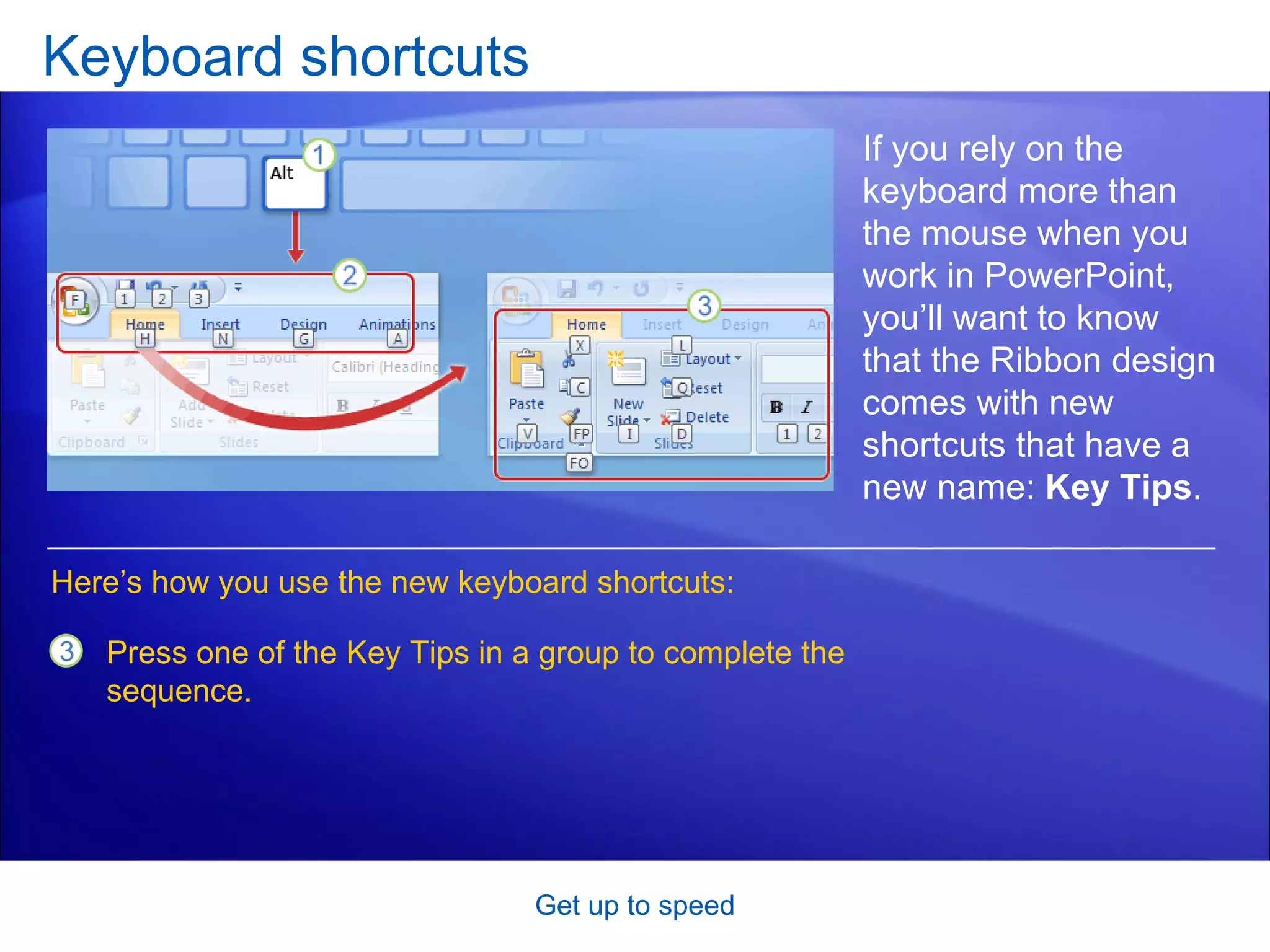
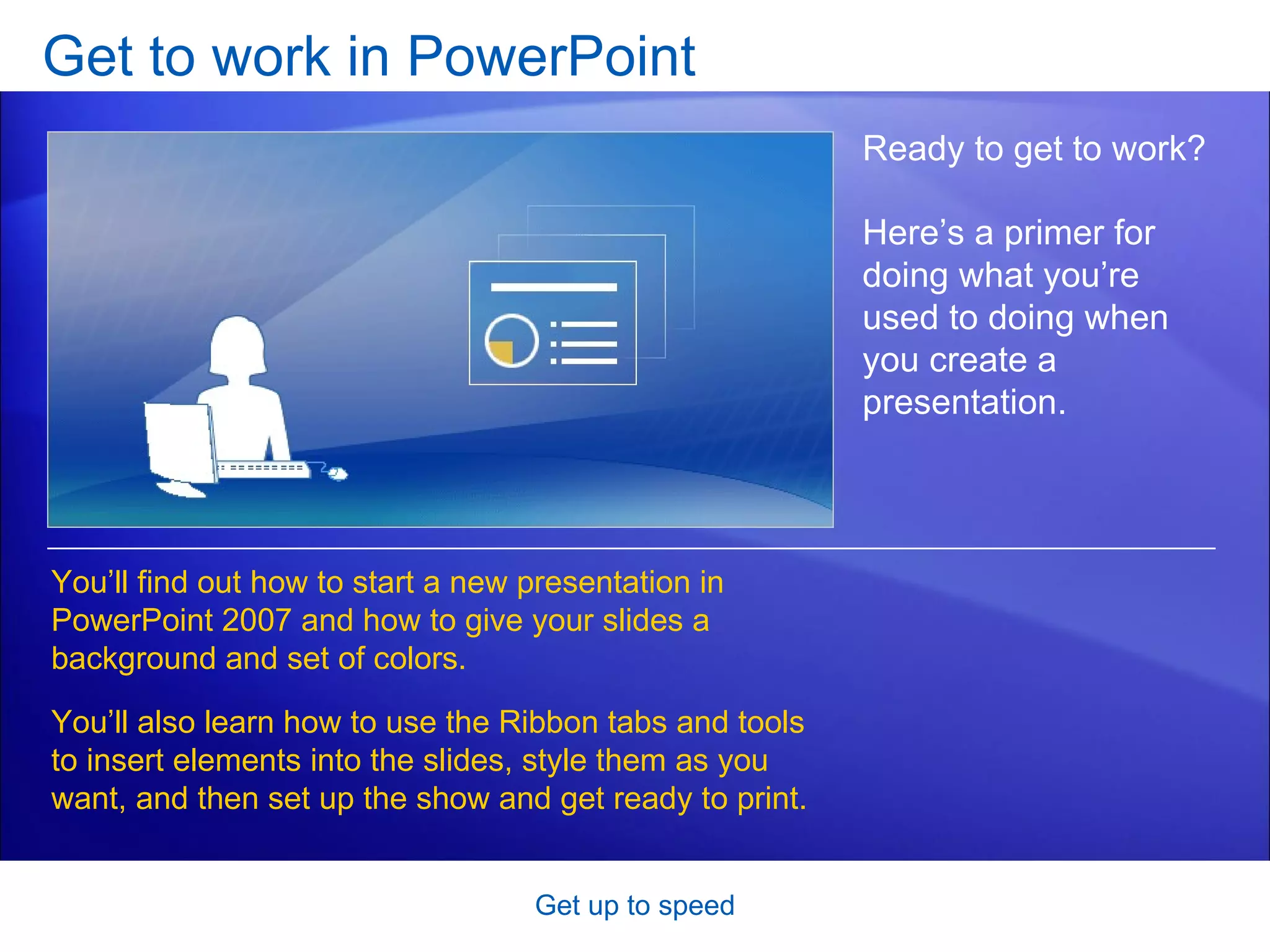
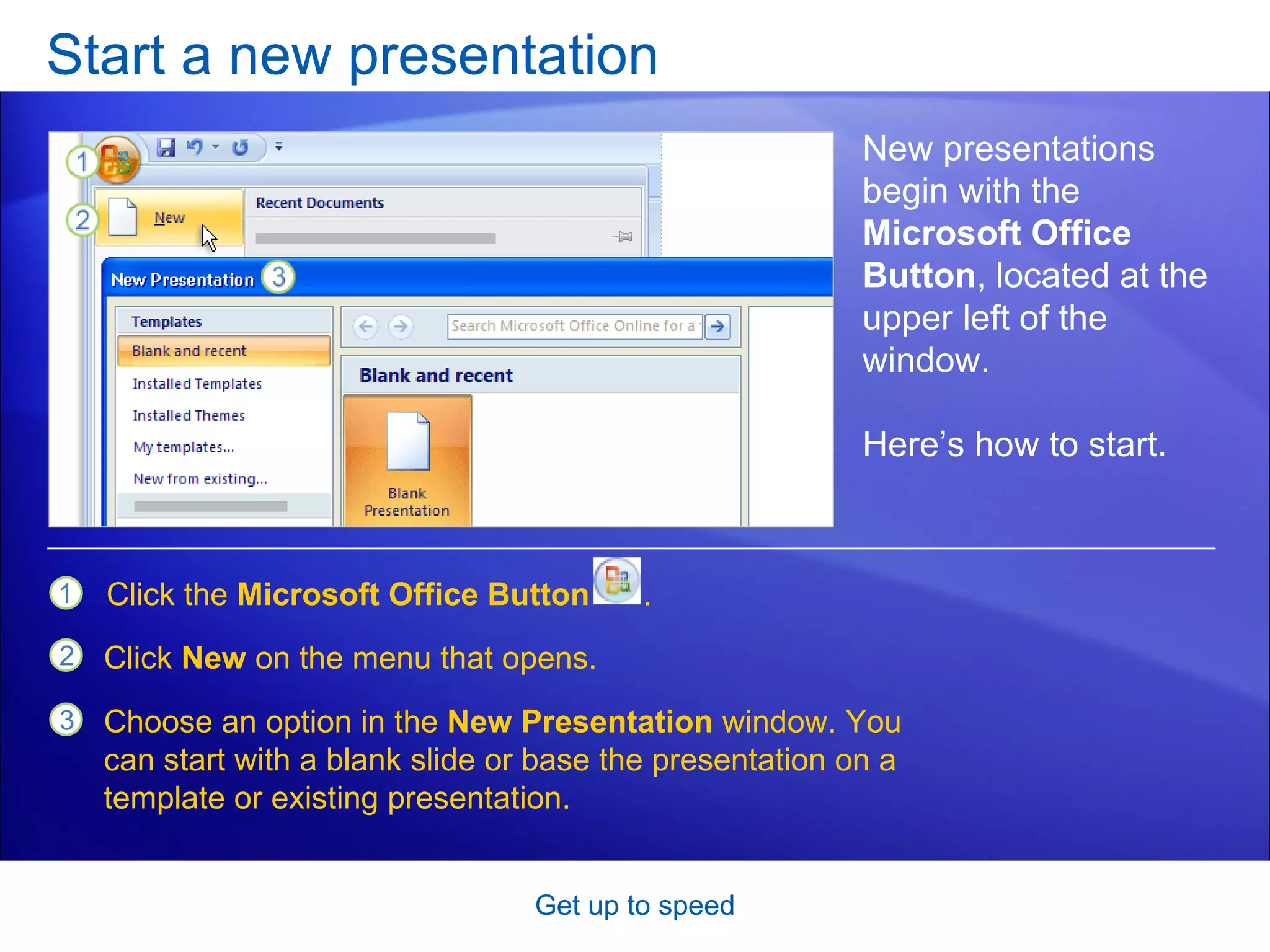
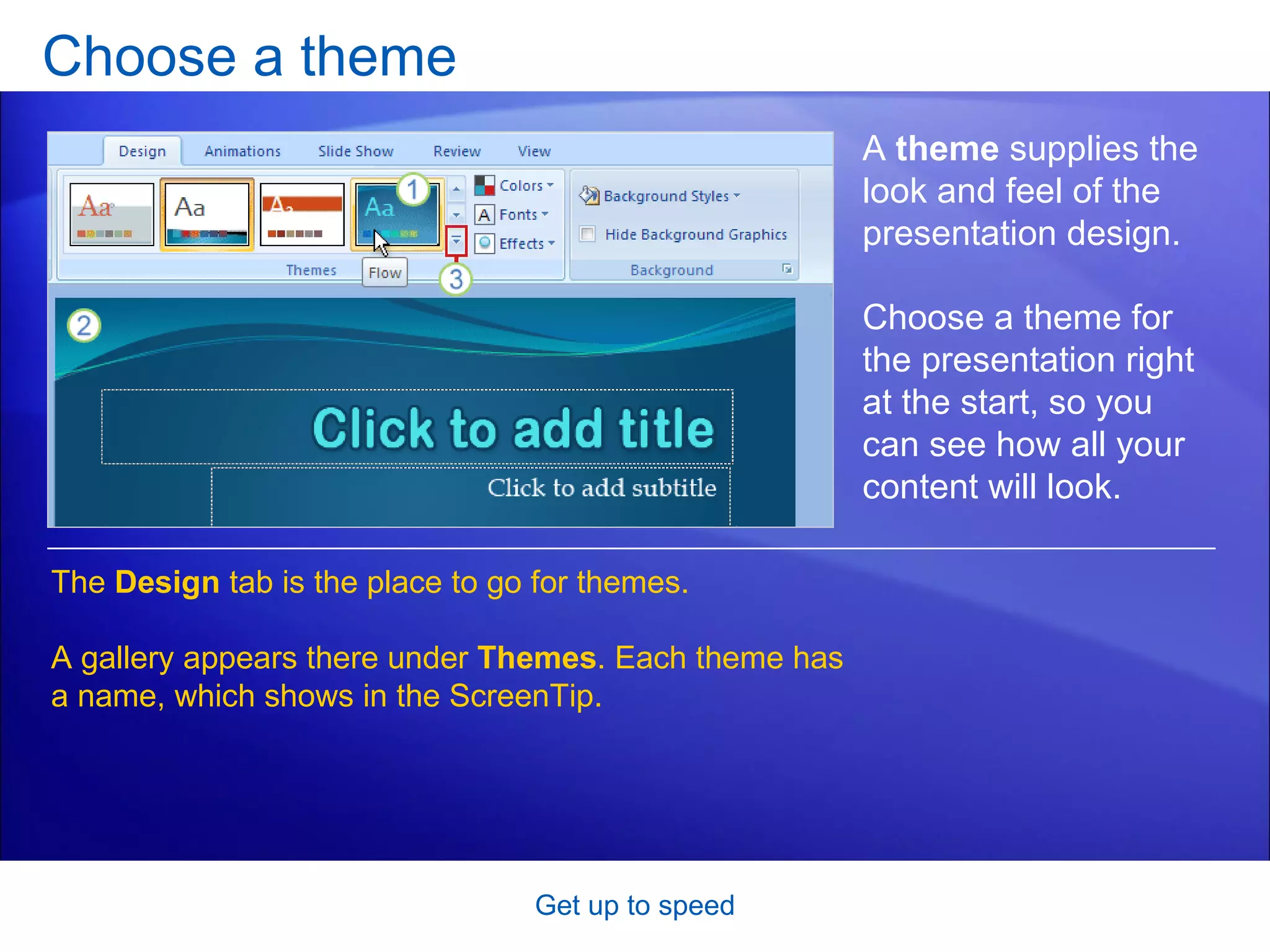
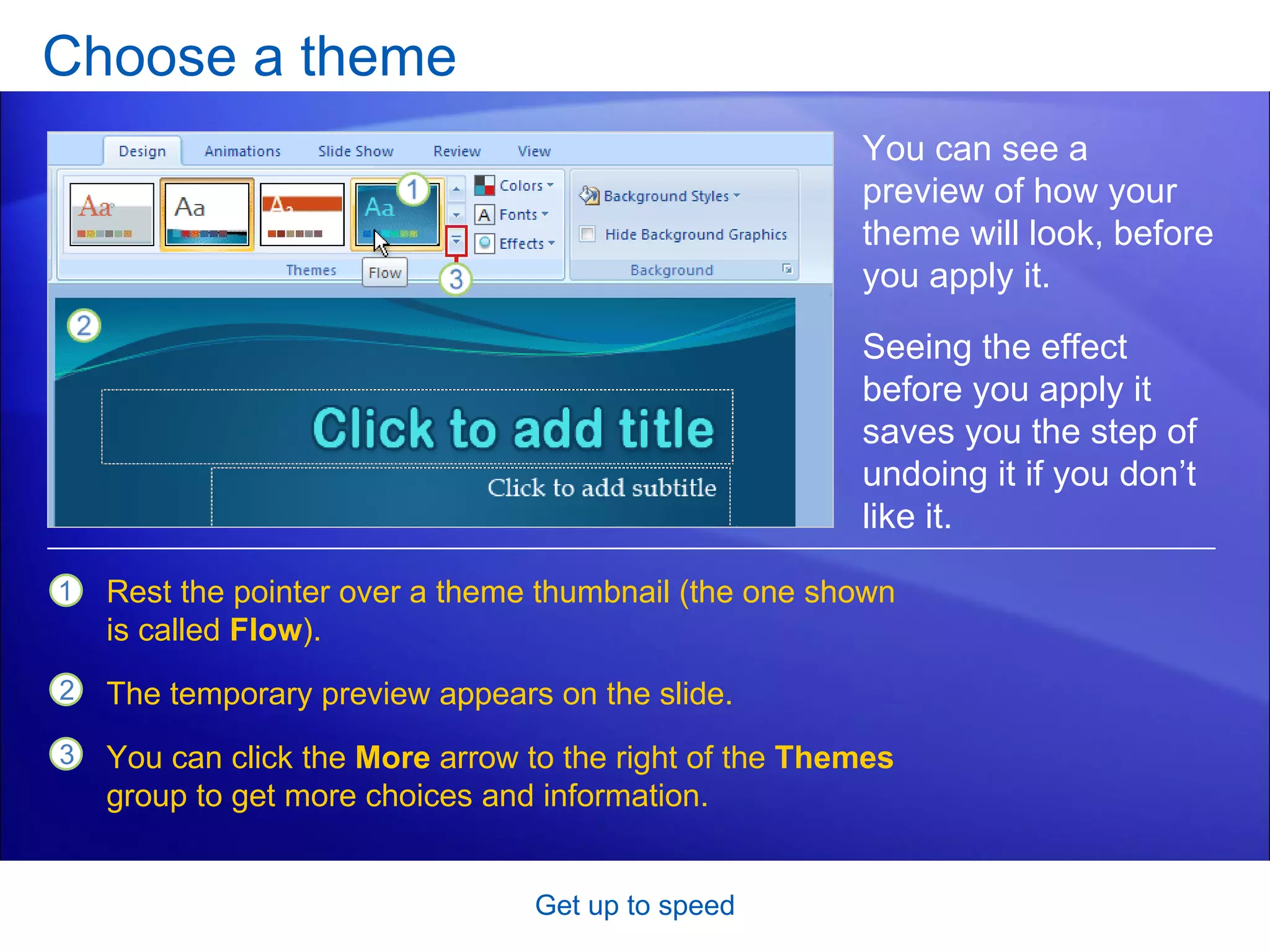
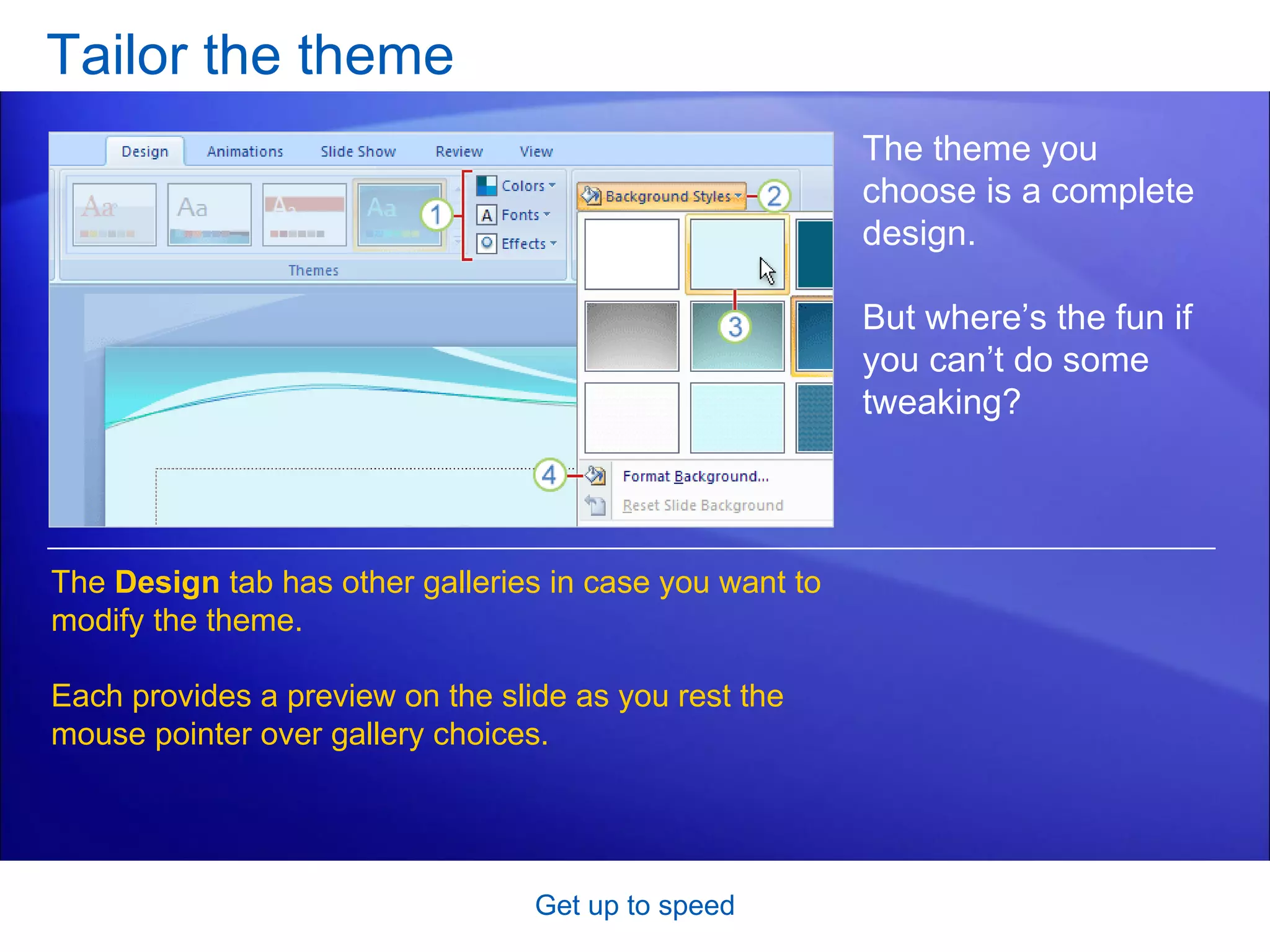
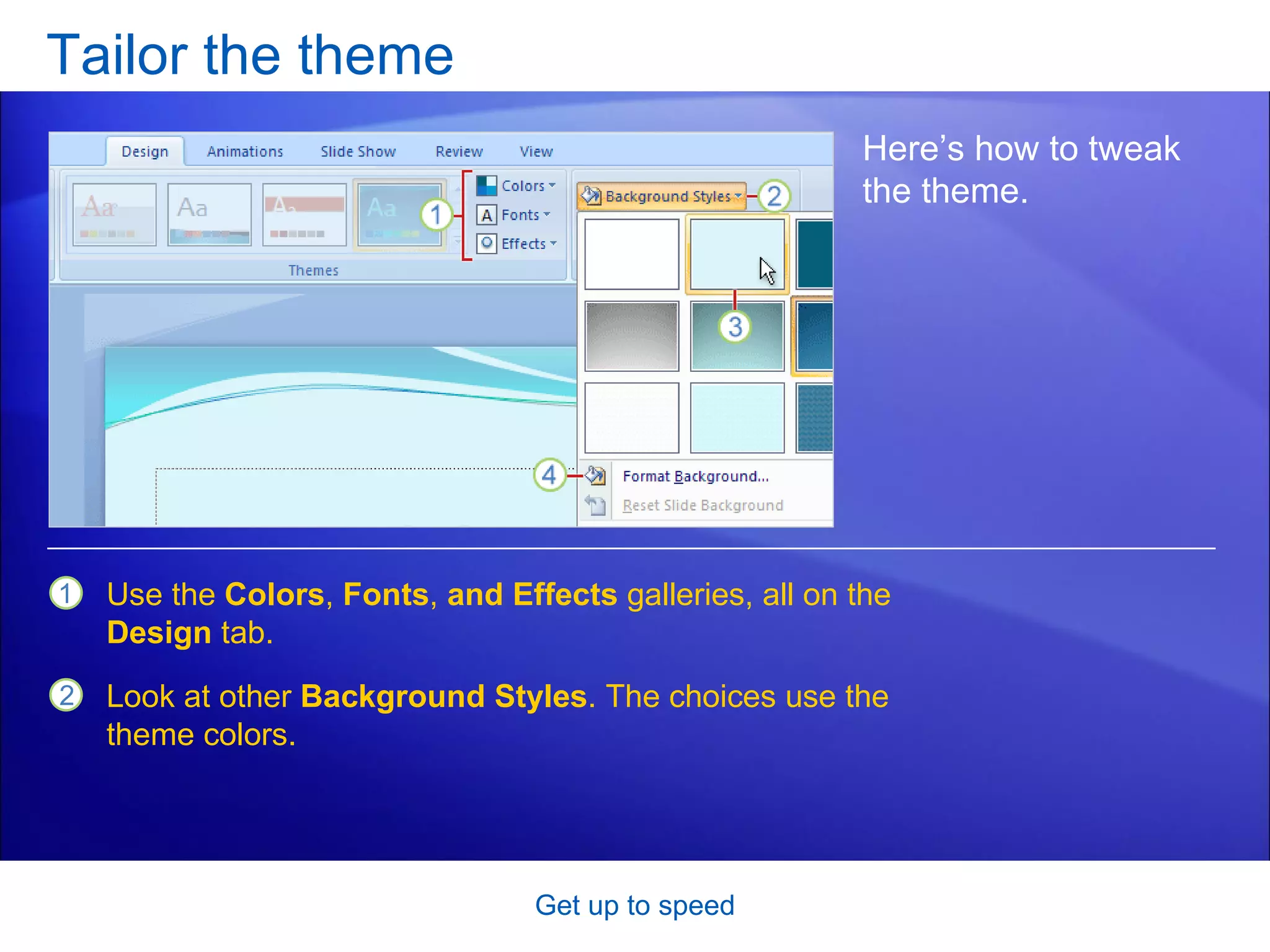
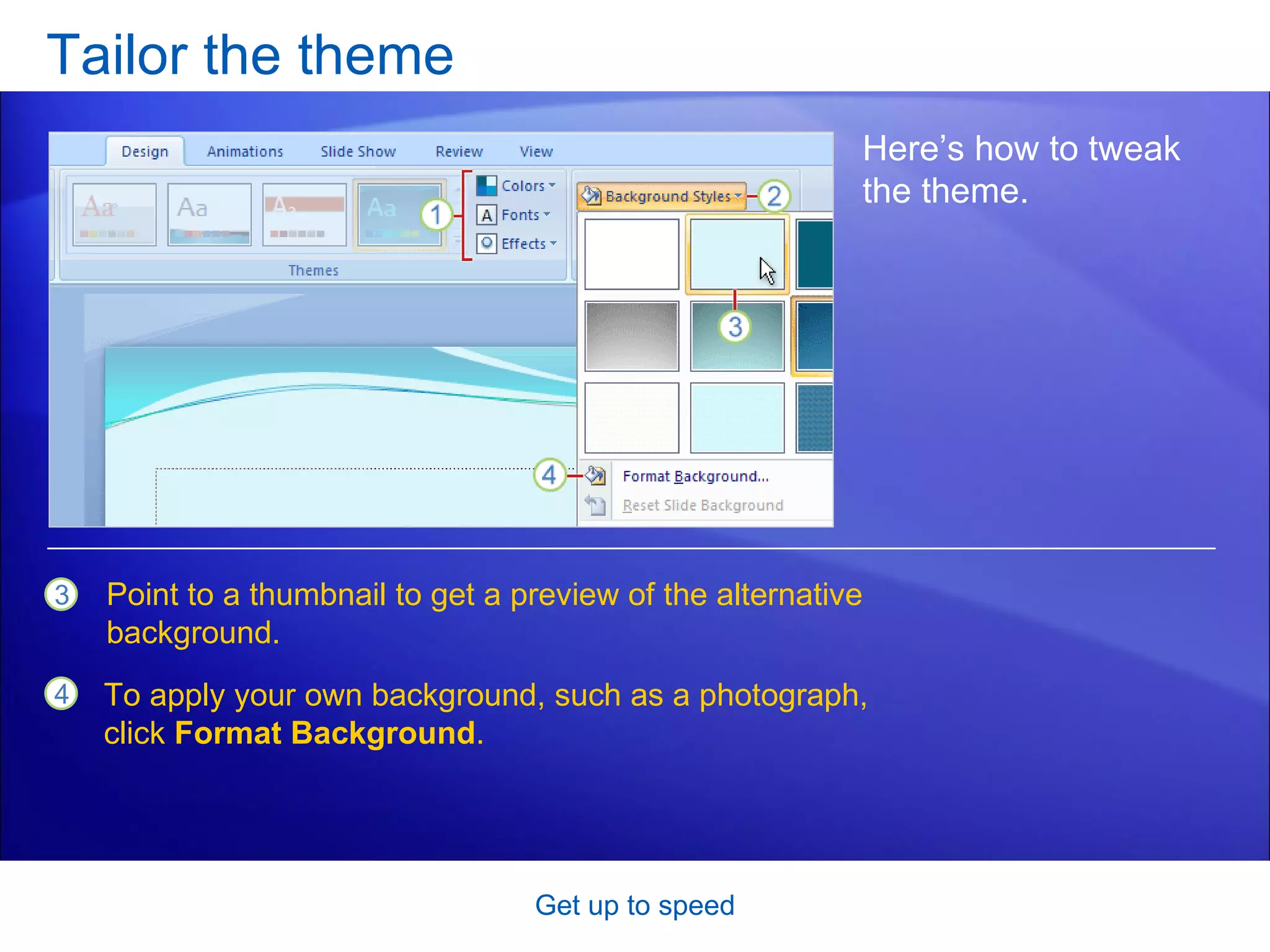
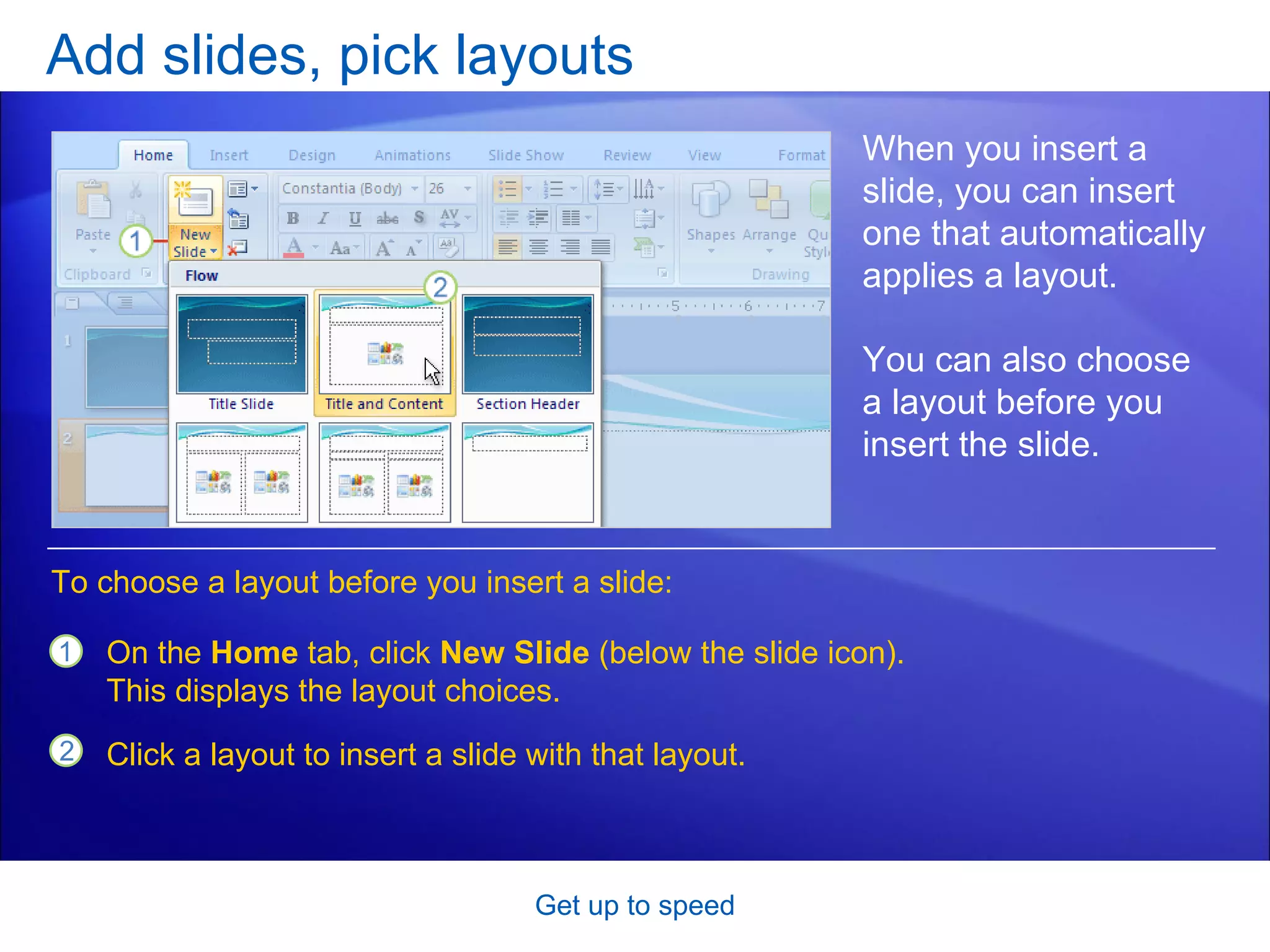
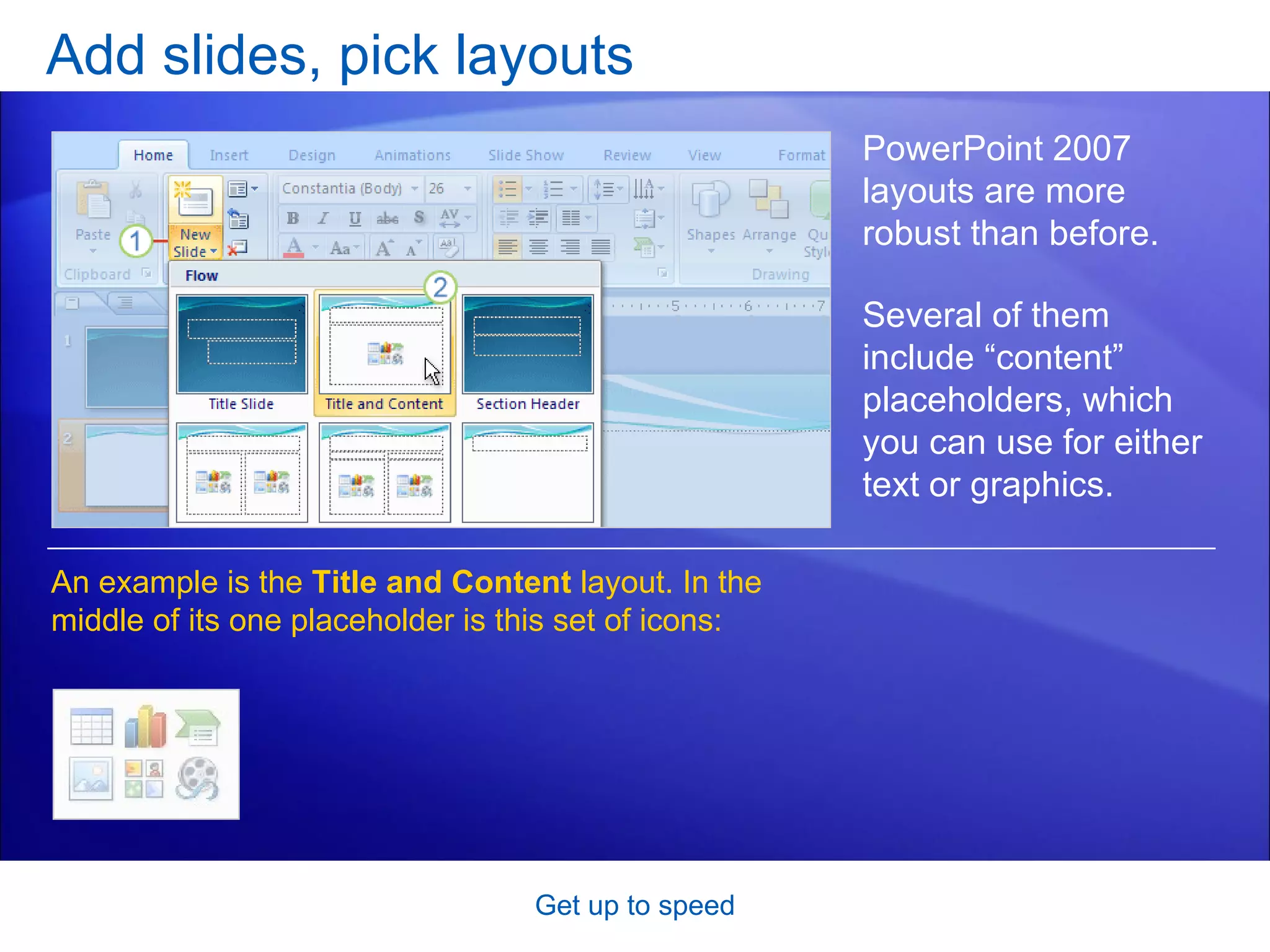
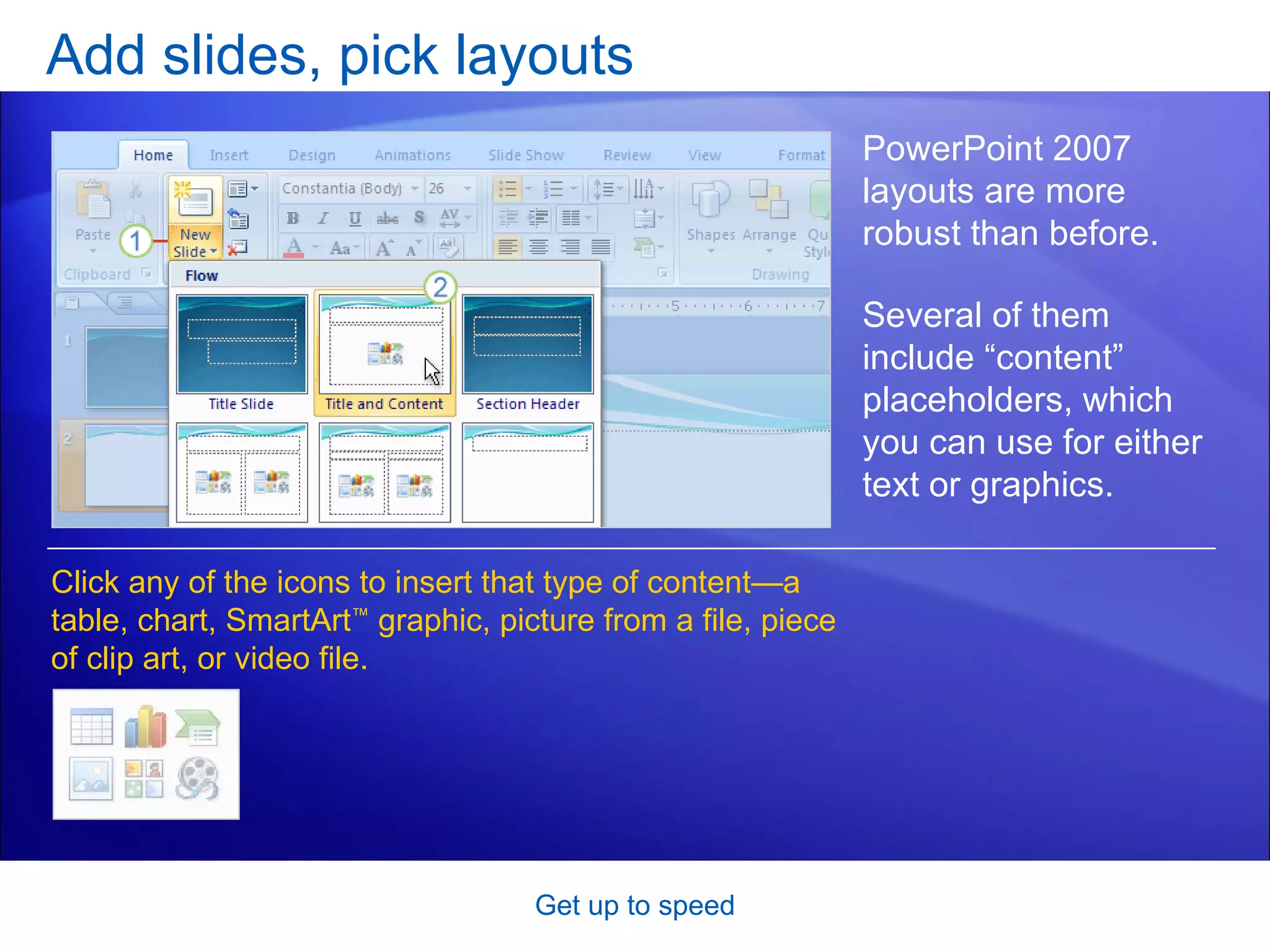
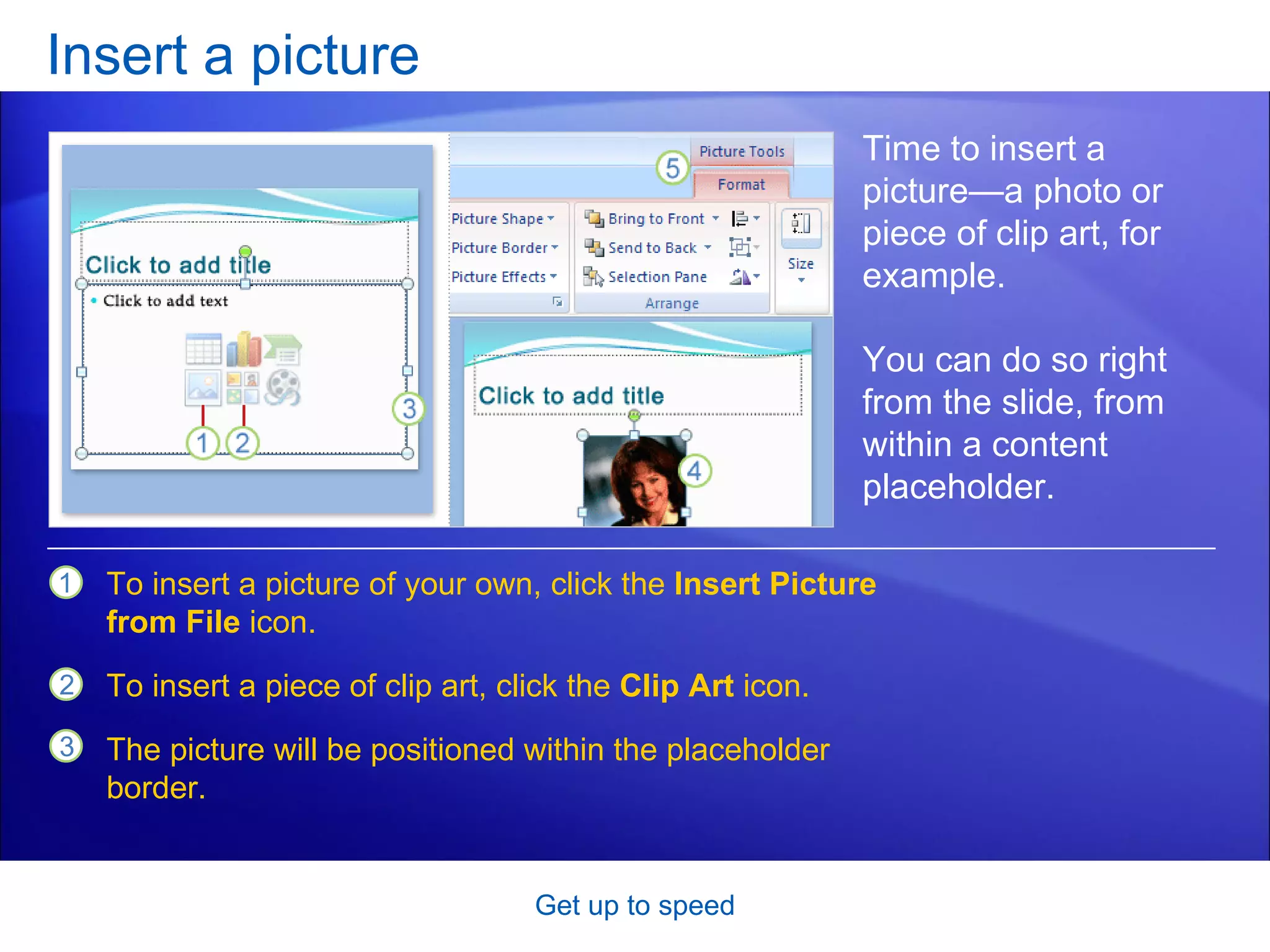
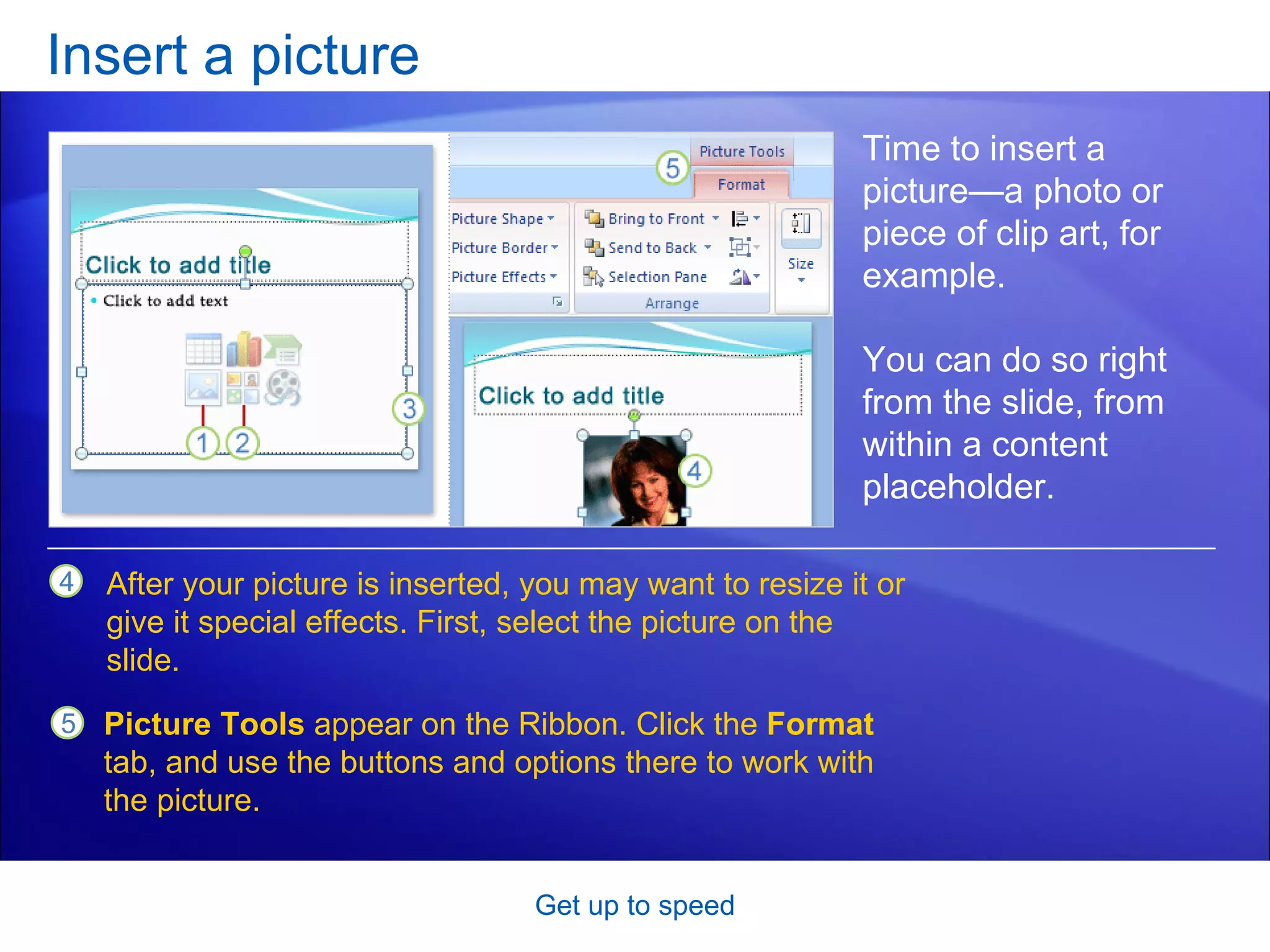
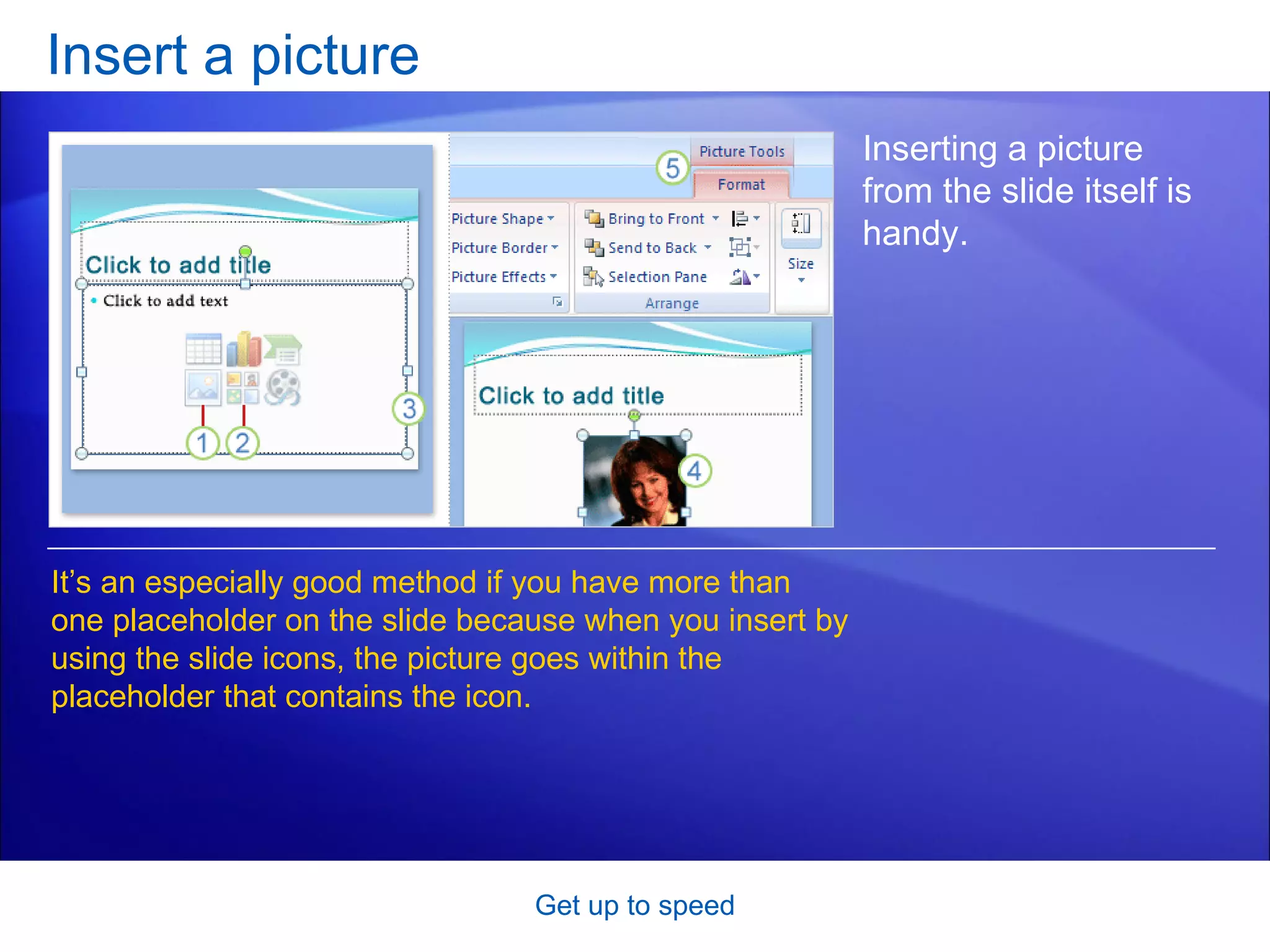
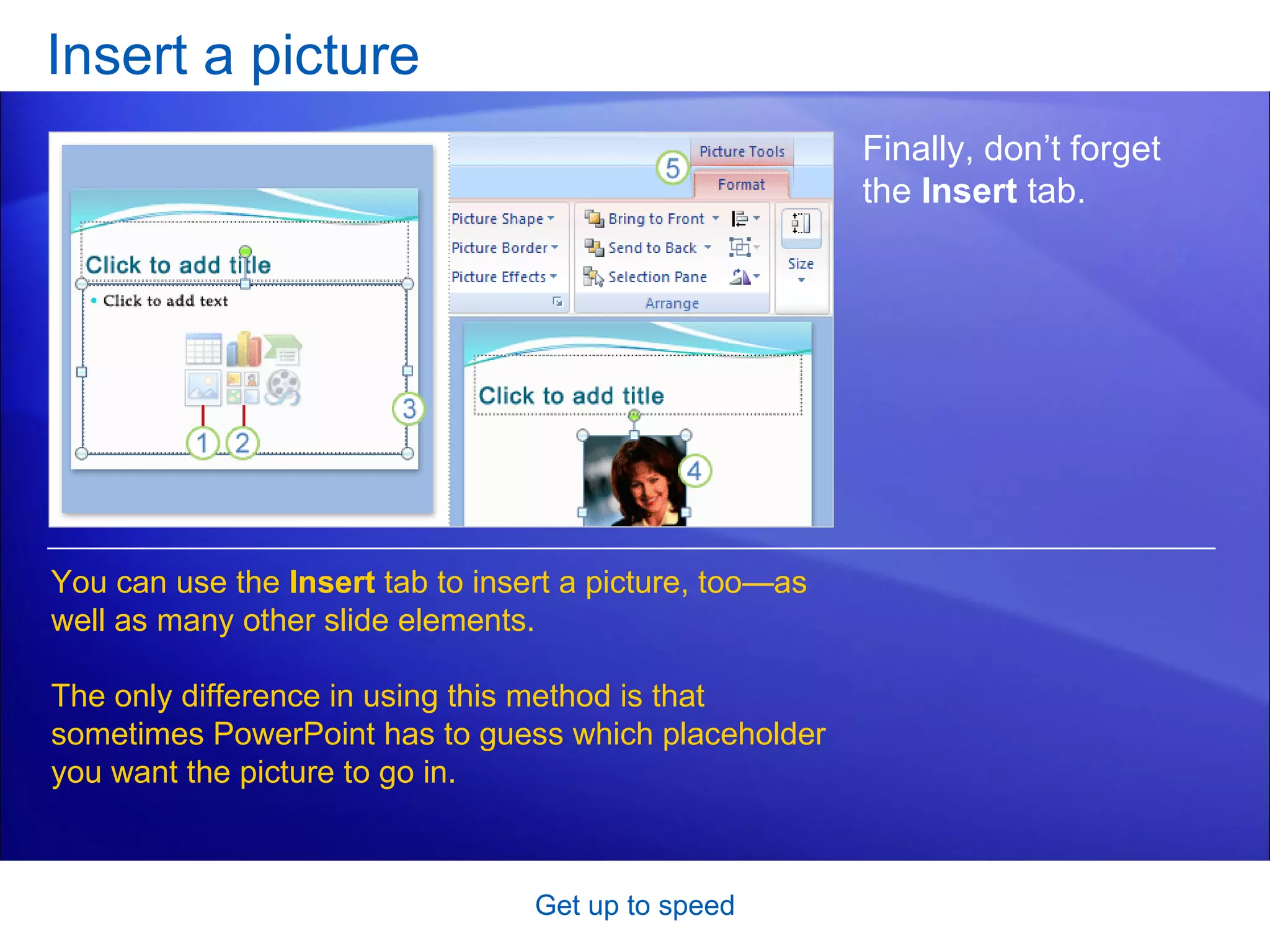
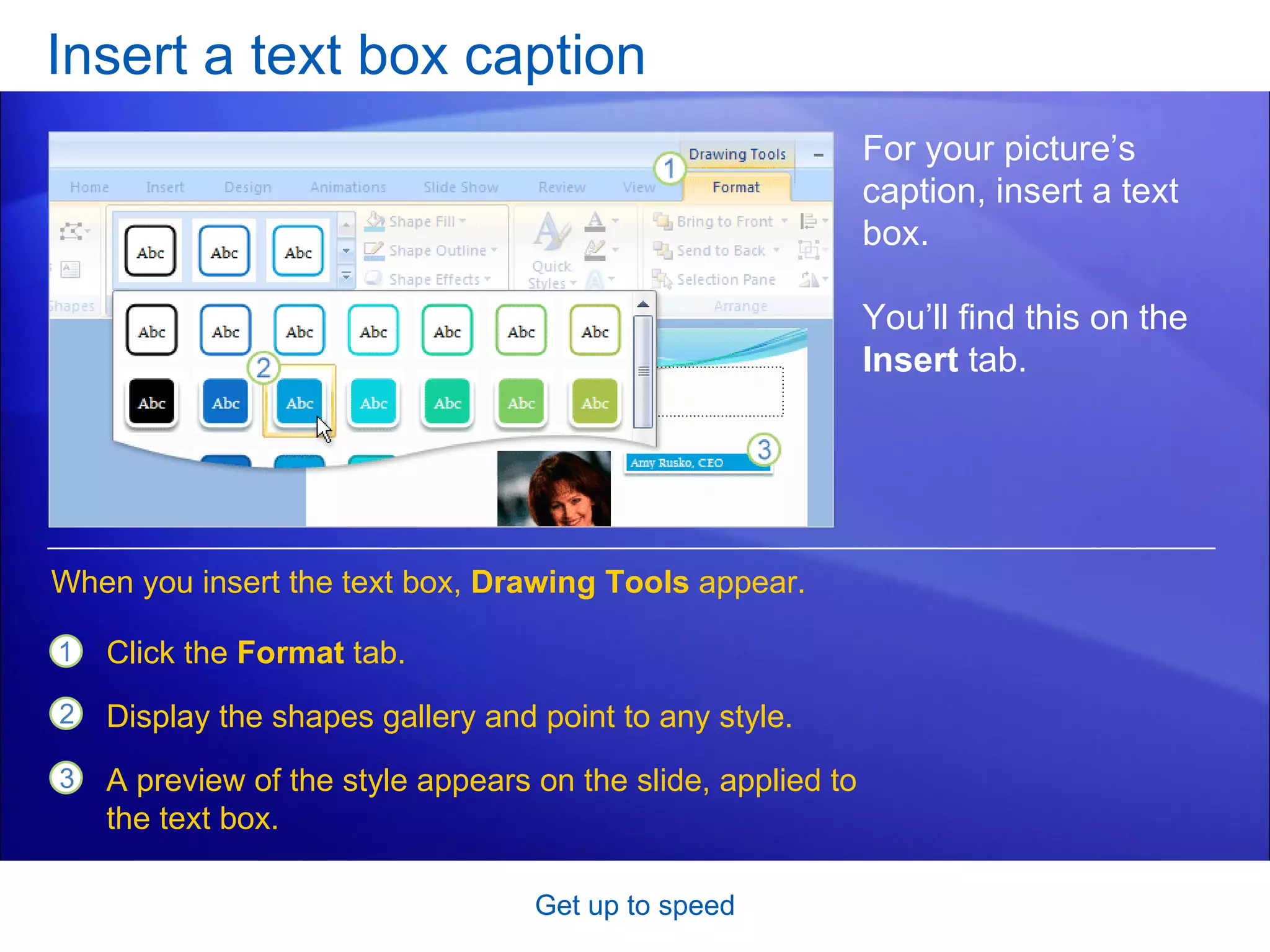
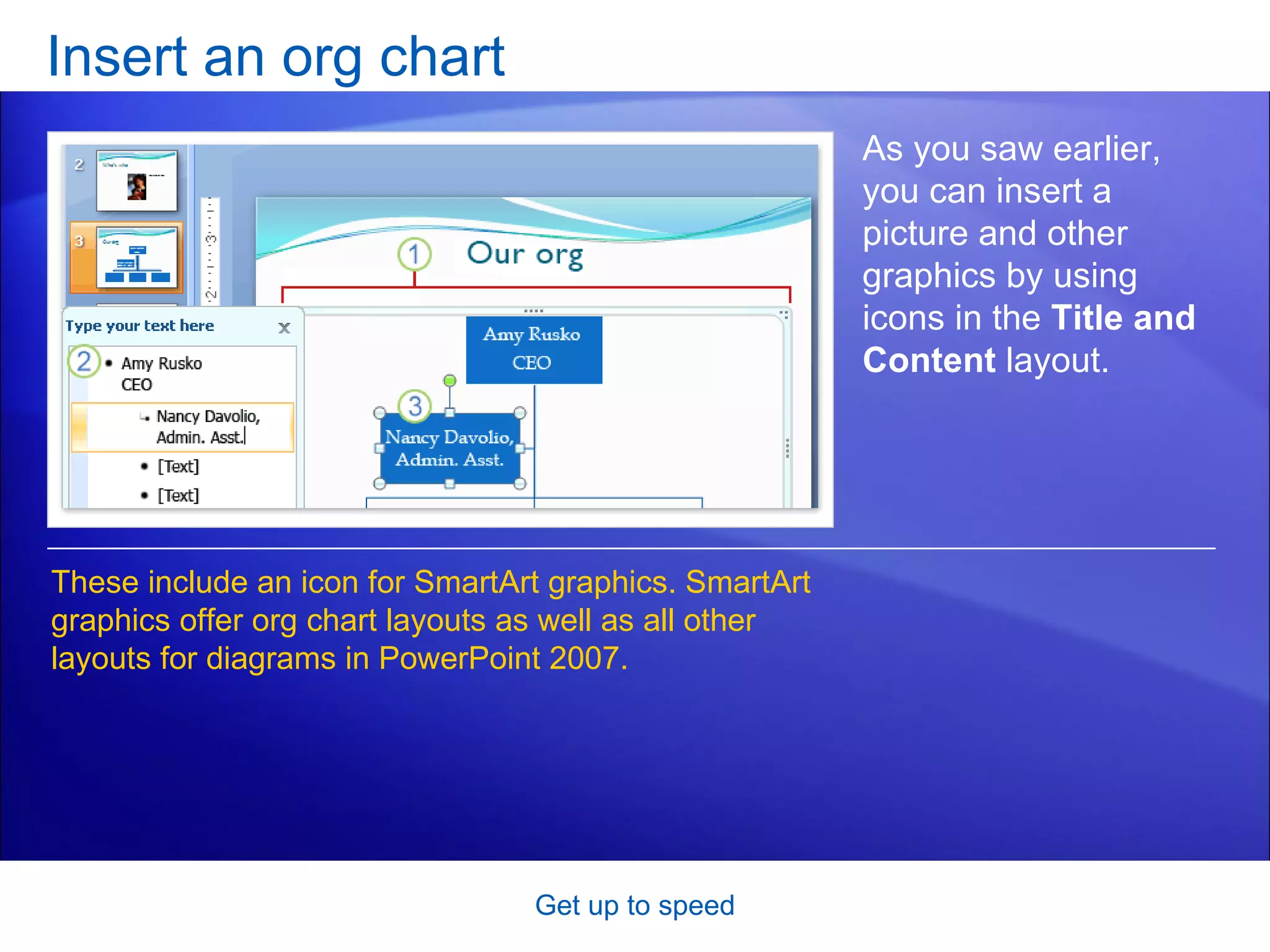
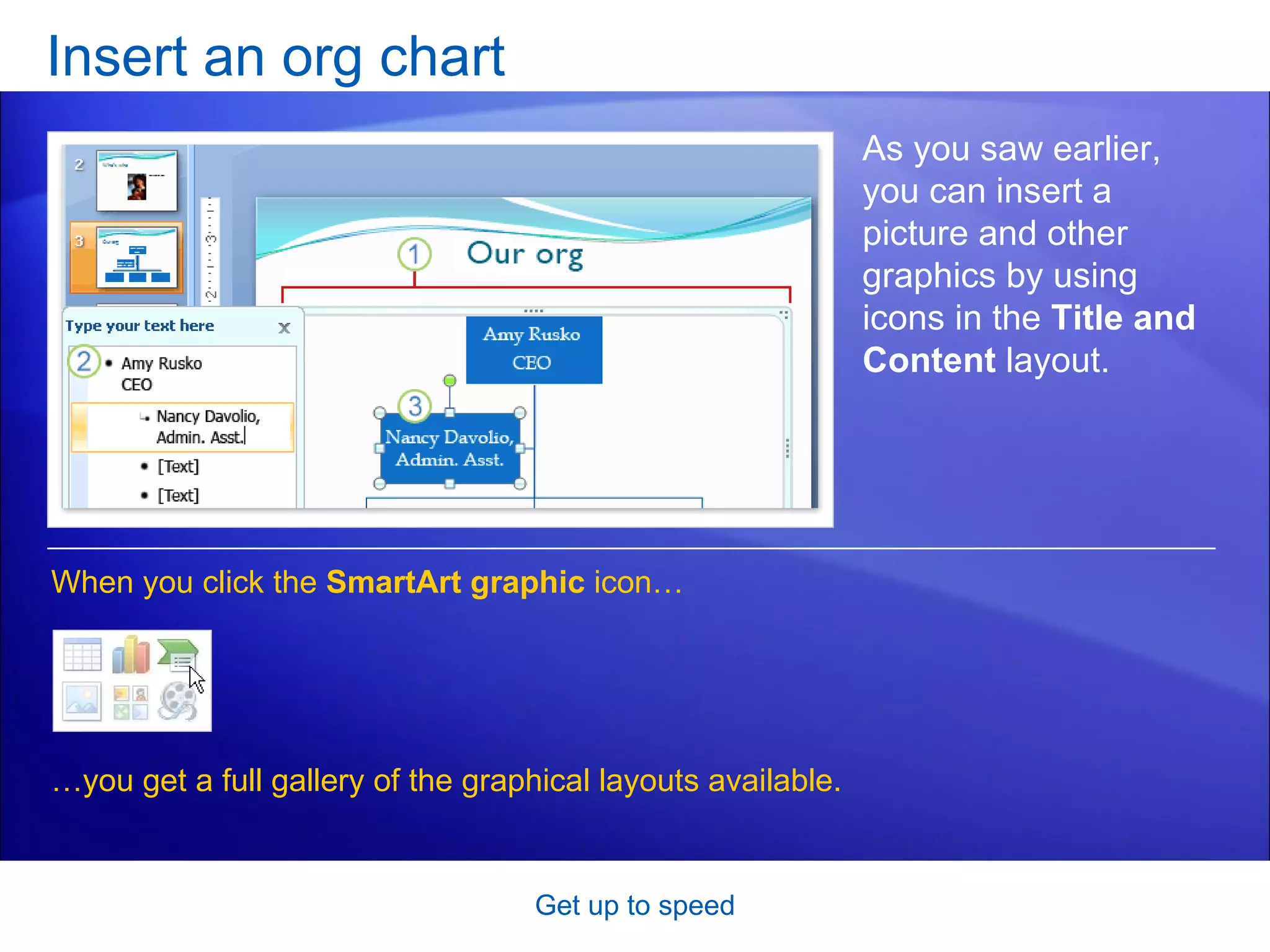
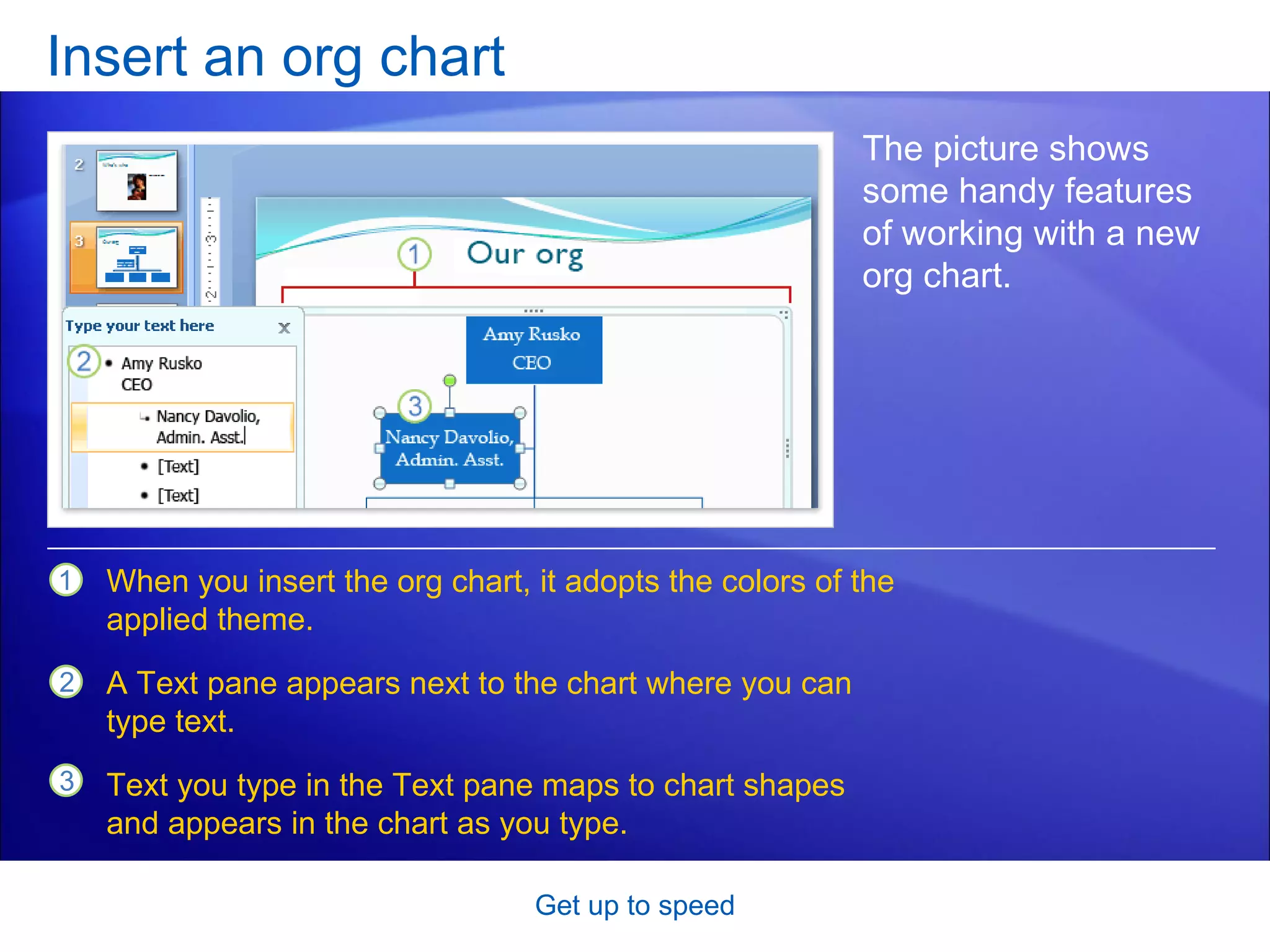
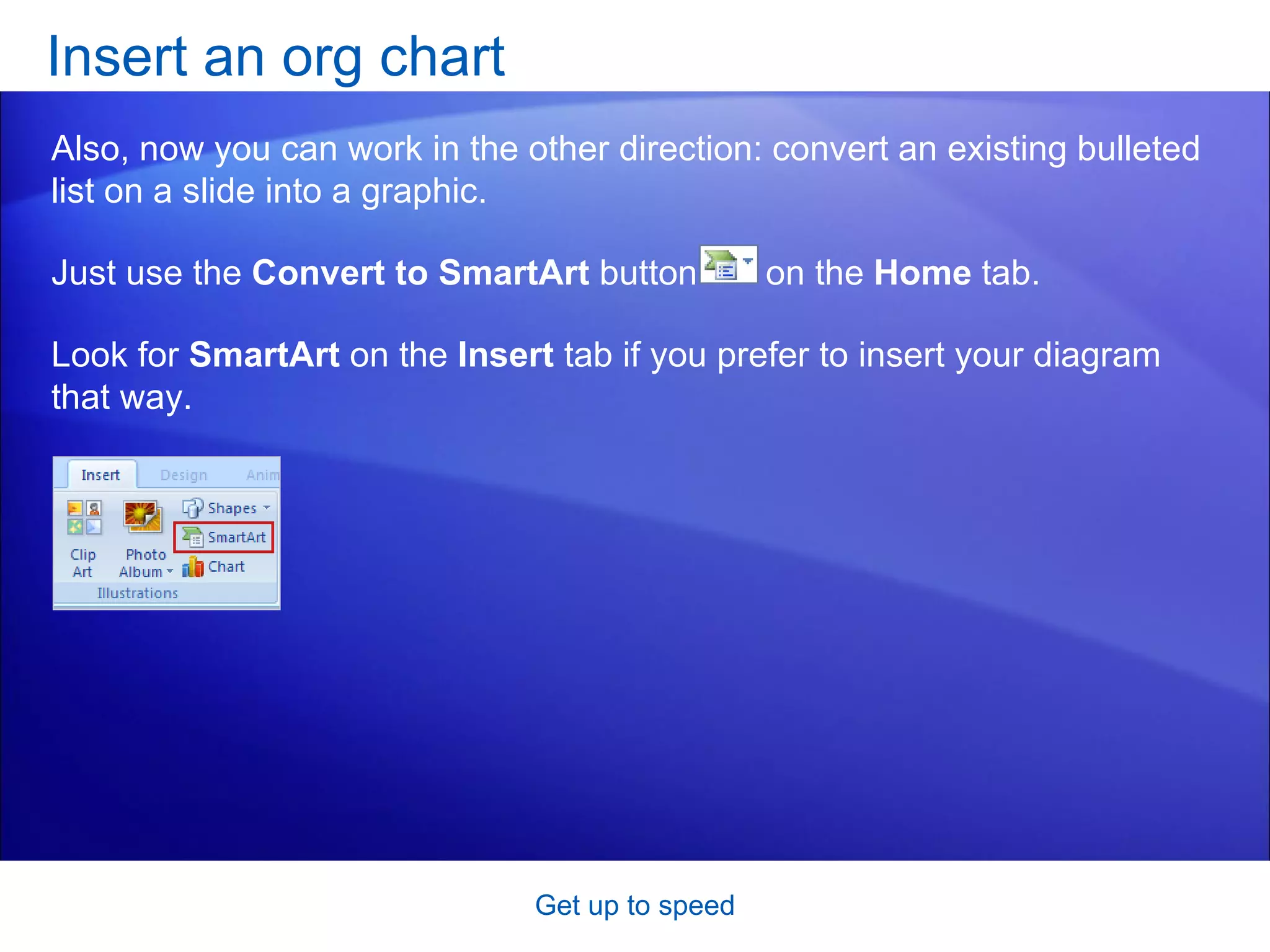
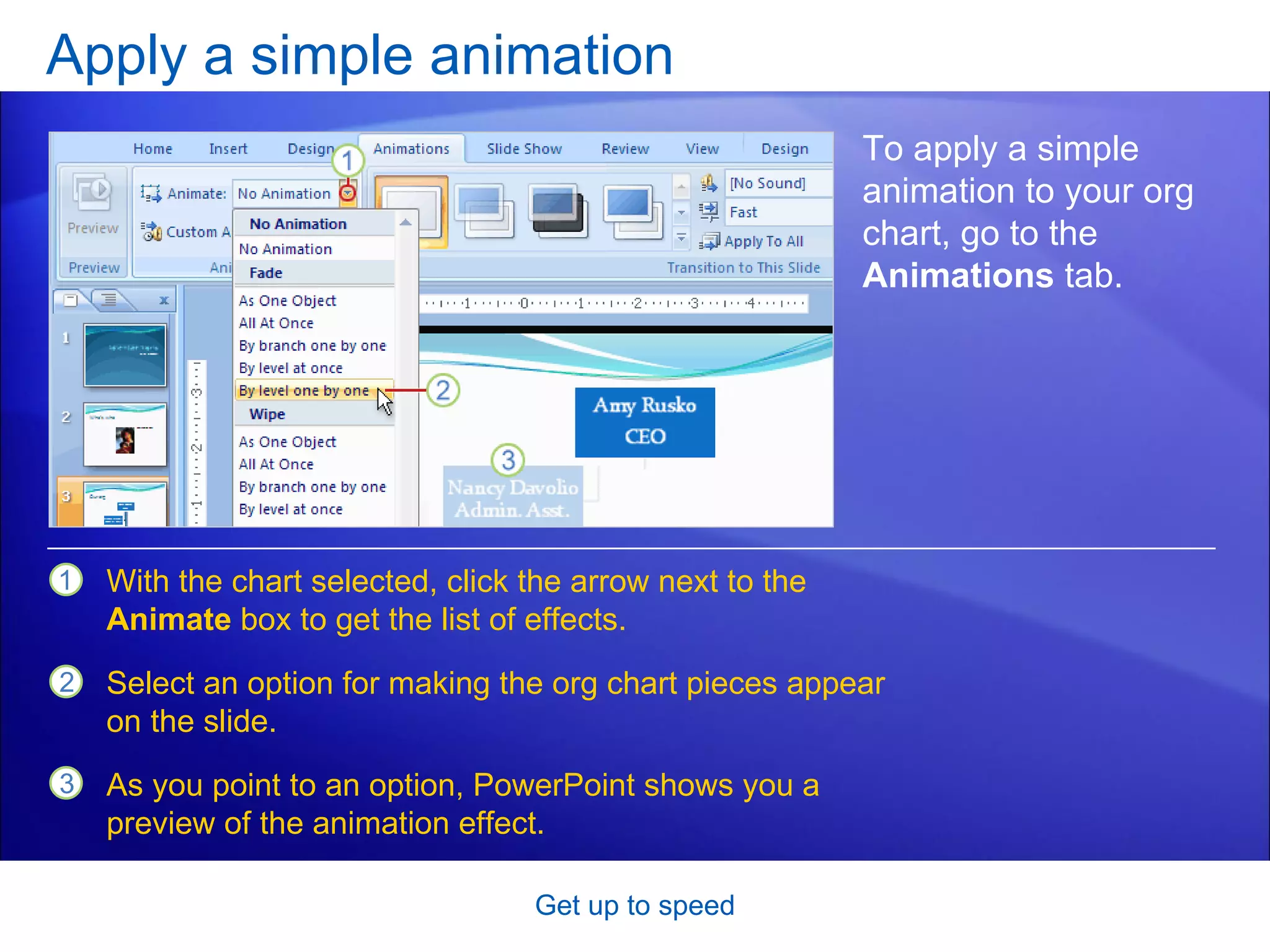
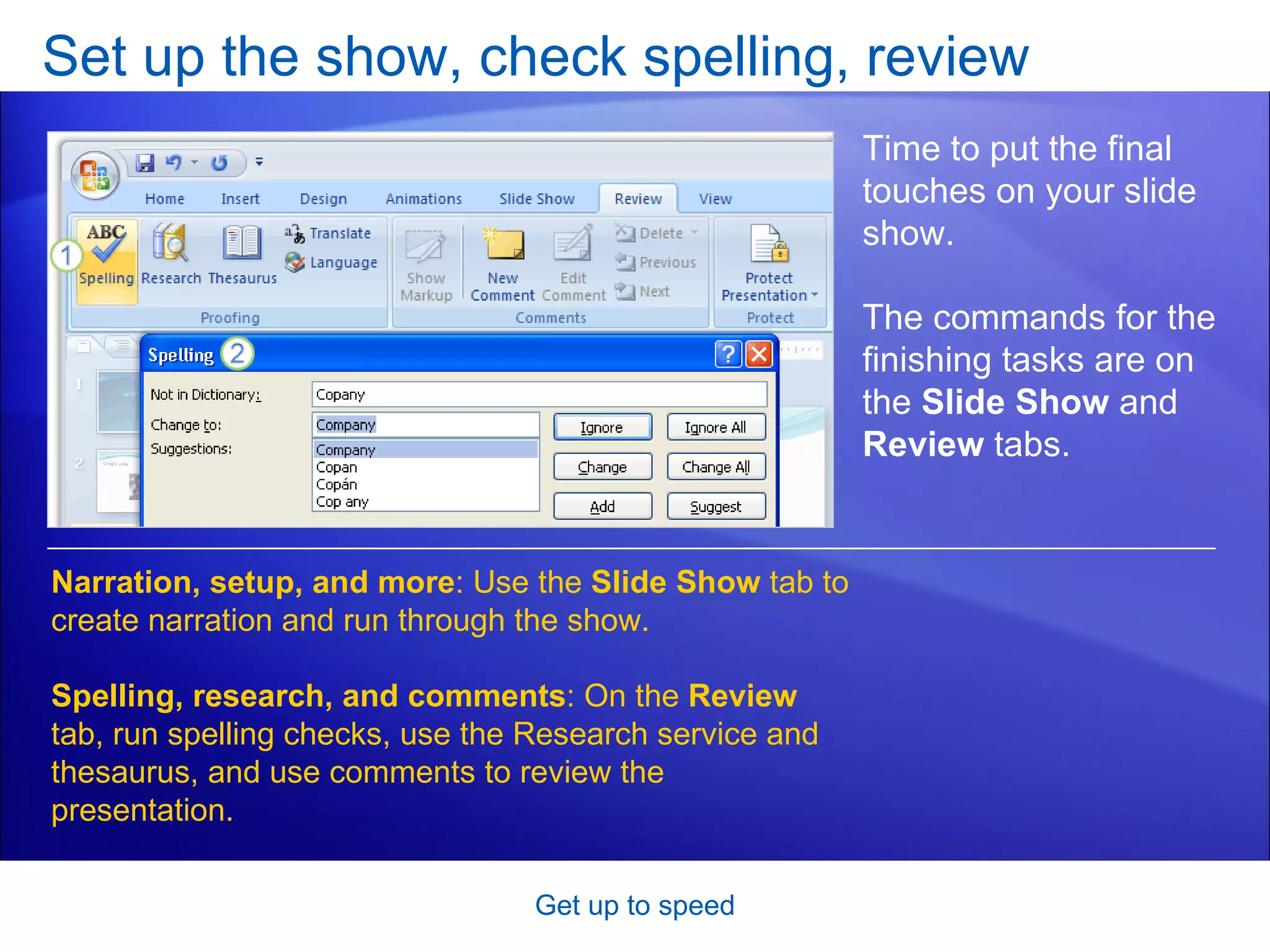
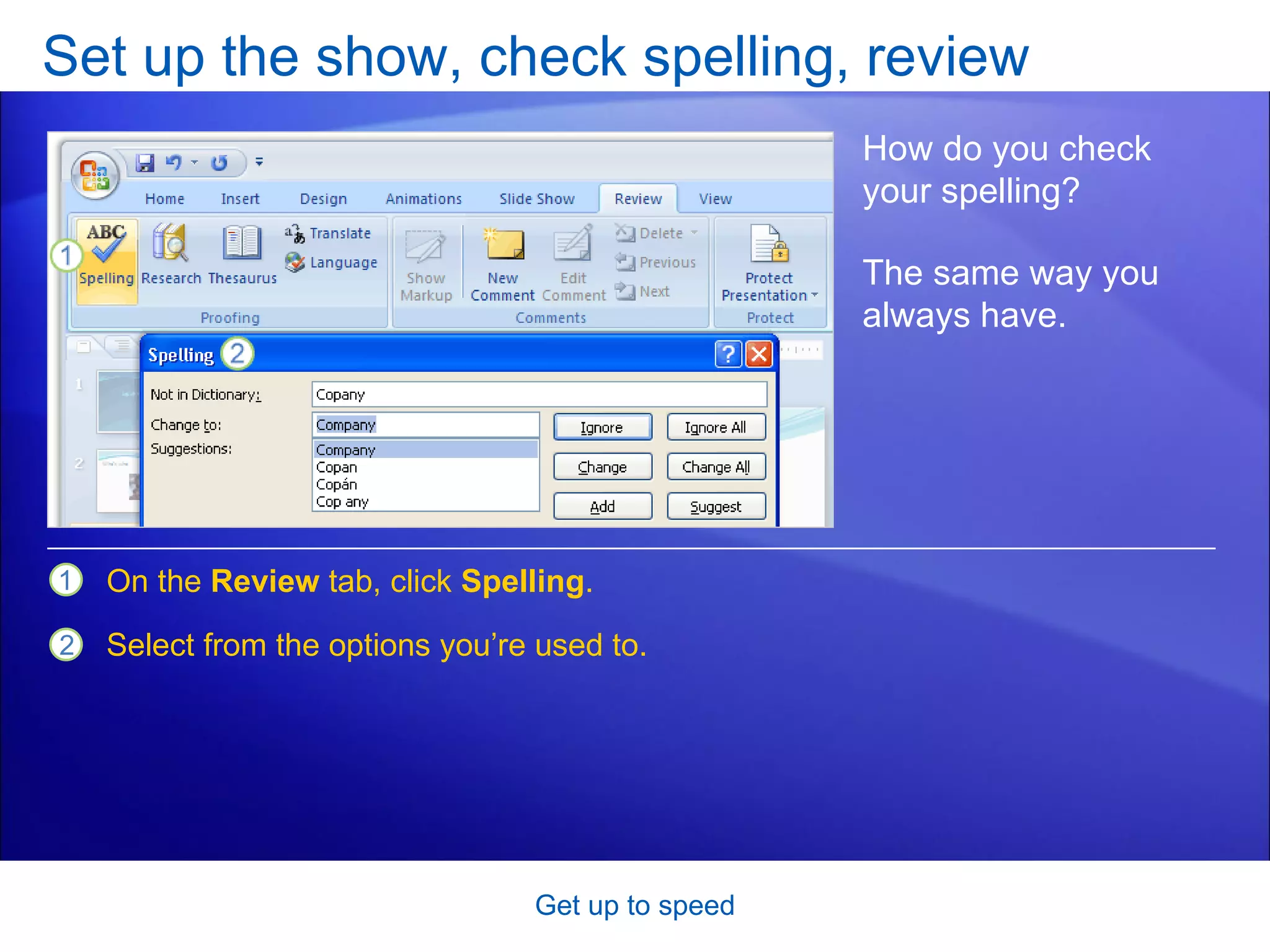
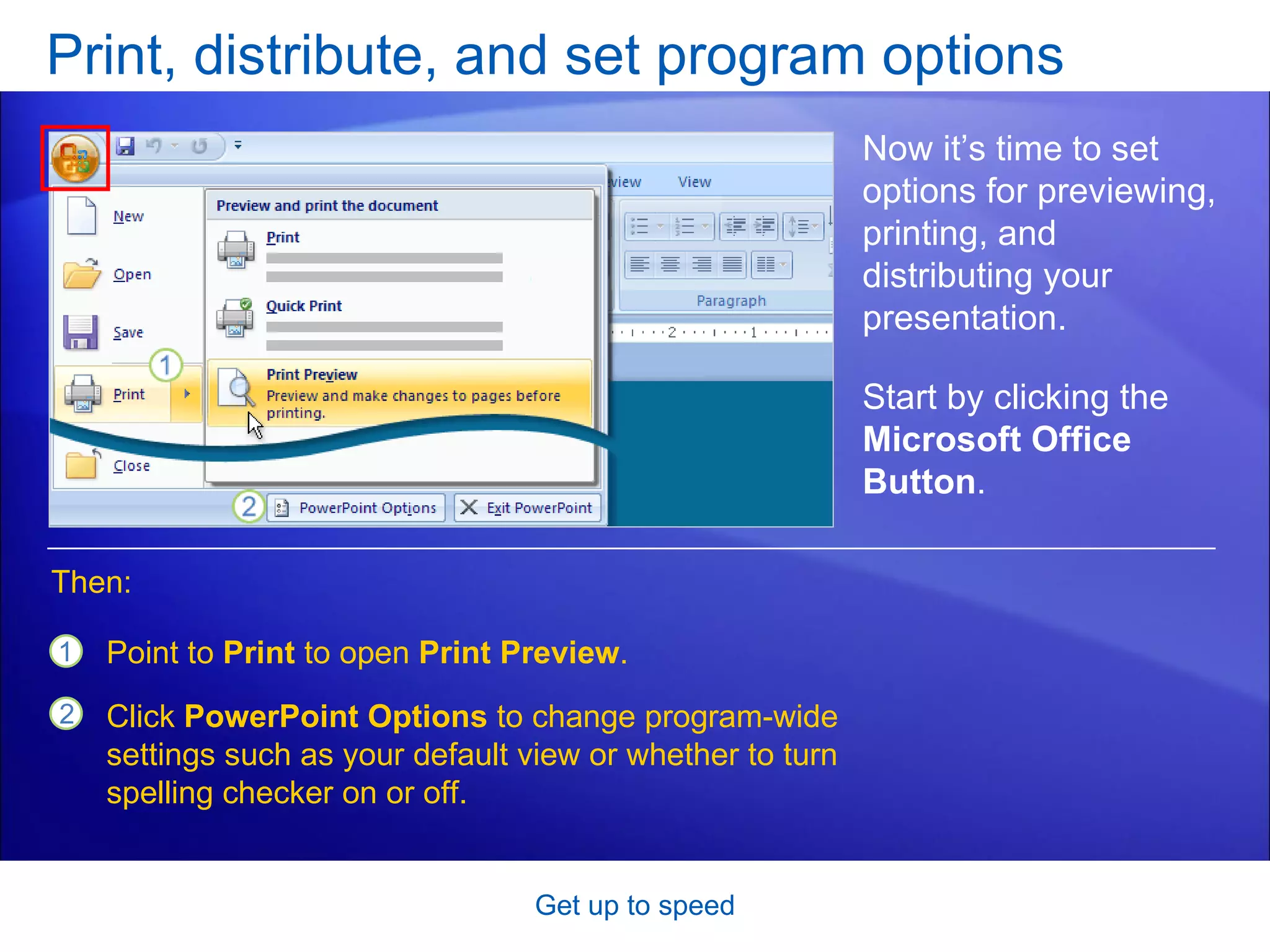

This document provides an overview of the training course for Microsoft PowerPoint 2007. It discusses the new Ribbon interface and how to navigate and use its tabs and groups. It also covers how to perform common tasks like adding slides, choosing layouts and themes, inserting pictures and diagrams, and applying basic animations and formatting. The training is meant to help users get up to speed with the updated user interface and complete tasks they are accustomed to in PowerPoint.


