Poster Screenshots:
BY SOPHIE MCGRATH
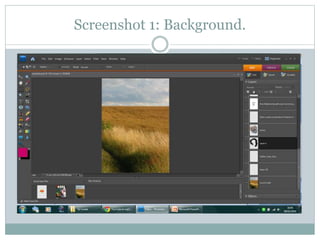
Screenshot 1: Background.
The background is of the country side where I filmed
my film trailer. I thought that the countryside
background made the poster look dreamlike and it
also suits the family film genre, as children like to be
in the fields.
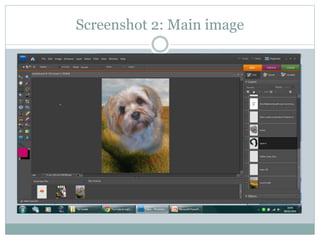
Screenshot 2: Main image
Screen shot 2: Main image.
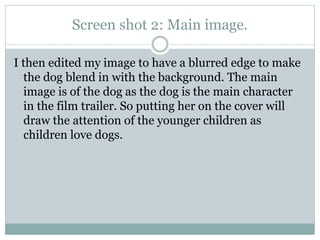
I then edited my image to have a blurred edge to make
the dog blend in with the background. The main
image is of the dog as the dog is the main character
in the film trailer. So putting her on the cover will
draw the attention of the younger children as
children love dogs.
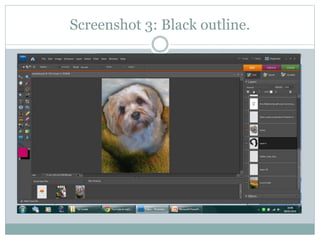
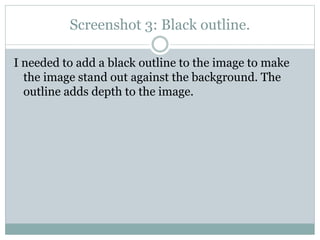
Screenshot 3: Black outline.
I needed to add a black outline to the image to make
the image stand out against the background. The
outline adds depth to the image.
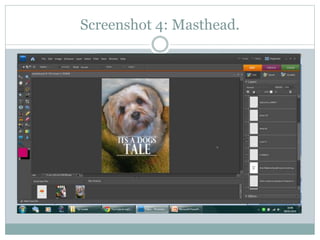
Screenshot 4: Masthead.
Screenshot 4: Masthead
I added a masthead to my film poster to show what the
film is called. I wanted to make my poster masthead
smaller than my image to make the image stand out.
Mastheads are usually smaller than the image.
Screenshot 5: Skyline and Tagline.
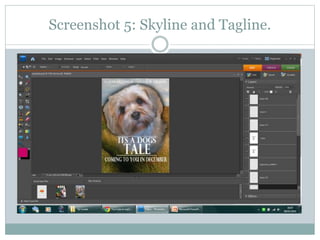
I added a Skyline; ‘No other relationship could be
stronger’ I added this at the top of my poster to make
the poster look legitimate and interesting. The
tagline, Coming to you in December…. The direct
address tells the audience when the film is going to
be out.
Screenshot 6: Billing block and logos.
Screenshot 6: Billing block and Logos.
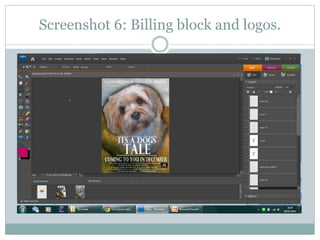
I then added my billing block which has thin text,
which interlinks with existing film posters. I also
added Facebook and Twitter links to show the
audience where they can get more information. As
media develops more young people will want to look
at films on social networking sites etc. So by
addressing the needs I have made the poster look
legitimate and have also enhanced my audiences
needs.
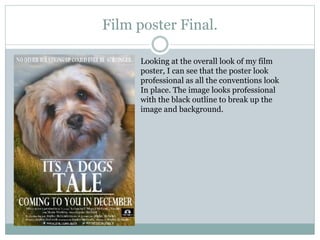
Film poster Final.
Looking at the overall look of my film
poster, I can see that the poster look
professional as all the conventions look
In place. The image looks professional
with the black outline to break up the
image and background.

Poster screenshots

  • 1.
  • 2.
  • 3.
    Screenshot 1: Background. Thebackground is of the country side where I filmed my film trailer. I thought that the countryside background made the poster look dreamlike and it also suits the family film genre, as children like to be in the fields.
  • 4.
  • 5.
    Screen shot 2:Main image. I then edited my image to have a blurred edge to make the dog blend in with the background. The main image is of the dog as the dog is the main character in the film trailer. So putting her on the cover will draw the attention of the younger children as children love dogs.
  • 6.
  • 7.
    Screenshot 3: Blackoutline. I needed to add a black outline to the image to make the image stand out against the background. The outline adds depth to the image.
  • 8.
  • 9.
    Screenshot 4: Masthead Iadded a masthead to my film poster to show what the film is called. I wanted to make my poster masthead smaller than my image to make the image stand out. Mastheads are usually smaller than the image.
  • 10.
  • 11.
    Screenshot 5: Skylineand Tagline. I added a Skyline; ‘No other relationship could be stronger’ I added this at the top of my poster to make the poster look legitimate and interesting. The tagline, Coming to you in December…. The direct address tells the audience when the film is going to be out.
  • 12.
    Screenshot 6: Billingblock and logos.
  • 13.
    Screenshot 6: Billingblock and Logos. I then added my billing block which has thin text, which interlinks with existing film posters. I also added Facebook and Twitter links to show the audience where they can get more information. As media develops more young people will want to look at films on social networking sites etc. So by addressing the needs I have made the poster look legitimate and have also enhanced my audiences needs.
  • 14.
    Film poster Final. Lookingat the overall look of my film poster, I can see that the poster look professional as all the conventions look In place. The image looks professional with the black outline to break up the image and background.