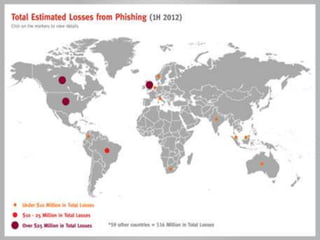
• Pronounced “fishing”
• The word has its Origin from two words “Password
Harvesting” or fishing for Passwords
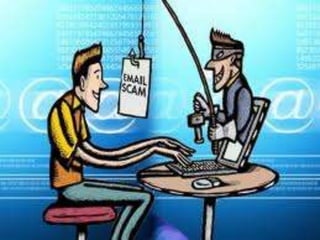
• Phishing is an online form of pretexting, a kind of
deception in which an attacker pretends to be
someone else in order to obtain sensitive
information from the victim.
• Also known as "brand spoofing“.
• Phishers are phishing artists.
• Phishing is a way of fraudulently acquiring sensitive
information using social engineering and technical
subterfuge.
• It tries to trick users with official-looking messages
− Credit card
− Bank account
− eBay
− PayPal
• Some phishing e-mails also
contain malicious or unwanted
software that can track your
activities or slow your computer
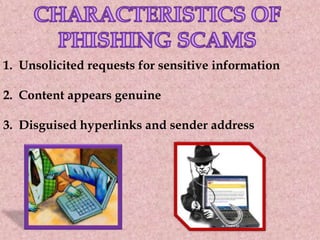
1. Unsolicited requests for sensitive information
2. Content appears genuine
3. Disguised hyperlinks and sender address
4. Email consists of a clickable
image
5. Generic Greetings
6. Use various ruses to entice
recipients to click
What to do if you Receive a
Suspected Phishing Scam
≠ DO NOT click on any links in the scam email.
≠ DO NOT supply any personal information of
any kind as a result of the email
≠ DO NOT reply to the email or attempt to
contact the senders in any way.
≠ DO NOT supply any information on the bogus
website that may appear in your browser if
you have clicked a link in the email.
≠ DO NOT open any
attachments that arrive with the
email.
≠ REPORT the phishing scam.
≠ DELETE the email from your
computer as soon as possible.
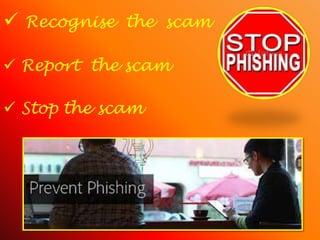
 Recognise the scam
 Report the scam
 Stop the scam
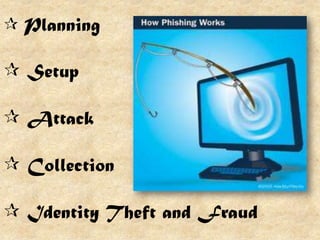
 Planning
 Setup
 Attack
 Collection
 Identity Theft and Fraud
 Unawareness among public
 Unawareness of policy
 Technical sophistication
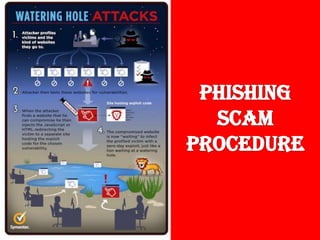
Techniques of
Phishing Scams
1) Man-in-the-middle
Attacks
2) URL Obfuscation Attacks
3) XSS (Cross-site Scripting)
WHY YOUR PERSONAL
ACCOUNT
IS
A TARGET
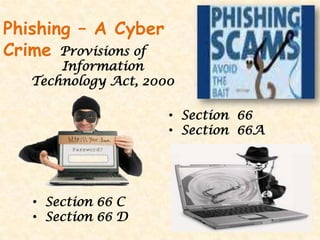
Phishing – A Cyber
Crime Provisions of
Information
Technology Act, 2000
• Section 66
• Section 66A
• Section 66 C
• Section 66 D
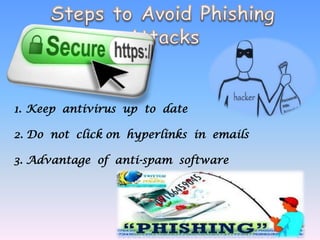
1. Keep antivirus up to date
2. Do not click on hyperlinks in emails
3. Advantage of anti-spam software
4. Get educated
5. Use anti-spam software
6. Firewall
7. Use back-up system
8. Not to enter sensitive information into
pop-up windows
9. Secure the hosts file
10. Protect against DNS pharming
attacks
AMRITA HEMRAJANI (17)
PEARLENE JASAVALA (24)
KHYATI NANDU (38)
SANAYA PATEL (40)
KRISHMA SANDESRA (42)
VATSAL SHAH (50)
Phishing scams in banking ppt

Phishing scams in banking ppt

  • 3.
    • Pronounced “fishing” •The word has its Origin from two words “Password Harvesting” or fishing for Passwords • Phishing is an online form of pretexting, a kind of deception in which an attacker pretends to be someone else in order to obtain sensitive information from the victim. • Also known as "brand spoofing“. • Phishers are phishing artists.
  • 5.
    • Phishing isa way of fraudulently acquiring sensitive information using social engineering and technical subterfuge. • It tries to trick users with official-looking messages − Credit card − Bank account − eBay − PayPal • Some phishing e-mails also contain malicious or unwanted software that can track your activities or slow your computer
  • 6.
    1. Unsolicited requestsfor sensitive information 2. Content appears genuine 3. Disguised hyperlinks and sender address
  • 7.
    4. Email consistsof a clickable image 5. Generic Greetings 6. Use various ruses to entice recipients to click
  • 10.
    What to doif you Receive a Suspected Phishing Scam ≠ DO NOT click on any links in the scam email. ≠ DO NOT supply any personal information of any kind as a result of the email ≠ DO NOT reply to the email or attempt to contact the senders in any way. ≠ DO NOT supply any information on the bogus website that may appear in your browser if you have clicked a link in the email.
  • 11.
    ≠ DO NOTopen any attachments that arrive with the email. ≠ REPORT the phishing scam. ≠ DELETE the email from your computer as soon as possible.
  • 13.
     Recognise thescam  Report the scam  Stop the scam
  • 18.
     Planning  Setup Attack  Collection  Identity Theft and Fraud
  • 20.
     Unawareness amongpublic  Unawareness of policy  Technical sophistication
  • 22.
    Techniques of Phishing Scams 1)Man-in-the-middle Attacks 2) URL Obfuscation Attacks 3) XSS (Cross-site Scripting)
  • 24.
  • 25.
    Phishing – ACyber Crime Provisions of Information Technology Act, 2000 • Section 66 • Section 66A • Section 66 C • Section 66 D
  • 26.
    1. Keep antivirusup to date 2. Do not click on hyperlinks in emails 3. Advantage of anti-spam software
  • 27.
    4. Get educated 5.Use anti-spam software 6. Firewall 7. Use back-up system
  • 28.
    8. Not toenter sensitive information into pop-up windows 9. Secure the hosts file 10. Protect against DNS pharming attacks
  • 31.
    AMRITA HEMRAJANI (17) PEARLENEJASAVALA (24) KHYATI NANDU (38) SANAYA PATEL (40) KRISHMA SANDESRA (42) VATSAL SHAH (50)