P1
computer components
By Harbinjit Salh
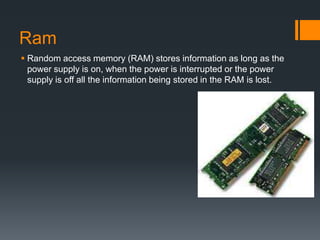
Ram
 Random access memory (RAM) stores information as long as the
power supply is on, when the power is interrupted or the power
supply is off all the information being stored in the RAM is lost.
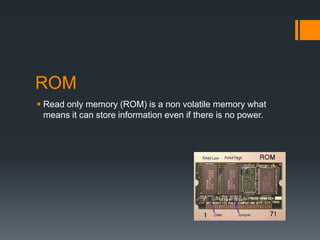
ROM
 Read only memory (ROM) is a non volatile memory what
means it can store information even if there is no power.
CPU
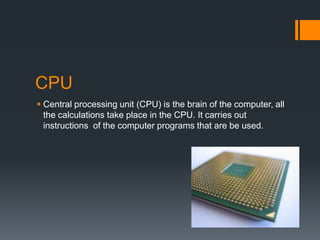
 Central processing unit (CPU) is the brain of the computer, all
the calculations take place in the CPU. It carries out
instructions of the computer programs that are be used.
Hard drive
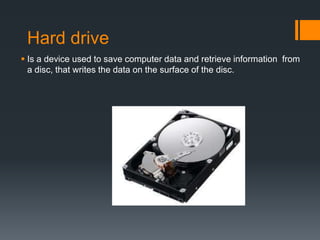
 Is a device used to save computer data and retrieve information from
a disc, that writes the data on the surface of the disc.
Video card
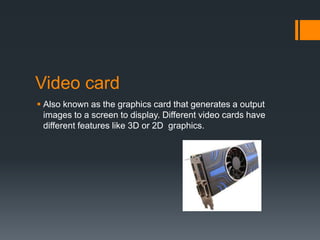
 Also known as the graphics card that generates a output
images to a screen to display. Different video cards have
different features like 3D or 2D graphics.
Power supply
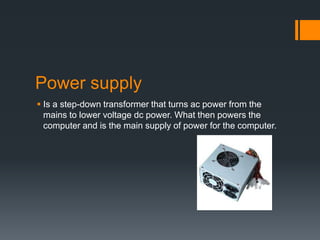
 Is a step-down transformer that turns ac power from the
mains to lower voltage dc power. What then powers the
computer and is the main supply of power for the computer.
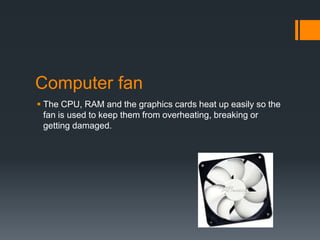
Computer fan
 The CPU, RAM and the graphics cards heat up easily so the
fan is used to keep them from overheating, breaking or
getting damaged.
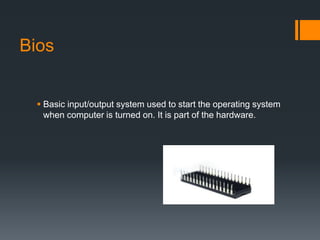
Bios
 Basic input/output system used to start the operating system
when computer is turned on. It is part of the hardware.
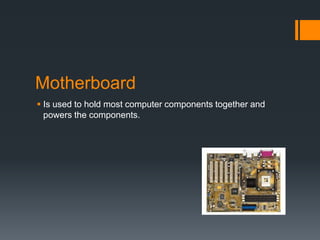
Motherboard
 Is used to hold most computer components together and
powers the components.

P1 computer components

  • 1.
  • 2.
    Ram  Random accessmemory (RAM) stores information as long as the power supply is on, when the power is interrupted or the power supply is off all the information being stored in the RAM is lost.
  • 3.
    ROM  Read onlymemory (ROM) is a non volatile memory what means it can store information even if there is no power.
  • 4.
    CPU  Central processingunit (CPU) is the brain of the computer, all the calculations take place in the CPU. It carries out instructions of the computer programs that are be used.
  • 5.
    Hard drive  Isa device used to save computer data and retrieve information from a disc, that writes the data on the surface of the disc.
  • 6.
    Video card  Alsoknown as the graphics card that generates a output images to a screen to display. Different video cards have different features like 3D or 2D graphics.
  • 7.
    Power supply  Isa step-down transformer that turns ac power from the mains to lower voltage dc power. What then powers the computer and is the main supply of power for the computer.
  • 8.
    Computer fan  TheCPU, RAM and the graphics cards heat up easily so the fan is used to keep them from overheating, breaking or getting damaged.
  • 9.
    Bios  Basic input/outputsystem used to start the operating system when computer is turned on. It is part of the hardware.
  • 10.
    Motherboard  Is usedto hold most computer components together and powers the components.