1
Computer Hardware
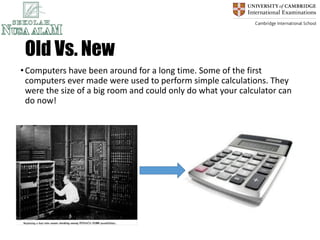
Old Vs. New
•Computers have been around for a long time. Some of the first
computers ever made were used to perform simple calculations. They
were the size of a big room and could only do what your calculator can
do now!
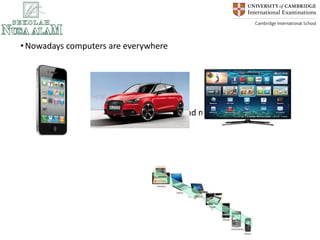
New Computers
•Nowadays computers are everywhere
•And over the years they are getting small and more powerful
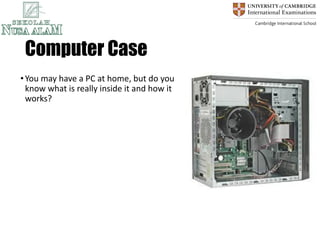
Computer Case
•You may have a PC at home, but do you
know what is really inside it and how it
works?
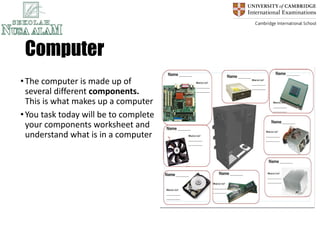
Computer
•The computer is made up of
several different components.
This is what makes up a computer
•You task today will be to complete
your components worksheet and
understand what is in a computer
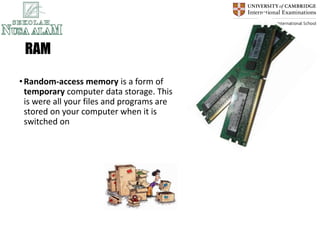
RAM
•Random-access memory is a form of
temporary computer data storage. This
is were all your files and programs are
stored on your computer when it is
switched on
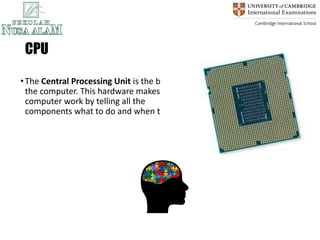
CPU
•The Central Processing Unit is the brains of
the computer. This hardware makes the
computer work by telling all the
components what to do and when to do it
Motherboard
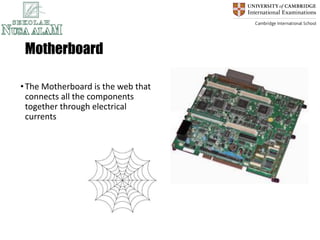
•The Motherboard is the web that
connects all the components
together through electrical
currents
PSU
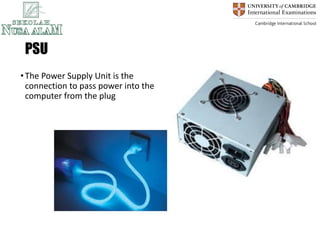
•The Power Supply Unit is the
connection to pass power into the
computer from the plug
Hard Drive
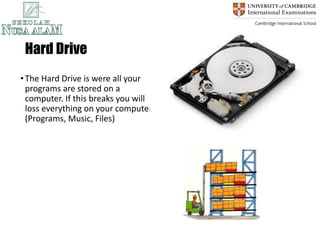
•The Hard Drive is were all your
programs are stored on a
computer. If this breaks you will
loss everything on your computer
(Programs, Music, Files)
Heat Sink
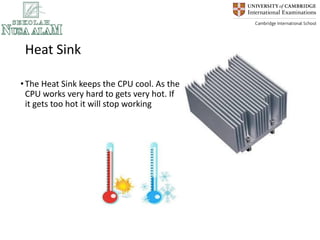
•The Heat Sink keeps the CPU cool. As the
CPU works very hard to gets very hot. If
it gets too hot it will stop working
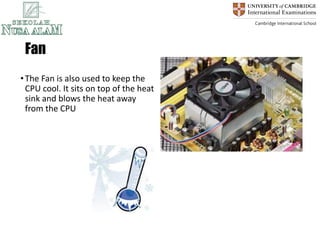
Fan
•The Fan is also used to keep the
CPU cool. It sits on top of the heat
sink and blows the heat away
from the CPU
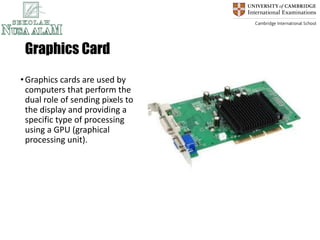
Graphics Card
•Graphics cards are used by
computers that perform the
dual role of sending pixels to
the display and providing a
specific type of processing
using a GPU (graphical
processing unit).
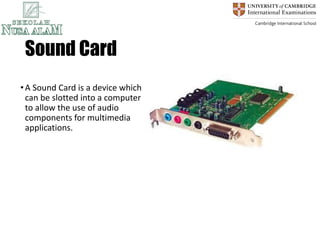
Sound Card
•A Sound Card is a device which
can be slotted into a computer
to allow the use of audio
components for multimedia
applications.
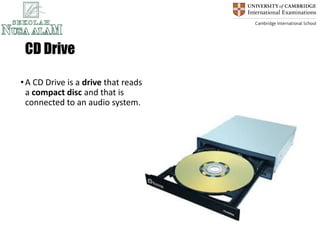
CD Drive
•A CD Drive is a drive that reads
a compact disc and that is
connected to an audio system.
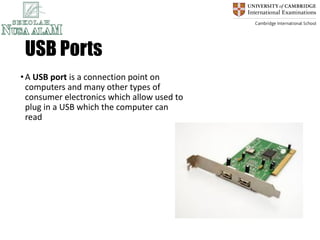
USB Ports
•A USB port is a connection point on
computers and many other types of
consumer electronics which allow used to
plug in a USB which the computer can
read

Computer Hardware PPt and computer basic course outline.pptx.pdf

  • 1.
  • 2.
    Old Vs. New •Computershave been around for a long time. Some of the first computers ever made were used to perform simple calculations. They were the size of a big room and could only do what your calculator can do now!
  • 3.
    New Computers •Nowadays computersare everywhere •And over the years they are getting small and more powerful
  • 4.
    Computer Case •You mayhave a PC at home, but do you know what is really inside it and how it works?
  • 5.
    Computer •The computer ismade up of several different components. This is what makes up a computer •You task today will be to complete your components worksheet and understand what is in a computer
  • 6.
    RAM •Random-access memory isa form of temporary computer data storage. This is were all your files and programs are stored on your computer when it is switched on
  • 7.
    CPU •The Central ProcessingUnit is the brains of the computer. This hardware makes the computer work by telling all the components what to do and when to do it
  • 8.
    Motherboard •The Motherboard isthe web that connects all the components together through electrical currents
  • 9.
    PSU •The Power SupplyUnit is the connection to pass power into the computer from the plug
  • 10.
    Hard Drive •The HardDrive is were all your programs are stored on a computer. If this breaks you will loss everything on your computer (Programs, Music, Files)
  • 11.
    Heat Sink •The HeatSink keeps the CPU cool. As the CPU works very hard to gets very hot. If it gets too hot it will stop working
  • 12.
    Fan •The Fan isalso used to keep the CPU cool. It sits on top of the heat sink and blows the heat away from the CPU
  • 13.
    Graphics Card •Graphics cardsare used by computers that perform the dual role of sending pixels to the display and providing a specific type of processing using a GPU (graphical processing unit).
  • 14.
    Sound Card •A SoundCard is a device which can be slotted into a computer to allow the use of audio components for multimedia applications.
  • 15.
    CD Drive •A CDDrive is a drive that reads a compact disc and that is connected to an audio system.
  • 16.
    USB Ports •A USBport is a connection point on computers and many other types of consumer electronics which allow used to plug in a USB which the computer can read