Web Application Remediation

OWASP San Antonio

March 28th, 2007
Agenda
•   Introduction
•   The Problem: Vulnerable Web Applications
•   Goals
•   Example Process Overview
•   Real World Issues To Address
•   Conclusion/Questions


                                               1
Introduction
•   Dan Cornell
•   Principal of Denim Group, Ltd.
•   Background in Software Development
    – Java/JEE, .NET, etc
    – Java Certified Programmer, MCSD


                                         2
Problem: Vulnerable Web
 pp
Applications
•   Your organization has identified and verified vulnerabilities in a
    web application
•   How did you find out?
     – Evidence of exploitation
     – External assessment or audit
     – I
       Internal review
              l    i


                                                                         3
Goals
•   Address Organizational Risk
•   Options:
    – Fix it
    – Turn it off
    – Live with it
•   Often no easy answers
•   Any solution must be business-driven
    – Risk mitigation strategies


                                           4
Before You Start
•   Know your stakeholders – who cares about having
    vulnerabilities remediated
     – 3rd party client
     – Security team
     – Internal/external audit
•   This will determine the le el of rigor
          ill               level
     – Thoroughness of testing
     – Volume of documentation
•   Much easier to know up front than to try and reconstruct at the
    end


                                                                      5
Example Process Overview
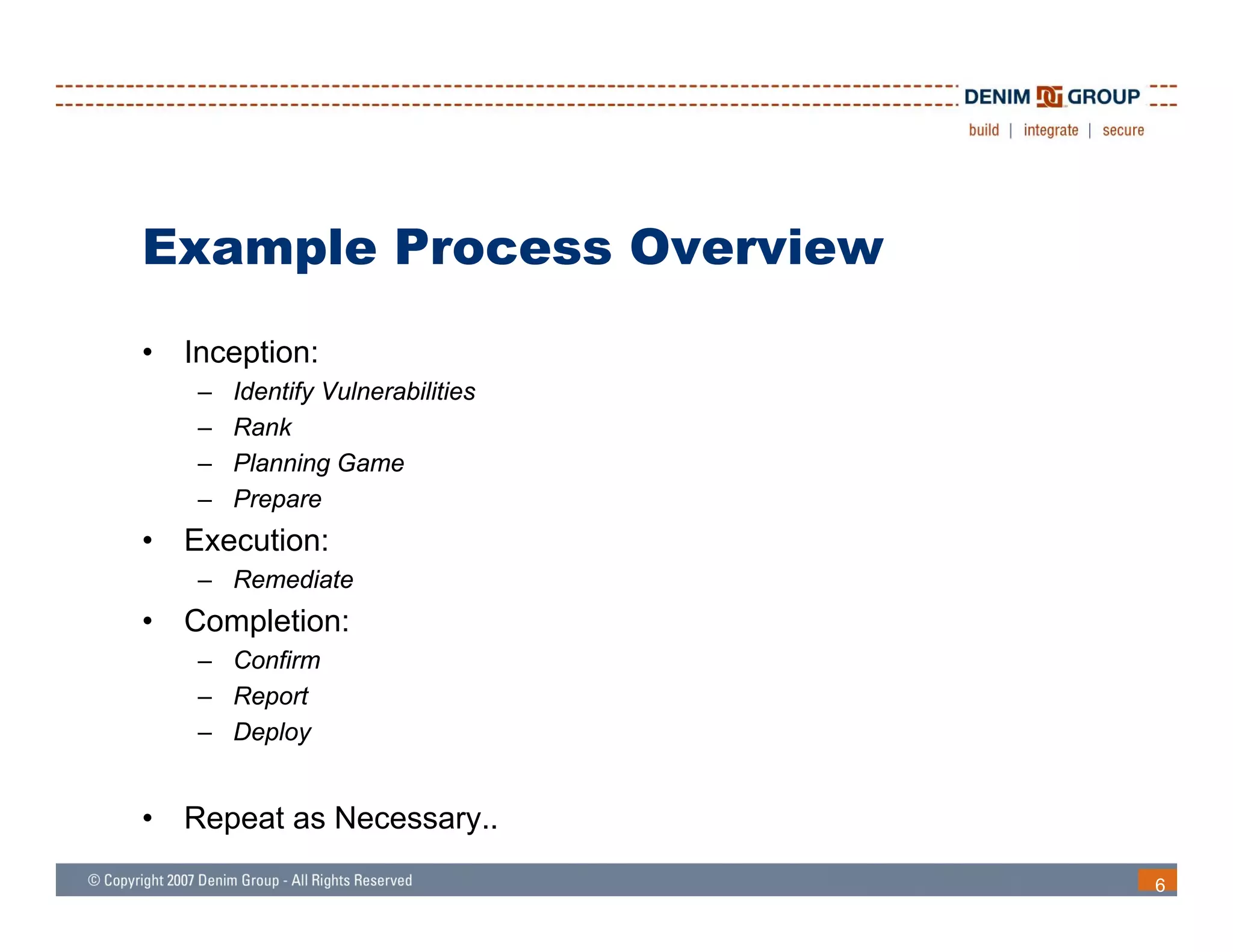
•   Inception:
     –   Identify Vulnerabilities
     –   Rank
     –   Planning Game
     –   Prepare
•   Execution:
     – Remediate
•   Completion:
     – Confirm
     – Report
     – Deploy


•   Repeat as Necessary..

                                    6
Identify Vulnerabilities
•   How does this happen?
    – Evidence of exploitation
    – External assessment or penetration test
    – Internal assessment or audit


                                                7
Rank
•   Need to know the severity of vulnerabilities
•   Think in terms of:
     – Confidentiality
     – Integrity
     – Availability
•   Data classification policies are key
     – Your organization has a data classification policy, right?
•   Rankings will vary by organization and by application


                                                                    8
STRIDE
•   Used to classify threats to an application

•   Spoofing Identity
•   Tampering with Data
•   Repudiation
•   Information Disclosure
•   Denial of Service
•   Elevation of Privilege
    El    ti   f P i il


                                                 9
DREAD
•   Used to rank the severity of vulnerabilities

•   Damage potential
•   Reproducibility
•   Exploitability
•   Affected Users
•   Discoverability

•   Recommend 1-3 scale rather than 1-10
     – How do you know if something is a 7 or an 8?


                                                      10
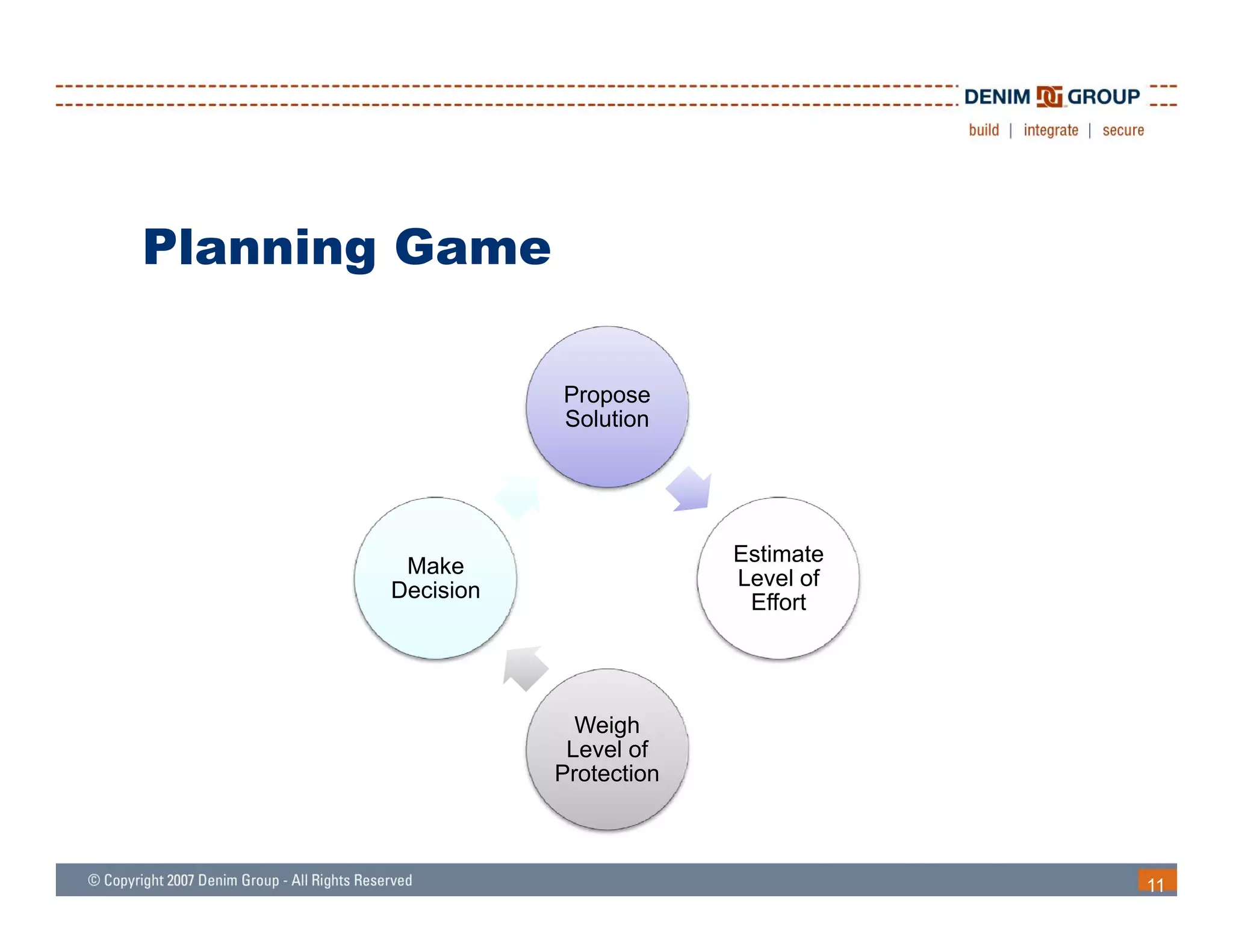
Planning Game

                  Propose
                  Solution


                               Estimate
        Make
                               Level of
       Decision
                                Effort


                    Weigh
                   Level of
                  Protection


                                          11
Propose Solution
•   Coding Fix
    – No change in functionality for valid inputs
•   Configuration Change
•   Functionality Change
    – Could be large or small
    – May have significant requirements, architecture or design implications
•   Web Application Firewall
•   Do Nothing
             g


                                                                               12
Estimate Level of Effort
•   Code changes tend to be simple but are often widespread
    throughout the application
•   Functionality changes have a wide range depending on their
    impact
    – Architecture or design changes
    – Business process impact
•   Web Application Firewalls
    – Train
    – D l
      Deploy
    – Manage
•   Doing nothing is always easy
    – In the short term at least…
                           least


                                                                 13
Weigh Level of Protection
•   SDL: Fix security bugs the right way
•   That is nice, but not always appropriate (unfortunately)
•   Quantitative Risk Assessment
     –   Challenging because of a lack of actuarial data
     –   SLE – Single Loss Expectancy
     –   ARO – Annual Rate of Occurrence
     –   ALE – Annual Loss Expectancy
     –   ROSI – Return on Security Investment
•   Qualitative Risk Assessment
    Q lit ti Ri k A           t
     – Return to data classification, STRIDE, and DREAD


                                                               14
Make Decision
•   Remember that the goal is to appropriately address risk


                                                              15
Prepare
•   Planning Game should have resulted in a remediation plan
     – What is going to be fixed and how?
•   Develop test plan to confirm the remediation worked after
    completion
•   Two types of testing
     – Positive
     – Negative


                                                                16
Positive Testing
•   “Do No Harm”
•   Make sure the application works for valid inputs before and after
•   Tests should pass before and pass after


                                                                        17
Negative Testing
•   Make sure the remediation worked
•   Tests should fail before and succeed after


                                                 18
Automated Testing
•   Automate as much as possible
•   Reasons
    – Easier to test and re-test
    – Test scripts offer repeatable demonstration of behavior
•   Types
    – Web Application Scanners
    – Unit Testing
    – Acceptance Testing


                                                                19
Automated Testing: Web
Application Scanners
 pp
•   Compare before and after results
•   Most modern application scanners will compare or trend results
•   Excellent choice if organizations have a scan template that is a
    “standard”


                                                                       20
Automated Testing: Unit Testing
•   Frameworks:
    – JUnit: www.junit.org
    – Nunit: www.nunit.org


                                  21
Automated Testing: Acceptance
      g
Testing
•   Frameworks
    –   Web Application Tests In Ruby: wtr.rubyforge.org
    –   Web Application Tests In Java: www.watij.com
    –   Web Application Tests In .NET: watin.sourceforce.net
    –   Perl Mechanize: search.cpan.org/dist/WWW-Mechanize


                                                               22
Remediation Testing Patterns
•   SQL Injection and Cross Site Scripting (XSS)
     – Fairly simple coding fixes
     – May be widespread
     – Before and after tests should be self explanatory
•   Authorization
     – S i t access to pages with diff
       Script       t         ith different roles
                                          t l
•   Parameter Tampering / Insecure Direct Object Reference
     – Testing will be data driven and specific to login


                                                             23
Remediate
•   Now you actually get to make changes
•   Often the easiest phase
•   Do not forget about change control
    – Tag or branch source code repositories
    – Note before/after versions for policies and procedures


                                                               24
Confirm
•   Run through test plan
•   Run automated tests
•   Capture the results
     – These will be used for reporting later
•   Separation of duties
      p
     – One individual or team should remediate
     – Another individual or team should confirm that remediation was effective


                                                                                  25
Report
•   Who are the “clients” of the remediation?
     –   Actual 3rd party client?
     –   Security team
     –   Internal/external audit
     –   Executive sponsor
•   Different groups will have different needs and different reporting
    requirements
•   Repeatable output from automated scripts is often useful
•   Use
    U source control to provide li b li change l
                      l        id line-by-line h        logs if
    necessary


                                                                         26
Deploy
•   Deploying security remediation updates should be treated as
    any other significant release


                                                                  27
Real World Concerns
•   Who is going to do the work?
•   How does remediation get prioritized alongside other efforts?


                                                                    28
Real World Concerns
•   Who is going to do the work?
    – In house developers
        • Do they have the requisite security knowledge?
        • Is it possible to allocate their time (versus existing projects)?
    – 3rd party
        • Can they learn enough about the application?
        • How will they get access to the code and environment?


                                                                              29
Real World Concerns
•   How does remediation get prioritized alongside other efforts?
     – Business decision for the organization
     – Often compliance or Service Level Agreement (SLA) issues making security
       remediation a priority


                                                                                  30
Process Improvement
•   “Those who cannot remember the past are doomed to repeat it”
    (George Santayana)
•   If an organization does not learn from their security mistakes
    they will repeat those security mistakes
•   What to learn from remediated vulnerabilities?
    – Do coding standards need to be updated to help protect against technical
      application vulnerabilities?
        • (Does the organization need coding standards?)
    – What activities in the SDLC would have helped prevent the injection of
      these vulnerabilities or would have caught them sooner
        • Threat Modeling / Risk Assessment
        • Security code reviews


                                                                                 31
Thoughts and Conclusions
•   Application security remediation must be business-focused
    because there is never enough time to fix everything perfectly

•   Communication is essential – what is going to be fixed and
    under what conditions?

•   Understand the constituencies up front so appropriate
    documentation and confirmation occurs

•   Automate testing wherever possible to facilitate iterative
    development as well as create repeatable demonstrations of
    progress

                                                                     32
Questions
Dan Cornell
dan@denimgroup.com
(210) 572-4400

Web: www denimgroup com
      www.denimgroup.com
Blog: denimgroup.typepad.com


                               33

Web Application Remediation - OWASP San Antonio March 2007

  • 1.
    Web Application Remediation OWASPSan Antonio March 28th, 2007
  • 2.
    Agenda • Introduction • The Problem: Vulnerable Web Applications • Goals • Example Process Overview • Real World Issues To Address • Conclusion/Questions 1
  • 3.
    Introduction • Dan Cornell • Principal of Denim Group, Ltd. • Background in Software Development – Java/JEE, .NET, etc – Java Certified Programmer, MCSD 2
  • 4.
    Problem: Vulnerable Web pp Applications • Your organization has identified and verified vulnerabilities in a web application • How did you find out? – Evidence of exploitation – External assessment or audit – I Internal review l i 3
  • 5.
    Goals • Address Organizational Risk • Options: – Fix it – Turn it off – Live with it • Often no easy answers • Any solution must be business-driven – Risk mitigation strategies 4
  • 6.
    Before You Start • Know your stakeholders – who cares about having vulnerabilities remediated – 3rd party client – Security team – Internal/external audit • This will determine the le el of rigor ill level – Thoroughness of testing – Volume of documentation • Much easier to know up front than to try and reconstruct at the end 5
  • 7.
    Example Process Overview • Inception: – Identify Vulnerabilities – Rank – Planning Game – Prepare • Execution: – Remediate • Completion: – Confirm – Report – Deploy • Repeat as Necessary.. 6
  • 8.
    Identify Vulnerabilities • How does this happen? – Evidence of exploitation – External assessment or penetration test – Internal assessment or audit 7
  • 9.
    Rank • Need to know the severity of vulnerabilities • Think in terms of: – Confidentiality – Integrity – Availability • Data classification policies are key – Your organization has a data classification policy, right? • Rankings will vary by organization and by application 8
  • 10.
    STRIDE • Used to classify threats to an application • Spoofing Identity • Tampering with Data • Repudiation • Information Disclosure • Denial of Service • Elevation of Privilege El ti f P i il 9
  • 11.
    DREAD • Used to rank the severity of vulnerabilities • Damage potential • Reproducibility • Exploitability • Affected Users • Discoverability • Recommend 1-3 scale rather than 1-10 – How do you know if something is a 7 or an 8? 10
  • 12.
    Planning Game Propose Solution Estimate Make Level of Decision Effort Weigh Level of Protection 11
  • 13.
    Propose Solution • Coding Fix – No change in functionality for valid inputs • Configuration Change • Functionality Change – Could be large or small – May have significant requirements, architecture or design implications • Web Application Firewall • Do Nothing g 12
  • 14.
    Estimate Level ofEffort • Code changes tend to be simple but are often widespread throughout the application • Functionality changes have a wide range depending on their impact – Architecture or design changes – Business process impact • Web Application Firewalls – Train – D l Deploy – Manage • Doing nothing is always easy – In the short term at least… least 13
  • 15.
    Weigh Level ofProtection • SDL: Fix security bugs the right way • That is nice, but not always appropriate (unfortunately) • Quantitative Risk Assessment – Challenging because of a lack of actuarial data – SLE – Single Loss Expectancy – ARO – Annual Rate of Occurrence – ALE – Annual Loss Expectancy – ROSI – Return on Security Investment • Qualitative Risk Assessment Q lit ti Ri k A t – Return to data classification, STRIDE, and DREAD 14
  • 16.
    Make Decision • Remember that the goal is to appropriately address risk 15
  • 17.
    Prepare • Planning Game should have resulted in a remediation plan – What is going to be fixed and how? • Develop test plan to confirm the remediation worked after completion • Two types of testing – Positive – Negative 16
  • 18.
    Positive Testing • “Do No Harm” • Make sure the application works for valid inputs before and after • Tests should pass before and pass after 17
  • 19.
    Negative Testing • Make sure the remediation worked • Tests should fail before and succeed after 18
  • 20.
    Automated Testing • Automate as much as possible • Reasons – Easier to test and re-test – Test scripts offer repeatable demonstration of behavior • Types – Web Application Scanners – Unit Testing – Acceptance Testing 19
  • 21.
    Automated Testing: Web ApplicationScanners pp • Compare before and after results • Most modern application scanners will compare or trend results • Excellent choice if organizations have a scan template that is a “standard” 20
  • 22.
    Automated Testing: UnitTesting • Frameworks: – JUnit: www.junit.org – Nunit: www.nunit.org 21
  • 23.
    Automated Testing: Acceptance g Testing • Frameworks – Web Application Tests In Ruby: wtr.rubyforge.org – Web Application Tests In Java: www.watij.com – Web Application Tests In .NET: watin.sourceforce.net – Perl Mechanize: search.cpan.org/dist/WWW-Mechanize 22
  • 24.
    Remediation Testing Patterns • SQL Injection and Cross Site Scripting (XSS) – Fairly simple coding fixes – May be widespread – Before and after tests should be self explanatory • Authorization – S i t access to pages with diff Script t ith different roles t l • Parameter Tampering / Insecure Direct Object Reference – Testing will be data driven and specific to login 23
  • 25.
    Remediate • Now you actually get to make changes • Often the easiest phase • Do not forget about change control – Tag or branch source code repositories – Note before/after versions for policies and procedures 24
  • 26.
    Confirm • Run through test plan • Run automated tests • Capture the results – These will be used for reporting later • Separation of duties p – One individual or team should remediate – Another individual or team should confirm that remediation was effective 25
  • 27.
    Report • Who are the “clients” of the remediation? – Actual 3rd party client? – Security team – Internal/external audit – Executive sponsor • Different groups will have different needs and different reporting requirements • Repeatable output from automated scripts is often useful • Use U source control to provide li b li change l l id line-by-line h logs if necessary 26
  • 28.
    Deploy • Deploying security remediation updates should be treated as any other significant release 27
  • 29.
    Real World Concerns • Who is going to do the work? • How does remediation get prioritized alongside other efforts? 28
  • 30.
    Real World Concerns • Who is going to do the work? – In house developers • Do they have the requisite security knowledge? • Is it possible to allocate their time (versus existing projects)? – 3rd party • Can they learn enough about the application? • How will they get access to the code and environment? 29
  • 31.
    Real World Concerns • How does remediation get prioritized alongside other efforts? – Business decision for the organization – Often compliance or Service Level Agreement (SLA) issues making security remediation a priority 30
  • 32.
    Process Improvement • “Those who cannot remember the past are doomed to repeat it” (George Santayana) • If an organization does not learn from their security mistakes they will repeat those security mistakes • What to learn from remediated vulnerabilities? – Do coding standards need to be updated to help protect against technical application vulnerabilities? • (Does the organization need coding standards?) – What activities in the SDLC would have helped prevent the injection of these vulnerabilities or would have caught them sooner • Threat Modeling / Risk Assessment • Security code reviews 31
  • 33.
    Thoughts and Conclusions • Application security remediation must be business-focused because there is never enough time to fix everything perfectly • Communication is essential – what is going to be fixed and under what conditions? • Understand the constituencies up front so appropriate documentation and confirmation occurs • Automate testing wherever possible to facilitate iterative development as well as create repeatable demonstrations of progress 32
  • 34.
    Questions Dan Cornell dan@denimgroup.com (210) 572-4400 Web:www denimgroup com www.denimgroup.com Blog: denimgroup.typepad.com 33