OSI MODELOSI MODEL
WITHWITH
NETWORKING OVERVIEWNETWORKING OVERVIEW
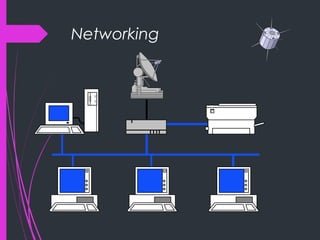
Networking
Network
“ ... communication system for connecting end-systems”
End-systems a.k.a. “hosts”
PCs, workstations
dedicated computers
network components
Multiaccess vs. Point-to-point
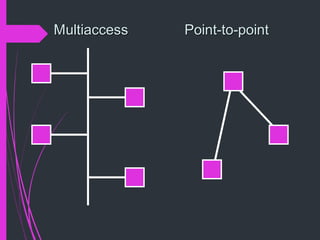
 Multiaccess means shared medium.
 many end-systems share the same physical communication resources (wire,
frequency, ...)
 There must be some arbitration mechanism.
 Point-to-point
 only 2 systems involved
 no doubt about where data came from !
MultiaccessMultiaccess Point-to-pointPoint-to-point
LAN - Local Area Network
 connects computers that are physically close together
( < 1 mile).
 high speed
 multi-access
 Technologies:
 Ethernet 10 Mbps, 100Mbps
 Token Ring16 Mbps
 FDDI 100 Mbps
WAN - Wide Area Network
 connects computers that are physically far apart.
“long-haul network”.
 typically slower than a LAN.
 typically less reliable than a LAN.
 point-to-point
 Technologies:
 telephone lines
 Satellite communications
MAN - Metropolitan Area Network
 Larger than a LAN and smaller than a WAN
- example: campus-wide network
- multi-access network
 Technologies:
 coaxial cable
 microwave
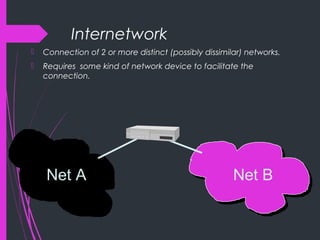
Internetwork
 Connection of 2 or more distinct (possibly dissimilar) networks.
 Requires some kind of network device to facilitate the
connection.
Net A Net B
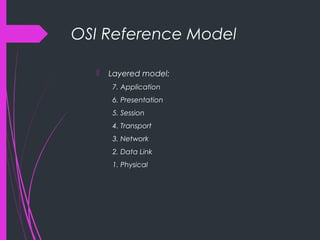
OSI Reference Model
 Layered model:
7. Application
6. Presentation
5. Session
4. Transport
3. Network
2. Data Link
1. Physical
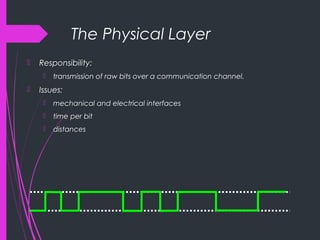
The Physical Layer
 Responsibility:
 transmission of raw bits over a communication channel.
 Issues:
 mechanical and electrical interfaces
 time per bit
 distances
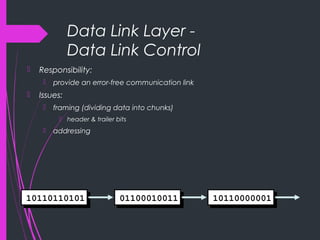
Data Link Layer -
Data Link Control
 Responsibility:
 provide an error-free communication link
 Issues:
 framing (dividing data into chunks)
 header & trailer bits
 addressing
10110110101 01100010011 10110000001
Data Link Layer –
The MAC sub layer
 Medium Access Control - needed by mutiaccess networks.
 MAC provides DLC with “virtual wires” on multiaccess networks.
The Network Layer
 Responsibilities:
 path selection between end-systems (routing).
 subnet flow control.
 fragmentation & reassembly
 translation between different network types.
 Issues:
 packet headers
 virtual circuits
The Transport Layer
 Responsibilities:
 provides virtual end-to-end links between peer processes.
 end-to-end flow control
 Issues:
 headers
 error detection
 reliable communication
The Session Layer
 Responsibilities:
 establishes, manages, and terminates sessions between
applications.
 service location lookup
 Many protocol suites do not include a session layer.
The Presentation Layer
 Responsibilities:
 data encryption
 data compression
 data conversion
 Many protocol suites do not include a Presentation
Layer.
The Application Layer
 Responsibilities:
 anything not provided by any of the other layers
 Issues:
 application level protocols
 appropriate selection of “type of service”
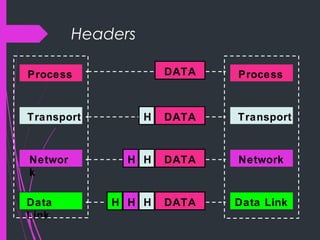
Layering & Headers
 Each layer needs to add some control information to the data in
order to do it’s job.
 This information is typically prepended to the data before being
given to the lower layer.
 Once the lower layers deliver the the data and control
information - the peer layer uses the control information.
Headers
Process
Transport
Networ
k
Data
Link
Process
Transport
Network
Data Link
DATA
DATA
DATA
DATA
H
H
H
H
HH
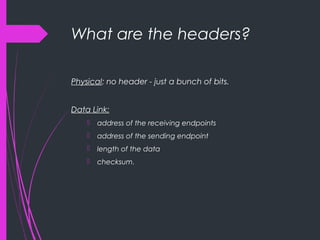
What are the headers?
Physical: no header - just a bunch of bits.
Data Link:
 address of the receiving endpoints
 address of the sending endpoint
 length of the data
 checksum.
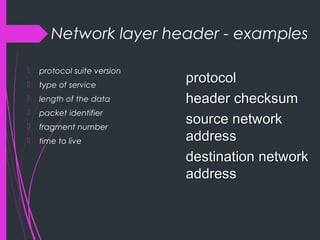
Network layer header - examples
 protocol suite version
 type of service
 length of the data
 packet identifier
 fragment number
 time to live
protocolprotocol
header checksumheader checksum
source networksource network
addressaddress
destination networkdestination network
addressaddress
Important Summary
 Data-Link: communication between machines on the
same network.
 Network: communication between machines on
possibly different networks.
 Transport: communication between processes
(running on machines on possibly different networks).
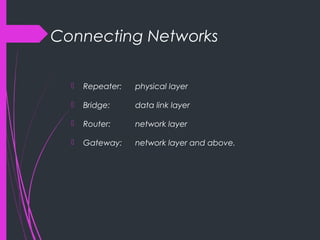
Connecting Networks
 Repeater: physical layer
 Bridge: data link layer
 Router: network layer
 Gateway: network layer and above.
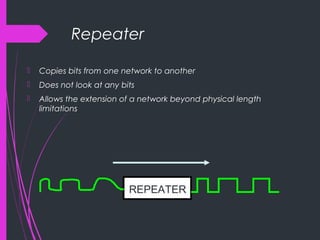
Repeater
 Copies bits from one network to another
 Does not look at any bits
 Allows the extension of a network beyond physical length
limitations
REPEATER
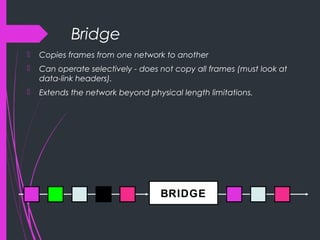
Bridge
 Copies frames from one network to another
 Can operate selectively - does not copy all frames (must look at
data-link headers).
 Extends the network beyond physical length limitations.
BRIDGE
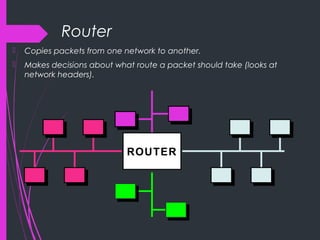
Router
 Copies packets from one network to another.
 Makes decisions about what route a packet should take (looks at
network headers).
ROUTERROUTER
Gateway
 Operates as a router
 Data conversions above the network layer.
 Conversions:
encapsulation - use an intermediate network
translation - connect different application protocols
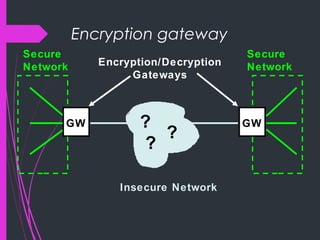
encrpyption - could be done by a gateway
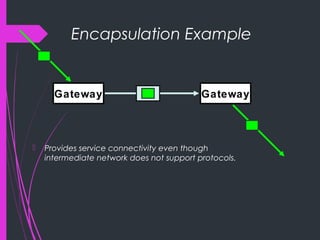
Encapsulation Example
 Provides service connectivity even though
intermediate network does not support protocols.
Gateway Gateway
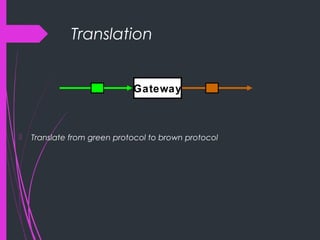
Translation
 Translate from green protocol to brown protocol
Gateway
Encryption gateway
Encryption/Decryption
Gateways
Secure
Network
Secure
Network
GWGW ?
?
?
Insecure Network
Hardware vs. Software
 Repeaters are typically hardware devices.
 Bridges can be implemented in hardware or software.
 Routers & Gateways are typically implemented in software so that they
can be extended to handle new protocols.
 Many workstations can operate as routers or gateways.
Multiplexing
 “.. to combine many into one”.
 Many processes sharing a single network interface.
 A single process could use multiple protocols.
 More on this when we look at TCP/IP.
Modes of Service
 connection-oriented vs. connectionless
 sequencing
 error-control
 flow-control
 byte stream vs. message based
 full-duplex vs. half-duplex.
Connection-Oriented vs.
Connectionless Service
 A connection-oriented service includes the
establishment of a logical connection between 2
processes.
 establish logical connection
 transfer data
 terminate connection.
 Connectionless services involve sending of
independent messages.
Sequencing
 Sequencing provides support for an order to
communications.
 A service that includes sequencing requires that
messages (or bytes) are received in the same order
they are sent.
Error Control
 Some services require error detection (it is important to
know when a transmission error has occured).
 Checksums provide a simple error detection
mechanism.
 Error control sometimes involves notification and
retransmission.
Flow Control
 Flow control prevents the sending process from
overwhelming the receiving process.
 Flow control can be handled a variety of ways - this is
one of the major research issues in the development
of the next generation of networks (ATM).
Byte Stream vs. Message
 Byte stream implies an ordered sequence of bytes
with no message boundaries.
 Message oriented services provide communication
service to chunks of data called datagrams.
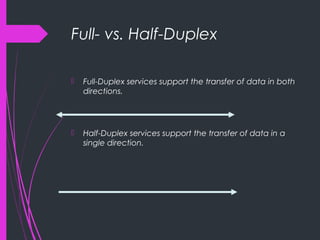
Full- vs. Half-Duplex
 Full-Duplex services support the transfer of data in both
directions.
 Half-Duplex services support the transfer of data in a
single direction.
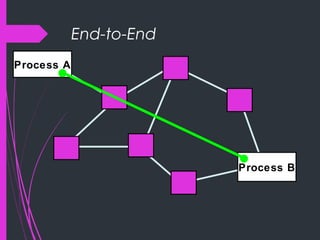
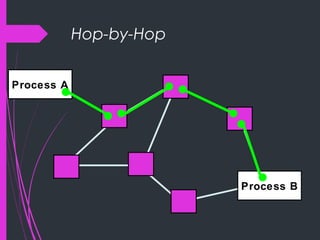
End-to-End vs. Hop-toHop
 Many service modes/features such as flow control and
error control can be done either:
between endpoints of the communication.
-or-
between every 2 nodes on the path between the
endpoints.
End-to-End
Process A
Process B
Hop-by-Hop
Process A
Process B
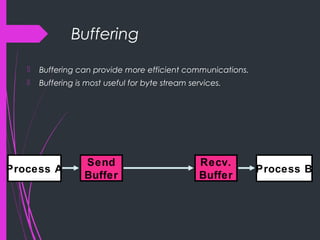
Buffering
 Buffering can provide more efficient communications.
 Buffering is most useful for byte stream services.
Process A Process B
Send
Buffer
Recv.
Buffer
Addresses
 Each communication endpoint must have an address.
 Consider 2 processes communicating over an internet:
 the network must be specified
 the host (end-system) must be specified
 the process must be specified.
Addresses at Layers
 Physical Layer: no address necessary
 Data Link Layer - address must be able to select any
host on the network.
 Network Layer - address must be able to provide
information to enable routing.
 Transport Layer - address must identify the destination
process.
Broadcasts
 Many networks support the notion of sending a
message from one host to all other hosts on the
network.
 A special address called the “broadcast address” is
often used.
 Some popular network services are based on
broadcasting (YP/NIS, rup, rusers)

Osi model with neworking overview

  • 1.
    OSI MODELOSI MODEL WITHWITH NETWORKINGOVERVIEWNETWORKING OVERVIEW
  • 2.
  • 3.
    Network “ ... communicationsystem for connecting end-systems” End-systems a.k.a. “hosts” PCs, workstations dedicated computers network components
  • 4.
    Multiaccess vs. Point-to-point Multiaccess means shared medium.  many end-systems share the same physical communication resources (wire, frequency, ...)  There must be some arbitration mechanism.  Point-to-point  only 2 systems involved  no doubt about where data came from !
  • 5.
  • 6.
    LAN - LocalArea Network  connects computers that are physically close together ( < 1 mile).  high speed  multi-access  Technologies:  Ethernet 10 Mbps, 100Mbps  Token Ring16 Mbps  FDDI 100 Mbps
  • 7.
    WAN - WideArea Network  connects computers that are physically far apart. “long-haul network”.  typically slower than a LAN.  typically less reliable than a LAN.  point-to-point  Technologies:  telephone lines  Satellite communications
  • 8.
    MAN - MetropolitanArea Network  Larger than a LAN and smaller than a WAN - example: campus-wide network - multi-access network  Technologies:  coaxial cable  microwave
  • 9.
    Internetwork  Connection of2 or more distinct (possibly dissimilar) networks.  Requires some kind of network device to facilitate the connection. Net A Net B
  • 10.
    OSI Reference Model Layered model: 7. Application 6. Presentation 5. Session 4. Transport 3. Network 2. Data Link 1. Physical
  • 11.
    The Physical Layer Responsibility:  transmission of raw bits over a communication channel.  Issues:  mechanical and electrical interfaces  time per bit  distances
  • 12.
    Data Link Layer- Data Link Control  Responsibility:  provide an error-free communication link  Issues:  framing (dividing data into chunks)  header & trailer bits  addressing 10110110101 01100010011 10110000001
  • 13.
    Data Link Layer– The MAC sub layer  Medium Access Control - needed by mutiaccess networks.  MAC provides DLC with “virtual wires” on multiaccess networks.
  • 14.
    The Network Layer Responsibilities:  path selection between end-systems (routing).  subnet flow control.  fragmentation & reassembly  translation between different network types.  Issues:  packet headers  virtual circuits
  • 15.
    The Transport Layer Responsibilities:  provides virtual end-to-end links between peer processes.  end-to-end flow control  Issues:  headers  error detection  reliable communication
  • 16.
    The Session Layer Responsibilities:  establishes, manages, and terminates sessions between applications.  service location lookup  Many protocol suites do not include a session layer.
  • 17.
    The Presentation Layer Responsibilities:  data encryption  data compression  data conversion  Many protocol suites do not include a Presentation Layer.
  • 18.
    The Application Layer Responsibilities:  anything not provided by any of the other layers  Issues:  application level protocols  appropriate selection of “type of service”
  • 19.
    Layering & Headers Each layer needs to add some control information to the data in order to do it’s job.  This information is typically prepended to the data before being given to the lower layer.  Once the lower layers deliver the the data and control information - the peer layer uses the control information.
  • 20.
  • 21.
    What are theheaders? Physical: no header - just a bunch of bits. Data Link:  address of the receiving endpoints  address of the sending endpoint  length of the data  checksum.
  • 22.
    Network layer header- examples  protocol suite version  type of service  length of the data  packet identifier  fragment number  time to live protocolprotocol header checksumheader checksum source networksource network addressaddress destination networkdestination network addressaddress
  • 23.
    Important Summary  Data-Link:communication between machines on the same network.  Network: communication between machines on possibly different networks.  Transport: communication between processes (running on machines on possibly different networks).
  • 24.
    Connecting Networks  Repeater:physical layer  Bridge: data link layer  Router: network layer  Gateway: network layer and above.
  • 25.
    Repeater  Copies bitsfrom one network to another  Does not look at any bits  Allows the extension of a network beyond physical length limitations REPEATER
  • 26.
    Bridge  Copies framesfrom one network to another  Can operate selectively - does not copy all frames (must look at data-link headers).  Extends the network beyond physical length limitations. BRIDGE
  • 27.
    Router  Copies packetsfrom one network to another.  Makes decisions about what route a packet should take (looks at network headers). ROUTERROUTER
  • 28.
    Gateway  Operates asa router  Data conversions above the network layer.  Conversions: encapsulation - use an intermediate network translation - connect different application protocols encrpyption - could be done by a gateway
  • 29.
    Encapsulation Example  Providesservice connectivity even though intermediate network does not support protocols. Gateway Gateway
  • 30.
    Translation  Translate fromgreen protocol to brown protocol Gateway
  • 31.
  • 32.
    Hardware vs. Software Repeaters are typically hardware devices.  Bridges can be implemented in hardware or software.  Routers & Gateways are typically implemented in software so that they can be extended to handle new protocols.  Many workstations can operate as routers or gateways.
  • 33.
    Multiplexing  “.. tocombine many into one”.  Many processes sharing a single network interface.  A single process could use multiple protocols.  More on this when we look at TCP/IP.
  • 34.
    Modes of Service connection-oriented vs. connectionless  sequencing  error-control  flow-control  byte stream vs. message based  full-duplex vs. half-duplex.
  • 35.
    Connection-Oriented vs. Connectionless Service A connection-oriented service includes the establishment of a logical connection between 2 processes.  establish logical connection  transfer data  terminate connection.  Connectionless services involve sending of independent messages.
  • 36.
    Sequencing  Sequencing providessupport for an order to communications.  A service that includes sequencing requires that messages (or bytes) are received in the same order they are sent.
  • 37.
    Error Control  Someservices require error detection (it is important to know when a transmission error has occured).  Checksums provide a simple error detection mechanism.  Error control sometimes involves notification and retransmission.
  • 38.
    Flow Control  Flowcontrol prevents the sending process from overwhelming the receiving process.  Flow control can be handled a variety of ways - this is one of the major research issues in the development of the next generation of networks (ATM).
  • 39.
    Byte Stream vs.Message  Byte stream implies an ordered sequence of bytes with no message boundaries.  Message oriented services provide communication service to chunks of data called datagrams.
  • 40.
    Full- vs. Half-Duplex Full-Duplex services support the transfer of data in both directions.  Half-Duplex services support the transfer of data in a single direction.
  • 41.
    End-to-End vs. Hop-toHop Many service modes/features such as flow control and error control can be done either: between endpoints of the communication. -or- between every 2 nodes on the path between the endpoints.
  • 42.
  • 43.
  • 44.
    Buffering  Buffering canprovide more efficient communications.  Buffering is most useful for byte stream services. Process A Process B Send Buffer Recv. Buffer
  • 45.
    Addresses  Each communicationendpoint must have an address.  Consider 2 processes communicating over an internet:  the network must be specified  the host (end-system) must be specified  the process must be specified.
  • 46.
    Addresses at Layers Physical Layer: no address necessary  Data Link Layer - address must be able to select any host on the network.  Network Layer - address must be able to provide information to enable routing.  Transport Layer - address must identify the destination process.
  • 47.
    Broadcasts  Many networkssupport the notion of sending a message from one host to all other hosts on the network.  A special address called the “broadcast address” is often used.  Some popular network services are based on broadcasting (YP/NIS, rup, rusers)