Presented by
Faisal
Ahmed
5th
Semester
Operating System
Operating System
 The low-level software that supports a
computer's basic functions, such as scheduling
tasks and controlling peripherals .
Operating System
There Are Two Types Of Operating System .
 Network Operating System
 Client Operating System
Why Operating System
needed
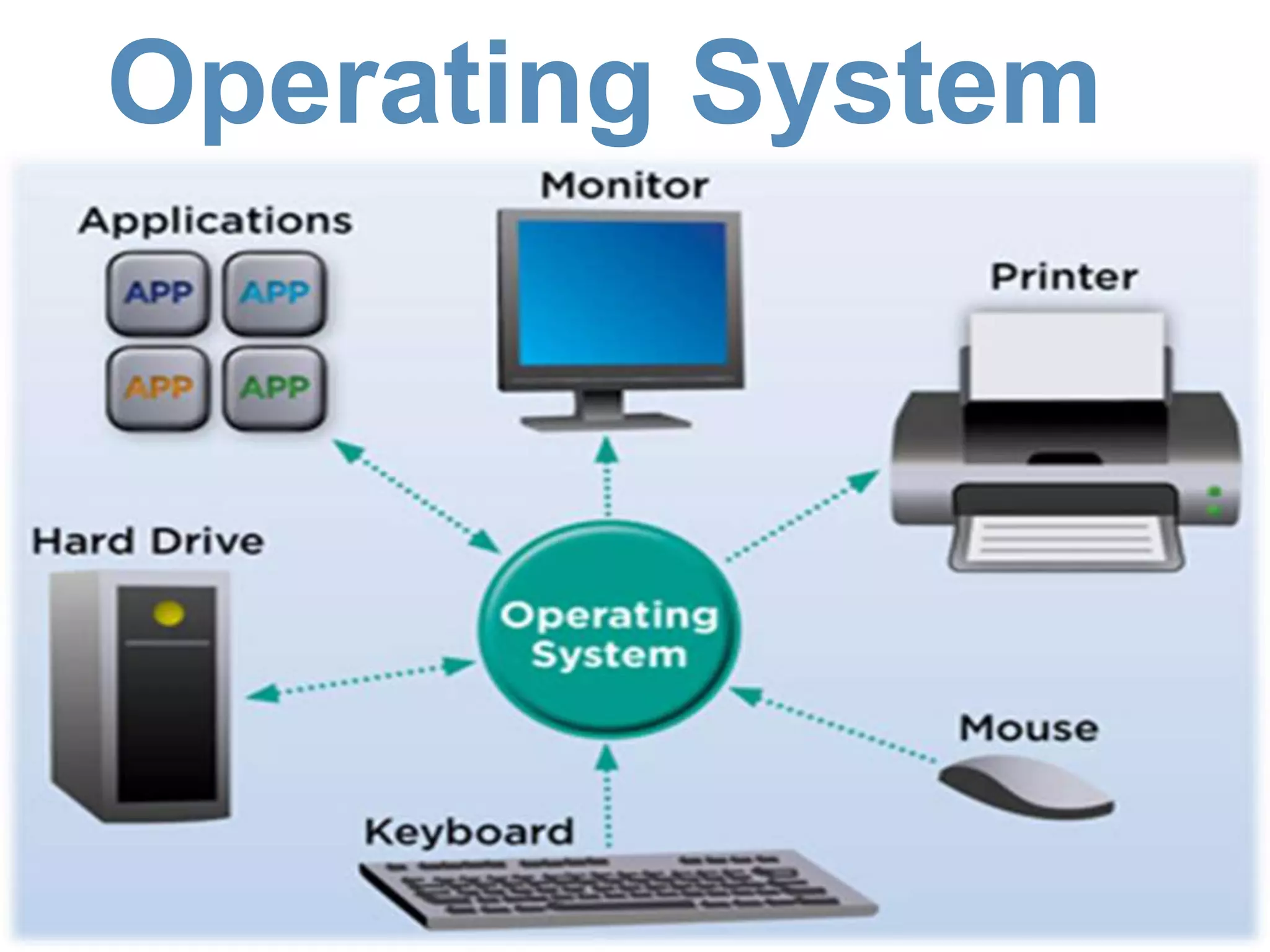
 Your computer's operating system (OS)
manages all of the software and hardware on
the computer. Most of the time, there are several
different computer programs running at the same
time, and they all need to access
your computer's central processing unit (CPU),
memory, and storage.
COMPUTER OPERATING
SYSTEMS
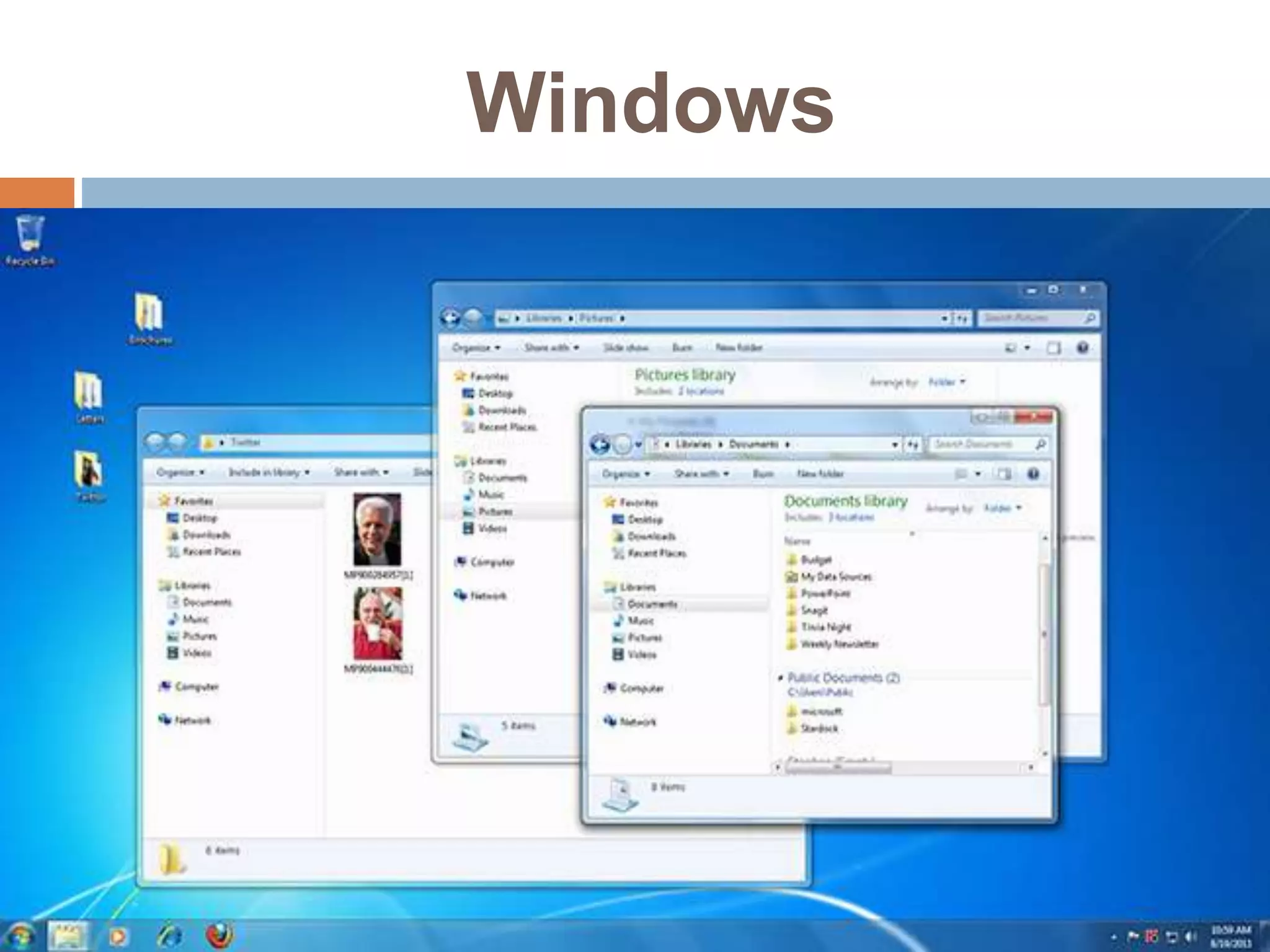
 Windows Microsoft created
the Windows operating system in the mid-1980s.
Over the years, there have been many different
versions of Windows, but the most recent ones
are Windows 10 (released in 2015), Windows
8 (2012), Windows 7 (2009), and Windows
Vista (2007). Windows comes pre-loaded on
most new PCs, which helps to make it the most
popular operating system in the world.
Windows
COMPUTER OPERATING
SYSTEMS
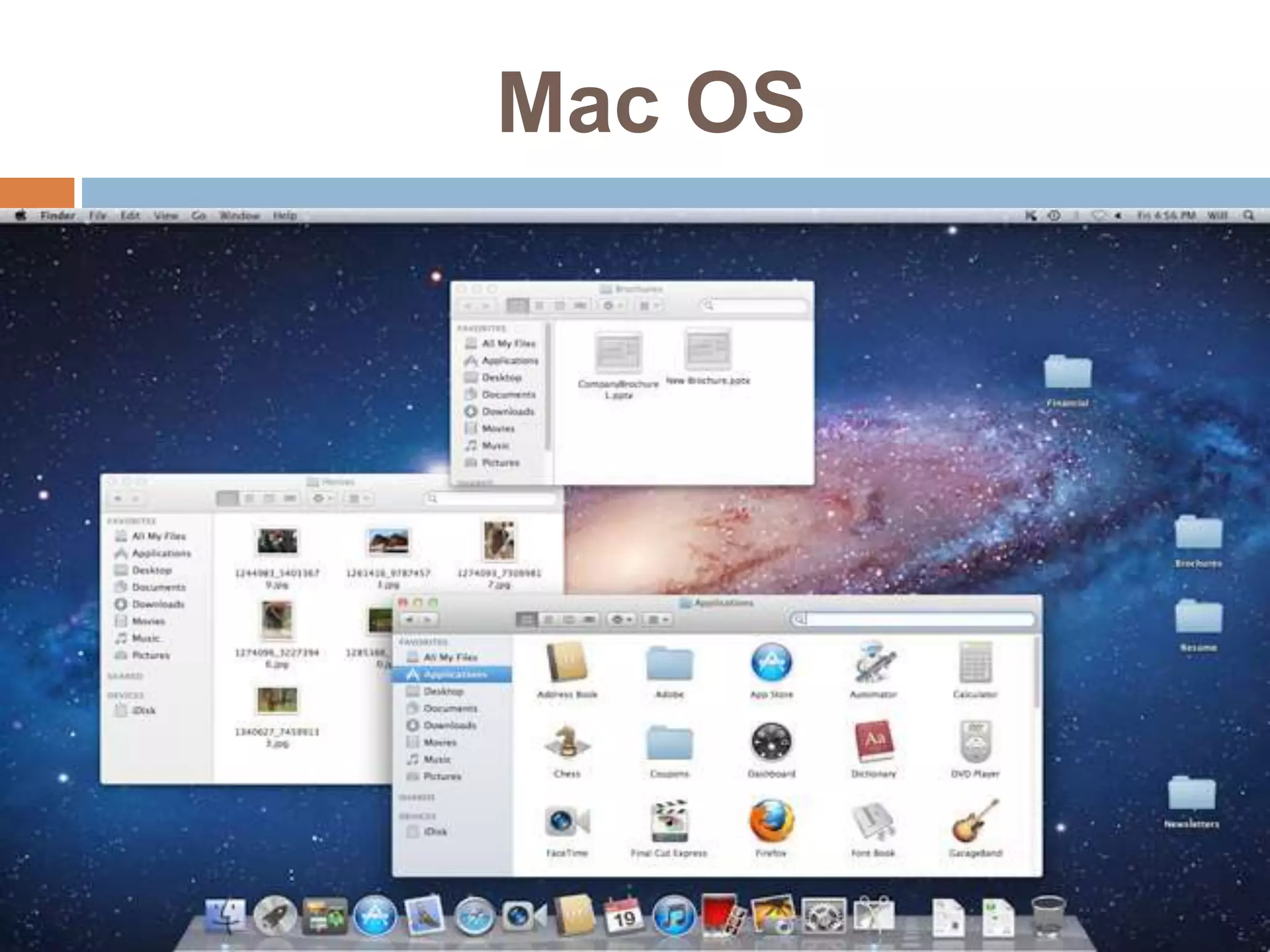
 Mac OS is a line of operating systems created by
Apple. It comes pre loaded on all new Macintosh
computers, or Macs.
Mac OS
COMPUTER OPERATING
SYSTEMS
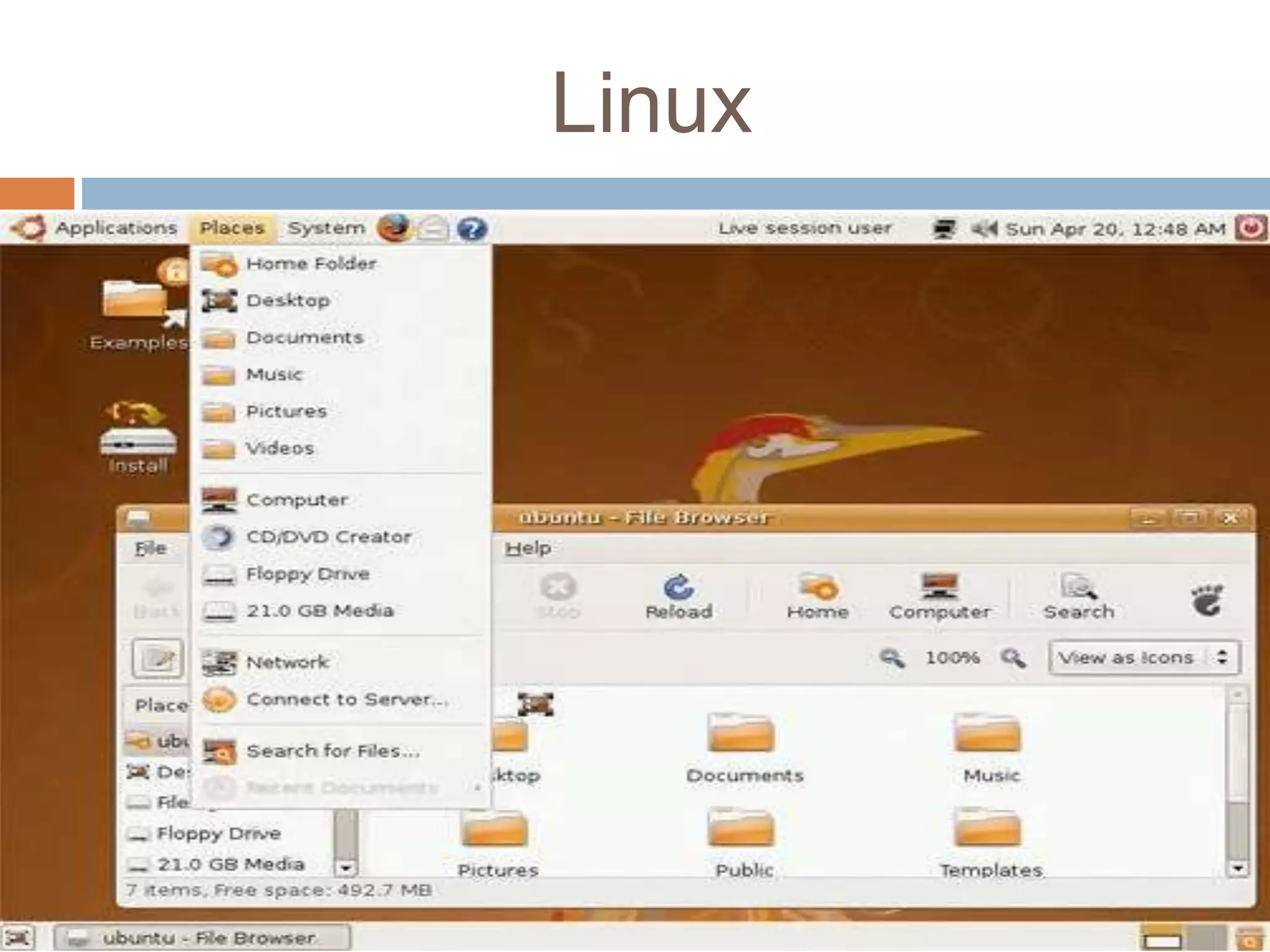
 Linux (pronounced LINN-ux) is a family of open-
source operating systems, which means they can
be modified and distributed by anyone around the
world. This is different from proprietary
software like Windows, which can only be modified
by the company that owns it.
Linux
SMARTPHONE OPERATING
SYSTEMS
 Google android
 Apple IOS
 Windows Mobile
 Blackberry OS
 Firefox OS
COMPONENTS OF AN
OPERATING SYSTEM
The different components of an operating system
enable it to perform its duty of enabling the different
parts of a computer to work together
 Kernel.
 Process Management.
 Memory Management.
 Security.
 Networking.
 File Systems and Disk Access
Kernel
Kernel:
The kernel forms part of the building blocks to the
work of an operating system. It helps in managing
the hardware devices in the computer by
determining the hardware resources that will get
access to different programs. By doing this, it
ensures that the CPU is operating optimally at all
times.
Process Management.
 There are very many programs running on a
computer at any one time. From background
applications to the programs that users are actively
interacting with, there are hundreds of processes
taking place in a computer during normal use.
Since all modern operating systems allow multi-
tasking, it is the operating system’s duty to
distribute the available resources among all the
active processes.
Memory Management.
 There are several types on memory on a modern
computer. They include CPU cache, RAM and
disk storage. The operating system has a
memory manager that tracks the amount of each
memory that’s available and manages the
movement of data between them. This ensures
that the highest amount of available memory for
each process so as to increase speed of
execution. The operating system also ensures
that whenever two or more processes are in
memory at the same time, virtual memory
addresses are allocated to each process to
ensure that no process interferes with another’s
Security
 Since the operating system is in charge of directly
or indirectly controlling computing resources, it
should be able to distinguish between the
requests that should be allowed and those that
shouldn’t. This includes internal requests from
within the computer as well as external requests
from other computers within the network. They
also offer auditing options to tell the users that
have accessed different files and any changes
that may have been made.
Networking
 Networking basically enables operating systems
to share resources using different types of
connections. The most common networking
protocol is the TCP/IP protocol.
File Systems and Disk
Access
 Controlling access to data stored on the different
disks in computers is a primary feature of
operating systems. The operating system
ensures that files are stored in a manner that
allows quick access and the highest possible
reliability. In addition, they also help make good
use of the available space on the disk. The file
system is the manner in which files are stored on
a disk. It gives names and attributes to files and
also ensures that the files are arranged neatly in
directories.
Why Operating Sys Is
important
 Ease of use.
 Availability of software and applications
 Security.
 Cost.
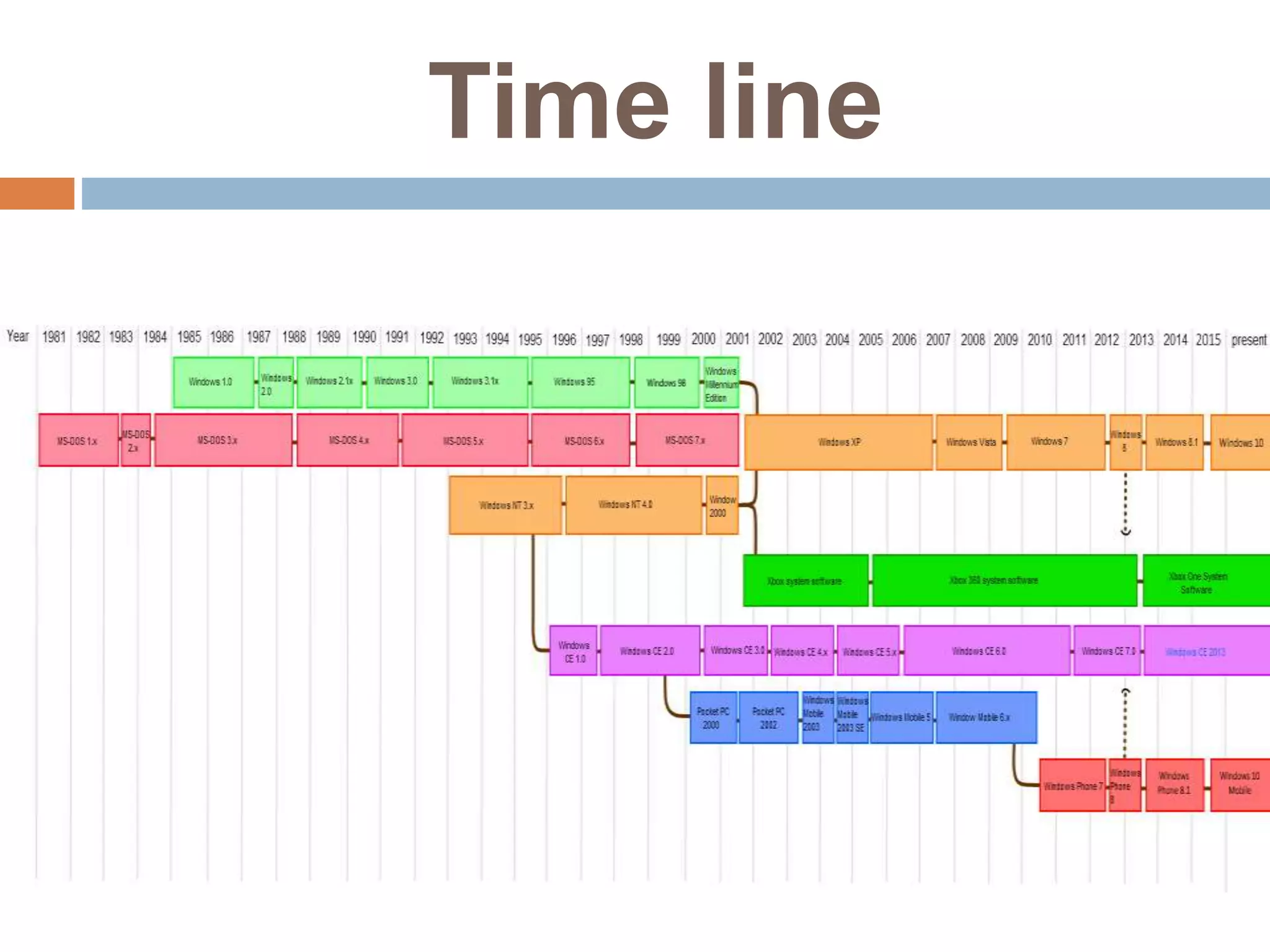
Microsoft Windows versions
 Windows 1.0 (1985)
 Windows 2.0 (1987)
 Windows 3.x (1990, 1992)
 Windows 95 (1995)
 Windows 98 (1998)
 Windows ME Millennium (2000)
 Windows XP (2001)
 Windows Vista (2006)
 Windows 7 (2009)
 Windows 8 (2012)
 Windows 8.1 (2013)
 Windows 10 (2015)
Window NT (New
Technology)
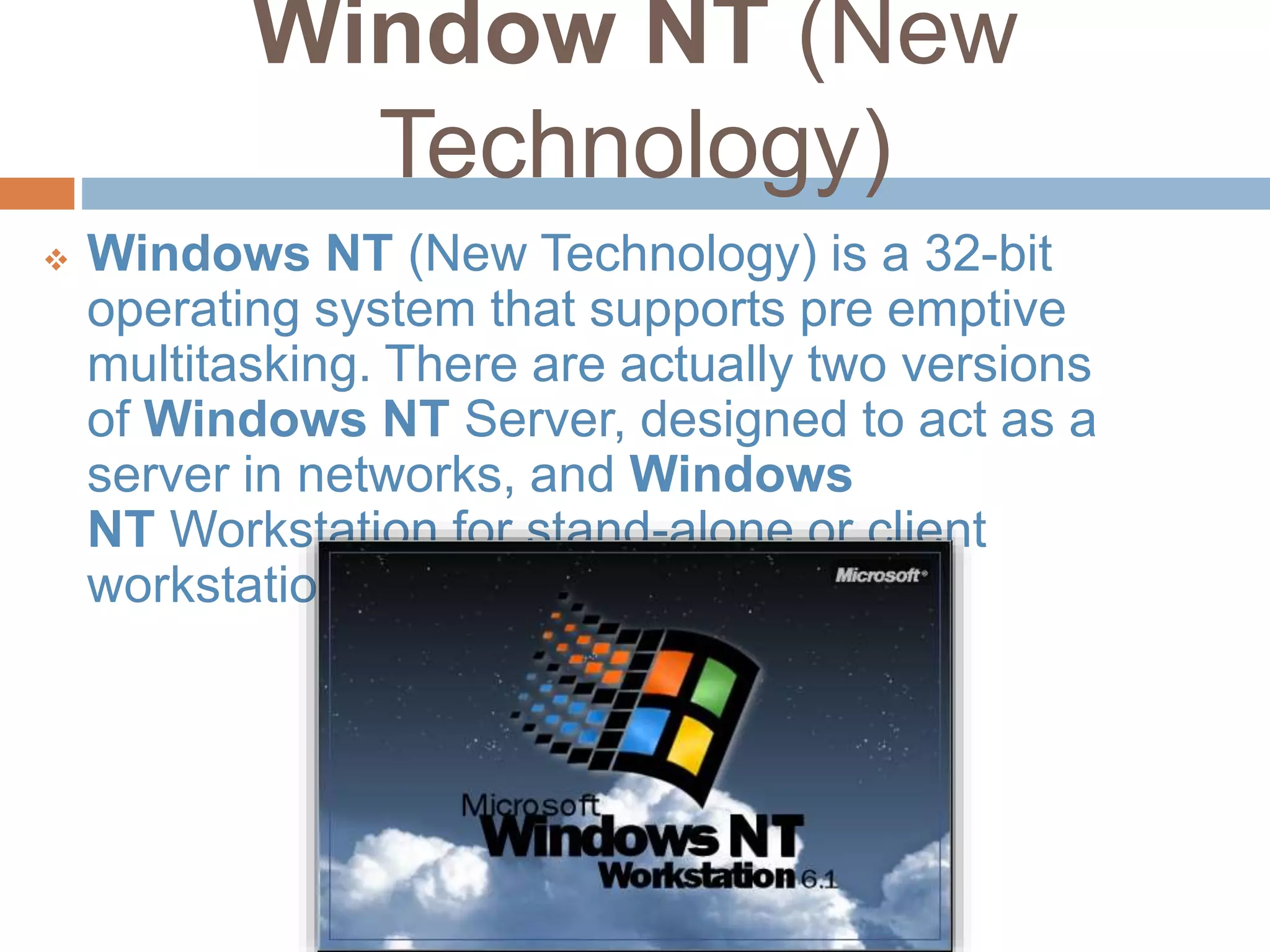
 Windows NT (New Technology) is a 32-bit
operating system that supports pre emptive
multitasking. There are actually two versions
of Windows NT Server, designed to act as a
server in networks, and Windows
NT Workstation for stand-alone or client
workstations.
Windows NT (New
Technology)
 Windows NT 3.1 (1993)
 Windows NT 3.5 (1994)
 Windows NT 3.51 (1995)
 Windows NT 4.0 (1996)
 Windows 2000 (NT 5.0) (2000)
Windows CE (Consumer
Electronics)
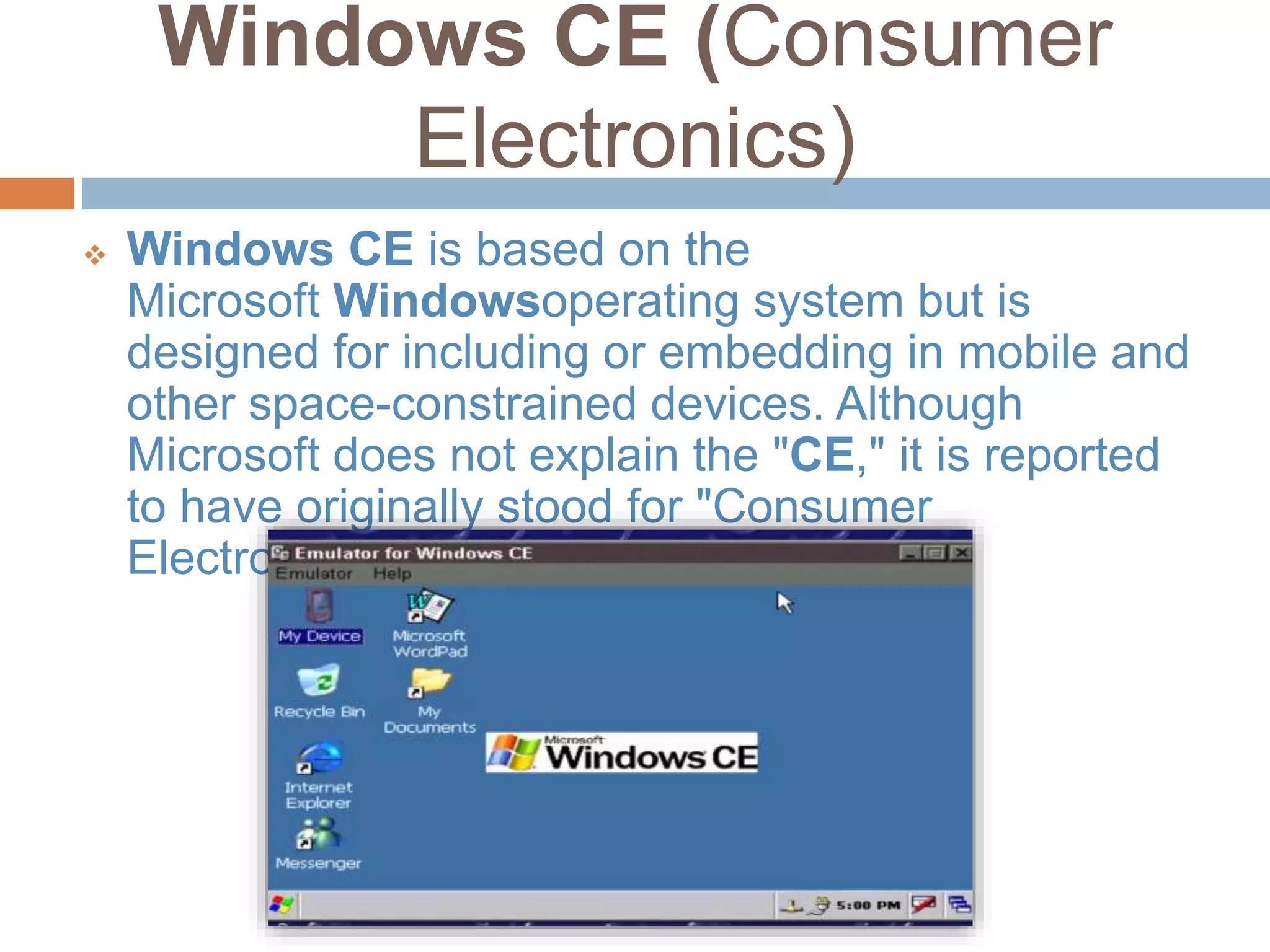
 Windows CE is based on the
Microsoft Windowsoperating system but is
designed for including or embedding in mobile and
other space-constrained devices. Although
Microsoft does not explain the "CE," it is reported
to have originally stood for "Consumer
Electronics."
Windows CE (Consumer
Electronics)
 Windows CE (Consumer Electronics)
 AutoPC
 Pocket PC 2000
 Pocket PC 2002
 Windows Mobile 2003
 Windows Mobile 2003 SE
 Windows Mobile 5
 Windows Mobile 6
 Smartphone 2002
 Smartphone 2003
 Portable Media Center
 Zune
 Windows Mobile
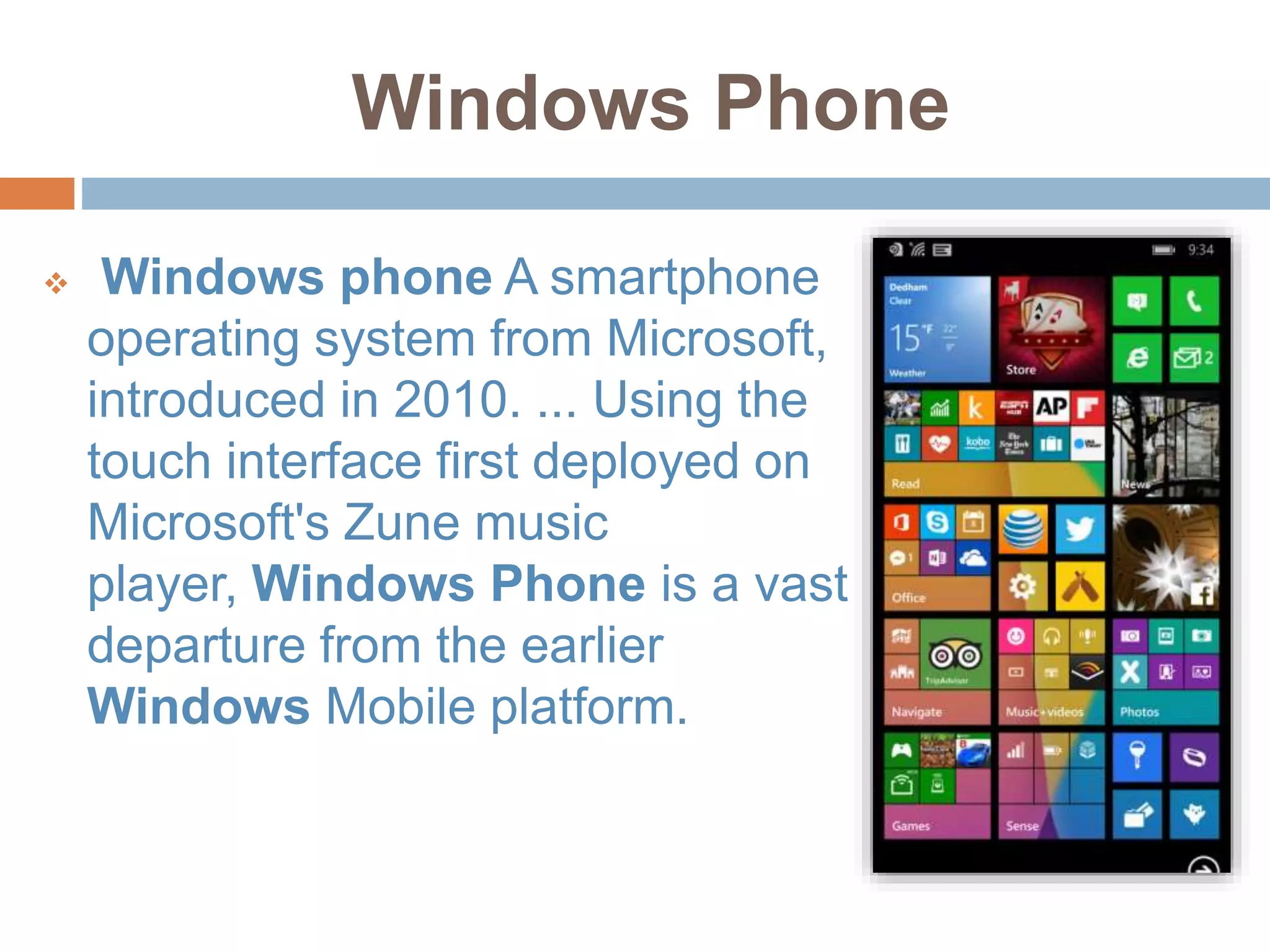
Windows Phone
 Windows phone A smartphone
operating system from Microsoft,
introduced in 2010. ... Using the
touch interface first deployed on
Microsoft's Zune music
player, Windows Phone is a vast
departure from the earlier
Windows Mobile platform.
Windows Phone
 Windows Phone 7 (2010)
 Windows Phone 8 (2012)
 Windows Phone 8.1 (2014)
 Windows Mobile 10 (2015)
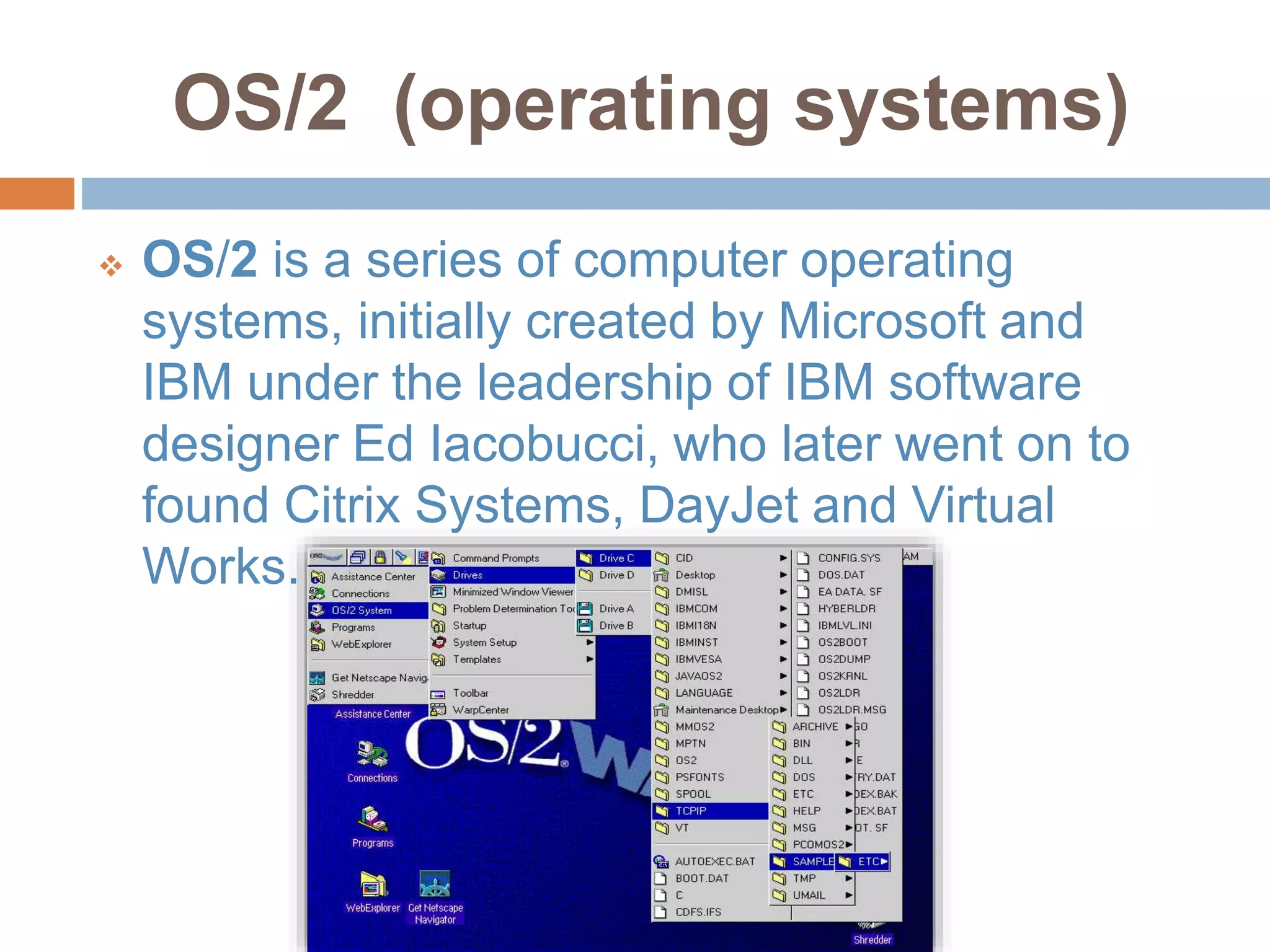
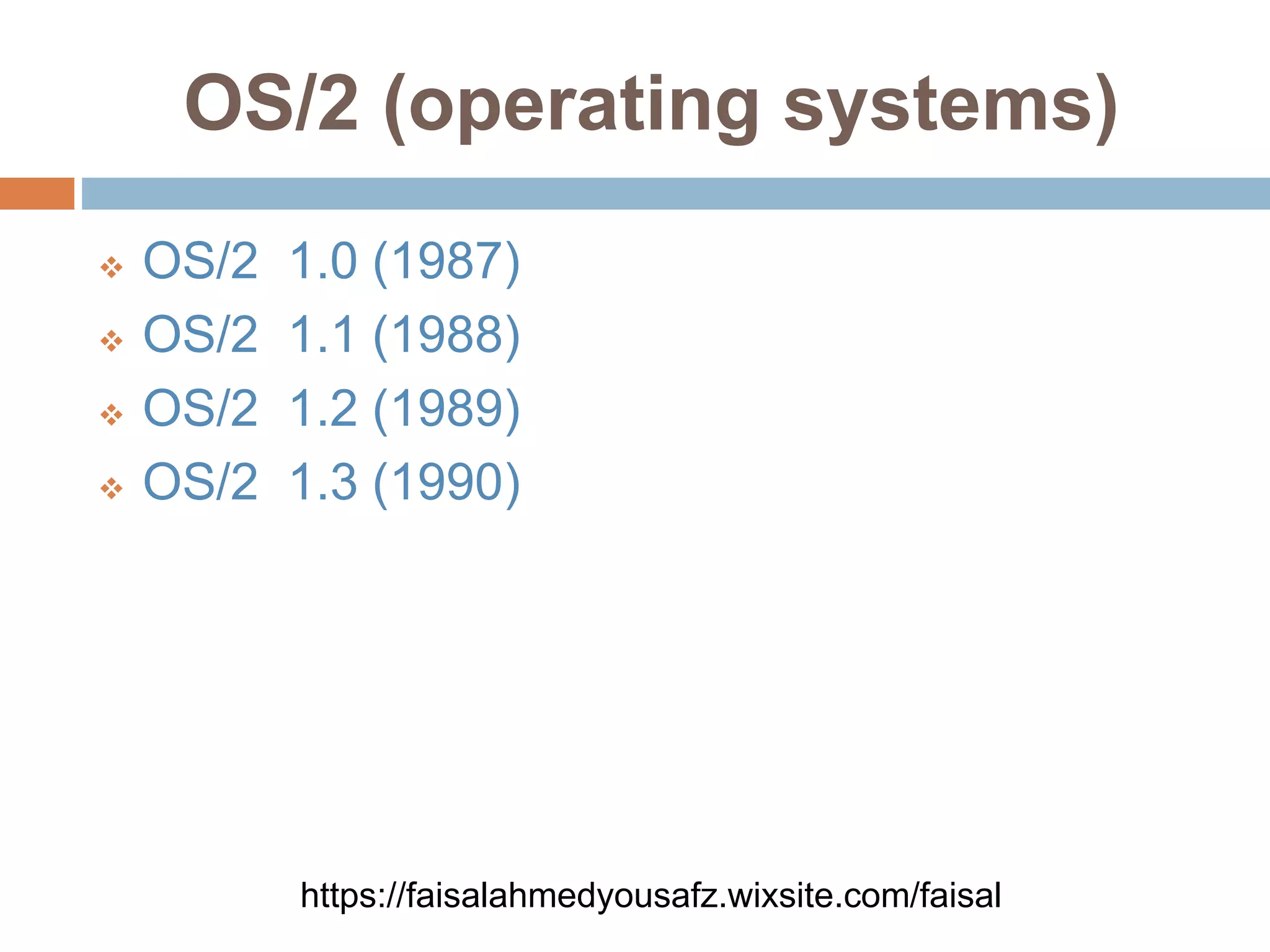
OS/2 (operating systems)
 OS/2 is a series of computer operating
systems, initially created by Microsoft and
IBM under the leadership of IBM software
designer Ed Iacobucci, who later went on to
found Citrix Systems, DayJet and Virtual
Works.
OS/2 (operating systems)
 OS/2 1.0 (1987)
 OS/2 1.1 (1988)
 OS/2 1.2 (1989)
 OS/2 1.3 (1990)
https://faisalahmedyousafz.wixsite.com/faisal
Time line
Operating system

Operating system

  • 2.
  • 3.
  • 4.
    Operating System  Thelow-level software that supports a computer's basic functions, such as scheduling tasks and controlling peripherals .
  • 5.
    Operating System There AreTwo Types Of Operating System .  Network Operating System  Client Operating System
  • 6.
    Why Operating System needed Your computer's operating system (OS) manages all of the software and hardware on the computer. Most of the time, there are several different computer programs running at the same time, and they all need to access your computer's central processing unit (CPU), memory, and storage.
  • 7.
    COMPUTER OPERATING SYSTEMS  WindowsMicrosoft created the Windows operating system in the mid-1980s. Over the years, there have been many different versions of Windows, but the most recent ones are Windows 10 (released in 2015), Windows 8 (2012), Windows 7 (2009), and Windows Vista (2007). Windows comes pre-loaded on most new PCs, which helps to make it the most popular operating system in the world.
  • 8.
  • 9.
    COMPUTER OPERATING SYSTEMS  MacOS is a line of operating systems created by Apple. It comes pre loaded on all new Macintosh computers, or Macs.
  • 10.
  • 11.
    COMPUTER OPERATING SYSTEMS  Linux(pronounced LINN-ux) is a family of open- source operating systems, which means they can be modified and distributed by anyone around the world. This is different from proprietary software like Windows, which can only be modified by the company that owns it.
  • 12.
  • 13.
    SMARTPHONE OPERATING SYSTEMS  Googleandroid  Apple IOS  Windows Mobile  Blackberry OS  Firefox OS
  • 14.
    COMPONENTS OF AN OPERATINGSYSTEM The different components of an operating system enable it to perform its duty of enabling the different parts of a computer to work together  Kernel.  Process Management.  Memory Management.  Security.  Networking.  File Systems and Disk Access
  • 15.
    Kernel Kernel: The kernel formspart of the building blocks to the work of an operating system. It helps in managing the hardware devices in the computer by determining the hardware resources that will get access to different programs. By doing this, it ensures that the CPU is operating optimally at all times.
  • 16.
    Process Management.  Thereare very many programs running on a computer at any one time. From background applications to the programs that users are actively interacting with, there are hundreds of processes taking place in a computer during normal use. Since all modern operating systems allow multi- tasking, it is the operating system’s duty to distribute the available resources among all the active processes.
  • 17.
    Memory Management.  Thereare several types on memory on a modern computer. They include CPU cache, RAM and disk storage. The operating system has a memory manager that tracks the amount of each memory that’s available and manages the movement of data between them. This ensures that the highest amount of available memory for each process so as to increase speed of execution. The operating system also ensures that whenever two or more processes are in memory at the same time, virtual memory addresses are allocated to each process to ensure that no process interferes with another’s
  • 18.
    Security  Since theoperating system is in charge of directly or indirectly controlling computing resources, it should be able to distinguish between the requests that should be allowed and those that shouldn’t. This includes internal requests from within the computer as well as external requests from other computers within the network. They also offer auditing options to tell the users that have accessed different files and any changes that may have been made.
  • 19.
    Networking  Networking basicallyenables operating systems to share resources using different types of connections. The most common networking protocol is the TCP/IP protocol.
  • 20.
    File Systems andDisk Access  Controlling access to data stored on the different disks in computers is a primary feature of operating systems. The operating system ensures that files are stored in a manner that allows quick access and the highest possible reliability. In addition, they also help make good use of the available space on the disk. The file system is the manner in which files are stored on a disk. It gives names and attributes to files and also ensures that the files are arranged neatly in directories.

  • 21.
    Why Operating SysIs important  Ease of use.  Availability of software and applications  Security.  Cost.
  • 22.
    Microsoft Windows versions Windows 1.0 (1985)  Windows 2.0 (1987)  Windows 3.x (1990, 1992)  Windows 95 (1995)  Windows 98 (1998)  Windows ME Millennium (2000)  Windows XP (2001)  Windows Vista (2006)  Windows 7 (2009)  Windows 8 (2012)  Windows 8.1 (2013)  Windows 10 (2015)
  • 23.
    Window NT (New Technology) Windows NT (New Technology) is a 32-bit operating system that supports pre emptive multitasking. There are actually two versions of Windows NT Server, designed to act as a server in networks, and Windows NT Workstation for stand-alone or client workstations.
  • 24.
    Windows NT (New Technology) Windows NT 3.1 (1993)  Windows NT 3.5 (1994)  Windows NT 3.51 (1995)  Windows NT 4.0 (1996)  Windows 2000 (NT 5.0) (2000)
  • 25.
    Windows CE (Consumer Electronics) Windows CE is based on the Microsoft Windowsoperating system but is designed for including or embedding in mobile and other space-constrained devices. Although Microsoft does not explain the "CE," it is reported to have originally stood for "Consumer Electronics."
  • 26.
    Windows CE (Consumer Electronics) Windows CE (Consumer Electronics)  AutoPC  Pocket PC 2000  Pocket PC 2002  Windows Mobile 2003  Windows Mobile 2003 SE  Windows Mobile 5  Windows Mobile 6  Smartphone 2002  Smartphone 2003  Portable Media Center  Zune  Windows Mobile
  • 27.
    Windows Phone  Windowsphone A smartphone operating system from Microsoft, introduced in 2010. ... Using the touch interface first deployed on Microsoft's Zune music player, Windows Phone is a vast departure from the earlier Windows Mobile platform.
  • 28.
    Windows Phone  WindowsPhone 7 (2010)  Windows Phone 8 (2012)  Windows Phone 8.1 (2014)  Windows Mobile 10 (2015)
  • 29.
    OS/2 (operating systems) OS/2 is a series of computer operating systems, initially created by Microsoft and IBM under the leadership of IBM software designer Ed Iacobucci, who later went on to found Citrix Systems, DayJet and Virtual Works.
  • 30.
    OS/2 (operating systems) OS/2 1.0 (1987)  OS/2 1.1 (1988)  OS/2 1.2 (1989)  OS/2 1.3 (1990) https://faisalahmedyousafz.wixsite.com/faisal
  • 31.