OPERATING SYSTEMS
MUQTASID JAVAID KHOKHAR
R2F14ASOC0014
A.D.P (IT)
Outline
o What is an OS?
o Functions of OS
o Types of OS
o Installing an OS
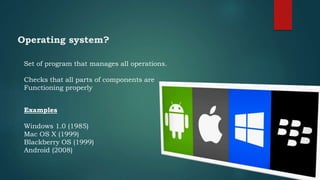
Operating system?
Set of program that manages all operations.
Checks that all parts of components are
Functioning properly
Examples
Windows 1.0 (1985)
Mac OS X (1999)
Blackberry OS (1999)
Android (2008)
Functions of OS
 Booting
• Process of starting and restarting.
 Memory Management
• Allocates memory area to different programs
 Job Scheduling
• Orderly execution of instructions by processor
 Device Controlling
• Controls all hardware devices attached to computer
 Accessing the Web
• Provides the facility to connect to the web
Functions of OS
 Monitoring Performance
• P.M is a program that reports information about
different system resources and devices
 Controlling Network
• Support network and organize how users access and
share resources i.e. program, files and devices such as
printers.
 Administrating Security
• Manages security of OS as well as data and programs.
Functions
of OS
Providing User Interface
• Controls how data is entered and
how information is displayed on
screen
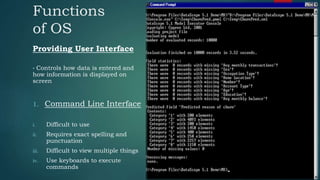
1. Command Line Interface
i. Difficult to use
ii. Requires exact spelling and
punctuation
iii. Difficult to view multiple things
iv. Use keyboards to execute
commands
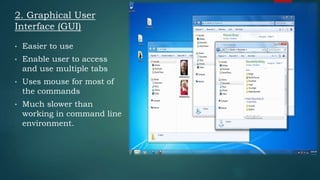
• Easier to use
• Enable user to access
and use multiple tabs
• Uses mouse for most of
the commands
• Much slower than
working in command line
environment.
2. Graphical User
Interface (GUI)
Types of OS
a. Stand-alone Operating system
b. Server Operating System
c. Mobile Operating System
o Stand-alone OS
This OS works on a desktop or notebook computers
 DOS
• Developed by Microsoft in 1980 for personal computers
• Only one user can work at a time
Types of OS
 Windows
• Widely used OS and developed by Microsoft
• Uses Graphical User Interface
• Faster and efficient OS
• Some Versions are Windows 10, Windows Vista, Windows 8.1
 Mac OS
• Product of Apple and GUI operating system.
• Developed for Macintosh computers in 1984
Types of OS
o Server Operating system
• Designed to support a network and is also called Network OS
• Support all sizes of network from medium to large business
Some Server Operating System
 Windows Server 2012
• Fully Featured OS
• Used in small, medium and large Enterprises
Types of OS
 OS X Server
• It is the server version of Mac OS developed by Apple
• Easy to install, set up and manage
• Easier for organizations to share files and resources
Types of OS
Mobile Operating system
• Used in handheld computers and mobile devices
• Provides Graphical User Interface.
• Provides touchscreen support, navigation system, speech
recognition and wireless connectivity
Some Mobile Operating system
 Android
 iOS
 Windows Phone
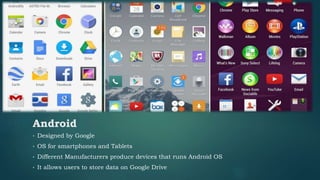
• Designed by Google
• OS for smartphones and Tablets
• Different Manufacturers produce devices that runs Android OS
• It allows users to store data on Google Drive
Android
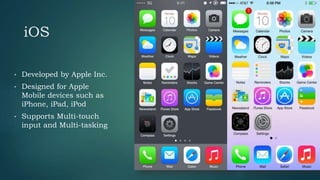
• Developed by Apple Inc.
• Designed for Apple
Mobile devices such as
iPhone, iPad, iPod
• Supports Multi-touch
input and Multi-tasking
iOS
Windows Phone
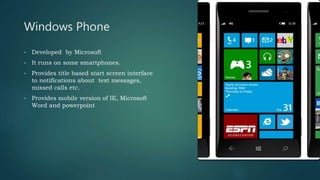
• Developed by Microsoft
• It runs on some smartphones.
• Provides title based start screen interface
to notifications about text messages,
missed calls etc.
• Provides mobile version of IE, Microsoft
Word and powerpoint
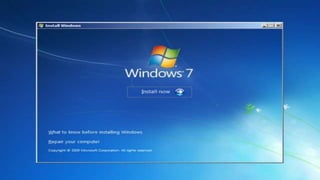
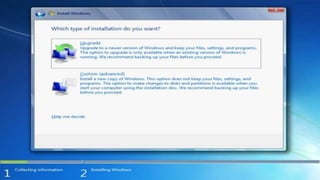
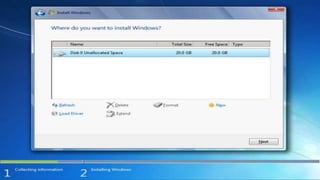
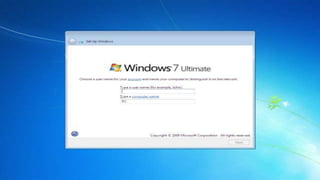
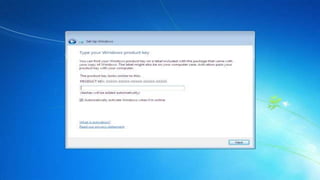
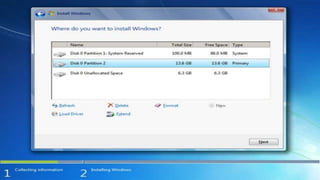
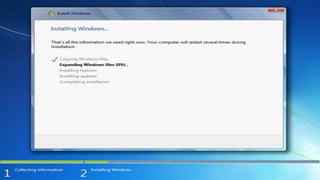
Installing an OS
PROF. ABDUL WASEEM
Reference:
Management Information System (James O’Brien 10th Edition)
Information Technology (Tariq Mahmood 7th Edition)
THANK YOU FOR TOLERATING 

Operating systems

  • 1.
    OPERATING SYSTEMS MUQTASID JAVAIDKHOKHAR R2F14ASOC0014 A.D.P (IT)
  • 2.
    Outline o What isan OS? o Functions of OS o Types of OS o Installing an OS
  • 3.
    Operating system? Set ofprogram that manages all operations. Checks that all parts of components are Functioning properly Examples Windows 1.0 (1985) Mac OS X (1999) Blackberry OS (1999) Android (2008)
  • 4.
    Functions of OS Booting • Process of starting and restarting.  Memory Management • Allocates memory area to different programs  Job Scheduling • Orderly execution of instructions by processor  Device Controlling • Controls all hardware devices attached to computer  Accessing the Web • Provides the facility to connect to the web
  • 5.
    Functions of OS Monitoring Performance • P.M is a program that reports information about different system resources and devices  Controlling Network • Support network and organize how users access and share resources i.e. program, files and devices such as printers.  Administrating Security • Manages security of OS as well as data and programs.
  • 6.
    Functions of OS Providing UserInterface • Controls how data is entered and how information is displayed on screen 1. Command Line Interface i. Difficult to use ii. Requires exact spelling and punctuation iii. Difficult to view multiple things iv. Use keyboards to execute commands
  • 7.
    • Easier touse • Enable user to access and use multiple tabs • Uses mouse for most of the commands • Much slower than working in command line environment. 2. Graphical User Interface (GUI)
  • 8.
    Types of OS a.Stand-alone Operating system b. Server Operating System c. Mobile Operating System o Stand-alone OS This OS works on a desktop or notebook computers  DOS • Developed by Microsoft in 1980 for personal computers • Only one user can work at a time
  • 9.
    Types of OS Windows • Widely used OS and developed by Microsoft • Uses Graphical User Interface • Faster and efficient OS • Some Versions are Windows 10, Windows Vista, Windows 8.1  Mac OS • Product of Apple and GUI operating system. • Developed for Macintosh computers in 1984
  • 10.
    Types of OS oServer Operating system • Designed to support a network and is also called Network OS • Support all sizes of network from medium to large business Some Server Operating System  Windows Server 2012 • Fully Featured OS • Used in small, medium and large Enterprises
  • 11.
    Types of OS OS X Server • It is the server version of Mac OS developed by Apple • Easy to install, set up and manage • Easier for organizations to share files and resources
  • 12.
    Types of OS MobileOperating system • Used in handheld computers and mobile devices • Provides Graphical User Interface. • Provides touchscreen support, navigation system, speech recognition and wireless connectivity Some Mobile Operating system  Android  iOS  Windows Phone
  • 13.
    • Designed byGoogle • OS for smartphones and Tablets • Different Manufacturers produce devices that runs Android OS • It allows users to store data on Google Drive Android
  • 14.
    • Developed byApple Inc. • Designed for Apple Mobile devices such as iPhone, iPad, iPod • Supports Multi-touch input and Multi-tasking iOS
  • 15.
    Windows Phone • Developedby Microsoft • It runs on some smartphones. • Provides title based start screen interface to notifications about text messages, missed calls etc. • Provides mobile version of IE, Microsoft Word and powerpoint
  • 16.
  • 26.
    PROF. ABDUL WASEEM Reference: ManagementInformation System (James O’Brien 10th Edition) Information Technology (Tariq Mahmood 7th Edition) THANK YOU FOR TOLERATING 