OpenGL Interaction


                         http://www.learncax.com/


                                        Centre for Computational Technologies
CCTech Recruitment Brochure                             Simulation is The Future!
Outline
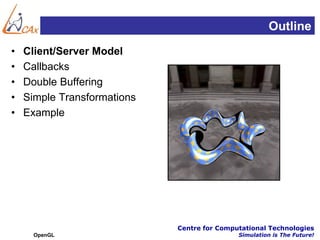
•   Client/Server Model
•   Callbacks
•   Double Buffering
•   Simple Transformations
•   Example


                             Centre for Computational Technologies
      OpenGL                                 Simulation is The Future!
Surface Orientation (Clarification)
• Right-hand rule
• Triangle strip drawn 0-1-2, 2-1-3, 2-3-4, etc.


• All triangles face same direction (here: back)
• Similarly for quad strips 0-1-3-2, 2-3-5-4, etc.
• Orientable surfaces; discard back faces:
  glEnable(GL_CULL_FACE);
  glCullFace(GL_BACK); /* do not draw back faces */

                                    Centre for Computational Technologies
    OpenGL                                          Simulation is The Future!
Choice of Programming Language
•   OpenGL lives close to the hardware
•   OpenGL is not object-oriented
•   OpenGL is not functional
•   Use C to expose and exploit low-level details
•   Use C++, Java ... for toolkits
•   Support for C and C++ in assignments


                                    Centre for Computational Technologies
      OpenGL                                        Simulation is The Future!
Client/Server Model
• Graphics hardware and caching


• Important for efficiency
• Need to be aware where data are stored
• Examples: vertex arrays, display lists


                                  Centre for Computational Technologies
    OpenGL                                        Simulation is The Future!
Display Lists
• Encapsulate a sequence of drawing commands
• Optimize and store on server
  GLuint listName = glGenLists(1); /* new name */
  glNewList (listName, GL_COMPILE); /* new list */
      glColor3f(1.0, 0.0, 1.0);
      glBegin(GL_TRIANGLES);
             glVertex3f(0.0, 0.0, 0.0);
             ...
      glEnd();
      glTranslatef(1.5, 0.0, 0.0); /* offset next object */
  glEndList();
  glCallList(listName); /* draw one */


                                                Centre for Computational Technologies
    OpenGL                                                      Simulation is The Future!
Display Lists Details
•   Useful for sequences of transformations
•   Important for complex surfaces
•   Another example: fonts
•   Hierarchical display lists supported
•   Display lists cannot be changed
•   Display lists can be replaced
•   Not necessary in first assignment


                                   Centre for Computational Technologies
      OpenGL                                       Simulation is The Future!
Vertex Arrays
•   Draw cube with 6*4=24 or with 8 vertices?
•   Expense in drawing and transformation
•   Strips help to some extent
•   Vertex arrays provide general solution
•   Advanced (new in OpenGL 1.2)
    – Define (transmit) array of vertices, colors, normals
    – Draw using index into array(s)
    – Vertex sharing for efficient operations
• Not needed for first assignment


                                           Centre for Computational Technologies
      OpenGL                                                 Simulation is The Future!
Outline
•   Client/Server Model
•   Callbacks
•   Double Buffering
•   Simple Transformations
•   Example


                             Centre for Computational Technologies
      OpenGL                                 Simulation is The Future!
Main Event Loop
•   Standard technique for interaction
•   Main loop processes events
•   Dispatch to functions specified by client
•   Callbacks also common in operating systems
•   Poor man’s functional programming
•   Mediates between client and window system


                                  Centre for Computational Technologies
      OpenGL                                      Simulation is The Future!
Types of Callbacks
•   Display ( ): when window must be drawn
•   Idle ( ): when no other events to be handled
•   Keyboard (unsigned char key, int x, int y): key
•   Menu (...): after selection from menu
•   Mouse (int button, int state, int x, int y): mouse
•   Motion (...): mouse movement
•   Reshape (int w, int h): window resize
•   Any callback can be NULL


                                       Centre for Computational Technologies
      OpenGL                                           Simulation is The Future!
Outline
•   Client/Server Model
•   Callbacks
•   Double Buffering
•   Simple Transformations
•   Example


                             Centre for Computational Technologies
      OpenGL                                 Simulation is The Future!
Refresh Screen
•   Common: 60-100 Hz
•   Flicker if drawing overlaps screen refresh
•   Problem during animation
•   Example (cube_single.c)
•   Solution two frame buffers:
    – Draw into one buffer
    – Swap and display, while drawing into other buffer
• Desirable frame rate >= 30 fps (frames/second)


                                         Centre for Computational Technologies
      OpenGL                                              Simulation is The Future!
Enabling Modes
•   One example of many
•   glutInitDisplayMode (GLUT_SINGLE);
•   glutInitDisplayMode (GLUT_DOUBLE);
•   glutSwapBuffers ();
•   If something has no effect, check mode


                                   Centre for Computational Technologies
      OpenGL                                       Simulation is The Future!
Outline
•   Client/Server Model
•   Callbacks
•   Double Buffering
•   Simple Transformations
•   Example


                             Centre for Computational Technologies
     OpenGL                                  Simulation is The Future!
Specifying the Viewing Volume
• Clip everything not in viewing volume
• Separate matrices for transformation and projection
         glMatrixMode (GL_PROJECTION);
         glLoadIdentity();
         ... Set viewing volume ...
         glMatrixMode(GL_MODELVIEW);


                                         Centre for Computational Technologies
    OpenGL                                               Simulation is The Future!
Parallel Viewing
• Orthographic projection
• Camera points in negative z direction
• glOrtho(xmin, xmax, ymin, ymax, near, far)


                                  Centre for Computational Technologies
    OpenGL                                        Simulation is The Future!
Perspective Viewing
• Slightly more complex
• glFrustum(xmin, xmax, ymin, ymax, near, far)


                                 Centre for Computational Technologies
    OpenGL                                       Simulation is The Future!
Transformations Simple
• Rotate by given angle (in degrees) about ray from origin
  through (x, y, z)
      glRotate{fd}(angle, x, y, z);

• Translate by the given x, y, and z values
      glTranslate{fd}(x, y, z);

• Scale with a factor in the x, y, and z direction
      glScale{fd}(x, y, z);


                                     Centre for Computational Technologies
     OpenGL                                          Simulation is The Future!
Outline
•   Client/Server Model
•   Callbacks
•   Double Buffering
•   Simple Transformations
•   Example


                             Centre for Computational Technologies
      OpenGL                                 Simulation is The Future!
Example: Rotating Color Cube
• Problem:
  – Draw a color cube
  – Rotate it about x, y, or z axis, depending on left, middle or right
    mouse click
  – Stop when space bar is pressed
  – Quit when q or Q is pressed


                                          Centre for Computational Technologies
    OpenGL                                                Simulation is The Future!
Step 1: Defining the Vertices
• Use parallel arrays for vertices and colors
  /* vertices of cube about the origin */
  GLfloat vertices[8][3] =
       {{-1.0, -1.0, -1.0}, {1.0, -1.0, -1.0},
       {1.0, 1.0, -1.0}, {-1.0, 1.0, -1.0}, {-1.0, -1.0, 1.0},
       {1.0, -1.0, 1.0}, {1.0, 1.0, 1.0}, {-1.0, 1.0, 1.0}};
  /* colors to be assigned to edges */
  GLfloat colors[8][3] =
       {{0.0, 0.0, 0.0}, {1.0, 0.0, 0.0},
       {1.0, 1.0, 0.0}, {0.0, 1.0, 0.0}, {0.0, 0.0, 1.0},
       {1.0, 0.0, 1.0}, {1.0, 1.0, 1.0}, {0.0, 1.0, 1.0}};

                                        Centre for Computational Technologies
     OpenGL                                             Simulation is The Future!
Step 2: Set Up
• Enable depth testing and double buffering
   int main(int argc, char **argv)
   {
         glutInit (&argc, argv);
         /* double buffering for smooth animation */
         glutInitDisplayMode (GLUT_DOUBLE | GLUT_DEPTH | GLUT_RGB);
         ... /* window creation and callbacks here */
         glEnable (GL_DEPTH_TEST);
         glutMainLoop();
         return(0);
   }


                                        Centre for Computational Technologies
       OpenGL                                           Simulation is The Future!
Step 3: Install Callbacks
• Create window and set callbacks

   glutInitWindowSize(500, 500);
   glutCreateWindow("cube");
   glutReshapeFunc(myReshape);
   glutDisplayFunc(display);
   glutIdleFunc(spinCube);
   glutMouseFunc(mouse);
   glutKeyboardFunc(keyboard);


                                Centre for Computational Technologies
    OpenGL                                      Simulation is The Future!
Step 4: Reshape Callback
• Enclose cube, preserve aspect ratio
   void myReshape(int w, int h)
   {
         GLfloat aspect = (GLfloat) w / (GLfloat) h;
         glViewport(0, 0, w, h);
         glMatrixMode (GL_PROJECTION);
         glLoadIdentity();
         if (w <= h) /* aspect <= 1 */
             glOrtho(-2.0, 2.0, -2.0/aspect, 2.0/aspect, -10.0, 10.0);
         else /* aspect > 1 */
             glOrtho(-2.0*aspect, 2.0*aspect, -2.0, 2.0, -10.0, 10.0);
         glMatrixMode (GL_MODELVIEW);
   }


                                                 Centre for Computational Technologies
       OpenGL                                                       Simulation is The Future!
Step 5: Display Callback
• Clear, rotate, draw, flush, swap
   GLfloat theta[3] = {0.0, 0.0, 0.0};
   void display(void)
   {
         glClear( GL_COLOR_BUFFER_BIT | GL_DEPTH_BUFFER_BIT);
         glLoadIdentity();
         glRotatef(theta[0], 1.0, 0.0, 0.0);
         glRotatef(theta[1], 0.0, 1.0, 0.0);
         glRotatef(theta[2], 0.0, 0.0, 1.0);
         colorcube();
         glFlush();
         glutSwapBuffers();
   }


                                          Centre for Computational Technologies
       OpenGL                                             Simulation is The Future!
Step 6: Drawing Faces
• Call face(a, b, c, d) with vertex index
• Orient consistently
   void colorcube(void)
   {
         face(0,3,2,1);
         face(2,3,7,6);
         face(0,4,7,3);
         face(1,2,6,5);
         face(4,5,6,7);
         face(0,1,5,4);
   }


                                     Centre for Computational Technologies
       OpenGL                                        Simulation is The Future!
Step 7: Drawing a Face
• Use vector form of primitives and attributes
   void face(int a, int b, int c, int d)
   {
   glBegin(GL_POLYGON);
       glColor3fv(colors[a]);
       glVertex3fv(vertices[a]);
       glColor3fv(colors[b]);
       glVertex3fv(vertices[b]);
       glColor3fv(colors[c]);
       glVertex3fv(vertices[c]);
       glColor3fv(colors[d]);
       glVertex3fv(vertices[d]);
   glEnd();
   }

                                           Centre for Computational Technologies
    OpenGL                                                 Simulation is The Future!
Step 8: Animation
• Set idle callback
   GLfloat delta = 2.0;
   GLint axis = 2;
   void spinCube()
   {
         /* spin cube delta degrees about selected axis */
         theta[axis] += delta;
         if (theta[axis] > 360.0)
             theta[axis] -= 360.0;
         /* display result */
         glutPostRedisplay();
   }


                                               Centre for Computational Technologies
       OpenGL                                                  Simulation is The Future!
Step 9: Change Axis of Rotation
• Mouse callback
  void mouse (int btn, int state, int x, int y)
   {
         if (btn==GLUT_LEFT_BUTTON
             && state == GLUT_DOWN) axis = 0;
         if (btn==GLUT_MIDDLE_BUTTON
             && state == GLUT_DOWN) axis = 1;
         if (btn==GLUT_RIGHT_BUTTON
             && state == GLUT_DOWN) axis = 2;
   }


                                            Centre for Computational Technologies
       OpenGL                                               Simulation is The Future!
Step 10: Toggle Rotation or Exit
• Keyboard callback

void keyboard (unsigned char key, int x, int y)
{
  if (key=='q' || key == 'Q') exit(0);
  if (key==' ') {stop = !stop;};
  if (stop)
        glutIdleFunc(NULL);
  else
        glutIdleFunc(spinCube);
}

                                    Centre for Computational Technologies
    OpenGL                                          Simulation is The Future!
Summary
•   Client/Server Model
•   Callbacks
•   Double Buffering
•   Simple Transformations
•   Example


                             Centre for Computational Technologies
      OpenGL                                 Simulation is The Future!
33

                             Questions?


              Centre for Computational Technologies
     OpenGL                   Simulation is The Future!
Thank You


                   Mail Us @ sandip@cctech.co.in
                    Visit Us @ www.cctech.co.in
                  Call Us @ +91 20 4009 8381/82
                    Mobile @ +91 98508 60725

         Centre for Computational Technologies Pvt. Ltd.


                1, Akshay Residancy, 50 Anand Park,
                          Aundh, Pune -7

                                     Centre for Computational Technologies
OpenGL                                                Simulation is The Future!

OpenGL Interaction

  • 1.
    OpenGL Interaction http://www.learncax.com/ Centre for Computational Technologies CCTech Recruitment Brochure Simulation is The Future!
  • 2.
    Outline • Client/Server Model • Callbacks • Double Buffering • Simple Transformations • Example Centre for Computational Technologies OpenGL Simulation is The Future!
  • 3.
    Surface Orientation (Clarification) •Right-hand rule • Triangle strip drawn 0-1-2, 2-1-3, 2-3-4, etc. • All triangles face same direction (here: back) • Similarly for quad strips 0-1-3-2, 2-3-5-4, etc. • Orientable surfaces; discard back faces: glEnable(GL_CULL_FACE); glCullFace(GL_BACK); /* do not draw back faces */ Centre for Computational Technologies OpenGL Simulation is The Future!
  • 4.
    Choice of ProgrammingLanguage • OpenGL lives close to the hardware • OpenGL is not object-oriented • OpenGL is not functional • Use C to expose and exploit low-level details • Use C++, Java ... for toolkits • Support for C and C++ in assignments Centre for Computational Technologies OpenGL Simulation is The Future!
  • 5.
    Client/Server Model • Graphicshardware and caching • Important for efficiency • Need to be aware where data are stored • Examples: vertex arrays, display lists Centre for Computational Technologies OpenGL Simulation is The Future!
  • 6.
    Display Lists • Encapsulatea sequence of drawing commands • Optimize and store on server GLuint listName = glGenLists(1); /* new name */ glNewList (listName, GL_COMPILE); /* new list */ glColor3f(1.0, 0.0, 1.0); glBegin(GL_TRIANGLES); glVertex3f(0.0, 0.0, 0.0); ... glEnd(); glTranslatef(1.5, 0.0, 0.0); /* offset next object */ glEndList(); glCallList(listName); /* draw one */ Centre for Computational Technologies OpenGL Simulation is The Future!
  • 7.
    Display Lists Details • Useful for sequences of transformations • Important for complex surfaces • Another example: fonts • Hierarchical display lists supported • Display lists cannot be changed • Display lists can be replaced • Not necessary in first assignment Centre for Computational Technologies OpenGL Simulation is The Future!
  • 8.
    Vertex Arrays • Draw cube with 6*4=24 or with 8 vertices? • Expense in drawing and transformation • Strips help to some extent • Vertex arrays provide general solution • Advanced (new in OpenGL 1.2) – Define (transmit) array of vertices, colors, normals – Draw using index into array(s) – Vertex sharing for efficient operations • Not needed for first assignment Centre for Computational Technologies OpenGL Simulation is The Future!
  • 9.
    Outline • Client/Server Model • Callbacks • Double Buffering • Simple Transformations • Example Centre for Computational Technologies OpenGL Simulation is The Future!
  • 10.
    Main Event Loop • Standard technique for interaction • Main loop processes events • Dispatch to functions specified by client • Callbacks also common in operating systems • Poor man’s functional programming • Mediates between client and window system Centre for Computational Technologies OpenGL Simulation is The Future!
  • 11.
    Types of Callbacks • Display ( ): when window must be drawn • Idle ( ): when no other events to be handled • Keyboard (unsigned char key, int x, int y): key • Menu (...): after selection from menu • Mouse (int button, int state, int x, int y): mouse • Motion (...): mouse movement • Reshape (int w, int h): window resize • Any callback can be NULL Centre for Computational Technologies OpenGL Simulation is The Future!
  • 12.
    Outline • Client/Server Model • Callbacks • Double Buffering • Simple Transformations • Example Centre for Computational Technologies OpenGL Simulation is The Future!
  • 13.
    Refresh Screen • Common: 60-100 Hz • Flicker if drawing overlaps screen refresh • Problem during animation • Example (cube_single.c) • Solution two frame buffers: – Draw into one buffer – Swap and display, while drawing into other buffer • Desirable frame rate >= 30 fps (frames/second) Centre for Computational Technologies OpenGL Simulation is The Future!
  • 14.
    Enabling Modes • One example of many • glutInitDisplayMode (GLUT_SINGLE); • glutInitDisplayMode (GLUT_DOUBLE); • glutSwapBuffers (); • If something has no effect, check mode Centre for Computational Technologies OpenGL Simulation is The Future!
  • 15.
    Outline • Client/Server Model • Callbacks • Double Buffering • Simple Transformations • Example Centre for Computational Technologies OpenGL Simulation is The Future!
  • 16.
    Specifying the ViewingVolume • Clip everything not in viewing volume • Separate matrices for transformation and projection glMatrixMode (GL_PROJECTION); glLoadIdentity(); ... Set viewing volume ... glMatrixMode(GL_MODELVIEW); Centre for Computational Technologies OpenGL Simulation is The Future!
  • 17.
    Parallel Viewing • Orthographicprojection • Camera points in negative z direction • glOrtho(xmin, xmax, ymin, ymax, near, far) Centre for Computational Technologies OpenGL Simulation is The Future!
  • 18.
    Perspective Viewing • Slightlymore complex • glFrustum(xmin, xmax, ymin, ymax, near, far) Centre for Computational Technologies OpenGL Simulation is The Future!
  • 19.
    Transformations Simple • Rotateby given angle (in degrees) about ray from origin through (x, y, z) glRotate{fd}(angle, x, y, z); • Translate by the given x, y, and z values glTranslate{fd}(x, y, z); • Scale with a factor in the x, y, and z direction glScale{fd}(x, y, z); Centre for Computational Technologies OpenGL Simulation is The Future!
  • 20.
    Outline • Client/Server Model • Callbacks • Double Buffering • Simple Transformations • Example Centre for Computational Technologies OpenGL Simulation is The Future!
  • 21.
    Example: Rotating ColorCube • Problem: – Draw a color cube – Rotate it about x, y, or z axis, depending on left, middle or right mouse click – Stop when space bar is pressed – Quit when q or Q is pressed Centre for Computational Technologies OpenGL Simulation is The Future!
  • 22.
    Step 1: Definingthe Vertices • Use parallel arrays for vertices and colors /* vertices of cube about the origin */ GLfloat vertices[8][3] = {{-1.0, -1.0, -1.0}, {1.0, -1.0, -1.0}, {1.0, 1.0, -1.0}, {-1.0, 1.0, -1.0}, {-1.0, -1.0, 1.0}, {1.0, -1.0, 1.0}, {1.0, 1.0, 1.0}, {-1.0, 1.0, 1.0}}; /* colors to be assigned to edges */ GLfloat colors[8][3] = {{0.0, 0.0, 0.0}, {1.0, 0.0, 0.0}, {1.0, 1.0, 0.0}, {0.0, 1.0, 0.0}, {0.0, 0.0, 1.0}, {1.0, 0.0, 1.0}, {1.0, 1.0, 1.0}, {0.0, 1.0, 1.0}}; Centre for Computational Technologies OpenGL Simulation is The Future!
  • 23.
    Step 2: SetUp • Enable depth testing and double buffering int main(int argc, char **argv) { glutInit (&argc, argv); /* double buffering for smooth animation */ glutInitDisplayMode (GLUT_DOUBLE | GLUT_DEPTH | GLUT_RGB); ... /* window creation and callbacks here */ glEnable (GL_DEPTH_TEST); glutMainLoop(); return(0); } Centre for Computational Technologies OpenGL Simulation is The Future!
  • 24.
    Step 3: InstallCallbacks • Create window and set callbacks glutInitWindowSize(500, 500); glutCreateWindow("cube"); glutReshapeFunc(myReshape); glutDisplayFunc(display); glutIdleFunc(spinCube); glutMouseFunc(mouse); glutKeyboardFunc(keyboard); Centre for Computational Technologies OpenGL Simulation is The Future!
  • 25.
    Step 4: ReshapeCallback • Enclose cube, preserve aspect ratio void myReshape(int w, int h) { GLfloat aspect = (GLfloat) w / (GLfloat) h; glViewport(0, 0, w, h); glMatrixMode (GL_PROJECTION); glLoadIdentity(); if (w <= h) /* aspect <= 1 */ glOrtho(-2.0, 2.0, -2.0/aspect, 2.0/aspect, -10.0, 10.0); else /* aspect > 1 */ glOrtho(-2.0*aspect, 2.0*aspect, -2.0, 2.0, -10.0, 10.0); glMatrixMode (GL_MODELVIEW); } Centre for Computational Technologies OpenGL Simulation is The Future!
  • 26.
    Step 5: DisplayCallback • Clear, rotate, draw, flush, swap GLfloat theta[3] = {0.0, 0.0, 0.0}; void display(void) { glClear( GL_COLOR_BUFFER_BIT | GL_DEPTH_BUFFER_BIT); glLoadIdentity(); glRotatef(theta[0], 1.0, 0.0, 0.0); glRotatef(theta[1], 0.0, 1.0, 0.0); glRotatef(theta[2], 0.0, 0.0, 1.0); colorcube(); glFlush(); glutSwapBuffers(); } Centre for Computational Technologies OpenGL Simulation is The Future!
  • 27.
    Step 6: DrawingFaces • Call face(a, b, c, d) with vertex index • Orient consistently void colorcube(void) { face(0,3,2,1); face(2,3,7,6); face(0,4,7,3); face(1,2,6,5); face(4,5,6,7); face(0,1,5,4); } Centre for Computational Technologies OpenGL Simulation is The Future!
  • 28.
    Step 7: Drawinga Face • Use vector form of primitives and attributes void face(int a, int b, int c, int d) { glBegin(GL_POLYGON); glColor3fv(colors[a]); glVertex3fv(vertices[a]); glColor3fv(colors[b]); glVertex3fv(vertices[b]); glColor3fv(colors[c]); glVertex3fv(vertices[c]); glColor3fv(colors[d]); glVertex3fv(vertices[d]); glEnd(); } Centre for Computational Technologies OpenGL Simulation is The Future!
  • 29.
    Step 8: Animation •Set idle callback GLfloat delta = 2.0; GLint axis = 2; void spinCube() { /* spin cube delta degrees about selected axis */ theta[axis] += delta; if (theta[axis] > 360.0) theta[axis] -= 360.0; /* display result */ glutPostRedisplay(); } Centre for Computational Technologies OpenGL Simulation is The Future!
  • 30.
    Step 9: ChangeAxis of Rotation • Mouse callback void mouse (int btn, int state, int x, int y) { if (btn==GLUT_LEFT_BUTTON && state == GLUT_DOWN) axis = 0; if (btn==GLUT_MIDDLE_BUTTON && state == GLUT_DOWN) axis = 1; if (btn==GLUT_RIGHT_BUTTON && state == GLUT_DOWN) axis = 2; } Centre for Computational Technologies OpenGL Simulation is The Future!
  • 31.
    Step 10: ToggleRotation or Exit • Keyboard callback void keyboard (unsigned char key, int x, int y) { if (key=='q' || key == 'Q') exit(0); if (key==' ') {stop = !stop;}; if (stop) glutIdleFunc(NULL); else glutIdleFunc(spinCube); } Centre for Computational Technologies OpenGL Simulation is The Future!
  • 32.
    Summary • Client/Server Model • Callbacks • Double Buffering • Simple Transformations • Example Centre for Computational Technologies OpenGL Simulation is The Future!
  • 33.
    33 Questions? Centre for Computational Technologies OpenGL Simulation is The Future!
  • 34.
    Thank You Mail Us @ sandip@cctech.co.in Visit Us @ www.cctech.co.in Call Us @ +91 20 4009 8381/82 Mobile @ +91 98508 60725 Centre for Computational Technologies Pvt. Ltd. 1, Akshay Residancy, 50 Anand Park, Aundh, Pune -7 Centre for Computational Technologies OpenGL Simulation is The Future!