


OpenGL
by Sebestyén Gábor
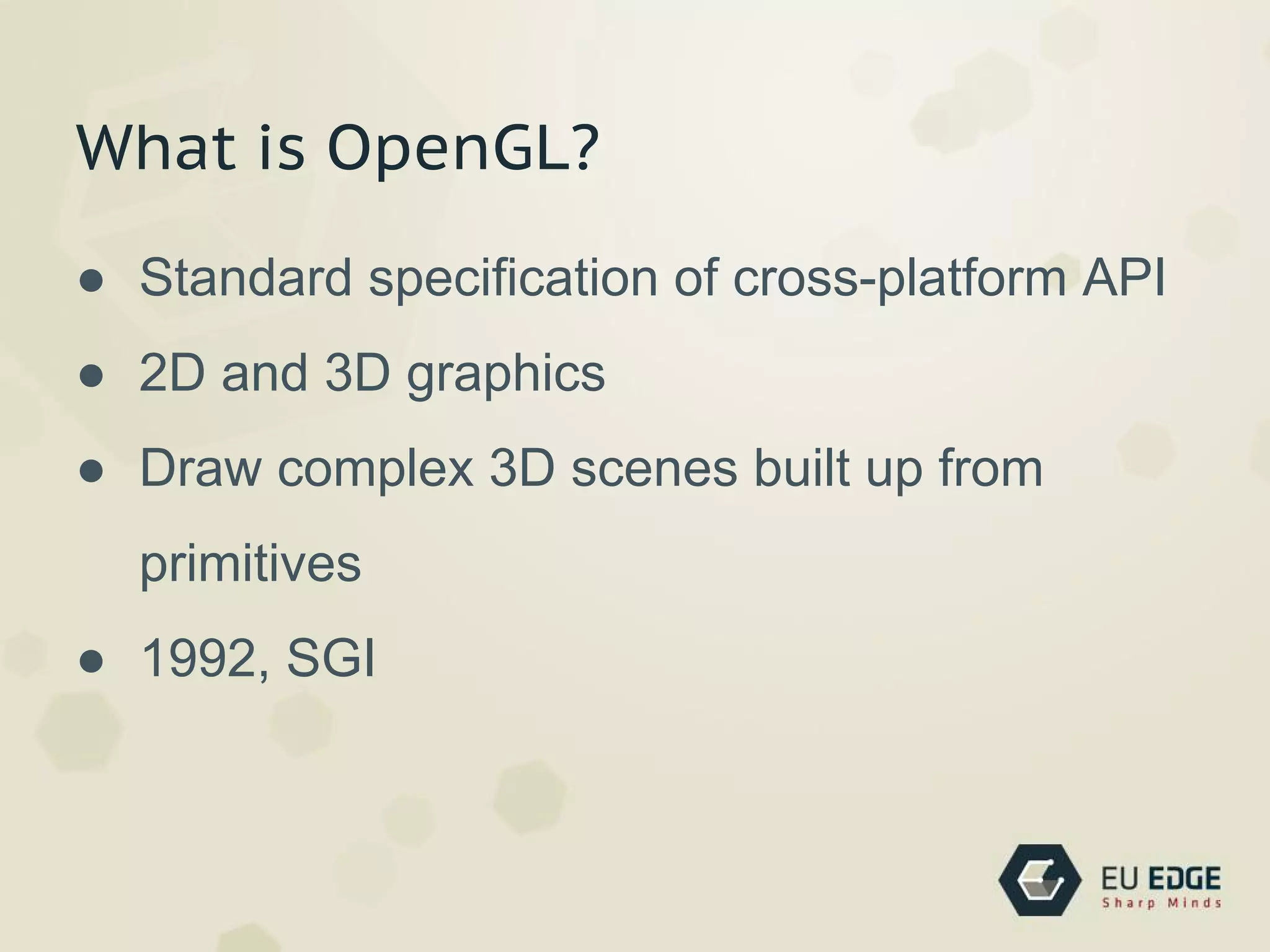
What is OpenGL?
● Standard specification of cross-platform API
● 2D and 3D graphics
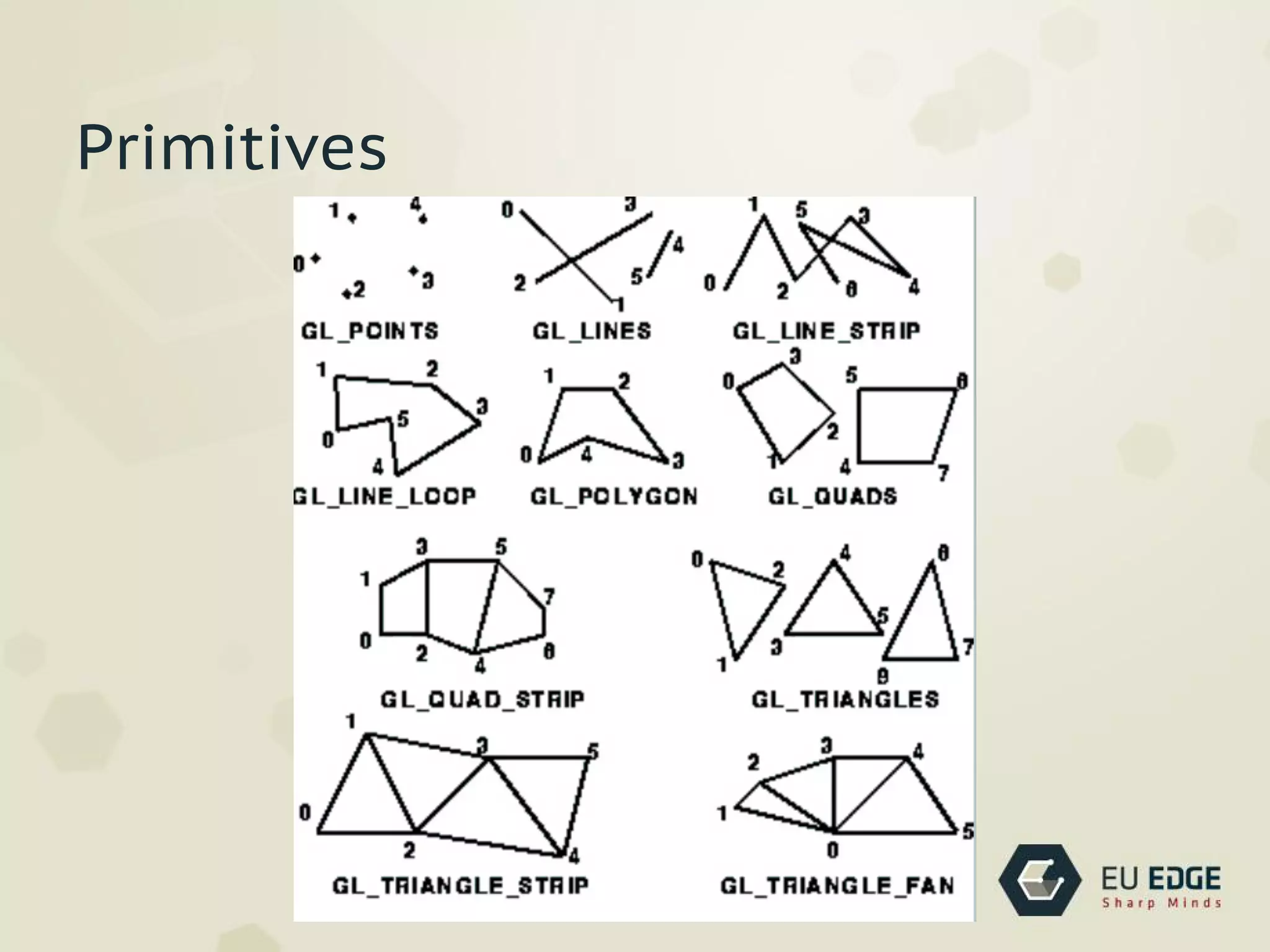
● Draw complex 3D scenes built up from
primitives
● 1992, SGI
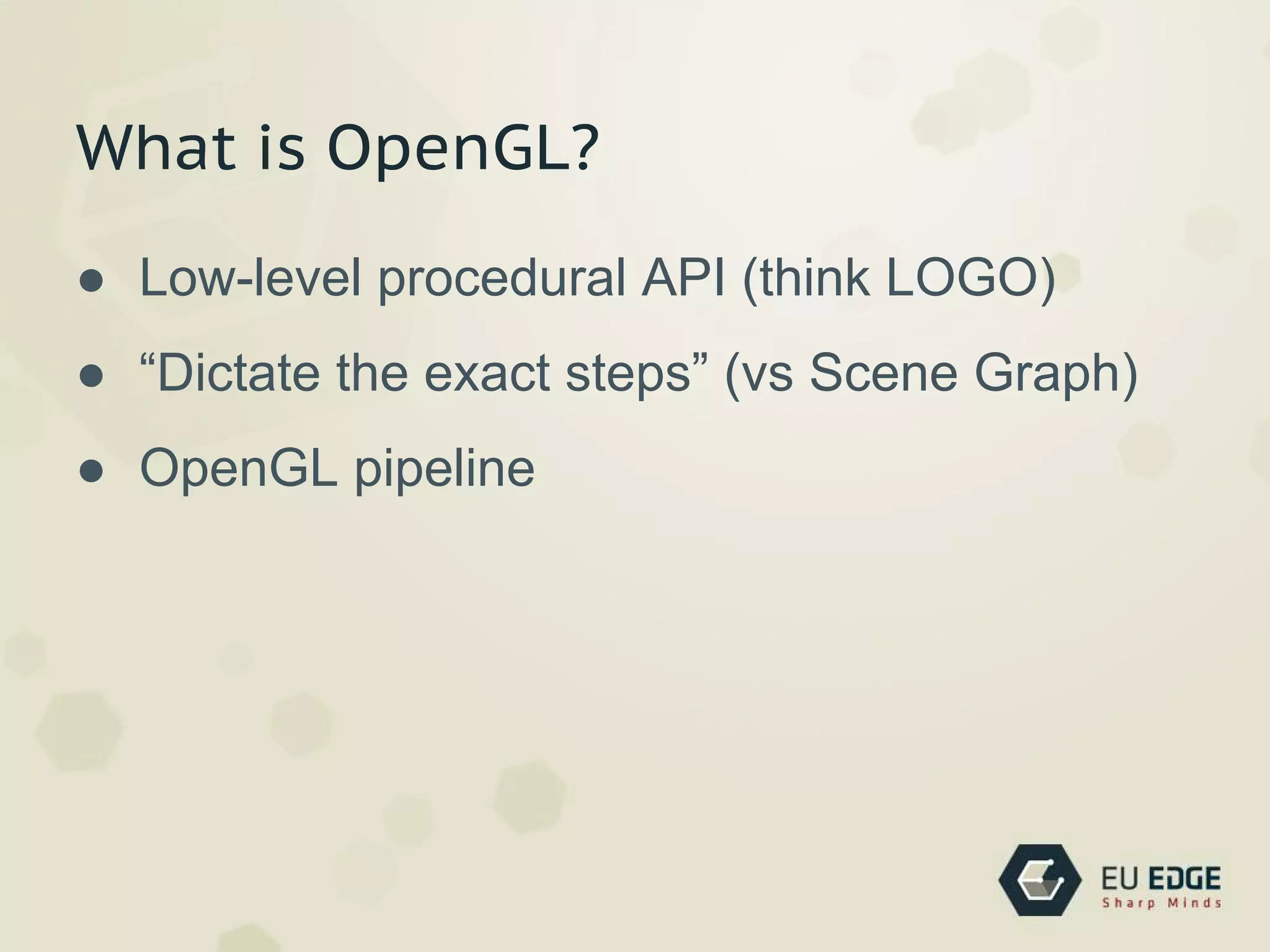
What is OpenGL?
● Low-level procedural API (think LOGO)
● “Dictate the exact steps” (vs Scene Graph)
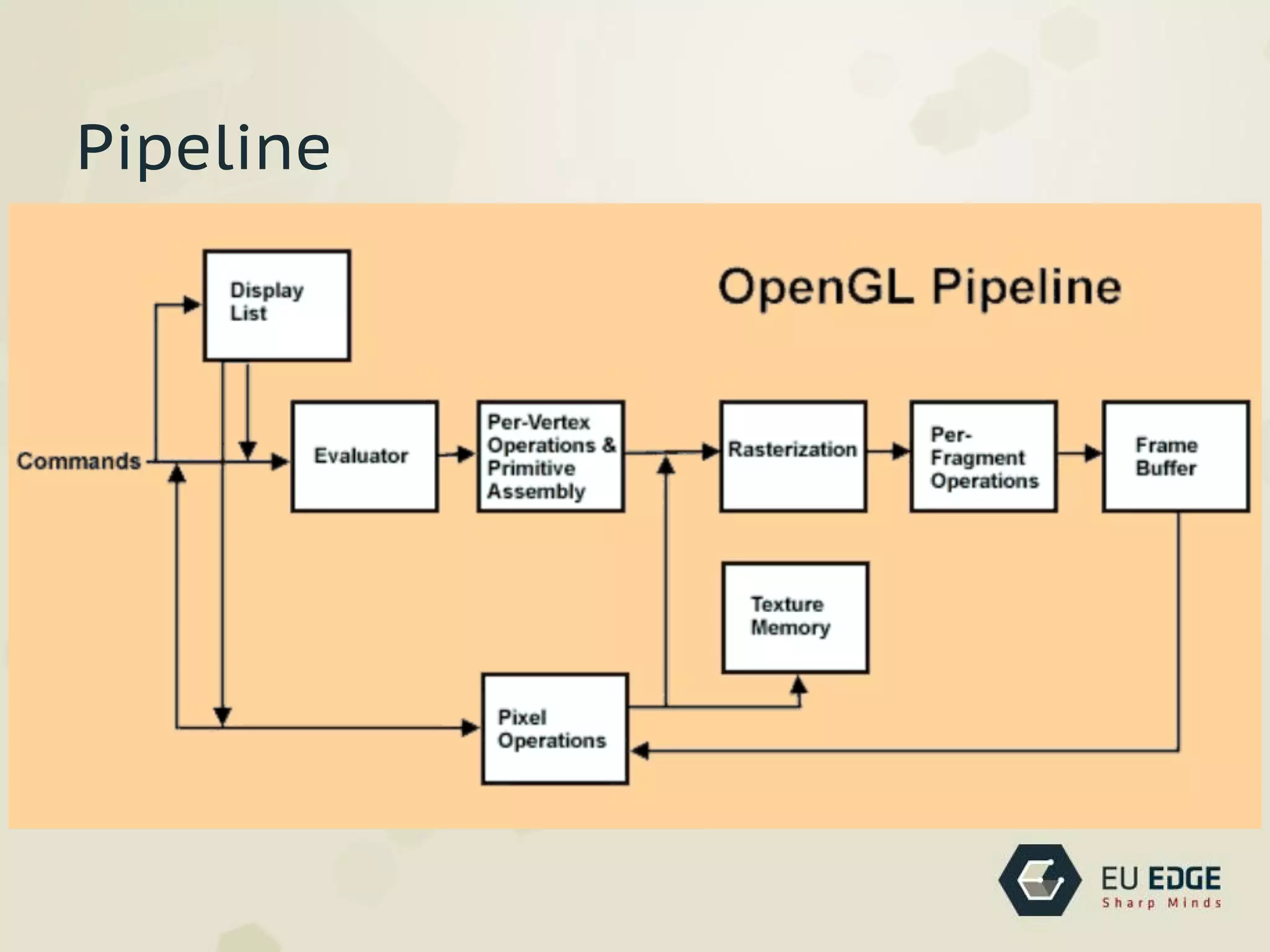
● OpenGL pipeline
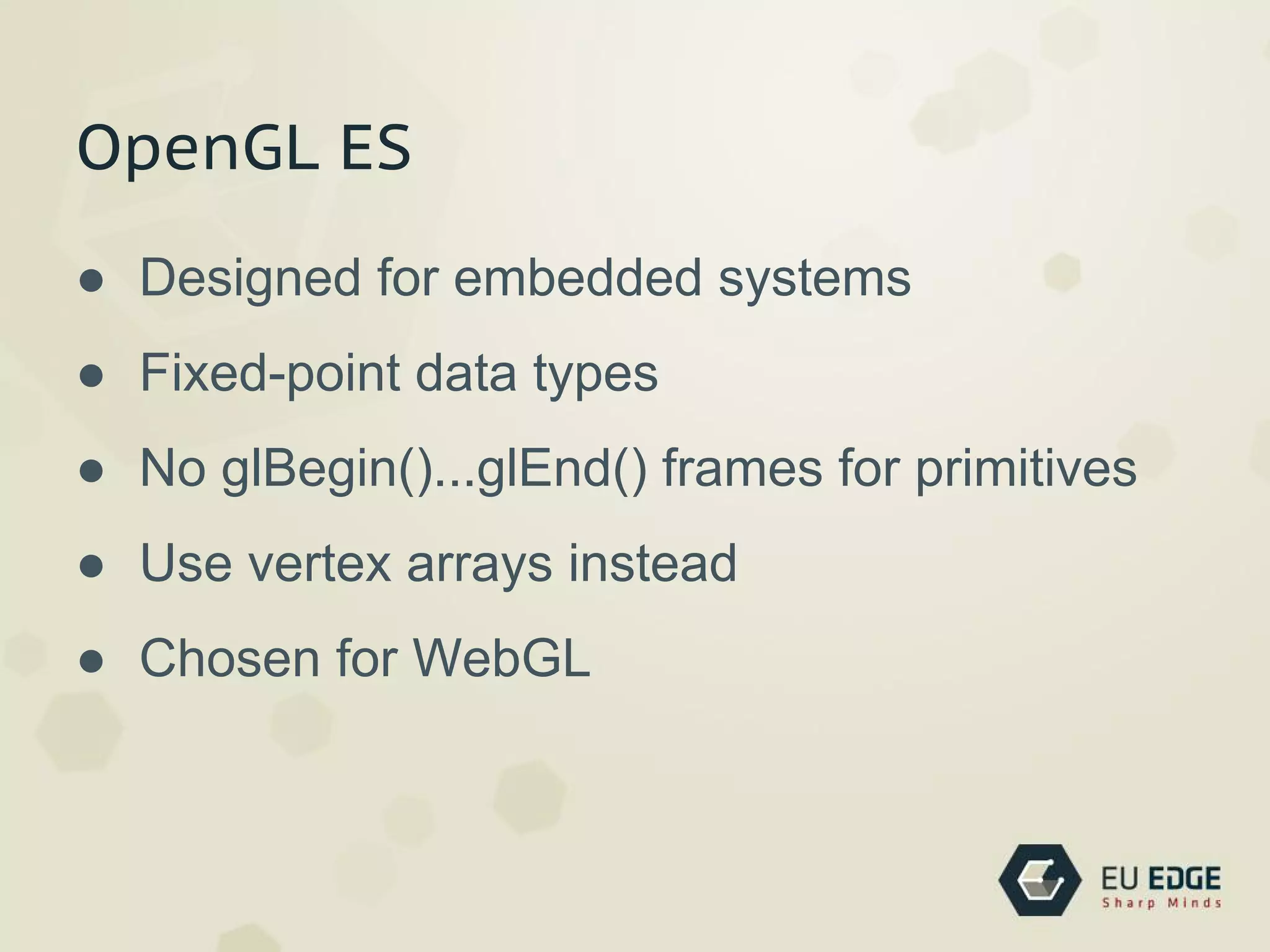
OpenGL ES
● Designed for embedded systems
● Fixed-point data types
● No glBegin()...glEnd() frames for primitives
● Use vertex arrays instead
● Chosen for WebGL
History
● Early 1990s - IRIS GL (SGI), PHIGS (DEC,
IBM, Sun)
● 1992 OpenGL Standard Spec
● standardize hardware access
● 1995 Microsoft DirectX
● 2006 Khronos Group controls OpenGL spec
Versions
● 1992 1.0 first version
● 1997 1.1 support textures on GPU
● 2004 2.0 GLSL, ARB
● 2008 3.0 (answer to DirectX 10)
● 2010 4.0
● 2011 4.2
Architecture
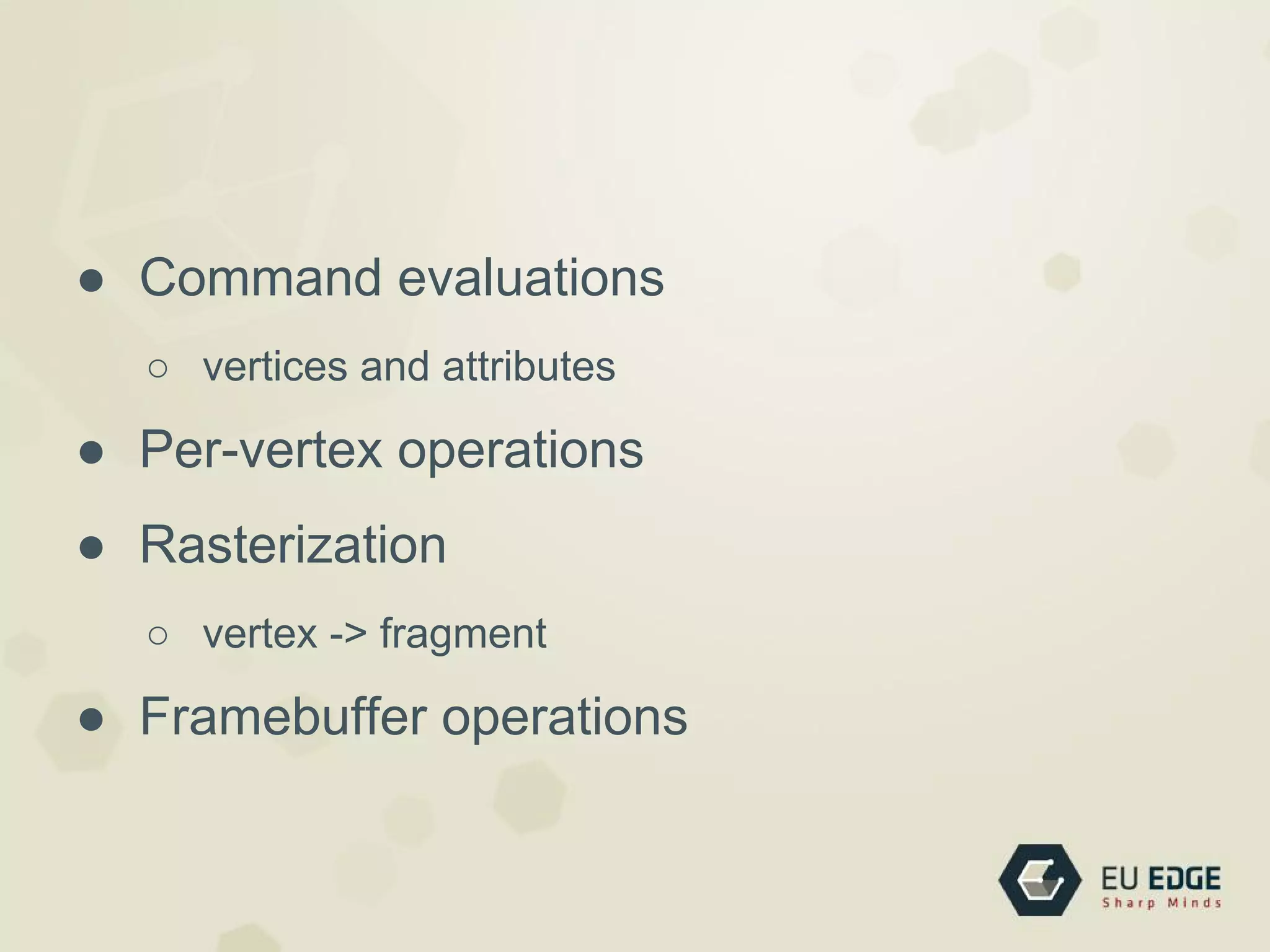
Pipeline
● Command evaluations
○ vertices and attributes
● Per-vertex operations
● Rasterization
○ vertex -> fragment
● Framebuffer operations
Primitives
Lots of things we skip now
● Lighting and Materials
● Textures
● Shading Language
● Clipping, Culling, and Visibility Testing
● etc.
My first OpenGL app
#1 Boilerplate
#include <GL/gl.h>
#include <GL/glut.h>
#include <GL/glu.h>
int main(int argc, char *argv[])
{
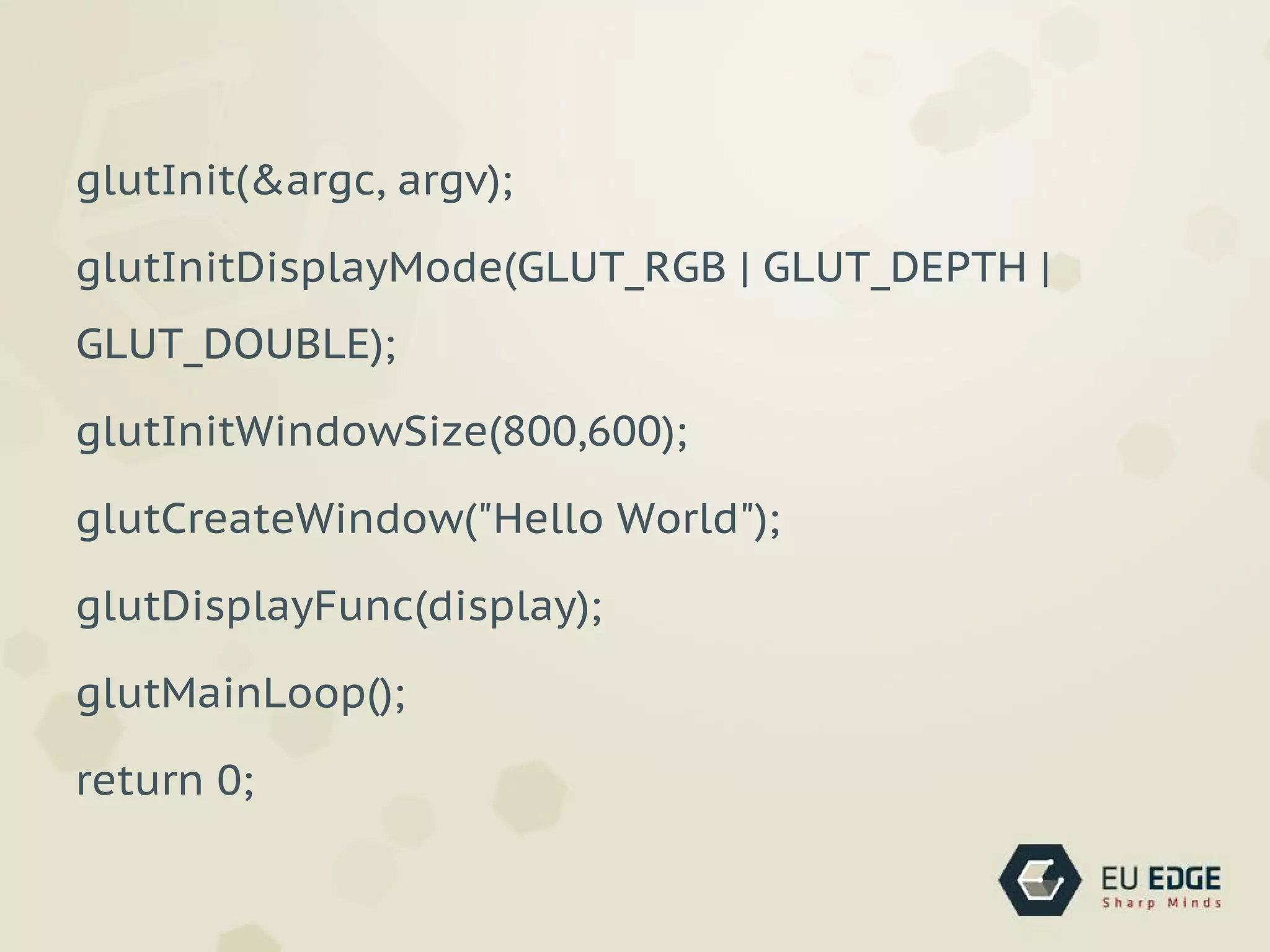
glutInit(&argc, argv);
glutInitDisplayMode(GLUT_RGB | GLUT_DEPTH | GLUT_DOUBLE);
glutInitWindowSize(800,600);
glutCreateWindow("Hello World");
glutDisplayFunc(display);
glutMainLoop();
return 0;
}
Explanation
● Includes
● Initialization Code
● Main Loop
Includes on Linux
#include <GL/gl.h>
#include <GL/glut.h>
#include <GL/glu.h>
Includes on OS X
#include <OpenGL/gl.h>
#include <OpenGL/glu.h>
#include <GLUT/glut.h>
Libraries
● OpenGL - basic functionality
● GLU - GL Utility
● GLUT - GL Utility Toolkit
OpenGL Utility Library
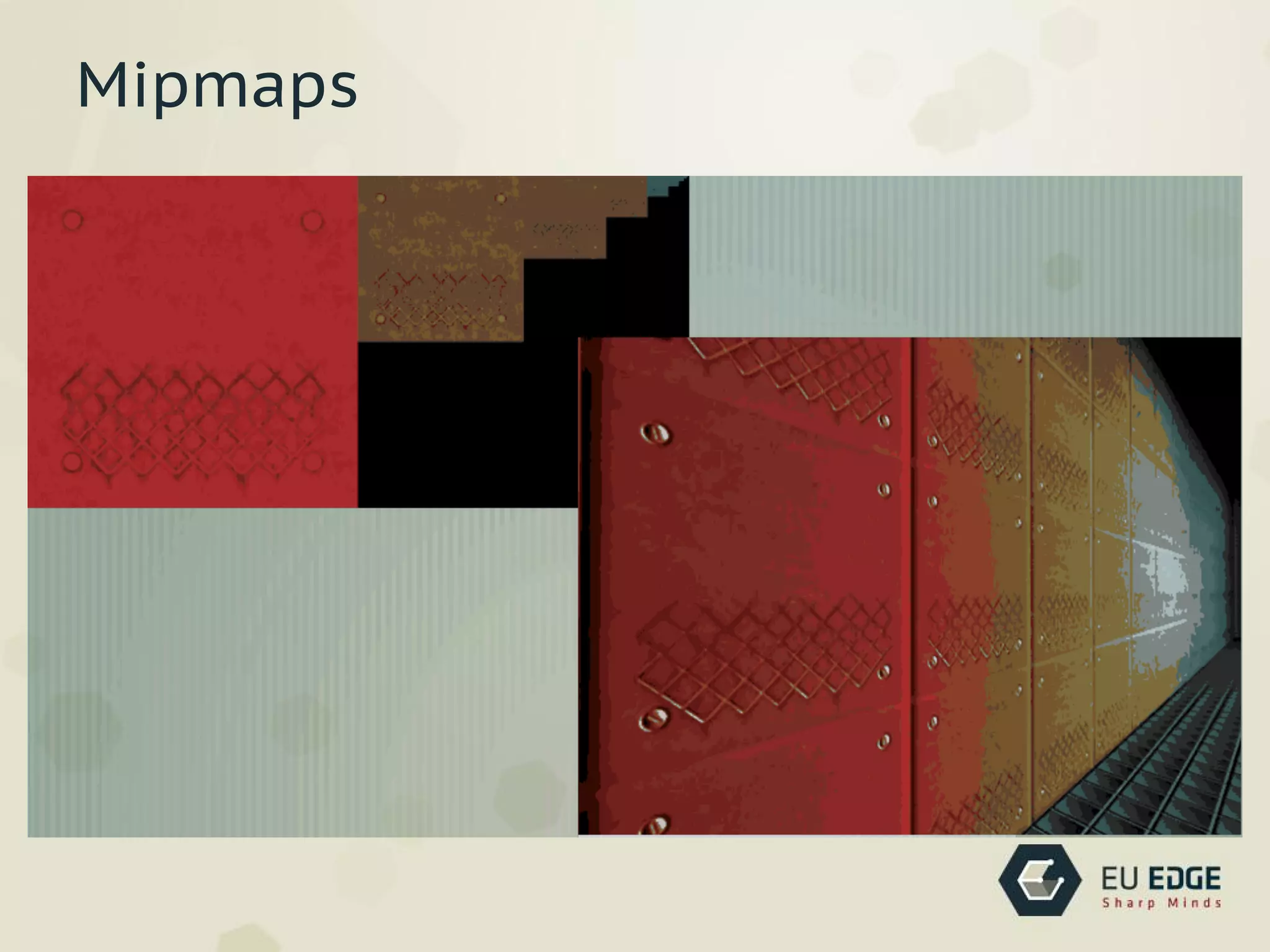
● Texture mipmaps from base images
● Map coordinates between screen and object
space
● Draw quadric surfaces and NURBS
Mipmaps
OpenGL Utility Toolkit
● Cross-platform tool
● Windowing & input API
● Best for learning OpenGL
● Not open-source
glutInit(&argc, argv);
glutInitDisplayMode(GLUT_RGB | GLUT_DEPTH |
GLUT_DOUBLE);
glutInitWindowSize(800,600);
glutCreateWindow("Hello World");
glutDisplayFunc(display);
glutMainLoop();
return 0;
#2 Spinning Cube
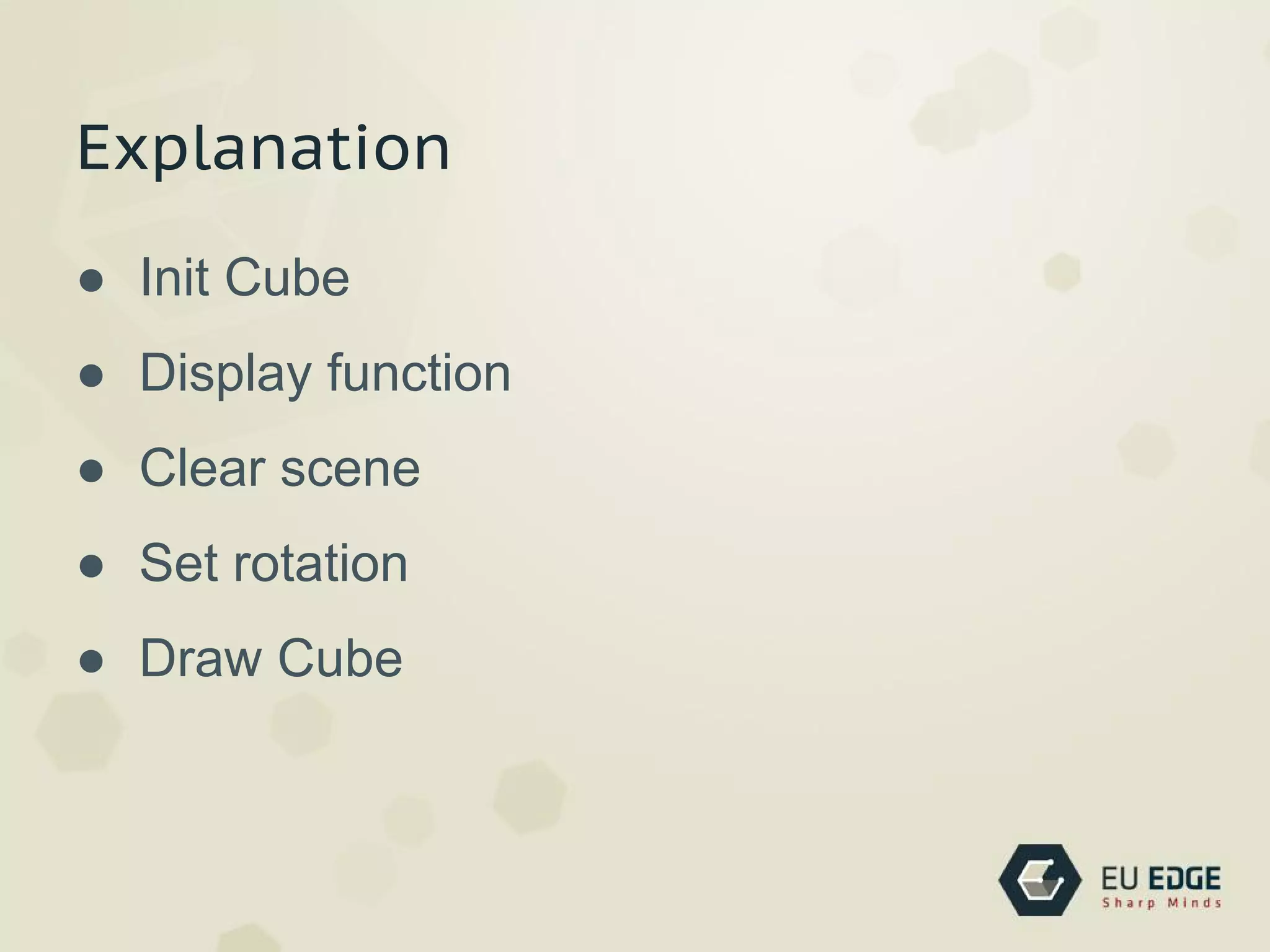
Explanation
● Init Cube
● Display function
● Clear scene
● Set rotation
● Draw Cube
int main(int argc, char *argv[])
{
..
//
glMatrixMode(GL_PROJECTION);
gluPerspective(45, //view angle
1.0, //aspect ratio
10.0, //near clip
200.0);//far clip
glMatrixMode(GL_MODELVIEW);
// enabe face culling function
glEnable(GL_CULL_FACE);
initCube();
glutMainLoop();
..
}
void display()
{
...
glClear(GL_COLOR_BUFFER_BIT | GL_DEPTH_BUFFER_BIT);
glPushMatrix();
glTranslatef(0, 0, -50);
glRotatef(rotateBy, 1, 1, 0); //rotate by rotateBy degrees about the vector
(1,1,0)
...
glBegin(GL_QUADS);
for (b=0; b<4; b++)
{
currentVer = cube.quad[a].ver[b];
glColor3fv(cube.ver[ currentVer ].col);
glVertex3fv(cube.ver[ currentVer ].pos);
}
glEnd();
...
}
#3 Textured Cube
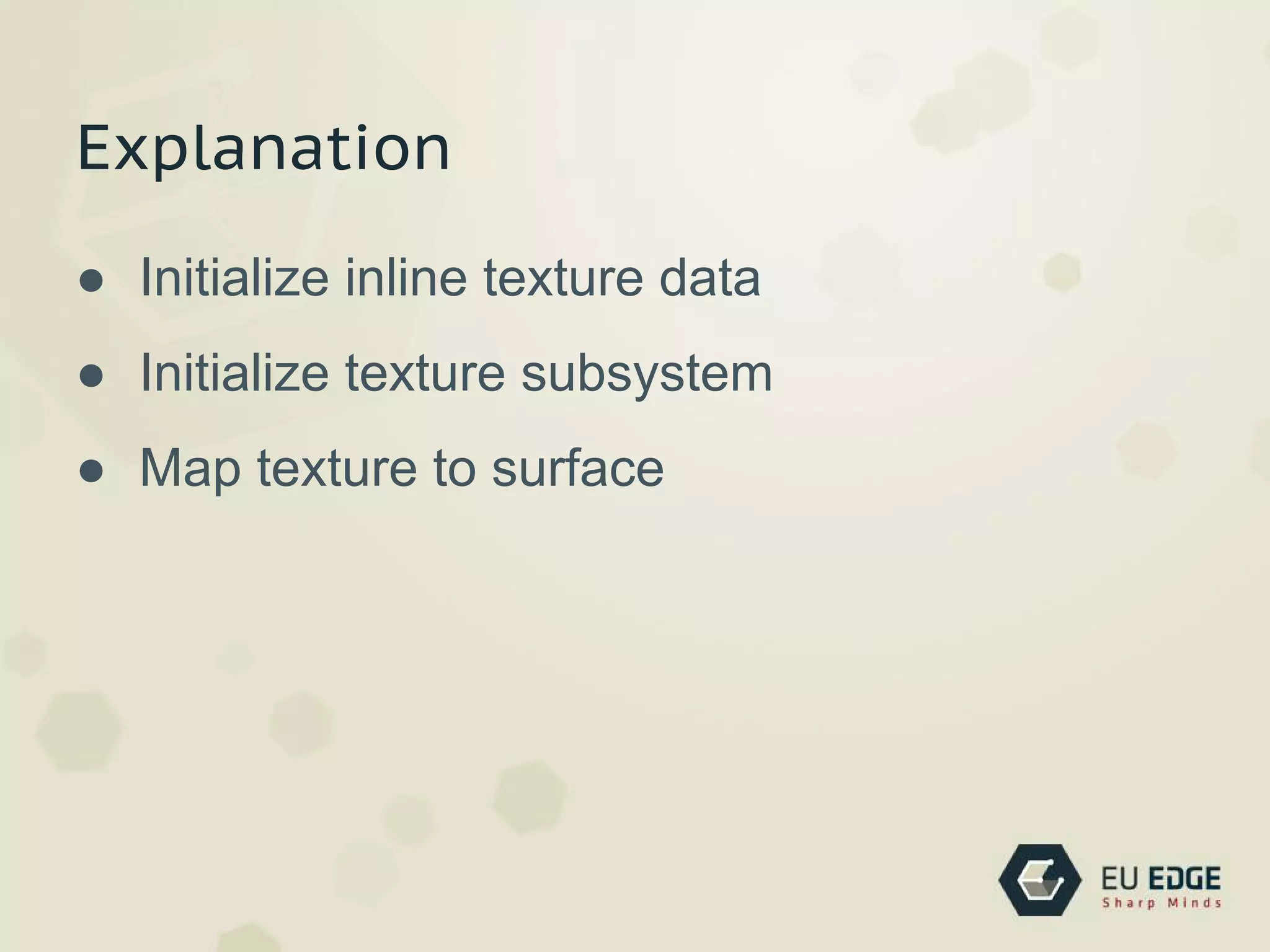
Explanation
● Initialize inline texture data
● Initialize texture subsystem
● Map texture to surface
const float texCoords[4][2]=
{
{0.0, 0.0},
{0.0, 1.0},
{1.0, 1.0},
{1.0, 0.0}
};
UV coordinates
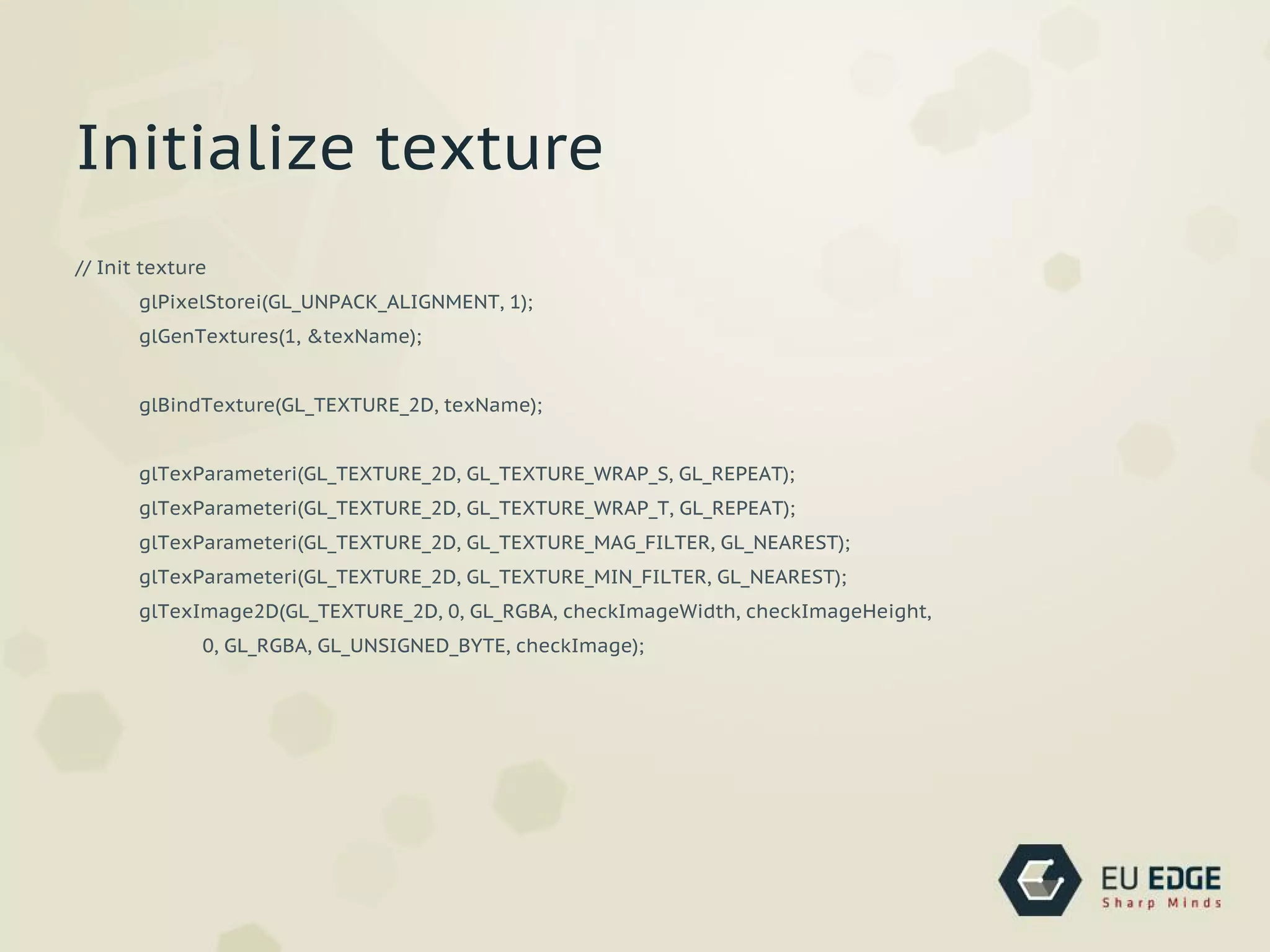
// Init texture
glPixelStorei(GL_UNPACK_ALIGNMENT, 1);
glGenTextures(1, &texName);
glBindTexture(GL_TEXTURE_2D, texName);
glTexParameteri(GL_TEXTURE_2D, GL_TEXTURE_WRAP_S, GL_REPEAT);
glTexParameteri(GL_TEXTURE_2D, GL_TEXTURE_WRAP_T, GL_REPEAT);
glTexParameteri(GL_TEXTURE_2D, GL_TEXTURE_MAG_FILTER, GL_NEAREST);
glTexParameteri(GL_TEXTURE_2D, GL_TEXTURE_MIN_FILTER, GL_NEAREST);
glTexImage2D(GL_TEXTURE_2D, 0, GL_RGBA, checkImageWidth, checkImageHeight,
0, GL_RGBA, GL_UNSIGNED_BYTE, checkImage);
Initialize texture
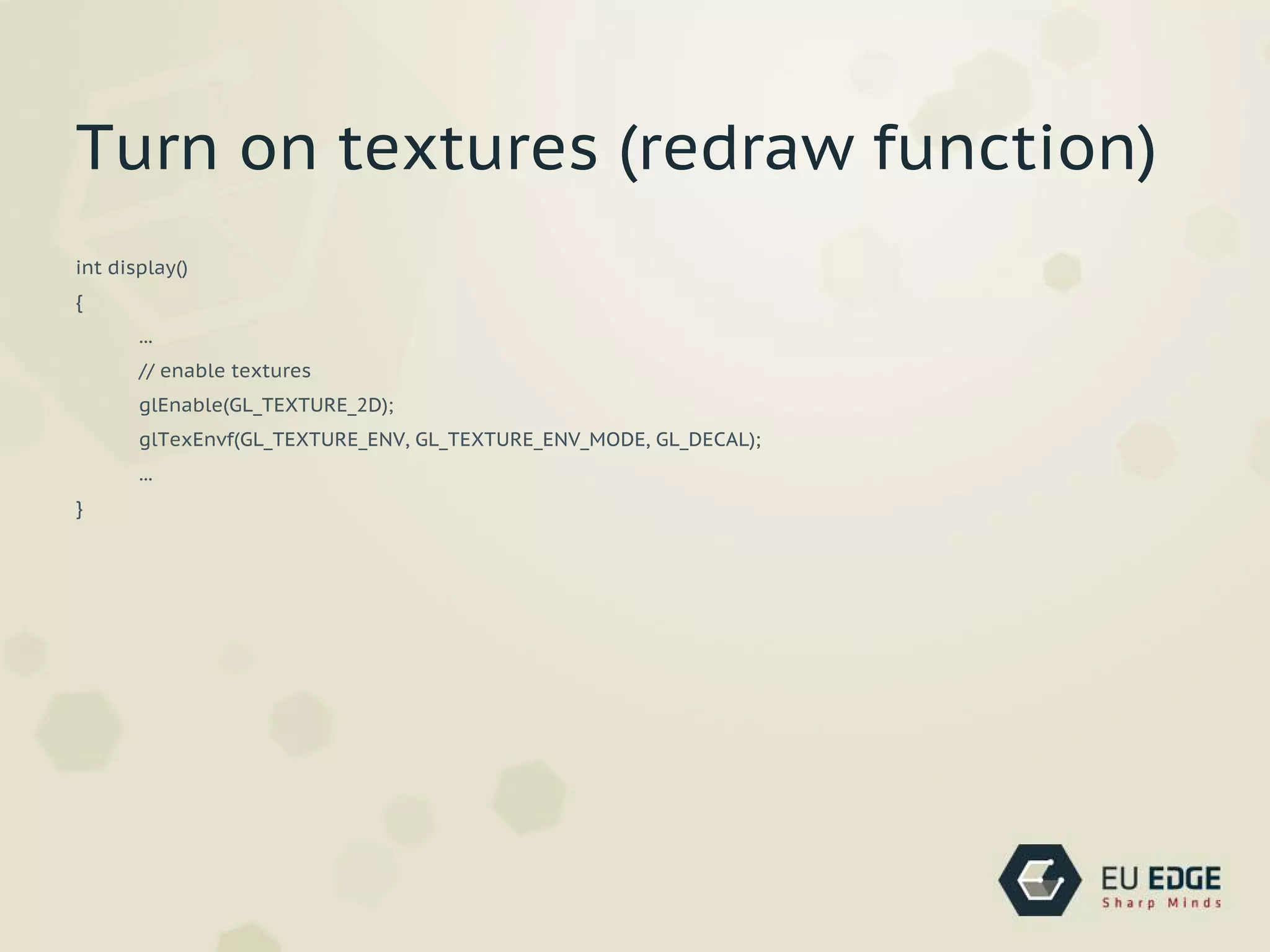
int display()
{
...
// enable textures
glEnable(GL_TEXTURE_2D);
glTexEnvf(GL_TEXTURE_ENV, GL_TEXTURE_ENV_MODE, GL_DECAL);
...
}
Turn on textures (redraw function)
int display()
{
...
// draw cube
for (a=0; a<6; a++) //quads loop
{
glBegin(GL_QUADS);
for (b=0; b<4; b++) //points loop
{
currentVer = cube.quad[a].ver[b]; //sets the current vertex to
this point's vertex
// glColor3fv(cube.ver[ currentVer ].col); //changes the colour to the
current vertex's colour
glTexCoord2fv(texCoords[b]);
glVertex3fv(cube.ver[ currentVer ].pos); //draws a vertex at the current
vertex's position
}
glEnd();
}
...
}
Lights
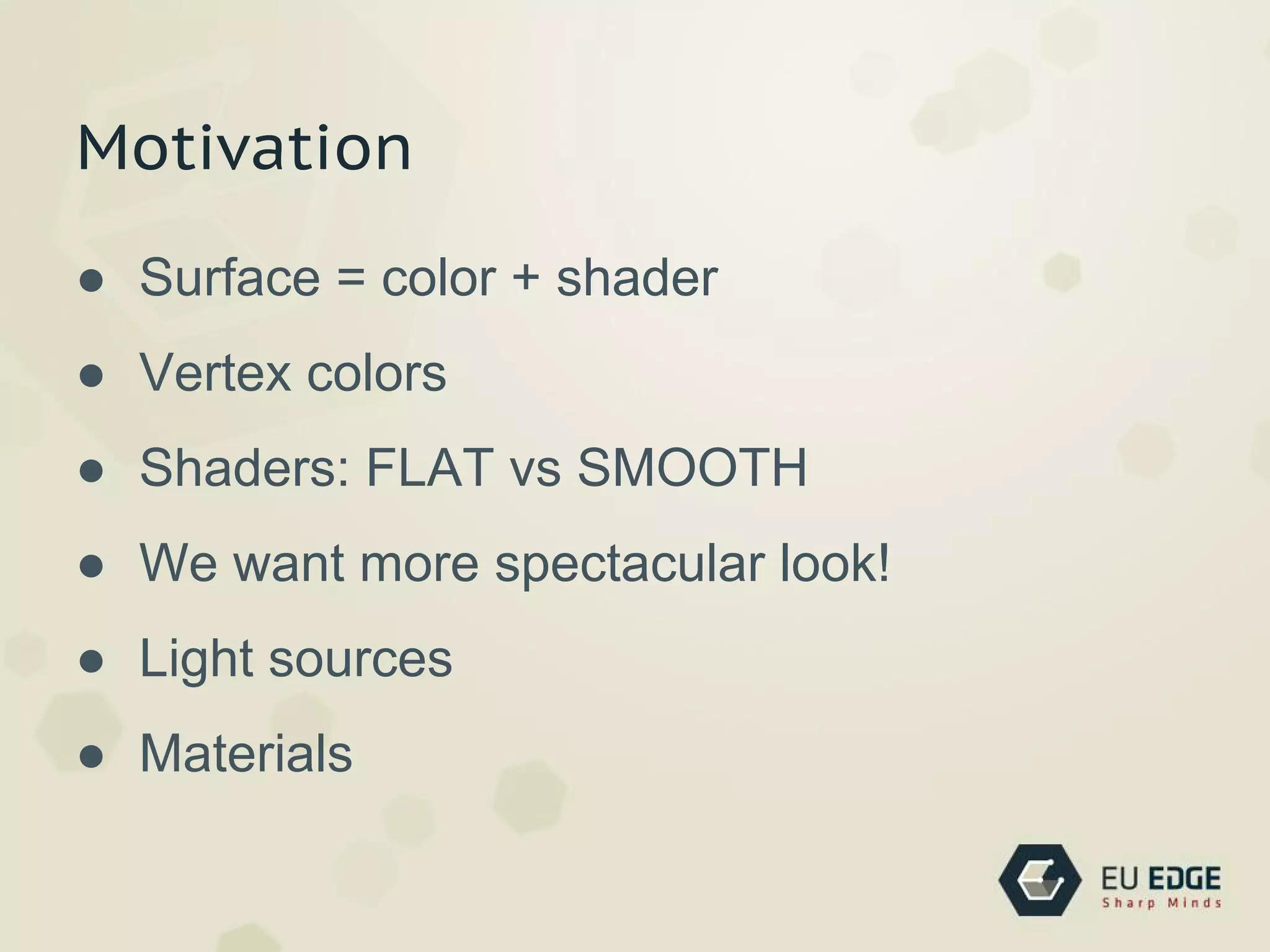
Motivation
● Surface = color + shader
● Vertex colors
● Shaders: FLAT vs SMOOTH
● We want more spectacular look!
● Light sources
● Materials
Lights
● Pixel colors are calculated from components
below
● Ambient
● Diffuse (‘soft’ lighting)
● Specular (‘hard’ lighting)
● Emission
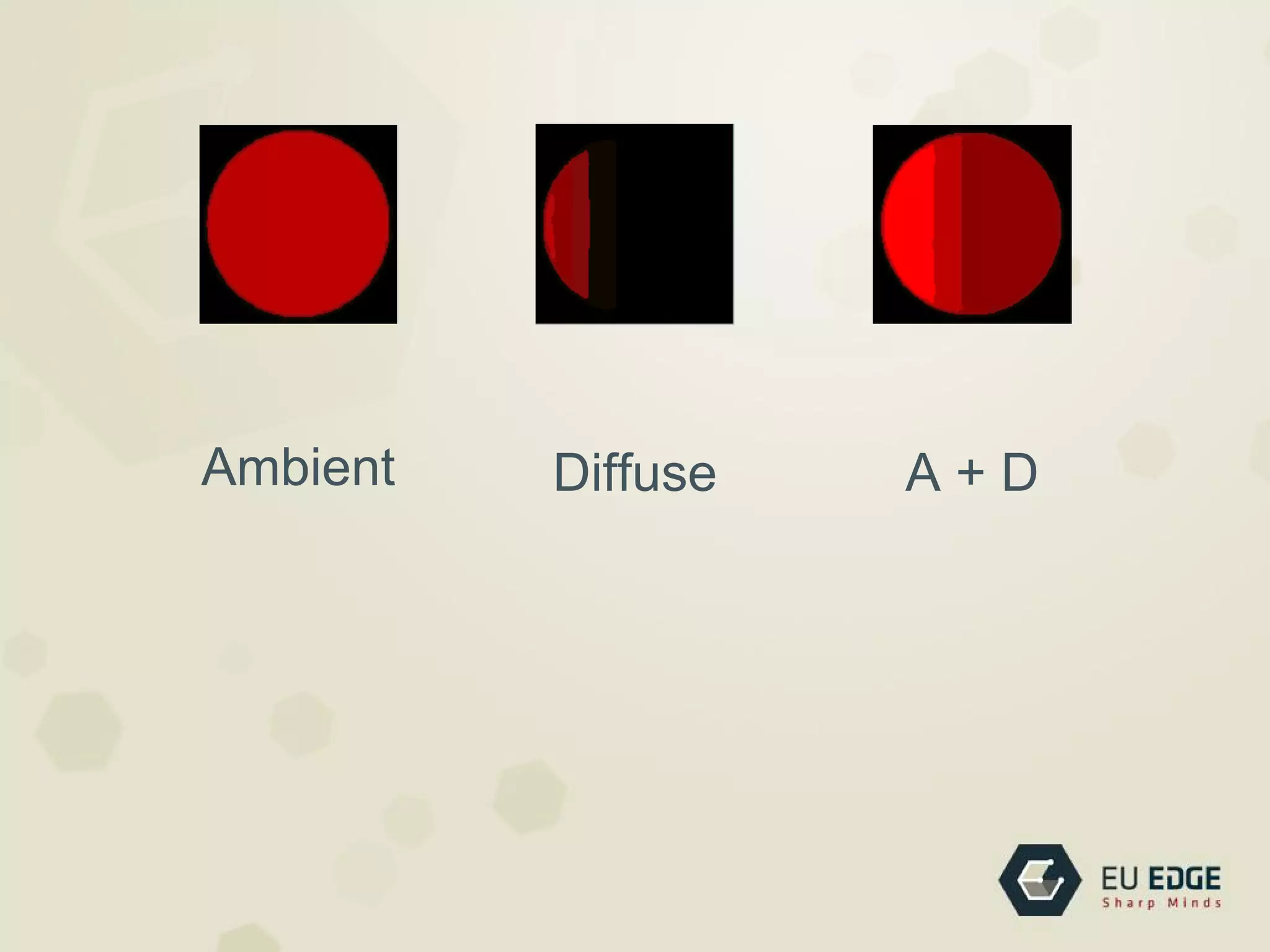
Ambient Diffuse A + D
Shading Languages
Shading Languages
● Greater flexibility at vertex and fragment
level
● OpenGL ARB
● OpenGL GLSL, DirectX HLSL, nVidia Cg, ...
Lights
● Pixel colors are calculated from components
below
● Ambient
● Diffuse (‘soft’ lighting)
● Specular (‘hard’ lighting)
● Emission
Vertex Shader
● Executed when glVertex() / glDrawArrays()
called
● vertex, normal transformations
● normalization, rescaling
● lighting, texcoord generation / transformation
Fragment Shader
● Operates on every fragments
● Texture access
● Fog
Data Types
● vec2, vec3, vec4
● ivec2, ivec3, ivec4
● bvec2, bvec3, bvec4
● mat2, mat3, mat4
Input
● Attributes - vertex level, read-only (vertex
pos)
● Uniforms - invariant during rendering (light
pos, color)
● Varying - used to pass data from vertex
shader to
● fragment shader
Built-in Types
● Attributes
○ gl_Vertex
○ gl_Normal
○ gl_Color
○ gl_MultiTexCoordX
Built-in Types
● Uniforms
○ gl_ModelViewMatrix
○ gl_ModelViewProjectionMatrix
○ gl_NormalMatrix
Built-in Types
● Varying
○ gl_FrontColor
○ gl_BackColor
○ gl_TexCoord
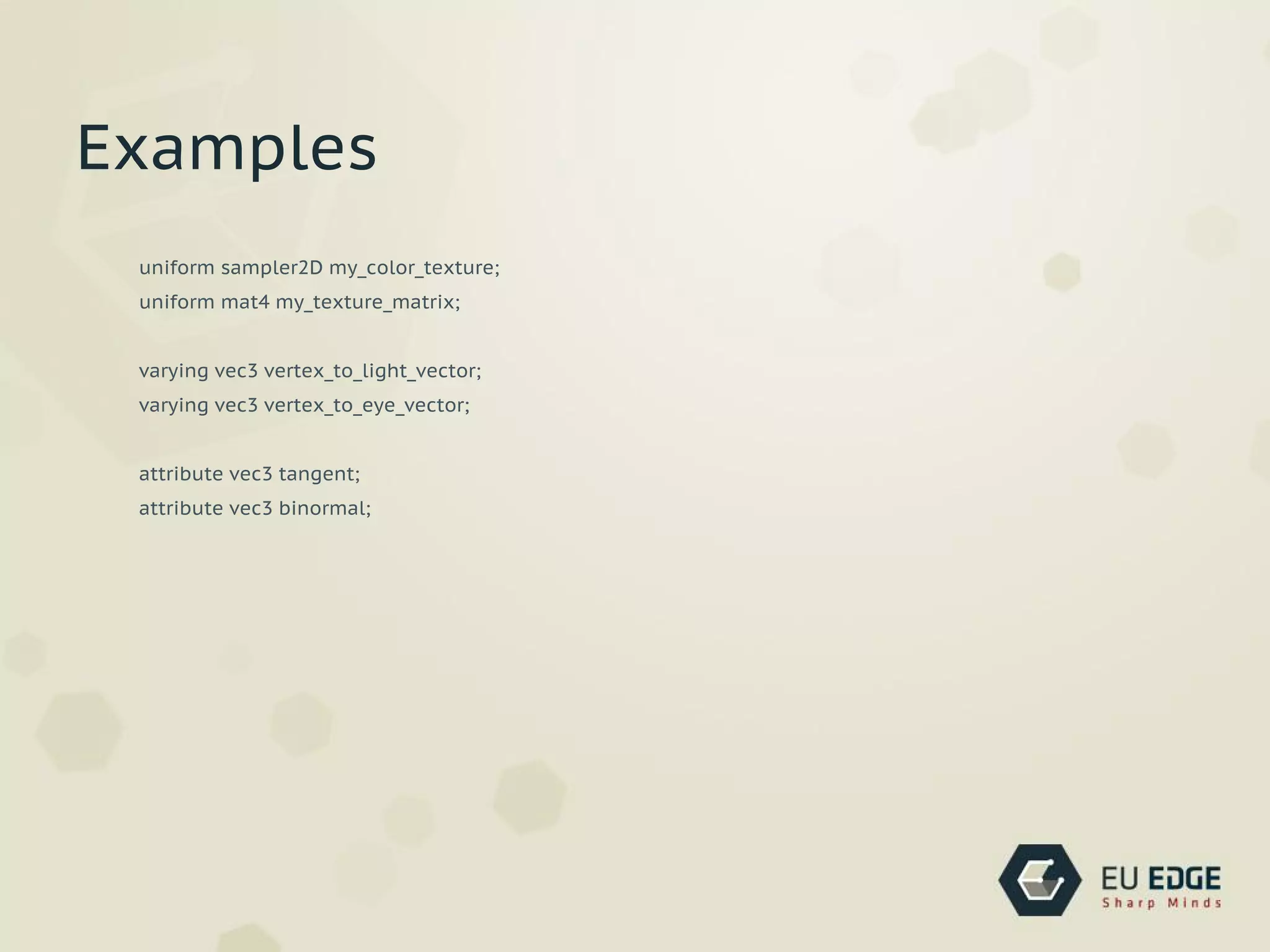
uniform sampler2D my_color_texture;
uniform mat4 my_texture_matrix;
varying vec3 vertex_to_light_vector;
varying vec3 vertex_to_eye_vector;
attribute vec3 tangent;
attribute vec3 binormal;
Examples
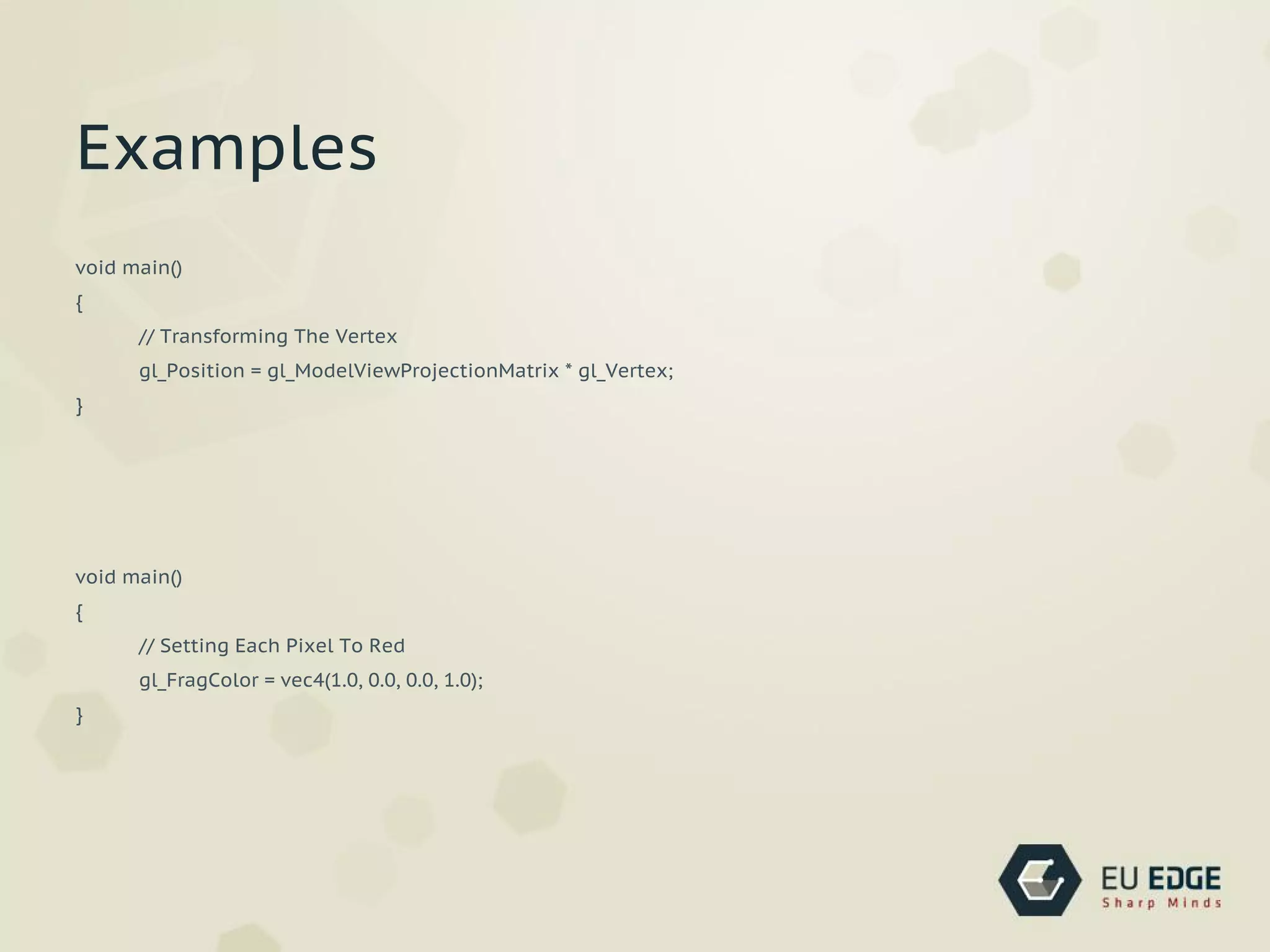
void main()
{
// Transforming The Vertex
gl_Position = gl_ModelViewProjectionMatrix * gl_Vertex;
}
void main()
{
// Setting Each Pixel To Red
gl_FragColor = vec4(1.0, 0.0, 0.0, 1.0);
}
Examples
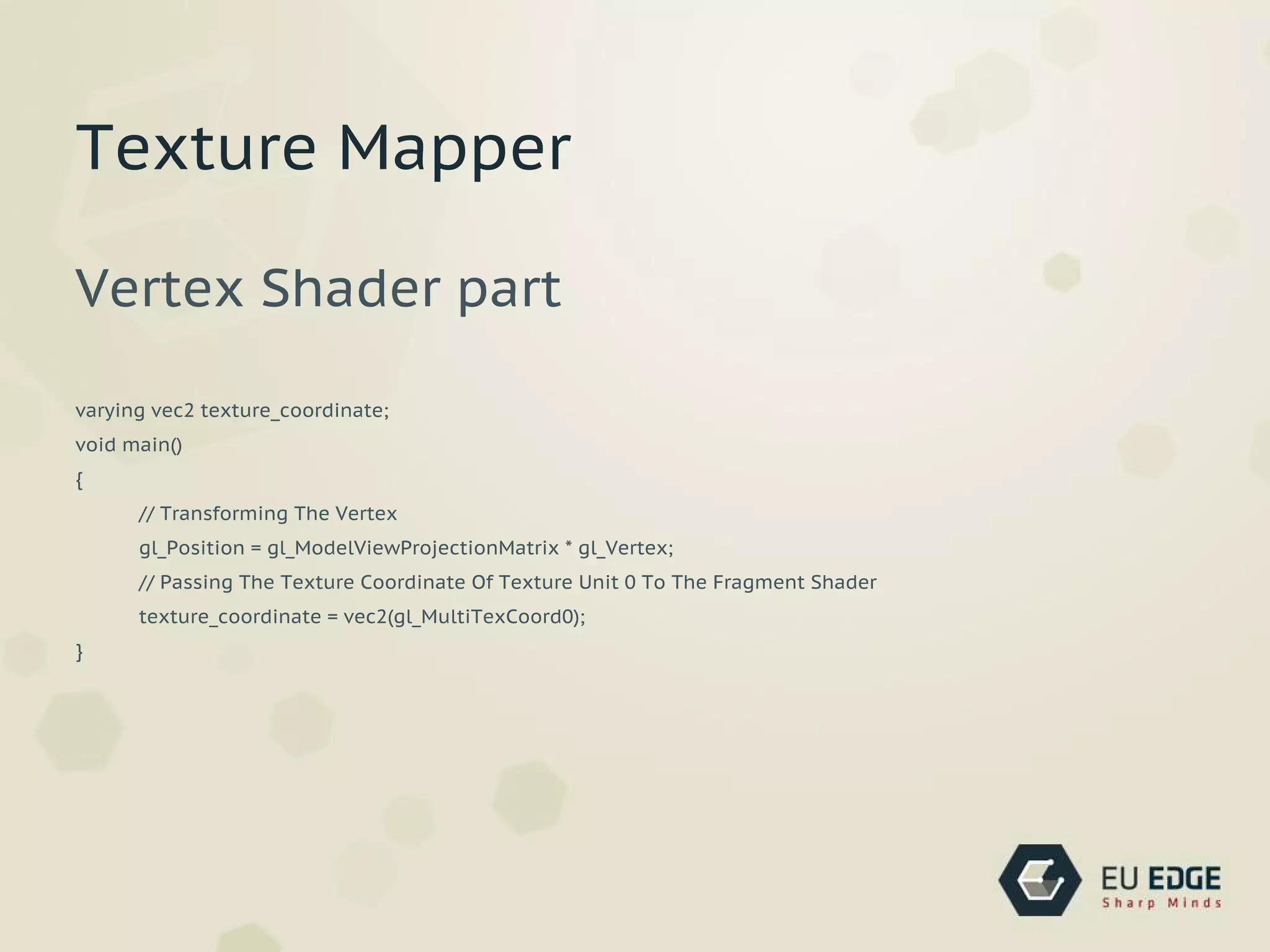
Vertex Shader part
varying vec2 texture_coordinate;
void main()
{
// Transforming The Vertex
gl_Position = gl_ModelViewProjectionMatrix * gl_Vertex;
// Passing The Texture Coordinate Of Texture Unit 0 To The Fragment Shader
texture_coordinate = vec2(gl_MultiTexCoord0);
}
Texture Mapper
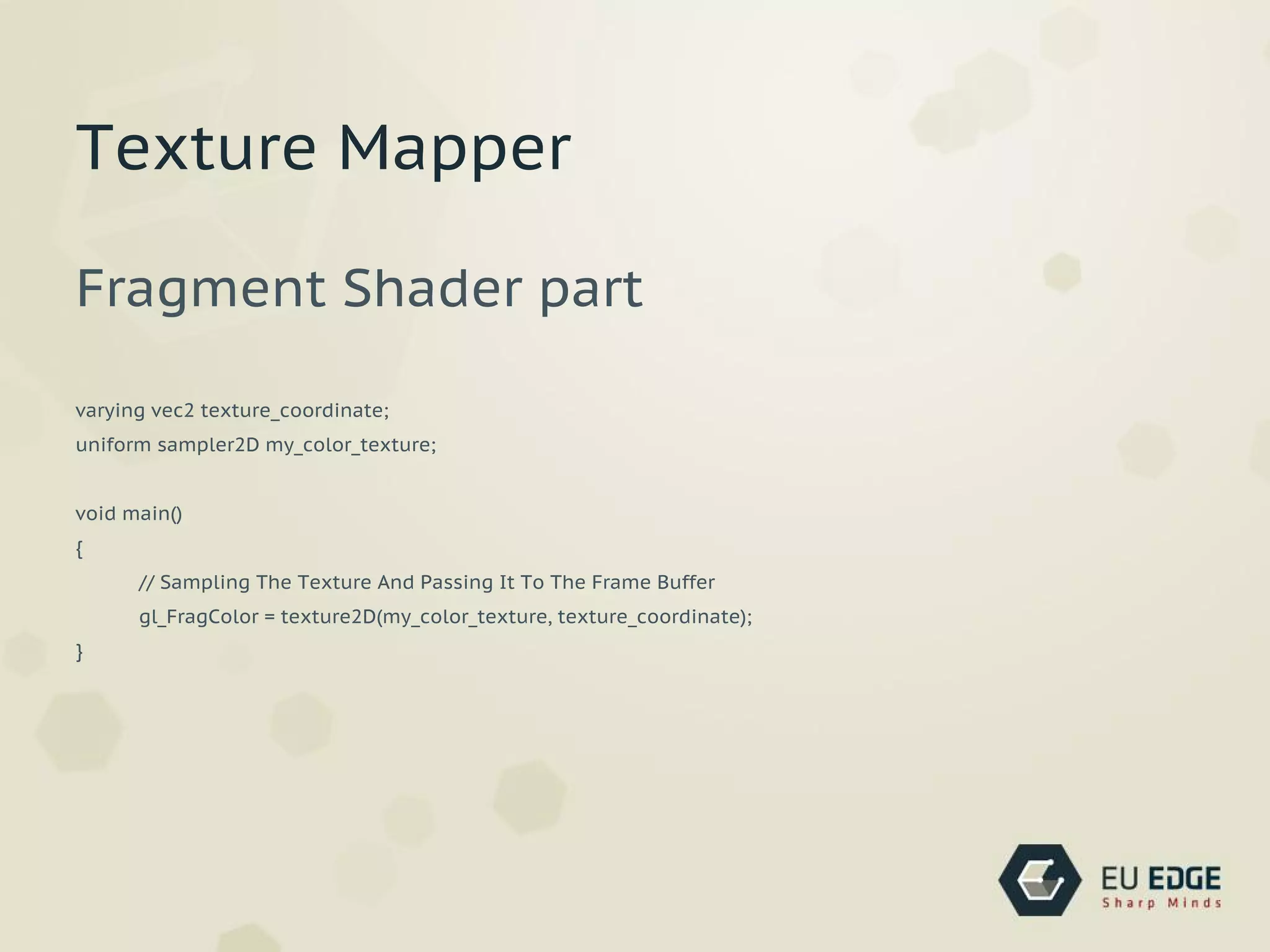
Fragment Shader part
varying vec2 texture_coordinate;
uniform sampler2D my_color_texture;
void main()
{
// Sampling The Texture And Passing It To The Frame Buffer
gl_FragColor = texture2D(my_color_texture, texture_coordinate);
}
Texture Mapper

Open gl

  • 1.
  • 2.
    What is OpenGL? ●Standard specification of cross-platform API ● 2D and 3D graphics ● Draw complex 3D scenes built up from primitives ● 1992, SGI
  • 3.
    What is OpenGL? ●Low-level procedural API (think LOGO) ● “Dictate the exact steps” (vs Scene Graph) ● OpenGL pipeline
  • 4.
    OpenGL ES ● Designedfor embedded systems ● Fixed-point data types ● No glBegin()...glEnd() frames for primitives ● Use vertex arrays instead ● Chosen for WebGL
  • 5.
    History ● Early 1990s- IRIS GL (SGI), PHIGS (DEC, IBM, Sun) ● 1992 OpenGL Standard Spec ● standardize hardware access ● 1995 Microsoft DirectX ● 2006 Khronos Group controls OpenGL spec
  • 6.
    Versions ● 1992 1.0first version ● 1997 1.1 support textures on GPU ● 2004 2.0 GLSL, ARB ● 2008 3.0 (answer to DirectX 10) ● 2010 4.0 ● 2011 4.2
  • 7.
  • 8.
  • 9.
    ● Command evaluations ○vertices and attributes ● Per-vertex operations ● Rasterization ○ vertex -> fragment ● Framebuffer operations
  • 10.
  • 11.
    Lots of thingswe skip now ● Lighting and Materials ● Textures ● Shading Language ● Clipping, Culling, and Visibility Testing ● etc.
  • 12.
  • 13.
  • 14.
    #include <GL/gl.h> #include <GL/glut.h> #include<GL/glu.h> int main(int argc, char *argv[]) { glutInit(&argc, argv); glutInitDisplayMode(GLUT_RGB | GLUT_DEPTH | GLUT_DOUBLE); glutInitWindowSize(800,600); glutCreateWindow("Hello World"); glutDisplayFunc(display); glutMainLoop(); return 0; }
  • 15.
  • 16.
    Includes on Linux #include<GL/gl.h> #include <GL/glut.h> #include <GL/glu.h> Includes on OS X #include <OpenGL/gl.h> #include <OpenGL/glu.h> #include <GLUT/glut.h>
  • 17.
    Libraries ● OpenGL -basic functionality ● GLU - GL Utility ● GLUT - GL Utility Toolkit
  • 18.
    OpenGL Utility Library ●Texture mipmaps from base images ● Map coordinates between screen and object space ● Draw quadric surfaces and NURBS
  • 19.
  • 20.
    OpenGL Utility Toolkit ●Cross-platform tool ● Windowing & input API ● Best for learning OpenGL ● Not open-source
  • 21.
    glutInit(&argc, argv); glutInitDisplayMode(GLUT_RGB |GLUT_DEPTH | GLUT_DOUBLE); glutInitWindowSize(800,600); glutCreateWindow("Hello World"); glutDisplayFunc(display); glutMainLoop(); return 0;
  • 22.
  • 23.
    Explanation ● Init Cube ●Display function ● Clear scene ● Set rotation ● Draw Cube
  • 24.
    int main(int argc,char *argv[]) { .. // glMatrixMode(GL_PROJECTION); gluPerspective(45, //view angle 1.0, //aspect ratio 10.0, //near clip 200.0);//far clip glMatrixMode(GL_MODELVIEW); // enabe face culling function glEnable(GL_CULL_FACE); initCube(); glutMainLoop(); .. }
  • 25.
    void display() { ... glClear(GL_COLOR_BUFFER_BIT |GL_DEPTH_BUFFER_BIT); glPushMatrix(); glTranslatef(0, 0, -50); glRotatef(rotateBy, 1, 1, 0); //rotate by rotateBy degrees about the vector (1,1,0) ... glBegin(GL_QUADS); for (b=0; b<4; b++) { currentVer = cube.quad[a].ver[b]; glColor3fv(cube.ver[ currentVer ].col); glVertex3fv(cube.ver[ currentVer ].pos); } glEnd(); ... }
  • 26.
  • 27.
    Explanation ● Initialize inlinetexture data ● Initialize texture subsystem ● Map texture to surface
  • 28.
    const float texCoords[4][2]= { {0.0,0.0}, {0.0, 1.0}, {1.0, 1.0}, {1.0, 0.0} }; UV coordinates
  • 29.
    // Init texture glPixelStorei(GL_UNPACK_ALIGNMENT,1); glGenTextures(1, &texName); glBindTexture(GL_TEXTURE_2D, texName); glTexParameteri(GL_TEXTURE_2D, GL_TEXTURE_WRAP_S, GL_REPEAT); glTexParameteri(GL_TEXTURE_2D, GL_TEXTURE_WRAP_T, GL_REPEAT); glTexParameteri(GL_TEXTURE_2D, GL_TEXTURE_MAG_FILTER, GL_NEAREST); glTexParameteri(GL_TEXTURE_2D, GL_TEXTURE_MIN_FILTER, GL_NEAREST); glTexImage2D(GL_TEXTURE_2D, 0, GL_RGBA, checkImageWidth, checkImageHeight, 0, GL_RGBA, GL_UNSIGNED_BYTE, checkImage); Initialize texture
  • 30.
    int display() { ... // enabletextures glEnable(GL_TEXTURE_2D); glTexEnvf(GL_TEXTURE_ENV, GL_TEXTURE_ENV_MODE, GL_DECAL); ... } Turn on textures (redraw function)
  • 31.
    int display() { ... // drawcube for (a=0; a<6; a++) //quads loop { glBegin(GL_QUADS); for (b=0; b<4; b++) //points loop { currentVer = cube.quad[a].ver[b]; //sets the current vertex to this point's vertex // glColor3fv(cube.ver[ currentVer ].col); //changes the colour to the current vertex's colour glTexCoord2fv(texCoords[b]); glVertex3fv(cube.ver[ currentVer ].pos); //draws a vertex at the current vertex's position } glEnd(); } ... }
  • 32.
  • 33.
    Motivation ● Surface =color + shader ● Vertex colors ● Shaders: FLAT vs SMOOTH ● We want more spectacular look! ● Light sources ● Materials
  • 34.
    Lights ● Pixel colorsare calculated from components below ● Ambient ● Diffuse (‘soft’ lighting) ● Specular (‘hard’ lighting) ● Emission
  • 35.
  • 37.
  • 38.
    Shading Languages ● Greaterflexibility at vertex and fragment level ● OpenGL ARB ● OpenGL GLSL, DirectX HLSL, nVidia Cg, ...
  • 39.
    Lights ● Pixel colorsare calculated from components below ● Ambient ● Diffuse (‘soft’ lighting) ● Specular (‘hard’ lighting) ● Emission
  • 40.
    Vertex Shader ● Executedwhen glVertex() / glDrawArrays() called ● vertex, normal transformations ● normalization, rescaling ● lighting, texcoord generation / transformation
  • 41.
    Fragment Shader ● Operateson every fragments ● Texture access ● Fog
  • 42.
    Data Types ● vec2,vec3, vec4 ● ivec2, ivec3, ivec4 ● bvec2, bvec3, bvec4 ● mat2, mat3, mat4
  • 43.
    Input ● Attributes -vertex level, read-only (vertex pos) ● Uniforms - invariant during rendering (light pos, color) ● Varying - used to pass data from vertex shader to ● fragment shader
  • 44.
    Built-in Types ● Attributes ○gl_Vertex ○ gl_Normal ○ gl_Color ○ gl_MultiTexCoordX
  • 45.
    Built-in Types ● Uniforms ○gl_ModelViewMatrix ○ gl_ModelViewProjectionMatrix ○ gl_NormalMatrix
  • 46.
    Built-in Types ● Varying ○gl_FrontColor ○ gl_BackColor ○ gl_TexCoord
  • 47.
    uniform sampler2D my_color_texture; uniformmat4 my_texture_matrix; varying vec3 vertex_to_light_vector; varying vec3 vertex_to_eye_vector; attribute vec3 tangent; attribute vec3 binormal; Examples
  • 48.
    void main() { // TransformingThe Vertex gl_Position = gl_ModelViewProjectionMatrix * gl_Vertex; } void main() { // Setting Each Pixel To Red gl_FragColor = vec4(1.0, 0.0, 0.0, 1.0); } Examples
  • 49.
    Vertex Shader part varyingvec2 texture_coordinate; void main() { // Transforming The Vertex gl_Position = gl_ModelViewProjectionMatrix * gl_Vertex; // Passing The Texture Coordinate Of Texture Unit 0 To The Fragment Shader texture_coordinate = vec2(gl_MultiTexCoord0); } Texture Mapper
  • 50.
    Fragment Shader part varyingvec2 texture_coordinate; uniform sampler2D my_color_texture; void main() { // Sampling The Texture And Passing It To The Frame Buffer gl_FragColor = texture2D(my_color_texture, texture_coordinate); } Texture Mapper