OR
So we have a Pcap, now what?
By: GTKlondike
Oh hey, that guy…
I Am…
 Local hacker/independent security researcher
 Several years of experience in network infrastructure
and security consulting as well as systems
administration (Routing, Switching, Firewalls, Servers)
 Passionate about networking
 I’m friendly, just come up and say hi
Contact Info:
 Email: gtklondike@gmail.com
 Blog: gtknetrunner.blogspot.com
I Am Here Because…
 Not enough easily accessible “advanced” material
when it comes to packet analysis and network
forensics
 Goal: To bridge the gap between basic understanding
and real world usage
* Disclaimer: I am not an expert, I’m just really
passionate about networks
This is For…
 Incident response teams
 Network defenders
 Malware analysts
 Law enforcement
 Network engineers
 Technology lawyers
 Infosec managers
 Security researchers
What should you know already?
 Assumed basic knowledge of:
 Protocol analyzers (Wireshark/TCPdump)
 OSI and TCP/IP model
 Major protocols (I.e.
DNS, HTTP(s), TCP, UDP, DHCP, ARP, IP, etc.)
Tools I Will Be Using
 Wireshark
 Network Miner
 Hex editor
 SiLK
 Scalpel
 GeoIP DB
(http://dev.maxmind.com/geoip/legacy/geolite/)
What Is Network Forensics?
 Network forensics is the capture, recording, and
analysis of network events in order to discover the
source of security attacks or other problem incidents.
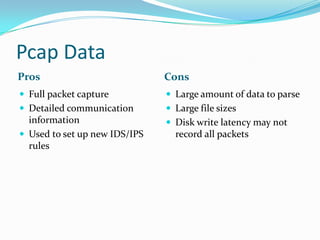
Pcap Data
Pros Cons
 Full packet capture
 Detailed communication
information
 Used to set up new IDS/IPS
rules
 Large amount of data to parse
 Large file sizes
 Disk write latency may not
record all packets
Flow Data
Pros Cons
 Easy to implement
 Easy to identify the
important things at a high
level
 Baselining
 Visualization
 Up to 10,000:1 ratio from the
packet size
 Different analysis suites and
Flow types
 Mostly command line tools
 Only “who’s talking to
whom”, not the details of the
conversation
Network Forensics Process
 Know your Triggering Events
 Have a Goal
 Packet Capture Analysis
 Pattern Matching
 List Conversations
 Export
 File/Data Carving
Triggering Events
Examples of Triggering Events:
 IDS alert
 Noticeable anomaly (I.e. DoS or virus activity)
 Log anomalies
 Deviations from network baselines
 Known malicious/compromised system
(I.e. Known C&C servers or from out of country)
 Time frame
 Traffic signature
 etc.
Have A Goal
 Always have a goal for analysis, there could be many
needles in the haystack and not having a goal could
prolong a particular investigation
 Prioritize your goals
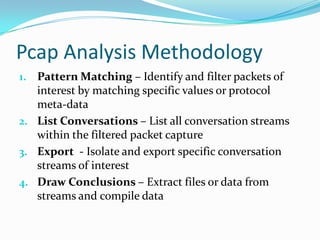
Pcap Analysis Methodology
1. Pattern Matching – Identify and filter packets of
interest by matching specific values or protocol
meta-data
2. List Conversations – List all conversation streams
within the filtered packet capture
3. Export - Isolate and export specific conversation
streams of interest
4. Draw Conclusions – Extract files or data from
streams and compile data
Yeah….
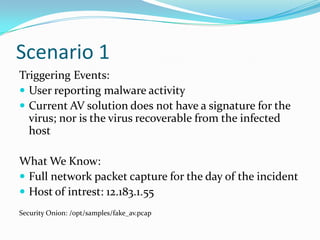
Scenario 1
Triggering Events:
 User reporting malware activity
 Current AV solution does not have a signature for the
virus; nor is the virus recoverable from the infected
host
What We Know:
 Full network packet capture for the day of the incident
 Host of intrest: 12.183.1.55
Security Onion: /opt/samples/fake_av.pcap
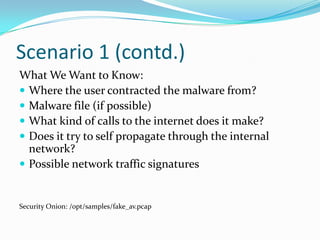
Scenario 1 (contd.)
What We Want to Know:
 Where the user contracted the malware from?
 Malware file (if possible)
 What kind of calls to the internet does it make?
 Does it try to self propagate through the internal
network?
 Possible network traffic signatures
Security Onion: /opt/samples/fake_av.pcap
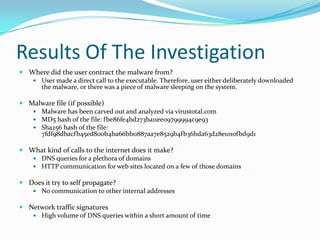
Results Of The Investigation
 Where did the user contract the malware from?
 User made a direct call to the executable. Therefore, user either deliberately downloaded
the malware, or there was a piece of malware sleeping on the system.
 Malware file (if possible)
 Malware has been carved out and analyzed via virustotal.com
 MD5 hash of the file: fbe86fe4bd273ba11ee09799994c9e93
 Sha256 hash of the file:
7fdf98dbacfb45ed800b4ba66bb0887aa7e8529b4fb36bda63d28e1010fbd9d1
 What kind of calls to the internet does it make?
 DNS queries for a plethora of domains
 HTTP communication for web sites located on a few of those domains
 Does it try to self propagate?
 No communication to other internal addresses
 Network traffic signatures
 High volume of DNS queries within a short amount of time
Scenario 2
Triggering Events:
 A denial of service (DoS) attack has been reported
against FTP server 192.168.56.1
 FTP traffic spikes were seen prior to the FTP server
being taken offline
What We Know:
 Captured traffic data that is narrowed down between
an attacking host (192.168.56.101) and the FTP server
(192.168.56.1)
Scenario 2 (contd.)
What We Want to Know:
 What happened?
 What caused the spike in FTP traffic
 What events took place prior to the FTP server being
taken offline?
(I.e. Were any files transferred to/from the FTP server or
were any user accounts compromised)
Results Of The Investigation
 Attacker first initiated a ARP scan of the subnet 192.168.56.0/24
 The following hosts were discovered: 192.168.56.1 and 192.168.56.100
 Attacker then began a port scan of host 192.168.56.1
 The following ports were found open:
21, 445, 139, 135, 49152, 49153, 49154, 49155, 49156
 Attacker followed up with an FTP brute force attack against FTP server
 User anon credentials were compromised
 Attacker successfully logged in as user anon with stolen credentials
 File "Whywecanthavenicecat.png" was downloaded
 MD5 sum of the file: 12039fd05bc2fcd3902247124edcea06
Just goin with the flow…
Network Flow
 A record of source and destination traffic
information, without the conversation details
 Source IP
 Destination IP
 Source Port
 Destination Port
 Protocol
 Start, end, and duration of the conversation *
 Number of bytes
 Number of Packets
 Directionality *
* format dependent
Flow Use In Security
 Identify and track compromised hosts
 Identify potential data leaks to unauthorized networks
(Exfiltration)
 Network/Host Traffic Patterns (Baselining)
Devices
 Sensor – Monitor flows and sends information back
to Collectors
 Collector – Collect flows from some or all sensors
 Analyzer – Perform analysis on collected Flow data
Flow Formats
 Netflow V5 – Uses UDP to send information from
Sensor to Collector; very common and widely adopted.
Does not work with IPv6.
 Netflow V9 – Uses TCP, UDP, or SCTP (Stream
Control Transmission Protocol) to send information
from Sensor to Collector; also very common. Includes
many improvements over Netflow V5.
Flow Formats (contd.)
 IPFIX (IP Flow Information Export) – Built off of
Netflow V9; uses TCP, UDP, or SCTP to send
information from Sensor to Collector.
 Sflow – Flows based off of samples.
Flow Analysis Methodology
 Filtering – Filter down flows to relevant targets
 Baselining – Compare flow record traffic to network
baselines
 Pattern Matching – Monitor fingerprints in traffic
flows
 Unidirectional traffic volumes
 Complex deviations from normal traffic
Additional Information (Pcap Files)
 http://www.netresec.com/?page=PcapFiles
 http://forensicscontest.com/puzzles
 http://www.honeynet.org/node/504
 https://www.evilfingers.com/repository/pcaps.php
 http://code.google.com/p/security-onion/wiki/Pcaps
Further Reading
 Practical Packet Analysis: Using Wireshark to Solve Real-
World Network Problems
 By: Chris Sanders
 Network Forensics: Tracking Hackers Through Cyberspace
 By: Sherri Davidoff, Jonathan Ham
 Guide to Integrating Forensic Techniques into Incident
Response
 http://csrc.nist.gov/publications/nistpubs/800-86/SP800-
86.pdf
 SiLK Analysis Handbook
 https://tools.netsa.cert.org/silk/analysis-handbook.pdf
 File Signatures
 http://www.garykessler.net/library/file_sigs.html

Open source network forensics and advanced pcap analysis

  • 1.
    OR So we havea Pcap, now what? By: GTKlondike
  • 2.
  • 3.
    I Am…  Localhacker/independent security researcher  Several years of experience in network infrastructure and security consulting as well as systems administration (Routing, Switching, Firewalls, Servers)  Passionate about networking  I’m friendly, just come up and say hi Contact Info:  Email: gtklondike@gmail.com  Blog: gtknetrunner.blogspot.com
  • 4.
    I Am HereBecause…  Not enough easily accessible “advanced” material when it comes to packet analysis and network forensics  Goal: To bridge the gap between basic understanding and real world usage * Disclaimer: I am not an expert, I’m just really passionate about networks
  • 5.
    This is For… Incident response teams  Network defenders  Malware analysts  Law enforcement  Network engineers  Technology lawyers  Infosec managers  Security researchers
  • 7.
    What should youknow already?  Assumed basic knowledge of:  Protocol analyzers (Wireshark/TCPdump)  OSI and TCP/IP model  Major protocols (I.e. DNS, HTTP(s), TCP, UDP, DHCP, ARP, IP, etc.)
  • 8.
    Tools I WillBe Using  Wireshark  Network Miner  Hex editor  SiLK  Scalpel  GeoIP DB (http://dev.maxmind.com/geoip/legacy/geolite/)
  • 9.
    What Is NetworkForensics?  Network forensics is the capture, recording, and analysis of network events in order to discover the source of security attacks or other problem incidents.
  • 10.
    Pcap Data Pros Cons Full packet capture  Detailed communication information  Used to set up new IDS/IPS rules  Large amount of data to parse  Large file sizes  Disk write latency may not record all packets
  • 11.
    Flow Data Pros Cons Easy to implement  Easy to identify the important things at a high level  Baselining  Visualization  Up to 10,000:1 ratio from the packet size  Different analysis suites and Flow types  Mostly command line tools  Only “who’s talking to whom”, not the details of the conversation
  • 12.
    Network Forensics Process Know your Triggering Events  Have a Goal  Packet Capture Analysis  Pattern Matching  List Conversations  Export  File/Data Carving
  • 13.
    Triggering Events Examples ofTriggering Events:  IDS alert  Noticeable anomaly (I.e. DoS or virus activity)  Log anomalies  Deviations from network baselines  Known malicious/compromised system (I.e. Known C&C servers or from out of country)  Time frame  Traffic signature  etc.
  • 14.
    Have A Goal Always have a goal for analysis, there could be many needles in the haystack and not having a goal could prolong a particular investigation  Prioritize your goals
  • 15.
    Pcap Analysis Methodology 1.Pattern Matching – Identify and filter packets of interest by matching specific values or protocol meta-data 2. List Conversations – List all conversation streams within the filtered packet capture 3. Export - Isolate and export specific conversation streams of interest 4. Draw Conclusions – Extract files or data from streams and compile data
  • 16.
  • 17.
    Scenario 1 Triggering Events: User reporting malware activity  Current AV solution does not have a signature for the virus; nor is the virus recoverable from the infected host What We Know:  Full network packet capture for the day of the incident  Host of intrest: 12.183.1.55 Security Onion: /opt/samples/fake_av.pcap
  • 18.
    Scenario 1 (contd.) WhatWe Want to Know:  Where the user contracted the malware from?  Malware file (if possible)  What kind of calls to the internet does it make?  Does it try to self propagate through the internal network?  Possible network traffic signatures Security Onion: /opt/samples/fake_av.pcap
  • 19.
    Results Of TheInvestigation  Where did the user contract the malware from?  User made a direct call to the executable. Therefore, user either deliberately downloaded the malware, or there was a piece of malware sleeping on the system.  Malware file (if possible)  Malware has been carved out and analyzed via virustotal.com  MD5 hash of the file: fbe86fe4bd273ba11ee09799994c9e93  Sha256 hash of the file: 7fdf98dbacfb45ed800b4ba66bb0887aa7e8529b4fb36bda63d28e1010fbd9d1  What kind of calls to the internet does it make?  DNS queries for a plethora of domains  HTTP communication for web sites located on a few of those domains  Does it try to self propagate?  No communication to other internal addresses  Network traffic signatures  High volume of DNS queries within a short amount of time
  • 20.
    Scenario 2 Triggering Events: A denial of service (DoS) attack has been reported against FTP server 192.168.56.1  FTP traffic spikes were seen prior to the FTP server being taken offline What We Know:  Captured traffic data that is narrowed down between an attacking host (192.168.56.101) and the FTP server (192.168.56.1)
  • 21.
    Scenario 2 (contd.) WhatWe Want to Know:  What happened?  What caused the spike in FTP traffic  What events took place prior to the FTP server being taken offline? (I.e. Were any files transferred to/from the FTP server or were any user accounts compromised)
  • 22.
    Results Of TheInvestigation  Attacker first initiated a ARP scan of the subnet 192.168.56.0/24  The following hosts were discovered: 192.168.56.1 and 192.168.56.100  Attacker then began a port scan of host 192.168.56.1  The following ports were found open: 21, 445, 139, 135, 49152, 49153, 49154, 49155, 49156  Attacker followed up with an FTP brute force attack against FTP server  User anon credentials were compromised  Attacker successfully logged in as user anon with stolen credentials  File "Whywecanthavenicecat.png" was downloaded  MD5 sum of the file: 12039fd05bc2fcd3902247124edcea06
  • 23.
    Just goin withthe flow…
  • 24.
    Network Flow  Arecord of source and destination traffic information, without the conversation details  Source IP  Destination IP  Source Port  Destination Port  Protocol  Start, end, and duration of the conversation *  Number of bytes  Number of Packets  Directionality * * format dependent
  • 25.
    Flow Use InSecurity  Identify and track compromised hosts  Identify potential data leaks to unauthorized networks (Exfiltration)  Network/Host Traffic Patterns (Baselining)
  • 26.
    Devices  Sensor –Monitor flows and sends information back to Collectors  Collector – Collect flows from some or all sensors  Analyzer – Perform analysis on collected Flow data
  • 27.
    Flow Formats  NetflowV5 – Uses UDP to send information from Sensor to Collector; very common and widely adopted. Does not work with IPv6.  Netflow V9 – Uses TCP, UDP, or SCTP (Stream Control Transmission Protocol) to send information from Sensor to Collector; also very common. Includes many improvements over Netflow V5.
  • 28.
    Flow Formats (contd.) IPFIX (IP Flow Information Export) – Built off of Netflow V9; uses TCP, UDP, or SCTP to send information from Sensor to Collector.  Sflow – Flows based off of samples.
  • 29.
    Flow Analysis Methodology Filtering – Filter down flows to relevant targets  Baselining – Compare flow record traffic to network baselines  Pattern Matching – Monitor fingerprints in traffic flows  Unidirectional traffic volumes  Complex deviations from normal traffic
  • 30.
    Additional Information (PcapFiles)  http://www.netresec.com/?page=PcapFiles  http://forensicscontest.com/puzzles  http://www.honeynet.org/node/504  https://www.evilfingers.com/repository/pcaps.php  http://code.google.com/p/security-onion/wiki/Pcaps
  • 31.
    Further Reading  PracticalPacket Analysis: Using Wireshark to Solve Real- World Network Problems  By: Chris Sanders  Network Forensics: Tracking Hackers Through Cyberspace  By: Sherri Davidoff, Jonathan Ham  Guide to Integrating Forensic Techniques into Incident Response  http://csrc.nist.gov/publications/nistpubs/800-86/SP800- 86.pdf  SiLK Analysis Handbook  https://tools.netsa.cert.org/silk/analysis-handbook.pdf  File Signatures  http://www.garykessler.net/library/file_sigs.html