Fundamentals of
Network Security
Asia Pacific Internet Leadership Program
Taipei, TW
26 July 2016
What’s coming up
• Is the Internet secure?
• Myths and Mysteries
• Evolution of security
• Security concepts and management
• Examples
• Developments: IPv6 and IoT
• The Internet security ecosystem
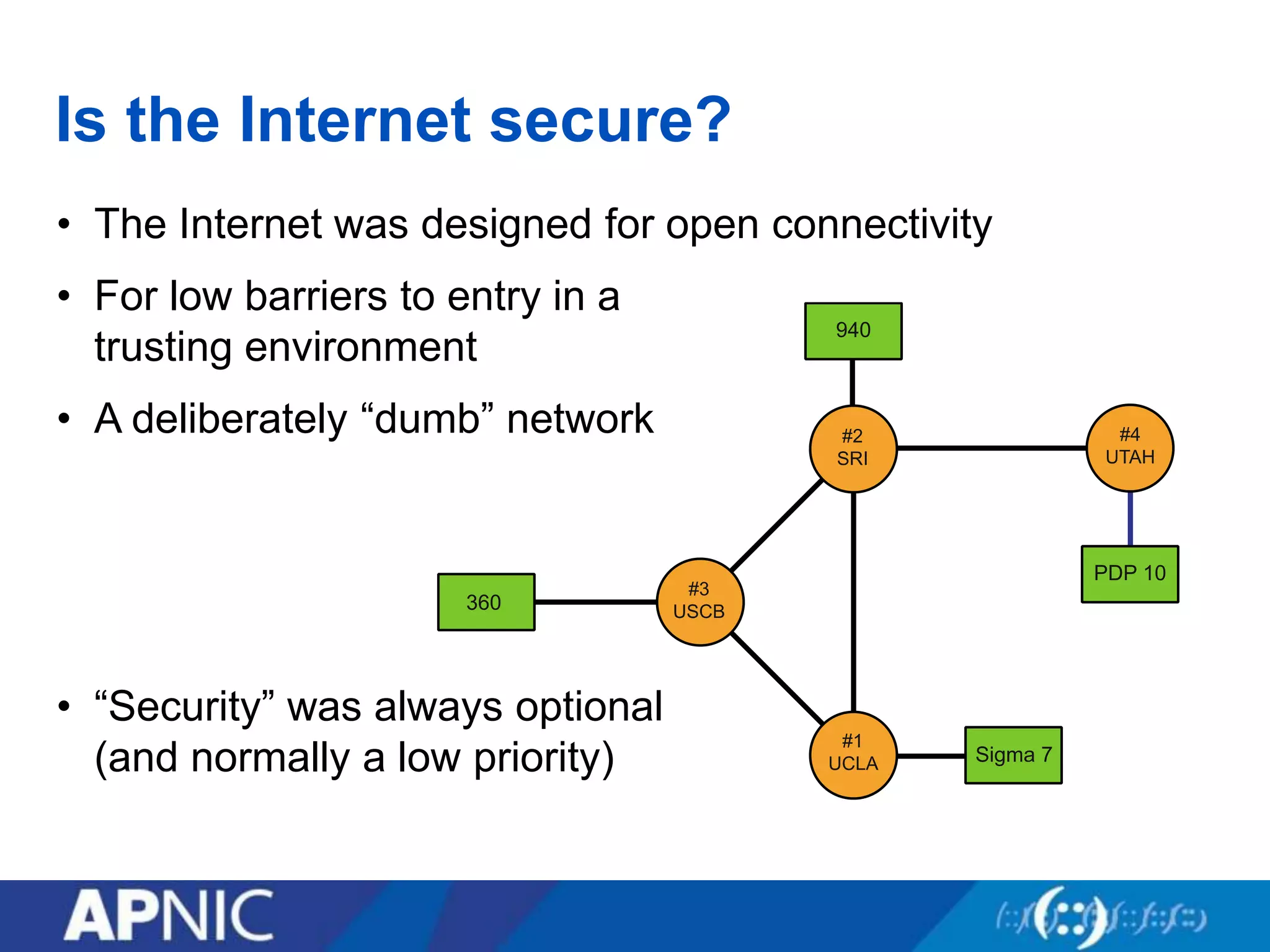
Is the Internet secure?
• The Internet was designed for open connectivity
• For low barriers to entry in a
trusting environment
• A deliberately “dumb” network
• “Security” was always optional
(and normally a low priority)
The real questions
• If you ask…
– “Is the Internet secure?”
– “Can the Internet be secured?”
– “Can society ever be safe?”
– The truthful answer is “No”
• But if you ask…
– “Can my services/networks/transactions be secured?”
– “Can the Internet be used securely?”
– “Can I stay safe?”
– The answer is probably “Yes” (but with care!)
Myths and Mysteries
• Fiction: The Internet can be secured
• Fiction: Hackers are magicians
• Fiction: Security experts are the magicians
• Fiction: Computer viruses are like actual viruses
• Fact: The Internet can be used securely
• Fact: EVERY breach can be explained, and avoided
• Fact: The first bug was an actual moth
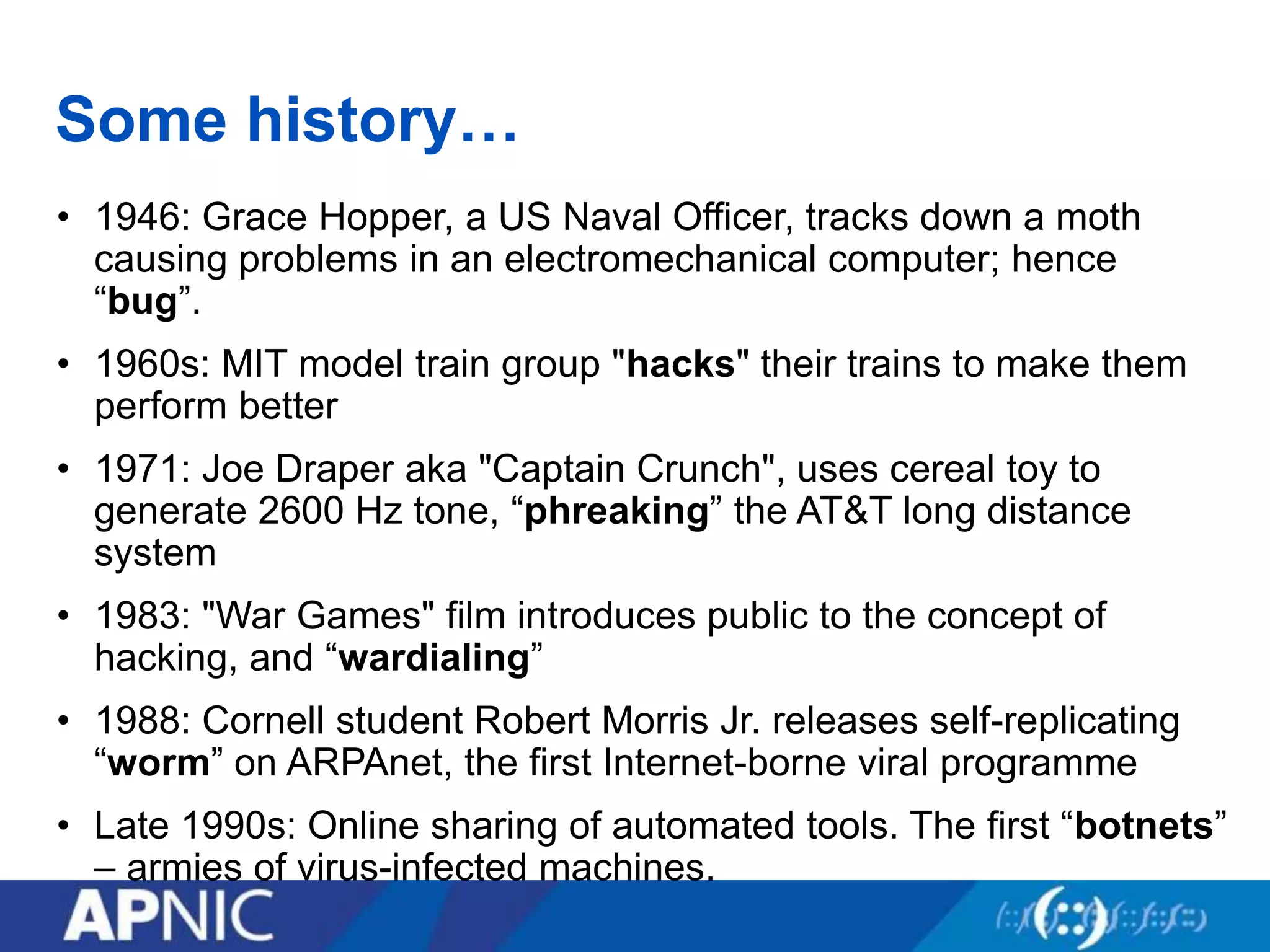
Some history…
• 1946: Grace Hopper, a US Naval Officer, tracks down a moth
causing problems in an electromechanical computer; hence
“bug”.
• 1960s: MIT model train group "hacks" their trains to make them
perform better
• 1971: Joe Draper aka "Captain Crunch", uses cereal toy to
generate 2600 Hz tone, “phreaking” the AT&T long distance
system
• 1983: "War Games" film introduces public to the concept of
hacking, and “wardialing”
• 1988: Cornell student Robert Morris Jr. releases self-replicating
“worm” on ARPAnet, the first Internet-borne viral programme
• Late 1990s: Online sharing of automated tools. The first “botnets”
– armies of virus-infected machines.
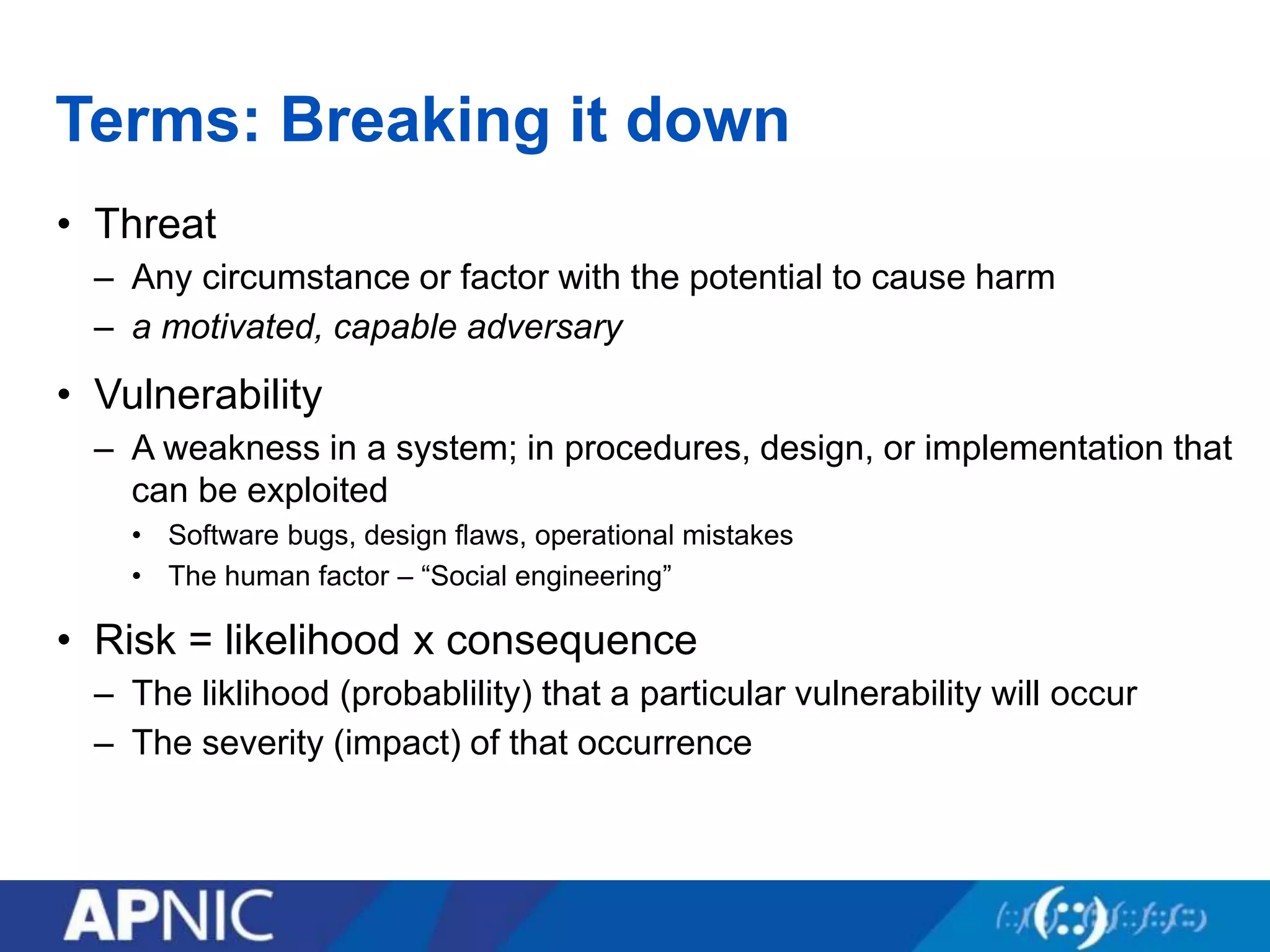
Terms: Breaking it down
• Threat
– Any circumstance or factor with the potential to cause harm
– a motivated, capable adversary
• Vulnerability
– A weakness in a system; in procedures, design, or implementation that
can be exploited
• Software bugs, design flaws, operational mistakes
• The human factor – “Social engineering”
• Risk = likelihood x consequence
– The liklihood (probablility) that a particular vulnerability will occur
– The severity (impact) of that occurrence
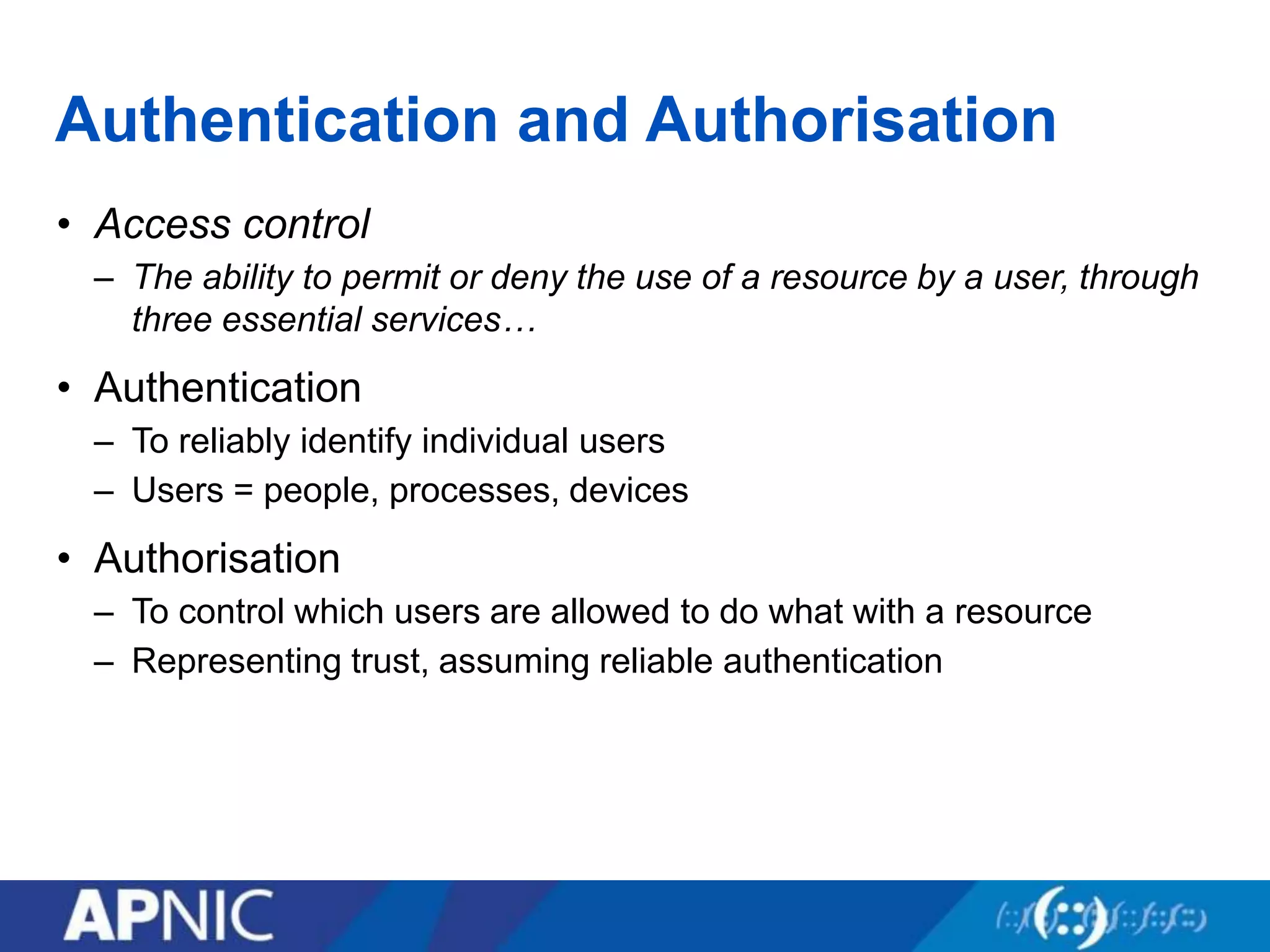
Authentication and Authorisation
• Access control
– The ability to permit or deny the use of a resource by a user, through
three essential services…
• Authentication
– To reliably identify individual users
– Users = people, processes, devices
• Authorisation
– To control which users are allowed to do what with a resource
– Representing trust, assuming reliable authentication
Security tradeoffs
• Services offered vs. security provided
– Each service offers its own security risk
– The more services, the less security
• Ease of use vs. security
– Every security mechanism causes inconvenience
– The more “plug n play”, the less security
• Risk of loss vs. Cost of security
– Assets carry value and risk of loss
– The higher the value, the higher the security cost
• These factors can be balanced in a comprehensive
organisational security policy
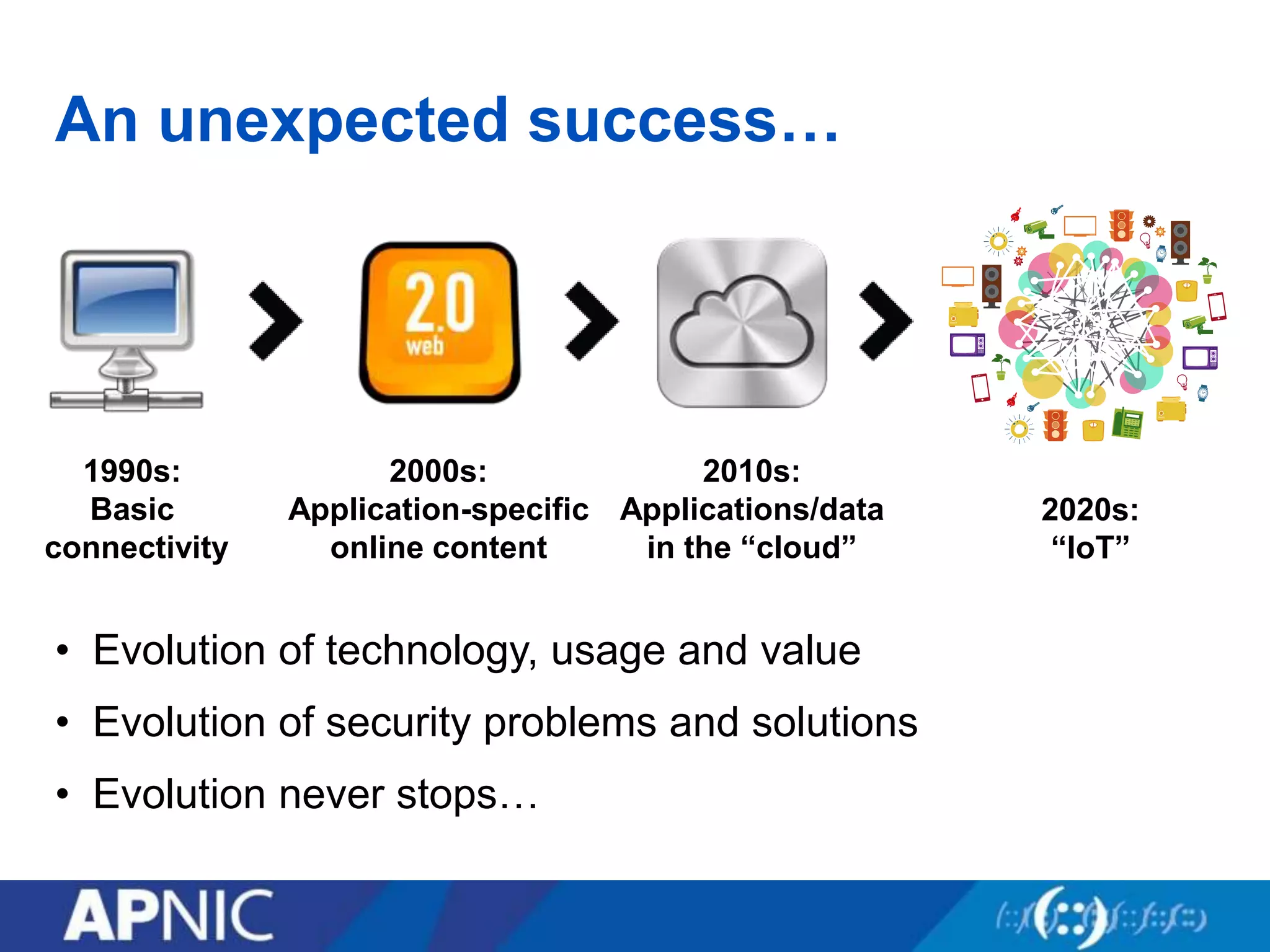
An unexpected success…
• Evolution of technology, usage and value
• Evolution of security problems and solutions
• Evolution never stops…
1990s:
Basic
connectivity
2000s:
Application-specific
online content
2010s:
Applications/data
in the “cloud”
2020s:
“IoT”
What is going on?
What can the attackers do?
• Eavesdropping – Listen in on communications
• Masquerading – Impersonating someone else
• Forgery – Invent or duplicate/replay information
• Trespass – Obtain unauthorised access
• Subversion – Modify data and messages in transit
• Destruction – Vandalise or delete important data
• Disruption – Disable or prevent access to services
• Infiltration – Hide out inside our machines
• Hijacking – “Own” and use machines for nefarious purposes
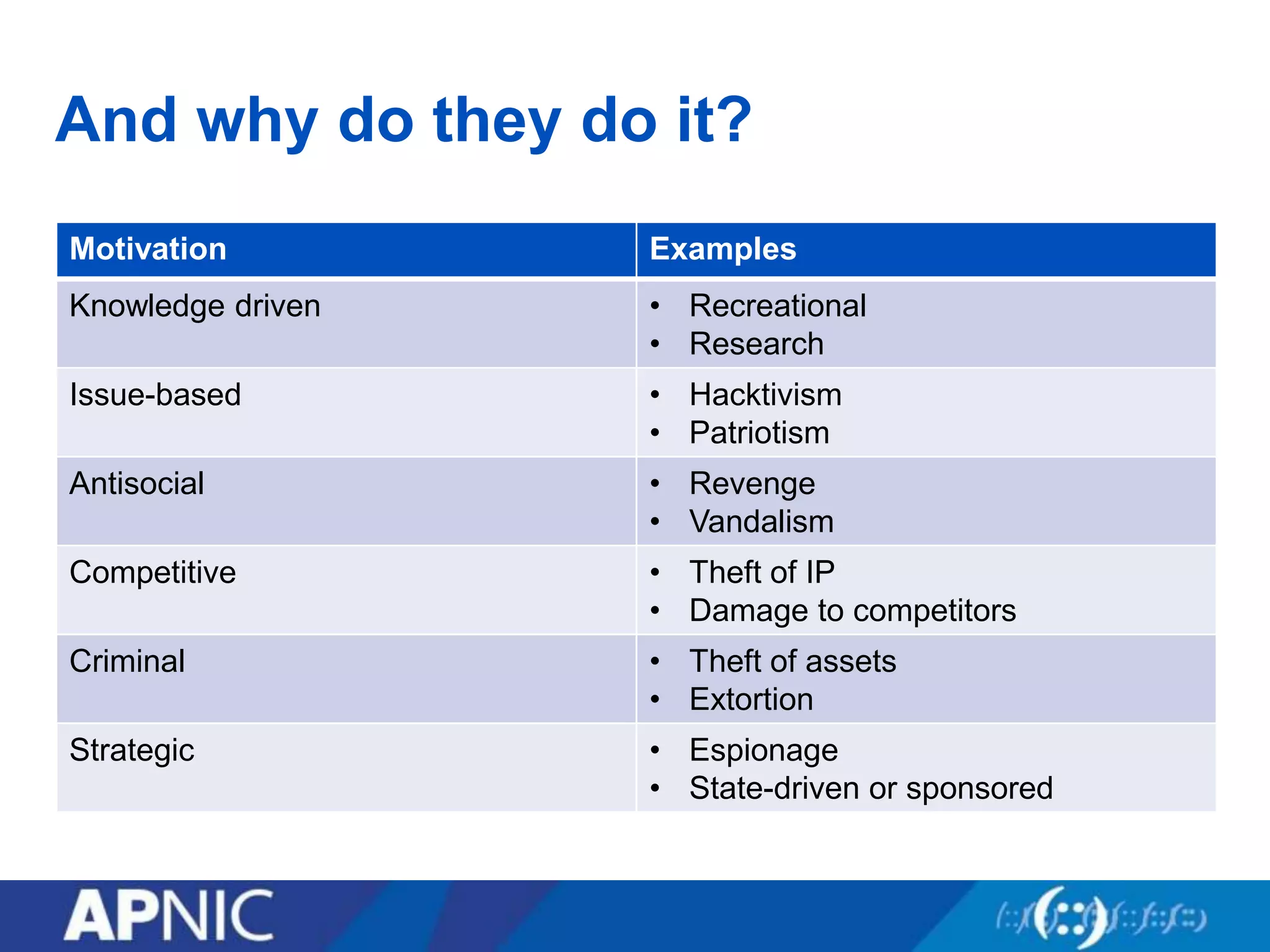
And why do they do it?
Motivation Examples
Knowledge driven • Recreational
• Research
Issue-based • Hacktivism
• Patriotism
Antisocial • Revenge
• Vandalism
Competitive • Theft of IP
• Damage to competitors
Criminal • Theft of assets
• Extortion
Strategic • Espionage
• State-driven or sponsored
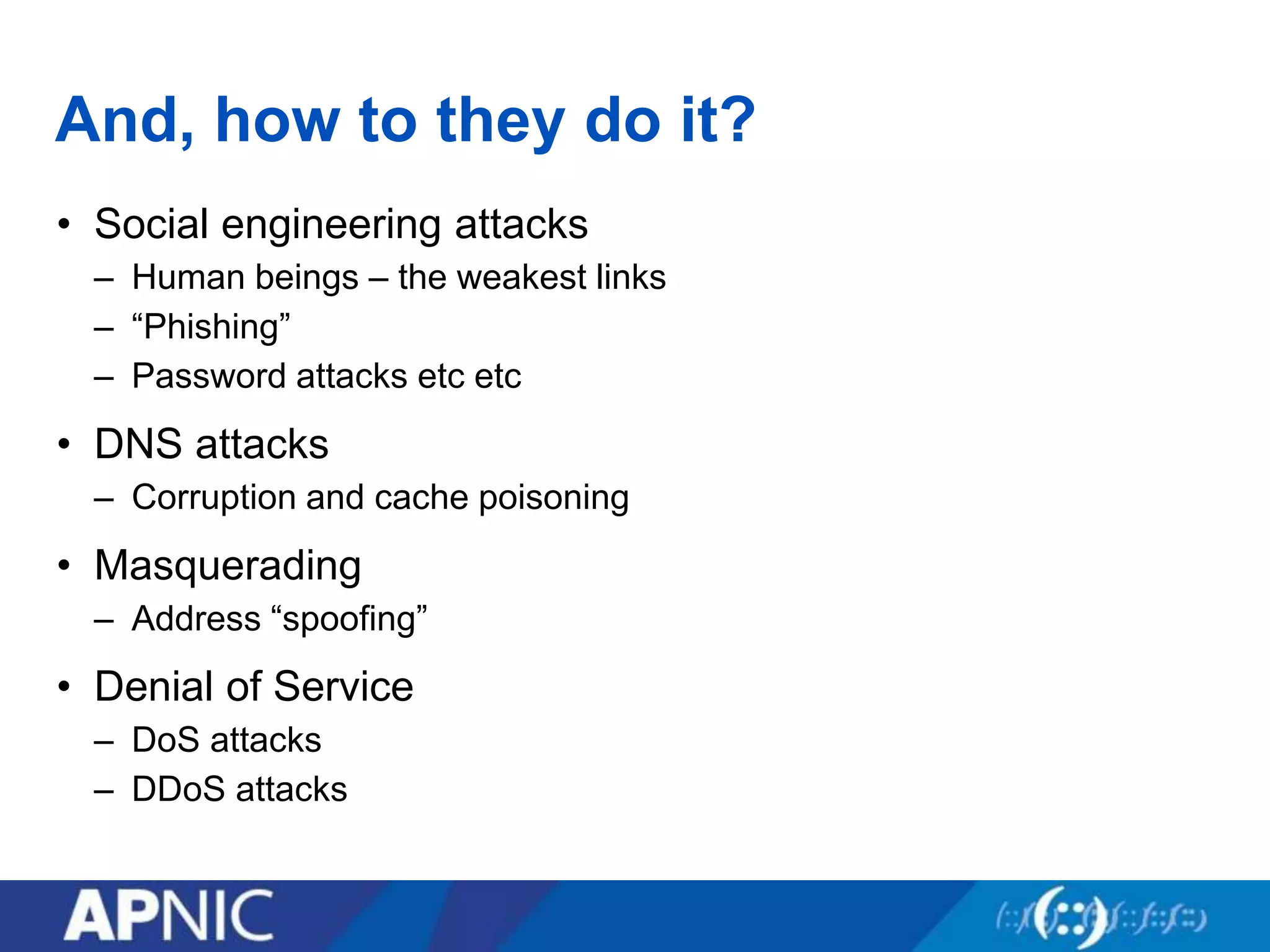
And, how to they do it?
• Social engineering attacks
– Human beings – the weakest links
– “Phishing”
– Password attacks etc etc
• DNS attacks
– Corruption and cache poisoning
• Masquerading
– Address “spoofing”
• Denial of Service
– DoS attacks
– DDoS attacks
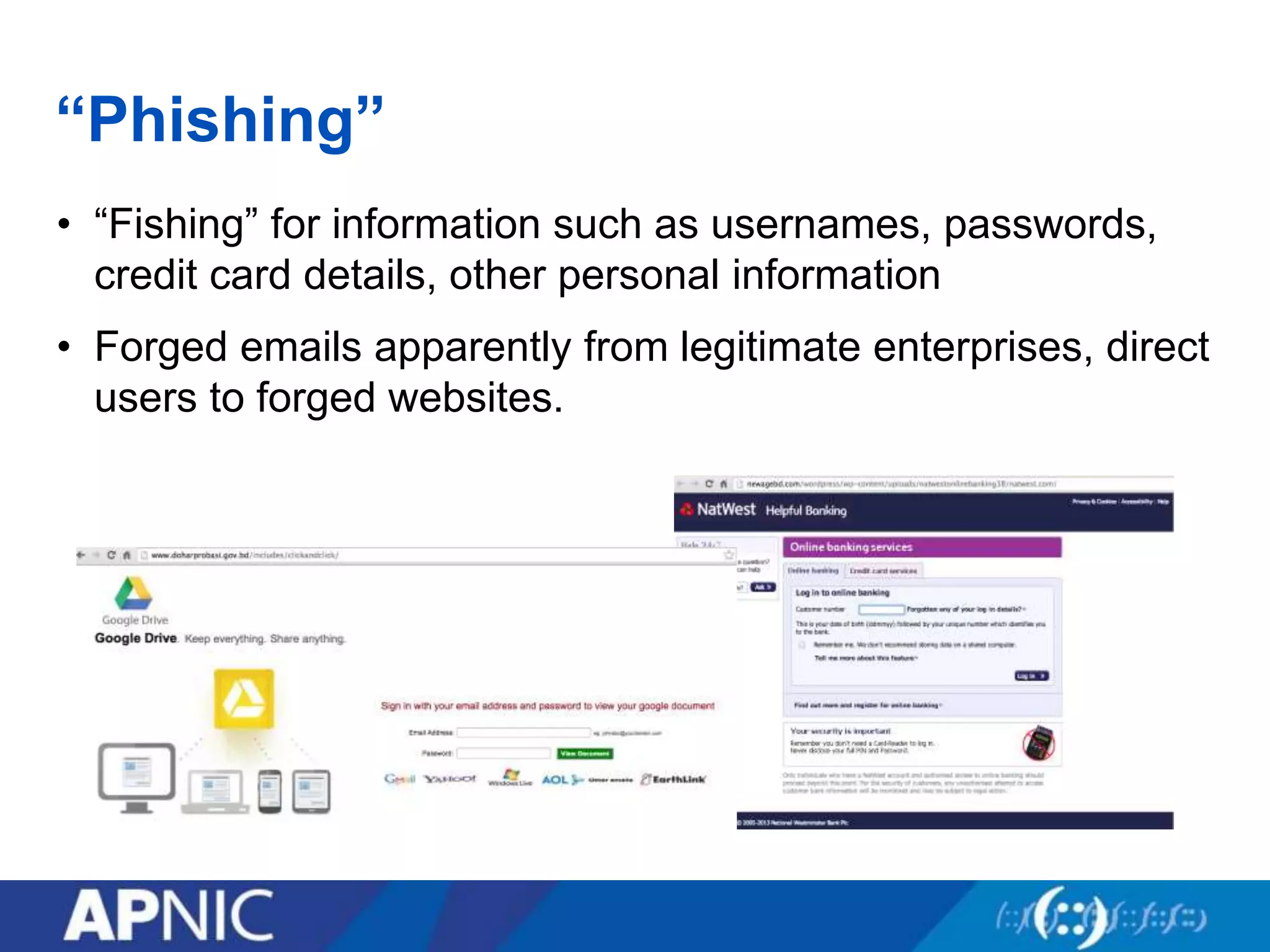
“Phishing”
• “Fishing” for information such as usernames, passwords,
credit card details, other personal information
• Forged emails apparently from legitimate enterprises, direct
users to forged websites.
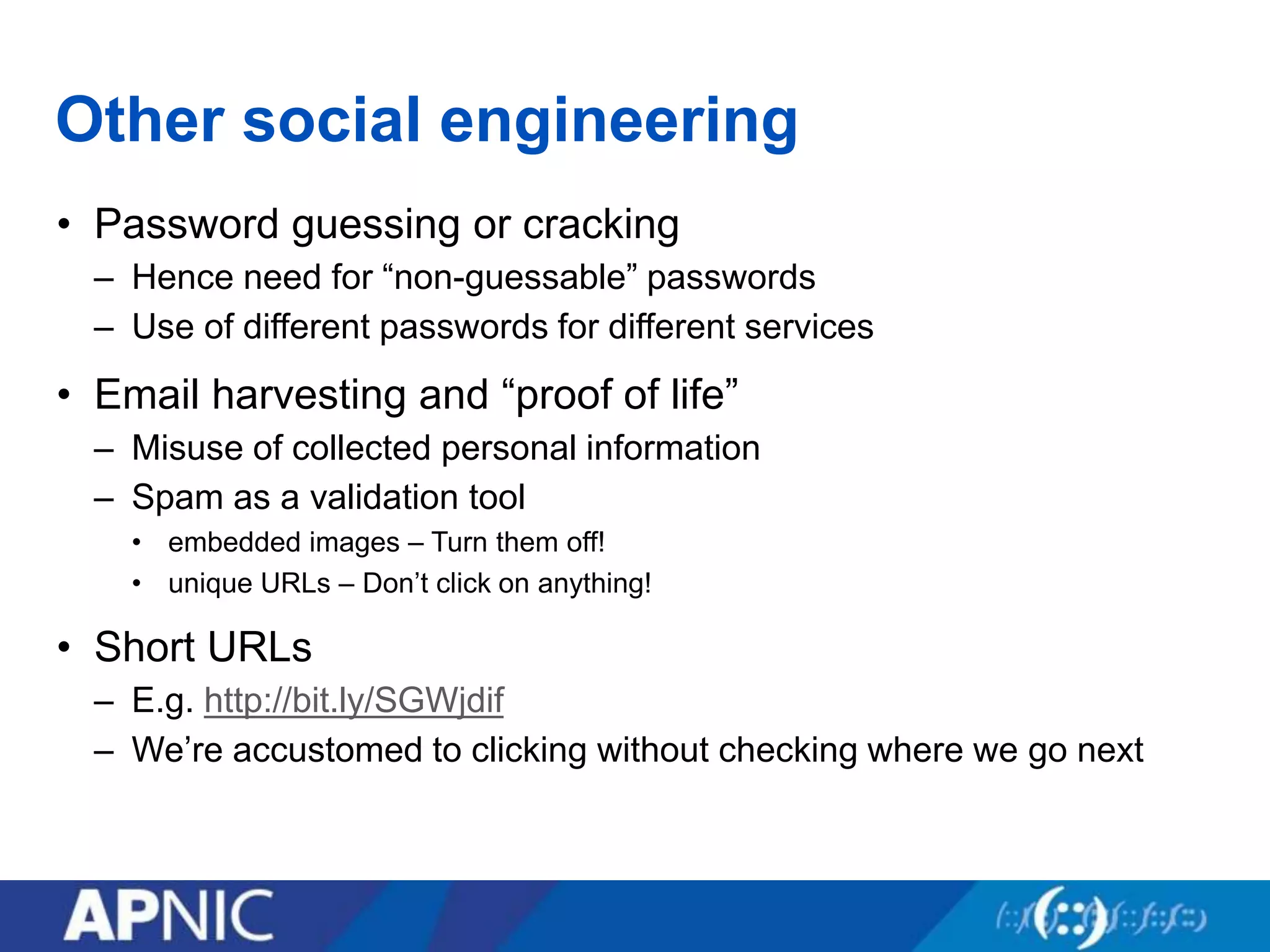
Other social engineering
• Password guessing or cracking
– Hence need for “non-guessable” passwords
– Use of different passwords for different services
• Email harvesting and “proof of life”
– Misuse of collected personal information
– Spam as a validation tool
• embedded images – Turn them off!
• unique URLs – Don’t click on anything!
• Short URLs
– E.g. http://bit.ly/SGWjdif
– We’re accustomed to clicking without checking where we go next
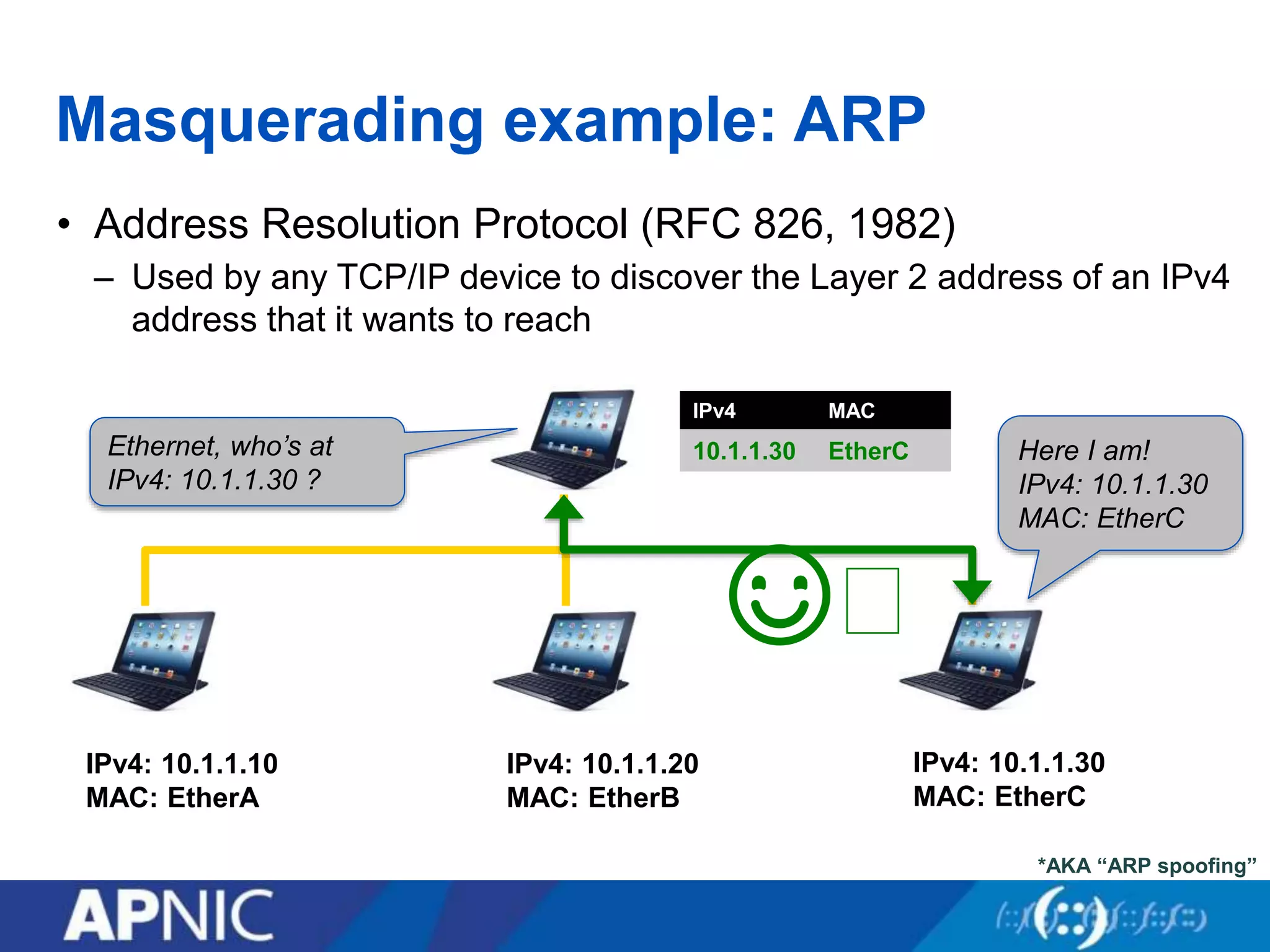
Masquerading example: ARP
• Address Resolution Protocol (RFC 826, 1982)
– Used by any TCP/IP device to discover the Layer 2 address of an IPv4
address that it wants to reach
IPv4: 10.1.1.10
MAC: EtherA
IPv4: 10.1.1.20
MAC: EtherB
IPv4: 10.1.1.30
MAC: EtherC
Here I am!
IPv4: 10.1.1.30
MAC: EtherC
☺︎
IPv4 MAC
10.1.1.30 EtherCEthernet, who’s at
IPv4: 10.1.1.30 ?
*AKA “ARP spoofing”
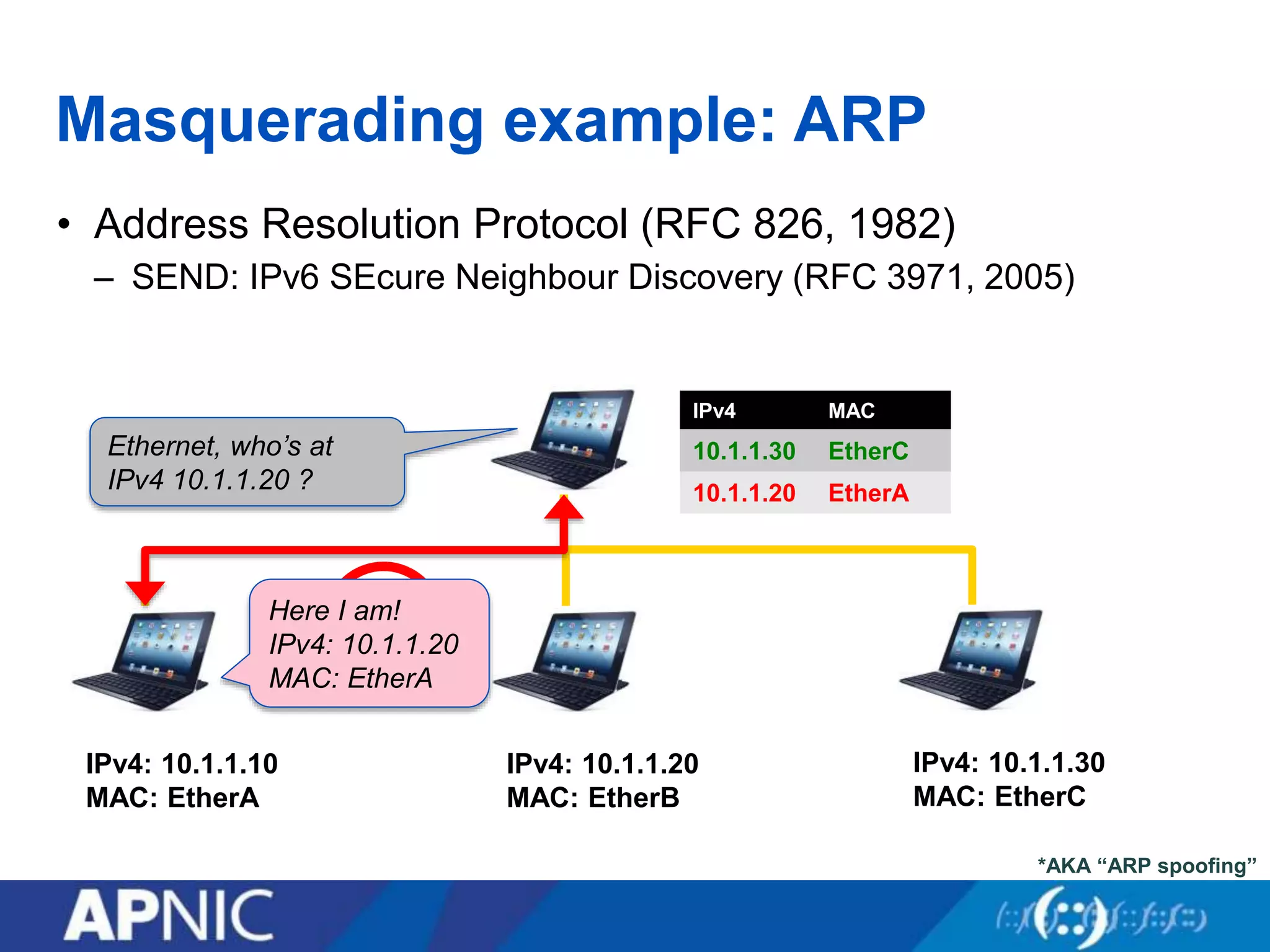
Masquerading example: ARP
• Address Resolution Protocol (RFC 826, 1982)
– SEND: IPv6 SEcure Neighbour Discovery (RFC 3971, 2005)
IPv4: 10.1.1.10
MAC: EtherA
IPv4: 10.1.1.20
MAC: EtherB
IPv4: 10.1.1.30
MAC: EtherC
☹︎
IPv4 MAC
10.1.1.30 EtherC
10.1.1.20 EtherA
Ethernet, who’s at
IPv4 10.1.1.20 ?
*AKA “ARP spoofing”
Here I am!
IPv4: 10.1.1.20
MAC: EtherA
IPv4 MAC
10.1.1.30 EtherC
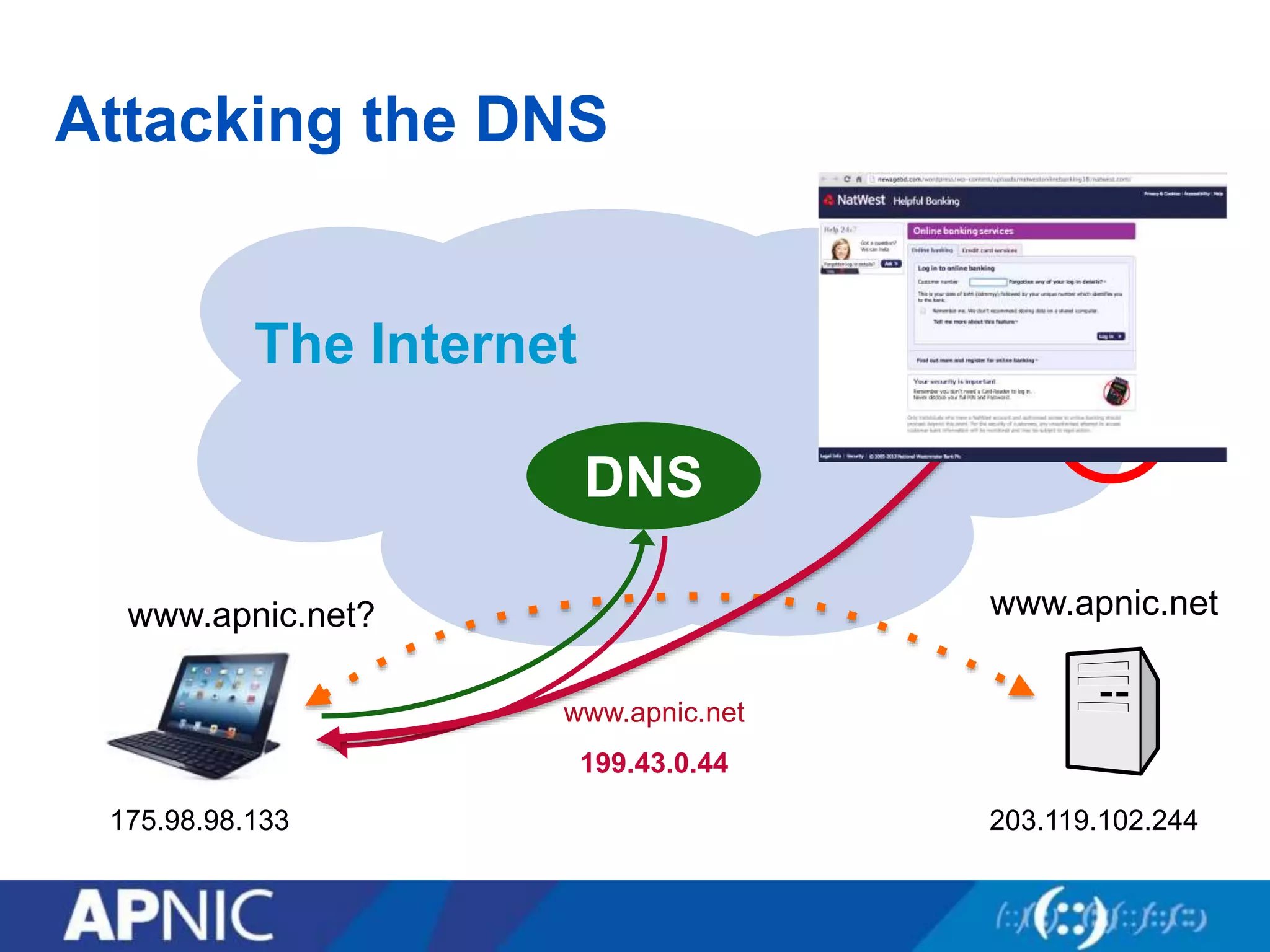
Attacking the DNS
The Internet
www.apnic.netwww.apnic.net?
www.apnic.net
199.43.0.44
DNS
175.98.98.133 203.119.102.244
199.43.0.44
☹︎
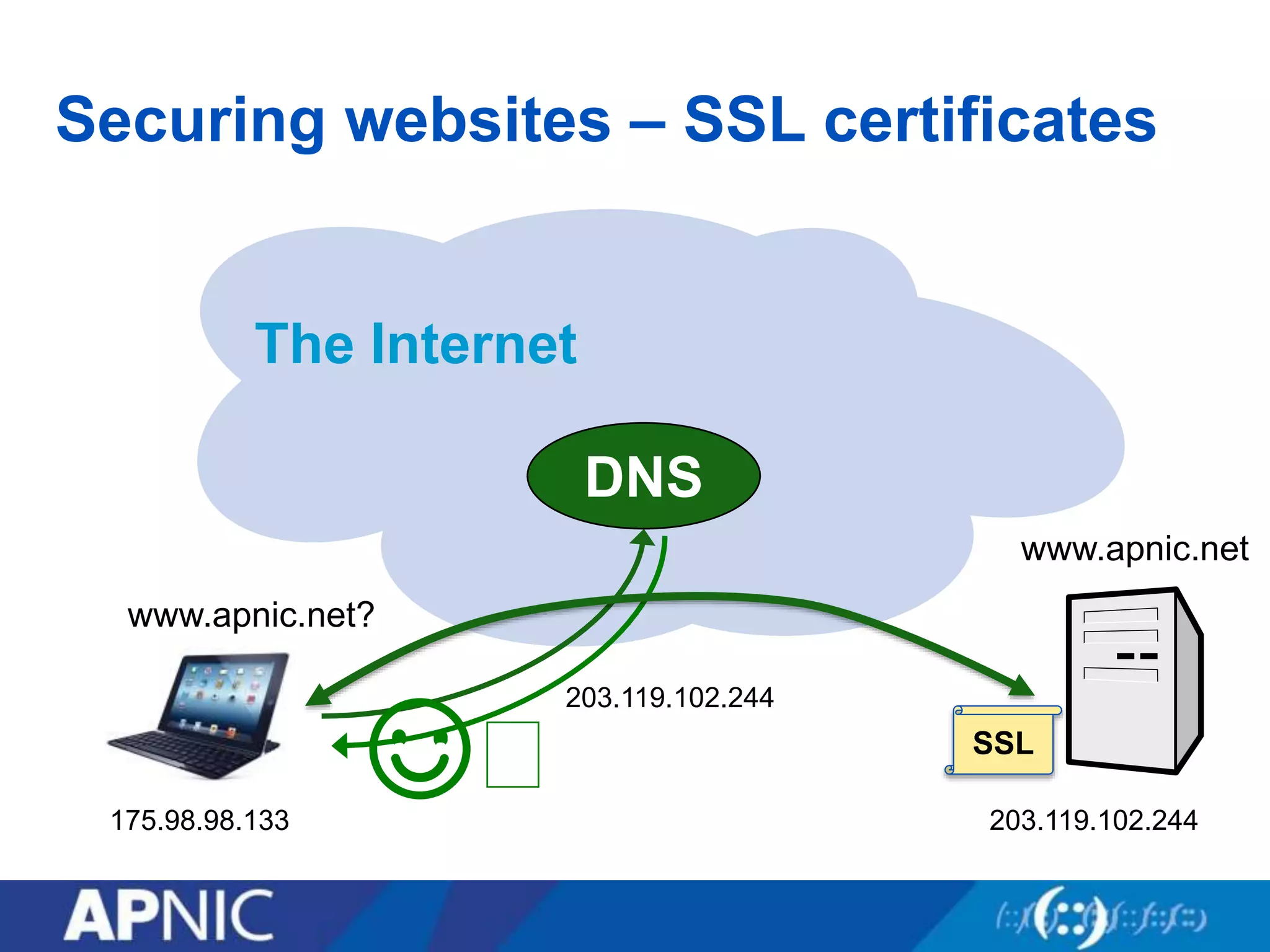
Securing websites – SSL certificates
The Internet
www.apnic.net
www.apnic.net?
203.119.102.244
DNS
175.98.98.133 203.119.102.244
☺︎ SSL
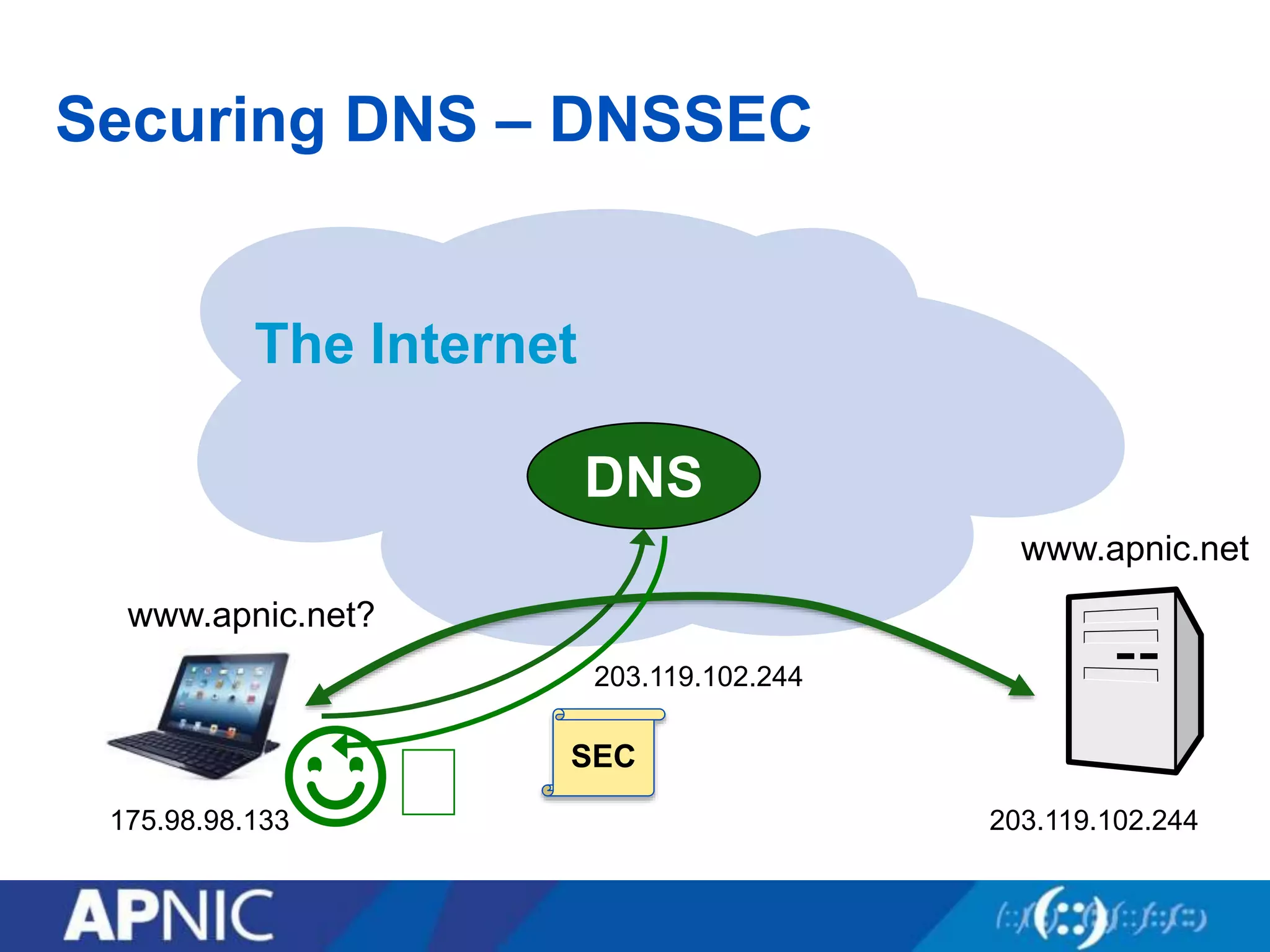
Securing DNS – DNSSEC
The Internet
www.apnic.net
www.apnic.net?
DNS
175.98.98.133 203.119.102.244
☺︎
203.119.102.244
SEC
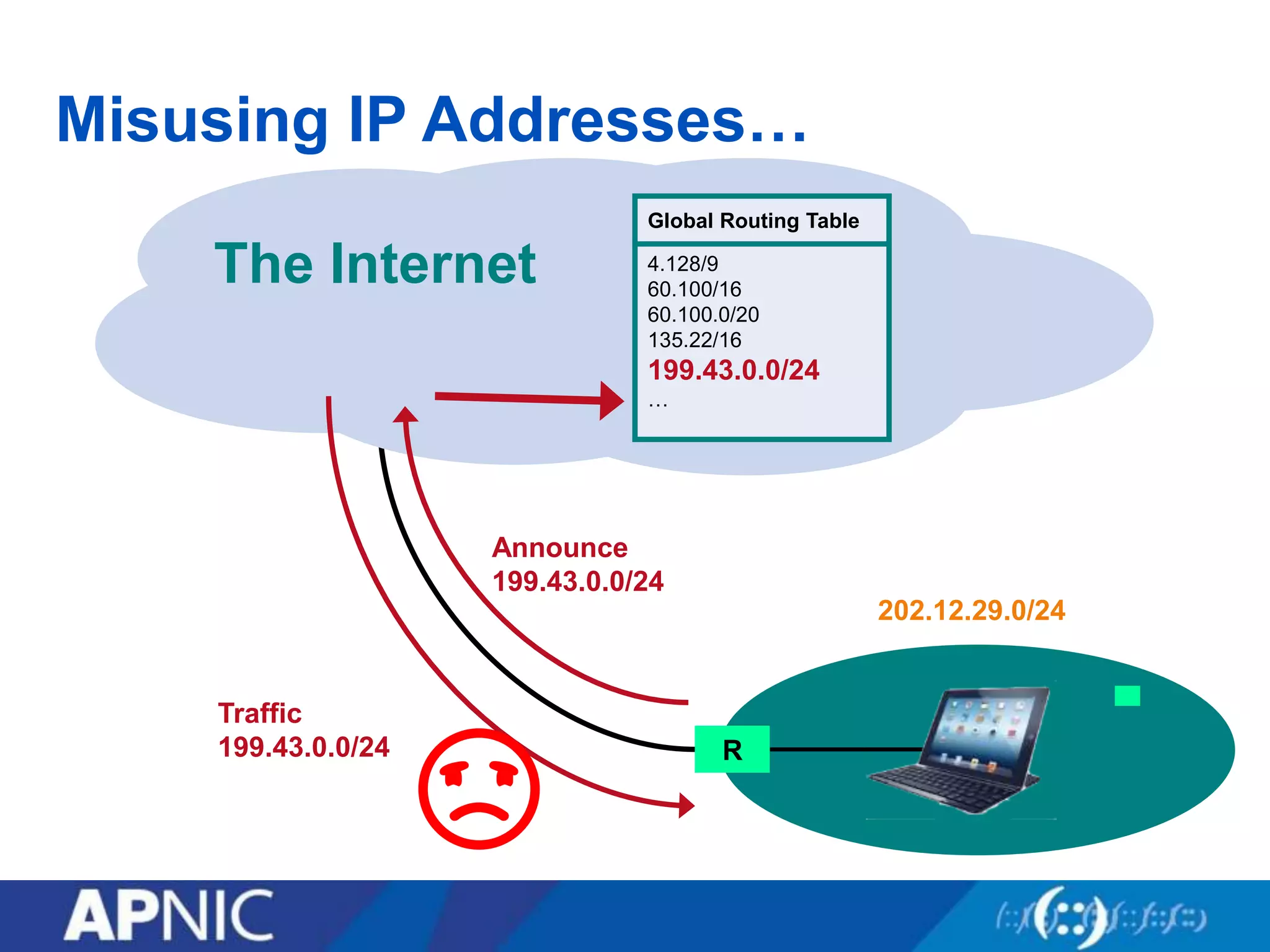
Misusing IP Addresses…
The Internet
Global Routing Table
4.128/9
60.100/16
60.100.0/20
135.22/16
…
Global Routing Table
4.128/9
60.100/16
60.100.0/20
135.22/16
199.43.0.0/24
…
Announce
199.43.0.0/24
R
202.12.29.0/24
Traffic
199.43.0.0/24
☹︎
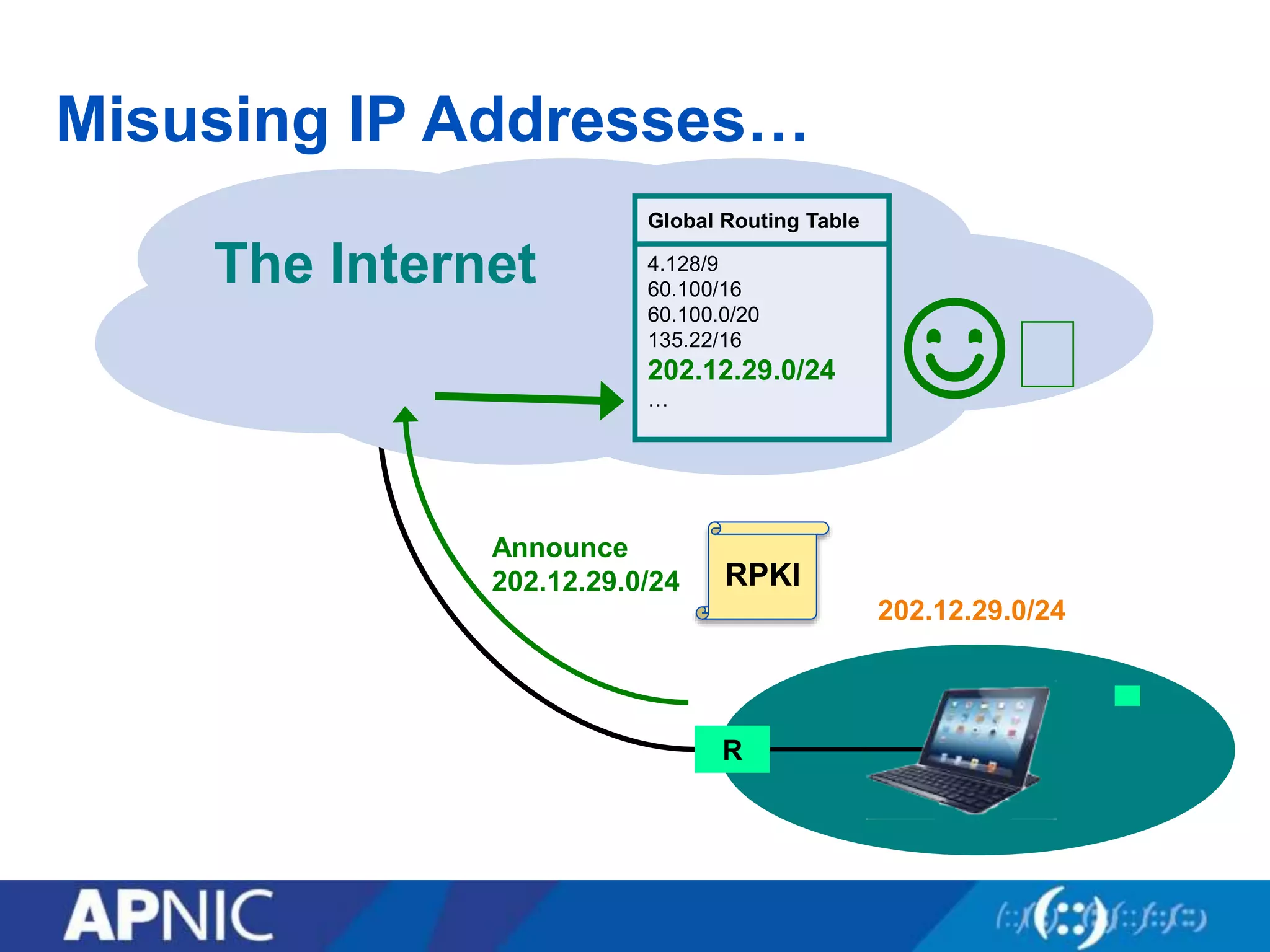
Misusing IP Addresses…
The Internet
Global Routing Table
4.128/9
60.100/16
60.100.0/20
135.22/16
…
Global Routing Table
4.128/9
60.100/16
60.100.0/20
135.22/16
202.12.29.0/24
…
Announce
202.12.29.0/24
R
202.12.29.0/24
RPKI
☺︎
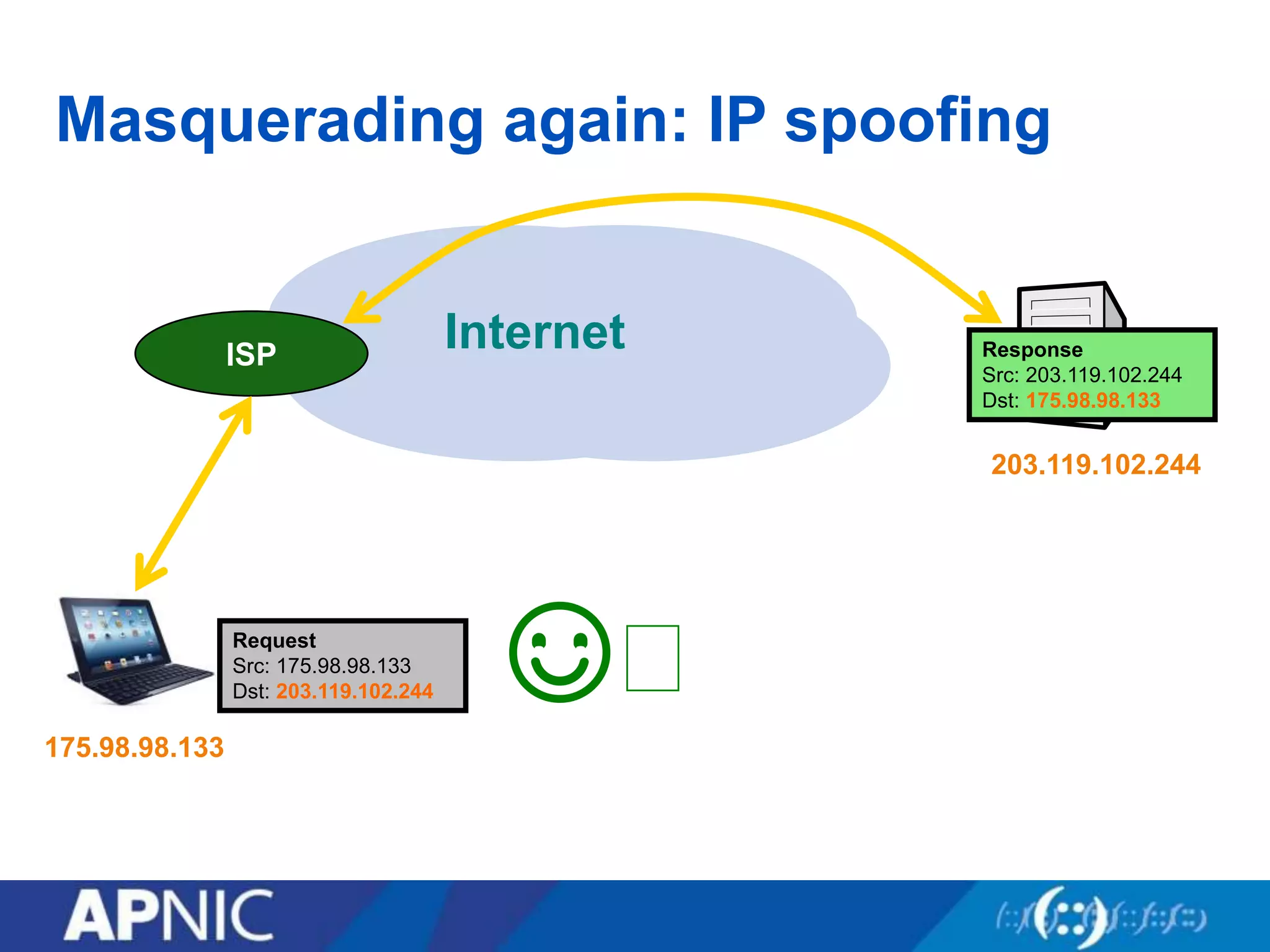
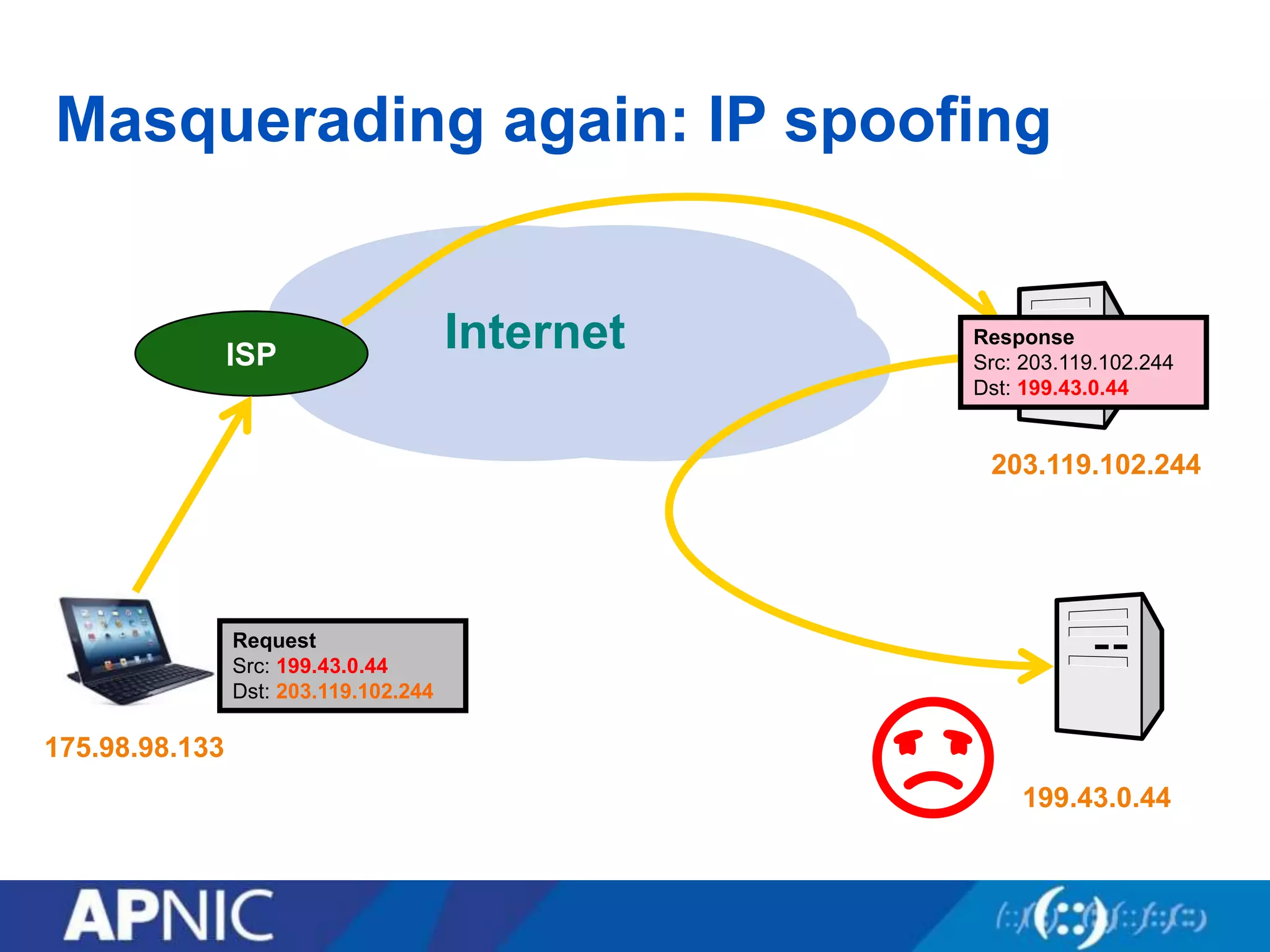
Masquerading again: IP spoofing
InternetISP
203.119.102.244
175.98.98.133
Request
Src: 175.98.98.133
Dst: 203.119.102.244
Response
Src: 203.119.102.244
Dst: 175.98.98.133
☺︎
Masquerading again: IP spoofing
InternetISP
203.119.102.244
175.98.98.133
Response
Src: 203.119.102.244
Dst: 199.43.0.44
199.43.0.44
Request
Src: 199.43.0.44
Dst: 203.119.102.244
☹︎
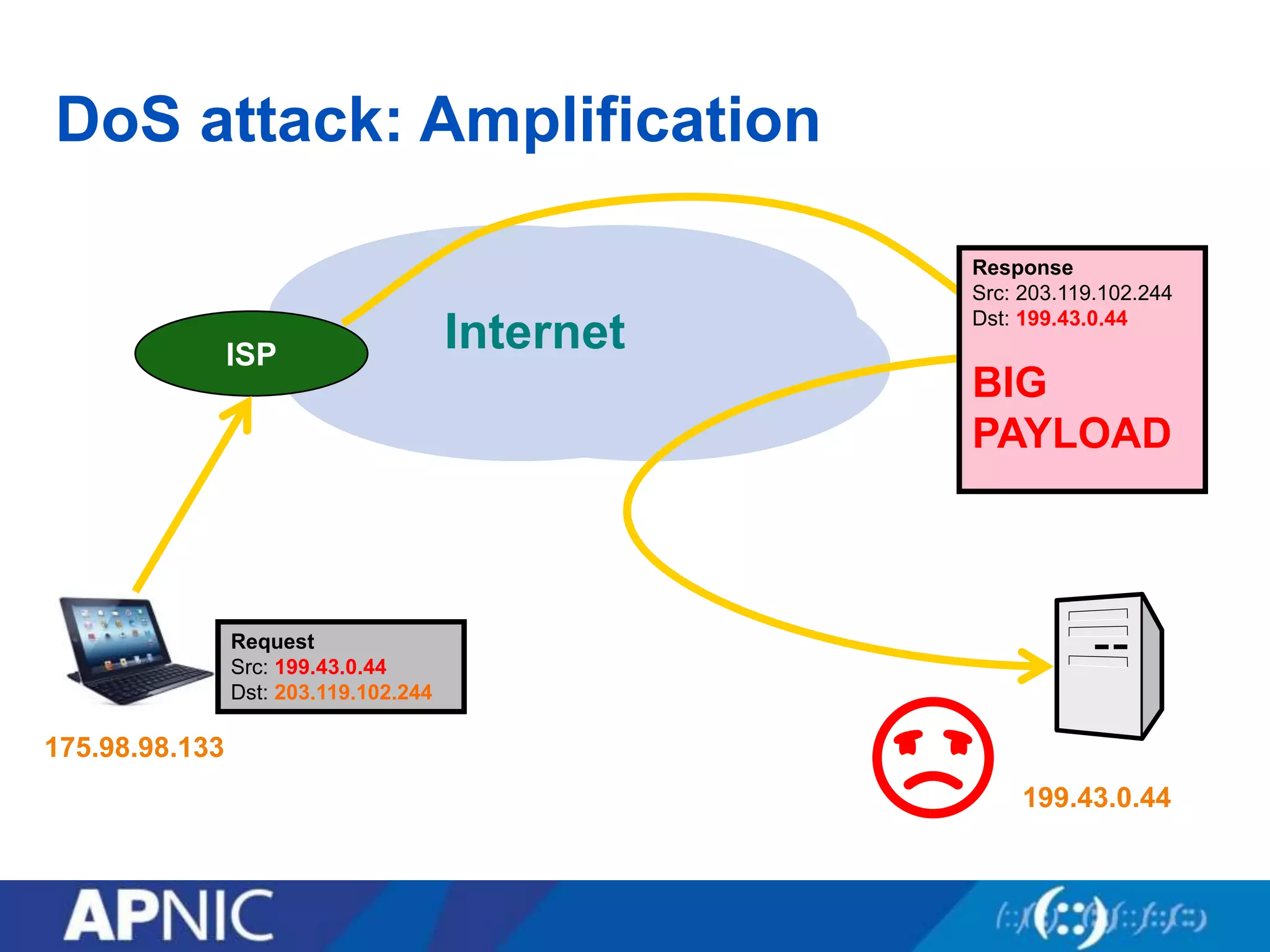
DoS attack: Amplification
InternetISP
203.119.102.244
175.98.98.133
199.43.0.44
Request
Src: 199.43.0.44
Dst: 203.119.102.244
☹︎
Response
Src: 203.119.102.244
Dst: 199.43.0.44
BIG
PAYLOAD
Request
Src: 199.43.0.44
Dst: 203.119.102.244
Request
Src: 199.43.0.44
Dst: 203.119.102.244
Request
Src: 199.43.0.44
Dst: 203.119.102.244
Request
Src: 199.43.0.44
Dst: 203.119.102.244
Response
Src: 203.119.102.244
Dst: 199.43.0.44
BIG
PAYLOAD
Response
Src: 203.119.102.244
Dst: 199.43.0.44
BIG
PAYLOAD
Response
Src: 203.119.102.244
Dst: 199.43.0.44
BIG
PAYLOAD
Response
Src: 203.119.102.244
Dst: 199.43.0.44
BIG
PAYLOAD
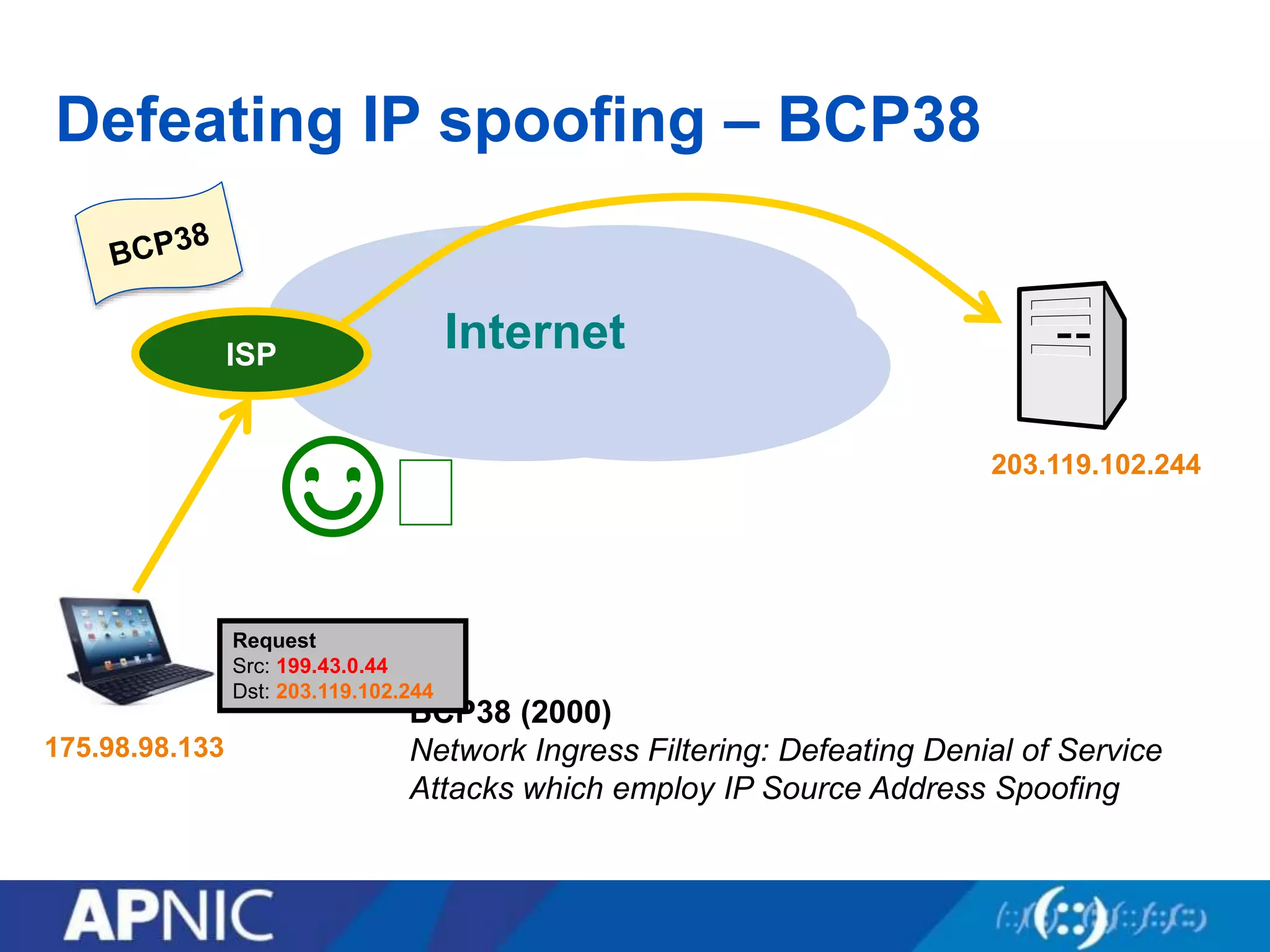
Defeating IP spoofing – BCP38
InternetISP
203.119.102.244
175.98.98.133
☺︎
BCP38 (2000)
Network Ingress Filtering: Defeating Denial of Service
Attacks which employ IP Source Address Spoofing
ISP
Request
Src: 199.43.0.44
Dst: 203.119.102.244
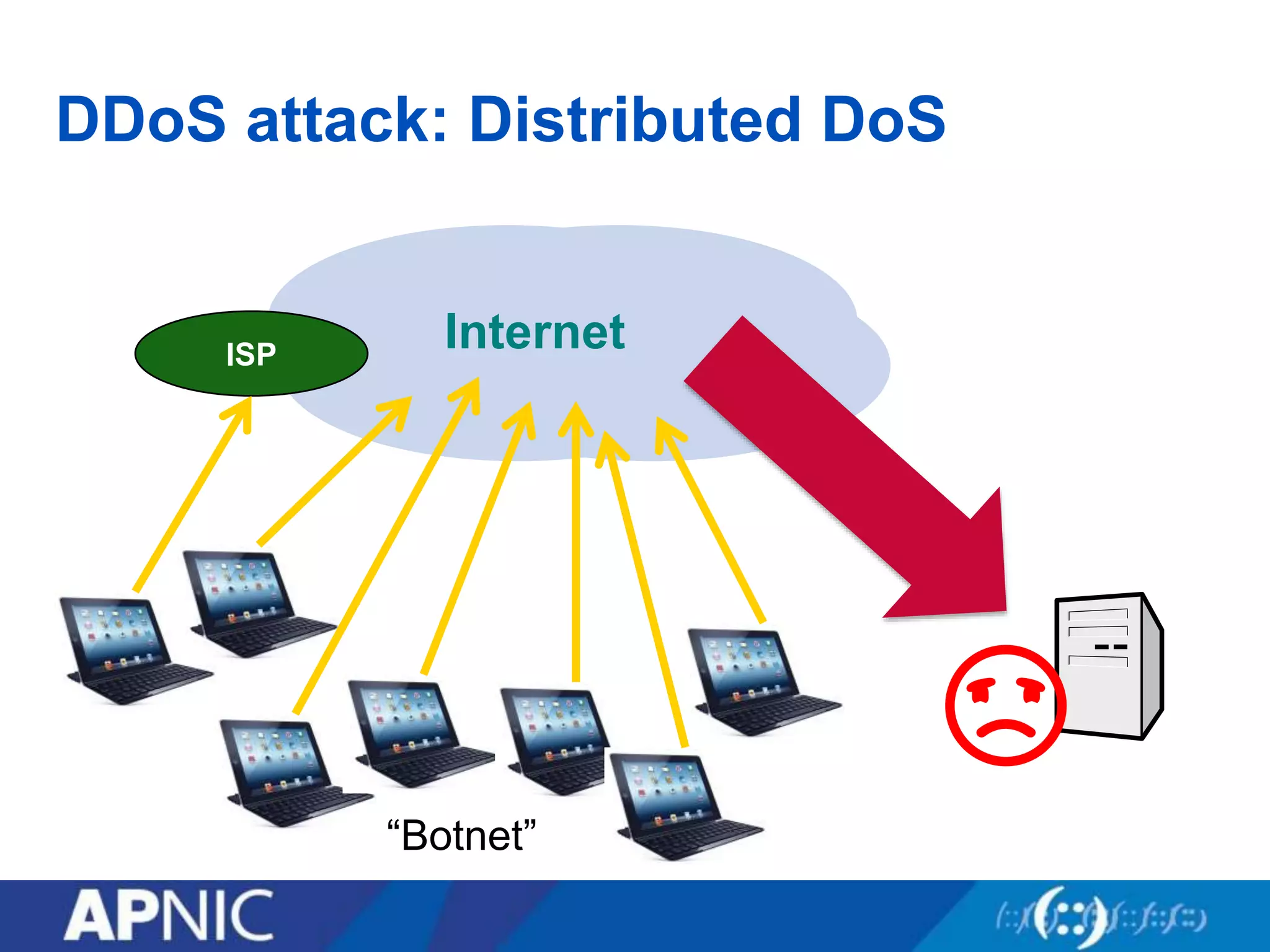
DDoS attack: Distributed DoS
InternetISP
☹︎
“Botnet”
DDoS attack: Distributed DoS
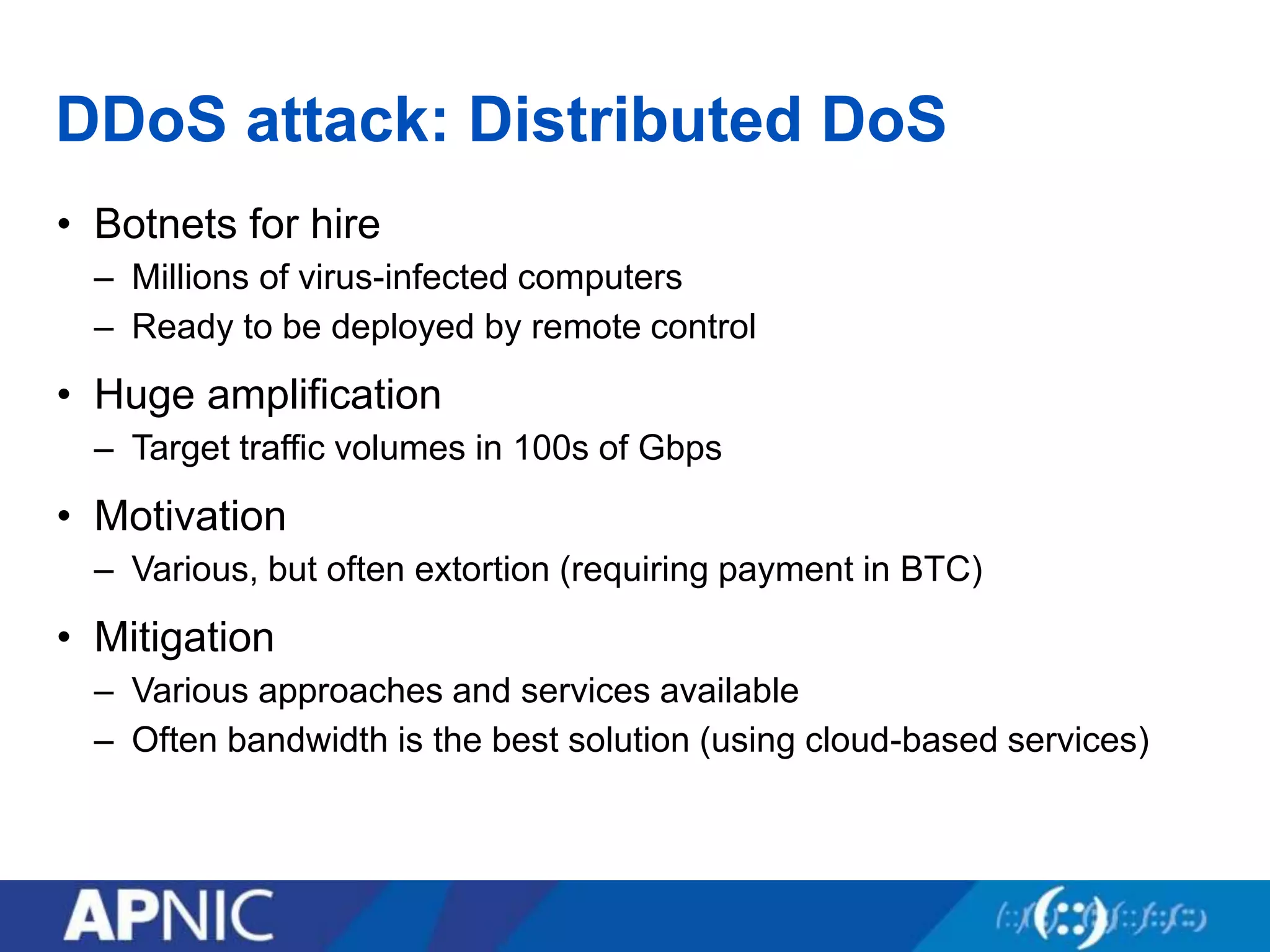
• Botnets for hire
– Millions of virus-infected computers
– Ready to be deployed by remote control
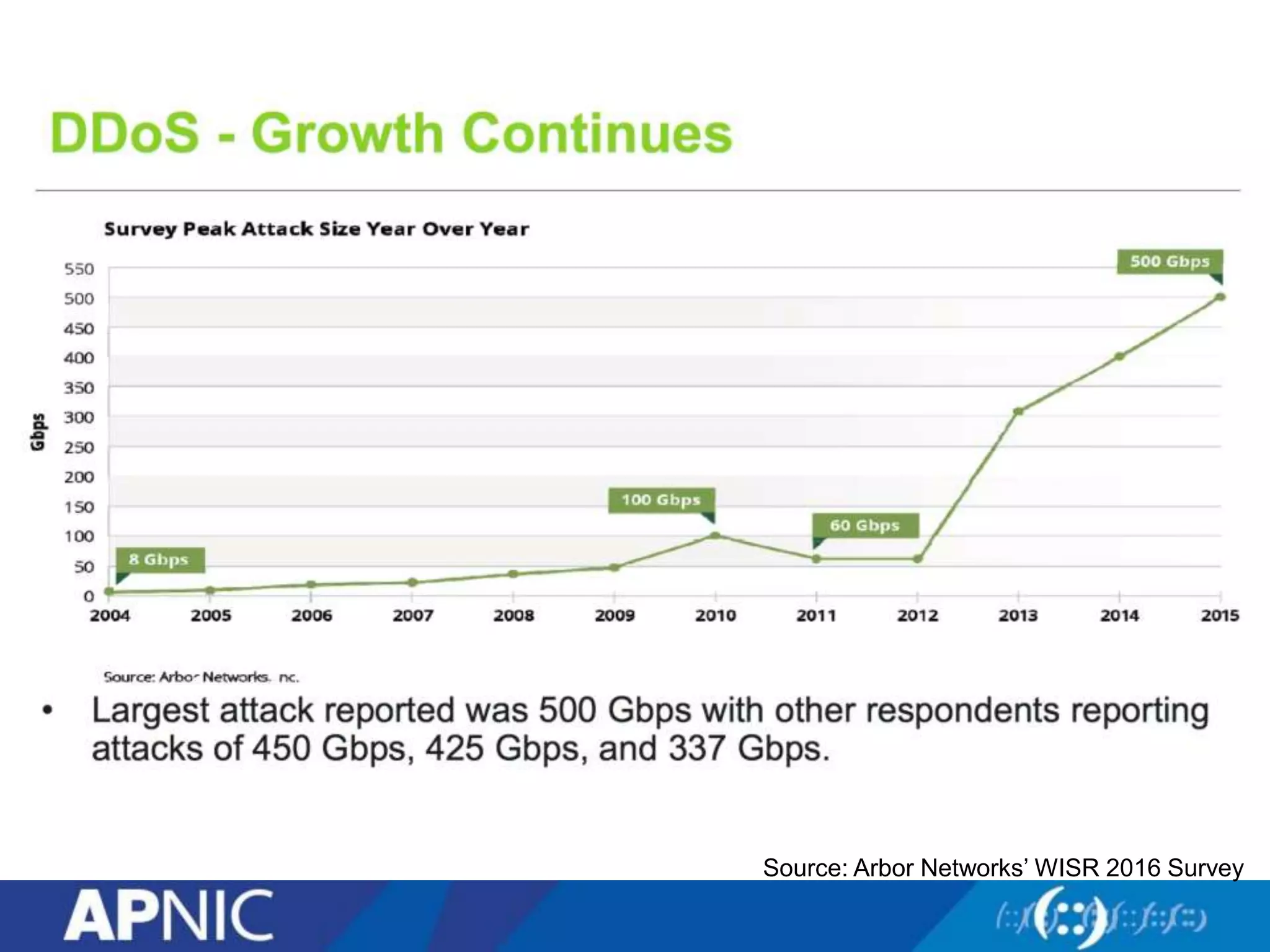
• Huge amplification
– Target traffic volumes in 100s of Gbps
• Motivation
– Various, but often extortion (requiring payment in BTC)
• Mitigation
– Various approaches and services available
– Often bandwidth is the best solution (using cloud-based services)
Source: Arbor Networks’ WISR 2016 Survey
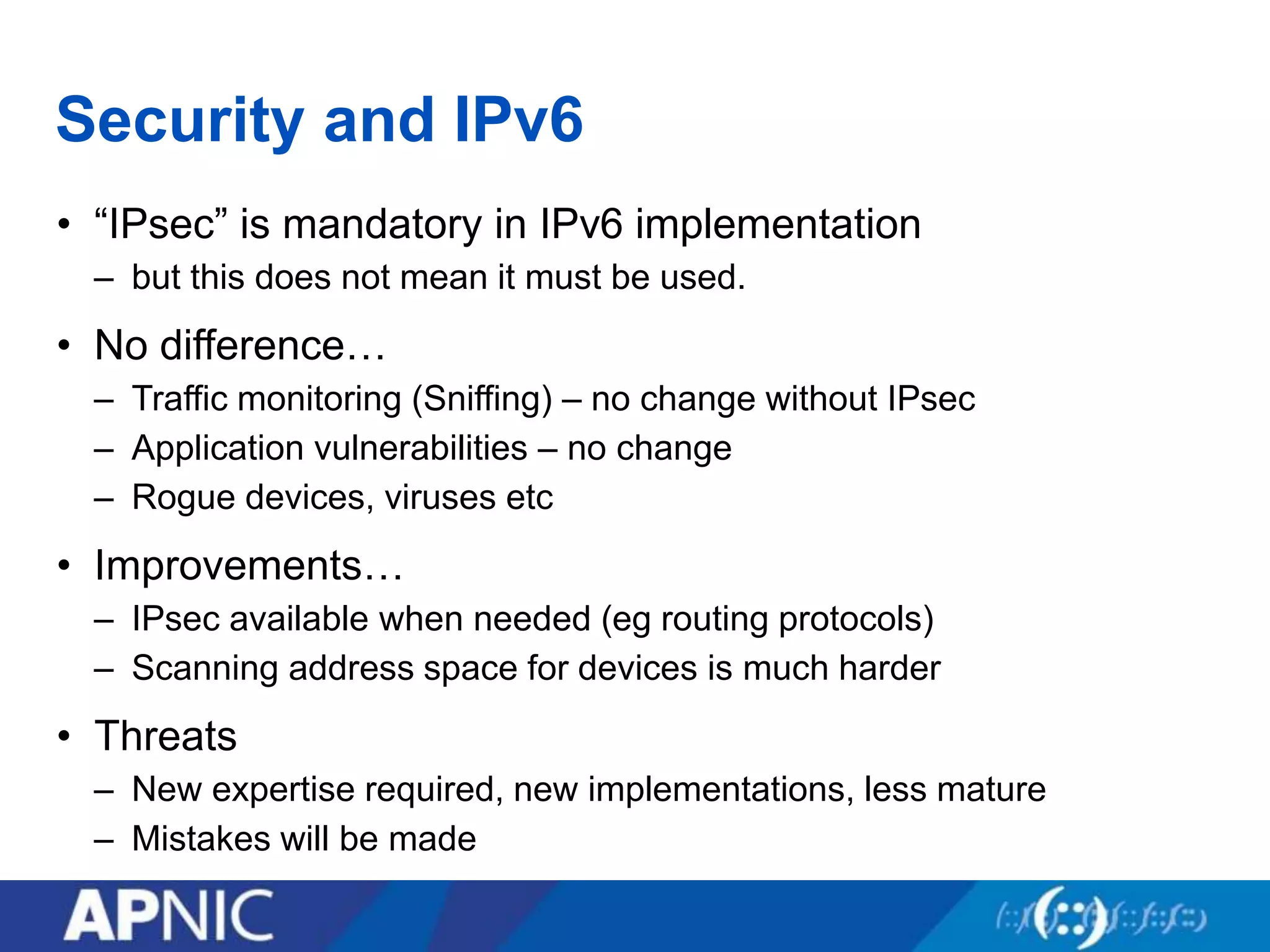
Security and IPv6
• “IPsec” is mandatory in IPv6 implementation
– but this does not mean it must be used.
• No difference…
– Traffic monitoring (Sniffing) – no change without IPsec
– Application vulnerabilities – no change
– Rogue devices, viruses etc
• Improvements…
– IPsec available when needed (eg routing protocols)
– Scanning address space for devices is much harder
• Threats
– New expertise required, new implementations, less mature
– Mistakes will be made
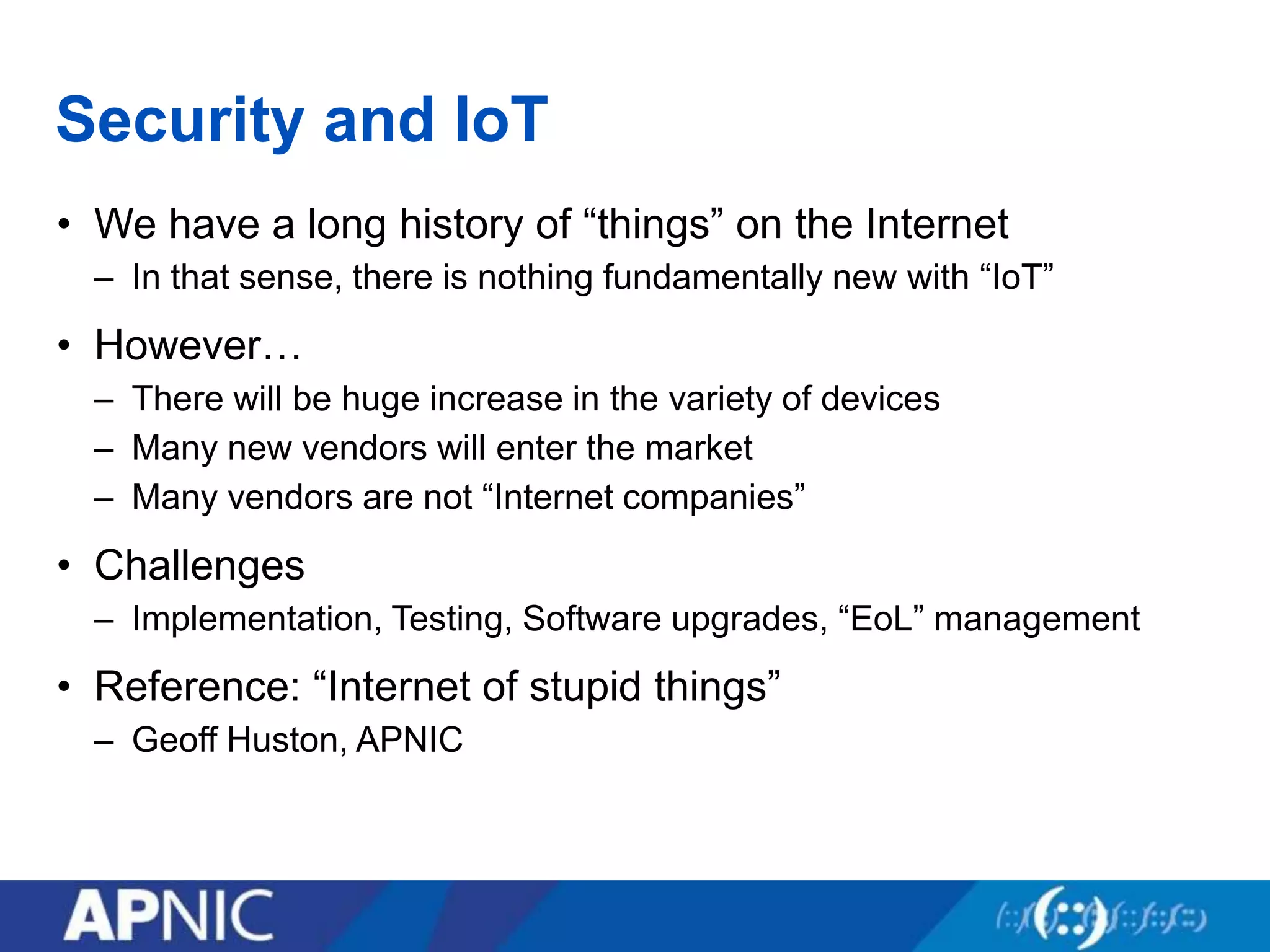
Security and IoT
• We have a long history of “things” on the Internet
– In that sense, there is nothing fundamentally new with “IoT”
• However…
– There will be huge increase in the variety of devices
– Many new vendors will enter the market
– Many vendors are not “Internet companies”
• Challenges
– Implementation, Testing, Software upgrades, “EoL” management
• Reference: “Internet of stupid things”
– Geoff Huston, APNIC
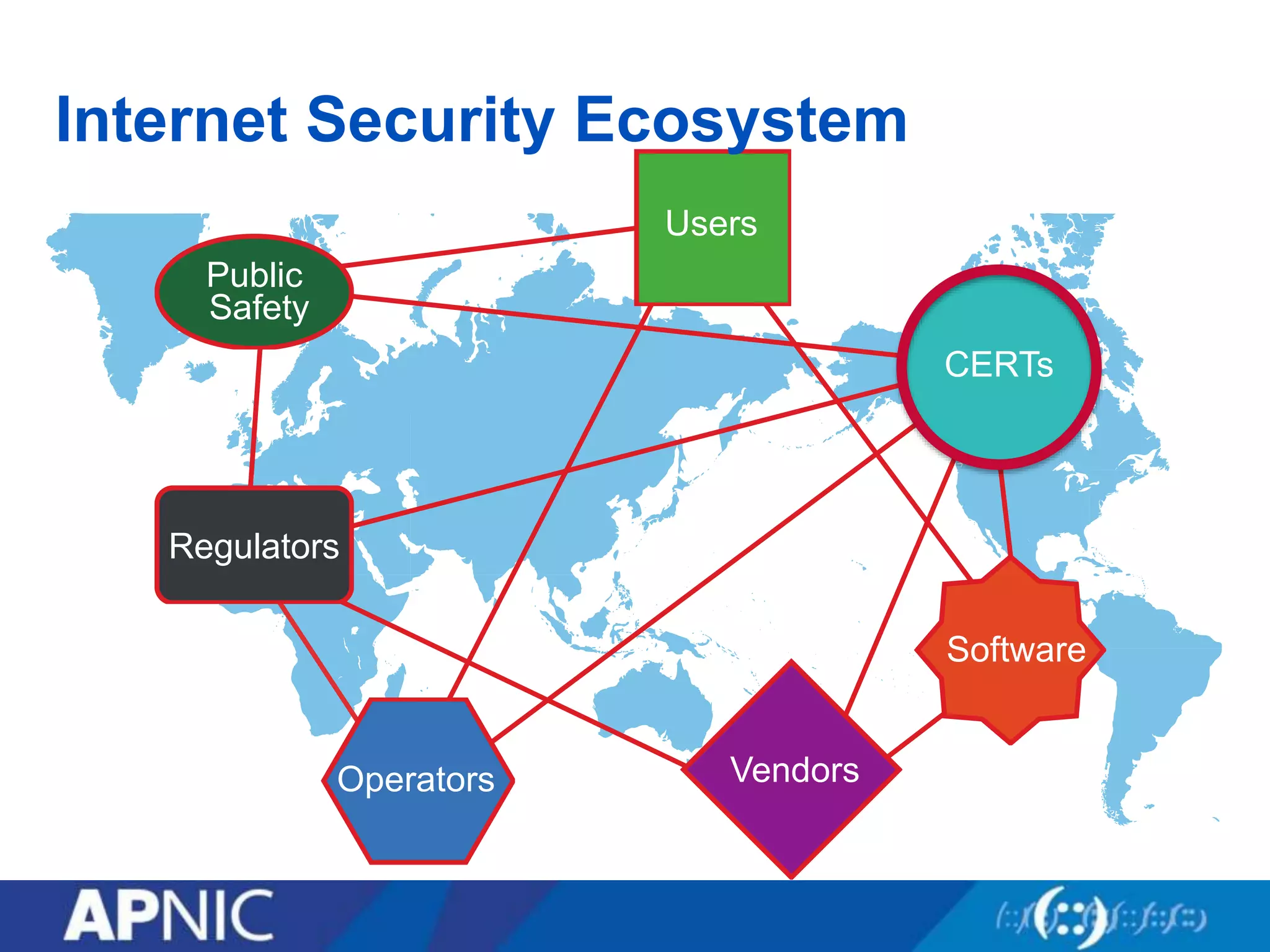
Internet Security Ecosystem
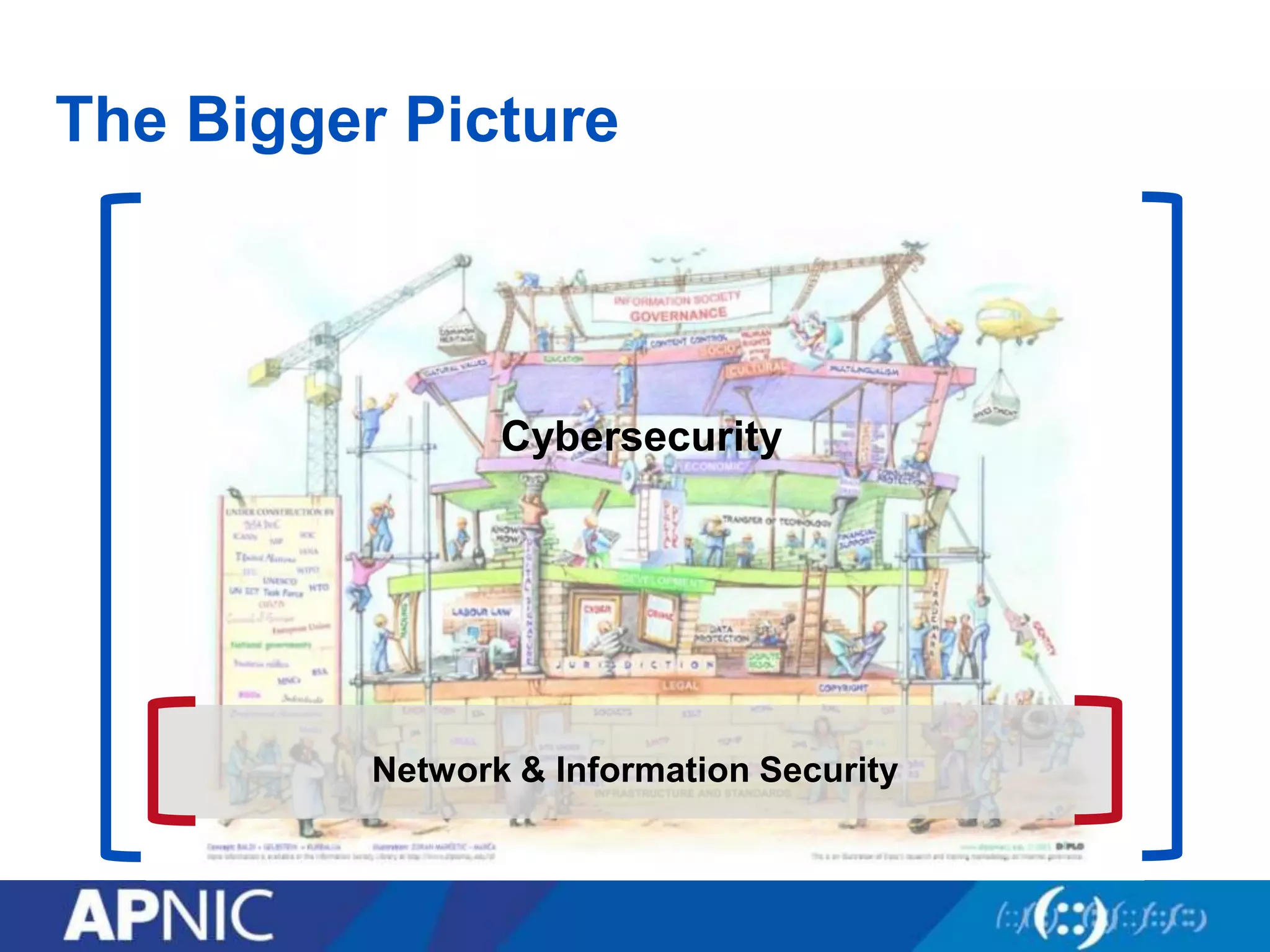
The Bigger Picture
Cybersecurity
Network & Information Security
Users
Public
Safety
Regulators
Operators Vendors
Software
CERTs
Internet Security Ecosystem
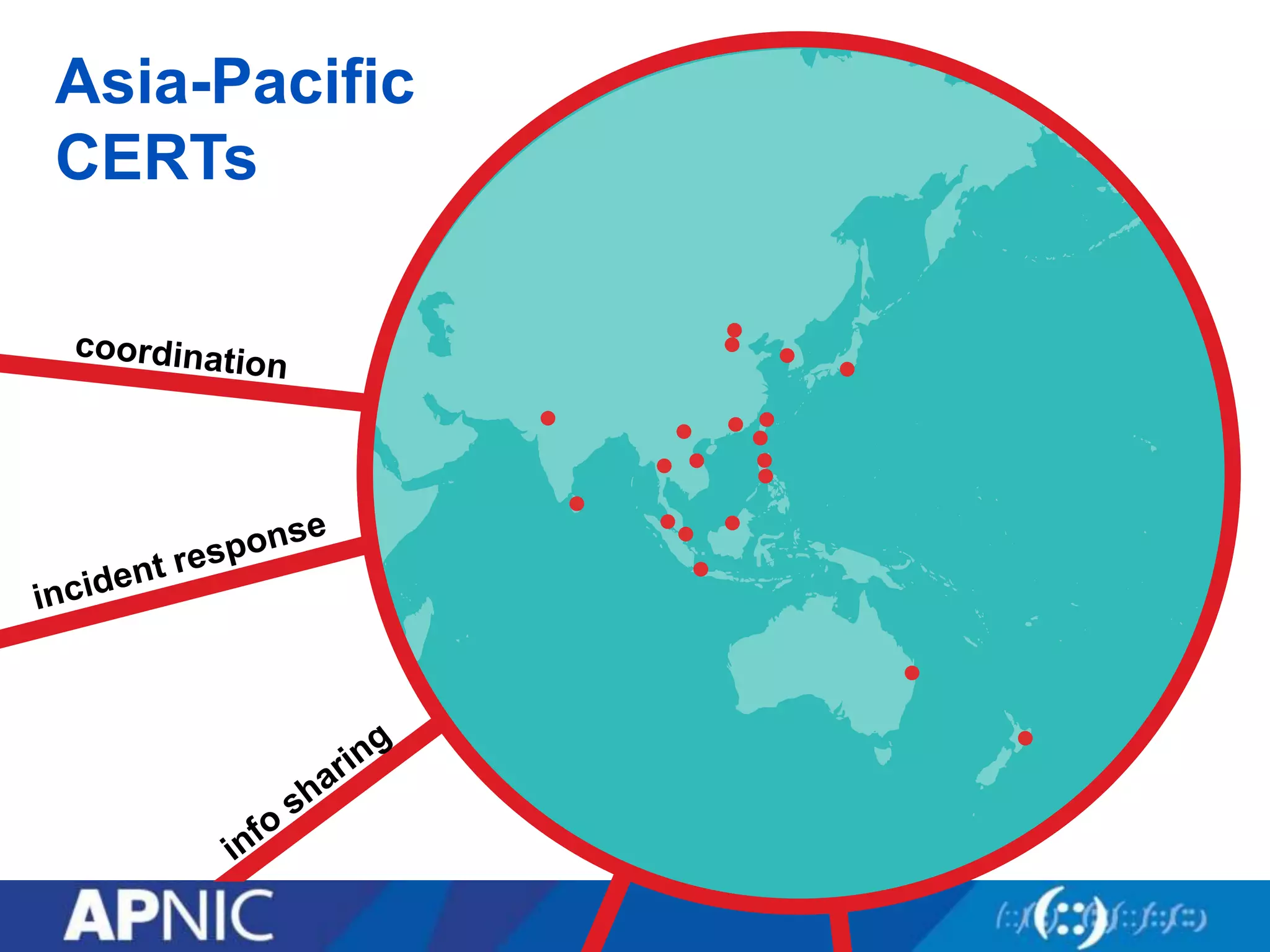
Asia-Pacific
CERTs
Recap…
• Is the Internet secure?
• Myths and Mysteries
• Evolution of security
• Security concepts and management
• Examples
• Developments: IPv6 and IoT
• The Internet security ecosystem
Questions?
Thank you
dg@apnic.net

Fundamentals of Network security

  • 1.
    Fundamentals of Network Security AsiaPacific Internet Leadership Program Taipei, TW 26 July 2016
  • 2.
    What’s coming up •Is the Internet secure? • Myths and Mysteries • Evolution of security • Security concepts and management • Examples • Developments: IPv6 and IoT • The Internet security ecosystem
  • 3.
    Is the Internetsecure? • The Internet was designed for open connectivity • For low barriers to entry in a trusting environment • A deliberately “dumb” network • “Security” was always optional (and normally a low priority)
  • 4.
    The real questions •If you ask… – “Is the Internet secure?” – “Can the Internet be secured?” – “Can society ever be safe?” – The truthful answer is “No” • But if you ask… – “Can my services/networks/transactions be secured?” – “Can the Internet be used securely?” – “Can I stay safe?” – The answer is probably “Yes” (but with care!)
  • 5.
    Myths and Mysteries •Fiction: The Internet can be secured • Fiction: Hackers are magicians • Fiction: Security experts are the magicians • Fiction: Computer viruses are like actual viruses • Fact: The Internet can be used securely • Fact: EVERY breach can be explained, and avoided • Fact: The first bug was an actual moth
  • 6.
    Some history… • 1946:Grace Hopper, a US Naval Officer, tracks down a moth causing problems in an electromechanical computer; hence “bug”. • 1960s: MIT model train group "hacks" their trains to make them perform better • 1971: Joe Draper aka "Captain Crunch", uses cereal toy to generate 2600 Hz tone, “phreaking” the AT&T long distance system • 1983: "War Games" film introduces public to the concept of hacking, and “wardialing” • 1988: Cornell student Robert Morris Jr. releases self-replicating “worm” on ARPAnet, the first Internet-borne viral programme • Late 1990s: Online sharing of automated tools. The first “botnets” – armies of virus-infected machines.
  • 7.
    Terms: Breaking itdown • Threat – Any circumstance or factor with the potential to cause harm – a motivated, capable adversary • Vulnerability – A weakness in a system; in procedures, design, or implementation that can be exploited • Software bugs, design flaws, operational mistakes • The human factor – “Social engineering” • Risk = likelihood x consequence – The liklihood (probablility) that a particular vulnerability will occur – The severity (impact) of that occurrence
  • 8.
    Authentication and Authorisation •Access control – The ability to permit or deny the use of a resource by a user, through three essential services… • Authentication – To reliably identify individual users – Users = people, processes, devices • Authorisation – To control which users are allowed to do what with a resource – Representing trust, assuming reliable authentication
  • 9.
    Security tradeoffs • Servicesoffered vs. security provided – Each service offers its own security risk – The more services, the less security • Ease of use vs. security – Every security mechanism causes inconvenience – The more “plug n play”, the less security • Risk of loss vs. Cost of security – Assets carry value and risk of loss – The higher the value, the higher the security cost • These factors can be balanced in a comprehensive organisational security policy
  • 10.
    An unexpected success… •Evolution of technology, usage and value • Evolution of security problems and solutions • Evolution never stops… 1990s: Basic connectivity 2000s: Application-specific online content 2010s: Applications/data in the “cloud” 2020s: “IoT”
  • 11.
  • 12.
    What can theattackers do? • Eavesdropping – Listen in on communications • Masquerading – Impersonating someone else • Forgery – Invent or duplicate/replay information • Trespass – Obtain unauthorised access • Subversion – Modify data and messages in transit • Destruction – Vandalise or delete important data • Disruption – Disable or prevent access to services • Infiltration – Hide out inside our machines • Hijacking – “Own” and use machines for nefarious purposes
  • 13.
    And why dothey do it? Motivation Examples Knowledge driven • Recreational • Research Issue-based • Hacktivism • Patriotism Antisocial • Revenge • Vandalism Competitive • Theft of IP • Damage to competitors Criminal • Theft of assets • Extortion Strategic • Espionage • State-driven or sponsored
  • 14.
    And, how tothey do it? • Social engineering attacks – Human beings – the weakest links – “Phishing” – Password attacks etc etc • DNS attacks – Corruption and cache poisoning • Masquerading – Address “spoofing” • Denial of Service – DoS attacks – DDoS attacks
  • 15.
    “Phishing” • “Fishing” forinformation such as usernames, passwords, credit card details, other personal information • Forged emails apparently from legitimate enterprises, direct users to forged websites.
  • 16.
    Other social engineering •Password guessing or cracking – Hence need for “non-guessable” passwords – Use of different passwords for different services • Email harvesting and “proof of life” – Misuse of collected personal information – Spam as a validation tool • embedded images – Turn them off! • unique URLs – Don’t click on anything! • Short URLs – E.g. http://bit.ly/SGWjdif – We’re accustomed to clicking without checking where we go next
  • 17.
    Masquerading example: ARP •Address Resolution Protocol (RFC 826, 1982) – Used by any TCP/IP device to discover the Layer 2 address of an IPv4 address that it wants to reach IPv4: 10.1.1.10 MAC: EtherA IPv4: 10.1.1.20 MAC: EtherB IPv4: 10.1.1.30 MAC: EtherC Here I am! IPv4: 10.1.1.30 MAC: EtherC ☺︎ IPv4 MAC 10.1.1.30 EtherCEthernet, who’s at IPv4: 10.1.1.30 ? *AKA “ARP spoofing”
  • 18.
    Masquerading example: ARP •Address Resolution Protocol (RFC 826, 1982) – SEND: IPv6 SEcure Neighbour Discovery (RFC 3971, 2005) IPv4: 10.1.1.10 MAC: EtherA IPv4: 10.1.1.20 MAC: EtherB IPv4: 10.1.1.30 MAC: EtherC ☹︎ IPv4 MAC 10.1.1.30 EtherC 10.1.1.20 EtherA Ethernet, who’s at IPv4 10.1.1.20 ? *AKA “ARP spoofing” Here I am! IPv4: 10.1.1.20 MAC: EtherA IPv4 MAC 10.1.1.30 EtherC
  • 19.
    Attacking the DNS TheInternet www.apnic.netwww.apnic.net? www.apnic.net 199.43.0.44 DNS 175.98.98.133 203.119.102.244 199.43.0.44 ☹︎
  • 20.
    Securing websites –SSL certificates The Internet www.apnic.net www.apnic.net? 203.119.102.244 DNS 175.98.98.133 203.119.102.244 ☺︎ SSL
  • 21.
    Securing DNS –DNSSEC The Internet www.apnic.net www.apnic.net? DNS 175.98.98.133 203.119.102.244 ☺︎ 203.119.102.244 SEC
  • 22.
    Misusing IP Addresses… TheInternet Global Routing Table 4.128/9 60.100/16 60.100.0/20 135.22/16 … Global Routing Table 4.128/9 60.100/16 60.100.0/20 135.22/16 199.43.0.0/24 … Announce 199.43.0.0/24 R 202.12.29.0/24 Traffic 199.43.0.0/24 ☹︎
  • 23.
    Misusing IP Addresses… TheInternet Global Routing Table 4.128/9 60.100/16 60.100.0/20 135.22/16 … Global Routing Table 4.128/9 60.100/16 60.100.0/20 135.22/16 202.12.29.0/24 … Announce 202.12.29.0/24 R 202.12.29.0/24 RPKI ☺︎
  • 24.
    Masquerading again: IPspoofing InternetISP 203.119.102.244 175.98.98.133 Request Src: 175.98.98.133 Dst: 203.119.102.244 Response Src: 203.119.102.244 Dst: 175.98.98.133 ☺︎
  • 25.
    Masquerading again: IPspoofing InternetISP 203.119.102.244 175.98.98.133 Response Src: 203.119.102.244 Dst: 199.43.0.44 199.43.0.44 Request Src: 199.43.0.44 Dst: 203.119.102.244 ☹︎
  • 26.
    DoS attack: Amplification InternetISP 203.119.102.244 175.98.98.133 199.43.0.44 Request Src:199.43.0.44 Dst: 203.119.102.244 ☹︎ Response Src: 203.119.102.244 Dst: 199.43.0.44 BIG PAYLOAD Request Src: 199.43.0.44 Dst: 203.119.102.244 Request Src: 199.43.0.44 Dst: 203.119.102.244 Request Src: 199.43.0.44 Dst: 203.119.102.244 Request Src: 199.43.0.44 Dst: 203.119.102.244 Response Src: 203.119.102.244 Dst: 199.43.0.44 BIG PAYLOAD Response Src: 203.119.102.244 Dst: 199.43.0.44 BIG PAYLOAD Response Src: 203.119.102.244 Dst: 199.43.0.44 BIG PAYLOAD Response Src: 203.119.102.244 Dst: 199.43.0.44 BIG PAYLOAD
  • 27.
    Defeating IP spoofing– BCP38 InternetISP 203.119.102.244 175.98.98.133 ☺︎ BCP38 (2000) Network Ingress Filtering: Defeating Denial of Service Attacks which employ IP Source Address Spoofing ISP Request Src: 199.43.0.44 Dst: 203.119.102.244
  • 28.
    DDoS attack: DistributedDoS InternetISP ☹︎ “Botnet”
  • 29.
    DDoS attack: DistributedDoS • Botnets for hire – Millions of virus-infected computers – Ready to be deployed by remote control • Huge amplification – Target traffic volumes in 100s of Gbps • Motivation – Various, but often extortion (requiring payment in BTC) • Mitigation – Various approaches and services available – Often bandwidth is the best solution (using cloud-based services)
  • 30.
    Source: Arbor Networks’WISR 2016 Survey
  • 31.
    Security and IPv6 •“IPsec” is mandatory in IPv6 implementation – but this does not mean it must be used. • No difference… – Traffic monitoring (Sniffing) – no change without IPsec – Application vulnerabilities – no change – Rogue devices, viruses etc • Improvements… – IPsec available when needed (eg routing protocols) – Scanning address space for devices is much harder • Threats – New expertise required, new implementations, less mature – Mistakes will be made
  • 32.
    Security and IoT •We have a long history of “things” on the Internet – In that sense, there is nothing fundamentally new with “IoT” • However… – There will be huge increase in the variety of devices – Many new vendors will enter the market – Many vendors are not “Internet companies” • Challenges – Implementation, Testing, Software upgrades, “EoL” management • Reference: “Internet of stupid things” – Geoff Huston, APNIC
  • 33.
  • 34.
  • 35.
  • 36.
  • 37.
    Recap… • Is theInternet secure? • Myths and Mysteries • Evolution of security • Security concepts and management • Examples • Developments: IPv6 and IoT • The Internet security ecosystem
  • 38.