EFFICIENT IMAGE PROCESSING
ON ANDROID

Nicolas Roard
EFFICIENT IMAGE PROCESSING
•

Works well on all hardware

•

Fast, ideally realtime interaction

•

Handles complex and flexible processing

•

Handles large images

•

Minimize memory usage
WE WANT TO HAVE OUR CAKE
AND EAT IT TOO
ANDROID KITKAT
PHOTO EDITOR
•

Non-destructive edits

•

Full-size images processing

•

Combine effects freely

•

Easy to use, yet powerful: grow with the user
NON-DESTRUCTIVE EDITS

•

Effects are modifiable or reversible without quality loss

•

Allow re-edits of processed images
RENDERSCRIPT (RS)

•

Cool thingy that let you do fast image processing
TIMELINE
3 VERSIONS, 10 MONTHS
4.2 - NOVEMBER 2012
•

Color FX (9 looks)

•

11 Borders

•

Geometry: Straighten, Rotate, Crop, Mirror

•

Filters & Tools
•

Autocolor, Exposure, Vignette, Contrast, Shadows, Vibrance,
Sharpness (RS-based), Curves, Hue, Saturation, BW Filter

•

Non-destructive edits (in the editor -- save create a copy)

•

Exposed history
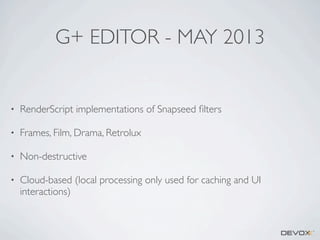
G+ EDITOR - MAY 2013

•

RenderScript implementations of Snapseed filters

•

Frames, Film, Drama, Retrolux

•

Non-destructive

•

Cloud-based (local processing only used for caching and UI
interactions)
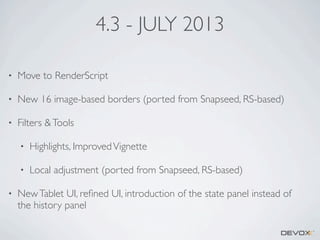
4.3 - JULY 2013
•

Move to RenderScript

•

New 16 image-based borders (ported from Snapseed, RS-based)

•

Filters & Tools
•
•

•

Highlights, Improved Vignette
Local adjustment (ported from Snapseed, RS-based)

New Tablet UI, refined UI, introduction of the state panel instead of
the history panel
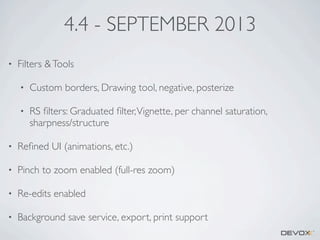
4.4 - SEPTEMBER 2013
•

Filters & Tools
•

Custom borders, Drawing tool, negative, posterize

•

RS filters: Graduated filter, Vignette, per channel saturation,
sharpness/structure

•

Refined UI (animations, etc.)

•

Pinch to zoom enabled (full-res zoom)

•

Re-edits enabled

•

Background save service, export, print support
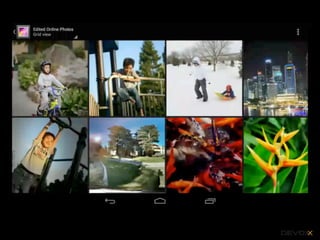
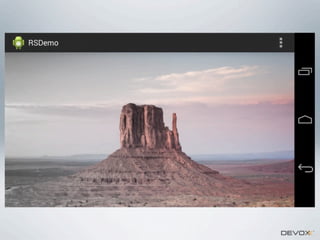
DEMO
SOME ADDITIONAL INFOS

•

Phone and Tablet UI

•

Filters in C & RenderScript

•

Works on Full Size images -- largest tried was a 278MP image on a
Nexus 7 2nd gen. Limited by available RAM.

•

Nearly all of the editor is in AOSP!
IMAGE PROCESSING
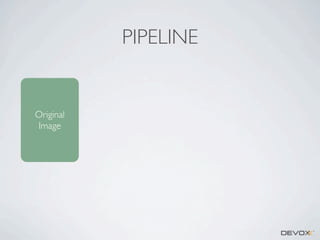
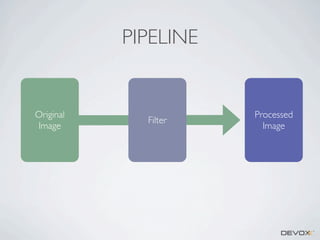
PIPELINE

Original
Image
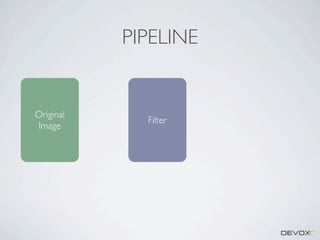
PIPELINE

Original
Image

Filter
PIPELINE

Original
Image

Filter

Processed
Image
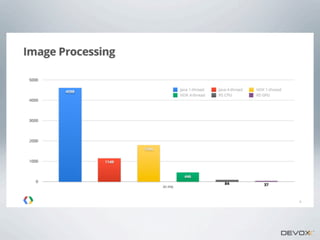
IMAGE PROCESSING

•

In Java

•

In native code (JNI calls to C/C++)

•

In OpenGLES2

•

RenderScript
JAVA

•

Use getPixel()

•

Use getPixels()

•

Use copyPixelsToBuffer() [premultiplied]

•

GC calls. GC calls everywhere.
NATIVE CODE
•

Pass a Bitmap through JNI to C/C++
•

Quite fast & pretty easy to work with (pointer to the bitmap -- and
no GC!)

•

JNI / Native can be fastidious

•

Handling different CPU architectures can be an issue

•

Optimizations can be complicated

•

JNI management
OPENGL ES 2.0
•

Fast -- can write interactive processing

•

Hard to ensure the shaders will perform well on all devices

•

Limited in size (max texture size...)

•

Needs adhoc shaders, i.e. fixed pipelines.

•

Expensive to retrieve processed image
RENDERSCRIPT
“RENDERSCRIPT IS A FRAMEWORK FOR RUNNING
COMPUTATIONALLY INTENSIVE TASKS AT HIGH PERFORMANCE ON
ANDROID. RENDERSCRIPT IS PRIMARILY ORIENTED FOR USE WITH
DATA-PARALLEL COMPUTATION, ALTHOUGH SERIAL
COMPUTATIONALLY INTENSIVE WORKLOADS CAN BENEFIT AS WELL.”
•

Write “kernels” in a C99-like language with vector
extensions and useful intrinsics

•

RenderScript executes them in parallel, on the GPU or
CPU

•

Java used to manage lifetime of objects/allocations and
control of execution

•

Portability
RENDERSCRIPT
•

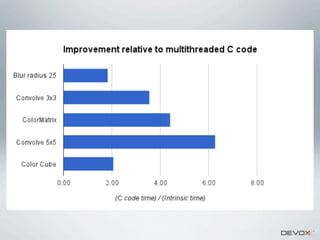
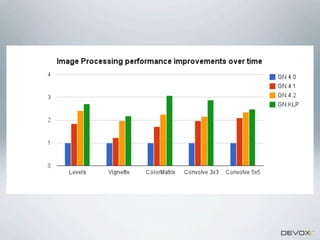
Fast -- through LLVM optimizations and Parallelization

•

Supports CPU / GPU

•

Compatibility Library

•

Easy to offload to the background

•

Pretty easy to write
RENDERSCRIPT

•

Cannot allocate memory from kernels, need to do it from outside

•

RenderScript can be called from Java or from Native

•

Compatibility library!
HOW?

•

Optimized Math library

•

Optimizations on the device

•

Easier to read & maintain (vector math library helps)
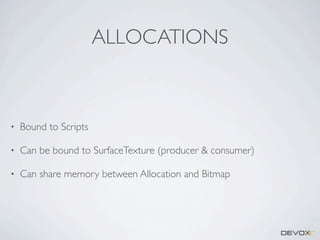
ALLOCATIONS

•

Bound to Scripts

•

Can be bound to SurfaceTexture (producer & consumer)

•

Can share memory between Allocation and Bitmap
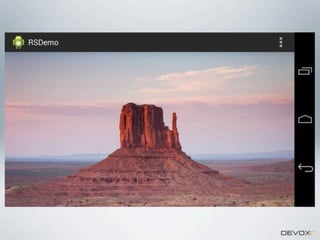
HOW TO USE IT
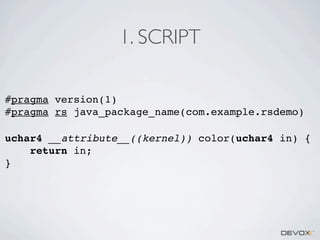
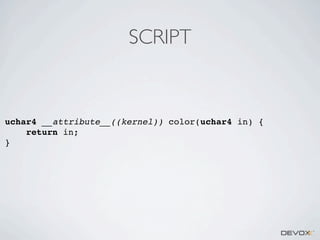
1. SCRIPT
#pragma version(1)
#pragma rs java_package_name(com.example.rsdemo)
uchar4 __attribute__((kernel)) color(uchar4 in) {
return in;
}
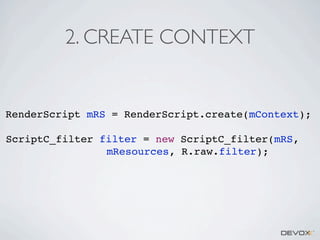
2. CREATE CONTEXT

RenderScript mRS = RenderScript.create(mContext);
ScriptC_filter filter = new ScriptC_filter(mRS,
mResources, R.raw.filter);
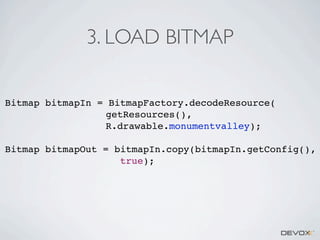
3. LOAD BITMAP
Bitmap bitmapIn = BitmapFactory.decodeResource(
getResources(),
R.drawable.monumentvalley);
Bitmap bitmapOut = bitmapIn.copy(bitmapIn.getConfig(),
true);
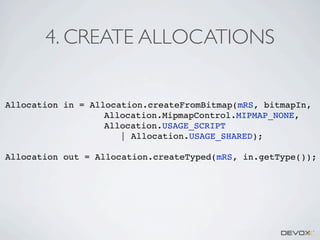
4. CREATE ALLOCATIONS

Allocation in = Allocation.createFromBitmap(mRS, bitmapIn,
Allocation.MipmapControl.MIPMAP_NONE,
Allocation.USAGE_SCRIPT
| Allocation.USAGE_SHARED);
Allocation out = Allocation.createTyped(mRS, in.getType());
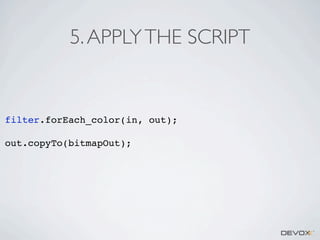
5. APPLY THE SCRIPT

filter.forEach_color(in, out);
out.copyTo(bitmapOut);
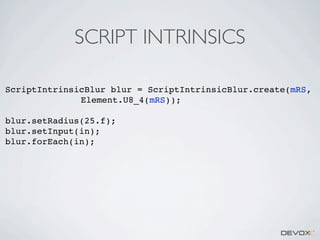
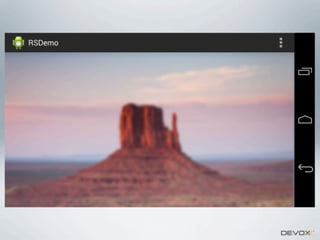
SCRIPT INTRINSICS
ScriptIntrinsicBlur blur = ScriptIntrinsicBlur.create(mRS,
Element.U8_4(mRS));
blur.setRadius(25.f);
blur.setInput(in);
blur.forEach(in);
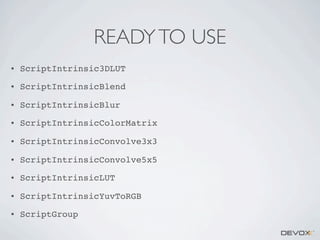
READY TO USE
•

ScriptIntrinsic3DLUT

•

ScriptIntrinsicBlend

•

ScriptIntrinsicBlur

•

ScriptIntrinsicColorMatrix

•

ScriptIntrinsicConvolve3x3

•

ScriptIntrinsicConvolve5x5

•

ScriptIntrinsicLUT

•

ScriptIntrinsicYuvToRGB

•

ScriptGroup
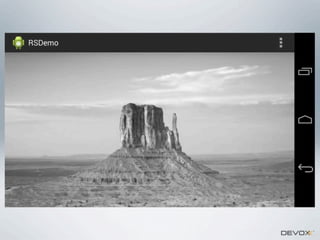
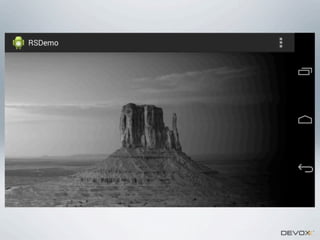
PAINT IT BLACK
(OR GRAY)
SCRIPT

uchar4 __attribute__((kernel)) color(uchar4 in) {
return in;
}
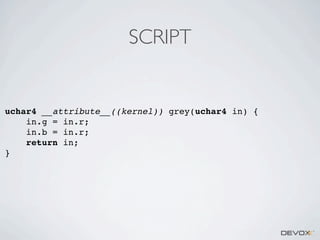
SCRIPT

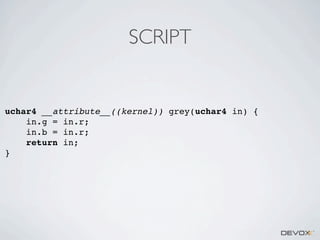
uchar4 __attribute__((kernel)) grey(uchar4 in) {
in.g = in.r;
in.b = in.r;
return in;
}
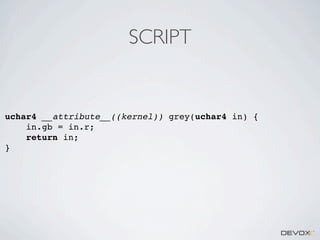
SCRIPT

uchar4 __attribute__((kernel)) grey(uchar4 in) {
in.gb = in.r;
return in;
}
NDK
void Java_com_example_rsdemo_ProcessImage_processBitmap(JNIEnv* env,
jobject this, jobject bitmap,
jint width, jint height) {
	 unsigned char* rgb = 0;
	 AndroidBitmap_lockPixels(env, bitmap, (void**) &rgb);
	 int len = width * height * 4;
	 int i;
	 for (i = 0; i < len; i+=4) {
	 	 int red = rgb[i];
	 	 rgb[i+1] = red;
	 	 rgb[i+2] = red;
	 }
	 AndroidBitmap_unlockPixels(env, bitmap);
}
LOCAL EFFECT
SCRIPT

uchar4 __attribute__((kernel)) grey(uchar4 in) {
in.g = in.r;
in.b = in.r;
return in;
}
SCRIPT

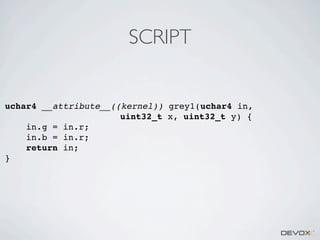
uchar4 __attribute__((kernel)) grey1(uchar4 in,
uint32_t x, uint32_t y) {
in.g = in.r;
in.b = in.r;
return in;
}
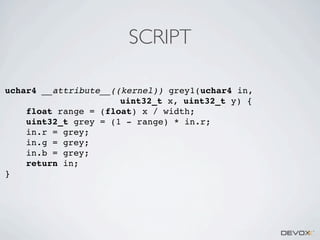
SCRIPT
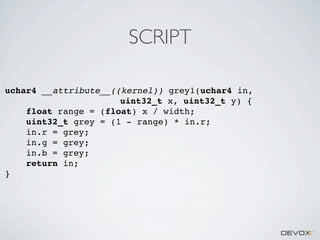
uchar4 __attribute__((kernel)) grey1(uchar4 in,
uint32_t x, uint32_t y) {
float range = (float) x / width;
uint32_t grey = (1 - range) * in.r;
in.r = grey;
in.g = grey;
in.b = grey;
return in;
}
SCRIPT
uchar4 __attribute__((kernel)) grey1(uchar4 in,
uint32_t x, uint32_t y) {
float range = (float) x / width;
uint32_t grey = (1 - range) * in.r;
in.r = grey;
in.g = grey;
in.b = grey;
return in;
}
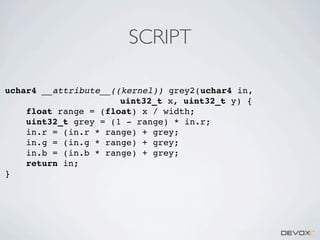
SCRIPT
uchar4 __attribute__((kernel)) grey2(uchar4 in,
uint32_t x, uint32_t y) {
float range = (float) x / width;
uint32_t grey = (1 - range) * in.r;
in.r = (in.r * range) + grey;
in.g = (in.g * range) + grey;
in.b = (in.b * range) + grey;
return in;
}
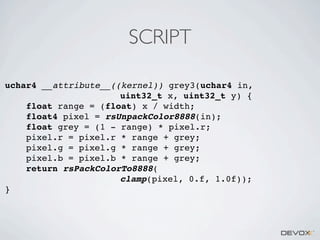
SCRIPT
uchar4 __attribute__((kernel)) grey3(uchar4 in,
uint32_t x, uint32_t y) {
float range = (float) x / width;
float4 pixel = rsUnpackColor8888(in);
float grey = (1 - range) * pixel.r;
pixel.r = pixel.r * range + grey;
pixel.g = pixel.g * range + grey;
pixel.b = pixel.b * range + grey;
return rsPackColorTo8888(
clamp(pixel, 0.f, 1.0f));
}
SCRIPT
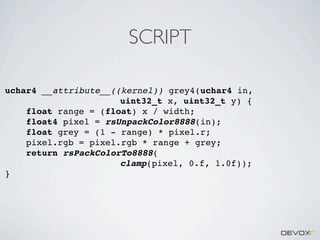
uchar4 __attribute__((kernel)) grey4(uchar4 in,
uint32_t x, uint32_t y) {
float range = (float) x / width;
float4 pixel = rsUnpackColor8888(in);
float grey = (1 - range) * pixel.r;
pixel.rgb = pixel.rgb * range + grey;
return rsPackColorTo8888(
clamp(pixel, 0.f, 1.0f));
}
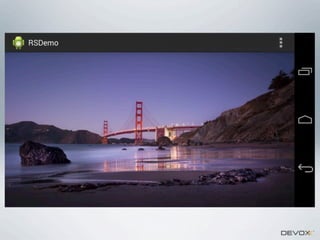
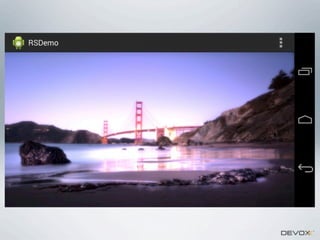
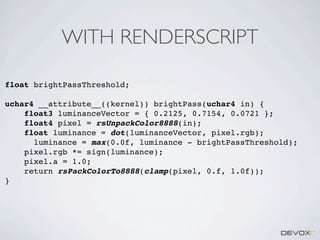
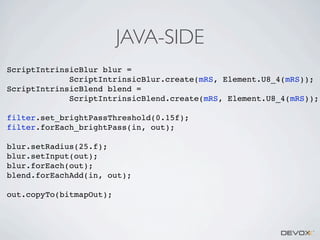
EXAMPLE: BLOOM

•

Select the bright pixels

•

Blur the result

•

Add the blurred bright pixels back to the image
WITH JAVA
private void brightPass(int[] pixels, int width, int height) {
int threshold = (int) (brightnessThreshold * 255);
int r;
int g;
int b;
int luminance;
int[] luminanceData = new int[3 * 256];
// pre-computations
for (int i = 0; i <
luminanceData[i
luminanceData[i
luminanceData[i
}

for conversion from RGB to YCC
luminanceData.length; i += 3) {
] = (int) (i * 0.2125f);
+ 1] = (int) (i * 0.7154f);
+ 2] = (int) (i * 0.0721f);
int index = 0;
for (int y = 0; y < height; y++) {
for (int x = 0; x < width; x++) {
int pixel = pixels[index];
// unpack the pixel's components
r = pixel >> 16 & 0xFF;
g = pixel >> 8 & 0xFF;
b = pixel
& 0xFF;
// compute the luminance
luminance = luminanceData[r * 3] + luminanceData[g * 3 + 1] +
luminanceData[b * 3 + 2];
// apply the treshold to select the brightest pixels
luminance = Math.max(0, luminance - threshold);
int sign = (int) Math.signum(luminance);
// pack the components in a single pixel
pixels[index] = 0xFF000000 | (r * sign) < < 16 |
(g * sign) << 8 | (b * sign);
index++;
}
}
}
WITH GL SHADER
uniform sampler2D baseImage;
uniform float brightPassThreshold;
void main(void) {
vec3 luminanceVector = vec3(0.2125, 0.7154, 0.0721);
vec4 sample = texture2D(baseImage, gl_TexCoord[0].st);
float luminance = dot(luminanceVector, sample.rgb);
luminance = max(0.0, luminance - brightPassThreshold);
sample.rgb *= sign(luminance);
sample.a = 1.0;
gl_FragColor = sample;
}
WITH RENDERSCRIPT
float brightPassThreshold;
uchar4 __attribute__((kernel)) brightPass(uchar4 in) {
float3 luminanceVector = { 0.2125, 0.7154, 0.0721 };
float4 pixel = rsUnpackColor8888(in);
float luminance = dot(luminanceVector, pixel.rgb);
luminance = max(0.0f, luminance - brightPassThreshold);
pixel.rgb *= sign(luminance);
pixel.a = 1.0;
return rsPackColorTo8888(clamp(pixel, 0.f, 1.0f));
}
JAVA-SIDE
ScriptIntrinsicBlur blur =
ScriptIntrinsicBlur.create(mRS, Element.U8_4(mRS));
ScriptIntrinsicBlend blend =
ScriptIntrinsicBlend.create(mRS, Element.U8_4(mRS));
filter.set_brightPassThreshold(0.15f);
filter.forEach_brightPass(in, out);
blur.setRadius(25.f);
blur.setInput(out);
blur.forEach(out);
blend.forEachAdd(in, out);
out.copyTo(bitmapOut);
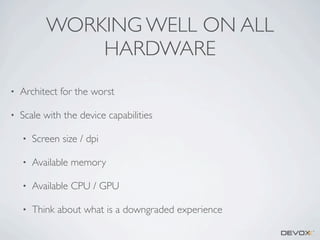
WORKING WELL EVERYWHERE
WORKING WELL ON ALL
HARDWARE
•

Architect for the worst

•

Scale with the device capabilities
•

Screen size / dpi

•

Available memory

•

Available CPU / GPU

•

Think about what is a downgraded experience
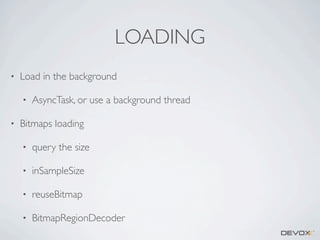
LOADING
•

Load in the background
•

•

AsyncTask, or use a background thread

Bitmaps loading
•

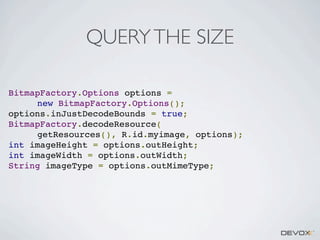
query the size

•

inSampleSize

•

reuseBitmap

•

BitmapRegionDecoder
QUERY THE SIZE
BitmapFactory.Options options =
new BitmapFactory.Options();
options.inJustDecodeBounds = true;
BitmapFactory.decodeResource(
getResources(), R.id.myimage, options);
int imageHeight = options.outHeight;
int imageWidth = options.outWidth;
String imageType = options.outMimeType;
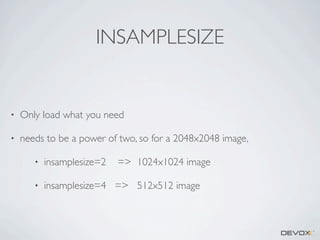
INSAMPLESIZE

•

Only load what you need

•

needs to be a power of two, so for a 2048x2048 image,
•

insamplesize=2

=> 1024x1024 image

•

insamplesize=4 => 512x512 image
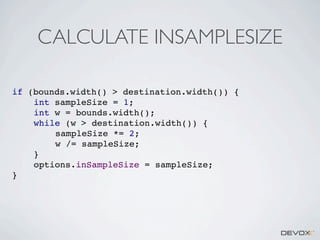
CALCULATE INSAMPLESIZE
if (bounds.width() > destination.width()) {
int sampleSize = 1;
int w = bounds.width();
while (w > destination.width()) {
sampleSize *= 2;
w /= sampleSize;
}
options.inSampleSize = sampleSize;
}
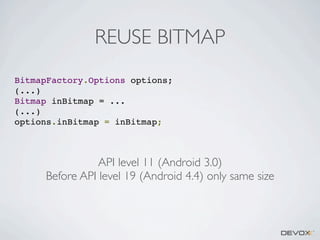
REUSE BITMAP
BitmapFactory.Options options;
(...)
Bitmap inBitmap = ...
(...)
options.inBitmap = inBitmap;

API level 11 (Android 3.0)
Before API level 19 (Android 4.4) only same size
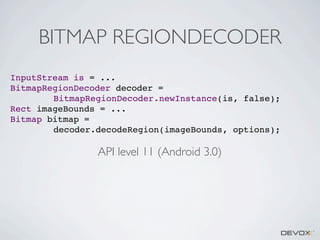
BITMAP REGIONDECODER
InputStream is = ...
BitmapRegionDecoder decoder =
BitmapRegionDecoder.newInstance(is, false);
Rect imageBounds = ...
Bitmap bitmap =
decoder.decodeRegion(imageBounds, options);

API level 11 (Android 3.0)
PIPELINE
PIPELINE

•

Run in a background service (used when saving too)

•

Mix C, RenderScript, java filtering (canvas draw)

•

multiple pipelines in parallel (direct preview, highres, icons, full res,
geometry, saving)
FLEXIBLE PROCESSING
•

Unbounded pipeline

•

No fixed order

•

Complex filters
•

Geometry-based

•

Global

•

Local
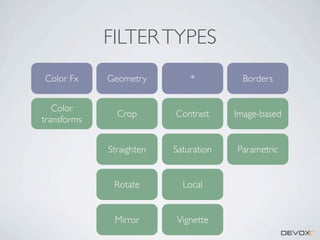
FILTER TYPES
Color Fx

Geometry

*

Borders

Color
transforms

Crop

Contrast

Image-based

Straighten

Saturation

Parametric

Rotate

Local

Mirror

Vignette
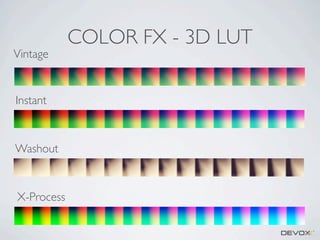
Vintage

Instant

Washout

X-Process

COLOR FX - 3D LUT
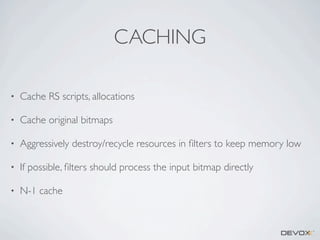
CACHING
•

Cache RS scripts, allocations

•

Cache original bitmaps

•

Aggressively destroy/recycle resources in filters to keep memory low

•

If possible, filters should process the input bitmap directly

•

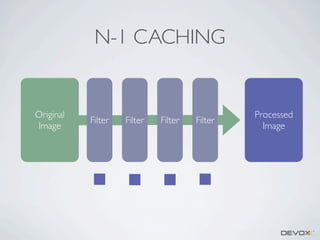
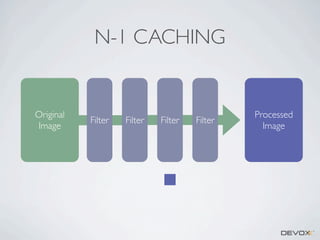
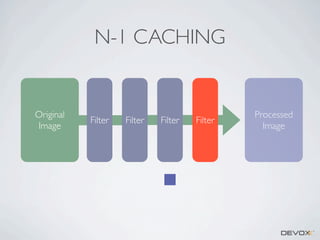
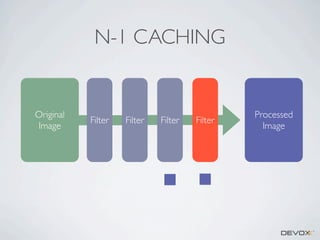
N-1 cache
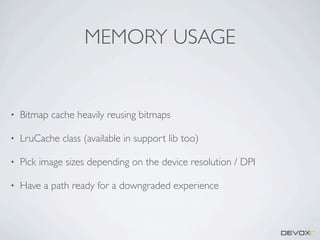
MEMORY USAGE

•

Bitmap cache heavily reusing bitmaps

•

LruCache class (available in support lib too)
•

Pick image sizes depending on the device resolution / DPI

•

Have a path ready for a downgraded experience
DEVICE CAPABILITIES
•

Ask the system
•

Runtime.getRuntime().maxMemory()

•

New isLowRamDevice() API

•

Handles low-memory signals

•

Handles java.lang.OutOfMemory exceptions
PIPELINE CACHE

Original
Image
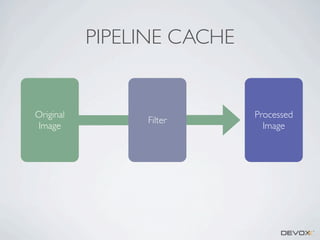
PIPELINE CACHE

Original
Image

Filter

Processed
Image
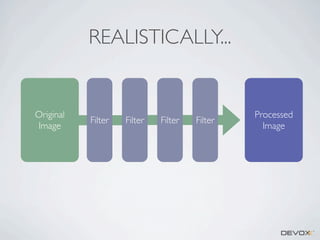
REALISTICALLY...

Original
Image
REALISTICALLY...

Original
Image

Filter

Filter

Filter

Filter

Processed
Image
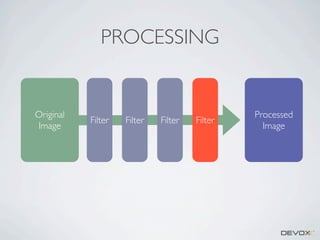
PROCESSING

Original
Image

Filter

Filter

Filter

Filter

Processed
Image
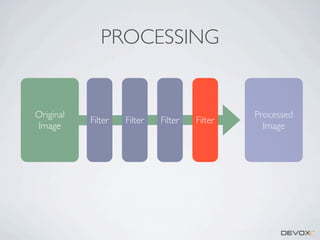
PROCESSING

Original
Image

Filter

Filter

Filter

Filter

Processed
Image
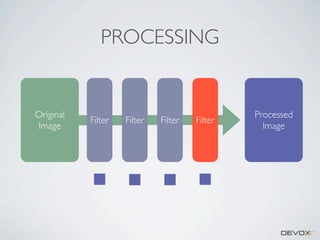
PROCESSING

Original
Image

Filter

Filter

Filter

Filter

Processed
Image
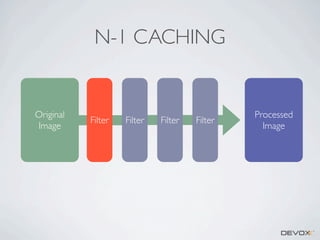
N-1 CACHING

Original
Image

Filter

Filter

Filter

Filter

Processed
Image
N-1 CACHING

Original
Image

Filter

Filter

Filter

Filter

Processed
Image
N-1 CACHING

Original
Image

Filter

Filter

Filter

Filter

Processed
Image
N-1 CACHING

Original
Image

Filter

Filter

Filter

Filter

Processed
Image
N-1 CACHING

Original
Image

Filter

Filter

Filter

Filter

Processed
Image
N-1 CACHING

•

No silver bullet

•

Only really useful when the user manipulates the last filters of the
pipeline...

•

...but this is after all the more common scenario!
REALTIME INTERACTION
•

Background processing

•

Minimize allocations -- Careful with Garbage Collection!

•

Optimized filters, RenderScript helps

•

Caching in the pipeline

•

Low/High resolution preview
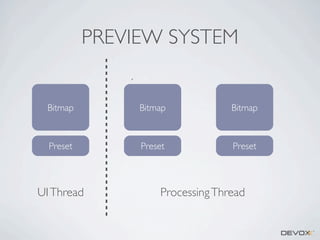
PREVIEW SYSTEM

Bitmap

Bitmap

Bitmap

Preset

Preset

Preset

UI Thread

Processing Thread
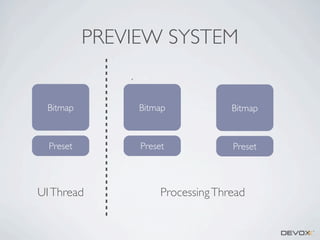
PREVIEW SYSTEM

Bitmap

Bitmap

Bitmap

Preset

Preset

Preset

UI Thread

Processing Thread
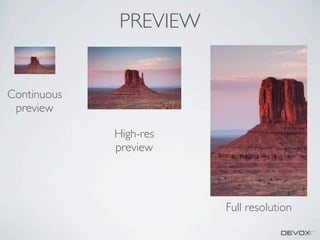
PREVIEW

Continuous
preview
High-res
preview

Full resolution
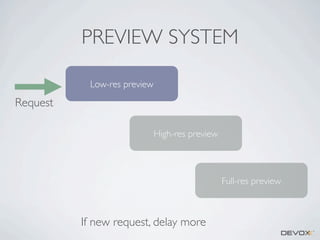
PREVIEW SYSTEM
Low-res preview

Request
High-res preview

Full-res preview

If new request, delay more
HOW TO CHEAT

•

The triple-buffer preview can have a low resolution

•

The UI elements and controls are animated and manipulated at 60 fps
on the UI thread

•

The rendering pipeline can (and needs to) be interrupted
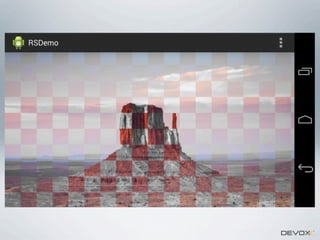
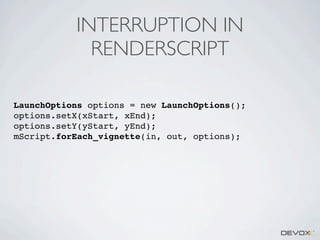
INTERRUPTION IN
RENDERSCRIPT
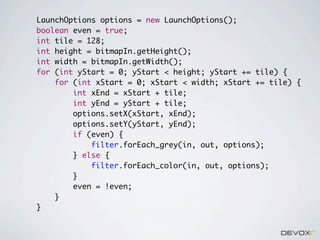
LaunchOptions options = new LaunchOptions();
options.setX(xStart, xEnd);
options.setY(yStart, yEnd);
mScript.forEach_vignette(in, out, options);
LaunchOptions options = new LaunchOptions();
boolean even = true;
int tile = 128;
int height = bitmapIn.getHeight();
int width = bitmapIn.getWidth();
for (int yStart = 0; yStart < height; yStart += tile) {
for (int xStart = 0; xStart < width; xStart += tile) {
int xEnd = xStart + tile;
int yEnd = yStart + tile;
options.setX(xStart, xEnd);
options.setY(yStart, yEnd);
if (even) {
filter.forEach_grey(in, out, options);
} else {
filter.forEach_color(in, out, options);
}
even = !even;
}
}
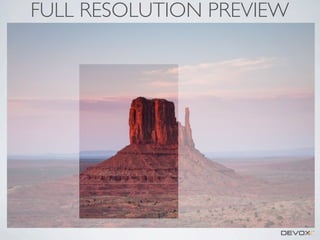
FULL RESOLUTION PREVIEW
FULL RESOLUTION
PREVIEW
•

Ideally, we should use a tile-based rendering

•

At the moment, we use BitmapFactory region decoder instead

•

Filters need to be able to handle partial regions
•

future payoff: streaming save
FUTURE
FUTURE -- IN THE PHOTO
EDITOR
•

Merging filters
•
•

•

RenderScript
At the pipeline level (color cubes...)

Streaming saving
•

Some code is there (AOSP), but not used
FUTURE -- IN ANDROID
FRAMEWORK
•

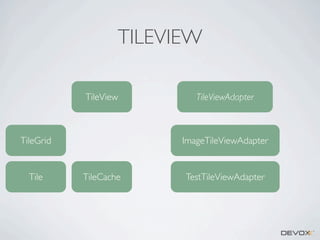
TileView

•

Adding filtering pipeline in android framework

•

Image loader improvements

•

RAW support? Color correction?
13223x5598
70MP image
~60 tiles, ~15Mb
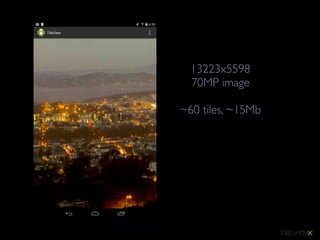
13223x5598
70MP image
~60 tiles, ~15Mb
TILEVIEW
TileView

TileGrid

Tile

TileViewAdapter

ImageTileViewAdapter

TileCache

TestTileViewAdapter
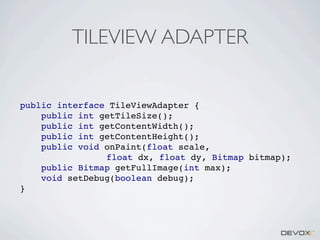
TILEVIEW ADAPTER

public interface TileViewAdapter {
public int getTileSize();
public int getContentWidth();
public int getContentHeight();
public void onPaint(float scale,
float dx, float dy, Bitmap bitmap);
public Bitmap getFullImage(int max);
void setDebug(boolean debug);
}
QUESTIONS, SUGGESTIONS?

•

RenderScript documentation:
•

•

http://developer.android.com/guide/topics/renderscript/
compute.html

contact: nicolasroard@google.com

Efficient Image Processing - Nicolas Roard