Online Learning Spaces
fogbirdstelephonewire2byzen
Instructional Coaches
September 24, 2013
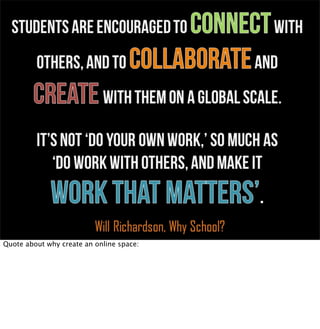
Quote about why create an online space:
Online Collaborative Spaces
Learn the Basics of Selecting and Managing
Online Collaborative Spaces that can be
used with the iPad.
1byLeoReynolds
Why don’t you just
tell us what to use!?!
No one online learning space will be the perfect solution to all your needs. Know what you
want to accomplish. Then, go through the next few slides as explanation.
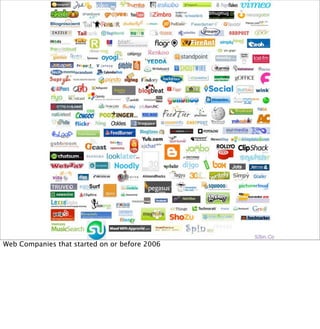
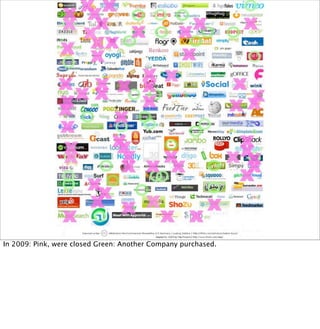
Web Companies that started on or before 2006
In 2009: Pink, were closed Green: Another Company purchased.
Floatbyaussiegall
Collaborative spaces change.
We must be flexible as well.
Web Tools, “the internet”, Cloud-based services always evolving. Students need to be able to
adapt, transfer the skills that allow them to collaborate and communicate online.
on flickr
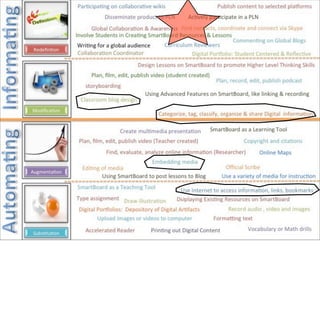
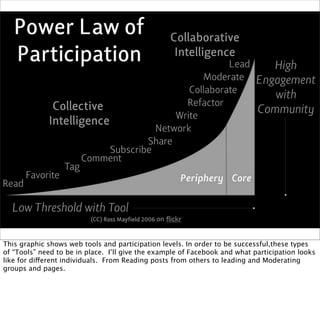
This graphic shows web tools and participation levels. In order to be successful,these types
of “Tools” need to be in place. I’ll give the example of Facebook and what participation looks
like for different individuals. From Reading posts from others to leading and Moderating
groups and pages.
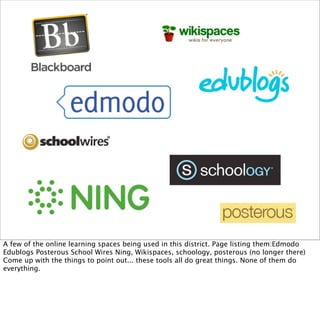
A few of the online learning spaces being used in this district. Page listing them:Edmodo
Edublogs Posterous School Wires Ning, Wikispaces, schoology, posterous (no longer there)
Come up with the things to point out... these tools all do great things. None of them do
everything.
A few of the online learning spaces being used in this district. Page listing them:Edmodo
Edublogs Posterous School Wires Ning, Wikispaces. Come up with the things to point out...
these tools all do great things. None of them do everything.
1. Sign-in (or sign-up) for Edmodo
2. Join Our Group: ________
3. Take part in the discussion listed
in the group.
Discussion Question: Welcome to the Edmodo Online Learning Space for Coaches! Let's start a discussion. What features do you feel are important for
your teachers if/when they have students working within an online learning space?
“Collaboration, it turns out, is not a
gift from the gods but a skill that
requires effort and practice.”
― Douglas B. Reeves,
Transforming Professional Development Into Student Results
“Collaboration, it turns out, is not a gift from the gods but a skill that requires effort and
practice.”
― Douglas B. Reeves, Transforming Professional Development Into Student Results
Holding Conversations...
Holding conversations is a key component of any good online learning space.
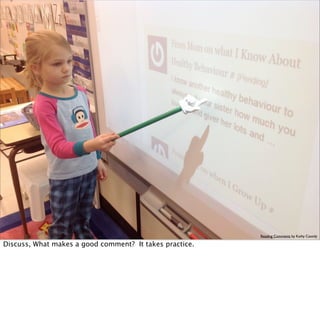
Reading Comments by Kathy Cassidy
Discuss, What makes a good comment? It takes practice.
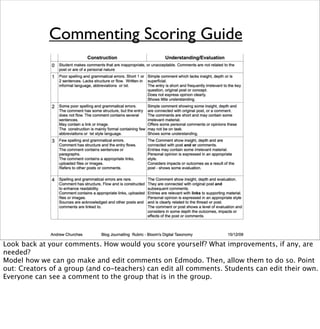
Commenting Scoring Guide
Look back at your comments. How would you score yourself? What improvements, if any, are
needed?
Model how we can go make and edit comments on Edmodo. Then, allow them to do so. Point
out: Creators of a group (and co-teachers) can edit all comments. Students can edit their own.
Everyone can see a comment to the group that is in the group.
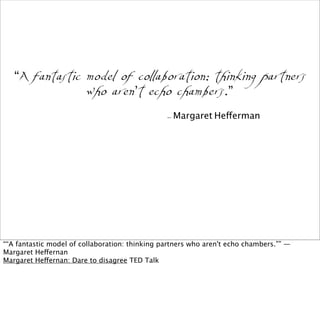
“A fantastic model of collaboration: thinking partners
who aren’t echo chambers.”
- Margaret Hefferman
““A fantastic model of collaboration: thinking partners who aren't echo chambers.”” —
Margaret Heffernan
Margaret Heffernan: Dare to disagree TED Talk
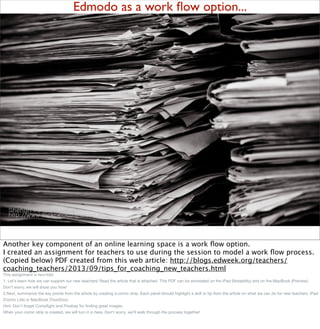
Edmodo as a work flow option...
Another key component of an online learning space is a work flow option.
I created an assignment for teachers to use during the session to model a work flow process.
(Copied below) PDF created from this web article: http://blogs.edweek.org/teachers/
coaching_teachers/2013/09/tips_for_coaching_new_teachers.html
This assignment is two-fold.
1. Let's learn how we can support our new teachers! Read the article that is attached. This PDF can be annotated on the iPad (Notability) and on the MacBook (Preview).
Don't worry, we will show you how!
2.Next, summarize the key points from the article by creating a comic strip. Each panel should highlight a skill or tip from the article on what we can do for new teachers. iPad
(Comic Life) or MacBook (ToonDoo).
Hint: Don't forget Compfight and Pixabay for finding great images.
When your comic strip is created, we will turn it in here. Don't worry, we'll walk through the process together!
not quite clear on the subject by woodlywonderworks
A closer
look
Jig Saw this: Now, a few minutes to have the opportunity to poke around Edmodo.
Suggested things to look at: Calendar, Folders, Library, Notes,Assignments, Quizzes and
Polls.
Also: Teacher Groups, Help Section, and Your Profile.
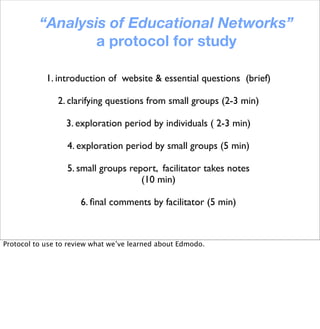
1. introduction of website & essential questions (brief)
2. clarifying questions from small groups (2-3 min)
3. exploration period by individuals ( 2-3 min)
4. exploration period by small groups (5 min)
5. small groups report, facilitator takes notes
(10 min)
6. final comments by facilitator (5 min)
“Analysis of Educational Networks”
a protocol for study
Protocol to use to review what we’ve learned about Edmodo.
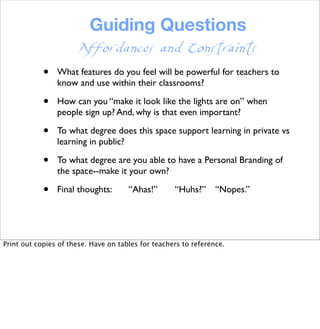
Guiding Questions
• What features do you feel will be powerful for teachers to
know and use within their classrooms?
• How can you “make it look like the lights are on” when
people sign up? And, why is that even important?
• To what degree does this space support learning in private vs
learning in public?
• To what degree are you able to have a Personal Branding of
the space--make it your own?
• Final thoughts: “Ahas!” “Huhs?” “Nopes.”
Affordances and Constraints
Print out copies of these. Have on tables for teachers to reference.
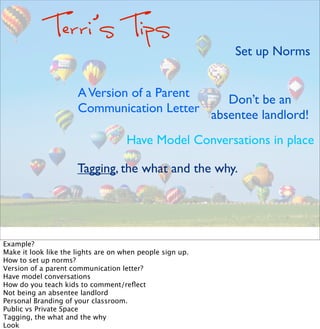
Terri’s Tips
Set up Norms
Tagging, the what and the why.
Don’t be an
absentee landlord!
Have Model Conversations in place
AVersion of a Parent
Communication Letter
Example?
Make it look like the lights are on when people sign up.
How to set up norms?
Version of a parent communication letter?
Have model conversations
How do you teach kids to comment/reflect
Not being an absentee landlord
Personal Branding of your classroom.  
Public vs Private Space
Tagging, the what and the why
Look
Still life with a pigeon by Pensiero
Next Steps?
Next steps: What do the coaches want to learn next? I created a quiz/poll on Edmodo to be
used at the end listing out 5 topics.
Outta here...

Online Learning Spaces-Instructional Coaching PD

  • 1.
  • 2.
    Quote about whycreate an online space:
  • 4.
    Online Collaborative Spaces Learnthe Basics of Selecting and Managing Online Collaborative Spaces that can be used with the iPad.
  • 5.
    1byLeoReynolds Why don’t youjust tell us what to use!?! No one online learning space will be the perfect solution to all your needs. Know what you want to accomplish. Then, go through the next few slides as explanation.
  • 6.
    Web Companies thatstarted on or before 2006
  • 7.
    In 2009: Pink,were closed Green: Another Company purchased.
  • 8.
    Floatbyaussiegall Collaborative spaces change. Wemust be flexible as well. Web Tools, “the internet”, Cloud-based services always evolving. Students need to be able to adapt, transfer the skills that allow them to collaborate and communicate online.
  • 9.
    on flickr This graphicshows web tools and participation levels. In order to be successful,these types of “Tools” need to be in place. I’ll give the example of Facebook and what participation looks like for different individuals. From Reading posts from others to leading and Moderating groups and pages.
  • 10.
    A few ofthe online learning spaces being used in this district. Page listing them:Edmodo Edublogs Posterous School Wires Ning, Wikispaces, schoology, posterous (no longer there) Come up with the things to point out... these tools all do great things. None of them do everything.
  • 11.
    A few ofthe online learning spaces being used in this district. Page listing them:Edmodo Edublogs Posterous School Wires Ning, Wikispaces. Come up with the things to point out... these tools all do great things. None of them do everything.
  • 12.
    1. Sign-in (orsign-up) for Edmodo 2. Join Our Group: ________ 3. Take part in the discussion listed in the group. Discussion Question: Welcome to the Edmodo Online Learning Space for Coaches! Let's start a discussion. What features do you feel are important for your teachers if/when they have students working within an online learning space?
  • 13.
    “Collaboration, it turnsout, is not a gift from the gods but a skill that requires effort and practice.” ― Douglas B. Reeves, Transforming Professional Development Into Student Results “Collaboration, it turns out, is not a gift from the gods but a skill that requires effort and practice.” ― Douglas B. Reeves, Transforming Professional Development Into Student Results
  • 14.
    Holding Conversations... Holding conversationsis a key component of any good online learning space.
  • 15.
    Reading Comments byKathy Cassidy Discuss, What makes a good comment? It takes practice.
  • 16.
    Commenting Scoring Guide Lookback at your comments. How would you score yourself? What improvements, if any, are needed? Model how we can go make and edit comments on Edmodo. Then, allow them to do so. Point out: Creators of a group (and co-teachers) can edit all comments. Students can edit their own. Everyone can see a comment to the group that is in the group.
  • 17.
    “A fantastic modelof collaboration: thinking partners who aren’t echo chambers.” - Margaret Hefferman ““A fantastic model of collaboration: thinking partners who aren't echo chambers.”” — Margaret Heffernan Margaret Heffernan: Dare to disagree TED Talk
  • 18.
    Edmodo as awork flow option... Another key component of an online learning space is a work flow option. I created an assignment for teachers to use during the session to model a work flow process. (Copied below) PDF created from this web article: http://blogs.edweek.org/teachers/ coaching_teachers/2013/09/tips_for_coaching_new_teachers.html This assignment is two-fold. 1. Let's learn how we can support our new teachers! Read the article that is attached. This PDF can be annotated on the iPad (Notability) and on the MacBook (Preview). Don't worry, we will show you how! 2.Next, summarize the key points from the article by creating a comic strip. Each panel should highlight a skill or tip from the article on what we can do for new teachers. iPad (Comic Life) or MacBook (ToonDoo). Hint: Don't forget Compfight and Pixabay for finding great images. When your comic strip is created, we will turn it in here. Don't worry, we'll walk through the process together!
  • 19.
    not quite clearon the subject by woodlywonderworks A closer look Jig Saw this: Now, a few minutes to have the opportunity to poke around Edmodo. Suggested things to look at: Calendar, Folders, Library, Notes,Assignments, Quizzes and Polls. Also: Teacher Groups, Help Section, and Your Profile.
  • 20.
    1. introduction ofwebsite & essential questions (brief) 2. clarifying questions from small groups (2-3 min) 3. exploration period by individuals ( 2-3 min) 4. exploration period by small groups (5 min) 5. small groups report, facilitator takes notes (10 min) 6. final comments by facilitator (5 min) “Analysis of Educational Networks” a protocol for study Protocol to use to review what we’ve learned about Edmodo.
  • 21.
    Guiding Questions • Whatfeatures do you feel will be powerful for teachers to know and use within their classrooms? • How can you “make it look like the lights are on” when people sign up? And, why is that even important? • To what degree does this space support learning in private vs learning in public? • To what degree are you able to have a Personal Branding of the space--make it your own? • Final thoughts: “Ahas!” “Huhs?” “Nopes.” Affordances and Constraints Print out copies of these. Have on tables for teachers to reference.
  • 22.
    Terri’s Tips Set upNorms Tagging, the what and the why. Don’t be an absentee landlord! Have Model Conversations in place AVersion of a Parent Communication Letter Example? Make it look like the lights are on when people sign up. How to set up norms? Version of a parent communication letter? Have model conversations How do you teach kids to comment/reflect Not being an absentee landlord Personal Branding of your classroom.   Public vs Private Space Tagging, the what and the why Look
  • 23.
    Still life witha pigeon by Pensiero Next Steps? Next steps: What do the coaches want to learn next? I created a quiz/poll on Edmodo to be used at the end listing out 5 topics.
  • 24.