Integrating Technology
using the SAMR Model
Teachers must prepare their students to be global,
21st century citizens and lifelong learners.
These are some questions which teachers have to ponder about:
How do we help our students become culturally literate?
How can we introduce our students to their global peers?
What skills must students learn to be literate in the 21st century?
Characteristics of 21st century learners
Problem
Solving
http://www.educatorstechnology.com/2013/06/12-important-attributes-of-21st-century.html
Risk
taking
Being
willing
to work
Feeling
confident
Being
motivated
Being
responsible
Showing
care
Showing
respect
Being
persevering
Being
focused
Working
with
others
Using
common
sense
In 21st century education possessing knowledge is not
adequate. So teachers must provide any environment
which helps their students to learn:
• To communicate
• To collaborate
• To think critically
• To work creatively
• To embrace technologies
• To be lifelong learners
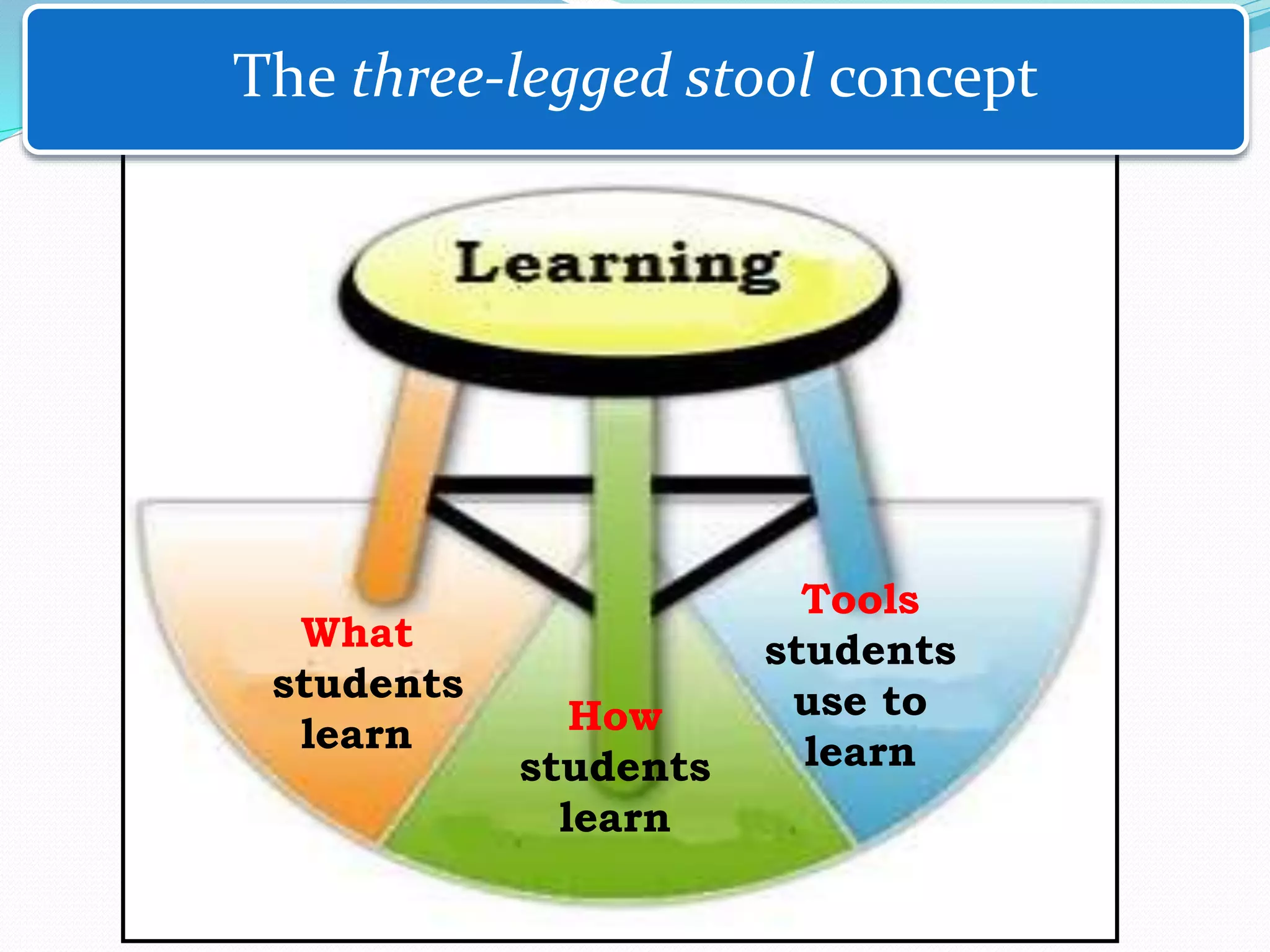
What
students
learn How
students
learn
Tools
students
use to
learn
The three-legged stool concept
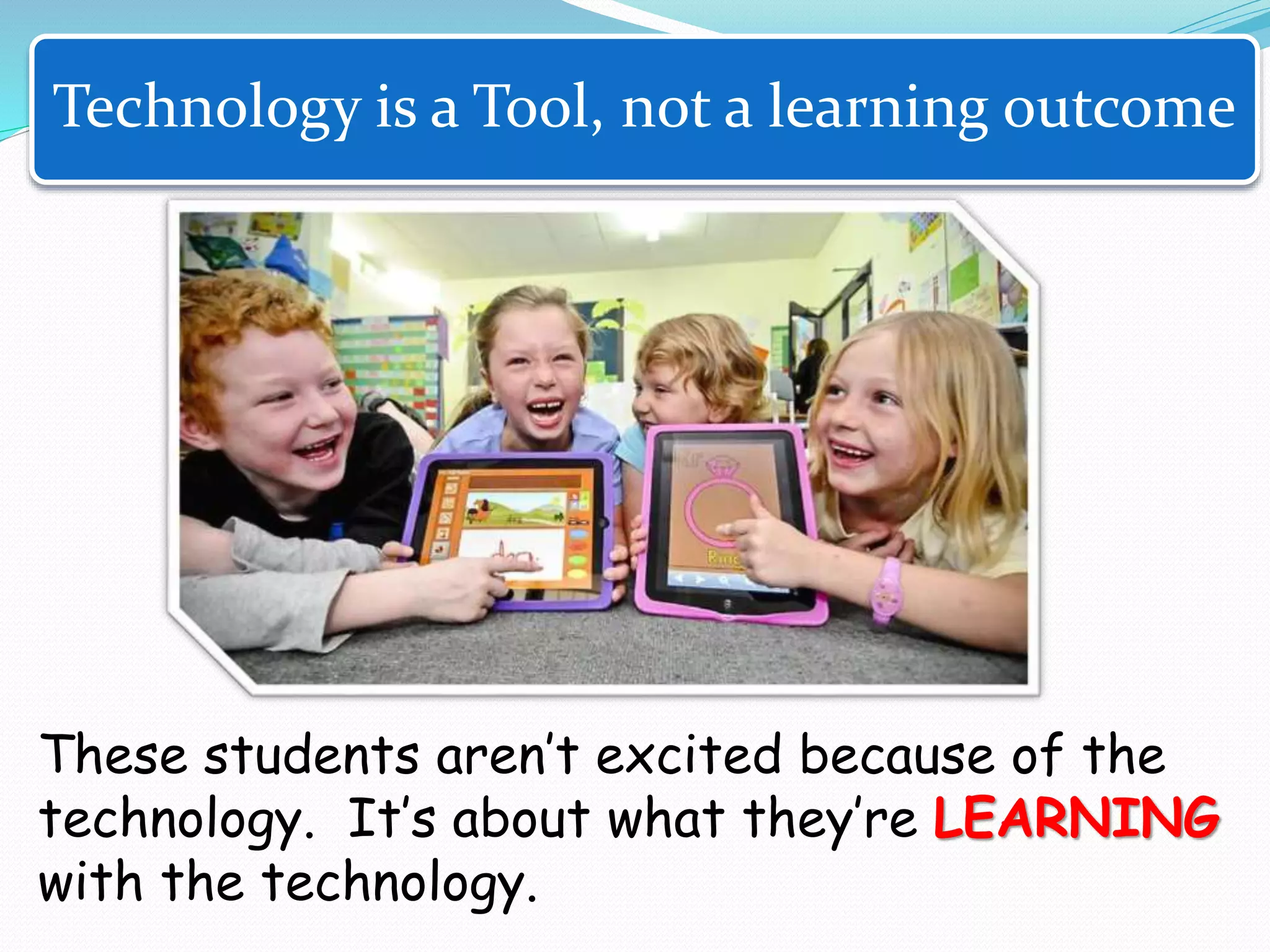
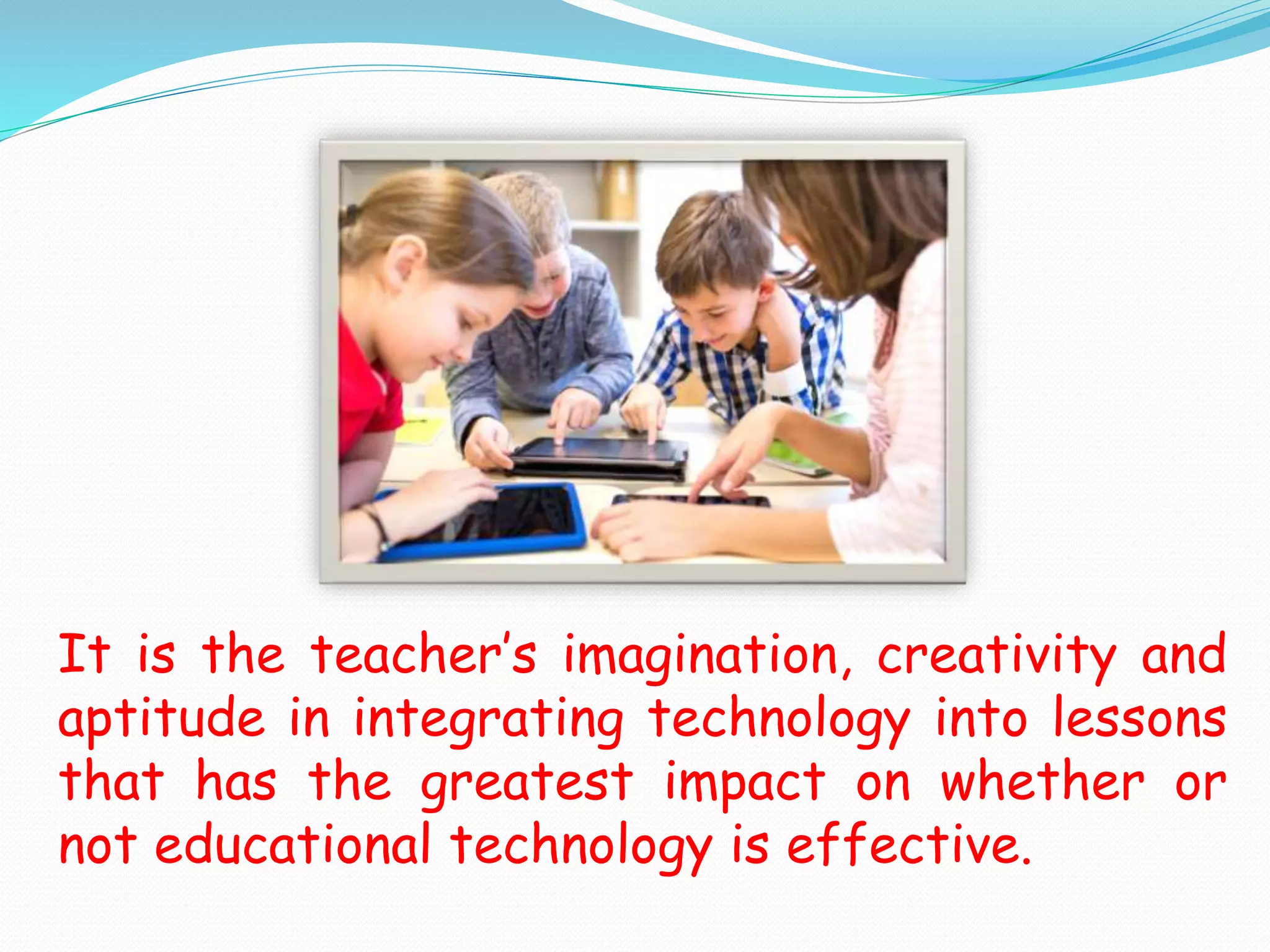
These students aren’t excited because of the
technology. It’s about what they’re LEARNING
with the technology.
Technology is a Tool, not a learning outcome
It is the teacher’s imagination, creativity and
aptitude in integrating technology into lessons
that has the greatest impact on whether or
not educational technology is effective.
https://www.youtube.com/watch?v=OBce25r8vto
The SAMR model video
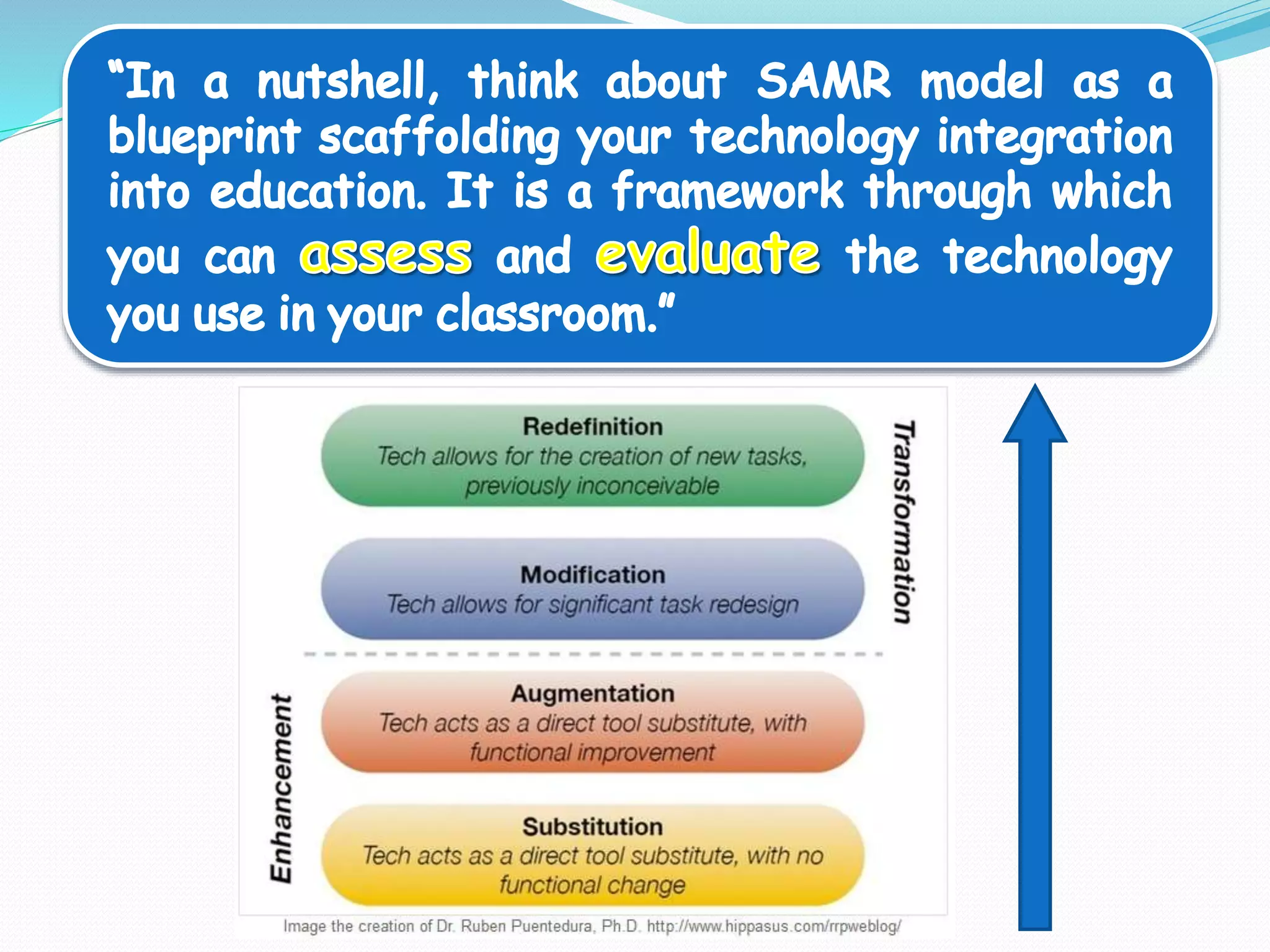
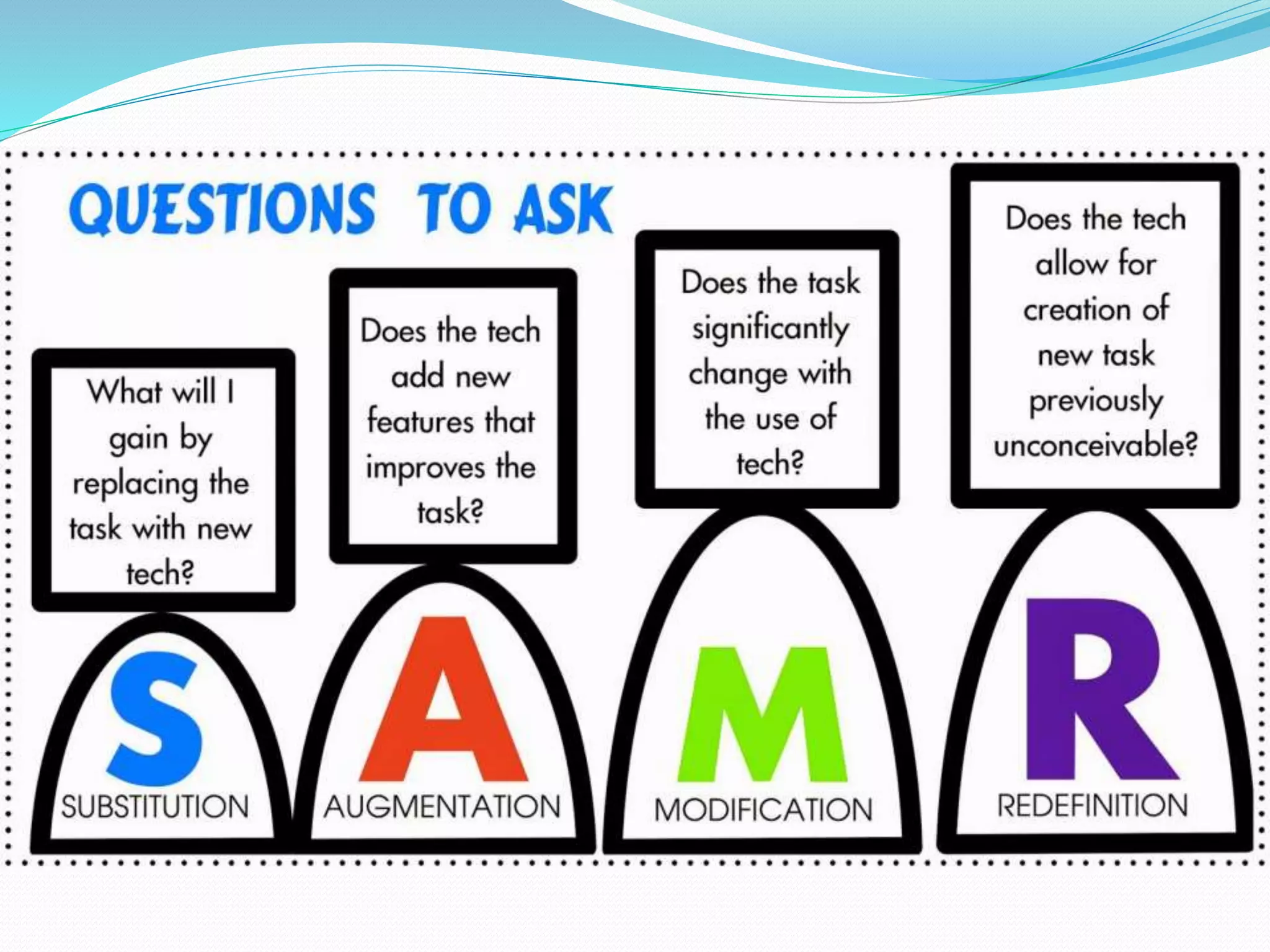
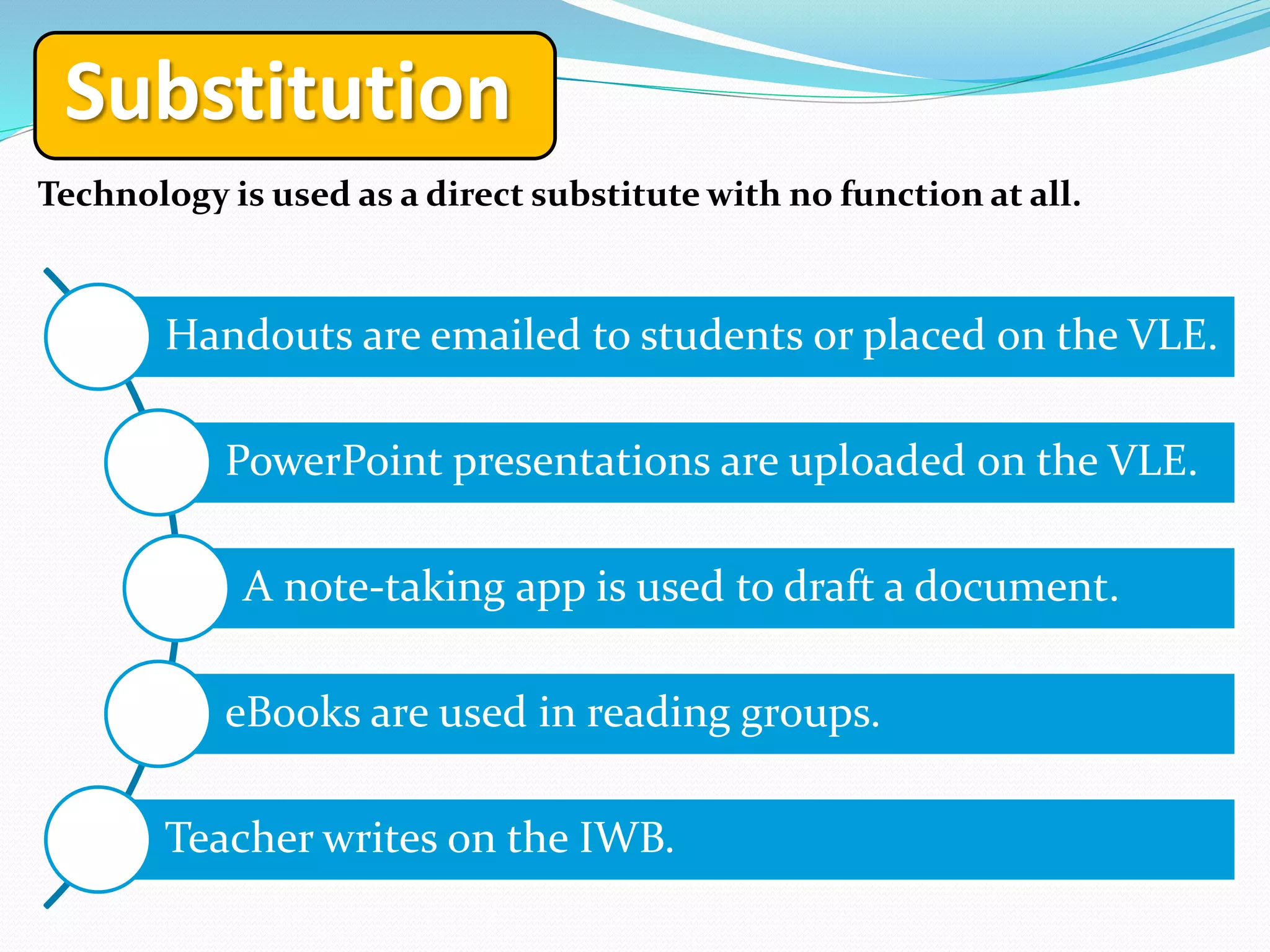
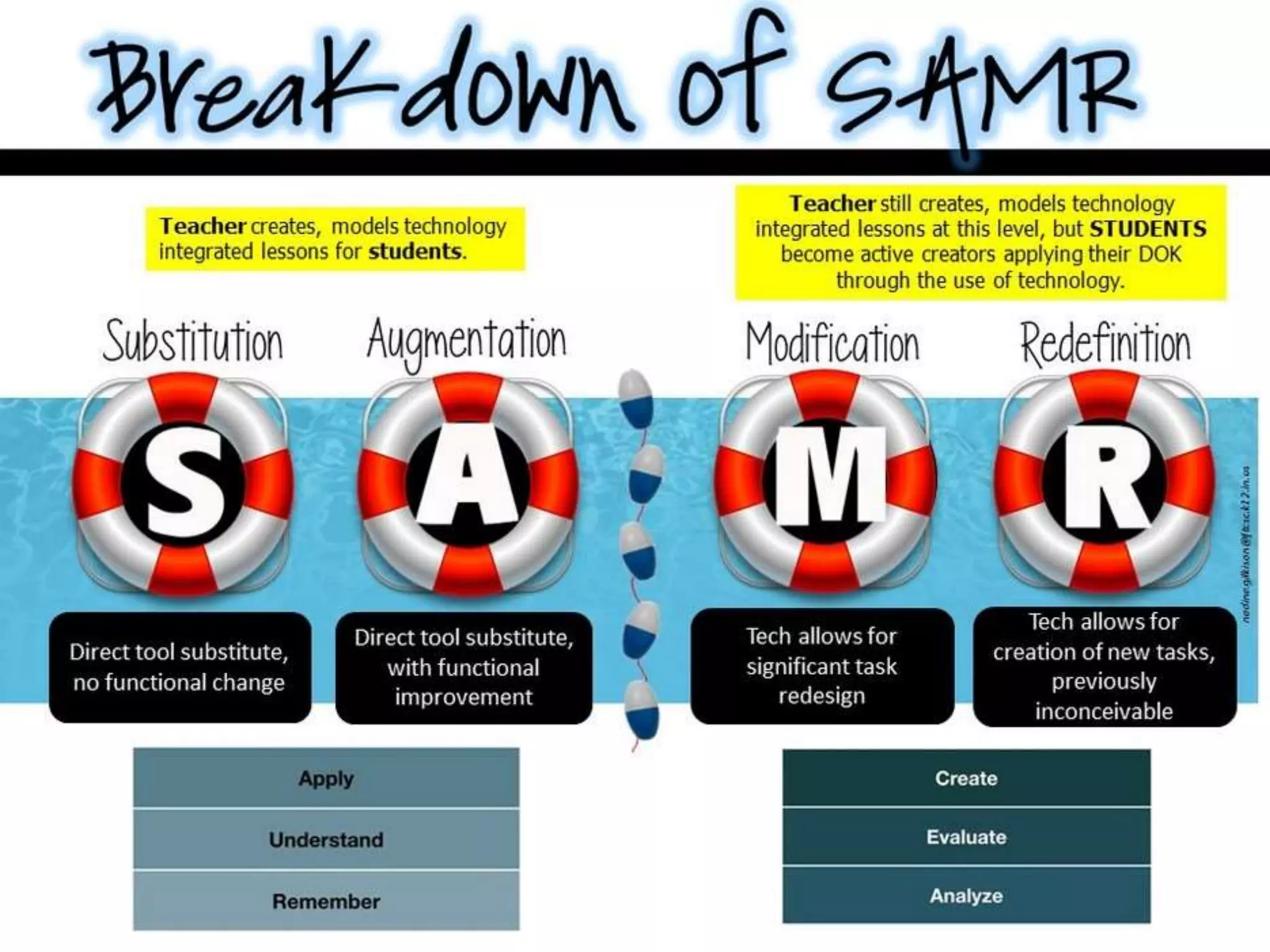
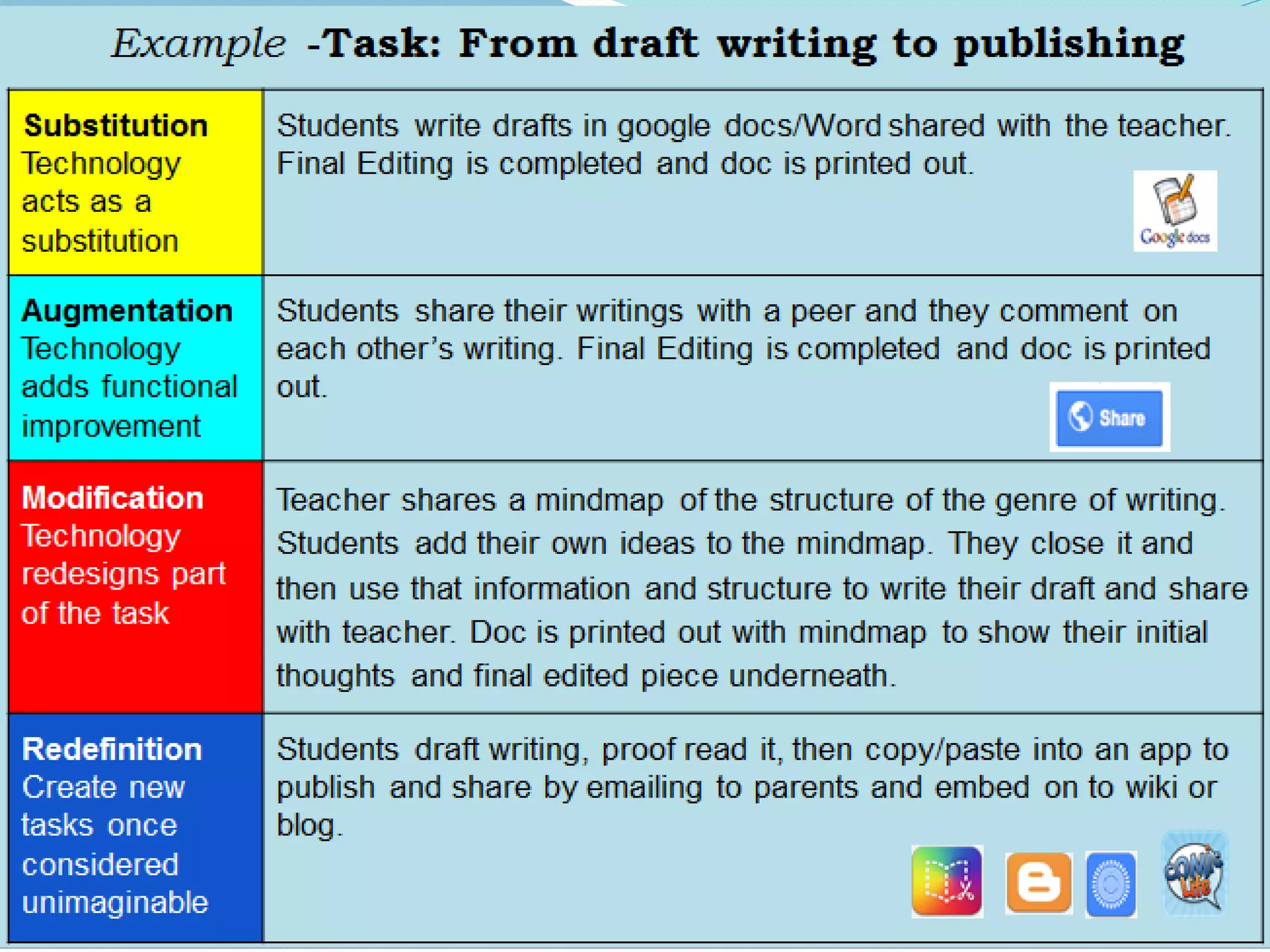
Substitution
Technology is used as a direct substitute with no function at all.
Handouts are emailed to students or placed on the VLE.
PowerPoint presentations are uploaded on the VLE.
A note-taking app is used to draft a document.
eBooks are used in reading groups.
Teacher writes on the IWB.
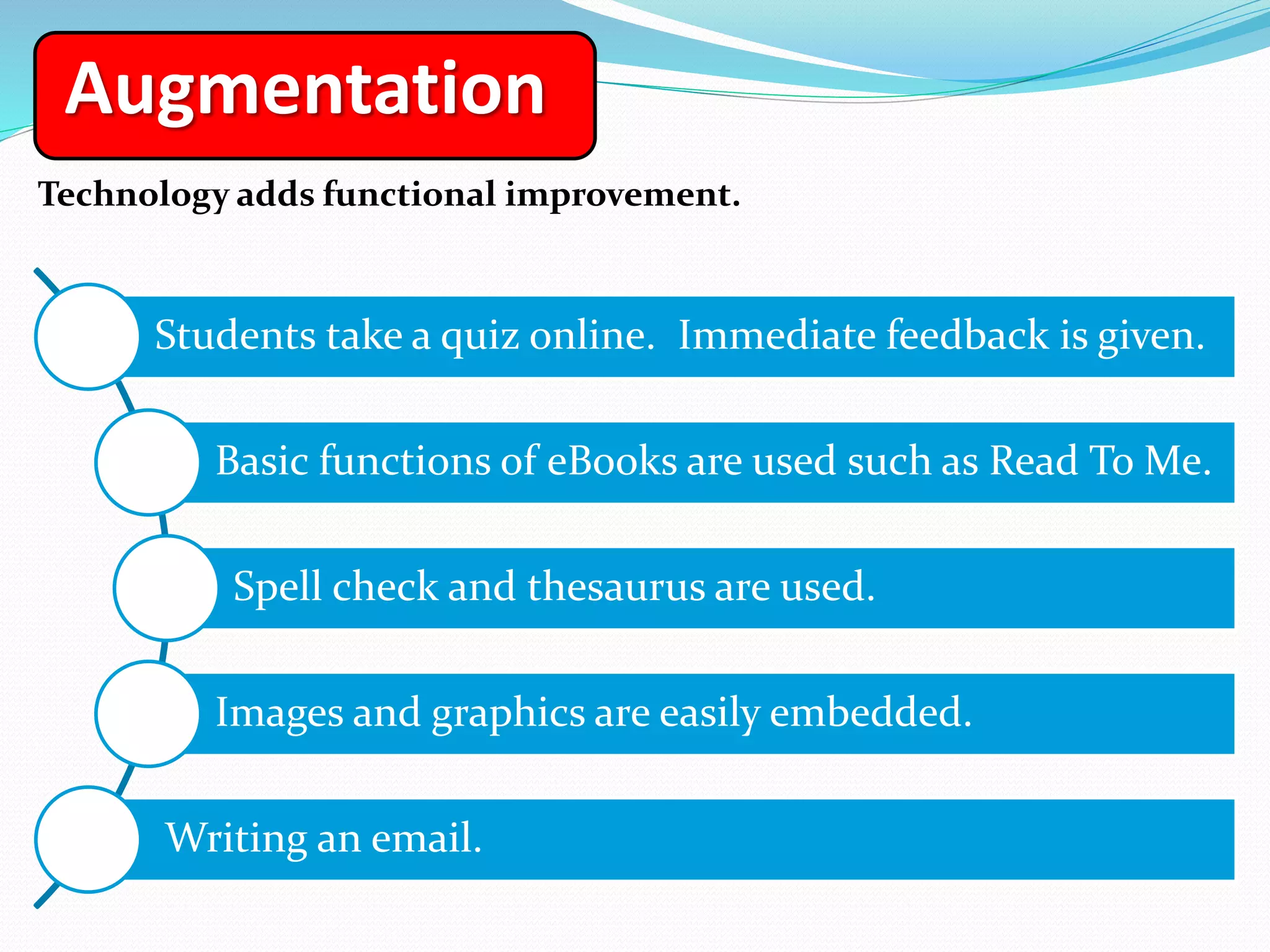
Augmentation
Technology adds functional improvement.
Students take a quiz online. Immediate feedback is given.
Basic functions of eBooks are used such as Read To Me.
Spell check and thesaurus are used.
Images and graphics are easily embedded.
Writing an email.
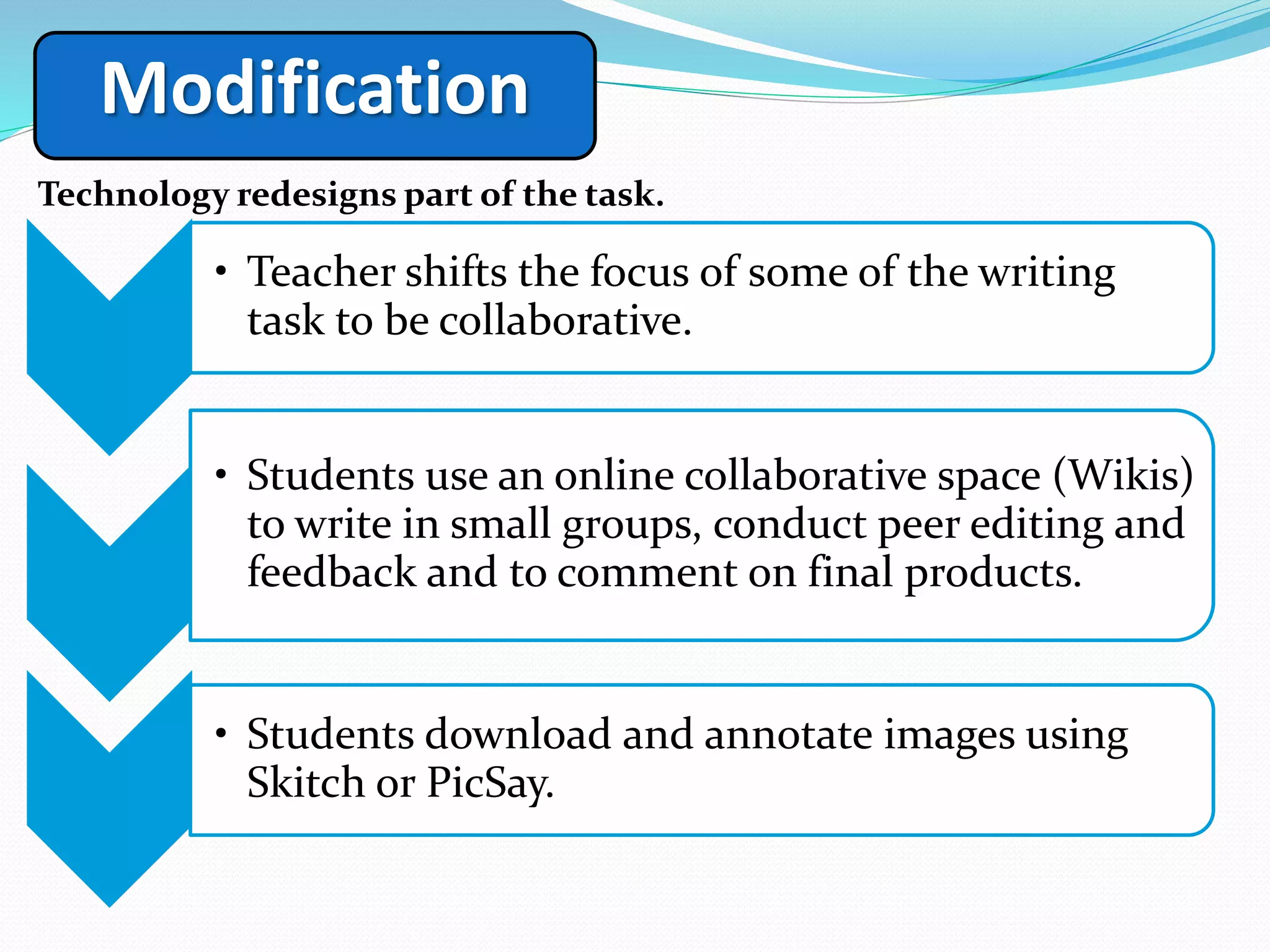
Modification
Technology redesigns part of the task.
1
• Teacher shifts the focus of some of the writing
task to be collaborative.
2
• Students use an online collaborative space (Wikis)
to write in small groups, conduct peer editing and
feedback and to comment on final products.
3
• Students download and annotate images using
Skitch or PicSay.
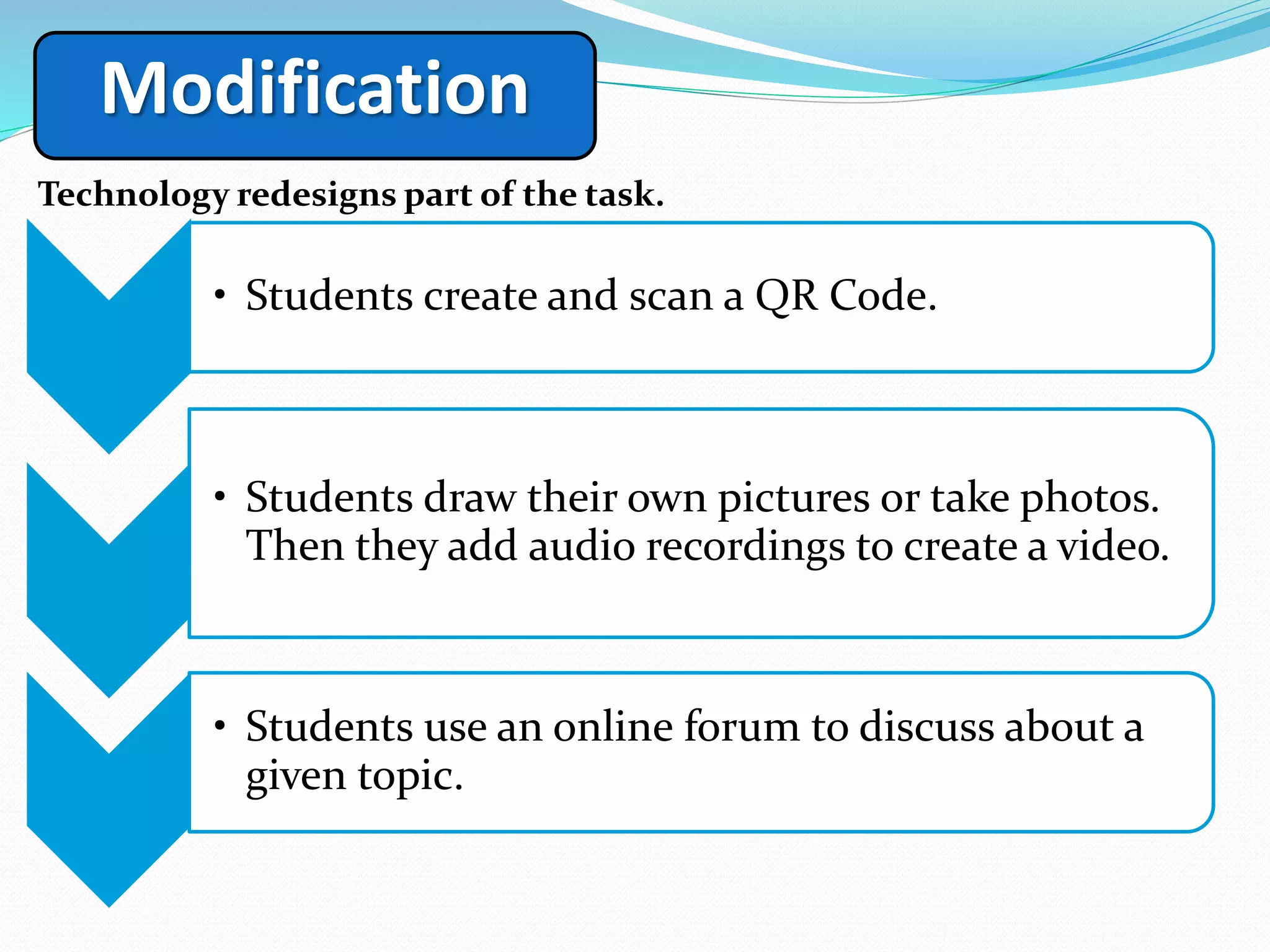
Modification
Technology redesigns part of the task.
1
• Students create and scan a QR Code.
2
• Students draw their own pictures or take photos.
Then they add audio recordings to create a video.
3
• Students use an online forum to discuss about a
given topic.
Technology is used innovatively in ways never possible before.
Redefinition
1
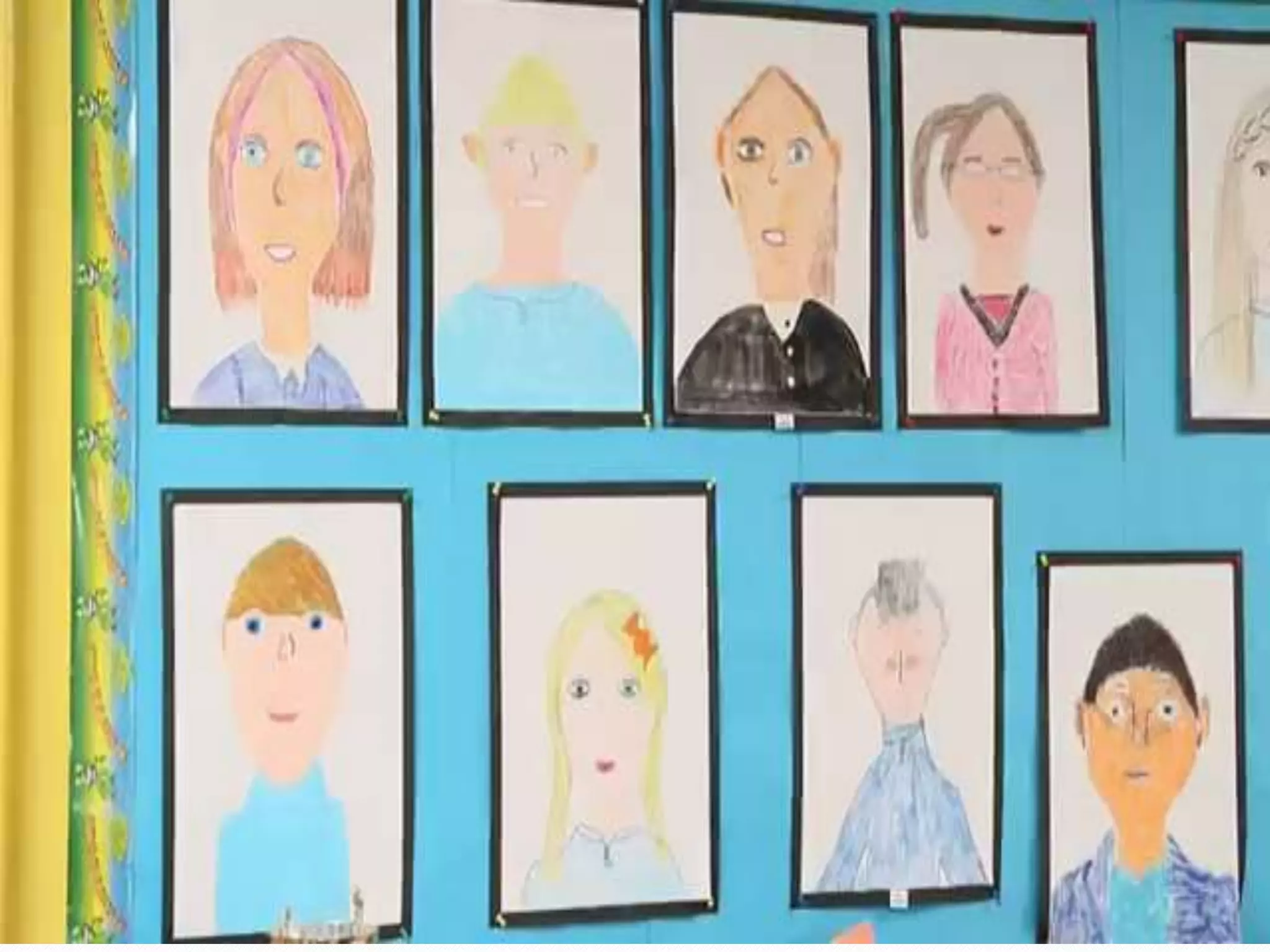
• Children’s drawings come to life by using
Aurasma.
Redefinition
1
• Using media other than Word processing tools to convey
deep analytical thought: digital storytelling or comic
creation.
Redefinition
1
• Teachers and students use Skype to connect with
experts and other classrooms all over the world.
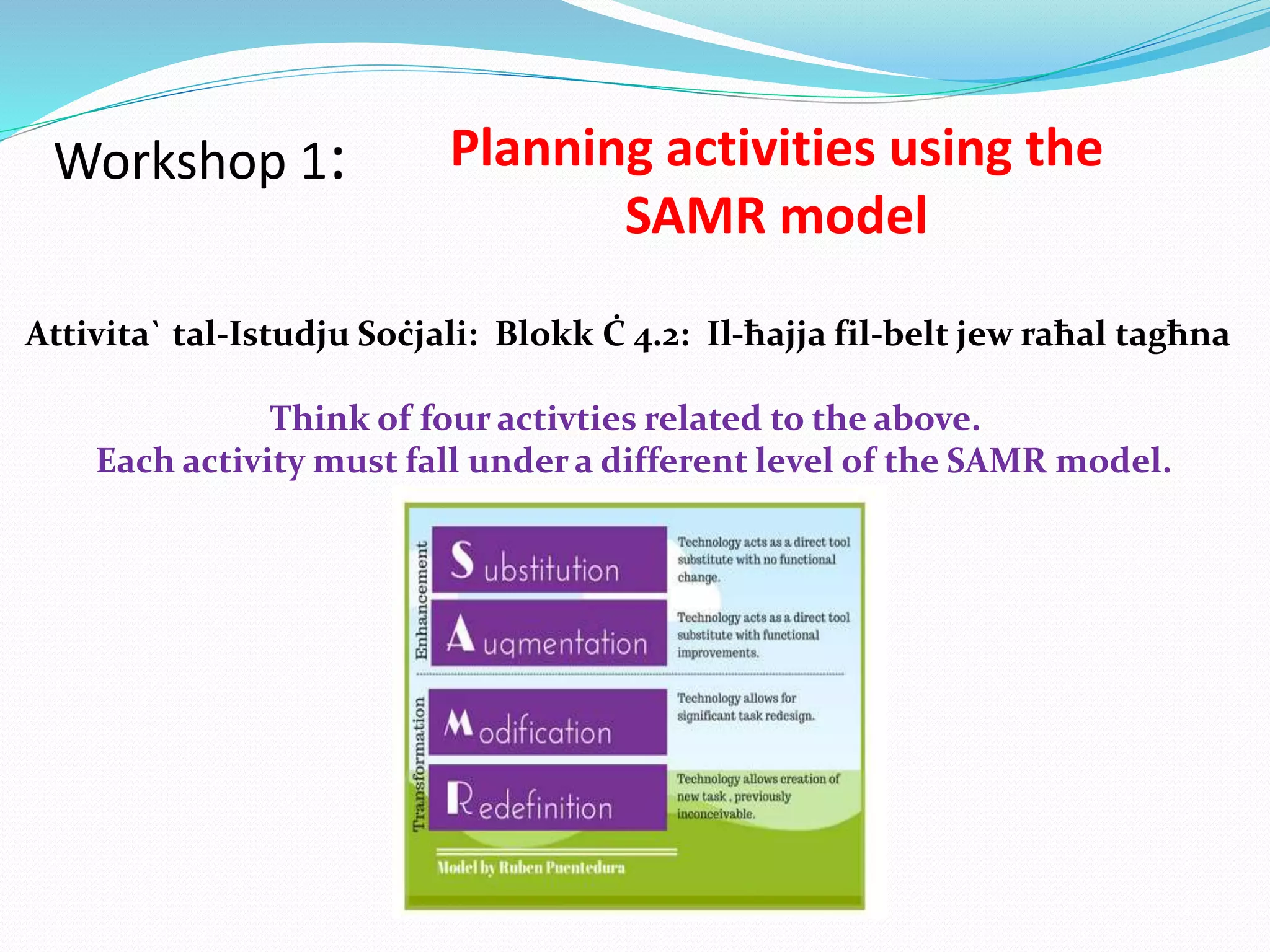
Workshop 1: Planning activities using the
SAMR model
Attivita` tal-Istudju Soċjali: Blokk Ċ 4.2: Il-ħajja fil-belt jew raħal tagħna
Think of four activties related to the above.
Each activity must fall under a different level of the SAMR model.
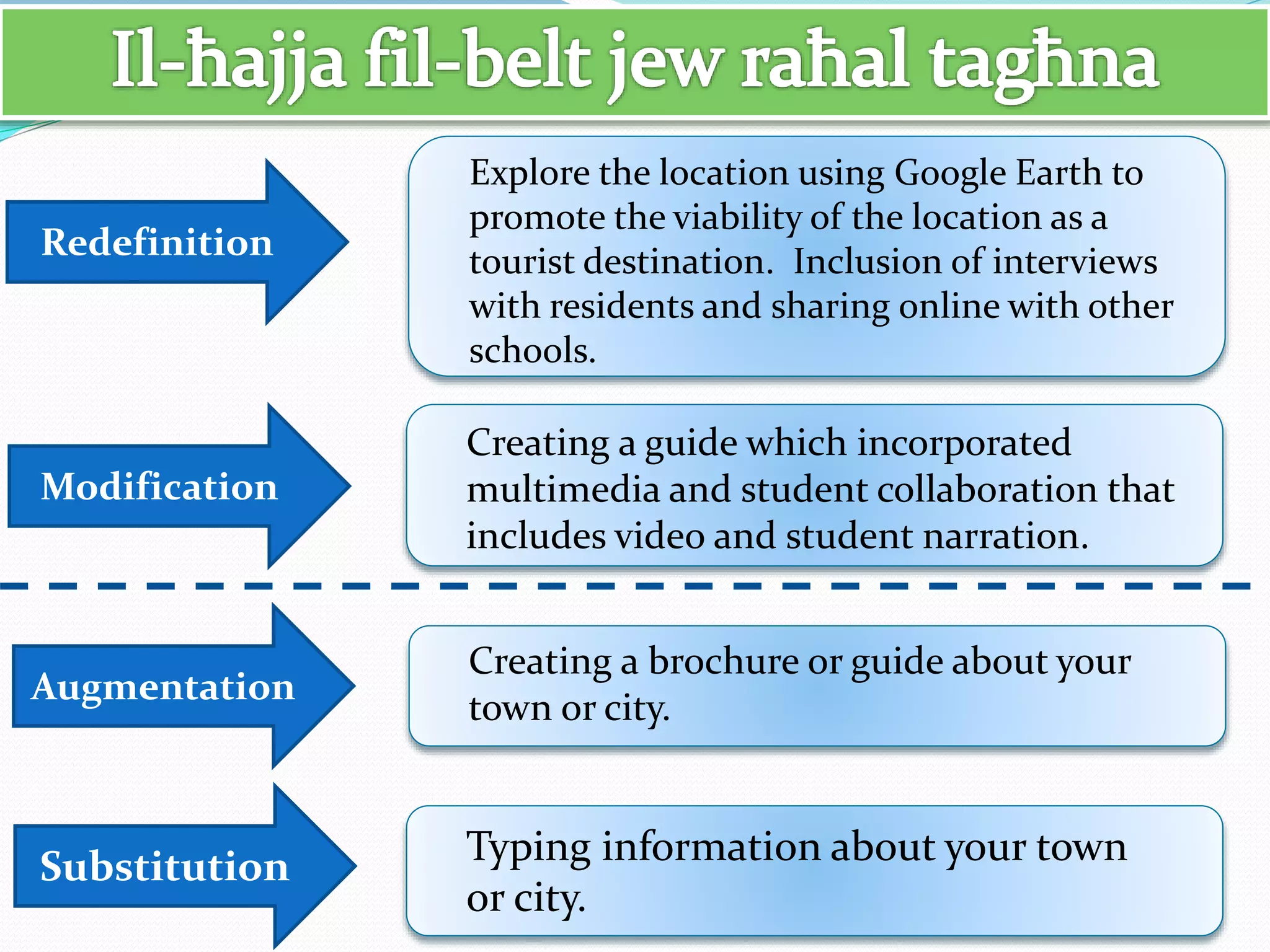
Substitution
Augmentation
Modification
Redefinition
Typing information about your town
or city.
Creating a brochure or guide about your
town or city.
Creating a guide which incorporated
multimedia and student collaboration that
includes video and student narration.
Explore the location using Google Earth to
promote the viability of the location as a
tourist destination. Inclusion of interviews
with residents and sharing online with other
schools.
Substitution
Augmentation
Modification
Redefinition
Book report typed on MS Word.
Book report is spell-checked, emailed
for approval, revised, printed for the
teacher.
Book report is delivered in a variety of
formats using multimedia tools.
Book report involving communication
and collaboration with other learners.
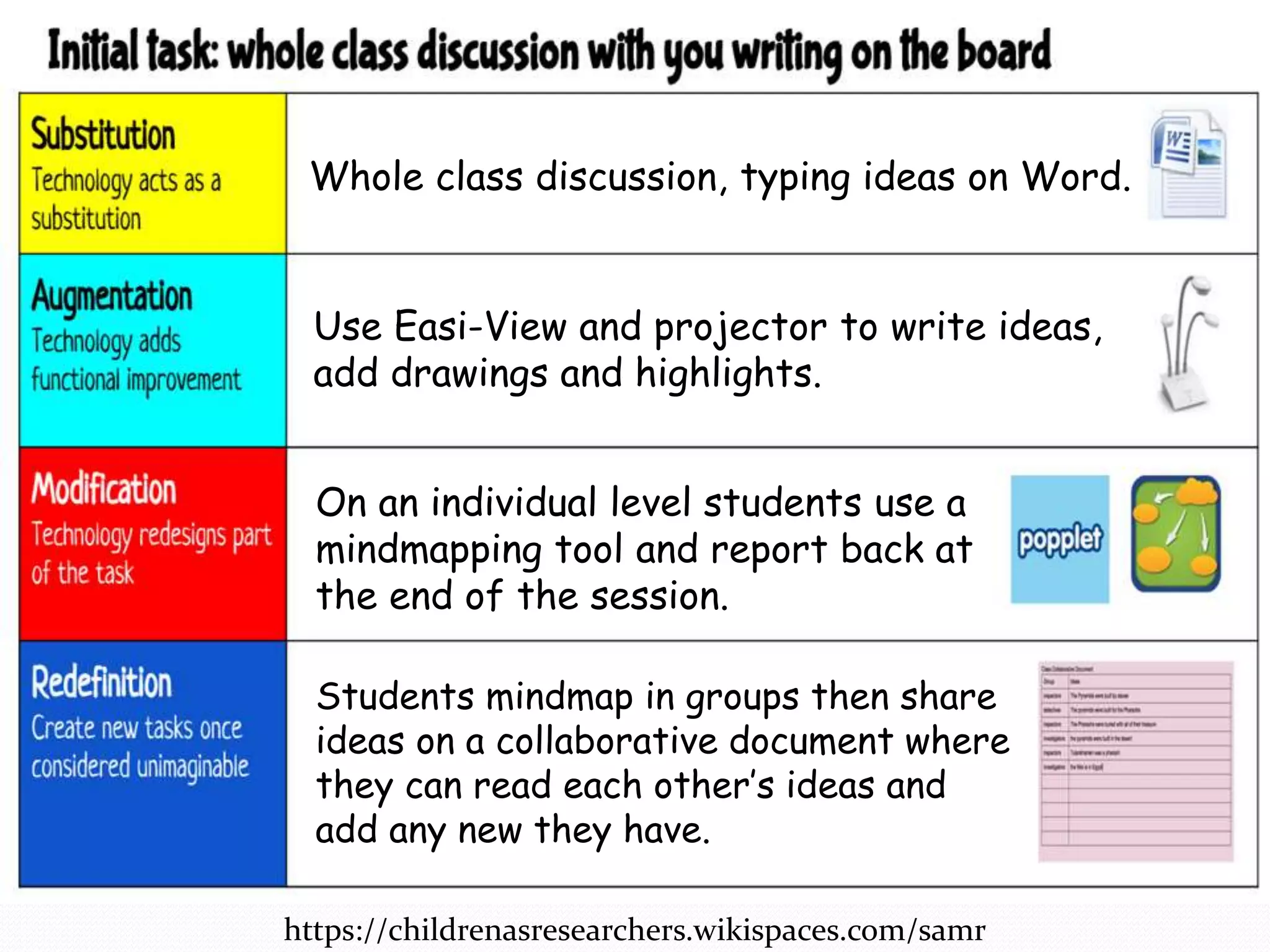
https://childrenasresearchers.wikispaces.com/samr
Whole class discussion, typing ideas on Word.
Use Easi-View and projector to write ideas,
add drawings and highlights.
On an individual level students use a
mindmapping tool and report back at
the end of the session.
Students mindmap in groups then share
ideas on a collaborative document where
they can read each other’s ideas and
add any new they have.
Workshop 2: Classifying activities in videos
using the SAMR model
• Watch the video assigned to your group.
• List the classroom activities and identify
the SAMR level reached and why.
• Share your ideas with the rest of the
teachers.

Integrating Technology using the SAMR Model

  • 1.
  • 2.
    Teachers must preparetheir students to be global, 21st century citizens and lifelong learners. These are some questions which teachers have to ponder about: How do we help our students become culturally literate? How can we introduce our students to their global peers? What skills must students learn to be literate in the 21st century?
  • 3.
    Characteristics of 21stcentury learners Problem Solving http://www.educatorstechnology.com/2013/06/12-important-attributes-of-21st-century.html Risk taking Being willing to work Feeling confident Being motivated Being responsible Showing care Showing respect Being persevering Being focused Working with others Using common sense
  • 4.
    In 21st centuryeducation possessing knowledge is not adequate. So teachers must provide any environment which helps their students to learn: • To communicate • To collaborate • To think critically • To work creatively • To embrace technologies • To be lifelong learners
  • 5.
  • 6.
    These students aren’texcited because of the technology. It’s about what they’re LEARNING with the technology. Technology is a Tool, not a learning outcome
  • 9.
    It is theteacher’s imagination, creativity and aptitude in integrating technology into lessons that has the greatest impact on whether or not educational technology is effective.
  • 10.
  • 13.
    Substitution Technology is usedas a direct substitute with no function at all. Handouts are emailed to students or placed on the VLE. PowerPoint presentations are uploaded on the VLE. A note-taking app is used to draft a document. eBooks are used in reading groups. Teacher writes on the IWB.
  • 14.
    Augmentation Technology adds functionalimprovement. Students take a quiz online. Immediate feedback is given. Basic functions of eBooks are used such as Read To Me. Spell check and thesaurus are used. Images and graphics are easily embedded. Writing an email.
  • 15.
    Modification Technology redesigns partof the task. 1 • Teacher shifts the focus of some of the writing task to be collaborative. 2 • Students use an online collaborative space (Wikis) to write in small groups, conduct peer editing and feedback and to comment on final products. 3 • Students download and annotate images using Skitch or PicSay.
  • 16.
    Modification Technology redesigns partof the task. 1 • Students create and scan a QR Code. 2 • Students draw their own pictures or take photos. Then they add audio recordings to create a video. 3 • Students use an online forum to discuss about a given topic.
  • 17.
    Technology is usedinnovatively in ways never possible before. Redefinition 1 • Children’s drawings come to life by using Aurasma.
  • 19.
    Redefinition 1 • Using mediaother than Word processing tools to convey deep analytical thought: digital storytelling or comic creation.
  • 20.
    Redefinition 1 • Teachers andstudents use Skype to connect with experts and other classrooms all over the world.
  • 23.
    Workshop 1: Planningactivities using the SAMR model Attivita` tal-Istudju Soċjali: Blokk Ċ 4.2: Il-ħajja fil-belt jew raħal tagħna Think of four activties related to the above. Each activity must fall under a different level of the SAMR model.
  • 24.
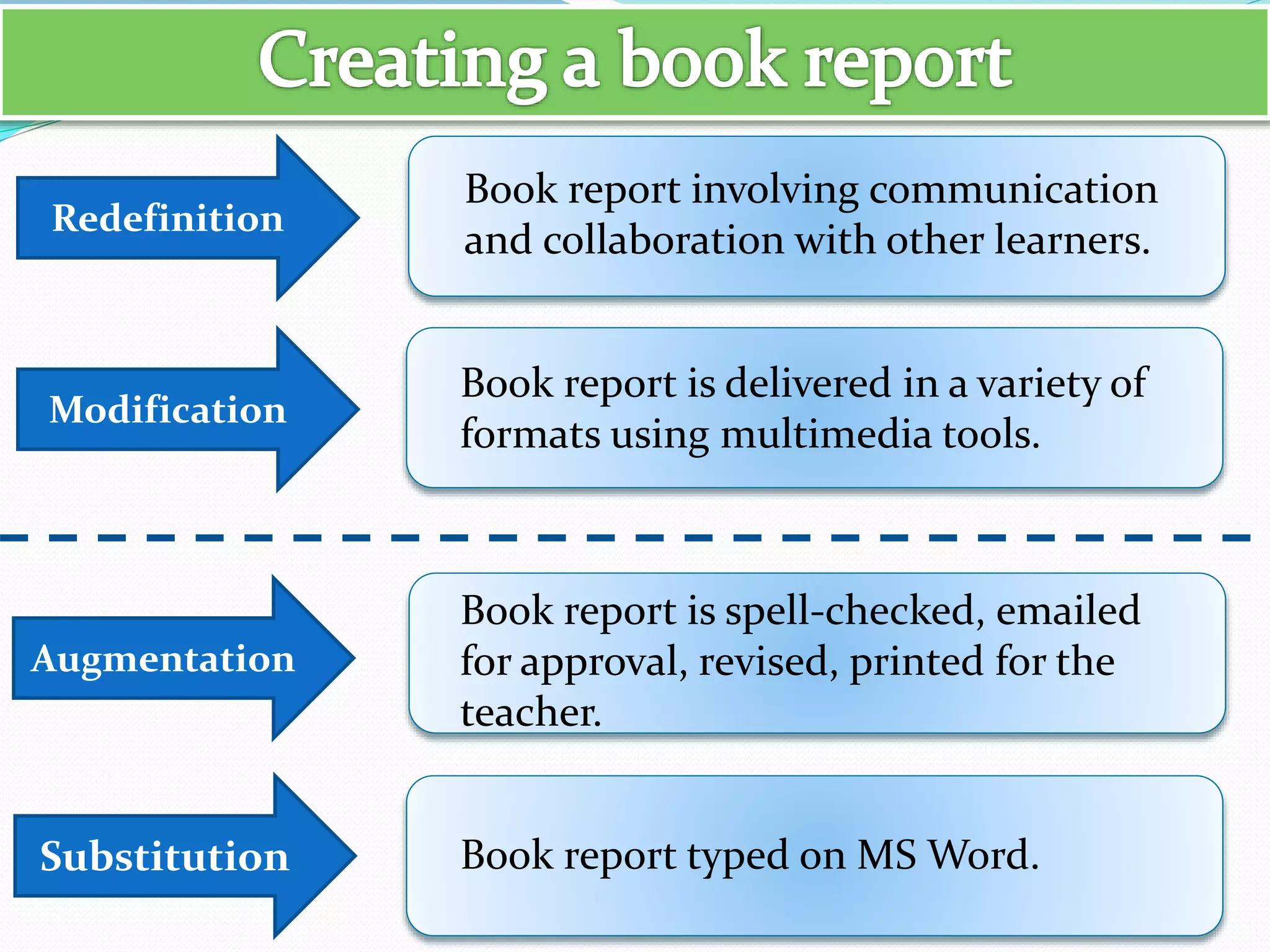
    Substitution Augmentation Modification Redefinition Typing information aboutyour town or city. Creating a brochure or guide about your town or city. Creating a guide which incorporated multimedia and student collaboration that includes video and student narration. Explore the location using Google Earth to promote the viability of the location as a tourist destination. Inclusion of interviews with residents and sharing online with other schools.
  • 25.
    Substitution Augmentation Modification Redefinition Book report typedon MS Word. Book report is spell-checked, emailed for approval, revised, printed for the teacher. Book report is delivered in a variety of formats using multimedia tools. Book report involving communication and collaboration with other learners.
  • 26.
    https://childrenasresearchers.wikispaces.com/samr Whole class discussion,typing ideas on Word. Use Easi-View and projector to write ideas, add drawings and highlights. On an individual level students use a mindmapping tool and report back at the end of the session. Students mindmap in groups then share ideas on a collaborative document where they can read each other’s ideas and add any new they have.
  • 28.
    Workshop 2: Classifyingactivities in videos using the SAMR model • Watch the video assigned to your group. • List the classroom activities and identify the SAMR level reached and why. • Share your ideas with the rest of the teachers.

Editor's Notes

  • #3 Questions to consider: Do pupils work in teams/groups? Are we allowing for creativity? Are my pupils given opportunities to present their work to their peers? Do we guide them in how to look up information? Do we show them how to identify reliable online sources? Do we guide them to reflect and be critical of what they read, see and write? All the above support and nurture 21st century skills.
  • #10 It is important that you don’t think of these as “tablet lessons”, but equally you also have to be prepared for teaching and learning to be different. It will be an expensive purchase if you put the devices in front of the students and teachers do the same as they did before. Tablets will change the possibilities with what the students can do during the lessons and the types of outputs that students can produce. Teachers can provide lesson content, and give feedback in new ways and this should impact on student learning and assessment.
  • #11 SAMR - a model to help us evaluate, assess and enhance these teaching practices.
  • #14 Substitution: “handouts” are emailed to students directly or placed on the College Learning Management System (Moodle) so students can download them. Powerpoint presentations are made available to students for download instead of hand writing the key notes down from the Powerpoint or whiteboard.
  • #16 A
  • #18 https://www.youtube.com/watch?v=5qRcIek4NY0 http://eblog.stac.school.nz/2015/08/25/book-week-activity-augments-reality/
  • #20 https://www.youtube.com/watch?v=5qRcIek4NY0 http://eblog.stac.school.nz/2015/08/25/book-week-activity-augments-reality/
  • #21 Redefinition: Skype are actively promoting this with their Skype in the Classroom services, allowing teachers and students to connect with experts and other classrooms all over the world. https://www.youtube.com/watch?t=174&v=7YVeMPY5FqU Creating a book cover poster using Augmented Reality and Aurasma. http://eblog.stac.school.nz/2015/08/25/book-week-activity-augments-reality/