







Social Media Savvy for
       Educators
     February 5, 2013
        #SM4Edu
Karen Bantuveris               Joe Mazza                  Lisa Dabbs
 Founder & CEO             Principal, #PTChat        #ntchat, Edu Consultant
 @VolunteerSpot              @Joe_Mazza                @Teachingwthsoul


                 Ronnie Burt               John Samuelson
            Director Sales & Opps              Ed Tech,
           @Edublogs @RonnieBurt        Techlandia Podcast Host
                                             @ipadsammy
Agenda
Welcome & Why We’re Here
Recent Survey Results – Karen
Overview of Popular Social Media tools – Karen
Social Media For:
  Professional Development – Lisa
  Parent Participation – Joe
  Student Enrichment - Ronnie & Jon
Q& A – All
Resources & VolunteerSpot Demo: Free Online Signups &
Parent-Teacher Scheduler – Karen
What is Social Media?


  Social Media: Any online technology or
  practice that lets us share (content,
  opinions, insights, experiences, media) and
  have a conversation about the ideas we
  care about.
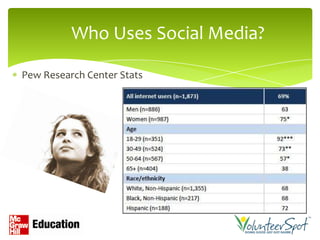
Who Uses Social Media?

Pew Research Center Stats
What SM are you Using?

80% Frequently


                                                     30-40%
                                                     Occasionally


        2013 VolunteerSpot Educator Survey Results
For What Purpose do you Use SM?


 Personal Use – 95% Frequently
 Professional Development – 85% Frequently
 Student Engagement – 50% Sometimes
 Parent Engagement – 41% Sometimes


       2013 VolunteerSpot Educator Survey Results
Professional
Development
                                 Lisa Dabbs
                                 @TeachingwthSoul
      Education Consultant Los Angeles, CA
        Founder of New Teacher Chat #ntchat,
Core Blogger/Marketing Team Support @Edutopia
             Teachingwithsoul.com
Professional Development with
         Social Media
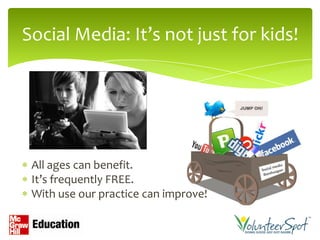
Social Media: It’s not just for kids!


 All ages can benefit.
 It’s frequently FREE.
 With use our practice can improve!
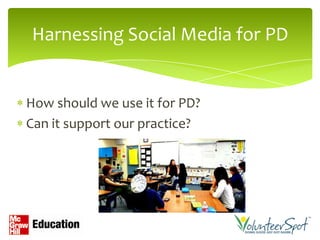
Harnessing Social Media for PD


How should we use it for PD?
Can it support our practice?
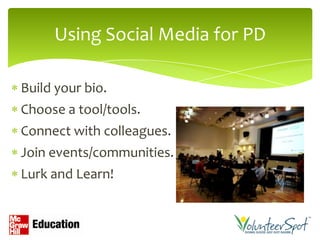
Using Social Media for PD

Build your bio.
Choose a tool/tools.
Connect with colleagues.
Join events/communities.
Lurk and Learn!
Build your Social Media Bio

Build your bio on:
Facebook
Twitter
Google Plus
LinkedIn
About.me
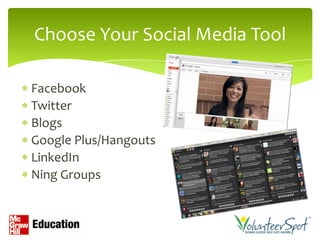
Choose Your Social Media Tool

Facebook
Twitter
Blogs
Google Plus/Hangouts
LinkedIn
Ning Groups
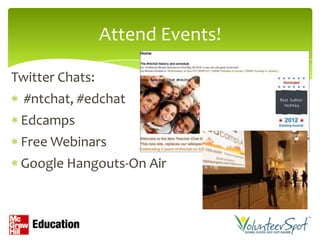
Attend Events!

Twitter Chats:
  #ntchat, #edchat
 Edcamps
 Free Webinars
 Google Hangouts-On Air
Using Social Media for PD

Let’s re-cap:
Build your bio.
Choose a tool and use it.
Connect with colleagues.
Join events/communities.
Lurk and Learn!
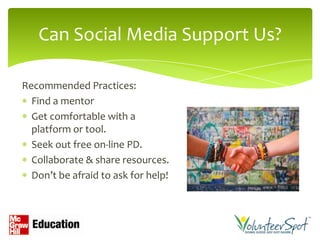
Can Social Media Support Us?

Recommended Practices:
  Find a mentor
  Get comfortable with a
  platform or tool.
  Seek out free on-line PD.
  Collaborate & share resources.
  Don’t be afraid to ask for help!
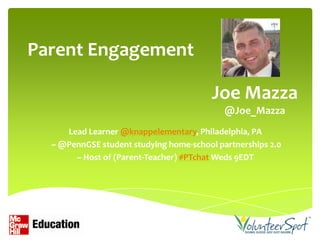
Parent Engagement

                                         Joe Mazza
                                            @Joe_Mazza
     Lead Learner @knappelementary, Philadelphia, PA
  ~ @PennGSE student studying home-school partnerships 2.0
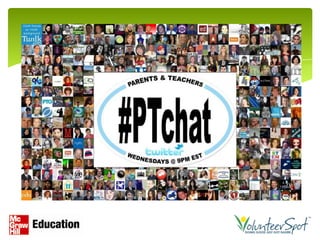
       ~ Host of (Parent-Teacher) #PTchat Weds 9EDT
Using tech tools to build a connected learning
                    community.

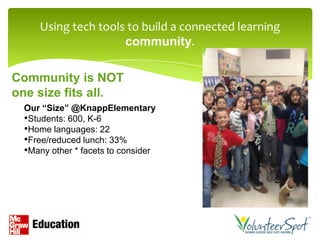
Community is NOT
one size fits all.
 Our “Size” @KnappElementary
 •Students: 600, K-6
 •Home languages: 22
 •Free/reduced lunch: 33%
 •Many other * facets to consider
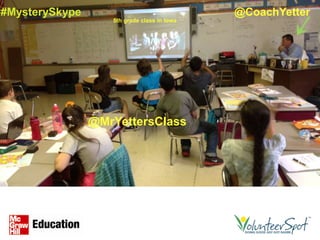
#MysterySkype                                @CoachYetter
                   5th grade class in Iowa


                @MrYettersClass
Investment in face to face two-way
 communication - A foundation or
  home button for home-school
          partnerships

                       Image credit: inspiredmamadesigns.blogspot.com
Dr. Joyce Epstein   Dr. Karen Mapp   Dr. Anne Henderson   Dr. Steve Constantino


                      FACE
Family And Community Engagement
  Many years of action research
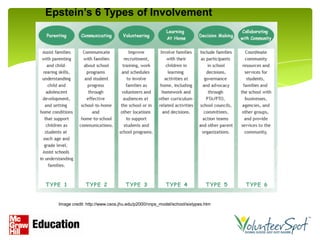
Epstein’s 6 Types of Involvement


  Image credit: http://www.csos.jhu.edu/p2000/nnps_model/school/sixtypes.htm
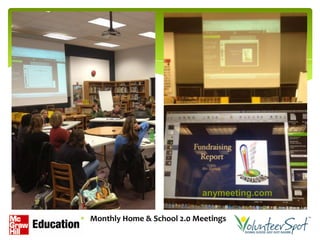
anymeeting.com

Monthly Home & School 2.0 Meetings
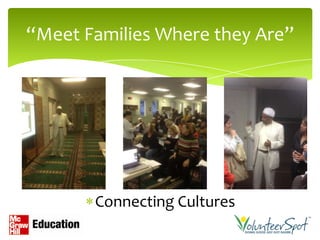
“Meet Families Where they Are”


       Connecting Cultures
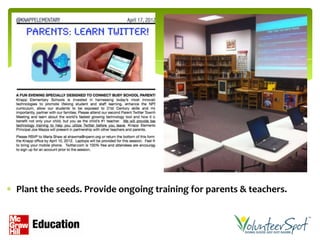
Plant the seeds. Provide ongoing training for parents & teachers.
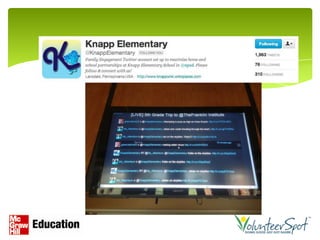
“@KnappElementary: @MissMorrison’s students read their
newly published eBooks to 2nd grade buddies today & will share
them with their family tonight!”
                                Tell me about this book
                                you published.


      dinner table
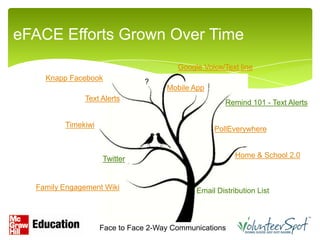
eFACE Efforts Grown Over Time
                                        Google Voice/Text line
    Knapp Facebook             ?
                                     Mobile App
              Text Alerts
                                                      Remind 101 - Text Alerts

         Timekiwi
                                                  PollEverywhere


                    Twitter                              Home & School 2.0


  Family Engagement Wiki                     Email Distribution List


                    Face to Face 2-Way Communications
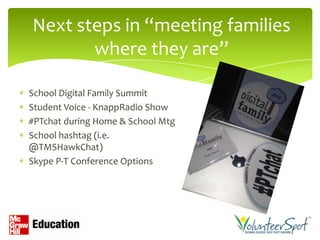
Next steps in “meeting families
       where they are”

School Digital Family Summit
Student Voice - KnappRadio Show
#PTchat during Home & School Mtg
School hashtag (i.e.
@TMSHawkChat)
Skype P-T Conference Options
(12-13 family/staff bumper sticker)
Student
Enrichment
                           Ronnie & Jon
                           @RonnieBurt     @ipadSammy

            Ronnie: Edublogs.org

 Jon: Ed Tech Teacher, Techlandia Podcast Host
                ipadSammy.com
Blogging with Students!


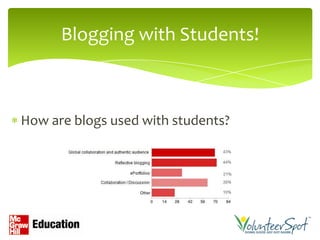
How are blogs used with students?
Student Blogging Tips


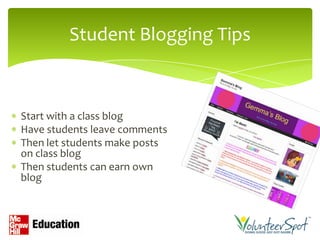
Start with a class blog
Have students leave comments
Then let students make posts
on class blog
Then students can earn own
blog
Join a Blogging Challenge!
Student Blogging Challenges
studentchallenge.edublogs.org

Open to all ages and abilities
Can use any platform (Edublogs, Kidblog,
WordPress, etc.)
Starts in March but register soon!
10 weeks of blogging activities
Make connections among classrooms
Tons of support and resources
Twitter with Students

Age restrictions
Can have one class account &
approve posts
Have a class hashtag
Search relevant hashtags     http://youtu.be/3LmhYtIPUWk
#comments4kids               Check out these first graders!
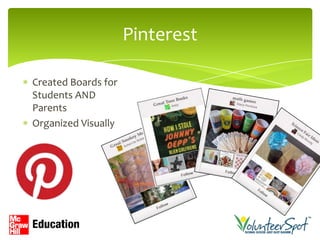
Pinterest

Created Boards for
Students AND
Parents
Organized Visually
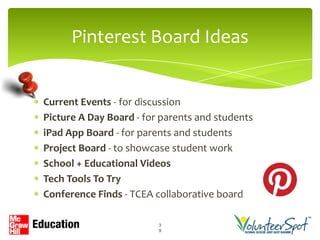
Pinterest Board Ideas


Current Events - for discussion
Picture A Day Board - for parents and students
iPad App Board - for parents and students
Project Board - to showcase student work
School + Educational Videos
Tech Tools To Try
Conference Finds - TCEA collaborative board

                         3
                         9
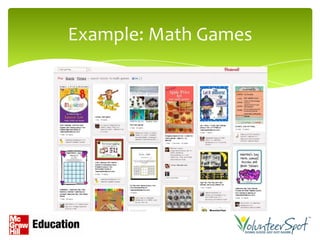
Example: Math Games
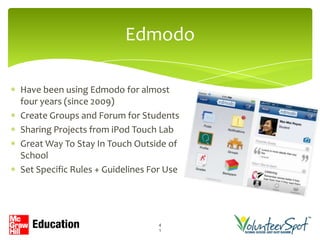
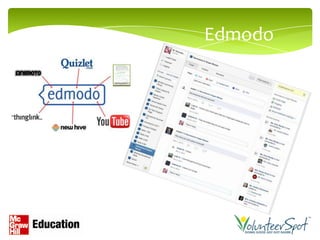
Edmodo

Have been using Edmodo for almost
four years (since 2009)
Create Groups and Forum for Students
Sharing Projects from iPod Touch Lab
Great Way To Stay In Touch Outside of
School
Set Specific Rules + Guidelines For Use


                                 4
                                 1
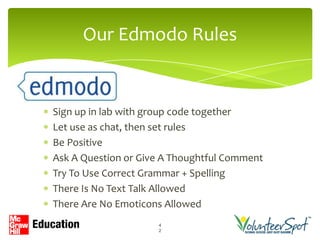
Our Edmodo Rules


Sign up in lab with group code together
Let use as chat, then set rules
Be Positive
Ask A Question or Give A Thoughtful Comment
Try To Use Correct Grammar + Spelling
There Is No Text Talk Allowed
There Are No Emoticons Allowed
                     4
                     2
Edmodo
Questions & Comments?
Resources


http://Vols.pt/SM4Edu (caps matter)
 Link to recorded webinar & slides
 Articles for Educators
 Articles & Links to share with Parents & Students
Karen Bantuveris               Joe Mazza                 Lisa Dabbs
 Founder & CEO             Principal, #PTChat       #ntchat, Edu Consultant
 @VolunteerSpot              @Joe_Mazza               @Teachingwthsoul


                Ronnie Burt              John Samuelson
           Director Sales & Opps             Ed Tech,
          @Edublogs @RonnieBurt       Techlandia Podcast Host
                                           @ipadsammy
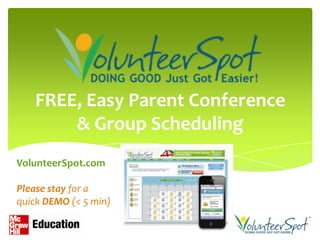
FREE, Easy Parent Conference
       & Group Scheduling
VolunteerSpot.com

Please stay for a
quick DEMO (< 5 min)
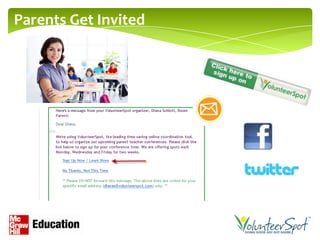
Parents Get Invited
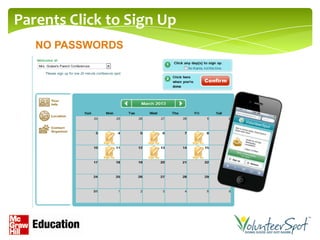
Parents Click to Sign Up
   NO PASSWORDS
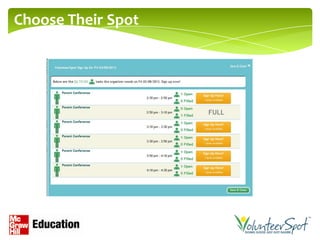
Choose Their Spot
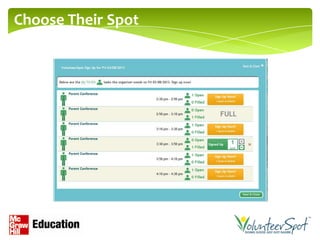
Choose Their Spot
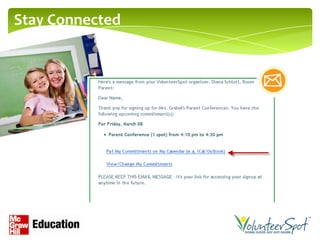
Stay Connected

Social Media Savvy for Educators

  • 1.
    Social Media Savvyfor Educators February 5, 2013 #SM4Edu
  • 2.
    Karen Bantuveris Joe Mazza Lisa Dabbs Founder & CEO Principal, #PTChat #ntchat, Edu Consultant @VolunteerSpot @Joe_Mazza @Teachingwthsoul Ronnie Burt John Samuelson Director Sales & Opps Ed Tech, @Edublogs @RonnieBurt Techlandia Podcast Host @ipadsammy
  • 3.
    Agenda Welcome & WhyWe’re Here Recent Survey Results – Karen Overview of Popular Social Media tools – Karen Social Media For: Professional Development – Lisa Parent Participation – Joe Student Enrichment - Ronnie & Jon Q& A – All Resources & VolunteerSpot Demo: Free Online Signups & Parent-Teacher Scheduler – Karen
  • 4.
    What is SocialMedia? Social Media: Any online technology or practice that lets us share (content, opinions, insights, experiences, media) and have a conversation about the ideas we care about.
  • 5.
    Who Uses SocialMedia? Pew Research Center Stats
  • 6.
    What SM areyou Using? 80% Frequently 30-40% Occasionally 2013 VolunteerSpot Educator Survey Results
  • 7.
    For What Purposedo you Use SM? Personal Use – 95% Frequently Professional Development – 85% Frequently Student Engagement – 50% Sometimes Parent Engagement – 41% Sometimes 2013 VolunteerSpot Educator Survey Results
  • 8.
    Professional Development Lisa Dabbs @TeachingwthSoul Education Consultant Los Angeles, CA Founder of New Teacher Chat #ntchat, Core Blogger/Marketing Team Support @Edutopia Teachingwithsoul.com
  • 9.
  • 10.
    Social Media: It’snot just for kids! All ages can benefit. It’s frequently FREE. With use our practice can improve!
  • 11.
    Harnessing Social Mediafor PD How should we use it for PD? Can it support our practice?
  • 12.
    Using Social Mediafor PD Build your bio. Choose a tool/tools. Connect with colleagues. Join events/communities. Lurk and Learn!
  • 13.
    Build your SocialMedia Bio Build your bio on: Facebook Twitter Google Plus LinkedIn About.me
  • 14.
    Choose Your SocialMedia Tool Facebook Twitter Blogs Google Plus/Hangouts LinkedIn Ning Groups
  • 15.
    Attend Events! Twitter Chats: #ntchat, #edchat Edcamps Free Webinars Google Hangouts-On Air
  • 16.
    Using Social Mediafor PD Let’s re-cap: Build your bio. Choose a tool and use it. Connect with colleagues. Join events/communities. Lurk and Learn!
  • 17.
    Can Social MediaSupport Us? Recommended Practices: Find a mentor Get comfortable with a platform or tool. Seek out free on-line PD. Collaborate & share resources. Don’t be afraid to ask for help!
  • 18.
    Parent Engagement Joe Mazza @Joe_Mazza Lead Learner @knappelementary, Philadelphia, PA ~ @PennGSE student studying home-school partnerships 2.0 ~ Host of (Parent-Teacher) #PTchat Weds 9EDT
  • 19.
    Using tech toolsto build a connected learning community. Community is NOT one size fits all. Our “Size” @KnappElementary •Students: 600, K-6 •Home languages: 22 •Free/reduced lunch: 33% •Many other * facets to consider
  • 20.
    #MysterySkype @CoachYetter 5th grade class in Iowa @MrYettersClass
  • 21.
    Investment in faceto face two-way communication - A foundation or home button for home-school partnerships Image credit: inspiredmamadesigns.blogspot.com
  • 22.
    Dr. Joyce Epstein Dr. Karen Mapp Dr. Anne Henderson Dr. Steve Constantino FACE Family And Community Engagement Many years of action research
  • 23.
    Epstein’s 6 Typesof Involvement Image credit: http://www.csos.jhu.edu/p2000/nnps_model/school/sixtypes.htm
  • 24.
    anymeeting.com Monthly Home &School 2.0 Meetings
  • 25.
    “Meet Families Wherethey Are” Connecting Cultures
  • 26.
    Plant the seeds.Provide ongoing training for parents & teachers.
  • 28.
    “@KnappElementary: @MissMorrison’s studentsread their newly published eBooks to 2nd grade buddies today & will share them with their family tonight!” Tell me about this book you published. dinner table
  • 30.
    eFACE Efforts GrownOver Time Google Voice/Text line Knapp Facebook ? Mobile App Text Alerts Remind 101 - Text Alerts Timekiwi PollEverywhere Twitter Home & School 2.0 Family Engagement Wiki Email Distribution List Face to Face 2-Way Communications
  • 31.
    Next steps in“meeting families where they are” School Digital Family Summit Student Voice - KnappRadio Show #PTchat during Home & School Mtg School hashtag (i.e. @TMSHawkChat) Skype P-T Conference Options
  • 32.
  • 33.
    Student Enrichment Ronnie & Jon @RonnieBurt @ipadSammy Ronnie: Edublogs.org Jon: Ed Tech Teacher, Techlandia Podcast Host ipadSammy.com
  • 34.
    Blogging with Students! Howare blogs used with students?
  • 35.
    Student Blogging Tips Startwith a class blog Have students leave comments Then let students make posts on class blog Then students can earn own blog
  • 36.
    Join a BloggingChallenge! Student Blogging Challenges studentchallenge.edublogs.org Open to all ages and abilities Can use any platform (Edublogs, Kidblog, WordPress, etc.) Starts in March but register soon! 10 weeks of blogging activities Make connections among classrooms Tons of support and resources
  • 37.
    Twitter with Students Agerestrictions Can have one class account & approve posts Have a class hashtag Search relevant hashtags http://youtu.be/3LmhYtIPUWk #comments4kids Check out these first graders!
  • 38.
    Pinterest Created Boards for StudentsAND Parents Organized Visually
  • 39.
    Pinterest Board Ideas CurrentEvents - for discussion Picture A Day Board - for parents and students iPad App Board - for parents and students Project Board - to showcase student work School + Educational Videos Tech Tools To Try Conference Finds - TCEA collaborative board 3 9
  • 40.
  • 41.
    Edmodo Have been usingEdmodo for almost four years (since 2009) Create Groups and Forum for Students Sharing Projects from iPod Touch Lab Great Way To Stay In Touch Outside of School Set Specific Rules + Guidelines For Use 4 1
  • 42.
    Our Edmodo Rules Signup in lab with group code together Let use as chat, then set rules Be Positive Ask A Question or Give A Thoughtful Comment Try To Use Correct Grammar + Spelling There Is No Text Talk Allowed There Are No Emoticons Allowed 4 2
  • 43.
  • 44.
  • 45.
    Resources http://Vols.pt/SM4Edu (caps matter) Link to recorded webinar & slides Articles for Educators Articles & Links to share with Parents & Students
  • 46.
    Karen Bantuveris Joe Mazza Lisa Dabbs Founder & CEO Principal, #PTChat #ntchat, Edu Consultant @VolunteerSpot @Joe_Mazza @Teachingwthsoul Ronnie Burt John Samuelson Director Sales & Opps Ed Tech, @Edublogs @RonnieBurt Techlandia Podcast Host @ipadsammy
  • 47.
    FREE, Easy ParentConference & Group Scheduling VolunteerSpot.com Please stay for a quick DEMO (< 5 min)
  • 48.
  • 49.
    Parents Click toSign Up NO PASSWORDS
  • 50.
  • 51.
  • 52.

Editor's Notes

  • #7 We’re doing overall very good, but there are some clear gaps b/t parents and teachers in how we perceive each other and our participation and engagement for our kids. Goal to close the gap and PT Conference is a very powerful touch point for moving forward.