Advanced Edmodo
        Hoover City Schools
District Professional Development
        November 21, 2011
Welcome

  Edmodo for
Advanced Users
       Presenter:
       Bill Mann
  Simmons Middle School


                     2
The Overview
• Encouraging students to use
 Edmodo

• Knowledge of other technology
• Dealing with tough students.
• Don’t be afraid, help is out there.


                                        3
#1: Create a great
   profile page


                     4
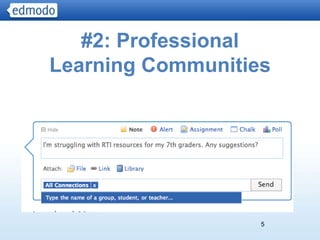
#2: Professional
Learning Communities


                   5
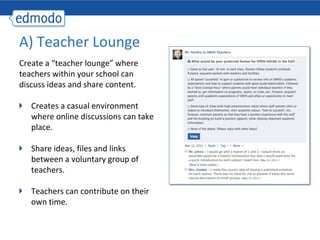
A) Teacher Lounge
Create a “teacher lounge” where
teachers within your school can
discuss ideas and share content.

   Creates a casual environment
   where online discussions can take
   place.

   Share ideas, files and links
   between a voluntary group of
   teachers.

   Teachers can contribute on their
   own time.
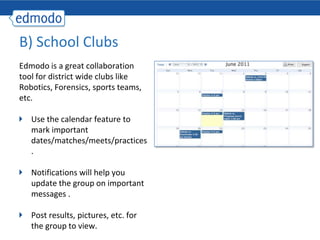
B) School Clubs
Edmodo is a great collaboration
tool for district wide clubs like
Robotics, Forensics, sports teams,
etc.

   Use the calendar feature to
   mark important
   dates/matches/meets/practices
   .

   Notifications will help you
   update the group on important
   messages .

   Post results, pictures, etc. for
   the group to view.
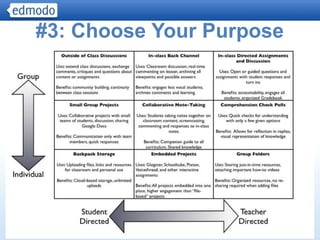
#3: Choose Your Purpose


                    8
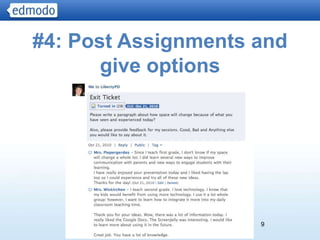
#4: Post Assignments and
       give options


                     9
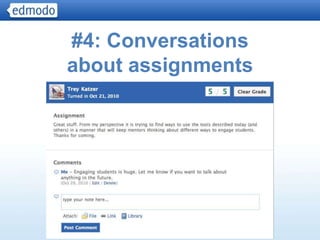
#4: Conversations
about assignments


                    10
A) Student writing projects
Give your students an enriching writing
experience through Edmodo.

   Help students tap into individualism,
   build self-esteem and measure how far
   they’ve come during the school year
   with writing projects:
    • Class Blog
    • Individual Blogs

   Edmodo provides students a platform
   for sharing their writing with teachers,
   peers and family.
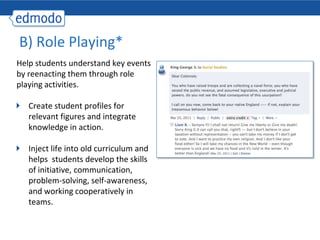
B) Role Playing*
Help students understand key events
by reenacting them through role
playing activities.
   Create student profiles for
   relevant figures and integrate
   knowledge in action.

   Inject life into old curriculum and
   helps students develop the skills
   of initiative, communication,
   problem-solving, self-awareness,
   and working cooperatively in
   teams.
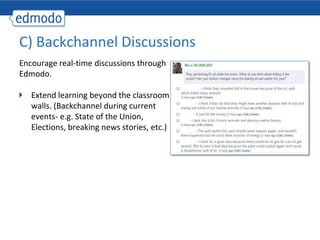
C) Backchannel Discussions
Encourage real-time discussions through
Edmodo.

   Extend learning beyond the classroom
   walls. (Backchannel during current
   events- e.g. State of the Union,
   Elections, breaking news stories, etc.)
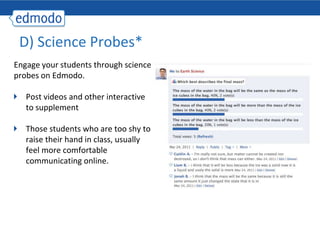
D) Science Probes*
Engage your students through science
probes on Edmodo.

   Post videos and other interactive
   to supplement

   Those students who are too shy to
   raise their hand in class, usually
   feel more comfortable
   communicating online.
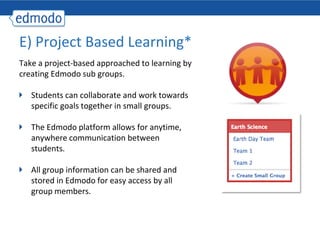
E) Project Based Learning*
Take a project-based approached to learning by
creating Edmodo sub groups.

   Students can collaborate and work towards
   specific goals together in small groups.

   The Edmodo platform allows for anytime,
   anywhere communication between
   students.

   All group information can be shared and
   stored in Edmodo for easy access by all
   group members.
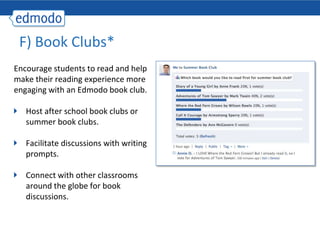
F) Book Clubs*
Encourage students to read and help
make their reading experience more
engaging with an Edmodo book club.

   Host after school book clubs or
   summer book clubs.

   Facilitate discussions with writing
   prompts.

   Connect with other classrooms
   around the globe for book
   discussions.
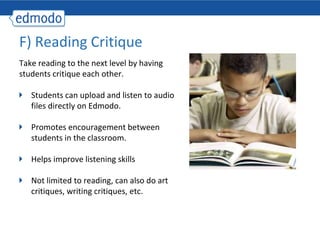
F) Reading Critique
Take reading to the next level by having
students critique each other.

   Students can upload and listen to audio
   files directly on Edmodo.

   Promotes encouragement between
   students in the classroom.

   Helps improve listening skills

   Not limited to reading, can also do art
   critiques, writing critiques, etc.
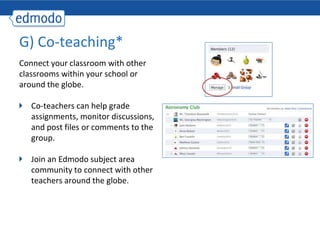
G) Co-teaching*
Connect your classroom with other
classrooms within your school or
around the globe.

   Co-teachers can help grade
   assignments, monitor discussions,
   and post files or comments to the
   group.

   Join an Edmodo subject area
   community to connect with other
   teachers around the globe.
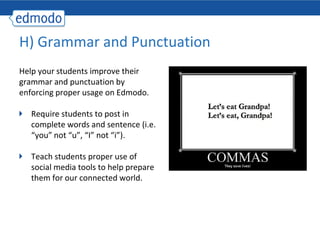
H) Grammar and Punctuation
Help your students improve their
grammar and punctuation by
enforcing proper usage on Edmodo.

   Require students to post in
   complete words and sentence (i.e.
   “you” not “u”, “I” not “i”).

   Teach students proper use of
   social media tools to help prepare
   them for our connected world.
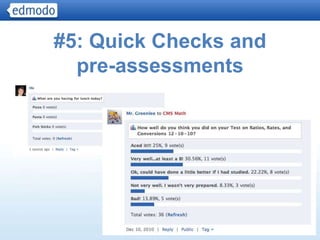
#5: Quick Checks and
  pre-assessments


                   20
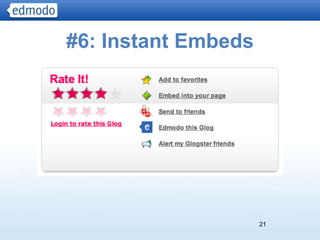
#6: Instant Embeds


                     21
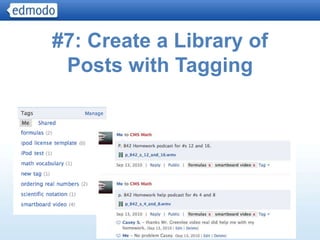
#7: Create a Library of
 Posts with Tagging


                      22
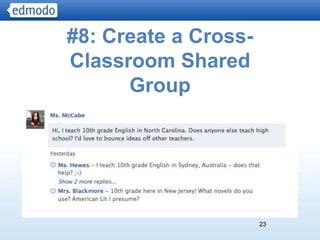
#8: Create a Cross-
Classroom Shared
      Group


                      23
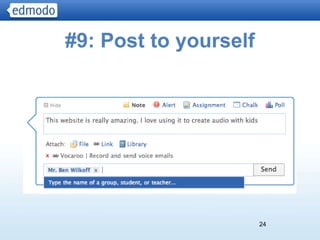
#9: Post to yourself


                       24
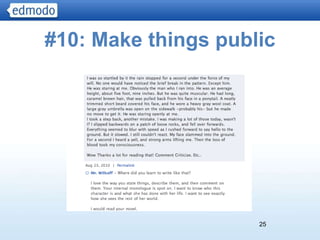
#10: Make things public


                     25
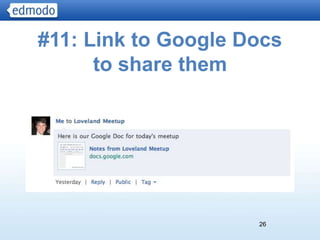
#11: Link to Google Docs
      to share them


                     26
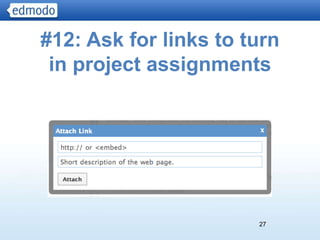
#12: Ask for links to turn
 in project assignments


                       27
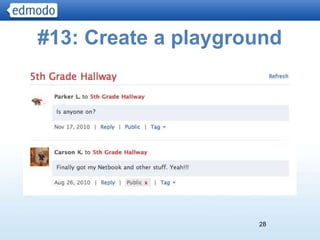
#13: Create a playground


                     28
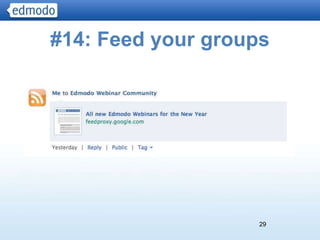
#14: Feed your groups


                    29
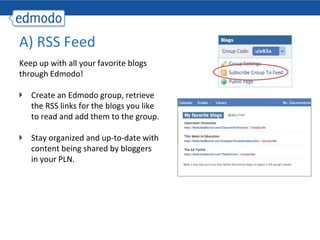
A) RSS Feed
Keep up with all your favorite blogs
through Edmodo!

   Create an Edmodo group, retrieve
   the RSS links for the blogs you like
   to read and add them to the group.

   Stay organized and up-to-date with
   content being shared by bloggers
   in your PLN.
#15: Teaching when you’re
       not teaching


                      31
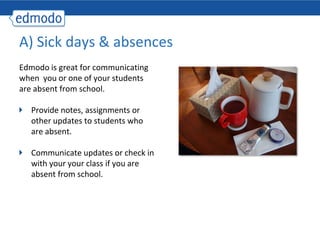
A) Sick days & absences
Edmodo is great for communicating
when you or one of your students
are absent from school.

   Provide notes, assignments or
   other updates to students who
   are absent.

   Communicate updates or check in
   with your your class if you are
   absent from school.
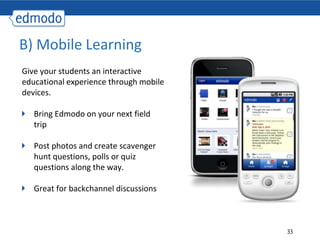
B) Mobile Learning
Give your students an interactive
educational experience through mobile
devices.

   Bring Edmodo on your next field
   trip

   Post photos and create scavenger
   hunt questions, polls or quiz
   questions along the way.

   Great for backchannel discussions


                                        33
What questions do you have?
 What are your best uses?


                      34
Support

1   Join the 20 Ways to Use Edmodo group:
    Group code: 61ulgl

2   Check out our Edmodo In Action
    Videos:http://help.edmodo.com/ideas


3   www.youtube.com/educatormann

    www.twitter.com/edmodo
4
    www.facebook.com/edmodo
Q&A
What Questions do you have?

            Edmodo Support

            Send questions to:
     technical: support@edmodo.com

     Investor Introduction, Q2 2010
    general: institutions@edmodo.com


                                       36

Advanced Edmodo

  • 1.
    Advanced Edmodo Hoover City Schools District Professional Development November 21, 2011
  • 2.
    Welcome Edmodofor Advanced Users Presenter: Bill Mann Simmons Middle School 2
  • 3.
    The Overview • Encouragingstudents to use Edmodo • Knowledge of other technology • Dealing with tough students. • Don’t be afraid, help is out there. 3
  • 4.
    #1: Create agreat profile page 4
  • 5.
  • 6.
    A) Teacher Lounge Createa “teacher lounge” where teachers within your school can discuss ideas and share content. Creates a casual environment where online discussions can take place. Share ideas, files and links between a voluntary group of teachers. Teachers can contribute on their own time.
  • 7.
    B) School Clubs Edmodois a great collaboration tool for district wide clubs like Robotics, Forensics, sports teams, etc. Use the calendar feature to mark important dates/matches/meets/practices . Notifications will help you update the group on important messages . Post results, pictures, etc. for the group to view.
  • 8.
    #3: Choose YourPurpose 8
  • 9.
    #4: Post Assignmentsand give options 9
  • 10.
  • 11.
    A) Student writingprojects Give your students an enriching writing experience through Edmodo. Help students tap into individualism, build self-esteem and measure how far they’ve come during the school year with writing projects: • Class Blog • Individual Blogs Edmodo provides students a platform for sharing their writing with teachers, peers and family.
  • 12.
    B) Role Playing* Helpstudents understand key events by reenacting them through role playing activities. Create student profiles for relevant figures and integrate knowledge in action. Inject life into old curriculum and helps students develop the skills of initiative, communication, problem-solving, self-awareness, and working cooperatively in teams.
  • 13.
    C) Backchannel Discussions Encouragereal-time discussions through Edmodo. Extend learning beyond the classroom walls. (Backchannel during current events- e.g. State of the Union, Elections, breaking news stories, etc.)
  • 14.
    D) Science Probes* Engageyour students through science probes on Edmodo. Post videos and other interactive to supplement Those students who are too shy to raise their hand in class, usually feel more comfortable communicating online.
  • 15.
    E) Project BasedLearning* Take a project-based approached to learning by creating Edmodo sub groups. Students can collaborate and work towards specific goals together in small groups. The Edmodo platform allows for anytime, anywhere communication between students. All group information can be shared and stored in Edmodo for easy access by all group members.
  • 16.
    F) Book Clubs* Encouragestudents to read and help make their reading experience more engaging with an Edmodo book club. Host after school book clubs or summer book clubs. Facilitate discussions with writing prompts. Connect with other classrooms around the globe for book discussions.
  • 17.
    F) Reading Critique Takereading to the next level by having students critique each other. Students can upload and listen to audio files directly on Edmodo. Promotes encouragement between students in the classroom. Helps improve listening skills Not limited to reading, can also do art critiques, writing critiques, etc.
  • 18.
    G) Co-teaching* Connect yourclassroom with other classrooms within your school or around the globe. Co-teachers can help grade assignments, monitor discussions, and post files or comments to the group. Join an Edmodo subject area community to connect with other teachers around the globe.
  • 19.
    H) Grammar andPunctuation Help your students improve their grammar and punctuation by enforcing proper usage on Edmodo. Require students to post in complete words and sentence (i.e. “you” not “u”, “I” not “i”). Teach students proper use of social media tools to help prepare them for our connected world.
  • 20.
    #5: Quick Checksand pre-assessments 20
  • 21.
  • 22.
    #7: Create aLibrary of Posts with Tagging 22
  • 23.
    #8: Create aCross- Classroom Shared Group 23
  • 24.
    #9: Post toyourself 24
  • 25.
  • 26.
    #11: Link toGoogle Docs to share them 26
  • 27.
    #12: Ask forlinks to turn in project assignments 27
  • 28.
    #13: Create aplayground 28
  • 29.
    #14: Feed yourgroups 29
  • 30.
    A) RSS Feed Keepup with all your favorite blogs through Edmodo! Create an Edmodo group, retrieve the RSS links for the blogs you like to read and add them to the group. Stay organized and up-to-date with content being shared by bloggers in your PLN.
  • 31.
    #15: Teaching whenyou’re not teaching 31
  • 32.
    A) Sick days& absences Edmodo is great for communicating when you or one of your students are absent from school. Provide notes, assignments or other updates to students who are absent. Communicate updates or check in with your your class if you are absent from school.
  • 33.
    B) Mobile Learning Giveyour students an interactive educational experience through mobile devices. Bring Edmodo on your next field trip Post photos and create scavenger hunt questions, polls or quiz questions along the way. Great for backchannel discussions 33
  • 34.
    What questions doyou have? What are your best uses? 34
  • 35.
    Support 1 Join the 20 Ways to Use Edmodo group: Group code: 61ulgl 2 Check out our Edmodo In Action Videos:http://help.edmodo.com/ideas 3 www.youtube.com/educatormann www.twitter.com/edmodo 4 www.facebook.com/edmodo
  • 36.
    Q&A What Questions doyou have? Edmodo Support Send questions to: technical: support@edmodo.com Investor Introduction, Q2 2010 general: institutions@edmodo.com 36

Editor's Notes

  • #4 Jury Duty,Addison Death StoryI don’t use or know allI’ll bounce between my page and the PP.Things I do, things I’ve heard you can do.Jot down a few ideas that you would like to explore at the end of the class.