Teaching the Business Suite
of Subjects
October/November 2013
Overview
• Updates
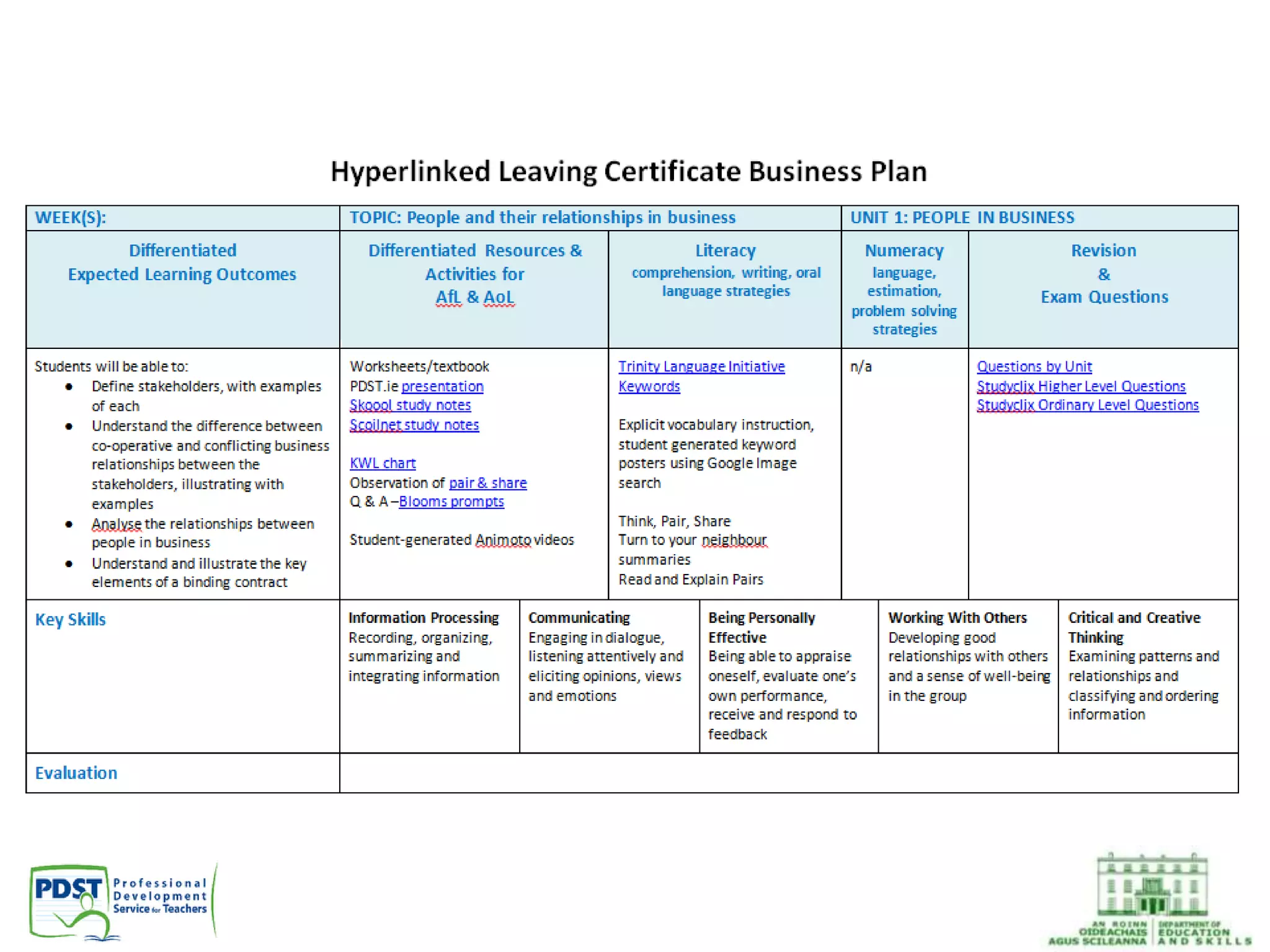
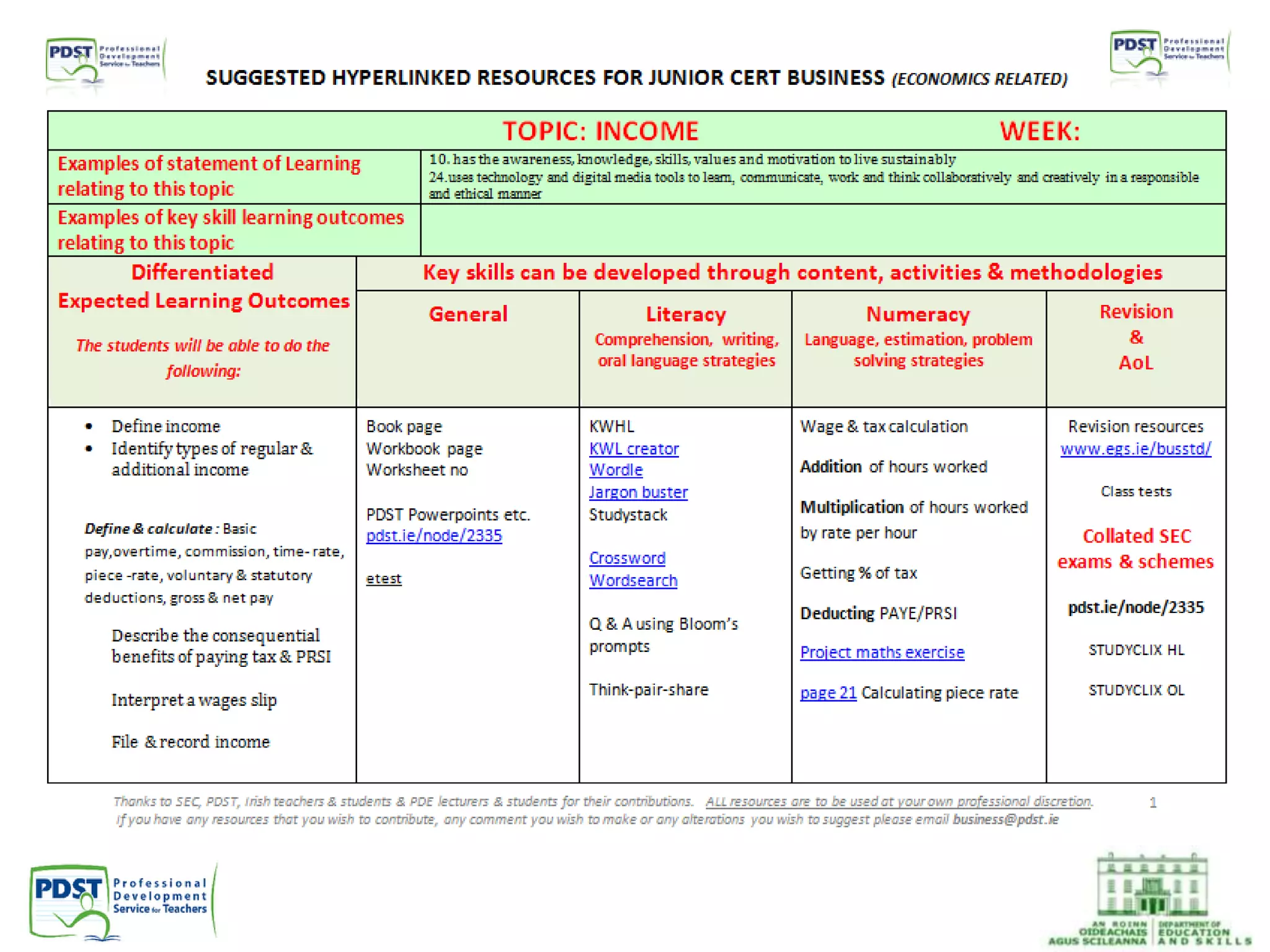
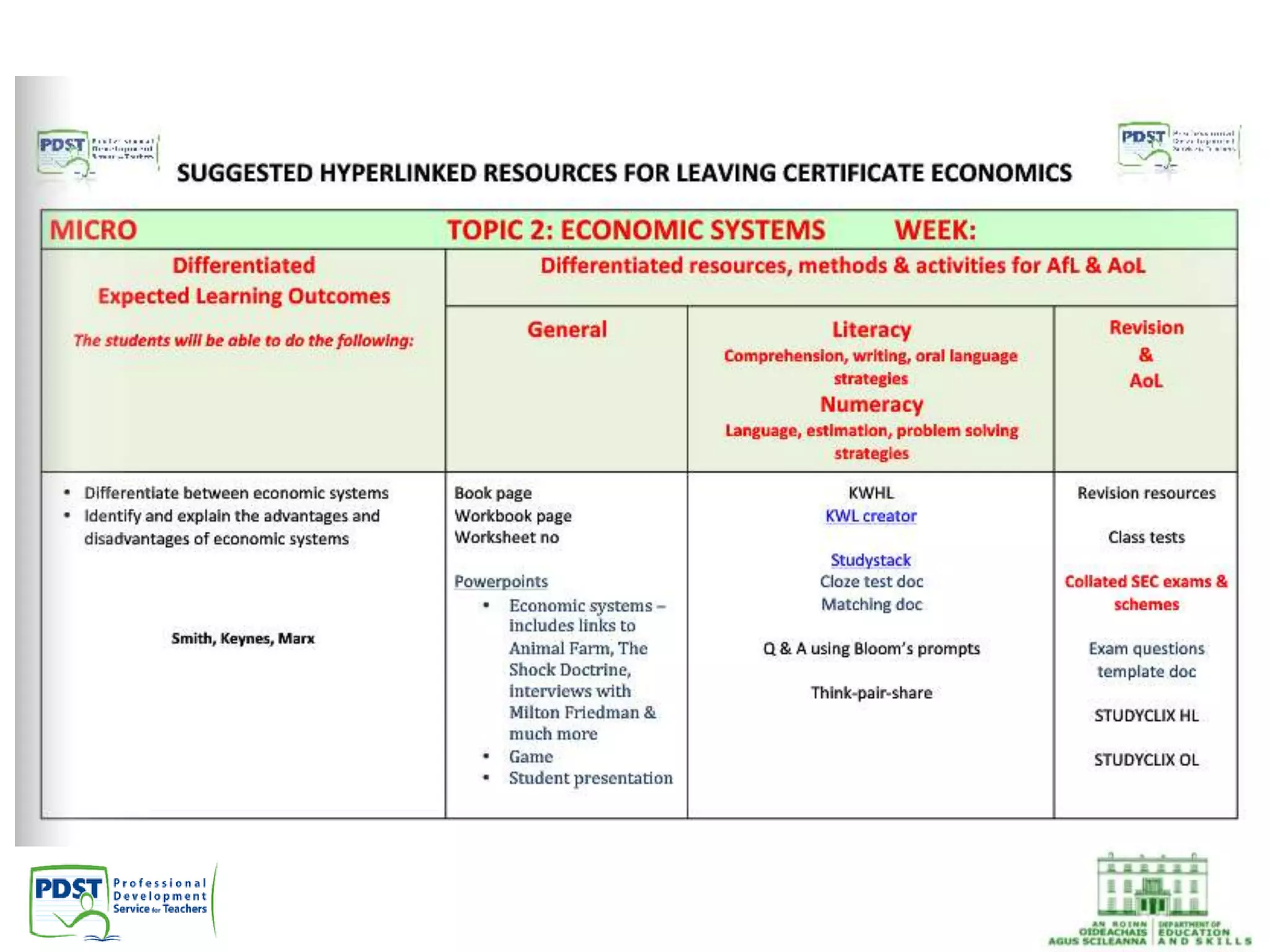
• Hyperlinked Plans
• Online resources: StudyStack and Edmodo
PDST provide support in the following areas:
• In-School Support
• Literacy
• Numeracy
• Leadership and
Planning
• Subjects and
Programmes
• Gaeilge
• Wellbeing
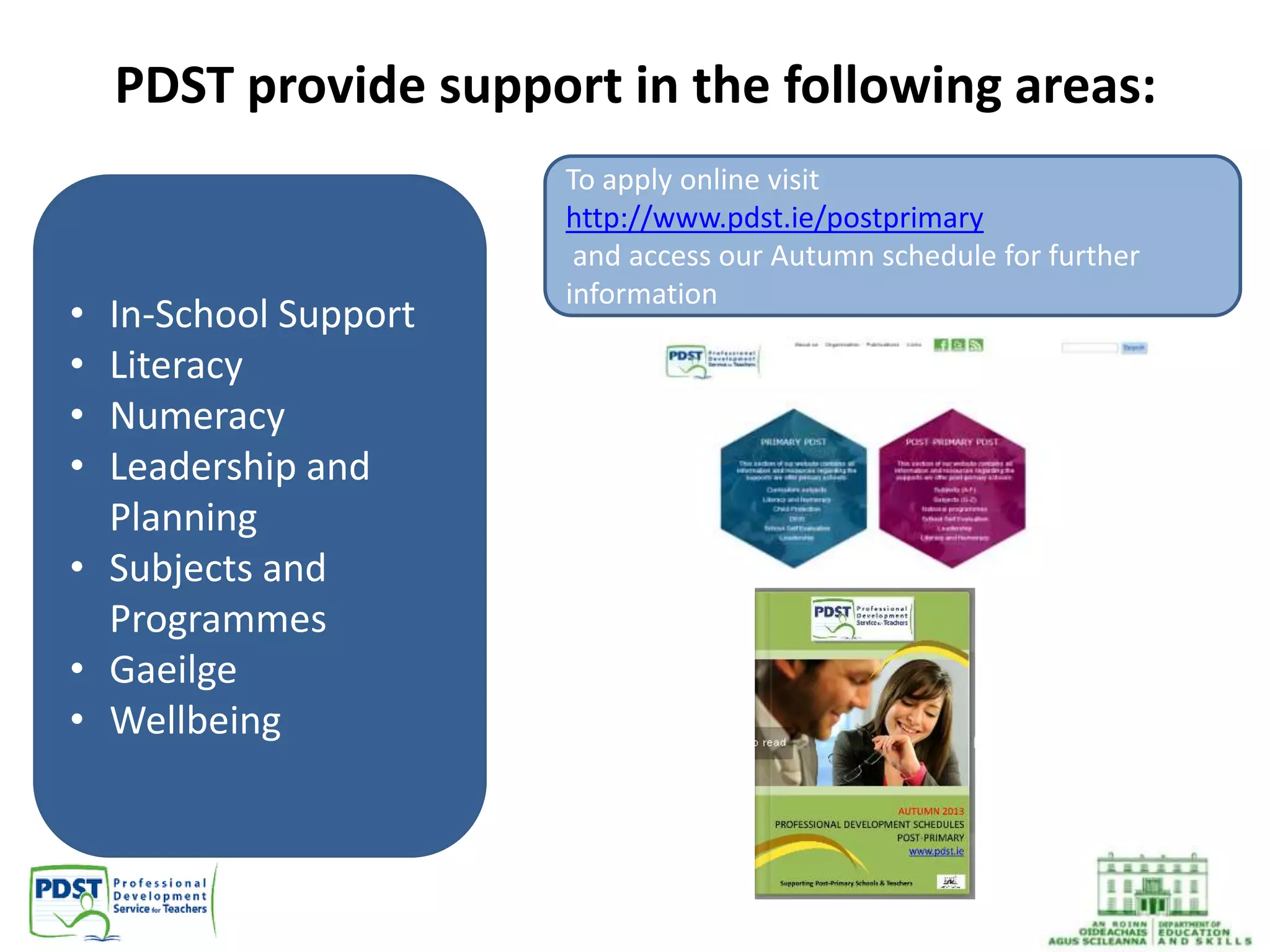
To apply online visit
http://www.pdst.ie/postprimary
and access our Autumn schedule for further
information
Updates
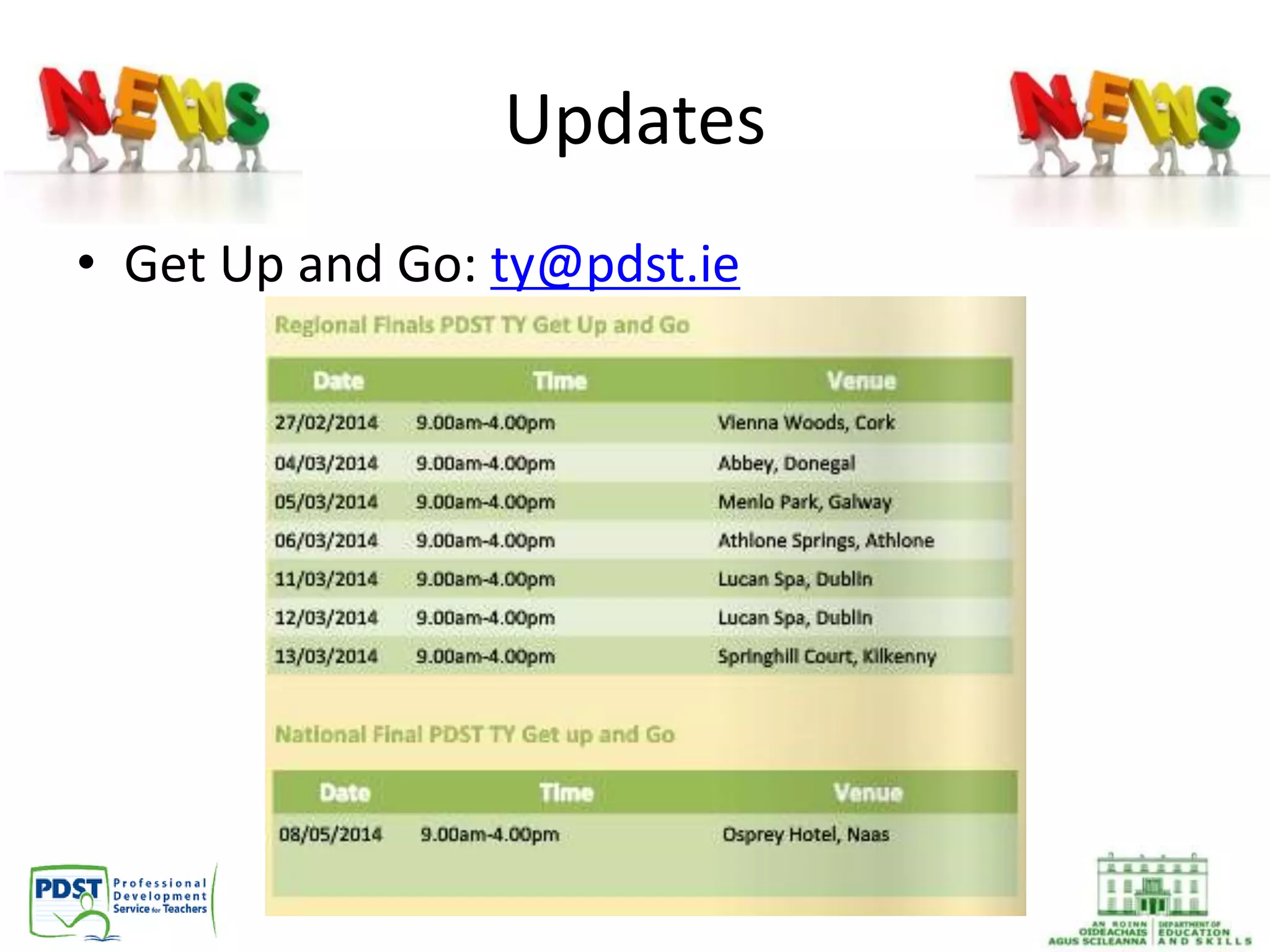
• Get Up and Go: ty@pdst.ie
Updates
• SAS Young Economist of the Year, Kilkenomics,
Friday November 8th
• Student Enterprise Awards
• Economics and Business EU Resources
• Integrated approach to Book-keeping
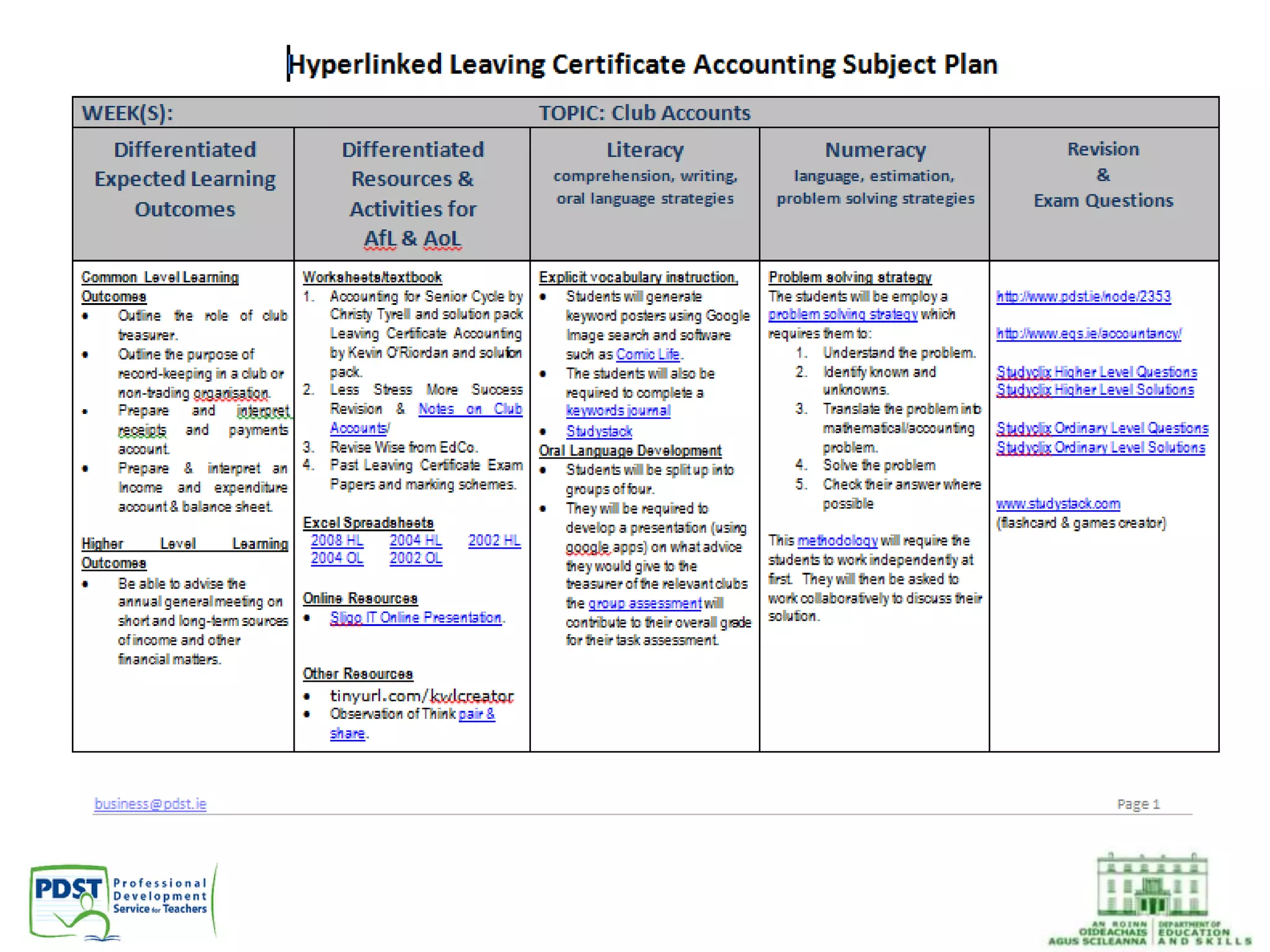
Hyperlinked Plans
Samples available for:
• Accounting
• Business
• Business Studies
• Economics
• LCVP Link Modules
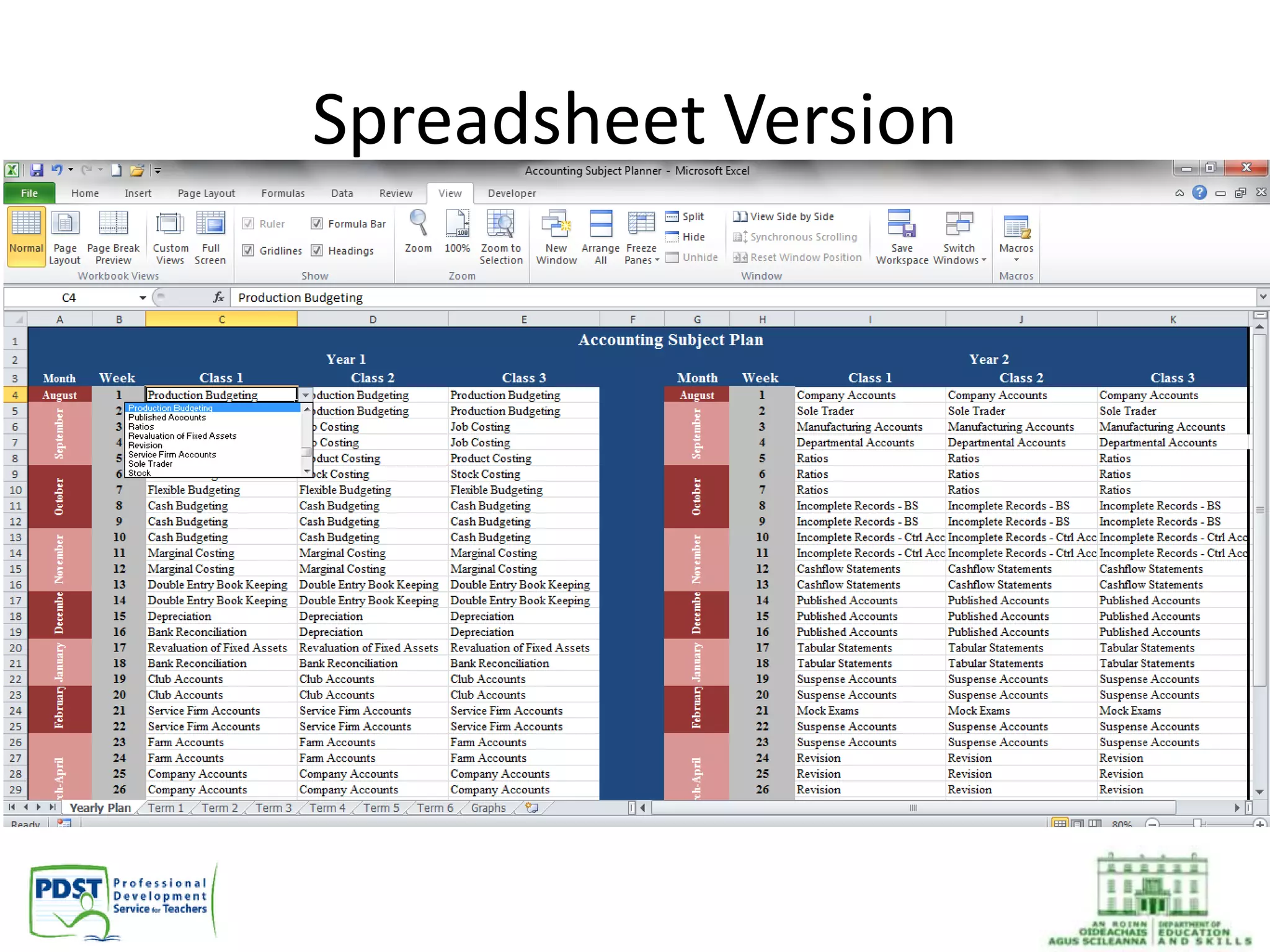
Spreadsheet Version
New online resources
Before you begin, keep a record of all usernames
and passwords
StudyStack
• Useful resource to improve literacy and
keyword acquisition for students
• Stacks can be created and shared by teachers
and/or students
• Some stacks set up for:
– pdstaccounting
– pdstbusiness
– pdstbusinessstudies
– pdsteconomics
– pdstlcvp
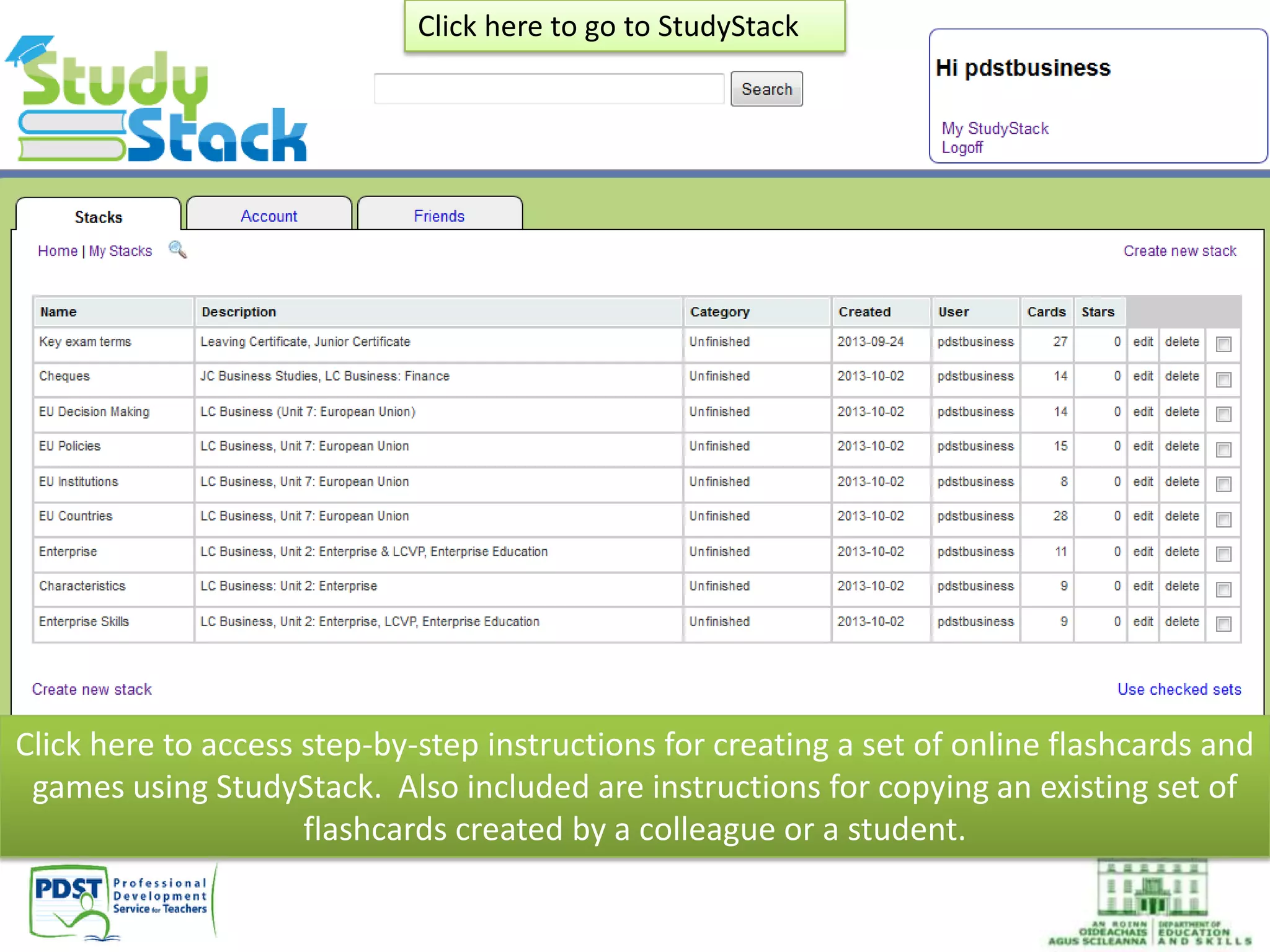
Click here to access step-by-step instructions for creating a set of online flashcards and
games using StudyStack. Also included are instructions for copying an existing set of
flashcards created by a colleague or a student.
Click here to go to StudyStack
• Use as a homework/classwork assignment for
students
• Copy existing stacks from students/colleagues/
PDST accounts
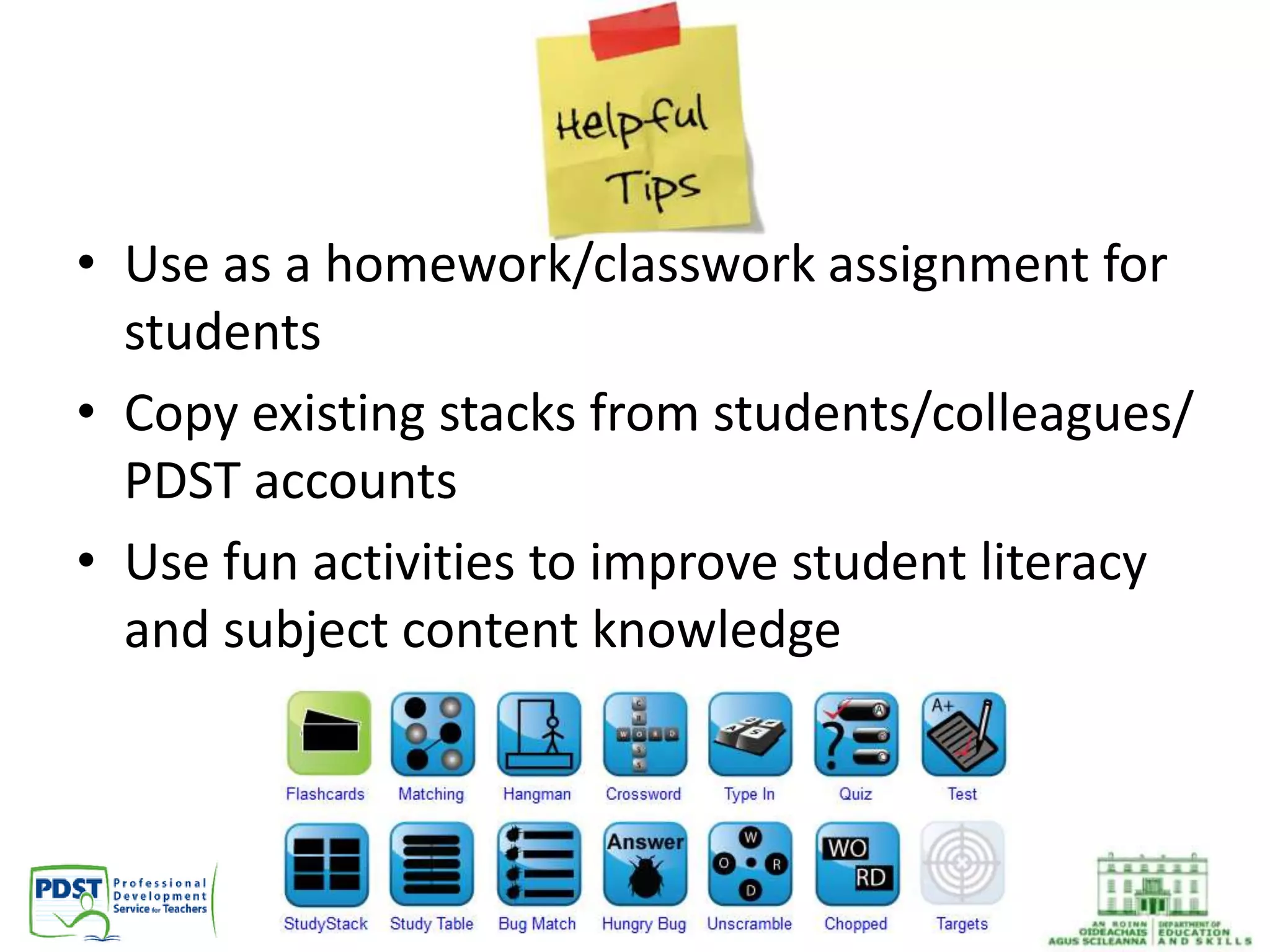
• Use fun activities to improve student literacy
and subject content knowledge
Edmodo
By the end of this session you will be able to:
• Set up your own Virtual Learning Environment
(VLE) for students using Edmodo
• Join a group of Irish business teachers where
you can share resources
• Create a group on Edmodo for your students
to join
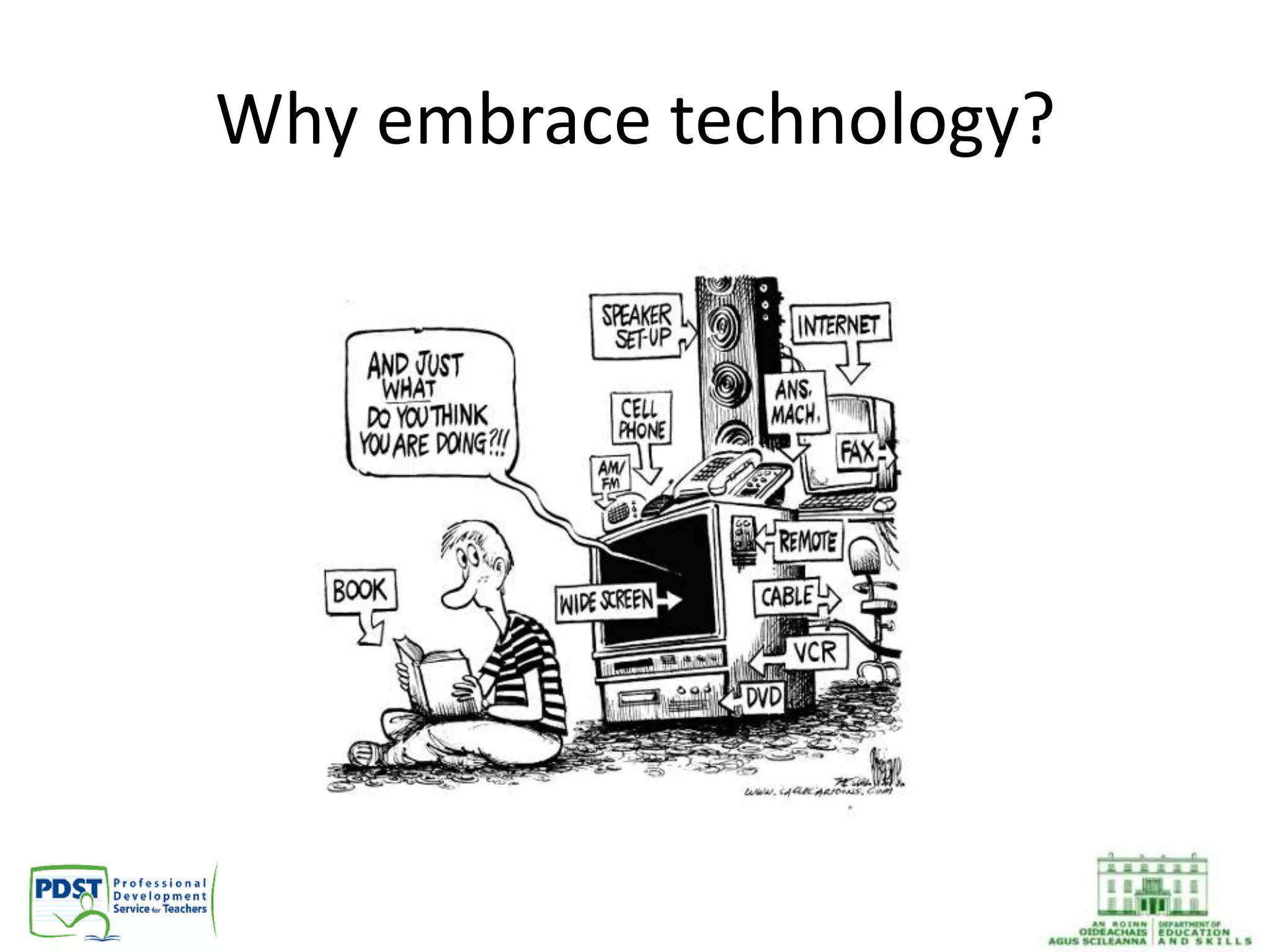
Why embrace technology?
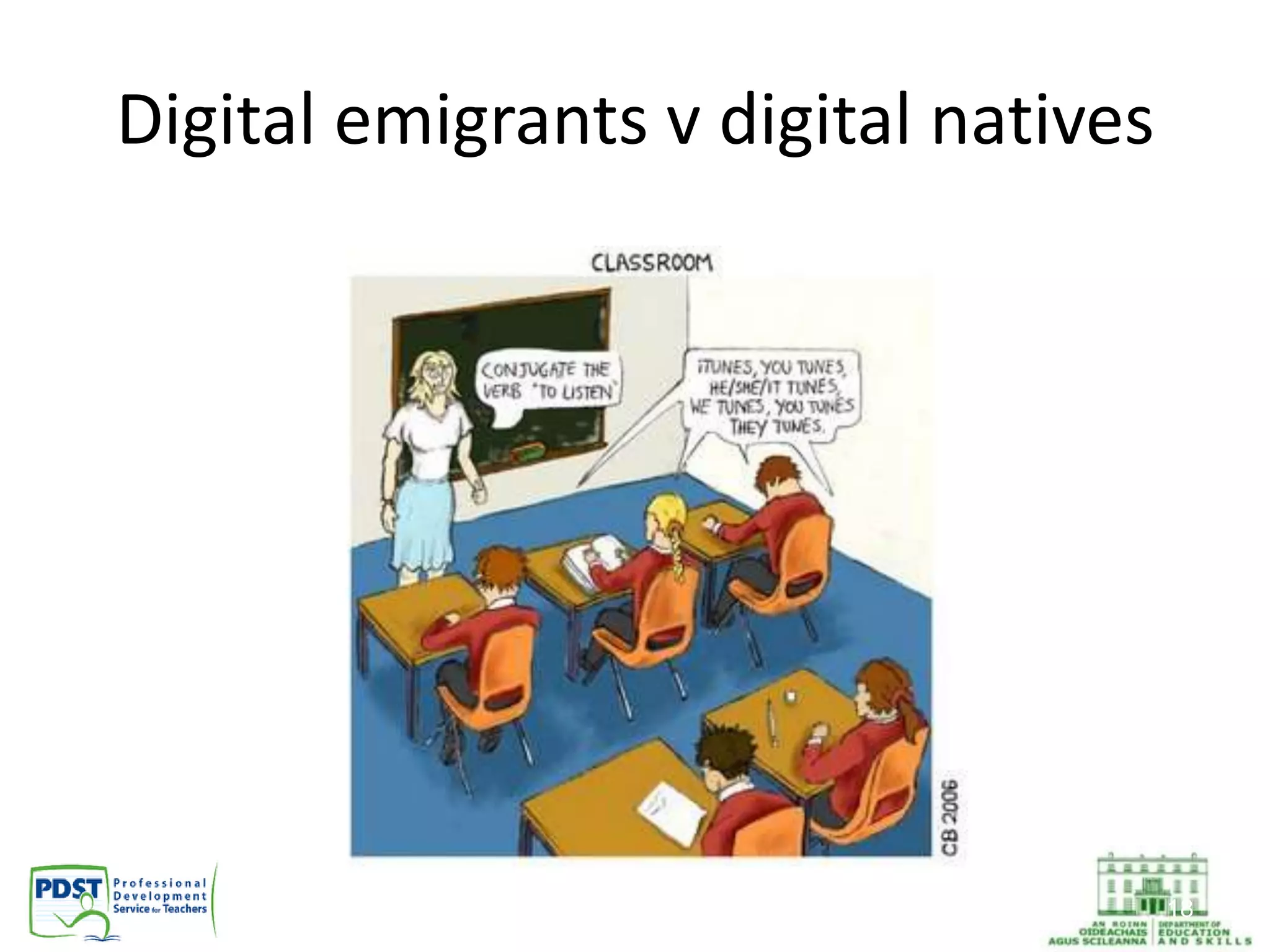
Digital emigrants v digital natives
18
What is Edmodo?
• Free social learning network for teachers,
students and schools
• Facilitates one to one, small group and whole
class discussion
• Safe and easy way to connect
– Exchange ideas
– Share content
– Access homework, results and school notices
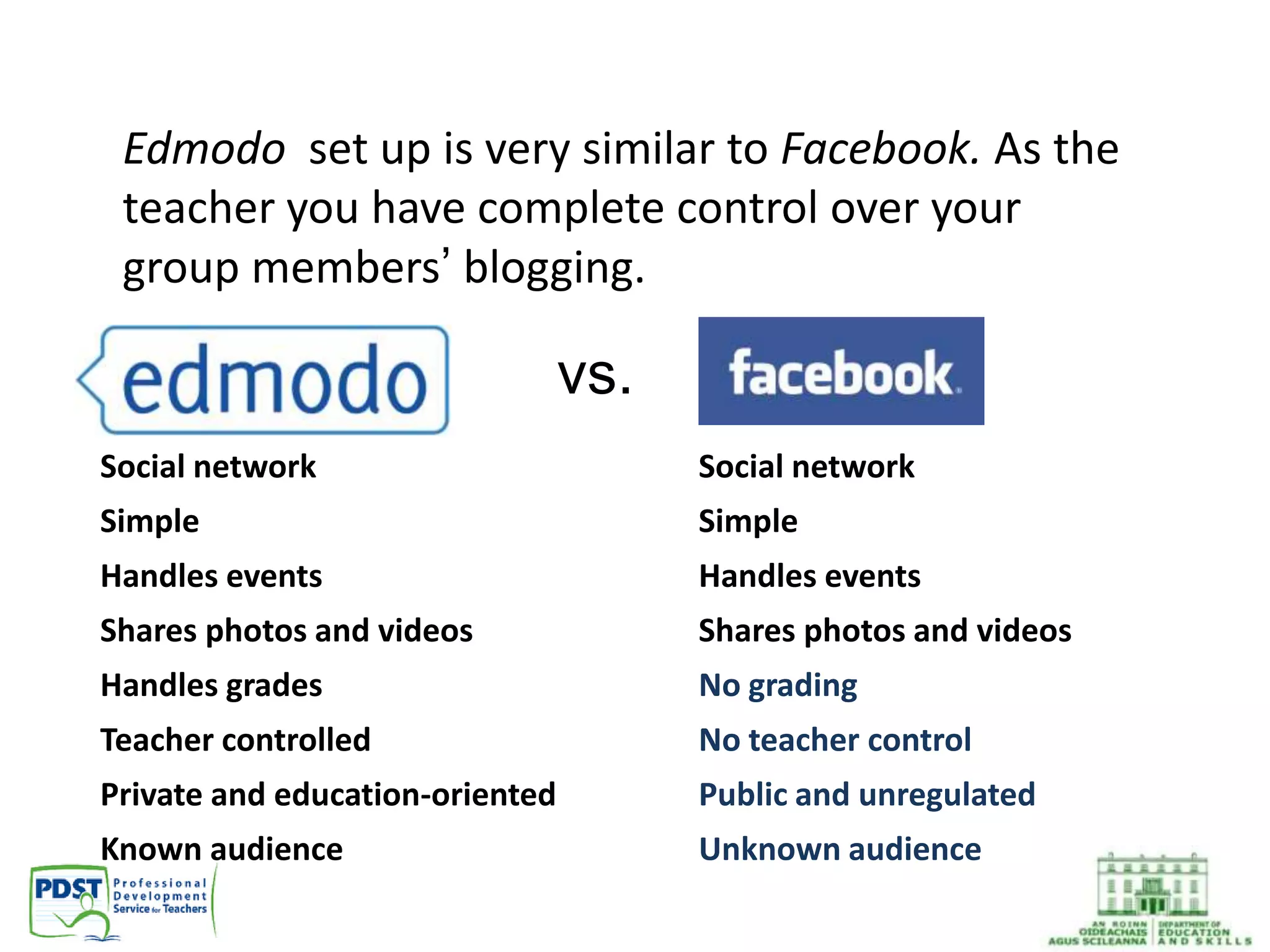
vs.
Social network
Simple
Handles events
Shares photos and videos
No grading
No teacher control
Public and unregulated
Unknown audience
• Social network
• Simple
• Handles events
• Shares photos and videos
• Handles grades
• Teacher controlled
• Private and education-oriented
• Known audience
Edmodo set up is very similar to Facebook. As the
teacher you have complete control over your
group members’ blogging.
Why Use Edmodo?
• Closed environment
• No private information required from students
• Students join groups by invitation of their teacher
only
• No private chat between students
• All communication is archived
• Teacher has full management control
• Currently used by over 25 million teachers
• Edmodo support team available 24 hours a day
Why Edmodo?
• Free!
• Familiar interface
• Quick and easy to set up: no need to add students to class
groups
• Upload documents, folders, links, videos
• Start discussions with students or groups
• Create quizzes, polls, feedback assignments
• Set homework, reminders or events, e.g. test, class trip
• Can create badges to motivate and reward students
• Online Tutorial: http://goo.gl/bGF9Ir
• Edmodo Conference webinars:
http://www.edmodocon.com/
Benefits of using Edmodo
• Edmodo gives students a voice, so that they
may discuss, argue and explain their
viewpoints to each other constructively
• Edmodo empowers students who were
previously quiet in discussions to participate
with confidence
• Edmodo facilitates the development of
students’ digital and written literacy skills
Joining Edmodo as a Teacher
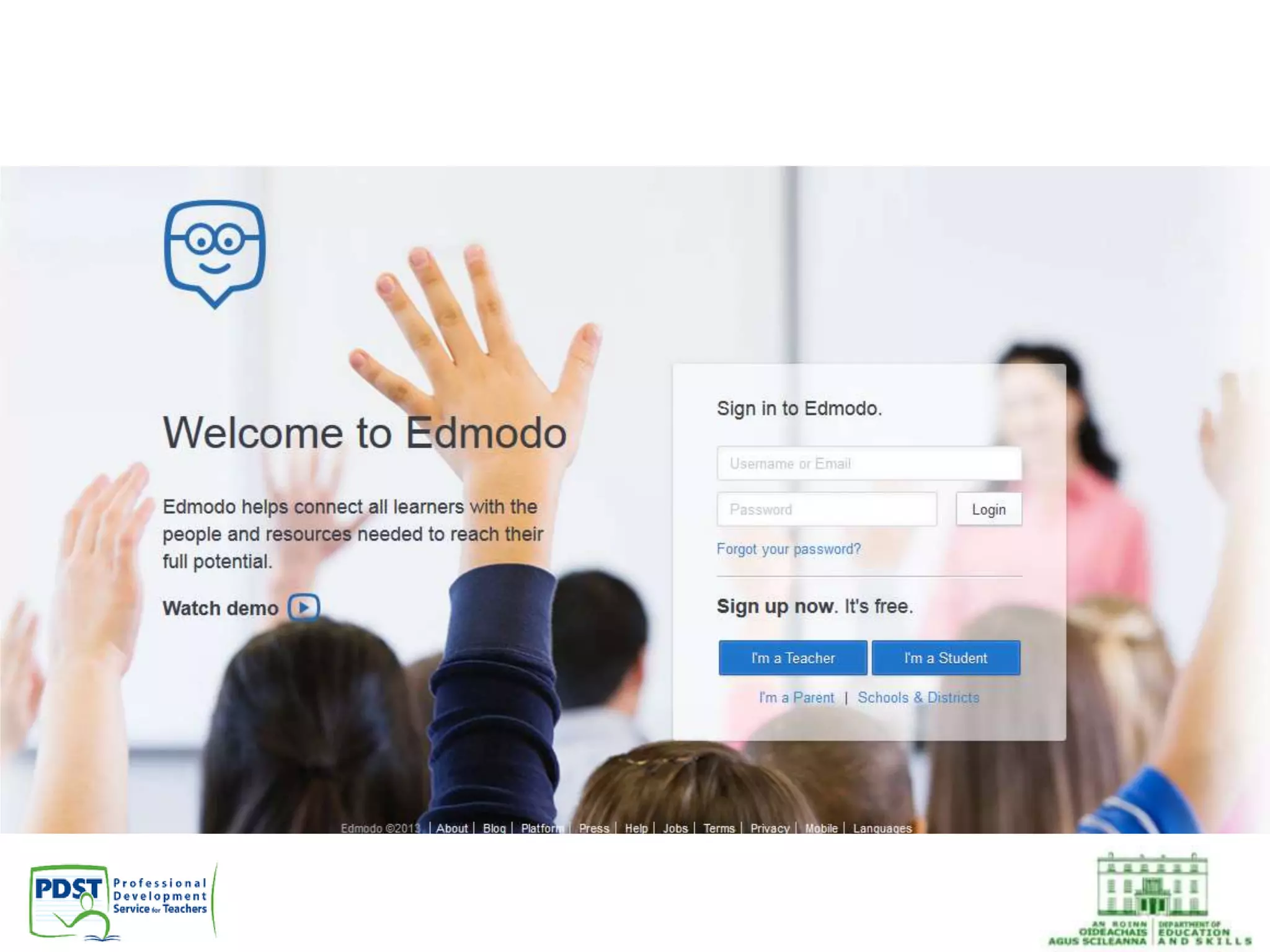
• Go to www.edmodo.com
• Click on “I’m a Teacher”
• Resources:
https://support.edmodo.com/home#entries/2
1855920-classroom-rollout-resources-teacher
Joining Edmodo as a Student
• Students receive a 6 digit code (including
letters and numbers) from their teacher and
enter this when they log in, e.g. 5yvhmm
OR
• Students can also get a URL from their
teacher, e.g. https://edmo.do/j/5u6pbc
Managing groups
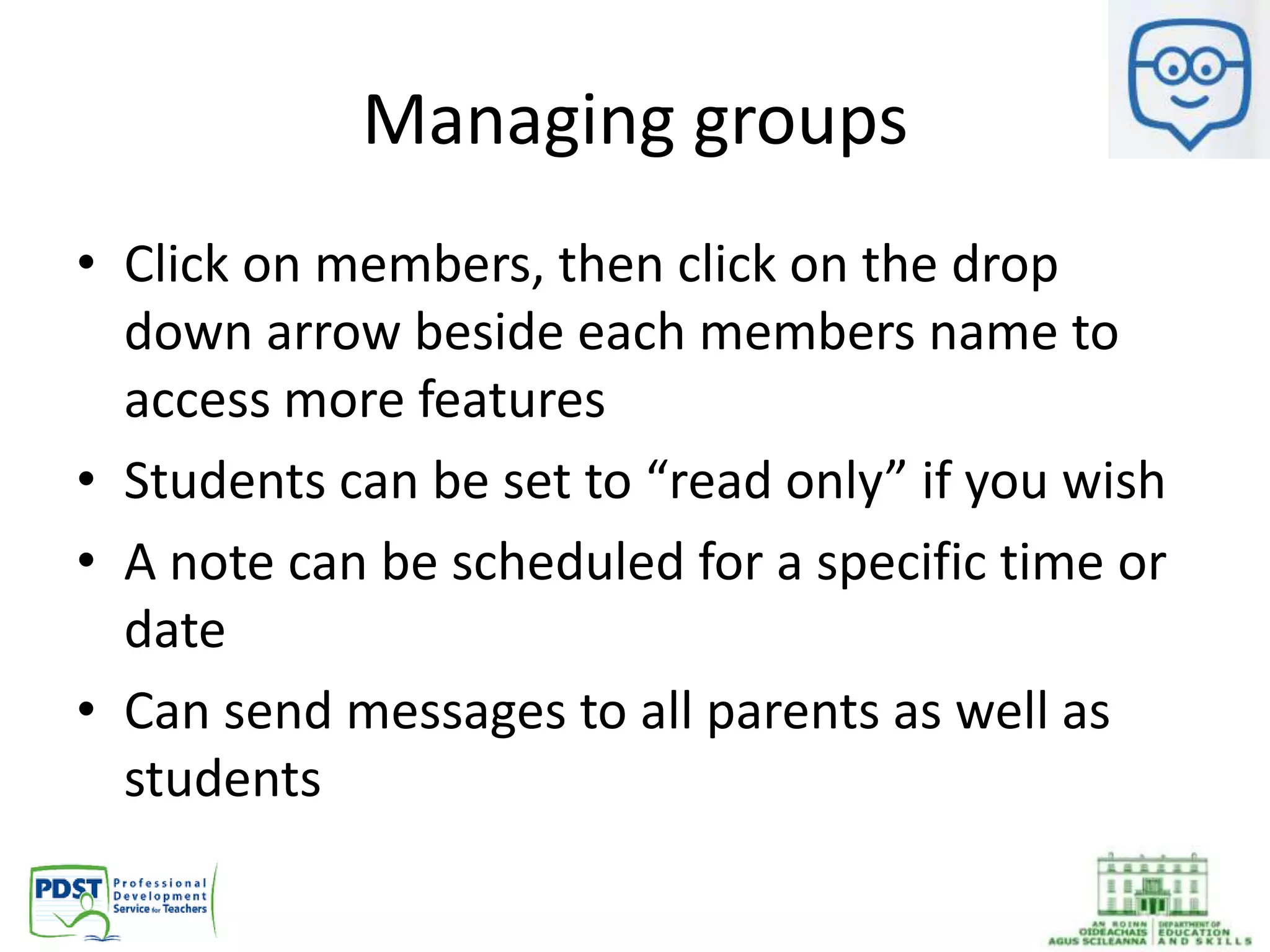
• Click on members, then click on the drop
down arrow beside each members name to
access more features
• Students can be set to “read only” if you wish
• A note can be scheduled for a specific time or
date
• Can send messages to all parents as well as
students
Ideas for using Edmodo
• Edmodo can be used by students at
home, school, library and youth centres. It
enables learning to be done at the student’s
own pace. This can be in collaboration with
other students, with the assistance of the
teacher or individually
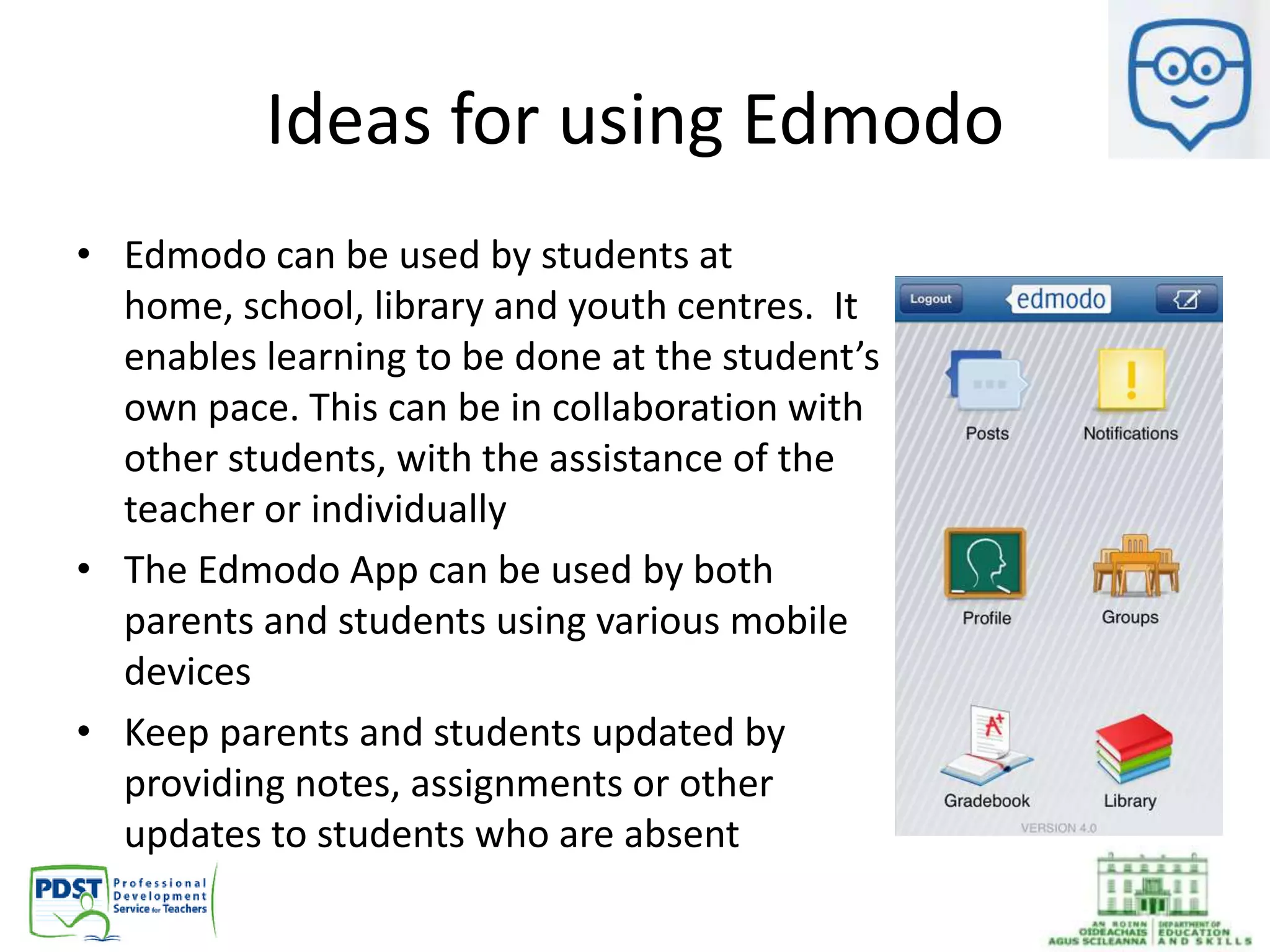
• The Edmodo App can be used by both
parents and students using various mobile
devices
• Keep parents and students updated by
providing notes, assignments or other
updates to students who are absent
Ideas for using Edmodo
• Flipped classrooms, blended learning, online
collaborative learning and problem based
learning can be conducted with ease
• Edmodo can be used for differentiated
instruction and assessment
• Writing processes in blogs or other google
documents can be monitored and easily
uploaded and shared
Ideas for using Edmodo
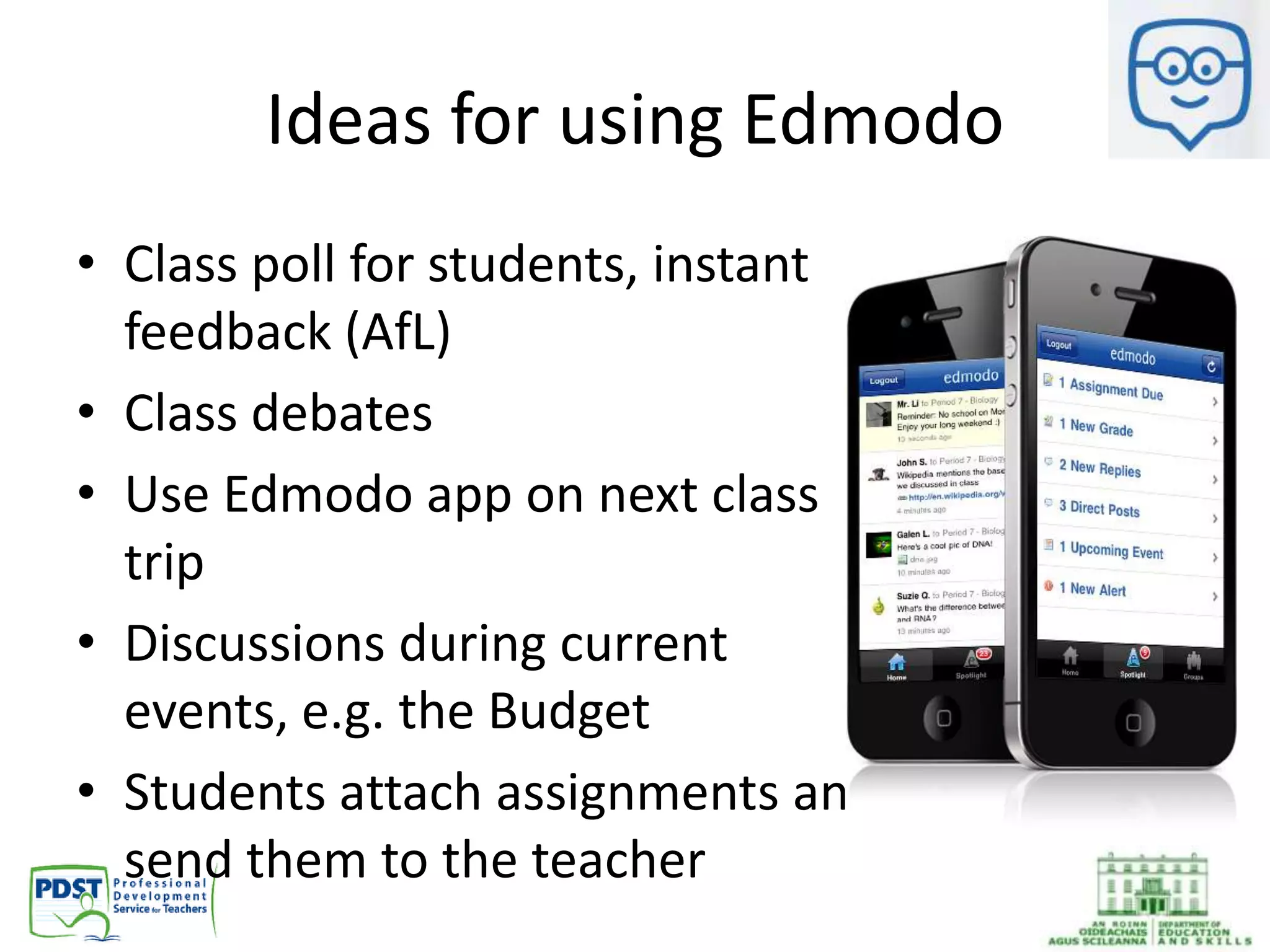
• Class poll for students, instant
feedback (AfL)
• Class debates
• Use Edmodo app on next class
trip
• Discussions during current
events, e.g. the Budget
• Students attach assignments and
send them to the teacher
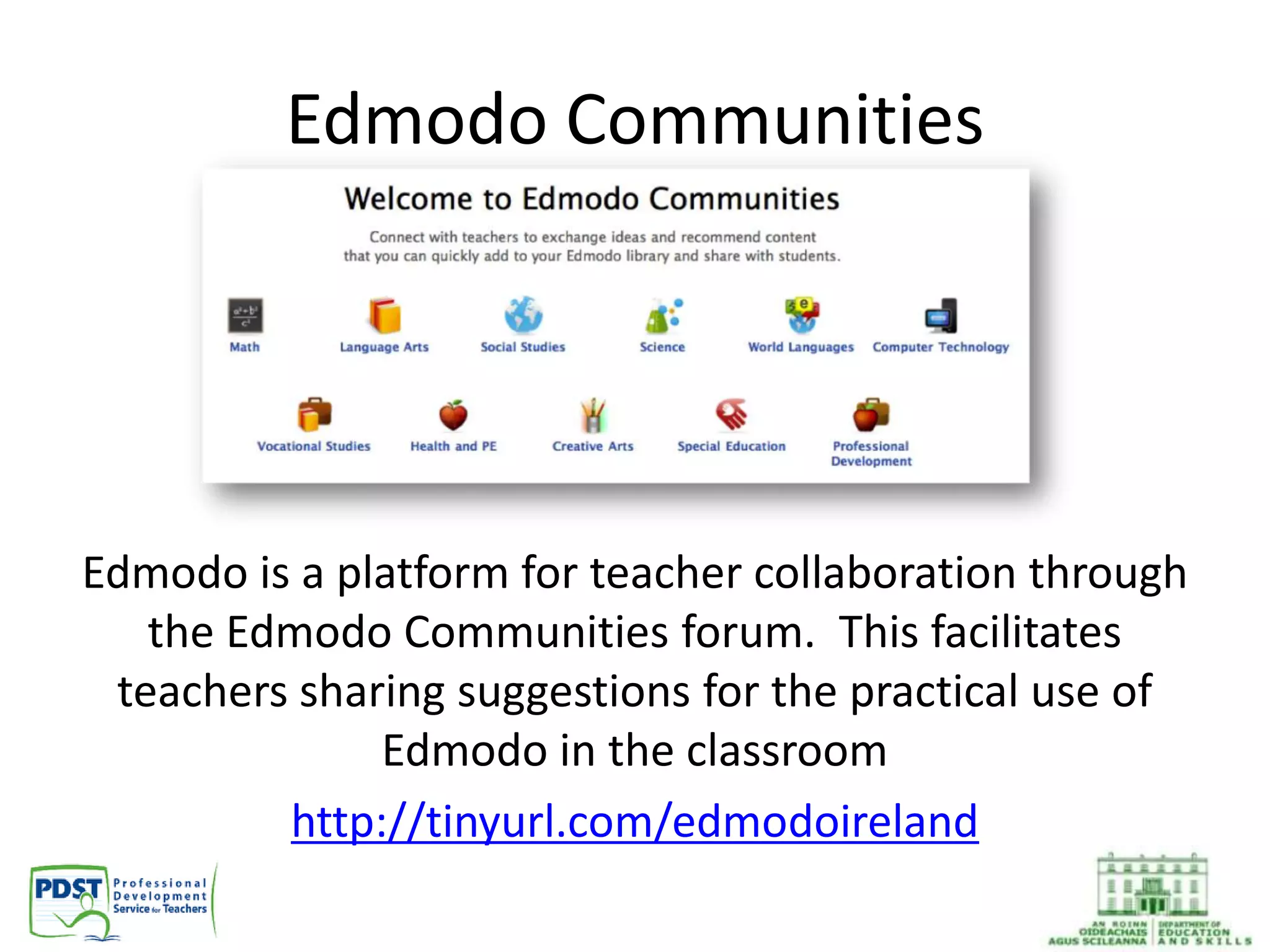
Edmodo Communities
Edmodo is a platform for teacher collaboration through
the Edmodo Communities forum. This facilitates
teachers sharing suggestions for the practical use of
Edmodo in the classroom
http://tinyurl.com/edmodoireland
Share Criteria for Success
Sample…
• You must show your name somewhere on the
presentation or poster
• Each presentation/poster must have a title, i.e. "Factors
of Production"
• Each factor of production must be explained
• You must link the factor of production to a
product/business of your choice
• You must show photographs/graphics to display the
links between the factors of production and the
product/business of your choice
• Have you set up your Edmodo page?
• Have you joined a group and created a group?
• Have you uploaded documents/links/videos to
your library?
• Can you create badges for students?
• Can you create a poll, a quiz, an alert and an
assignment?
• Post on the group Edmodo page
• Create one resource (or more if you can!)
• Share your resource with the group/your
subject department
• Try out something you learned today with one
of your classes
• Report back to the Edmodo group what you
tried and how it worked
30/03/2014 35
Before you leave…
Two things you will try
over the next fortnight
One aspect of ICT/Online
Tools we would like
further input on
Please complete the post
training survey on
http://goo.gl/EyOtqa
business@pdst.ie
http://pdst.ie/postprimary

Teaching the business suite of subjects edmodo and study stack

  • 1.
    Teaching the BusinessSuite of Subjects October/November 2013
  • 2.
    Overview • Updates • HyperlinkedPlans • Online resources: StudyStack and Edmodo
  • 3.
    PDST provide supportin the following areas: • In-School Support • Literacy • Numeracy • Leadership and Planning • Subjects and Programmes • Gaeilge • Wellbeing To apply online visit http://www.pdst.ie/postprimary and access our Autumn schedule for further information
  • 4.
    Updates • Get Upand Go: ty@pdst.ie
  • 5.
    Updates • SAS YoungEconomist of the Year, Kilkenomics, Friday November 8th • Student Enterprise Awards • Economics and Business EU Resources • Integrated approach to Book-keeping
  • 6.
    Hyperlinked Plans Samples availablefor: • Accounting • Business • Business Studies • Economics • LCVP Link Modules
  • 8.
  • 12.
    New online resources Beforeyou begin, keep a record of all usernames and passwords
  • 13.
    StudyStack • Useful resourceto improve literacy and keyword acquisition for students • Stacks can be created and shared by teachers and/or students • Some stacks set up for: – pdstaccounting – pdstbusiness – pdstbusinessstudies – pdsteconomics – pdstlcvp
  • 14.
    Click here toaccess step-by-step instructions for creating a set of online flashcards and games using StudyStack. Also included are instructions for copying an existing set of flashcards created by a colleague or a student. Click here to go to StudyStack
  • 15.
    • Use asa homework/classwork assignment for students • Copy existing stacks from students/colleagues/ PDST accounts • Use fun activities to improve student literacy and subject content knowledge
  • 16.
    Edmodo By the endof this session you will be able to: • Set up your own Virtual Learning Environment (VLE) for students using Edmodo • Join a group of Irish business teachers where you can share resources • Create a group on Edmodo for your students to join
  • 17.
  • 18.
    Digital emigrants vdigital natives 18
  • 19.
    What is Edmodo? •Free social learning network for teachers, students and schools • Facilitates one to one, small group and whole class discussion • Safe and easy way to connect – Exchange ideas – Share content – Access homework, results and school notices
  • 20.
    vs. Social network Simple Handles events Sharesphotos and videos No grading No teacher control Public and unregulated Unknown audience • Social network • Simple • Handles events • Shares photos and videos • Handles grades • Teacher controlled • Private and education-oriented • Known audience Edmodo set up is very similar to Facebook. As the teacher you have complete control over your group members’ blogging.
  • 21.
    Why Use Edmodo? •Closed environment • No private information required from students • Students join groups by invitation of their teacher only • No private chat between students • All communication is archived • Teacher has full management control • Currently used by over 25 million teachers • Edmodo support team available 24 hours a day
  • 22.
    Why Edmodo? • Free! •Familiar interface • Quick and easy to set up: no need to add students to class groups • Upload documents, folders, links, videos • Start discussions with students or groups • Create quizzes, polls, feedback assignments • Set homework, reminders or events, e.g. test, class trip • Can create badges to motivate and reward students • Online Tutorial: http://goo.gl/bGF9Ir • Edmodo Conference webinars: http://www.edmodocon.com/
  • 23.
    Benefits of usingEdmodo • Edmodo gives students a voice, so that they may discuss, argue and explain their viewpoints to each other constructively • Edmodo empowers students who were previously quiet in discussions to participate with confidence • Edmodo facilitates the development of students’ digital and written literacy skills
  • 24.
    Joining Edmodo asa Teacher • Go to www.edmodo.com • Click on “I’m a Teacher” • Resources: https://support.edmodo.com/home#entries/2 1855920-classroom-rollout-resources-teacher
  • 26.
    Joining Edmodo asa Student • Students receive a 6 digit code (including letters and numbers) from their teacher and enter this when they log in, e.g. 5yvhmm OR • Students can also get a URL from their teacher, e.g. https://edmo.do/j/5u6pbc
  • 27.
    Managing groups • Clickon members, then click on the drop down arrow beside each members name to access more features • Students can be set to “read only” if you wish • A note can be scheduled for a specific time or date • Can send messages to all parents as well as students
  • 28.
    Ideas for usingEdmodo • Edmodo can be used by students at home, school, library and youth centres. It enables learning to be done at the student’s own pace. This can be in collaboration with other students, with the assistance of the teacher or individually • The Edmodo App can be used by both parents and students using various mobile devices • Keep parents and students updated by providing notes, assignments or other updates to students who are absent
  • 29.
    Ideas for usingEdmodo • Flipped classrooms, blended learning, online collaborative learning and problem based learning can be conducted with ease • Edmodo can be used for differentiated instruction and assessment • Writing processes in blogs or other google documents can be monitored and easily uploaded and shared
  • 30.
    Ideas for usingEdmodo • Class poll for students, instant feedback (AfL) • Class debates • Use Edmodo app on next class trip • Discussions during current events, e.g. the Budget • Students attach assignments and send them to the teacher
  • 31.
    Edmodo Communities Edmodo isa platform for teacher collaboration through the Edmodo Communities forum. This facilitates teachers sharing suggestions for the practical use of Edmodo in the classroom http://tinyurl.com/edmodoireland
  • 32.
    Share Criteria forSuccess Sample… • You must show your name somewhere on the presentation or poster • Each presentation/poster must have a title, i.e. "Factors of Production" • Each factor of production must be explained • You must link the factor of production to a product/business of your choice • You must show photographs/graphics to display the links between the factors of production and the product/business of your choice
  • 33.
    • Have youset up your Edmodo page? • Have you joined a group and created a group? • Have you uploaded documents/links/videos to your library? • Can you create badges for students? • Can you create a poll, a quiz, an alert and an assignment?
  • 34.
    • Post onthe group Edmodo page • Create one resource (or more if you can!) • Share your resource with the group/your subject department • Try out something you learned today with one of your classes • Report back to the Edmodo group what you tried and how it worked
  • 35.
    30/03/2014 35 Before youleave… Two things you will try over the next fortnight One aspect of ICT/Online Tools we would like further input on Please complete the post training survey on http://goo.gl/EyOtqa
  • 36.

Editor's Notes

  • #4 Download brochure
  • #5 Get Up and Go, email ty@pdst.ie
  • #6 Young Economist of the Year, open to all years at second levelGet Up and Go, email corneliusyoung@pdst.ieNew resource for Business/Economics EU – highlight booklet and powerpoint which is available on http://pdst.ie/node/77Integrated approach to book-keeping, ideal for teaching accounts to TY students, refresher course for Accounting
  • #20 Edmodo is an example of how knowledge is constructed and shared in the real world through social and professional online communities. It is a good introduction to how these communities operate and how to use them. Edmodo is developed for an educational setting which gives it an edge over other social networks. It also contains resources regarding digital citizenship, and professional development support
  • #22 Safety
  • #25 Resources available from this link: Getting Started:Sample Edmodo Guidelines20 Ways to Use EdmodoEdmodo One PagerTeacher Training PDEdmodo Best Practices Getting Students Started:Sample Code of ConductStudent Guide to Edmodo (for Students) Getting Parents Started:Sample Letter to Parents- Introduction to EdmodoEdmodo Parent Permission Form ExampleParent Guide to Edmodo (for Parents)
  • #27 The code only lasts 14 days. If students do not join within this time period, the teacher will need to share the join URL with them to allow them to access the group
  • #28 As a teacher, you may find it useful to manage your groups and indeed the students within the groups. If you have a concern about a student and what they may post on the page, you can set them to “read only” and they will be able to access all material on the class page, download notes, see alerts, participate in assignments, etc but they will not be able to post content on the pageParents can join through their son/daughter and messages can be sent to all parents in a class, e.g. to inform them of a class trip
  • #29 Display Edmodo on the smartboard/whiteboard and demonstrate to students how it can be usedPost links to what previous students have completed through Edmodo such as presentations, videos, photos and podcastsSet up monthly calendars in advance indicating holidays, assignments, tests, upcoming events, e.g. class tripTeachers can interact with each other, school management, and the Edmodo support team, to learn how to use Edmodo in the classroom as well as receive professional development materials such as posted files or assignmentsPost “how to” videos from YouTube to help students when they are doing their homework at home. This will give them another explanation from an expertCheck updates, view and reply to posts, and publish new messages to Edmodo groups from anywhere, anytime, with the mobile web application
  • #30 All assignments can be annotated and feedback can be provided on all assignments, as often as necessary
  • #31 Class poll for students to voice their opinions and suggest changes. Debate where students express their ideas through posts which may include videos or photos to enhance their arguments.Use edmodo on your next class trip or science lab and post photos, create scavenger hunt questions, or quiz questions along the way.Discussions during current events - e.g. elections, breaking news stories, etc.Students can attach their assignments and send them directly to the teacher. Writing progress can be seen throughout the yearStudents can ask their teacher or peers questions about the homework and other school activities
  • #32 Edmodo is an example of how knowledge is constructed and shared in the real world through social and professional online communities. It is a good introduction to how these communities operate and how to use them.
  • #33 When setting assignments to students, it is important to share the criteria for success, so that students know what standards are expected of them. Here is an example of the criteria for success for a project on the “Factors of Production”