Software Security
       Network Security Tools


                                        Presented by
                                      Emanuela Boroș
“Al. I. Cuza” University, Faculty of Computer Science
                   Master of Software Engineering, II
Audit/Port Scanning Tools
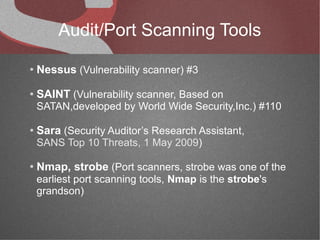
●   Nessus (Vulnerability scanner) #3
●   SAINT (Vulnerability scanner, Based on
    SATAN,developed by World Wide Security,Inc.) #110

●   Sara (Security Auditor’s Research Assistant,
    SANS Top 10 Threats, 1 May 2009)

●   Nmap, strobe (Port scanners, strobe was one of the
    earliest port scanning tools, Nmap is the strobe's
    grandson)
Nessus
Scanner
Nessus Scanner

●   Available from http://www.nessus.org/products/nessus/
●   The world leading vulnerability scanner
●   Free for home users, licensed on a yearly subscription
    for commercial businesses
●   Easy-to-use tool
●   Linux/Solaris/Windows/Android/iPhone
●   Provides HTML based reports
●   Client/server architecture: clients (Windows, Unix,
    Android, iPhone) & servers (Unix only)
Pros/Cons


Pros
  ● Free vulnerability scanning

  ● Easy to install and use

  ● Up-to-date security vulnerability database

  ● Free for home users

  ● Powerful plug-in architecture

Cons
  ● Needs activation code

  ● Some UI issues
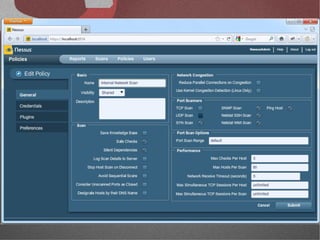
Policies
A Nessus “policy” consists of configuration options
related to performing a vulnerability scan.
  ●   External Network Scan
       ●   scans externally facing hosts
       ●   XSS plugin families
       ●   all 65,535 ports are scanned
  ●   Internal Network Scan
       ●   scans large internal networks with many hosts, several exposed services, and
           embedded systems such as printers
       ●   standard set of ports is scanned
  ●   Web App Tests
       ●   scans for vulnerabilities present in each of the parameters, including XSS,
           SQL, command injection
  ●   Prepare for PCI DSS audits
       ●   enables the built-in PCI DSS compliance checks that compare scan results
           with the PCI standards and produces a report on your compliance posture
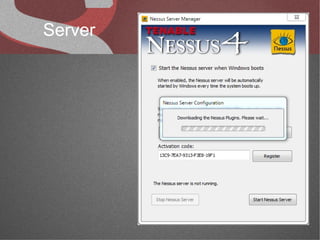
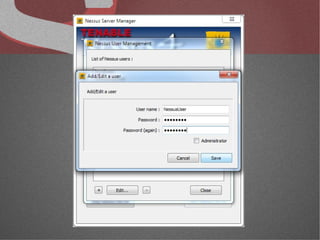
Server
Pros/Cons
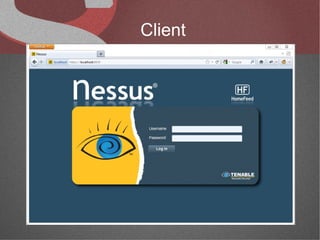
Client
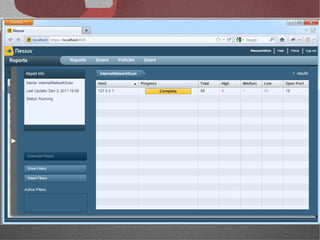
Case Studies

Version: 4.4.1
Feed Type: Home
OS: Windows 7/Android
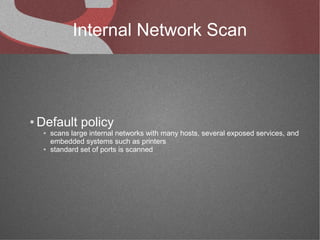
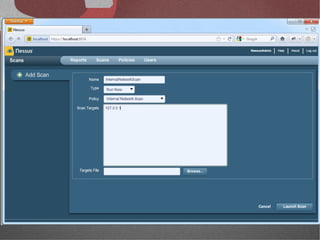
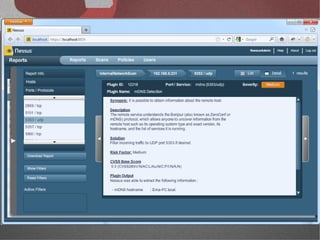
Internal Network Scan


●   Default policy
     ●   scans large internal networks with many hosts, several exposed services, and
         embedded systems such as printers
     ●   standard set of ports is scanned
Web Application Scanning
   With Credentials
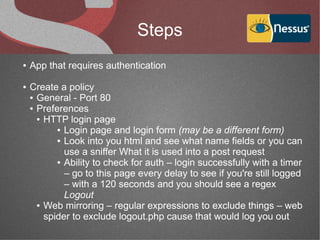
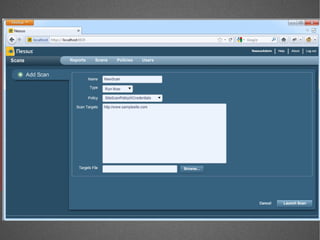
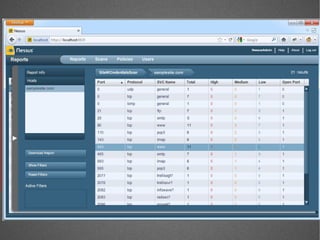
Steps
●   App that requires authentication

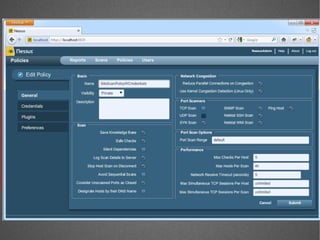
●   Create a policy
    ● General - Port 80

    ● Preferences

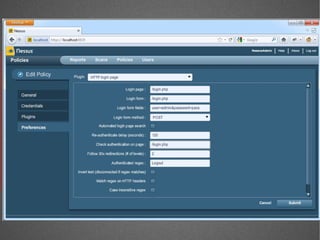
      ● HTTP login page

           ● Login page and login form (may be a different form)

           ● Look into you html and see what name fields or you can

             use a sniffer What it is used into a post request
           ● Ability to check for auth – login successfully with a timer

             – go to this page every delay to see if you're still logged
             – with a 120 seconds and you should see a regex
             Logout
      ● Web mirroring – regular expressions to exclude things – web

        spider to exclude logout.php cause that would log you out
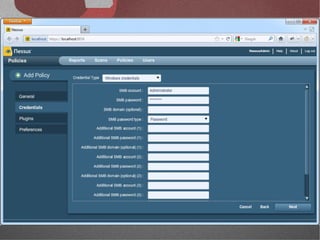
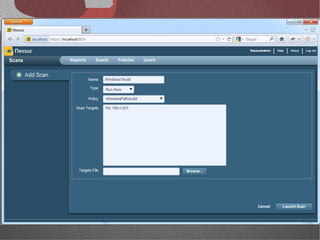
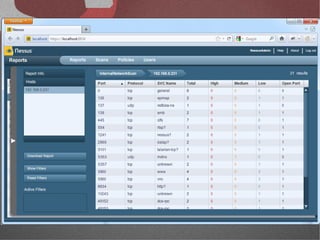
Windows Scanning
Conclusions
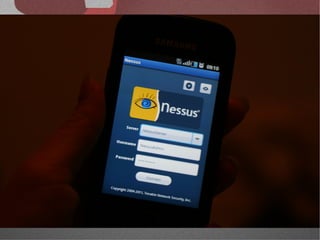
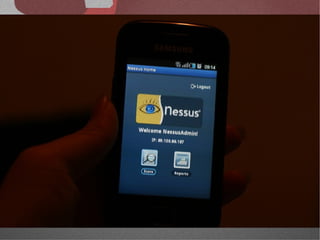
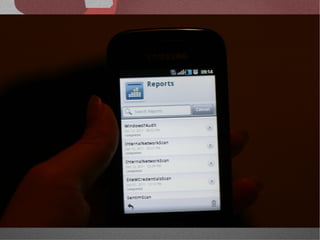
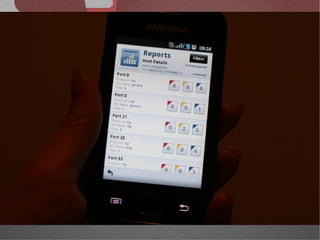
Using Android Nessus app
Nmap
Nmap

●   Insecure.Org

●   free utility which can quickly scan broad ranges of devices and
    provide valuable information about the devices on your network

●   uses raw IP packets to determine what hosts are available on
    the network

●   used by attackers to scan a network and perform
    reconnaisance about the types and quantities of targets
    available and what weaknesses exist
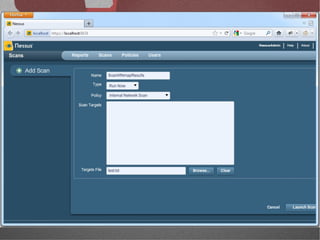
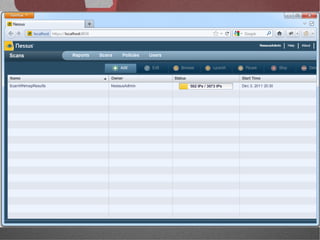
Nmap with Nessus
Advantages


●   smart penetration testing

●   nmap the best scanner ever and nessus one of our favorite
    vulnerability scanner

●   effective and less time consumer
Case Study


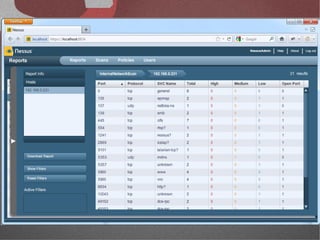
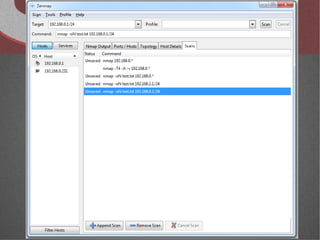
Steps

 ●   used nmap for a quick scan on the local network to all the
     hosts in the subnet

 ●   after the scan there will be different hosts and their open
     ports
Network Security Tools

Network Security Tools

  • 1.
    Software Security Network Security Tools Presented by Emanuela Boroș “Al. I. Cuza” University, Faculty of Computer Science Master of Software Engineering, II
  • 2.
    Audit/Port Scanning Tools ● Nessus (Vulnerability scanner) #3 ● SAINT (Vulnerability scanner, Based on SATAN,developed by World Wide Security,Inc.) #110 ● Sara (Security Auditor’s Research Assistant, SANS Top 10 Threats, 1 May 2009) ● Nmap, strobe (Port scanners, strobe was one of the earliest port scanning tools, Nmap is the strobe's grandson)
  • 3.
  • 4.
    Nessus Scanner ● Available from http://www.nessus.org/products/nessus/ ● The world leading vulnerability scanner ● Free for home users, licensed on a yearly subscription for commercial businesses ● Easy-to-use tool ● Linux/Solaris/Windows/Android/iPhone ● Provides HTML based reports ● Client/server architecture: clients (Windows, Unix, Android, iPhone) & servers (Unix only)
  • 5.
    Pros/Cons Pros ●Free vulnerability scanning ● Easy to install and use ● Up-to-date security vulnerability database ● Free for home users ● Powerful plug-in architecture Cons ● Needs activation code ● Some UI issues
  • 6.
    Policies A Nessus “policy”consists of configuration options related to performing a vulnerability scan. ● External Network Scan ● scans externally facing hosts ● XSS plugin families ● all 65,535 ports are scanned ● Internal Network Scan ● scans large internal networks with many hosts, several exposed services, and embedded systems such as printers ● standard set of ports is scanned ● Web App Tests ● scans for vulnerabilities present in each of the parameters, including XSS, SQL, command injection ● Prepare for PCI DSS audits ● enables the built-in PCI DSS compliance checks that compare scan results with the PCI standards and produces a report on your compliance posture
  • 7.
  • 8.
  • 10.
  • 11.
    Case Studies Version: 4.4.1 FeedType: Home OS: Windows 7/Android
  • 12.
    Internal Network Scan ● Default policy ● scans large internal networks with many hosts, several exposed services, and embedded systems such as printers ● standard set of ports is scanned
  • 18.
    Web Application Scanning With Credentials
  • 19.
    Steps ● App that requires authentication ● Create a policy ● General - Port 80 ● Preferences ● HTTP login page ● Login page and login form (may be a different form) ● Look into you html and see what name fields or you can use a sniffer What it is used into a post request ● Ability to check for auth – login successfully with a timer – go to this page every delay to see if you're still logged – with a 120 seconds and you should see a regex Logout ● Web mirroring – regular expressions to exclude things – web spider to exclude logout.php cause that would log you out
  • 26.
  • 27.
  • 30.
  • 36.
  • 37.
    Nmap ● Insecure.Org ● free utility which can quickly scan broad ranges of devices and provide valuable information about the devices on your network ● uses raw IP packets to determine what hosts are available on the network ● used by attackers to scan a network and perform reconnaisance about the types and quantities of targets available and what weaknesses exist
  • 38.
  • 39.
    Advantages ● smart penetration testing ● nmap the best scanner ever and nessus one of our favorite vulnerability scanner ● effective and less time consumer
  • 40.
    Case Study Steps ● used nmap for a quick scan on the local network to all the hosts in the subnet ● after the scan there will be different hosts and their open ports