Android Application Development Being Active Through Activities & Intents Ahsanul Karim [email_address] Sentinel Solutions Ltd. http://www.sentinelbd.com
Today We’re Covering… Application Structure Android Application Anatomy Activity Layout Using Layouts from Activity Activity to Activity Transition Activity Lifecycle Exercise
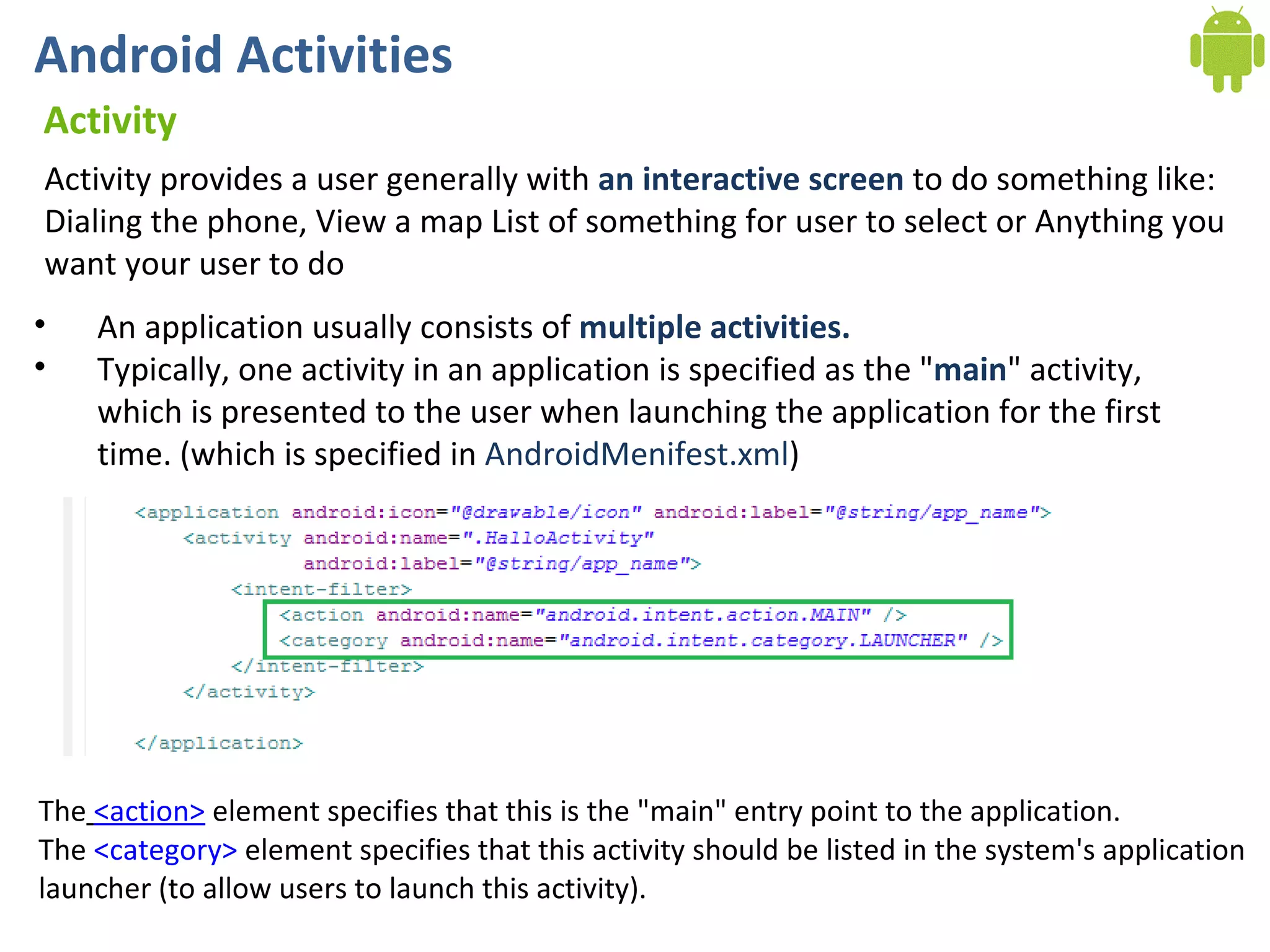
Android Activities Activity Activity provides a user generally with  an interactive screen  to do something like: Dialing the phone, View a map List of something for user to select or Anything you want your user to do An application usually consists of  multiple activities. Typically, one activity in an application is specified as the &quot; main &quot; activity, which is presented to the user when launching the application for the first time. (which is specified in  AndroidMenifest.xml )  The   <action>  element specifies that this is the &quot;main&quot; entry point to the application.  The  <category>  element specifies that this activity should be listed in the system's application  launcher (to allow users to launch this activity).
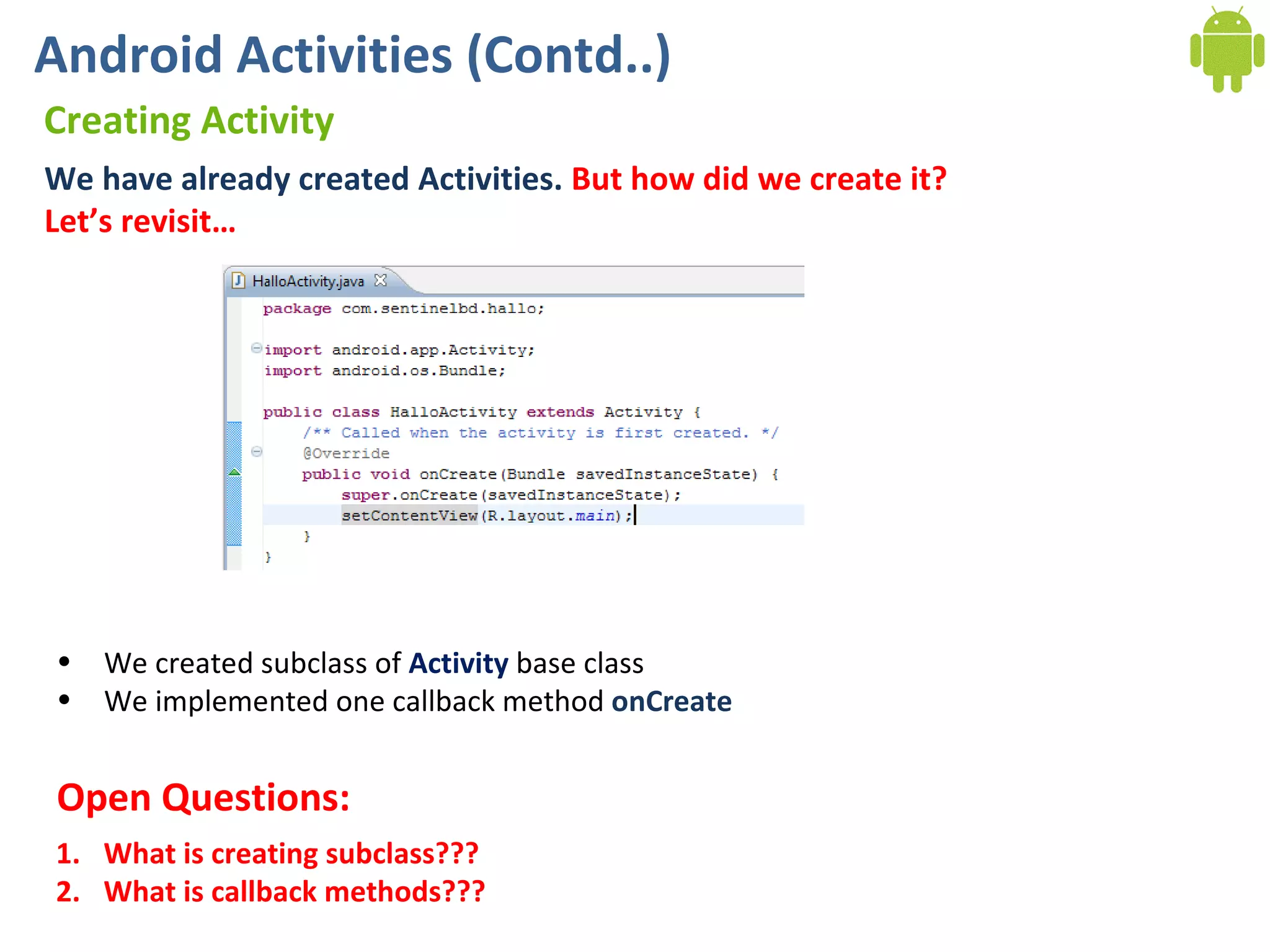
Android Activities (Contd..) Creating Activity We have already created Activities.  But how did we create it? Let’s revisit…  We created subclass of  Activity  base class We implemented one callback method  onCreate What is creating subclass??? What is callback methods??? Open Questions:
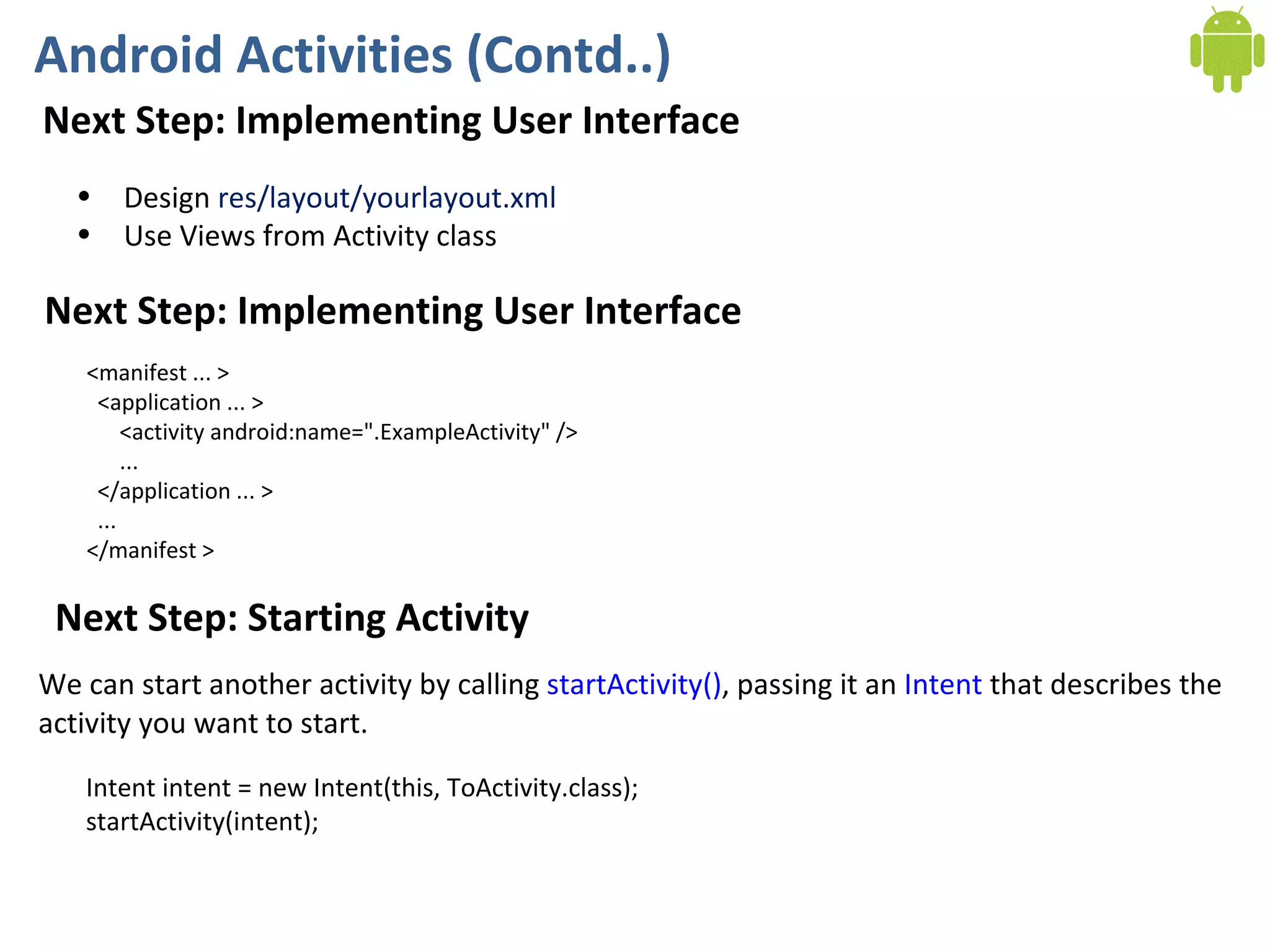
Android Activities (Contd..) Next Step: Implementing User Interface Design  res/layout/yourlayout.xml Use Views from Activity class Next Step: Implementing User Interface <manifest ... >   <application ... >       <activity android:name=&quot;.ExampleActivity&quot; />       ...   </application ... >   ... </manifest > Next Step: Starting Activity Intent intent = new Intent(this, ToActivity.class); startActivity(intent); We can start another activity by calling  startActivity() , passing it an  Intent  that describes the  activity you want to start.
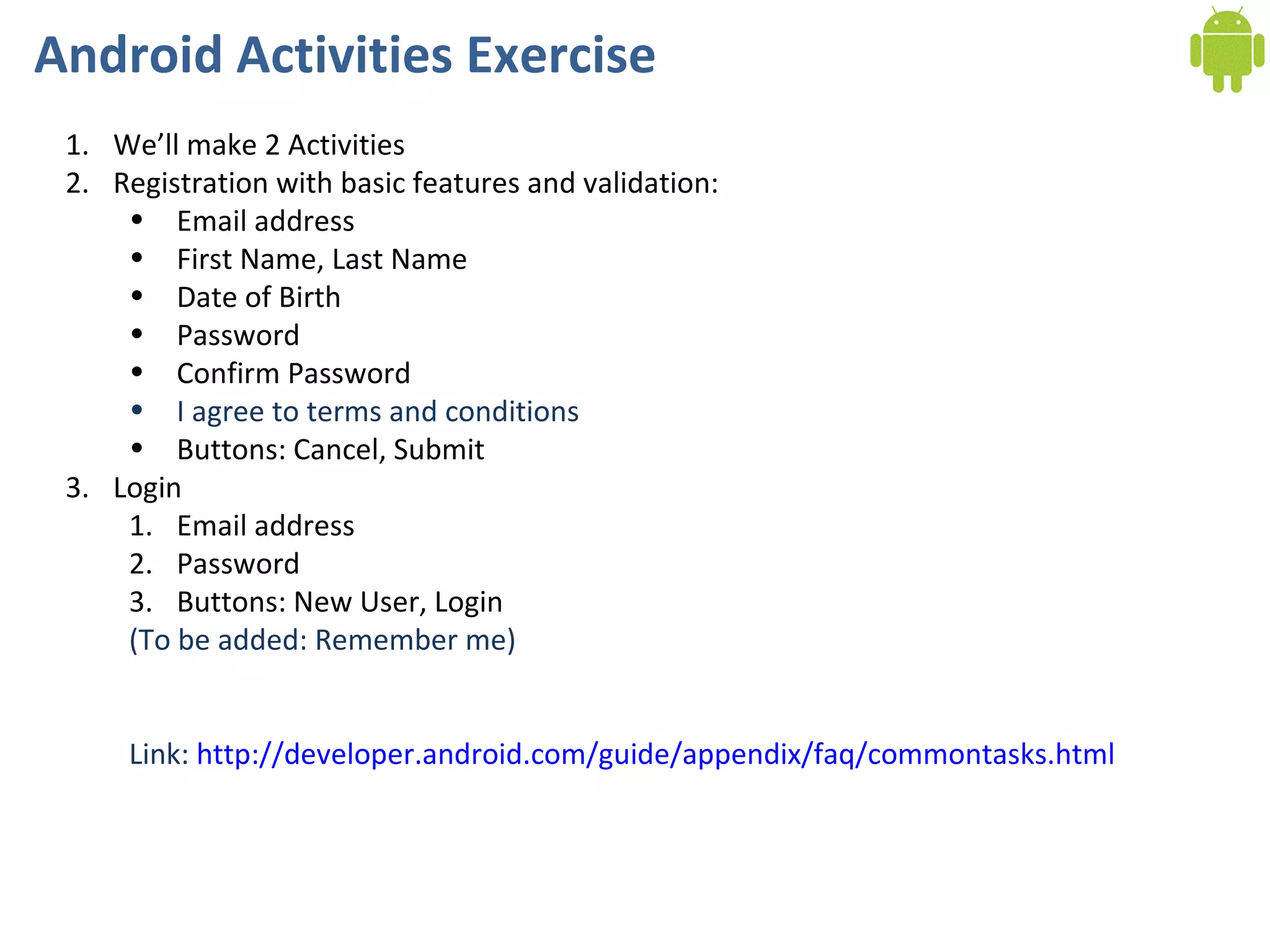
Android Activities Exercise We’ll make 2 Activities Registration with basic features and validation: Email address First Name, Last Name Date of Birth Password Confirm Password I agree to terms and conditions Buttons: Cancel, Submit Login Email address Password Buttons: New User, Login (To be added: Remember me) Link:  http://developer.android.com/guide/appendix/faq/commontasks.html
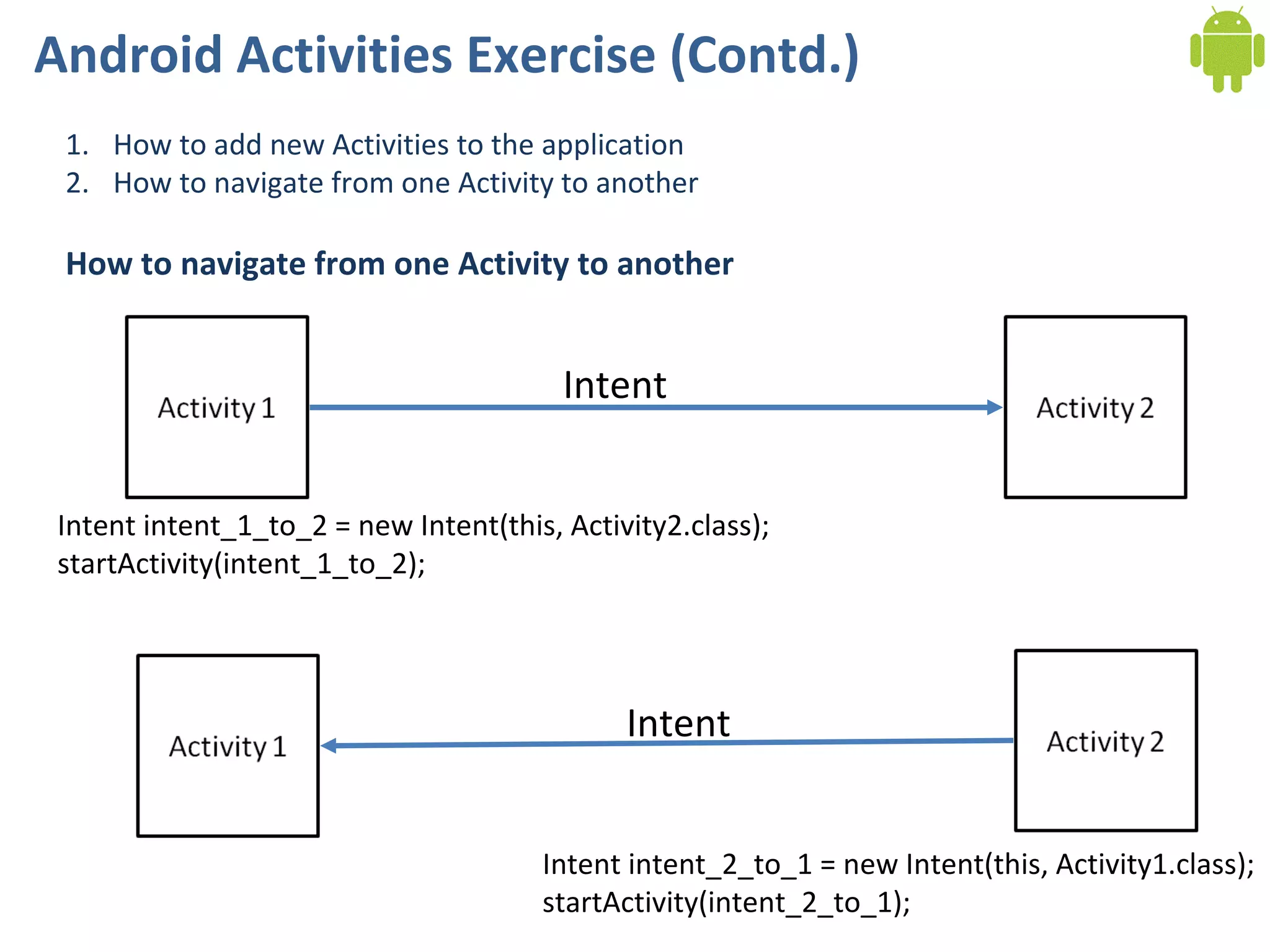
Android Activities Exercise (Contd.) How to add new Activities to the application How to navigate from one Activity to another How to navigate from one Activity to another Intent Intent intent_1_to_2 = new Intent(this, Activity2.class); startActivity(intent_1_to_2); Intent Intent intent_2_to_1 = new Intent(this, Activity1.class); startActivity(intent_2_to_1);
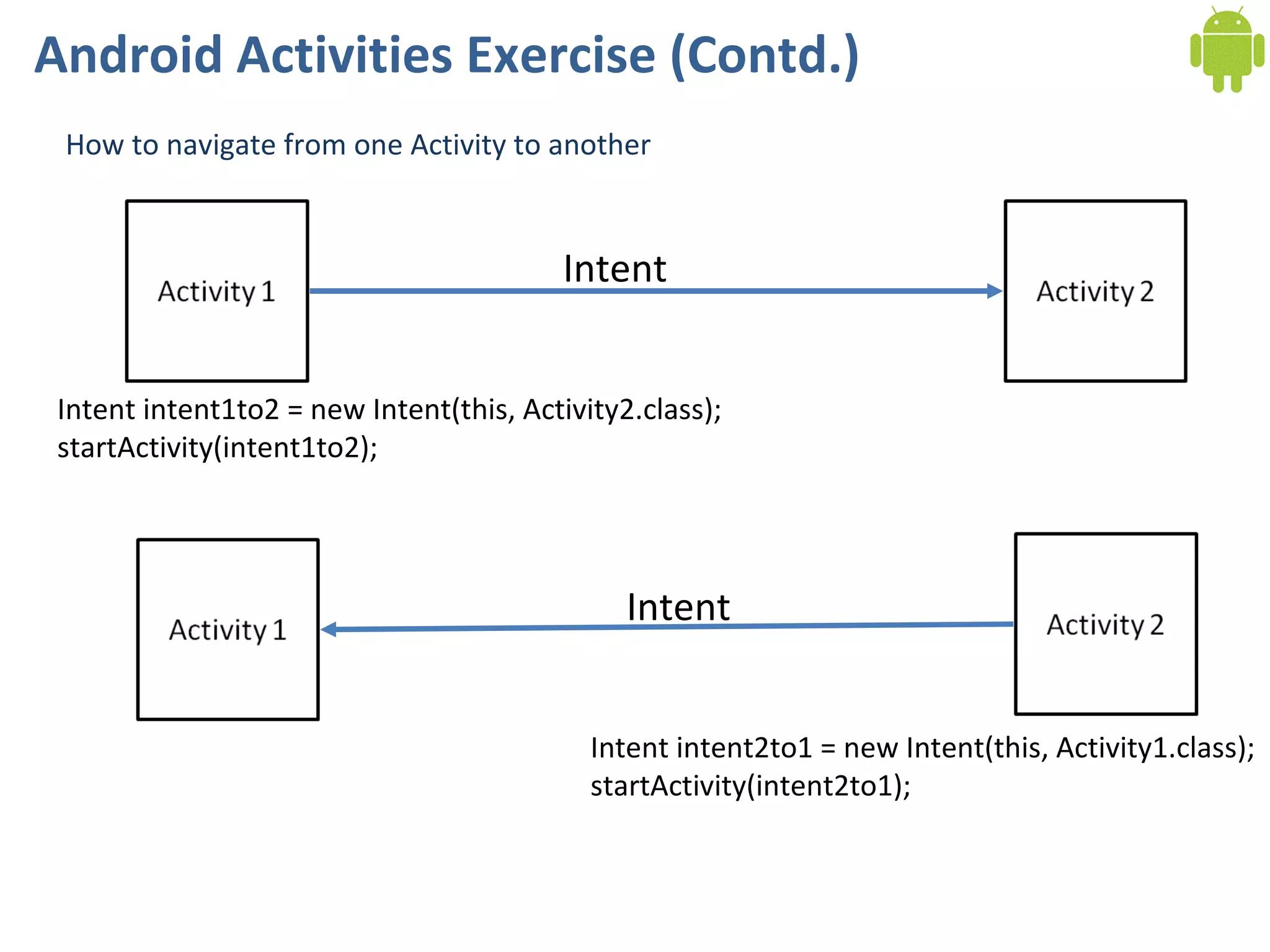
Android Activities Exercise (Contd.) How to navigate from one Activity to another Intent Intent intent1to2 = new Intent(this, Activity2.class); startActivity(intent1to2); Intent Intent intent2to1 = new Intent(this, Activity1.class); startActivity(intent2to1);
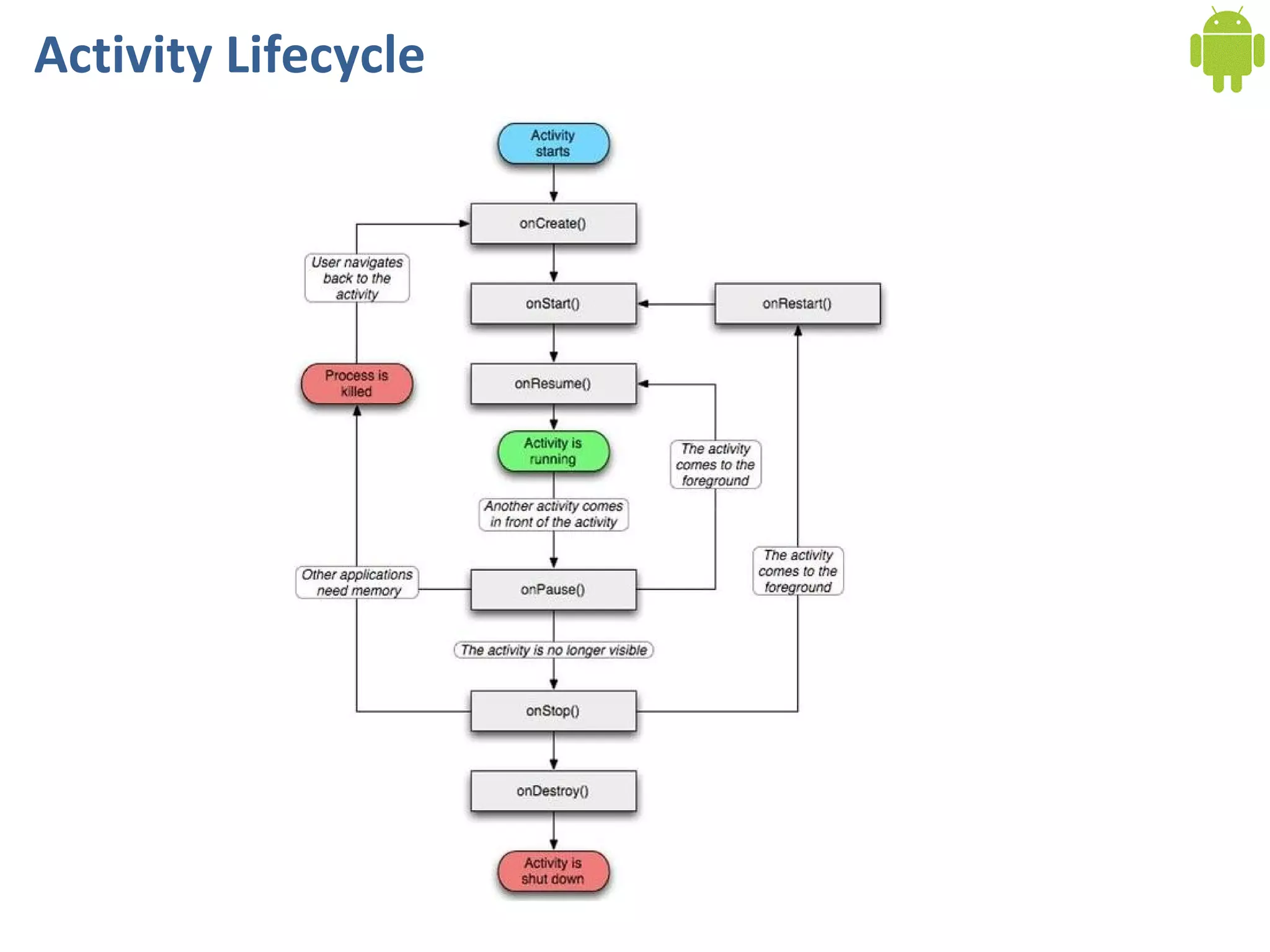
Activity Lifecycle
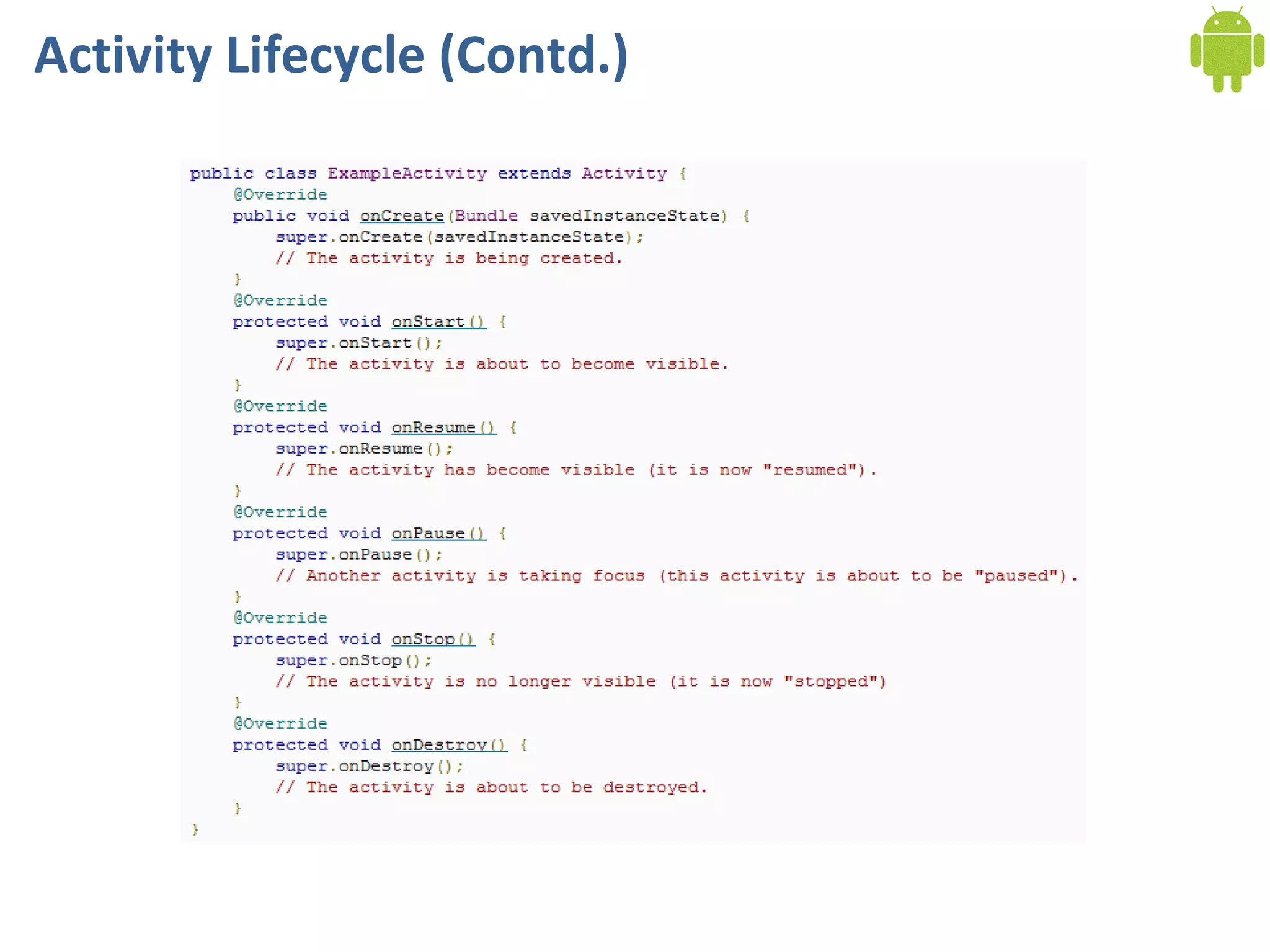
Activity Lifecycle (Contd.)

Multiple Activity and Navigation Primer

  • 1.
    Android Application DevelopmentBeing Active Through Activities & Intents Ahsanul Karim [email_address] Sentinel Solutions Ltd. http://www.sentinelbd.com
  • 2.
    Today We’re Covering…Application Structure Android Application Anatomy Activity Layout Using Layouts from Activity Activity to Activity Transition Activity Lifecycle Exercise
  • 3.
    Android Activities ActivityActivity provides a user generally with an interactive screen to do something like: Dialing the phone, View a map List of something for user to select or Anything you want your user to do An application usually consists of multiple activities. Typically, one activity in an application is specified as the &quot; main &quot; activity, which is presented to the user when launching the application for the first time. (which is specified in AndroidMenifest.xml )  The   <action>  element specifies that this is the &quot;main&quot; entry point to the application. The  <category>  element specifies that this activity should be listed in the system's application launcher (to allow users to launch this activity).
  • 4.
    Android Activities (Contd..)Creating Activity We have already created Activities. But how did we create it? Let’s revisit… We created subclass of Activity base class We implemented one callback method onCreate What is creating subclass??? What is callback methods??? Open Questions:
  • 5.
    Android Activities (Contd..)Next Step: Implementing User Interface Design res/layout/yourlayout.xml Use Views from Activity class Next Step: Implementing User Interface <manifest ... >   <application ... >       <activity android:name=&quot;.ExampleActivity&quot; />       ...   </application ... >   ... </manifest > Next Step: Starting Activity Intent intent = new Intent(this, ToActivity.class); startActivity(intent); We can start another activity by calling  startActivity() , passing it an  Intent  that describes the activity you want to start.
  • 6.
    Android Activities ExerciseWe’ll make 2 Activities Registration with basic features and validation: Email address First Name, Last Name Date of Birth Password Confirm Password I agree to terms and conditions Buttons: Cancel, Submit Login Email address Password Buttons: New User, Login (To be added: Remember me) Link: http://developer.android.com/guide/appendix/faq/commontasks.html
  • 7.
    Android Activities Exercise(Contd.) How to add new Activities to the application How to navigate from one Activity to another How to navigate from one Activity to another Intent Intent intent_1_to_2 = new Intent(this, Activity2.class); startActivity(intent_1_to_2); Intent Intent intent_2_to_1 = new Intent(this, Activity1.class); startActivity(intent_2_to_1);
  • 8.
    Android Activities Exercise(Contd.) How to navigate from one Activity to another Intent Intent intent1to2 = new Intent(this, Activity2.class); startActivity(intent1to2); Intent Intent intent2to1 = new Intent(this, Activity1.class); startActivity(intent2to1);
  • 9.
  • 10.