Android Application Development


Before Getting Started

                                      Ahsanul Karim
                http://androidstream.wordpress.com
Before Introduction
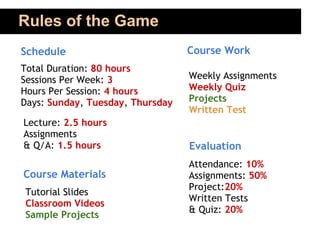
Rules of the Game
Schedule                          Course Work
Total Duration: 80 hours
Sessions Per Week: 3              Weekly Assignments
Hours Per Session: 4 hours        Weekly Quiz
Days: Sunday, Tuesday, Thursday   Projects
                                  Written Test
Lecture: 2.5 hours
Assignments
& Q/A: 1.5 hours                  Evaluation
                                  Attendance: 10%
Course Materials                  Assignments: 50%
                                  Project:20%
Tutorial Slides
                                  Written Tests
Classroom Videos
                                  & Quiz: 20%
Sample Projects
Android Application Development
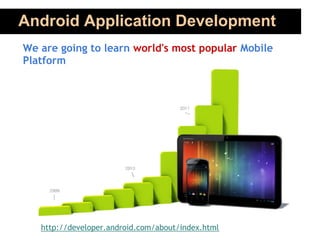
We are going to learn world's most popular Mobile
Platform


   http://developer.android.com/about/index.html
Course Prerequisite

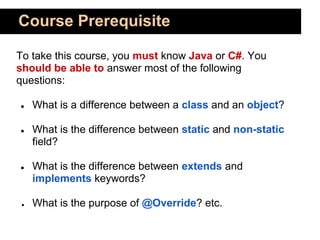
To take this course, you must know Java or C#. You
should be able to answer most of the following
questions:

●    What is a difference between a class and an object?

●    What is the difference between static and non-static
     field?

●    What is the difference between extends and
     implements keywords?

 ●   What is the purpose of @Override? etc.
Course Outline
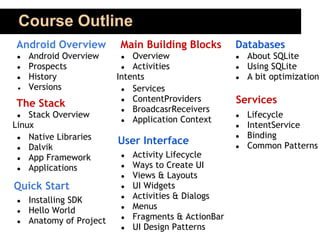
Android Overview          Main Building Blocks        Databases
 ●   Android Overview     ●   Overview                ●   About SQLite
 ●   Prospects             ● Activities               ●   Using SQLite
 ●   History              Intents                     ●   A bit optimization
 ●   Versions              ● Services
                           ● ContentProviders         Services
The Stack                  ● BroadcasrReceivers
 ●  Stack Overview                                    ●   Lifecycle
                           ● Application Context
Linux                                                 ●   IntentService
 ● Native Libraries                                   ●   Binding
                          User Interface                  Common Patterns
 ● Dalvik                                             ●
 ● App Framework          ●   Activity Lifecycle
 ● Applications           ●   Ways to Create UI
                          ●   Views & Layouts
Quick Start               ●   UI Widgets
 ●   Installing SDK       ●   Activities & Dialogs
 ●   Hello World          ●   Menus
 ●   Anatomy of Project   ●   Fragments & ActionBar
                          ●   UI Design Patterns
Course Outline
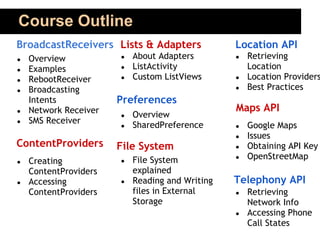
BroadcastReceivers Lists & Adapters              Location API
●   Overview           ●   About Adapters        ●   Retrieving
●   Examples           ●   ListActivity              Location
●   RebootReceiver     ●   Custom ListViews      ●   Location Providers
●   Broadcasting                                 ●   Best Practices
    Intents            Preferences
●   Network Receiver                             Maps API
                       ●   Overview
●   SMS Receiver           SharedPreference
                       ●                         ●   Google Maps
                                                 ●   Issues
ContentProviders       File System               ●   Obtaining API Key
                           File System           ●   OpenStreetMap
●   Creating           ●
    ContentProviders       explained
●   Accessing          ●   Reading and Writing   Telephony API
    ContentProviders       files in External     ●   Retrieving
                           Storage                   Network Info
                                                 ●   Accessing Phone
                                                     Call States
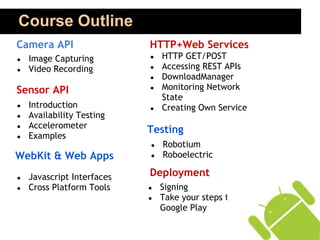
Course Outline
Camera API                  HTTP+Web Services
●   Image Capturing         ●   HTTP GET/POST
●   Video Recording         ●   Accessing REST APIs
                            ●   DownloadManager
Sensor API                  ●   Monitoring Network
                                State
●   Introduction            ●   Creating Own Service
●   Availability Testing
●   Accelerometer
                            Testing
●   Examples
                            ●   Robotium
WebKit & Web Apps           ●   Roboelectric

●   Javascript Interfaces   Deployment
●   Cross Platform Tools    ●   Signing
                            ●   Take your steps to
                                Google Play
So.. Today..
●   Basic Idea on Mobile, Smartphone & Tablet Platforms

●   Basic Idea on Application Development

●   Identify the Position of Android

●   Some Background and History

●   Prospects: Why Should We Learn Android

●   What is Android (and What it isn't)

●   Introduction to Android SDK Features
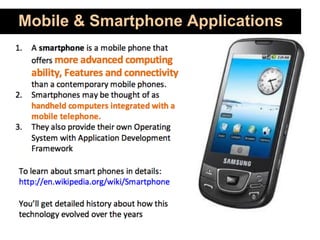
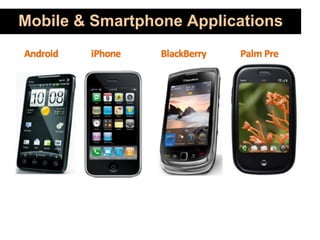
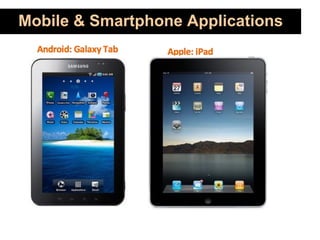
Mobile & Smartphone Applications
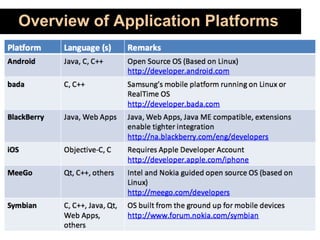
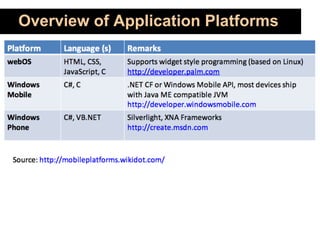
Overview of Application Platforms
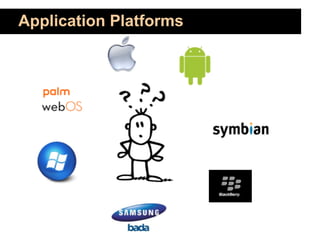
Application Platforms
Why Android
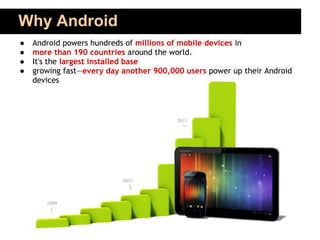
●   Android powers hundreds of millions of mobile devices in
●   more than 190 countries around the world.
●   It's the largest installed base
●   growing fast—every day another 900,000 users power up their Android
    devices
Why Android
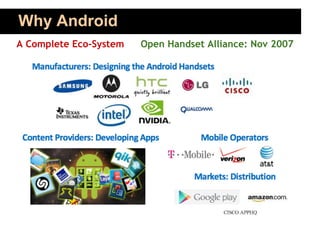
A Complete Eco-System   Open Handset Alliance: Nov 2007
Why Android
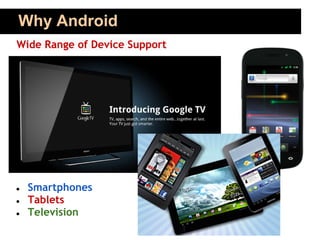
Wide Range of Device Support


●   Smartphones
●   Tablets
●   Television
Why Android
Technical Advantages
 ● Java Programming Language
 ● Open Source Platform with less Proprietary Restrictions
   and more Opportunities of Innovation
 ● Development Environment Support in Windows, Mac OSX
   and Linux
 ● No need to pay to start development
 ● Low barrier to Market (No app approval procedure and
   Low fee)
 ● Rich and Easy to Integrate Feature Set
 ● Easy and Cost-effective Prototyping for Research and
   Business

           Imagination is the Limit !!!
Why Android
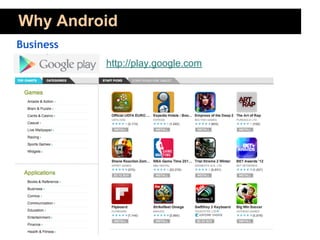
Business
           http://play.google.com
Why Android
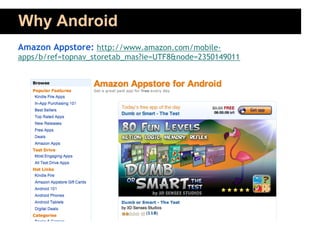
Amazon Appstore: http://www.amazon.com/mobile-
apps/b/ref=topnav_storetab_mas?ie=UTF8&node=2350149011
Why Android
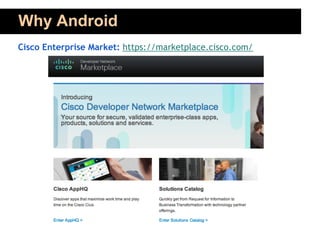
Cisco Enterprise Market: https://marketplace.cisco.com/
Why Android
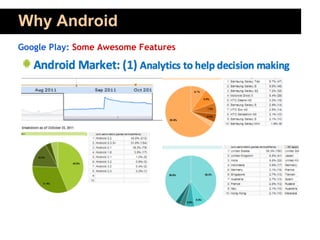
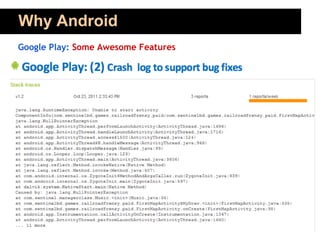
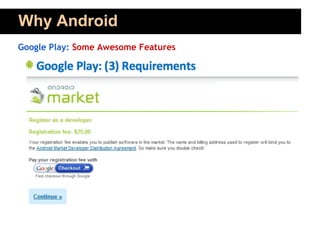
Google Play: Some Awesome Features
Why Android
Google Play: Some Awesome Features
Why Android
Google Play: Some Awesome Features
Why Android
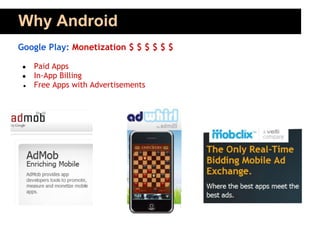
Google Play: Monetization $ $ $ $ $ $

 ●   Paid Apps
 ●   In-App Billing
 ●   Free Apps with Advertisements
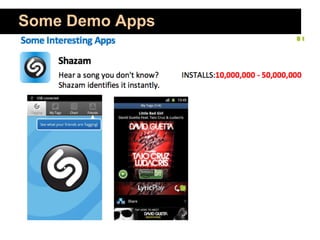
Some Demo Apps
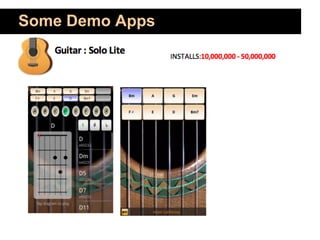
Some Demo Apps
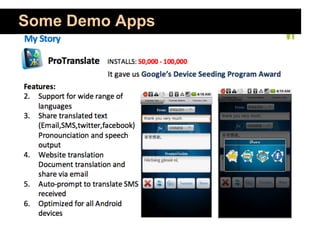
Some Demo Apps
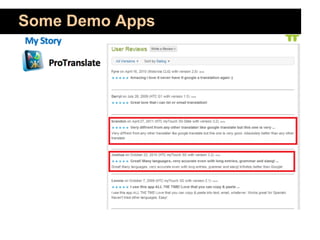
Some Demo Apps
Some Demo Apps
Some Demo Apps
Some Demo Apps
Some Demo Apps
Some Demo Apps
What is Android

Google’s Andy Rubin describes Android as follows:

The first truly open and comprehensive platform for
mobile devices. It includes an operating system, user-
interface and applications — all of the software to run a
mobile phone but without the proprietary obstacles that
have hindered mobile innovation.

                                         —Where’s My Gphone?
           http://googleblog.blogspot.com/2007/11/ wheres-my-gphone.html
What is Android

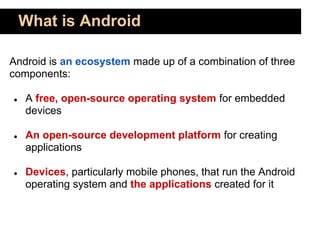
Android is an ecosystem made up of a combination of three
components:

●   A free, open-source operating system for embedded
    devices

●   An open-source development platform for creating
    applications

●   Devices, particularly mobile phones, that run the Android
    operating system and the applications created for it
What is Android

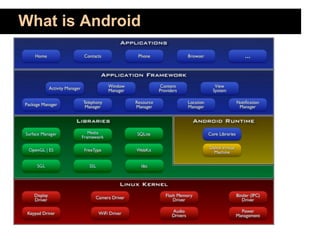
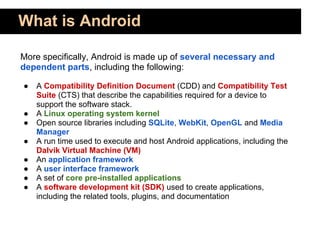
More specifically, Android is made up of several necessary and
dependent parts, including the following:

●   A Compatibility Definition Document (CDD) and Compatibility Test
    Suite (CTS) that describe the capabilities required for a device to
    support the software stack.
●   A Linux operating system kernel
●   Open source libraries including SQLite, WebKit, OpenGL and Media
    Manager
●   A run time used to execute and host Android applications, including the
    Dalvik Virtual Machine (VM)
●   An application framework
●   A user interface framework
●   A set of core pre-installed applications
●   A software development kit (SDK) used to create applications,
    including the related tools, plugins, and documentation
What is Android
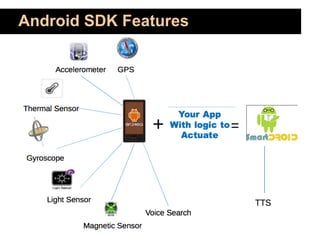
Android SDK Features
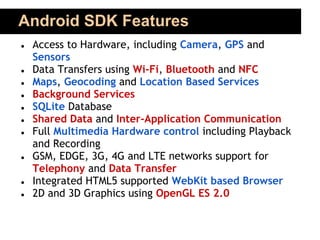
●   Access to Hardware, including Camera, GPS and
    Sensors
●   Data Transfers using Wi-Fi, Bluetooth and NFC
●   Maps, Geocoding and Location Based Services
●   Background Services
●   SQLite Database
●   Shared Data and Inter-Application Communication
●   Full Multimedia Hardware control including Playback
    and Recording
●   GSM, EDGE, 3G, 4G and LTE networks support for
    Telephony and Data Transfer
●   Integrated HTML5 supported WebKit based Browser
●   2D and 3D Graphics using OpenGL ES 2.0
Android SDK Features
Thank You

                        Questions


Sources:
 ● http://developer.android.com
 ● Profession Android 4 Application Development by Reto Meier
 ● Various Websites

Day1 before getting_started

  • 1.
    Android Application Development BeforeGetting Started Ahsanul Karim http://androidstream.wordpress.com
  • 2.
  • 3.
    Rules of theGame Schedule Course Work Total Duration: 80 hours Sessions Per Week: 3 Weekly Assignments Hours Per Session: 4 hours Weekly Quiz Days: Sunday, Tuesday, Thursday Projects Written Test Lecture: 2.5 hours Assignments & Q/A: 1.5 hours Evaluation Attendance: 10% Course Materials Assignments: 50% Project:20% Tutorial Slides Written Tests Classroom Videos & Quiz: 20% Sample Projects
  • 4.
    Android Application Development Weare going to learn world's most popular Mobile Platform http://developer.android.com/about/index.html
  • 5.
    Course Prerequisite To takethis course, you must know Java or C#. You should be able to answer most of the following questions: ● What is a difference between a class and an object? ● What is the difference between static and non-static field? ● What is the difference between extends and implements keywords? ● What is the purpose of @Override? etc.
  • 6.
    Course Outline Android Overview Main Building Blocks Databases ● Android Overview ● Overview ● About SQLite ● Prospects ● Activities ● Using SQLite ● History Intents ● A bit optimization ● Versions ● Services ● ContentProviders Services The Stack ● BroadcasrReceivers ● Stack Overview ● Lifecycle ● Application Context Linux ● IntentService ● Native Libraries ● Binding User Interface Common Patterns ● Dalvik ● ● App Framework ● Activity Lifecycle ● Applications ● Ways to Create UI ● Views & Layouts Quick Start ● UI Widgets ● Installing SDK ● Activities & Dialogs ● Hello World ● Menus ● Anatomy of Project ● Fragments & ActionBar ● UI Design Patterns
  • 7.
    Course Outline BroadcastReceivers Lists& Adapters Location API ● Overview ● About Adapters ● Retrieving ● Examples ● ListActivity Location ● RebootReceiver ● Custom ListViews ● Location Providers ● Broadcasting ● Best Practices Intents Preferences ● Network Receiver Maps API ● Overview ● SMS Receiver SharedPreference ● ● Google Maps ● Issues ContentProviders File System ● Obtaining API Key File System ● OpenStreetMap ● Creating ● ContentProviders explained ● Accessing ● Reading and Writing Telephony API ContentProviders files in External ● Retrieving Storage Network Info ● Accessing Phone Call States
  • 8.
    Course Outline Camera API HTTP+Web Services ● Image Capturing ● HTTP GET/POST ● Video Recording ● Accessing REST APIs ● DownloadManager Sensor API ● Monitoring Network State ● Introduction ● Creating Own Service ● Availability Testing ● Accelerometer Testing ● Examples ● Robotium WebKit & Web Apps ● Roboelectric ● Javascript Interfaces Deployment ● Cross Platform Tools ● Signing ● Take your steps to Google Play
  • 9.
    So.. Today.. ● Basic Idea on Mobile, Smartphone & Tablet Platforms ● Basic Idea on Application Development ● Identify the Position of Android ● Some Background and History ● Prospects: Why Should We Learn Android ● What is Android (and What it isn't) ● Introduction to Android SDK Features
  • 10.
    Mobile & SmartphoneApplications
  • 11.
    Mobile & SmartphoneApplications
  • 12.
    Mobile & SmartphoneApplications
  • 13.
  • 14.
  • 15.
  • 16.
    Why Android ● Android powers hundreds of millions of mobile devices in ● more than 190 countries around the world. ● It's the largest installed base ● growing fast—every day another 900,000 users power up their Android devices
  • 17.
    Why Android A CompleteEco-System Open Handset Alliance: Nov 2007
  • 18.
    Why Android Wide Rangeof Device Support ● Smartphones ● Tablets ● Television
  • 19.
    Why Android Technical Advantages ● Java Programming Language ● Open Source Platform with less Proprietary Restrictions and more Opportunities of Innovation ● Development Environment Support in Windows, Mac OSX and Linux ● No need to pay to start development ● Low barrier to Market (No app approval procedure and Low fee) ● Rich and Easy to Integrate Feature Set ● Easy and Cost-effective Prototyping for Research and Business Imagination is the Limit !!!
  • 20.
    Why Android Business http://play.google.com
  • 21.
    Why Android Amazon Appstore:http://www.amazon.com/mobile- apps/b/ref=topnav_storetab_mas?ie=UTF8&node=2350149011
  • 22.
    Why Android Cisco EnterpriseMarket: https://marketplace.cisco.com/
  • 23.
    Why Android Google Play:Some Awesome Features
  • 24.
    Why Android Google Play:Some Awesome Features
  • 25.
    Why Android Google Play:Some Awesome Features
  • 26.
    Why Android Google Play:Monetization $ $ $ $ $ $ ● Paid Apps ● In-App Billing ● Free Apps with Advertisements
  • 27.
  • 28.
  • 29.
  • 30.
  • 31.
  • 32.
  • 33.
  • 34.
  • 35.
  • 36.
    What is Android Google’sAndy Rubin describes Android as follows: The first truly open and comprehensive platform for mobile devices. It includes an operating system, user- interface and applications — all of the software to run a mobile phone but without the proprietary obstacles that have hindered mobile innovation. —Where’s My Gphone? http://googleblog.blogspot.com/2007/11/ wheres-my-gphone.html
  • 37.
    What is Android Androidis an ecosystem made up of a combination of three components: ● A free, open-source operating system for embedded devices ● An open-source development platform for creating applications ● Devices, particularly mobile phones, that run the Android operating system and the applications created for it
  • 38.
    What is Android Morespecifically, Android is made up of several necessary and dependent parts, including the following: ● A Compatibility Definition Document (CDD) and Compatibility Test Suite (CTS) that describe the capabilities required for a device to support the software stack. ● A Linux operating system kernel ● Open source libraries including SQLite, WebKit, OpenGL and Media Manager ● A run time used to execute and host Android applications, including the Dalvik Virtual Machine (VM) ● An application framework ● A user interface framework ● A set of core pre-installed applications ● A software development kit (SDK) used to create applications, including the related tools, plugins, and documentation
  • 39.
  • 40.
    Android SDK Features ● Access to Hardware, including Camera, GPS and Sensors ● Data Transfers using Wi-Fi, Bluetooth and NFC ● Maps, Geocoding and Location Based Services ● Background Services ● SQLite Database ● Shared Data and Inter-Application Communication ● Full Multimedia Hardware control including Playback and Recording ● GSM, EDGE, 3G, 4G and LTE networks support for Telephony and Data Transfer ● Integrated HTML5 supported WebKit based Browser ● 2D and 3D Graphics using OpenGL ES 2.0
  • 41.
  • 42.
    Thank You Questions Sources: ● http://developer.android.com ● Profession Android 4 Application Development by Reto Meier ● Various Websites