Solutions Architect, MongoDB 
Henrik Ingo 
@h_ingo 
Introduction to Sharding
Agenda 
•Scaling Data 
•MongoDB'sApproach 
•Architecture 
•Configuration 
•Mechanics
MongoDB's Approach to Sharding
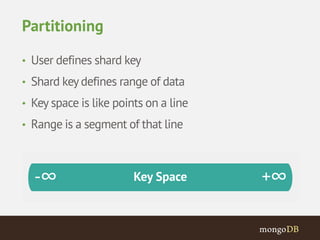
Partitioning 
• User defines shard key 
• Shard key defines range of data 
• Key space is like points on a line 
• Range is a segment of that line
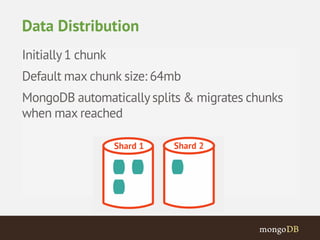
Initially 1 chunk 
Default max chunk size: 64mb 
MongoDB automatically splits & migrates chunks 
when max reached 
Data Distribution
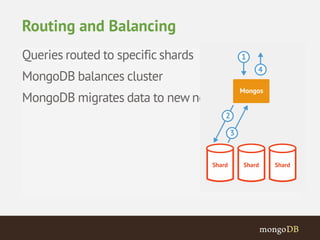
Queries routed to specific shards 
MongoDB balances cluster 
MongoDB migrates data to new nodes 
Routing and Balancing
MongoDB Auto-Sharding 
• Minimal effort required 
– Same interface as single mongod 
• Two steps 
– Enable Sharding for a database 
– Shard collection within database
Architecture
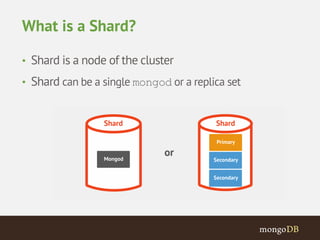
What is a Shard? 
• Shard is a node of the cluster 
• Shard can be a single mongod or a replica set
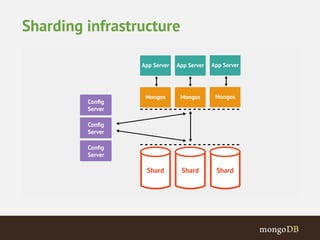
Sharding infrastructure
Configuration
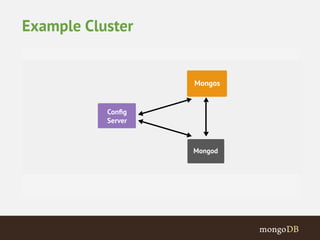
Example Cluster
mongod --configsvr 
Starts a configuration server on the default port (27019) 
Starting the Configuration Server
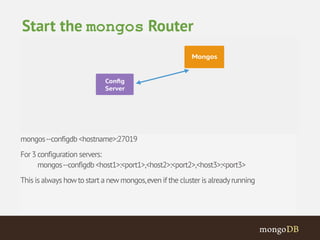
mongos --configdb <hostname>:27019 
For 3 configuration servers: 
mongos --configdb <host1>:<port1>,<host2>:<port2>,<host3>:<port3> 
This is always how to start a new mongos, even if the cluster is already running 
Start the mongos Router
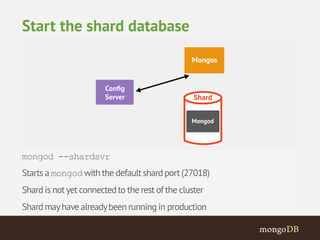
mongod --shardsvr 
Starts a mongodwith the default shard port (27018) 
Shard is not yet connected to the rest of the cluster 
Shard may have already been running in production 
Start the shard database
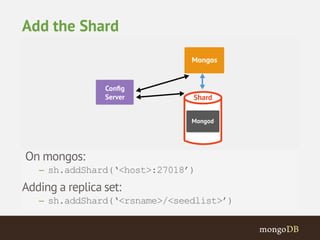
On mongos: 
– sh.addShard(‘<host>:27018’) 
Adding a replica set: 
– sh.addShard(‘<rsname>/<seedlist>’) 
Add the Shard
db.runCommand({ listshards:1 }) 
{ "shards" : 
[{"_id”: "shard0000”,"host”: ”<hostname>:27018” } ], 
"ok" : 1 
} 
Verify that the shard was added
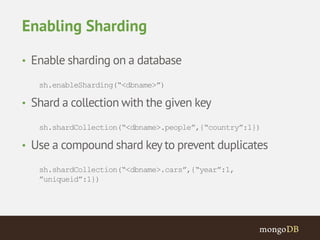
Enabling Sharding 
• Enable sharding on a database 
sh.enableSharding(“<dbname>”) 
• Shard a collection with the given key 
sh.shardCollection(“<dbname>.people”,{“country”:1}) 
• Use a compound shard key to prevent duplicates 
sh.shardCollection(“<dbname>.cars”,{“year”:1, 
”uniqueid”:1})
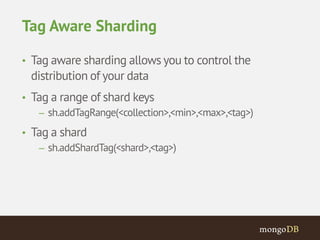
Tag Aware Sharding 
• Tag aware sharding allows you to control the 
distribution of your data 
• Tag a range of shard keys 
– sh.addTagRange(<collection>,<min>,<max>,<tag>) 
• Tag a shard 
– sh.addShardTag(<shard>,<tag>)
Routing Requests
Cluster Request Routing 
• Targeted Queries 
• Scatter Gather Queries 
• Scatter Gather Queries with Sort
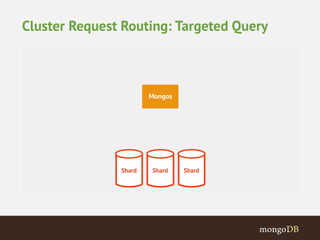
Cluster Request Routing: Targeted Query
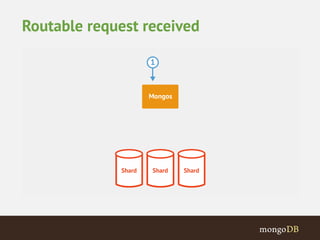
Routable request received
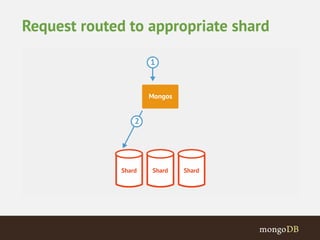
Request routed to appropriate shard
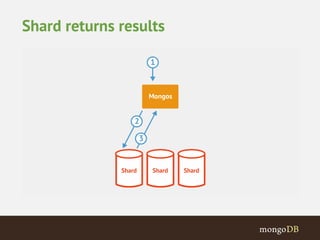
Shard returns results
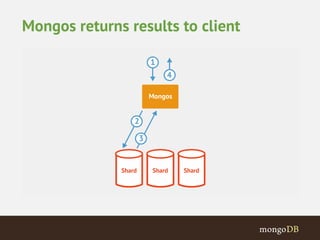
Mongos returns results to client
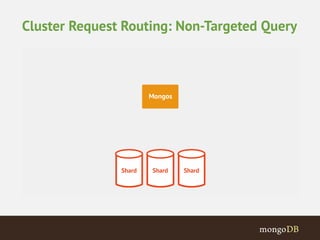
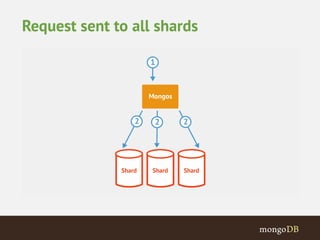
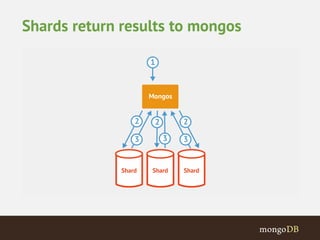
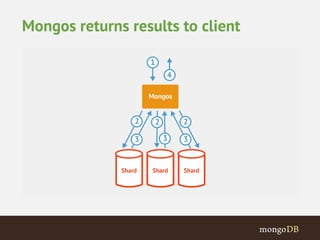
Cluster Request Routing: Non-Targeted Query
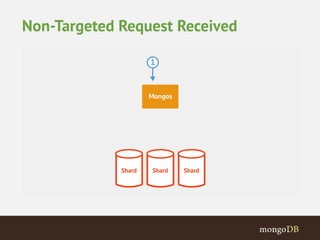
Non-Targeted Request Received
Request sent to all shards
Shards return results to mongos
Mongos returns results to client
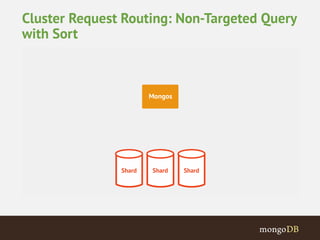
Cluster Request Routing: Non-Targeted Query 
with Sort
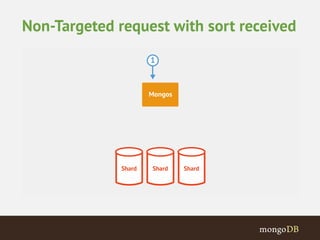
Non-Targeted request with sort received
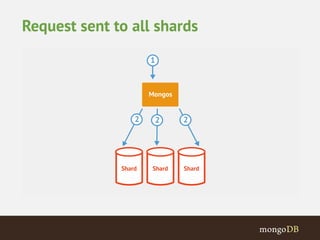
Request sent to all shards
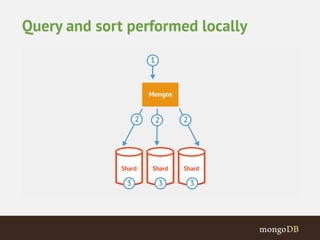
Query and sort performed locally
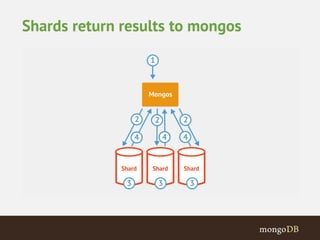
Shards return results to mongos
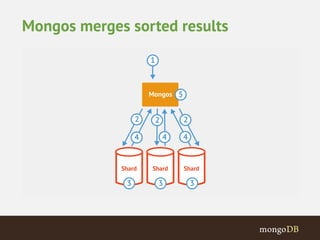
Mongos merges sorted results
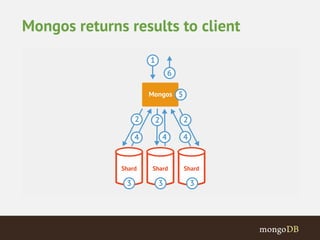
Mongos returns results to client
Shard Key
Shard Key 
• Shard key is immutable 
• Shard key values are immutable 
• Shard key must be indexed 
• Shard key limited to 512 bytes in size 
• Shard key used to route queries 
– Choose a field commonly used in queries 
• Only shard key can be unique across shards 
– `_id` field is only unique within individual shard
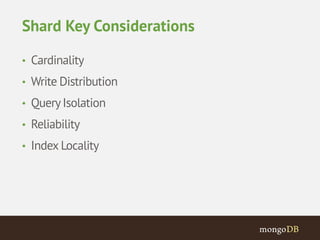
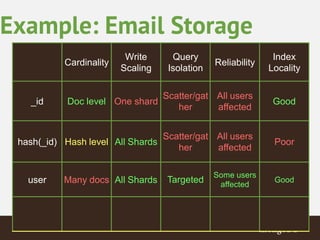
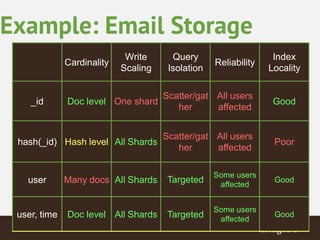
Shard Key Considerations 
• Cardinality 
• Write Distribution 
• Query Isolation 
• Reliability 
• Index Locality
{ 
_id: ObjectId(), 
user: 123, 
time: Date(), 
subject: “...”, 
recipients: [], 
body: “...”, 
attachments: [] 
} 
Example: Email Storage 
Most common scenario, can be applied to 90% cases 
Each document can be up to 16MB 
Each user may have GBs of storage 
Most common query: get user emails sorted by time 
Indexes on {_id}, {user, time}, {recipients}
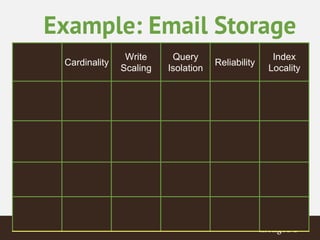
Example: Email Storage 
Cardinality 
Write 
Scaling 
Query 
Isolation 
Reliability 
Index 
Locality
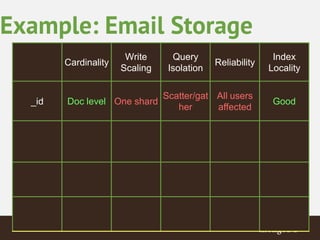
Example: Email Storage 
Cardinality 
Write 
Scaling 
Query 
Isolation 
Reliability 
Index 
Locality 
_id Doc level One shard 
Scatter/gat 
her 
All users 
affected 
Good
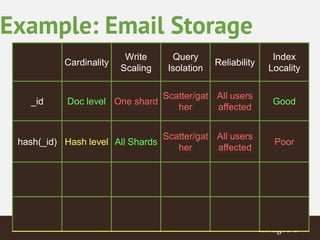
Example: Email Storage 
Cardinality 
Write 
Scaling 
Query 
Isolation 
Reliability 
Index 
Locality 
_id Doc level One shard 
Scatter/gat 
her 
All users 
affected 
Good 
hash(_id) Hash level All Shards 
Scatter/gat 
her 
All users 
affected 
Poor
Example: Email Storage 
Cardinality 
Write 
Scaling 
Query 
Isolation 
Reliability 
Index 
Locality 
_id Doc level One shard 
Scatter/gat 
her 
All users 
affected 
Good 
hash(_id) Hash level All Shards 
Scatter/gat 
her 
All users 
affected 
Poor 
user Many docs All Shards Targeted 
Some users 
affected 
Good
Example: Email Storage 
Cardinality 
Write 
Scaling 
Query 
Isolation 
Reliability 
Index 
Locality 
_id Doc level One shard 
Scatter/gat 
her 
All users 
affected 
Good 
hash(_id) Hash level All Shards 
Scatter/gat 
her 
All users 
affected 
Poor 
user Many docs All Shards Targeted 
Some users 
affected 
Good 
user, time Doc level All Shards Targeted 
Some users 
affected 
Good
@h_ingo 
Questions?
Solutions Architect, MongoDB 
Henrik Ingo 
@h_ingo 
Thank you!

Шардинг в MongoDB, Henrik Ingo (MongoDB)

  • 1.
    Solutions Architect, MongoDB Henrik Ingo @h_ingo Introduction to Sharding
  • 2.
    Agenda •Scaling Data •MongoDB'sApproach •Architecture •Configuration •Mechanics
  • 3.
  • 4.
    Partitioning • Userdefines shard key • Shard key defines range of data • Key space is like points on a line • Range is a segment of that line
  • 5.
    Initially 1 chunk Default max chunk size: 64mb MongoDB automatically splits & migrates chunks when max reached Data Distribution
  • 6.
    Queries routed tospecific shards MongoDB balances cluster MongoDB migrates data to new nodes Routing and Balancing
  • 7.
    MongoDB Auto-Sharding •Minimal effort required – Same interface as single mongod • Two steps – Enable Sharding for a database – Shard collection within database
  • 8.
  • 9.
    What is aShard? • Shard is a node of the cluster • Shard can be a single mongod or a replica set
  • 10.
  • 11.
  • 12.
  • 13.
    mongod --configsvr Startsa configuration server on the default port (27019) Starting the Configuration Server
  • 14.
    mongos --configdb <hostname>:27019 For 3 configuration servers: mongos --configdb <host1>:<port1>,<host2>:<port2>,<host3>:<port3> This is always how to start a new mongos, even if the cluster is already running Start the mongos Router
  • 15.
    mongod --shardsvr Startsa mongodwith the default shard port (27018) Shard is not yet connected to the rest of the cluster Shard may have already been running in production Start the shard database
  • 16.
    On mongos: –sh.addShard(‘<host>:27018’) Adding a replica set: – sh.addShard(‘<rsname>/<seedlist>’) Add the Shard
  • 17.
    db.runCommand({ listshards:1 }) { "shards" : [{"_id”: "shard0000”,"host”: ”<hostname>:27018” } ], "ok" : 1 } Verify that the shard was added
  • 18.
    Enabling Sharding •Enable sharding on a database sh.enableSharding(“<dbname>”) • Shard a collection with the given key sh.shardCollection(“<dbname>.people”,{“country”:1}) • Use a compound shard key to prevent duplicates sh.shardCollection(“<dbname>.cars”,{“year”:1, ”uniqueid”:1})
  • 19.
    Tag Aware Sharding • Tag aware sharding allows you to control the distribution of your data • Tag a range of shard keys – sh.addTagRange(<collection>,<min>,<max>,<tag>) • Tag a shard – sh.addShardTag(<shard>,<tag>)
  • 20.
  • 21.
    Cluster Request Routing • Targeted Queries • Scatter Gather Queries • Scatter Gather Queries with Sort
  • 22.
  • 23.
  • 24.
    Request routed toappropriate shard
  • 25.
  • 26.
  • 27.
    Cluster Request Routing:Non-Targeted Query
  • 28.
  • 29.
    Request sent toall shards
  • 30.
  • 31.
  • 32.
    Cluster Request Routing:Non-Targeted Query with Sort
  • 33.
  • 34.
    Request sent toall shards
  • 35.
    Query and sortperformed locally
  • 36.
  • 37.
  • 38.
  • 39.
  • 40.
    Shard Key •Shard key is immutable • Shard key values are immutable • Shard key must be indexed • Shard key limited to 512 bytes in size • Shard key used to route queries – Choose a field commonly used in queries • Only shard key can be unique across shards – `_id` field is only unique within individual shard
  • 41.
    Shard Key Considerations • Cardinality • Write Distribution • Query Isolation • Reliability • Index Locality
  • 42.
    { _id: ObjectId(), user: 123, time: Date(), subject: “...”, recipients: [], body: “...”, attachments: [] } Example: Email Storage Most common scenario, can be applied to 90% cases Each document can be up to 16MB Each user may have GBs of storage Most common query: get user emails sorted by time Indexes on {_id}, {user, time}, {recipients}
  • 43.
    Example: Email Storage Cardinality Write Scaling Query Isolation Reliability Index Locality
  • 44.
    Example: Email Storage Cardinality Write Scaling Query Isolation Reliability Index Locality _id Doc level One shard Scatter/gat her All users affected Good
  • 45.
    Example: Email Storage Cardinality Write Scaling Query Isolation Reliability Index Locality _id Doc level One shard Scatter/gat her All users affected Good hash(_id) Hash level All Shards Scatter/gat her All users affected Poor
  • 46.
    Example: Email Storage Cardinality Write Scaling Query Isolation Reliability Index Locality _id Doc level One shard Scatter/gat her All users affected Good hash(_id) Hash level All Shards Scatter/gat her All users affected Poor user Many docs All Shards Targeted Some users affected Good
  • 47.
    Example: Email Storage Cardinality Write Scaling Query Isolation Reliability Index Locality _id Doc level One shard Scatter/gat her All users affected Good hash(_id) Hash level All Shards Scatter/gat her All users affected Poor user Many docs All Shards Targeted Some users affected Good user, time Doc level All Shards Targeted Some users affected Good
  • 48.
  • 49.
    Solutions Architect, MongoDB Henrik Ingo @h_ingo Thank you!