





#MongoDBTokyo


Sharding
Derick Rethans
Software Engineer, 10gen
Agenda

•   Short history of scaling data
•   Why shard
•   MongoDB's approach
•   Architecture
•   Configuration
•   Mechanics
•   Solutions
The story of
scaling data
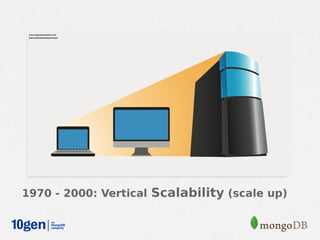
1970 - 2000: Vertical Scalability (scale up)
Visual representation of horizontal
 scaling


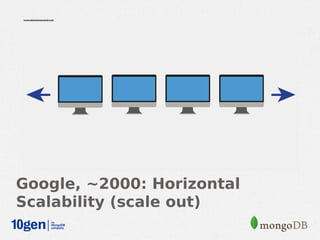
Google, ~2000: Horizontal
Scalability (scale out)
Data Store Scalability in 2005

• Custom Hardware
 – Oracle
• Custom Software
 – Facebook + MySQL
Data Store Scalability Today

• MongoDB auto-sharding available in
  2009
• A data store that is
 – Free
 – Publicly available
 – Open source
   (https://github.com/mongodb/mongo)
 – Horizontally scalable
 – Application independent
Why shard?
Working Set Exceeds Physical Memory
Read/Write Throughput Exceeds I/O
MongoDB's
approach to
sharding
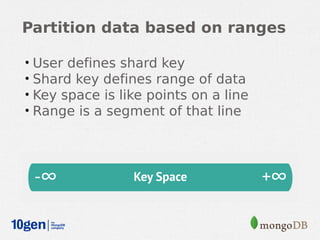
Partition data based on ranges

•   User defines shard key
•   Shard key defines range of data
•   Key space is like points on a line
•   Range is a segment of that line
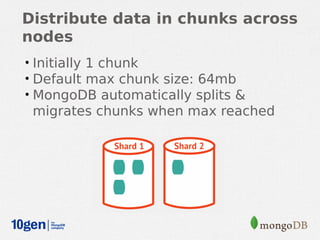
Distribute data in chunks across
nodes
• Initially 1 chunk
• Default max chunk size: 64mb
• MongoDB automatically splits &
 migrates chunks when max reached
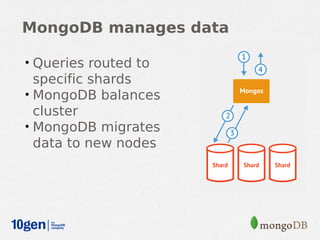
MongoDB manages data

• Queries routed to
  specific shards
• MongoDB balances
  cluster
• MongoDB migrates
  data to new nodes
MongoDB Auto-Sharding

• Minimal effort required
 – Same interface as single mongod
• Two steps
 – Enable Sharding for a database
 – Shard collection within database
Architecture
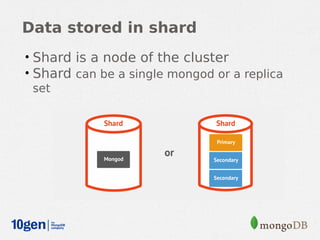
Data stored in shard
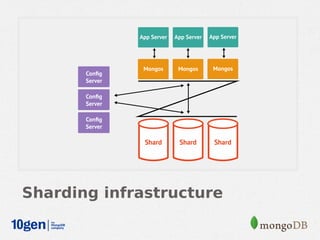
• Shard is a node of the cluster
• Shard can be a single mongod or a replica
  set
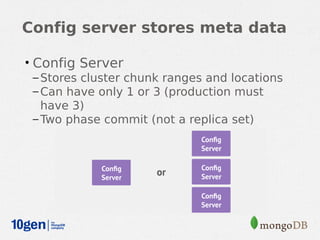
Config server stores meta data

• Config Server
  – Stores cluster chunk ranges and locations
  – Can have only 1 or 3 (production must
    have 3)
  – Two phase commit (not a replica set)
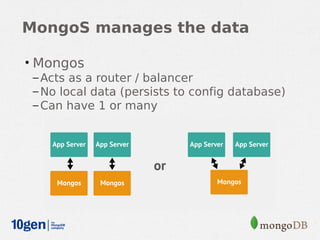
MongoS manages the data

• Mongos
  – Acts as a router / balancer
  – No local data (persists to config database)
  – Can have 1 or many
Sharding infrastructure
Configuration
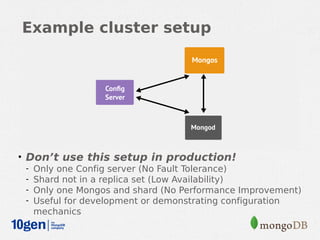
Example cluster setup


• Don’t use this setup in production!
  - Only one Config server (No Fault Tolerance)
  - Shard not in a replica set (Low Availability)
  - Only one Mongos and shard (No Performance Improvement)
  - Useful for development or demonstrating configuration
    mechanics
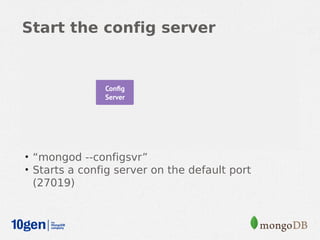
Start the config server


• “mongod --configsvr”
• Starts a config server on the default port
 (27019)
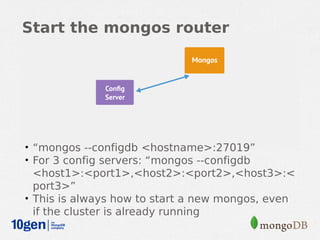
Start the mongos router


• “mongos --configdb <hostname>:27019”
• For 3 config servers: “mongos --configdb
  <host1>:<port1>,<host2>:<port2>,<host3>:<
  port3>”
• This is always how to start a new mongos, even
  if the cluster is already running
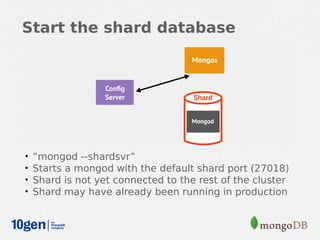
Start the shard database


•   “mongod --shardsvr”
•   Starts a mongod with the default shard port (27018)
•   Shard is not yet connected to the rest of the cluster
•   Shard may have already been running in production
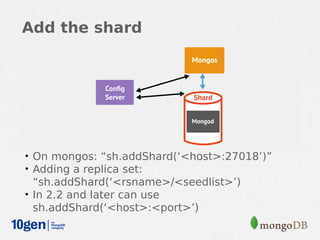
Add the shard


• On mongos: “sh.addShard(‘<host>:27018’)”
• Adding a replica set:
  “sh.addShard(‘<rsname>/<seedlist>’)
• In 2.2 and later can use
  sh.addShard(‘<host>:<port>’)
Verify that the shard was added


• db.runCommand({ listshards:1 })
• { "shards" :
•    [ { "_id”: "shard0000”, "host”: ”<hostname>:27018” } ],
•         "ok" : 1
   }
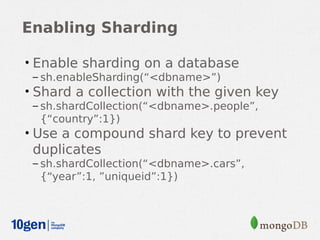
Enabling Sharding

• Enable sharding on a database
 – sh.enableSharding(“<dbname>”)
• Shard a collection with the given key
 – sh.shardCollection(“<dbname>.people”,
  {“country”:1})
• Use a compound shard key to prevent
 duplicates
 – sh.shardCollection(“<dbname>.cars”,
  {“year”:1, ”uniqueid”:1})
Shard Key
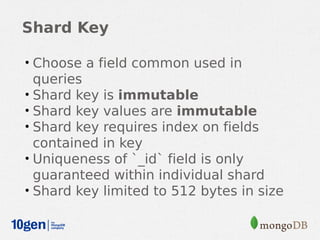
Shard Key

• Choose a field common used in
  queries
• Shard key is immutable
• Shard key values are immutable
• Shard key requires index on fields
  contained in key
• Uniqueness of `_id` field is only
  guaranteed within individual shard
• Shard key limited to 512 bytes in size
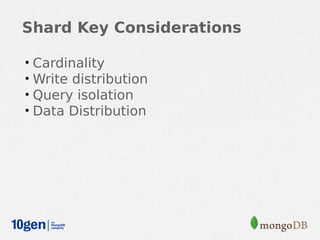
Shard Key Considerations

•   Cardinality
•   Write distribution
•   Query isolation
•   Data Distribution
Mechanics
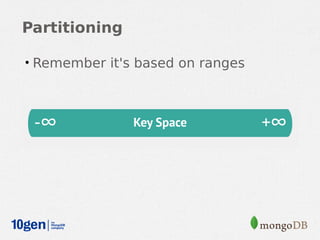
Partitioning

• Remember it's based on ranges
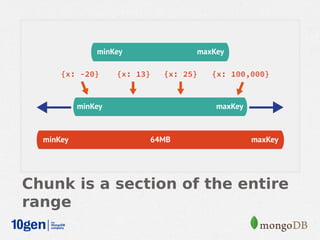
Chunk is a section of the entire
range
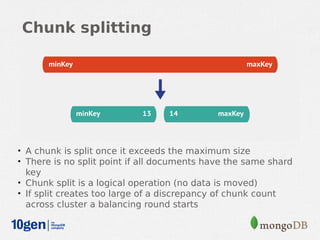
Chunk splitting


• A chunk is split once it exceeds the maximum size
• There is no split point if all documents have the same shard
  key
• Chunk split is a logical operation (no data is moved)
• If split creates too large of a discrepancy of chunk count
  across cluster a balancing round starts
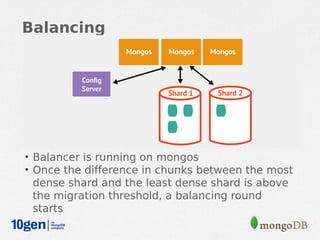
Balancing


• Balancer is running on mongos
• Once the difference in chunks between the most
 dense shard and the least dense shard is above
 the migration threshold, a balancing round
 starts
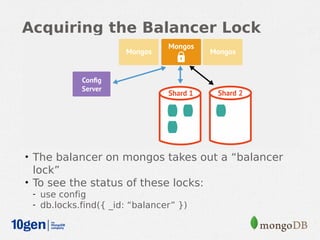
Acquiring the Balancer Lock


• The balancer on mongos takes out a “balancer
  lock”
• To see the status of these locks:
 - use config
 - db.locks.find({ _id: “balancer” })
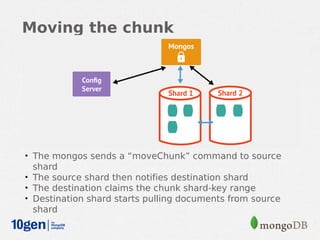
Moving the chunk


• The mongos sends a “moveChunk” command to source
  shard
• The source shard then notifies destination shard
• The destination claims the chunk shard-key range
• Destination shard starts pulling documents from source
  shard
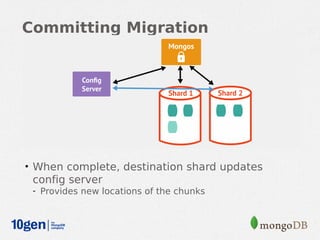
Committing Migration


• When complete, destination shard updates
 config server
 - Provides new locations of the chunks
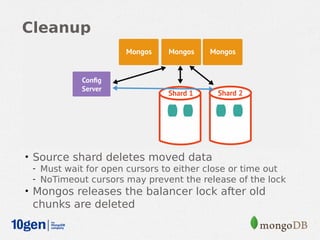
Cleanup


• Source shard deletes moved data
  - Must wait for open cursors to either close or time out
  - NoTimeout cursors may prevent the release of the lock
• Mongos releases the balancer lock after old
 chunks are deleted
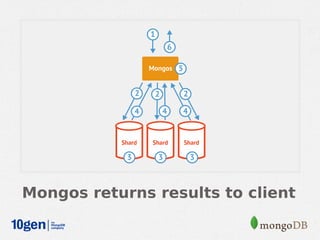
Routing Requests
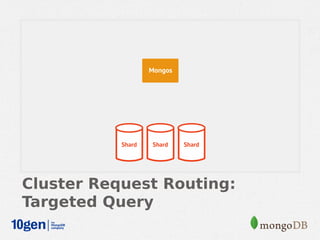
Cluster Request Routing

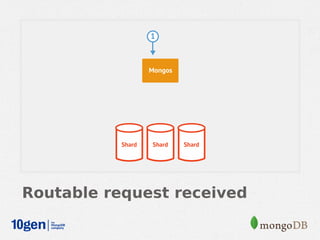
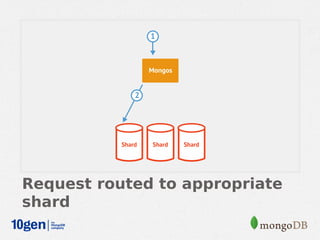
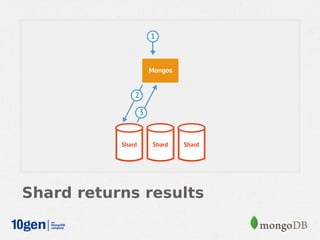
• Targeted Queries
• Scatter Gather Queries
• Scatter Gather Queries with Sort
Cluster Request Routing:
Targeted Query
Routable request received
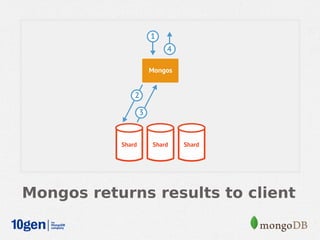
Request routed to appropriate
shard
Shard returns results
Mongos returns results to client
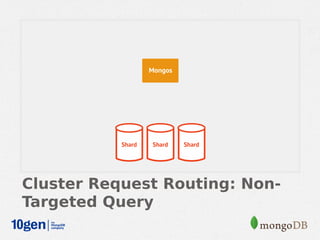
Cluster Request Routing: Non-
Targeted Query
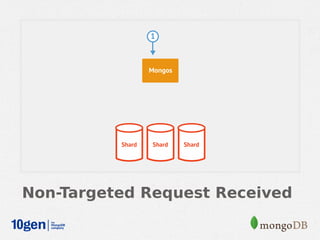
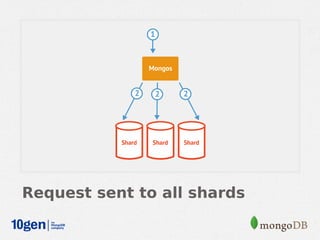
Non-Targeted Request Received
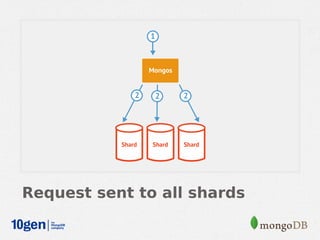
Request sent to all shards
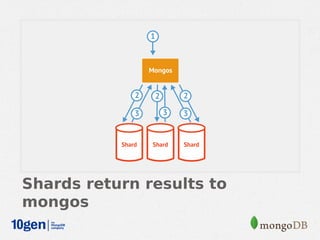
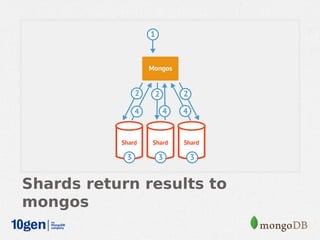
Shards return results to
mongos
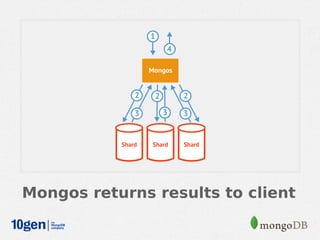
Mongos returns results to client
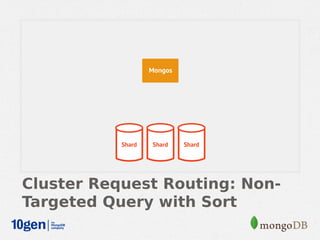
Cluster Request Routing: Non-
Targeted Query with Sort
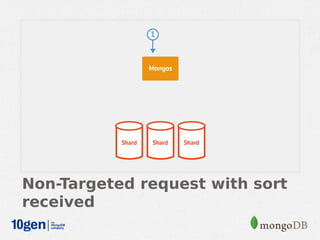
Non-Targeted request with sort
received
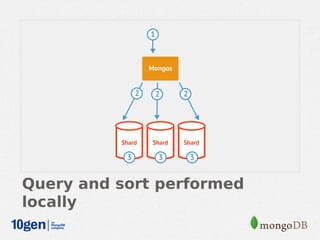
Request sent to all shards
Query and sort performed
locally
Shards return results to
mongos
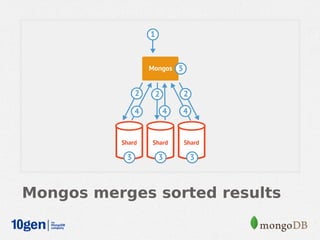
Mongos merges sorted results
Mongos returns results to client
#MongoDBTokyo


Thank You
Derick Rethans
Software Engineer, 10gen

Sharding