Modern Module
 Development
       2012-03-23
  Puppet Camp Edinburgh

            Ken Barber
   Professional Services Engineer
       ken@puppetlabs.com
 http://linkedin.com/in/ken_barber
     IRC & Twitter: @ken_barber
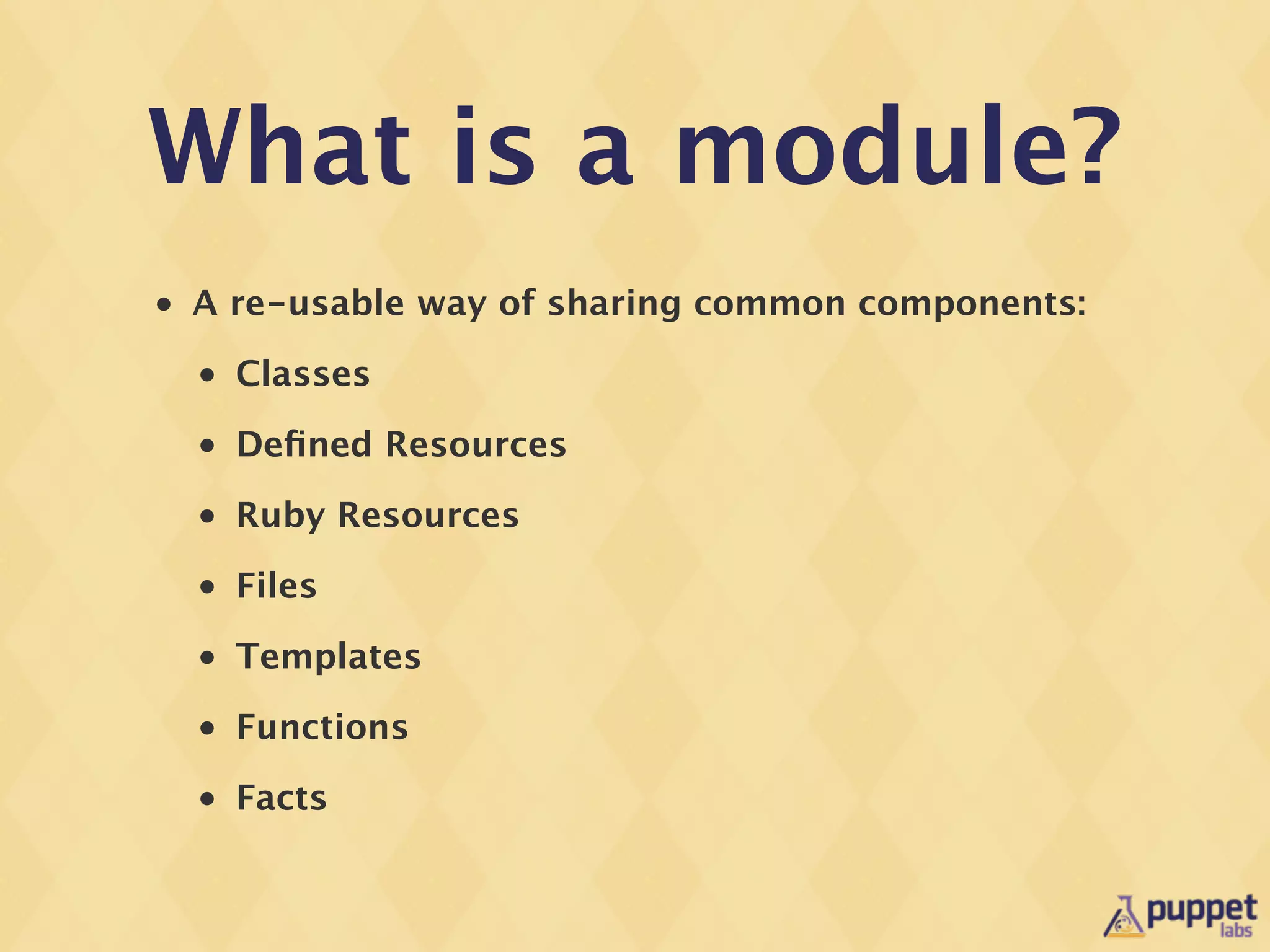
What is a module?
•   A re-usable way of sharing common components:
    •   Classes
    •   Defined Resources
    •   Ruby Resources
    •   Files
    •   Templates
    •   Functions
    •   Facts
We need more
  modules!
and they need to
be good quality ...
Whats new(ish) in

Module Development?

    •   Puppet Module Face
    •   rspec-puppet
    •   puppet-lint
    •   Kwalify
But lets talk
patterns first ...
Why are patterns
  important?
Class Patterns

•   Most installation and management problems consist
    of:
    •   Installing software using files or packages
    •   Modifying configuration files
    •   Starting services
We commonly refer
to this pattern as:

     Package,
      Config,
      Service
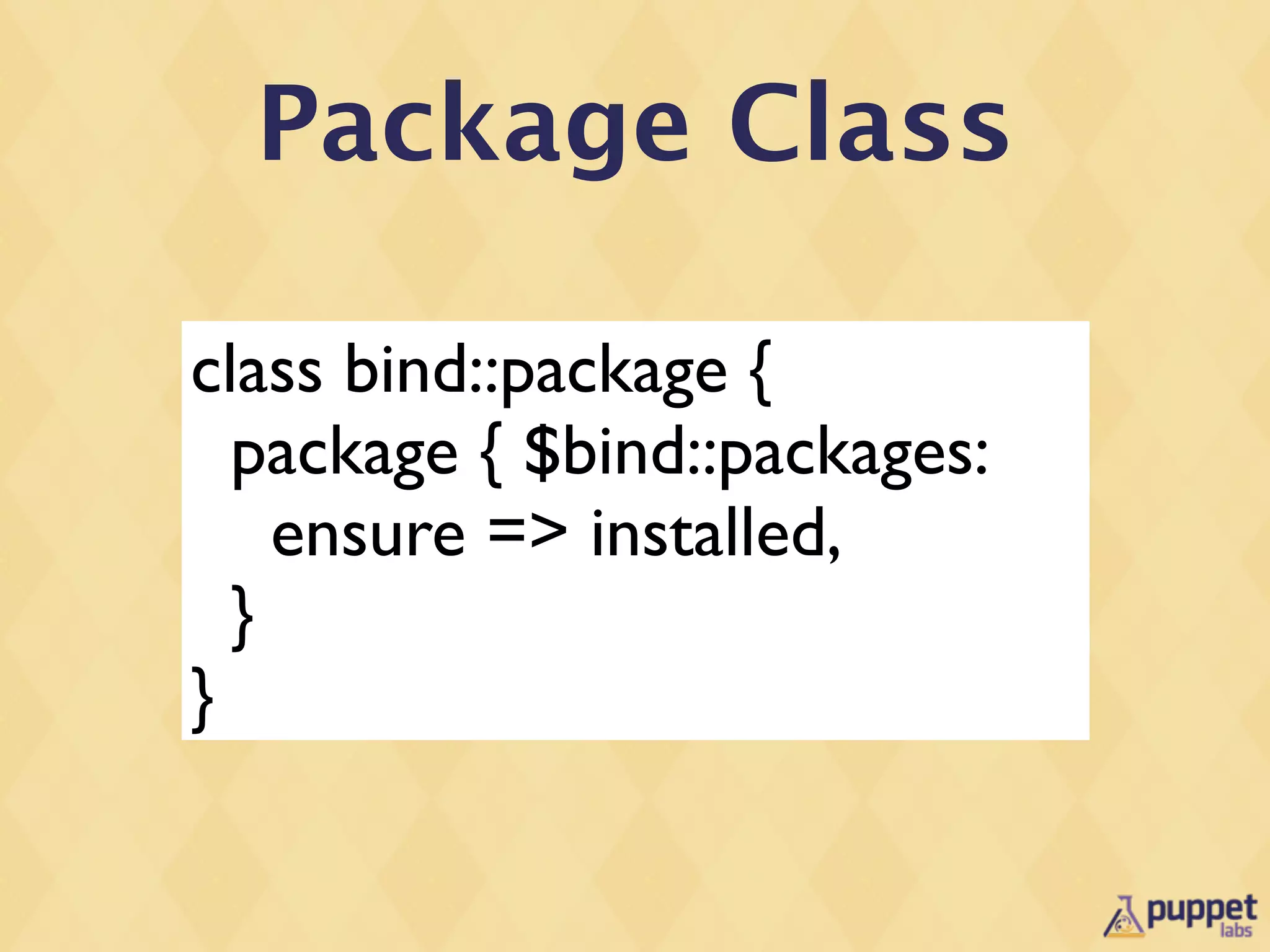
Package Class

class bind::package {
  package { $bind::packages:
    ensure => installed,
  }
}
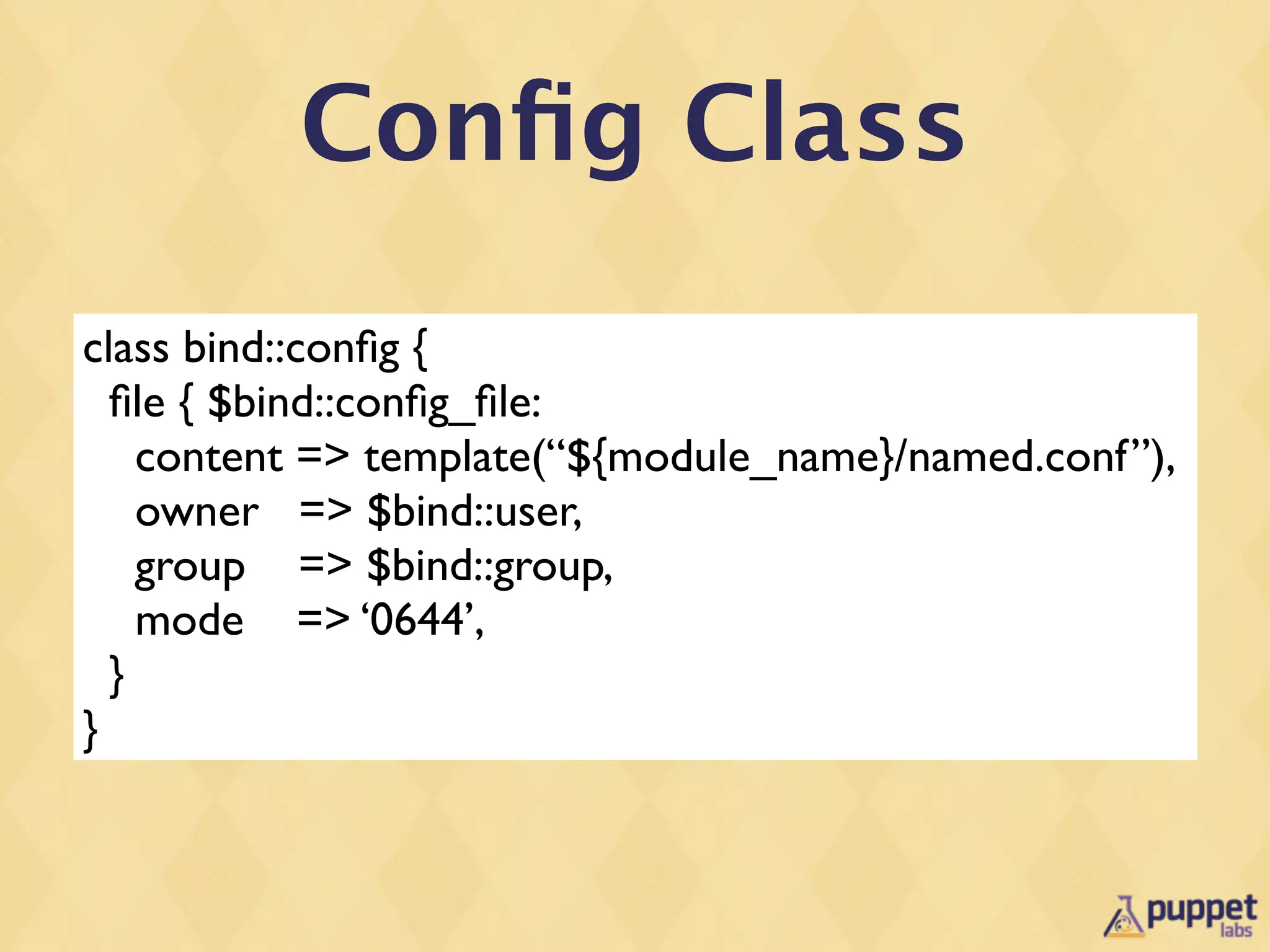
Config Class
class bind::config {
  file { $bind::config_file:
    content => template(“${module_name}/named.conf”),
    owner => $bind::user,
    group => $bind::group,
    mode => ‘0644’,
  }
}
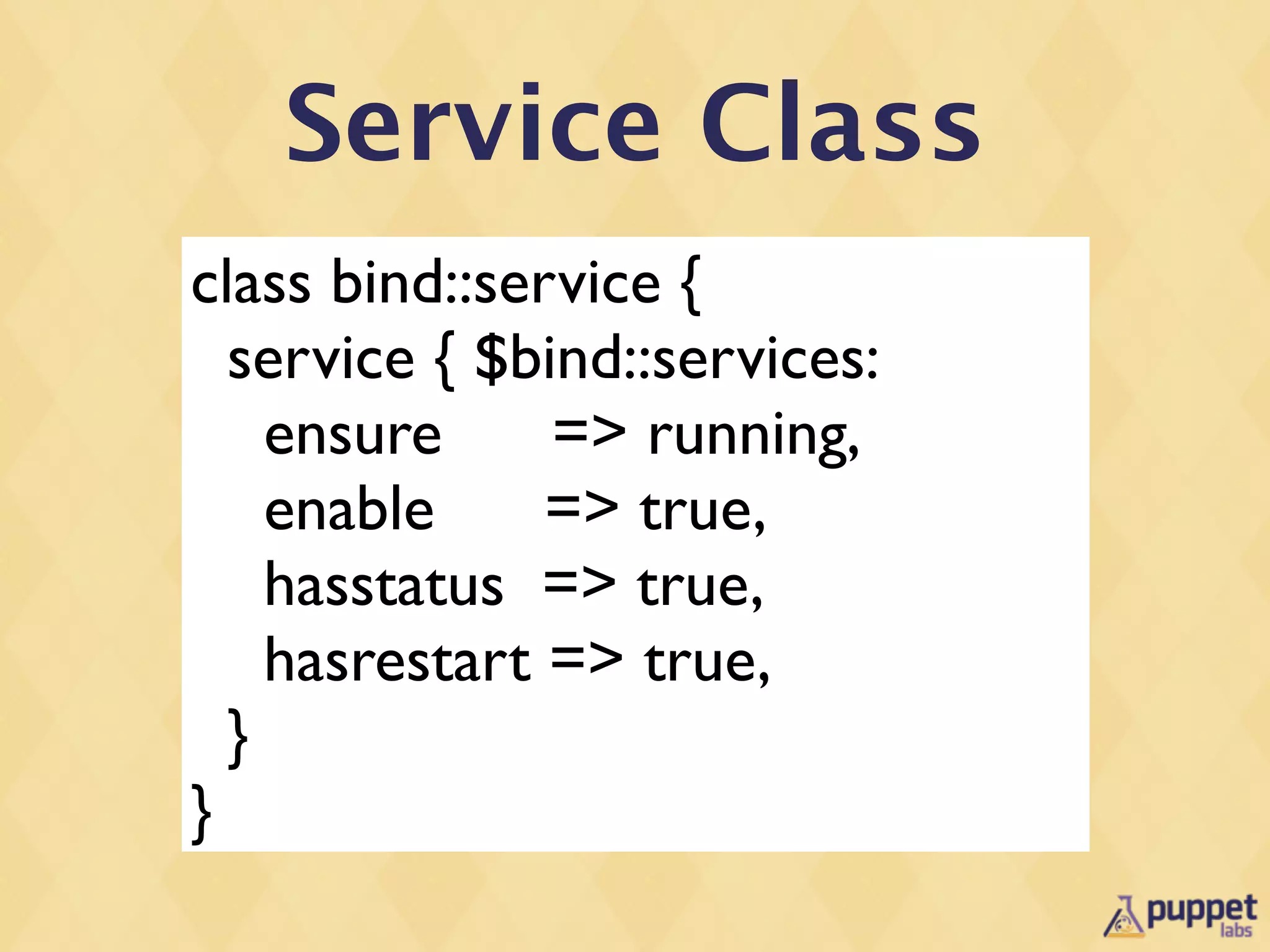
Service Class
class bind::service {
  service { $bind::services:
    ensure     => running,
    enable     => true,
    hasstatus => true,
    hasrestart => true,
  }
}
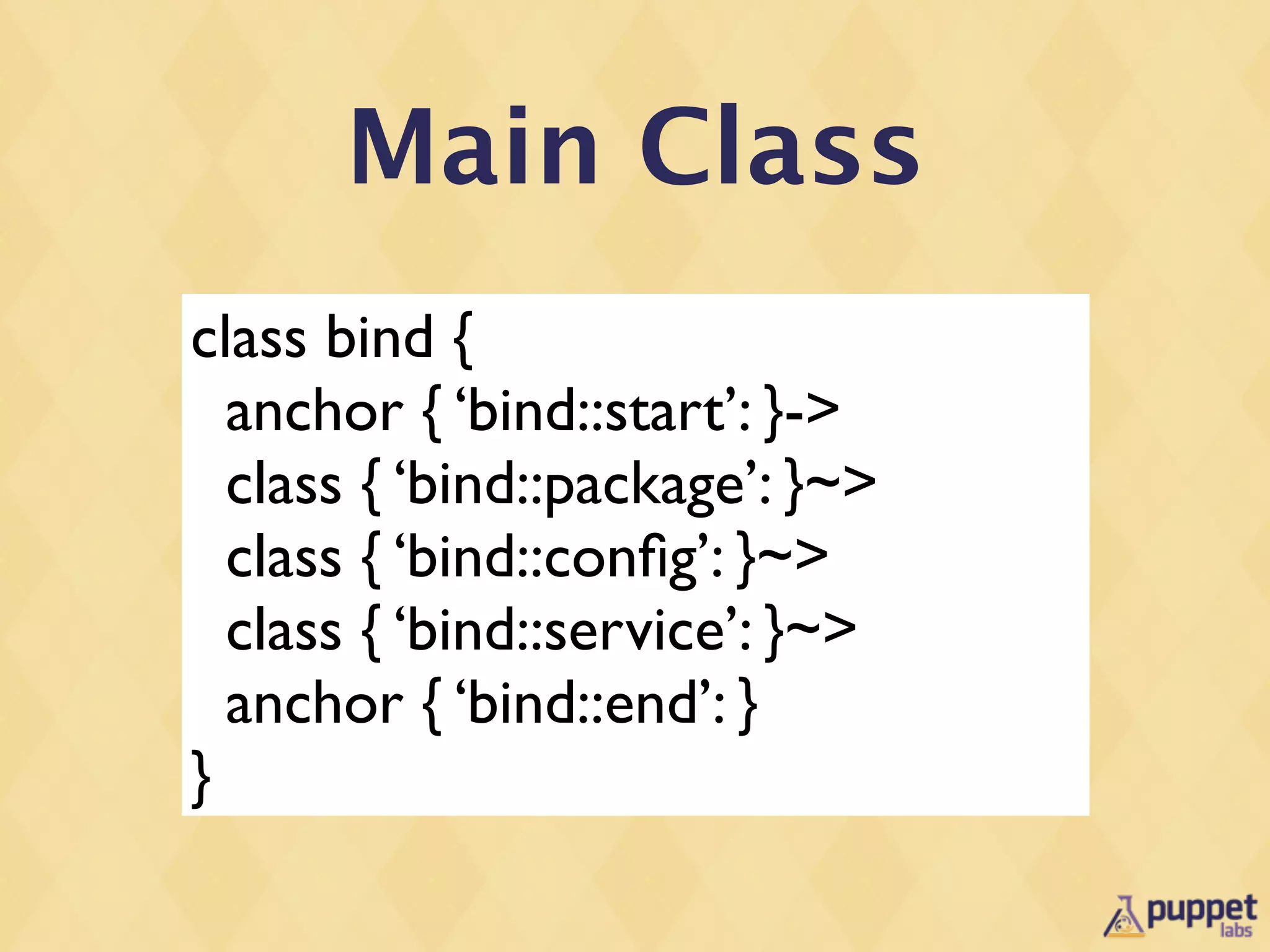
Main Class
class bind {
  anchor { ‘bind::start’: }->
  class { ‘bind::package’: }~>
  class { ‘bind::config’: }~>
  class { ‘bind::service’: }~>
  anchor { ‘bind::end’: }
}
What are anchors?

•   Provided in stdlib
•   Anchors are resource that ‘do nothing’
•   They ensure the edge of the classes are demarcated
    properly so the graph executes in the expected
    order
But what about
defined resources?
Defined Resources
define bind::zone (
  $value = ‘nil’
  ){
  file { “/etc/bind/config.d/${name}.conf”:
    content => “${name} = ${value}n”,
    require => Class[‘bind::package’],
    notify => Class[‘bind::service’],
  }
}
Package, Config,
     Service Pattern

•   This pattern is good for ~80% of situations.
•   Deals with ordering in a non-complex way, working
    with defined resources as well.
Params Pattern
Default
           Parameters

•   Most parameters have OS dependant defaults.
•   In the past this was done with case statements in
    the main modules.
Class Parameters

•   I generally use two types of class parameters:
    •   User-tuneable parameters
    •   Advanced parameters for overriding items such
        as package name, service name configuration file
        paths
Params Pattern
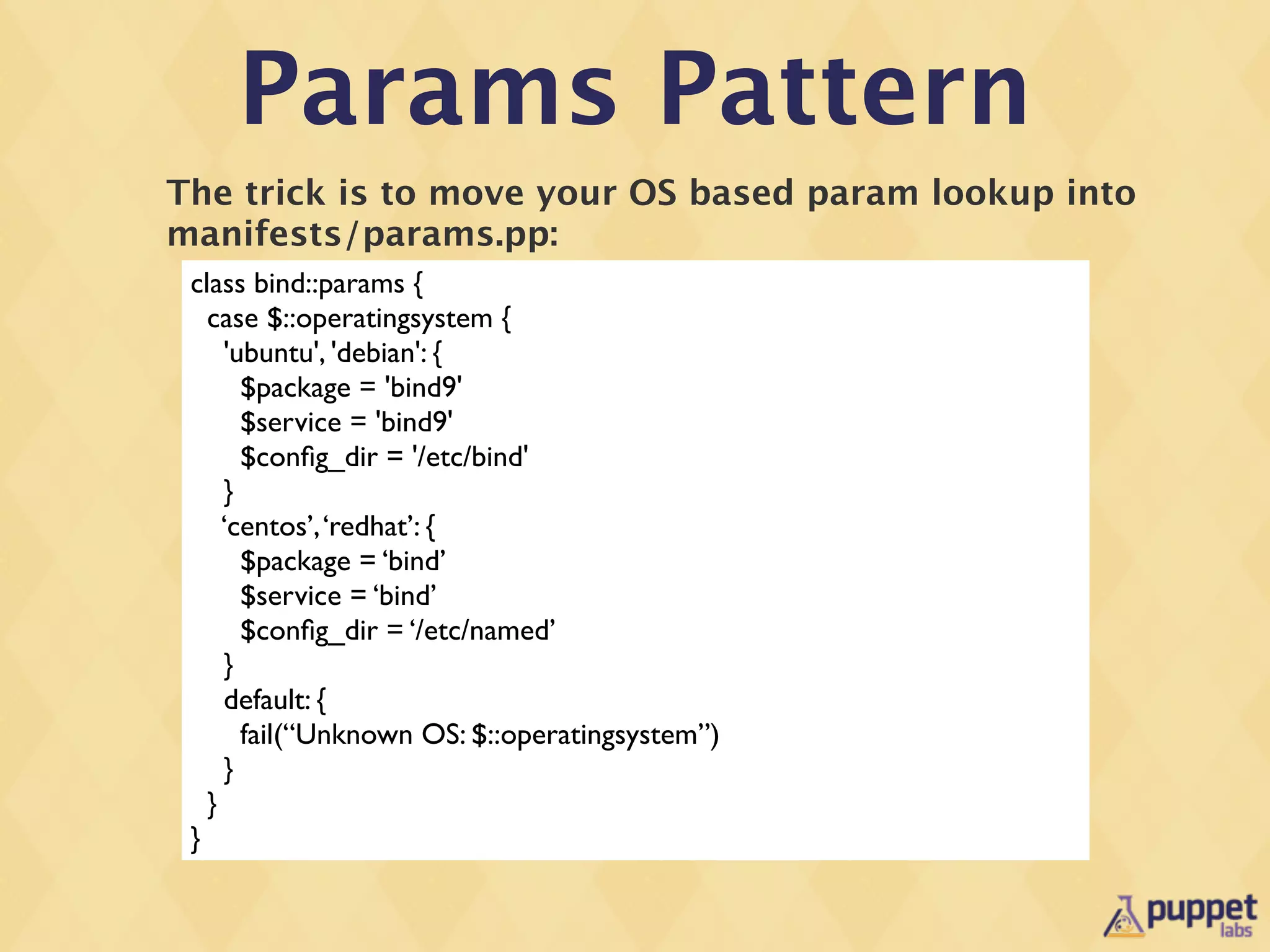
The trick is to move your OS based param lookup into
manifests/params.pp:
 class bind::params {
   case $::operatingsystem {
     'ubuntu', 'debian': {
       $package = 'bind9'
       $service = 'bind9'
       $config_dir = '/etc/bind'
     }
     ‘centos’, ‘redhat’: {
       $package = ‘bind’
       $service = ‘bind’
       $config_dir = ‘/etc/named’
     }
     default: {
       fail(“Unknown OS: $::operatingsystem”)
     }
   }
 }
Params Pattern
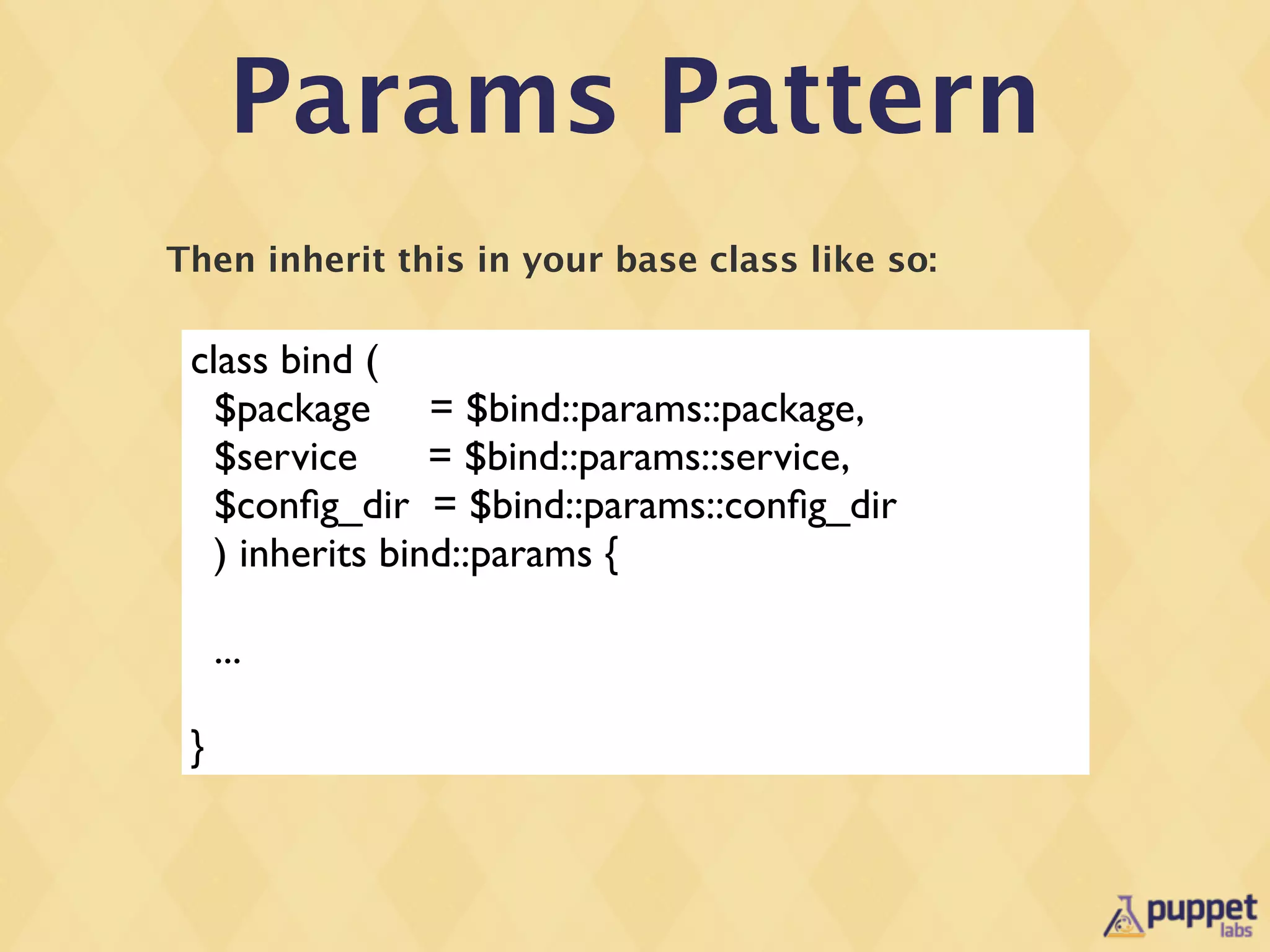
Then inherit this in your base class like so:

 class bind (
   $package = $bind::params::package,
   $service      = $bind::params::service,
   $config_dir = $bind::params::config_dir
   ) inherits bind::params {

     ...

 }
Params Pattern
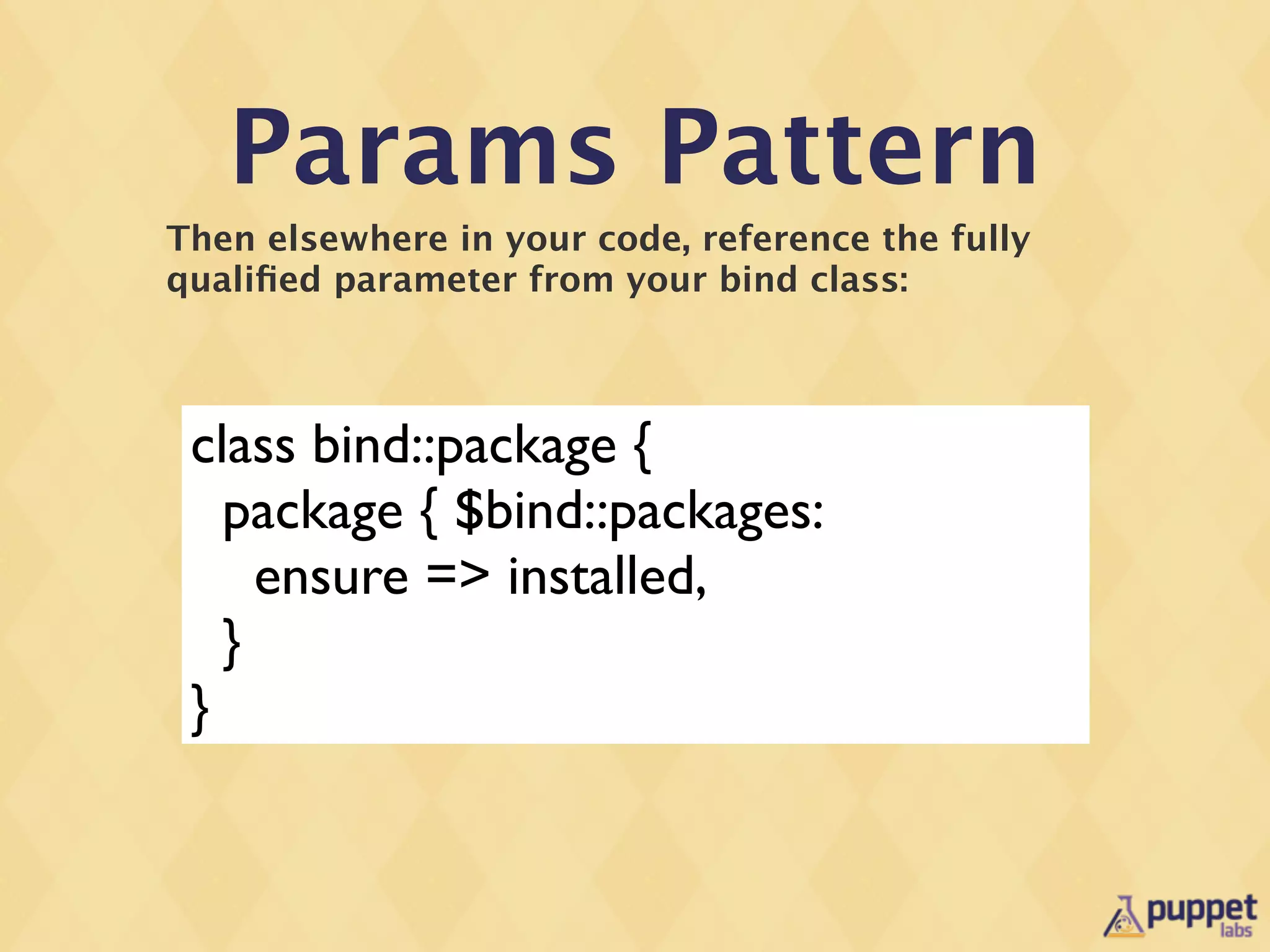
Then elsewhere in your code, reference the fully
qualified parameter from your bind class:


 class bind::package {
   package { $bind::packages:
     ensure => installed,
   }
 }
Puppet Module
Tool will now be a
  Puppet Face!
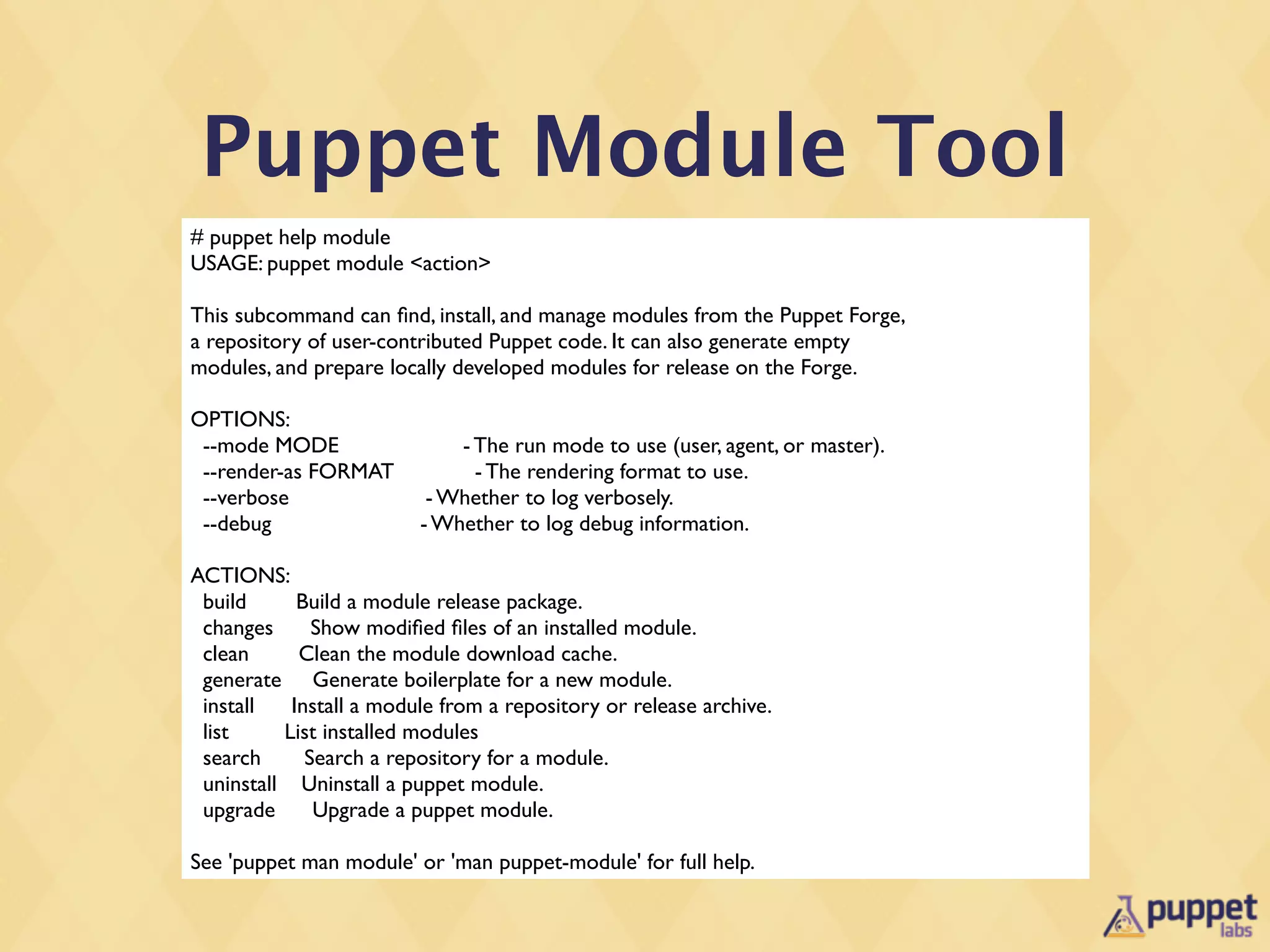
Puppet Module Tool
# puppet help module
USAGE: puppet module <action>

This subcommand can find, install, and manage modules from the Puppet Forge,
a repository of user-contributed Puppet code. It can also generate empty
modules, and prepare locally developed modules for release on the Forge.

OPTIONS:
 --mode MODE                 - The run mode to use (user, agent, or master).
 --render-as FORMAT            - The rendering format to use.
 --verbose                - Whether to log verbosely.
 --debug                 - Whether to log debug information.

ACTIONS:
 build      Build a module release package.
 changes      Show modified files of an installed module.
 clean      Clean the module download cache.
 generate Generate boilerplate for a new module.
 install   Install a module from a repository or release archive.
 list     List installed modules
 search      Search a repository for a module.
 uninstall Uninstall a puppet module.
 upgrade      Upgrade a puppet module.

See 'puppet man module' or 'man puppet-module' for full help.
Puppet Module
          Face

•   Obviously still subject to design changes before
    release ....
Validating
Parameters
Validating
             Parameters
•   Your allowed set of class parameters are like an
    Interface Contract to your users
•   A lot of bugs in code are to do with bad input
•   We have three mechanisms for validating input:
    •   parameter definitions in the class
    •   stdlib validate_* functions
    •   kwalify
Kwalify Validation

•   Uses the kwalify library - which is a language
    independent way of validating JSON/YAML style
    data structures.
•   Kwalify has binding in many languages - so its a
    nice universal choice for structured data validation.
Kwalify

•   Provides a single declarative way of defining what
    parameters are valid.
•   When validation fails, it shows all cases of failure.
•   Doesn’t handle logical validation across components
    - you’ll have to do this yourself.
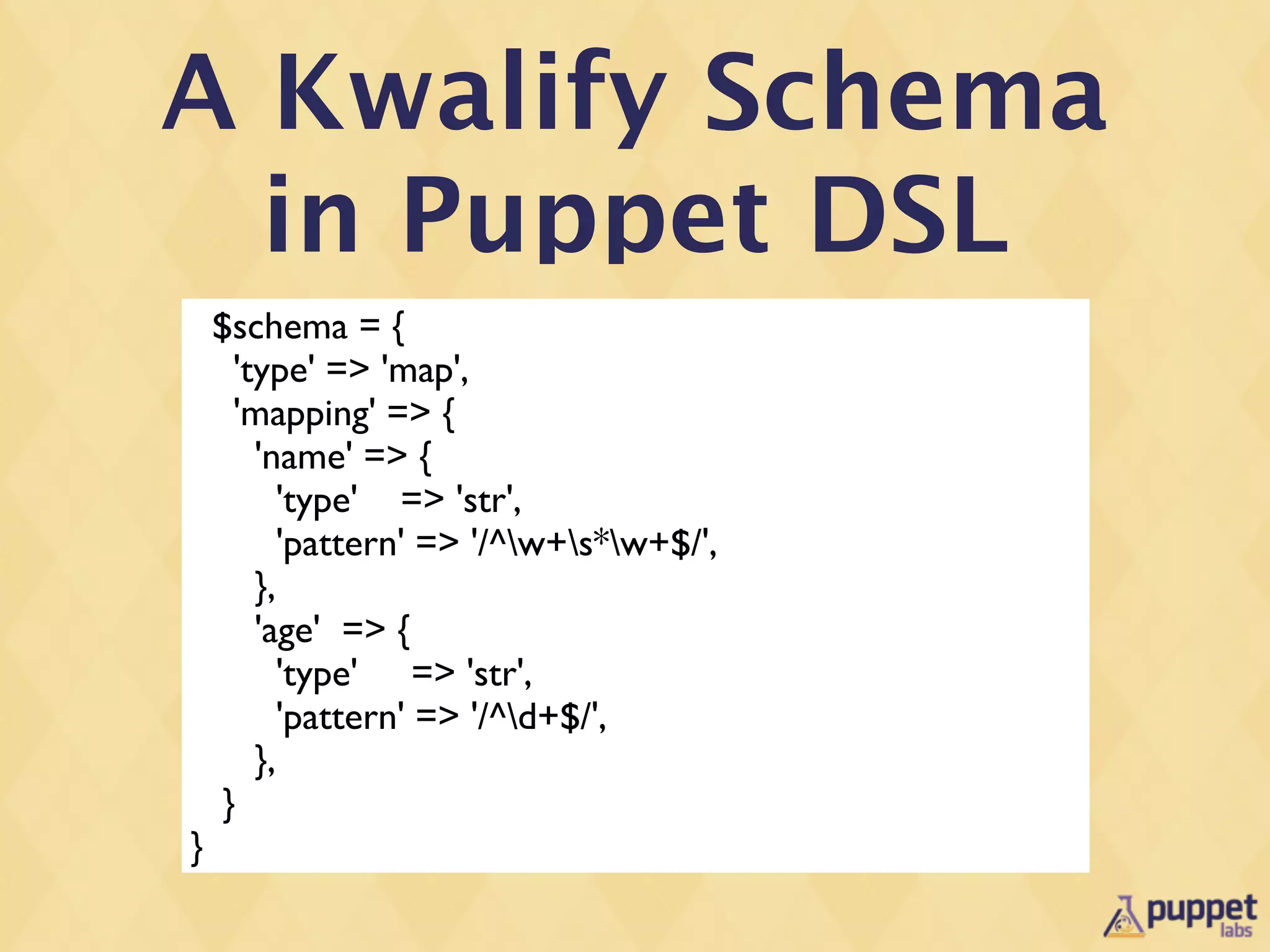
A Kwalify Schema
  in Puppet DSL
    $schema = {
      'type' => 'map',
      'mapping' => {
        'name' => {
           'type' => 'str',
           'pattern' => '/^w+s*w+$/',
        },
        'age' => {
           'type' => 'str',
           'pattern' => '/^d+$/',
        },
     }
}
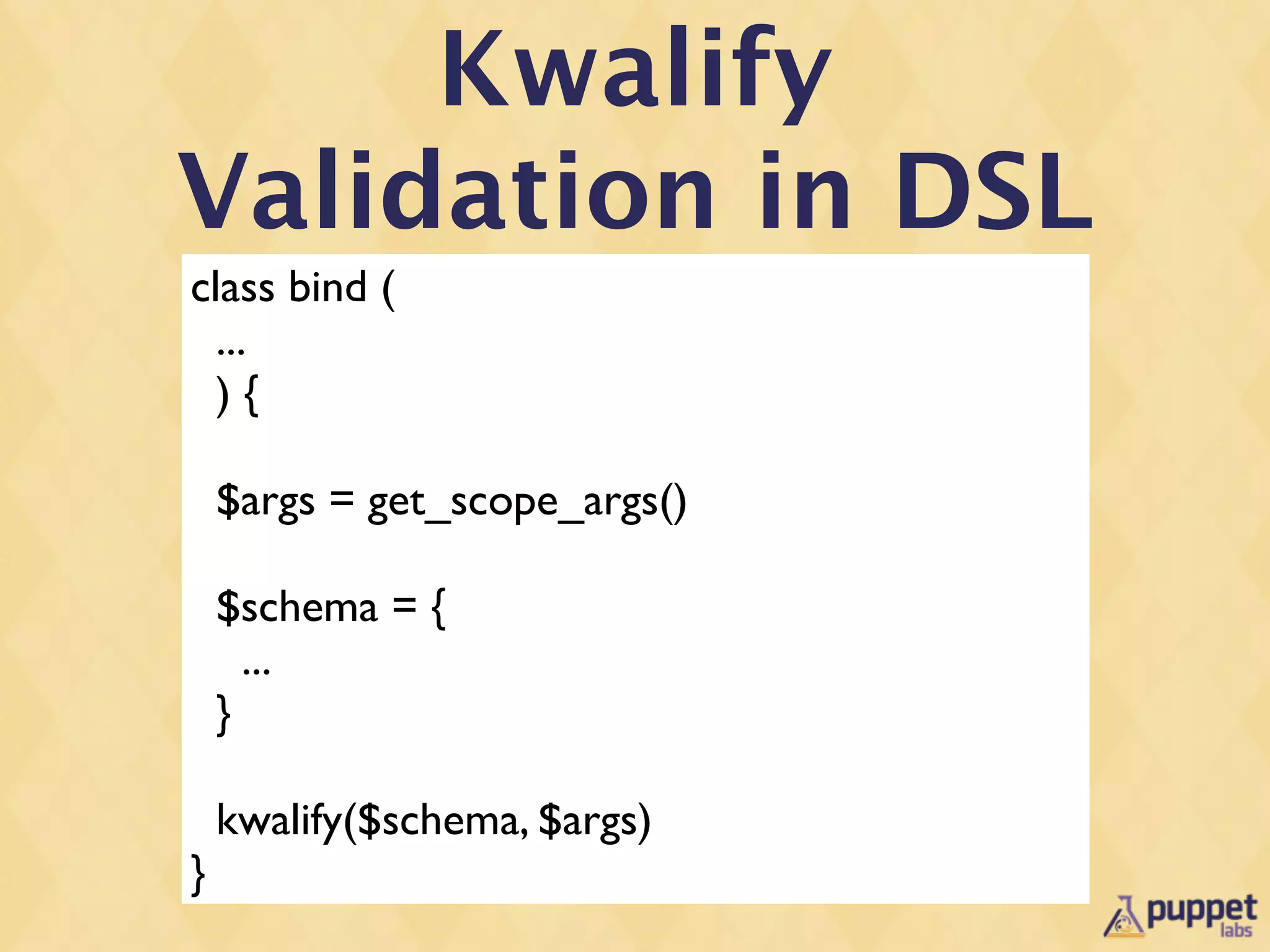
Kwalify
Validation in DSL
class bind (
  ...
  ){

    $args = get_scope_args()

    $schema = {
      ...
    }

    kwalify($schema, $args)
}
Module Testing
rspec-puppet

•   Tim Sharpe (@rodjek) from Github created it
•   Rspec is often used by Puppet for testing, so it
    made sense for us to use rspec-puppet
•   The same facility can be used for testing Puppet DSL
    and Ruby code as well: providers, types, facts etc.
rspec-puppet

 •   Is able to test:
     •   Classes
     •   Defined Resources
     •   Nodes
     •   Functions
rspec-puppet

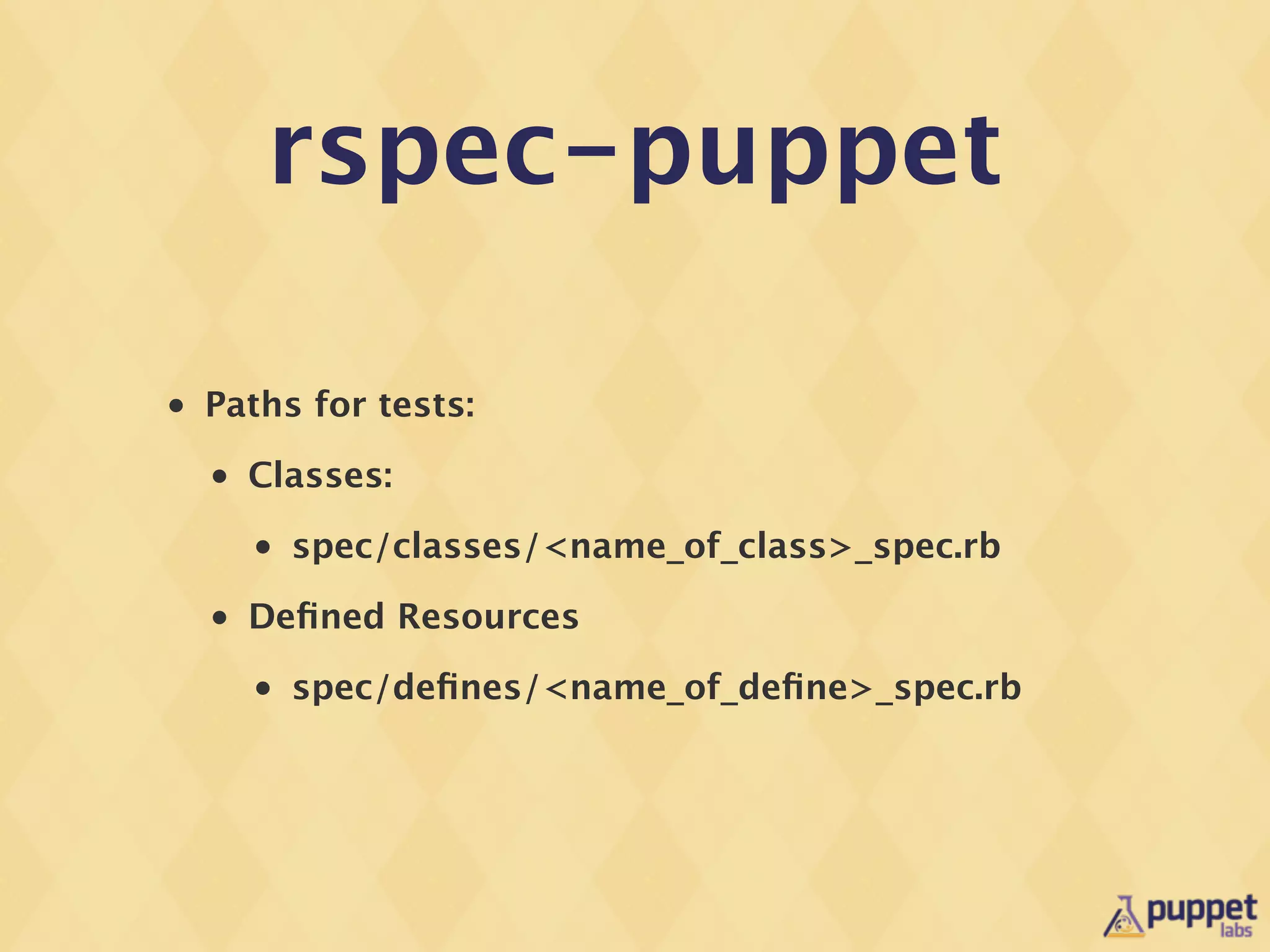
•   Paths for tests:
    •   Classes:
        •   spec/classes/<name_of_class>_spec.rb
    •   Defined Resources
        •   spec/defines/<name_of_define>_spec.rb
rspec-puppet
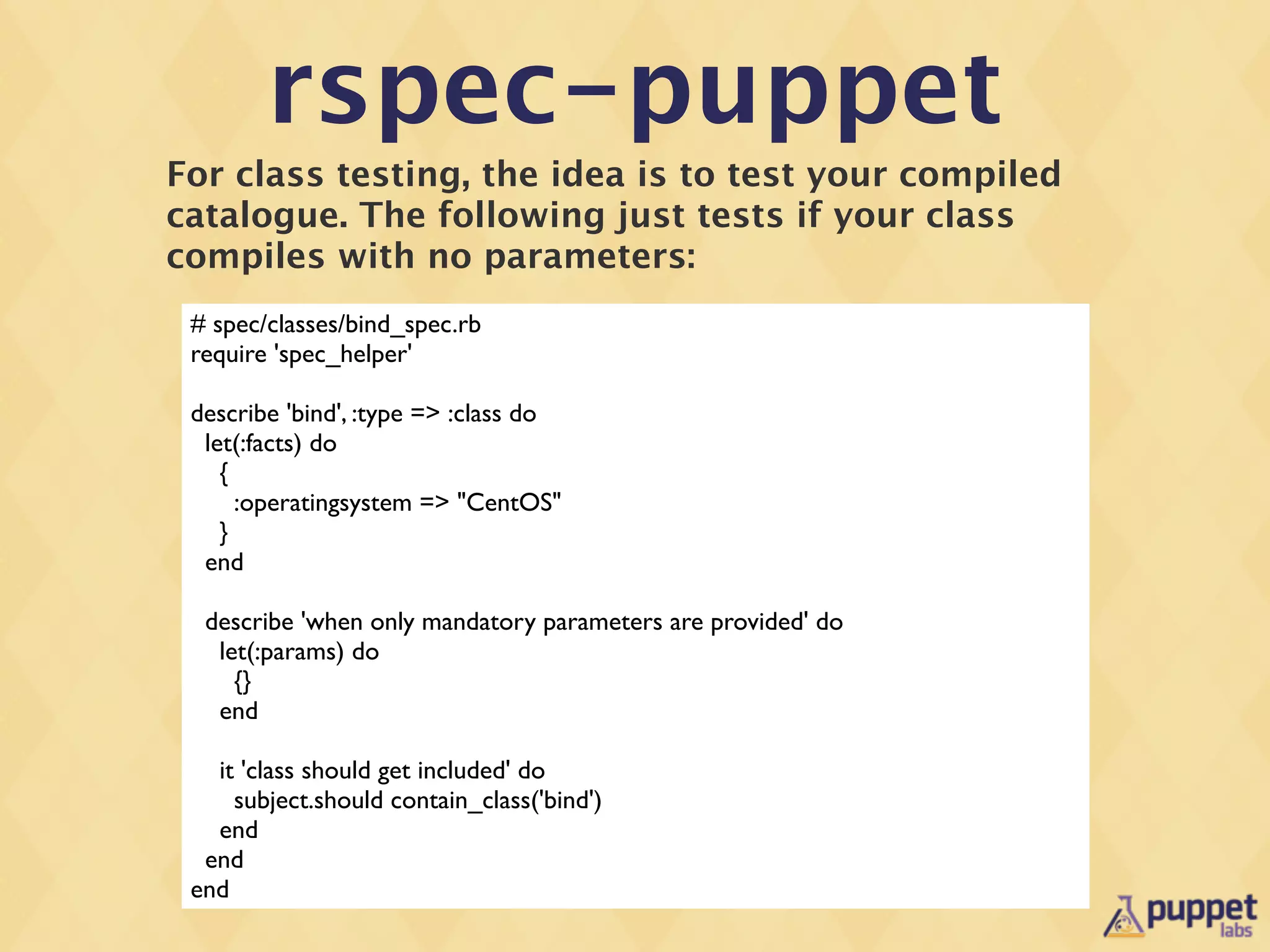
For class testing, the idea is to test your compiled
catalogue. The following just tests if your class
compiles with no parameters:
 # spec/classes/bind_spec.rb
 require 'spec_helper'

 describe 'bind', :type => :class do
  let(:facts) do
    {
      :operatingsystem => "CentOS"
    }
  end

  describe 'when only mandatory parameters are provided' do
   let(:params) do
     {}
   end

   it 'class should get included' do
     subject.should contain_class('bind')
   end
  end
 end
rspec-puppet
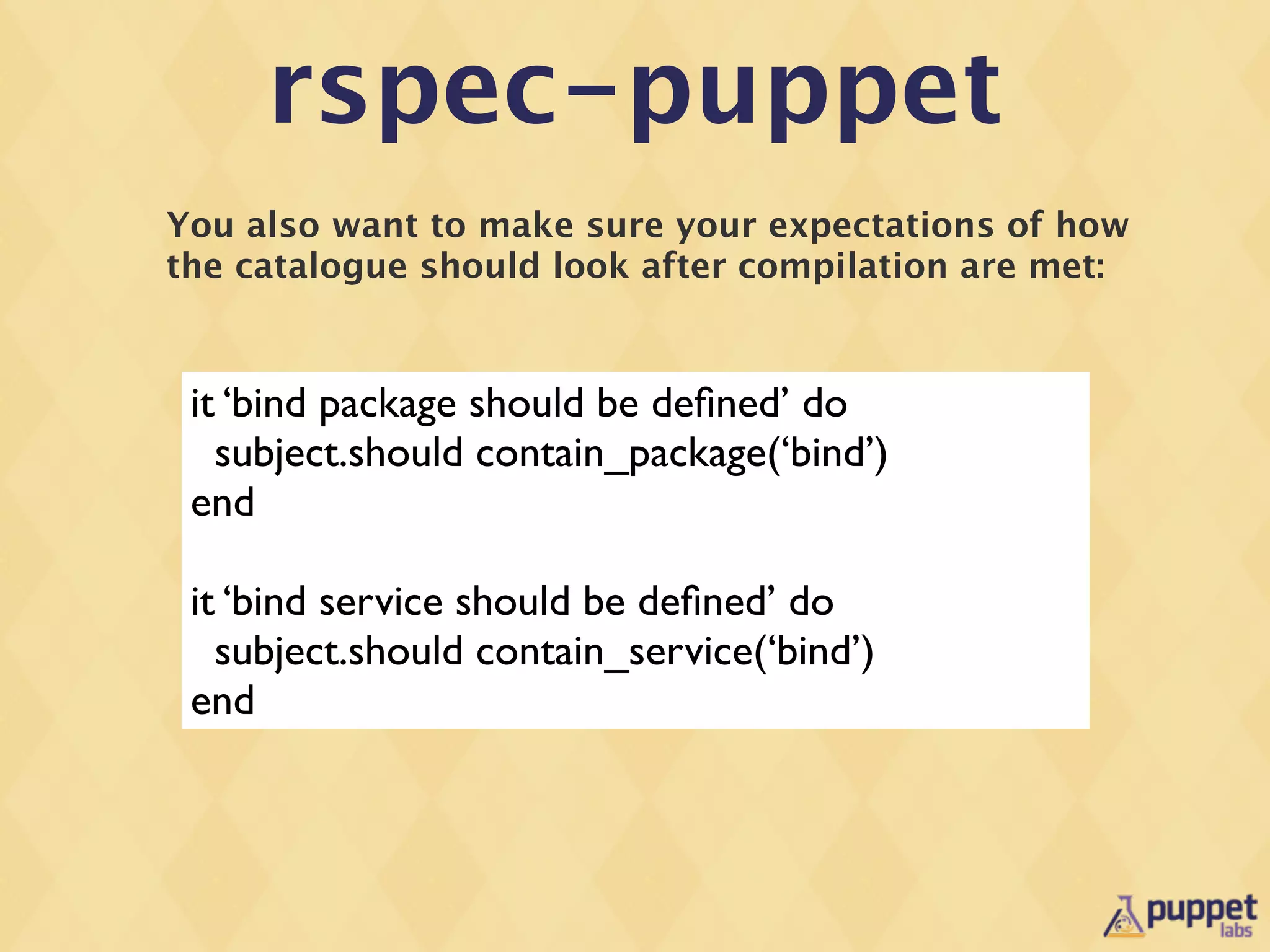
You also want to make sure your expectations of how
the catalogue should look after compilation are met:


 it ‘bind package should be defined’ do
   subject.should contain_package(‘bind’)
 end

 it ‘bind service should be defined’ do
   subject.should contain_service(‘bind’)
 end
rspec-puppet
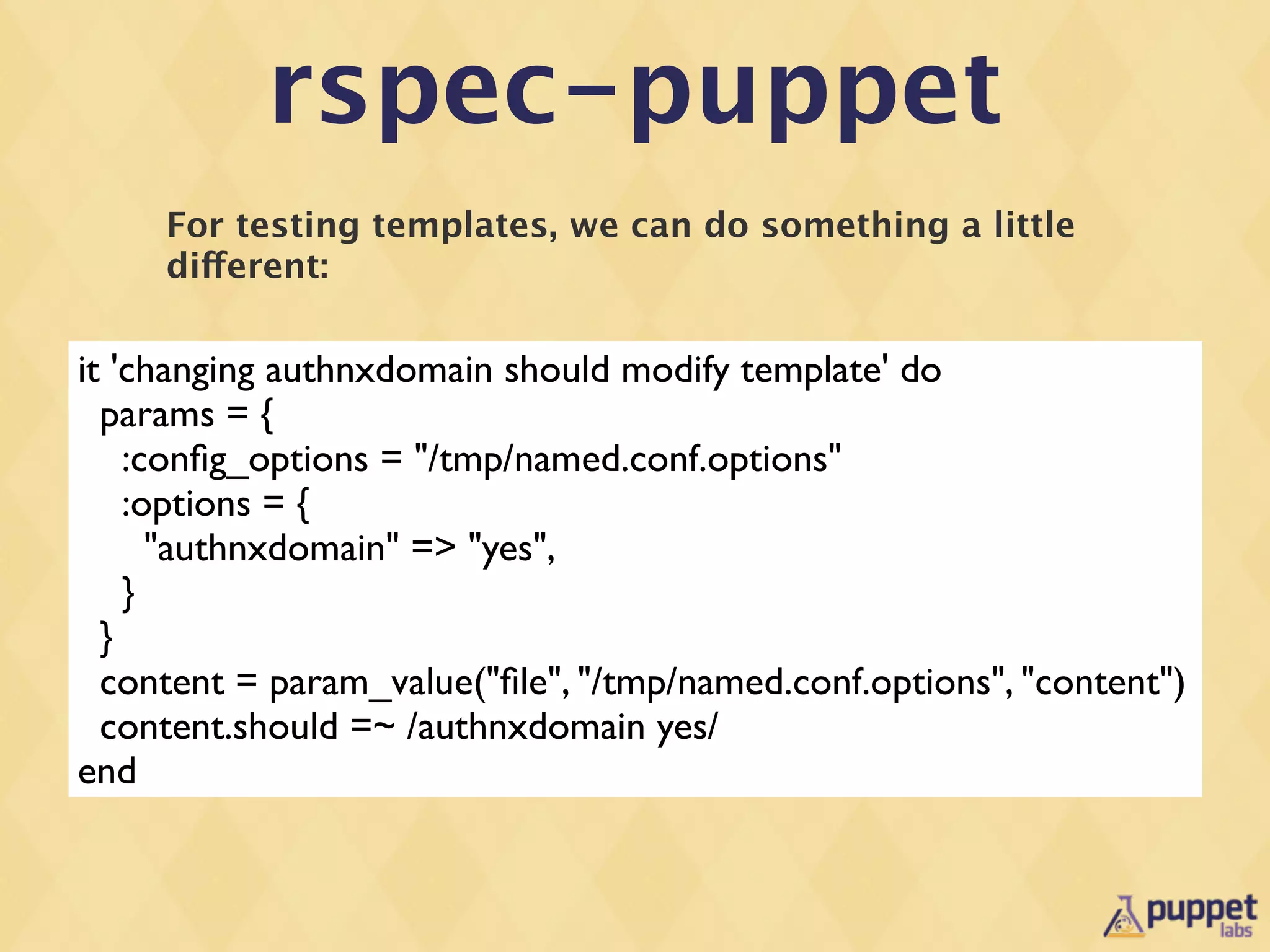
     For testing templates, we can do something a little
     different:

it 'changing authnxdomain should modify template' do
  params = {
    :config_options = "/tmp/named.conf.options"
    :options = {
      "authnxdomain" => "yes",
    }
  }
  content = param_value("file", "/tmp/named.conf.options", "content")
  content.should =~ /authnxdomain yes/
end
rspec-puppet
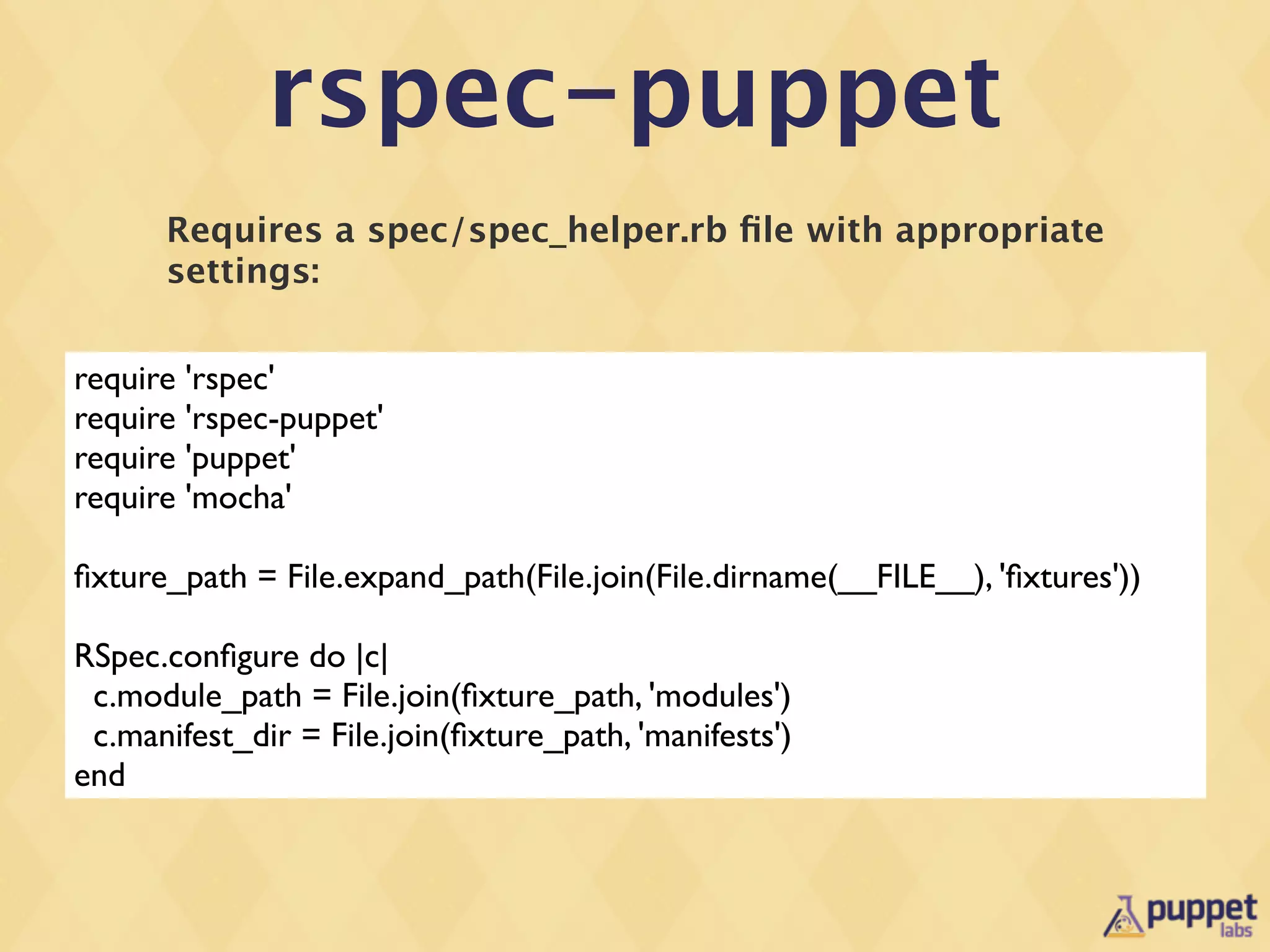
      Requires a spec/spec_helper.rb file with appropriate
      settings:


require 'rspec'
require 'rspec-puppet'
require 'puppet'
require 'mocha'

fixture_path = File.expand_path(File.join(File.dirname(__FILE__), 'fixtures'))

RSpec.configure do |c|
 c.module_path = File.join(fixture_path, 'modules')
 c.manifest_dir = File.join(fixture_path, 'manifests')
end
rspec-puppet
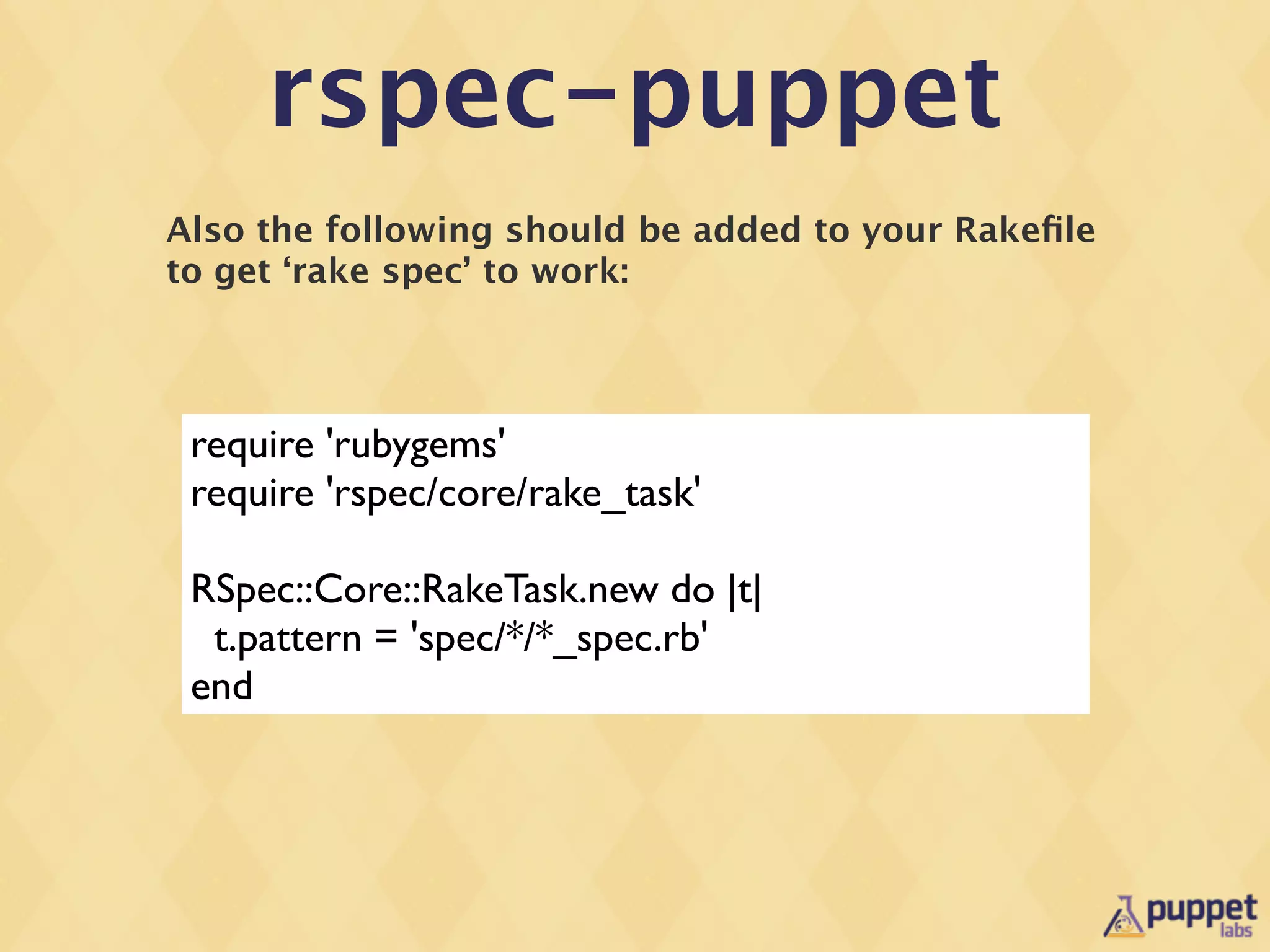
Also the following should be added to your Rakefile
to get ‘rake spec’ to work:


 require 'rubygems'
 require 'rspec/core/rake_task'

 RSpec::Core::RakeTask.new do |t|
  t.pattern = 'spec/*/*_spec.rb'
 end
Importance of
Good Coding Style
Importance of
Good Coding Style
•   Code is read much more often then it is written (did
    Guido van Rossum say this?)
•   Other people being able to read your code is
    important to attract contributors
•   Contributors make your code better and ultimately
    more successful
Style Guide


•   Available here:
    •   http://docs.puppetlabs.com/guides/style_guide.html
puppet-lint

•   Also made by Tim Sharpe from Github
•   Uses the Puppet Labs style guide
•   Saves time, as it tells you what is wrong with your
    content before a code review
Using it in your
     Rakefile
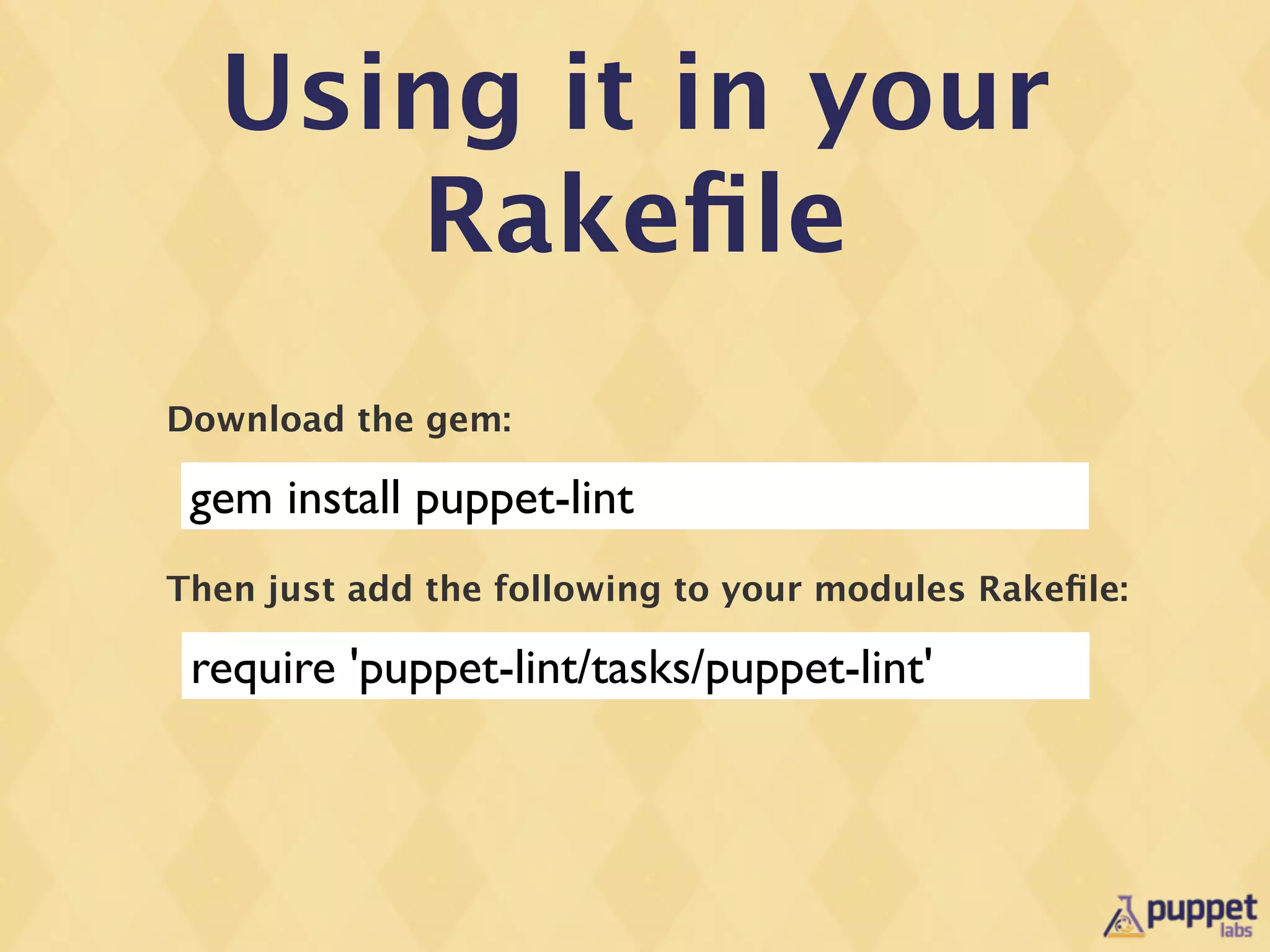
Download the gem:

 gem install puppet-lint
Then just add the following to your modules Rakefile:

 require 'puppet-lint/tasks/puppet-lint'
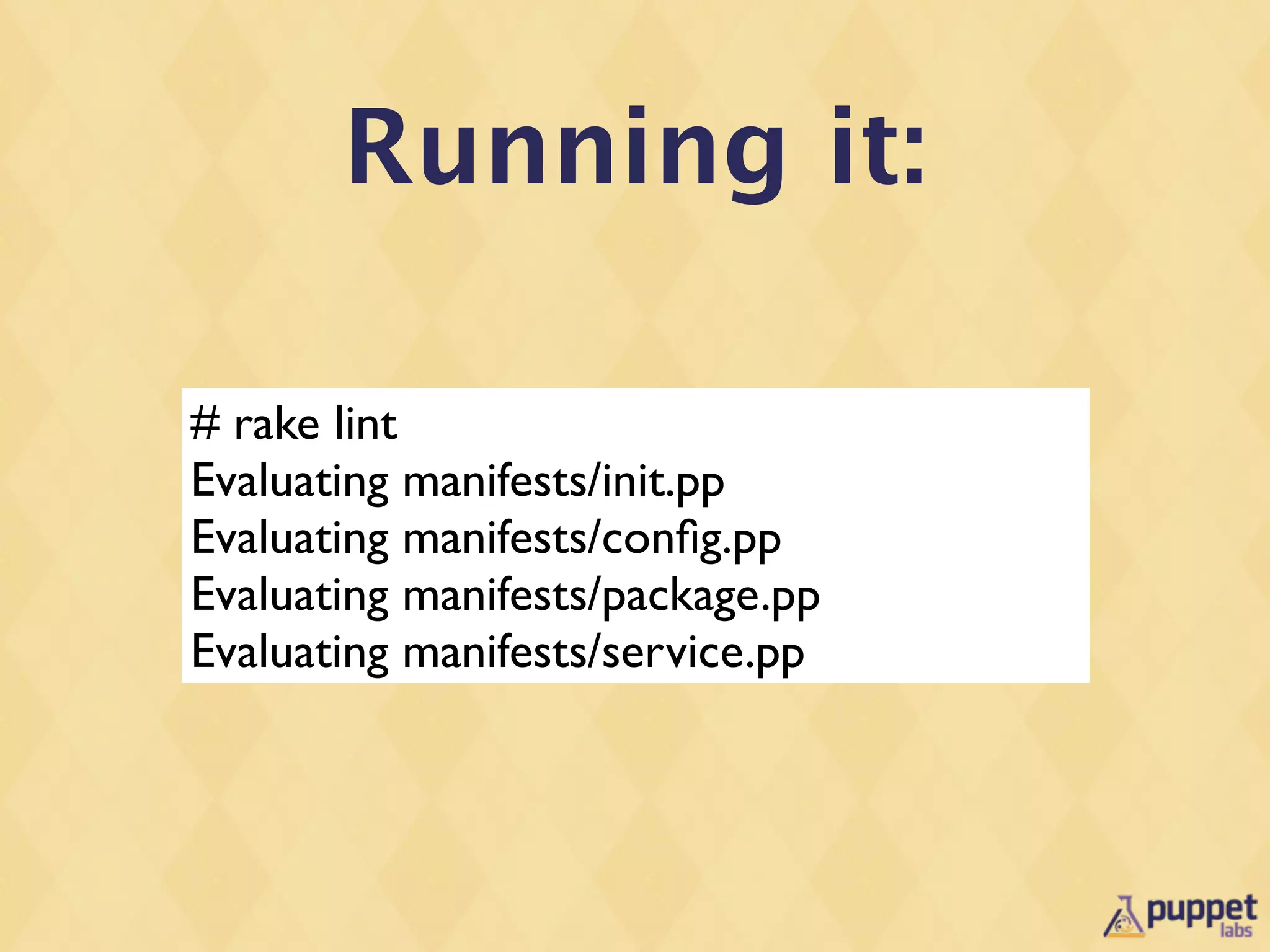
Running it:

# rake lint
Evaluating manifests/init.pp
Evaluating manifests/config.pp
Evaluating manifests/package.pp
Evaluating manifests/service.pp
Packaging for the
     Forge
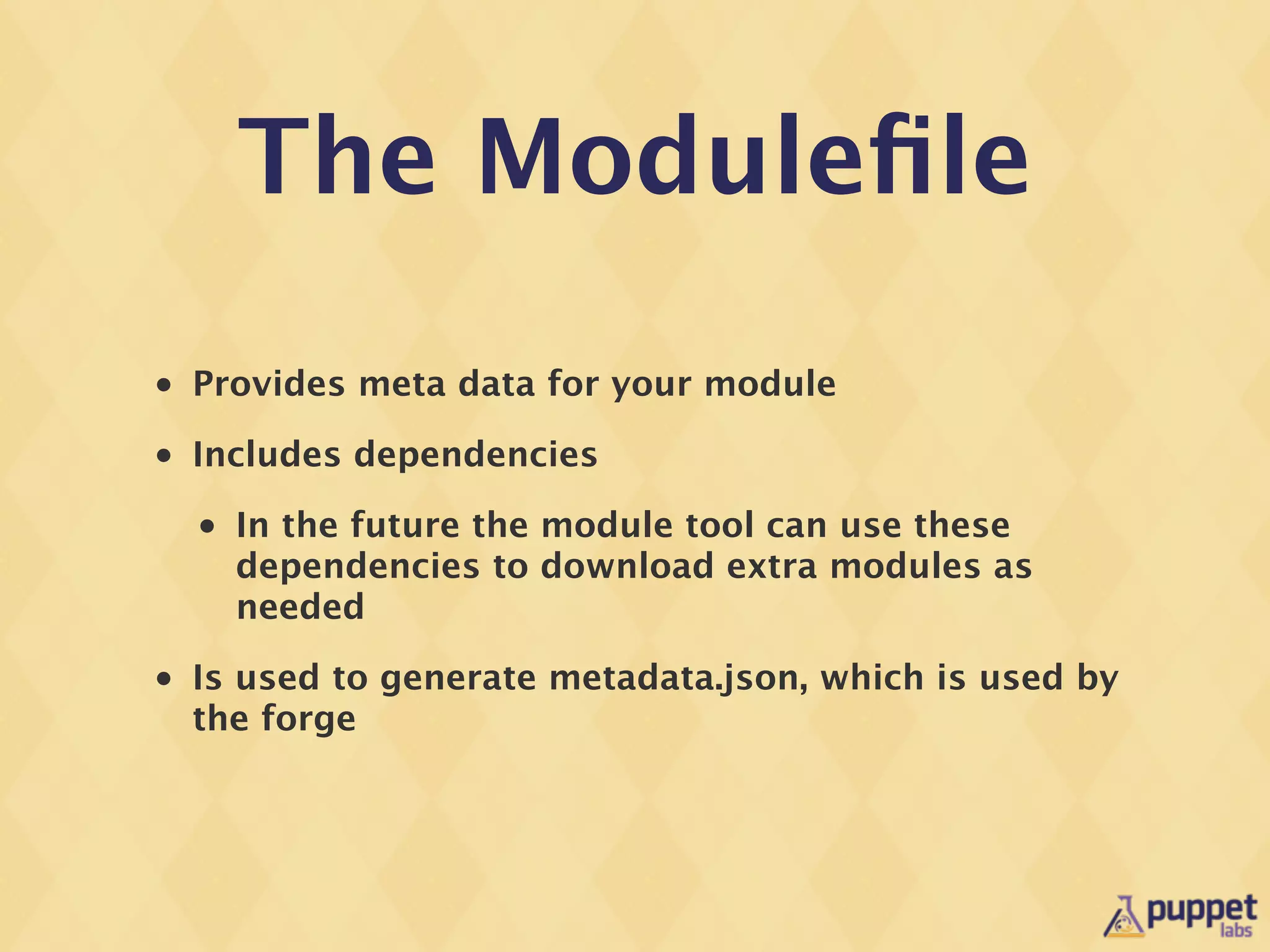
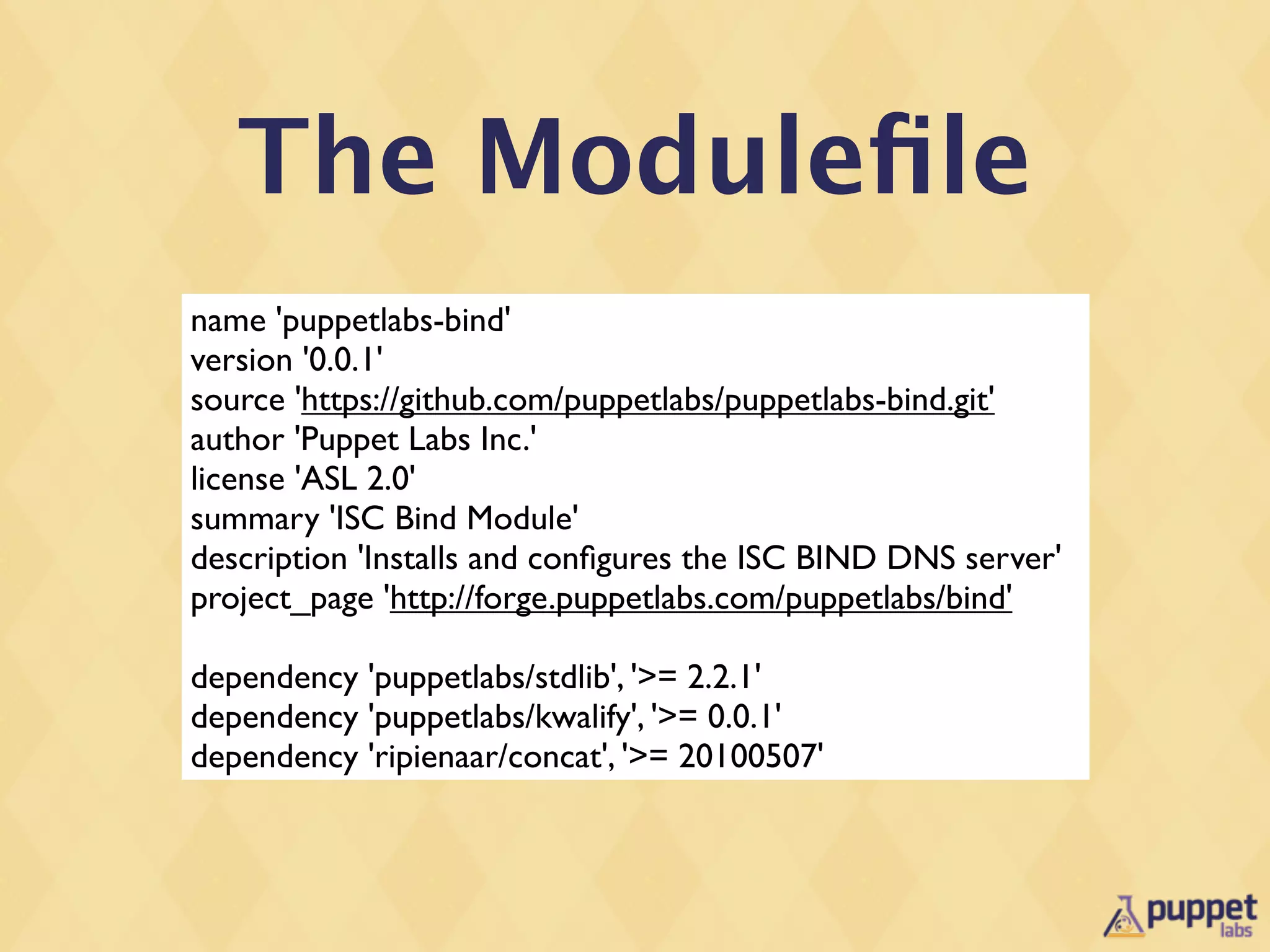
The Modulefile
•   Provides meta data for your module
•   Includes dependencies
    •   In the future the module tool can use these
        dependencies to download extra modules as
        needed
•   Is used to generate metadata.json, which is used by
    the forge
The Modulefile
name 'puppetlabs-bind'
version '0.0.1'
source 'https://github.com/puppetlabs/puppetlabs-bind.git'
author 'Puppet Labs Inc.'
license 'ASL 2.0'
summary 'ISC Bind Module'
description 'Installs and configures the ISC BIND DNS server'
project_page 'http://forge.puppetlabs.com/puppetlabs/bind'

dependency 'puppetlabs/stdlib', '>= 2.2.1'
dependency 'puppetlabs/kwalify', '>= 0.0.1'
dependency 'ripienaar/concat', '>= 20100507'
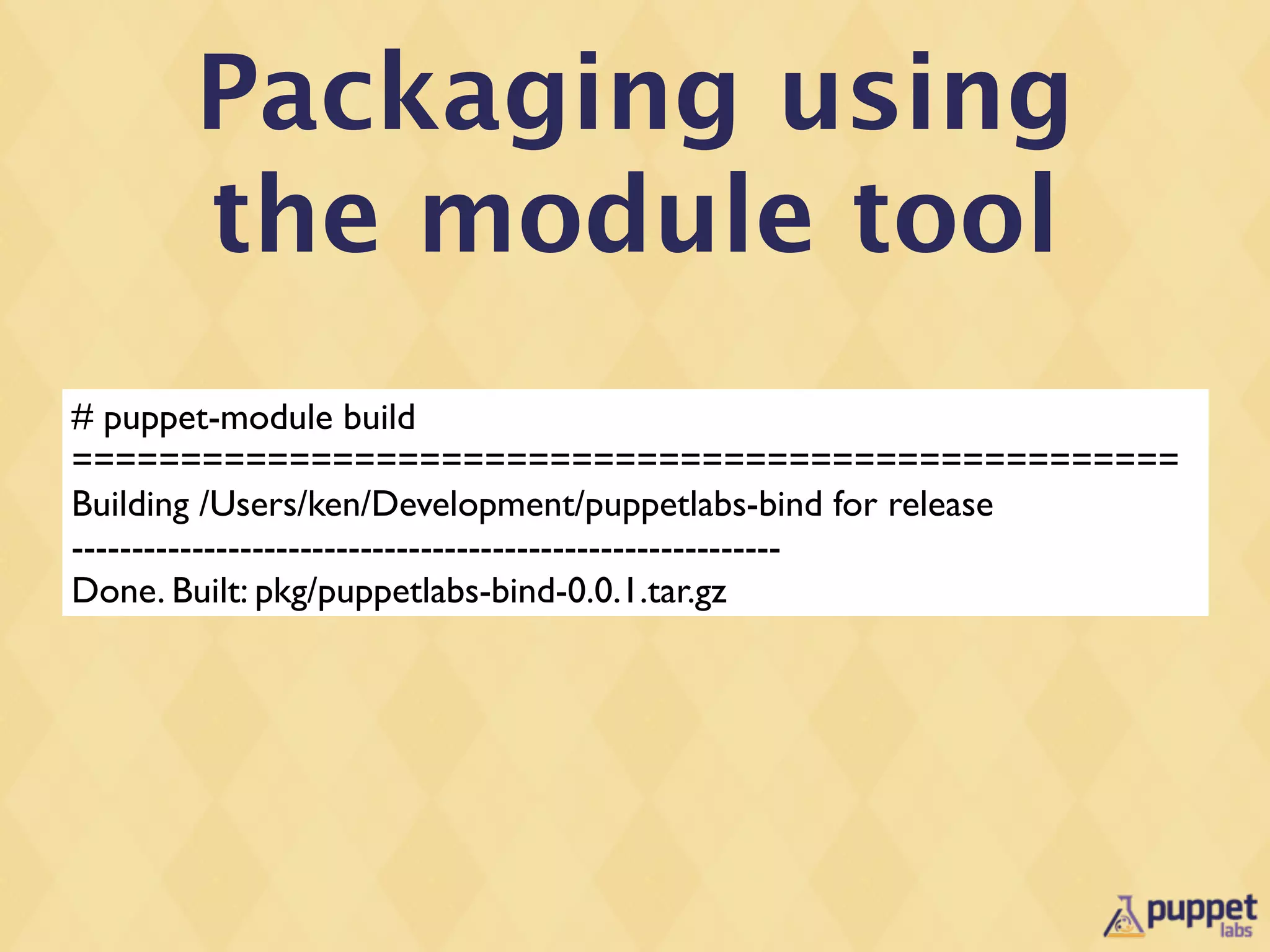
Packaging using
      the module tool
# puppet-module build
===================================================
Building /Users/ken/Development/puppetlabs-bind for release
-----------------------------------------------------------
Done. Built: pkg/puppetlabs-bind-0.0.1.tar.gz
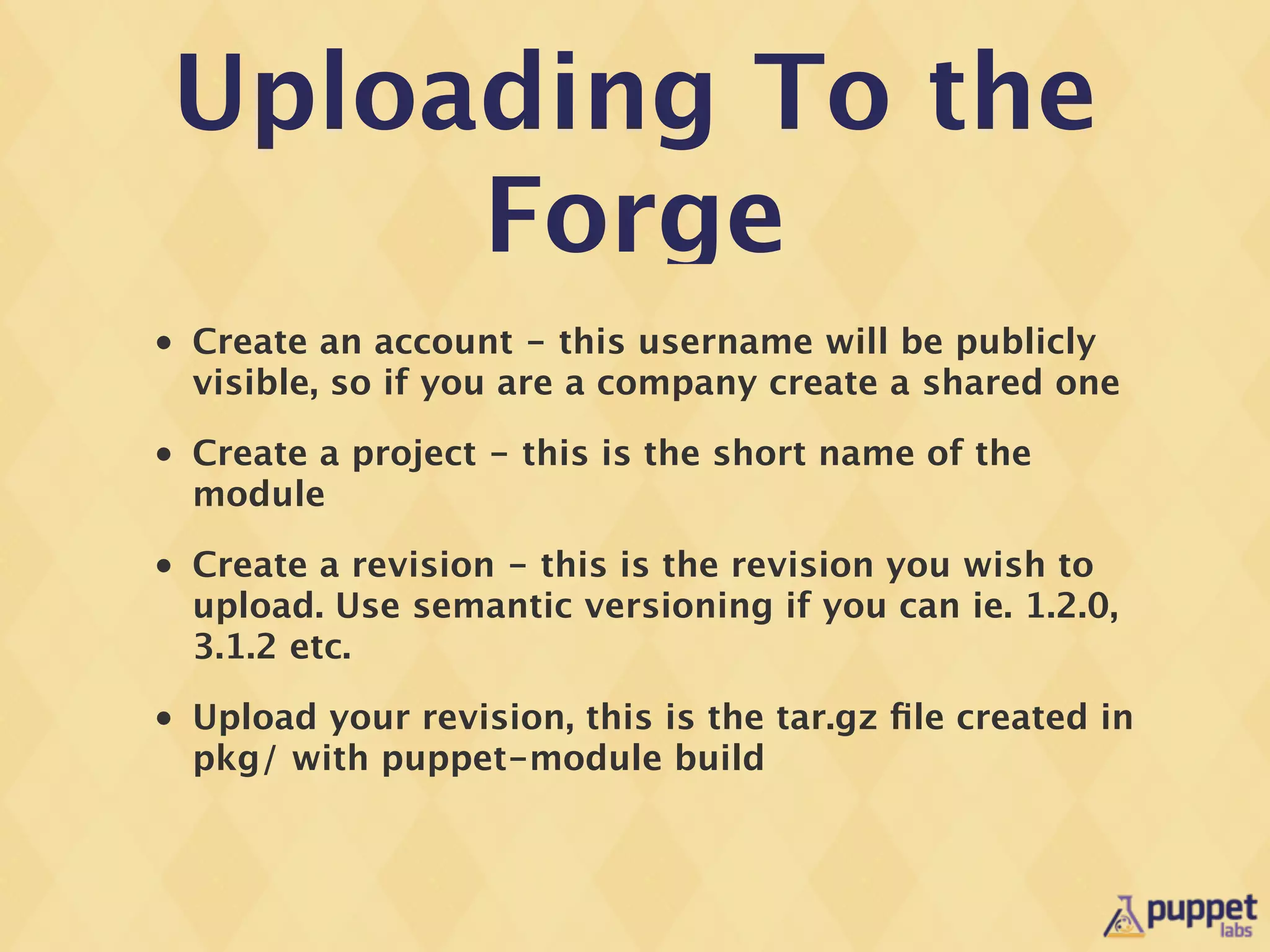
Uploading To the
     Forge
•   Create an account - this username will be publicly
    visible, so if you are a company create a shared one
•   Create a project - this is the short name of the
    module
•   Create a revision - this is the revision you wish to
    upload. Use semantic versioning if you can ie. 1.2.0,
    3.1.2 etc.
•   Upload your revision, this is the tar.gz file created in
    pkg/ with puppet-module build
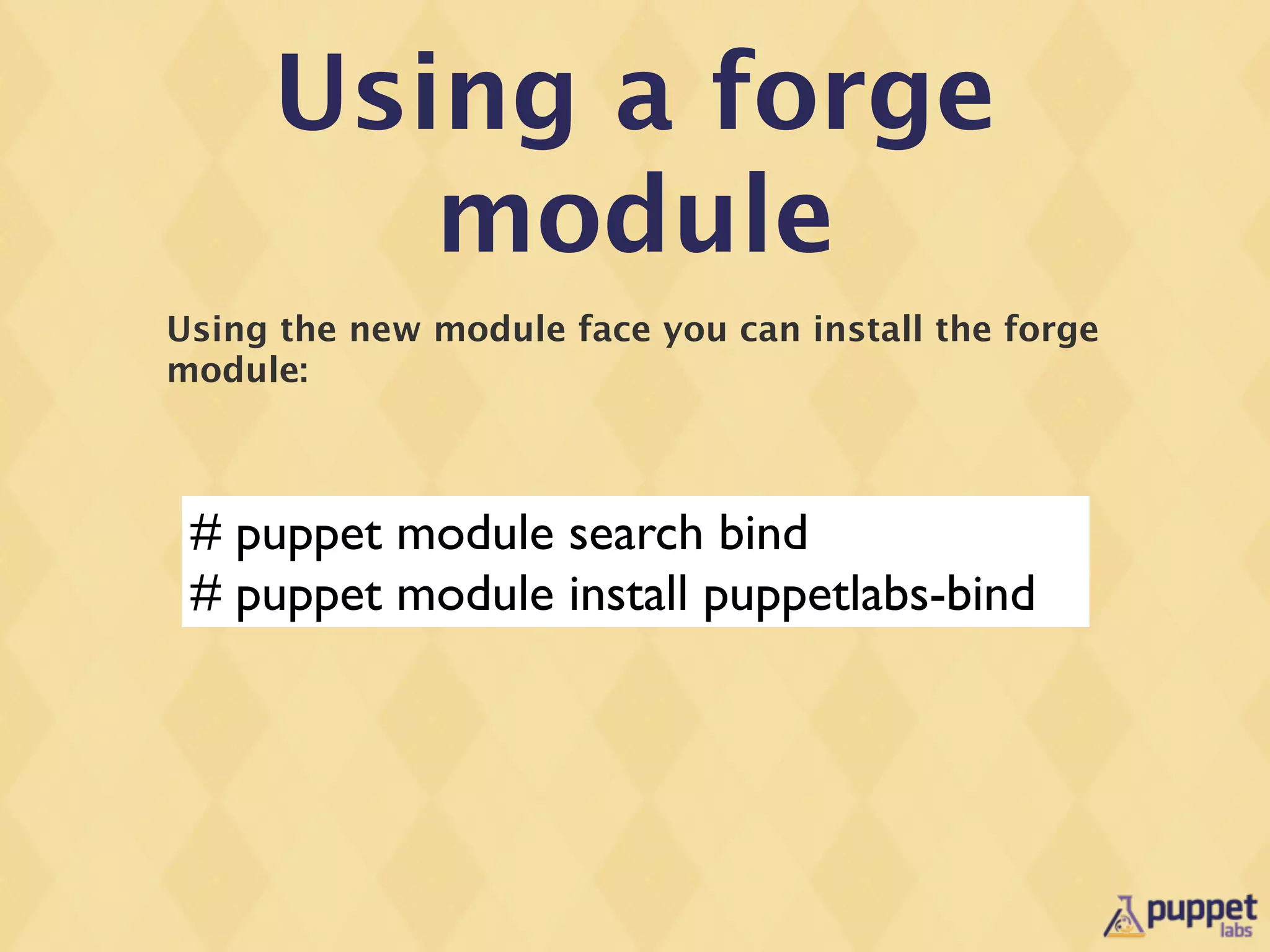
Using a forge
        module
Using the new module face you can install the forge
module:


 # puppet module search bind
 # puppet module install puppetlabs-bind
Future Work
Needed for Modules

•   Acceptance Testing
    •   ‘Real’ build testing, perhaps using monitoring
        frameworks for acceptance?
•   Hiera and data lookup methodology
    •   Using Hiera to emulate the params pattern
Any
Questions?

modern module development - Ken Barber 2012 Edinburgh Puppet Camp

  • 1.
    Modern Module Development 2012-03-23 Puppet Camp Edinburgh Ken Barber Professional Services Engineer ken@puppetlabs.com http://linkedin.com/in/ken_barber IRC & Twitter: @ken_barber
  • 2.
    What is amodule? • A re-usable way of sharing common components: • Classes • Defined Resources • Ruby Resources • Files • Templates • Functions • Facts
  • 3.
    We need more modules!
  • 4.
    and they needto be good quality ...
  • 5.
    Whats new(ish) in ModuleDevelopment? • Puppet Module Face • rspec-puppet • puppet-lint • Kwalify
  • 6.
  • 7.
  • 8.
    Class Patterns • Most installation and management problems consist of: • Installing software using files or packages • Modifying configuration files • Starting services
  • 9.
    We commonly refer tothis pattern as: Package, Config, Service
  • 10.
    Package Class class bind::package{ package { $bind::packages: ensure => installed, } }
  • 11.
    Config Class class bind::config{ file { $bind::config_file: content => template(“${module_name}/named.conf”), owner => $bind::user, group => $bind::group, mode => ‘0644’, } }
  • 12.
    Service Class class bind::service{ service { $bind::services: ensure => running, enable => true, hasstatus => true, hasrestart => true, } }
  • 13.
    Main Class class bind{ anchor { ‘bind::start’: }-> class { ‘bind::package’: }~> class { ‘bind::config’: }~> class { ‘bind::service’: }~> anchor { ‘bind::end’: } }
  • 14.
    What are anchors? • Provided in stdlib • Anchors are resource that ‘do nothing’ • They ensure the edge of the classes are demarcated properly so the graph executes in the expected order
  • 15.
  • 16.
    Defined Resources define bind::zone( $value = ‘nil’ ){ file { “/etc/bind/config.d/${name}.conf”: content => “${name} = ${value}n”, require => Class[‘bind::package’], notify => Class[‘bind::service’], } }
  • 17.
    Package, Config, Service Pattern • This pattern is good for ~80% of situations. • Deals with ordering in a non-complex way, working with defined resources as well.
  • 18.
  • 19.
    Default Parameters • Most parameters have OS dependant defaults. • In the past this was done with case statements in the main modules.
  • 20.
    Class Parameters • I generally use two types of class parameters: • User-tuneable parameters • Advanced parameters for overriding items such as package name, service name configuration file paths
  • 21.
    Params Pattern The trickis to move your OS based param lookup into manifests/params.pp: class bind::params { case $::operatingsystem { 'ubuntu', 'debian': { $package = 'bind9' $service = 'bind9' $config_dir = '/etc/bind' } ‘centos’, ‘redhat’: { $package = ‘bind’ $service = ‘bind’ $config_dir = ‘/etc/named’ } default: { fail(“Unknown OS: $::operatingsystem”) } } }
  • 22.
    Params Pattern Then inheritthis in your base class like so: class bind ( $package = $bind::params::package, $service = $bind::params::service, $config_dir = $bind::params::config_dir ) inherits bind::params { ... }
  • 23.
    Params Pattern Then elsewherein your code, reference the fully qualified parameter from your bind class: class bind::package { package { $bind::packages: ensure => installed, } }
  • 24.
    Puppet Module Tool willnow be a Puppet Face!
  • 25.
    Puppet Module Tool #puppet help module USAGE: puppet module <action> This subcommand can find, install, and manage modules from the Puppet Forge, a repository of user-contributed Puppet code. It can also generate empty modules, and prepare locally developed modules for release on the Forge. OPTIONS: --mode MODE - The run mode to use (user, agent, or master). --render-as FORMAT - The rendering format to use. --verbose - Whether to log verbosely. --debug - Whether to log debug information. ACTIONS: build Build a module release package. changes Show modified files of an installed module. clean Clean the module download cache. generate Generate boilerplate for a new module. install Install a module from a repository or release archive. list List installed modules search Search a repository for a module. uninstall Uninstall a puppet module. upgrade Upgrade a puppet module. See 'puppet man module' or 'man puppet-module' for full help.
  • 26.
    Puppet Module Face • Obviously still subject to design changes before release ....
  • 27.
  • 28.
    Validating Parameters • Your allowed set of class parameters are like an Interface Contract to your users • A lot of bugs in code are to do with bad input • We have three mechanisms for validating input: • parameter definitions in the class • stdlib validate_* functions • kwalify
  • 29.
    Kwalify Validation • Uses the kwalify library - which is a language independent way of validating JSON/YAML style data structures. • Kwalify has binding in many languages - so its a nice universal choice for structured data validation.
  • 30.
    Kwalify • Provides a single declarative way of defining what parameters are valid. • When validation fails, it shows all cases of failure. • Doesn’t handle logical validation across components - you’ll have to do this yourself.
  • 31.
    A Kwalify Schema in Puppet DSL $schema = { 'type' => 'map', 'mapping' => { 'name' => { 'type' => 'str', 'pattern' => '/^w+s*w+$/', }, 'age' => { 'type' => 'str', 'pattern' => '/^d+$/', }, } }
  • 32.
    Kwalify Validation in DSL classbind ( ... ){ $args = get_scope_args() $schema = { ... } kwalify($schema, $args) }
  • 33.
  • 34.
    rspec-puppet • Tim Sharpe (@rodjek) from Github created it • Rspec is often used by Puppet for testing, so it made sense for us to use rspec-puppet • The same facility can be used for testing Puppet DSL and Ruby code as well: providers, types, facts etc.
  • 35.
    rspec-puppet • Is able to test: • Classes • Defined Resources • Nodes • Functions
  • 36.
    rspec-puppet • Paths for tests: • Classes: • spec/classes/<name_of_class>_spec.rb • Defined Resources • spec/defines/<name_of_define>_spec.rb
  • 37.
    rspec-puppet For class testing,the idea is to test your compiled catalogue. The following just tests if your class compiles with no parameters: # spec/classes/bind_spec.rb require 'spec_helper' describe 'bind', :type => :class do let(:facts) do { :operatingsystem => "CentOS" } end describe 'when only mandatory parameters are provided' do let(:params) do {} end it 'class should get included' do subject.should contain_class('bind') end end end
  • 38.
    rspec-puppet You also wantto make sure your expectations of how the catalogue should look after compilation are met: it ‘bind package should be defined’ do subject.should contain_package(‘bind’) end it ‘bind service should be defined’ do subject.should contain_service(‘bind’) end
  • 39.
    rspec-puppet For testing templates, we can do something a little different: it 'changing authnxdomain should modify template' do params = { :config_options = "/tmp/named.conf.options" :options = { "authnxdomain" => "yes", } } content = param_value("file", "/tmp/named.conf.options", "content") content.should =~ /authnxdomain yes/ end
  • 40.
    rspec-puppet Requires a spec/spec_helper.rb file with appropriate settings: require 'rspec' require 'rspec-puppet' require 'puppet' require 'mocha' fixture_path = File.expand_path(File.join(File.dirname(__FILE__), 'fixtures')) RSpec.configure do |c| c.module_path = File.join(fixture_path, 'modules') c.manifest_dir = File.join(fixture_path, 'manifests') end
  • 41.
    rspec-puppet Also the followingshould be added to your Rakefile to get ‘rake spec’ to work: require 'rubygems' require 'rspec/core/rake_task' RSpec::Core::RakeTask.new do |t| t.pattern = 'spec/*/*_spec.rb' end
  • 42.
  • 43.
    Importance of Good CodingStyle • Code is read much more often then it is written (did Guido van Rossum say this?) • Other people being able to read your code is important to attract contributors • Contributors make your code better and ultimately more successful
  • 44.
    Style Guide • Available here: • http://docs.puppetlabs.com/guides/style_guide.html
  • 45.
    puppet-lint • Also made by Tim Sharpe from Github • Uses the Puppet Labs style guide • Saves time, as it tells you what is wrong with your content before a code review
  • 46.
    Using it inyour Rakefile Download the gem: gem install puppet-lint Then just add the following to your modules Rakefile: require 'puppet-lint/tasks/puppet-lint'
  • 47.
    Running it: # rakelint Evaluating manifests/init.pp Evaluating manifests/config.pp Evaluating manifests/package.pp Evaluating manifests/service.pp
  • 48.
  • 49.
    The Modulefile • Provides meta data for your module • Includes dependencies • In the future the module tool can use these dependencies to download extra modules as needed • Is used to generate metadata.json, which is used by the forge
  • 50.
    The Modulefile name 'puppetlabs-bind' version'0.0.1' source 'https://github.com/puppetlabs/puppetlabs-bind.git' author 'Puppet Labs Inc.' license 'ASL 2.0' summary 'ISC Bind Module' description 'Installs and configures the ISC BIND DNS server' project_page 'http://forge.puppetlabs.com/puppetlabs/bind' dependency 'puppetlabs/stdlib', '>= 2.2.1' dependency 'puppetlabs/kwalify', '>= 0.0.1' dependency 'ripienaar/concat', '>= 20100507'
  • 51.
    Packaging using the module tool # puppet-module build =================================================== Building /Users/ken/Development/puppetlabs-bind for release ----------------------------------------------------------- Done. Built: pkg/puppetlabs-bind-0.0.1.tar.gz
  • 52.
    Uploading To the Forge • Create an account - this username will be publicly visible, so if you are a company create a shared one • Create a project - this is the short name of the module • Create a revision - this is the revision you wish to upload. Use semantic versioning if you can ie. 1.2.0, 3.1.2 etc. • Upload your revision, this is the tar.gz file created in pkg/ with puppet-module build
  • 53.
    Using a forge module Using the new module face you can install the forge module: # puppet module search bind # puppet module install puppetlabs-bind
  • 54.
    Future Work Needed forModules • Acceptance Testing • ‘Real’ build testing, perhaps using monitoring frameworks for acceptance? • Hiera and data lookup methodology • Using Hiera to emulate the params pattern
  • 55.

Editor's Notes

  • #2 \n
  • #3 \n
  • #4 \n
  • #5 Which is what this talk will hopefully help you all achieve.\n
  • #6 New(ish) because most of these ideas have been kicking around for a while, but only used in anger recently. Kwalify is new, only published to the forge on Wednesday.\n
  • #7 I&amp;#x2019;ll show you some patterns, and jump back and forth between code and this slidepack. In my examples, I&amp;#x2019;ll but using my in-development &amp;#x2018;bind&amp;#x2019; module as the basis of some of my examples where applicable.\n
  • #8 Providing a consistent mechanism for writing a module means we get the boring stuff out of the way earlier. Less fapping about with style &amp; layout of code. It also means we can learn from others mistakes - and wins.\n
  • #9 If you&amp;#x2019;ve ever been to any of out training courses - we talk about this quite a bit.\n
  • #10 Or Package, File, Service - but file is a bit ambigous - since a package is a file right?\nThis pattern breaks these three major items into consecutive chunks, in Puppet terms - sub classes.\n
  • #11 Contains all &amp;#x2018;package&amp;#x2019; related data.\n
  • #12 Contains all &amp;#x2018;configuration&amp;#x2019; related resources.\n
  • #13 Contains all &amp;#x2018;service&amp;#x2019; related resources. Possibly even Cron or Scheduled jobs ...\nNext slide: main class\n
  • #14 This class &amp;#x2018;brings it all together&amp;#x2019; using anchors. This provides course grained relationships between the Package, Config &amp; Service classes. You can see our usage of chained resources, this is mainly so it looks sexy.\n
  • #15 Anchors may look strange, but you need them to surround classes to ensure ordering is done correctly. This is due to ambiguous boundaries for classes in the graph. This is more or less a work-around for a &amp;#x2018;bug&amp;#x2019; or design flaw, and is more obvious when you have multiple layers of classes.\n
  • #16 Defined resources fit well with this pattern because you can now just build up relationships with the classes. ie. you require the package class, and notify the service class.\n
  • #17 This is a contrived example, and not really how you would manage a zone - but I just want to show how a resource inside a defined resource can establish relationships with the course grained package,config,service classes. Also - the beauty of this - is that you can notify and require these classes _outside_ of the module.\n
  • #18 I generally drop this pattern in as a template for customers so they can just copy it and modify to taste.\nNext section: Params Pattern\n
  • #19 \n
  • #20 \n
  • #21 \n
  • #22 The default will stop the code from working on non-supported operating systems. This may not always be desirable, but sometime its hard to find reasonable defaults in this case.\n
  • #23 Yes - it looks wordy. Now you can use these variables directly in your class - $package, $service, $config_dir.\n
  • #24 By doing it this way, you allow users who define class parameters to override the params defaults.\nAlso - check out RI Pienaars patterns around using Hiera and his take on the params pattern using the Hiera Puppet backend.\nNext Topic: Puppet Module as a Face?\n
  • #25 \n
  • #26 \n
  • #27 \n
  • #28 \n
  • #29 \n
  • #30 \n
  • #31 \n
  • #32 At this point I&amp;#x2019;ll just drop to the console and show it in action.\n
  • #33 \n
  • #34 \n
  • #35 \n
  • #36 \n
  • #37 These are conventions for layouts, but its recommended sticking to these conventions for the examples to work.\n
  • #38 \n
  • #39 \n
  • #40 \n
  • #41 \n
  • #42 \n
  • #43 \n
  • #44 \n
  • #45 \n
  • #46 \n
  • #47 \n
  • #48 \n
  • #49 \n
  • #50 \n
  • #51 \n
  • #52 \n
  • #53 \n
  • #54 \n
  • #55 \n
  • #56 \n