Chasing AMI
Baking Amazon machine images with Jenkins,
Packer and Puppet
Tomas Doran
@bobtfish
2014-04-04
What’s the talk about?
• My thoughts on building a (hybrid?) cloud infrastructure
• Machine images
• Bootstrapping puppet
• Continuous delivery
• Why you need to be doing this, where to begin
• Full end to end acceptance testing!
• Doing multi-region right
• ‘Immutable’ servers and the ‘image as application’
pattern
3
Serious business
4
Serious business
5
Serious business
6
The world is changing
Serious business
7
The world is changing
Keep up, or die
Clouds = I don’t need a datacenter?
• Planning to run production parts of your business
• Multiple applications (or internal services)
• Want high availability!
• Doing significant traffic
!
• ‘A real datacenter in AWS’
• Proper VPC & VPN
• IAM all the things
!
Have to be prepared to invest in automation and testing
8
No silly! Clouds = rain, duh!
9
No silly! Clouds = rain, duh!
• Amazon will retire your instances
• Building a machine becomes a continuous
occurrence, not yearly hardware upgrades!
• AZs will fall over
• VPNs will undergo maintenance
• DirectConnects
10
No silly! Clouds = rain, duh!
• Amazon will retire your instances
• Building a machine becomes a continuous
occurrence, not yearly hardware upgrades!
• AZs will fall over
• VPNs will undergo maintenance
• DirectConnects
!
!
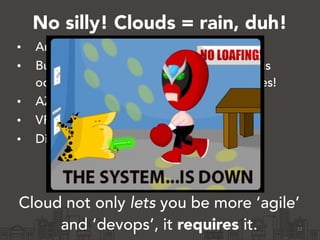
Cloud not only lets you be more ‘agile’
and ‘devops’, it requires it. 11
No silly! Clouds = rain, duh!
• Amazon will retire your instances
• Building a machine becomes a continuous
occurrence, not yearly hardware upgrades!
• AZs will fall over
• VPNs will undergo maintenance
• DirectConnects
!
!
Cloud not only lets you be more ‘agile’
and ‘devops’, it requires it. 12
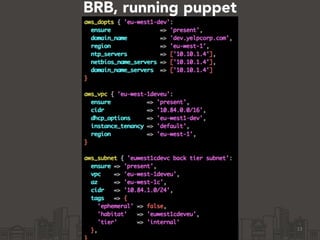
BRB, running puppet
13
14
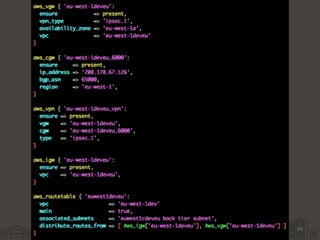
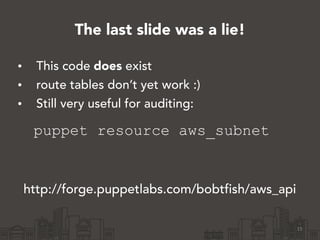
The last slide was a lie!
• This code does exist
• route tables don’t yet work :)
• Still very useful for auditing:
puppet resource aws_subnet
15
http://forge.puppetlabs.com/bobtfish/aws_api
So, I got a cloud!
Now lets make some servers!
• Launching machines in the console works.
• Add an ssh key in the console
• Boot a community image.
• ssh in…
• Install puppet and etc…
• You have a puppet master…
16
Woo, yay, (etc). That was easy!
• Now lets get some servers!
• Click ‘Launch’ in the console a bunch more
• Copy and paste the IP addresses
• for i in (…); do ssh $i
• install puppet
• run puppet
17
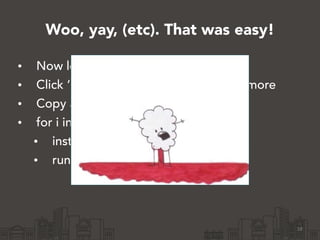
Woo, yay, (etc). That was easy!
• Now lets get some servers!
• Click ‘Launch’ in the console a bunch more
• Copy and paste the IP addresses
• for i in (…); do ssh $i
• install puppet
• run puppet
18
“D- must devops harder”
• What happens when puppetmaster instance
gets retired?
• LOL
19
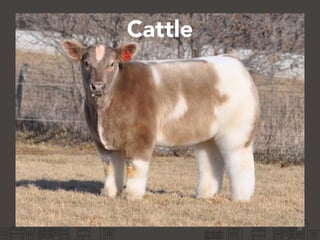
Cattle
20
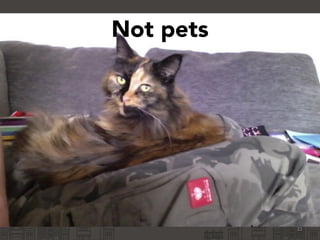
Not pets
21
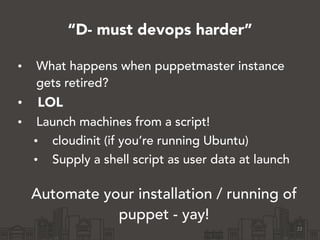
“D- must devops harder”
• What happens when puppetmaster instance
gets retired?
• LOL
• Launch machines from a script!
• cloudinit (if you’re running Ubuntu)
• Supply a shell script as user data at launch
!
Automate your installation / running of
puppet - yay!
22
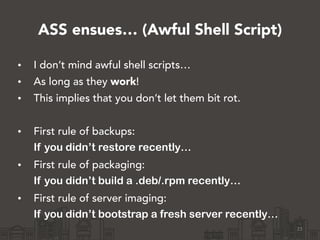
ASS ensues… (Awful Shell Script)
23
• I don’t mind awful shell scripts…
• As long as they work!
• This implies that you don’t let them bit rot.
!
• First rule of backups:
If you didn’t restore recently…
• First rule of packaging:
If you didn’t build a .deb/.rpm recently…
• First rule of server imaging:
If you didn’t bootstrap a fresh server recently…
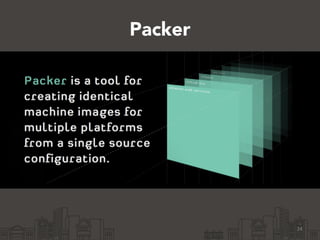
Packer
24
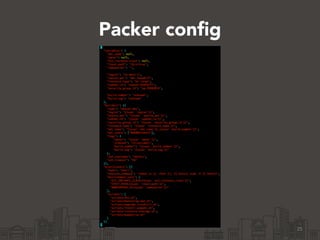
Packer config
25
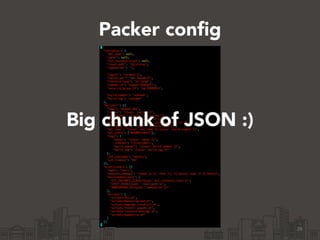
Packer config
26
Big chunk of JSON :)
Level up!
27
• Outputs an AMI!
• Splits the ‘build a machine’ and ‘launch a
machine’ steps.
• Bootstrapping scripts are still gross. :)
!
• Much better though - only launch ‘known
good’ images!
Uniform environments
• What do you develop on?
• If the answer is ‘AWS boxes provisioned the
same way’, congratulations :)
• But sometimes you want to be on a train…
!
• Packer does that too :)
28
AWS ssh key management
• Laaaaaame.
• Completely disconnected from IAMs
• Inline (admin) users into a base image
• Avoid using injected ssh keys at all
(At launch time - build time uses a unique key
per build)
29
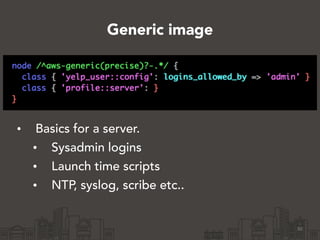
Generic image
• Basics for a server.
• Sysadmin logins
• Launch time scripts
• NTP, syslog, scribe etc..
30
Bootstrapping better?
31
• You have puppet code to manage
puppet.
• And ASS to setup/bootstrap puppet.
• These can easily get out of sync!
!
WEAK
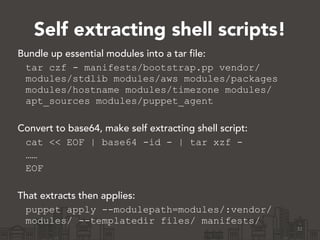
Self extracting shell scripts!
32
Bundle up essential modules into a tar file:
tar czf - manifests/bootstrap.pp vendor/
modules/stdlib modules/aws modules/packages
modules/hostname modules/timezone modules/
apt_sources modules/puppet_agent
!
Convert to base64, make self extracting shell script:
cat << EOF | base64 -id - | tar xzf -
……
EOF
!
That extracts then applies:
puppet apply --modulepath=modules/:vendor/
modules/ --templatedir files/ manifests/
33
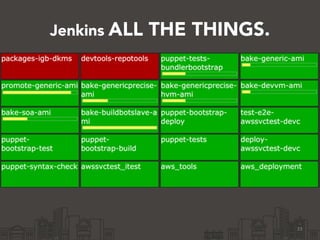
Jenkins ALL THE THINGS.
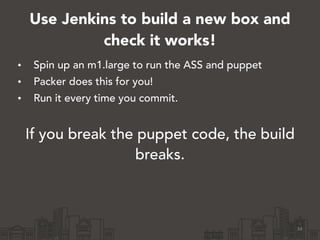
Use Jenkins to build a new box and
check it works!
34
• Spin up an m1.large to run the ASS and puppet
• Packer does this for you!
• Run it every time you commit.
!
If you break the puppet code, the build
breaks.
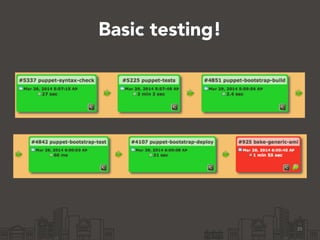
Basic testing!
35
This is only the beginning!
• Only know puppet runs ok, not that it
produces a working box.
• Don’t have a consistent way of knowing
exactly which SHA is good.
• You need single run convergence.
!
• Still a lot of value!
• Incrementally add testing later!
36
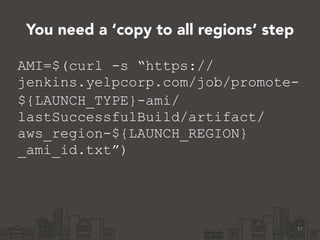
You need a ‘copy to all regions’ step
37
AMI=$(curl -s “https://
jenkins.yelpcorp.com/job/promote-
${LAUNCH_TYPE}-ami/
lastSuccessfulBuild/artifact/
aws_region-${LAUNCH_REGION}
_ami_id.txt”)
38
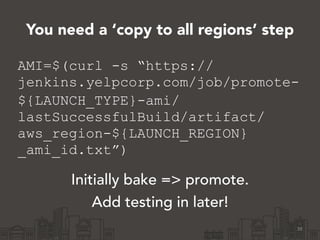
AMI=$(curl -s “https://
jenkins.yelpcorp.com/job/promote-
${LAUNCH_TYPE}-ami/
lastSuccessfulBuild/artifact/
aws_region-${LAUNCH_REGION}
_ami_id.txt”)
Initially bake => promote.
Add testing in later!
You need a ‘copy to all regions’ step
39
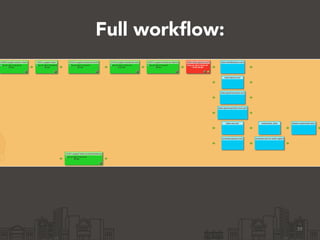
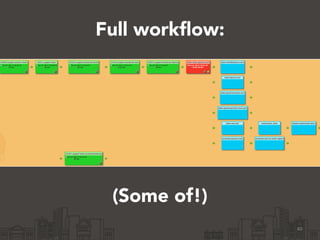
Full workflow:
40
Full workflow:
(Some of!)
Agile till it hurts
If you’re not mildly frightened,
you aren’t moving fast enough!
!
(Someone moving faster will put
you out of business)
41
Launch the same image anywhere
• Test launching in regions you didn’t build in!
• Switch scripts are an anti pattern
• You should make dynamic environment data
truly dynamic
• Use DNS based discovery
• Or zookeeper
42
For larger data you should try:
• Instance metadata as JSON
• Or an ssh key as instance metadata that lets
you clone a git repo
• Or rsync
• Or IAM roles
• That allow access to an S3 bucket you pull
configs from
• Or a combination of the above
43
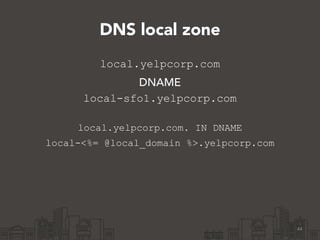
DNS local zone
local.yelpcorp.com
DNAME
local-sfo1.yelpcorp.com
!
local.yelpcorp.com. IN DNAME
local-<%= @local_domain %>.yelpcorp.com
44
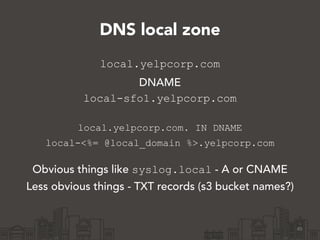
DNS local zone
local.yelpcorp.com
DNAME
local-sfo1.yelpcorp.com
!
local.yelpcorp.com. IN DNAME
local-<%= @local_domain %>.yelpcorp.com
Obvious things like syslog.local - A or CNAME
Less obvious things - TXT records (s3 bucket names?)
45
Custom certnames
node /^aws-srv-.*/ {
!
if Facter["is_ec2"].value == 'true' and
Facter['ec2_instance_class'].value != ‘unknown'
certname = “aws-#{Facter['ec2_instance_class'].value}-
#{Facter[‘aws_availability_zone'].value}-
#{Facter['ec2_instanceid'].value}"
end
!
• ENC alternative - with disadvantages - nodes could lie!
• SOA images are locked down anyway
• Autosign dangerous!?!
46
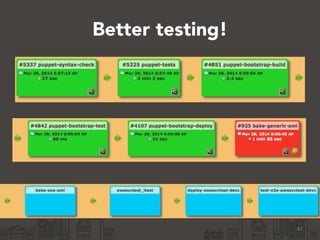
Better testing!
47
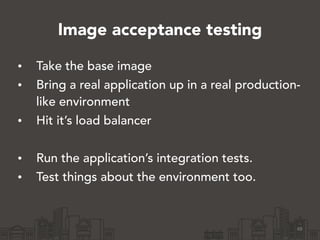
Image acceptance testing
• Take the base image
• Bring a real application up in a real production-
like environment
• Hit it’s load balancer
!
• Run the application’s integration tests.
• Test things about the environment too.
48
Image as application paradigm
• One AMI per application
• Want the whole cluster to be the same, all the time
• Don’t want adhoc puppet runs - they can break
things!
• Run puppet once, at build time.
49
‘Immutable’ servers.
Simian army
• Asgard
• Manages ELBs and ASGs
• Assumes it owns a VPC and 1 VPC per account
50
Simian army
• Asgard
• Manages ELBs and ASGs
• Assumes it owns a VPC and 1 VPC per account
!
!
• Janitor monkey
• Clean up untagged instances + AMIs
• No launch groups! Argh.. (Just ask amazon to
increase your limit to 2000?)
51
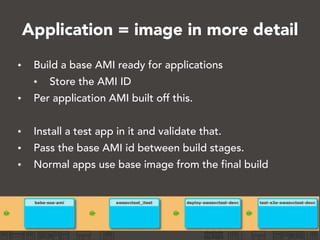
Application = image in more detail
• Build a base AMI ready for applications
• Store the AMI ID
• Per application AMI built off this.
!
• Install a test app in it and validate that.
• Pass the base AMI id between build stages.
• Normal apps use base image from the final build
52
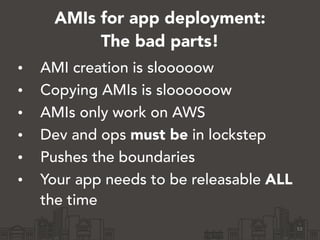
AMIs for app deployment:
The bad parts!
• AMI creation is slooooow
• Copying AMIs is sloooooow
• AMIs only work on AWS
• Dev and ops must be in lockstep
• Pushes the boundaries
• Your app needs to be releasable ALL
the time
53
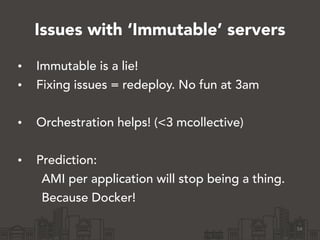
Issues with ‘Immutable’ servers
• Immutable is a lie!
• Fixing issues = redeploy. No fun at 3am
!
• Orchestration helps! (<3 mcollective)
!
• Prediction:
AMI per application will stop being a thing.
Because Docker!
54
Conclusion
• There is no ‘right’ infrastructure
• I don’t have all the answers!
• Come help me find them:
http://www.yelp.co.uk/careers?jvi=ogVTXfwL
!
Links:
http://www.slideshare.net/bobtfish
http://forge.puppetlabs.com/bobtfish/aws_api
https://gist.github.com/bobtfish/9970919
55
Conclusion
• There is no ‘right’ infrastructure
• I don’t have all the answers!
• Come help me find them:
http://www.yelp.co.uk/careers?jvi=ogVTXfwL
!
Links:
http://www.slideshare.net/bobtfish
http://forge.puppetlabs.com/bobtfish/aws_api
https://gist.github.com/bobtfish/9970919
56

Chasing AMI - Building Amazon machine images with Puppet, Packer and Jenkins

  • 2.
    Chasing AMI Baking Amazonmachine images with Jenkins, Packer and Puppet Tomas Doran @bobtfish 2014-04-04
  • 3.
    What’s the talkabout? • My thoughts on building a (hybrid?) cloud infrastructure • Machine images • Bootstrapping puppet • Continuous delivery • Why you need to be doing this, where to begin • Full end to end acceptance testing! • Doing multi-region right • ‘Immutable’ servers and the ‘image as application’ pattern 3
  • 4.
  • 5.
  • 6.
  • 7.
    Serious business 7 The worldis changing Keep up, or die
  • 8.
    Clouds = Idon’t need a datacenter? • Planning to run production parts of your business • Multiple applications (or internal services) • Want high availability! • Doing significant traffic ! • ‘A real datacenter in AWS’ • Proper VPC & VPN • IAM all the things ! Have to be prepared to invest in automation and testing 8
  • 9.
    No silly! Clouds= rain, duh! 9
  • 10.
    No silly! Clouds= rain, duh! • Amazon will retire your instances • Building a machine becomes a continuous occurrence, not yearly hardware upgrades! • AZs will fall over • VPNs will undergo maintenance • DirectConnects 10
  • 11.
    No silly! Clouds= rain, duh! • Amazon will retire your instances • Building a machine becomes a continuous occurrence, not yearly hardware upgrades! • AZs will fall over • VPNs will undergo maintenance • DirectConnects ! ! Cloud not only lets you be more ‘agile’ and ‘devops’, it requires it. 11
  • 12.
    No silly! Clouds= rain, duh! • Amazon will retire your instances • Building a machine becomes a continuous occurrence, not yearly hardware upgrades! • AZs will fall over • VPNs will undergo maintenance • DirectConnects ! ! Cloud not only lets you be more ‘agile’ and ‘devops’, it requires it. 12
  • 13.
  • 14.
  • 15.
    The last slidewas a lie! • This code does exist • route tables don’t yet work :) • Still very useful for auditing: puppet resource aws_subnet 15 http://forge.puppetlabs.com/bobtfish/aws_api
  • 16.
    So, I gota cloud! Now lets make some servers! • Launching machines in the console works. • Add an ssh key in the console • Boot a community image. • ssh in… • Install puppet and etc… • You have a puppet master… 16
  • 17.
    Woo, yay, (etc).That was easy! • Now lets get some servers! • Click ‘Launch’ in the console a bunch more • Copy and paste the IP addresses • for i in (…); do ssh $i • install puppet • run puppet 17
  • 18.
    Woo, yay, (etc).That was easy! • Now lets get some servers! • Click ‘Launch’ in the console a bunch more • Copy and paste the IP addresses • for i in (…); do ssh $i • install puppet • run puppet 18
  • 19.
    “D- must devopsharder” • What happens when puppetmaster instance gets retired? • LOL 19
  • 20.
  • 21.
  • 22.
    “D- must devopsharder” • What happens when puppetmaster instance gets retired? • LOL • Launch machines from a script! • cloudinit (if you’re running Ubuntu) • Supply a shell script as user data at launch ! Automate your installation / running of puppet - yay! 22
  • 23.
    ASS ensues… (AwfulShell Script) 23 • I don’t mind awful shell scripts… • As long as they work! • This implies that you don’t let them bit rot. ! • First rule of backups: If you didn’t restore recently… • First rule of packaging: If you didn’t build a .deb/.rpm recently… • First rule of server imaging: If you didn’t bootstrap a fresh server recently…
  • 24.
  • 25.
  • 26.
  • 27.
    Level up! 27 • Outputsan AMI! • Splits the ‘build a machine’ and ‘launch a machine’ steps. • Bootstrapping scripts are still gross. :) ! • Much better though - only launch ‘known good’ images!
  • 28.
    Uniform environments • Whatdo you develop on? • If the answer is ‘AWS boxes provisioned the same way’, congratulations :) • But sometimes you want to be on a train… ! • Packer does that too :) 28
  • 29.
    AWS ssh keymanagement • Laaaaaame. • Completely disconnected from IAMs • Inline (admin) users into a base image • Avoid using injected ssh keys at all (At launch time - build time uses a unique key per build) 29
  • 30.
    Generic image • Basicsfor a server. • Sysadmin logins • Launch time scripts • NTP, syslog, scribe etc.. 30
  • 31.
    Bootstrapping better? 31 • Youhave puppet code to manage puppet. • And ASS to setup/bootstrap puppet. • These can easily get out of sync! ! WEAK
  • 32.
    Self extracting shellscripts! 32 Bundle up essential modules into a tar file: tar czf - manifests/bootstrap.pp vendor/ modules/stdlib modules/aws modules/packages modules/hostname modules/timezone modules/ apt_sources modules/puppet_agent ! Convert to base64, make self extracting shell script: cat << EOF | base64 -id - | tar xzf - …… EOF ! That extracts then applies: puppet apply --modulepath=modules/:vendor/ modules/ --templatedir files/ manifests/
  • 33.
  • 34.
    Use Jenkins tobuild a new box and check it works! 34 • Spin up an m1.large to run the ASS and puppet • Packer does this for you! • Run it every time you commit. ! If you break the puppet code, the build breaks.
  • 35.
  • 36.
    This is onlythe beginning! • Only know puppet runs ok, not that it produces a working box. • Don’t have a consistent way of knowing exactly which SHA is good. • You need single run convergence. ! • Still a lot of value! • Incrementally add testing later! 36
  • 37.
    You need a‘copy to all regions’ step 37 AMI=$(curl -s “https:// jenkins.yelpcorp.com/job/promote- ${LAUNCH_TYPE}-ami/ lastSuccessfulBuild/artifact/ aws_region-${LAUNCH_REGION} _ami_id.txt”)
  • 38.
  • 39.
  • 40.
  • 41.
    Agile till ithurts If you’re not mildly frightened, you aren’t moving fast enough! ! (Someone moving faster will put you out of business) 41
  • 42.
    Launch the sameimage anywhere • Test launching in regions you didn’t build in! • Switch scripts are an anti pattern • You should make dynamic environment data truly dynamic • Use DNS based discovery • Or zookeeper 42
  • 43.
    For larger datayou should try: • Instance metadata as JSON • Or an ssh key as instance metadata that lets you clone a git repo • Or rsync • Or IAM roles • That allow access to an S3 bucket you pull configs from • Or a combination of the above 43
  • 44.
  • 45.
    DNS local zone local.yelpcorp.com DNAME local-sfo1.yelpcorp.com ! local.yelpcorp.com.IN DNAME local-<%= @local_domain %>.yelpcorp.com Obvious things like syslog.local - A or CNAME Less obvious things - TXT records (s3 bucket names?) 45
  • 46.
    Custom certnames node /^aws-srv-.*/{ ! if Facter["is_ec2"].value == 'true' and Facter['ec2_instance_class'].value != ‘unknown' certname = “aws-#{Facter['ec2_instance_class'].value}- #{Facter[‘aws_availability_zone'].value}- #{Facter['ec2_instanceid'].value}" end ! • ENC alternative - with disadvantages - nodes could lie! • SOA images are locked down anyway • Autosign dangerous!?! 46
  • 47.
  • 48.
    Image acceptance testing •Take the base image • Bring a real application up in a real production- like environment • Hit it’s load balancer ! • Run the application’s integration tests. • Test things about the environment too. 48
  • 49.
    Image as applicationparadigm • One AMI per application • Want the whole cluster to be the same, all the time • Don’t want adhoc puppet runs - they can break things! • Run puppet once, at build time. 49 ‘Immutable’ servers.
  • 50.
    Simian army • Asgard •Manages ELBs and ASGs • Assumes it owns a VPC and 1 VPC per account 50
  • 51.
    Simian army • Asgard •Manages ELBs and ASGs • Assumes it owns a VPC and 1 VPC per account ! ! • Janitor monkey • Clean up untagged instances + AMIs • No launch groups! Argh.. (Just ask amazon to increase your limit to 2000?) 51
  • 52.
    Application = imagein more detail • Build a base AMI ready for applications • Store the AMI ID • Per application AMI built off this. ! • Install a test app in it and validate that. • Pass the base AMI id between build stages. • Normal apps use base image from the final build 52
  • 53.
    AMIs for appdeployment: The bad parts! • AMI creation is slooooow • Copying AMIs is sloooooow • AMIs only work on AWS • Dev and ops must be in lockstep • Pushes the boundaries • Your app needs to be releasable ALL the time 53
  • 54.
    Issues with ‘Immutable’servers • Immutable is a lie! • Fixing issues = redeploy. No fun at 3am ! • Orchestration helps! (<3 mcollective) ! • Prediction: AMI per application will stop being a thing. Because Docker! 54
  • 55.
    Conclusion • There isno ‘right’ infrastructure • I don’t have all the answers! • Come help me find them: http://www.yelp.co.uk/careers?jvi=ogVTXfwL ! Links: http://www.slideshare.net/bobtfish http://forge.puppetlabs.com/bobtfish/aws_api https://gist.github.com/bobtfish/9970919 55
  • 56.
    Conclusion • There isno ‘right’ infrastructure • I don’t have all the answers! • Come help me find them: http://www.yelp.co.uk/careers?jvi=ogVTXfwL ! Links: http://www.slideshare.net/bobtfish http://forge.puppetlabs.com/bobtfish/aws_api https://gist.github.com/bobtfish/9970919 56