Mobile Learning Exchange Dan Sutch  [email_address]   Lyndsay Grant [email_address]
Stimulating a culture of innovation in education
digital divide    mobility    personalisation    ownership    portable    location sensitive    embedded technologies    linking home and school experiences    mobile learning    widening access to resources    empowering learners    augmented realities    context sensitive    authentic audiences    collaborative tools    communication tools    hard to reach learners    self organisation    5m under 16s own a mobile phone    conversational learning    supportive technologies    one to one access    social skills     distributed access to experts    sensor technologies    situated learning    engagement and motivation    change to student-teacher relationships    kinaesthetic learning   mobile technologies    authentic purpose    developing students’ confidence    enabling new learning networks     90% of young people own a mobile phone    incidental learning    conversation in context    ubiquitous learning    25% primary children own a mobile phone    multimedia capabilities    autonomous learners    community learning    multiple communication channels    opportunistic learning    enabling tool Possibilities and practicalities
‘ Pulsating Networks of Learning’ Pulsating Mobility = ‘coming together and dispersing’ (Engestrom) Networks People (facilitated through technology) from variety of backgrounds, varied/various communities of practice Learn ing Not just networks of learn ers , but locative/location sensitive technologies  can  enable the environment to provide relevant, appropriate feedback
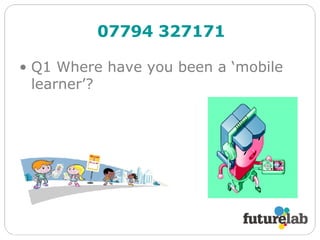
Q1 Where have you been a ‘mobile learner’? 07794 327171
http://www.futurelab.org.uk/resources   Literature Reviews Mobile technologies and Learning Learning with digital technologies in museums, science centres and galleries Further Literature Networked Learning Social software   Projects http://www.futurelab.org.uk/projects   Send your text to:   07794 327171
digital divide    mobility    personalisation    ownership    portable    location sensitive    embedded technologies    linking home and school experiences     mobile learning     widening access to resources    empowering learners    augmented realities    context sensitive    authentic audiences    collaborative tools    communication tools    hard to reach learners    self organisation    5m under 16s own a mobile phone    conversational learning    supportive technologies    one to one access    social skills     distributed access to experts    sensor technologies    situated learning    engagement and motivation    change to student-teacher relationships    kinaesthetic learning   mobile technologies     authentic purpose    developing students’ confidence    enabling new learning networks     90% of young people own a mobile phone    incidental learning    conversation in context    ubiquitous learning    25% primary children own a mobile phone    multimedia capabilities    autonomous learners    community learning    multiple communication channels    opportunistic learning    enabling tool Possibilities and practicalities Send your text to:   07794 327171
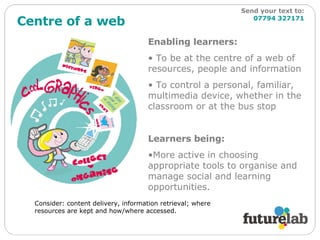
Centre of a web Enabling learners: To be at the centre of a web of resources, people and information To control a personal, familiar, multimedia device, whether in the classroom or at the bus stop Learners being: More active in choosing appropriate tools to organise and manage social and learning opportunities. Consider: content delivery, information retrieval; where resources are kept and how/where accessed. Send your text to:   07794 327171
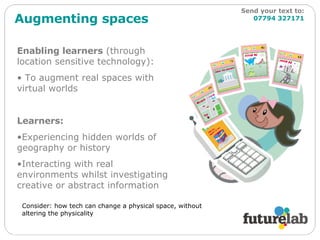
Augmenting spaces Enabling learners  (through location sensitive technology): To augment real spaces with virtual worlds Learners: Experiencing hidden worlds of geography or history Interacting with real environments whilst investigating creative or abstract information Consider: how tech can change a physical space, without altering the physicality Send your text to:   07794 327171
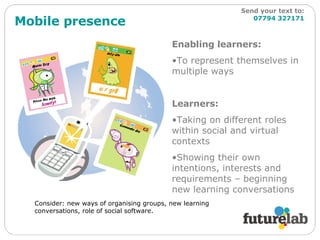
Mobile presence Enabling learners: To represent themselves in multiple ways Learners: Taking on different roles within social and virtual contexts Showing their own intentions, interests and requirements – beginning new learning conversations Consider: new ways of organising groups, new learning conversations, role of social software. Send your text to:   07794 327171
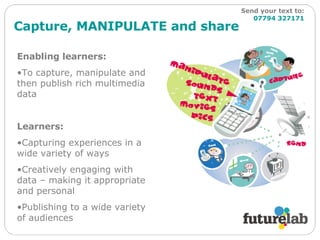
Capture, MANIPULATE and share Enabling learners: To capture, manipulate and then publish rich multimedia data Learners: Capturing experiences in a wide variety of ways Creatively engaging with data – making it appropriate and personal  Publishing to a wide variety of audiences Send your text to:   07794 327171
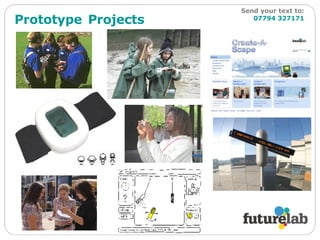
Prototype   Projects   Send your text to:   07794 327171
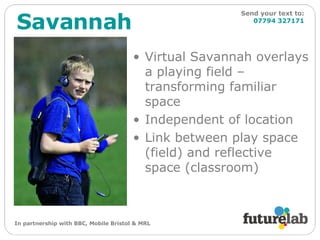
Virtual Savannah overlays a playing field – transforming familiar space Independent of location Link between play space (field) and reflective space (classroom) Savannah Send your text to:   07794 327171 In partnership with BBC, Mobile Bristol & MRL
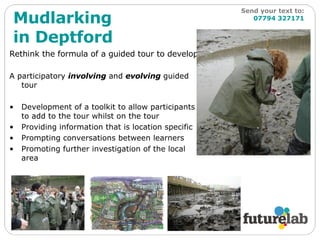
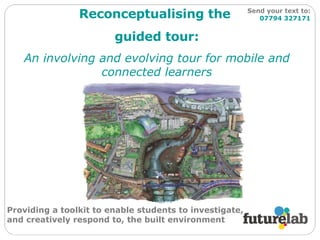
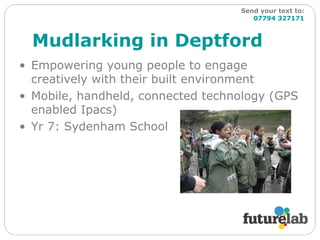
Rethink the formula of a guided tour to develop: A participatory  involving  and  evolving  guided tour Development of a toolkit to allow participants to add to the tour whilst on the tour Providing information that is location specific Prompting conversations between learners Promoting further investigation of the local area Mudlarking in Deptford Send your text to:   07794 327171
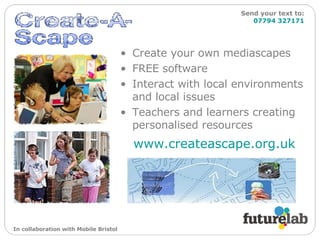
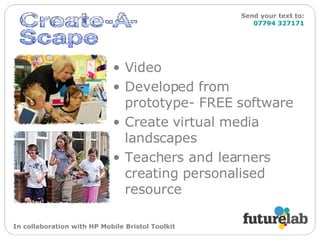
Create your own mediascapes FREE software Interact with local environments and local issues Teachers and learners creating personalised resources www.createascape.org.uk   Send your text to:   07794 327171 In collaboration with Mobile Bristol
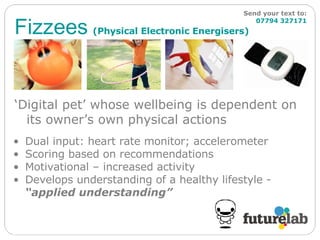
Fizzees   (Physical Electronic Energisers) Send your text to:   07794 327171 ‘ Digital pet’ whose wellbeing is dependent on its owner’s own physical actions Dual input: heart rate monitor; accelerometer  Scoring based on recommendations  Motivational – increased activity Develops understanding of a healthy lifestyle -  “applied understanding”
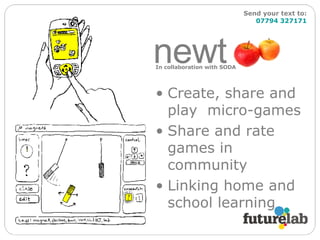
Create, share and play  micro-games Share and rate games in community Linking home and school learning newt  n Send your text to:   07794 327171 In collaboration with SODA
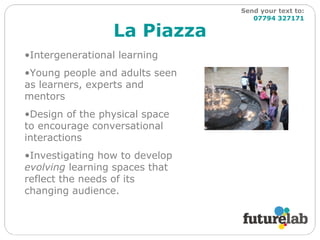
La Piazza Send your text to:   07794 327171 Intergenerational learning Young people and adults seen as learners, experts and mentors Design of the physical space to encourage conversational interactions Investigating how to develop  evolving  learning spaces that reflect the needs of its changing audience.
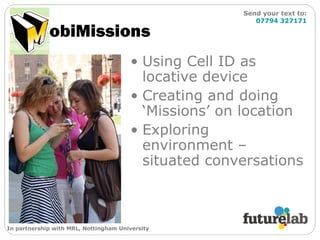
obiMissions Using Cell ID as locative device Creating and doing ‘Missions’ on location Exploring environment – situated conversations Send your text to:   07794 327171 In partnership with MRL, Nottingham University
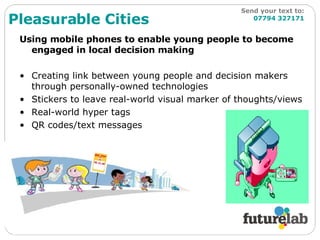
Using mobile phones to enable young people to become engaged in local decision making Creating link between young people and decision makers through personally-owned technologies Stickers to leave real-world visual marker of thoughts/views Real-world hyper tags QR codes/text messages Pleasurable Cities Send your text to:   07794 327171
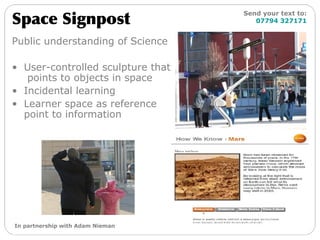
Public understanding of Science User-controlled sculpture that  points to objects in space Incidental learning Learner space as reference point to information Space Signpost Send your text to:   07794 327171 In partnership with Adam Nieman
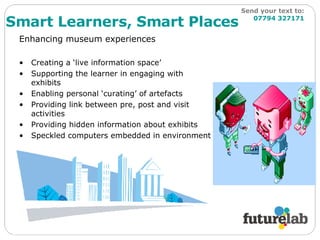
Enhancing museum experiences  Creating a ‘live information space’ Supporting the learner in engaging with exhibits Enabling personal ‘curating’ of artefacts Providing link between pre, post and visit activities Providing hidden information about exhibits Speckled computers embedded in environment Smart Learners, Smart Places Send your text to:   07794 327171
Mobile learning and mobile technology Mobile learning doesn’t have to involve mobile technology at all… Learning happens in different locations & places – connecting worlds  Utilise what is good about technologies: connected, portable, enable people to ‘create, manipulate & share’ and communicate ‘ The learner is mobile, rather than the technology’   MOBilearn project, 2005 Questions so far? More information on all projects can be found at: www.futurelab.org.uk/projects  Send your text to:   07794 327171
A locative, mobile and collaborative experience using cell ID and cameraphones obiMissions Send your text to:   07794 327171
Location-based social games Using cellular network as a locative device Investigate location-based games on a ubiquitous device More than a ‘third screen’ If the primary purpose of  education  is to enable children to understand, control and ultimately  change their environment , the  city itself  must be mobilised as a  learning resource  (Ward, 1978) Send your text to:   07794 327171
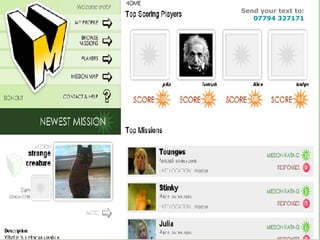
MobiMissions Creating and Responding to ‘Missions’ on the phone challenges, questions, requests for information, puzzles, treasure hunts, etc Website gives overview Search and view Missions and Responses Leave comments and ratings Points awarded through play and  others’ ratings Send your text to:   07794 327171
Send your text to:   07794 327171
Trials 17 participants 5 weeks Significant factors affecting participation Identification of future possibilities Send your text to:   07794 327171
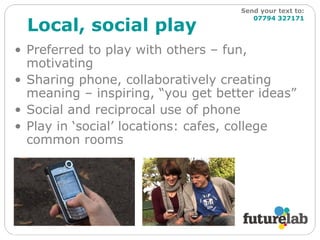
Local, social play Preferred to play with others – fun, motivating Sharing phone, collaboratively creating meaning – inspiring, “you get better ideas” Social and reciprocal use of phone Play in ‘social’ locations: cafes, college common rooms Send your text to:   07794 327171
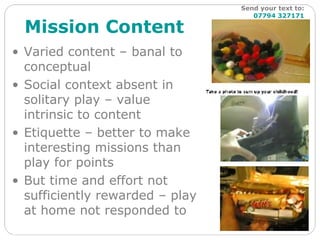
Mission Content Varied content – banal to conceptual Social context absent in solitary play – value  intrinsic to content Etiquette – better to make interesting missions than play for points But time and effort not sufficiently rewarded – play at home not responded to Send your text to:   07794 327171
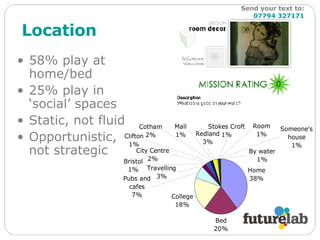
Location 58% play at home/bed 25% play in ‘social’ spaces Static, not fluid Opportunistic, not strategic Send your text to:   07794 327171
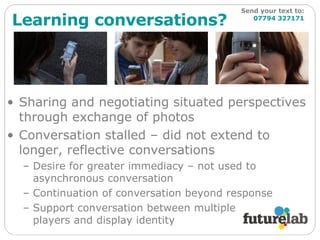
Learning conversations? Sharing and negotiating situated perspectives through exchange of photos Conversation stalled – did not extend to longer, reflective conversations Desire for greater immediacy – not used to asynchronous conversation Continuation of conversation beyond response Support conversation between multiple  players and display identity Send your text to:   07794 327171
Future possibilities Site-specific: interact with content, location, other visitors in theme parks etc, linked historical sites, ‘secret histories’… School: connect school to field study, change over time, mapping resources in local communities… Local interest groups: birdwatchers, historians, environmentalists… An empowering technology? Send your text to:   07794 327171
Savannah Insert video here! Send your text to:   07794 327171
Mudlarking in Deptford Reconceptualising the  guided tour: An involving and evolving tour for mobile and connected learners Providing a toolkit to enable students to investigate, and creatively respond to, the built environment Send your text to:   07794 327171
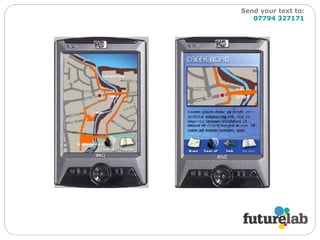
Mudlarking in Deptford Empowering young people to engage creatively with their built environment Mobile, handheld, connected technology (GPS enabled Ipacs) Yr 7: Sydenham School Send your text to:   07794 327171
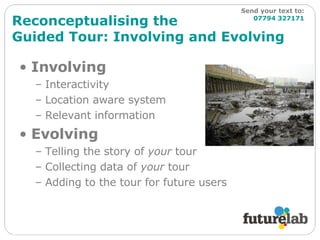
Reconceptualising the  Guided Tour: Involving and Evolving Involving Interactivity Location aware system Relevant information Evolving Telling the story of  your  tour Collecting data of  your  tour Adding to the tour for future users Send your text to:   07794 327171
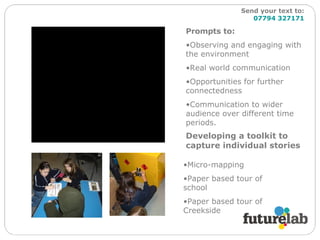
Developing a toolkit to capture individual stories Prompts to: Observing and engaging with the environment Real world communication Opportunities for further connectedness Communication to wider audience over different time periods. Micro-mapping Paper based tour of school Paper based tour of Creekside Send your text to:   07794 327171
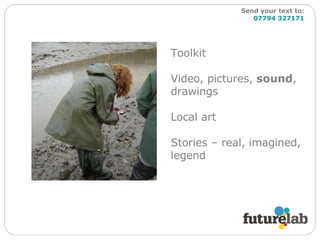
Toolkit Video, pictures,  sound , drawings Local art Stories – real, imagined, legend Send your text to:   07794 327171
Journey nodes Local artists, local stories, images of different seasons  Send your text to:   07794 327171
Send your text to:   07794 327171
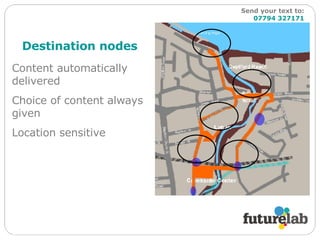
Destination nodes Content automatically delivered Choice of content always given Location sensitive Send your text to:   07794 327171
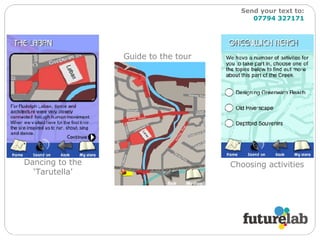
Dancing to the ‘Tarutella’ Guide to the tour Choosing activities Send your text to:   07794 327171
Interactivity Q&A Polls Questionnaires Photographs Video Sound Dancing Story telling Acting Leaving questions for experts Send your text to:   07794 327171
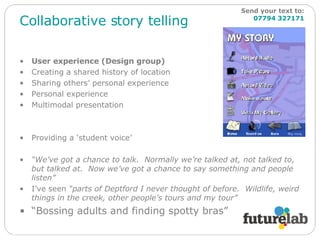
Collaborative story telling User experience (Design group) Creating a shared history of location Sharing others’ personal experience Personal experience Multimodal presentation Providing a ‘student voice’ “ We’ve got a chance to talk.  Normally we’re talked at, not talked to, but talked at.  Now we’ve got a chance to say something and people listen” I’ve seen  “parts of Deptford I never thought of before.  Wildlife, weird things in the creek, other people’s tours and my tour” “ Bossing adults and finding spotty bras” Send your text to:   07794 327171
Questions… Q2 What are the barriers to developing these approaches and ideas in your school / context? Send your text to:   07794 327171
Video Developed from prototype- FREE software  Create virtual media landscapes Teachers and learners creating personalised resource In collaboration with HP Mobile Bristol Toolkit Send your text to:   07794 327171
Questions… Q1 Where have you been a ‘mobile learner’? Q2 What are the barriers to developing these approaches and ideas in your school / context? Send your text to:   07794 327171
Playing with possibilities Why are you interested in mobile learning?  What are the practicalities of adopting these approaches?  Sharing stories of mobile learning?  Next steps?  Practical activities Photo board and elicitation of what is the opportunity in your local area Asset mapping (within and without school) What does a digital technology free mobile learning experience look like? What does a ‘smart learners…’ approach look like? Send your text to:   07794 327171

Mobile Learning Exchange

  • 1.
    Mobile Learning ExchangeDan Sutch [email_address] Lyndsay Grant [email_address]
  • 2.
    Stimulating a cultureof innovation in education
  • 3.
    digital divide  mobility  personalisation  ownership  portable  location sensitive  embedded technologies  linking home and school experiences  mobile learning  widening access to resources  empowering learners  augmented realities  context sensitive  authentic audiences  collaborative tools  communication tools  hard to reach learners  self organisation  5m under 16s own a mobile phone  conversational learning  supportive technologies  one to one access  social skills  distributed access to experts  sensor technologies  situated learning  engagement and motivation  change to student-teacher relationships  kinaesthetic learning  mobile technologies  authentic purpose  developing students’ confidence  enabling new learning networks  90% of young people own a mobile phone  incidental learning  conversation in context  ubiquitous learning  25% primary children own a mobile phone  multimedia capabilities  autonomous learners  community learning  multiple communication channels  opportunistic learning  enabling tool Possibilities and practicalities
  • 4.
    ‘ Pulsating Networksof Learning’ Pulsating Mobility = ‘coming together and dispersing’ (Engestrom) Networks People (facilitated through technology) from variety of backgrounds, varied/various communities of practice Learn ing Not just networks of learn ers , but locative/location sensitive technologies can enable the environment to provide relevant, appropriate feedback
  • 5.
    Q1 Where haveyou been a ‘mobile learner’? 07794 327171
  • 6.
    http://www.futurelab.org.uk/resources Literature Reviews Mobile technologies and Learning Learning with digital technologies in museums, science centres and galleries Further Literature Networked Learning Social software Projects http://www.futurelab.org.uk/projects Send your text to: 07794 327171
  • 7.
    digital divide  mobility  personalisation  ownership  portable  location sensitive  embedded technologies  linking home and school experiences  mobile learning  widening access to resources  empowering learners  augmented realities  context sensitive  authentic audiences  collaborative tools  communication tools  hard to reach learners  self organisation  5m under 16s own a mobile phone  conversational learning  supportive technologies  one to one access  social skills  distributed access to experts  sensor technologies  situated learning  engagement and motivation  change to student-teacher relationships  kinaesthetic learning  mobile technologies  authentic purpose  developing students’ confidence  enabling new learning networks  90% of young people own a mobile phone  incidental learning  conversation in context  ubiquitous learning  25% primary children own a mobile phone  multimedia capabilities  autonomous learners  community learning  multiple communication channels  opportunistic learning  enabling tool Possibilities and practicalities Send your text to: 07794 327171
  • 8.
    Centre of aweb Enabling learners: To be at the centre of a web of resources, people and information To control a personal, familiar, multimedia device, whether in the classroom or at the bus stop Learners being: More active in choosing appropriate tools to organise and manage social and learning opportunities. Consider: content delivery, information retrieval; where resources are kept and how/where accessed. Send your text to: 07794 327171
  • 9.
    Augmenting spaces Enablinglearners (through location sensitive technology): To augment real spaces with virtual worlds Learners: Experiencing hidden worlds of geography or history Interacting with real environments whilst investigating creative or abstract information Consider: how tech can change a physical space, without altering the physicality Send your text to: 07794 327171
  • 10.
    Mobile presence Enablinglearners: To represent themselves in multiple ways Learners: Taking on different roles within social and virtual contexts Showing their own intentions, interests and requirements – beginning new learning conversations Consider: new ways of organising groups, new learning conversations, role of social software. Send your text to: 07794 327171
  • 11.
    Capture, MANIPULATE andshare Enabling learners: To capture, manipulate and then publish rich multimedia data Learners: Capturing experiences in a wide variety of ways Creatively engaging with data – making it appropriate and personal Publishing to a wide variety of audiences Send your text to: 07794 327171
  • 12.
    Prototype Projects Send your text to: 07794 327171
  • 13.
    Virtual Savannah overlaysa playing field – transforming familiar space Independent of location Link between play space (field) and reflective space (classroom) Savannah Send your text to: 07794 327171 In partnership with BBC, Mobile Bristol & MRL
  • 14.
    Rethink the formulaof a guided tour to develop: A participatory involving and evolving guided tour Development of a toolkit to allow participants to add to the tour whilst on the tour Providing information that is location specific Prompting conversations between learners Promoting further investigation of the local area Mudlarking in Deptford Send your text to: 07794 327171
  • 15.
    Create your ownmediascapes FREE software Interact with local environments and local issues Teachers and learners creating personalised resources www.createascape.org.uk Send your text to: 07794 327171 In collaboration with Mobile Bristol
  • 16.
    Fizzees (Physical Electronic Energisers) Send your text to: 07794 327171 ‘ Digital pet’ whose wellbeing is dependent on its owner’s own physical actions Dual input: heart rate monitor; accelerometer Scoring based on recommendations Motivational – increased activity Develops understanding of a healthy lifestyle - “applied understanding”
  • 17.
    Create, share andplay micro-games Share and rate games in community Linking home and school learning newt n Send your text to: 07794 327171 In collaboration with SODA
  • 18.
    La Piazza Sendyour text to: 07794 327171 Intergenerational learning Young people and adults seen as learners, experts and mentors Design of the physical space to encourage conversational interactions Investigating how to develop evolving learning spaces that reflect the needs of its changing audience.
  • 19.
    obiMissions Using CellID as locative device Creating and doing ‘Missions’ on location Exploring environment – situated conversations Send your text to: 07794 327171 In partnership with MRL, Nottingham University
  • 20.
    Using mobile phonesto enable young people to become engaged in local decision making Creating link between young people and decision makers through personally-owned technologies Stickers to leave real-world visual marker of thoughts/views Real-world hyper tags QR codes/text messages Pleasurable Cities Send your text to: 07794 327171
  • 21.
    Public understanding ofScience User-controlled sculpture that points to objects in space Incidental learning Learner space as reference point to information Space Signpost Send your text to: 07794 327171 In partnership with Adam Nieman
  • 22.
    Enhancing museum experiences Creating a ‘live information space’ Supporting the learner in engaging with exhibits Enabling personal ‘curating’ of artefacts Providing link between pre, post and visit activities Providing hidden information about exhibits Speckled computers embedded in environment Smart Learners, Smart Places Send your text to: 07794 327171
  • 23.
    Mobile learning andmobile technology Mobile learning doesn’t have to involve mobile technology at all… Learning happens in different locations & places – connecting worlds Utilise what is good about technologies: connected, portable, enable people to ‘create, manipulate & share’ and communicate ‘ The learner is mobile, rather than the technology’ MOBilearn project, 2005 Questions so far? More information on all projects can be found at: www.futurelab.org.uk/projects Send your text to: 07794 327171
  • 24.
    A locative, mobileand collaborative experience using cell ID and cameraphones obiMissions Send your text to: 07794 327171
  • 25.
    Location-based social gamesUsing cellular network as a locative device Investigate location-based games on a ubiquitous device More than a ‘third screen’ If the primary purpose of education is to enable children to understand, control and ultimately change their environment , the city itself must be mobilised as a learning resource (Ward, 1978) Send your text to: 07794 327171
  • 26.
    MobiMissions Creating andResponding to ‘Missions’ on the phone challenges, questions, requests for information, puzzles, treasure hunts, etc Website gives overview Search and view Missions and Responses Leave comments and ratings Points awarded through play and others’ ratings Send your text to: 07794 327171
  • 27.
    Send your textto: 07794 327171
  • 28.
    Trials 17 participants5 weeks Significant factors affecting participation Identification of future possibilities Send your text to: 07794 327171
  • 29.
    Local, social playPreferred to play with others – fun, motivating Sharing phone, collaboratively creating meaning – inspiring, “you get better ideas” Social and reciprocal use of phone Play in ‘social’ locations: cafes, college common rooms Send your text to: 07794 327171
  • 30.
    Mission Content Variedcontent – banal to conceptual Social context absent in solitary play – value intrinsic to content Etiquette – better to make interesting missions than play for points But time and effort not sufficiently rewarded – play at home not responded to Send your text to: 07794 327171
  • 31.
    Location 58% playat home/bed 25% play in ‘social’ spaces Static, not fluid Opportunistic, not strategic Send your text to: 07794 327171
  • 32.
    Learning conversations? Sharingand negotiating situated perspectives through exchange of photos Conversation stalled – did not extend to longer, reflective conversations Desire for greater immediacy – not used to asynchronous conversation Continuation of conversation beyond response Support conversation between multiple players and display identity Send your text to: 07794 327171
  • 33.
    Future possibilities Site-specific:interact with content, location, other visitors in theme parks etc, linked historical sites, ‘secret histories’… School: connect school to field study, change over time, mapping resources in local communities… Local interest groups: birdwatchers, historians, environmentalists… An empowering technology? Send your text to: 07794 327171
  • 34.
    Savannah Insert videohere! Send your text to: 07794 327171
  • 35.
    Mudlarking in DeptfordReconceptualising the guided tour: An involving and evolving tour for mobile and connected learners Providing a toolkit to enable students to investigate, and creatively respond to, the built environment Send your text to: 07794 327171
  • 36.
    Mudlarking in DeptfordEmpowering young people to engage creatively with their built environment Mobile, handheld, connected technology (GPS enabled Ipacs) Yr 7: Sydenham School Send your text to: 07794 327171
  • 37.
    Reconceptualising the Guided Tour: Involving and Evolving Involving Interactivity Location aware system Relevant information Evolving Telling the story of your tour Collecting data of your tour Adding to the tour for future users Send your text to: 07794 327171
  • 38.
    Developing a toolkitto capture individual stories Prompts to: Observing and engaging with the environment Real world communication Opportunities for further connectedness Communication to wider audience over different time periods. Micro-mapping Paper based tour of school Paper based tour of Creekside Send your text to: 07794 327171
  • 39.
    Toolkit Video, pictures, sound , drawings Local art Stories – real, imagined, legend Send your text to: 07794 327171
  • 40.
    Journey nodes Localartists, local stories, images of different seasons Send your text to: 07794 327171
  • 41.
    Send your textto: 07794 327171
  • 42.
    Destination nodes Contentautomatically delivered Choice of content always given Location sensitive Send your text to: 07794 327171
  • 43.
    Dancing to the‘Tarutella’ Guide to the tour Choosing activities Send your text to: 07794 327171
  • 44.
    Interactivity Q&A PollsQuestionnaires Photographs Video Sound Dancing Story telling Acting Leaving questions for experts Send your text to: 07794 327171
  • 45.
    Collaborative story tellingUser experience (Design group) Creating a shared history of location Sharing others’ personal experience Personal experience Multimodal presentation Providing a ‘student voice’ “ We’ve got a chance to talk. Normally we’re talked at, not talked to, but talked at. Now we’ve got a chance to say something and people listen” I’ve seen “parts of Deptford I never thought of before. Wildlife, weird things in the creek, other people’s tours and my tour” “ Bossing adults and finding spotty bras” Send your text to: 07794 327171
  • 46.
    Questions… Q2 Whatare the barriers to developing these approaches and ideas in your school / context? Send your text to: 07794 327171
  • 47.
    Video Developed fromprototype- FREE software Create virtual media landscapes Teachers and learners creating personalised resource In collaboration with HP Mobile Bristol Toolkit Send your text to: 07794 327171
  • 48.
    Questions… Q1 Wherehave you been a ‘mobile learner’? Q2 What are the barriers to developing these approaches and ideas in your school / context? Send your text to: 07794 327171
  • 49.
    Playing with possibilitiesWhy are you interested in mobile learning? What are the practicalities of adopting these approaches? Sharing stories of mobile learning? Next steps? Practical activities Photo board and elicitation of what is the opportunity in your local area Asset mapping (within and without school) What does a digital technology free mobile learning experience look like? What does a ‘smart learners…’ approach look like? Send your text to: 07794 327171

Editor's Notes

  • #2 Opening Screen – no comments.