Simple Technique and Approach
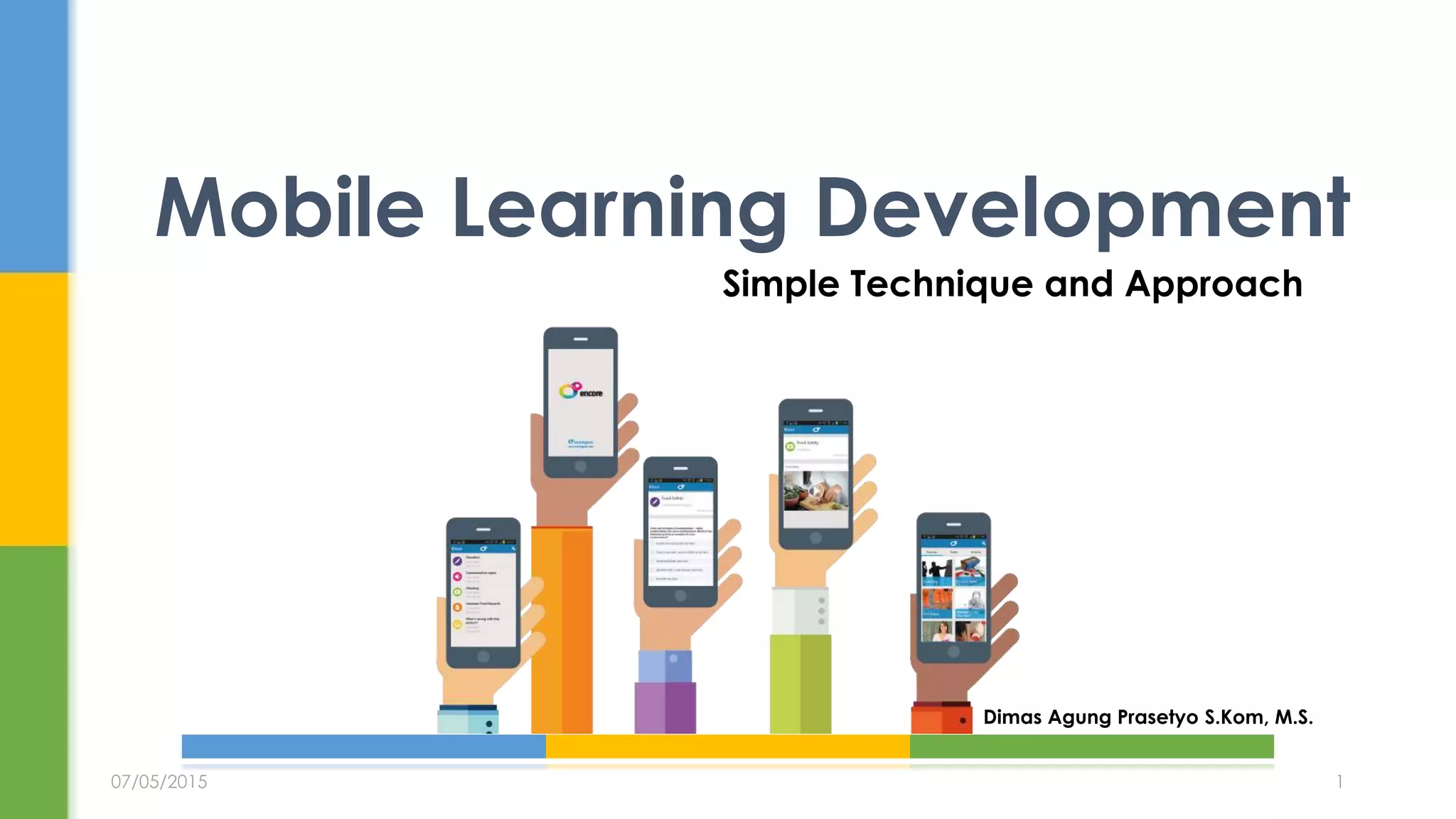
Mobile Learning Development
Dimas Agung Prasetyo S.Kom, M.S.
07/05/2015 1
 Ada banyak anggapan:
 Penggunaan teknologi mobile untuk membantu proses belajar, pencarian referensi atau informasi yang
berguna kepada individu pada saat tertentu atau kondisi yang spesifik.(Float Learning)
 Aktivitas apapun yang dilakukan sehingga membuat seseorang menjadi lebih produktif ketika menggunakan,
berinteraksi, atau membuat informasi melalui perangkat digital yang compact dan portable yang biasa
dibawa pada kegiatan sehari-hari.(eLearning Guild)
 Adalah suatu proses pembelajaran yang bisa diakses kapanpun dan dimanapun untuk mendukung
proses peningkatan kemampuan / akuisisi skill dan atau pengetahuan baru melalui perangkat mobile
yang bisa memfasilitasi just-in-time learning dan on-demand learning. M-learning dapat dihantarkan
pada situasi formal atau tidak formal, terstruktur atau tidak terstruktur namun harus fleksibel,
mendukung proses belajar mandiri (self paced dan self directed).
 M-learning berorientasi kepada pembelajarnya bukan teknologinya
Apa itu Mobile Learning
07/05/2015 2
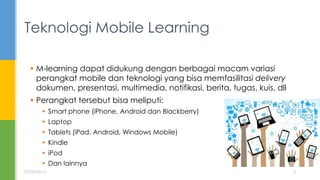
 M-learning dapat didukung dengan berbagai macam variasi
perangkat mobile dan teknologi yang bisa memfasilitasi delivery
dokumen, presentasi, multimedia, notifikasi, berita, tugas, kuis, dll
 Perangkat tersebut bisa meliputi:
 Smart phone (iPhone, Android dan Blackberry)
 Laptop
 Tablets (iPad, Android, Windows Mobile)
 Kindle
 iPod
 Dan lainnya
Teknologi Mobile Learning
07/05/2015 3
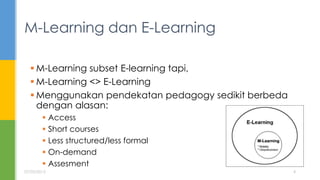
 M-Learning subset E-learning tapi,
 M-Learning <> E-Learning
 Menggunakan pendekatan pedagogy sedikit berbeda
dengan alasan:
 Access
 Short courses
 Less structured/less formal
 On-demand
 Assesment
M-Learning dan E-Learning
07/05/2015 4
 Bite-sized short chunks of learning
 ‘Just-in-time’ ‘just-enough’ atau ‘just-for me’ learning
 Easy to use
 Practical and contextual
 NOT e-learning delivered on a mobile device
 Informal – ‘on the go’ learning
 Interactive
 Knowledge distribution vs knowledge presentation
 Portable
 Platform independent
Ideal M-Learning?
07/05/2015 5
 Cons:
 Asumsi umum di masa lalu: MAHAL
 Skills khusus / programmer
 Tools tertentu
 Pilihanteknologi terbatas
 Java
 Flash
 Dikerjakan pihak ketiga
 Lifecycle pendek
Tantangan Pengembangan
07/05/2015 6
 Pros:
 Munculnya standar baru (open dan interoperability)
 Open Source
 HTML5
 AJAX
 Video dan Audio Codec
 Responsive design
 Metode ‘One Fit All’
 Pilihan authoring tools
 Camtasia
 Adobe Family
 Articulate Family
 Ispring
 Integrasi dengan ‘traditional authoring tools’ -> Power Point 
Tantangan Pengembangan
07/05/2015 7
 De Facto teaching tool
 Mudah dipelajari dan digunakan
 Memiliki fitur multimedia dan interaktif
 Memiliki addon dari pihak ketiga
 E-Learning/Mlearning content authoring tools
 Interaktivitas tingkat lanjut
 Fitur assement
 Untuk contoh:
 ISPRING FREE
 PHONEGAP BUILD
MS POWERPOINT
07/05/2015 8
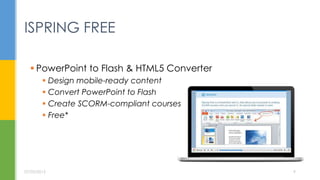
 PowerPoint to Flash & HTML5 Converter
 Design mobile-ready content
 Convert PowerPoint to Flash
 Create SCORM-compliant courses
 Free*
ISPRING FREE
07/05/2015 9
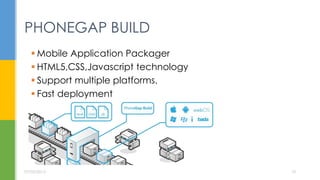
 Mobile Application Packager
 HTML5,CSS,Javascript technology
 Support multiple platforms.
 Fast deployment
PHONEGAP BUILD
07/05/2015 10
07/05/2015 11
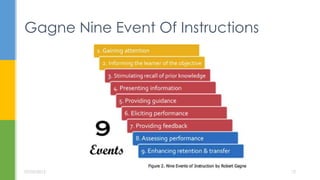
Gagne Nine Event Of Instructions
07/05/2015 12
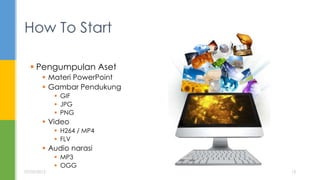
 Pengumpulan Aset
 Materi PowerPoint
 Gambar Pendukung
 GIF
 JPG
 PNG
 Video
 H264 / MP4
 FLV
 Audio narasi
 MP3
 OGG
How To Start
07/05/2015 13
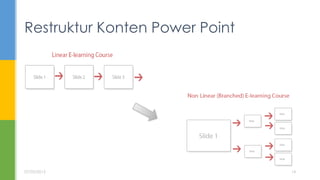
Restruktur Konten Power Point
07/05/2015 14
 Consider the Device
 Keep the specific device you're designing for in mind (iPad,
Android device, iPhone, etc.).
 Beware of Flash and other formats that aren't compatible across
all devices.
 Consider the various inputs on the device you're designing for
(keyboard, scroll-wheel, touch, directional pad, etc.).
UX Design Best Practices
07/05/2015 15
 User Experience
 Avoid scrolling because it can be more difficult on the smaller
screen.
 Understand and observe how users hold the intended device.
 Keep quizzes short and concise, keep options restricted to two or
three.
 If linking to outside sides, notify learners they are leaving the
mobile-optimized course.
 Keep course size very small, chunk into max. 10-15 minute pieces.
 Consider landscape view vs. portrait view for your e-learning.
UX Design Best Practices
07/05/2015 16
 Imagery
 Use bold imagery and images on white backgrounds.
 Maximize the use of icons and graphics to represent content
instead of text.
 Don't use images that are irrelevant or too large.
 Use clear and simple images.
 Provide strong visual cues (bright colors, descriptive icons, etc.).
UX Design Best Practices
07/05/2015 17
 Fonts
 Make your default font size at least 14pt.
 12pt font is the very smallest font size you should use.
 Don't use text in images, some devices compress images or
render fuzzy images.
 Designing mobile learning with system fonts is safest option.
 When using custom fonts, make sure they render nicely and you
have web font licenses.
 Keep the number of custom fonts to a minimum (they increase
page load time).
UX Design Best Practices
07/05/2015 18
 Buttons and Input Fields
 Large buttons are a must for mobile device navigation.
 Place buttons like Submit and Cancel far away from each other
(minimize users pressing the wrong button.).
 Leave a lot of space around your buttons (at the very least,
10px).
 Make your buttons bright, bold and highly visible.
 Use clear and very descriptive action verbs on your buttons.
 Keep the input fields to a minimum (try to use large checkboxes
or radio buttons instead).
UX Design Best Practices
07/05/2015 19
 Additional Tips
 Leave plenty of white space around your on screen items.
 Optimizing and compressing any audio and video files is critical
for fast mobile experiences.
 Preview your mobile design early and often.
 Develop content that is crystal clear and easy to understand.
UX Design Best Practices
07/05/2015 20
 Images engage learners more than words.
 Storytelling makes learning relateable.(audio)
 Video can be there when you cannot.
 Consistency is key.
 Video is just more fun!
 It’s not as expensive as you think.
Instructional Design Best Practices
07/05/2015 21
 Ekspor ke format html5 menggunakan ISPRING
 Untuk LMS
 SCORM
 IMS
 THIN CAN
 Mobile
 Pure HTM5
 ZIP
 Gunakan phonegap build untuk menghasilkan
application untuk berbagai macam platform mobile
MENGEKSPOR KONTEN
07/05/2015 22
Demo ispring dan phonegap build
DEMO
07/05/2015 23
 http://www.aurionlearning.com/assets/pdf/What%20is%20
Mlearning.pdf
 https://community.articulate.com/
 https://community.articulate.com/articles/design-mobile-
learning-like-a-pro-best-practices-for-mlearning
 https://www.opensesame.com/blog/6-reasons-why-
video-fantastic-medium-training
Sumber
07/05/2015 24

Mobile Learning Content Development

  • 1.
    Simple Technique andApproach Mobile Learning Development Dimas Agung Prasetyo S.Kom, M.S. 07/05/2015 1
  • 2.
     Ada banyakanggapan:  Penggunaan teknologi mobile untuk membantu proses belajar, pencarian referensi atau informasi yang berguna kepada individu pada saat tertentu atau kondisi yang spesifik.(Float Learning)  Aktivitas apapun yang dilakukan sehingga membuat seseorang menjadi lebih produktif ketika menggunakan, berinteraksi, atau membuat informasi melalui perangkat digital yang compact dan portable yang biasa dibawa pada kegiatan sehari-hari.(eLearning Guild)  Adalah suatu proses pembelajaran yang bisa diakses kapanpun dan dimanapun untuk mendukung proses peningkatan kemampuan / akuisisi skill dan atau pengetahuan baru melalui perangkat mobile yang bisa memfasilitasi just-in-time learning dan on-demand learning. M-learning dapat dihantarkan pada situasi formal atau tidak formal, terstruktur atau tidak terstruktur namun harus fleksibel, mendukung proses belajar mandiri (self paced dan self directed).  M-learning berorientasi kepada pembelajarnya bukan teknologinya Apa itu Mobile Learning 07/05/2015 2
  • 3.
     M-learning dapatdidukung dengan berbagai macam variasi perangkat mobile dan teknologi yang bisa memfasilitasi delivery dokumen, presentasi, multimedia, notifikasi, berita, tugas, kuis, dll  Perangkat tersebut bisa meliputi:  Smart phone (iPhone, Android dan Blackberry)  Laptop  Tablets (iPad, Android, Windows Mobile)  Kindle  iPod  Dan lainnya Teknologi Mobile Learning 07/05/2015 3
  • 4.
     M-Learning subsetE-learning tapi,  M-Learning <> E-Learning  Menggunakan pendekatan pedagogy sedikit berbeda dengan alasan:  Access  Short courses  Less structured/less formal  On-demand  Assesment M-Learning dan E-Learning 07/05/2015 4
  • 5.
     Bite-sized shortchunks of learning  ‘Just-in-time’ ‘just-enough’ atau ‘just-for me’ learning  Easy to use  Practical and contextual  NOT e-learning delivered on a mobile device  Informal – ‘on the go’ learning  Interactive  Knowledge distribution vs knowledge presentation  Portable  Platform independent Ideal M-Learning? 07/05/2015 5
  • 6.
     Cons:  Asumsiumum di masa lalu: MAHAL  Skills khusus / programmer  Tools tertentu  Pilihanteknologi terbatas  Java  Flash  Dikerjakan pihak ketiga  Lifecycle pendek Tantangan Pengembangan 07/05/2015 6
  • 7.
     Pros:  Munculnyastandar baru (open dan interoperability)  Open Source  HTML5  AJAX  Video dan Audio Codec  Responsive design  Metode ‘One Fit All’  Pilihan authoring tools  Camtasia  Adobe Family  Articulate Family  Ispring  Integrasi dengan ‘traditional authoring tools’ -> Power Point  Tantangan Pengembangan 07/05/2015 7
  • 8.
     De Factoteaching tool  Mudah dipelajari dan digunakan  Memiliki fitur multimedia dan interaktif  Memiliki addon dari pihak ketiga  E-Learning/Mlearning content authoring tools  Interaktivitas tingkat lanjut  Fitur assement  Untuk contoh:  ISPRING FREE  PHONEGAP BUILD MS POWERPOINT 07/05/2015 8
  • 9.
     PowerPoint toFlash & HTML5 Converter  Design mobile-ready content  Convert PowerPoint to Flash  Create SCORM-compliant courses  Free* ISPRING FREE 07/05/2015 9
  • 10.
     Mobile ApplicationPackager  HTML5,CSS,Javascript technology  Support multiple platforms.  Fast deployment PHONEGAP BUILD 07/05/2015 10
  • 11.
  • 12.
    Gagne Nine EventOf Instructions 07/05/2015 12
  • 13.
     Pengumpulan Aset Materi PowerPoint  Gambar Pendukung  GIF  JPG  PNG  Video  H264 / MP4  FLV  Audio narasi  MP3  OGG How To Start 07/05/2015 13
  • 14.
    Restruktur Konten PowerPoint 07/05/2015 14
  • 15.
     Consider theDevice  Keep the specific device you're designing for in mind (iPad, Android device, iPhone, etc.).  Beware of Flash and other formats that aren't compatible across all devices.  Consider the various inputs on the device you're designing for (keyboard, scroll-wheel, touch, directional pad, etc.). UX Design Best Practices 07/05/2015 15
  • 16.
     User Experience Avoid scrolling because it can be more difficult on the smaller screen.  Understand and observe how users hold the intended device.  Keep quizzes short and concise, keep options restricted to two or three.  If linking to outside sides, notify learners they are leaving the mobile-optimized course.  Keep course size very small, chunk into max. 10-15 minute pieces.  Consider landscape view vs. portrait view for your e-learning. UX Design Best Practices 07/05/2015 16
  • 17.
     Imagery  Usebold imagery and images on white backgrounds.  Maximize the use of icons and graphics to represent content instead of text.  Don't use images that are irrelevant or too large.  Use clear and simple images.  Provide strong visual cues (bright colors, descriptive icons, etc.). UX Design Best Practices 07/05/2015 17
  • 18.
     Fonts  Makeyour default font size at least 14pt.  12pt font is the very smallest font size you should use.  Don't use text in images, some devices compress images or render fuzzy images.  Designing mobile learning with system fonts is safest option.  When using custom fonts, make sure they render nicely and you have web font licenses.  Keep the number of custom fonts to a minimum (they increase page load time). UX Design Best Practices 07/05/2015 18
  • 19.
     Buttons andInput Fields  Large buttons are a must for mobile device navigation.  Place buttons like Submit and Cancel far away from each other (minimize users pressing the wrong button.).  Leave a lot of space around your buttons (at the very least, 10px).  Make your buttons bright, bold and highly visible.  Use clear and very descriptive action verbs on your buttons.  Keep the input fields to a minimum (try to use large checkboxes or radio buttons instead). UX Design Best Practices 07/05/2015 19
  • 20.
     Additional Tips Leave plenty of white space around your on screen items.  Optimizing and compressing any audio and video files is critical for fast mobile experiences.  Preview your mobile design early and often.  Develop content that is crystal clear and easy to understand. UX Design Best Practices 07/05/2015 20
  • 21.
     Images engagelearners more than words.  Storytelling makes learning relateable.(audio)  Video can be there when you cannot.  Consistency is key.  Video is just more fun!  It’s not as expensive as you think. Instructional Design Best Practices 07/05/2015 21
  • 22.
     Ekspor keformat html5 menggunakan ISPRING  Untuk LMS  SCORM  IMS  THIN CAN  Mobile  Pure HTM5  ZIP  Gunakan phonegap build untuk menghasilkan application untuk berbagai macam platform mobile MENGEKSPOR KONTEN 07/05/2015 22
  • 23.
    Demo ispring danphonegap build DEMO 07/05/2015 23
  • 24.
     http://www.aurionlearning.com/assets/pdf/What%20is%20 Mlearning.pdf  https://community.articulate.com/ https://community.articulate.com/articles/design-mobile- learning-like-a-pro-best-practices-for-mlearning  https://www.opensesame.com/blog/6-reasons-why- video-fantastic-medium-training Sumber 07/05/2015 24

Editor's Notes

  • #3 Menghantarkan / memberi akses ke materi dan pengalaman belajar kepada seseorang saat dibutuhkan. Suatu proses pembelajaran yang bisa diakses kapanpun dan dimanapun untuk mendukung proses peningkatan kemampuan / akuisisi skill dan atau pengetahuan baru.Umumnya m-learning diakses melalui perangkat mobile yang bisa mefasilitasi just-in-time learning and on-demand learning. M-learning dapat dihantarkan pada situasi formal atau tidak formal, terstruktur atau tidak terstruktur namun harus fleksibel, mendukung proses belajar mandiri (self paced dan self directed. Dan harus diingat bahwa m-learning beroriantasi kepada pembelajarnya bukan teknologinya
  • #5 It’s a BIG mistake to think that m-learning is simply e-learning on a mobile device, and an even bigger mistake (and often costly one) to assume you can simply transport existing e-learning to make it work on mobile Devices ● Access: the way learners access m-learning is different to how they access e-learning (e.g. mobile phone screens can limit the amount and type of information that can be displayed versus office-based desk-top computer). Short courses: m-learning is also best suited to short bite-sized learning courses, theory, information relay rather than long or very practical based courses. No one wants to complete an hour long learning course via a mobile phone. Less structured/less formal: m-learning is often less structured than traditional e-learning which often sets out specific learning objectives. On-demand: m-learning is more about just-in-time and on-demand learning at the moment it is needed (think a repair worker out on a job who can access a quick check-list of ‘to-dos’ when they are actually on the job or the Bloom Liverpool Project – a fantastic example of delivering mobile learning to taxi drivers) whereas traditional e-learning is more about comprehension and retention. With e-learning, learners are expected to learn information and retain it for a later time when they will actually apply it on the job. ● Assessment: Mlearning requires a whole new strategy for assessment. Traditional Elearning often includes a final knowledge check / assessment with the initial results recorded on an LMS but given that there is often a time delay before the learner is actually meant to put the learning into action, it can be difficult to measure and evaluate long-term behaviour change and the effects on the business. The time between Mlearning taking place and the learner putting what they have learned into action is relatively short, so it can be easier to measure behaviour change and impact on the business.