Essential Question:

How can teachers use technology to interact with students to improve
student participation and student success?


Goals:

1. The learner will participate in a survey/audit to determine how
   effectively they use interactive technology in their classroom.

2. The learner will be presented with a presentation that will provide
    guidelines for proper implementation of interactive technology in the
    classroom.

3. The learner will interact with their peers and the presenters utilizing
    web discussion tools and reflect on the information that they have
    learned during the presentation.


4. The learner will be presented with an opportunity to asses their
    knowledge of using interactive tools effectively by taking a short
    assessment to gauge what they have learned.
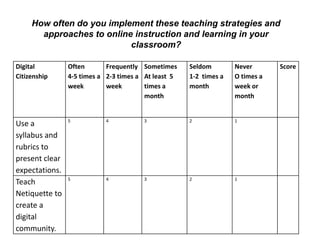
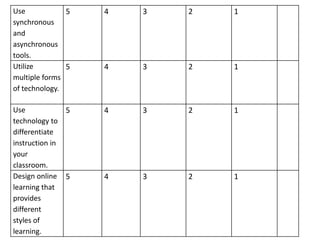
How often do you implement these teaching strategies and
       approaches to online instruction and learning in your

                           classroom?

Digital         Often       Frequently Sometimes     Seldom        Never       Score
Citizenship     4-5 times a 2-3 times a At least 5   1-2 times a   O times a
                week        week        times a      month         week or
                                        month                      month


                5          4           3             2             1
Use a
syllabus and
rubrics to
present clear
expectations.
                5          4           3             2             1
Teach
Netiquette to
create a
digital
community.
Use            5   4   3   2   1
synchronous
and
asynchronous
tools.
Utilize        5   4   3   2   1
multiple forms
of technology.

Use            5   4   3   2   1
technology to
differentiate
instruction in
your
classroom.
Design online 5    4   3   2   1
learning that
provides
different
styles of
learning.
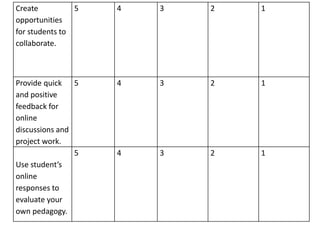
Create          5   4   3   2   1
opportunities
for students to
collaborate.


Provide quick 5     4   3   2   1
and positive
feedback for
online
discussions and
project work.
                5   4   3   2   1
Use student’s

online
responses to
evaluate your
own pedagogy.
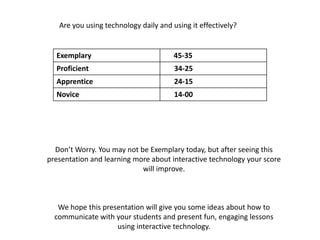
Are you using technology daily and using it effectively?


  Exemplary                        35-45-35
  Proficient                           34-25
  Apprentice                           24-15
  Novice                               14-00


  Don’t Worry. You may not be Exemplary today, but after seeing this
presentation and learning more about interactive technology your score
                            will improve.


   We hope this presentation will give you some ideas about how to
  communicate with your students and present fun, engaging lessons
                    using interactive technology.
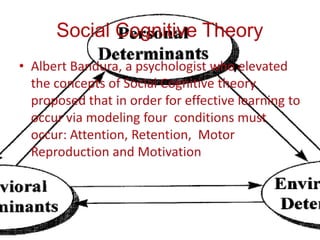
Social Cognitive Theory: Attention

• To imitate a behavior accurately a person must
  pay attention to significant aspects of the
  behavior.

• Interactive tools like Smartboards and Tablet
  computing induce the type of dazzle that
  students are drawn to and focus on
  attentively.
Social Cognitive Theory: Retention and
            Motor Reproduction
• After paying attention a learner must recall
  the behavior that is being learned and
  practice it.

• Rehearsing steps repeatedly increases their
  ability to remember what they have learned.

• Interactive tools create a hands on
  experience which is easy and nurtures
  repetition, remembering, and copying of
  essential practices.
Social Cognitive Theory: Motivation

• The final necessary factor in modeling
  behavior is making sure that the learner has
  a drive and willingness to learn material.

• Students these days were raised with a
  passion for technology.

• Interactive technology addresses this passion
  and baits students into learning lessons while
  utilizing a device that they consider “fun”
Show Video

       10 Reasons Why Teachers
        Should Use Technology
            When Teaching
http://www.youtube.com/watch?v=mzi2RIt8_nk&feature=related
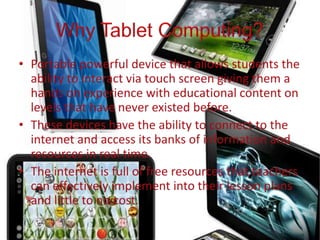
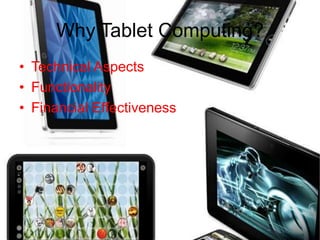
Why Tablet Computing?
• Technical Aspects
• Functionality
• Financial Effectiveness
Technical Aspects: Apps
• Tablet computing in conjunction with
  App’s transforms the device into a
    powerful tool for engaging and
   facilitating interactive learning.
Apps
• Apps or Applications are the engine to
  the vehicle that is a tablet computer,
       they carry learners to the
      destinations that are learning
                objectives.
Benefits
• Tablet computing opens up a whole new
  world of content and opportunities.

• Everything from rich media and text an be
  delivered in an effective way using these
  devices.
Financial Benefits
• Many textbook publishers are now providing
  ebooks as alternative to traditional texts.
• These ebooks contain all the same information at a
  fraction of a cost.
• On top of that, they contain links to websites that
  can be accessed instantly and they also have the
  ability for media like video and audio files to be
  imbedded in them, giving students a more complete
  learning experience.
Financial Benefits
• The initial purchase of the tablet computer
  may be greater but the money that can
  possibly be saved over time is astonishing.
• Investment in papers for worksheets can
  now be replaced with digital worksheets
  that can be submitted via email or
  discussion board.
Interactive White Boards
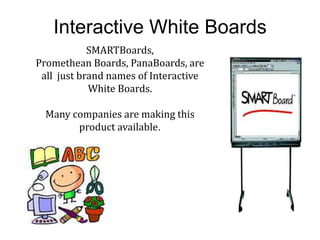
            SMARTBoards,
Promethean Boards, PanaBoards, are
 all just brand names of Interactive
            White Boards.

  Many companies are making this
        product available.
Share the Video
             “Tricks and Tips”
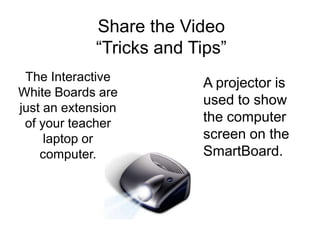
 The Interactive          A projector is
White Boards are
                          used to show
just an extension
 of your teacher          the computer
     laptop or            screen on the
    computer.             SmartBoard.
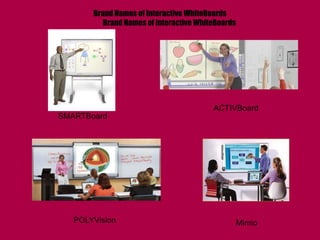
Brand Names of Interactive WhiteBoards
          Brand Names of Interactive WhiteBoards


                                         ACTIVBoard
SMARTBoard


   POLYVision                                      Mimio
Interactive White Boards


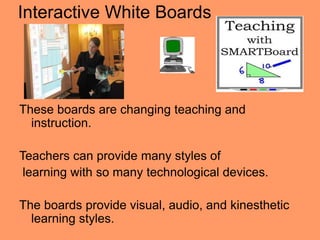
These boards are changing teaching and
  instruction.

Teachers can provide many styles of
 learning with so many technological devices.

The boards provide visual, audio, and kinesthetic
  learning styles.
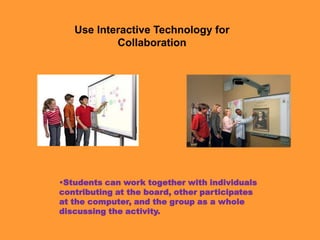
Use Interactive Technology for
           Collaboration


•Students can work together with individuals
contributing at the board, other participates
at the computer, and the group as a whole
discussing the activity.
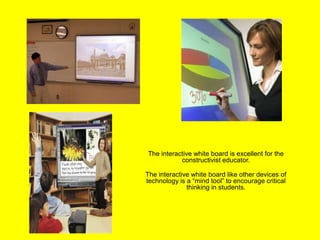
The interactive white board is excellent for the
           constructivist educator.

The interactive white board like other devices of
technology is a “mind tool” to encourage critical
              thinking in students.
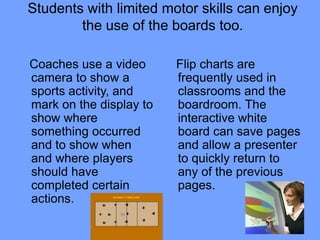
Students with limited motor skills can enjoy
        the use of the boards too.

Coaches use a video      Flip charts are
camera to show a         frequently used in
sports activity, and     classrooms and the
mark on the display to   boardroom. The
show where               interactive white
something occurred       board can save pages
and to show when         and allow a presenter
and where players        to quickly return to
should have              any of the previous
completed certain        pages.
actions.
Video of Interactive White Board
         Tips and Tricks

www.youtu.be/7brpM41H3xQ
Teachers must follow the Acceptable Use Policy in your school’s
district.

We cannot assume everyone knows what is appropriate and what is
not.

Digital citizenship can be described as the norms of
appropriate, responsible behavior with regard to technology use.

Digital Communication (the electronic exchange of information)
-
Digital Etiquette (the standards of conduct expected by other digital
technology users)

                                     Ribble & Bailey (2007)
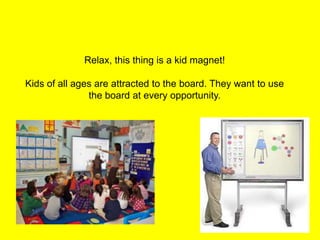
Relax, this thing is a kid magnet!

Kids of all ages are attracted to the board. They want to use
               the board at every opportunity.
Projects and Presentations

Watch how a teacher used a musical video as a culminating
activity for a global project about tolerance and multicultural
studies.

The students corresponded through technology using
discussions, blogs, and wikis. They all worked on the same
lyrics and created this video to demonstrate their appreciation
for each school location, its students, their culture, and their
differences.

The students are definitely having fun and don’t realize they
are learning, their faces show it and they are very energized
by the project.
Show Video
       Rock Our World


www.youtube.com/watch?v=zEgiV
   2A3AvQ&feature=related
The 21st Century Learners Will
Rock Our World With Technology


And… they expect
their teachers to rock
their world with digital
lessons.
Poll Questions:             Poll Questions


1. By a show of hands, how many of you use an interactive
technology while teaching?

2. Use a smiley face to show if you see growth and
   improvement presenting information using interactive
   technology compared to other traditional teaching
   strategies.

3. Use a thumbs up to say yes and a thumbs down to say no.
   Do you believe your students are more engaged in learning
   when you use the tablets and interactive white boards?

4. Write your answer or answers in the chat box. Which one or
   how many of these teaching strategies describe how you
   use interactive technology in your classroom?

a. Giving students collaboration time

b. Using multiple forms of technology

c. Provide many learning styles

d. Check and change your pedagogy according to student responses
The End


 Thanks for
reviewing our
presentation.

Hassan Kariem
 & Stephanie
    Pope

Digital Communication PDLM

  • 2.
    Essential Question: How canteachers use technology to interact with students to improve student participation and student success? Goals: 1. The learner will participate in a survey/audit to determine how effectively they use interactive technology in their classroom. 2. The learner will be presented with a presentation that will provide guidelines for proper implementation of interactive technology in the classroom. 3. The learner will interact with their peers and the presenters utilizing web discussion tools and reflect on the information that they have learned during the presentation. 4. The learner will be presented with an opportunity to asses their knowledge of using interactive tools effectively by taking a short assessment to gauge what they have learned.
  • 4.
    How often doyou implement these teaching strategies and approaches to online instruction and learning in your classroom? Digital Often Frequently Sometimes Seldom Never Score Citizenship 4-5 times a 2-3 times a At least 5 1-2 times a O times a week week times a month week or month month 5 4 3 2 1 Use a syllabus and rubrics to present clear expectations. 5 4 3 2 1 Teach Netiquette to create a digital community.
  • 5.
    Use 5 4 3 2 1 synchronous and asynchronous tools. Utilize 5 4 3 2 1 multiple forms of technology. Use 5 4 3 2 1 technology to differentiate instruction in your classroom. Design online 5 4 3 2 1 learning that provides different styles of learning.
  • 6.
    Create 5 4 3 2 1 opportunities for students to collaborate. Provide quick 5 4 3 2 1 and positive feedback for online discussions and project work. 5 4 3 2 1 Use student’s online responses to evaluate your own pedagogy.
  • 7.
    Are you usingtechnology daily and using it effectively? Exemplary 35-45-35 Proficient 34-25 Apprentice 24-15 Novice 14-00 Don’t Worry. You may not be Exemplary today, but after seeing this presentation and learning more about interactive technology your score will improve. We hope this presentation will give you some ideas about how to communicate with your students and present fun, engaging lessons using interactive technology.
  • 9.
    Social Cognitive Theory:Attention • To imitate a behavior accurately a person must pay attention to significant aspects of the behavior. • Interactive tools like Smartboards and Tablet computing induce the type of dazzle that students are drawn to and focus on attentively.
  • 10.
    Social Cognitive Theory:Retention and Motor Reproduction • After paying attention a learner must recall the behavior that is being learned and practice it. • Rehearsing steps repeatedly increases their ability to remember what they have learned. • Interactive tools create a hands on experience which is easy and nurtures repetition, remembering, and copying of essential practices.
  • 11.
    Social Cognitive Theory:Motivation • The final necessary factor in modeling behavior is making sure that the learner has a drive and willingness to learn material. • Students these days were raised with a passion for technology. • Interactive technology addresses this passion and baits students into learning lessons while utilizing a device that they consider “fun”
  • 12.
    Show Video 10 Reasons Why Teachers Should Use Technology When Teaching http://www.youtube.com/watch?v=mzi2RIt8_nk&feature=related
  • 14.
    Why Tablet Computing? •Technical Aspects • Functionality • Financial Effectiveness
  • 15.
    Technical Aspects: Apps •Tablet computing in conjunction with App’s transforms the device into a powerful tool for engaging and facilitating interactive learning.
  • 16.
    Apps • Apps orApplications are the engine to the vehicle that is a tablet computer, they carry learners to the destinations that are learning objectives.
  • 21.
    Benefits • Tablet computingopens up a whole new world of content and opportunities. • Everything from rich media and text an be delivered in an effective way using these devices.
  • 22.
    Financial Benefits • Manytextbook publishers are now providing ebooks as alternative to traditional texts. • These ebooks contain all the same information at a fraction of a cost. • On top of that, they contain links to websites that can be accessed instantly and they also have the ability for media like video and audio files to be imbedded in them, giving students a more complete learning experience.
  • 23.
    Financial Benefits • Theinitial purchase of the tablet computer may be greater but the money that can possibly be saved over time is astonishing. • Investment in papers for worksheets can now be replaced with digital worksheets that can be submitted via email or discussion board.
  • 24.
    Interactive White Boards SMARTBoards, Promethean Boards, PanaBoards, are all just brand names of Interactive White Boards. Many companies are making this product available.
  • 25.
    Share the Video “Tricks and Tips” The Interactive A projector is White Boards are used to show just an extension of your teacher the computer laptop or screen on the computer. SmartBoard.
  • 26.
    Brand Names ofInteractive WhiteBoards Brand Names of Interactive WhiteBoards ACTIVBoard SMARTBoard POLYVision Mimio
  • 27.
    Interactive White Boards Theseboards are changing teaching and instruction. Teachers can provide many styles of learning with so many technological devices. The boards provide visual, audio, and kinesthetic learning styles.
  • 28.
    Use Interactive Technologyfor Collaboration •Students can work together with individuals contributing at the board, other participates at the computer, and the group as a whole discussing the activity.
  • 29.
    The interactive whiteboard is excellent for the constructivist educator. The interactive white board like other devices of technology is a “mind tool” to encourage critical thinking in students.
  • 30.
    Students with limitedmotor skills can enjoy the use of the boards too. Coaches use a video Flip charts are camera to show a frequently used in sports activity, and classrooms and the mark on the display to boardroom. The show where interactive white something occurred board can save pages and to show when and allow a presenter and where players to quickly return to should have any of the previous completed certain pages. actions.
  • 31.
    Video of InteractiveWhite Board Tips and Tricks www.youtu.be/7brpM41H3xQ
  • 32.
    Teachers must followthe Acceptable Use Policy in your school’s district. We cannot assume everyone knows what is appropriate and what is not. Digital citizenship can be described as the norms of appropriate, responsible behavior with regard to technology use. Digital Communication (the electronic exchange of information) - Digital Etiquette (the standards of conduct expected by other digital technology users) Ribble & Bailey (2007)
  • 33.
    Relax, this thingis a kid magnet! Kids of all ages are attracted to the board. They want to use the board at every opportunity.
  • 34.
    Projects and Presentations Watchhow a teacher used a musical video as a culminating activity for a global project about tolerance and multicultural studies. The students corresponded through technology using discussions, blogs, and wikis. They all worked on the same lyrics and created this video to demonstrate their appreciation for each school location, its students, their culture, and their differences. The students are definitely having fun and don’t realize they are learning, their faces show it and they are very energized by the project.
  • 35.
    Show Video Rock Our World www.youtube.com/watch?v=zEgiV 2A3AvQ&feature=related
  • 36.
    The 21st CenturyLearners Will Rock Our World With Technology And… they expect their teachers to rock their world with digital lessons.
  • 37.
    Poll Questions: Poll Questions 1. By a show of hands, how many of you use an interactive technology while teaching? 2. Use a smiley face to show if you see growth and improvement presenting information using interactive technology compared to other traditional teaching strategies. 3. Use a thumbs up to say yes and a thumbs down to say no. Do you believe your students are more engaged in learning when you use the tablets and interactive white boards? 4. Write your answer or answers in the chat box. Which one or how many of these teaching strategies describe how you use interactive technology in your classroom? a. Giving students collaboration time b. Using multiple forms of technology c. Provide many learning styles d. Check and change your pedagogy according to student responses
  • 38.
    The End Thanksfor reviewing our presentation. Hassan Kariem & Stephanie Pope

Editor's Notes

  • #2 Tablet Computing and Interactive White Boards Teachers can create very innovative and student friendly lessons using technology which will motivate them to learn and keep them engaged more than traditional style teaching.
  • #4 Technology has become a common tool for motivating and engaging digital natives. As an educator in the 21st Century, how are you doing utilizing technology in your classroom?
  • #5 This survey monkey will help you self-check your technology usage in the classroom.
  • #6 Think about the times you use technology and how you use these tools. Do you plan lessons for technology with all the standards, goals, teacher-directed activities, independent activities, and assessments when you use these devices?
  • #7 Check yourself: Are you providing student collaboration opportunities, quick and positive feedback, and do you self-reflect using your students’ responses to plan lessons?
  • #9 Students today are digital natives and they learn best by using the devices they use in their daily lives. Teachers will get more participation and students will be more engaged, if they are taught with the technology that they are familiar with. The amount of involvement and interest the student has in the lesson will determine the retention level. Students have learning styles that cause them to learn more and retain the information longer. Technology is one learning style the majority of today’s young people enjoy.
  • #10 Students will spend a considerable amount of time with these media tools and will produce more complicated pieces of work because of their interest in the media device.
  • #11 The simple user interface of tablet computing makes it less stressful mentally which in turns motivates students to want to use them repeatedly.
  • #12 Students are dazzled by technology and the many devices available for communication and learning. Their curiosity and amazement motivates them to stay tuned into the lesson. Their willingness to utilize the device will cause them to learn new material. Teachers need to be on the cutting edge of this technology wave, it is the key to getting students on board and willing to learn.
  • #14 Using a touch screen is common daily activity for youth of today. We need to teach them the way they live and they will respond.
  • #15 The tablet is functional and effective.
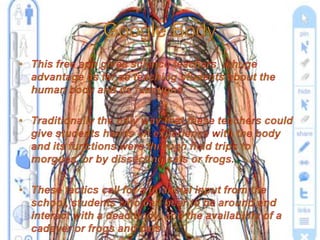
  • #18 Google Body can provide the same experience a field trip to a morgue or a class dissecting cats or frogs can provide.
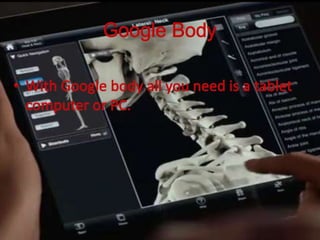
  • #19 Google Body can be viewed on your tablet or PC.
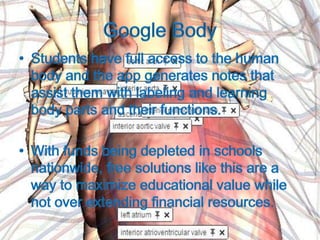
  • #20 Google Body generates notes and give full access to the human body.This software is very economical compared to taking field trips or paying for science kits and supplies.
  • #21 Google Body generates notes and give full access to the human body.This software is very economical compared to taking field trips or paying for science kits and supplies.
  • #22 Some students today will not have cultural and academic experiences without using technological devices.
  • #23 Virtual classrooms, e-books, and other virtual tours give students many experiences and opportunities that school budgets cannot provide.
  • #24 Teachers who have student submit work online save on paper and pencil costs to parents and school administrators. This also is much easier to grade rather than carrying large heavy bundles of papers home each night.
  • #25 Most classrooms are now equipped with Interactive White Boards. Usually a school will have a media center or computer lab that gives teachers access to this device.
  • #26 Share http://www.youtu.be/7brpM41H3xQ
  • #27 There are many brand names of interactive white boards.