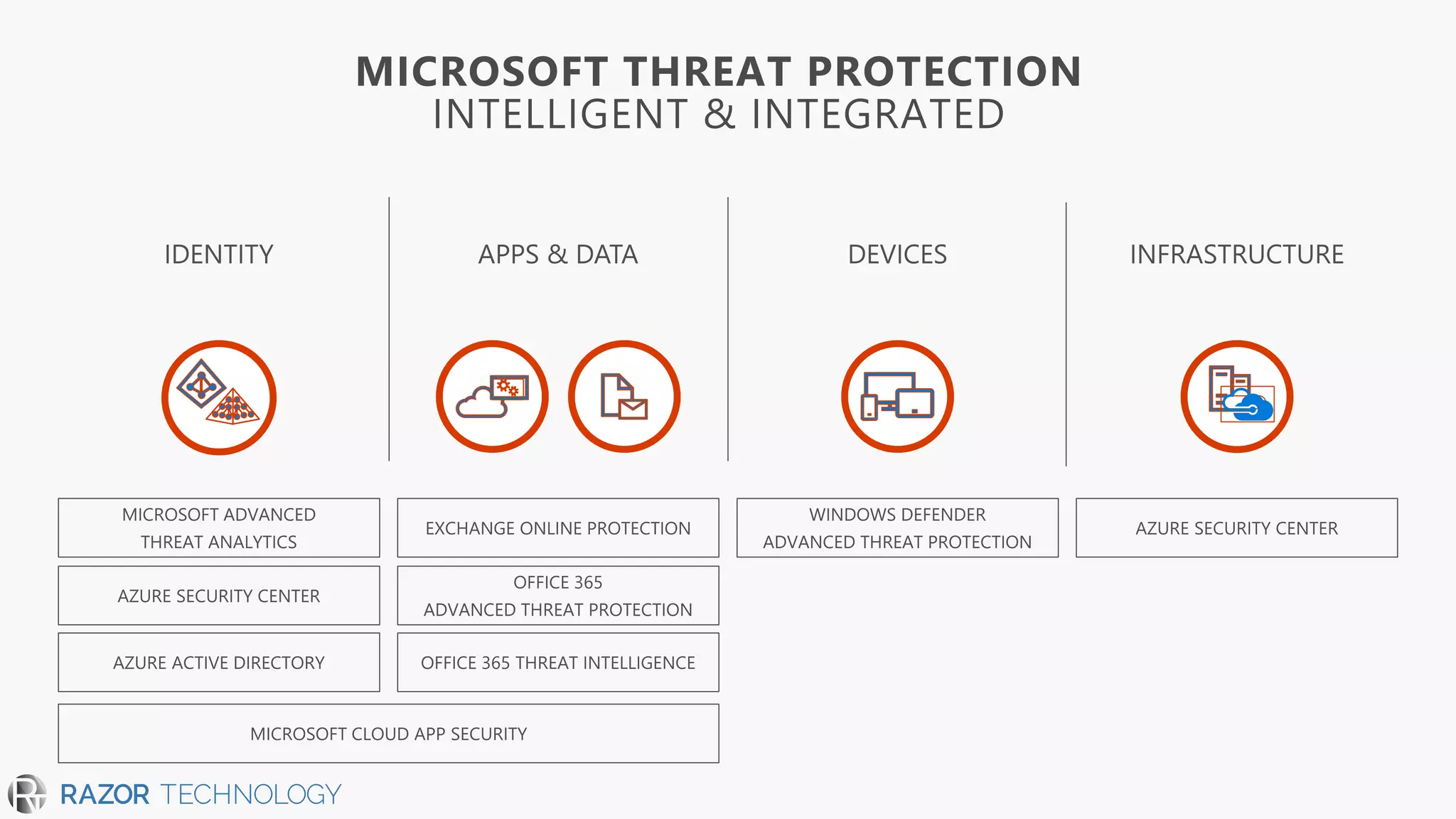
Office 365 Advanced Threat Protection
Productivitybuilt on security
DavidJ. Rosenthal, VP & GM, DigitalBusiness
MicrosoftMTC – NYC May 2, 2018
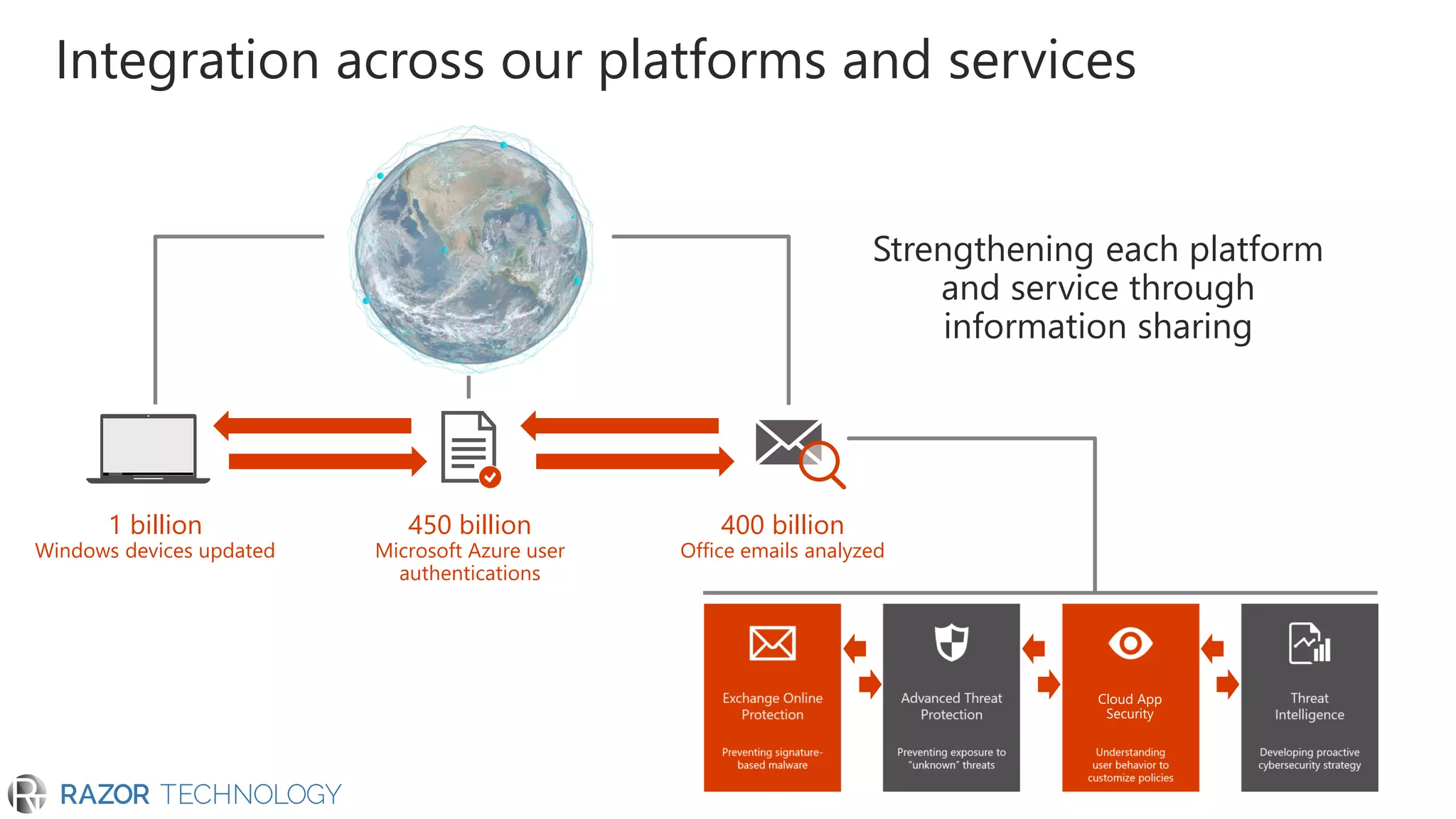
1 billion
Windows devices updated
450 billion
Microsoft Azure user
authentications
400 billion
Office emails analyzed
Integration across our platforms and services
Cloud App
Security
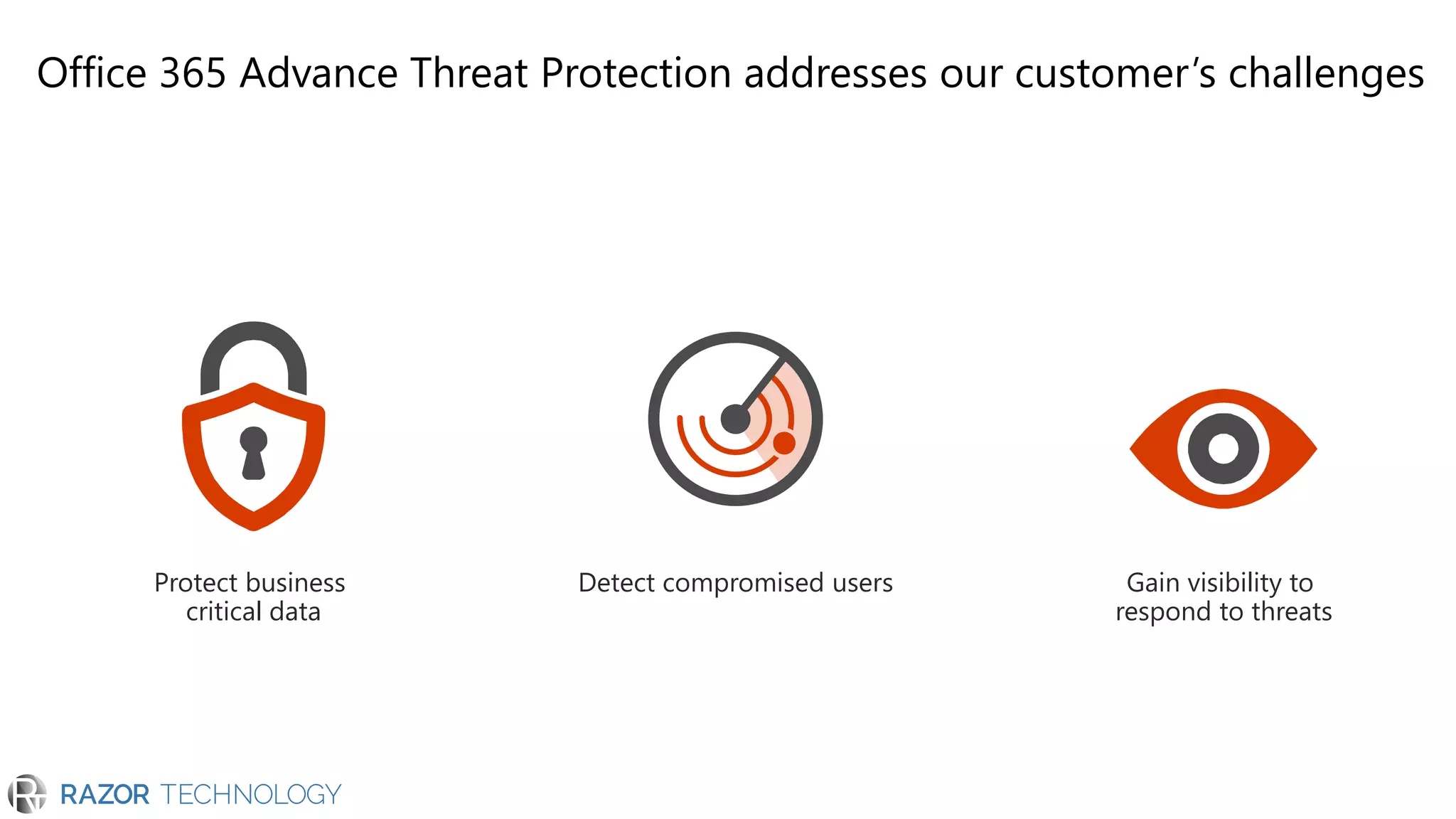
Office 365 Advance Threat Protection addresses our customer’s challenges
Protect business
critical data
Detect compromised users Gain visibility to
respond to threats
Protect your data
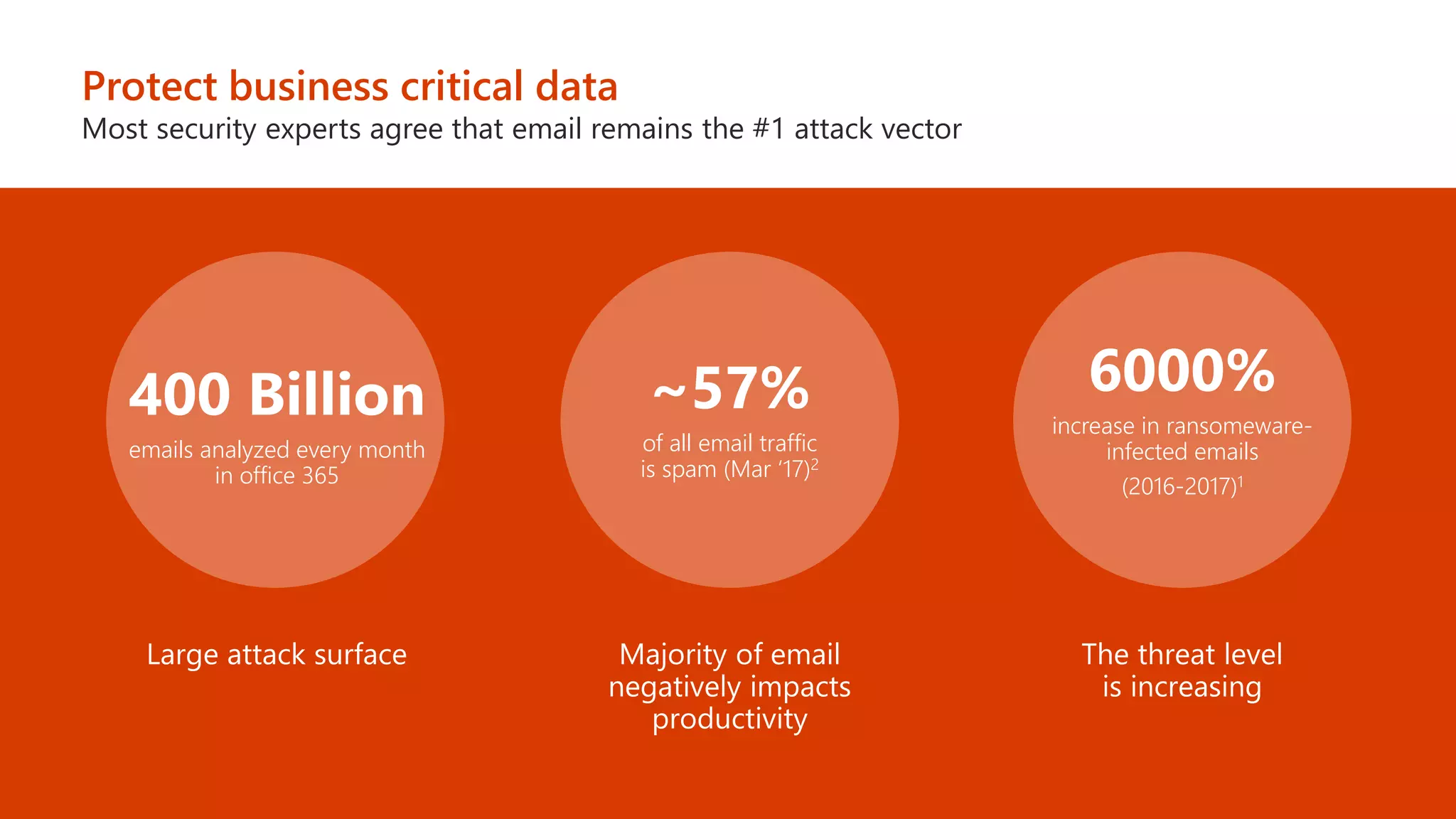
Protect business critical data
Most security experts agree that email remains the #1 attack vector
emails analyzed every month
in office 365
of all email traffic
is spam (Mar ‘17)2
increase in ransomeware-
infected emails
(2016-2017)1
Protect your data
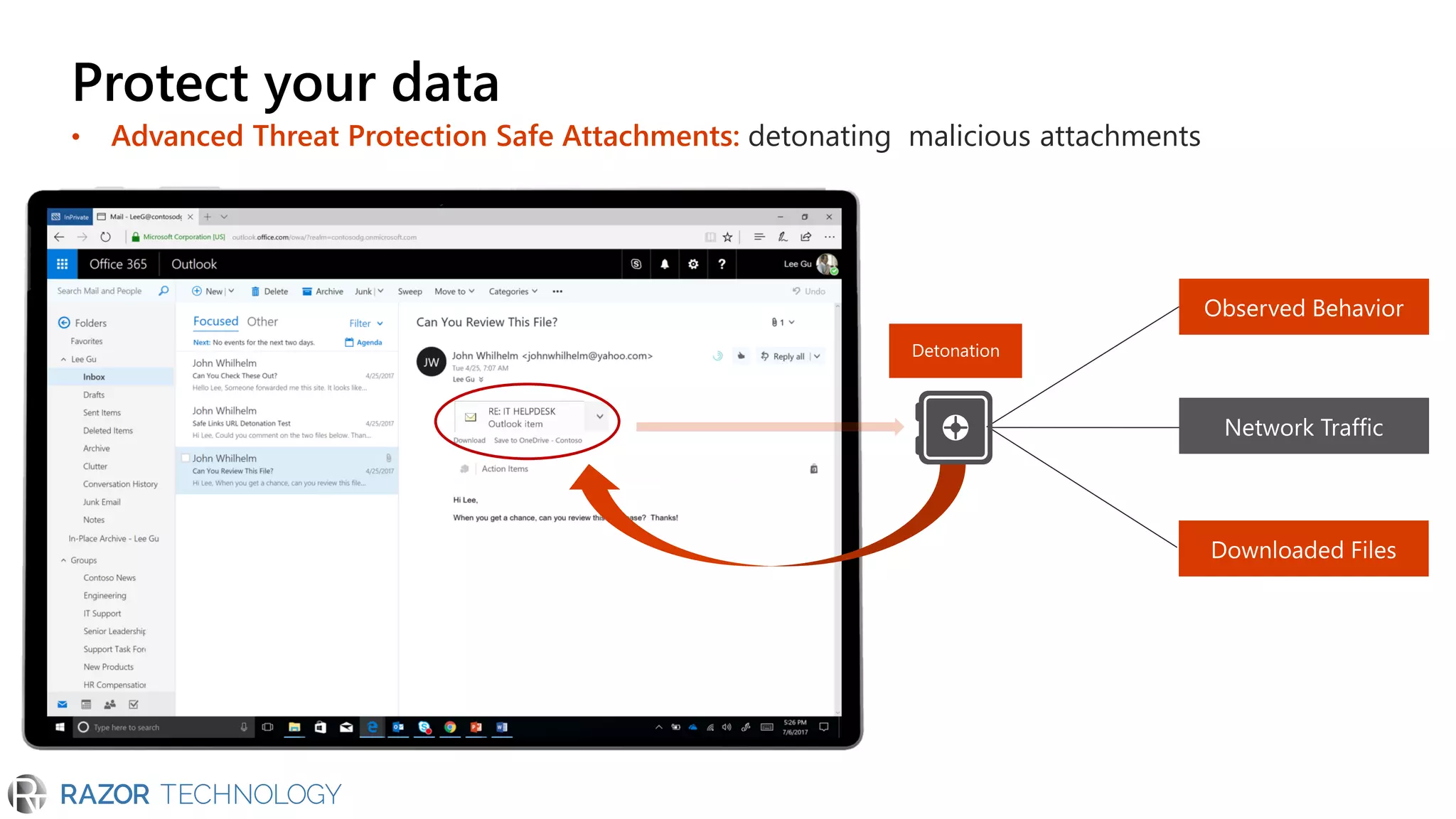
• Advanced Threat Protection Safe Attachments: detonating malicious attachments
Detonation
Attachment
sent to sandbox
Protect your data
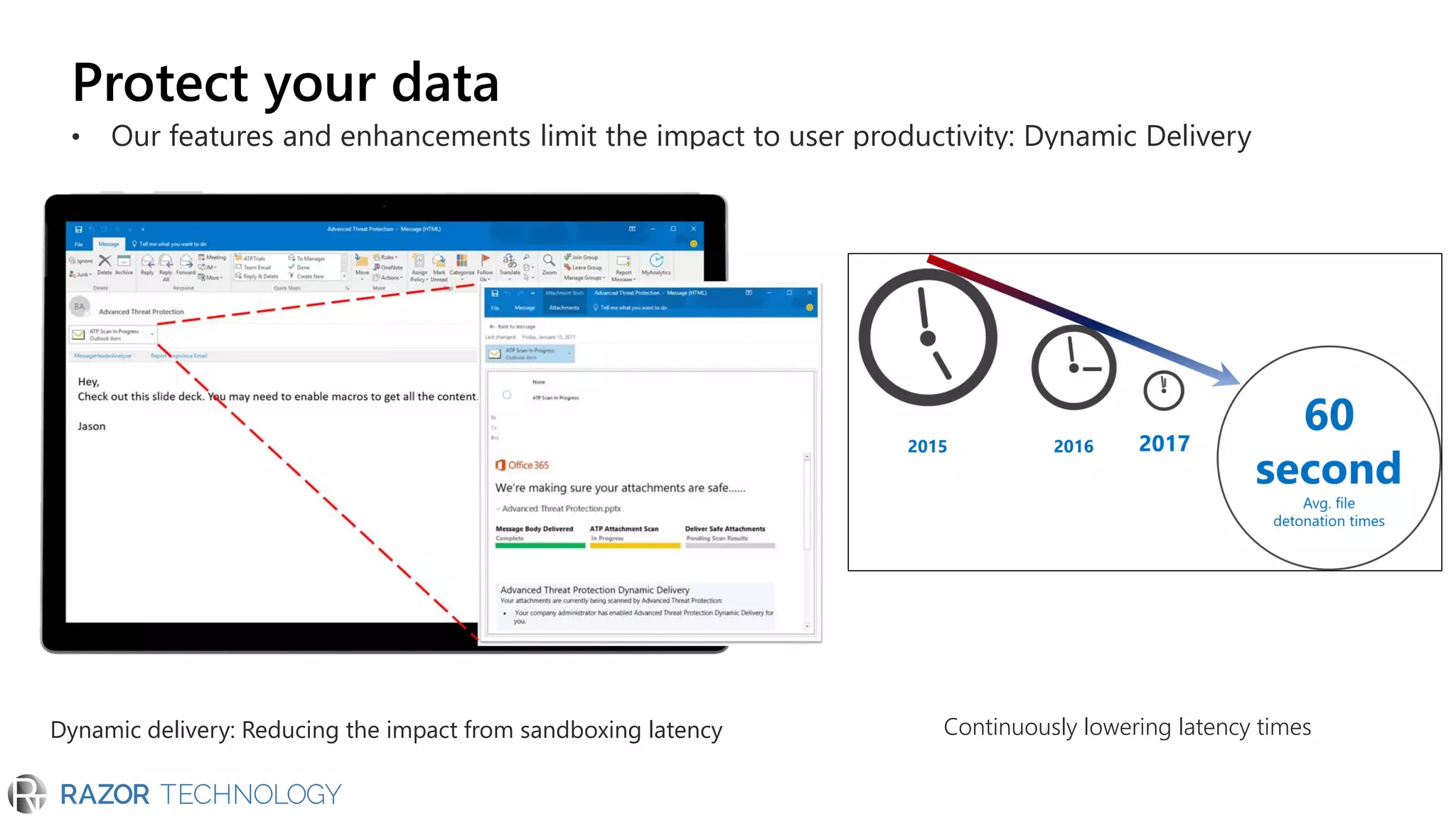
• Our features and enhancements limit the impact to user productivity: Dynamic Delivery
Dynamic delivery: Reducing the impact from sandboxing latency Continuously lowering latency times
Email with
attachment
Email body goes
through basic
email security
Sandboxing
Malicious
attachment
Safe attachment
Protect your data
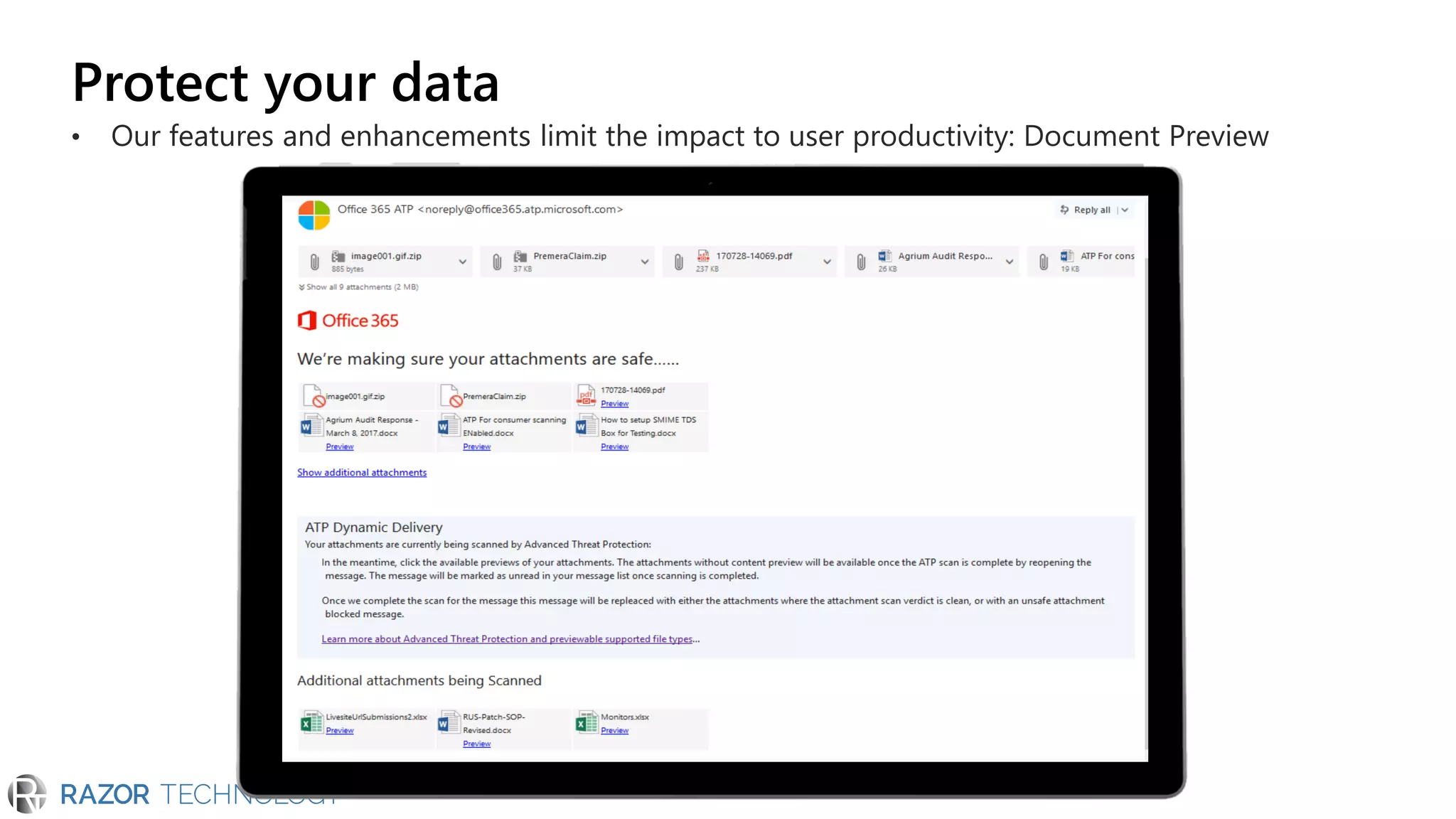
• Our features and enhancements limit the impact to user productivity: Document Preview
Protect your data
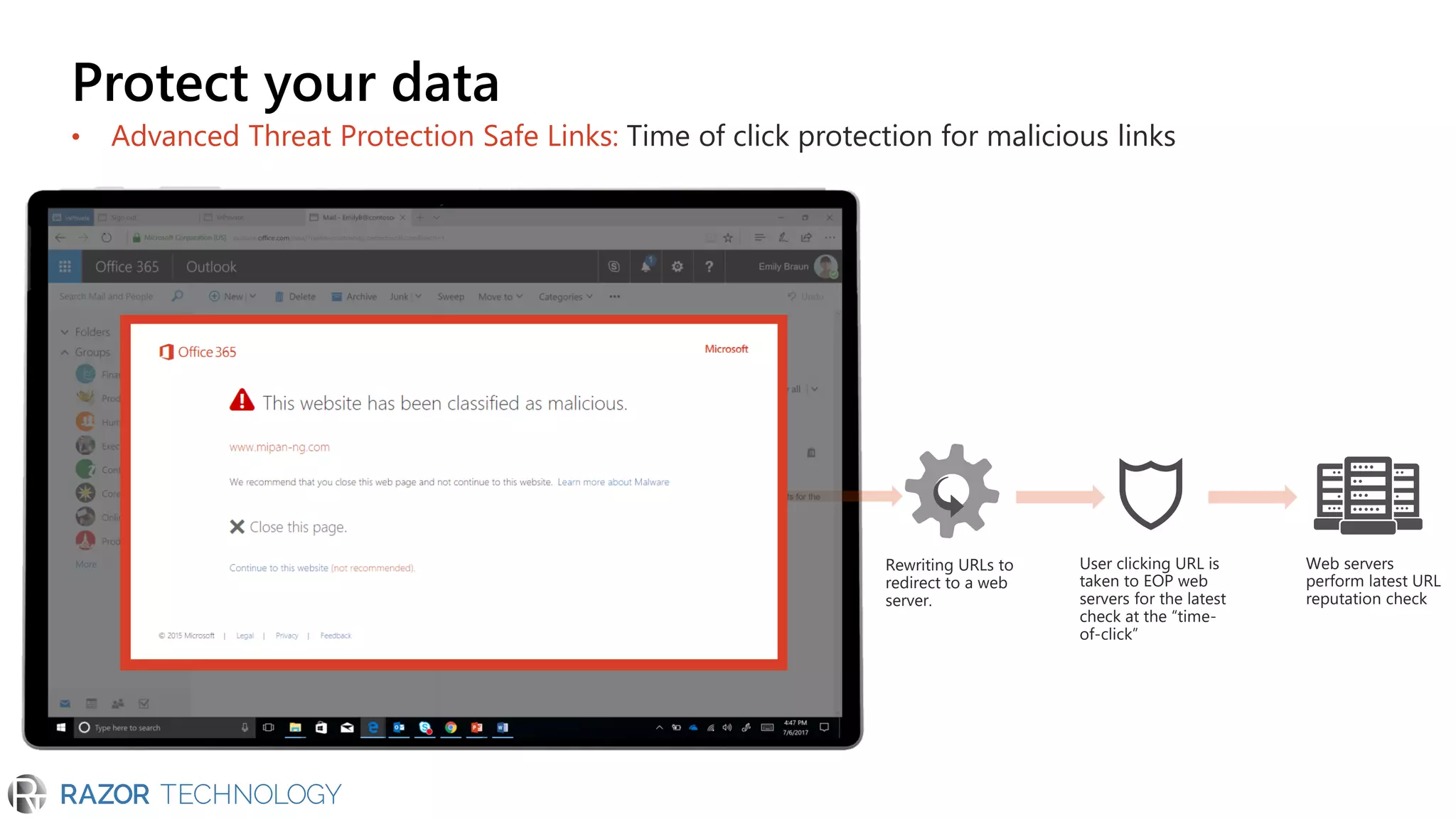
• Advanced Threat Protection Safe Links: Time of click protection for malicious links
Web servers
perform latest URL
reputation check
Rewriting URLs to
redirect to a web
server.
User clicking URL is
taken to EOP web
servers for the latest
check at the “time-
of-click”
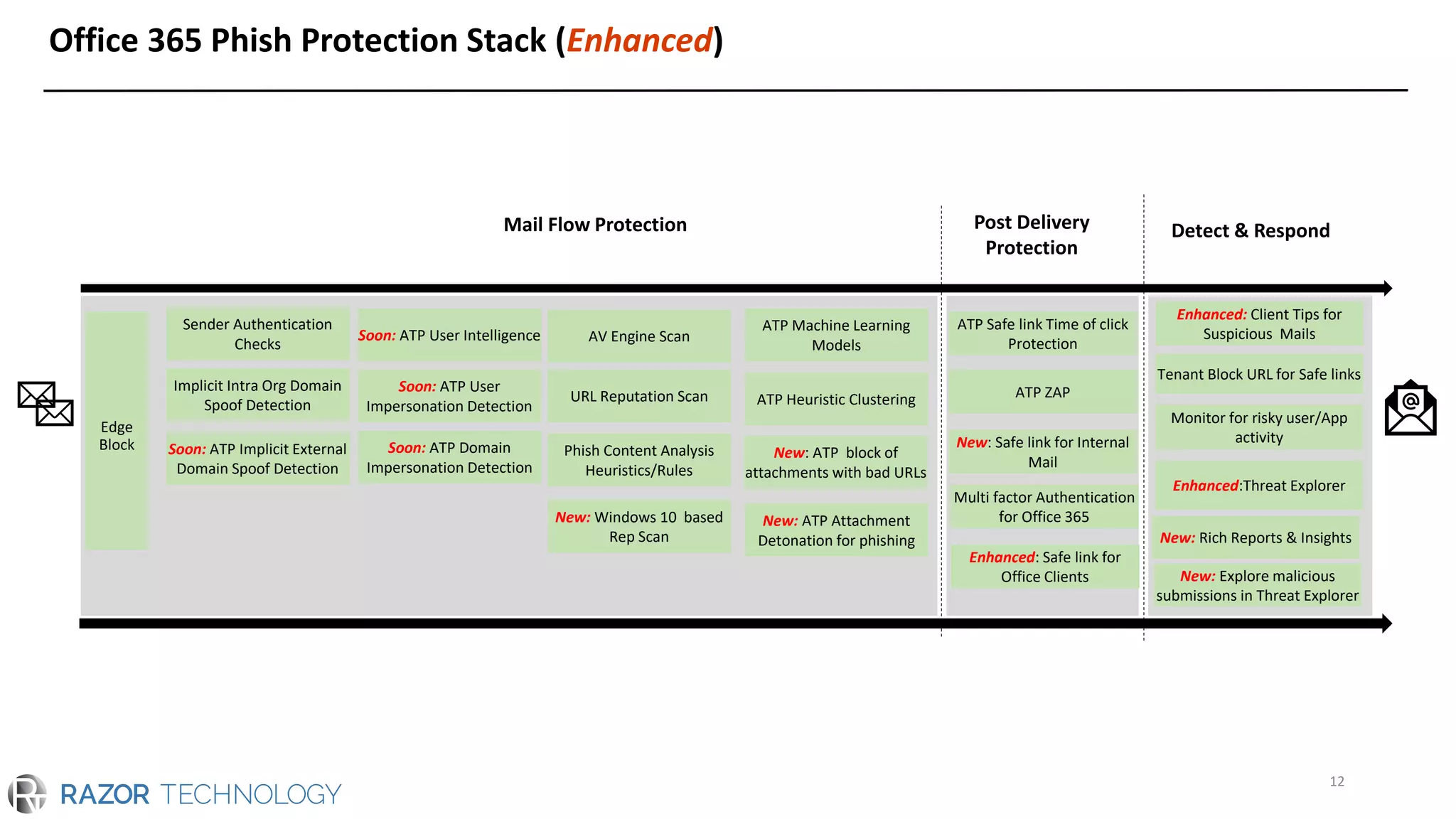
Office 365 Phish Protection Stack (Enhanced)
12
Mail Flow Protection Post Delivery
Protection
ATP Safe link Time of click
Protection
ATP ZAP
Sender Authentication
Checks
Implicit Intra Org Domain
Spoof Detection
Soon: ATP Implicit External
Domain Spoof Detection
Soon: ATP User mailbox
Intelligence
Soon: ATP User
Impersonation Detection
Soon: ATP Domain
Impersonation Detection
AV Engine Scan
URL Reputation Scan
New: ATP Attachment
Detonation for phishing
ATP Heuristic Clustering
Phish Content Analysis
Heuristics/Rules
ATP Machine Learning
Models
Multi factor Authentication
for Office 365
New: Safe link for Internal
MailNew: ATP block of
attachments with bad URLs
New: Windows 10 based
Rep Scan Enhanced: Safe link for
Office Clients
ATP Safe link Time of click
Protection
ATP ZAP
Sender Authentication
Checks
Implicit Intra Org Domain
Spoof Detection
Soon: ATP Implicit External
Domain Spoof Detection
Soon: ATP User Intelligence
Soon: ATP User
Impersonation Detection
Soon: ATP Domain
Impersonation Detection
AV Engine Scan
URL Reputation Scan
New: ATP Attachment
Detonation for phishing
ATP Heuristic Clustering
Phish Content Analysis
Heuristics/Rules
ATP Machine Learning
Models
Multi factor Authentication
for Office 365
New: Safe link for Internal
Mail
New: ATP block of
attachments with bad URLs
New: Windows 10 based
Rep Scan
Enhanced: Safe link for
Office Clients
Enhanced: Client Tips for
Suspicious Mails
Tenant Block URL for Safe links
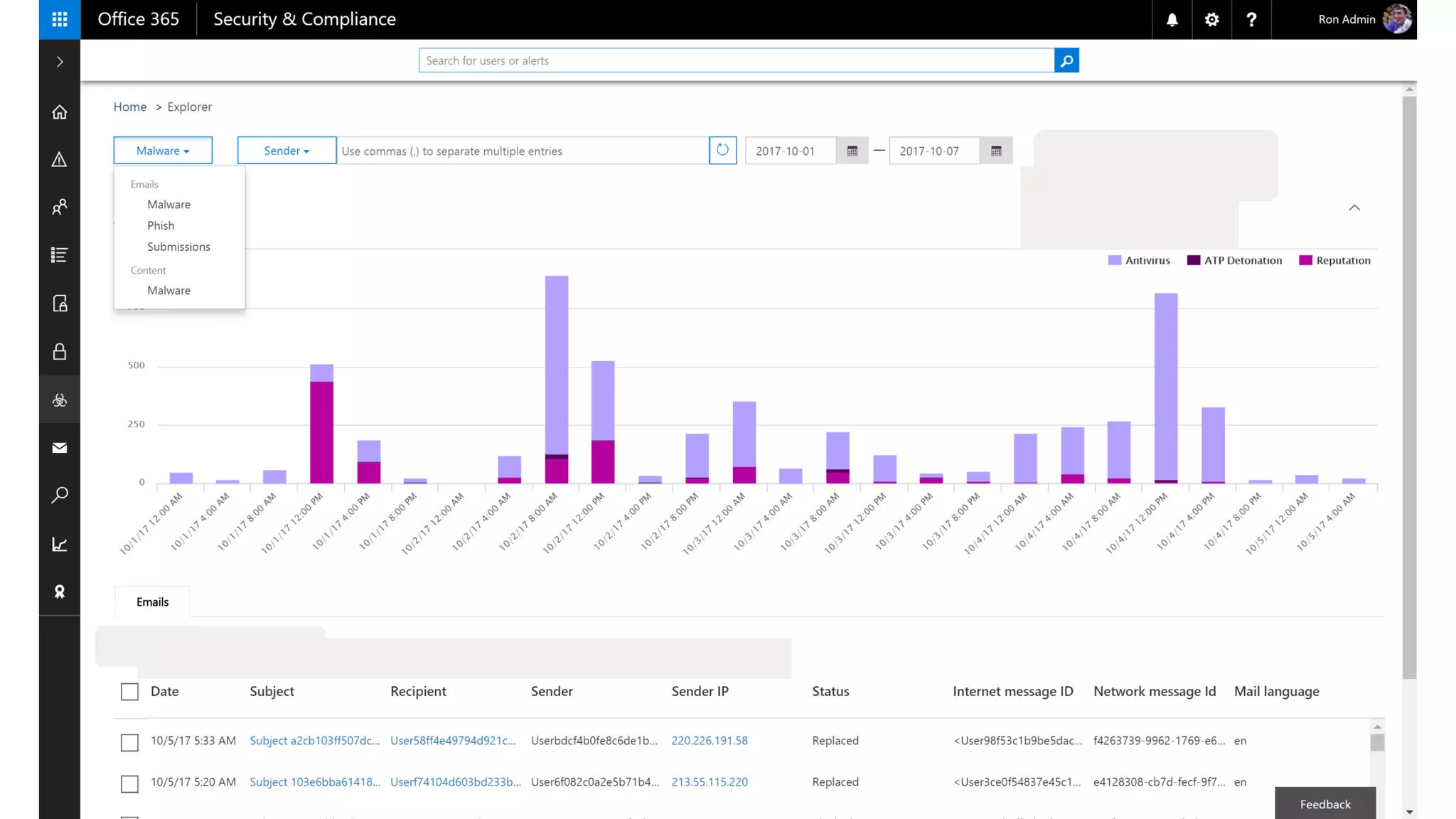
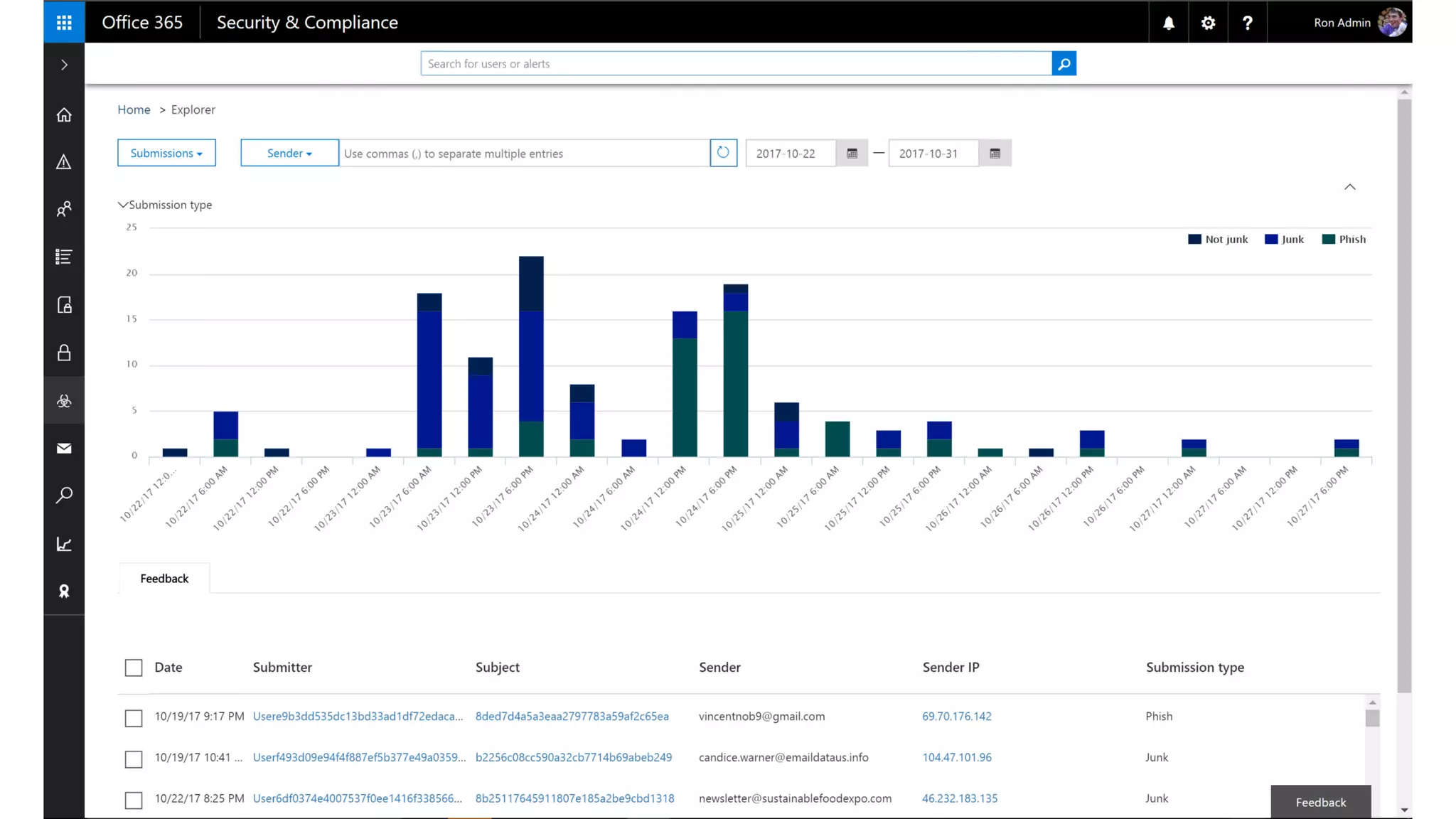
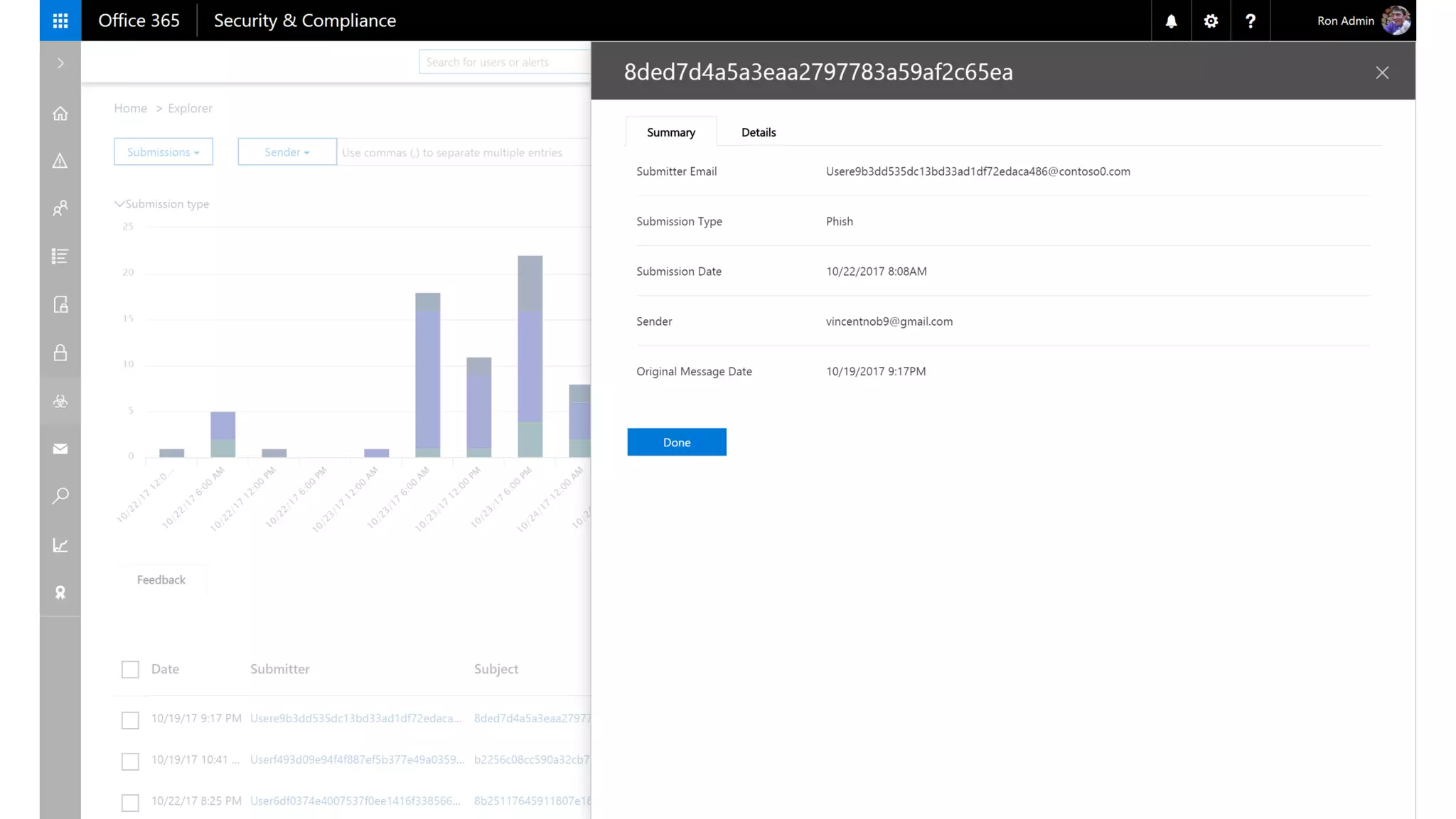
New: Explore malicious
submissions in Threat Explorer
Monitor for risky user/App
activity
Enhanced:Threat Explorer
New: Rich Reports & Insights
Detect & Respond
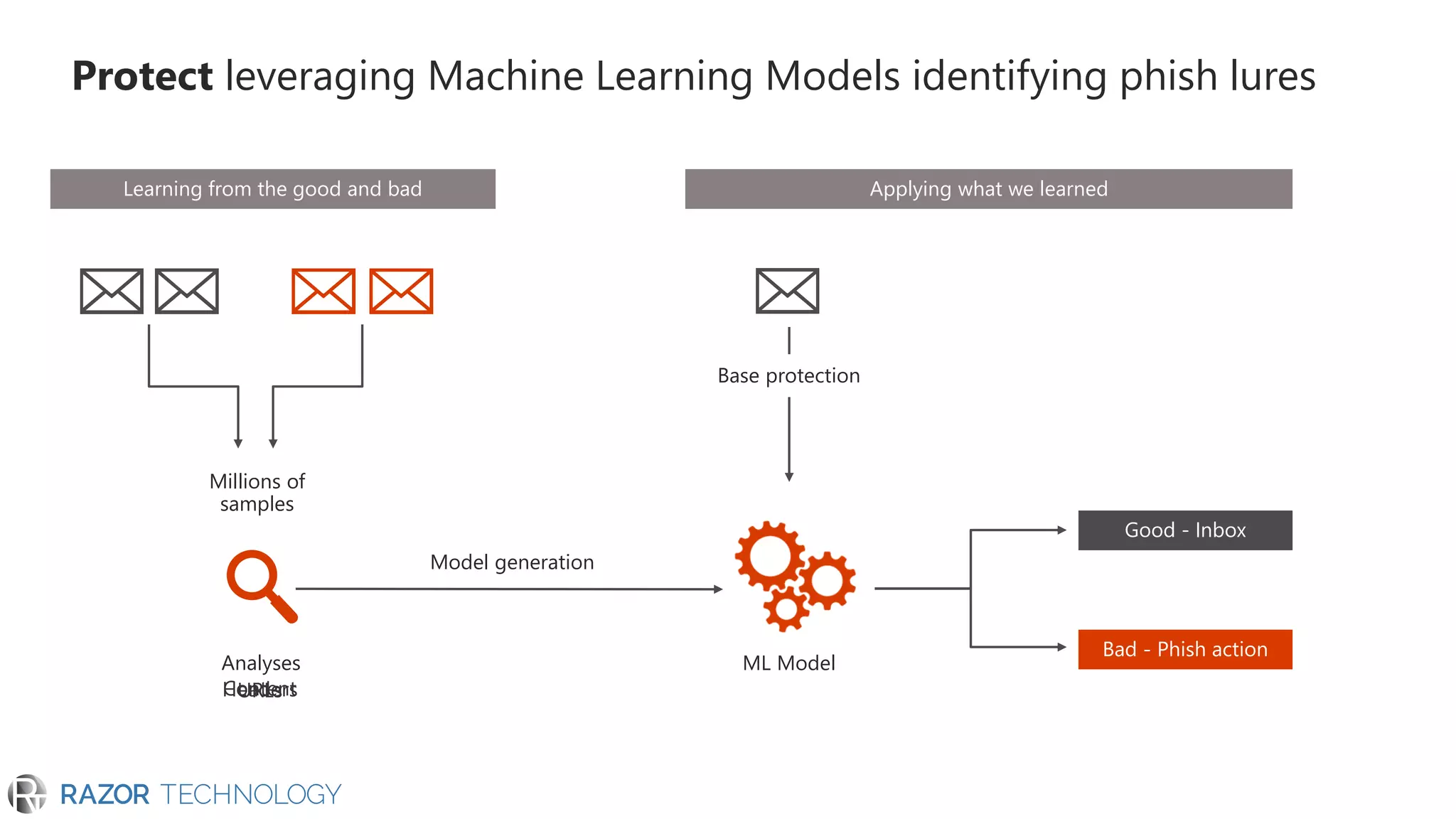
Protect leveraging Machine Learning Models identifying phish lures
Analyses
Millions of
samples
ML Model
Model generation
Good - Inbox
Bad - Phish action
Applying what we learnedLearning from the good and bad
Base protection
• Implicit Spoof Protection; DMARC; SPF
• Content based protection
• URL verification against known
phishing lists
• Safety Tips for mails detected as phish
• Inline Reporting
• Machine Learning Models
• Time of Click Protection (Safe links)
• Detonation of Content
• Users contact graph
Domain Spoof
• DMARC, DKIM
• SPF
• Intra Org spoof
• Cross domain
spoof
Compromised
• Compromised
account
Impersonation
• Look alike
domains
• Display name
tricks
Content
• Attachments
• URLs
• Text
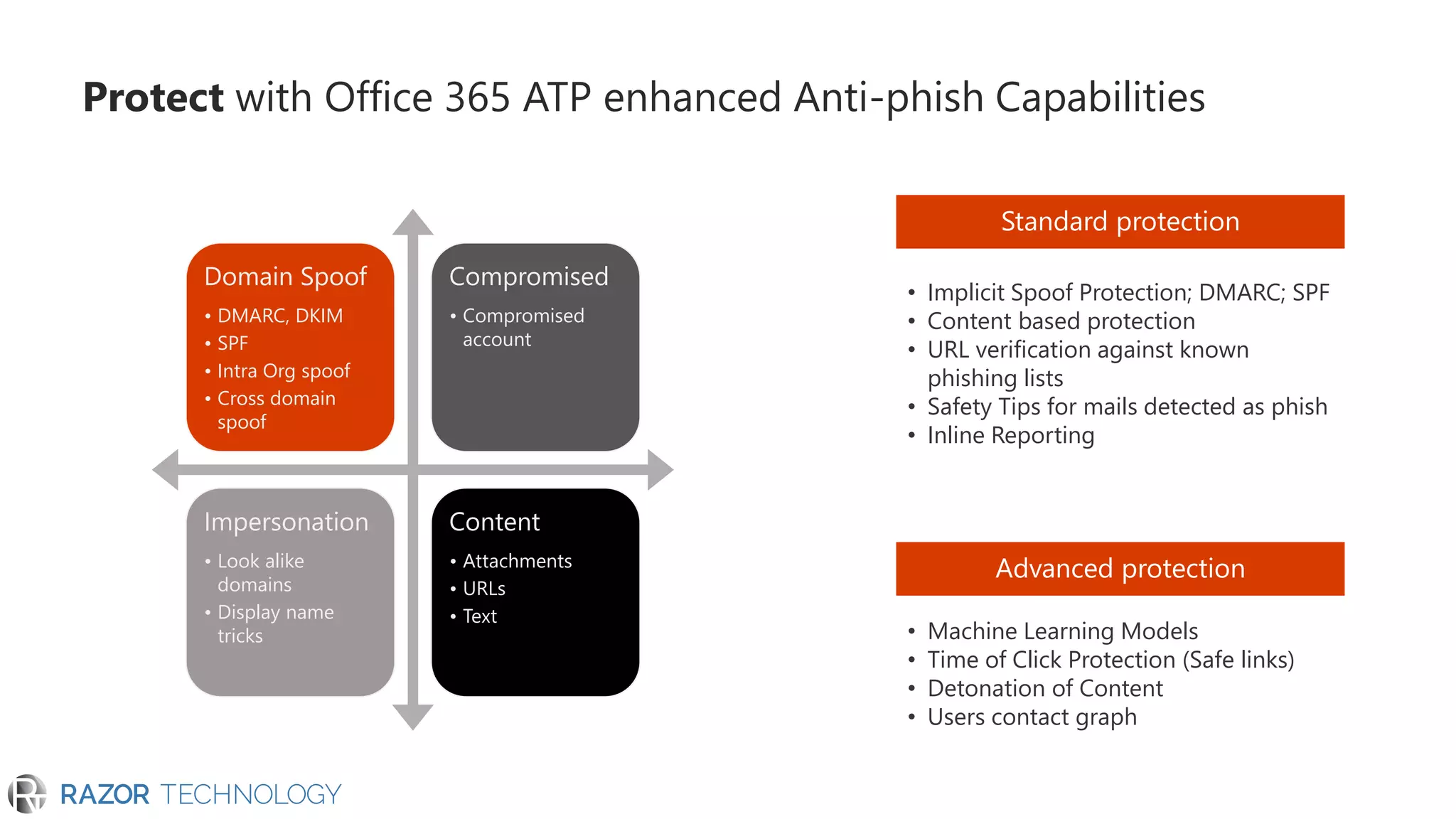
Protect with Office 365 ATP enhanced Anti-phish Capabilities
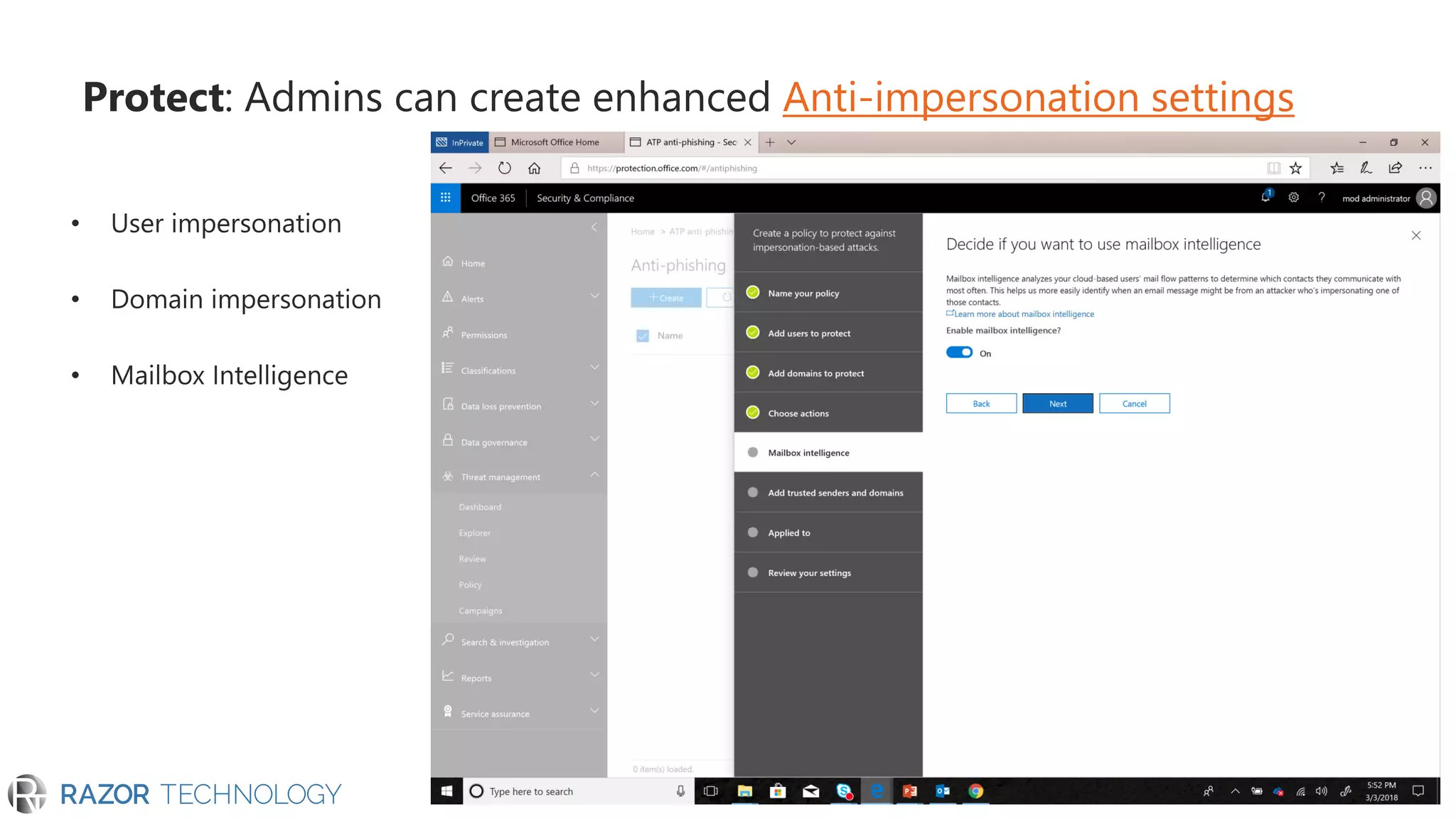
Protect: Admins can create enhanced Anti-impersonation settings
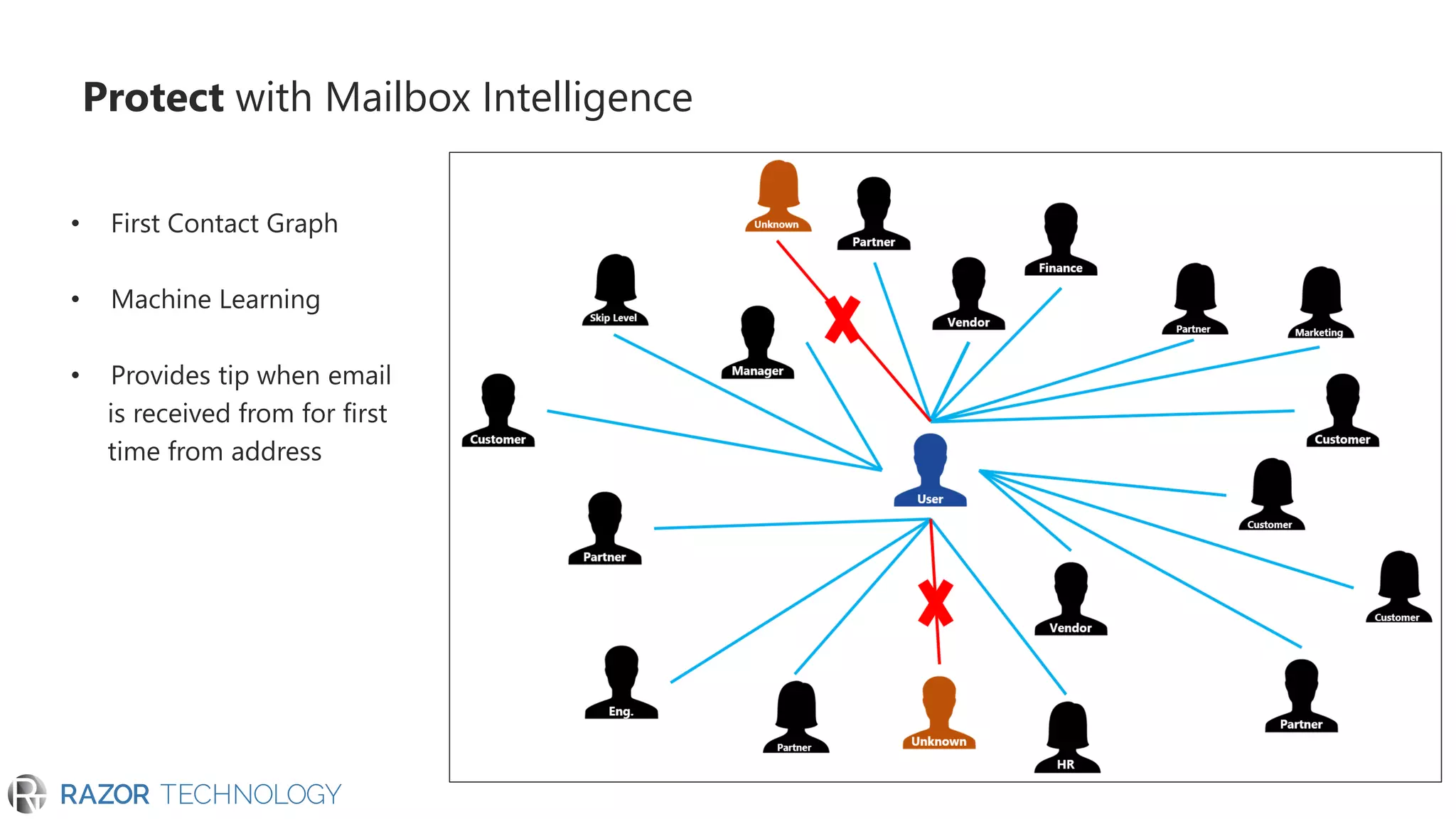
Protect with Mailbox Intelligence
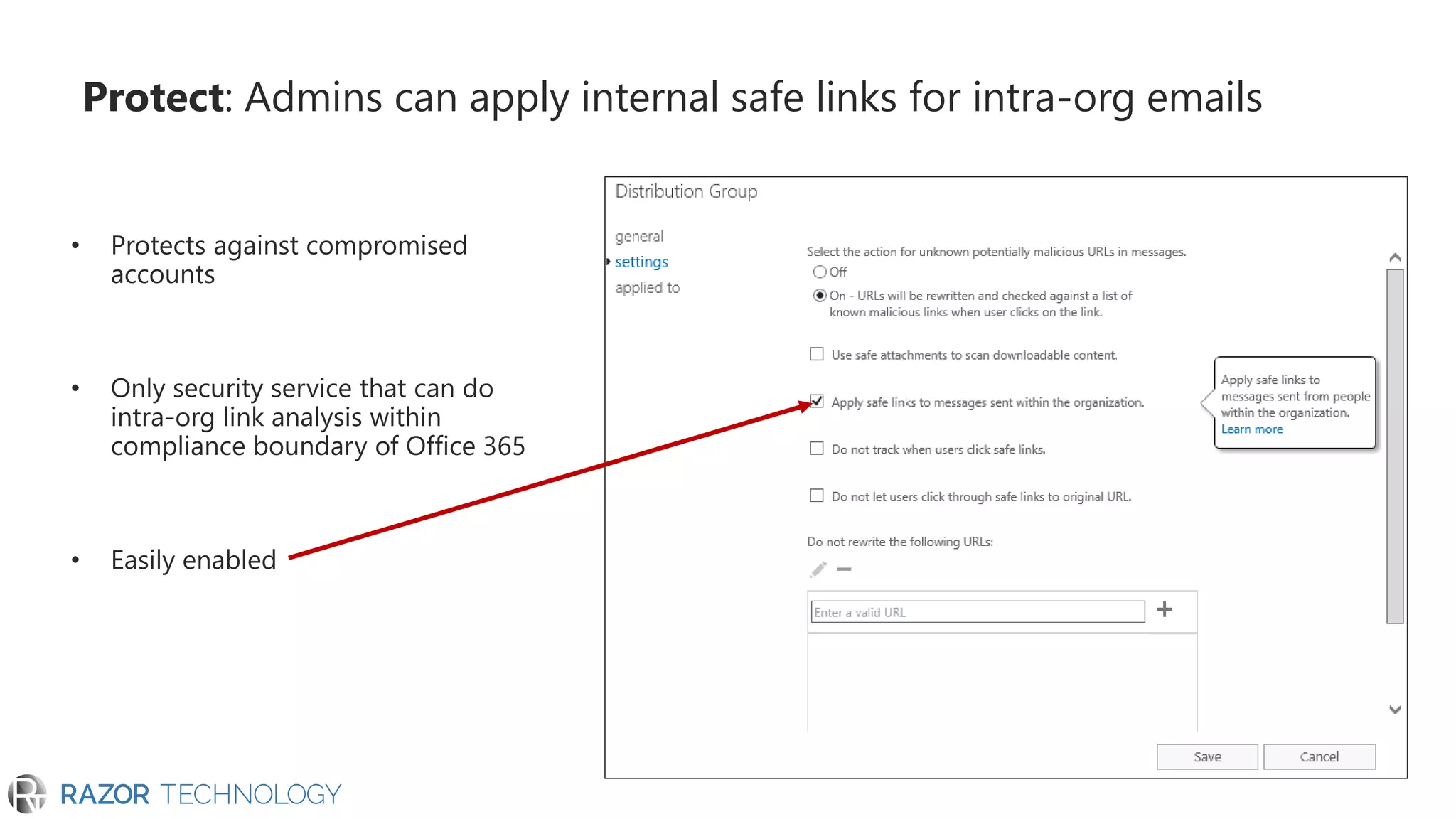
Protect: Admins can apply internal safe links for intra-org emails
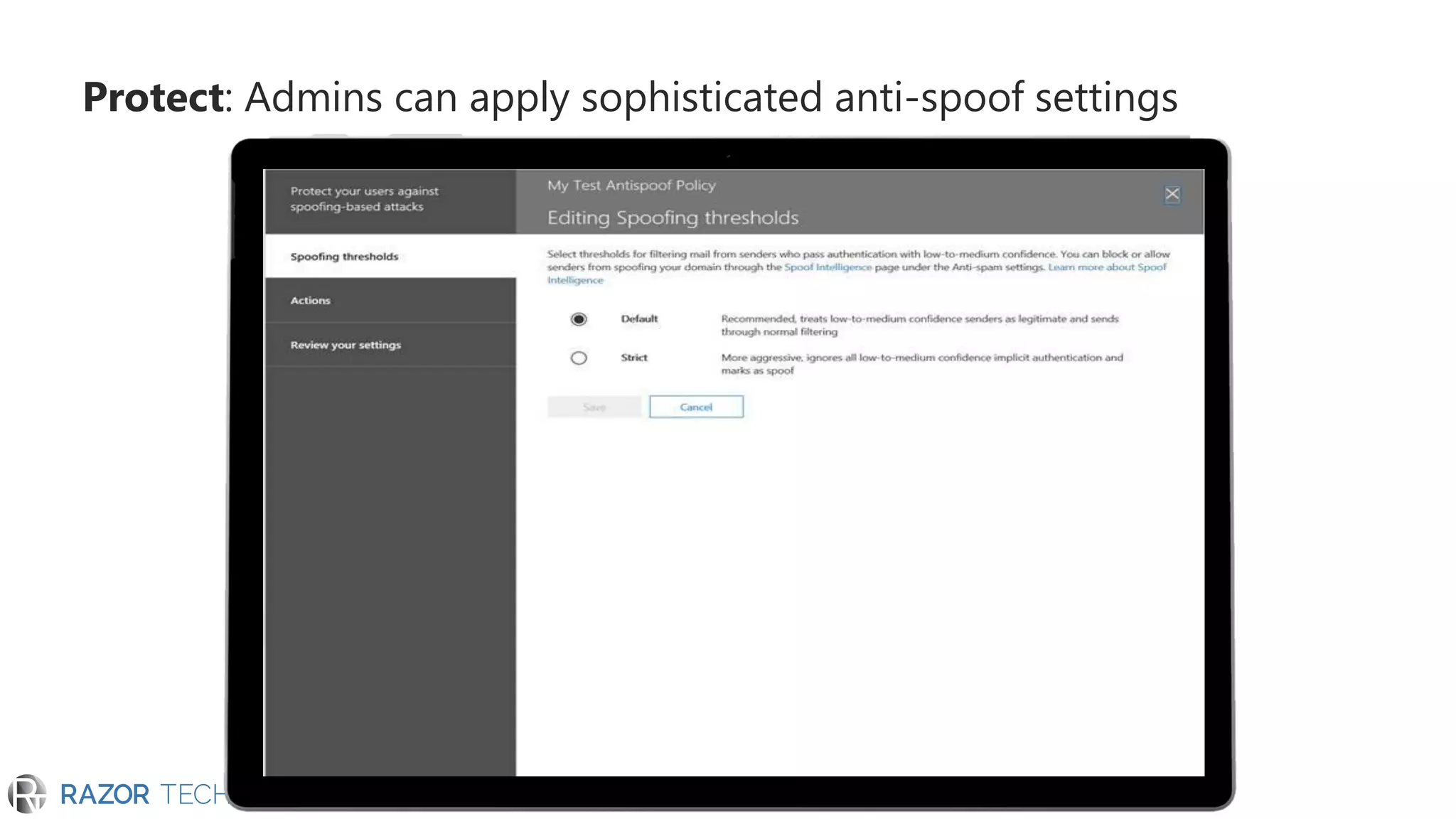
Protect: Admins can apply sophisticated anti-spoof settings
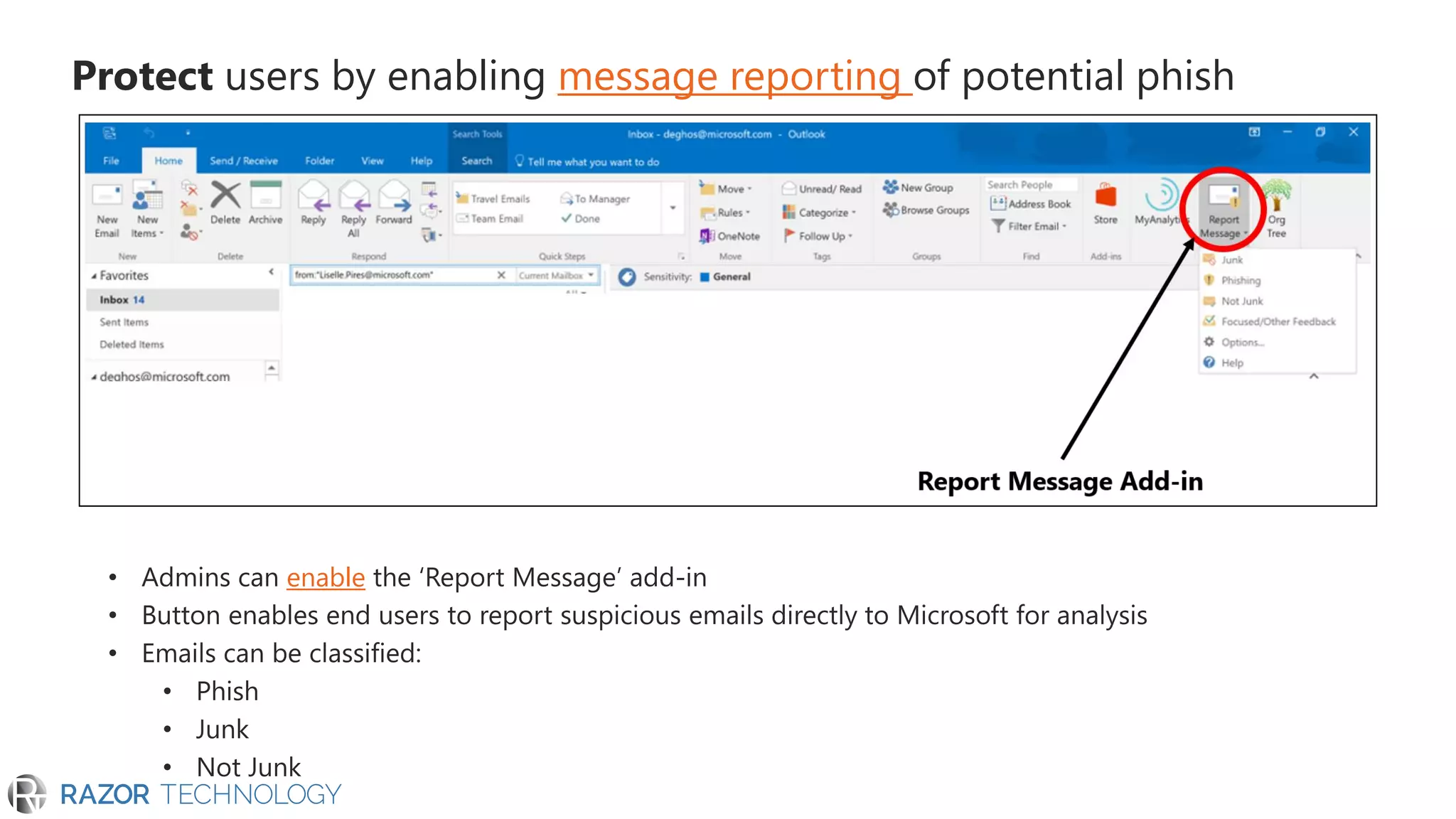
Protect users by enabling message reporting of potential phish
enable
Protect your data
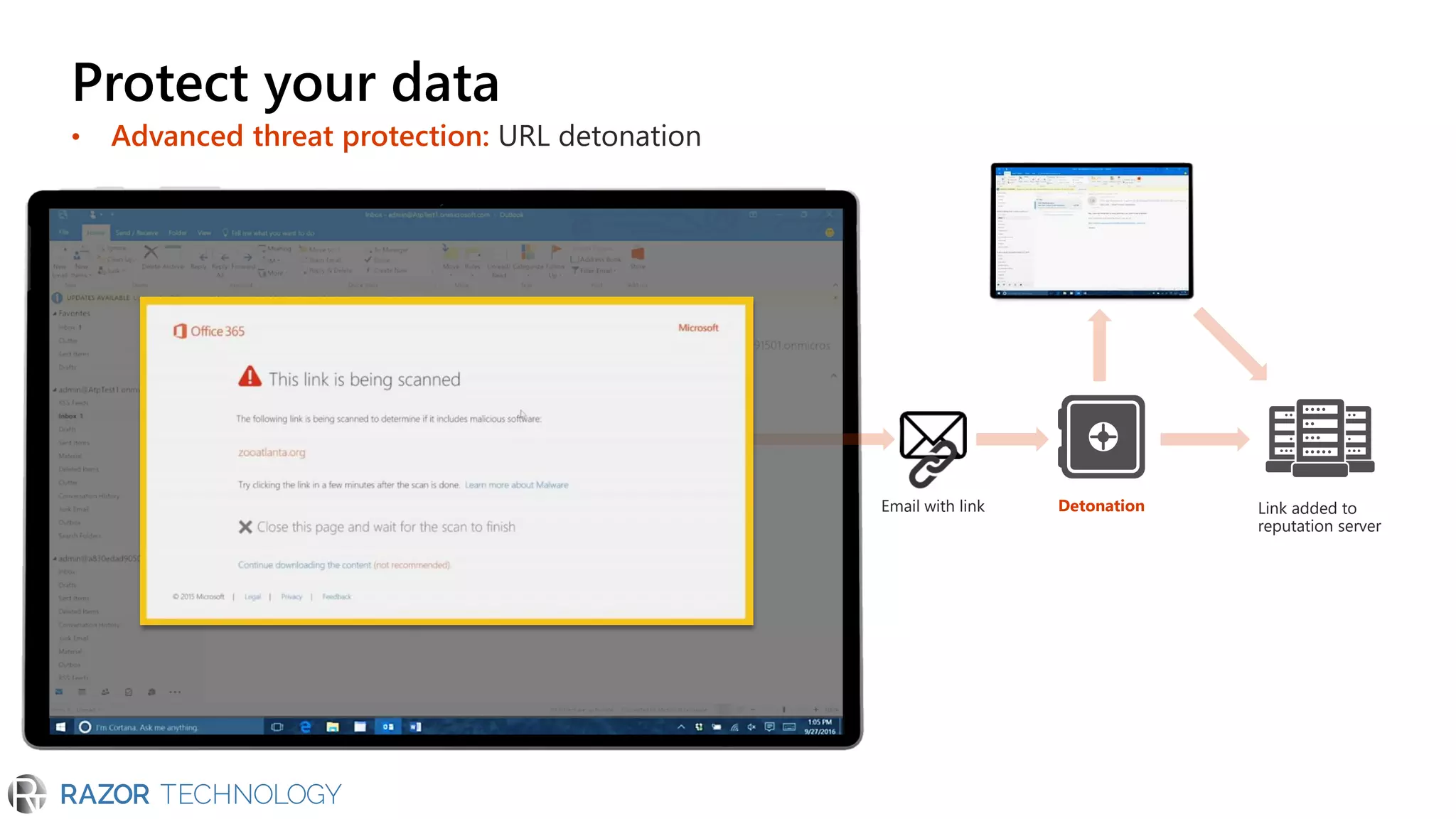
• Advanced threat protection: URL detonation
DetonationEmail with link Link added to
reputation server
Protect your data
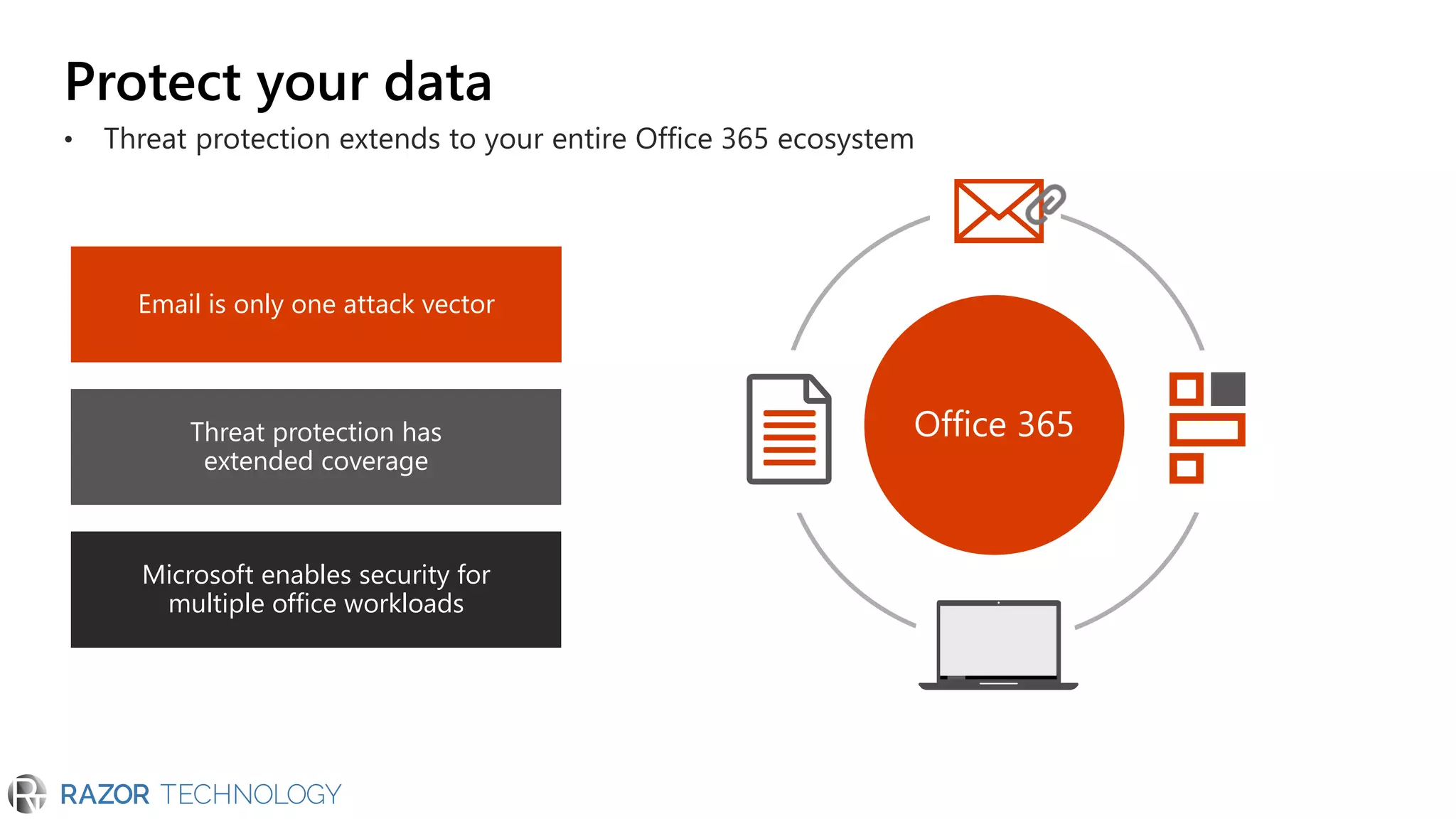
• Threat protection extends to your entire Office 365 ecosystem
Email is only one attack vector
Threat protection has
extended coverage
Microsoft enables security for
multiple office workloads
Office 365
Protect your data
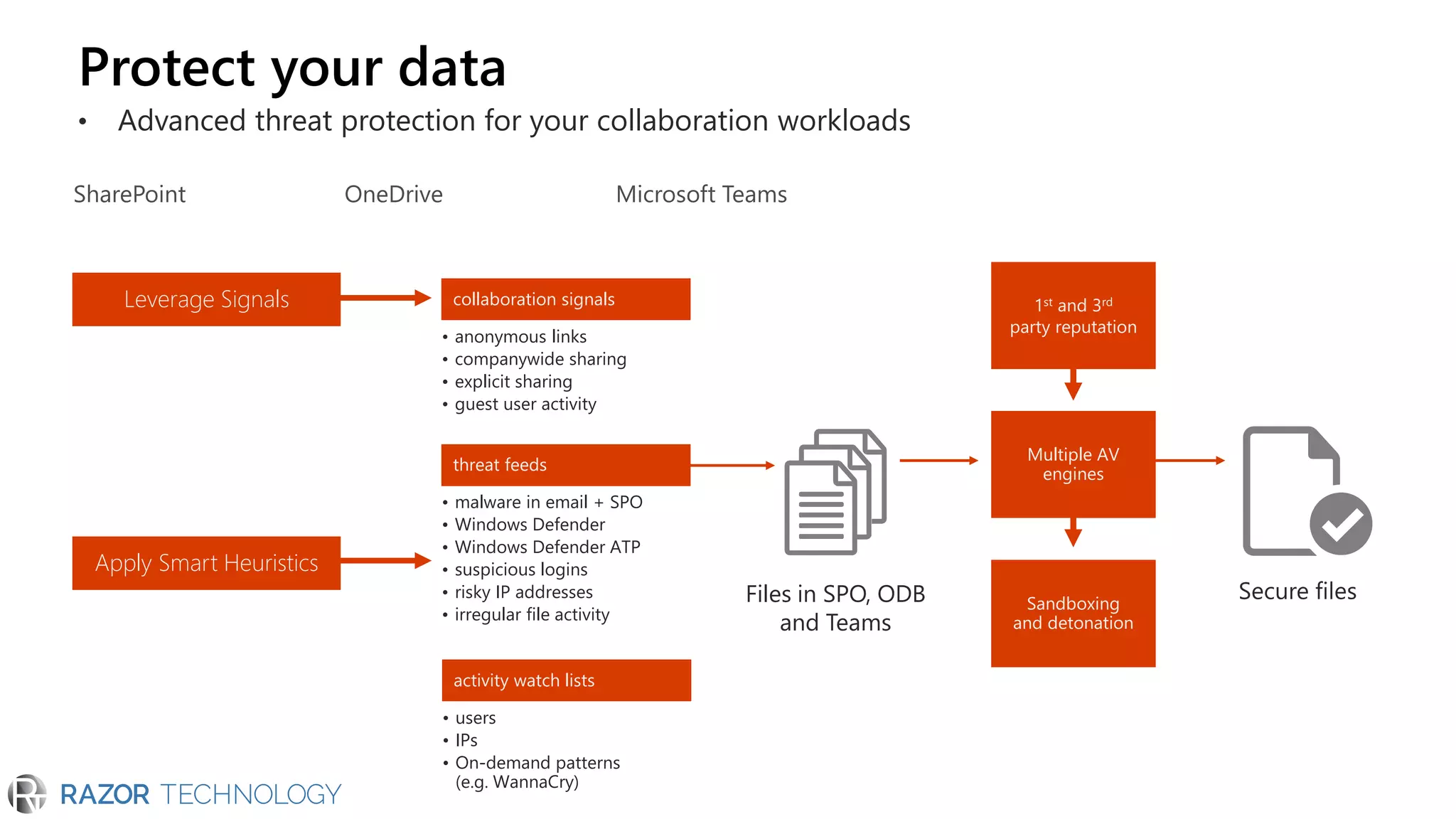
• Advanced threat protection for your collaboration workloads
Sandboxing
and detonation
• anonymous links
• companywide sharing
• explicit sharing
• guest user activity
collaboration signals
• malware in email + SPO
• Windows Defender
• Windows Defender ATP
• suspicious logins
• risky IP addresses
• irregular file activity
threat feeds
• users
• IPs
• On-demand patterns
(e.g. WannaCry)
activity watch lists
Leverage Signals
Apply Smart Heuristics
Files in SPO, ODB
and Teams
1st and 3rd
party reputation
Multiple AV
engines
SharePoint OneDrive Microsoft Teams
Protect your data
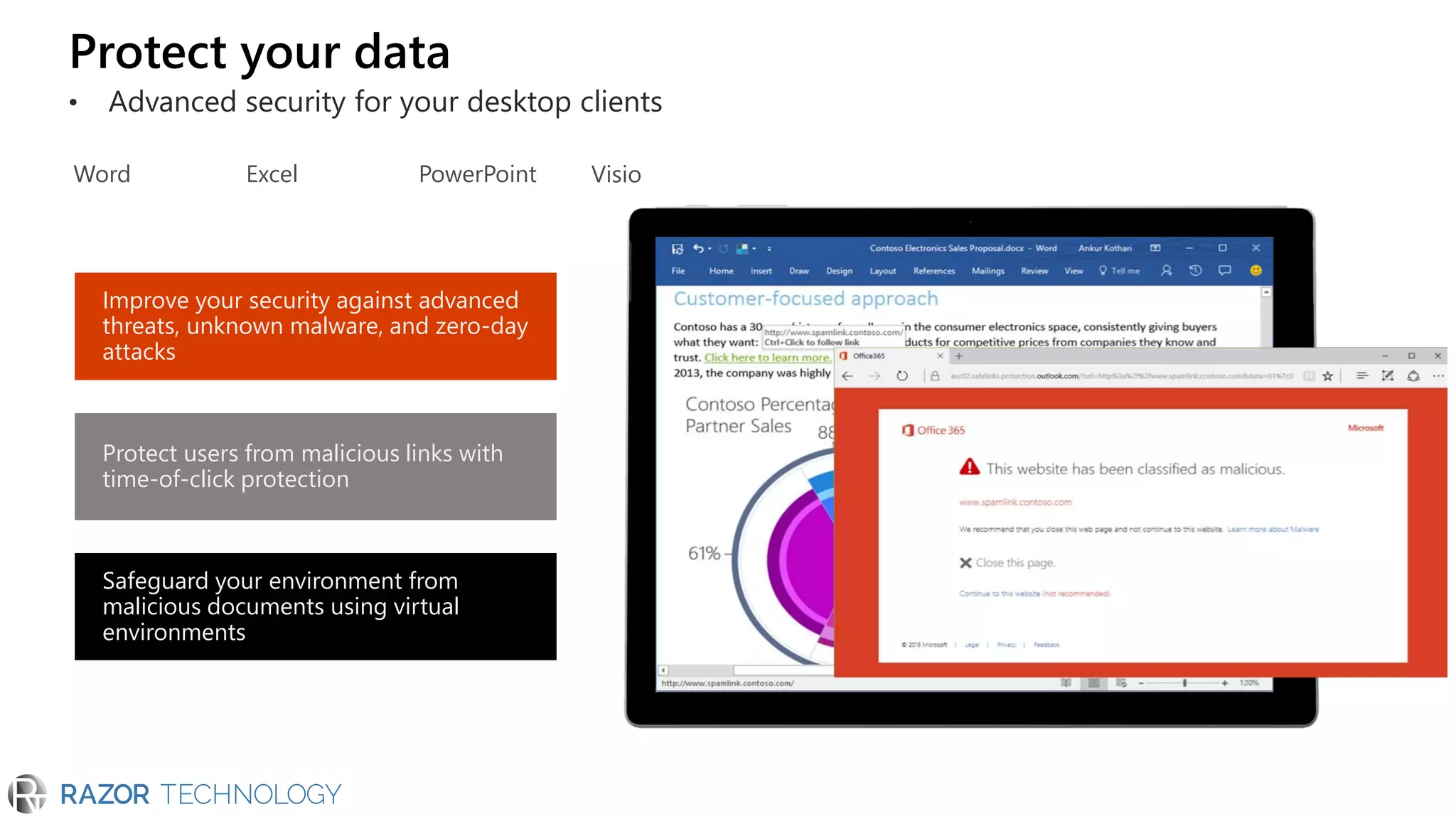
• Advanced security for your desktop clients
Improve your security against advanced
threats, unknown malware, and zero-day
attacks
Protect users from malicious links with
time-of-click protection
Safeguard your environment from
malicious documents using virtual
environments
Word Excel PowerPoint Visio
Detect compromised users
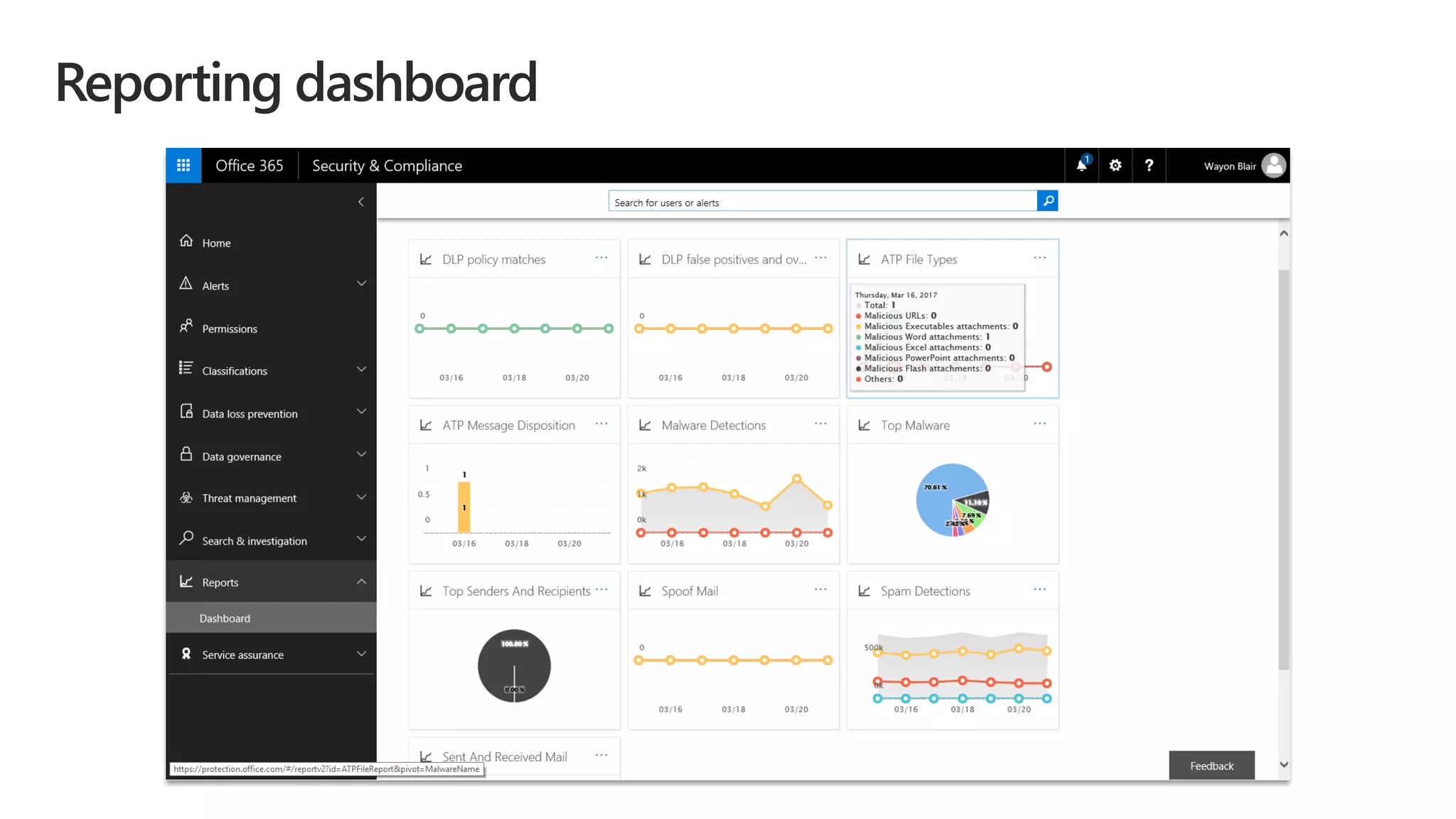
Reporting dashboard
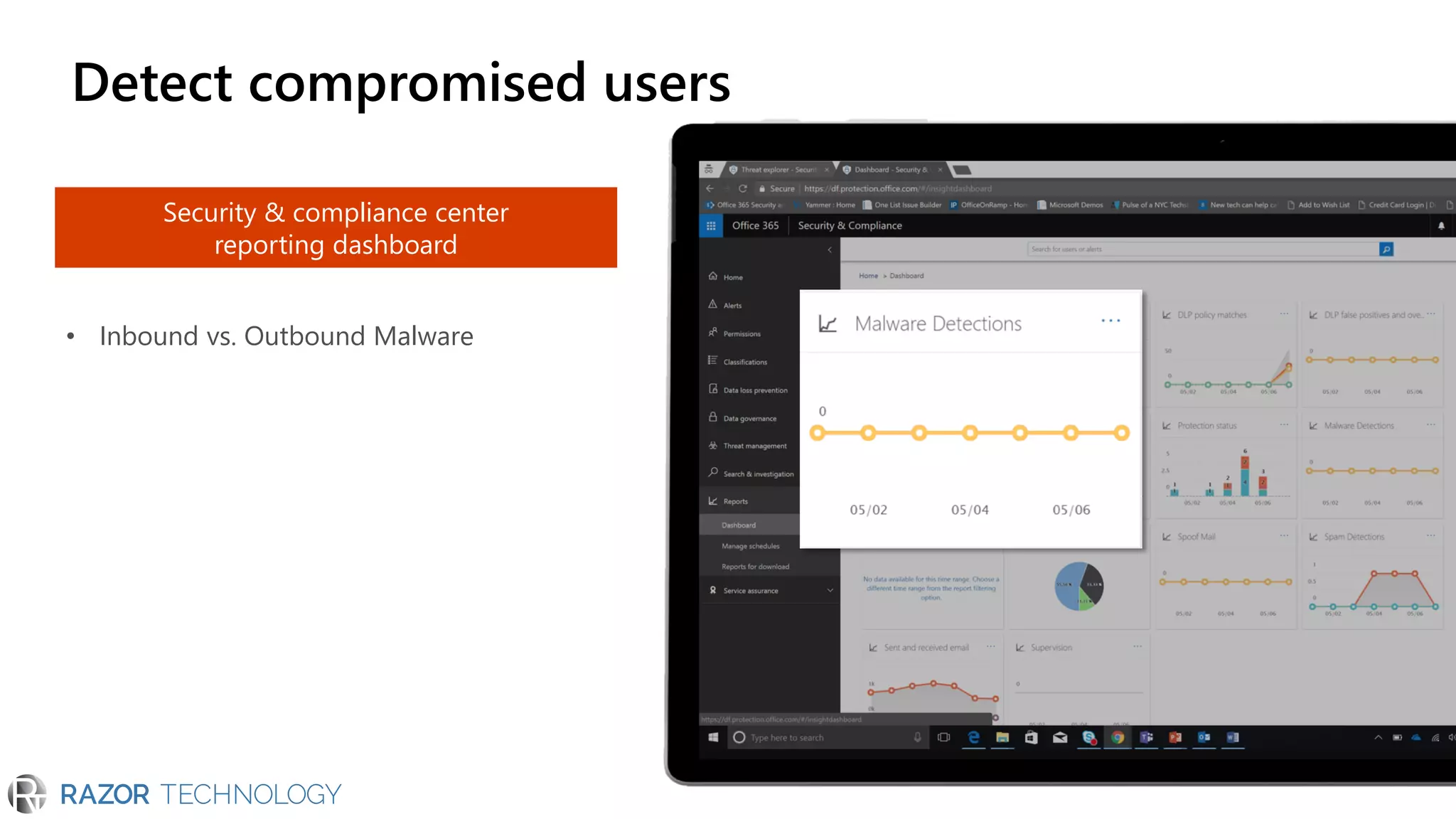
Detect compromised users
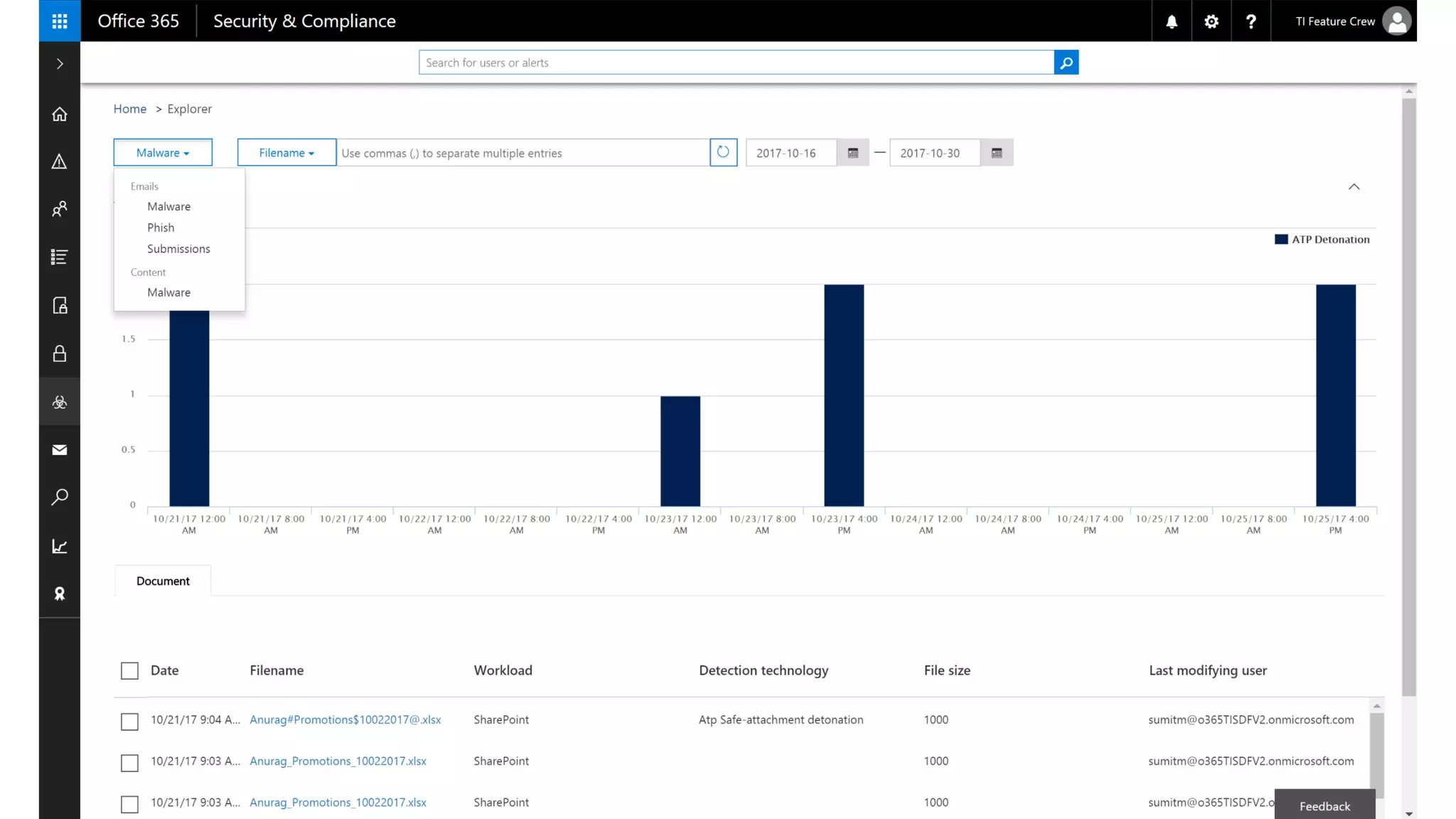
Security & compliance center
reporting dashboard
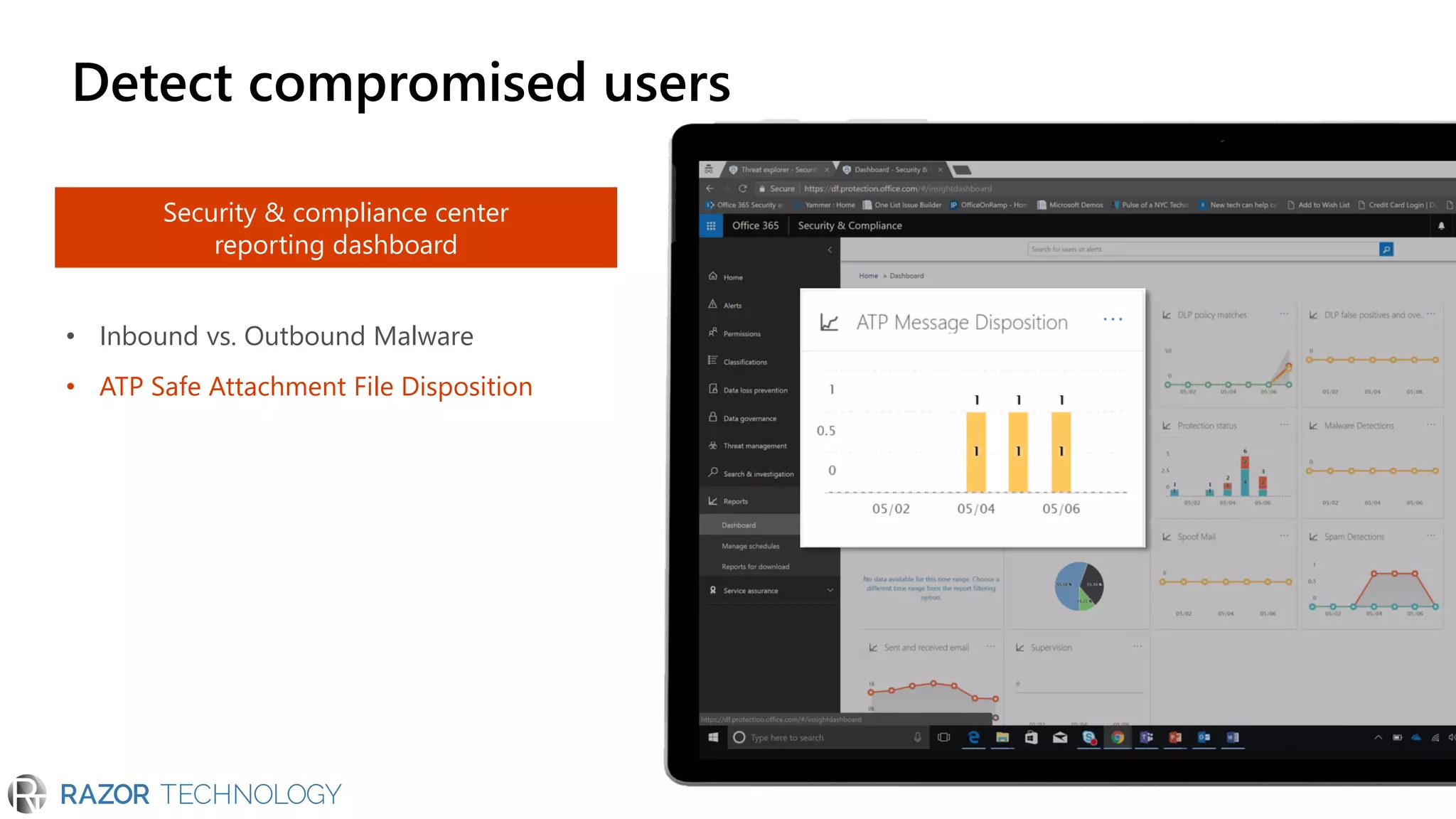
• Inbound vs. Outbound Malware
Security & compliance center
reporting dashboard
• Inbound vs. Outbound Malware
• ATP Safe Attachment File Disposition
Detect compromised users
Security & compliance center
reporting dashboard
• Inbound vs. Outbound Malware
• ATP Safe Attachment File Disposition
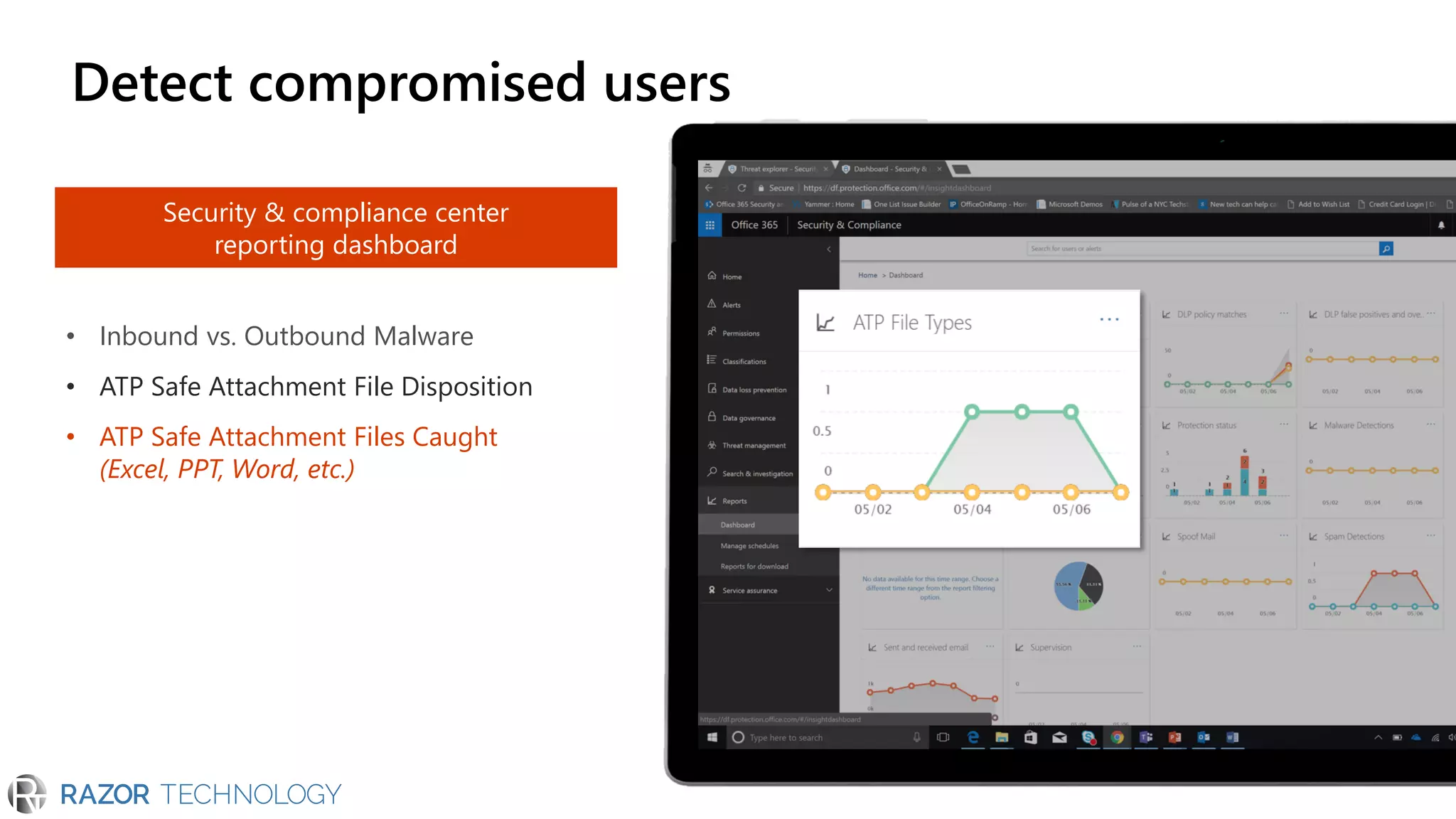
• ATP Safe Attachment Files Caught
(Excel, PPT, Word, etc.)
Detect compromised users
Security & compliance center
reporting dashboard
• Inbound vs. Outbound Malware
• ATP Safe Attachment File Disposition
• ATP Safe Attachment Files Caught
(Excel, PPT, Word, etc.)
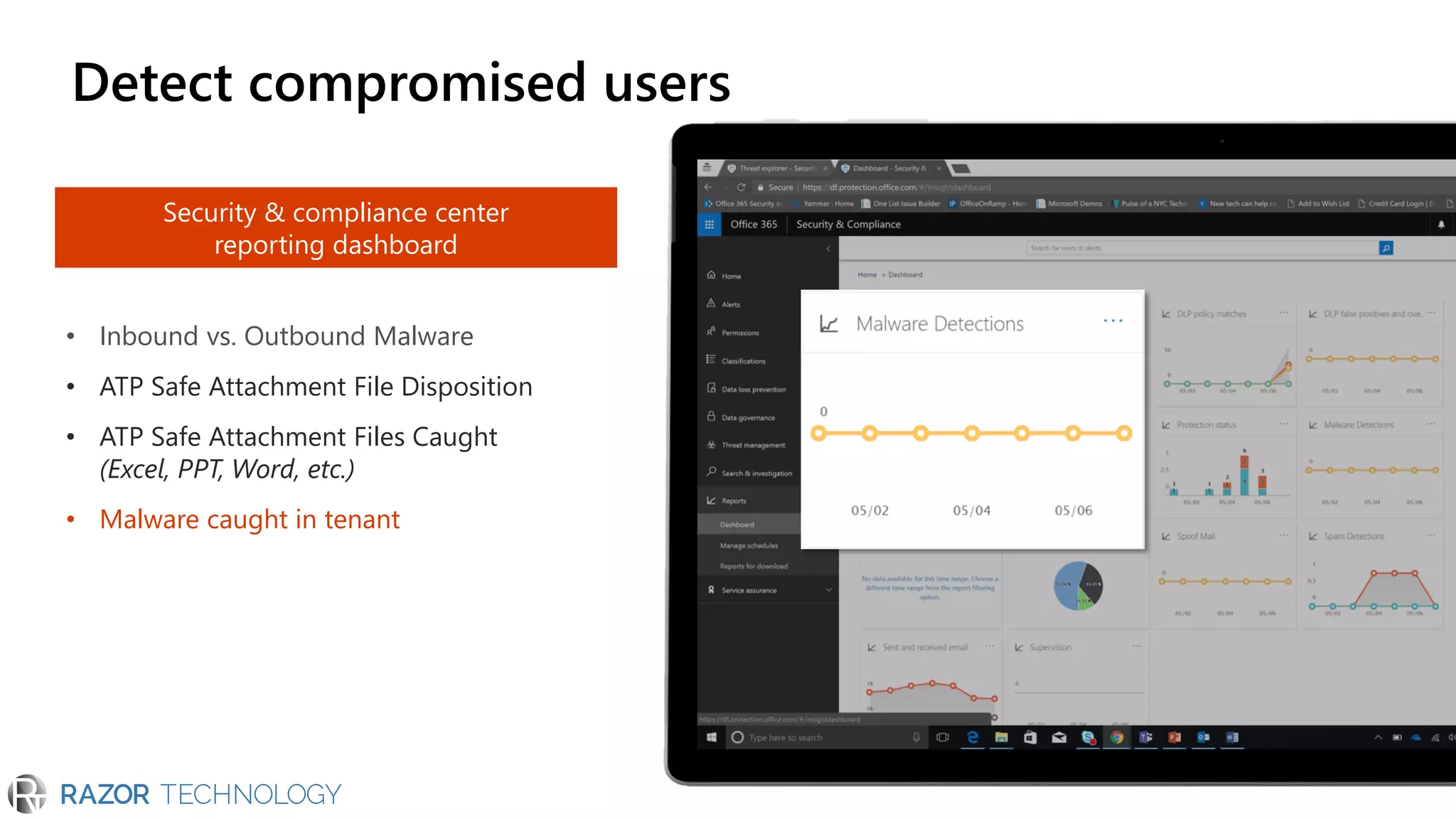
• Malware caught in tenant
Detect compromised users
Security & compliance center
reporting dashboard
• Inbound vs. Outbound Malware
• ATP Safe Attachment File Disposition
• ATP Safe Attachment Files Caught
(Excel, PPT, Word, etc.)
• Malware caught in tenant
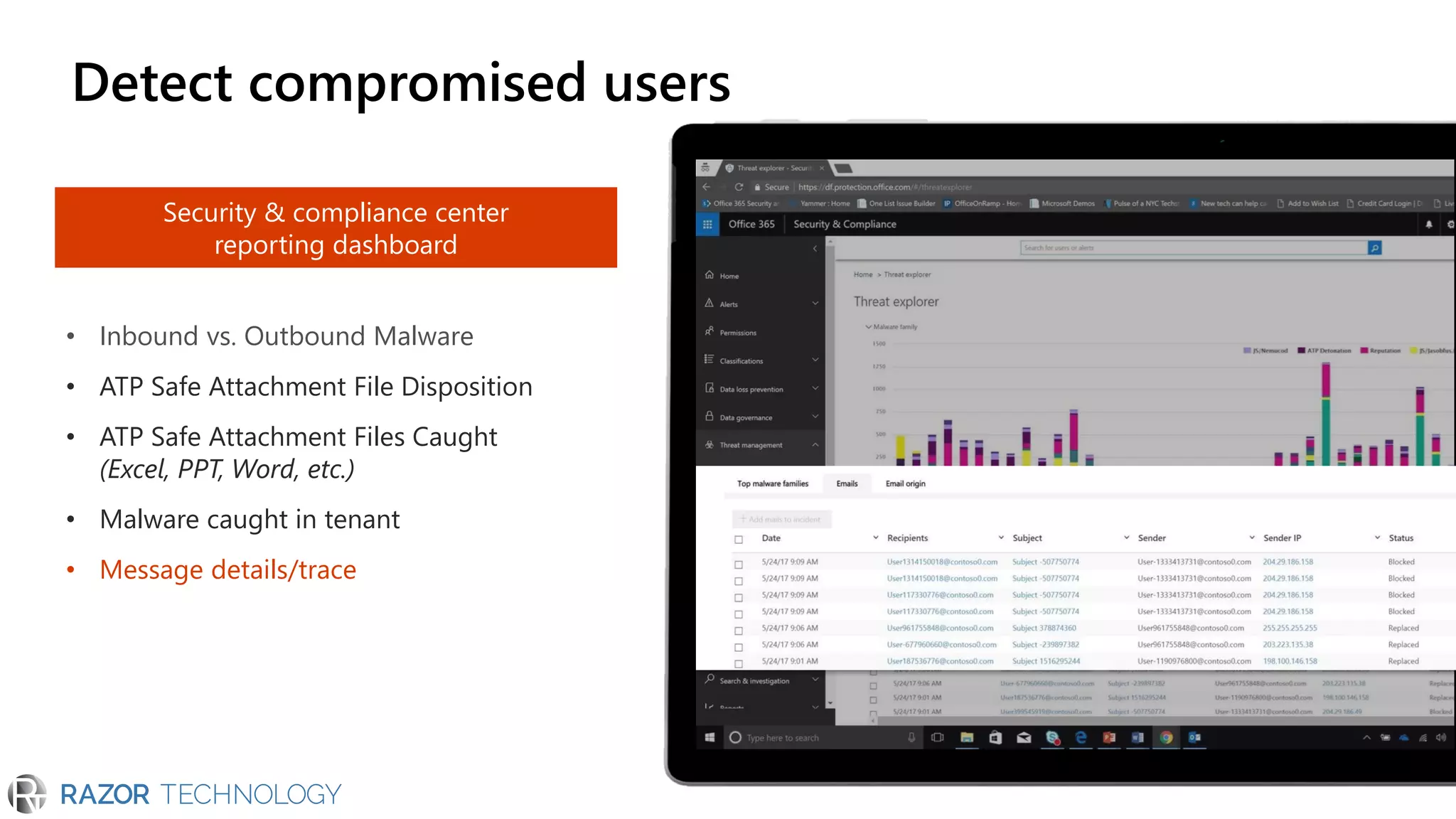
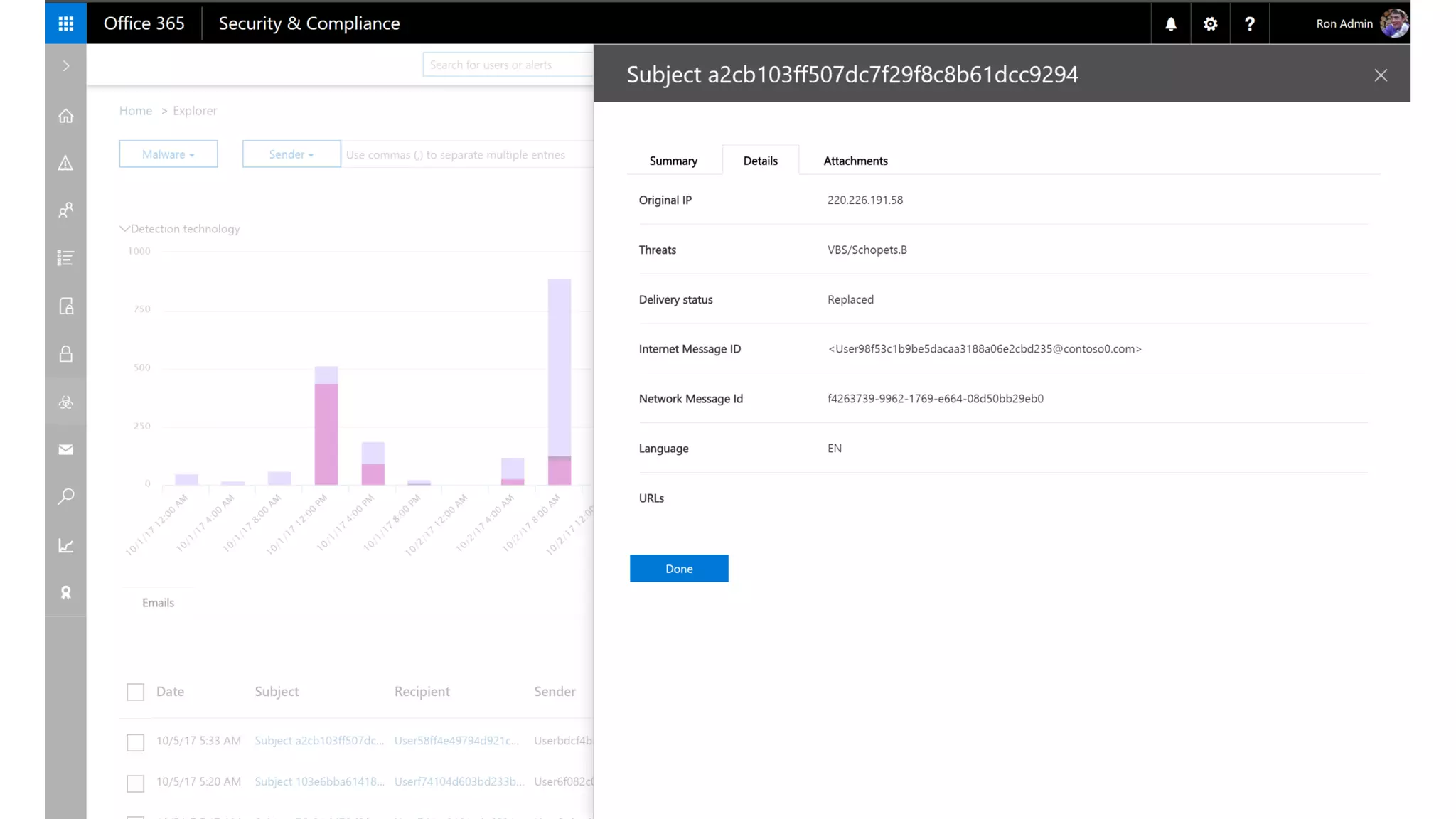
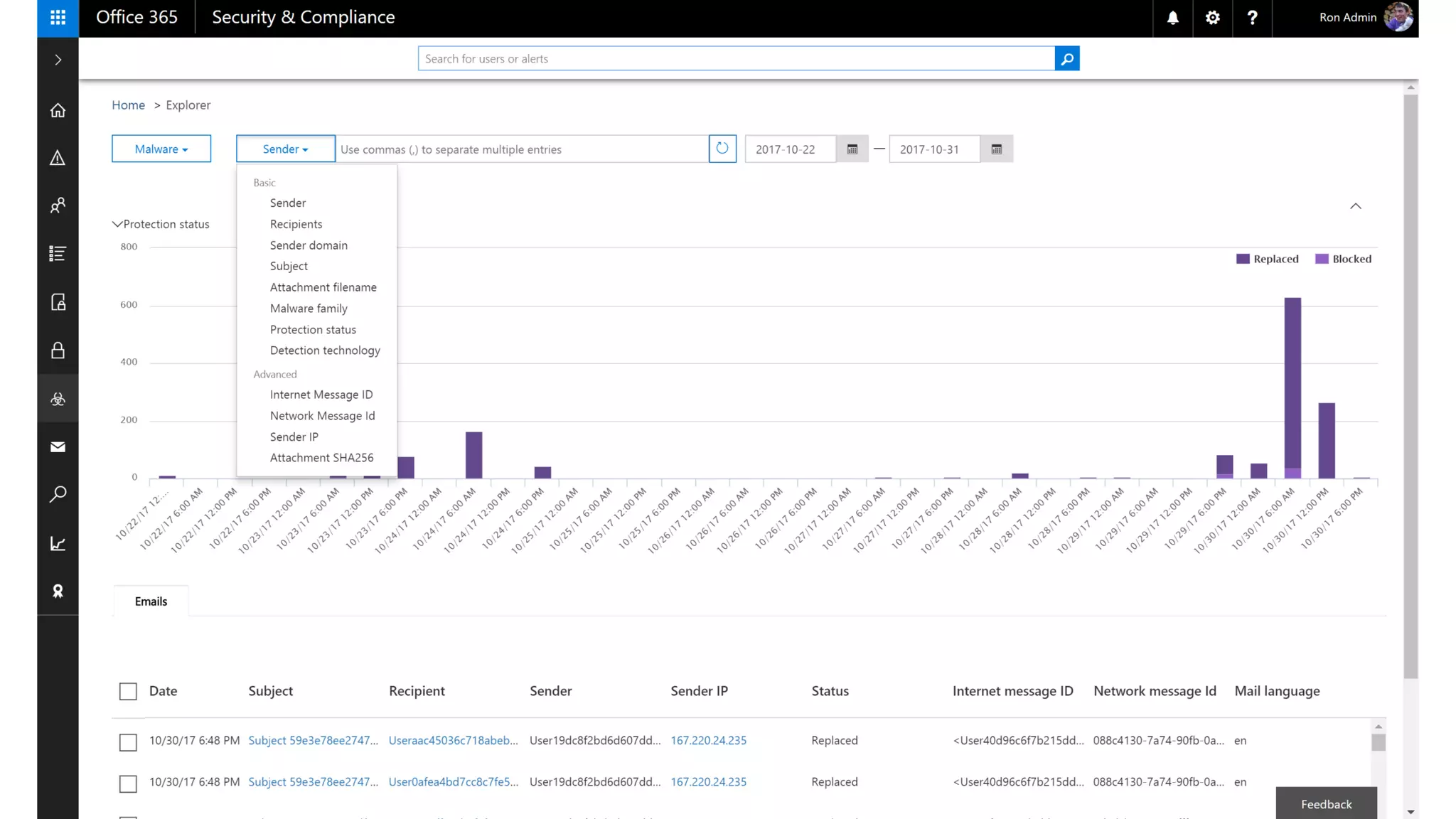
• Message details/trace
Detect compromised users
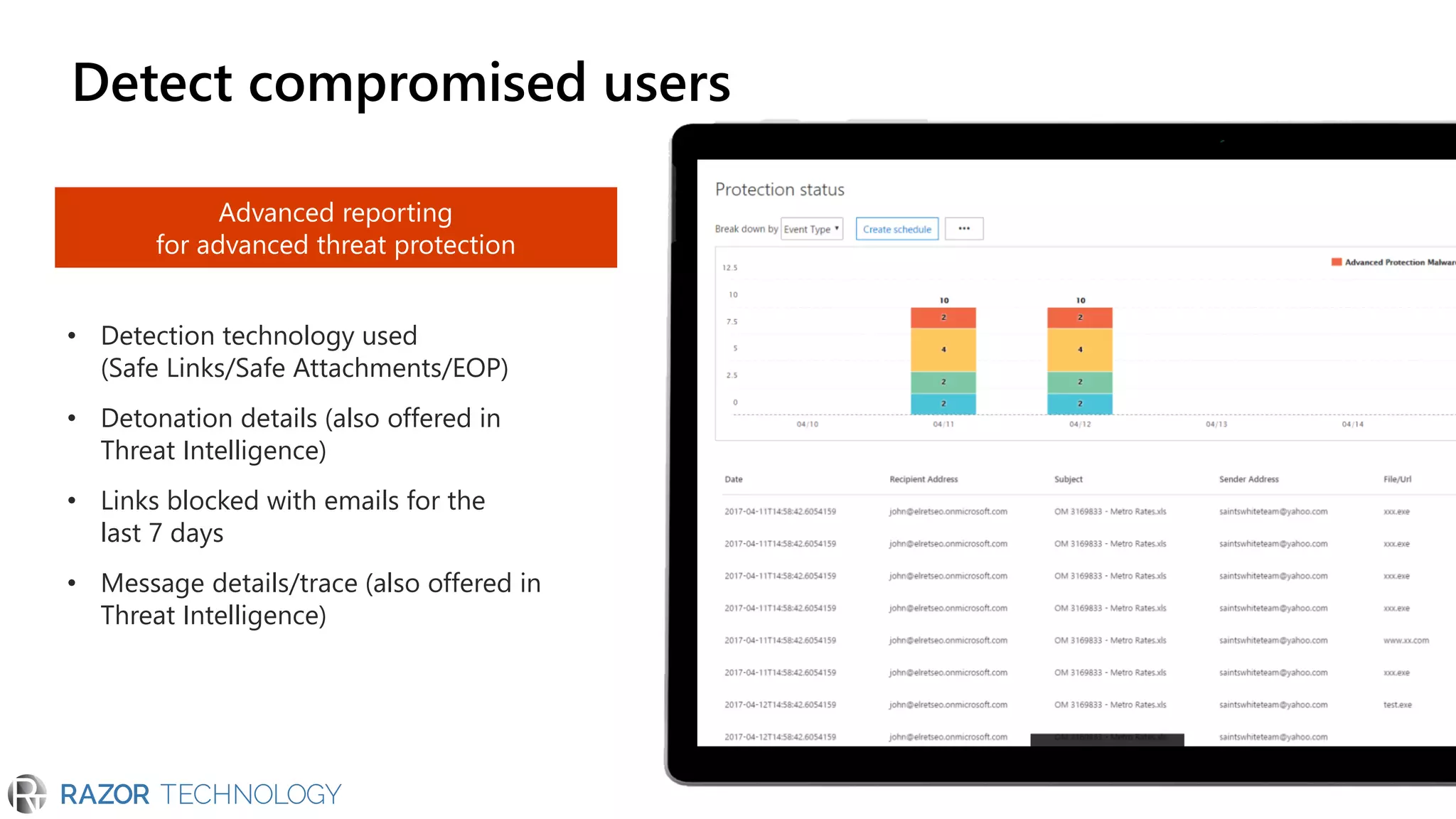
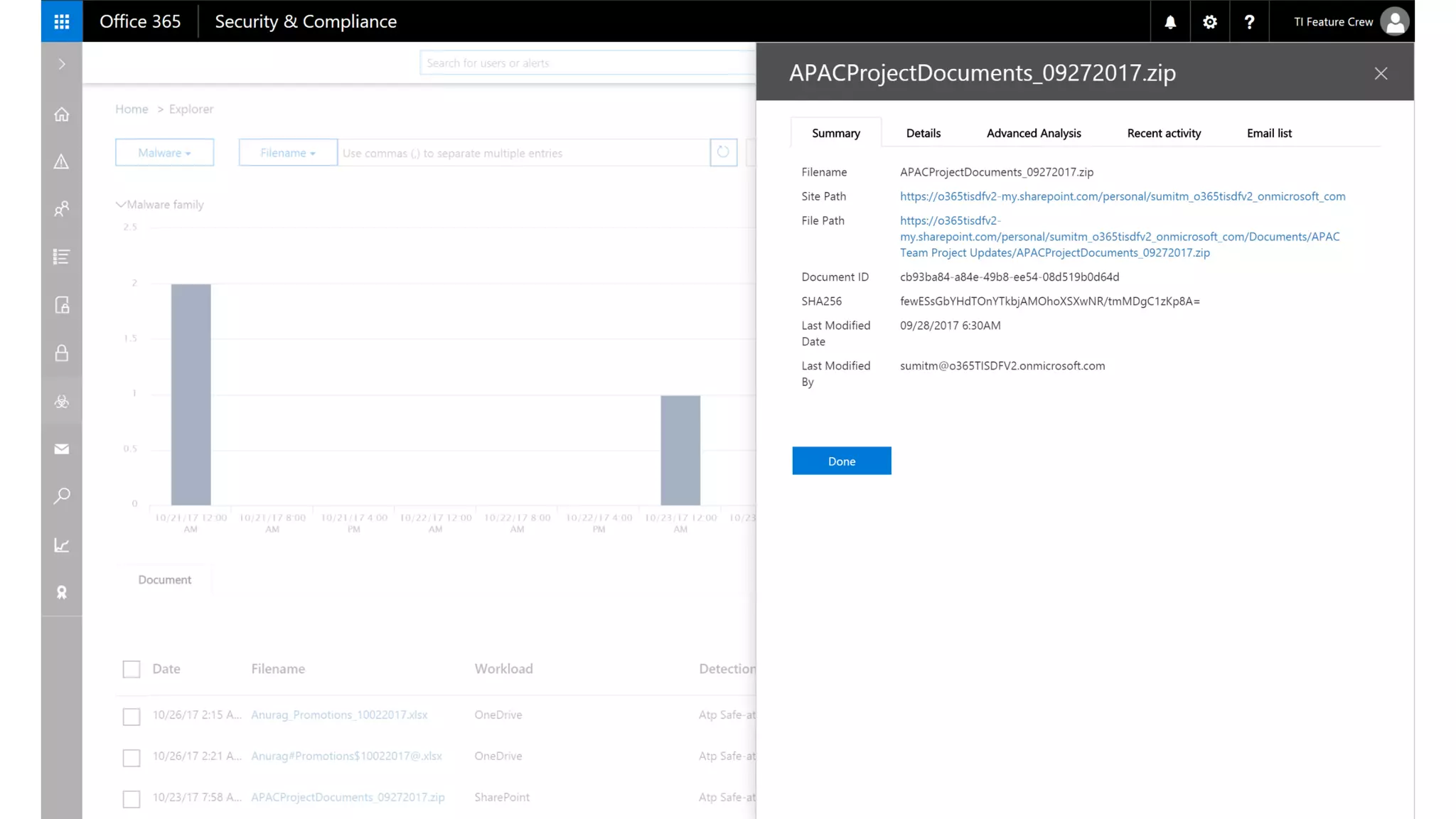
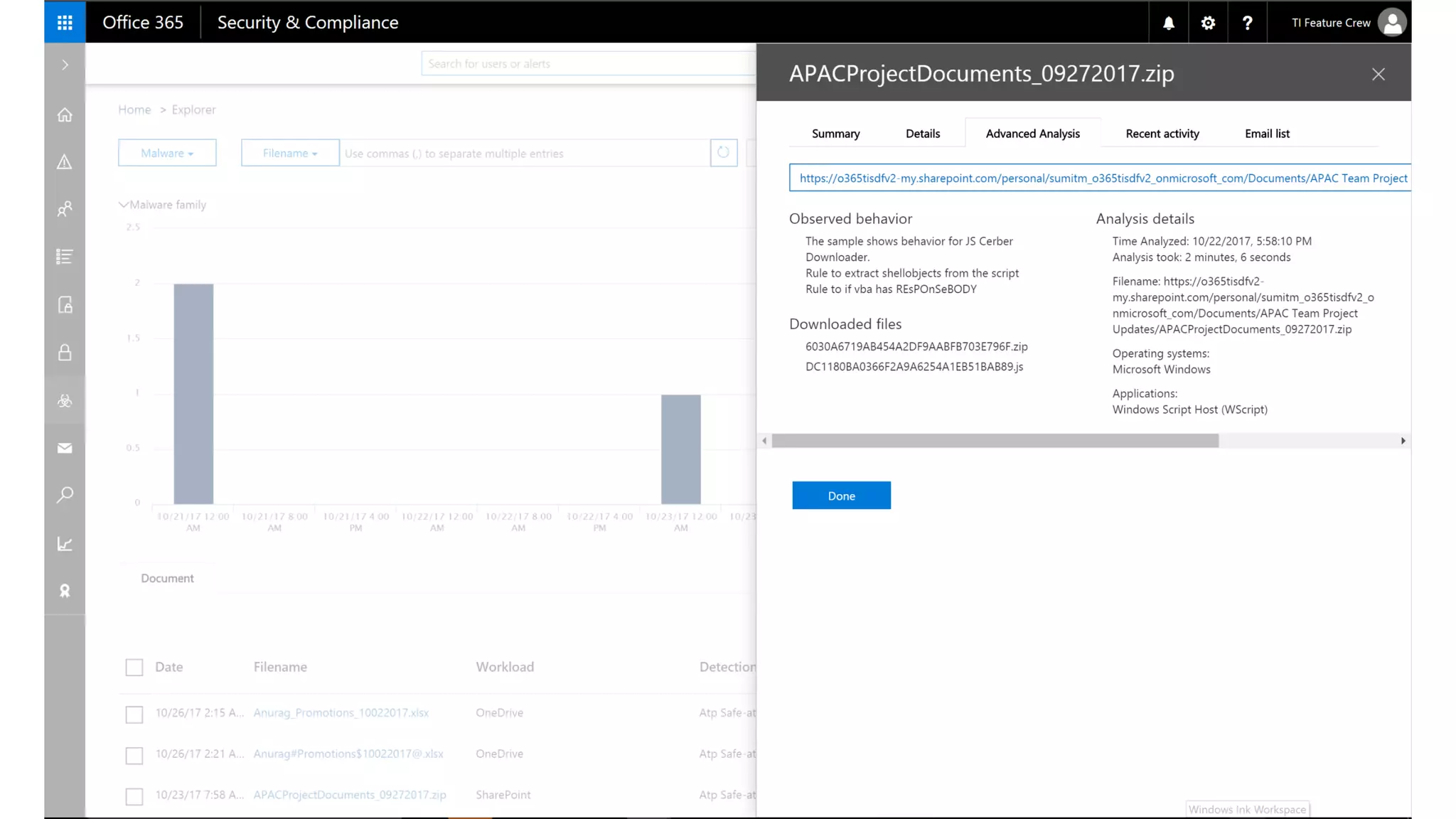
• Detection technology used
(Safe Links/Safe Attachments/EOP)
• Detonation details (also offered in
Threat Intelligence)
• Links blocked with emails for the
last 7 days
• Message details/trace (also offered in
Threat Intelligence)
Advanced reporting
for advanced threat protection
Detect compromised users
Gain visibility to respond to threats
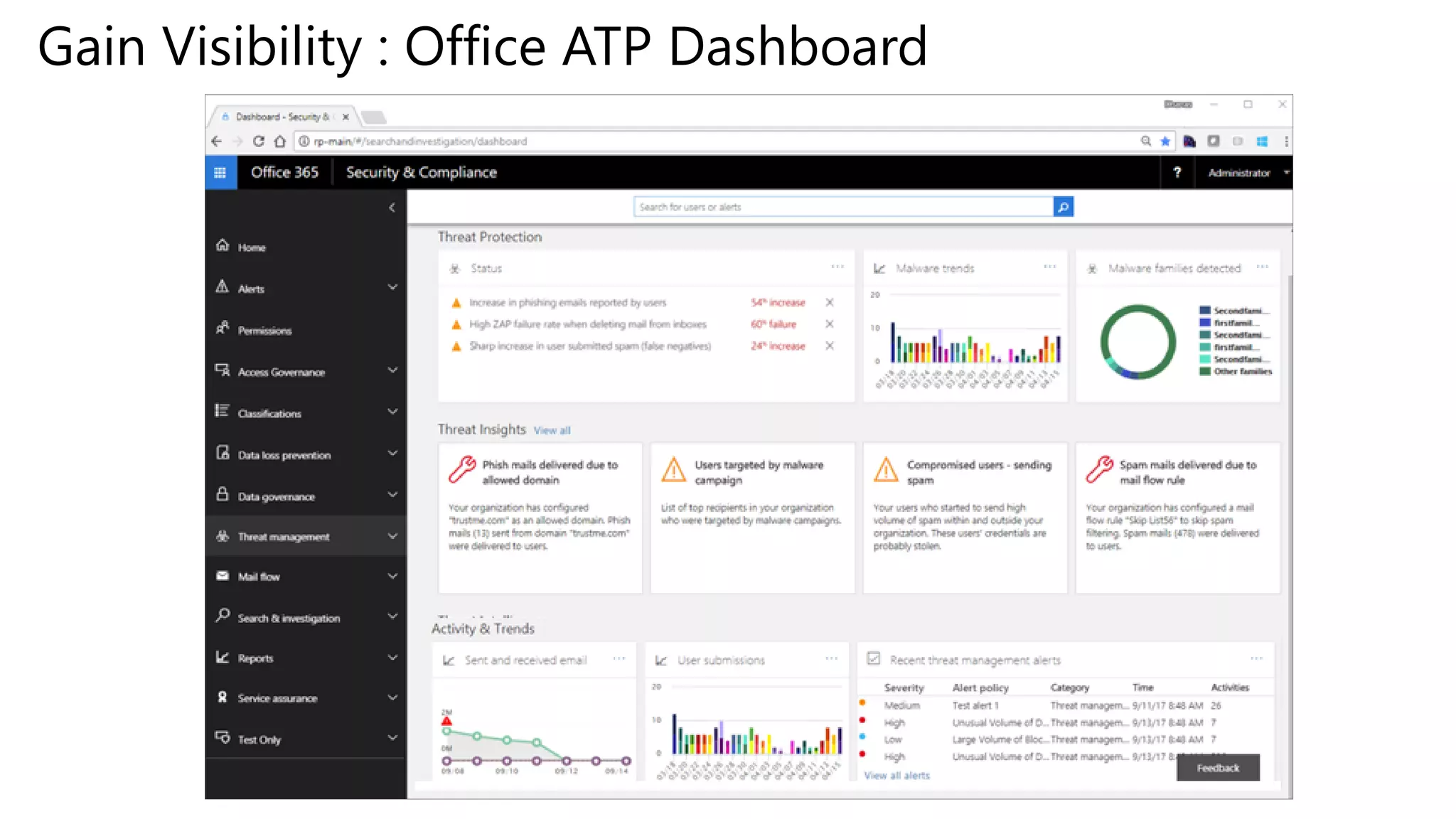
Gain Visibility : Office ATP Dashboard
Today and Beyond
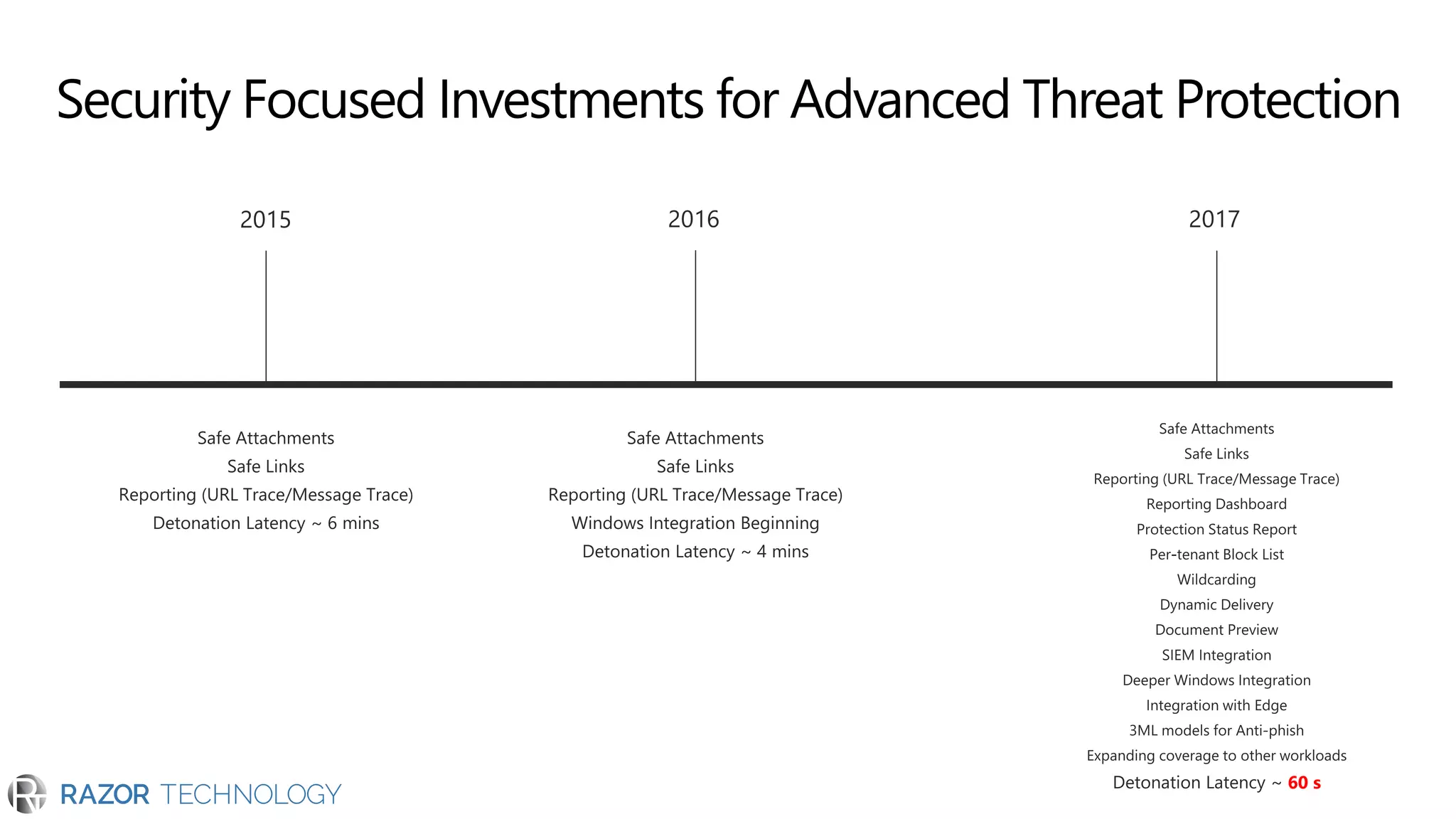
Security Focused Investments for Advanced Threat Protection
60 s
What’s next?
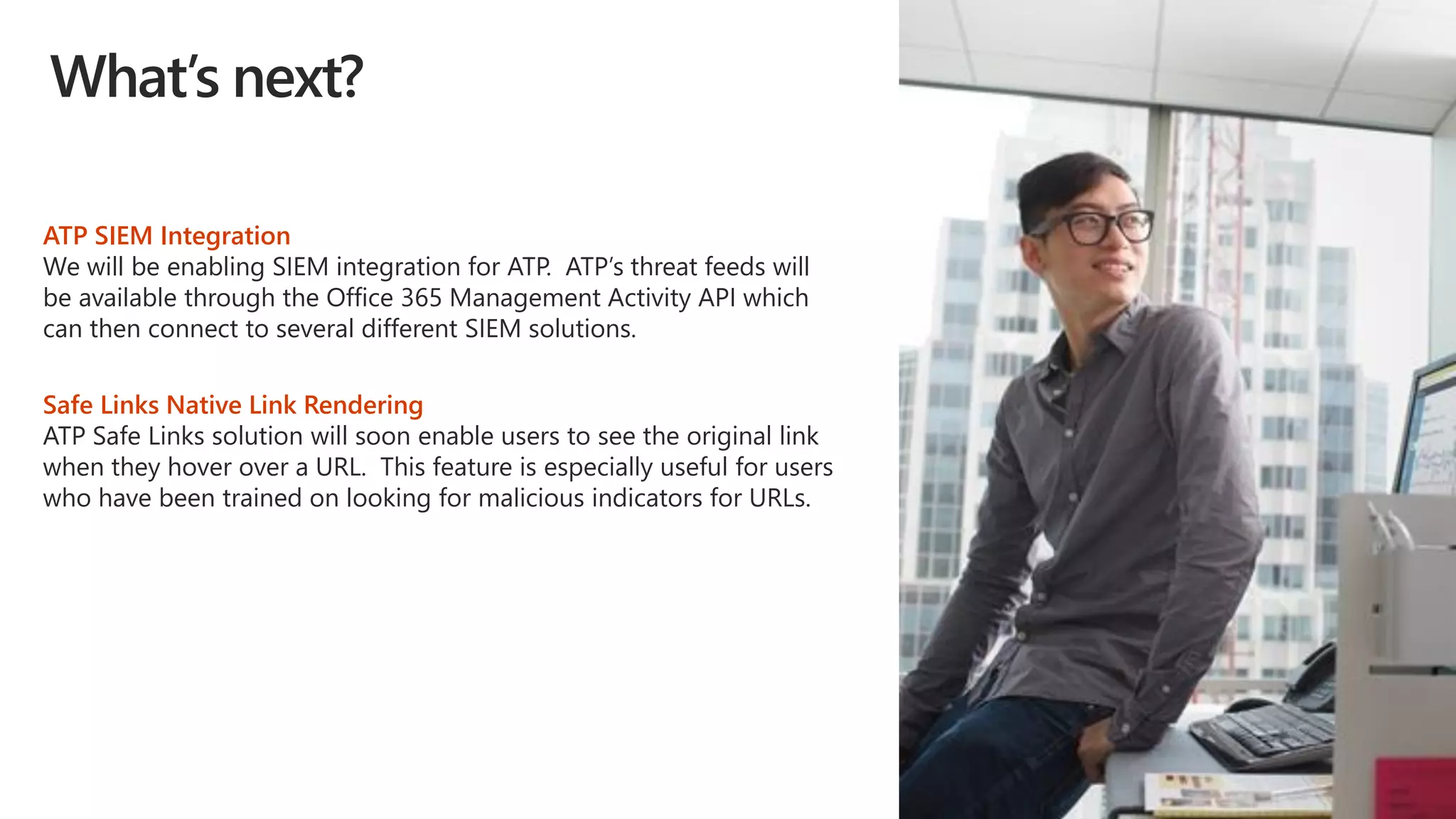
ATP SIEM Integration
We will be enabling SIEM integration for ATP. ATP’s threat feeds will
be available through the Office 365 Management Activity API which
can then connect to several different SIEM solutions.
Safe Links Native Link Rendering
ATP Safe Links solution will soon enable users to see the original link
when they hover over a URL. This feature is especially useful for users
who have been trained on looking for malicious indicators for URLs.
© 2018 Razor Technology, LLCwww.razor-tech.com
@DavidJRosenthal
Slideshare
www.razor-tech.com
5 Tower Bridge
300 Barr Harbor Dr., Suite 705
West Conshohocken, PA 19428
www.razor-tech.com
David.Rosenthal@razor-tech.com
Cell: 215.801.4430
Office: 866.RZR.DATA
LETS KEEP IN TOUCH
© 2017 Microsoft Corporation. All rights reserved.
46

Microsoft Office 365 Advanced Threat Protection

  • 1.
    Office 365 AdvancedThreat Protection Productivitybuilt on security DavidJ. Rosenthal, VP & GM, DigitalBusiness MicrosoftMTC – NYC May 2, 2018
  • 3.
    1 billion Windows devicesupdated 450 billion Microsoft Azure user authentications 400 billion Office emails analyzed Integration across our platforms and services Cloud App Security
  • 4.
    Office 365 AdvanceThreat Protection addresses our customer’s challenges Protect business critical data Detect compromised users Gain visibility to respond to threats
  • 5.
  • 6.
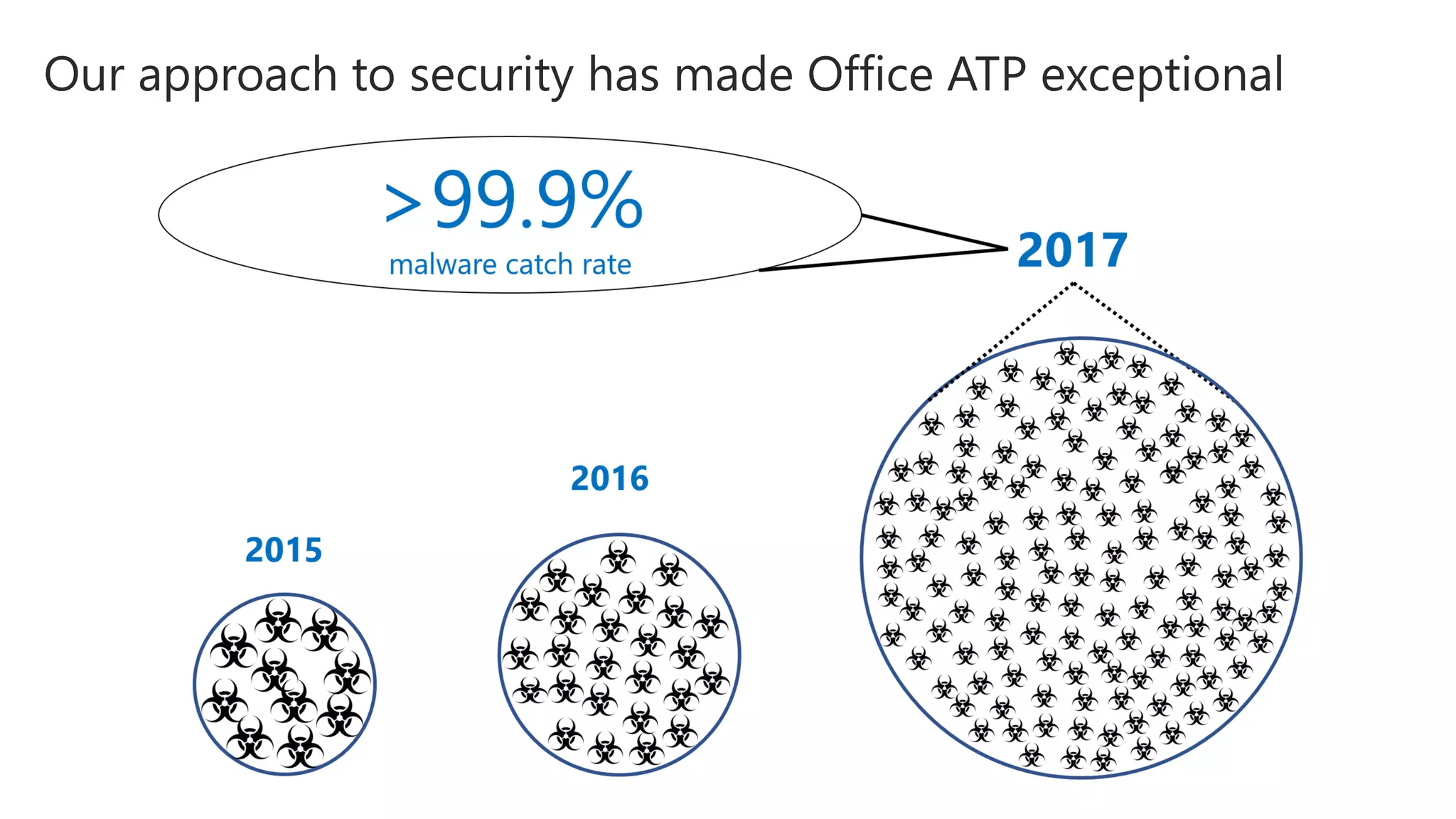
    Protect business criticaldata Most security experts agree that email remains the #1 attack vector emails analyzed every month in office 365 of all email traffic is spam (Mar ‘17)2 increase in ransomeware- infected emails (2016-2017)1
  • 7.
    Protect your data •Advanced Threat Protection Safe Attachments: detonating malicious attachments Detonation
  • 9.
    Attachment sent to sandbox Protectyour data • Our features and enhancements limit the impact to user productivity: Dynamic Delivery Dynamic delivery: Reducing the impact from sandboxing latency Continuously lowering latency times Email with attachment Email body goes through basic email security Sandboxing Malicious attachment Safe attachment
  • 10.
    Protect your data •Our features and enhancements limit the impact to user productivity: Document Preview
  • 11.
    Protect your data •Advanced Threat Protection Safe Links: Time of click protection for malicious links Web servers perform latest URL reputation check Rewriting URLs to redirect to a web server. User clicking URL is taken to EOP web servers for the latest check at the “time- of-click”
  • 12.
    Office 365 PhishProtection Stack (Enhanced) 12 Mail Flow Protection Post Delivery Protection ATP Safe link Time of click Protection ATP ZAP Sender Authentication Checks Implicit Intra Org Domain Spoof Detection Soon: ATP Implicit External Domain Spoof Detection Soon: ATP User mailbox Intelligence Soon: ATP User Impersonation Detection Soon: ATP Domain Impersonation Detection AV Engine Scan URL Reputation Scan New: ATP Attachment Detonation for phishing ATP Heuristic Clustering Phish Content Analysis Heuristics/Rules ATP Machine Learning Models Multi factor Authentication for Office 365 New: Safe link for Internal MailNew: ATP block of attachments with bad URLs New: Windows 10 based Rep Scan Enhanced: Safe link for Office Clients ATP Safe link Time of click Protection ATP ZAP Sender Authentication Checks Implicit Intra Org Domain Spoof Detection Soon: ATP Implicit External Domain Spoof Detection Soon: ATP User Intelligence Soon: ATP User Impersonation Detection Soon: ATP Domain Impersonation Detection AV Engine Scan URL Reputation Scan New: ATP Attachment Detonation for phishing ATP Heuristic Clustering Phish Content Analysis Heuristics/Rules ATP Machine Learning Models Multi factor Authentication for Office 365 New: Safe link for Internal Mail New: ATP block of attachments with bad URLs New: Windows 10 based Rep Scan Enhanced: Safe link for Office Clients Enhanced: Client Tips for Suspicious Mails Tenant Block URL for Safe links New: Explore malicious submissions in Threat Explorer Monitor for risky user/App activity Enhanced:Threat Explorer New: Rich Reports & Insights Detect & Respond
  • 13.
    Protect leveraging MachineLearning Models identifying phish lures Analyses Millions of samples ML Model Model generation Good - Inbox Bad - Phish action Applying what we learnedLearning from the good and bad Base protection
  • 14.
    • Implicit SpoofProtection; DMARC; SPF • Content based protection • URL verification against known phishing lists • Safety Tips for mails detected as phish • Inline Reporting • Machine Learning Models • Time of Click Protection (Safe links) • Detonation of Content • Users contact graph Domain Spoof • DMARC, DKIM • SPF • Intra Org spoof • Cross domain spoof Compromised • Compromised account Impersonation • Look alike domains • Display name tricks Content • Attachments • URLs • Text Protect with Office 365 ATP enhanced Anti-phish Capabilities
  • 15.
    Protect: Admins cancreate enhanced Anti-impersonation settings
  • 16.
  • 17.
    Protect: Admins canapply internal safe links for intra-org emails
  • 18.
    Protect: Admins canapply sophisticated anti-spoof settings
  • 19.
    Protect users byenabling message reporting of potential phish enable
  • 20.
    Protect your data •Advanced threat protection: URL detonation DetonationEmail with link Link added to reputation server
  • 21.
    Protect your data •Threat protection extends to your entire Office 365 ecosystem Email is only one attack vector Threat protection has extended coverage Microsoft enables security for multiple office workloads Office 365
  • 22.
    Protect your data •Advanced threat protection for your collaboration workloads Sandboxing and detonation • anonymous links • companywide sharing • explicit sharing • guest user activity collaboration signals • malware in email + SPO • Windows Defender • Windows Defender ATP • suspicious logins • risky IP addresses • irregular file activity threat feeds • users • IPs • On-demand patterns (e.g. WannaCry) activity watch lists Leverage Signals Apply Smart Heuristics Files in SPO, ODB and Teams 1st and 3rd party reputation Multiple AV engines SharePoint OneDrive Microsoft Teams
  • 23.
    Protect your data •Advanced security for your desktop clients Improve your security against advanced threats, unknown malware, and zero-day attacks Protect users from malicious links with time-of-click protection Safeguard your environment from malicious documents using virtual environments Word Excel PowerPoint Visio
  • 24.
  • 25.
  • 26.
    Detect compromised users Security& compliance center reporting dashboard • Inbound vs. Outbound Malware
  • 27.
    Security & compliancecenter reporting dashboard • Inbound vs. Outbound Malware • ATP Safe Attachment File Disposition Detect compromised users
  • 28.
    Security & compliancecenter reporting dashboard • Inbound vs. Outbound Malware • ATP Safe Attachment File Disposition • ATP Safe Attachment Files Caught (Excel, PPT, Word, etc.) Detect compromised users
  • 29.
    Security & compliancecenter reporting dashboard • Inbound vs. Outbound Malware • ATP Safe Attachment File Disposition • ATP Safe Attachment Files Caught (Excel, PPT, Word, etc.) • Malware caught in tenant Detect compromised users
  • 30.
    Security & compliancecenter reporting dashboard • Inbound vs. Outbound Malware • ATP Safe Attachment File Disposition • ATP Safe Attachment Files Caught (Excel, PPT, Word, etc.) • Malware caught in tenant • Message details/trace Detect compromised users
  • 31.
    • Detection technologyused (Safe Links/Safe Attachments/EOP) • Detonation details (also offered in Threat Intelligence) • Links blocked with emails for the last 7 days • Message details/trace (also offered in Threat Intelligence) Advanced reporting for advanced threat protection Detect compromised users
  • 32.
    Gain visibility torespond to threats
  • 33.
    Gain Visibility :Office ATP Dashboard
  • 42.
  • 43.
    Security Focused Investmentsfor Advanced Threat Protection 60 s
  • 44.
    What’s next? ATP SIEMIntegration We will be enabling SIEM integration for ATP. ATP’s threat feeds will be available through the Office 365 Management Activity API which can then connect to several different SIEM solutions. Safe Links Native Link Rendering ATP Safe Links solution will soon enable users to see the original link when they hover over a URL. This feature is especially useful for users who have been trained on looking for malicious indicators for URLs.
  • 45.
    © 2018 RazorTechnology, LLCwww.razor-tech.com @DavidJRosenthal Slideshare www.razor-tech.com 5 Tower Bridge 300 Barr Harbor Dr., Suite 705 West Conshohocken, PA 19428 www.razor-tech.com David.Rosenthal@razor-tech.com Cell: 215.801.4430 Office: 866.RZR.DATA LETS KEEP IN TOUCH
  • 46.
    © 2017 MicrosoftCorporation. All rights reserved. 46