aOS Kuala Lumpur 2018
12 Microsoft MVPs, 14 International Speakers, 18 Sessions
Brought to you by:
aOS Kuala Lumpur 2018
An Independent Community Event to Learn About Azure, Office 365 & SharePoint
aOS Kuala Lumpur 2018
A Deep Dive in to Microsoft
365 Security
Muditha Jayath Chathuranga
aOS Kuala Lumpur 2018aOS Kuala Lumpur 2018
Muditha Jayath Chathuranga
• From Colombo, Sri Lanka
• Senior Technical Consultant – Infront Consulting Group Ltd.,
Canada (part of Green House Data)
• Works with Microsoft Office 365, EM+S, Azure
• MVP, MCT
• https://www.thecloudjournal.net/
• https://twitter.com/MudithaC
• me@muditha.me
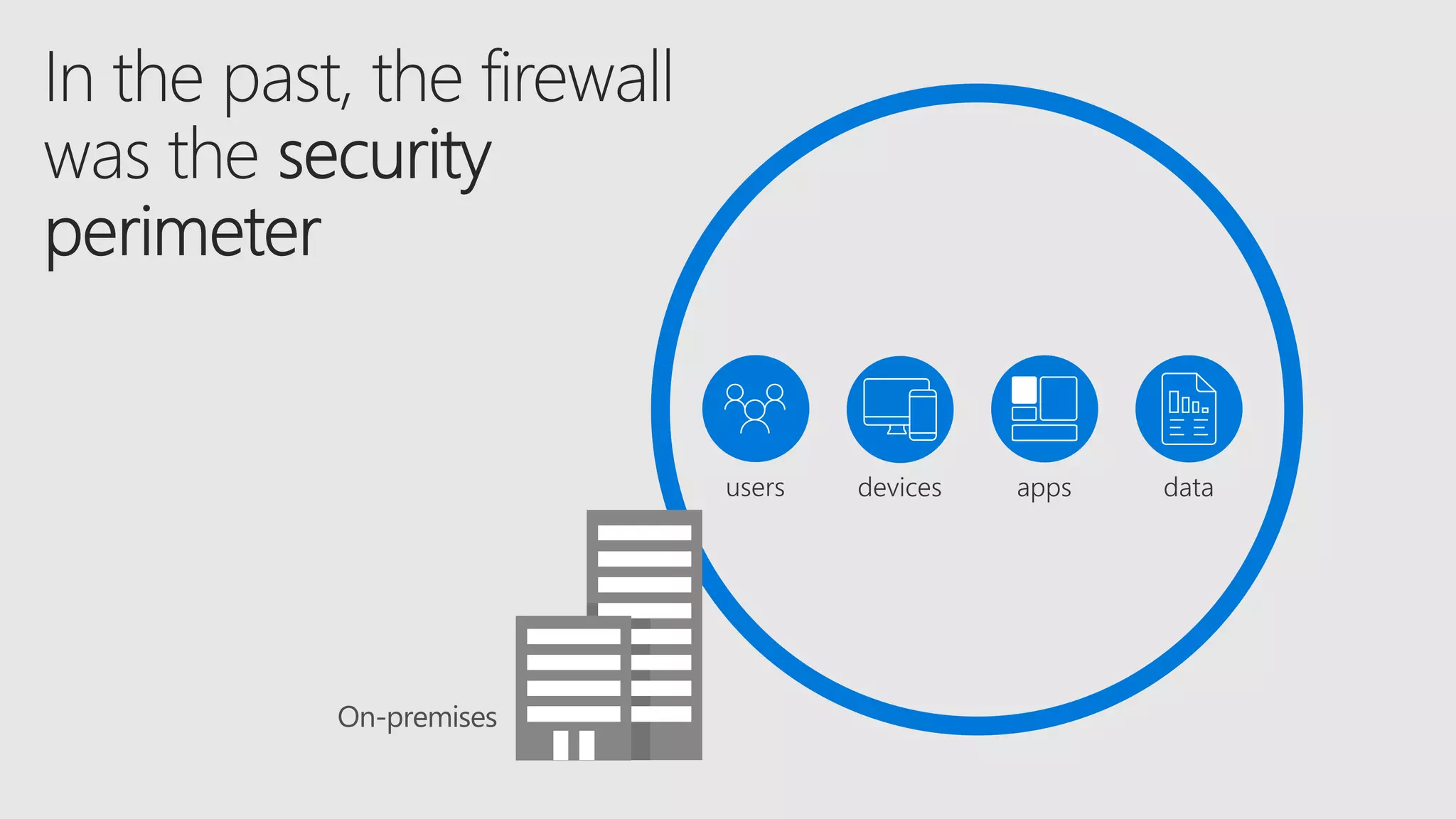
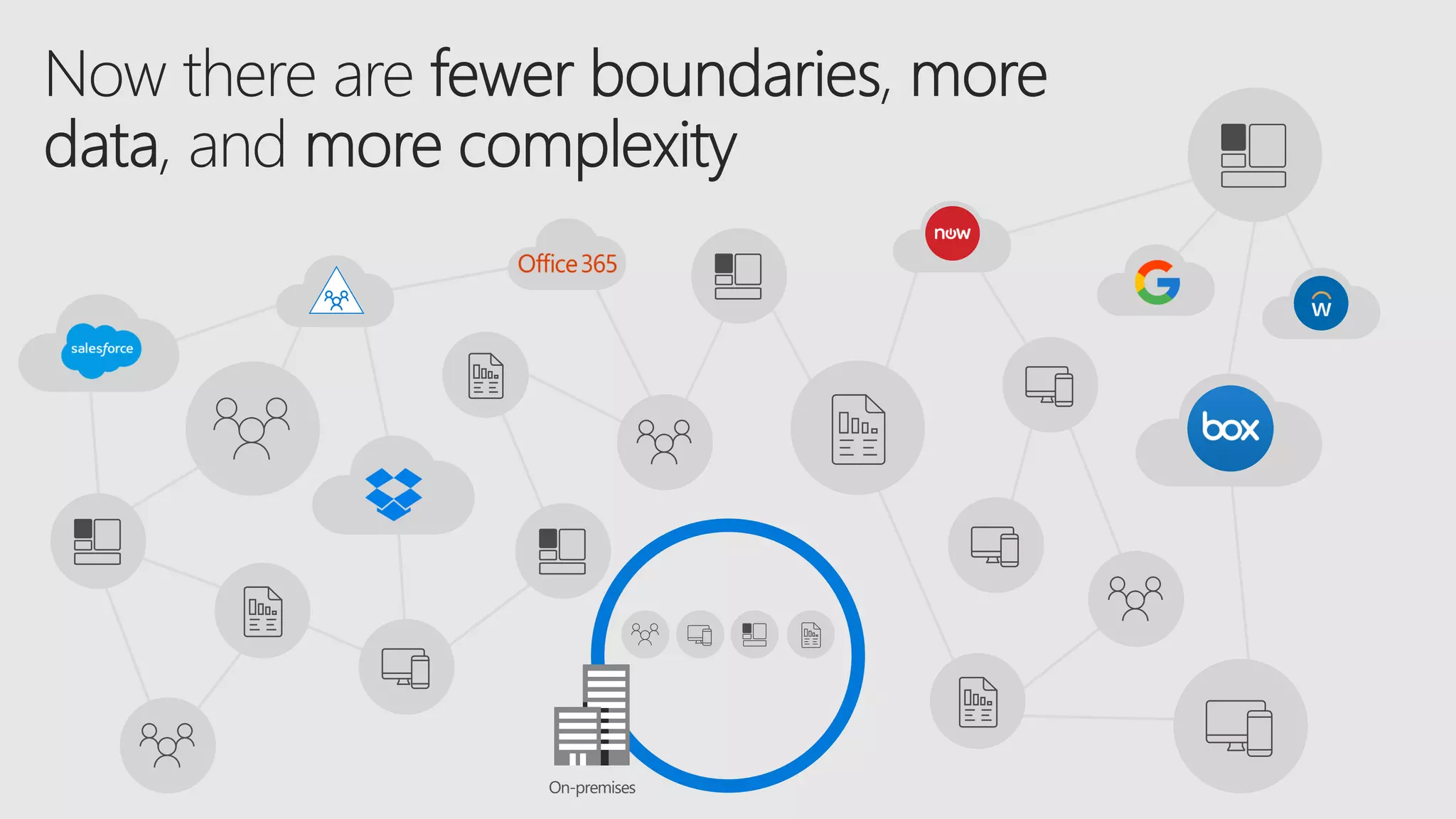
devices datausers apps
On-premises
On-premises
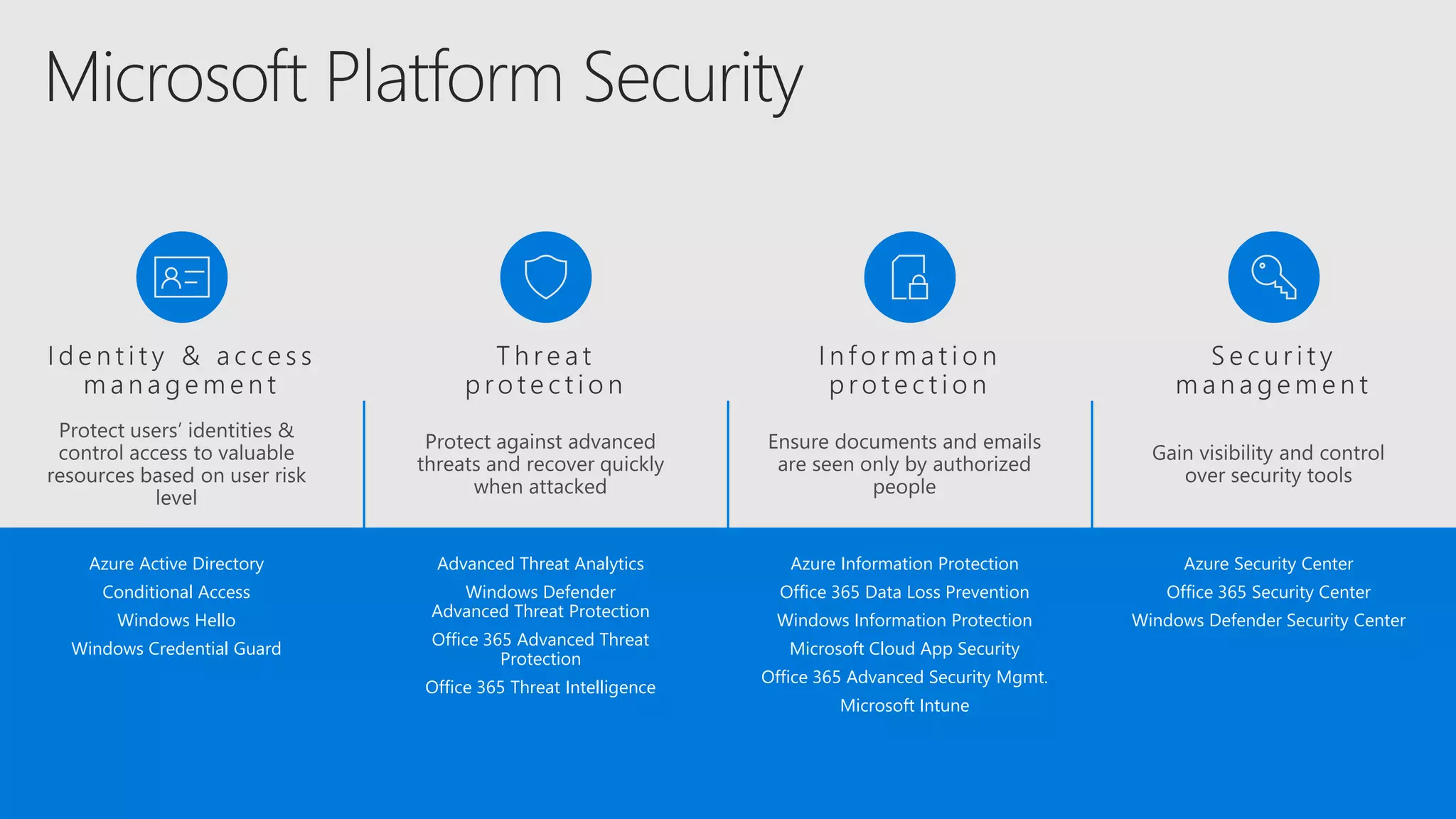
Azure Information Protection
Office 365 Data Loss Prevention
Windows Information Protection
Microsoft Cloud App Security
Office 365 Advanced Security Mgmt.
Microsoft Intune
Advanced Threat Analytics
Windows Defender
Advanced Threat Protection
Office 365 Advanced Threat
Protection
Office 365 Threat Intelligence
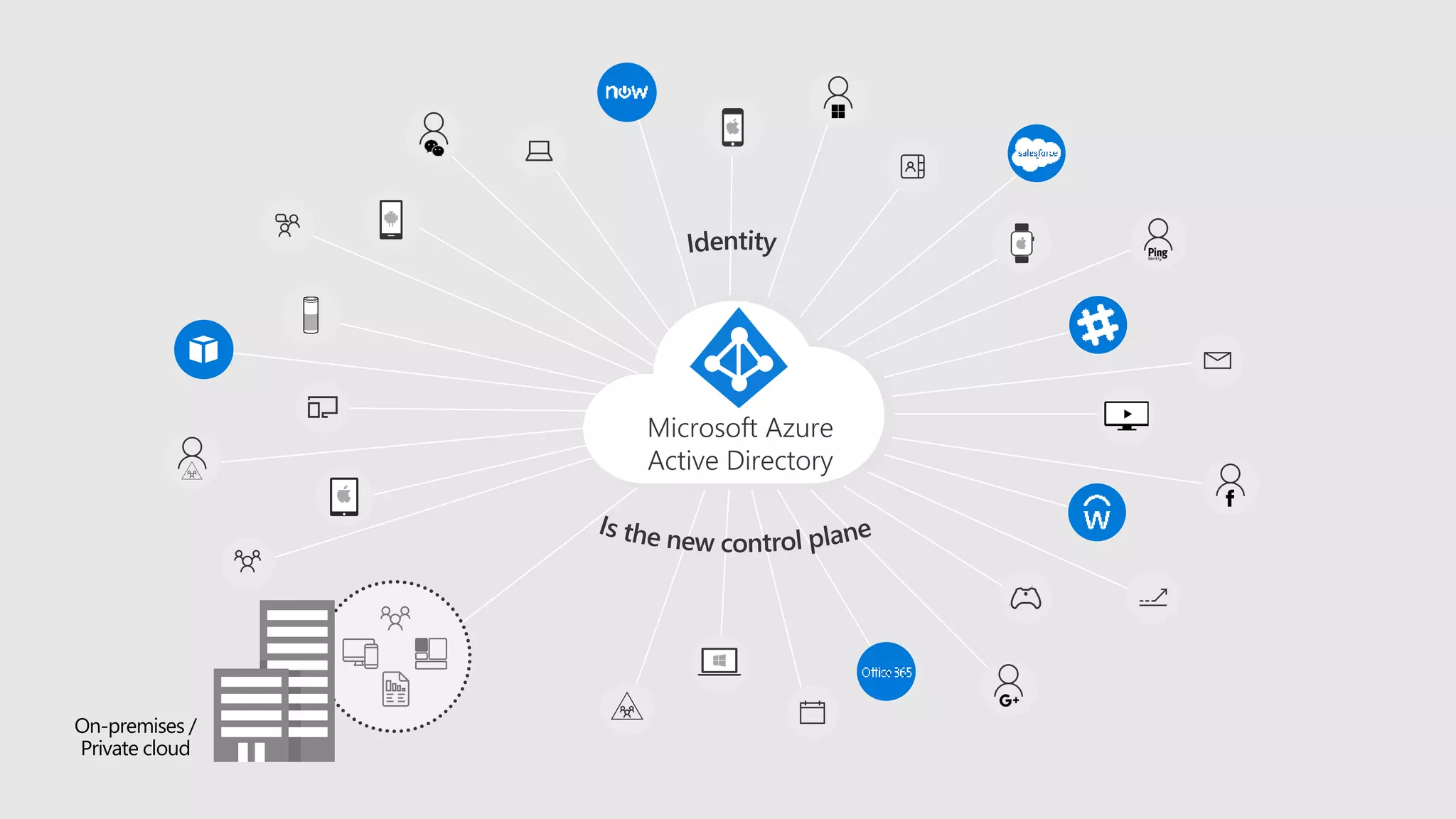
Azure Active Directory
Conditional Access
Windows Hello
Windows Credential Guard
Azure Security Center
Office 365 Security Center
Windows Defender Security Center
On-premises /
Private cloud
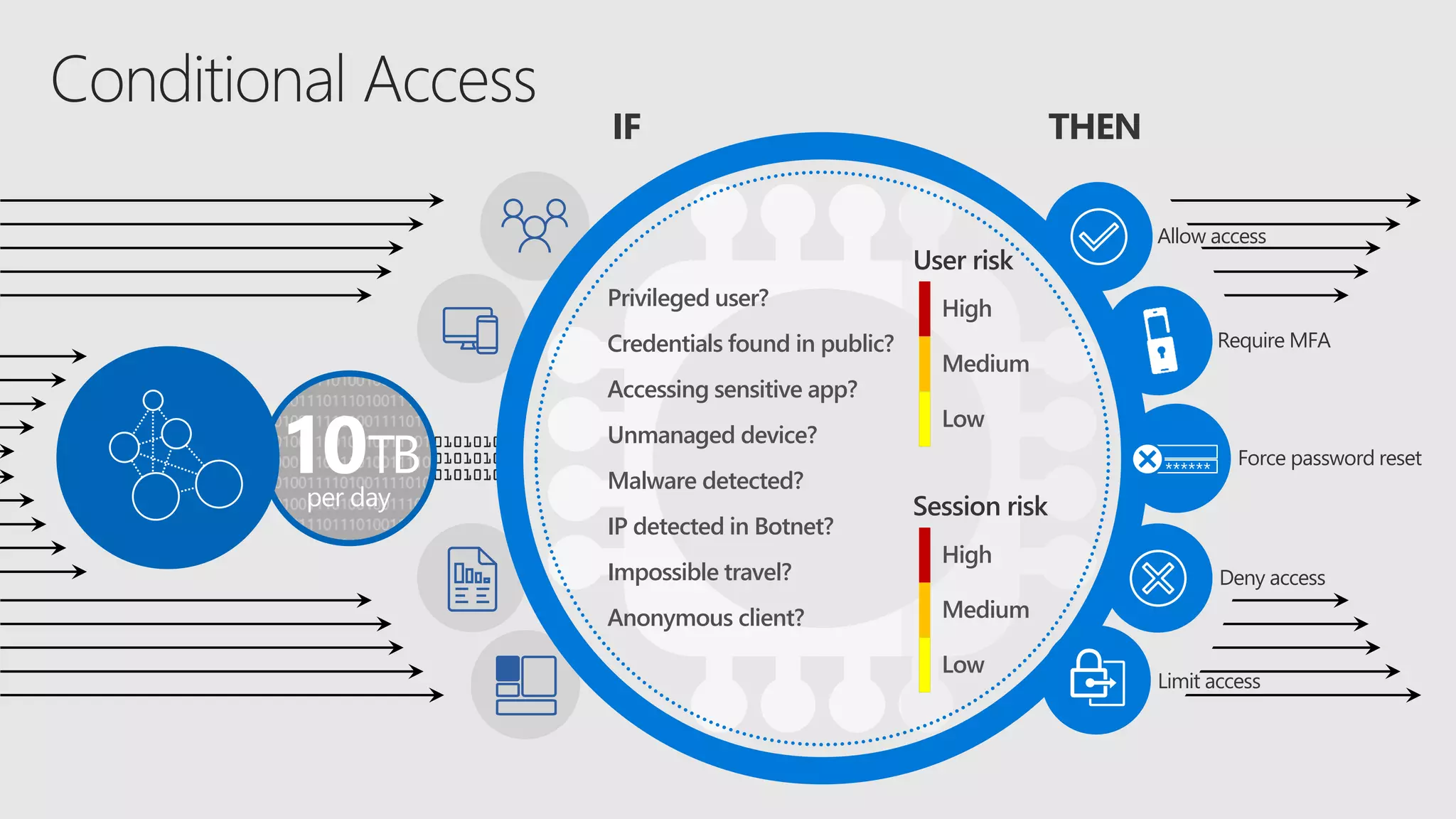
IF
Privileged user?
Credentials found in public?
Accessing sensitive app?
Unmanaged device?
Malware detected?
IP detected in Botnet?
Impossible travel?
Anonymous client?
High
Medium
Low
User risk
10TB
per day
THEN
Require MFA
Allow access
Deny access
Force password reset******
Limit access
High
Medium
Low
Session risk
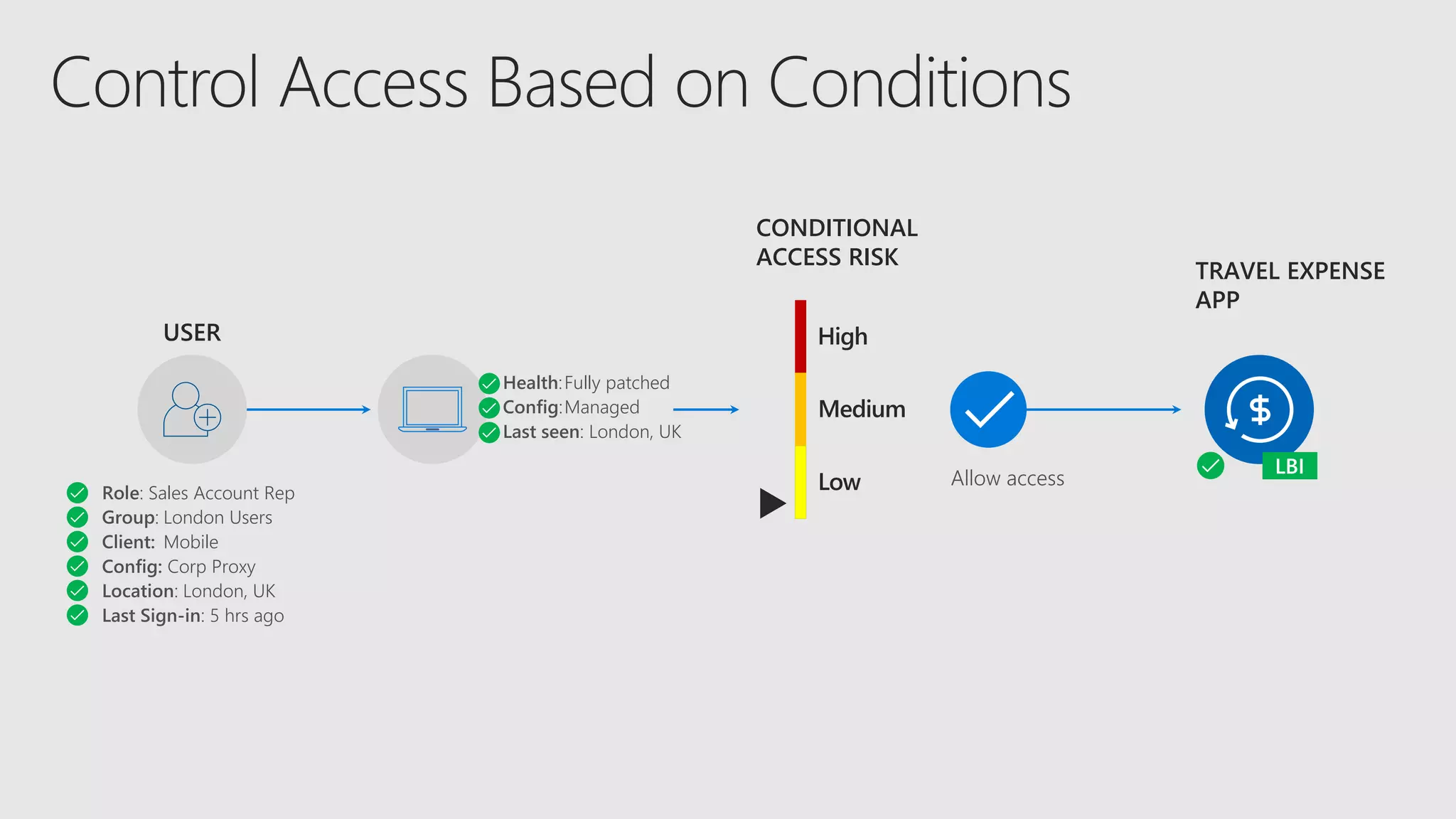
USER
Role: Sales Account Rep
Group: London Users
Client: Mobile
Config: Corp Proxy
Location: London, UK
Last Sign-in: 5 hrs ago
CONDITIONAL
ACCESS RISK
Health:Fully patched
Config:Managed
Last seen: London, UK
High
Medium
Low Allow access
TRAVEL EXPENSE
APP
USER
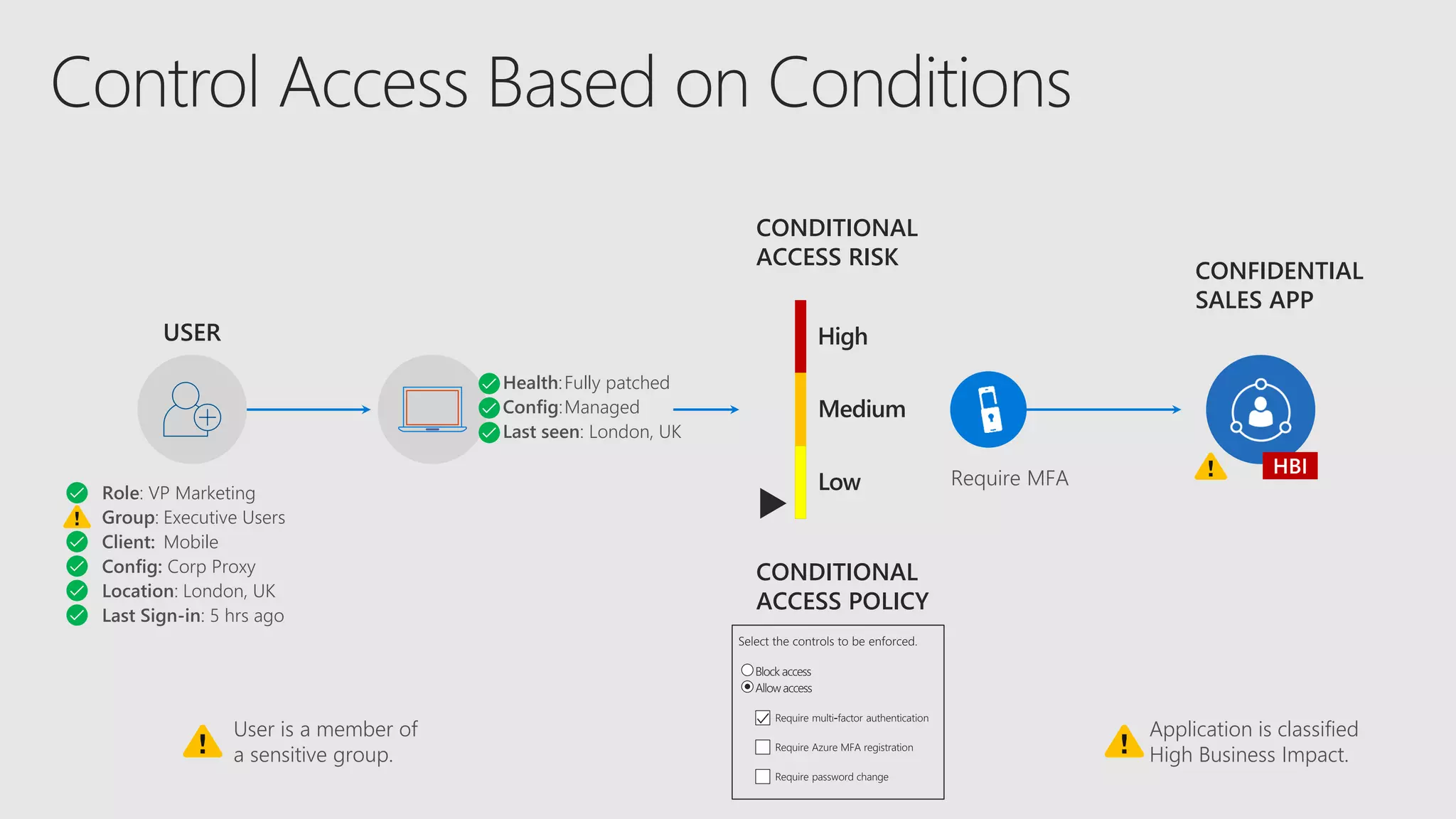
Role: VP Marketing
Group: Executive Users
Client: Mobile
Config: Corp Proxy
Location: London, UK
Last Sign-in: 5 hrs ago
CONDITIONAL
ACCESS RISK
Health:Fully patched
Config:Managed
Last seen: London, UK
High
Medium
Low Require MFA
CONFIDENTIAL
SALES APP
CONDITIONAL
ACCESS POLICY
User is a member of
a sensitive group.
Application is classified
High Business Impact.
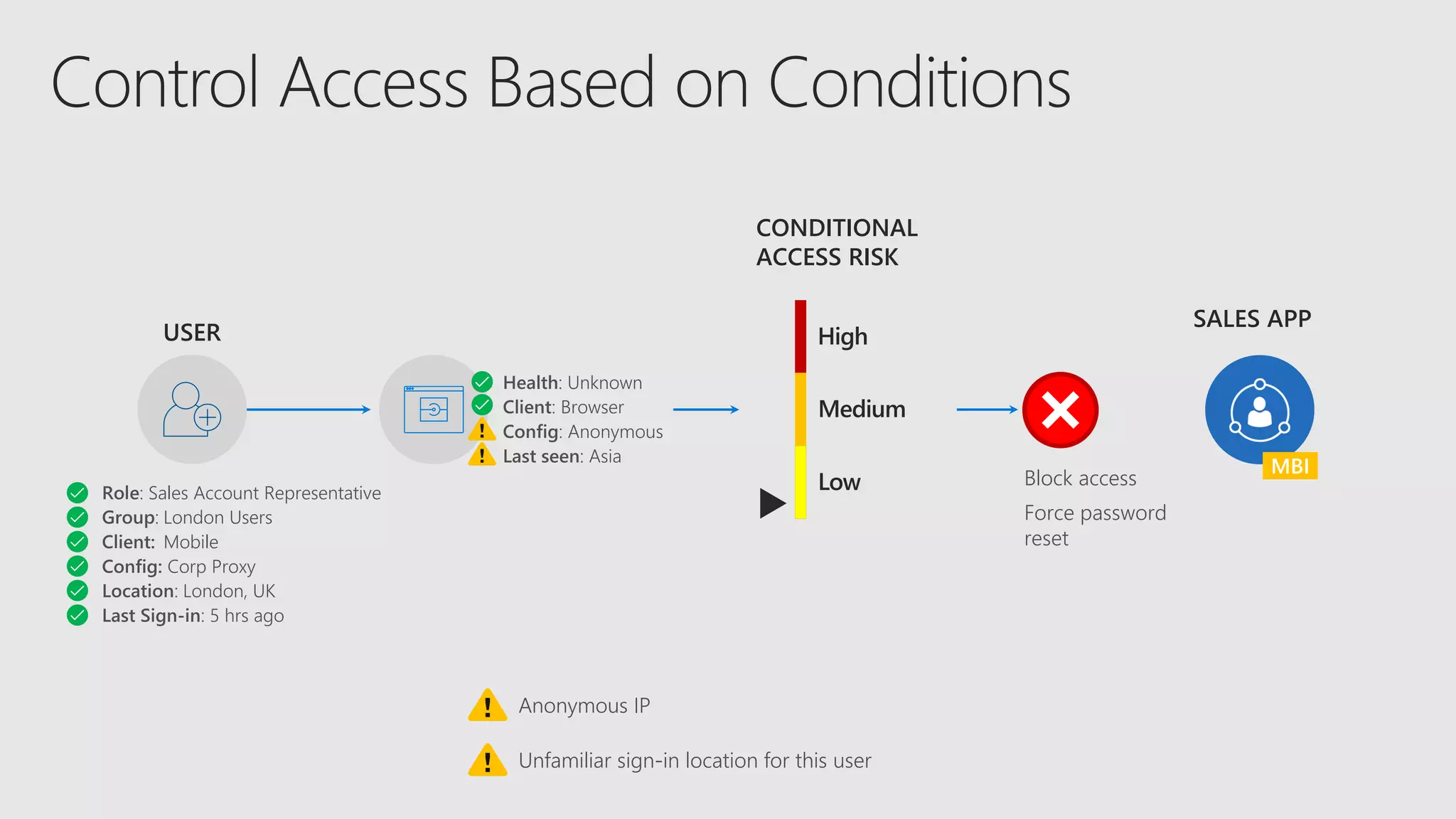
USER
Role: Sales Account Representative
Group: London Users
Client: Mobile
Config: Corp Proxy
Location: London, UK
Last Sign-in: 5 hrs ago
SALES APP
CONDITIONAL
ACCESS RISK
Health: Unknown
Client: Browser
Config: Anonymous
Last seen: Asia
High
Medium
Low
Anonymous IP
Unfamiliar sign-in location for this user
Block access
Force password
reset
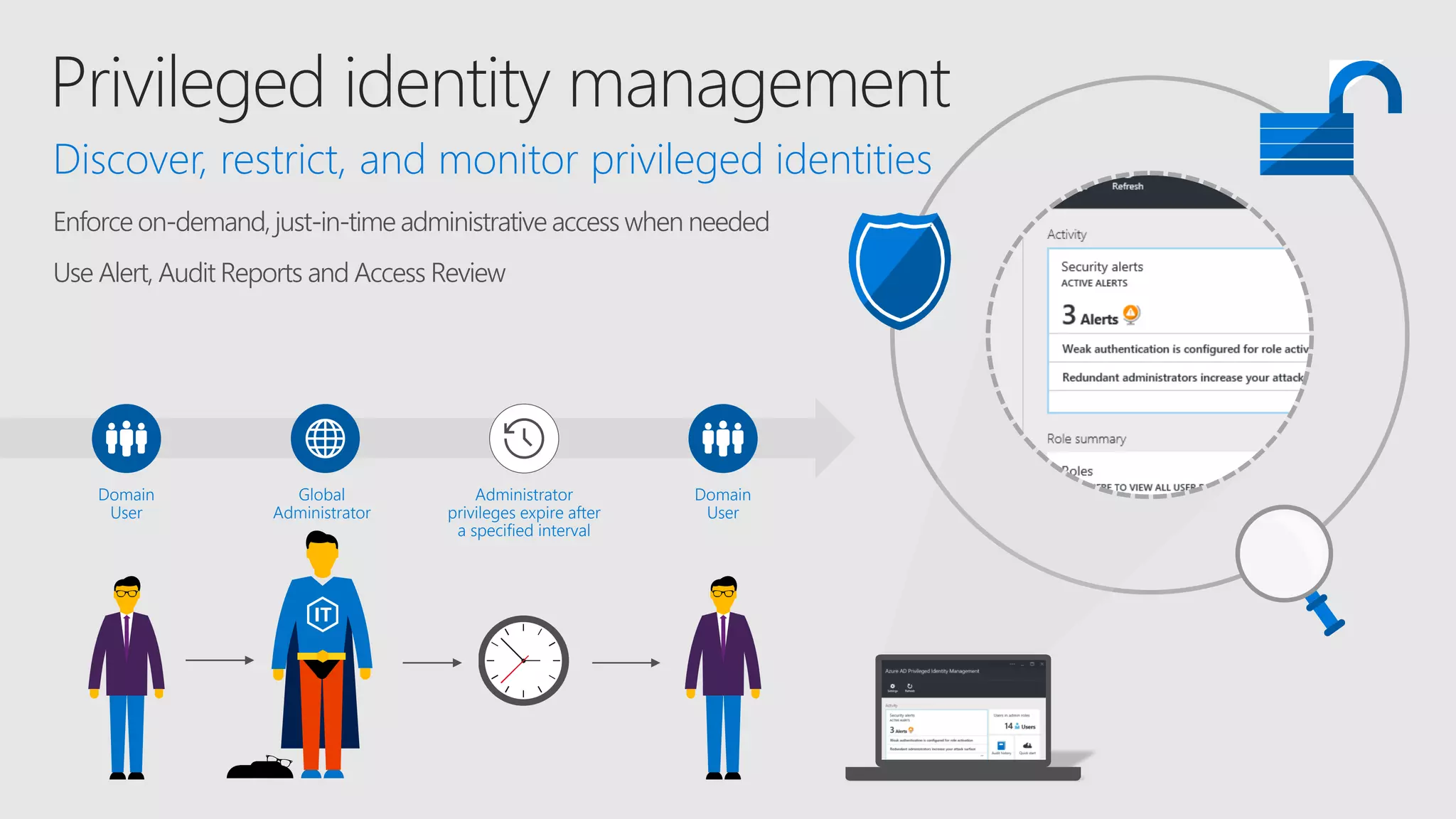
Enforce on-demand, just-in-time administrative access when needed
Use Alert, Audit Reports and Access Review
Domain
User
Global
Administrator
Discover, restrict, and monitor privileged identities
Domain
User
Administrator
privileges expire after
a specified interval
SECURED BY
HARDWARE
USER CREDENTIAL
An asymmetricalkeypair
ProvisionedviaPKIor createdlocally
viaWindows10
UTILIZE FAMILIAR
DEVICES
2
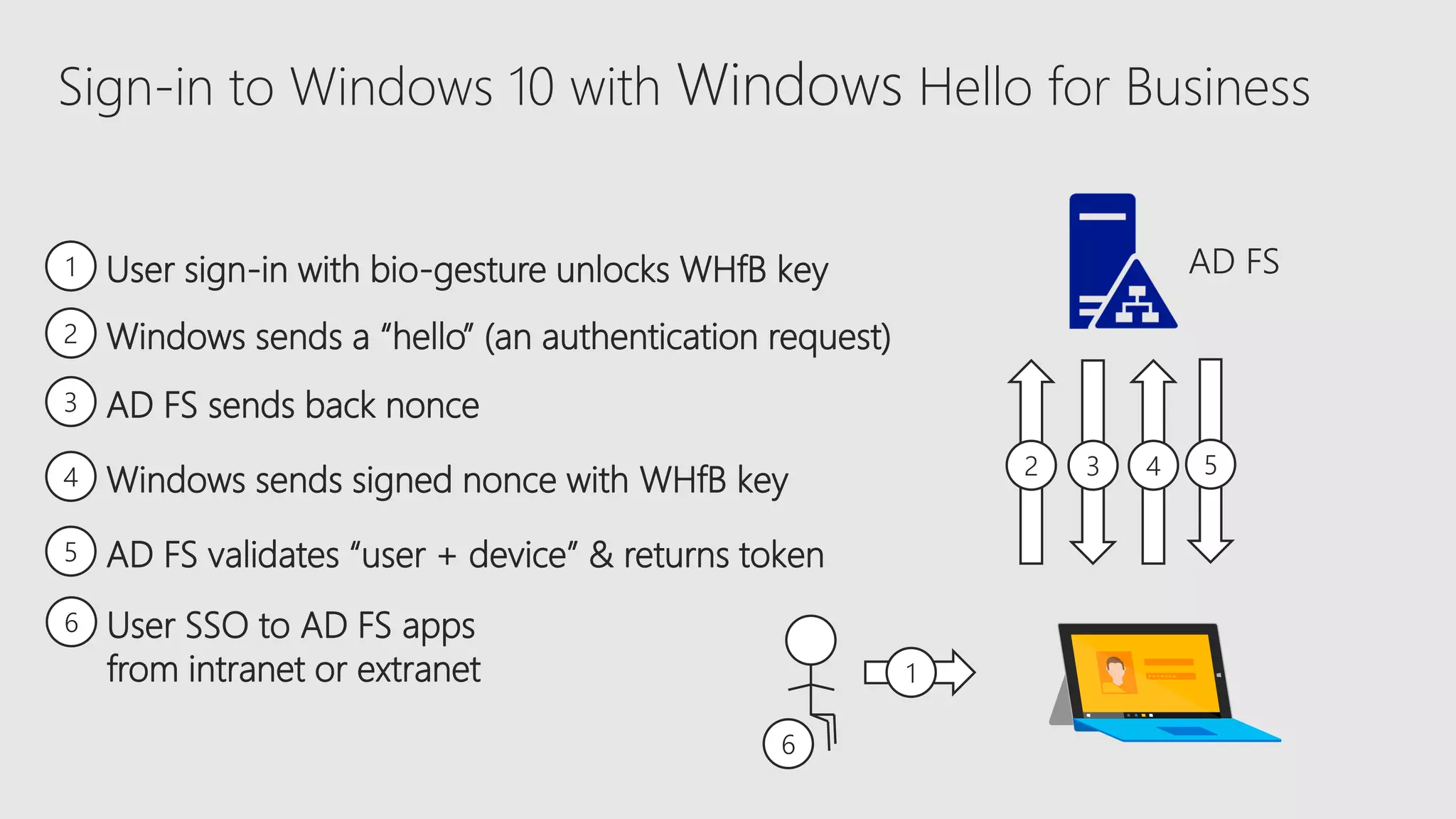
2 Windows sends a “hello” (an authentication request)
3 AD FS sends back nonce
4 Windows sends signed nonce with WHfB key
5 AD FS validates “user + device” & returns token
1 User sign-in with bio-gesture unlocks WHfB key
3 4 5
Sign-in to Windows 10 with Windows Hello for Business
6 User SSO to AD FS apps
from intranet or extranet
6
1
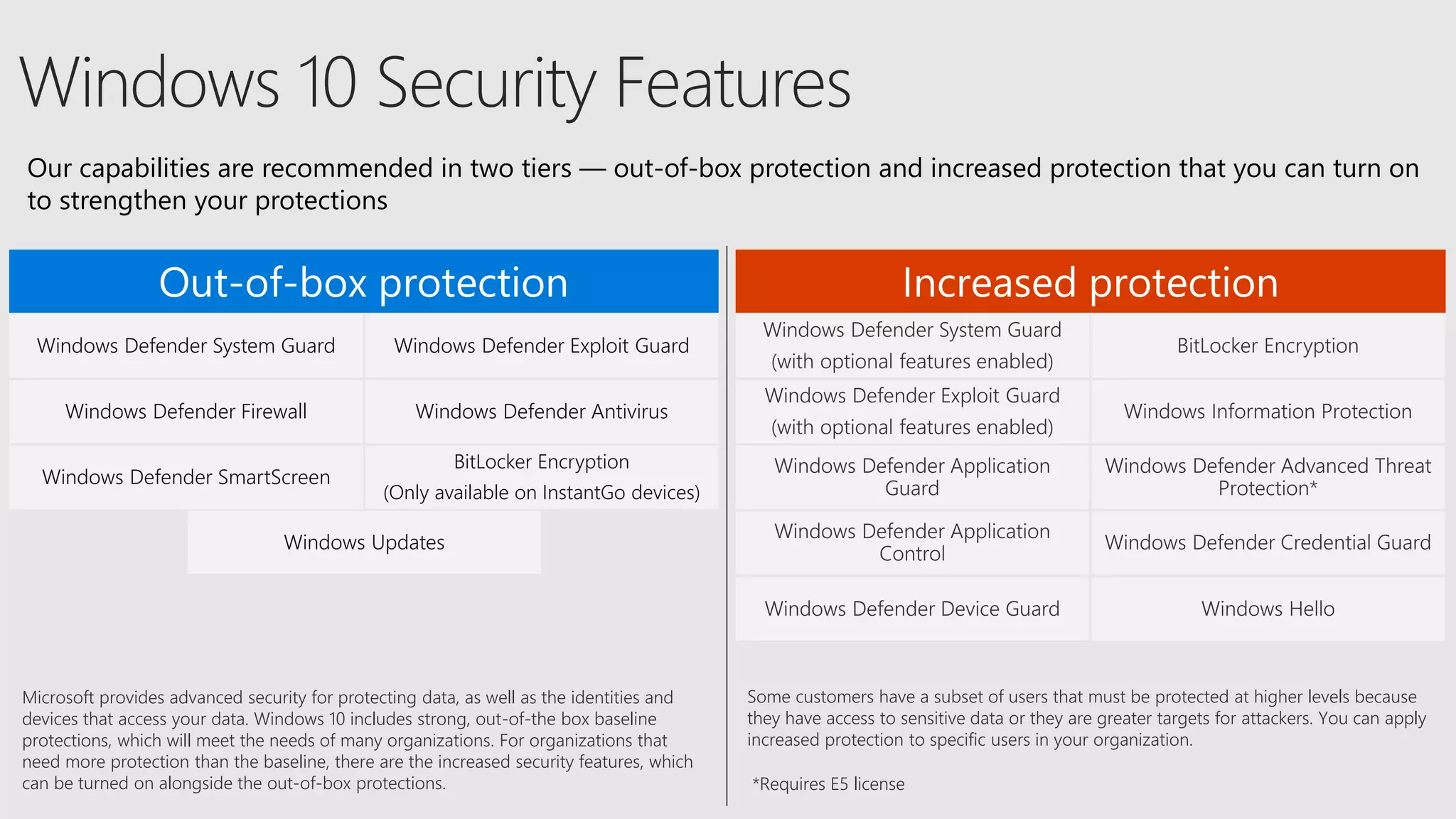
Out-of-box protection Increased protection
Windows Defender System Guard Windows Defender Exploit Guard
Windows Defender Firewall Windows Defender Antivirus
Windows Defender SmartScreen
BitLocker Encryption
(Only available on InstantGo devices)
Windows Updates
Microsoft provides advanced security for protecting data, as well as the identities and
devices that access your data. Windows 10 includes strong, out-of-the box baseline
protections, which will meet the needs of many organizations. For organizations that
need more protection than the baseline, there are the increased security features, which
can be turned on alongside the out-of-box protections.
Some customers have a subset of users that must be protected at higher levels because
they have access to sensitive data or they are greater targets for attackers. You can apply
increased protection to specific users in your organization.
Our capabilities are recommended in two tiers — out-of-box protection and increased protection that you can turn on
to strengthen your protections
*Requires E5 license
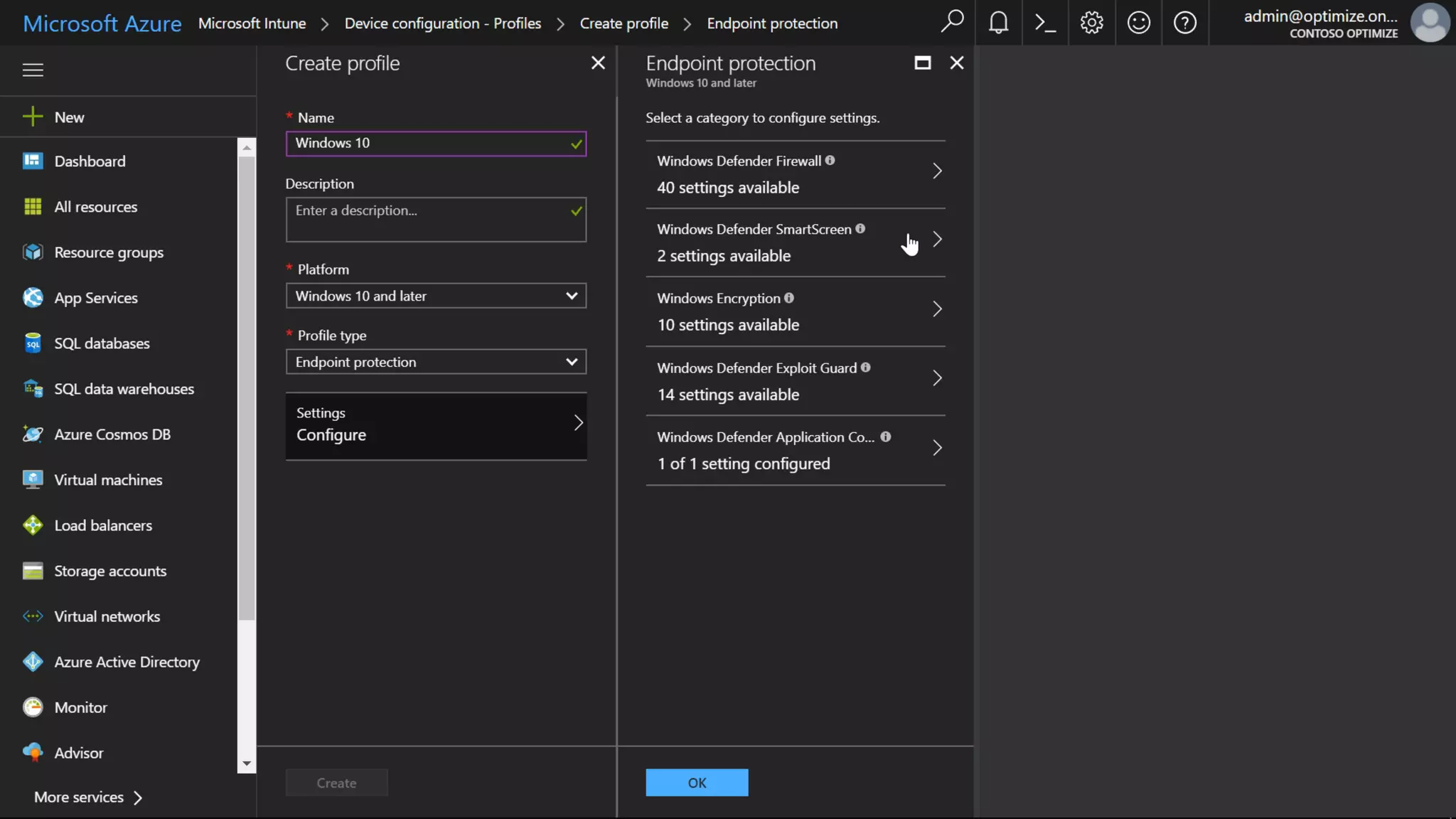
New Application Control
Application Guard (Chas)
https://www.youtube.com/
watch?v=J7fSeYEftRE
1:50-1:59
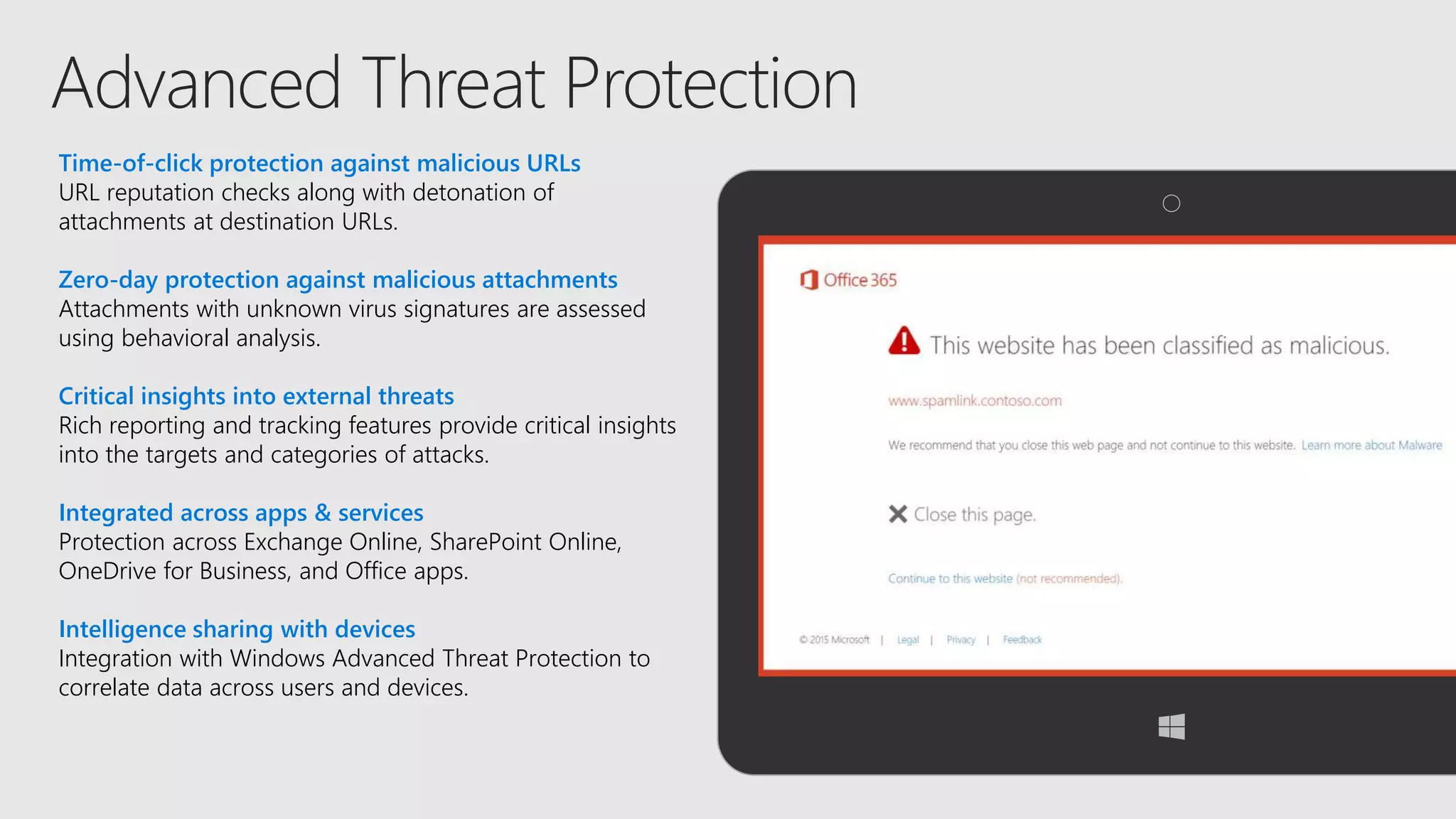
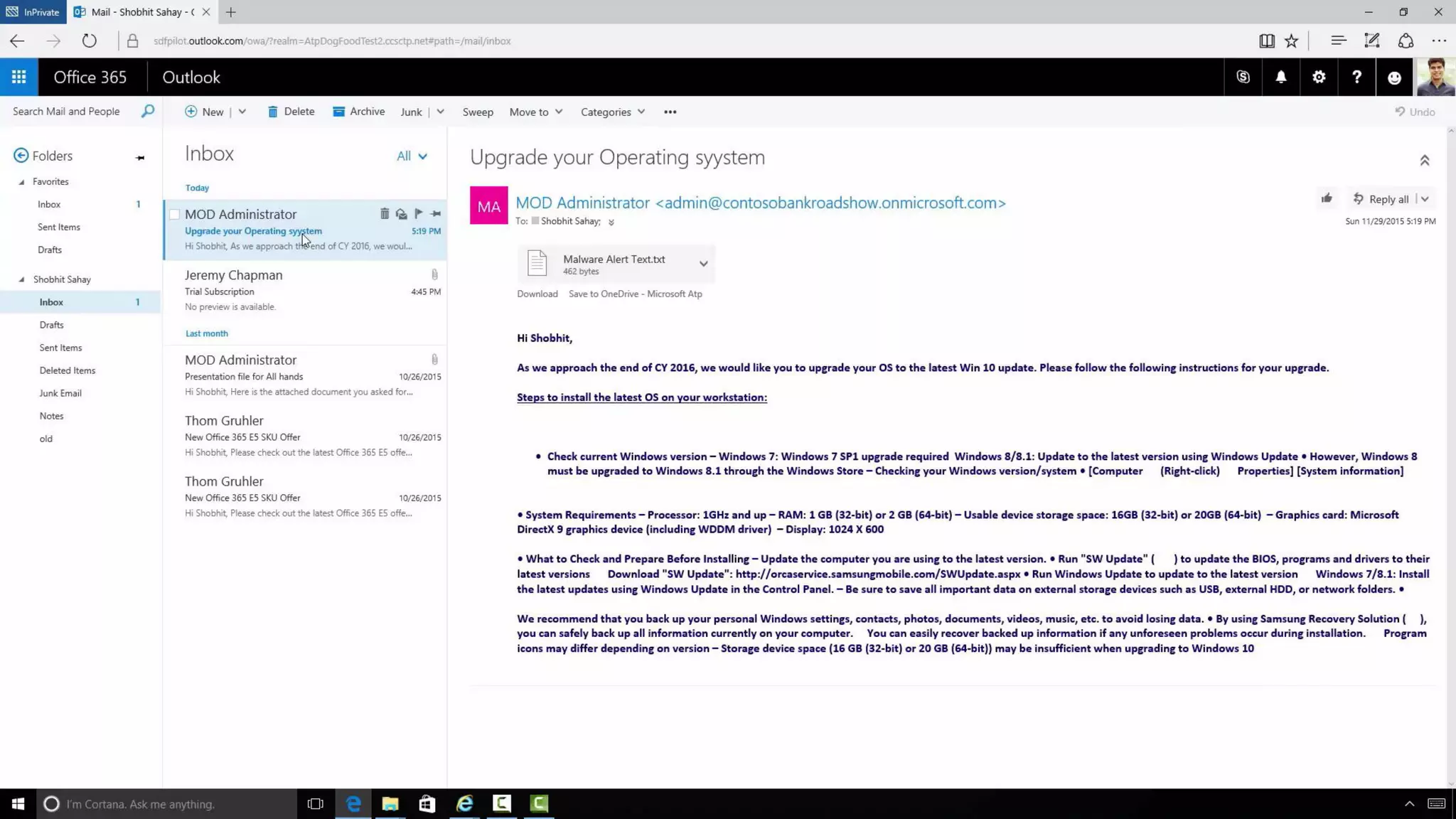
Time-of-click protection against malicious URLs
URL reputation checks along with detonation of
attachments at destination URLs.
Zero-day protection against malicious attachments
Attachments with unknown virus signatures are assessed
using behavioral analysis.
Critical insights into external threats
Rich reporting and tracking features provide critical insights
into the targets and categories of attacks.
Integrated across apps & services
Protection across Exchange Online, SharePoint Online,
OneDrive for Business, and Office apps.
Intelligence sharing with devices
Integration with Windows Advanced Threat Protection to
correlate data across users and devices.
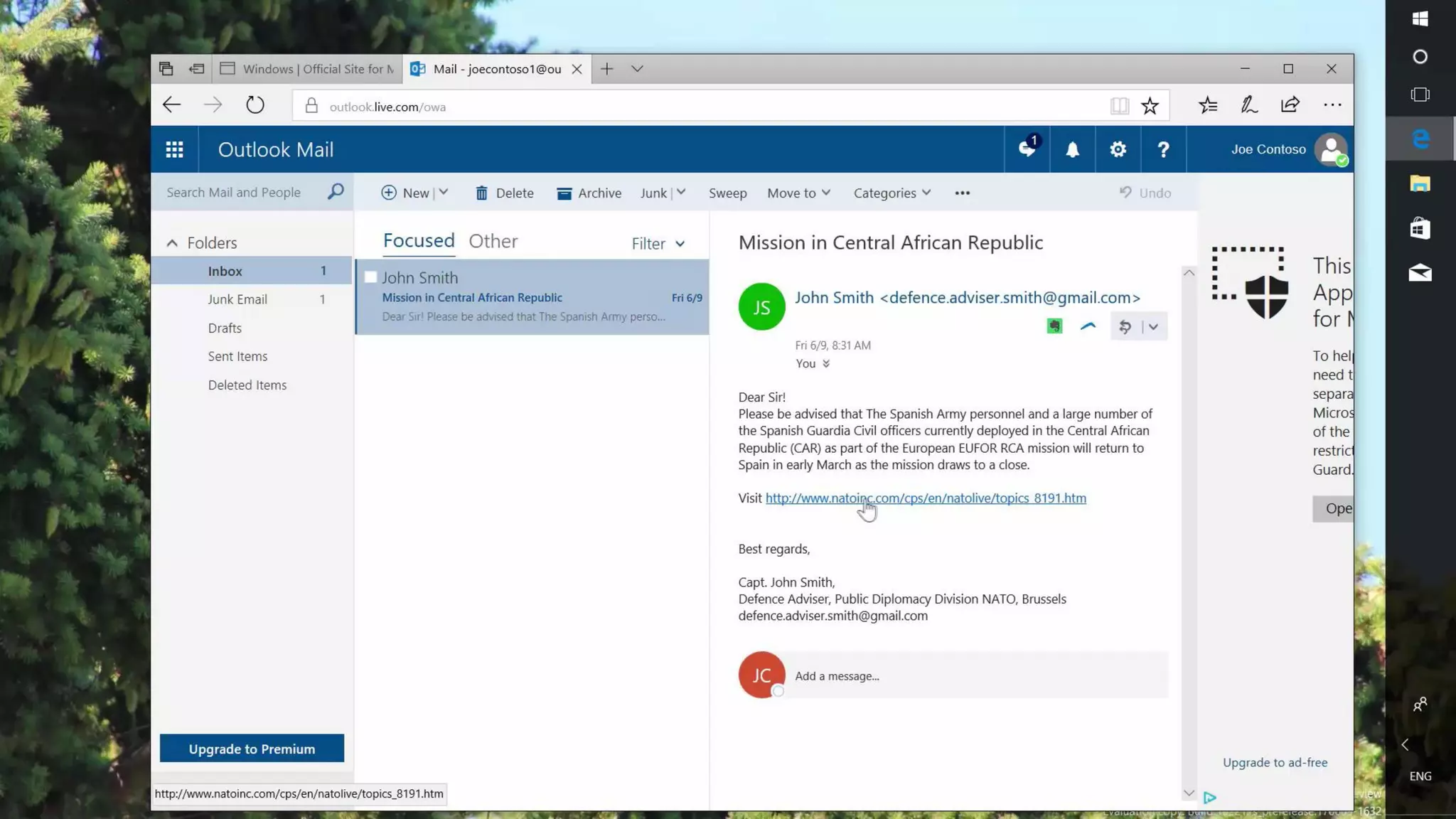
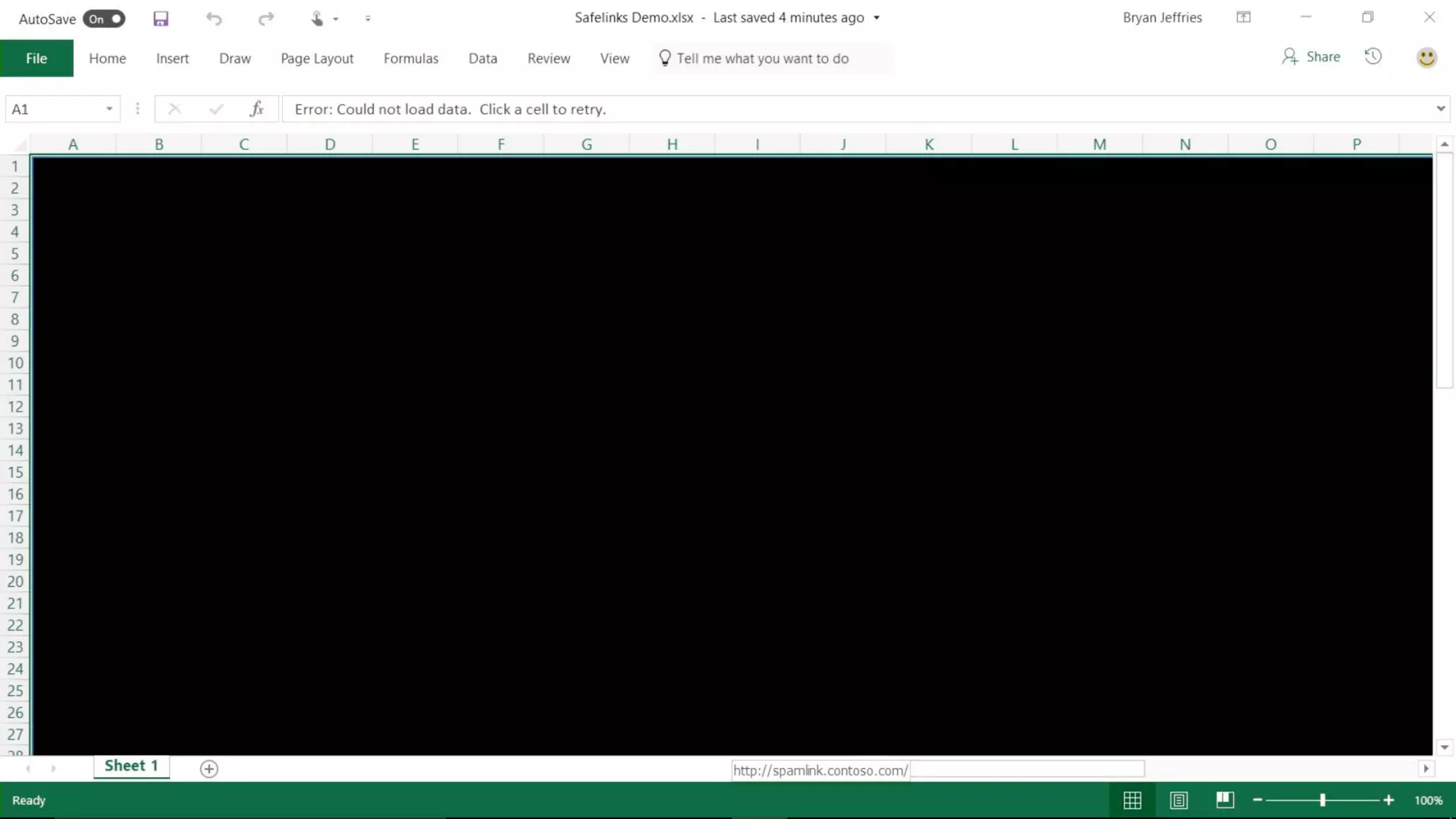
Safe Links (Bryan Jeffries)
https://www.youtube.com/
watch?v=ZEi8D1J9gh8
0:11-0:17
Safe Attachments (Shobhit)
https://www.youtube.com/
watch?v=uyIyT6aVcdQ
1:24-1:33
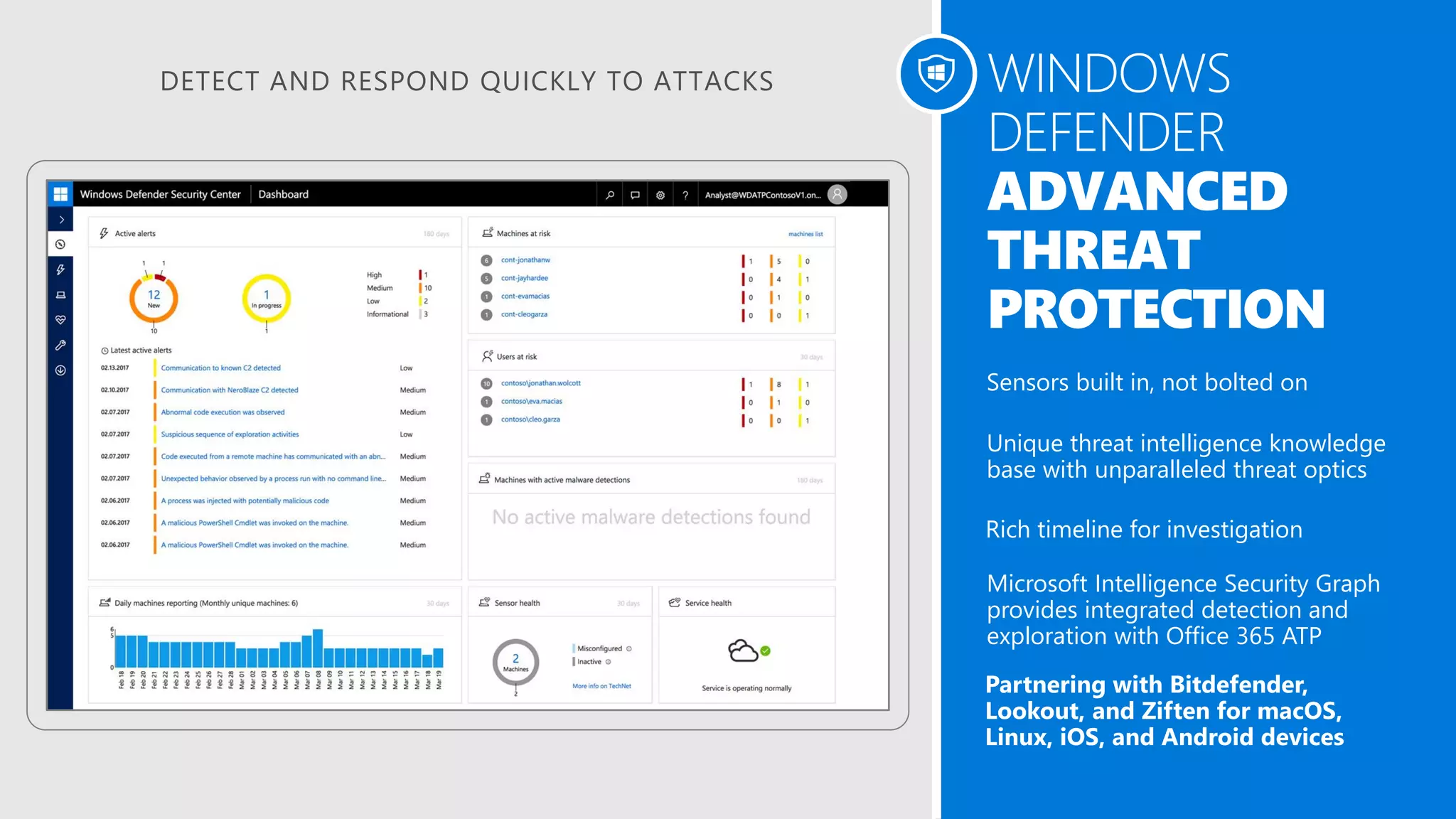
DETECT AND RESPOND QUICKLY TO ATTACKS WINDOWS
DEFENDER
ADVANCED
THREAT
PROTECTION
Sensors built in, not bolted on
Unique threat intelligence knowledge
base with unparalleled threat optics
Rich timeline for investigation
Microsoft Intelligence Security Graph
provides integrated detection and
exploration with Office 365 ATP
Partnering with Bitdefender,
Lookout, and Ziften for macOS,
Linux, iOS, and Android devices
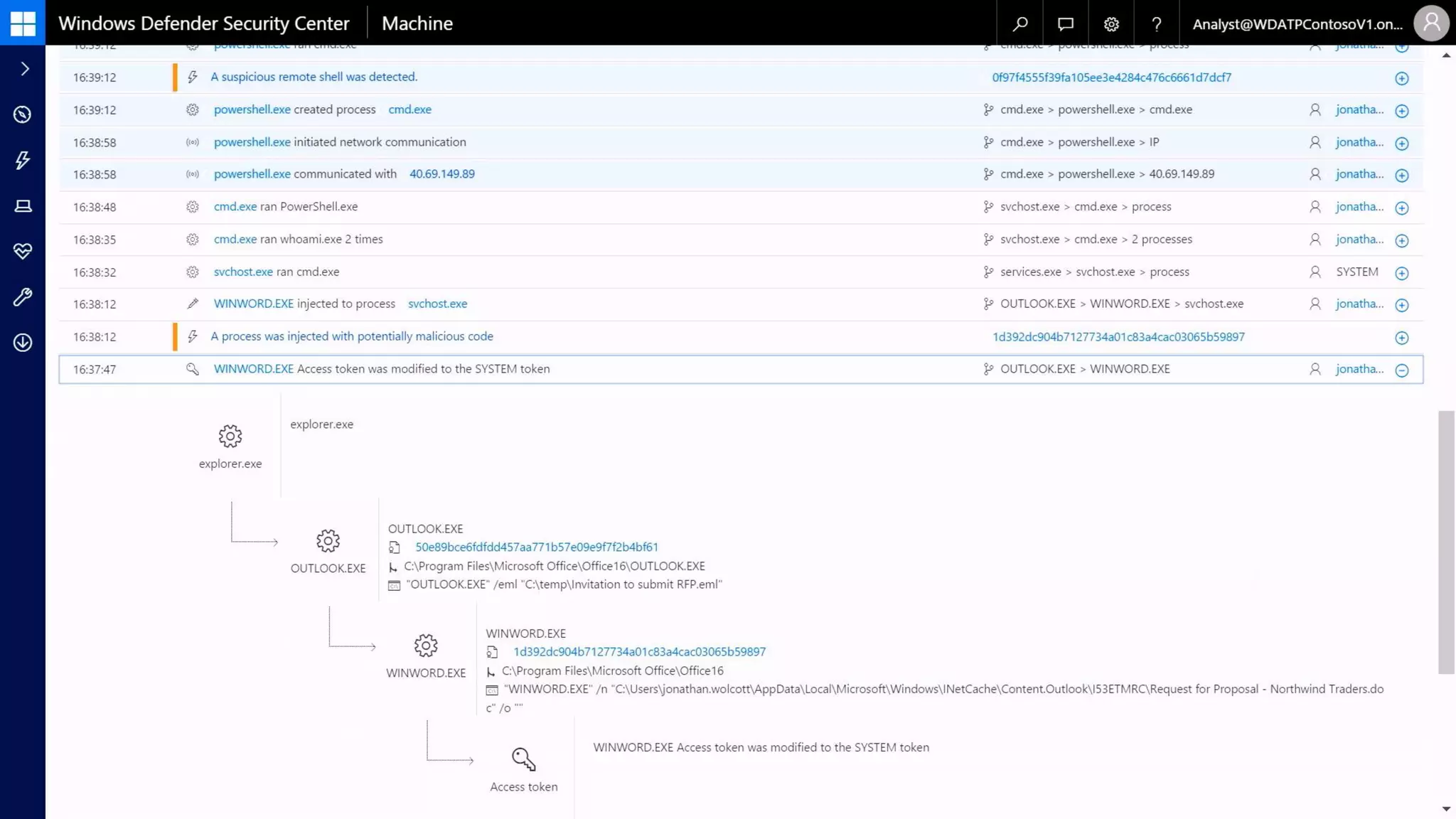
WD ATP
https://www.youtube.com/
watch?v=HkQZR9RBbPE
6:28-6:40
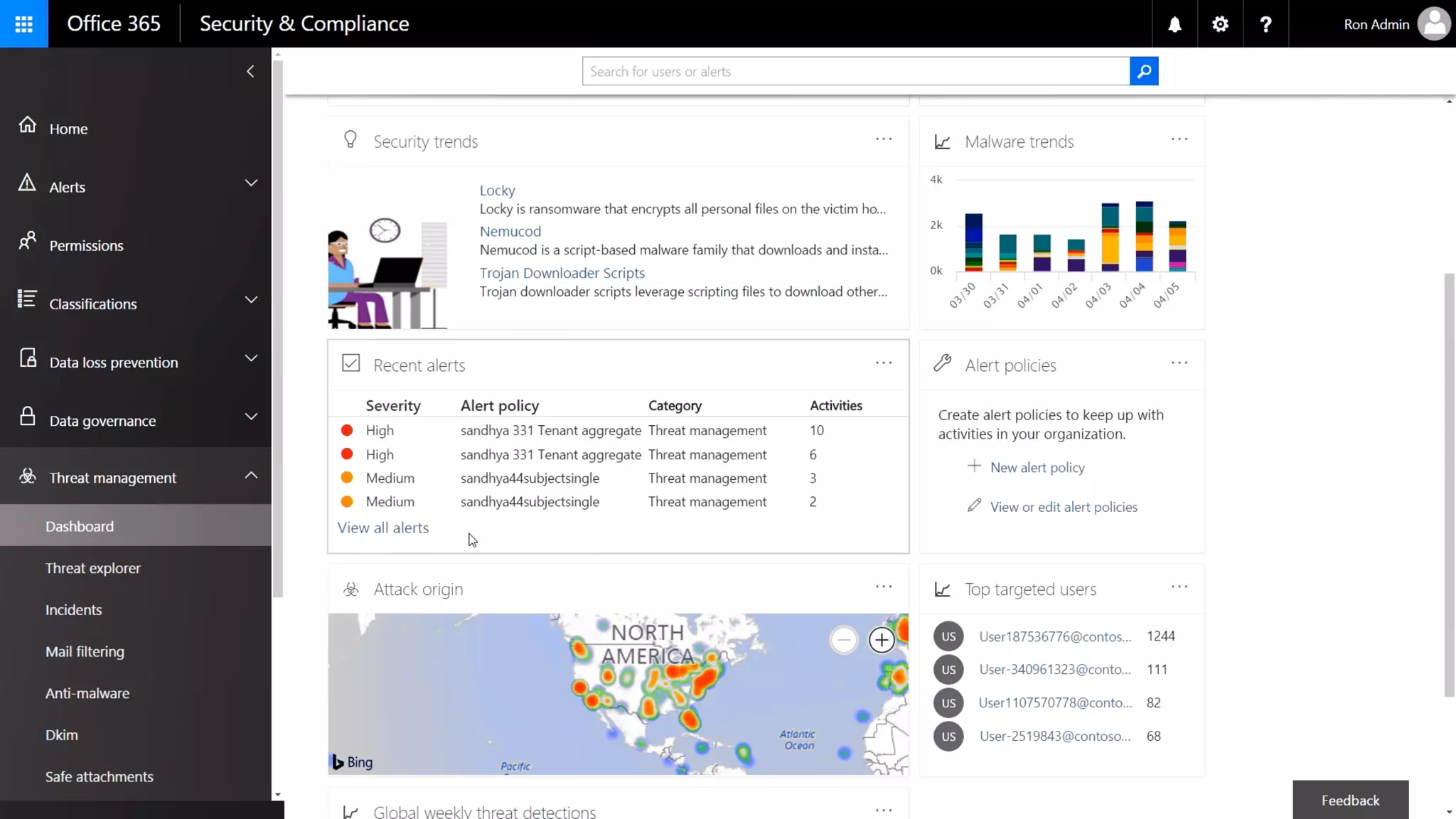
Office Threat Intelligent
https://www.youtube.com/
watch?v=HkQZR9RBbPE
11:25-11:35
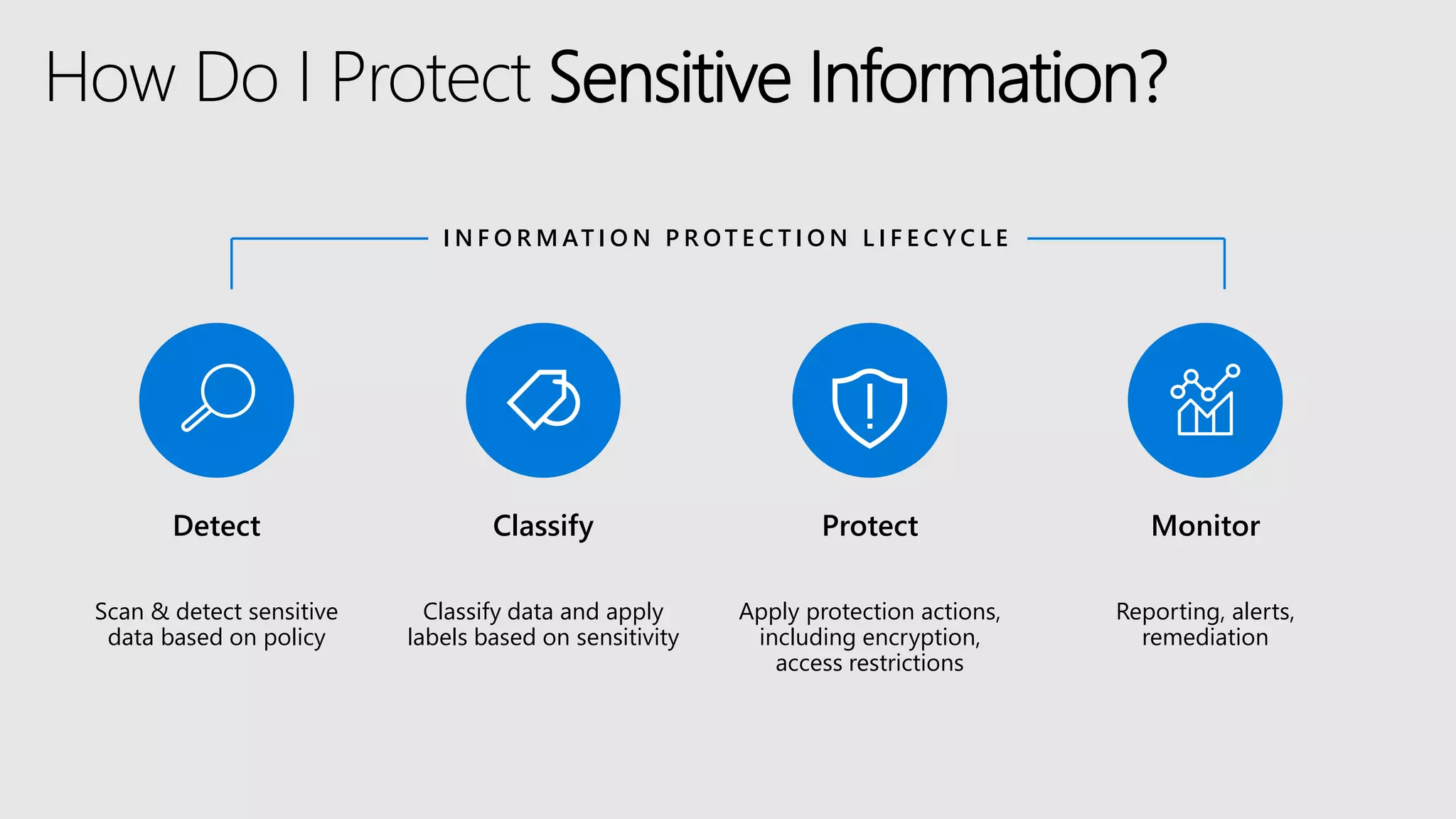
Detect
Scan & detect sensitive
data based on policy
Classify
Classify data and apply
labels based on sensitivity
Protect
Apply protection actions,
including encryption,
access restrictions
Monitor
Reporting, alerts,
remediation
I N F O R M AT I O N P R OT E C T I O N L I F E C Y C L E
How Do I Protect Sensitive Information?
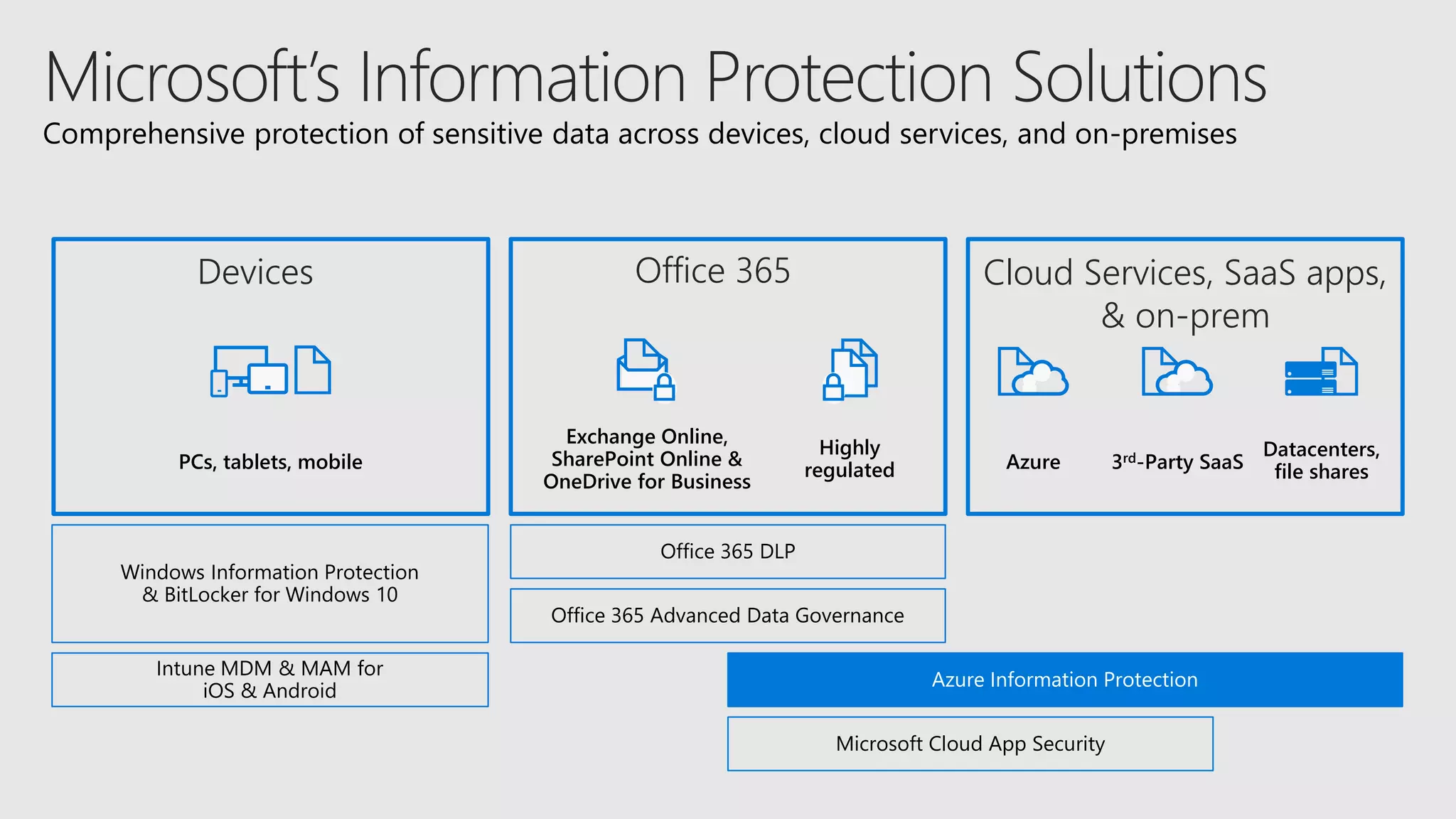
PCs, tablets, mobile
Office 365 DLP
Windows Information Protection
& BitLocker for Windows 10
Azure Information Protection
Exchange Online,
SharePoint Online &
OneDrive for Business
Highly
regulated
Intune MDM & MAM for
iOS & Android
Microsoft Cloud App Security
Office 365 Advanced Data Governance
Datacenters,
file sharesAzure 3rd-Party SaaS
Comprehensive protection of sensitive data across devices, cloud services, and on-premises
Devices Office 365 Cloud Services, SaaS apps,
& on-prem
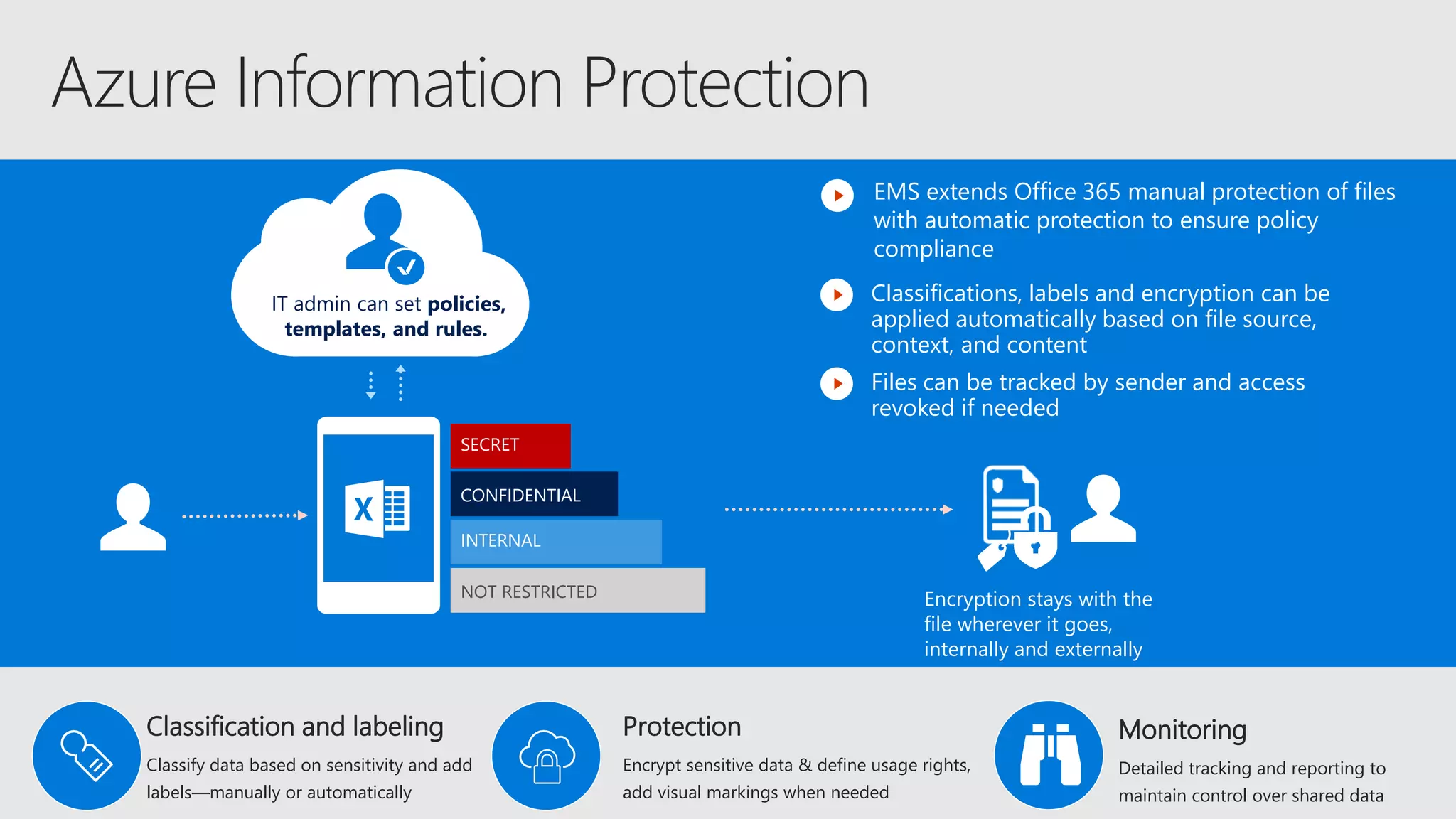
SECRET
CONFIDENTIAL
INTERNAL
NOT RESTRICTED
IT admin can set policies,
templates, and rules.
Classifications, labels and encryption can be
applied automatically based on file source,
context, and content
EMS extends Office 365 manual protection of files
with automatic protection to ensure policy
compliance
Encryption stays with the
file wherever it goes,
internally and externally
Files can be tracked by sender and access
revoked if needed
Classification and labeling
Classify data based on sensitivity and add
labels—manually or automatically
Protection
Encrypt sensitive data & define usage rights,
add visual markings when needed
Monitoring
Detailed tracking and reporting to
maintain control over shared data
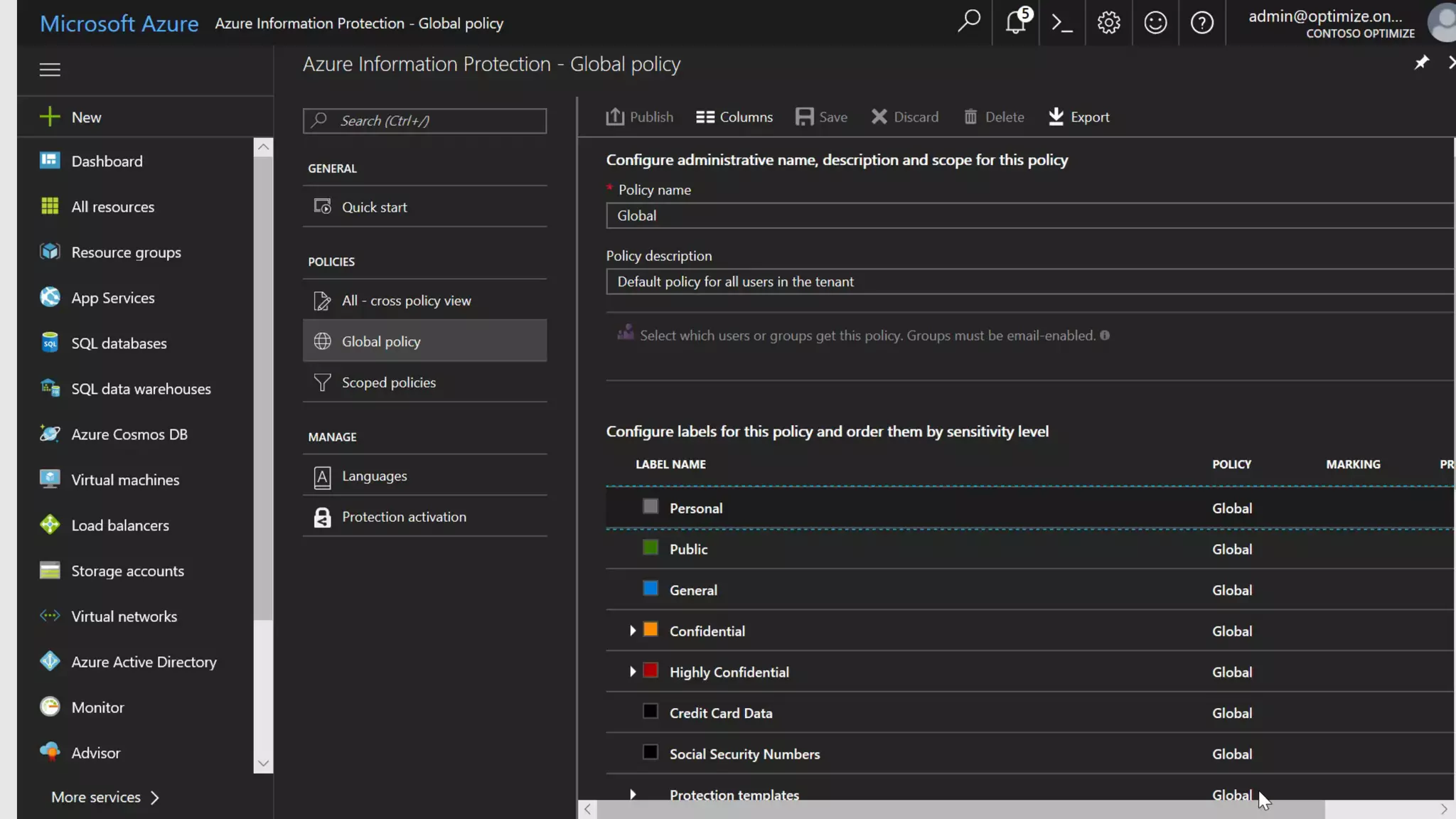
Azure Information
Protection
https://www.youtube.com/
watch?v=N9Ip0m6d3G0
5:21-5:39
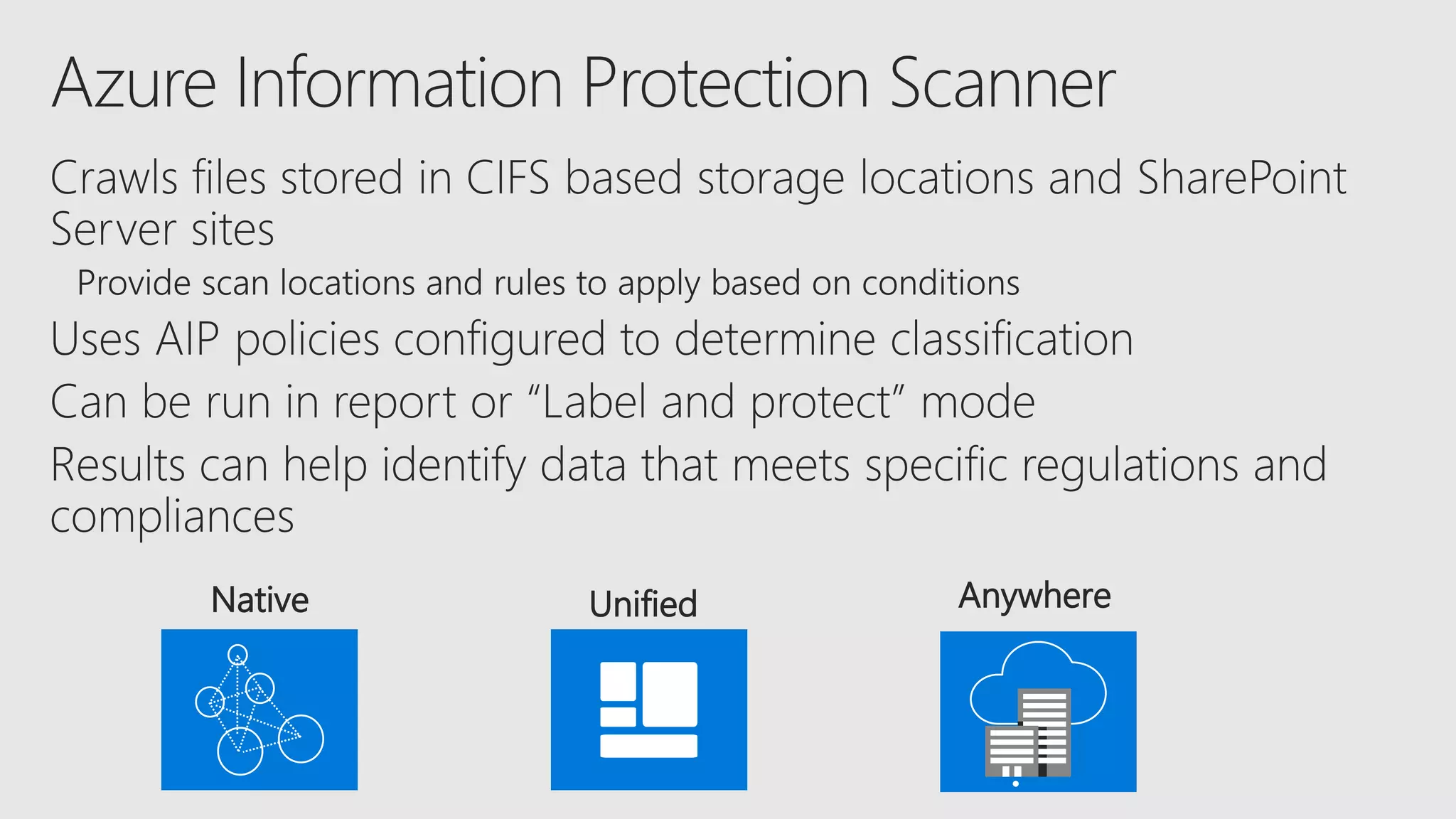
Native Unified Anywhere
•
Azure Information
Protection (Admin)
Build new
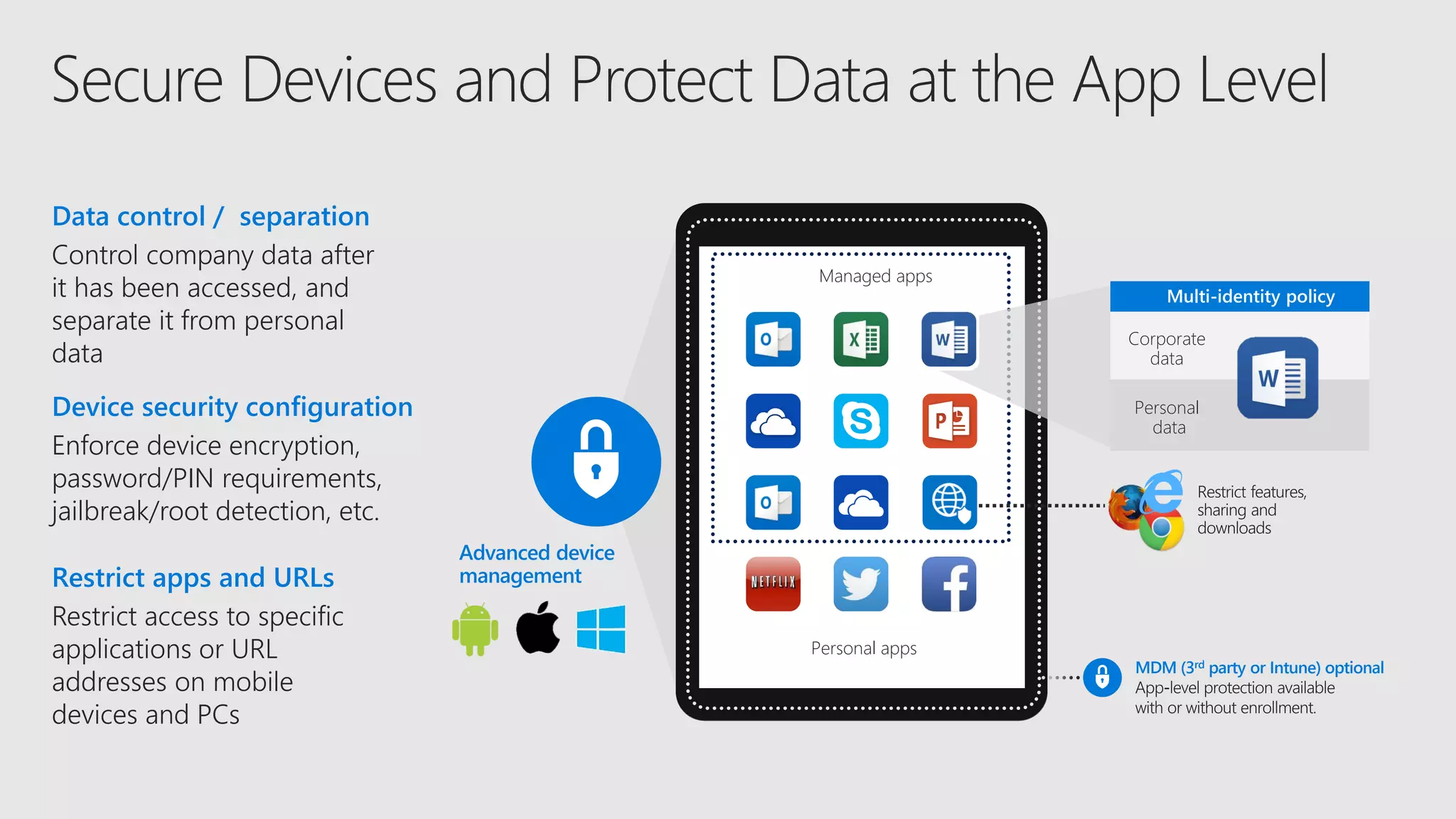
Advanced device
management
Enforce device encryption,
password/PIN requirements,
jailbreak/root detection, etc.
Device security configuration
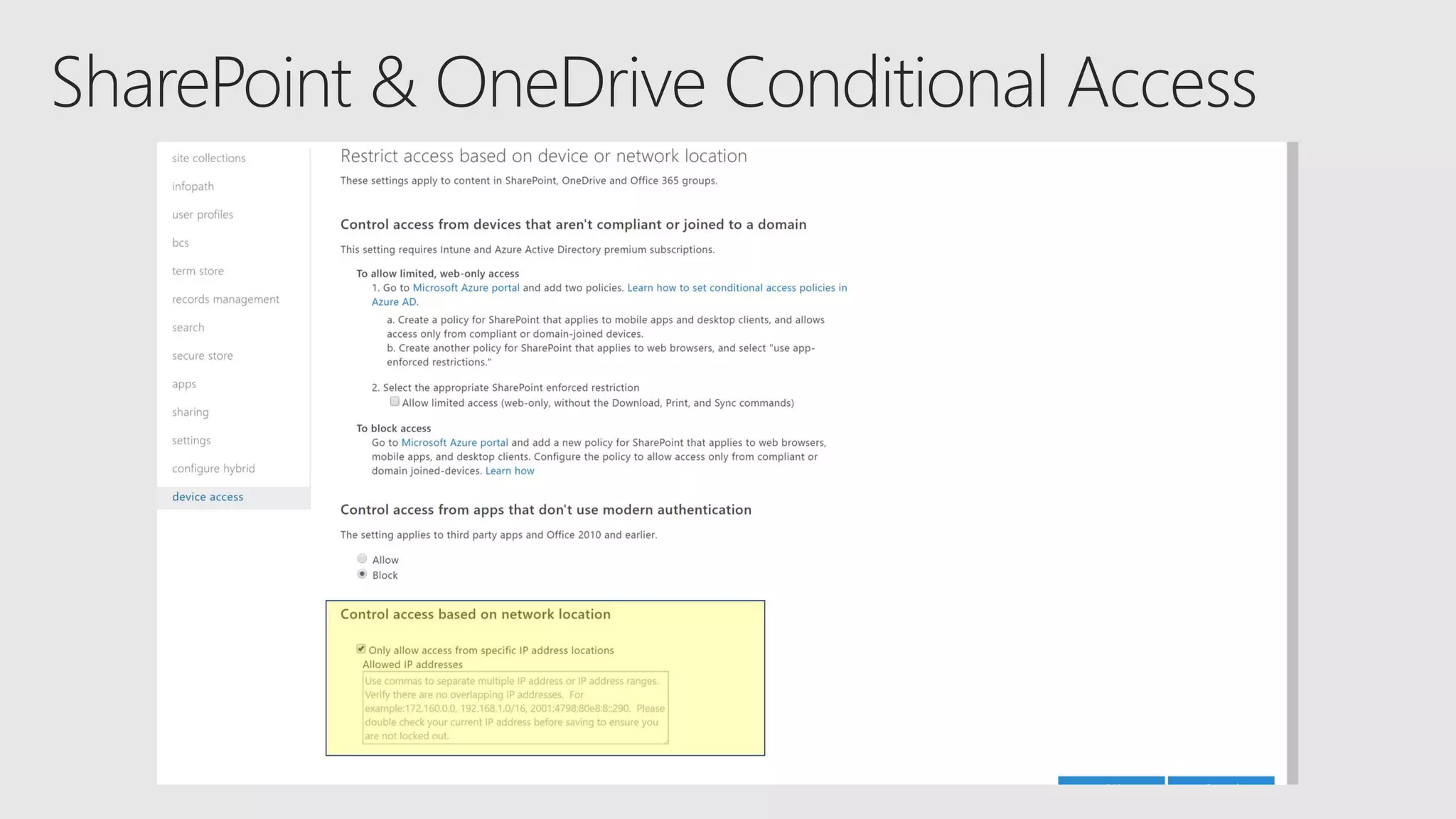
Restrict access to specific
applications or URL
addresses on mobile
devices and PCs
Restrict apps and URLs
Managed apps
Personal appsPersonal apps
MDM (3rd party or Intune) optional
Managed apps
Corporate
data
Personal
data
Multi-identity policy
Control company data after
it has been accessed, and
separate it from personal
data
Data control / separation
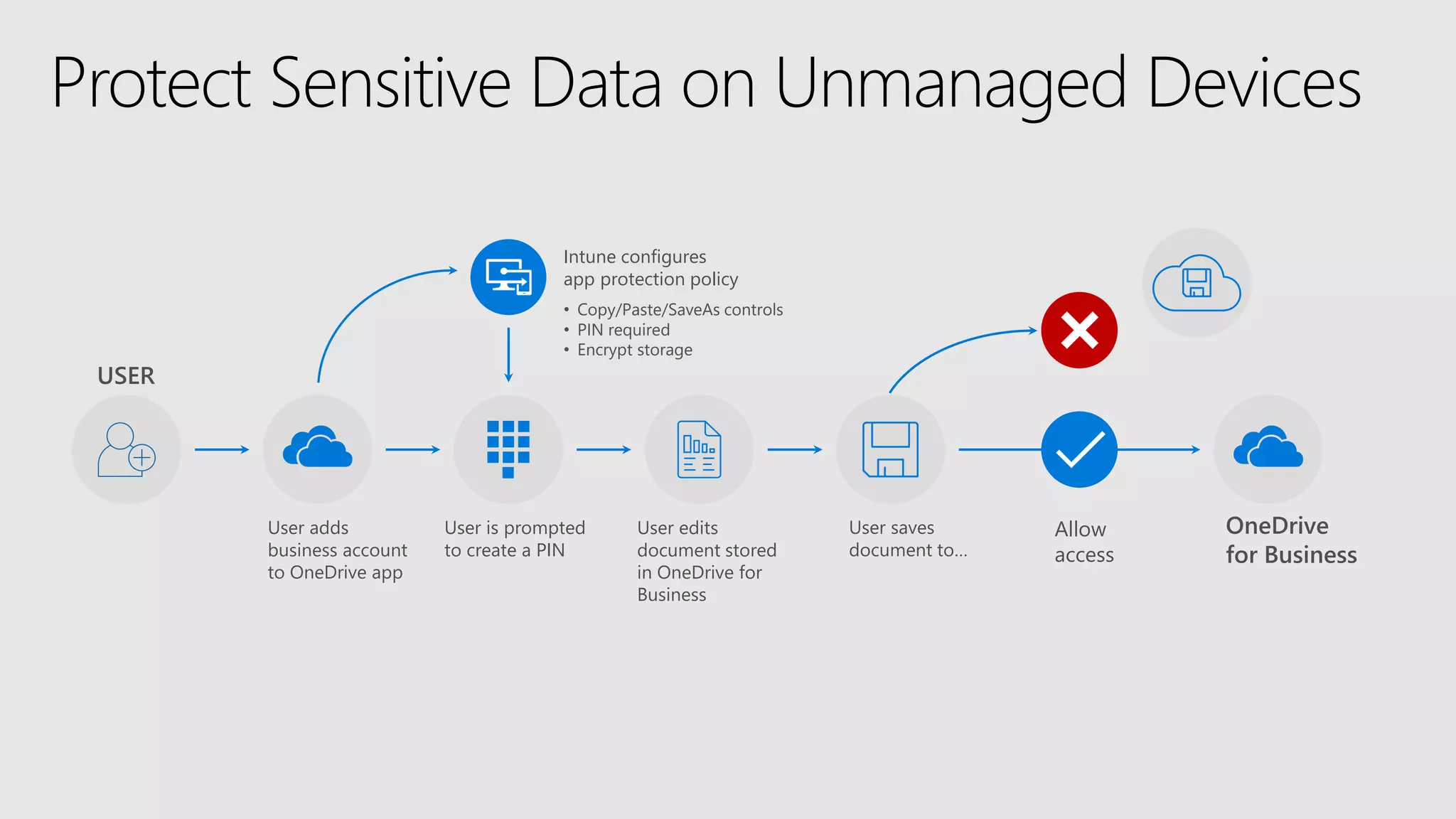
USER
User is prompted
to create a PIN
User edits
document stored
in OneDrive for
Business
User saves
document to…
User adds
business account
to OneDrive app
Intune configures
app protection policy
OneDrive
for Business
Allow
access
• Copy/Paste/SaveAs controls
• PIN required
• Encrypt storage
Protect Sensitive Data on Unmanaged Devices
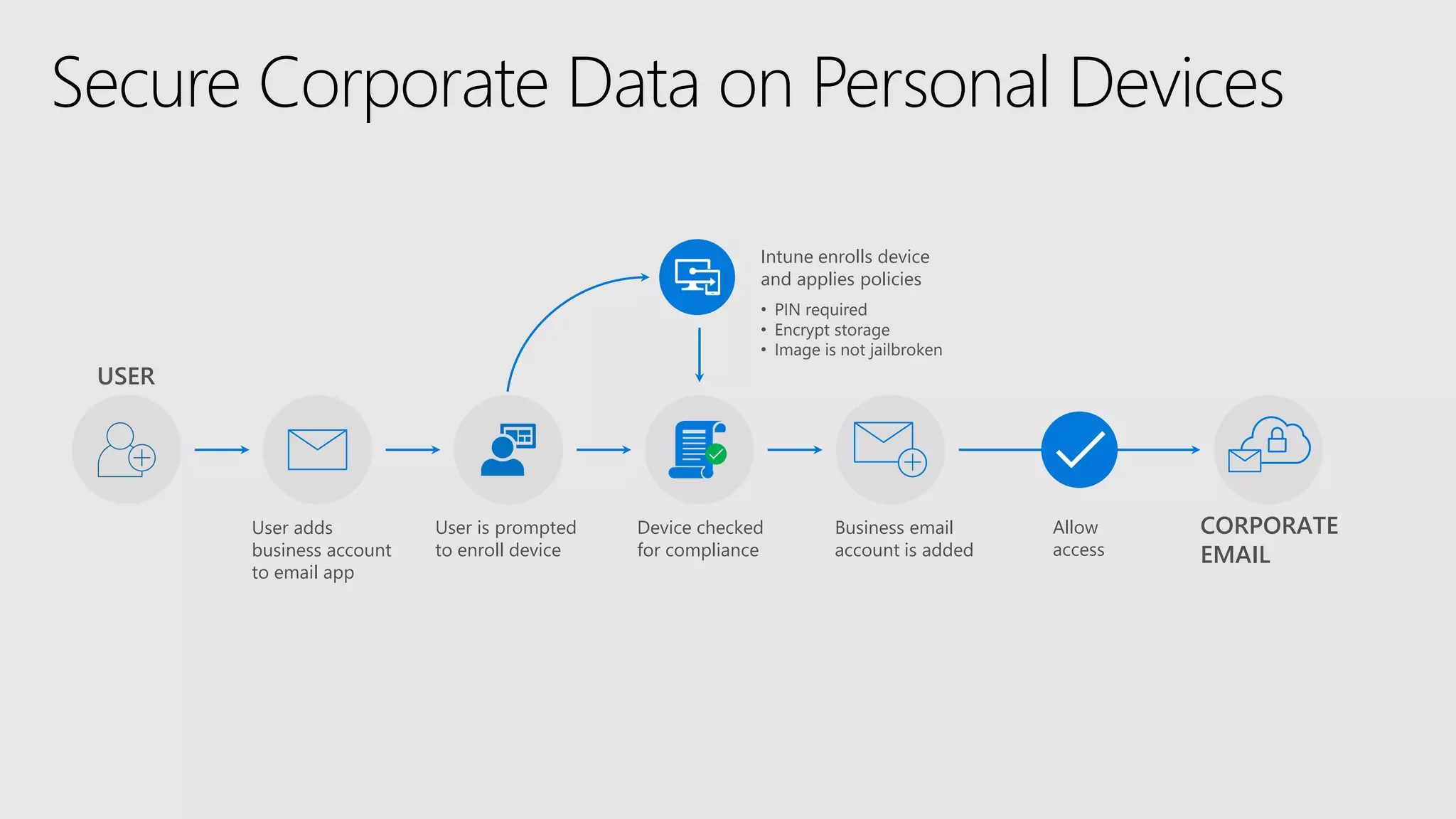
User is prompted
to enroll device
Device checked
for compliance
Business email
account is added
User adds
business account
to email app
Intune enrolls device
and applies policies
CORPORATE
EMAIL
Allow
access
• PIN required
• Encrypt storage
• Image is not jailbroken
USER
Secure Corporate Data on Personal Devices
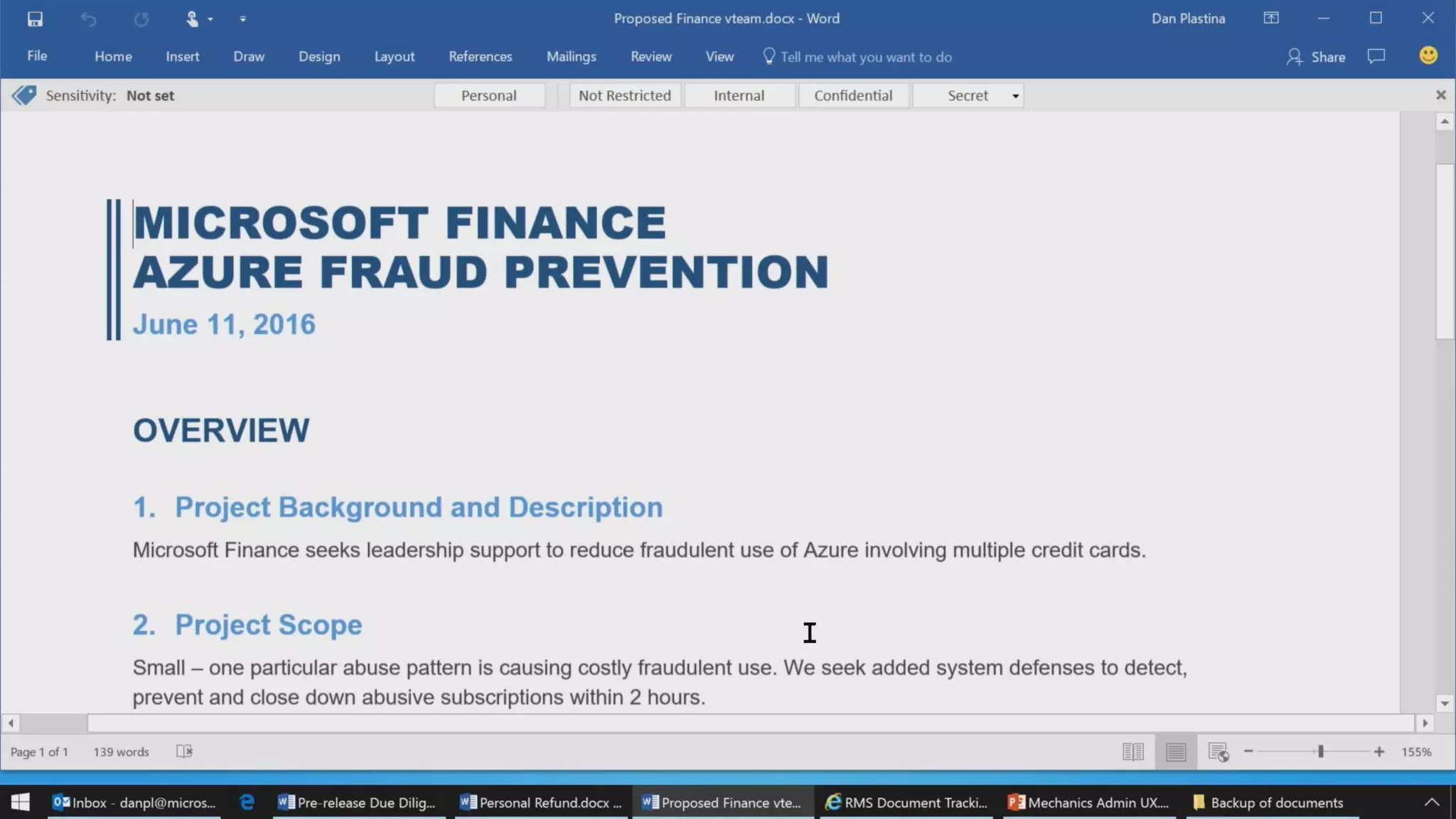
SharePoint Document
Labels
https://www.youtube.com/
watch?v=mdj1ovaevBY
8:23-8:33 (No PiP)
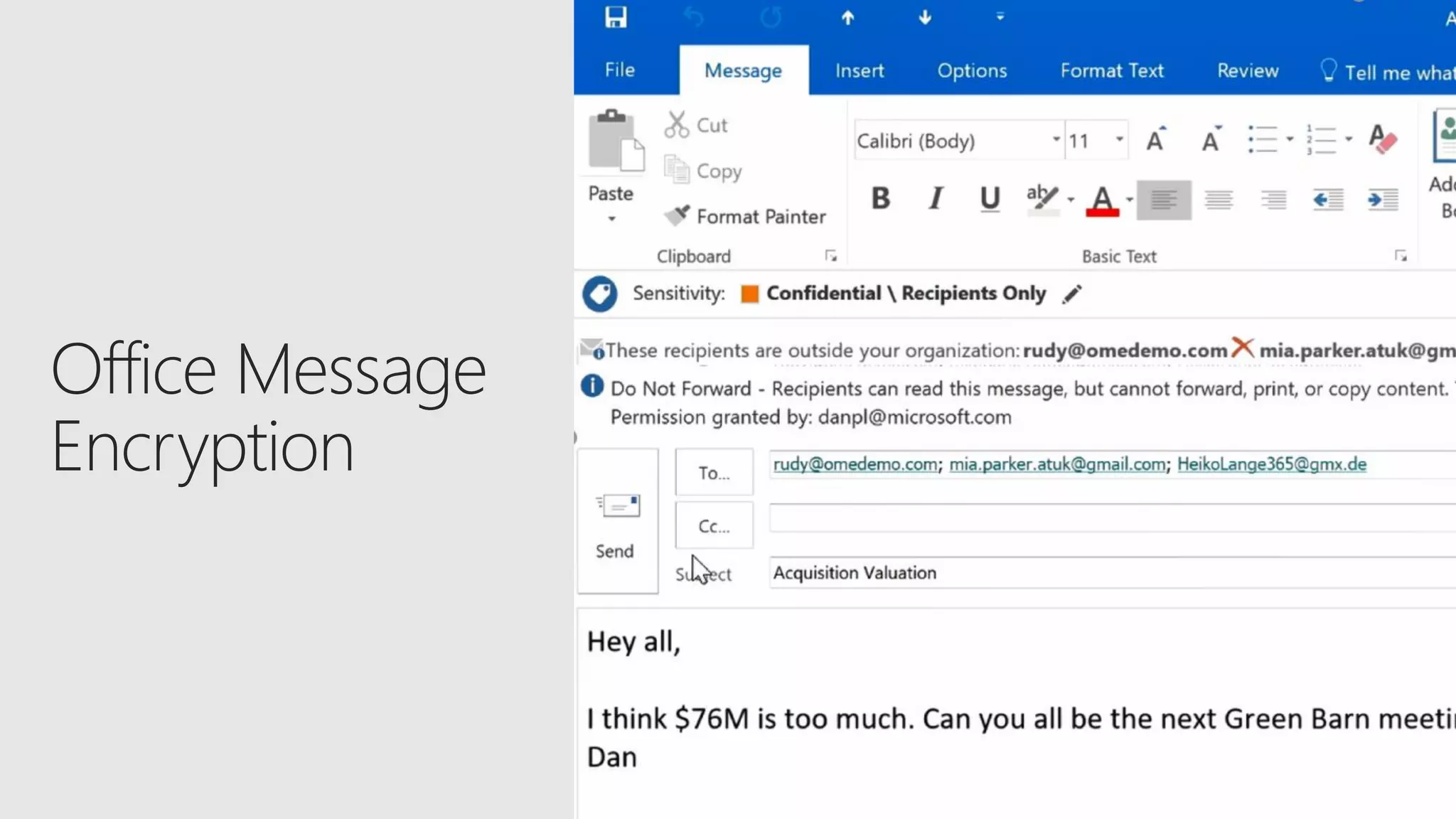
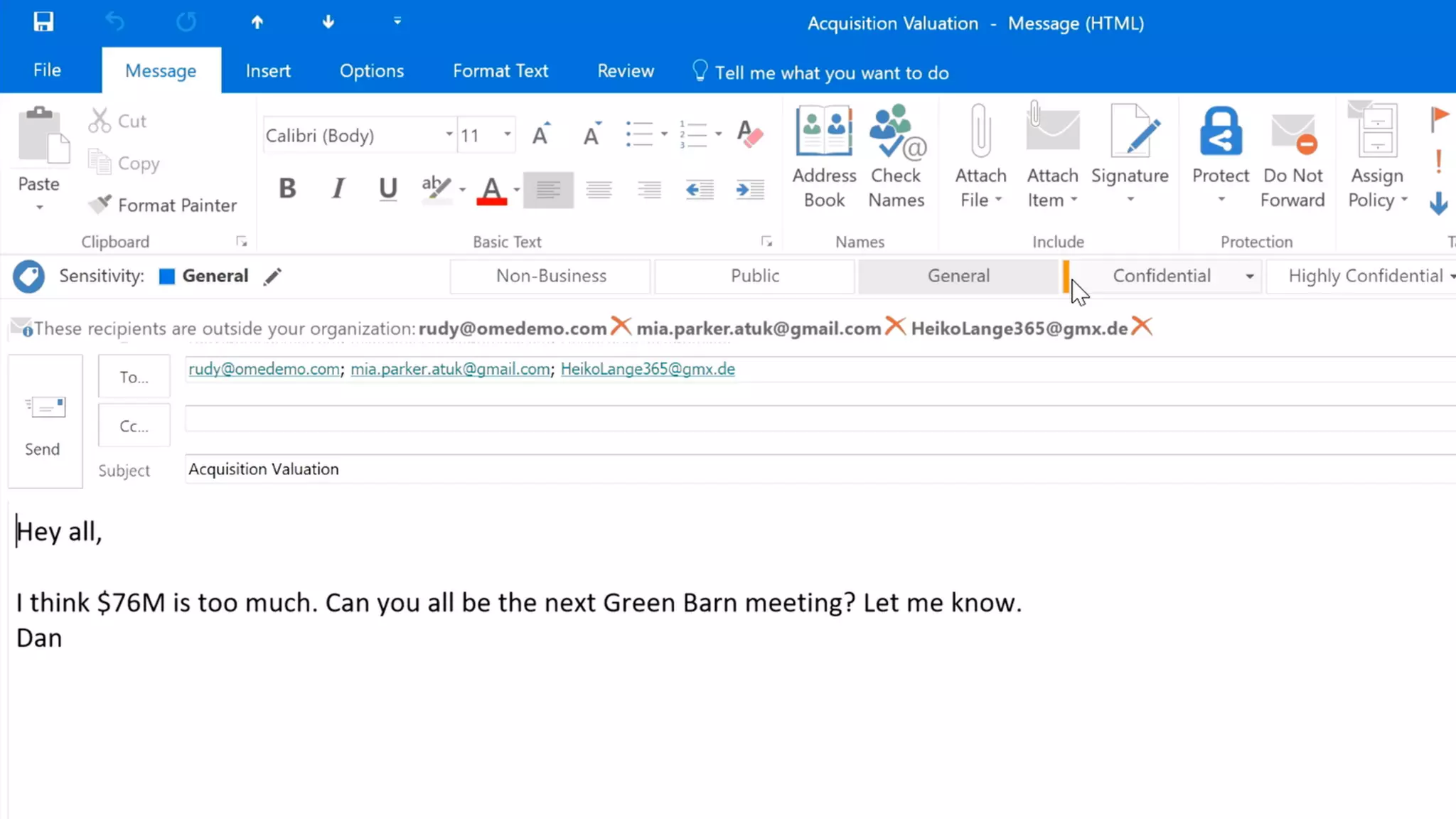
Office Message Encryption
Need Entire Dan Plastina
Demo Bench that we didn’t
publish from July in 1080p
MP4
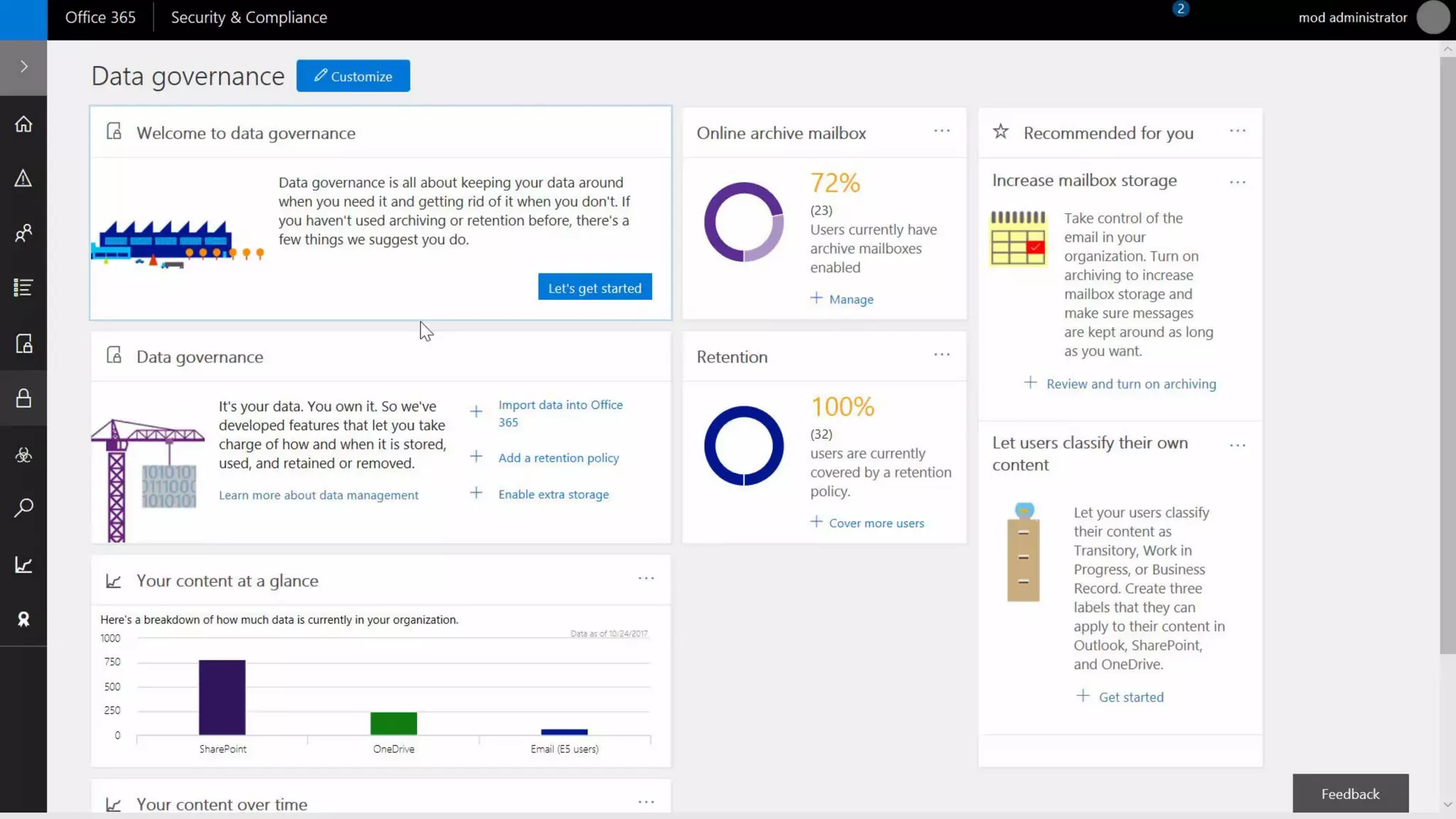
Advanced Data Governance
Need screen new
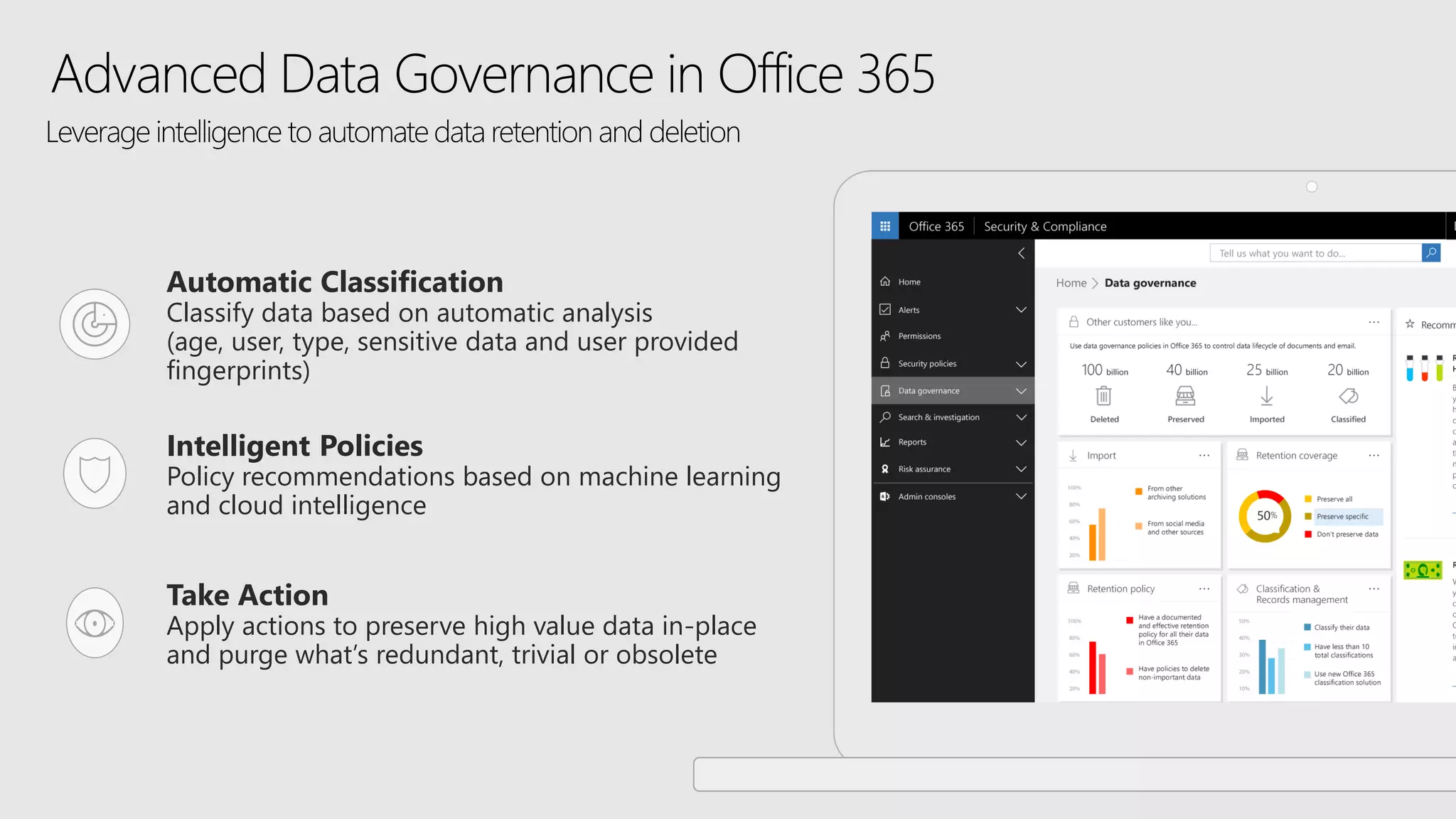
Advanced Data Governance in Office 365
Intelligent Policies
Policy recommendations based on machine learning
and cloud intelligence
Take Action
Apply actions to preserve high value data in-place
and purge what’s redundant, trivial or obsolete
Automatic Classification
Classify data based on automatic analysis
(age, user, type, sensitive data and user provided
fingerprints)
Leverage intelligence to automate data retention and deletion
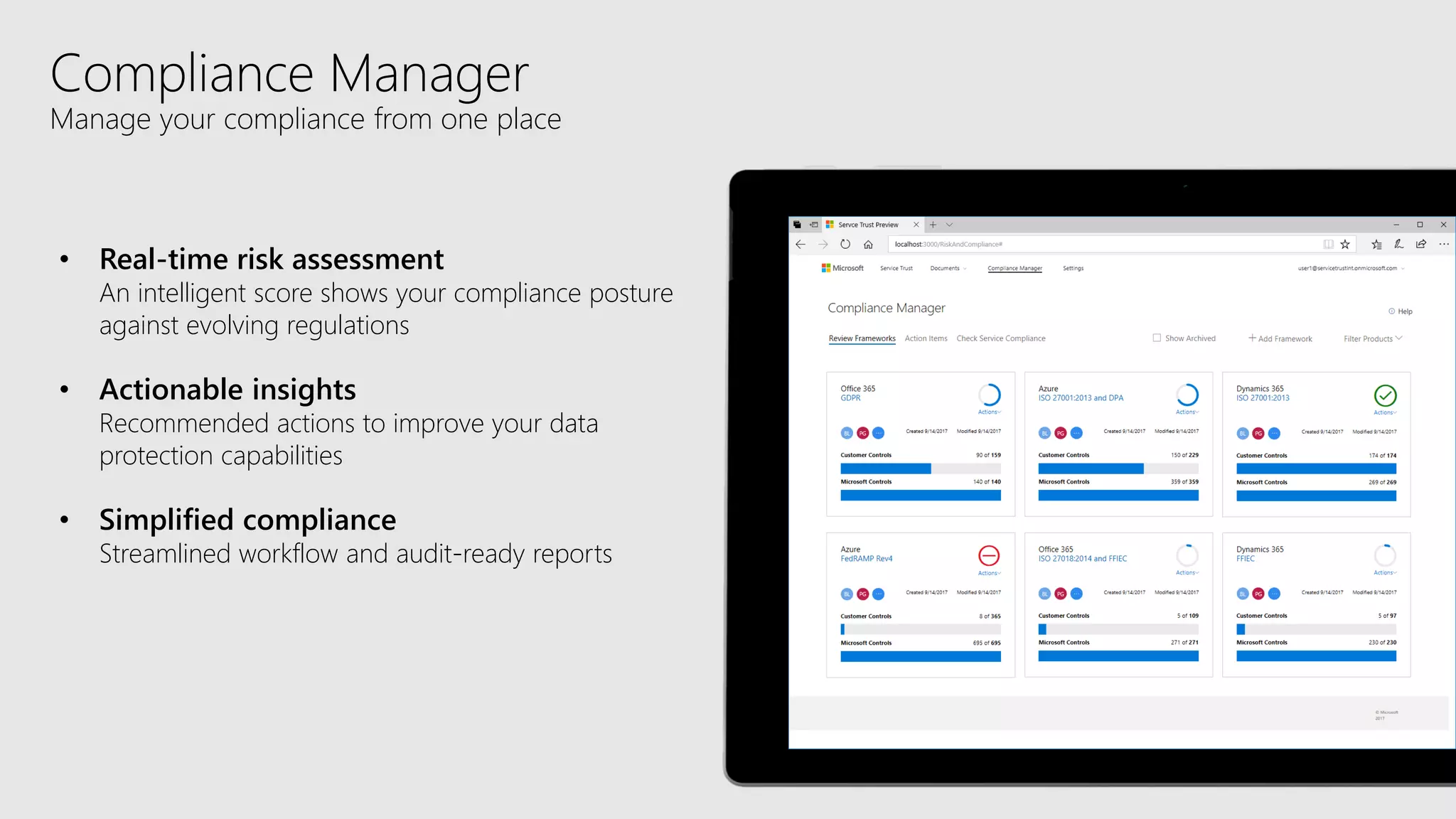
Compliance Manager
Manage your compliance from one place
• Real-time risk assessment
An intelligent score shows your compliance posture
against evolving regulations
• Actionable insights
Recommended actions to improve your data
protection capabilities
• Simplified compliance
Streamlined workflow and audit-ready reports
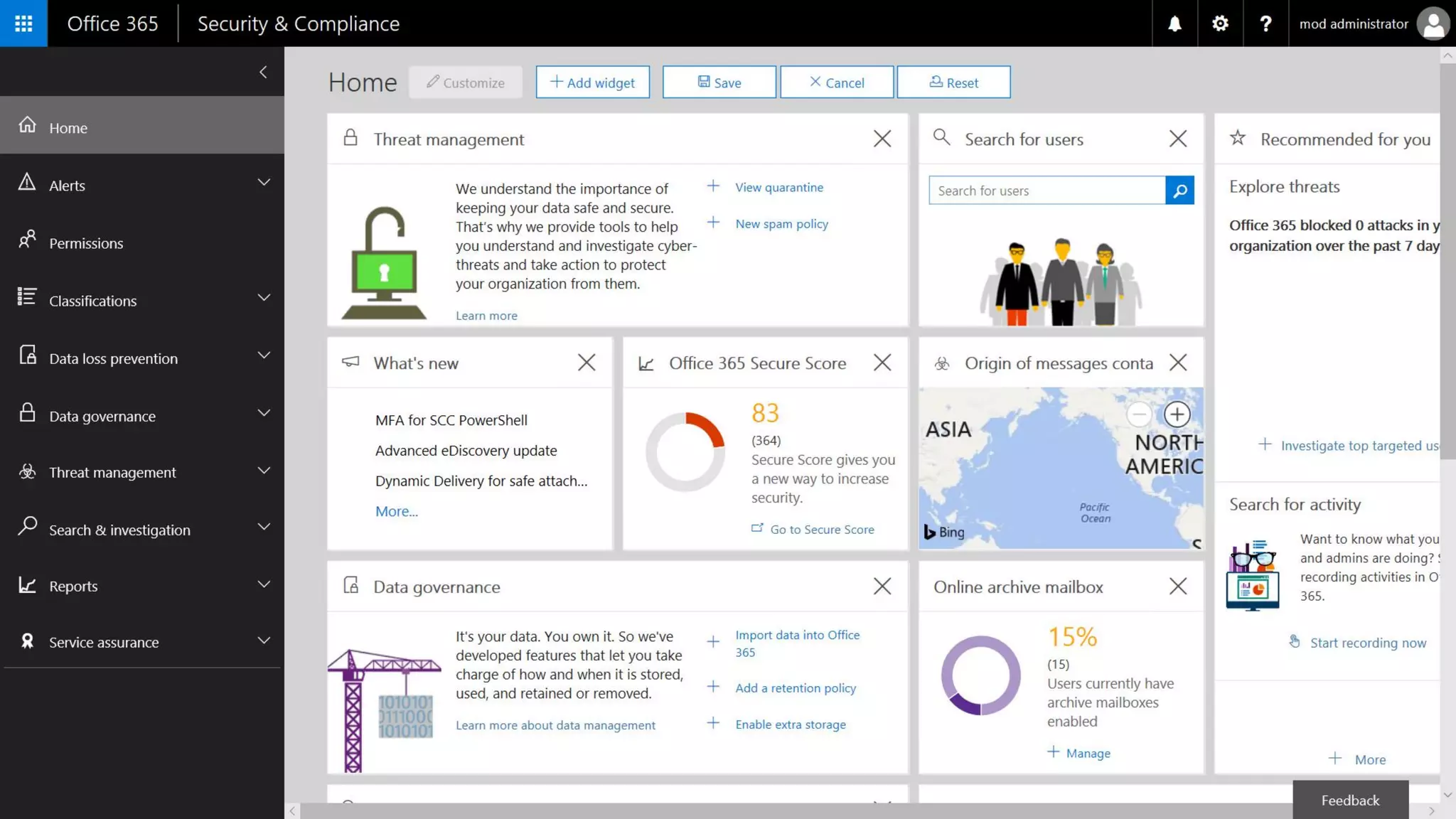
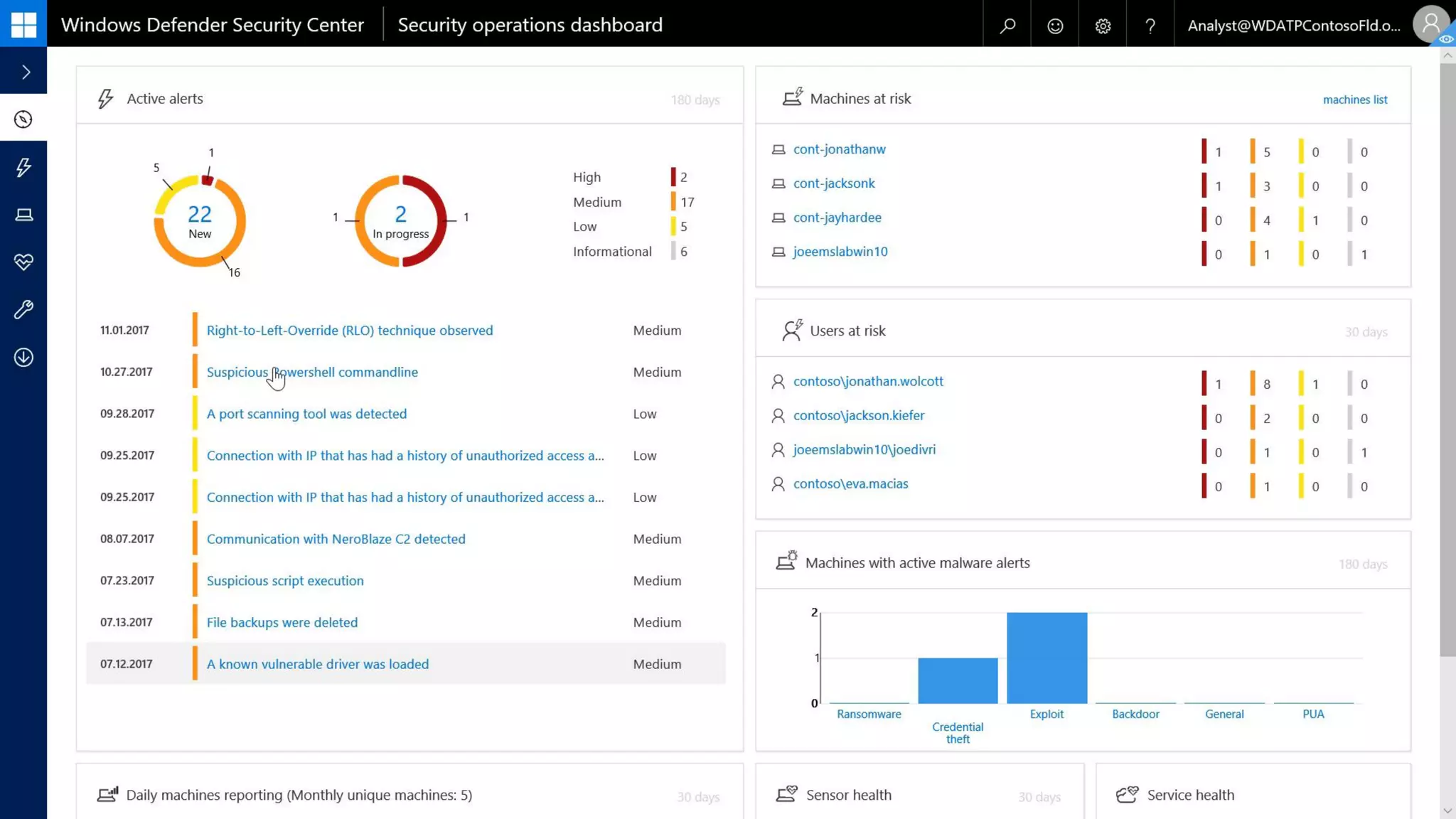
WD Security Center
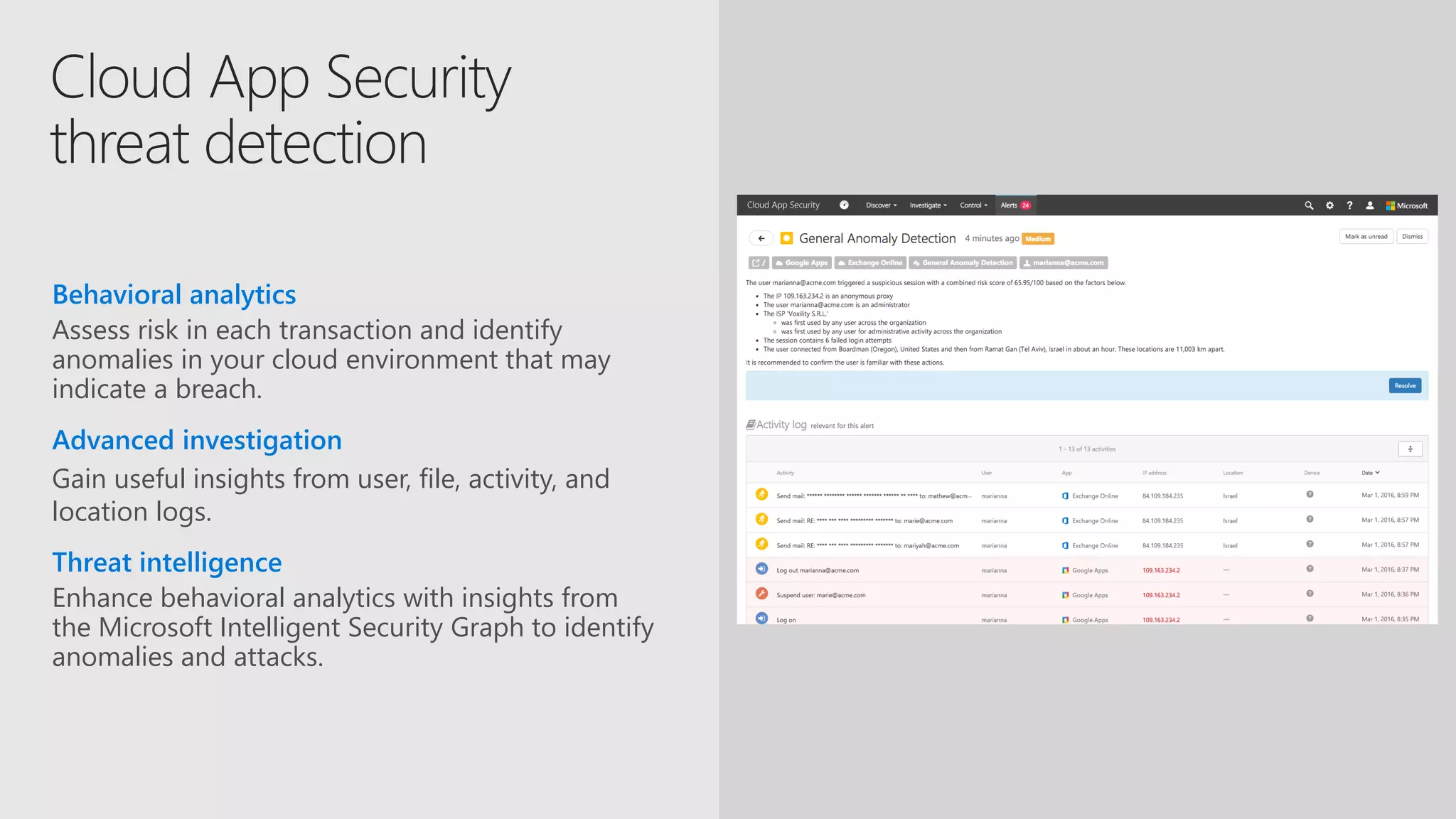
Gain useful insights from user, file, activity, and
location logs.
Advanced investigation
Assess risk in each transaction and identify
anomalies in your cloud environment that may
indicate a breach.
Behavioral analytics
Enhance behavioral analytics with insights from
the Microsoft Intelligent Security Graph to identify
anomalies and attacks.
Threat intelligence
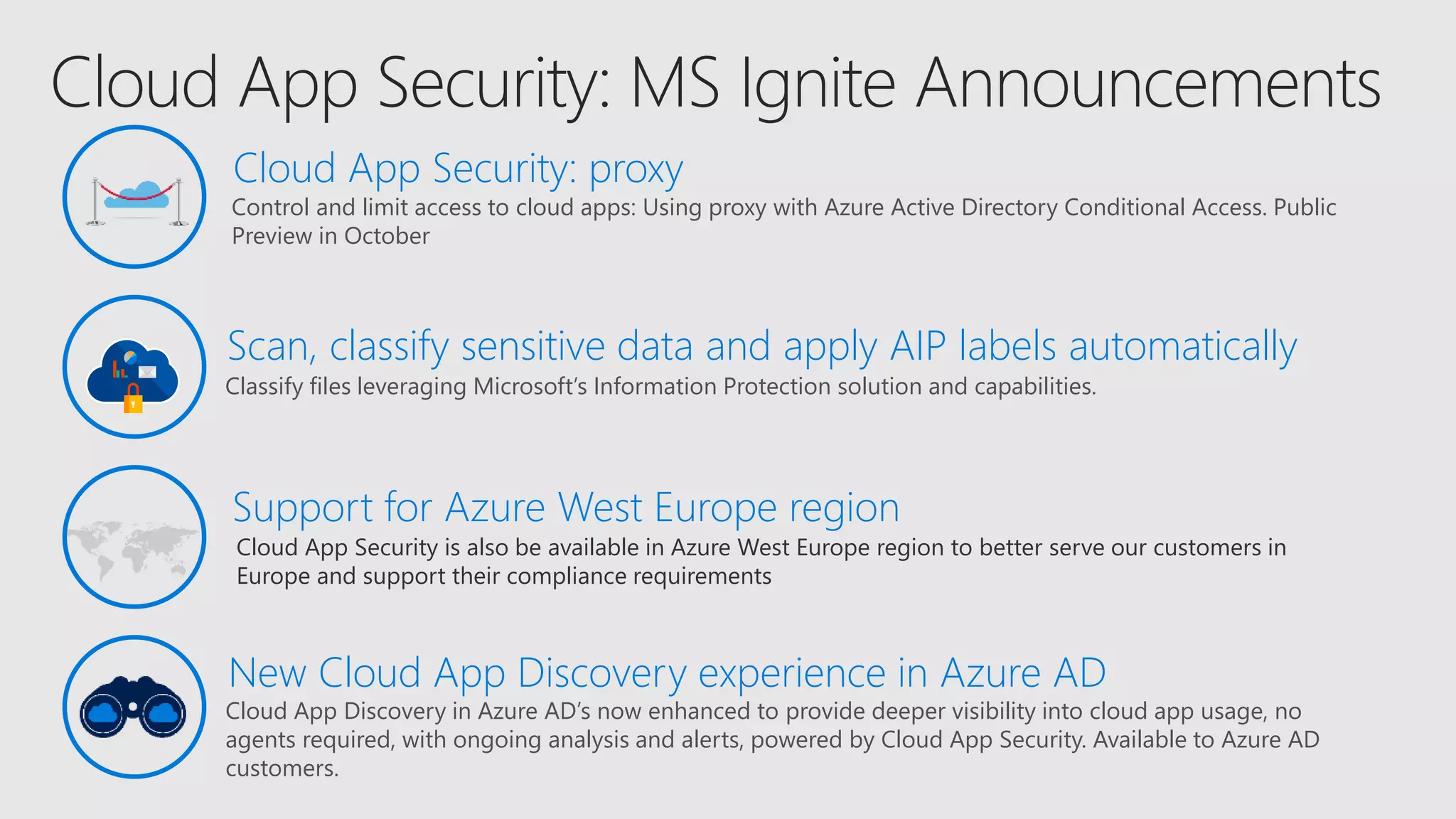
Cloud App Security is also be available in Azure West Europe region to better serve our customers in
Europe and support their compliance requirements
Support for Azure West Europe region
Control and limit access to cloud apps: Using proxy with Azure Active Directory Conditional Access. Public
Preview in October
Classify files leveraging Microsoft’s Information Protection solution and capabilities.
Scan, classify sensitive data and apply AIP labels automatically
Cloud App Security: proxy
Cloud App Discovery in Azure AD’s now enhanced to provide deeper visibility into cloud app usage, no
agents required, with ongoing analysis and alerts, powered by Cloud App Security. Available to Azure AD
customers.
New Cloud App Discovery experience in Azure AD
aOS Kuala Lumpur 2018aOS Kuala Lumpur 2018
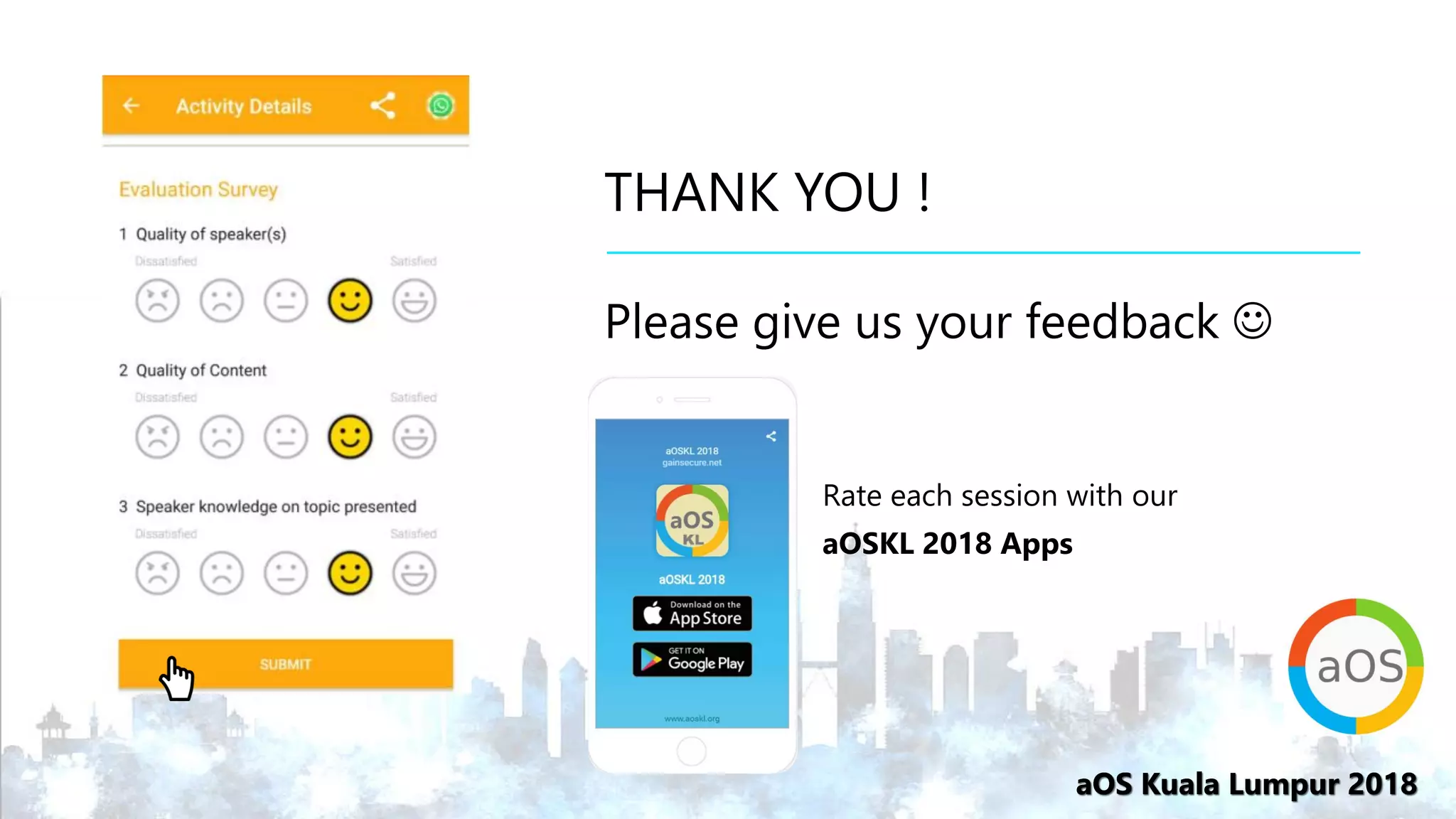
THANK YOU !
Please give us your feedback ☺
Rate each session with our
aOSKL 2018 Apps

2018-10-23 2B - a deep dive into Microsoft 365 security - Muditha Chathuranga

  • 1.
    aOS Kuala Lumpur2018 12 Microsoft MVPs, 14 International Speakers, 18 Sessions Brought to you by: aOS Kuala Lumpur 2018 An Independent Community Event to Learn About Azure, Office 365 & SharePoint
  • 2.
    aOS Kuala Lumpur2018 A Deep Dive in to Microsoft 365 Security Muditha Jayath Chathuranga
  • 3.
    aOS Kuala Lumpur2018aOS Kuala Lumpur 2018 Muditha Jayath Chathuranga • From Colombo, Sri Lanka • Senior Technical Consultant – Infront Consulting Group Ltd., Canada (part of Green House Data) • Works with Microsoft Office 365, EM+S, Azure • MVP, MCT • https://www.thecloudjournal.net/ • https://twitter.com/MudithaC • me@muditha.me
  • 5.
  • 6.
  • 9.
    Azure Information Protection Office365 Data Loss Prevention Windows Information Protection Microsoft Cloud App Security Office 365 Advanced Security Mgmt. Microsoft Intune Advanced Threat Analytics Windows Defender Advanced Threat Protection Office 365 Advanced Threat Protection Office 365 Threat Intelligence Azure Active Directory Conditional Access Windows Hello Windows Credential Guard Azure Security Center Office 365 Security Center Windows Defender Security Center
  • 11.
  • 12.
    IF Privileged user? Credentials foundin public? Accessing sensitive app? Unmanaged device? Malware detected? IP detected in Botnet? Impossible travel? Anonymous client? High Medium Low User risk 10TB per day THEN Require MFA Allow access Deny access Force password reset****** Limit access High Medium Low Session risk
  • 13.
    USER Role: Sales AccountRep Group: London Users Client: Mobile Config: Corp Proxy Location: London, UK Last Sign-in: 5 hrs ago CONDITIONAL ACCESS RISK Health:Fully patched Config:Managed Last seen: London, UK High Medium Low Allow access TRAVEL EXPENSE APP
  • 14.
    USER Role: VP Marketing Group:Executive Users Client: Mobile Config: Corp Proxy Location: London, UK Last Sign-in: 5 hrs ago CONDITIONAL ACCESS RISK Health:Fully patched Config:Managed Last seen: London, UK High Medium Low Require MFA CONFIDENTIAL SALES APP CONDITIONAL ACCESS POLICY User is a member of a sensitive group. Application is classified High Business Impact.
  • 15.
    USER Role: Sales AccountRepresentative Group: London Users Client: Mobile Config: Corp Proxy Location: London, UK Last Sign-in: 5 hrs ago SALES APP CONDITIONAL ACCESS RISK Health: Unknown Client: Browser Config: Anonymous Last seen: Asia High Medium Low Anonymous IP Unfamiliar sign-in location for this user Block access Force password reset
  • 17.
    Enforce on-demand, just-in-timeadministrative access when needed Use Alert, Audit Reports and Access Review Domain User Global Administrator Discover, restrict, and monitor privileged identities Domain User Administrator privileges expire after a specified interval
  • 18.
    SECURED BY HARDWARE USER CREDENTIAL Anasymmetricalkeypair ProvisionedviaPKIor createdlocally viaWindows10 UTILIZE FAMILIAR DEVICES
  • 19.
    2 2 Windows sendsa “hello” (an authentication request) 3 AD FS sends back nonce 4 Windows sends signed nonce with WHfB key 5 AD FS validates “user + device” & returns token 1 User sign-in with bio-gesture unlocks WHfB key 3 4 5 Sign-in to Windows 10 with Windows Hello for Business 6 User SSO to AD FS apps from intranet or extranet 6 1
  • 22.
    Out-of-box protection Increasedprotection Windows Defender System Guard Windows Defender Exploit Guard Windows Defender Firewall Windows Defender Antivirus Windows Defender SmartScreen BitLocker Encryption (Only available on InstantGo devices) Windows Updates Microsoft provides advanced security for protecting data, as well as the identities and devices that access your data. Windows 10 includes strong, out-of-the box baseline protections, which will meet the needs of many organizations. For organizations that need more protection than the baseline, there are the increased security features, which can be turned on alongside the out-of-box protections. Some customers have a subset of users that must be protected at higher levels because they have access to sensitive data or they are greater targets for attackers. You can apply increased protection to specific users in your organization. Our capabilities are recommended in two tiers — out-of-box protection and increased protection that you can turn on to strengthen your protections *Requires E5 license
  • 23.
  • 24.
  • 25.
    Time-of-click protection againstmalicious URLs URL reputation checks along with detonation of attachments at destination URLs. Zero-day protection against malicious attachments Attachments with unknown virus signatures are assessed using behavioral analysis. Critical insights into external threats Rich reporting and tracking features provide critical insights into the targets and categories of attacks. Integrated across apps & services Protection across Exchange Online, SharePoint Online, OneDrive for Business, and Office apps. Intelligence sharing with devices Integration with Windows Advanced Threat Protection to correlate data across users and devices.
  • 26.
    Safe Links (BryanJeffries) https://www.youtube.com/ watch?v=ZEi8D1J9gh8 0:11-0:17
  • 27.
  • 28.
    DETECT AND RESPONDQUICKLY TO ATTACKS WINDOWS DEFENDER ADVANCED THREAT PROTECTION Sensors built in, not bolted on Unique threat intelligence knowledge base with unparalleled threat optics Rich timeline for investigation Microsoft Intelligence Security Graph provides integrated detection and exploration with Office 365 ATP Partnering with Bitdefender, Lookout, and Ziften for macOS, Linux, iOS, and Android devices
  • 29.
  • 30.
  • 32.
    Detect Scan & detectsensitive data based on policy Classify Classify data and apply labels based on sensitivity Protect Apply protection actions, including encryption, access restrictions Monitor Reporting, alerts, remediation I N F O R M AT I O N P R OT E C T I O N L I F E C Y C L E How Do I Protect Sensitive Information?
  • 33.
    PCs, tablets, mobile Office365 DLP Windows Information Protection & BitLocker for Windows 10 Azure Information Protection Exchange Online, SharePoint Online & OneDrive for Business Highly regulated Intune MDM & MAM for iOS & Android Microsoft Cloud App Security Office 365 Advanced Data Governance Datacenters, file sharesAzure 3rd-Party SaaS Comprehensive protection of sensitive data across devices, cloud services, and on-premises Devices Office 365 Cloud Services, SaaS apps, & on-prem
  • 34.
    SECRET CONFIDENTIAL INTERNAL NOT RESTRICTED IT admincan set policies, templates, and rules. Classifications, labels and encryption can be applied automatically based on file source, context, and content EMS extends Office 365 manual protection of files with automatic protection to ensure policy compliance Encryption stays with the file wherever it goes, internally and externally Files can be tracked by sender and access revoked if needed Classification and labeling Classify data based on sensitivity and add labels—manually or automatically Protection Encrypt sensitive data & define usage rights, add visual markings when needed Monitoring Detailed tracking and reporting to maintain control over shared data
  • 35.
  • 36.
  • 37.
  • 38.
    Advanced device management Enforce deviceencryption, password/PIN requirements, jailbreak/root detection, etc. Device security configuration Restrict access to specific applications or URL addresses on mobile devices and PCs Restrict apps and URLs Managed apps Personal appsPersonal apps MDM (3rd party or Intune) optional Managed apps Corporate data Personal data Multi-identity policy Control company data after it has been accessed, and separate it from personal data Data control / separation
  • 39.
    USER User is prompted tocreate a PIN User edits document stored in OneDrive for Business User saves document to… User adds business account to OneDrive app Intune configures app protection policy OneDrive for Business Allow access • Copy/Paste/SaveAs controls • PIN required • Encrypt storage Protect Sensitive Data on Unmanaged Devices
  • 40.
    User is prompted toenroll device Device checked for compliance Business email account is added User adds business account to email app Intune enrolls device and applies policies CORPORATE EMAIL Allow access • PIN required • Encrypt storage • Image is not jailbroken USER Secure Corporate Data on Personal Devices
  • 42.
  • 44.
    Office Message Encryption NeedEntire Dan Plastina Demo Bench that we didn’t publish from July in 1080p MP4
  • 46.
  • 47.
    Advanced Data Governancein Office 365 Intelligent Policies Policy recommendations based on machine learning and cloud intelligence Take Action Apply actions to preserve high value data in-place and purge what’s redundant, trivial or obsolete Automatic Classification Classify data based on automatic analysis (age, user, type, sensitive data and user provided fingerprints) Leverage intelligence to automate data retention and deletion
  • 50.
    Compliance Manager Manage yourcompliance from one place • Real-time risk assessment An intelligent score shows your compliance posture against evolving regulations • Actionable insights Recommended actions to improve your data protection capabilities • Simplified compliance Streamlined workflow and audit-ready reports
  • 53.
  • 54.
    Gain useful insightsfrom user, file, activity, and location logs. Advanced investigation Assess risk in each transaction and identify anomalies in your cloud environment that may indicate a breach. Behavioral analytics Enhance behavioral analytics with insights from the Microsoft Intelligent Security Graph to identify anomalies and attacks. Threat intelligence
  • 55.
    Cloud App Securityis also be available in Azure West Europe region to better serve our customers in Europe and support their compliance requirements Support for Azure West Europe region Control and limit access to cloud apps: Using proxy with Azure Active Directory Conditional Access. Public Preview in October Classify files leveraging Microsoft’s Information Protection solution and capabilities. Scan, classify sensitive data and apply AIP labels automatically Cloud App Security: proxy Cloud App Discovery in Azure AD’s now enhanced to provide deeper visibility into cloud app usage, no agents required, with ongoing analysis and alerts, powered by Cloud App Security. Available to Azure AD customers. New Cloud App Discovery experience in Azure AD
  • 57.
    aOS Kuala Lumpur2018aOS Kuala Lumpur 2018 THANK YOU ! Please give us your feedback ☺ Rate each session with our aOSKL 2018 Apps