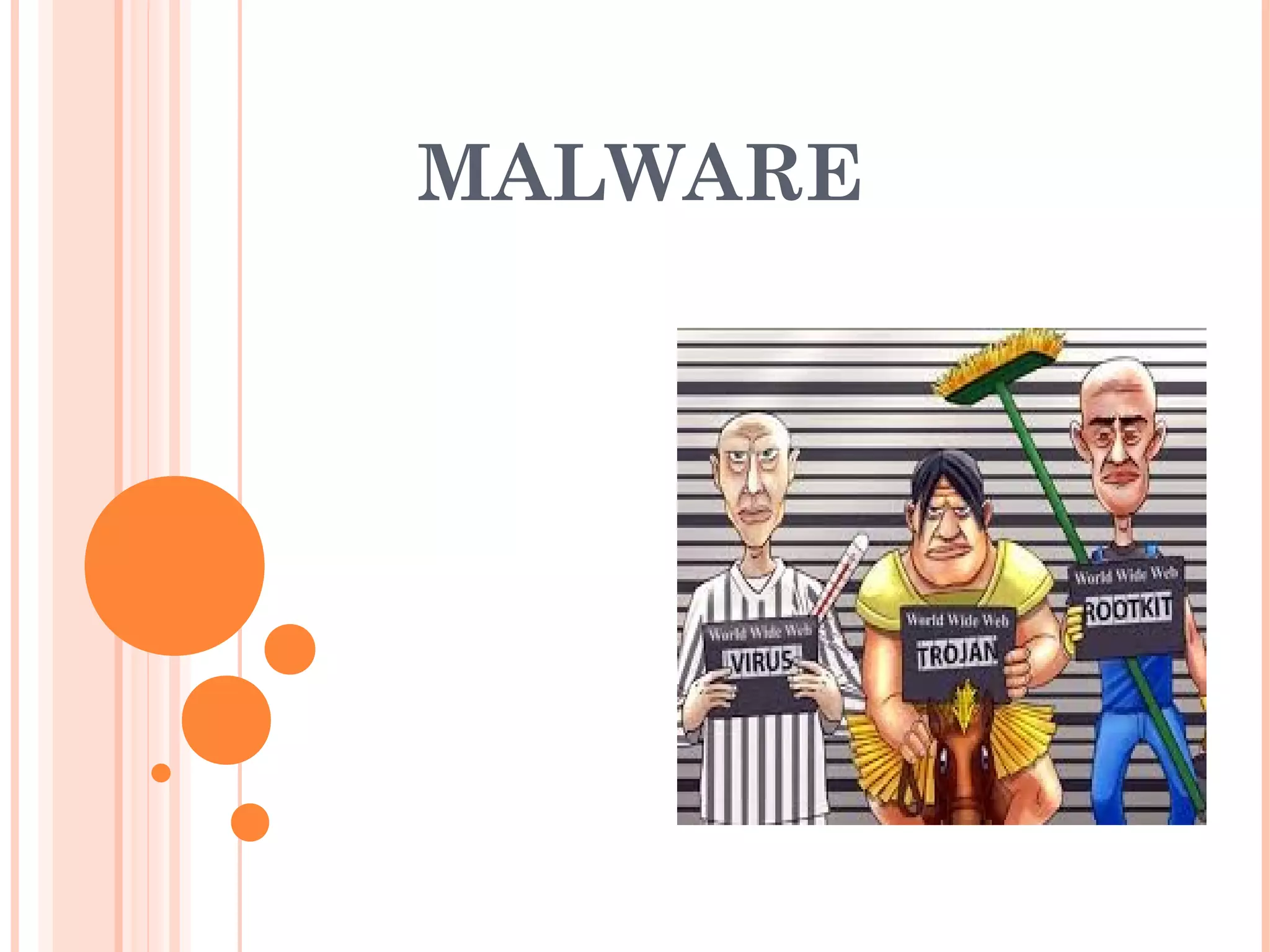
MALWARE
OBJECTIVES
 What malware are
 Types of malware
 How do they infect hosts
 How do they hide
 How to detect them
WHAT IS A MALWARE ?
A Malware is a set of instructions that run on your computer and
make your system do something that an attacker wants it to do.
WHAT IT IS GOOD FOR ?
 Steal personal information
 Steal valuable data
 Destroy data
 Denial of Service
 Use your computer as relay
VIRUSES
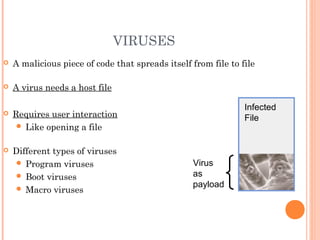
 A malicious piece of code that spreads itself from file to file
 A virus needs a host file
 Requires user interaction
ď‚— Like opening a file
 Different types of viruses
ď‚— Program viruses
ď‚— Boot viruses
ď‚— Macro viruses
Infected
File
Virus
as
payload
WORMS
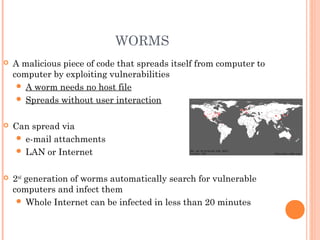
 A malicious piece of code that spreads itself from computer to
computer by exploiting vulnerabilities
ď‚— A worm needs no host file
ď‚— Spreads without user interaction
 Can spread via
ď‚— e-mail attachments
ď‚— LAN or Internet
 2nd
generation of worms automatically search for vulnerable
computers and infect them
ď‚— Whole Internet can be infected in less than 20 minutes
TROJANS
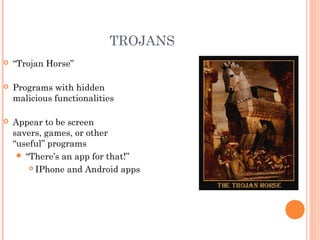
 “Trojan Horse”
 Programs with hidden
malicious functionalities
 Appear to be screen
savers, games, or other
“useful” programs
 “There’s an app for that!”
 IPhone and Android apps
LOGICAL BOMBS
 Malicious code programmed to be activated on a specific date,
time or circumstances
 Action could be everything from formatting hard drive to display
a silly message on the user’s screen
 Often combined with a virus/worm (e.g, Chernobyl virus)
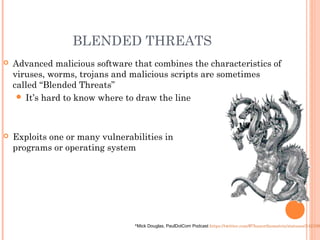
BLENDED THREATS
 Advanced malicious software that combines the characteristics of
viruses, worms, trojans and malicious scripts are sometimes
called “Blended Threats”
 It’s hard to know where to draw the line
 Exploits one or many vulnerabilities in
programs or operating system
*Mick Douglas, PaulDotCom Podcast https://twitter.com/#!/haxorthematrix/statuses/242108
VIRUSES
 4 phases:
ď‚— Dormant phase: It is idle, waiting for some event
ď‚— Triggering phase: activated to perform some intended
actions
ď‚— Propagation phase: Copy itself into other programs
ď‚— Execution phase: execute the payload
MACRO VIRUSES
 Macro: an executable program embedded in a
document to automate repetitive tasks. (save
keystrokes)
 Application-dependent, e.g., MS office
 Cross the O.S. platform
 Why virus writers like macro viruses?
ď‚— Easy to learn
ď‚— Easy to write
ď‚— Popularity of MS office
HOW MACRO VIRUS WORKS
 Every word document is based on a template
 When an existing or new document is opened,
the template setting are applied first
 A global template: NORMAL.DOT
WORM
 Worm: self-replicating over networks, but not
infecting program and files
 Example: Morris worm, blaster worm
THE STRUCTURE OF WORMS
 Target locator (find the target)
ď‚— Email address collector
ď‚— IP/port scanner
 Warhead
ď‚— Break into remote machines
 Propagation
ď‚— Automatically sending emails
ď‚— Automatically attack remote hosts
 Remote control and update
ď‚— Download updates from a web server
ď‚— Join a IRC channel
 Lifecycle management
ď‚— Commit suicide
ď‚— Avoid repeatedly infecting the same host
 Payload
STATE OF WORM TECHNOLOGY
 Multiplatform: Windows, unix, mac, …
 Multiexploit: web server, browser, email,…
 Ultrafast spreading: host/port scanning
 Polymorphic: Each copy has new code generated by
equivalent instructions and encryption techniques.
 Metamorphic: different behavior patterns
 Transport vehicles: for the payloads (spread attacking
tools and zombies)
 Zero-day exploit: self-updated
DISCUSSION
 Is it a good idea to spread worms with system
patches?
TROJAN
 A program with hidden side-effects that are not
specified in the program documentation and are
not intended by the user executing the program
WHAT A TROJAN CAN DO
 Remote administration trojans: attackers
get the complete control of a PC
 Backdoor: steal data and files
 Distributed attacks: zombie network
 Password stealers: capture stored
passwords
 Audio, video capturing: control devices
 Keyloggers: capture inputting passwords
 Adware: popup advertisements
 Logic bomb: only executed when a specific
trigger condition is met
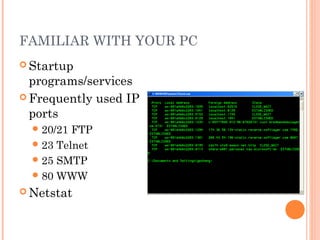
FAMILIAR WITH YOUR PC
 Startup
programs/services
 Frequently used IP
ports
ď‚—20/21 FTP
ď‚—23 Telnet
ď‚—25 SMTP
ď‚—80 WWW
 Netstat
MALWARE PAYLOADS
 No payload
 Payload without damage
ď‚—Only display some information
 Payload with little impact
ď‚—Modify documents (wazzu virus)
 Payload with heavy impact
ď‚—Remove files, format storage
ď‚—Encrypting data (blackmail)
ď‚—Destroy hardware (W95.CIH): rewrite flash
bios
 DDoS attacks
 Steal data for profit
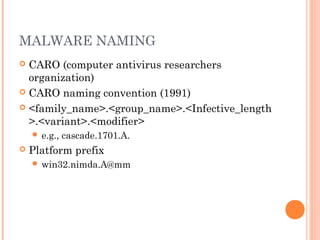
MALWARE NAMING
 CARO (computer antivirus researchers
organization)
 CARO naming convention (1991)
 <family_name>.<group_name>.<Infective_length
>.<variant>.<modifier>
ď‚— e.g., cascade.1701.A.
 Platform prefix
ď‚— win32.nimda.A@mm
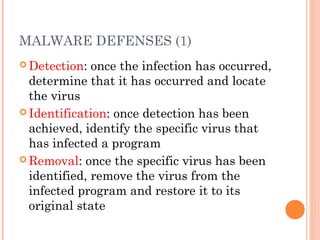
MALWARE DEFENSES (1)
 Detection: once the infection has occurred,
determine that it has occurred and locate
the virus
 Identification: once detection has been
achieved, identify the specific virus that
has infected a program
 Removal: once the specific virus has been
identified, remove the virus from the
infected program and restore it to its
original state
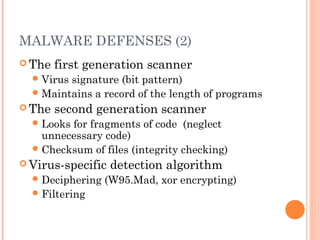
MALWARE DEFENSES (2)
 The first generation scanner
ď‚—Virus signature (bit pattern)
ď‚—Maintains a record of the length of programs
 The second generation scanner
ď‚—Looks for fragments of code (neglect
unnecessary code)
ď‚—Checksum of files (integrity checking)
 Virus-specific detection algorithm
ď‚—Deciphering (W95.Mad, xor encrypting)
ď‚—Filtering
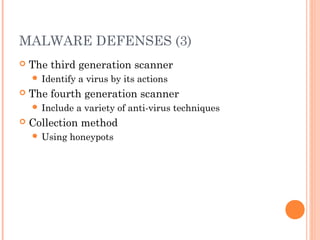
MALWARE DEFENSES (3)
 The third generation scanner
ď‚— Identify a virus by its actions
 The fourth generation scanner
ď‚— Include a variety of anti-virus techniques
 Collection method
ď‚— Using honeypots
MALWARE IN MOBILE PHONES
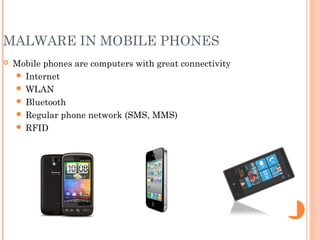
 Mobile phones are computers with great connectivity
ď‚— Internet
ď‚— WLAN
ď‚— Bluetooth
ď‚— Regular phone network (SMS, MMS)
ď‚— RFID
IN THE FUTURE…
 New spreading methods: e.g., RFID
Infected!
Infected!
Infected!
QUESTIONS?

Malware by Ms. Allwood

  • 1.
  • 2.
    OBJECTIVES  What malwareare  Types of malware  How do they infect hosts  How do they hide  How to detect them
  • 3.
    WHAT IS AMALWARE ? A Malware is a set of instructions that run on your computer and make your system do something that an attacker wants it to do.
  • 4.
    WHAT IT ISGOOD FOR ?  Steal personal information  Steal valuable data  Destroy data  Denial of Service  Use your computer as relay
  • 5.
    VIRUSES  A maliciouspiece of code that spreads itself from file to file  A virus needs a host file  Requires user interaction  Like opening a file  Different types of viruses  Program viruses  Boot viruses  Macro viruses Infected File Virus as payload
  • 6.
    WORMS  A maliciouspiece of code that spreads itself from computer to computer by exploiting vulnerabilities  A worm needs no host file  Spreads without user interaction  Can spread via  e-mail attachments  LAN or Internet  2nd generation of worms automatically search for vulnerable computers and infect them  Whole Internet can be infected in less than 20 minutes
  • 7.
    TROJANS  “Trojan Horse” Programs with hidden malicious functionalities  Appear to be screen savers, games, or other “useful” programs  “There’s an app for that!”  IPhone and Android apps
  • 8.
    LOGICAL BOMBS  Maliciouscode programmed to be activated on a specific date, time or circumstances  Action could be everything from formatting hard drive to display a silly message on the user’s screen  Often combined with a virus/worm (e.g, Chernobyl virus)
  • 9.
    BLENDED THREATS  Advancedmalicious software that combines the characteristics of viruses, worms, trojans and malicious scripts are sometimes called “Blended Threats”  It’s hard to know where to draw the line  Exploits one or many vulnerabilities in programs or operating system *Mick Douglas, PaulDotCom Podcast https://twitter.com/#!/haxorthematrix/statuses/242108
  • 10.
    VIRUSES  4 phases: Dormant phase: It is idle, waiting for some event  Triggering phase: activated to perform some intended actions  Propagation phase: Copy itself into other programs  Execution phase: execute the payload
  • 11.
    MACRO VIRUSES  Macro:an executable program embedded in a document to automate repetitive tasks. (save keystrokes)  Application-dependent, e.g., MS office  Cross the O.S. platform  Why virus writers like macro viruses?  Easy to learn  Easy to write  Popularity of MS office
  • 12.
    HOW MACRO VIRUSWORKS  Every word document is based on a template  When an existing or new document is opened, the template setting are applied first  A global template: NORMAL.DOT
  • 13.
    WORM  Worm: self-replicatingover networks, but not infecting program and files  Example: Morris worm, blaster worm
  • 14.
    THE STRUCTURE OFWORMS  Target locator (find the target)  Email address collector  IP/port scanner  Warhead  Break into remote machines  Propagation  Automatically sending emails  Automatically attack remote hosts  Remote control and update  Download updates from a web server  Join a IRC channel  Lifecycle management  Commit suicide  Avoid repeatedly infecting the same host  Payload
  • 15.
    STATE OF WORMTECHNOLOGY  Multiplatform: Windows, unix, mac, …  Multiexploit: web server, browser, email,…  Ultrafast spreading: host/port scanning  Polymorphic: Each copy has new code generated by equivalent instructions and encryption techniques.  Metamorphic: different behavior patterns  Transport vehicles: for the payloads (spread attacking tools and zombies)  Zero-day exploit: self-updated
  • 16.
    DISCUSSION  Is ita good idea to spread worms with system patches?
  • 17.
    TROJAN  A programwith hidden side-effects that are not specified in the program documentation and are not intended by the user executing the program
  • 18.
    WHAT A TROJANCAN DO  Remote administration trojans: attackers get the complete control of a PC  Backdoor: steal data and files  Distributed attacks: zombie network  Password stealers: capture stored passwords  Audio, video capturing: control devices  Keyloggers: capture inputting passwords  Adware: popup advertisements  Logic bomb: only executed when a specific trigger condition is met
  • 19.
    FAMILIAR WITH YOURPC  Startup programs/services  Frequently used IP ports 20/21 FTP 23 Telnet 25 SMTP 80 WWW  Netstat
  • 20.
    MALWARE PAYLOADS  Nopayload  Payload without damage Only display some information  Payload with little impact Modify documents (wazzu virus)  Payload with heavy impact Remove files, format storage Encrypting data (blackmail) Destroy hardware (W95.CIH): rewrite flash bios  DDoS attacks  Steal data for profit
  • 21.
    MALWARE NAMING  CARO(computer antivirus researchers organization)  CARO naming convention (1991)  <family_name>.<group_name>.<Infective_length >.<variant>.<modifier>  e.g., cascade.1701.A.  Platform prefix  win32.nimda.A@mm
  • 22.
    MALWARE DEFENSES (1) Detection: once the infection has occurred, determine that it has occurred and locate the virus  Identification: once detection has been achieved, identify the specific virus that has infected a program  Removal: once the specific virus has been identified, remove the virus from the infected program and restore it to its original state
  • 23.
    MALWARE DEFENSES (2) The first generation scanner Virus signature (bit pattern) Maintains a record of the length of programs  The second generation scanner Looks for fragments of code (neglect unnecessary code) Checksum of files (integrity checking)  Virus-specific detection algorithm Deciphering (W95.Mad, xor encrypting) Filtering
  • 24.
    MALWARE DEFENSES (3) The third generation scanner  Identify a virus by its actions  The fourth generation scanner  Include a variety of anti-virus techniques  Collection method  Using honeypots
  • 25.
    MALWARE IN MOBILEPHONES  Mobile phones are computers with great connectivity  Internet  WLAN  Bluetooth  Regular phone network (SMS, MMS)  RFID
  • 26.
    IN THE FUTURE… New spreading methods: e.g., RFID Infected! Infected! Infected!
  • 27.

Editor's Notes

  • #6 Wax borad, egg, invisible ink...
  • #7 Wax borad, egg, invisible ink...
  • #8 Wax borad, egg, invisible ink...
  • #9 Wax borad, egg, invisible ink...
  • #10 Wax borad, egg, invisible ink...
  • #26 Wax borad, egg, invisible ink...