1
Virus stands for Vital
Information Resource
under Siege.
2
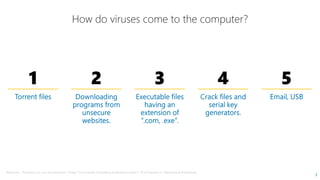
How do viruses come to the computer?
1 2 3
Reference : The basics you can find anywhere 5 Steps To Successful Storytelling Published on April 5, 2014 Featured in:
How do viruses come to the computer?
3 4 5
3
April 5, 2014 Featured in: Marketing & Advertising
SYMTOMPS OF VIRUS INFECTIONSYMTOMPS OF VIRUS INFECTION
5
VIRUSES
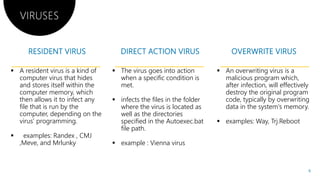
 A resident virus is a kind of
computer virus that hides
and stores itself within the
computer memory, which
then allows it to infect any
file that is run by the
computer, depending on the
virus’ programming.
 The virus goes into action
when a specific condition is
met.
 infects the files in the folder
where the virus is located as
well as the directories
specified in the Autoexec.batvirus’ programming.
 examples: Randex , CMJ
,Meve, and Mrlunky
specified in the Autoexec.bat
file path.
 example : Vienna virus
The virus goes into action
when a specific condition is
infects the files in the folder
where the virus is located as
well as the directories
specified in the Autoexec.bat
 An overwriting virus is a
malicious program which,
after infection, will effectively
destroy the original program
code, typically by overwriting
data in the system's memory.
 examples: Way, Trj.Rebootspecified in the Autoexec.bat
example : Vienna virus
 examples: Way, Trj.Reboot
6
VIRUSES
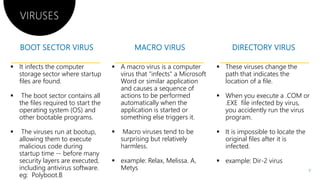
 It infects the computer
storage sector where startup
files are found.
 The boot sector contains all
the files required to start the
operating system (OS) and
other bootable programs.
 A macro virus is a computer
virus that "infects" a Microsoft
Word or similar application
and causes a sequence of
actions to be performed
automatically when the
application is started or
something else triggers it.other bootable programs.
 The viruses run at bootup,
allowing them to execute
malicious code during
startup time -- before many
security layers are executed,
including antivirus software.
eg: Polyboot.B
something else triggers it.
 Macro viruses tend to be
surprising but relatively
harmless.
 example: Relax, Melissa. A
Metys
A macro virus is a computer
virus that "infects" a Microsoft
Word or similar application
and causes a sequence of
actions to be performed
automatically when the
application is started or
something else triggers it.
 These viruses change the
path that indicates the
location of a file.
 When you execute a .COM or
.EXE file infected by virus,
you accidently run the virus
program.something else triggers it.
Macro viruses tend to be
surprising but relatively
example: Relax, Melissa. A,
program.
 It is impossible to locate the
original files after it is
infected.
 example: Dir-2 virus
7
A polymorphic virus is a It is a type of malware that
VIRUSES
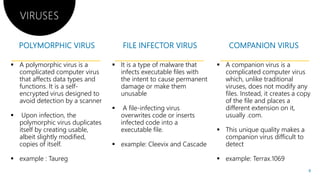
 A polymorphic virus is a
complicated computer virus
that affects data types and
functions. It is a self-
encrypted virus designed to
avoid detection by a scanner
 Upon infection, the
polymorphic virus duplicates
 It is a type of malware that
infects executable files with
the intent to cause permanent
damage or make them
unusable
 A file-infecting virus
overwrites code or inserts
infected code into apolymorphic virus duplicates
itself by creating usable,
albeit slightly modified,
copies of itself.
 example : Taureg
infected code into a
executable file.
 example: Cleevix and Cascade
It is a type of malware that A companion virus is aIt is a type of malware that
infects executable files with
the intent to cause permanent
damage or make them
infecting virus
overwrites code or inserts
infected code into a
 A companion virus is a
complicated computer virus
which, unlike traditional
viruses, does not modify any
files. Instead, it creates a copy
of the file and places a
different extension on it,
usually .com.
infected code into a
executable file.
example: Cleevix and Cascade
 This unique quality makes a
companion virus difficult to
detect
 example: Terrax.1069
8
VIRUSES
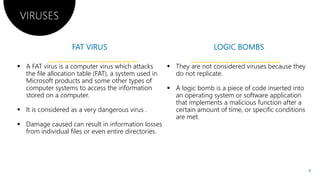
 A FAT virus is a computer virus which attacks
the file allocation table (FAT), a system used in
Microsoft products and some other types of
computer systems to access the information
stored on a computer.
 It is considered as a very dangerous virus .
Damage caused can result in information losses Damage caused can result in information losses
from individual files or even entire directories.
Damage caused can result in information losses
 They are not considered viruses because they
do not replicate.
 A logic bomb is a piece of code inserted into
an operating system or software application
that implements a malicious function after a
certain amount of time, or specific conditions
are met.
Damage caused can result in information losses
are met.
9
VIRUSES
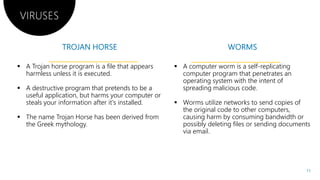
 A Trojan horse program is a file that appears
harmless unless it is executed.
 A destructive program that pretends to be a
useful application, but harms your computer or
steals your information after it's installed.
 The name Trojan Horse has been derived from
the Greek mythology.
 The name Trojan Horse has been derived from
the Greek mythology.
useful application, but harms your computer or
The name Trojan Horse has been derived from
 A computer worm is a self-replicating
computer program that penetrates an
operating system with the intent of
spreading malicious code.
 Worms utilize networks to send copies of
the original code to other computers,
causing harm by consuming bandwidth or
possibly deleting files or sending documents
The name Trojan Horse has been derived from causing harm by consuming bandwidth or
possibly deleting files or sending documents
via email.
11
16 16
17
1
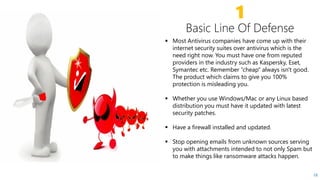
 Most Antivirus companies have come up with their
internet security suites over antivirus which is the
need right now. You must have one from reputed
providers in the industry such as Kaspersky, Eset,providers in the industry such as Kaspersky, Eset,
Symantec etc. Remember “cheap” always isn't good.
The product which claims to give you 100%
protection is misleading you.
 Whether you use Windows/Mac or any Linux based
distribution you must have it updated with latest
security patches.
18
 Have a firewall installed and updated.
 Stop opening emails from unknown sources serving
you with attachments intended to not only Spam but
to make things like ransomware attacks happen.
2
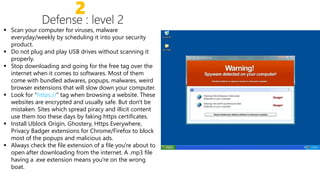
 Scan your computer for viruses, malware
everyday/weekly by scheduling it into your security
product.
 Do not plug and play USB drives without scanning it
properly.properly.
 Stop downloading and going for the free tag over the
internet when it comes to softwares. Most of them
come with bundled adwares, popups, malwares, weird
browser extensions that will slow down your computer.
 Look for “https://” tag when browsing a website. These
websites are encrypted and usually safe. But don't be
mistaken. Sites which spread piracy and illicit content
use them too these days by faking https certificates.
Install Ublock Origin, Ghostery, Https Everywhere, Install Ublock Origin, Ghostery, Https Everywhere,
Privacy Badger extensions for Chrome/Firefox to block
most of the popups and malicious ads.
 Always check the file extension of a file you're about to
open after downloading from the internet. A .mp3 file
having a .exe extension means you're on the wrong
boat.
3
Defense : Level advanced
 Encrypt your entire computer right away at least (AES256 with SHA512) . Windows
users : BitLocker, Veracrypt etc. Linux users can encrypt their entire partition at
time of installation itself!time of installation itself!
 Install “KeyScrambler” if on Windows which encrypts every keystroke from your
keyboard protecting you from keyloggers.
 Use a Password Manager like Lastpass/Dashlane. Get a reputed VPN like PIA,
NordVPN, ExpressVPN, F-Secure Freedom etc. Free ones transport your data to
places you couldn't imagine.
 Use Two Factor Authentication everywhere you can.
 Have regular backups on external HDD and encrypt them too. Just remember the Have regular backups on external HDD and encrypt them too. Just remember the
password.
 Check your hosts file in Windows for any unidentified website and delete them.
Hosts file is locates in : C:/Windows/System32/drivers/etc/hosts. Open it with
notepad and do the intended.
 Never store financial information or documents of self without having proper
protection or be a victim of identity theft. Save them in encrypted folders if
needed.
Encrypt your entire computer right away at least (AES256 with SHA512) . Windows
users : BitLocker, Veracrypt etc. Linux users can encrypt their entire partition at
Install “KeyScrambler” if on Windows which encrypts every keystroke from your
Use a Password Manager like Lastpass/Dashlane. Get a reputed VPN like PIA,
Secure Freedom etc. Free ones transport your data to
Use Two Factor Authentication everywhere you can.
Have regular backups on external HDD and encrypt them too. Just remember the
20
Have regular backups on external HDD and encrypt them too. Just remember the
Check your hosts file in Windows for any unidentified website and delete them.
Hosts file is locates in : C:/Windows/System32/drivers/etc/hosts. Open it with
Never store financial information or documents of self without having proper
protection or be a victim of identity theft. Save them in encrypted folders if
PRESENTED BYPRESENTED BY
ALFRED GEORGE
THANK YOU
Neal Creative ©
THANK YOU
PRESENTED BYPRESENTED BY
ALFRED GEORGE
THANK YOU
Neal Creative | click & Learn more
THANK YOU
“www.quora.com
Reference
 www.quora.com
 Internet, Web designing and
cyber security textbook.
 www.technopedia.com
 www.google.co.in/imghp
“www.quora.com
Reference
www.quora.com
Internet, Web designing and
cyber security textbook.
www.technopedia.com
www.google.co.in/imghp

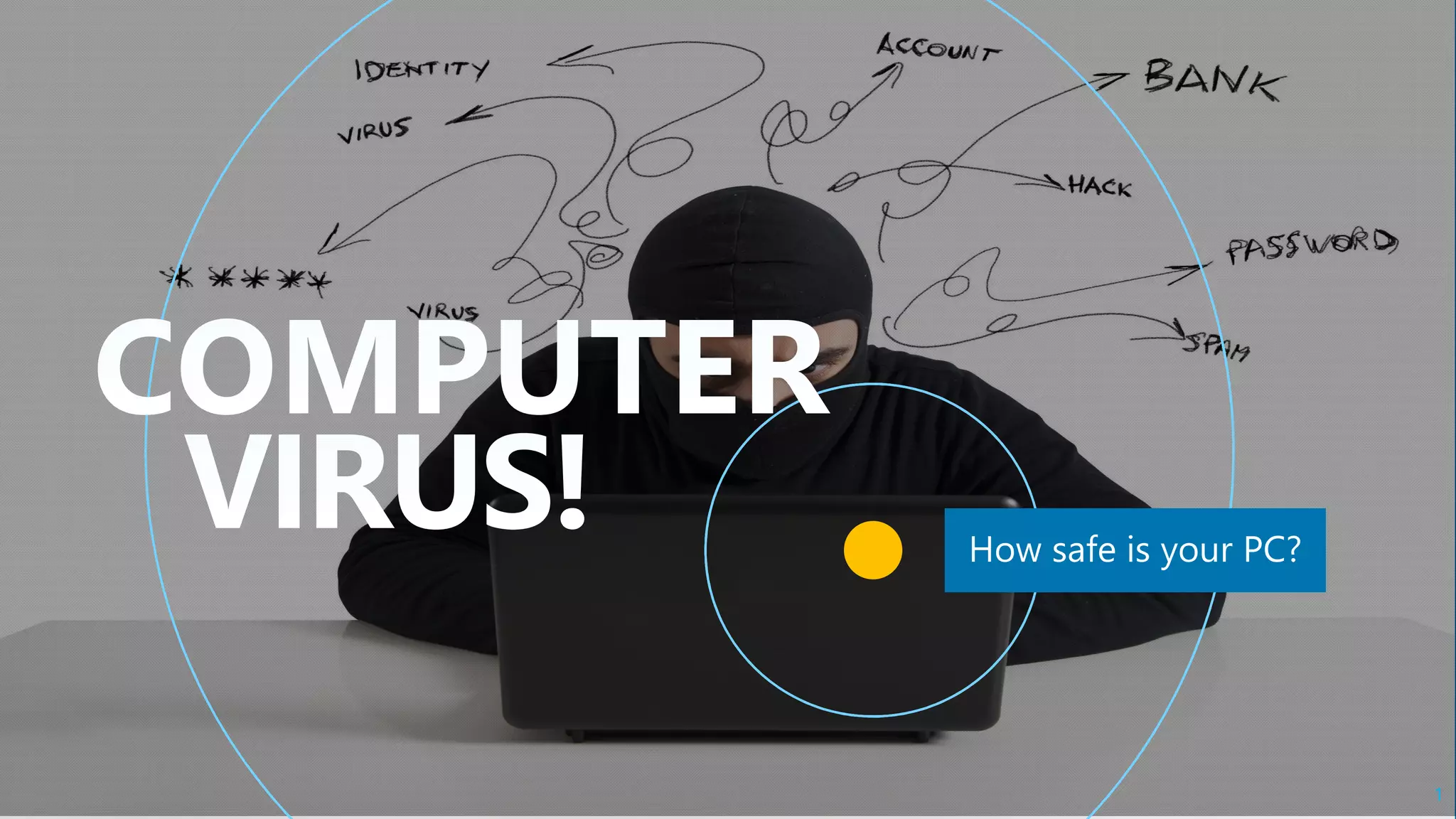
Computer viruses

  • 1.
  • 2.
    Virus stands forVital Information Resource under Siege. 2
  • 3.
    How do virusescome to the computer? 1 2 3 Reference : The basics you can find anywhere 5 Steps To Successful Storytelling Published on April 5, 2014 Featured in: How do viruses come to the computer? 3 4 5 3 April 5, 2014 Featured in: Marketing & Advertising
  • 4.
    SYMTOMPS OF VIRUSINFECTIONSYMTOMPS OF VIRUS INFECTION
  • 5.
  • 6.
    VIRUSES  A residentvirus is a kind of computer virus that hides and stores itself within the computer memory, which then allows it to infect any file that is run by the computer, depending on the virus’ programming.  The virus goes into action when a specific condition is met.  infects the files in the folder where the virus is located as well as the directories specified in the Autoexec.batvirus’ programming.  examples: Randex , CMJ ,Meve, and Mrlunky specified in the Autoexec.bat file path.  example : Vienna virus The virus goes into action when a specific condition is infects the files in the folder where the virus is located as well as the directories specified in the Autoexec.bat  An overwriting virus is a malicious program which, after infection, will effectively destroy the original program code, typically by overwriting data in the system's memory.  examples: Way, Trj.Rebootspecified in the Autoexec.bat example : Vienna virus  examples: Way, Trj.Reboot 6
  • 7.
    VIRUSES  It infectsthe computer storage sector where startup files are found.  The boot sector contains all the files required to start the operating system (OS) and other bootable programs.  A macro virus is a computer virus that "infects" a Microsoft Word or similar application and causes a sequence of actions to be performed automatically when the application is started or something else triggers it.other bootable programs.  The viruses run at bootup, allowing them to execute malicious code during startup time -- before many security layers are executed, including antivirus software. eg: Polyboot.B something else triggers it.  Macro viruses tend to be surprising but relatively harmless.  example: Relax, Melissa. A Metys A macro virus is a computer virus that "infects" a Microsoft Word or similar application and causes a sequence of actions to be performed automatically when the application is started or something else triggers it.  These viruses change the path that indicates the location of a file.  When you execute a .COM or .EXE file infected by virus, you accidently run the virus program.something else triggers it. Macro viruses tend to be surprising but relatively example: Relax, Melissa. A, program.  It is impossible to locate the original files after it is infected.  example: Dir-2 virus 7
  • 8.
    A polymorphic virusis a It is a type of malware that VIRUSES  A polymorphic virus is a complicated computer virus that affects data types and functions. It is a self- encrypted virus designed to avoid detection by a scanner  Upon infection, the polymorphic virus duplicates  It is a type of malware that infects executable files with the intent to cause permanent damage or make them unusable  A file-infecting virus overwrites code or inserts infected code into apolymorphic virus duplicates itself by creating usable, albeit slightly modified, copies of itself.  example : Taureg infected code into a executable file.  example: Cleevix and Cascade It is a type of malware that A companion virus is aIt is a type of malware that infects executable files with the intent to cause permanent damage or make them infecting virus overwrites code or inserts infected code into a  A companion virus is a complicated computer virus which, unlike traditional viruses, does not modify any files. Instead, it creates a copy of the file and places a different extension on it, usually .com. infected code into a executable file. example: Cleevix and Cascade  This unique quality makes a companion virus difficult to detect  example: Terrax.1069 8
  • 9.
    VIRUSES  A FATvirus is a computer virus which attacks the file allocation table (FAT), a system used in Microsoft products and some other types of computer systems to access the information stored on a computer.  It is considered as a very dangerous virus . Damage caused can result in information losses Damage caused can result in information losses from individual files or even entire directories. Damage caused can result in information losses  They are not considered viruses because they do not replicate.  A logic bomb is a piece of code inserted into an operating system or software application that implements a malicious function after a certain amount of time, or specific conditions are met. Damage caused can result in information losses are met. 9
  • 11.
    VIRUSES  A Trojanhorse program is a file that appears harmless unless it is executed.  A destructive program that pretends to be a useful application, but harms your computer or steals your information after it's installed.  The name Trojan Horse has been derived from the Greek mythology.  The name Trojan Horse has been derived from the Greek mythology. useful application, but harms your computer or The name Trojan Horse has been derived from  A computer worm is a self-replicating computer program that penetrates an operating system with the intent of spreading malicious code.  Worms utilize networks to send copies of the original code to other computers, causing harm by consuming bandwidth or possibly deleting files or sending documents The name Trojan Horse has been derived from causing harm by consuming bandwidth or possibly deleting files or sending documents via email. 11
  • 16.
  • 17.
  • 18.
    1  Most Antiviruscompanies have come up with their internet security suites over antivirus which is the need right now. You must have one from reputed providers in the industry such as Kaspersky, Eset,providers in the industry such as Kaspersky, Eset, Symantec etc. Remember “cheap” always isn't good. The product which claims to give you 100% protection is misleading you.  Whether you use Windows/Mac or any Linux based distribution you must have it updated with latest security patches. 18  Have a firewall installed and updated.  Stop opening emails from unknown sources serving you with attachments intended to not only Spam but to make things like ransomware attacks happen.
  • 19.
    2  Scan yourcomputer for viruses, malware everyday/weekly by scheduling it into your security product.  Do not plug and play USB drives without scanning it properly.properly.  Stop downloading and going for the free tag over the internet when it comes to softwares. Most of them come with bundled adwares, popups, malwares, weird browser extensions that will slow down your computer.  Look for “https://” tag when browsing a website. These websites are encrypted and usually safe. But don't be mistaken. Sites which spread piracy and illicit content use them too these days by faking https certificates. Install Ublock Origin, Ghostery, Https Everywhere, Install Ublock Origin, Ghostery, Https Everywhere, Privacy Badger extensions for Chrome/Firefox to block most of the popups and malicious ads.  Always check the file extension of a file you're about to open after downloading from the internet. A .mp3 file having a .exe extension means you're on the wrong boat.
  • 20.
    3 Defense : Leveladvanced  Encrypt your entire computer right away at least (AES256 with SHA512) . Windows users : BitLocker, Veracrypt etc. Linux users can encrypt their entire partition at time of installation itself!time of installation itself!  Install “KeyScrambler” if on Windows which encrypts every keystroke from your keyboard protecting you from keyloggers.  Use a Password Manager like Lastpass/Dashlane. Get a reputed VPN like PIA, NordVPN, ExpressVPN, F-Secure Freedom etc. Free ones transport your data to places you couldn't imagine.  Use Two Factor Authentication everywhere you can.  Have regular backups on external HDD and encrypt them too. Just remember the Have regular backups on external HDD and encrypt them too. Just remember the password.  Check your hosts file in Windows for any unidentified website and delete them. Hosts file is locates in : C:/Windows/System32/drivers/etc/hosts. Open it with notepad and do the intended.  Never store financial information or documents of self without having proper protection or be a victim of identity theft. Save them in encrypted folders if needed. Encrypt your entire computer right away at least (AES256 with SHA512) . Windows users : BitLocker, Veracrypt etc. Linux users can encrypt their entire partition at Install “KeyScrambler” if on Windows which encrypts every keystroke from your Use a Password Manager like Lastpass/Dashlane. Get a reputed VPN like PIA, Secure Freedom etc. Free ones transport your data to Use Two Factor Authentication everywhere you can. Have regular backups on external HDD and encrypt them too. Just remember the 20 Have regular backups on external HDD and encrypt them too. Just remember the Check your hosts file in Windows for any unidentified website and delete them. Hosts file is locates in : C:/Windows/System32/drivers/etc/hosts. Open it with Never store financial information or documents of self without having proper protection or be a victim of identity theft. Save them in encrypted folders if
  • 21.
    PRESENTED BYPRESENTED BY ALFREDGEORGE THANK YOU Neal Creative © THANK YOU PRESENTED BYPRESENTED BY ALFRED GEORGE THANK YOU Neal Creative | click & Learn more THANK YOU
  • 22.
    “www.quora.com Reference  www.quora.com  Internet,Web designing and cyber security textbook.  www.technopedia.com  www.google.co.in/imghp “www.quora.com Reference www.quora.com Internet, Web designing and cyber security textbook. www.technopedia.com www.google.co.in/imghp