System Initialization
CHAPTER 2
Boot Process
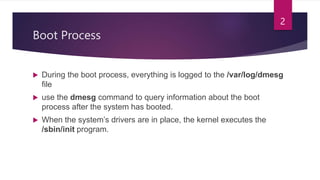
 During the boot process, everything is logged to the /var/log/dmesg
file
 use the dmesg command to query information about the boot
process after the system has booted.
 When the system’s drivers are in place, the kernel executes the
/sbin/init program.
2
Boot Process
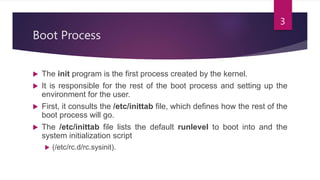
 The init program is the first process created by the kernel.
 It is responsible for the rest of the boot process and setting up the
environment for the user.
 First, it consults the /etc/inittab file, which defines how the rest of the
boot process will go.
 The /etc/inittab file lists the default runlevel to boot into and the
system initialization script
 (/etc/rc.d/rc.sysinit).
3
Boot Process
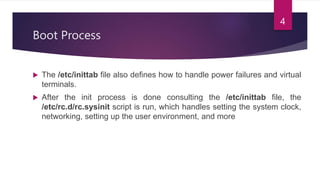
 The /etc/inittab file also defines how to handle power failures and virtual
terminals.
 After the init process is done consulting the /etc/inittab file, the
/etc/rc.d/rc.sysinit script is run, which handles setting the system clock,
networking, setting up the user environment, and more
4
Runlevels
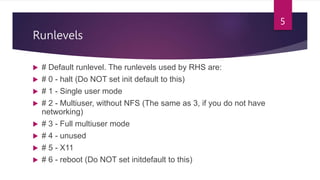
 # Default runlevel. The runlevels used by RHS are:
 # 0 - halt (Do NOT set init default to this)
 # 1 - Single user mode
 # 2 - Multiuser, without NFS (The same as 3, if you do not have
networking)
 # 3 - Full multiuser mode
 # 4 - unused
 # 5 - X11
 # 6 - reboot (Do NOT set initdefault to this)
5
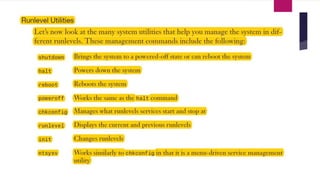
6
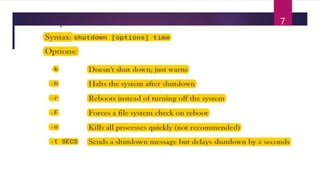
7
 As an alternative, you can also use the who command to produce the same
results:
 # who -r
8
Service Management
 In Linux, services can also be called daemons.
 To ease the management of services at each runlevel, you can use the
chkconfig command.
 Syntax: chkconfig [option] service_name
9
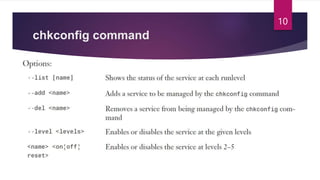
chkconfig command
10
chkconfig command
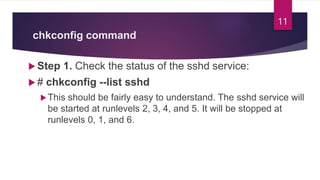
 Step 1. Check the status of the sshd service:
 # chkconfig --list sshd
This should be fairly easy to understand. The sshd service will
be started at runlevels 2, 3, 4, and 5. It will be stopped at
runlevels 0, 1, and 6.
11
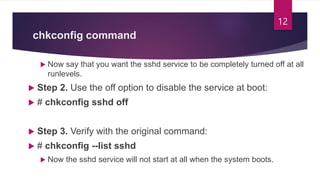
chkconfig command
 Now say that you want the sshd service to be completely turned off at all
runlevels.
 Step 2. Use the off option to disable the service at boot:
 # chkconfig sshd off
 Step 3. Verify with the original command:
 # chkconfig --list sshd
 Now the sshd service will not start at all when the system boots.
12
chkconfig command
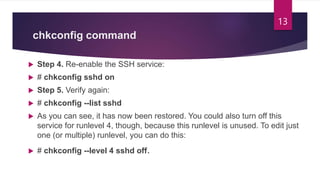
 Step 4. Re-enable the SSH service:
 # chkconfig sshd on
 Step 5. Verify again:
 # chkconfig --list sshd
 As you can see, it has now been restored. You could also turn off this
service for runlevel 4, though, because this runlevel is unused. To edit just
one (or multiple) runlevel, you can do this:
 # chkconfig --level 4 sshd off.
13
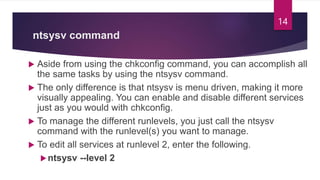
ntsysv command
 Aside from using the chkconfig command, you can accomplish all
the same tasks by using the ntsysv command.
 The only difference is that ntsysv is menu driven, making it more
visually appealing. You can enable and disable different services
just as you would with chkconfig.
 To manage the different runlevels, you just call the ntsysv
command with the runlevel(s) you want to manage.
 To edit all services at runlevel 2, enter the following.
ntsysv --level 2
14
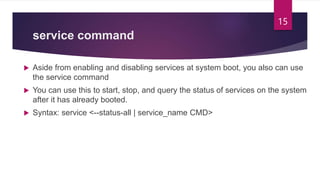
service command
 Aside from enabling and disabling services at system boot, you also can use
the service command
 You can use this to start, stop, and query the status of services on the system
after it has already booted.
 Syntax: service <--status-all | service_name CMD>
15
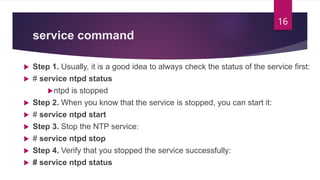
service command
 Step 1. Usually, it is a good idea to always check the status of the service first:
 # service ntpd status
ntpd is stopped
 Step 2. When you know that the service is stopped, you can start it:
 # service ntpd start
 Step 3. Stop the NTP service:
 # service ntpd stop
 Step 4. Verify that you stopped the service successfully:
 # service ntpd status
16

2- System Initialization in Red Hat

  • 1.
  • 2.
    Boot Process  Duringthe boot process, everything is logged to the /var/log/dmesg file  use the dmesg command to query information about the boot process after the system has booted.  When the system’s drivers are in place, the kernel executes the /sbin/init program. 2
  • 3.
    Boot Process  Theinit program is the first process created by the kernel.  It is responsible for the rest of the boot process and setting up the environment for the user.  First, it consults the /etc/inittab file, which defines how the rest of the boot process will go.  The /etc/inittab file lists the default runlevel to boot into and the system initialization script  (/etc/rc.d/rc.sysinit). 3
  • 4.
    Boot Process  The/etc/inittab file also defines how to handle power failures and virtual terminals.  After the init process is done consulting the /etc/inittab file, the /etc/rc.d/rc.sysinit script is run, which handles setting the system clock, networking, setting up the user environment, and more 4
  • 5.
    Runlevels  # Defaultrunlevel. The runlevels used by RHS are:  # 0 - halt (Do NOT set init default to this)  # 1 - Single user mode  # 2 - Multiuser, without NFS (The same as 3, if you do not have networking)  # 3 - Full multiuser mode  # 4 - unused  # 5 - X11  # 6 - reboot (Do NOT set initdefault to this) 5
  • 6.
  • 7.
  • 8.
     As analternative, you can also use the who command to produce the same results:  # who -r 8
  • 9.
    Service Management  InLinux, services can also be called daemons.  To ease the management of services at each runlevel, you can use the chkconfig command.  Syntax: chkconfig [option] service_name 9
  • 10.
  • 11.
    chkconfig command  Step1. Check the status of the sshd service:  # chkconfig --list sshd This should be fairly easy to understand. The sshd service will be started at runlevels 2, 3, 4, and 5. It will be stopped at runlevels 0, 1, and 6. 11
  • 12.
    chkconfig command  Nowsay that you want the sshd service to be completely turned off at all runlevels.  Step 2. Use the off option to disable the service at boot:  # chkconfig sshd off  Step 3. Verify with the original command:  # chkconfig --list sshd  Now the sshd service will not start at all when the system boots. 12
  • 13.
    chkconfig command  Step4. Re-enable the SSH service:  # chkconfig sshd on  Step 5. Verify again:  # chkconfig --list sshd  As you can see, it has now been restored. You could also turn off this service for runlevel 4, though, because this runlevel is unused. To edit just one (or multiple) runlevel, you can do this:  # chkconfig --level 4 sshd off. 13
  • 14.
    ntsysv command  Asidefrom using the chkconfig command, you can accomplish all the same tasks by using the ntsysv command.  The only difference is that ntsysv is menu driven, making it more visually appealing. You can enable and disable different services just as you would with chkconfig.  To manage the different runlevels, you just call the ntsysv command with the runlevel(s) you want to manage.  To edit all services at runlevel 2, enter the following. ntsysv --level 2 14
  • 15.
    service command  Asidefrom enabling and disabling services at system boot, you also can use the service command  You can use this to start, stop, and query the status of services on the system after it has already booted.  Syntax: service <--status-all | service_name CMD> 15
  • 16.
    service command  Step1. Usually, it is a good idea to always check the status of the service first:  # service ntpd status ntpd is stopped  Step 2. When you know that the service is stopped, you can start it:  # service ntpd start  Step 3. Stop the NTP service:  # service ntpd stop  Step 4. Verify that you stopped the service successfully:  # service ntpd status 16