Download as ODP, PPTX







![Przykłady
file { '/etc/passwd':
owner => 'root',
group => 'root',
mode => '0644'}
define cfg {
file { "/etc/sec/$name.sec":
owner => root,
content => template("sec/$name.sec.erb"),
notify => Service['sec'],
require => File["/etc/sec"],
}}
@sec::cfg { ["webpage1","webpage2"] }
if $config_www_webpage1 == 1 { realize(Sec::Cfg["webpage1"])}
if $config_www_webpage2 == 1 { realize(Sec::Cfg["webpage2"])}](https://image.slidesharecdn.com/puppet-120422190651-phpapp02/85/Puppet-9-320.jpg)
![Przykłady
package { 'opensshserver': ensure => installed }
file { '/etc/ssh/sshd_config':
source => 'puppet:///modules/sshd/sshd_config',
owner => 'root',
group => 'root',
mode => '640',
notify => Service['sshd'], # sshd will restart whenever you edit this file.
require => Package['opensshserver'],
}
service { 'sshd':
ensure => running,
enable => true,
hasstatus => true,
hasrestart => true,
}](https://image.slidesharecdn.com/puppet-120422190651-phpapp02/85/Puppet-10-320.jpg)
![Przykłady
package { "rubygems": ensure => present }
package { "xmpp4r": ensure => "0.5", provider => gem }
package { "xmpp4rsimple": ensure => "0.8.8", provider => gem }
python::pip::install{"Paste": package => 'Paste==1.7.5.1', venv => '/usr', ensure => 'present' }
python::pip::install{"PasteDeploy": package => 'PasteDeploy==1.5.0', venv => '/usr', ensure =>
'present' }
if $ensure == 'present' {
exec { "pip install $name":
command => "$venv/bin/pippython install $package",
unless => "$venv/bin/pippython freeze | grep e $grep_regex",
require => [ Package[pythonpip], Package[libxml2devel], Package[libxsltdevel],
Package[gcc], Package[pythondevel] ],
}](https://image.slidesharecdn.com/puppet-120422190651-phpapp02/85/Puppet-11-320.jpg)

![Facter
[lcf@p0x ~]$ facter
architecture => x86_64
facterversion => 1.6.6
hostname => p0x
id => lcf
interfaces => lo,p6p1,virbr0,virbr0_nic,wlan0
ipaddress => 192.168.10.100
is_virtual => false
kernel => Linux
kernelmajversion => 3.3
kernelrelease => 3.3.15.fc16.x86_64
kernelversion => 3.3.1
lsbdistcodename => Verne
lsbdistdescription => Fedora release 16 (Verne)](https://image.slidesharecdn.com/puppet-120422190651-phpapp02/85/Puppet-13-320.jpg)

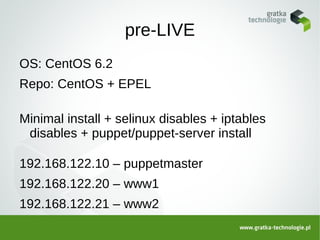







This document discusses the Puppet configuration management tool. It provides an overview of Puppet including its open source nature, supported platforms, file structure, and types of resources it can manage like files, packages, services. It also discusses Facter for collecting system facts. Several examples are shown of how to configure files, packages, services. Finally Amazon EC2 is mentioned as a way to deploy Puppet in a scalable environment.


