Lightning Workshop
11th March 2015
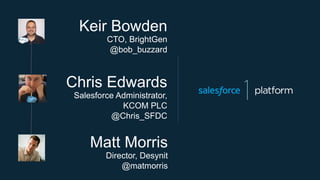
Matt Morris
Director, Desynit
@matmorris
Chris Edwards
Salesforce Administrator,
KCOM PLC
@Chris_SFDC
Keir Bowden
CTO, BrightGen
@bob_buzzard
Safe Harbor
Safe harbor statement under the Private Securities Litigation Reform Act of 1995: This presentation may contain forward-looking statements that
involve risks, uncertainties, and assumptions. If any such uncertainties materialize or if any of the assumptions proves incorrect, the results of
salesforce.com, inc. could differ materially from the results expressed or implied by the forward-looking statements we make. All statements
other than statements of historical fact could be deemed forward-looking, including any projections of subscriber growth, earnings, revenues, or
other financial items and any statements regarding strategies or plans of management for future operations, statements of belief, any
statements concerning new, planned, or upgraded services or technology developments and customer contracts or use of our services.
The risks and uncertainties referred to above include – but are not limited to – risks associated with developing and delivering new functionality
for our service, our new business model, our past operating losses, possible fluctuations in our operating results and rate of growth, interruptions
or delays in our Web hosting, breach of our security measures, risks associated with possible mergers and acquisitions, the immature market in
which we operate, our relatively limited operating history, our ability to expand, retain, and motivate our employees and manage our growth, new
releases of our service and successful customer deployment, our limited history reselling non-salesforce.com products, and utilization and
selling to larger enterprise customers. Further information on potential factors that could affect the financial results of salesforce.com, inc. is
included in our annual report on Form 10-K for the most recent fiscal quarter ended July 31, 2011. This document and others are available on
the SEC Filings section of the Investor Information section of our Web site.
Any unreleased services or features referenced in this or other press releases or public statements are not currently available and may not be
delivered on time or at all. Customers who purchase our services should make the purchase decisions based upon features that are currently
available. Salesforce.com, inc. assumes no obligation and does not intend to update these forward-looking statements.
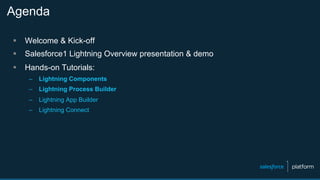
Agenda
§  Welcome & Kick-off
§  Salesforce1 Lightning Overview presentation & demo
§  Hands-on Tutorials:
–  Lightning Components
–  Lightning Process Builder
–  Lightning App Builder
–  Lightning Connect
http://developer.salesforce.com/lightning
#lightningDevWeek
LIGHTNING WEEK
March 9 – March 13
100+ Dev Groups Worldwide
Get Hands-On
Meet the Experts
Lightning
Overview
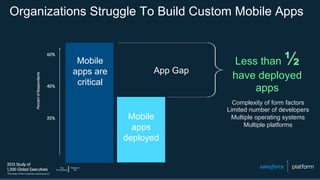
Organizations Struggle To Build Custom Mobile Apps
Mobile
apps are
critical
Mobile
apps
deployed
App Gap
Less than ½
have deployed
apps
Complexity of form factors
Limited number of developers
Multiple operating systems
Multiple platforms
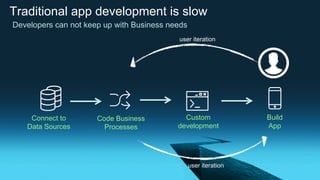
Traditional app development is slow
Custom
development
Connect to
Data Sources
Code Business
Processes
Build
App
user iteration
user iteration
Developers can not keep up with Business needs
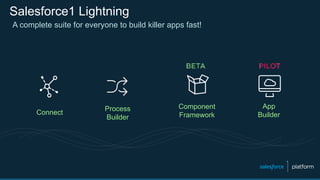
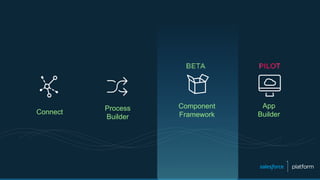
Salesforce1 Lightning
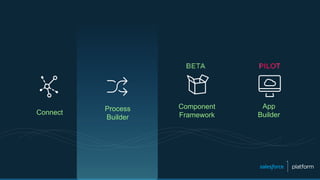
Connect
Process
Builder
A complete suite for everyone to build killer apps fast!
App
Builder
Component
Framework
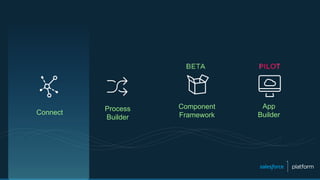
Connect
Process
Builder
App
Builder
Component
Framework
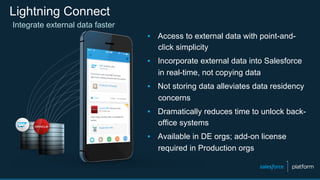
Lightning Connect
▪  Access to external data with point-and-
click simplicity
▪  Incorporate external data into Salesforce
in real-time, not copying data
▪  Not storing data alleviates data residency
concerns
▪  Dramatically reduces time to unlock back-
office systems
▪  Available in DE orgs; add-on license
required in Production orgs
Integrate external data faster
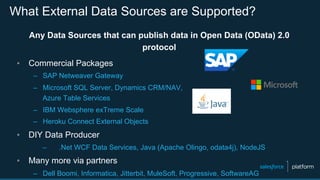
What External Data Sources are Supported?
Any Data Sources that can publish data in Open Data (OData) 2.0
protocol
▪  Commercial Packages
–  SAP Netweaver Gateway
–  Microsoft SQL Server, Dynamics CRM/NAV,
Azure Table Services
–  IBM Websphere exTreme Scale
–  Heroku Connect External Objects
▪  DIY Data Producer
–  .Net WCF Data Services, Java (Apache Olingo, odata4j), NodeJS
▪  Many more via partners
–  Dell Boomi, Informatica, Jitterbit, MuleSoft, Progressive, SoftwareAG
External Objects Work Like Custom Objects
✓  Tabs
✓  List Views
✓  Detail Pages
✓  Chatter Feeds
✓  Visualforce pages with standard or custom controllers
✓  Apex SObject types
✓  REST/SOAP API access
✓  SOQL and SOSL queries from Apex or API
✓  Available on Salesforce1 Mobile Platform
Lightning Connect Roadmap
▪  Read-only access is GA in Spring ‘15
▪  Pilot in Spring ’15
–  Read/write capability
–  Real-time cross-org access
–  Apex Connector library to develop custom connectors
▪  FUTURE*
▪  OData 4.0
–  Support for triggers
▪  Custom Reports for External Objects
Other External Object Limitations
✗  Formula and Roll-up Summary Fields
✗  Triggers, Workflow, Approvals, Process
✗  Validation Rules
✗  Field History Tracking
✗  Notes, Attachments
Walkthrough:
Lightning Connect
Connect
Process
Builder
App
Builder
Component
Framework
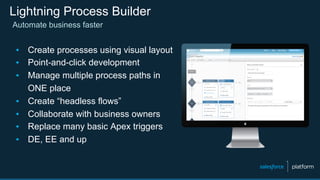
Lightning Process Builder
Automate business faster
▪  Create processes using visual layout
▪  Point-and-click development
▪  Manage multiple process paths in
ONE place
▪  Create “headless flows”
▪  Collaborate with business owners
▪  Replace many basic Apex triggers
▪  DE, EE and up
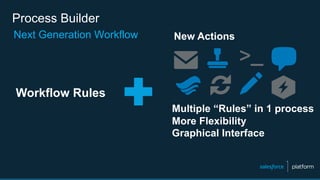
Process Builder
Next Generation Workflow
Multiple “Rules” in 1 process
More Flexibility
Graphical Interface
Workflow Rules
New Actions
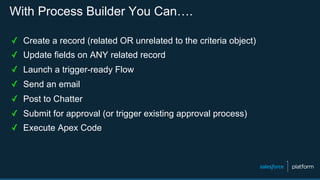
With Process Builder You Can….
✓  Create a record (related OR unrelated to the criteria object)
✓  Update fields on ANY related record
✓  Launch a trigger-ready Flow
✓  Send an email
✓  Post to Chatter
✓  Submit for approval (or trigger existing approval process)
✓  Execute Apex Code
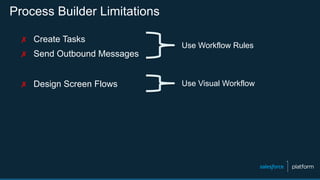
Process Builder Limitations
✗  Create Tasks
✗  Send Outbound Messages
✗  Design Screen Flows
Use Workflow Rules
Use Visual Workflow
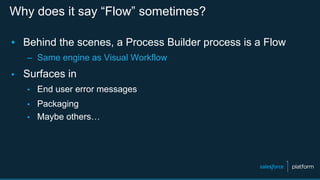
Why does it say “Flow” sometimes?
▪  Behind the scenes, a Process Builder process is a Flow
–  Same engine as Visual Workflow
▪  Surfaces in
▪  End user error messages
▪  Packaging
▪  Maybe others…
Walkthrough:
Process Builder
Connect
Process
Builder
App
Builder
Component
Framework
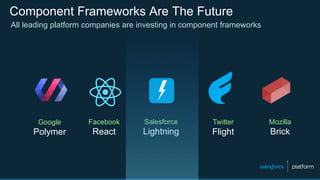
Component Frameworks Are The Future
All leading platform companies are investing in component frameworks
Google
Polymer
Facebook
React
Salesforce
Lightning
Twitter
Flight
Mozilla
Brick
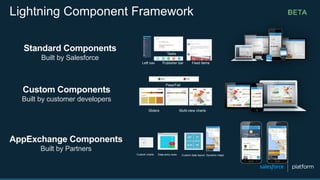
Standard Components
Built by Salesforce
Custom charts Data entry tools Custom data layout Dynamic maps
Left nav Publisher bar Feed items
Tasks
Sliders Multi-view charts
Pass/Fail
Custom Components
Built by customer developers
AppExchange Components
Built by Partners
Lightning Component Framework
What can I build with Lightning Components?
§  Lightning Component Tabs for Salesforce1 Mobile App (BETA)
–  Single or multiple “page” apps available in “Stage Left”
–  implements=“force:appHostable”
–  This is what you’re building in the tutorial!
§  Custom Components for Lightning App Builder (PILOT)
–  Components designed for ease-of-use via tools, available in the palette
–  implements=“flexipage:availableForAllPageTypes”
–  You’ll see this in the next section!
What else?
§  Lightning Applications
–  Full-page Lighting Component-based applications
–  URL-addressable
§  Lightning Extensions (Limited Pilot)
–  Override the default components with custom components
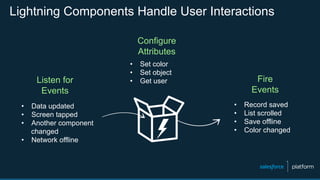
Lightning Components Handle User Interactions
Configure
Attributes
Listen for
Events
Fire
Events
•  Data updated
•  Screen tapped
•  Another component
changed
•  Network offline
•  Set color
•  Set object
•  Get user
•  Record saved
•  List scrolled
•  Save offline
•  Color changed
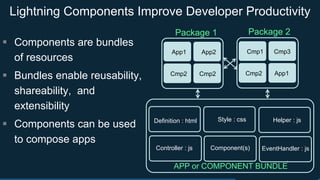
Lightning Components Improve Developer Productivity
APP or COMPONENT BUNDLE
Definition : html
Controller : js
Helper : js
EventHandler : js
Style : css
Component(s)
Cmp1 Cmp3
Cmp2 App1
App1 App2
Cmp2 Cmp2
Package 1 Package 2
§  Components are bundles
of resources
§  Bundles enable reusability,
shareability, and
extensibility
§  Components can be used
to compose apps
Visualforce and Lightning Components
Full FAQ at: https://developer.salesforce.com/page/Lightning_FAQ
§  What’s the difference?
–  Visualforce components are page-centric and most of the work is done
on the server. Lightning is designed from the component up, rather
than having the concept of a page as its fundamental unit. Lightning
Components are client-side centric, which makes them more dynamic
and mobile friendly.
§  Where can I use what?
–  Currently you can only use Lightning Components in the Salesforce1
Mobile App or a standalone app, not in the Salesforce desktop UI.
–  Currently you can use Visualforce inside a Lightning App, but not a
Lightning Component inside Visualforce.
Walkthrough:
Lightning
Components
Connect
Process
Builder
App
Builder
Component
Framework
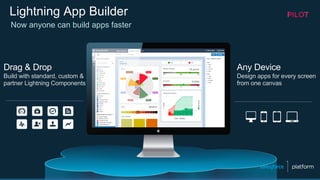
Lightning App Builder
Drag & Drop
Build with standard, custom &
partner Lightning Components
Any Device
Design apps for every screen
from one canvas
Now anyone can build apps faster
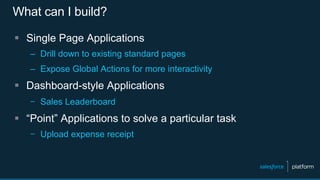
What can I build?
§  Single Page Applications
–  Drill down to existing standard pages
–  Expose Global Actions for more interactivity
§  Dashboard-style Applications
–  Sales Leaderboard
§  “Point” Applications to solve a particular task
–  Upload expense receipt
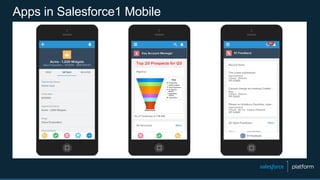
Apps in Salesforce1 Mobile
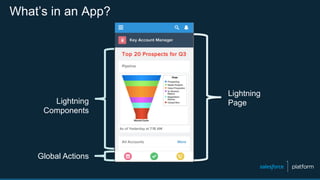
What’s in an App?
Lightning
PageLightning
Components
Global Actions
Walkthrough:
Lightning App
Builder
Hands-on
Create a new Spring ’15 DE Org
http://bit.ly/lightning-org
Use this link to create a new Spring ‘15
Developer Edition (DE) org for the tutorials
(you only need one)
Tutorials
– bit.ly/process_lightning_tutorial (Module 3)
– bit.ly/lightning-components-tutorial (Module 2)
– bit.ly/lightning-connect-tutorial (Module 2 Step 6)
– http://bit.ly/app_builder_lightning (Module 3)
http://bit.ly/lightning-org
#golightningfast
Next Steps
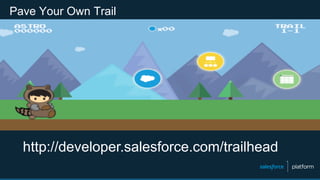
Pave Your Own Trail
http://developer.salesforce.com/trailhead
http://developer.salesforce.com/calendar
•  Lightning App Builder
•  Lightning Component Framework
•  Lightning Process Builder
•  Lightning Connect
Lightning Deep Dive Webinars
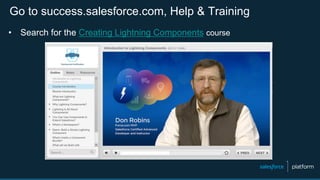
Go to success.salesforce.com, Help & Training
•  Search for the Creating Lightning Components course
Want to build components? Check out the docs!
https://login.salesforce.com/auradocs
§  Login with an org that has Lightning enabled
§  Component, app, interface, and event reference guide
§  Reference JavaScript API
§  Samplecode
Questions?
Success Community Chatter Groups
▪  Official: Lightning Connect
▪  Official: Salesforce Workflow Automation
▪  For questions about Lightning Process Builder
▪  Official: Lightning App Builder
Thank You

Lightning Workshop London

  • 1.
  • 2.
    Matt Morris Director, Desynit @matmorris ChrisEdwards Salesforce Administrator, KCOM PLC @Chris_SFDC Keir Bowden CTO, BrightGen @bob_buzzard
  • 3.
    Safe Harbor Safe harborstatement under the Private Securities Litigation Reform Act of 1995: This presentation may contain forward-looking statements that involve risks, uncertainties, and assumptions. If any such uncertainties materialize or if any of the assumptions proves incorrect, the results of salesforce.com, inc. could differ materially from the results expressed or implied by the forward-looking statements we make. All statements other than statements of historical fact could be deemed forward-looking, including any projections of subscriber growth, earnings, revenues, or other financial items and any statements regarding strategies or plans of management for future operations, statements of belief, any statements concerning new, planned, or upgraded services or technology developments and customer contracts or use of our services. The risks and uncertainties referred to above include – but are not limited to – risks associated with developing and delivering new functionality for our service, our new business model, our past operating losses, possible fluctuations in our operating results and rate of growth, interruptions or delays in our Web hosting, breach of our security measures, risks associated with possible mergers and acquisitions, the immature market in which we operate, our relatively limited operating history, our ability to expand, retain, and motivate our employees and manage our growth, new releases of our service and successful customer deployment, our limited history reselling non-salesforce.com products, and utilization and selling to larger enterprise customers. Further information on potential factors that could affect the financial results of salesforce.com, inc. is included in our annual report on Form 10-K for the most recent fiscal quarter ended July 31, 2011. This document and others are available on the SEC Filings section of the Investor Information section of our Web site. Any unreleased services or features referenced in this or other press releases or public statements are not currently available and may not be delivered on time or at all. Customers who purchase our services should make the purchase decisions based upon features that are currently available. Salesforce.com, inc. assumes no obligation and does not intend to update these forward-looking statements.
  • 4.
    Agenda §  Welcome &Kick-off §  Salesforce1 Lightning Overview presentation & demo §  Hands-on Tutorials: –  Lightning Components –  Lightning Process Builder –  Lightning App Builder –  Lightning Connect
  • 5.
    http://developer.salesforce.com/lightning #lightningDevWeek LIGHTNING WEEK March 9– March 13 100+ Dev Groups Worldwide Get Hands-On Meet the Experts
  • 6.
  • 7.
    Organizations Struggle ToBuild Custom Mobile Apps Mobile apps are critical Mobile apps deployed App Gap Less than ½ have deployed apps Complexity of form factors Limited number of developers Multiple operating systems Multiple platforms
  • 8.
    Traditional app developmentis slow Custom development Connect to Data Sources Code Business Processes Build App user iteration user iteration Developers can not keep up with Business needs
  • 9.
    Salesforce1 Lightning Connect Process Builder A completesuite for everyone to build killer apps fast! App Builder Component Framework
  • 10.
  • 11.
    Lightning Connect ▪  Accessto external data with point-and- click simplicity ▪  Incorporate external data into Salesforce in real-time, not copying data ▪  Not storing data alleviates data residency concerns ▪  Dramatically reduces time to unlock back- office systems ▪  Available in DE orgs; add-on license required in Production orgs Integrate external data faster
  • 12.
    What External DataSources are Supported? Any Data Sources that can publish data in Open Data (OData) 2.0 protocol ▪  Commercial Packages –  SAP Netweaver Gateway –  Microsoft SQL Server, Dynamics CRM/NAV, Azure Table Services –  IBM Websphere exTreme Scale –  Heroku Connect External Objects ▪  DIY Data Producer –  .Net WCF Data Services, Java (Apache Olingo, odata4j), NodeJS ▪  Many more via partners –  Dell Boomi, Informatica, Jitterbit, MuleSoft, Progressive, SoftwareAG
  • 13.
    External Objects WorkLike Custom Objects ✓  Tabs ✓  List Views ✓  Detail Pages ✓  Chatter Feeds ✓  Visualforce pages with standard or custom controllers ✓  Apex SObject types ✓  REST/SOAP API access ✓  SOQL and SOSL queries from Apex or API ✓  Available on Salesforce1 Mobile Platform
  • 14.
    Lightning Connect Roadmap ▪ Read-only access is GA in Spring ‘15 ▪  Pilot in Spring ’15 –  Read/write capability –  Real-time cross-org access –  Apex Connector library to develop custom connectors ▪  FUTURE* ▪  OData 4.0 –  Support for triggers ▪  Custom Reports for External Objects
  • 15.
    Other External ObjectLimitations ✗  Formula and Roll-up Summary Fields ✗  Triggers, Workflow, Approvals, Process ✗  Validation Rules ✗  Field History Tracking ✗  Notes, Attachments
  • 16.
  • 17.
  • 18.
    Lightning Process Builder Automatebusiness faster ▪  Create processes using visual layout ▪  Point-and-click development ▪  Manage multiple process paths in ONE place ▪  Create “headless flows” ▪  Collaborate with business owners ▪  Replace many basic Apex triggers ▪  DE, EE and up
  • 19.
    Process Builder Next GenerationWorkflow Multiple “Rules” in 1 process More Flexibility Graphical Interface Workflow Rules New Actions
  • 20.
    With Process BuilderYou Can…. ✓  Create a record (related OR unrelated to the criteria object) ✓  Update fields on ANY related record ✓  Launch a trigger-ready Flow ✓  Send an email ✓  Post to Chatter ✓  Submit for approval (or trigger existing approval process) ✓  Execute Apex Code
  • 21.
    Process Builder Limitations ✗ Create Tasks ✗  Send Outbound Messages ✗  Design Screen Flows Use Workflow Rules Use Visual Workflow
  • 22.
    Why does itsay “Flow” sometimes? ▪  Behind the scenes, a Process Builder process is a Flow –  Same engine as Visual Workflow ▪  Surfaces in ▪  End user error messages ▪  Packaging ▪  Maybe others…
  • 23.
  • 24.
  • 25.
    Component Frameworks AreThe Future All leading platform companies are investing in component frameworks Google Polymer Facebook React Salesforce Lightning Twitter Flight Mozilla Brick
  • 26.
    Standard Components Built bySalesforce Custom charts Data entry tools Custom data layout Dynamic maps Left nav Publisher bar Feed items Tasks Sliders Multi-view charts Pass/Fail Custom Components Built by customer developers AppExchange Components Built by Partners Lightning Component Framework
  • 27.
    What can Ibuild with Lightning Components? §  Lightning Component Tabs for Salesforce1 Mobile App (BETA) –  Single or multiple “page” apps available in “Stage Left” –  implements=“force:appHostable” –  This is what you’re building in the tutorial! §  Custom Components for Lightning App Builder (PILOT) –  Components designed for ease-of-use via tools, available in the palette –  implements=“flexipage:availableForAllPageTypes” –  You’ll see this in the next section!
  • 28.
    What else? §  LightningApplications –  Full-page Lighting Component-based applications –  URL-addressable §  Lightning Extensions (Limited Pilot) –  Override the default components with custom components
  • 29.
    Lightning Components HandleUser Interactions Configure Attributes Listen for Events Fire Events •  Data updated •  Screen tapped •  Another component changed •  Network offline •  Set color •  Set object •  Get user •  Record saved •  List scrolled •  Save offline •  Color changed
  • 30.
    Lightning Components ImproveDeveloper Productivity APP or COMPONENT BUNDLE Definition : html Controller : js Helper : js EventHandler : js Style : css Component(s) Cmp1 Cmp3 Cmp2 App1 App1 App2 Cmp2 Cmp2 Package 1 Package 2 §  Components are bundles of resources §  Bundles enable reusability, shareability, and extensibility §  Components can be used to compose apps
  • 31.
    Visualforce and LightningComponents Full FAQ at: https://developer.salesforce.com/page/Lightning_FAQ §  What’s the difference? –  Visualforce components are page-centric and most of the work is done on the server. Lightning is designed from the component up, rather than having the concept of a page as its fundamental unit. Lightning Components are client-side centric, which makes them more dynamic and mobile friendly. §  Where can I use what? –  Currently you can only use Lightning Components in the Salesforce1 Mobile App or a standalone app, not in the Salesforce desktop UI. –  Currently you can use Visualforce inside a Lightning App, but not a Lightning Component inside Visualforce.
  • 32.
  • 33.
  • 34.
    Lightning App Builder Drag& Drop Build with standard, custom & partner Lightning Components Any Device Design apps for every screen from one canvas Now anyone can build apps faster
  • 35.
    What can Ibuild? §  Single Page Applications –  Drill down to existing standard pages –  Expose Global Actions for more interactivity §  Dashboard-style Applications –  Sales Leaderboard §  “Point” Applications to solve a particular task –  Upload expense receipt
  • 36.
  • 37.
    What’s in anApp? Lightning PageLightning Components Global Actions
  • 38.
  • 39.
  • 40.
    Create a newSpring ’15 DE Org http://bit.ly/lightning-org Use this link to create a new Spring ‘15 Developer Edition (DE) org for the tutorials (you only need one)
  • 41.
    Tutorials – bit.ly/process_lightning_tutorial (Module 3) – bit.ly/lightning-components-tutorial(Module 2) – bit.ly/lightning-connect-tutorial (Module 2 Step 6) – http://bit.ly/app_builder_lightning (Module 3) http://bit.ly/lightning-org
  • 42.
  • 43.
  • 44.
    Pave Your OwnTrail http://developer.salesforce.com/trailhead
  • 45.
    http://developer.salesforce.com/calendar •  Lightning AppBuilder •  Lightning Component Framework •  Lightning Process Builder •  Lightning Connect Lightning Deep Dive Webinars
  • 46.
    Go to success.salesforce.com,Help & Training •  Search for the Creating Lightning Components course
  • 47.
    Want to buildcomponents? Check out the docs! https://login.salesforce.com/auradocs §  Login with an org that has Lightning enabled §  Component, app, interface, and event reference guide §  Reference JavaScript API §  Samplecode
  • 48.
    Questions? Success Community ChatterGroups ▪  Official: Lightning Connect ▪  Official: Salesforce Workflow Automation ▪  For questions about Lightning Process Builder ▪  Official: Lightning App Builder
  • 49.