Download as PDF, PPTX


![https://medium.com/rate-engineering/a-guide-to-working-with-shadow-dom-using-selenium-b124992559f
Web Components - Shadow DOM
Not accessible via
webdriver.findElement()
Shadow Host
shadowHost = driver.findElement(...);
driver.executeScript("return arguments[0].shadowRoot",
shadowHost);](https://image.slidesharecdn.com/seleniumnode-londonscalling2019-190308165625/85/UI-Testing-with-Selenium-and-Node-London-s-Calling-2019-12-320.jpg)
![Key Takeaways (2)
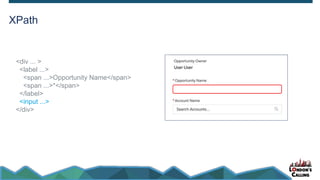
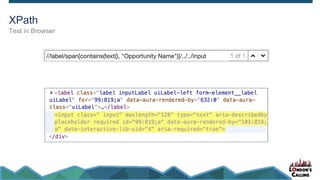
Use XPath
//label/span[contains(text(), "Opportunity Name")]/../../input
//label - any descendant node containing a label
/span - containing a span
[contains(text() - whose text contains
/../.. - whose grandparent node
"Opportunity Name"] - this string literal
/input - contains an input element](https://image.slidesharecdn.com/seleniumnode-londonscalling2019-190308165625/85/UI-Testing-with-Selenium-and-Node-London-s-Calling-2019-16-320.jpg)



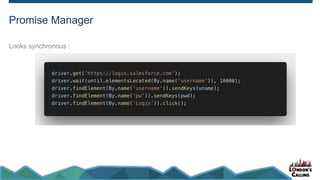
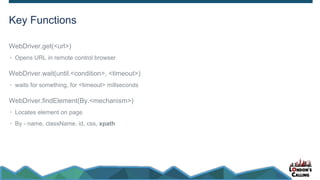
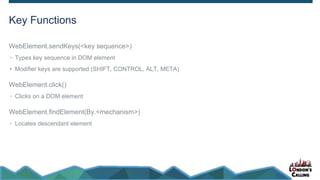
The document discusses UI testing using Selenium with Node, outlining its capabilities primarily in browser automation and testing. Key functions include opening URLs, waiting for conditions, and locating elements, while also touching on the limitations with shadow DOMs and web components. It emphasizes concise testing strategies and provides useful resources for further learning.


