




Lightning Overview
San Diego Salesforce User Group
March 26, 2015
Vivek M. Chawla
Senior Salesforce Engineer
Intuit
@VivekMChawla
Safe Harbor
Safe harbor statement under the Private Securities Litigation Reform Act of 1995: This presentation may contain forward-looking statements
that involve risks, uncertainties, and assumptions. If any such uncertainties materialize or if any of the assumptions proves incorrect, the results
of salesforce.com, inc. could differ materially from the results expressed or implied by the forward-looking statements we make. All statements
other than statements of historical fact could be deemed forward-looking, including any projections of subscriber growth, earnings, revenues, or
other financial items and any statements regarding strategies or plans of management for future operations, statements of belief, any
statements concerning new, planned, or upgraded services or technology developments and customer contracts or use of our services.
The risks and uncertainties referred to above include – but are not limited to – risks associated with developing and delivering new functionality
for our service, our new business model, our past operating losses, possible fluctuations in our operating results and rate of growth,
interruptions or delays in our Web hosting, breach of our security measures, risks associated with possible mergers and acquisitions, the
immature market in which we operate, our relatively limited operating history, our ability to expand, retain, and motivate our employees and
manage our growth, new releases of our service and successful customer deployment, our limited history reselling non-salesforce.com
products, and utilization and selling to larger enterprise customers. Further information on potential factors that could affect the financial results
of salesforce.com, inc. is included in our annual report on Form 10-K for the most recent fiscal quarter ended July 31, 2011. This document and
others are available on the SEC Filings section of the Investor Information section of our Web site.
Any unreleased services or features referenced in this or other press releases or public statements are not currently available and may not be
delivered on time or at all. Customers who purchase our services should make the purchase decisions based upon features that are currently
available. Salesforce.com, inc. assumes no obligation and does not intend to update these forward-looking statements.
http://developer.salesforce.com/lightning
#golightningfast
LIGHTNING MONTH!
March 2015
Worldwide Event
Hands-on Workshops
Expert Advice
Lightning
Overview
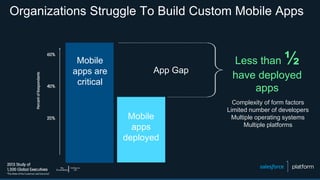
Organizations Struggle To Build Custom Mobile Apps
Mobile
apps are
critical
Mobile
apps
deployed
App Gap
Less than ½
have deployed
apps
Complexity of form factors
Limited number of developers
Multiple operating systems
Multiple platforms
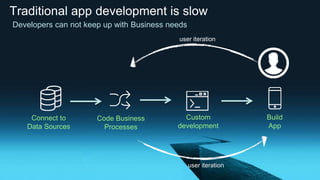
Traditional app development is slow
Custom
development
Connect to
Data Sources
Code Business
Processes
Build
App
user iteration
user iteration
Developers can not keep up with Business needs
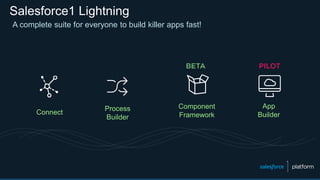
Salesforce1 Lightning
Connect
Process
Builder
A complete suite for everyone to build killer apps fast!
App
Builder
Component
Framework
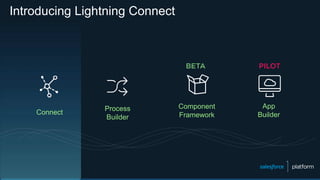
Introducing Lightning Connect
Connect
Process
Builder
App
Builder
Component
Framework
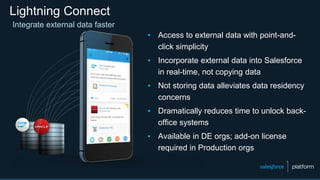
Lightning Connect
▪ Access to external data with point-and-
click simplicity
▪ Incorporate external data into Salesforce
in real-time, not copying data
▪ Not storing data alleviates data residency
concerns
▪ Dramatically reduces time to unlock back-
office systems
▪ Available in DE orgs; add-on license
required in Production orgs
Integrate external data faster
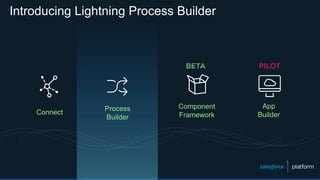
Introducing Lightning Process Builder
Connect
Process
Builder
App
Builder
Component
Framework
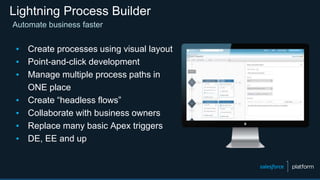
Lightning Process Builder
Automate business faster
▪ Create processes using visual layout
▪ Point-and-click development
▪ Manage multiple process paths in
ONE place
▪ Create “headless flows”
▪ Collaborate with business owners
▪ Replace many basic Apex triggers
▪ DE, EE and up
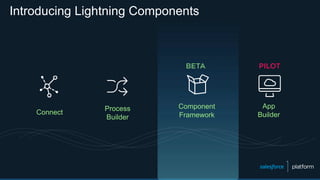
Introducing Lightning Components
Connect
Process
Builder
App
Builder
Component
Framework
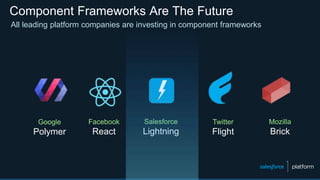
Component Frameworks Are The Future
All leading platform companies are investing in component frameworks
Google
Polymer
Facebook
React
Salesforce
Lightning
Twitter
Flight
Mozilla
Brick
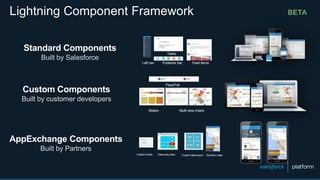
Standard Components
Built by Salesforce
Custom charts Data entry tools Custom data layout Dynamic maps
Left nav Publisher bar Feed items
Tasks
Sliders Multi-view charts
Pass/Fail
Custom Components
Built by customer developers
AppExchange Components
Built by Partners
Lightning Component Framework
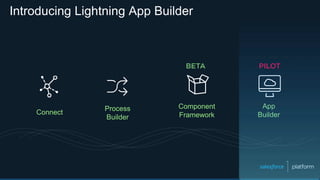
Introducing Lightning App Builder
Connect
Process
Builder
App
Builder
Component
Framework
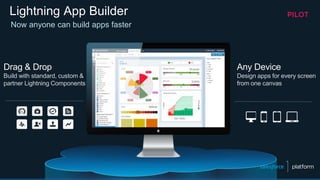
Lightning App Builder
Drag & Drop
Build with standard, custom &
partner Lightning Components
Any Device
Design apps for every screen
from one canvas
Now anyone can build apps faster
Demo:
Lightning Overview
Walkthrough:
Process Builder
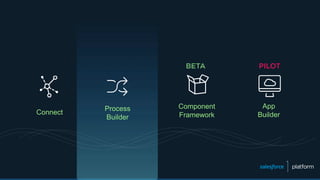
Connect
Process
Builder
App
Builder
Component
Framework
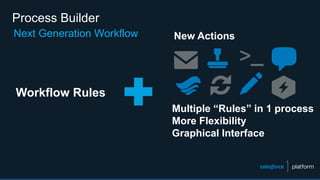
Process Builder
Next Generation Workflow
Multiple “Rules” in 1 process
More Flexibility
Graphical Interface
Workflow Rules
New Actions
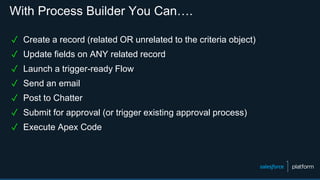
With Process Builder You Can….
✓ Create a record (related OR unrelated to the criteria object)
✓ Update fields on ANY related record
✓ Launch a trigger-ready Flow
✓ Send an email
✓ Post to Chatter
✓ Submit for approval (or trigger existing approval process)
✓ Execute Apex Code
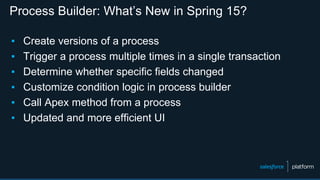
Process Builder: What’s New in Spring 15?
▪ Create versions of a process
▪ Trigger a process multiple times in a single transaction
▪ Determine whether specific fields changed
▪ Customize condition logic in process builder
▪ Call Apex method from a process
▪ Updated and more efficient UI
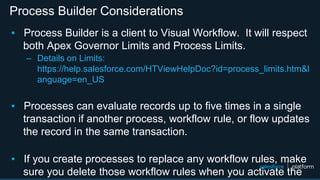
Process Builder Considerations
▪ Process Builder is a client to Visual Workflow. It will respect
both Apex Governor Limits and Process Limits.
– Details on Limits:
https://help.salesforce.com/HTViewHelpDoc?id=process_limits.htm&l
anguage=en_US
▪ Processes can evaluate records up to five times in a single
transaction if another process, workflow rule, or flow updates
the record in the same transaction.
▪ If you create processes to replace any workflow rules, make
sure you delete those workflow rules when you activate the
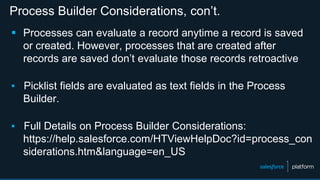
Process Builder Considerations, con’t.
 Processes can evaluate a record anytime a record is saved
or created. However, processes that are created after
records are saved don’t evaluate those records retroactive
▪ Picklist fields are evaluated as text fields in the Process
Builder.
▪ Full Details on Process Builder Considerations:
https://help.salesforce.com/HTViewHelpDoc?id=process_con
siderations.htm&language=en_US
Hands-on Demos
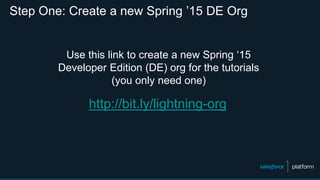
Step One: Create a new Spring ’15 DE Org
http://bit.ly/lightning-org
Use this link to create a new Spring ‘15
Developer Edition (DE) org for the tutorials
(you only need one)
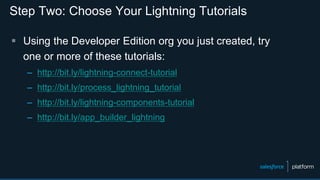
Step Two: Choose Your Lightning Tutorials
 Using the Developer Edition org you just created, try
one or more of these tutorials:
– http://bit.ly/lightning-connect-tutorial
– http://bit.ly/process_lightning_tutorial
– http://bit.ly/lightning-components-tutorial
– http://bit.ly/app_builder_lightning
Next Steps
http://developer.salesforce.com/calendar
• Lightning App Builder
• Lightning Components
• Lightning Process Builder
• Lightning Connect
Lightning Deep Dive Webinars
Questions?
Success Community Chatter Groups
▪ Official: Lightning Connect
▪ Official: Salesforce Workflow Automation
▪ For questions about Lightning Process Builder
▪ Official: Lightning App Builder
Thank You!
#golightningfast

San Diego Salesforce User Group - Lightning Overview

  • 1.
    Lightning Overview San DiegoSalesforce User Group March 26, 2015
  • 2.
    Vivek M. Chawla SeniorSalesforce Engineer Intuit @VivekMChawla
  • 3.
    Safe Harbor Safe harborstatement under the Private Securities Litigation Reform Act of 1995: This presentation may contain forward-looking statements that involve risks, uncertainties, and assumptions. If any such uncertainties materialize or if any of the assumptions proves incorrect, the results of salesforce.com, inc. could differ materially from the results expressed or implied by the forward-looking statements we make. All statements other than statements of historical fact could be deemed forward-looking, including any projections of subscriber growth, earnings, revenues, or other financial items and any statements regarding strategies or plans of management for future operations, statements of belief, any statements concerning new, planned, or upgraded services or technology developments and customer contracts or use of our services. The risks and uncertainties referred to above include – but are not limited to – risks associated with developing and delivering new functionality for our service, our new business model, our past operating losses, possible fluctuations in our operating results and rate of growth, interruptions or delays in our Web hosting, breach of our security measures, risks associated with possible mergers and acquisitions, the immature market in which we operate, our relatively limited operating history, our ability to expand, retain, and motivate our employees and manage our growth, new releases of our service and successful customer deployment, our limited history reselling non-salesforce.com products, and utilization and selling to larger enterprise customers. Further information on potential factors that could affect the financial results of salesforce.com, inc. is included in our annual report on Form 10-K for the most recent fiscal quarter ended July 31, 2011. This document and others are available on the SEC Filings section of the Investor Information section of our Web site. Any unreleased services or features referenced in this or other press releases or public statements are not currently available and may not be delivered on time or at all. Customers who purchase our services should make the purchase decisions based upon features that are currently available. Salesforce.com, inc. assumes no obligation and does not intend to update these forward-looking statements.
  • 4.
  • 5.
  • 6.
    Organizations Struggle ToBuild Custom Mobile Apps Mobile apps are critical Mobile apps deployed App Gap Less than ½ have deployed apps Complexity of form factors Limited number of developers Multiple operating systems Multiple platforms
  • 7.
    Traditional app developmentis slow Custom development Connect to Data Sources Code Business Processes Build App user iteration user iteration Developers can not keep up with Business needs
  • 8.
    Salesforce1 Lightning Connect Process Builder A completesuite for everyone to build killer apps fast! App Builder Component Framework
  • 9.
  • 10.
    Lightning Connect ▪ Accessto external data with point-and- click simplicity ▪ Incorporate external data into Salesforce in real-time, not copying data ▪ Not storing data alleviates data residency concerns ▪ Dramatically reduces time to unlock back- office systems ▪ Available in DE orgs; add-on license required in Production orgs Integrate external data faster
  • 11.
    Introducing Lightning ProcessBuilder Connect Process Builder App Builder Component Framework
  • 12.
    Lightning Process Builder Automatebusiness faster ▪ Create processes using visual layout ▪ Point-and-click development ▪ Manage multiple process paths in ONE place ▪ Create “headless flows” ▪ Collaborate with business owners ▪ Replace many basic Apex triggers ▪ DE, EE and up
  • 13.
  • 14.
    Component Frameworks AreThe Future All leading platform companies are investing in component frameworks Google Polymer Facebook React Salesforce Lightning Twitter Flight Mozilla Brick
  • 15.
    Standard Components Built bySalesforce Custom charts Data entry tools Custom data layout Dynamic maps Left nav Publisher bar Feed items Tasks Sliders Multi-view charts Pass/Fail Custom Components Built by customer developers AppExchange Components Built by Partners Lightning Component Framework
  • 16.
    Introducing Lightning AppBuilder Connect Process Builder App Builder Component Framework
  • 17.
    Lightning App Builder Drag& Drop Build with standard, custom & partner Lightning Components Any Device Design apps for every screen from one canvas Now anyone can build apps faster
  • 18.
  • 19.
  • 20.
  • 21.
    Process Builder Next GenerationWorkflow Multiple “Rules” in 1 process More Flexibility Graphical Interface Workflow Rules New Actions
  • 22.
    With Process BuilderYou Can…. ✓ Create a record (related OR unrelated to the criteria object) ✓ Update fields on ANY related record ✓ Launch a trigger-ready Flow ✓ Send an email ✓ Post to Chatter ✓ Submit for approval (or trigger existing approval process) ✓ Execute Apex Code
  • 23.
    Process Builder: What’sNew in Spring 15? ▪ Create versions of a process ▪ Trigger a process multiple times in a single transaction ▪ Determine whether specific fields changed ▪ Customize condition logic in process builder ▪ Call Apex method from a process ▪ Updated and more efficient UI
  • 24.
    Process Builder Considerations ▪Process Builder is a client to Visual Workflow. It will respect both Apex Governor Limits and Process Limits. – Details on Limits: https://help.salesforce.com/HTViewHelpDoc?id=process_limits.htm&l anguage=en_US ▪ Processes can evaluate records up to five times in a single transaction if another process, workflow rule, or flow updates the record in the same transaction. ▪ If you create processes to replace any workflow rules, make sure you delete those workflow rules when you activate the
  • 25.
    Process Builder Considerations,con’t.  Processes can evaluate a record anytime a record is saved or created. However, processes that are created after records are saved don’t evaluate those records retroactive ▪ Picklist fields are evaluated as text fields in the Process Builder. ▪ Full Details on Process Builder Considerations: https://help.salesforce.com/HTViewHelpDoc?id=process_con siderations.htm&language=en_US
  • 26.
  • 27.
    Step One: Createa new Spring ’15 DE Org http://bit.ly/lightning-org Use this link to create a new Spring ‘15 Developer Edition (DE) org for the tutorials (you only need one)
  • 28.
    Step Two: ChooseYour Lightning Tutorials  Using the Developer Edition org you just created, try one or more of these tutorials: – http://bit.ly/lightning-connect-tutorial – http://bit.ly/process_lightning_tutorial – http://bit.ly/lightning-components-tutorial – http://bit.ly/app_builder_lightning
  • 29.
  • 31.
    http://developer.salesforce.com/calendar • Lightning AppBuilder • Lightning Components • Lightning Process Builder • Lightning Connect Lightning Deep Dive Webinars
  • 32.
    Questions? Success Community ChatterGroups ▪ Official: Lightning Connect ▪ Official: Salesforce Workflow Automation ▪ For questions about Lightning Process Builder ▪ Official: Lightning App Builder
  • 33.