AdWords – the Big Picture and  the Details! and Dealing with the Client Jim Jansen College of Information Sciences and Technology  The Pennsylvania State University  [email_address]
What is Keyword Advertising? Keyword Advertising  is an advertising medium, typically driven from Search Engines and/or directories.  The model typically follows a CPC (cost per click) model, only charging a fee for visitors that reach your website.  Sponsored Search ads appear two ways: search placement and content placement.  Ads within search placement appear when searchers search for a particular term that you have elected to purchase.  Ads appear within the content placement model when relevant content is served from the search engine partner (news sites, industry sites, etc.) Pay Per Click  (also known as Pay Per Ranking, Pay Per Placement, Pay Per Position or Cost Per Click) enables you to list your site at the top of search engine results by advertising on keywords that best describe your product or service. What is Keyword Advertising?
How Does PPC Work? Advertiser creates account. Advertiser chooses keywords that he/she believes searchers will use to try to find his/her type of product/service. Ad will be displayed on the search engine when one of the keywords is searched by a user. Pricing is based on each keyword. Advertisers bid to have higher ad placement based on a keyword. Advertisers only pay the search engine when an ad is clicked on. What is Keyword Advertising?
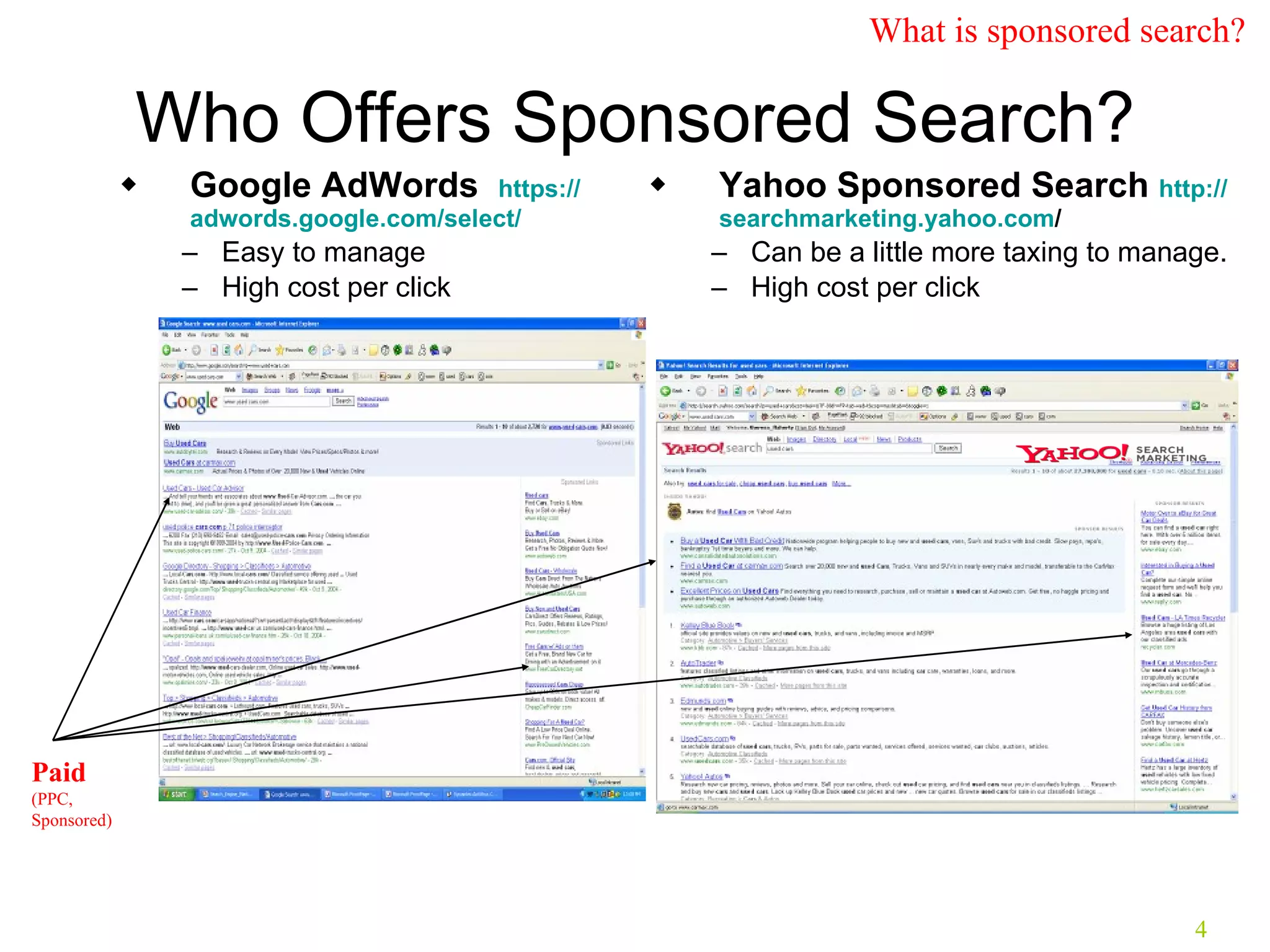
Who Offers Sponsored Search? Google AdWords  https:// adwords.google.com /select/ Easy to manage High cost per click Yahoo Sponsored Search  http:// searchmarketing.yahoo.com /   Can be a little more taxing to manage. High cost per click Paid   (PPC, Sponsored) What is sponsored search?
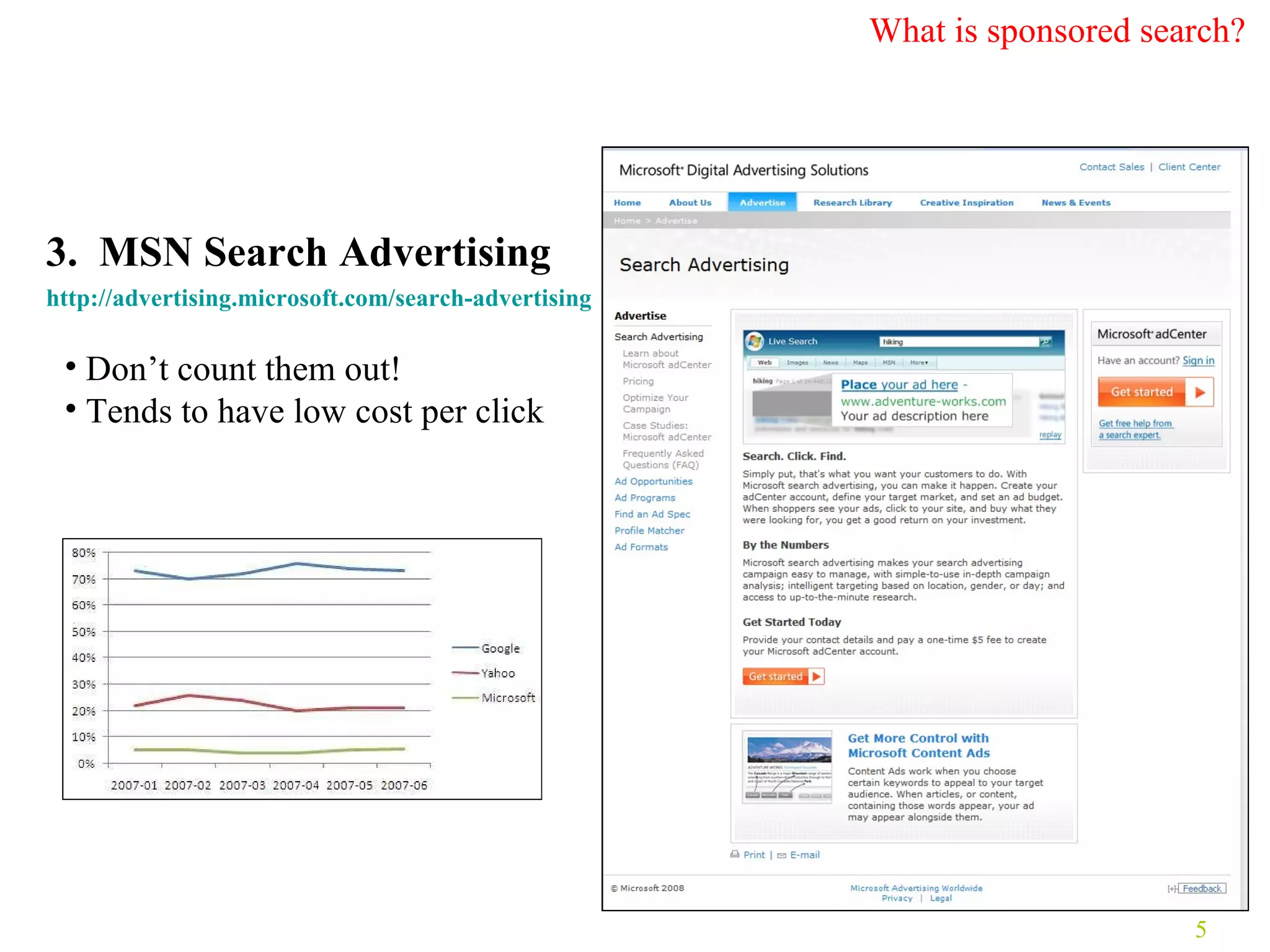
3.  MSN Search Advertising  http:// advertising.microsoft.com /search-advertising   Don’t count them out! Tends to have low cost per click What is sponsored search?
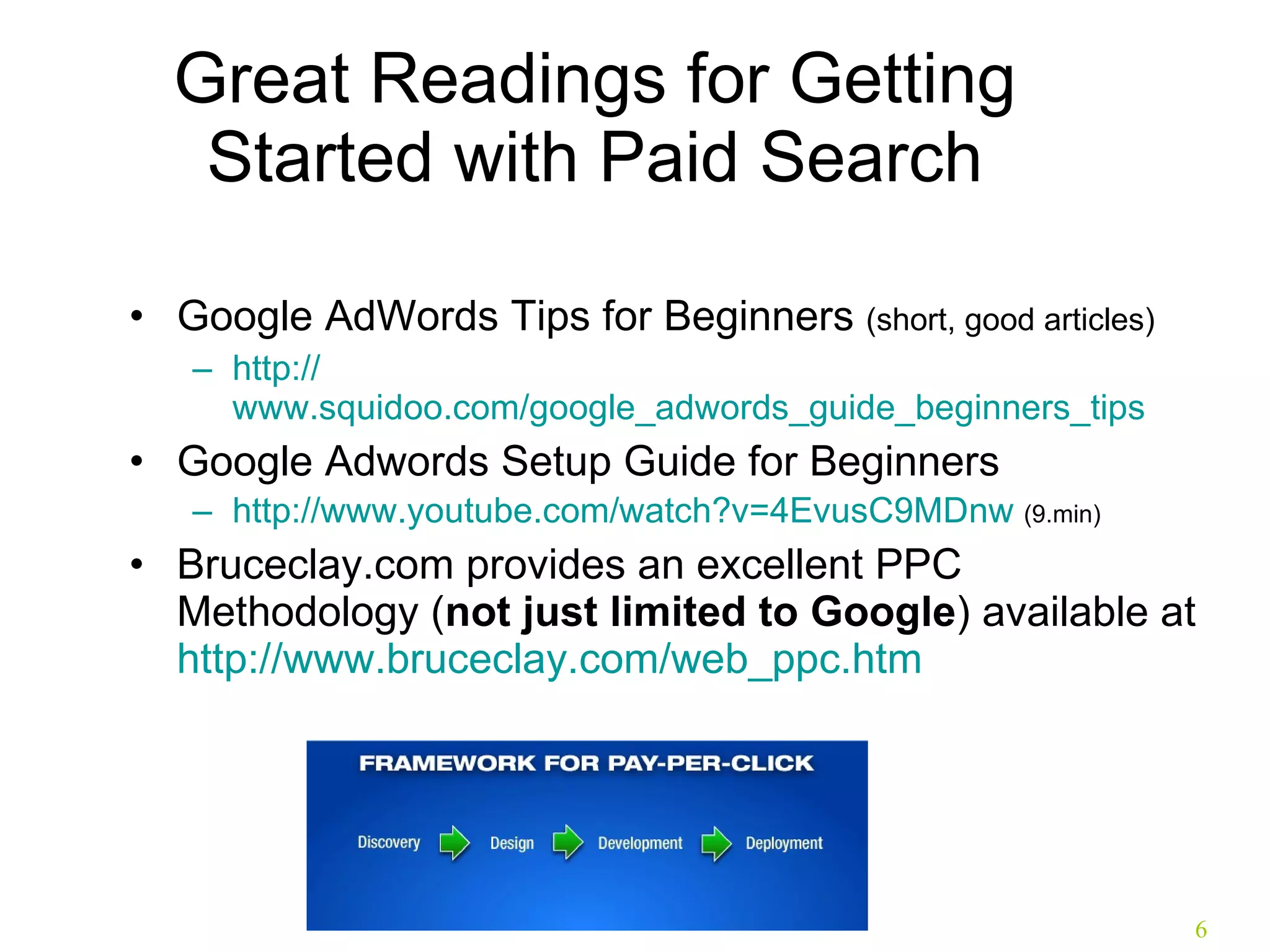
Great Readings for Getting Started with Paid Search Google AdWords Tips for Beginners  (short, good articles) http:// www.squidoo.com/google_adwords_guide_beginners_tips Google Adwords Setup Guide for Beginners  http:// www.youtube.com/watch?v =4EvusC9MDnw  (9.min) Bruceclay.com provides an excellent PPC Methodology ( not just limited to Google ) available at  http:// www.bruceclay.com/web_ppc.htm
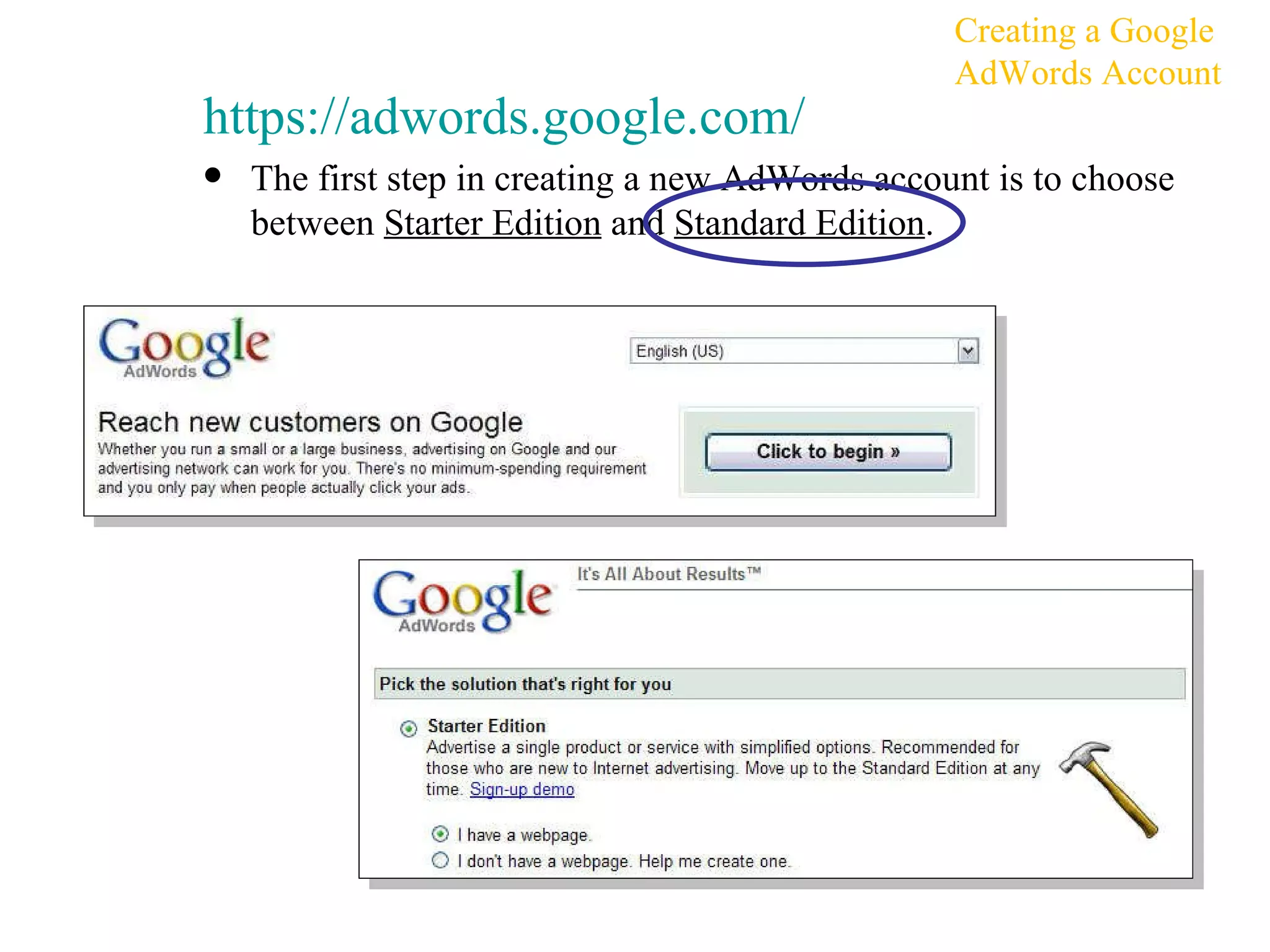
https:// adwords.google.com / The first step in creating a new AdWords account is to choose between  Starter Edition  and  Standard Edition . Creating a Google AdWords Account
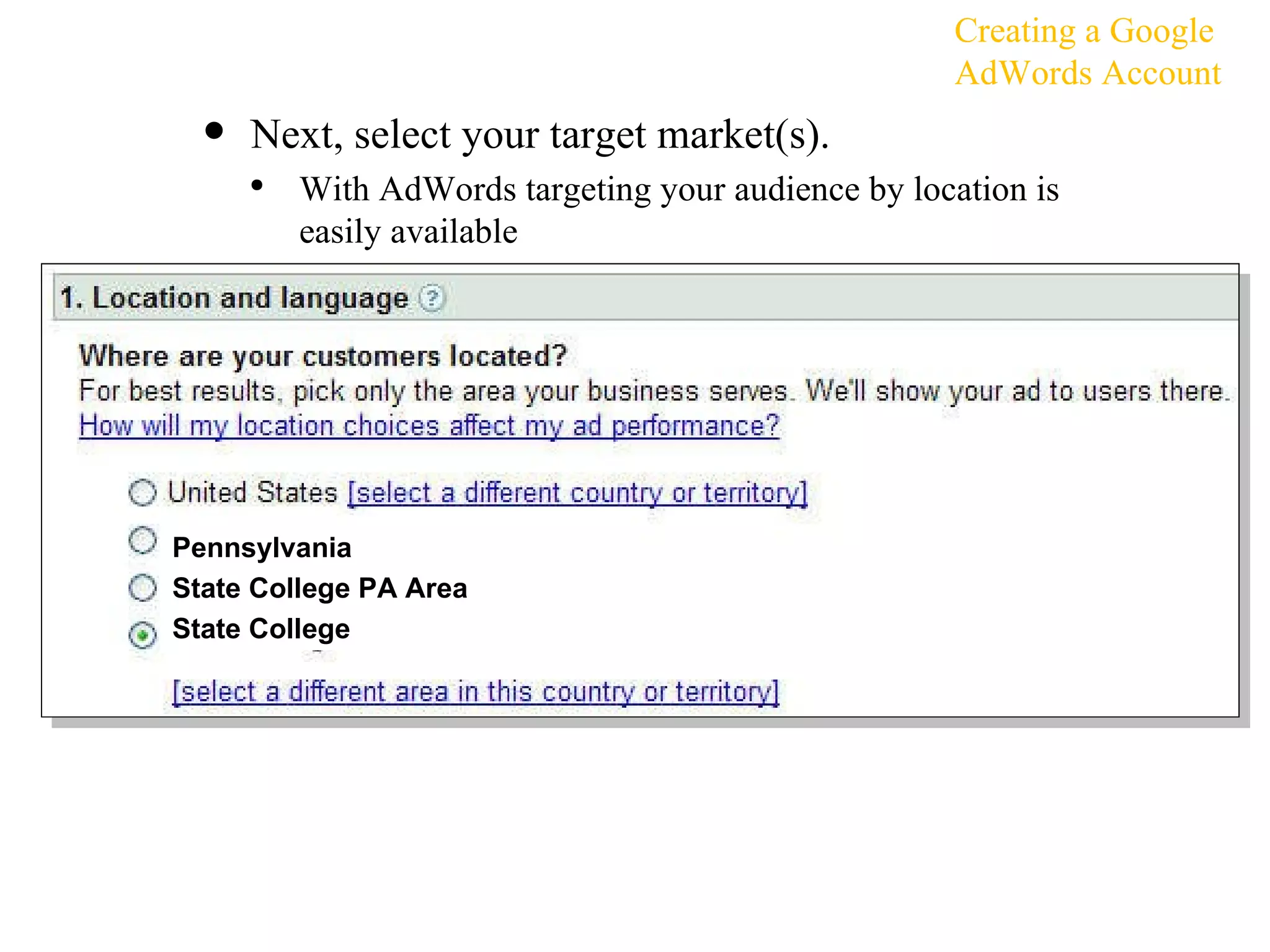
Next, select your target market(s).  With AdWords targeting your audience by location is easily available Creating a Google AdWords Account Pennsylvania State College PA Area State College
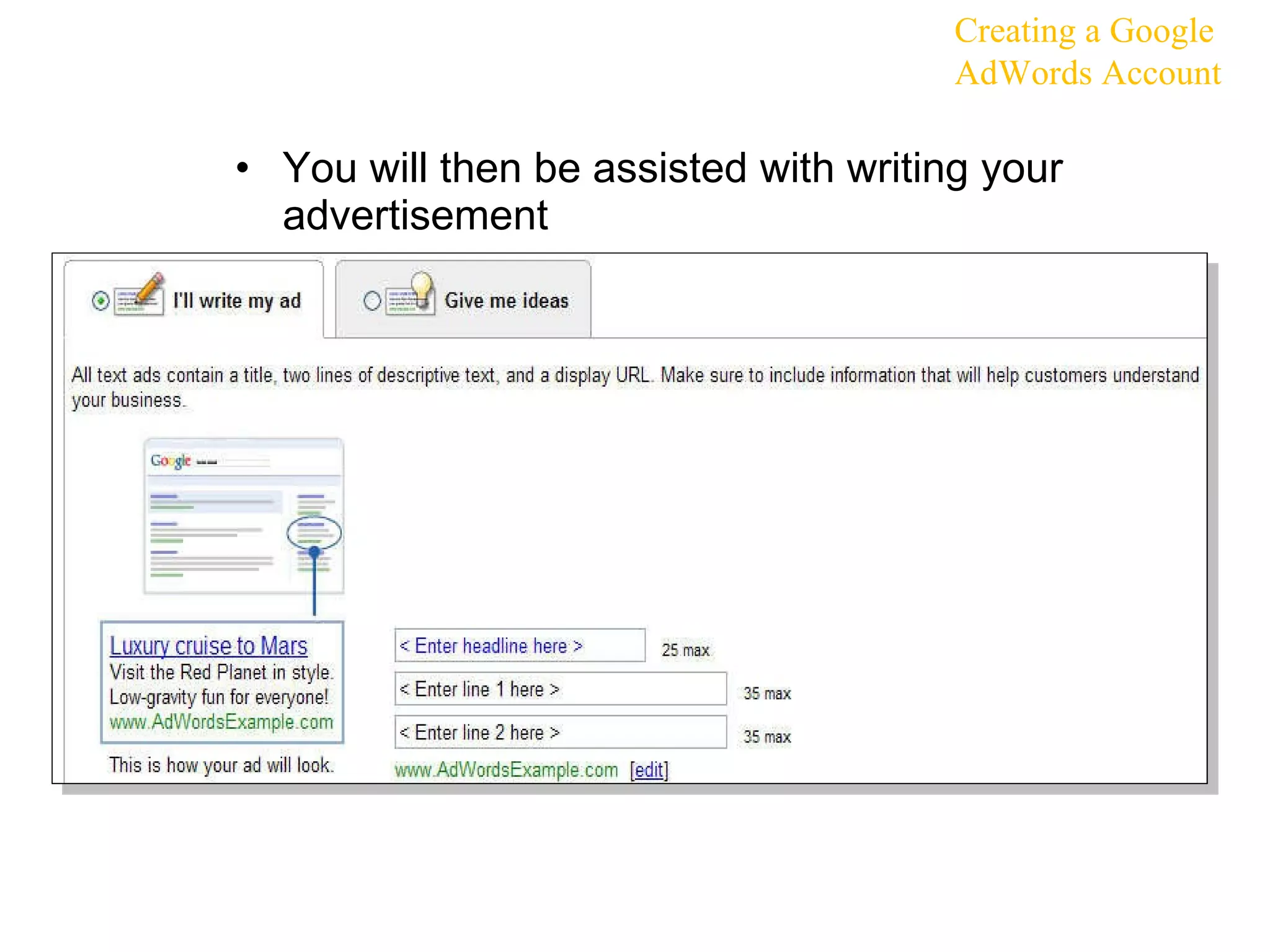
You will then be assisted with writing your advertisement Creating a Google AdWords Account
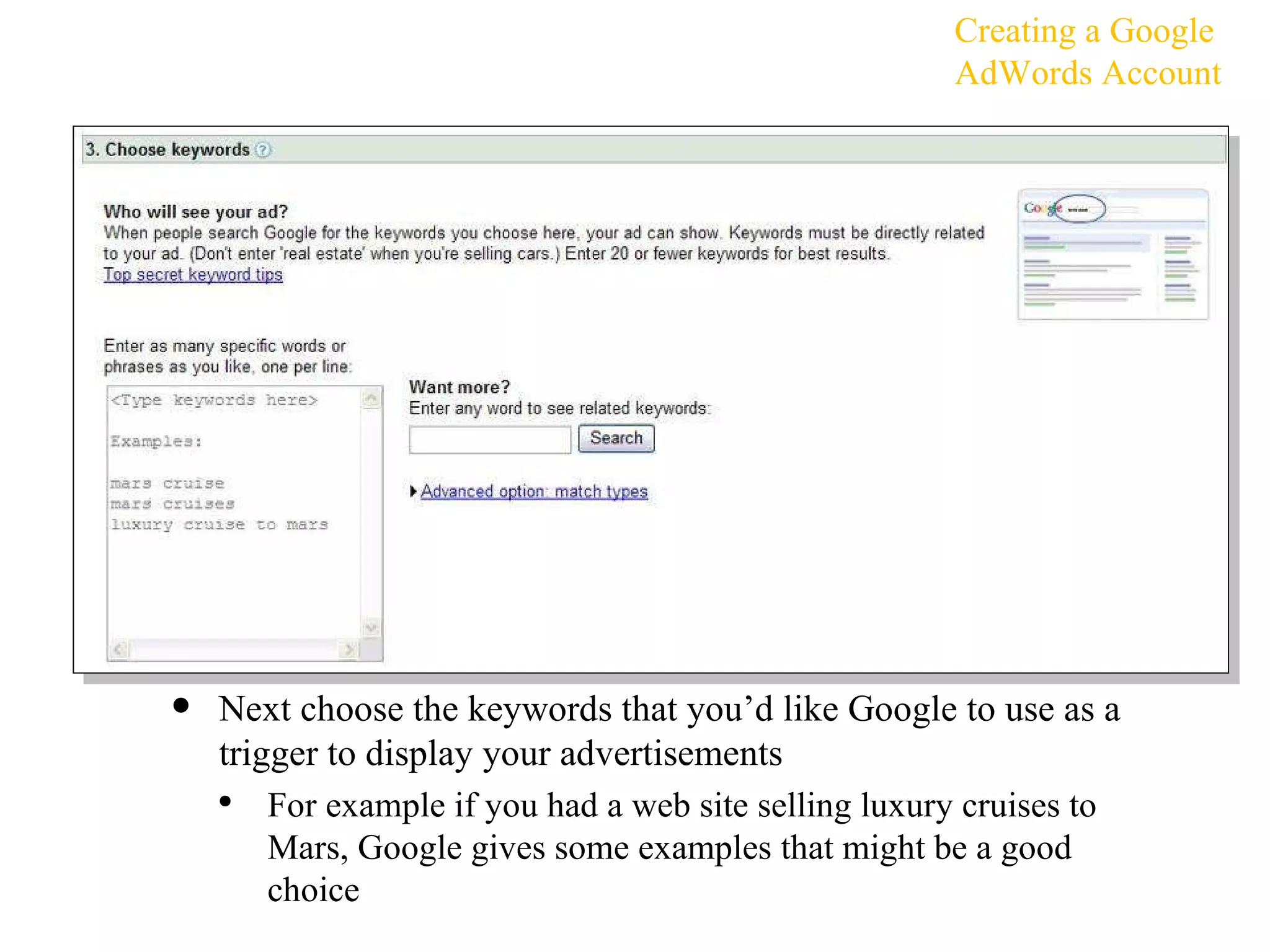
Next choose the keywords that you’d like Google to use as a trigger to display your advertisements For example if you had a web site selling luxury cruises to Mars, Google gives some examples that might be a good choice Creating a Google AdWords Account
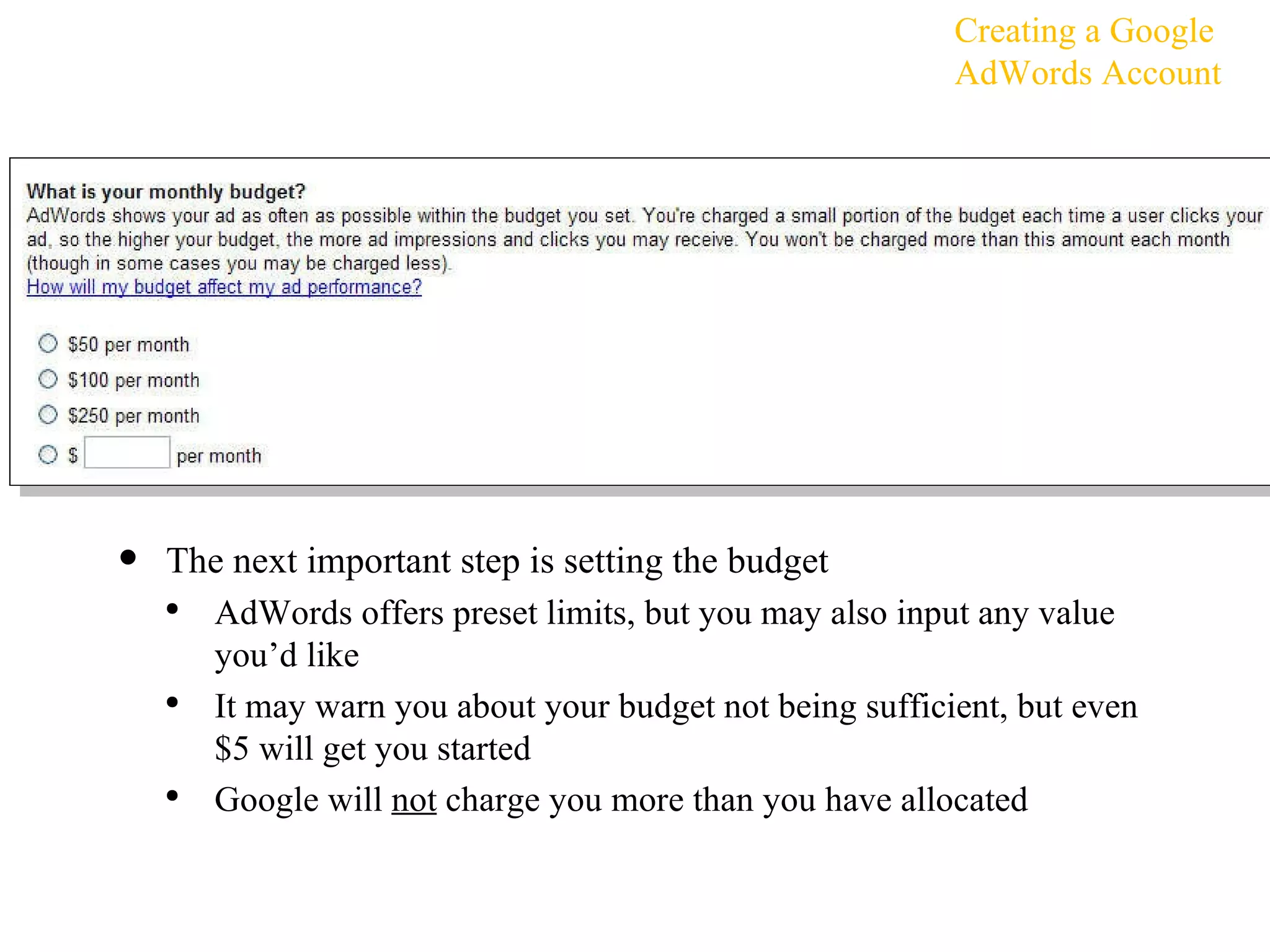
The next important step is setting the budget AdWords offers preset limits, but you may also input any value you’d like It may warn you about your budget not being sufficient, but even $5 will get you started Google will  not  charge you more than you have allocated Creating a Google AdWords Account
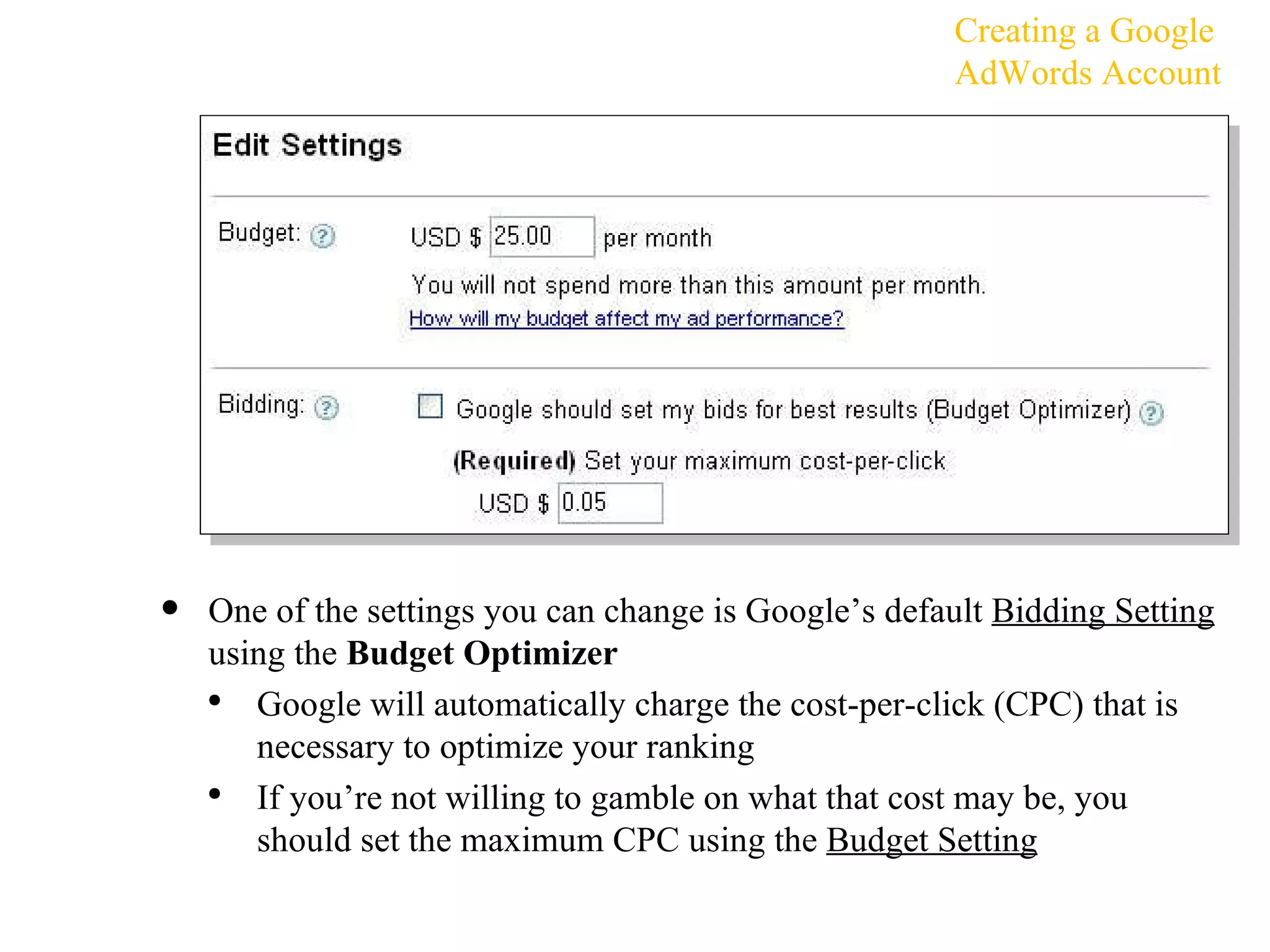
One of the settings you can change is Google’s default  Bidding Setting  using the  Budget Optimizer Google will automatically charge the cost-per-click (CPC) that is necessary to optimize your ranking If you’re not willing to gamble on what that cost may be, you should set the maximum CPC using the  Budget Setting Creating a Google AdWords Account
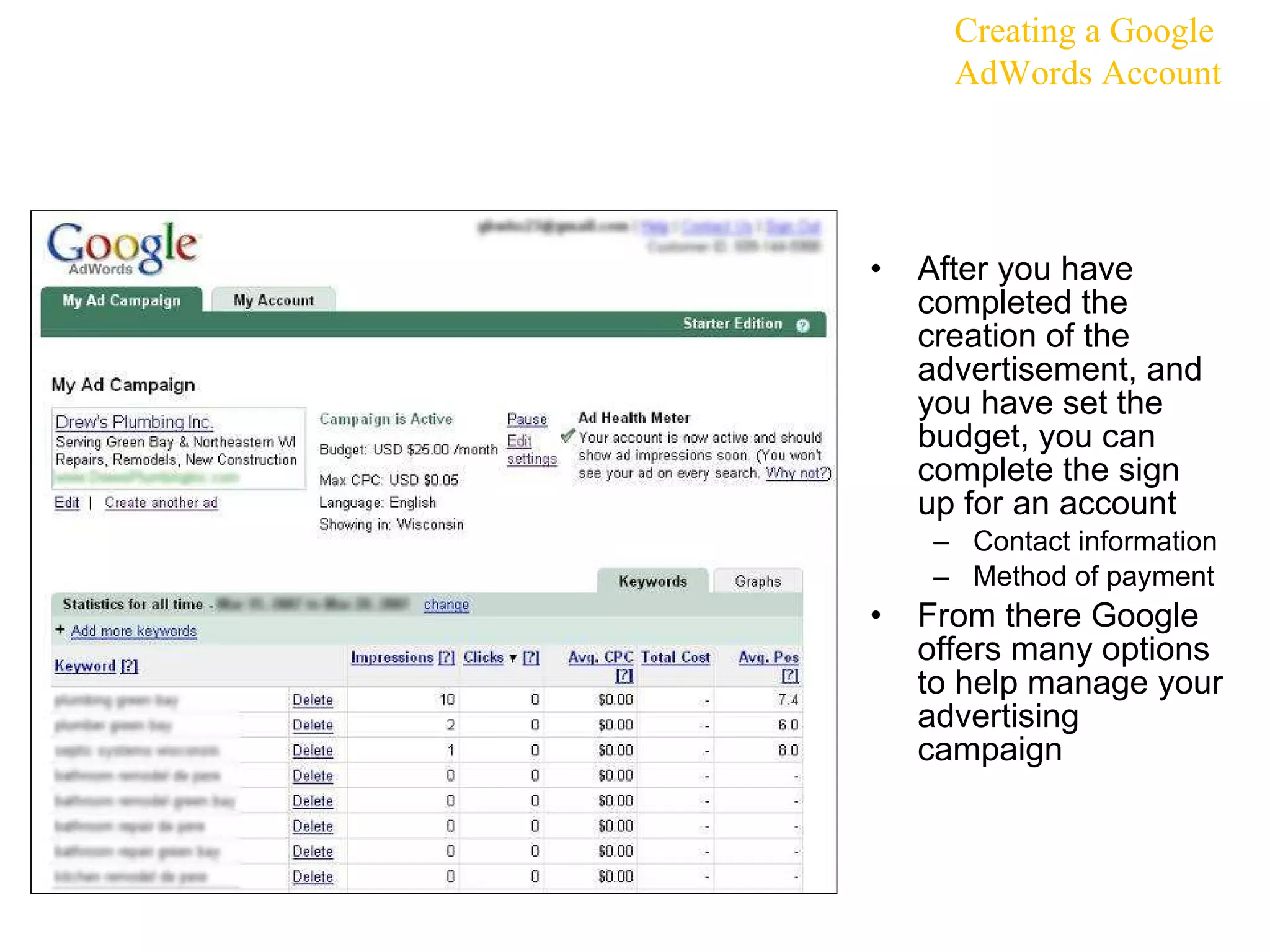
After you have completed the creation of the advertisement, and you have set the budget, you can complete the sign up for an account Contact information Method of payment From there Google offers many options to help manage your advertising campaign Creating a Google AdWords Account
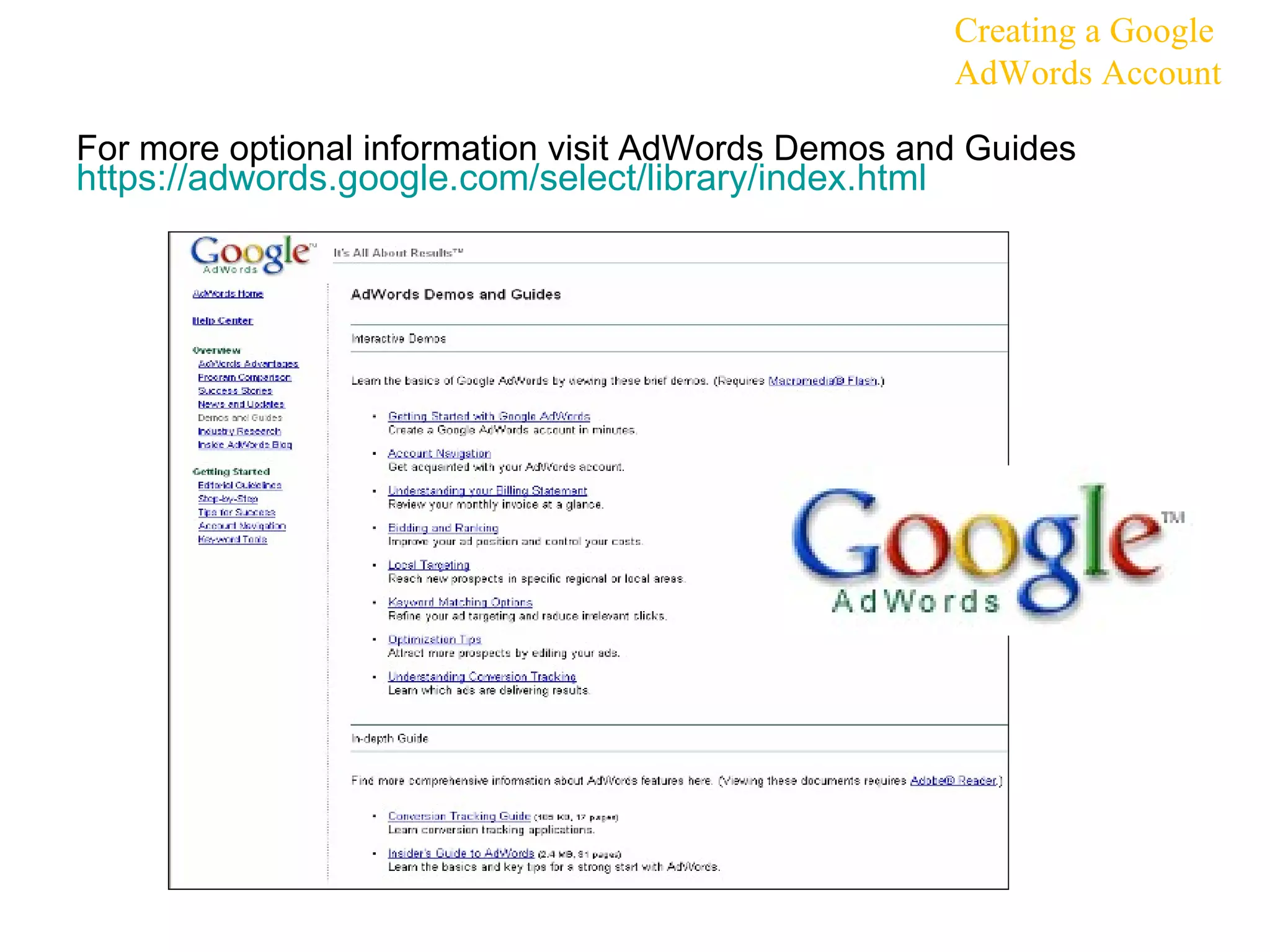
For more optional information visit AdWords Demos and Guides  https:// adwords.google.com/select/library/index.html   Creating a Google AdWords Account
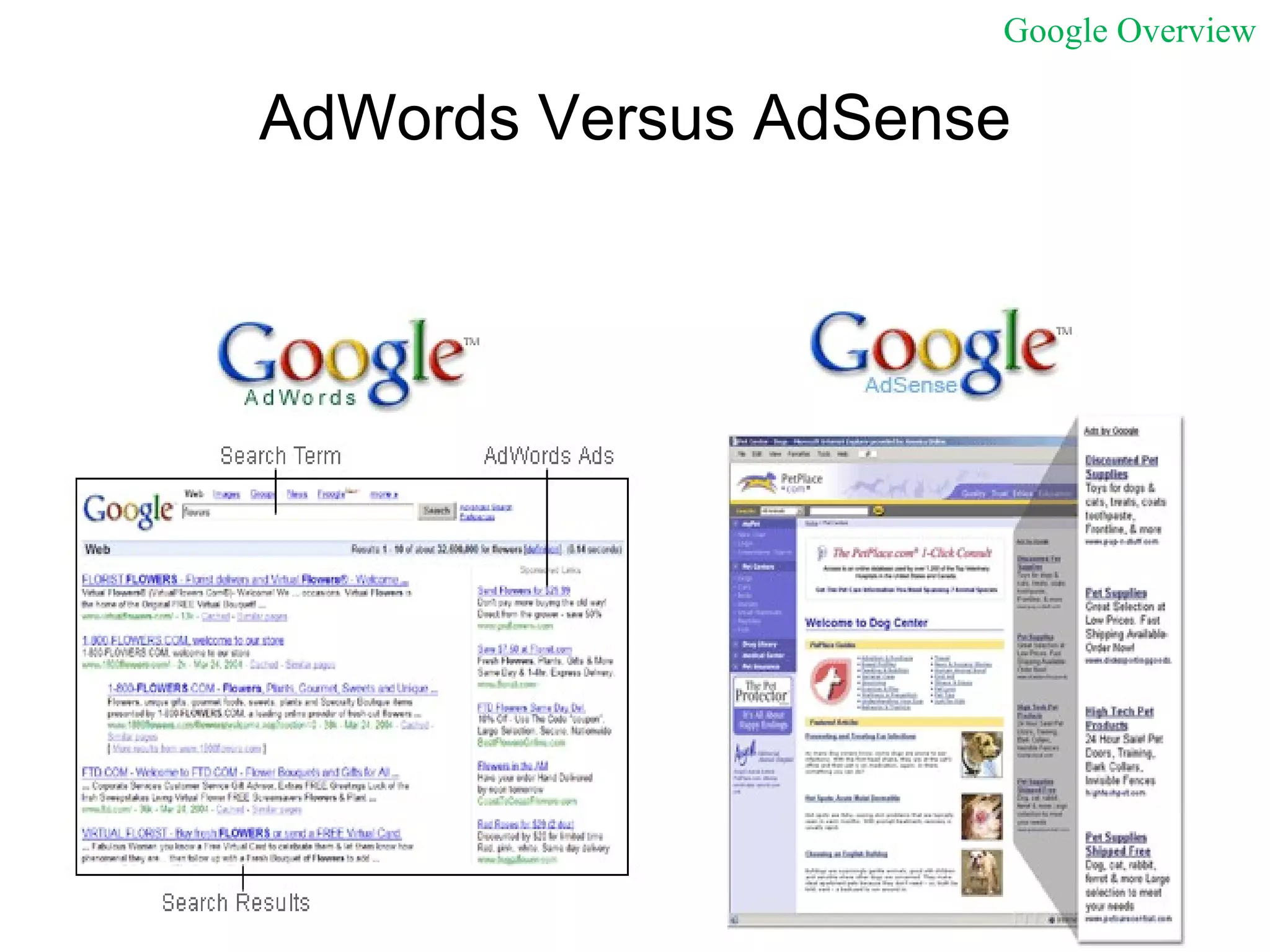
AdWords Versus AdSense Google Overview
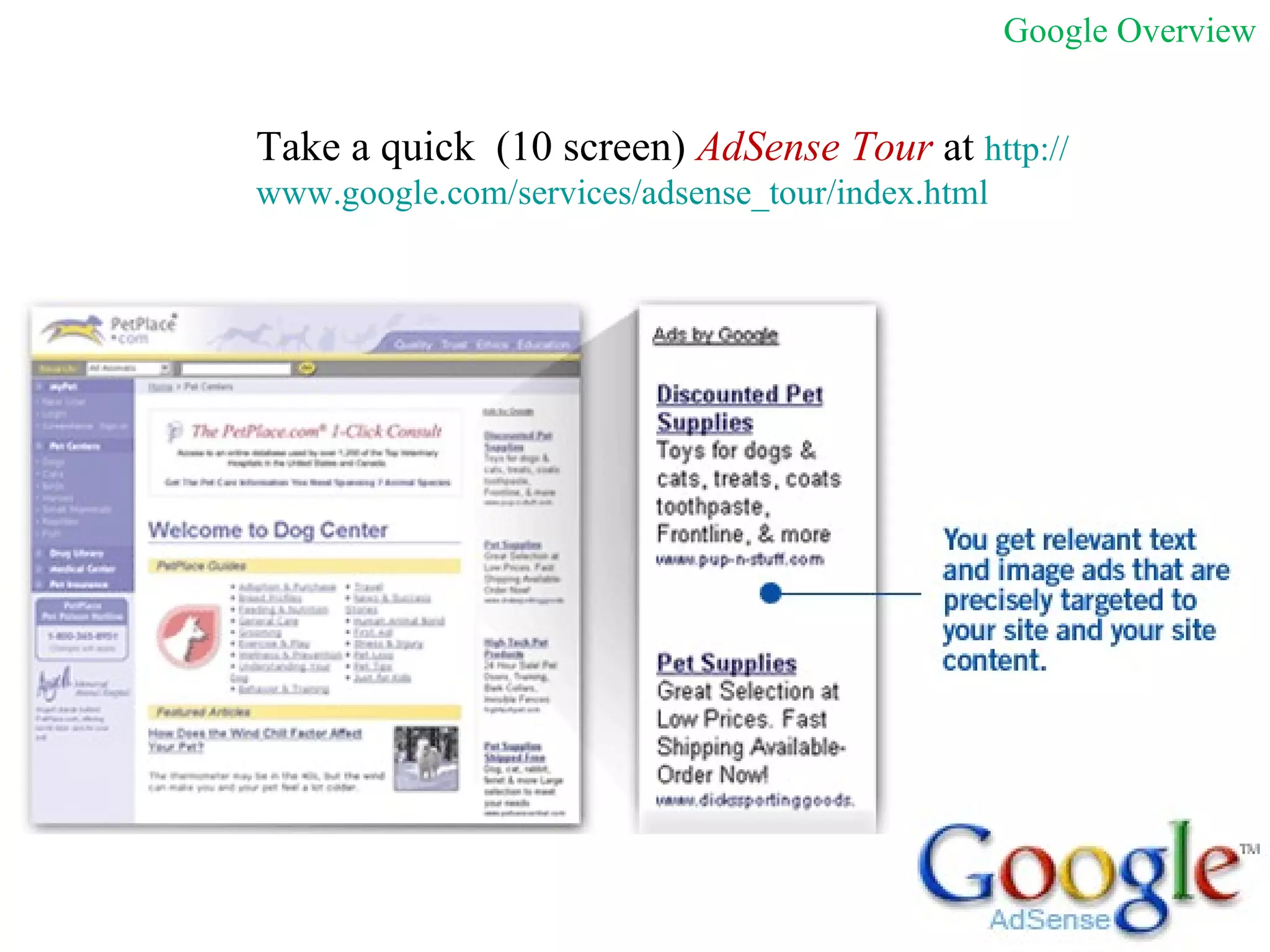
Take a quick  (10 screen)  AdSense Tour  at  http:// www.google.com/services/adsense_tour/index.html Google Overview
Reasons to Use Google AdWords for Sponsored Search TARGETING/REACH  – Strong ability to reach people who may be looking for your product or service. Engage potential customers at precisely the right moment — when users are actively searching for information (keywords or content) related to your business.  Expanded network  - AdWords not only displays on the main Google.com home page but also on partner networks such as Aol.com and Ask.com Local and regional targeting -  Set your ads to appear only to people searching in a particular state, city, or region. It is easy to target online customers within 25 miles of your front door.  Local business ads -  Get noticed on Google Maps. People searching for information related to your business will see your location, contact information, and an image of your choosing highlighted on a map of your area.  BUDGETING  - Fully control your ad budget  You can choose to pay for ad clicks (CPC) or for impressions (CPM).  Because you can choose your own CPC or CPM amounts, you decide how much to pay each time someone clicks or views your ad.  There's no minimum spending limit. In addition, you can set a maximum daily spend (daily budget) that the AdWords system won't exceed.  You can edit your budget settings at any time.  3.  FLEXIBILITY/CONTROL :  You can edit an existing ad, then see your updates within 15 minutes.  You can edit your account at any time, as often as you like. AdWords is available 24 hours a day, 7 days a week.  Ads start running for the first time almost immediately after you activate your account with your credit card or direct debit information. Google Overview
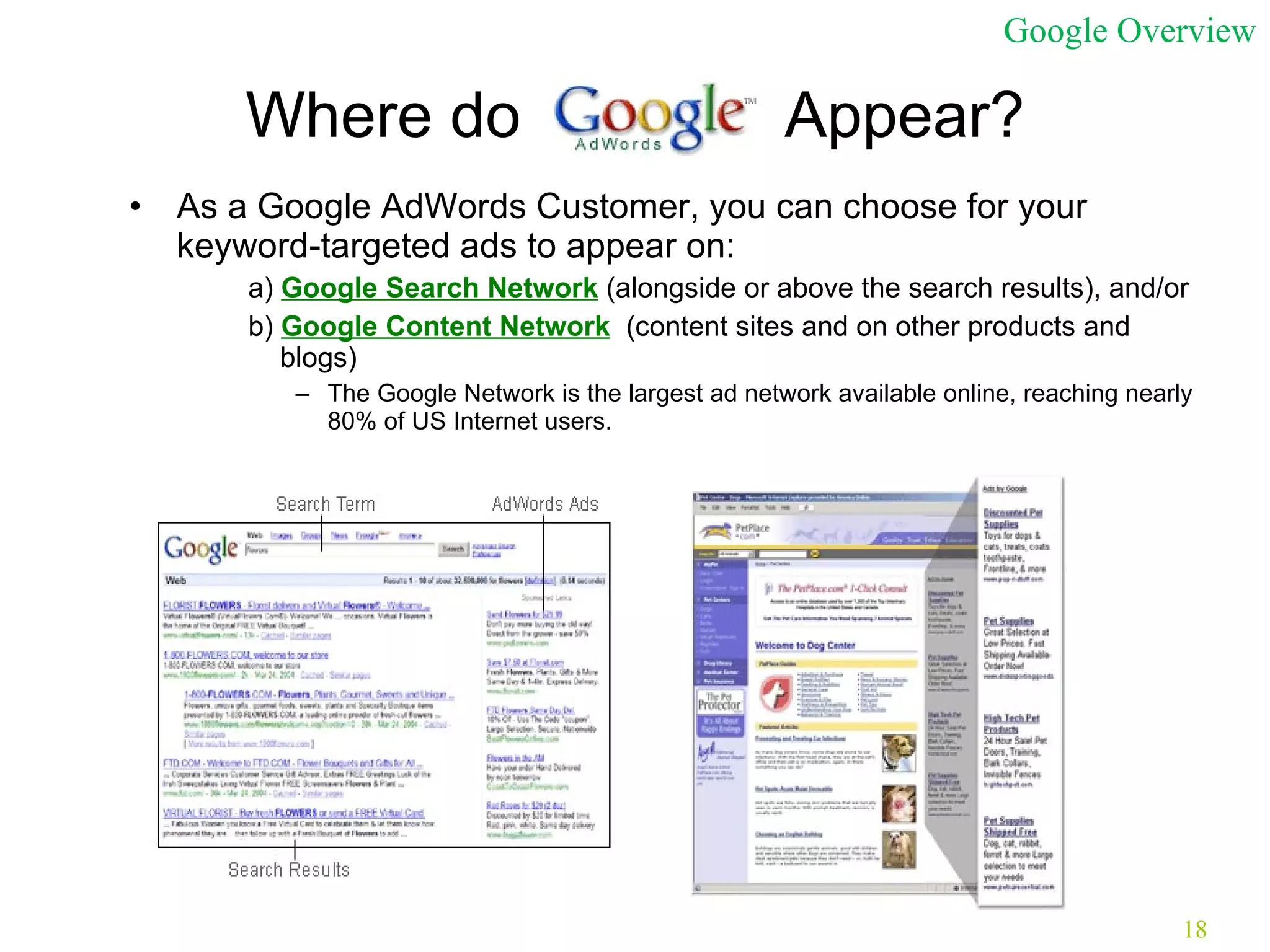
Where do  Appear? As a Google AdWords Customer, you can choose for your keyword-targeted ads to appear on: a)  Google Search Network  (alongside or above the search results), and/or  b)  Google Content Network   (content sites and on other products and blogs) The Google Network is the largest ad network available online, reaching nearly 80% of US Internet users. Google Overview
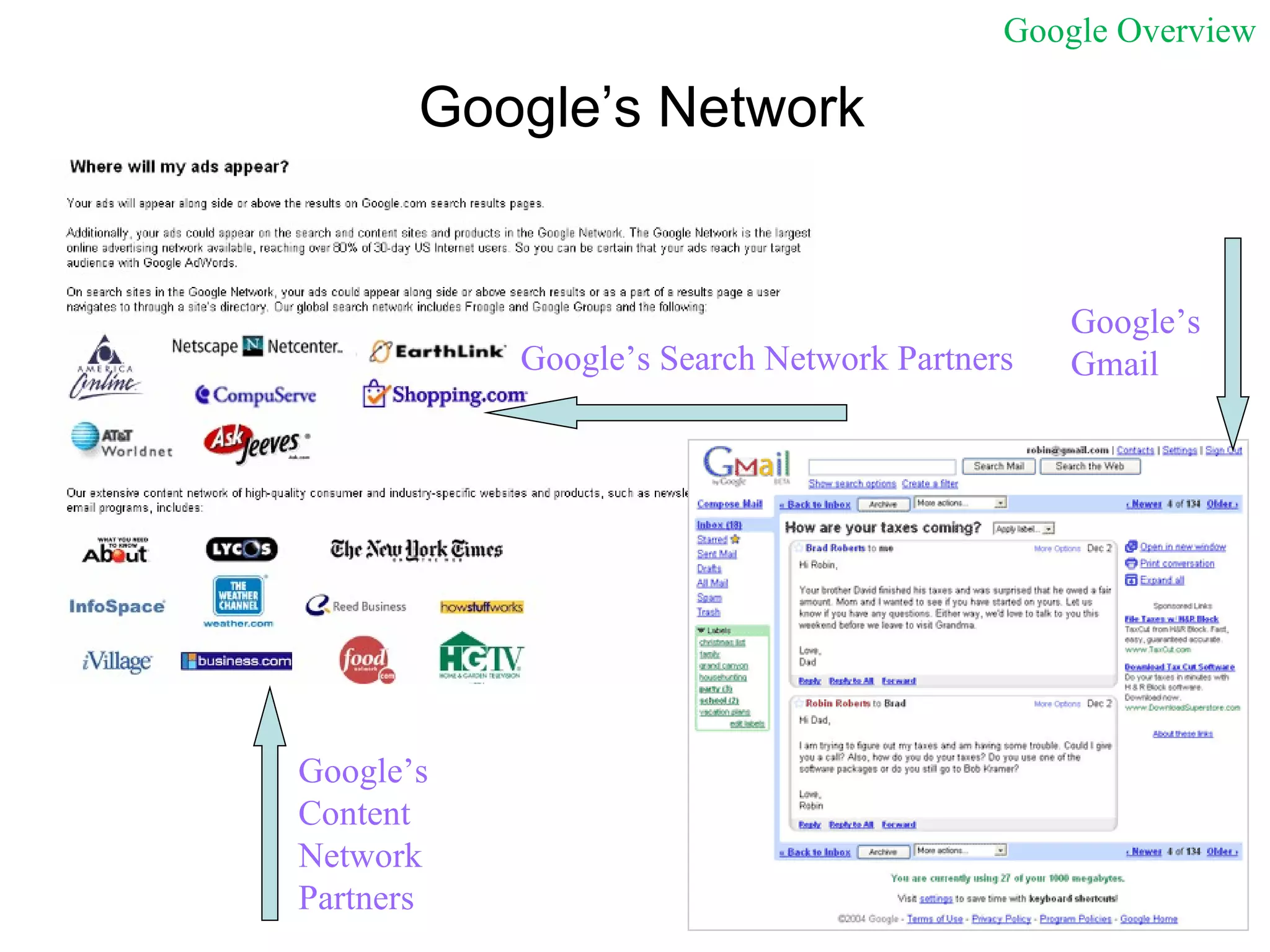
Google’s Network Google’s Search Network Partners Google’s Gmail Google’s  Content Network Partners Google Overview
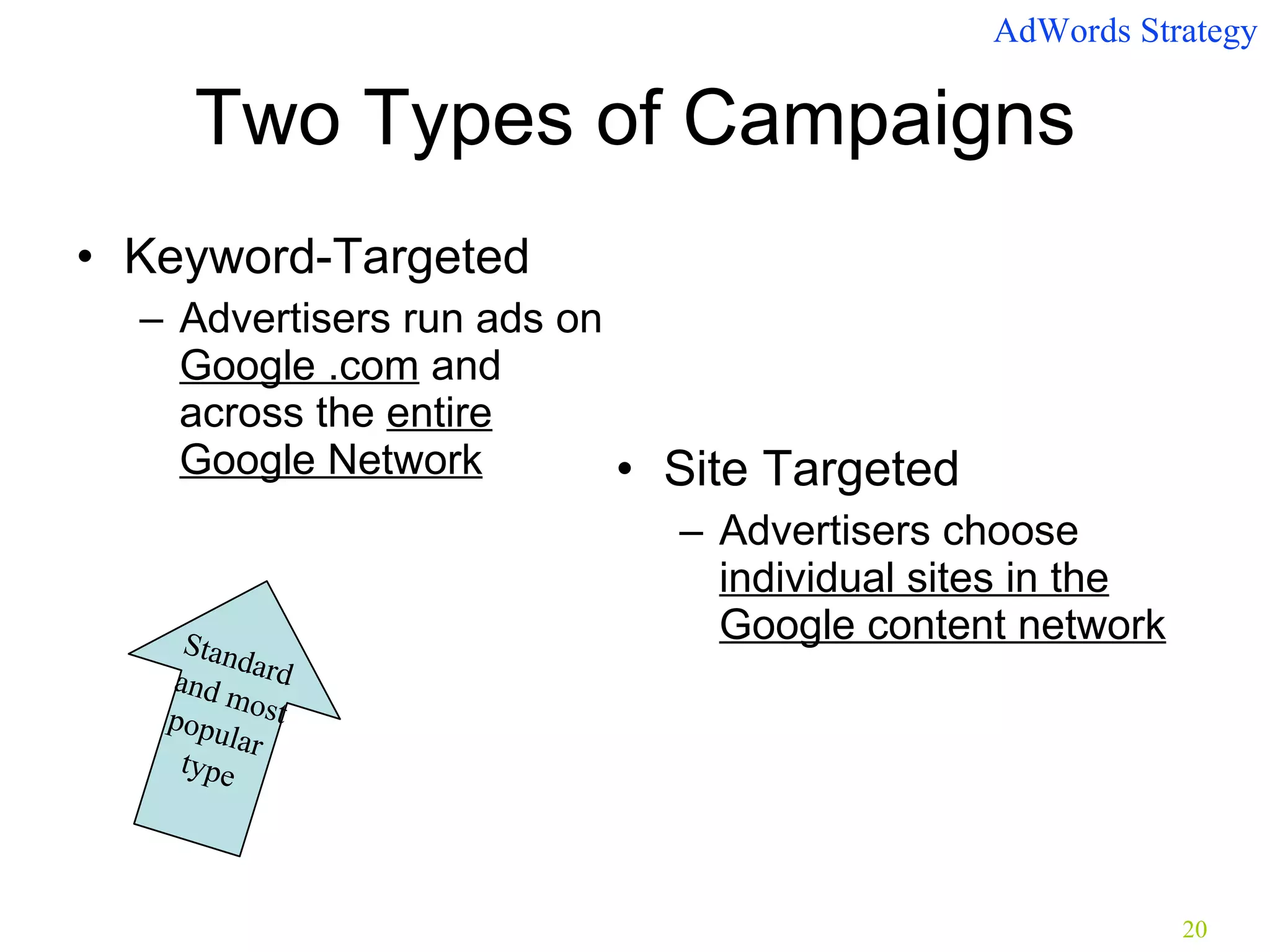
Two Types of Campaigns Keyword-Targeted Advertisers run ads on  Google .com  and across the  entire Google Network Site Targeted Advertisers choose  individual sites in the Google content network AdWords Strategy Standard  and most popular  type
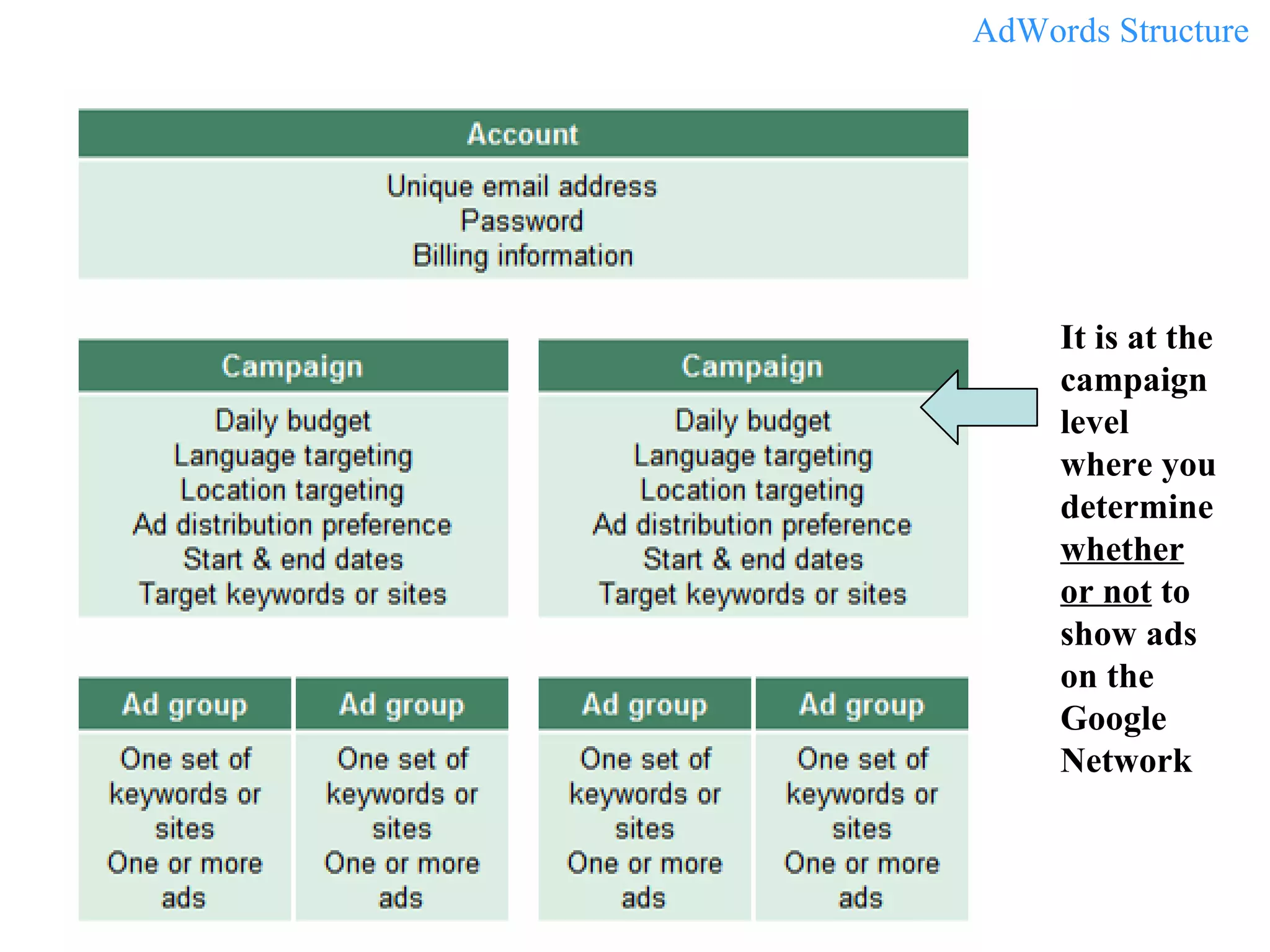
It is at the campaign level where you determine  whether or not  to show ads on the Google Network AdWords Structure
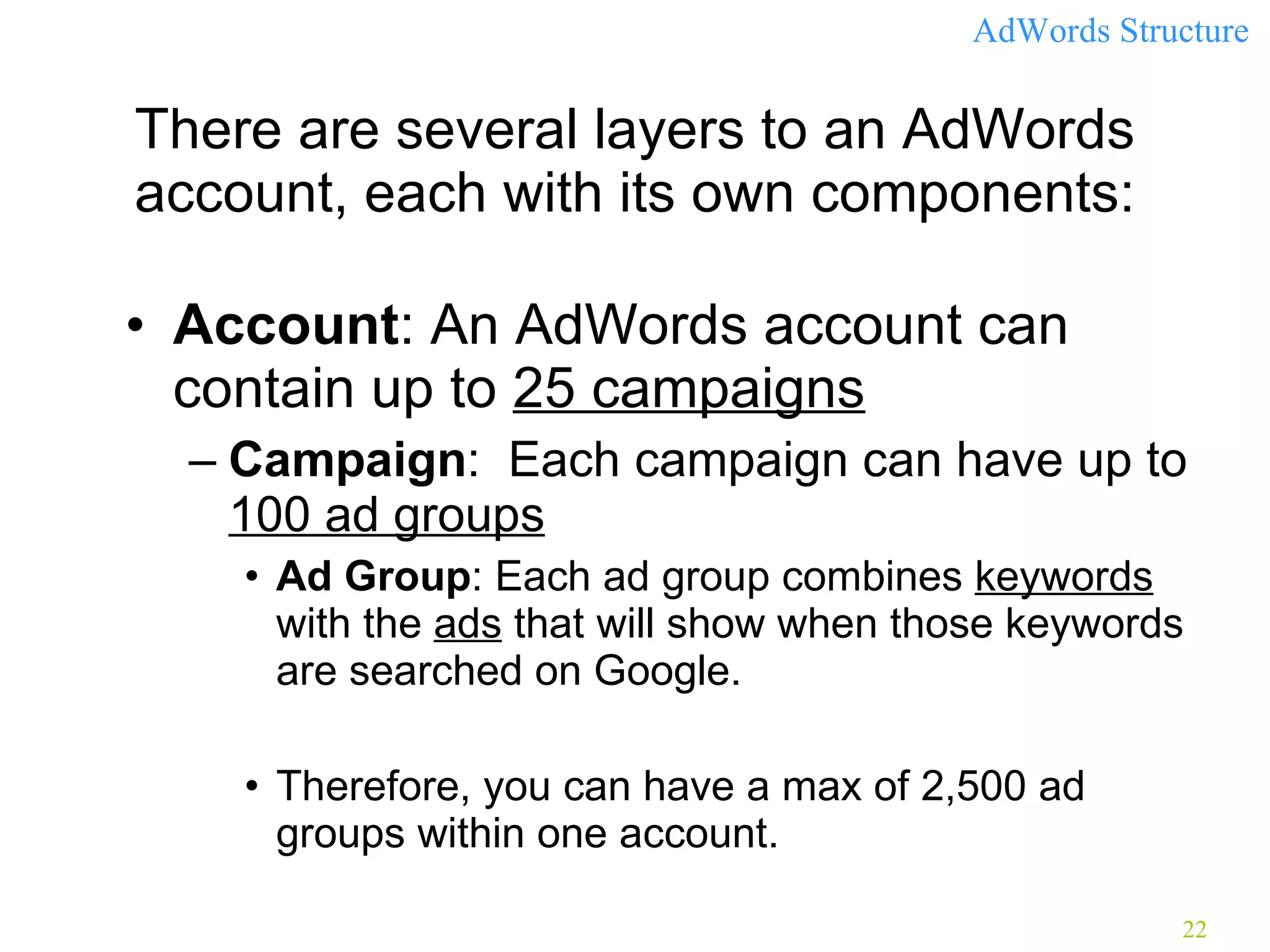
There are several layers to an AdWords account, each with its own components: Account : An AdWords account can contain up to  25 campaigns Campaign :  Each campaign can have up to  100 ad groups   Ad Group : Each ad group combines  keywords  with the  ads  that will show when those keywords are searched on Google.  Therefore, you can have a max of 2,500 ad groups within one account. AdWords Structure
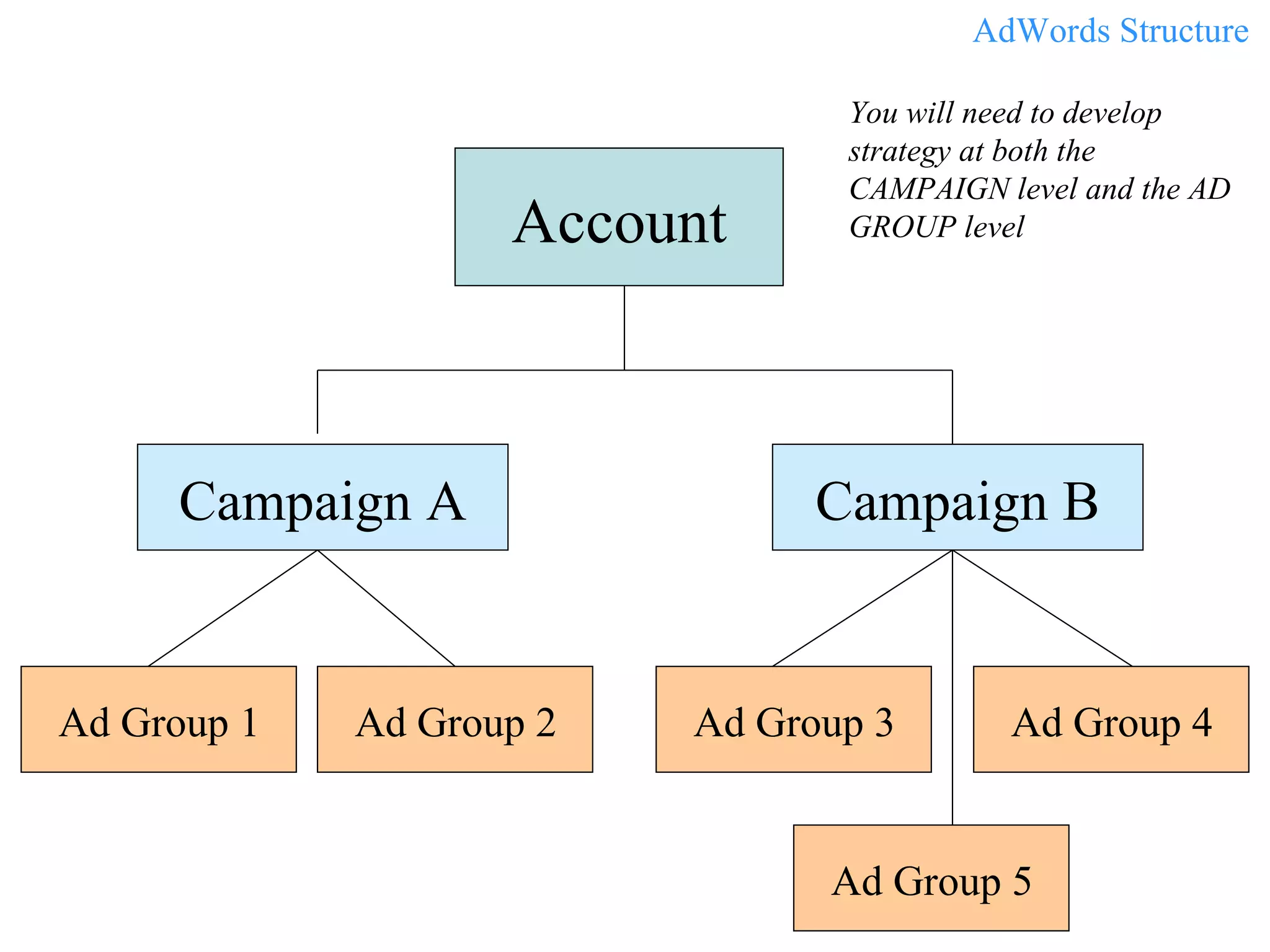
Account Campaign A Campaign B AdWords Structure  You will need to develop strategy at both the CAMPAIGN level and the AD GROUP level Ad Group 1 Ad Group 2 Ad Group 3 Ad Group 4 Ad Group 5
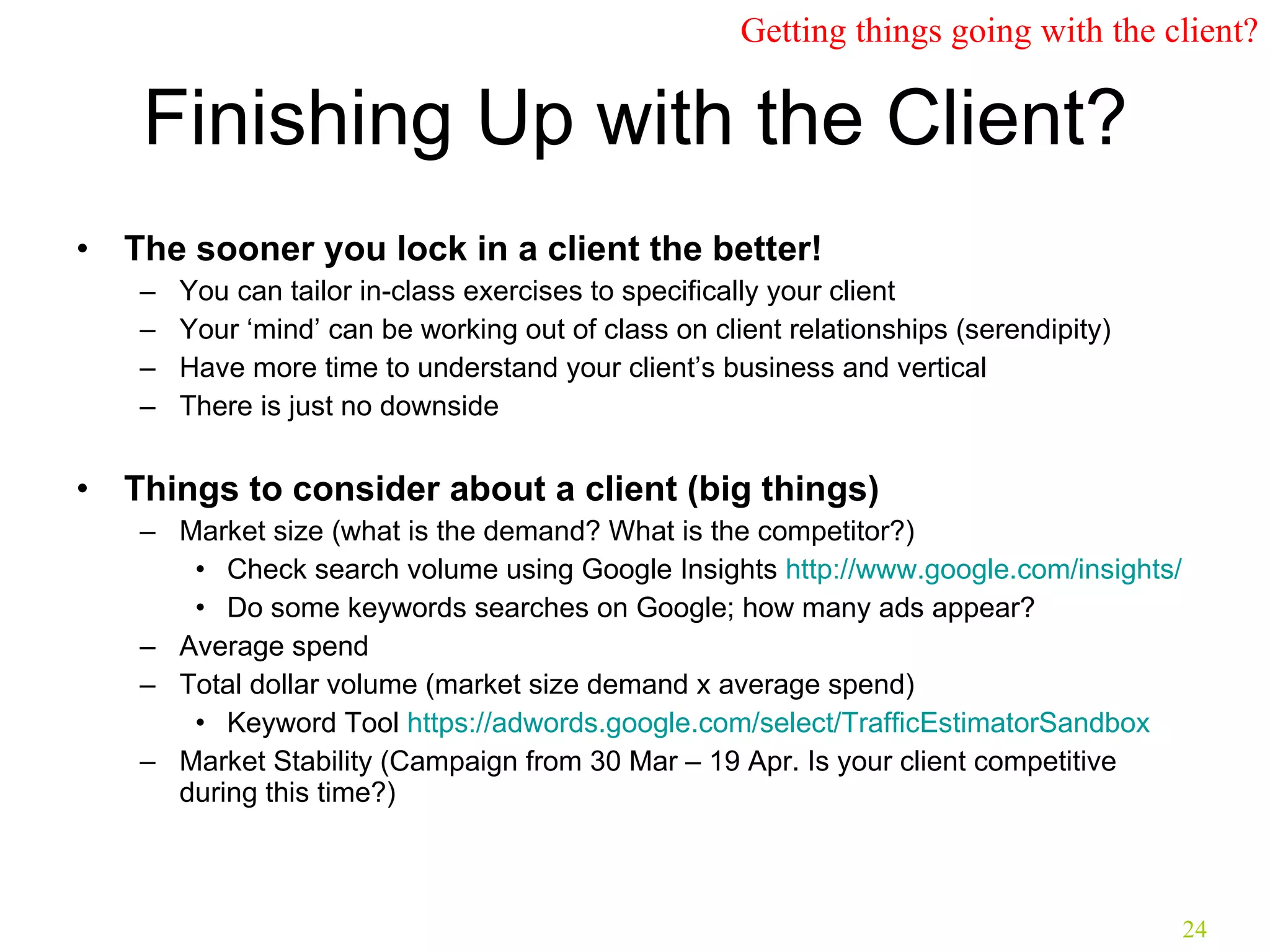
Finishing Up with the Client? The sooner you lock in a client the better!   You can tailor in-class exercises to specifically your client Your ‘mind’ can be working out of class on client relationships (serendipity) Have more time to understand your client’s business and vertical There is just no downside Things to consider about a client (big things) Market size  (what is the demand? What is the competitor?) Check search volume using Google Insights  http://www.google.com/insights/   Do some keywords searches on Google; how many ads appear? Average spend  Total dollar volume (market size demand x average spend) Keyword Tool  https://adwords.google.com/select/TrafficEstimatorSandbox   Market Stability (Campaign from 30 Mar – 19 Apr. Is your client competitive during this time?) Getting things going with the client?
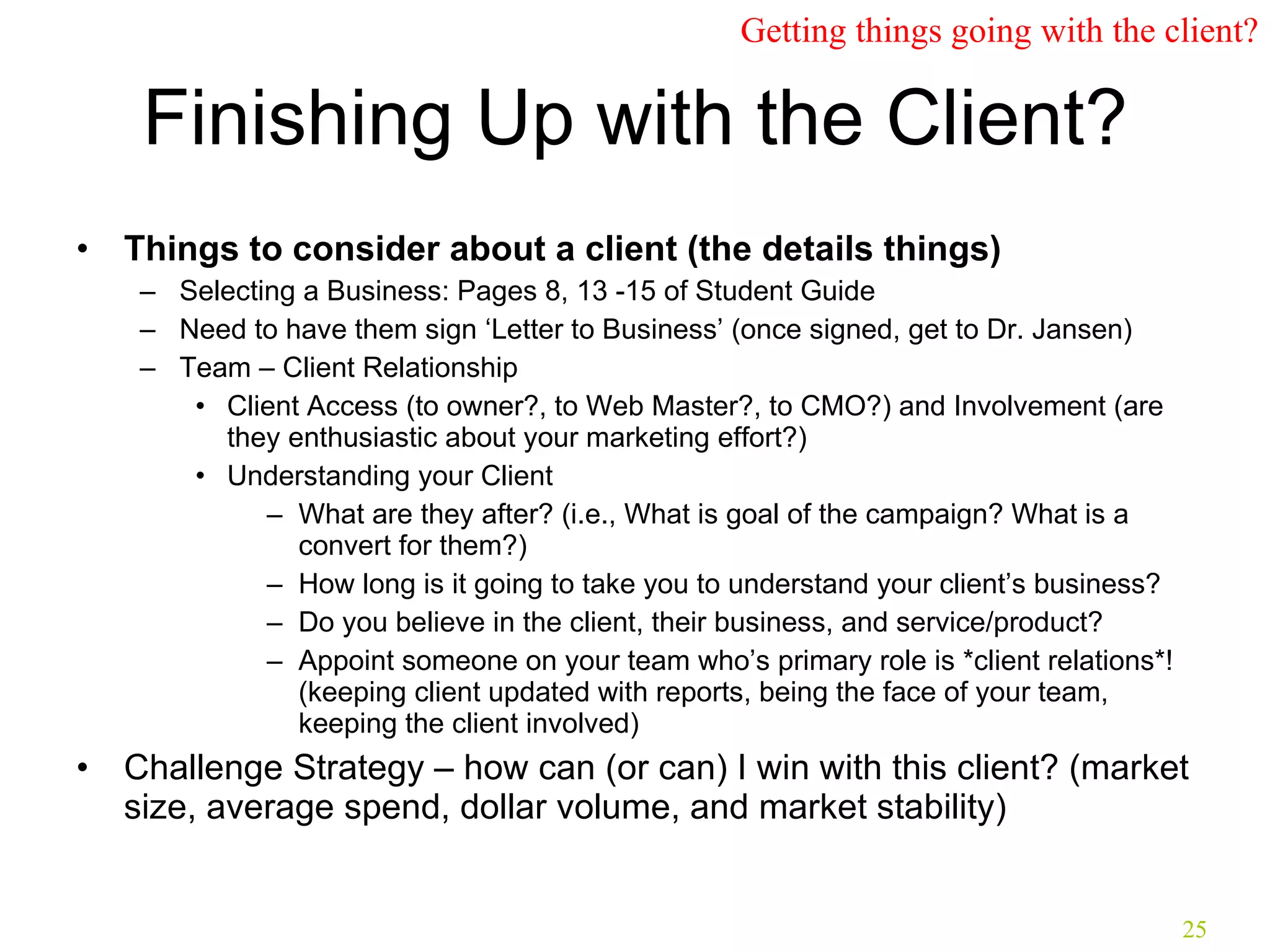
Finishing Up with the Client? Things to consider about a client (the details things) Selecting a Business: Pages 8, 13 -15 of Student Guide Need to have them sign ‘Letter to Business’ (once signed, get to Dr. Jansen) Team – Client Relationship Client Access (to owner?, to Web Master?, to CMO?) and Involvement (are they enthusiastic about your marketing effort?) Understanding your Client What are they after? (i.e., What is goal of the campaign? What is a convert for them?) How long is it going to take you to understand your client’s business? Do you believe in the client, their business, and service/product? Appoint someone on your team who’s primary role is *client relations*! (keeping client updated with reports, being the face of your team, keeping the client involved) Challenge Strategy – how can (or can) I win with this client? (market size, average spend, dollar volume, and market stability) Getting things going with the client?
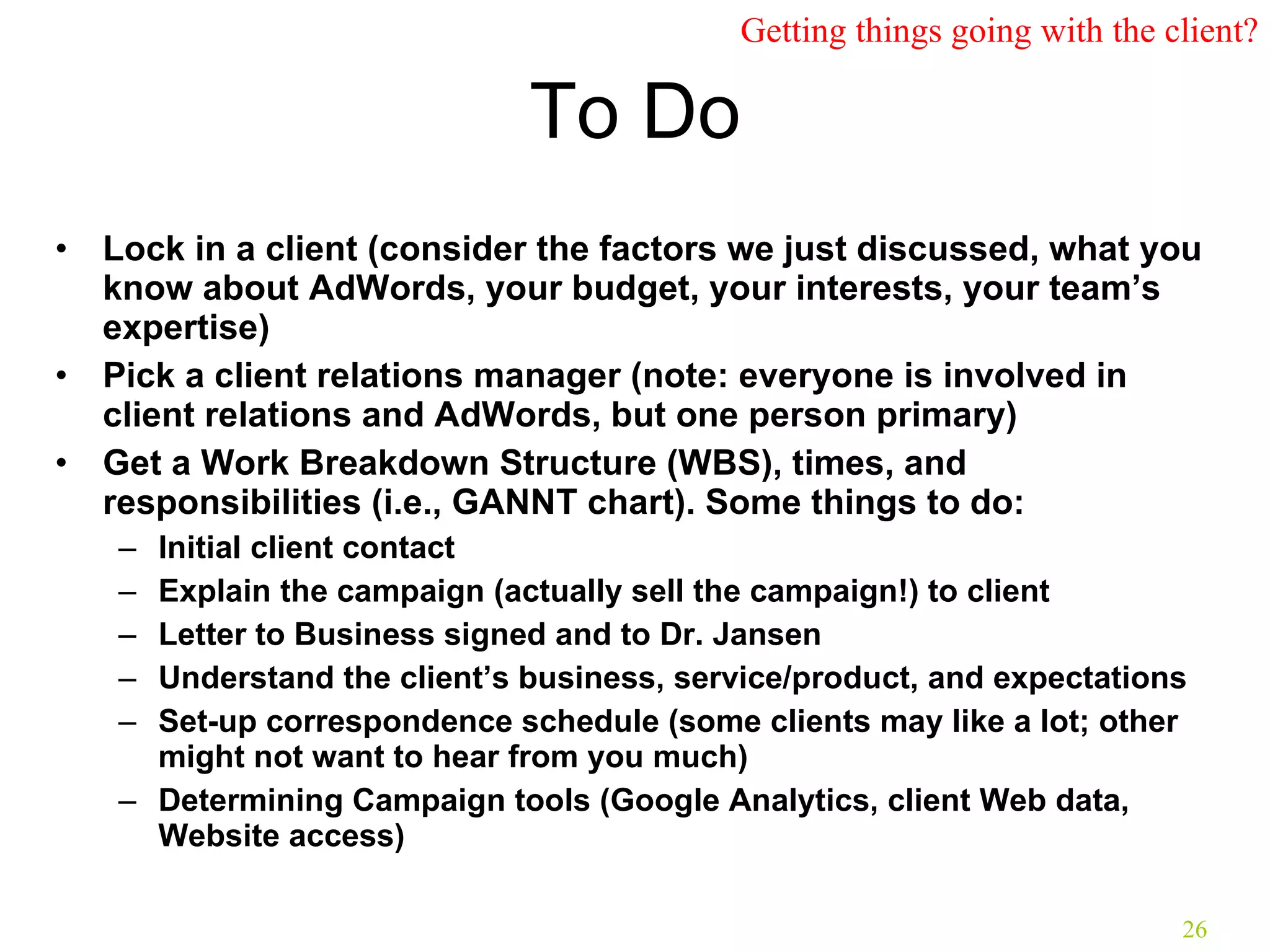
To Do Lock in a client (consider the factors we just discussed, what you know about AdWords, your budget, your interests, your team’s expertise) Pick a client relations manager (note: everyone is involved in client relations and AdWords, but one person primary) Get a Work Breakdown Structure (WBS), times, and responsibilities (i.e., GANNT chart). Some things to do: Initial client contact Explain the campaign (actually sell the campaign!) to client Letter to Business signed and to Dr. Jansen Understand the client’s business, service/product, and expectations Set-up correspondence schedule (some clients may like a lot; other might not want to hear from you much) Determining Campaign tools (Google Analytics, client Web data, Website access) Getting things going with the client?
Thank you! (reminder to do your daily logs) Jim Jansen College of Information Sciences and Technology  The Pennsylvania State University  [email_address]

Lesson_04_ist402_google_adwords_02

  • 1.
    AdWords – theBig Picture and the Details! and Dealing with the Client Jim Jansen College of Information Sciences and Technology The Pennsylvania State University [email_address]
  • 2.
    What is KeywordAdvertising? Keyword Advertising is an advertising medium, typically driven from Search Engines and/or directories. The model typically follows a CPC (cost per click) model, only charging a fee for visitors that reach your website. Sponsored Search ads appear two ways: search placement and content placement. Ads within search placement appear when searchers search for a particular term that you have elected to purchase. Ads appear within the content placement model when relevant content is served from the search engine partner (news sites, industry sites, etc.) Pay Per Click (also known as Pay Per Ranking, Pay Per Placement, Pay Per Position or Cost Per Click) enables you to list your site at the top of search engine results by advertising on keywords that best describe your product or service. What is Keyword Advertising?
  • 3.
    How Does PPCWork? Advertiser creates account. Advertiser chooses keywords that he/she believes searchers will use to try to find his/her type of product/service. Ad will be displayed on the search engine when one of the keywords is searched by a user. Pricing is based on each keyword. Advertisers bid to have higher ad placement based on a keyword. Advertisers only pay the search engine when an ad is clicked on. What is Keyword Advertising?
  • 4.
    Who Offers SponsoredSearch? Google AdWords https:// adwords.google.com /select/ Easy to manage High cost per click Yahoo Sponsored Search http:// searchmarketing.yahoo.com / Can be a little more taxing to manage. High cost per click Paid (PPC, Sponsored) What is sponsored search?
  • 5.
    3. MSNSearch Advertising http:// advertising.microsoft.com /search-advertising Don’t count them out! Tends to have low cost per click What is sponsored search?
  • 6.
    Great Readings forGetting Started with Paid Search Google AdWords Tips for Beginners (short, good articles) http:// www.squidoo.com/google_adwords_guide_beginners_tips Google Adwords Setup Guide for Beginners http:// www.youtube.com/watch?v =4EvusC9MDnw (9.min) Bruceclay.com provides an excellent PPC Methodology ( not just limited to Google ) available at http:// www.bruceclay.com/web_ppc.htm
  • 7.
    https:// adwords.google.com /The first step in creating a new AdWords account is to choose between Starter Edition and Standard Edition . Creating a Google AdWords Account
  • 8.
    Next, select yourtarget market(s). With AdWords targeting your audience by location is easily available Creating a Google AdWords Account Pennsylvania State College PA Area State College
  • 9.
    You will thenbe assisted with writing your advertisement Creating a Google AdWords Account
  • 10.
    Next choose thekeywords that you’d like Google to use as a trigger to display your advertisements For example if you had a web site selling luxury cruises to Mars, Google gives some examples that might be a good choice Creating a Google AdWords Account
  • 11.
    The next importantstep is setting the budget AdWords offers preset limits, but you may also input any value you’d like It may warn you about your budget not being sufficient, but even $5 will get you started Google will not charge you more than you have allocated Creating a Google AdWords Account
  • 12.
    One of thesettings you can change is Google’s default Bidding Setting using the Budget Optimizer Google will automatically charge the cost-per-click (CPC) that is necessary to optimize your ranking If you’re not willing to gamble on what that cost may be, you should set the maximum CPC using the Budget Setting Creating a Google AdWords Account
  • 13.
    After you havecompleted the creation of the advertisement, and you have set the budget, you can complete the sign up for an account Contact information Method of payment From there Google offers many options to help manage your advertising campaign Creating a Google AdWords Account
  • 14.
    For more optionalinformation visit AdWords Demos and Guides https:// adwords.google.com/select/library/index.html Creating a Google AdWords Account
  • 15.
    AdWords Versus AdSenseGoogle Overview
  • 16.
    Take a quick (10 screen) AdSense Tour at http:// www.google.com/services/adsense_tour/index.html Google Overview
  • 17.
    Reasons to UseGoogle AdWords for Sponsored Search TARGETING/REACH – Strong ability to reach people who may be looking for your product or service. Engage potential customers at precisely the right moment — when users are actively searching for information (keywords or content) related to your business. Expanded network - AdWords not only displays on the main Google.com home page but also on partner networks such as Aol.com and Ask.com Local and regional targeting - Set your ads to appear only to people searching in a particular state, city, or region. It is easy to target online customers within 25 miles of your front door. Local business ads - Get noticed on Google Maps. People searching for information related to your business will see your location, contact information, and an image of your choosing highlighted on a map of your area. BUDGETING - Fully control your ad budget You can choose to pay for ad clicks (CPC) or for impressions (CPM). Because you can choose your own CPC or CPM amounts, you decide how much to pay each time someone clicks or views your ad. There's no minimum spending limit. In addition, you can set a maximum daily spend (daily budget) that the AdWords system won't exceed. You can edit your budget settings at any time. 3. FLEXIBILITY/CONTROL : You can edit an existing ad, then see your updates within 15 minutes. You can edit your account at any time, as often as you like. AdWords is available 24 hours a day, 7 days a week. Ads start running for the first time almost immediately after you activate your account with your credit card or direct debit information. Google Overview
  • 18.
    Where do Appear? As a Google AdWords Customer, you can choose for your keyword-targeted ads to appear on: a) Google Search Network (alongside or above the search results), and/or b) Google Content Network (content sites and on other products and blogs) The Google Network is the largest ad network available online, reaching nearly 80% of US Internet users. Google Overview
  • 19.
    Google’s Network Google’sSearch Network Partners Google’s Gmail Google’s Content Network Partners Google Overview
  • 20.
    Two Types ofCampaigns Keyword-Targeted Advertisers run ads on Google .com and across the entire Google Network Site Targeted Advertisers choose individual sites in the Google content network AdWords Strategy Standard and most popular type
  • 21.
    It is atthe campaign level where you determine whether or not to show ads on the Google Network AdWords Structure
  • 22.
    There are severallayers to an AdWords account, each with its own components: Account : An AdWords account can contain up to 25 campaigns Campaign : Each campaign can have up to 100 ad groups Ad Group : Each ad group combines keywords with the ads that will show when those keywords are searched on Google. Therefore, you can have a max of 2,500 ad groups within one account. AdWords Structure
  • 23.
    Account Campaign ACampaign B AdWords Structure You will need to develop strategy at both the CAMPAIGN level and the AD GROUP level Ad Group 1 Ad Group 2 Ad Group 3 Ad Group 4 Ad Group 5
  • 24.
    Finishing Up withthe Client? The sooner you lock in a client the better! You can tailor in-class exercises to specifically your client Your ‘mind’ can be working out of class on client relationships (serendipity) Have more time to understand your client’s business and vertical There is just no downside Things to consider about a client (big things) Market size (what is the demand? What is the competitor?) Check search volume using Google Insights http://www.google.com/insights/ Do some keywords searches on Google; how many ads appear? Average spend Total dollar volume (market size demand x average spend) Keyword Tool https://adwords.google.com/select/TrafficEstimatorSandbox Market Stability (Campaign from 30 Mar – 19 Apr. Is your client competitive during this time?) Getting things going with the client?
  • 25.
    Finishing Up withthe Client? Things to consider about a client (the details things) Selecting a Business: Pages 8, 13 -15 of Student Guide Need to have them sign ‘Letter to Business’ (once signed, get to Dr. Jansen) Team – Client Relationship Client Access (to owner?, to Web Master?, to CMO?) and Involvement (are they enthusiastic about your marketing effort?) Understanding your Client What are they after? (i.e., What is goal of the campaign? What is a convert for them?) How long is it going to take you to understand your client’s business? Do you believe in the client, their business, and service/product? Appoint someone on your team who’s primary role is *client relations*! (keeping client updated with reports, being the face of your team, keeping the client involved) Challenge Strategy – how can (or can) I win with this client? (market size, average spend, dollar volume, and market stability) Getting things going with the client?
  • 26.
    To Do Lockin a client (consider the factors we just discussed, what you know about AdWords, your budget, your interests, your team’s expertise) Pick a client relations manager (note: everyone is involved in client relations and AdWords, but one person primary) Get a Work Breakdown Structure (WBS), times, and responsibilities (i.e., GANNT chart). Some things to do: Initial client contact Explain the campaign (actually sell the campaign!) to client Letter to Business signed and to Dr. Jansen Understand the client’s business, service/product, and expectations Set-up correspondence schedule (some clients may like a lot; other might not want to hear from you much) Determining Campaign tools (Google Analytics, client Web data, Website access) Getting things going with the client?
  • 27.
    Thank you! (reminderto do your daily logs) Jim Jansen College of Information Sciences and Technology The Pennsylvania State University [email_address]