
By Neha Nayak
By Neha. Nayak
Outline of the Presentation
• Why Choose Google Adwords rather why do digitally
• What is Google Adwords and its features
• Understanding terms involved in Google Adwords
• How to Create an account in Google Adwords followed by a
Campaign-Ad Group-Ad
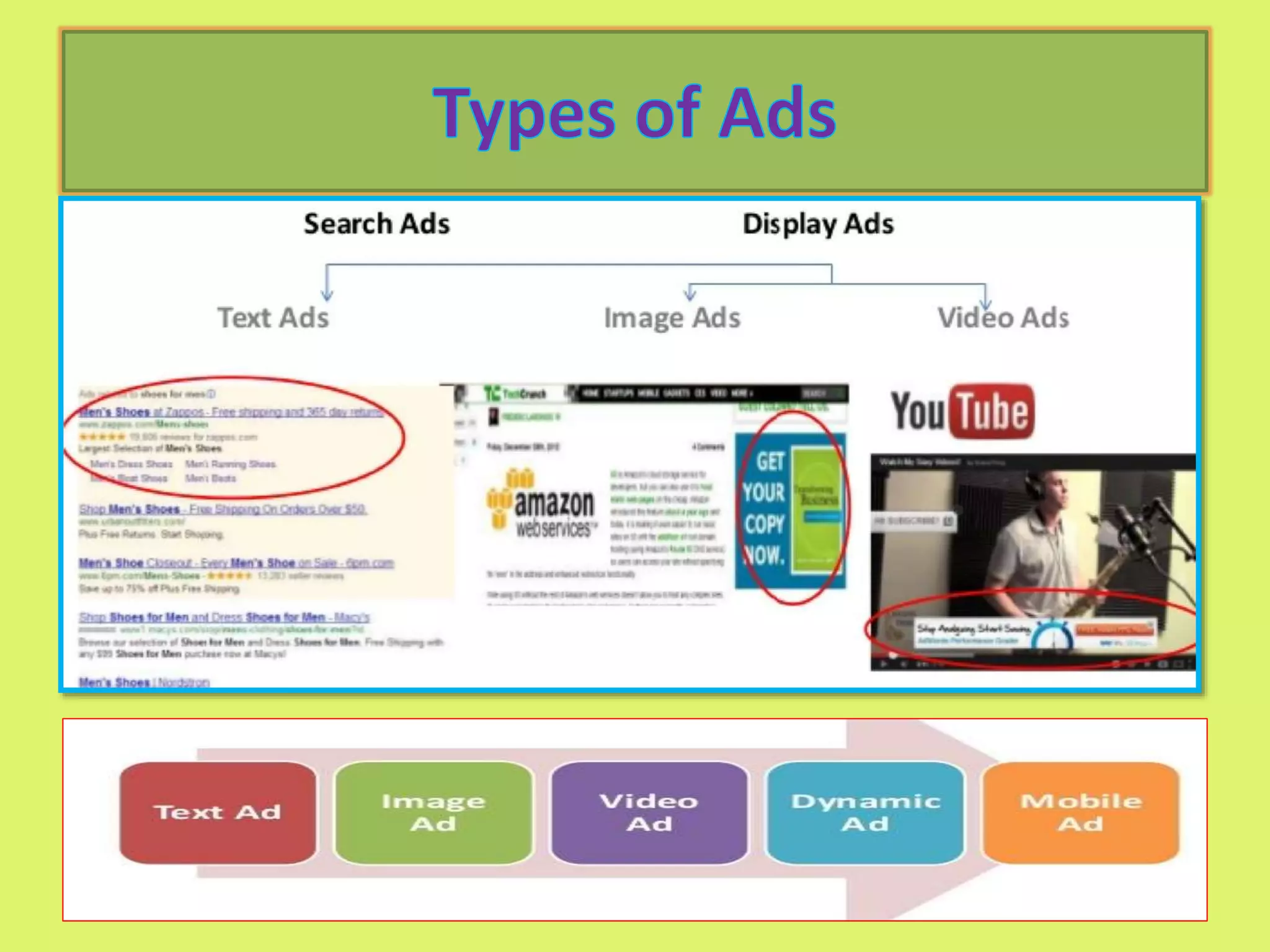
• Types of Ads
• Types of Keywords
• Types of Bidding Strategies and understanding when to use
which
• How to link adwords to google analytic and its importance
• How to track conversion of your ad
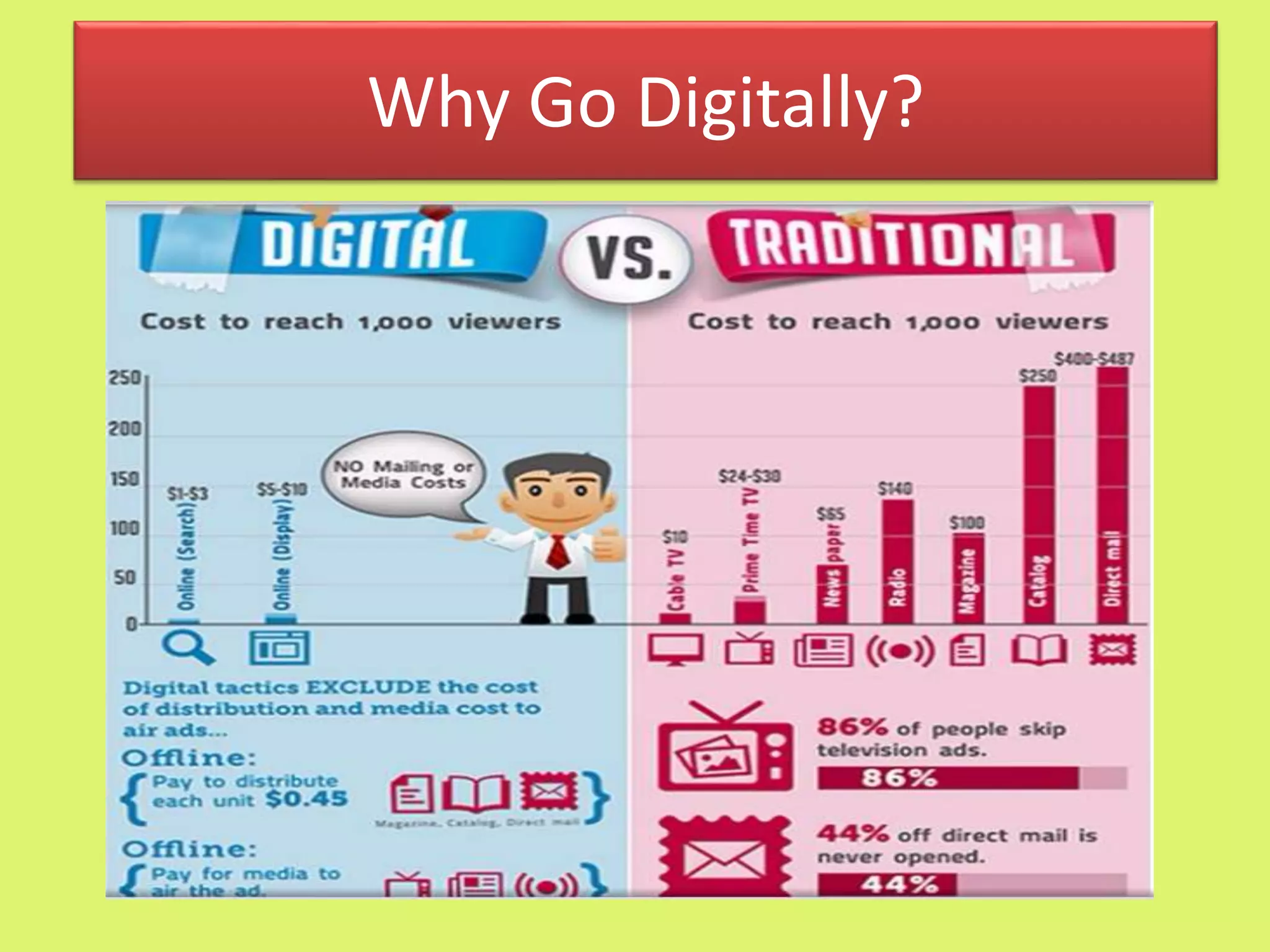
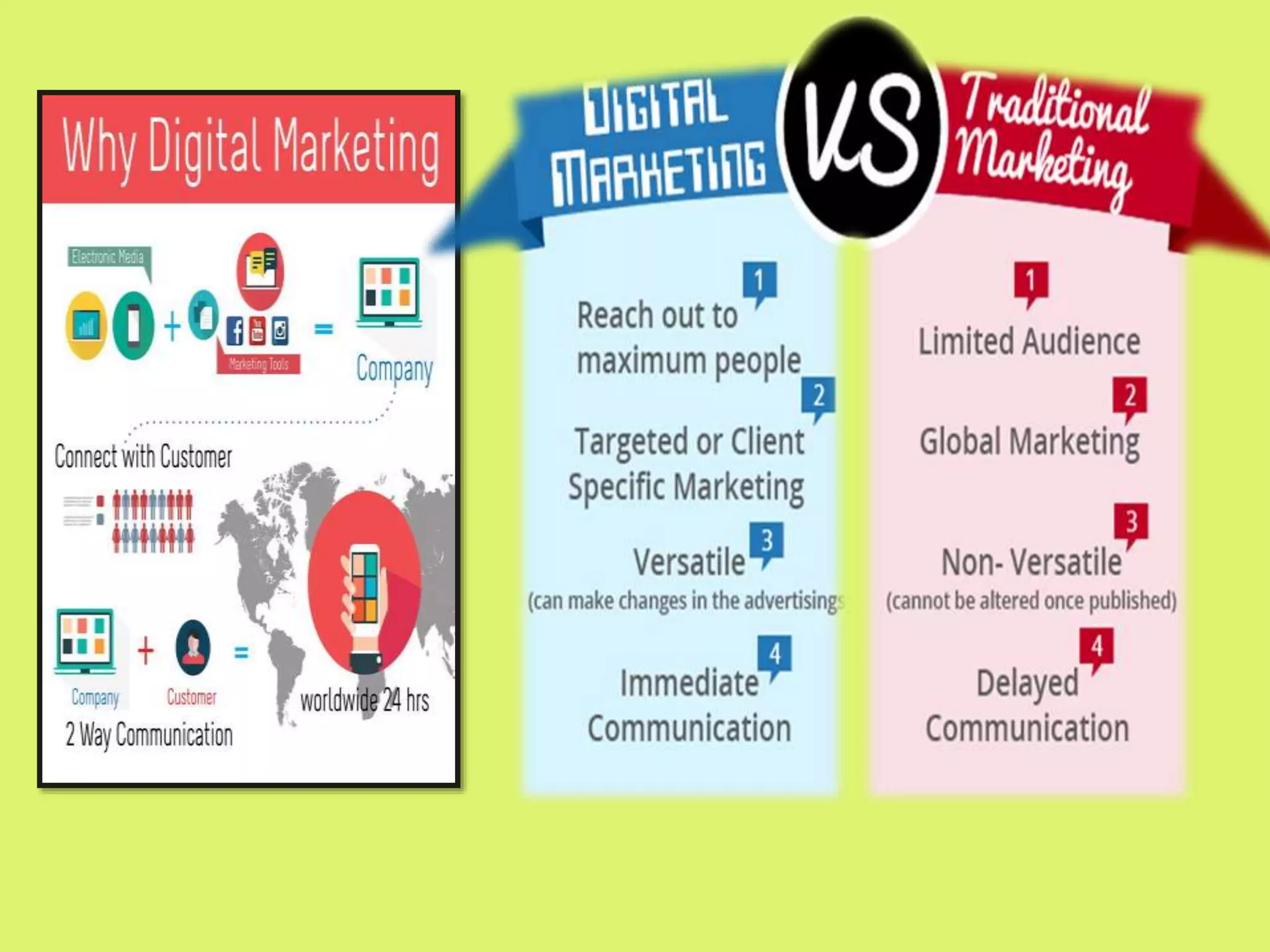
Why Go Digitally?
 Google Adwords is an online advertising service or
platform by google for businesses or brands who want to
display ads on google and its advertising network.
 Whenever someone searches anything on the search
engine, this program help to grab the attention of the
viewers by appearing directly on the first page of the
Search Engine Results Page(SERP) based on a bidding
system.
 In Short, It is a system in which advertisers bid against
their desired keywords in an intention to bring their ads
on the search engine results page
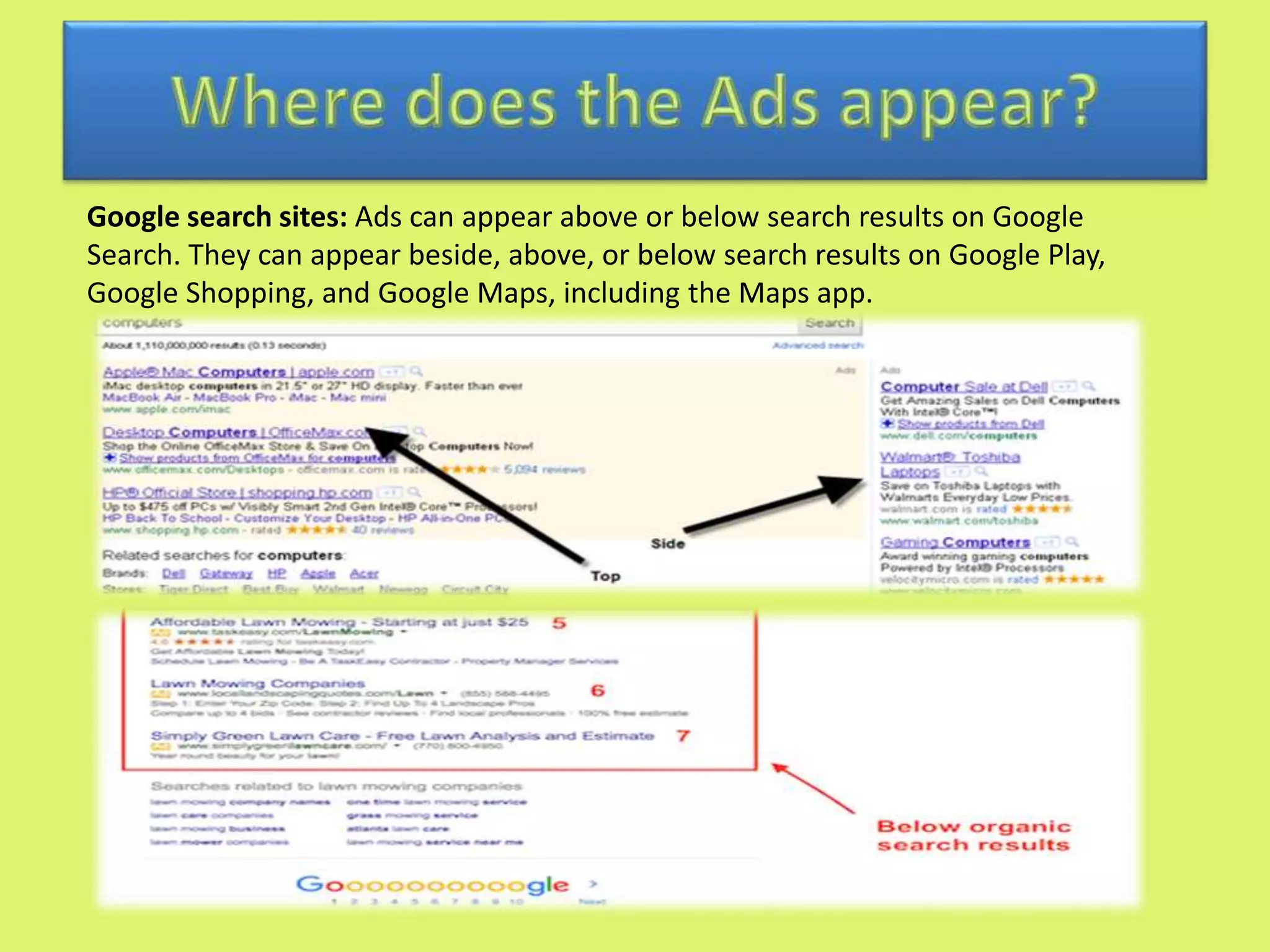
Google search sites: Ads can appear above or below search results on Google
Search. They can appear beside, above, or below search results on Google Play,
Google Shopping, and Google Maps, including the Maps app.
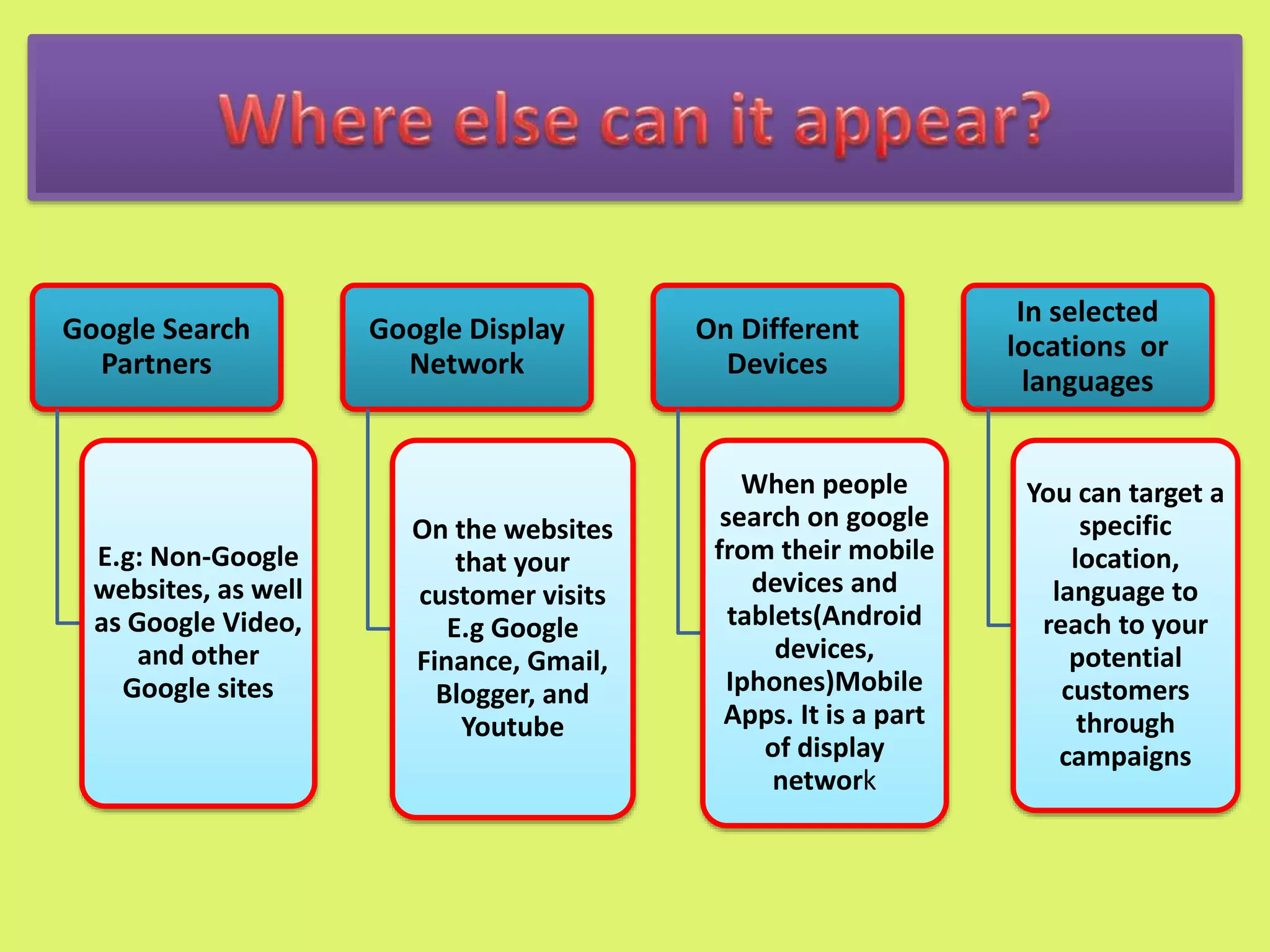
Google Search
Partners
E.g: Non-Google
websites, as well
as Google Video,
and other
Google sites
Google Display
Network
On the websites
that your
customer visits
E.g Google
Finance, Gmail,
Blogger, and
Youtube
On Different
Devices
When people
search on google
from their mobile
devices and
tablets(Android
devices,
Iphones)Mobile
Apps. It is a part
of display
network
In selected
locations or
languages
You can target a
specific
location,
language to
reach to your
potential
customers
through
campaigns
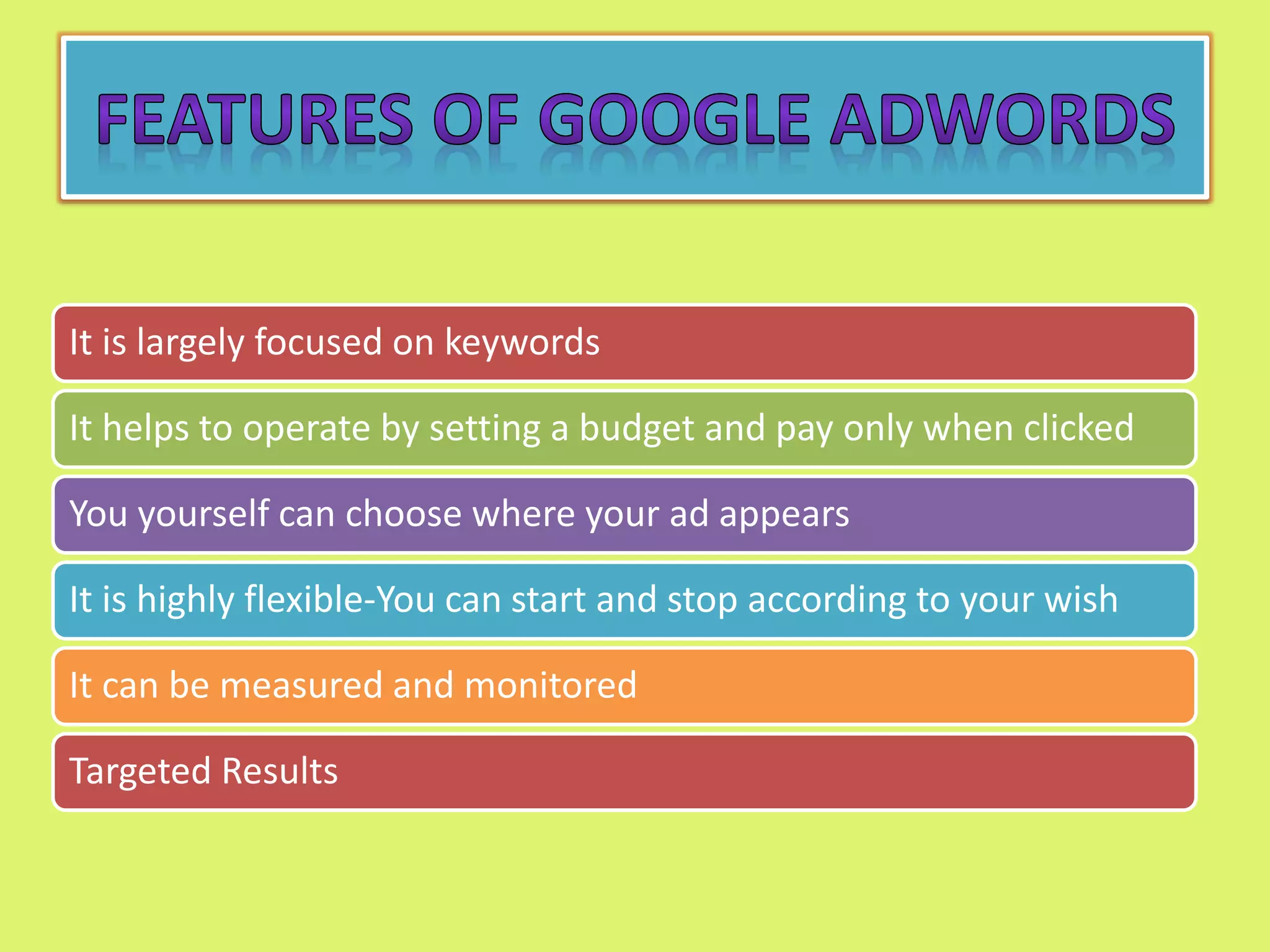
It is largely focused on keywords
It helps to operate by setting a budget and pay only when clicked
You yourself can choose where your ad appears
It is highly flexible-You can start and stop according to your wish
It can be measured and monitored
Targeted Results
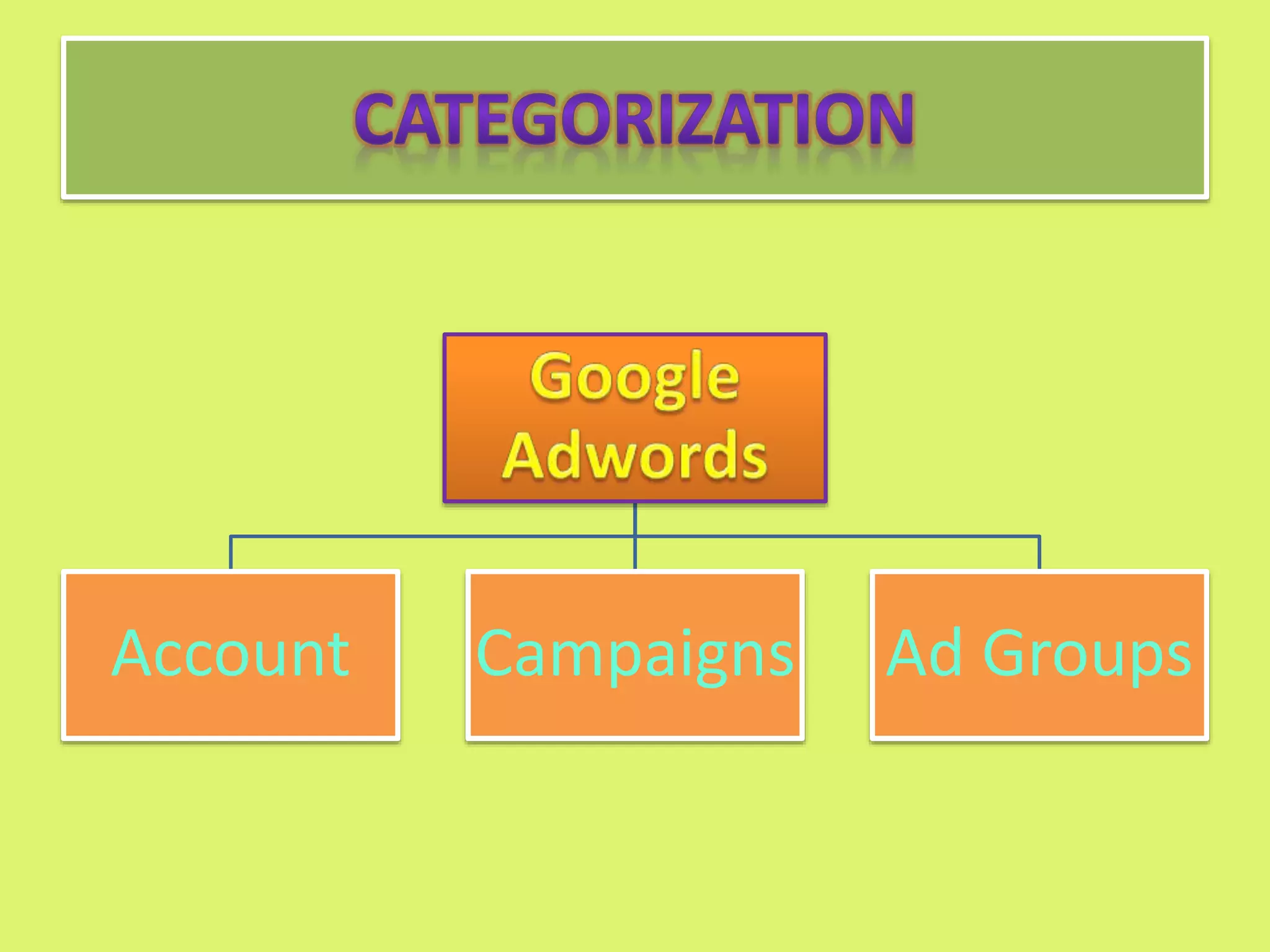
Account Campaigns Ad Groups
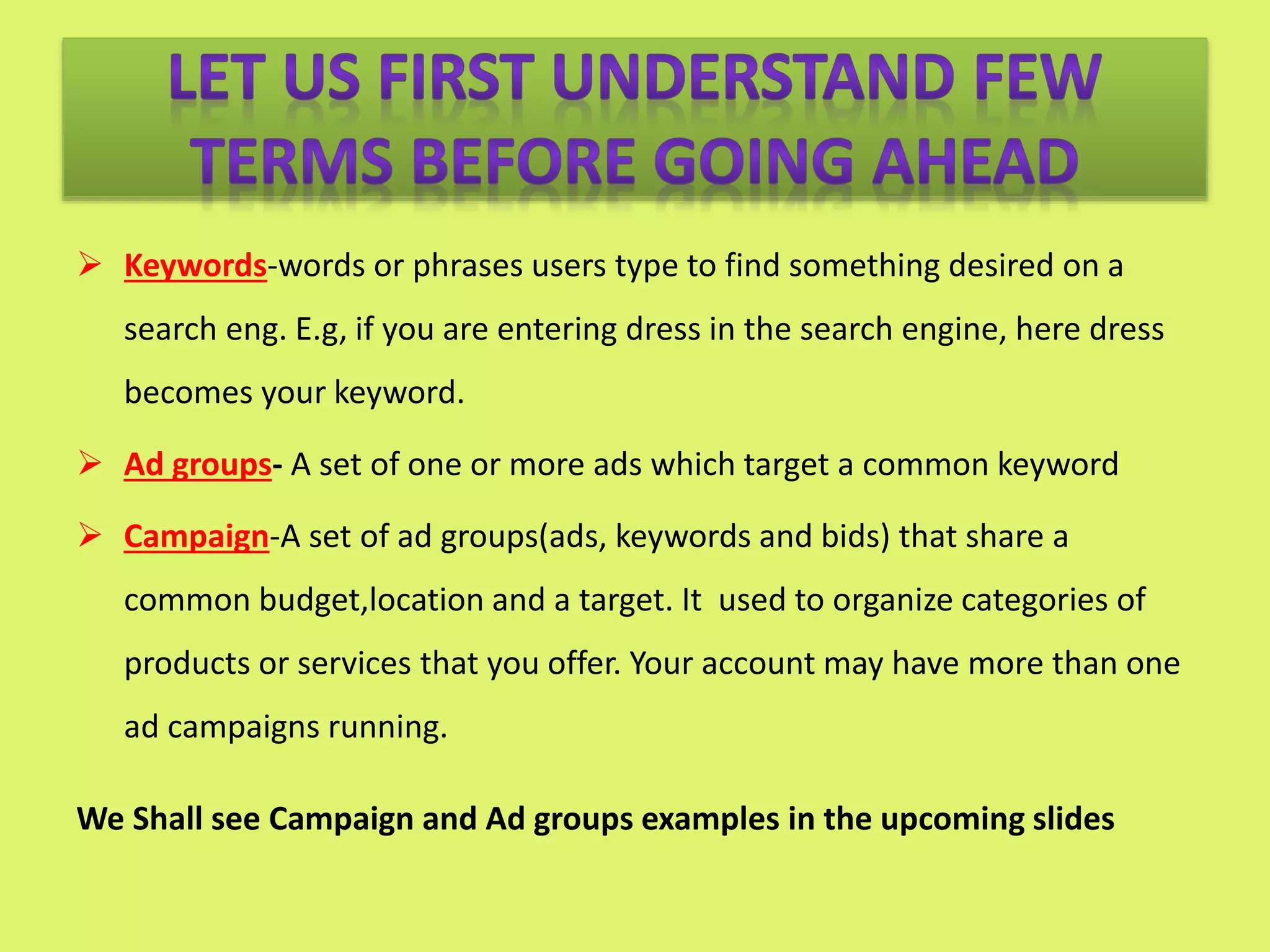
 Keywords-words or phrases users type to find something desired on a
search eng. E.g, if you are entering dress in the search engine, here dress
becomes your keyword.
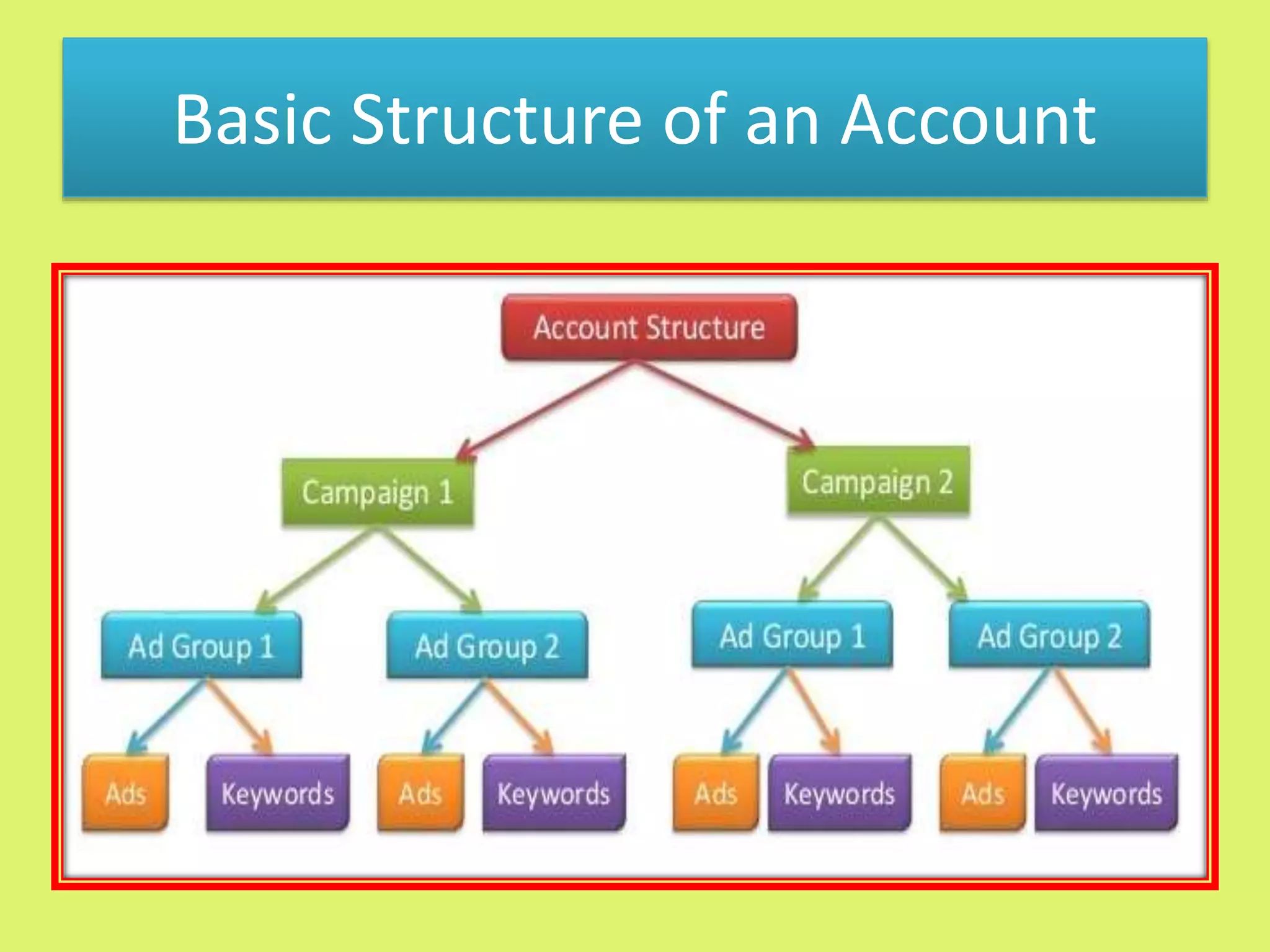
 Ad groups- A set of one or more ads which target a common keyword
 Campaign-A set of ad groups(ads, keywords and bids) that share a
common budget,location and a target. It used to organize categories of
products or services that you offer. Your account may have more than one
ad campaigns running.
We Shall see Campaign and Ad groups examples in the upcoming slides
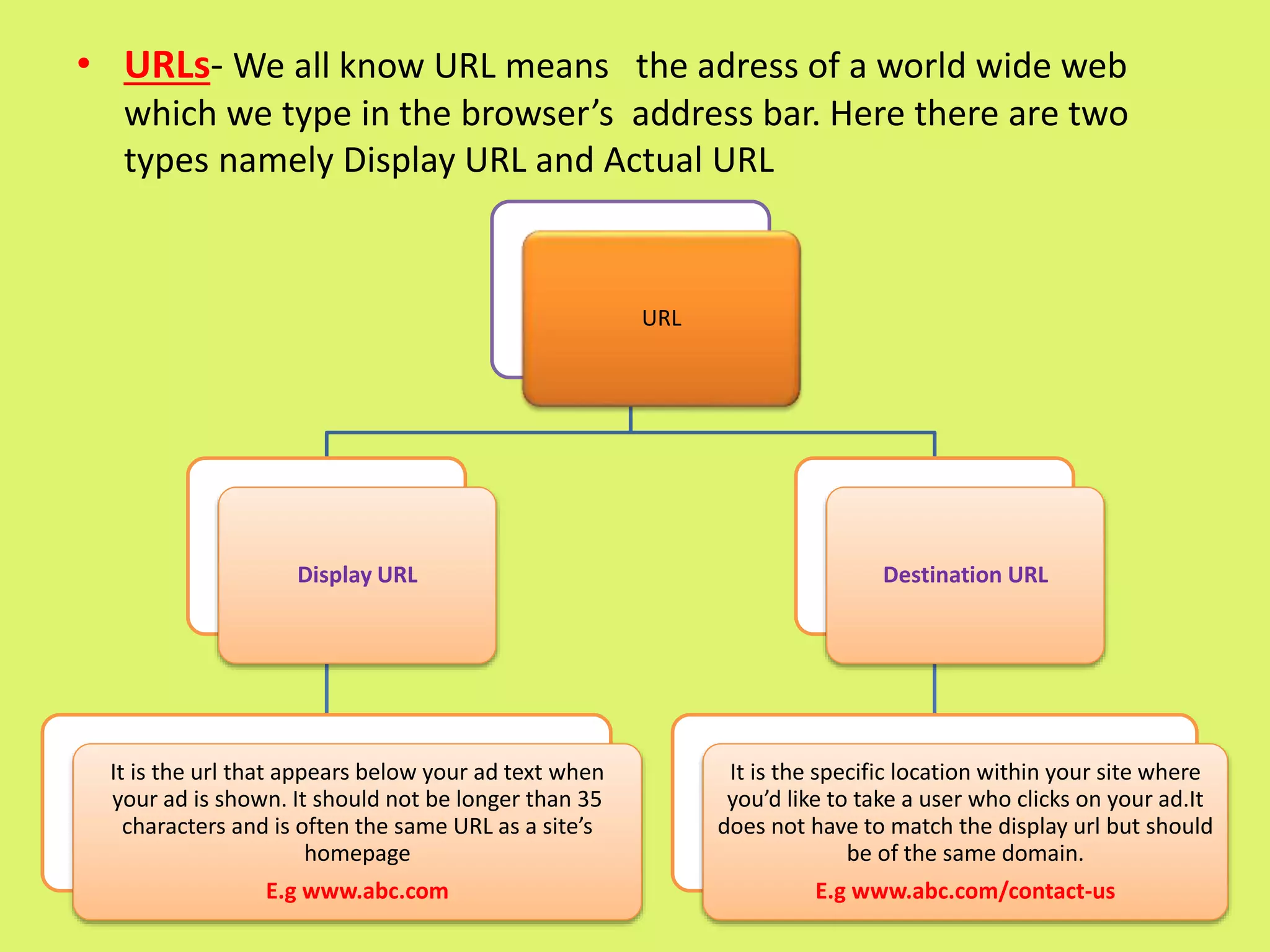
• URLs- We all know URL means the adress of a world wide web
which we type in the browser’s address bar. Here there are two
types namely Display URL and Actual URL
URL
Display URL
It is the url that appears below your ad text when
your ad is shown. It should not be longer than 35
characters and is often the same URL as a site’s
homepage
E.g www.abc.com
Destination URL
It is the specific location within your site where
you’d like to take a user who clicks on your ad.It
does not have to match the display url but should
be of the same domain.
E.g www.abc.com/contact-us
Basic Structure of an Account
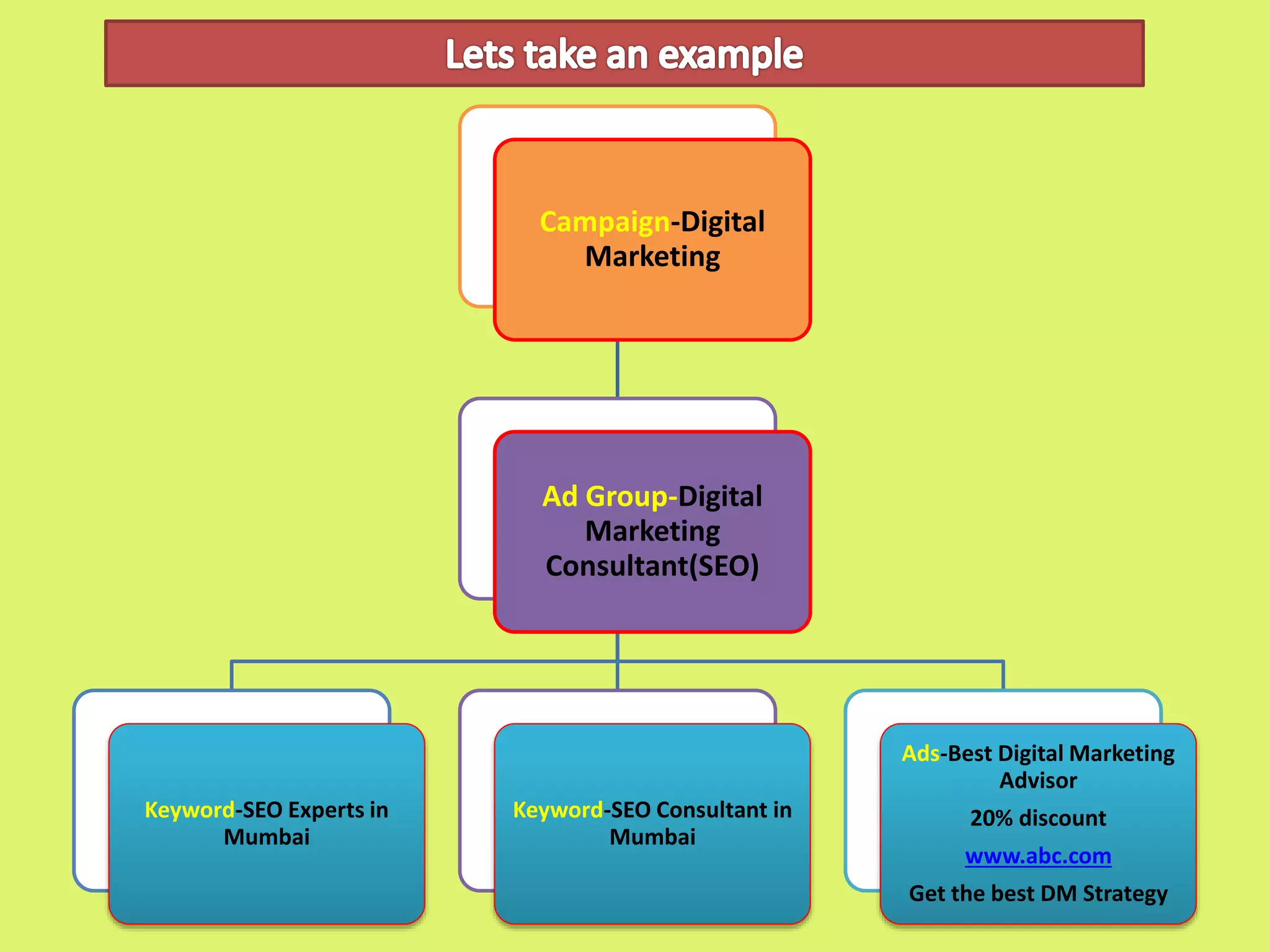
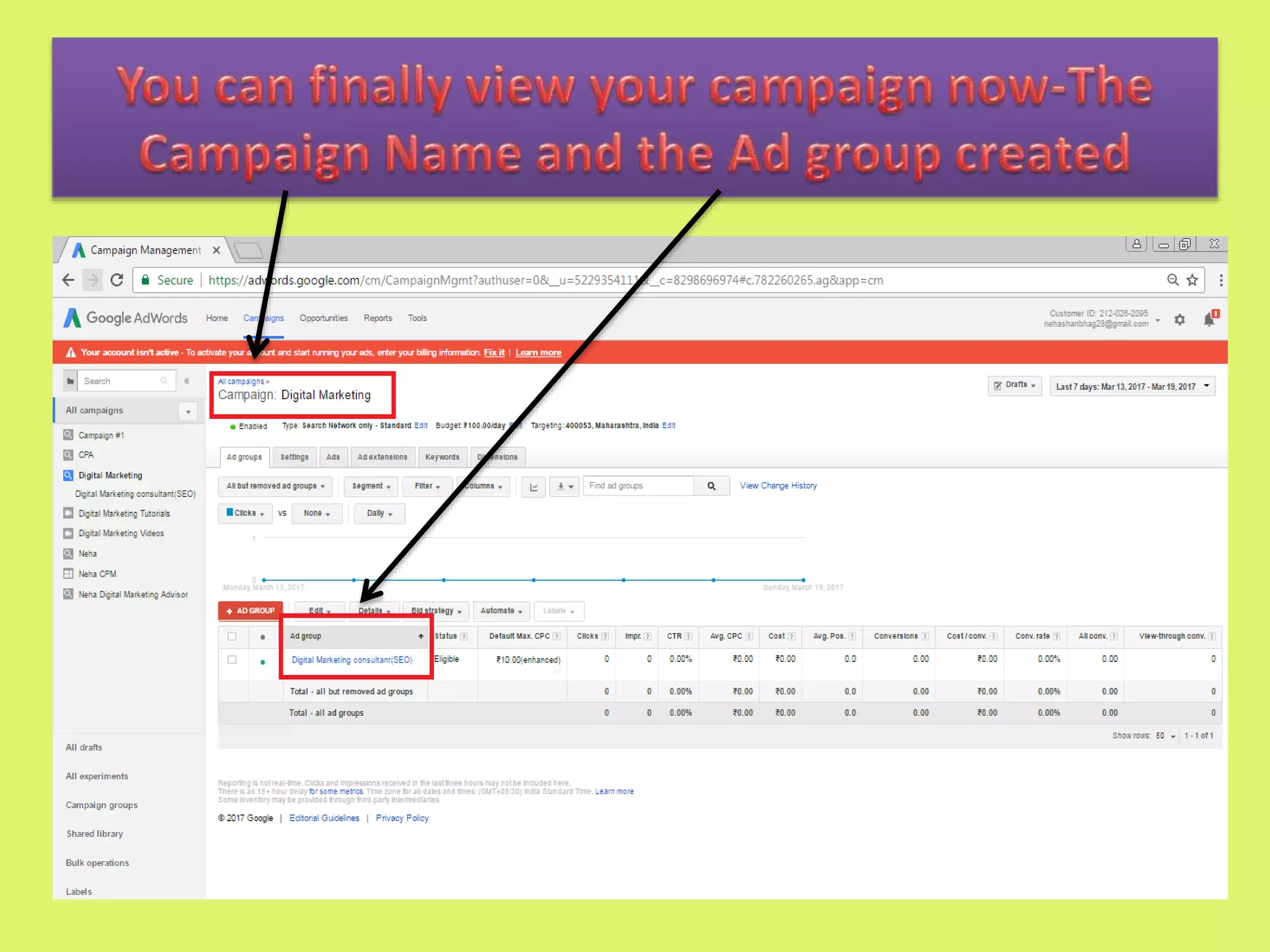
Campaign-Digital
Marketing
Ad Group-Digital
Marketing
Consultant(SEO)
Keyword-SEO Experts in
Mumbai
Keyword-SEO Consultant in
Mumbai
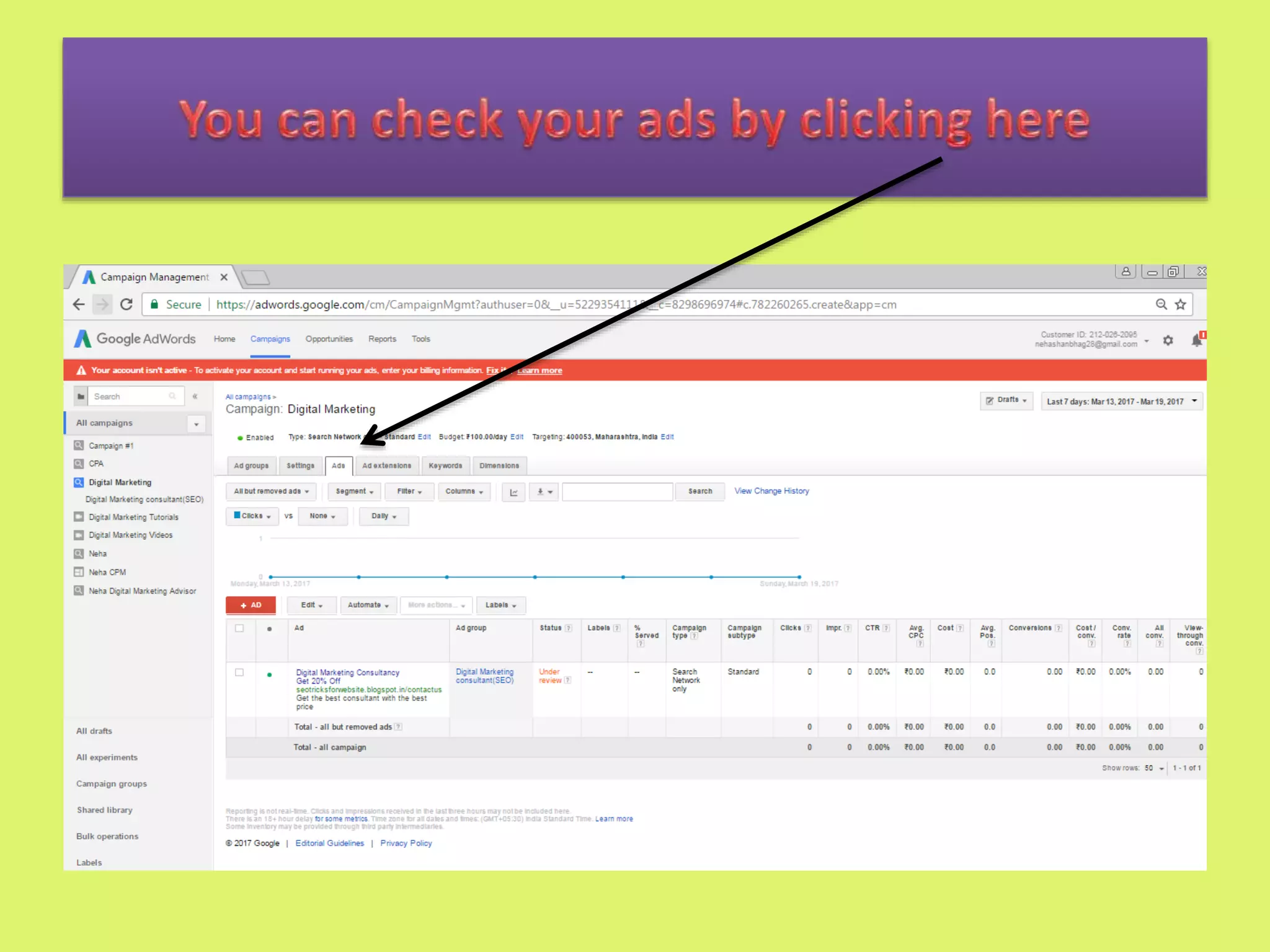
Ads-Best Digital Marketing
Advisor
20% discount
www.abc.com
Get the best DM Strategy
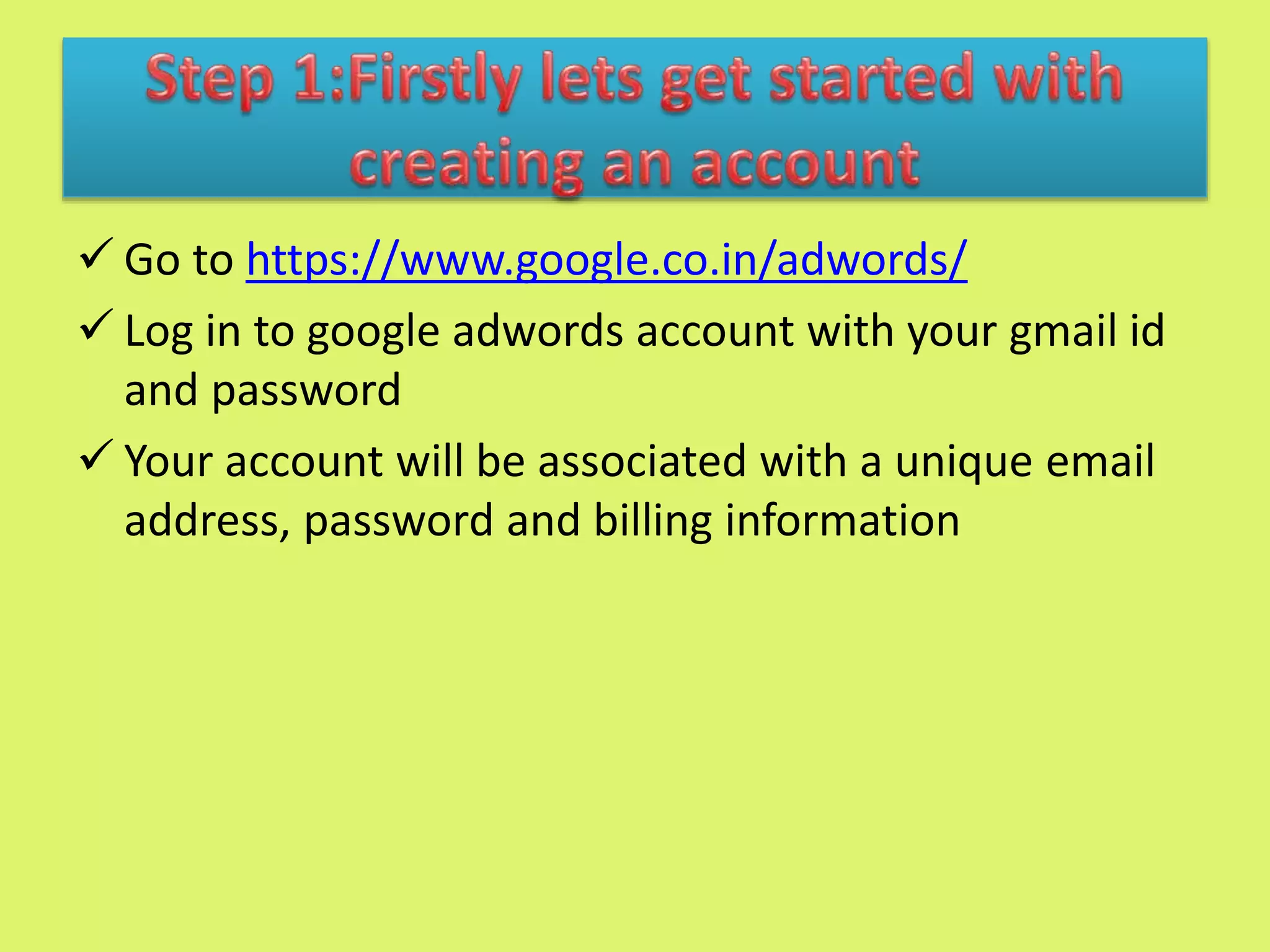
 Go to https://www.google.co.in/adwords/
 Log in to google adwords account with your gmail id
and password
 Your account will be associated with a unique email
address, password and billing information
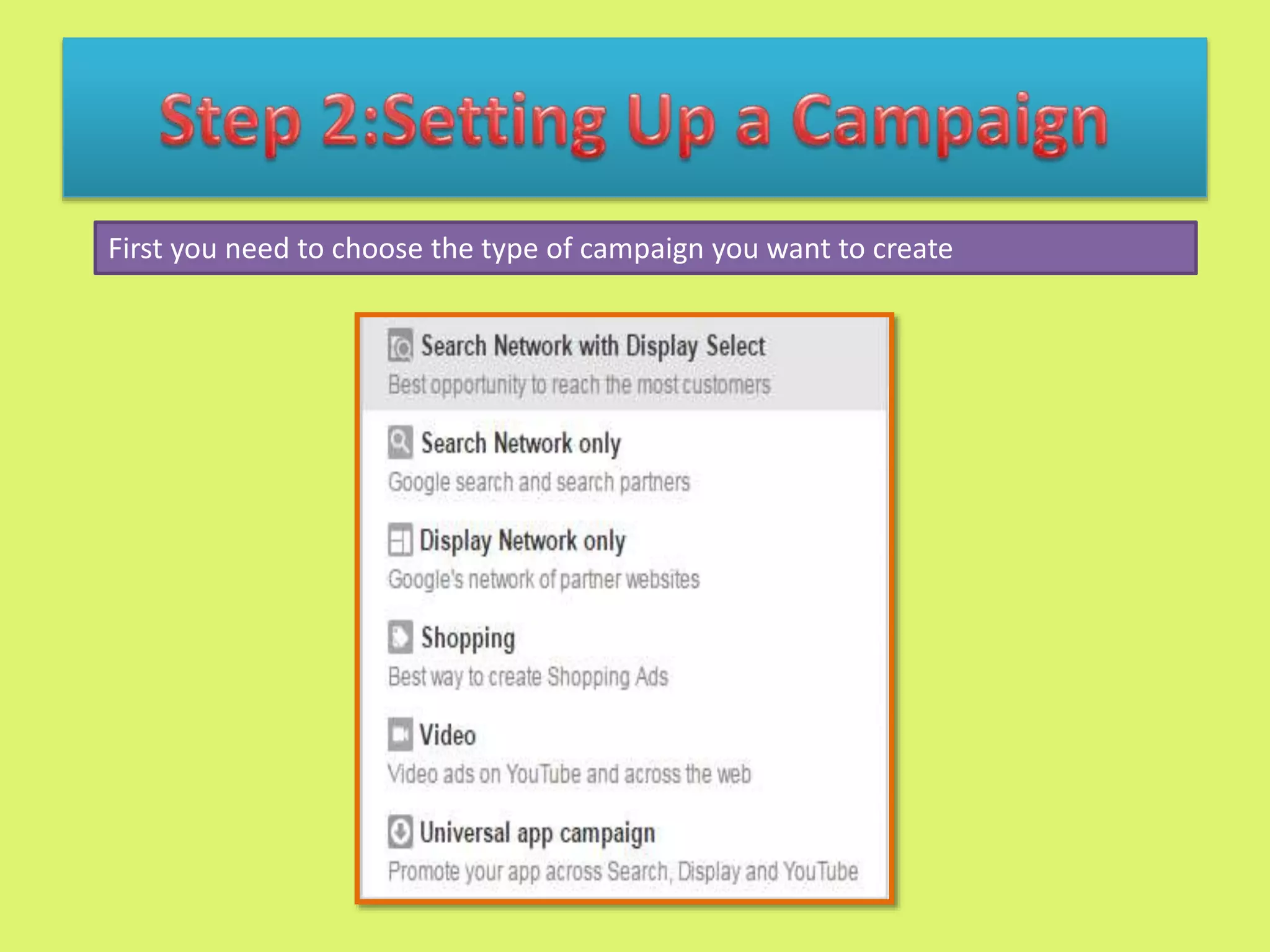
First you need to choose the type of campaign you want to create
• An ad group is a set of similar ads and
keywords(words or phrases for searching anything on
the search engine)
• It contains one or more ads which target a common
keyword.
• Each of your campaign is made up of one or more ad
groups
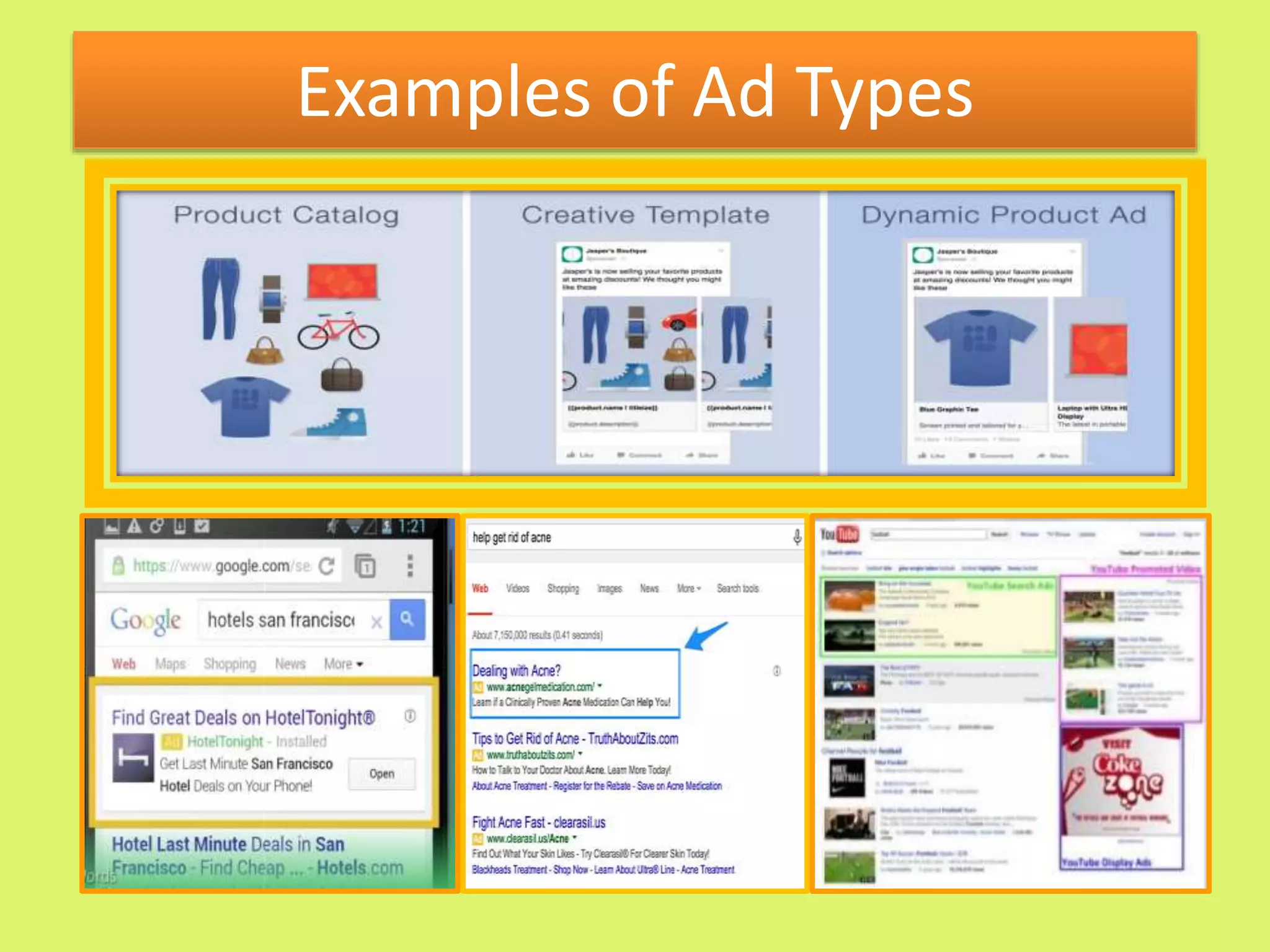
Examples of Ad Types
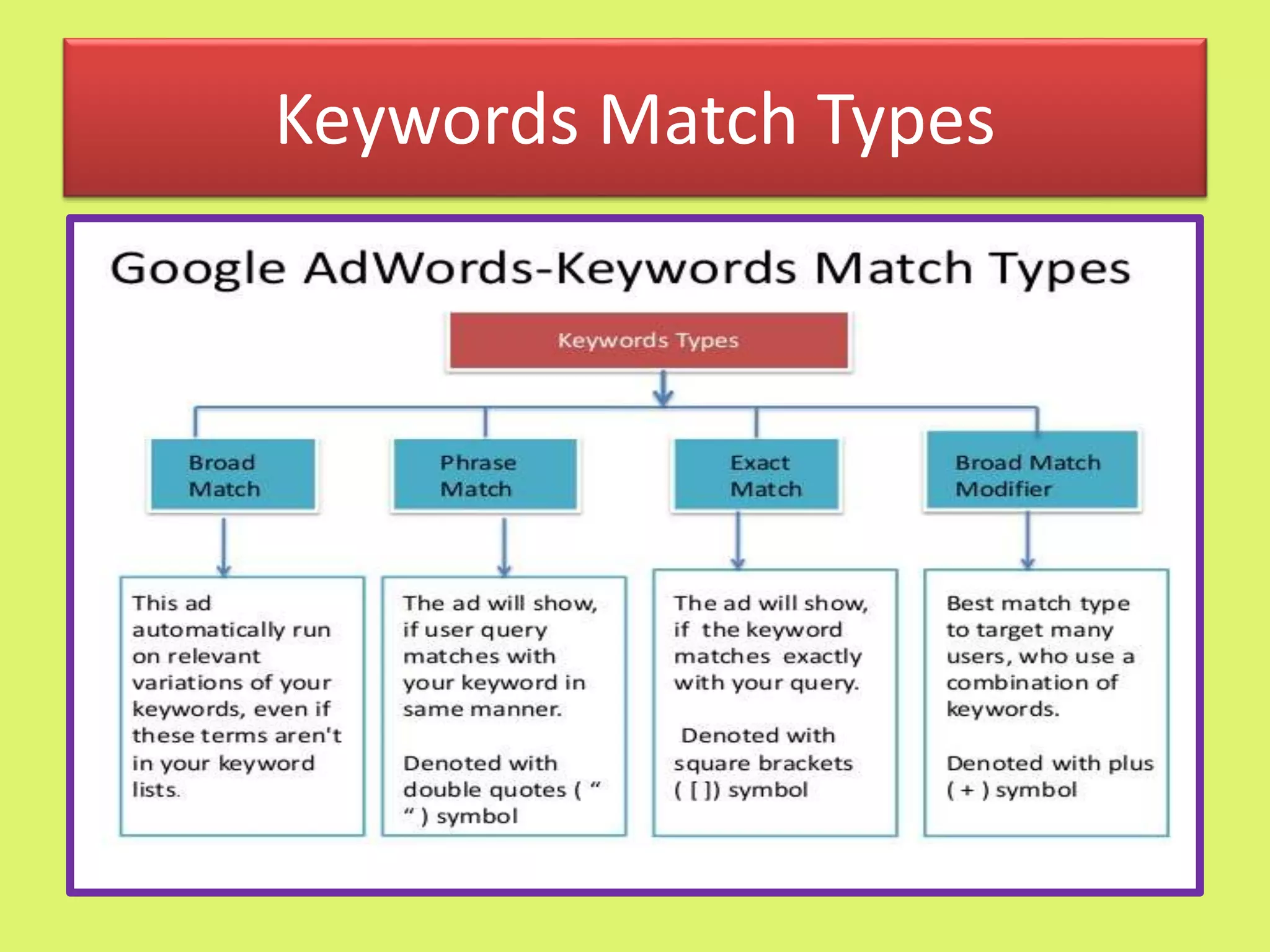
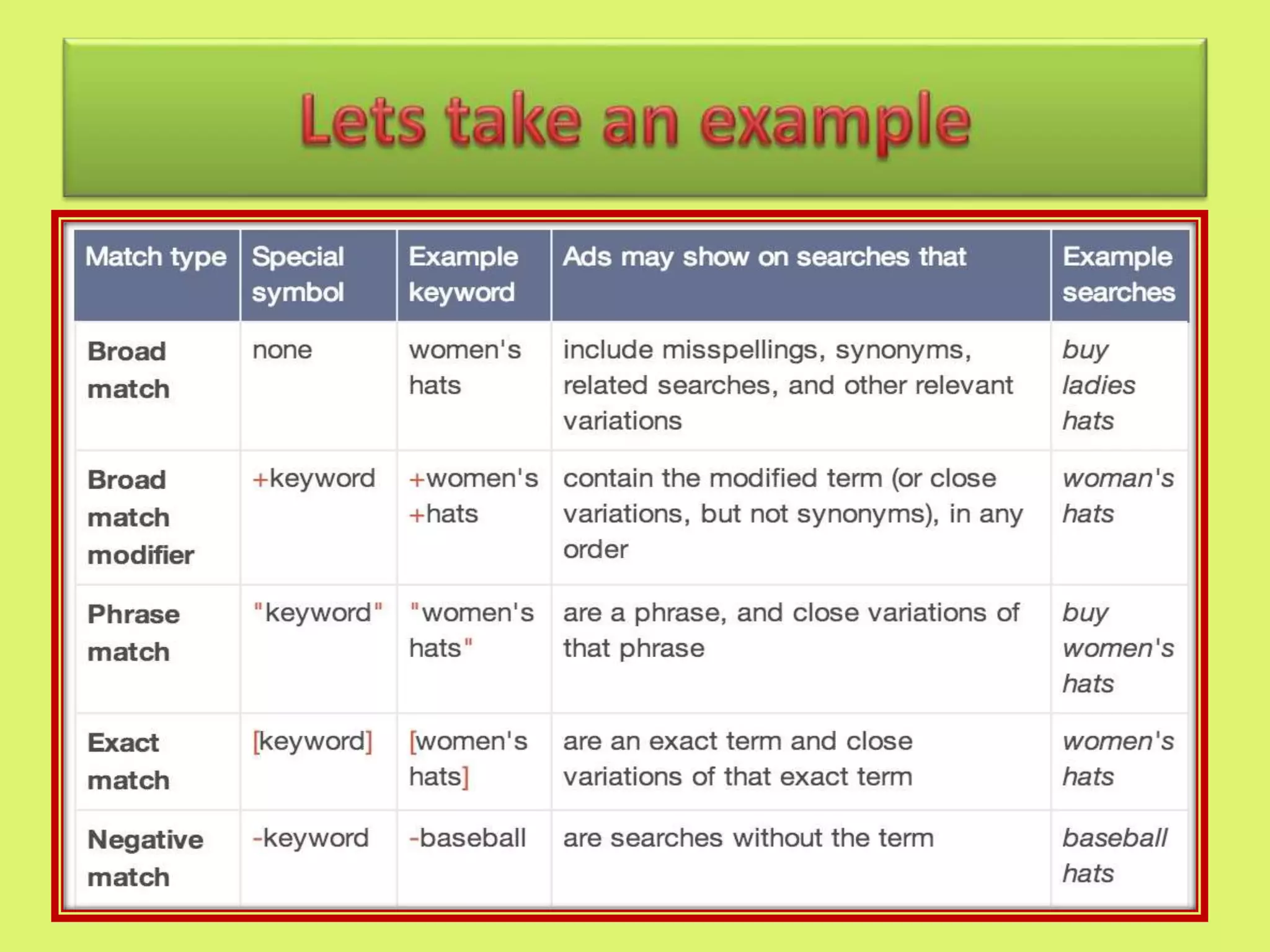
Keywords Match Types
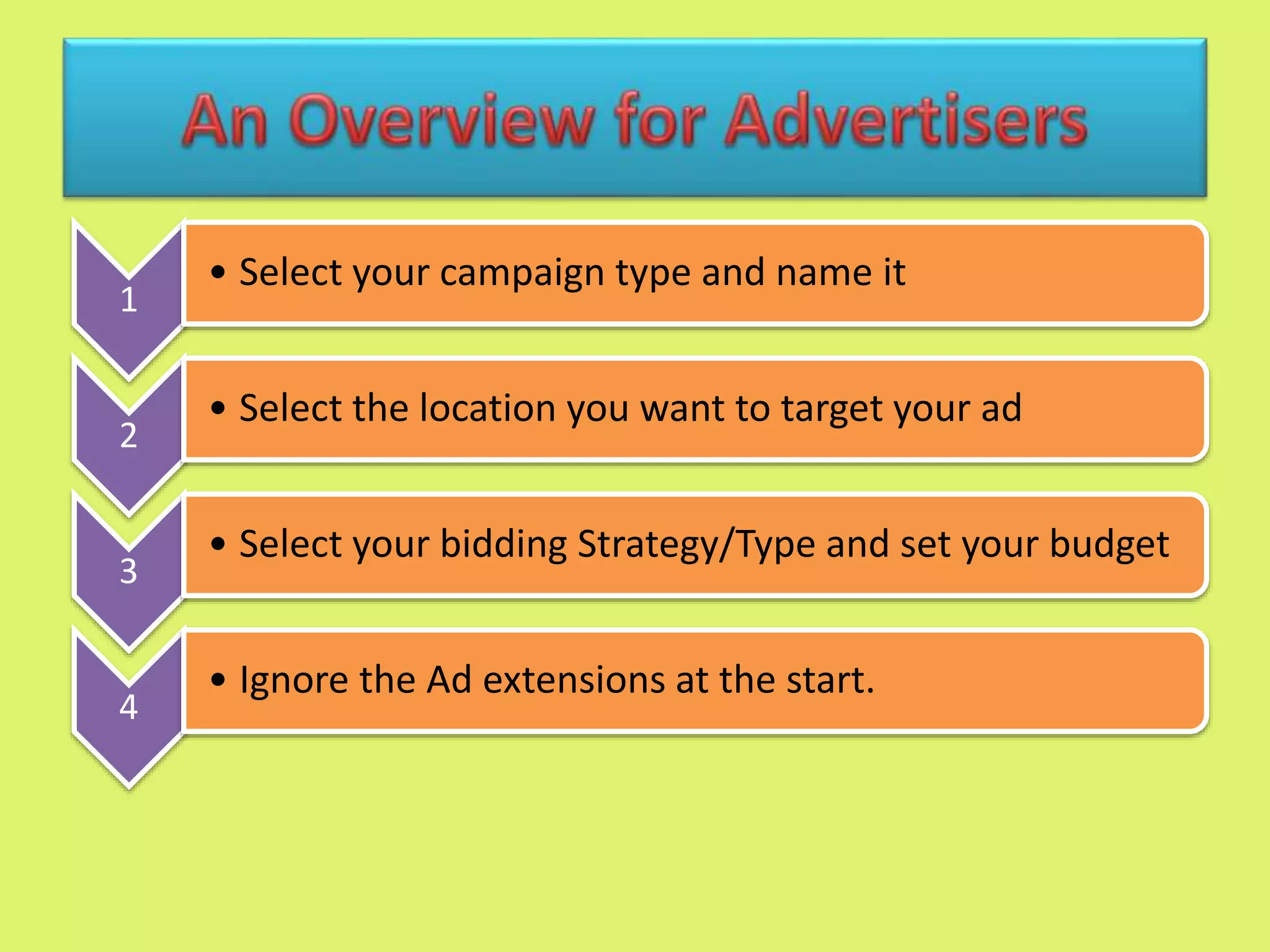
1
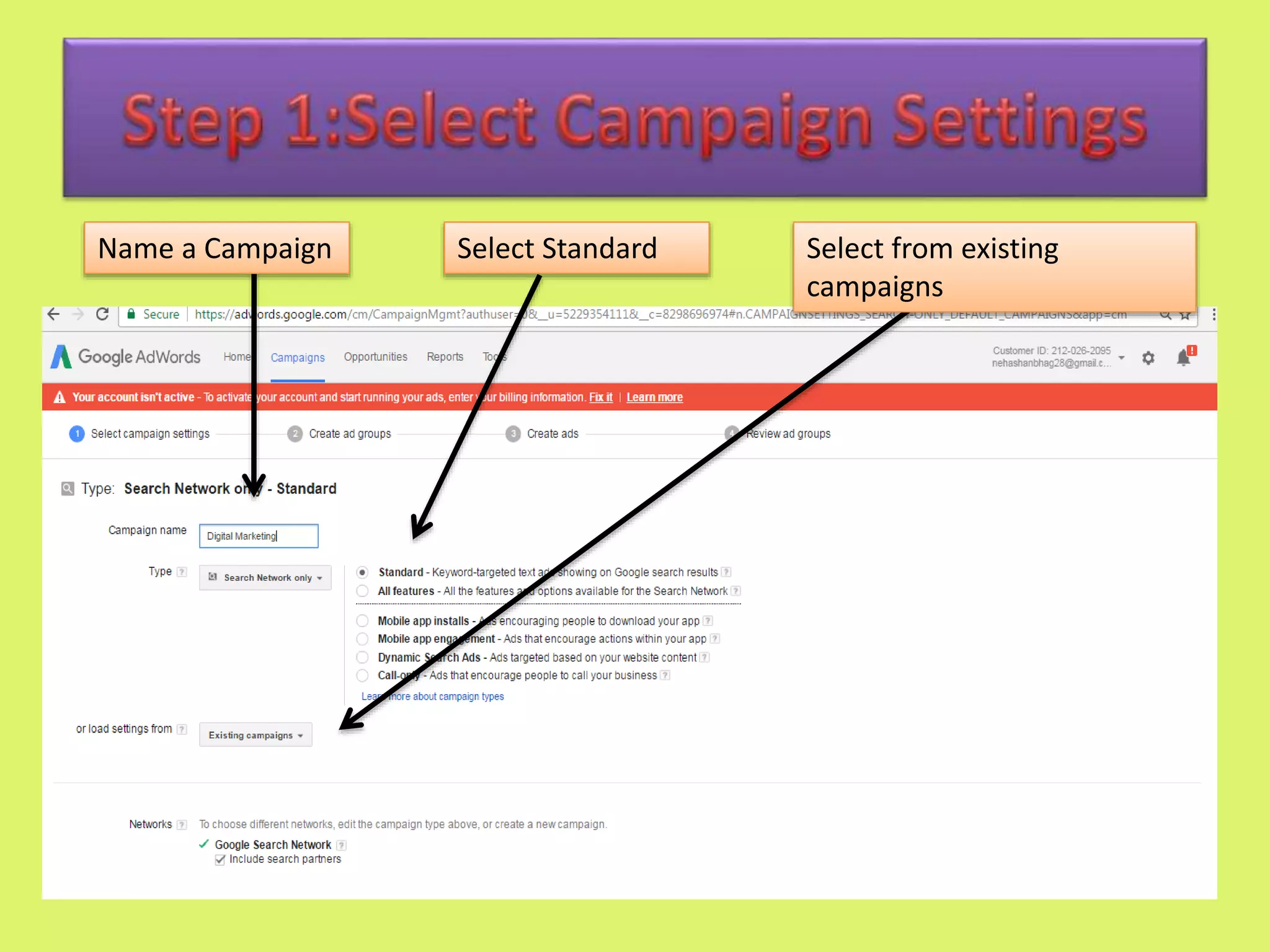
• Select your campaign type and name it
2
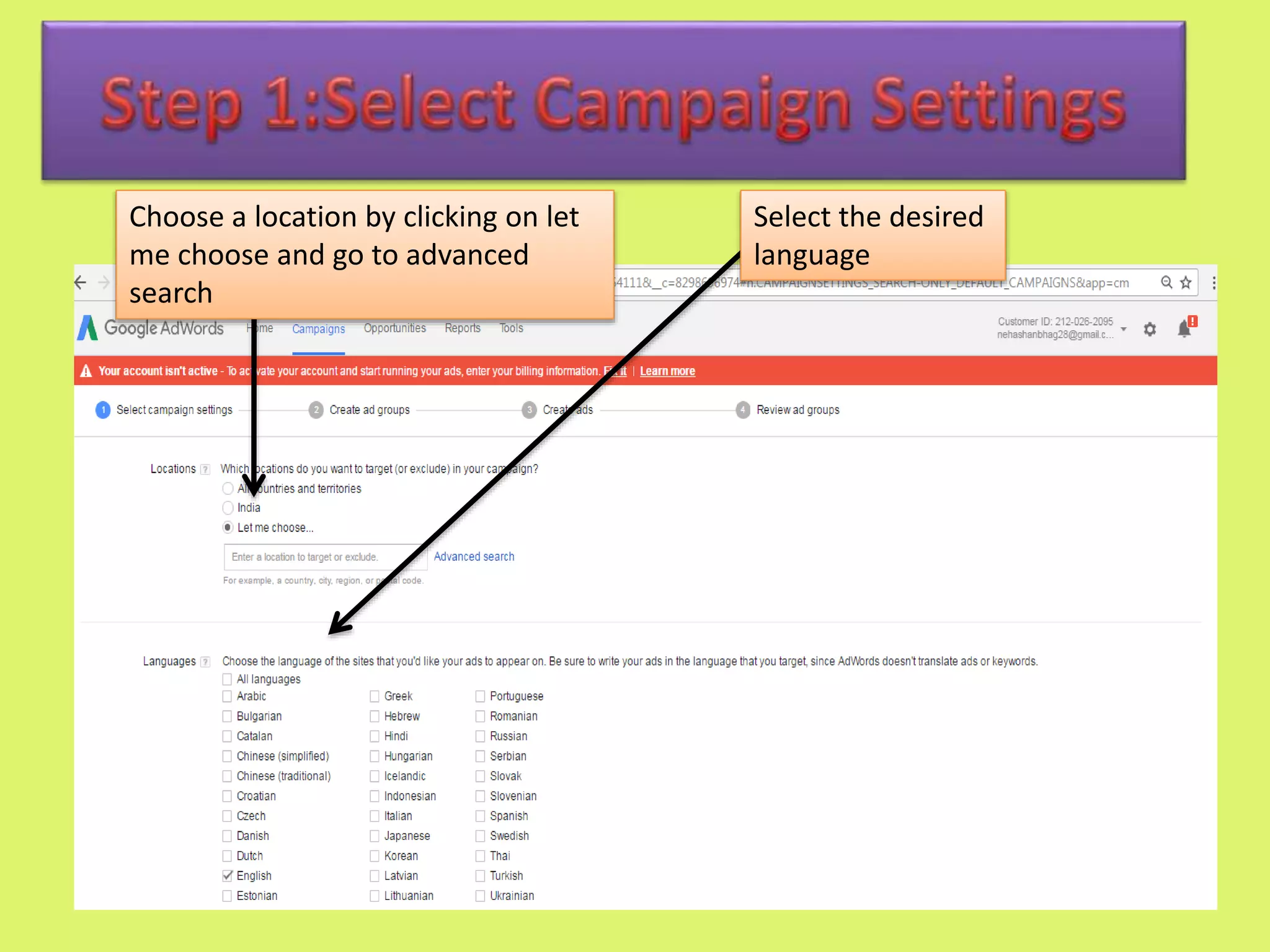
• Select the location you want to target your ad
3
• Select your bidding Strategy/Type and set your budget
4
• Ignore the Ad extensions at the start.
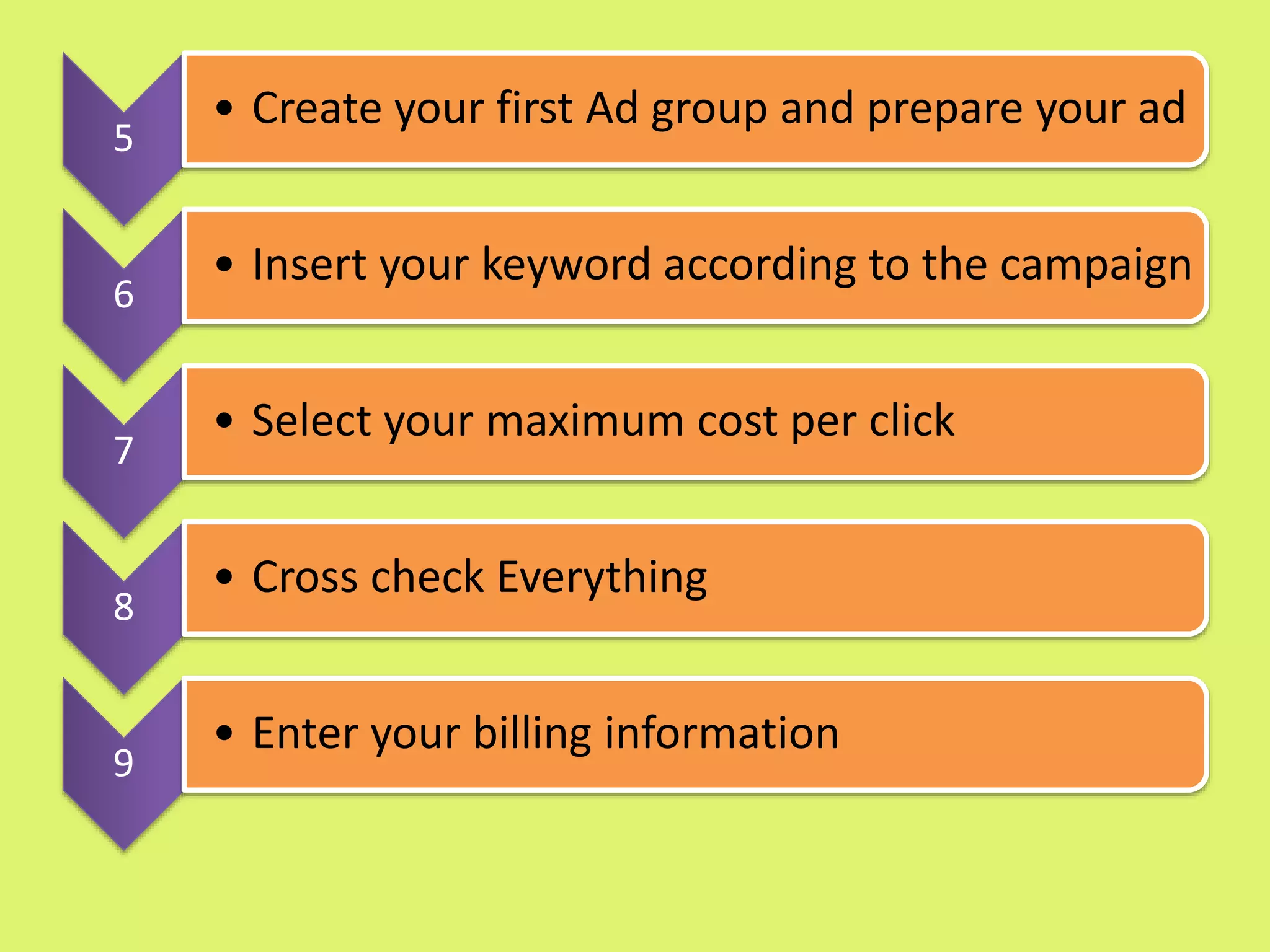
5
• Create your first Ad group and prepare your ad
6
• Insert your keyword according to the campaign
7
• Select your maximum cost per click
8
• Cross check Everything
9
• Enter your billing information
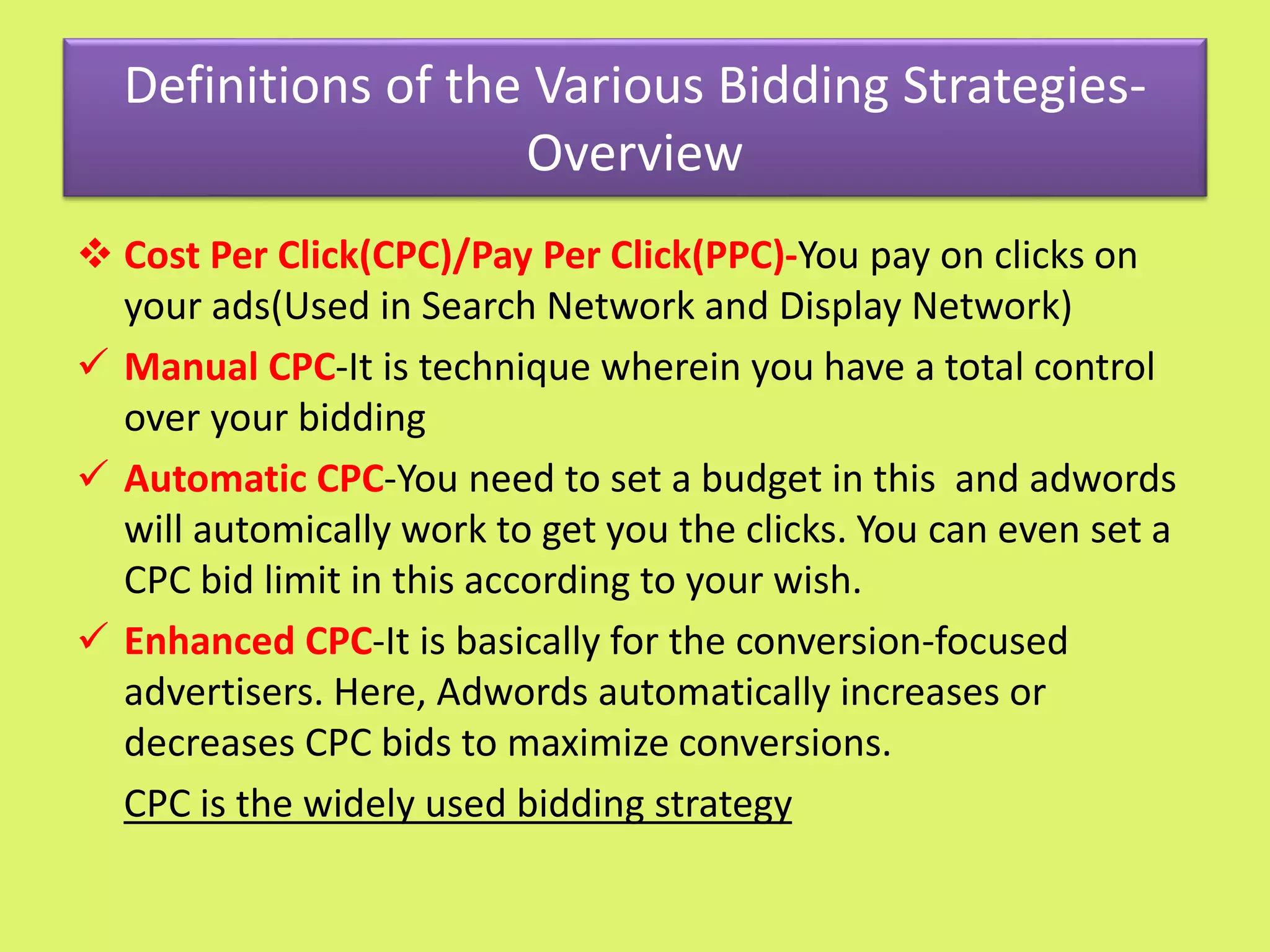
Definitions of the Various Bidding Strategies-
Overview
 Cost Per Click(CPC)/Pay Per Click(PPC)-You pay on clicks on
your ads(Used in Search Network and Display Network)
 Manual CPC-It is technique wherein you have a total control
over your bidding
 Automatic CPC-You need to set a budget in this and adwords
will automically work to get you the clicks. You can even set a
CPC bid limit in this according to your wish.
 Enhanced CPC-It is basically for the conversion-focused
advertisers. Here, Adwords automatically increases or
decreases CPC bids to maximize conversions.
CPC is the widely used bidding strategy
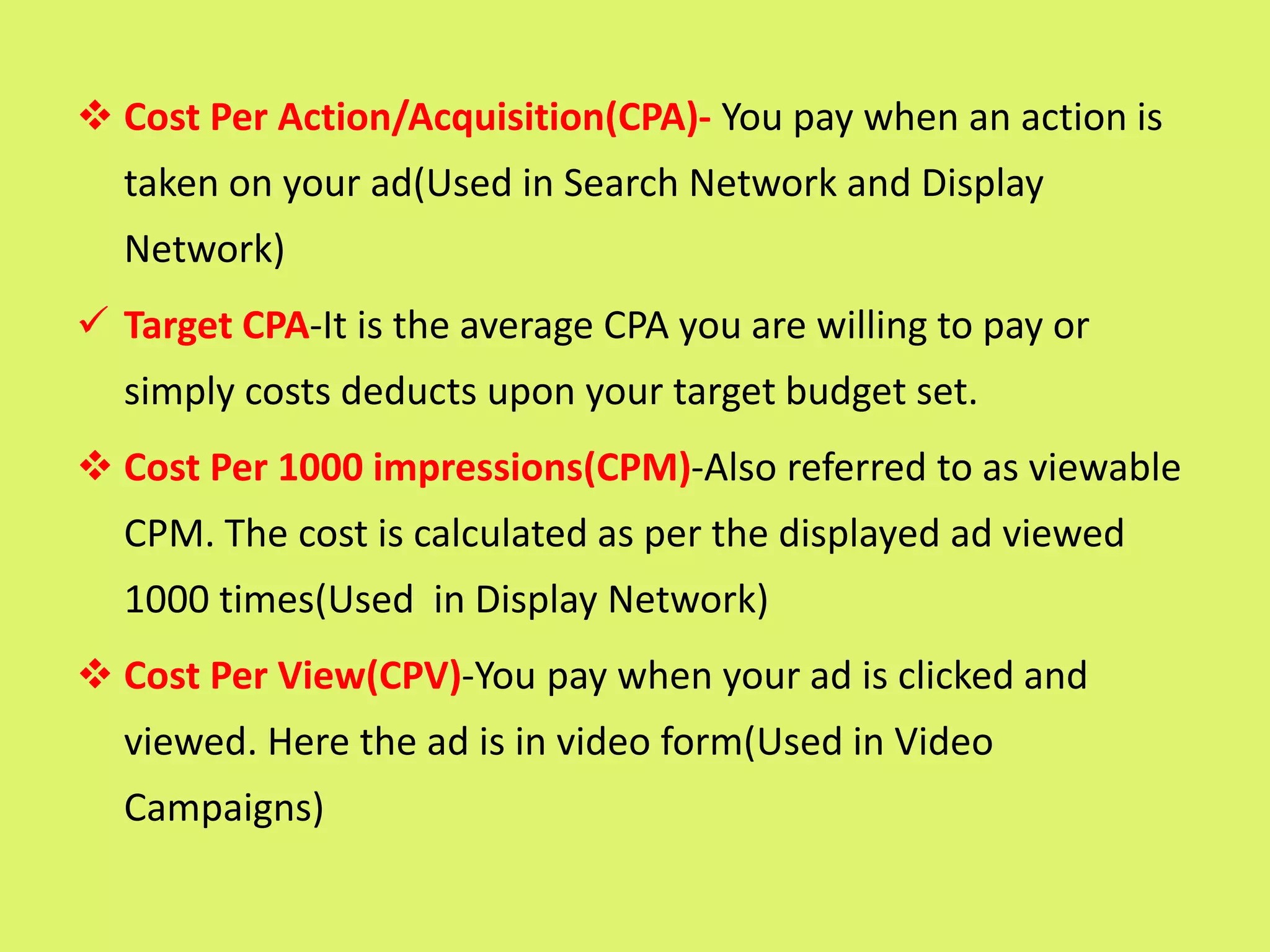
 Cost Per Action/Acquisition(CPA)- You pay when an action is
taken on your ad(Used in Search Network and Display
Network)
 Target CPA-It is the average CPA you are willing to pay or
simply costs deducts upon your target budget set.
 Cost Per 1000 impressions(CPM)-Also referred to as viewable
CPM. The cost is calculated as per the displayed ad viewed
1000 times(Used in Display Network)
 Cost Per View(CPV)-You pay when your ad is clicked and
viewed. Here the ad is in video form(Used in Video
Campaigns)
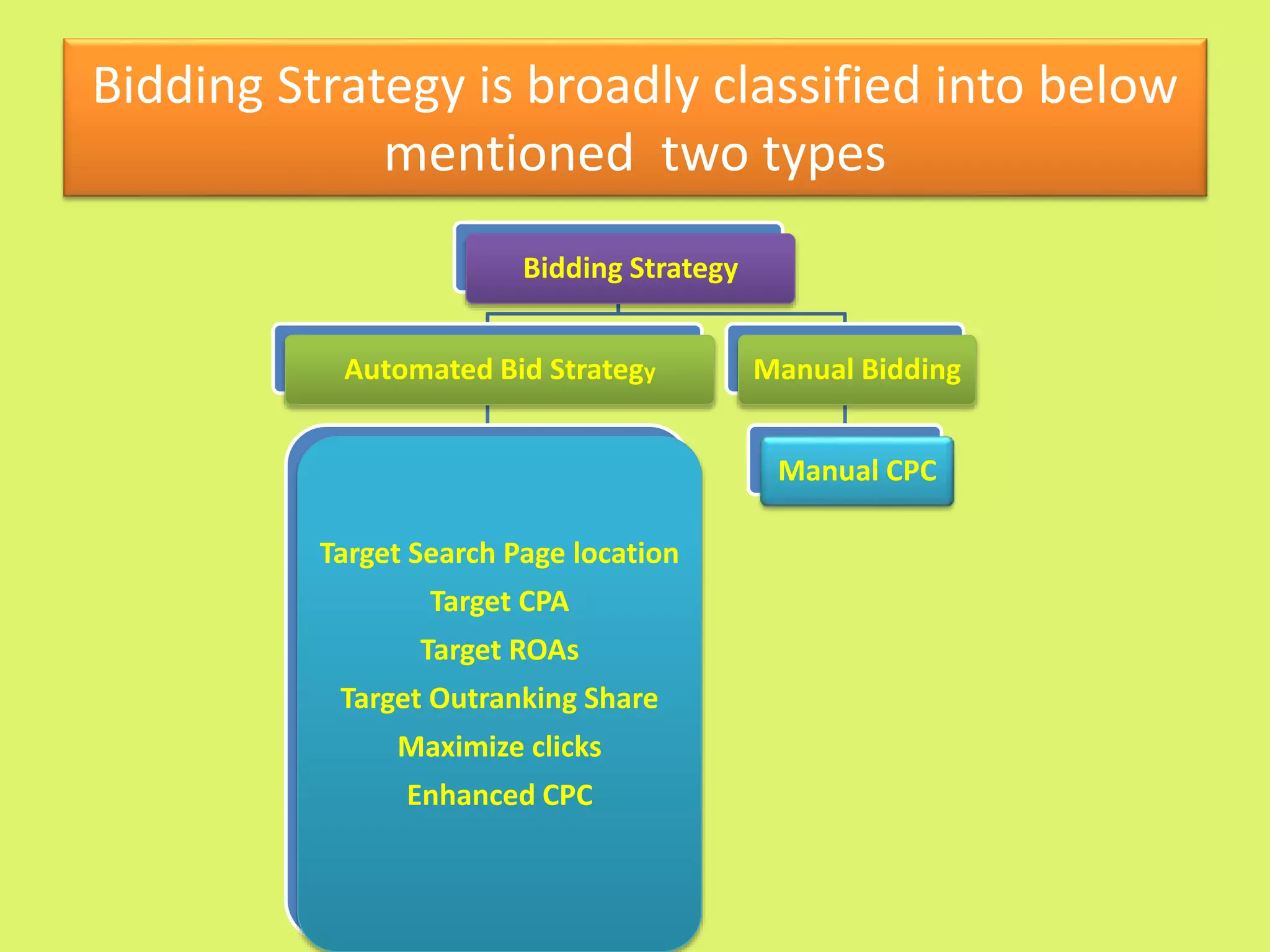
Bidding Strategy is broadly classified into below
mentioned two types
Bidding Strategy
Automated Bid Strategy
Target Search Page location
Target CPA
Target ROAs
Target Outranking Share
Maximize clicks
Enhanced CPC
Manual Bidding
Manual CPC
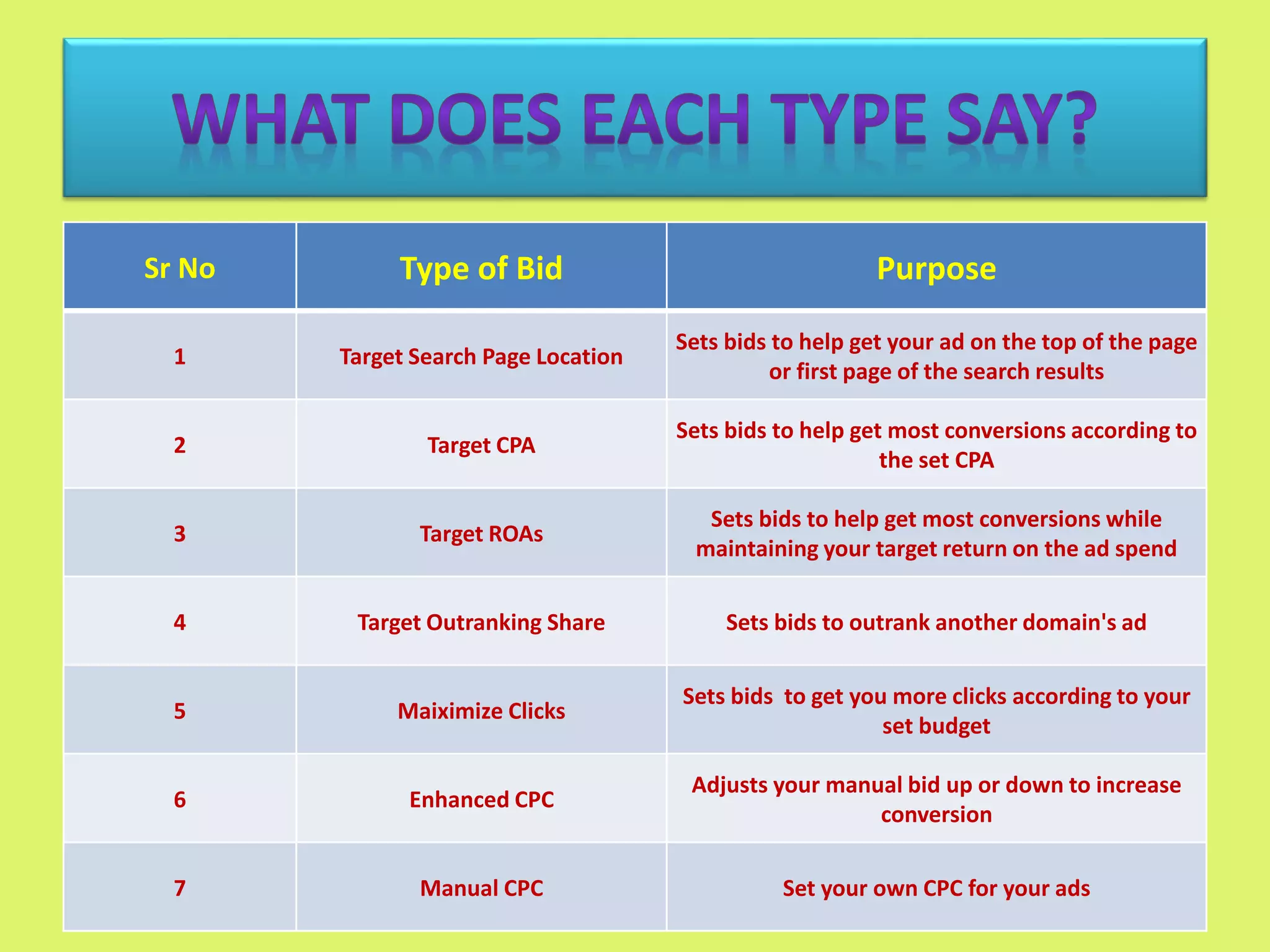
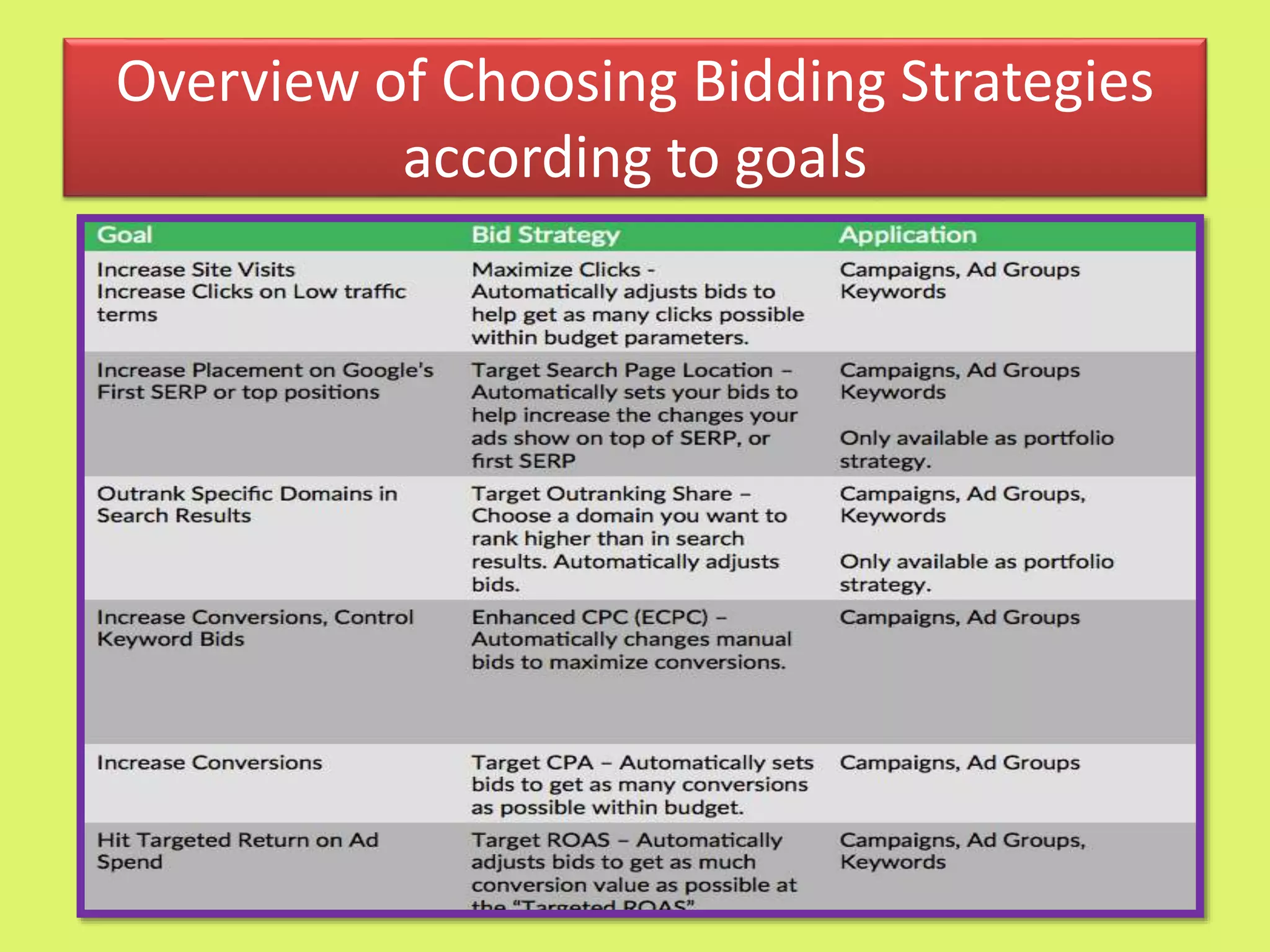
Sr No Type of Bid Purpose
1 Target Search Page Location
Sets bids to help get your ad on the top of the page
or first page of the search results
2 Target CPA
Sets bids to help get most conversions according to
the set CPA
3 Target ROAs
Sets bids to help get most conversions while
maintaining your target return on the ad spend
4 Target Outranking Share Sets bids to outrank another domain's ad
5 Maiximize Clicks
Sets bids to get you more clicks according to your
set budget
6 Enhanced CPC
Adjusts your manual bid up or down to increase
conversion
7 Manual CPC Set your own CPC for your ads
How to decide which Bidding Strategy to
choose?
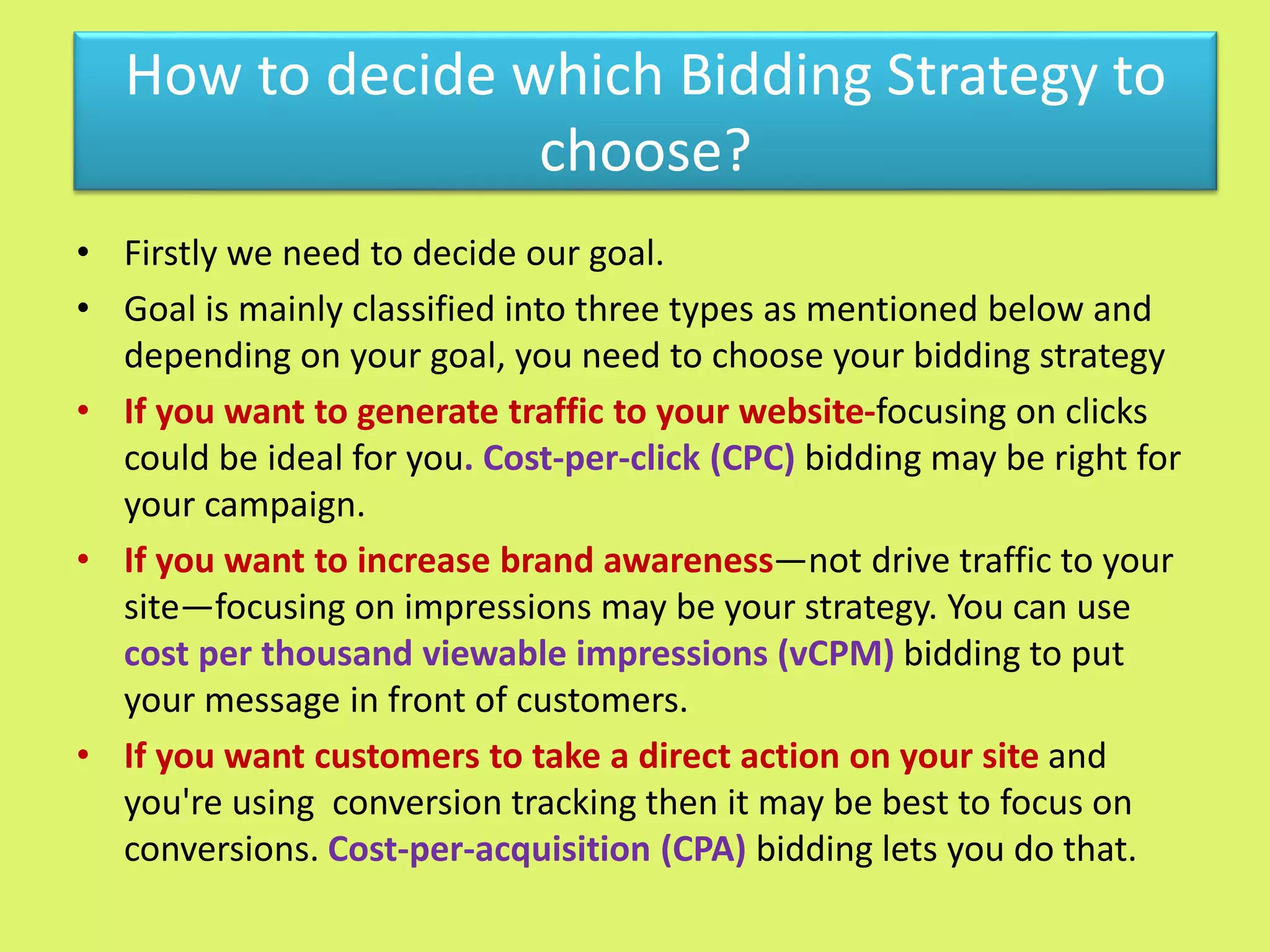
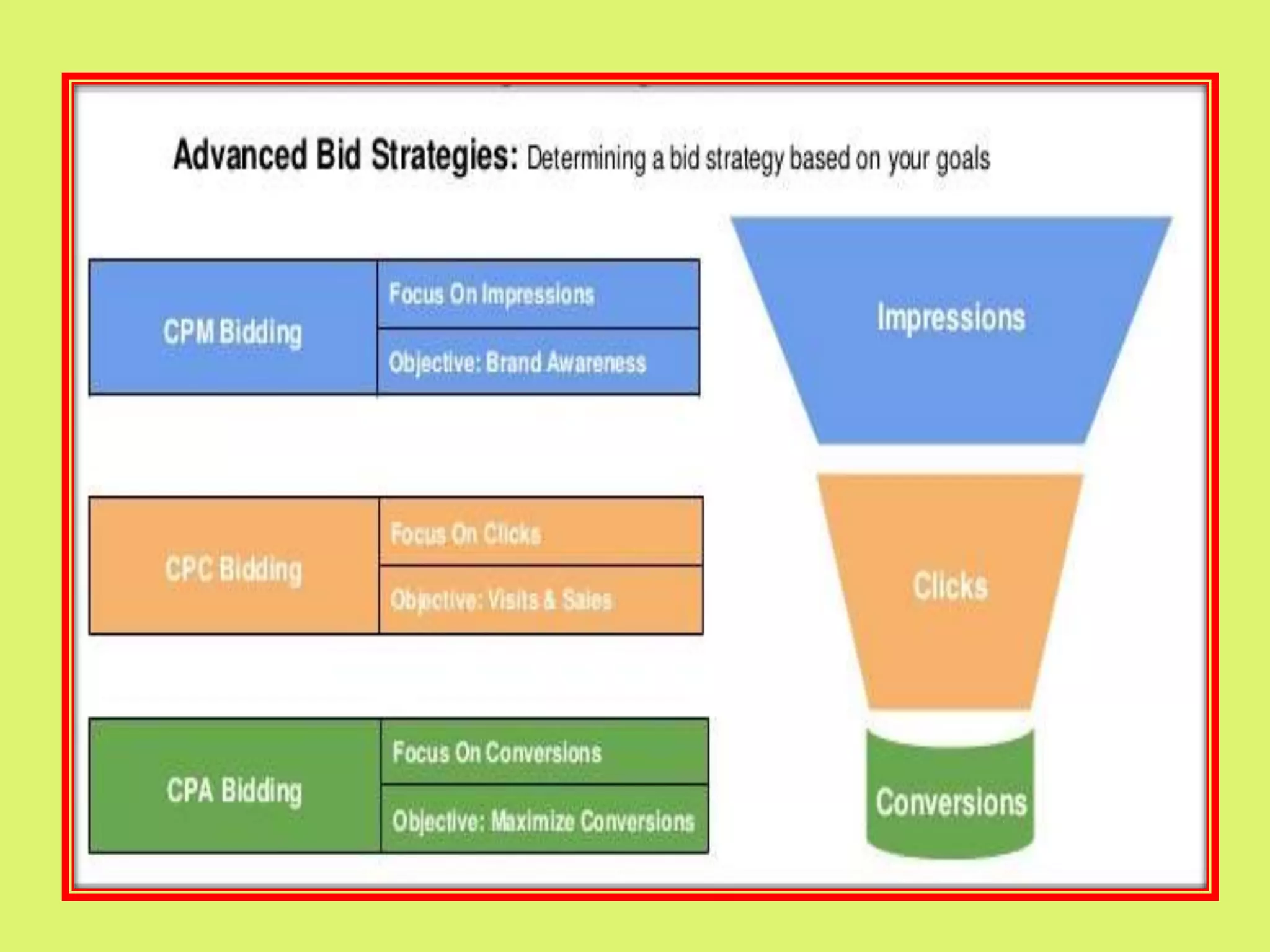
• Firstly we need to decide our goal.
• Goal is mainly classified into three types as mentioned below and
depending on your goal, you need to choose your bidding strategy
• If you want to generate traffic to your website-focusing on clicks
could be ideal for you. Cost-per-click (CPC) bidding may be right for
your campaign.
• If you want to increase brand awareness—not drive traffic to your
site—focusing on impressions may be your strategy. You can use
cost per thousand viewable impressions (vCPM) bidding to put
your message in front of customers.
• If you want customers to take a direct action on your site and
you're using conversion tracking then it may be best to focus on
conversions. Cost-per-acquisition (CPA) bidding lets you do that.
Overview of Choosing Bidding Strategies
according to goals
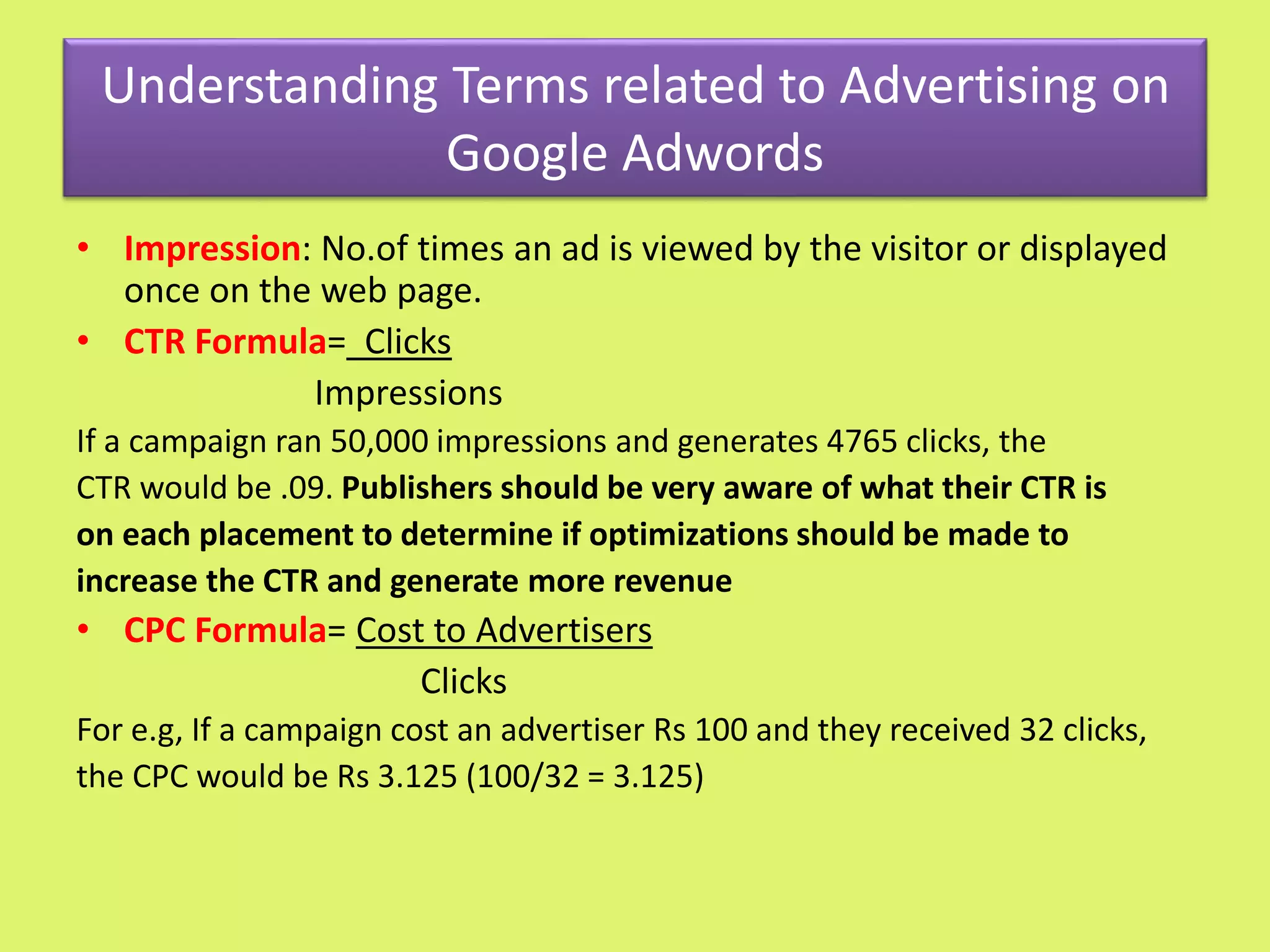
Understanding Terms related to Advertising on
Google Adwords
• Impression: No.of times an ad is viewed by the visitor or displayed
once on the web page.
• CTR Formula= Clicks
Impressions
If a campaign ran 50,000 impressions and generates 4765 clicks, the
CTR would be .09. Publishers should be very aware of what their CTR is
on each placement to determine if optimizations should be made to
increase the CTR and generate more revenue
• CPC Formula= Cost to Advertisers
Clicks
For e.g, If a campaign cost an advertiser Rs 100 and they received 32 clicks,
the CPC would be Rs 3.125 (100/32 = 3.125)
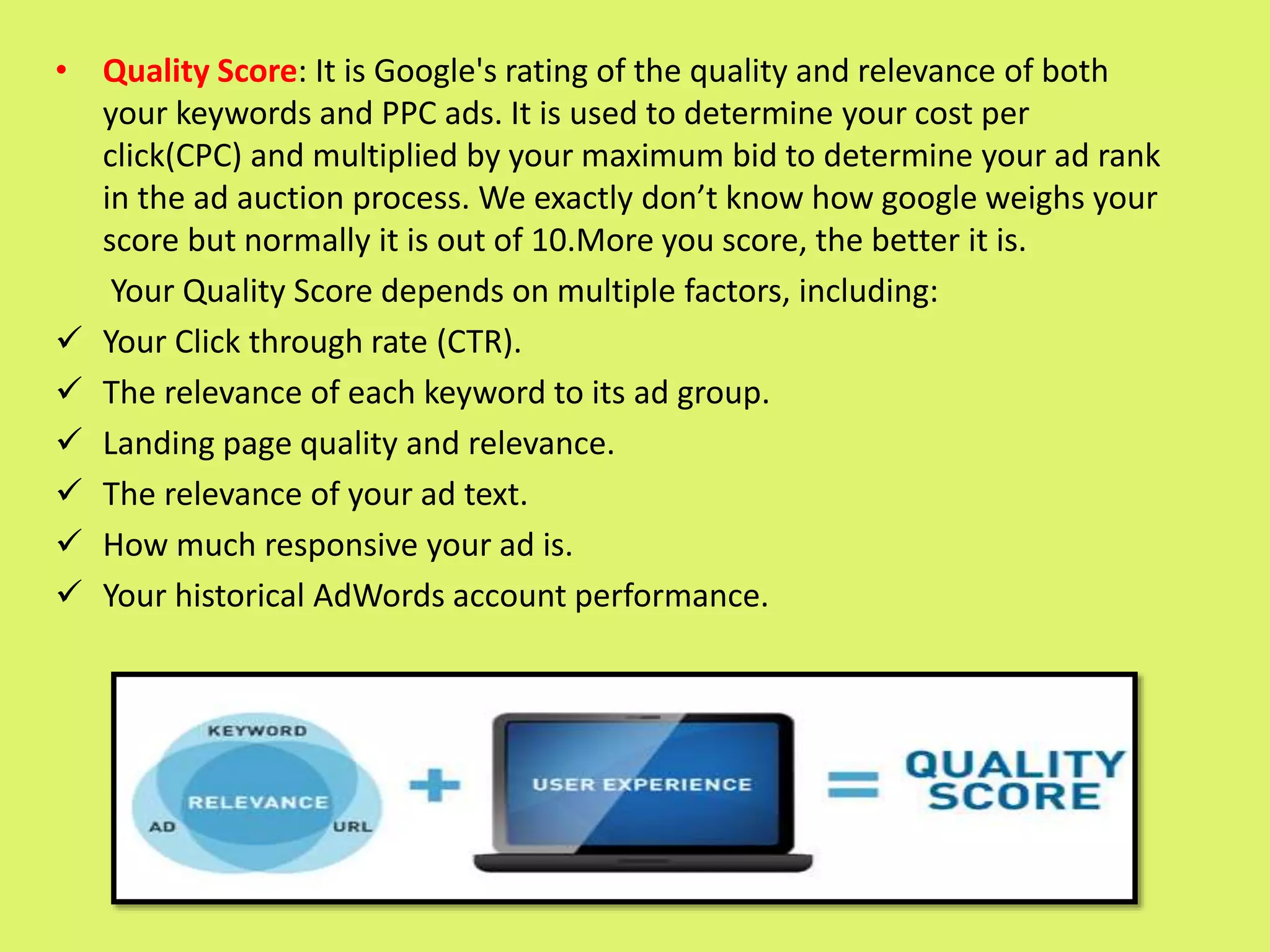
• Quality Score: It is Google's rating of the quality and relevance of both
your keywords and PPC ads. It is used to determine your cost per
click(CPC) and multiplied by your maximum bid to determine your ad rank
in the ad auction process. We exactly don’t know how google weighs your
score but normally it is out of 10.More you score, the better it is.
Your Quality Score depends on multiple factors, including:
 Your Click through rate (CTR).
 The relevance of each keyword to its ad group.
 Landing page quality and relevance.
 The relevance of your ad text.
 How much responsive your ad is.
 Your historical AdWords account performance.
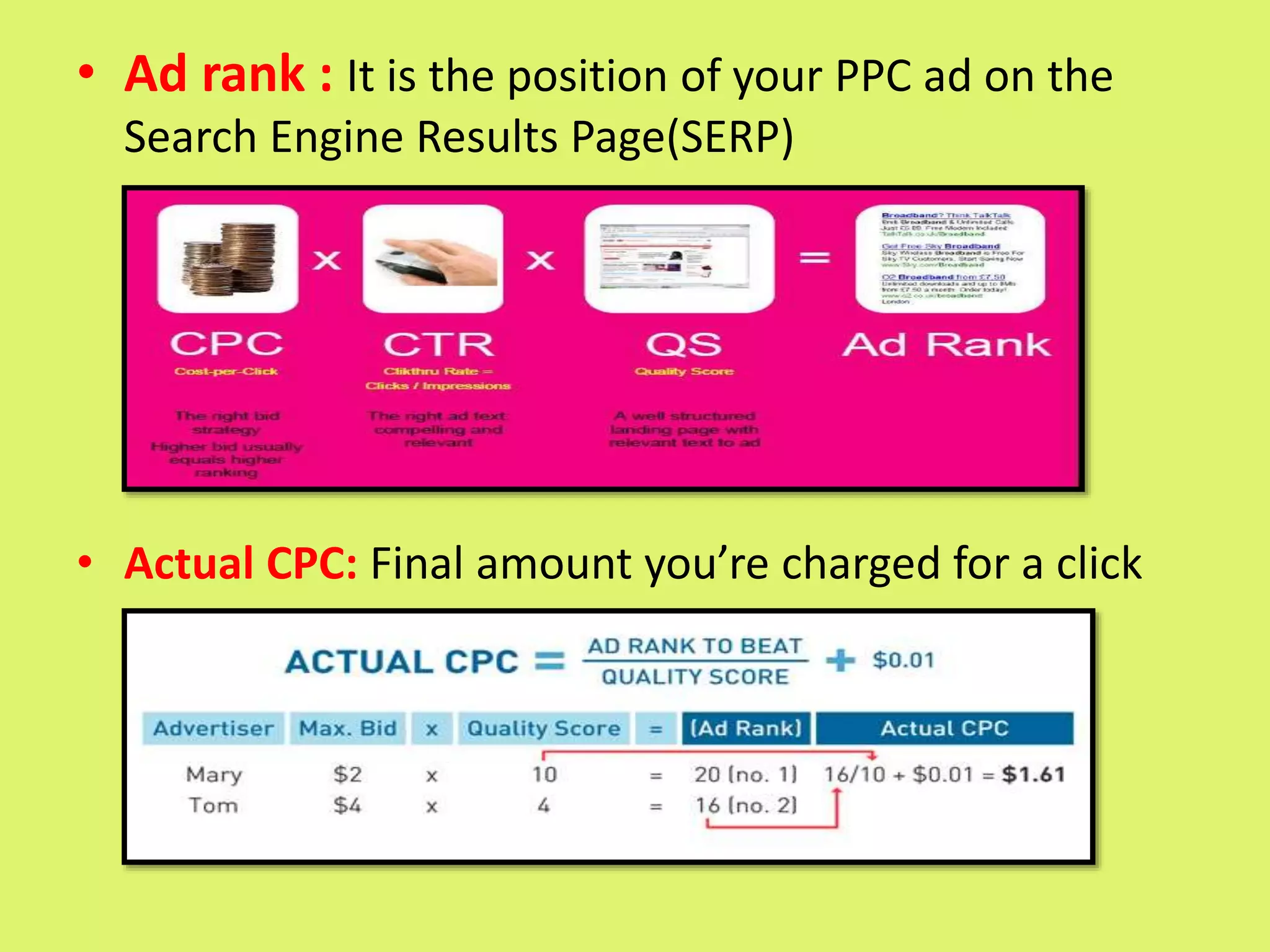
• Ad rank : It is the position of your PPC ad on the
Search Engine Results Page(SERP)
• Actual CPC: Final amount you’re charged for a click
Lets quickly make a new campaign
 Log in to your google adwords account by your gmail
id and password
 Lets take an example of a Search Network Type
Campaign
 There are total 4 steps involed in it. Lets go one by
one.
Name a Campaign Select Standard Select from existing
campaigns
Choose a location by clicking on let
me choose and go to advanced
search
Select the desired
language
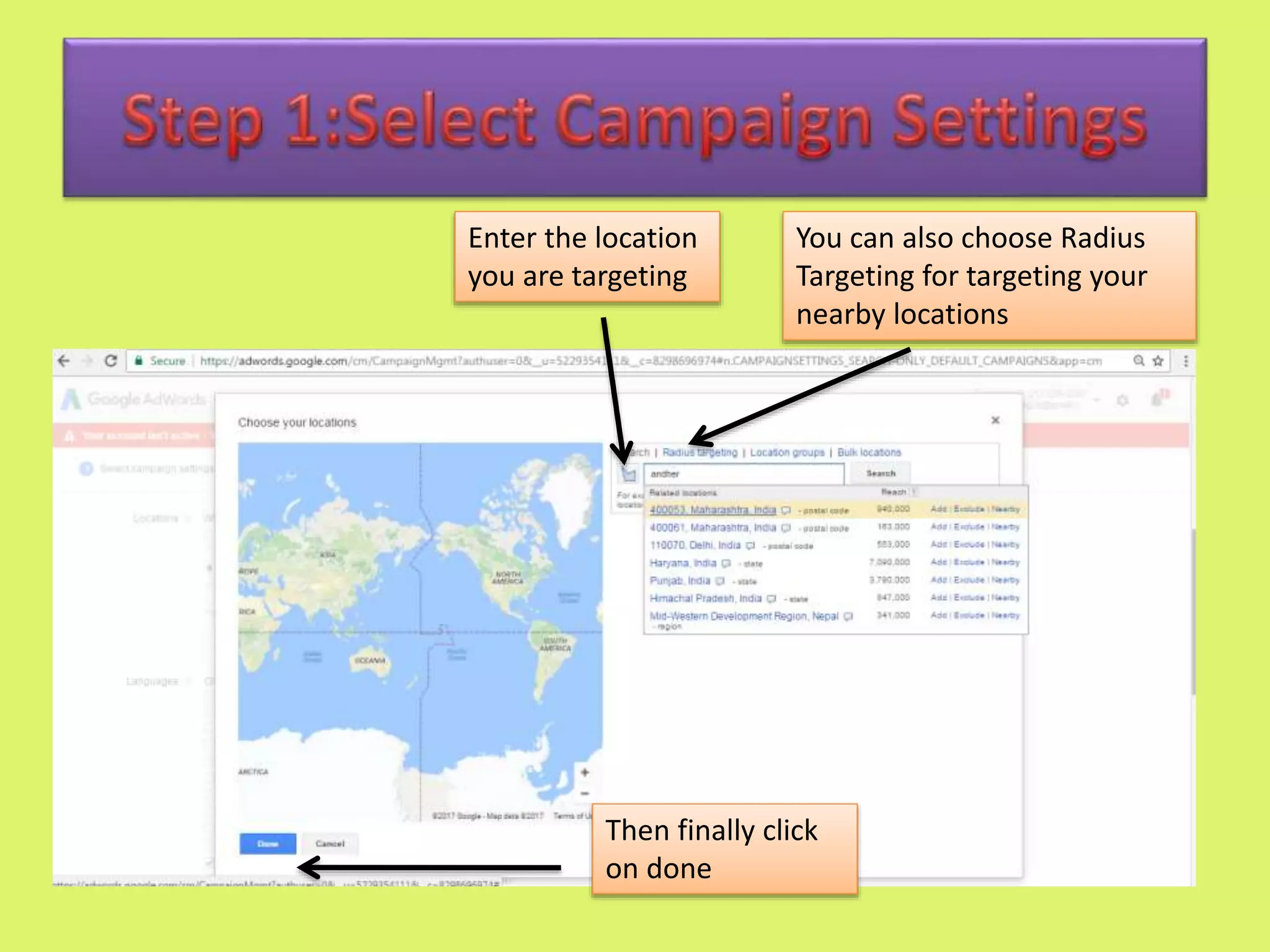
Enter the location
you are targeting
You can also choose Radius
Targeting for targeting your
nearby locations
Then finally click
on done
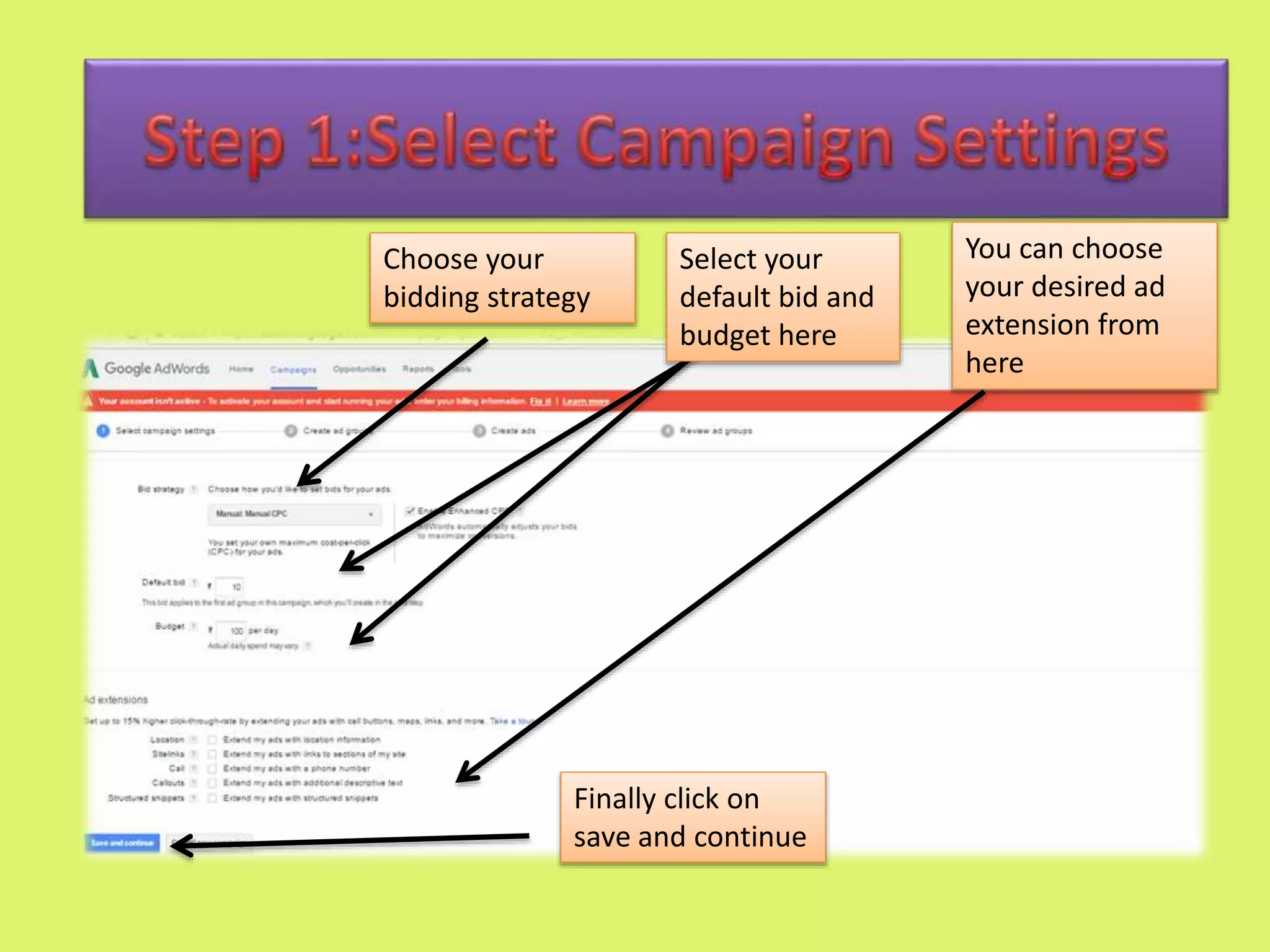
Choose your
bidding strategy
You can choose
your desired ad
extension from
here
Select your
default bid and
budget here
Finally click on
save and continue
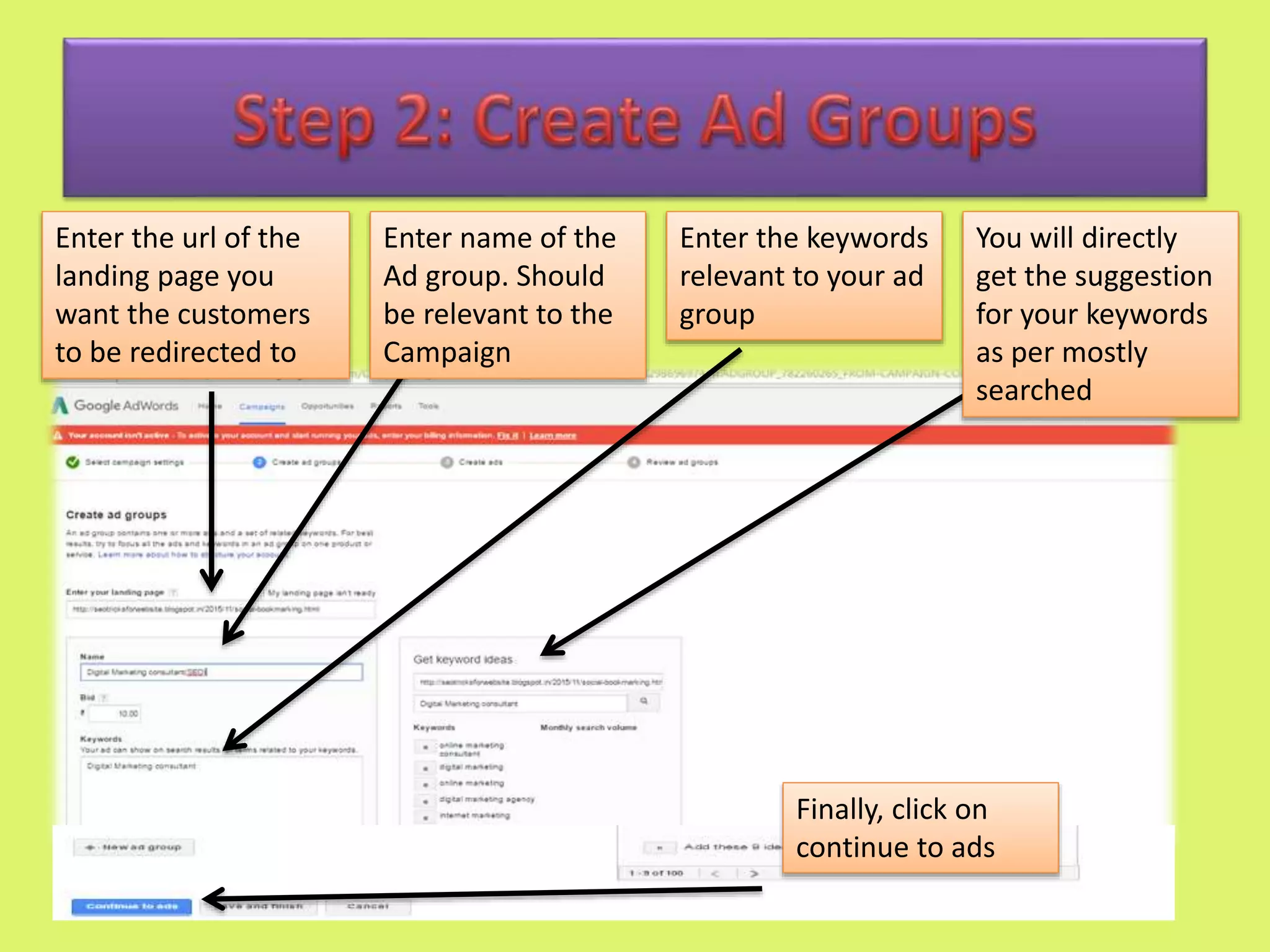
Enter the url of the
landing page you
want the customers
to be redirected to
Enter name of the
Ad group. Should
be relevant to the
Campaign
Enter the keywords
relevant to your ad
group
You will directly
get the suggestion
for your keywords
as per mostly
searched
Finally, click on
continue to ads
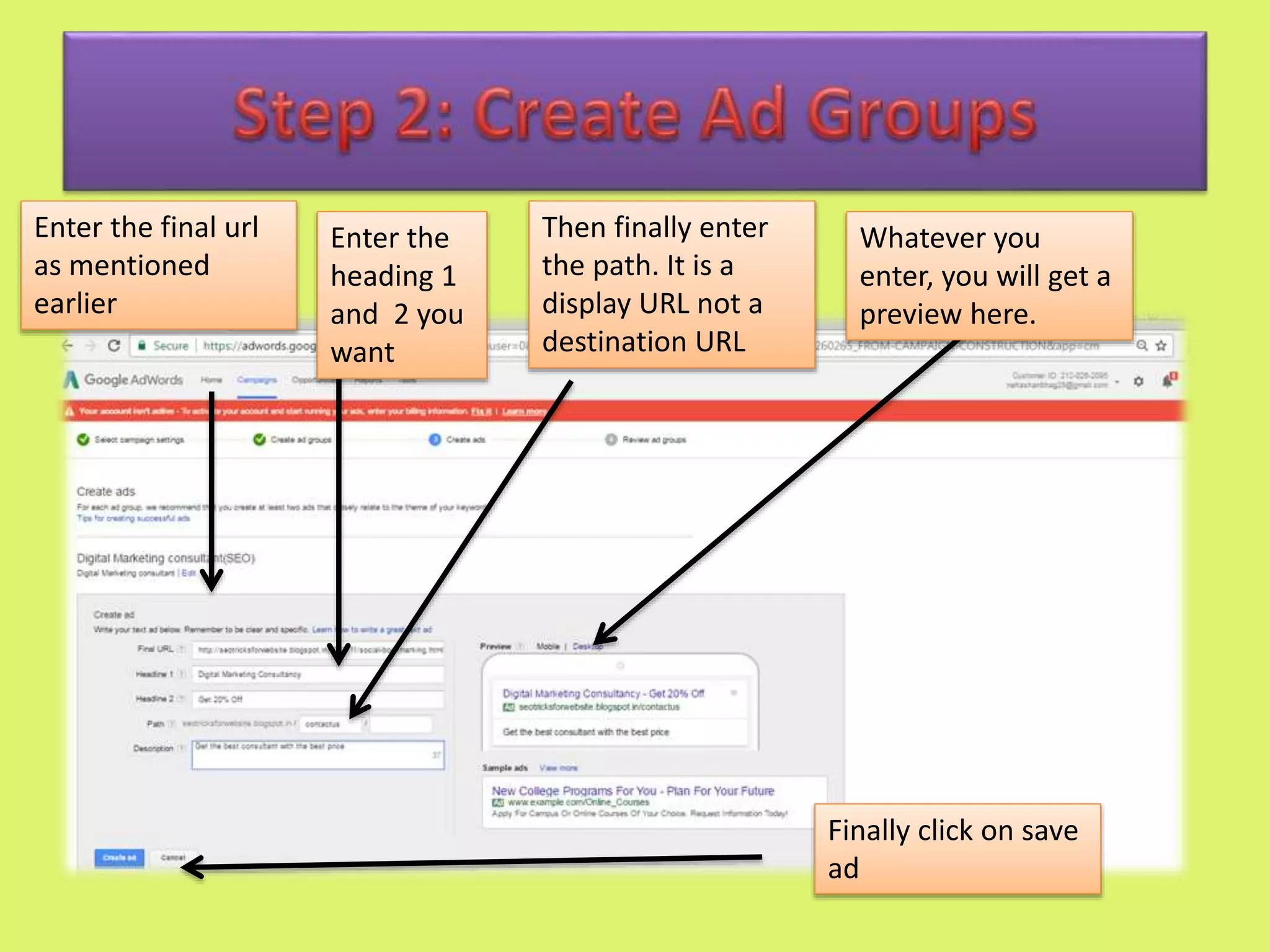
Enter the final url
as mentioned
earlier
Enter the
heading 1
and 2 you
want
Then finally enter
the path. It is a
display URL not a
destination URL
Whatever you
enter, you will get a
preview here.
Finally click on save
ad
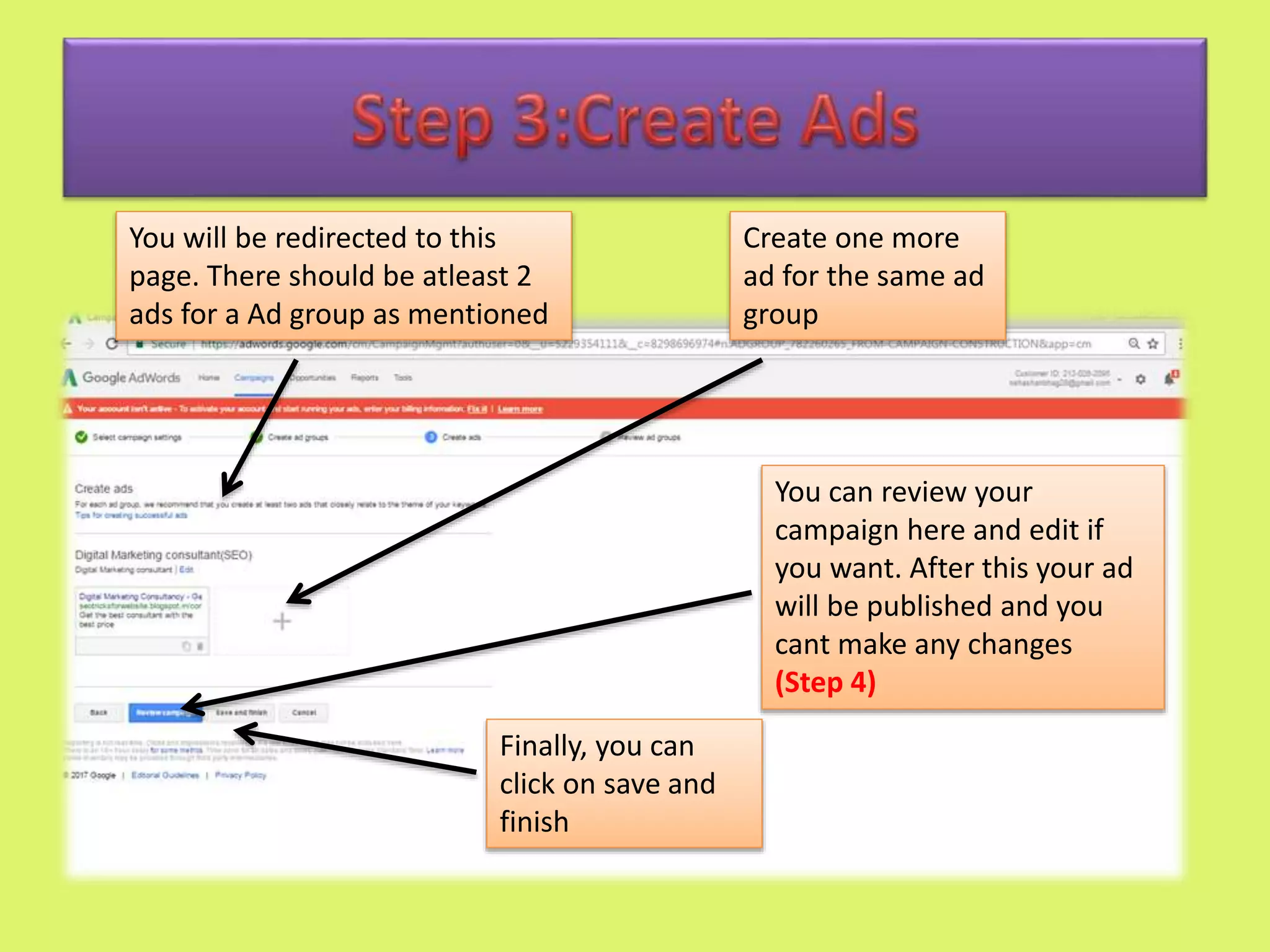
Create one more
ad for the same ad
group
You will be redirected to this
page. There should be atleast 2
ads for a Ad group as mentioned
Finally, you can
click on save and
finish
You can review your
campaign here and edit if
you want. After this your ad
will be published and you
cant make any changes
(Step 4)
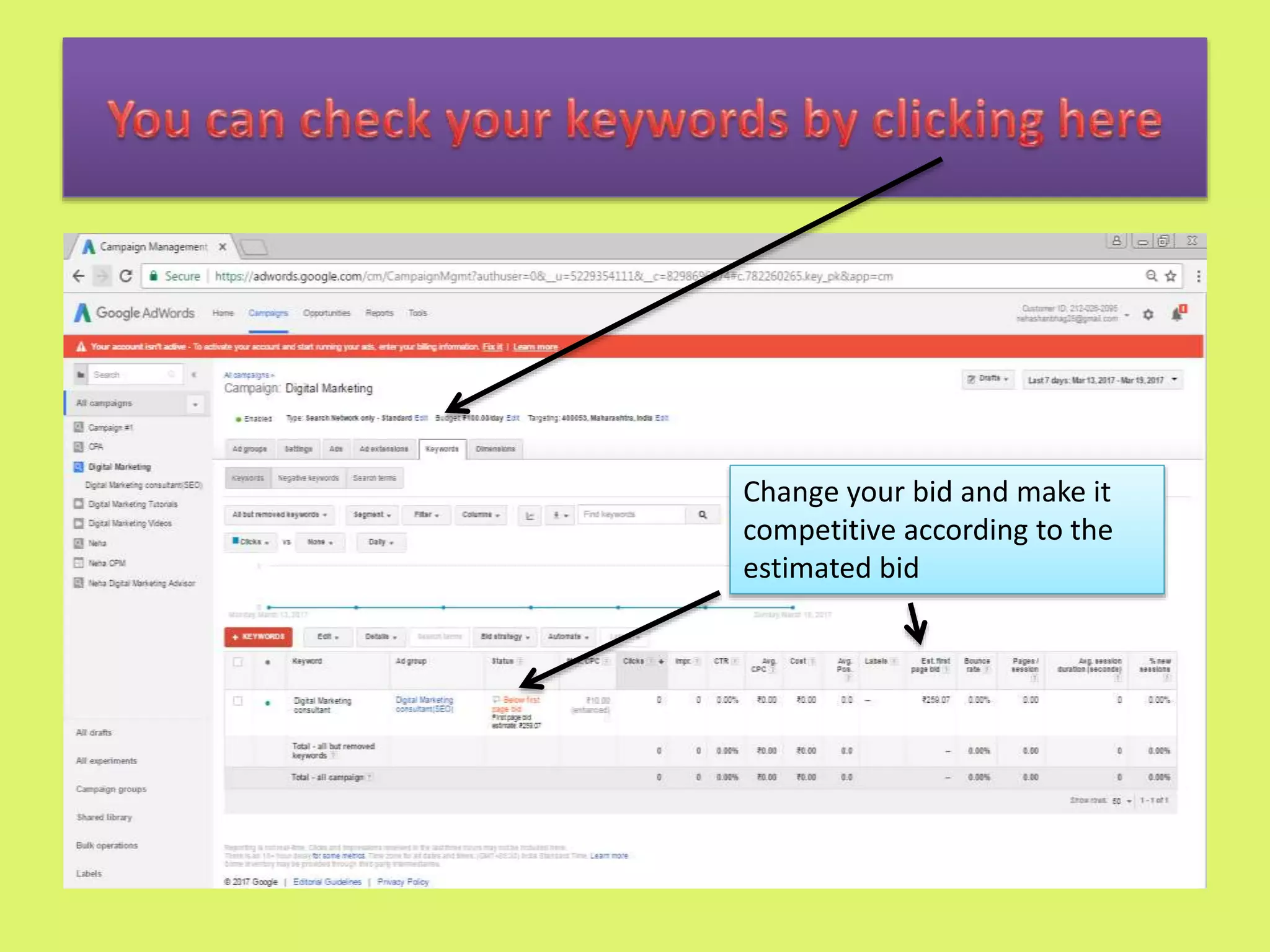
Change your bid and make it
competitive according to the
estimated bid
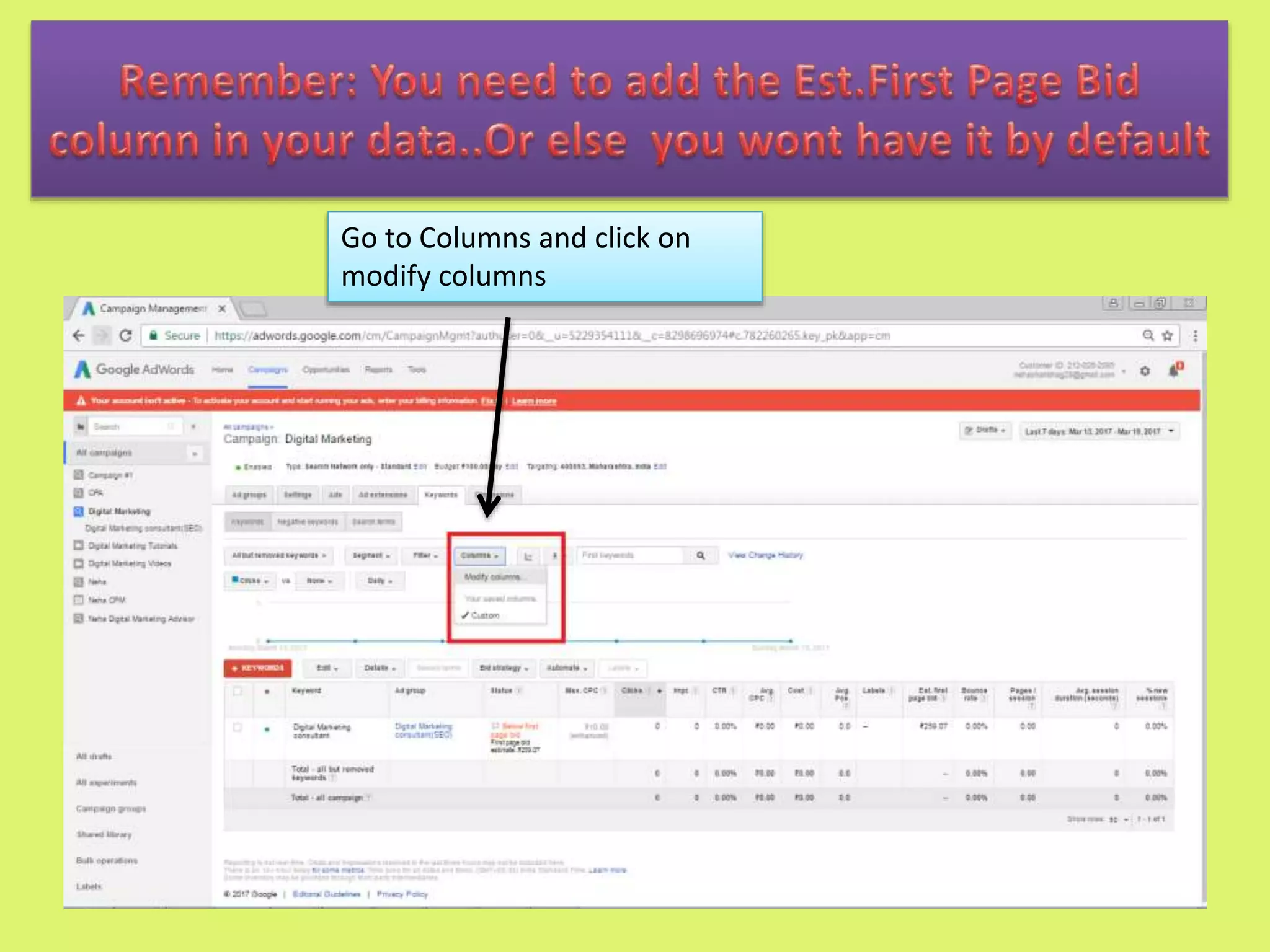
Go to Columns and click on
modify columns
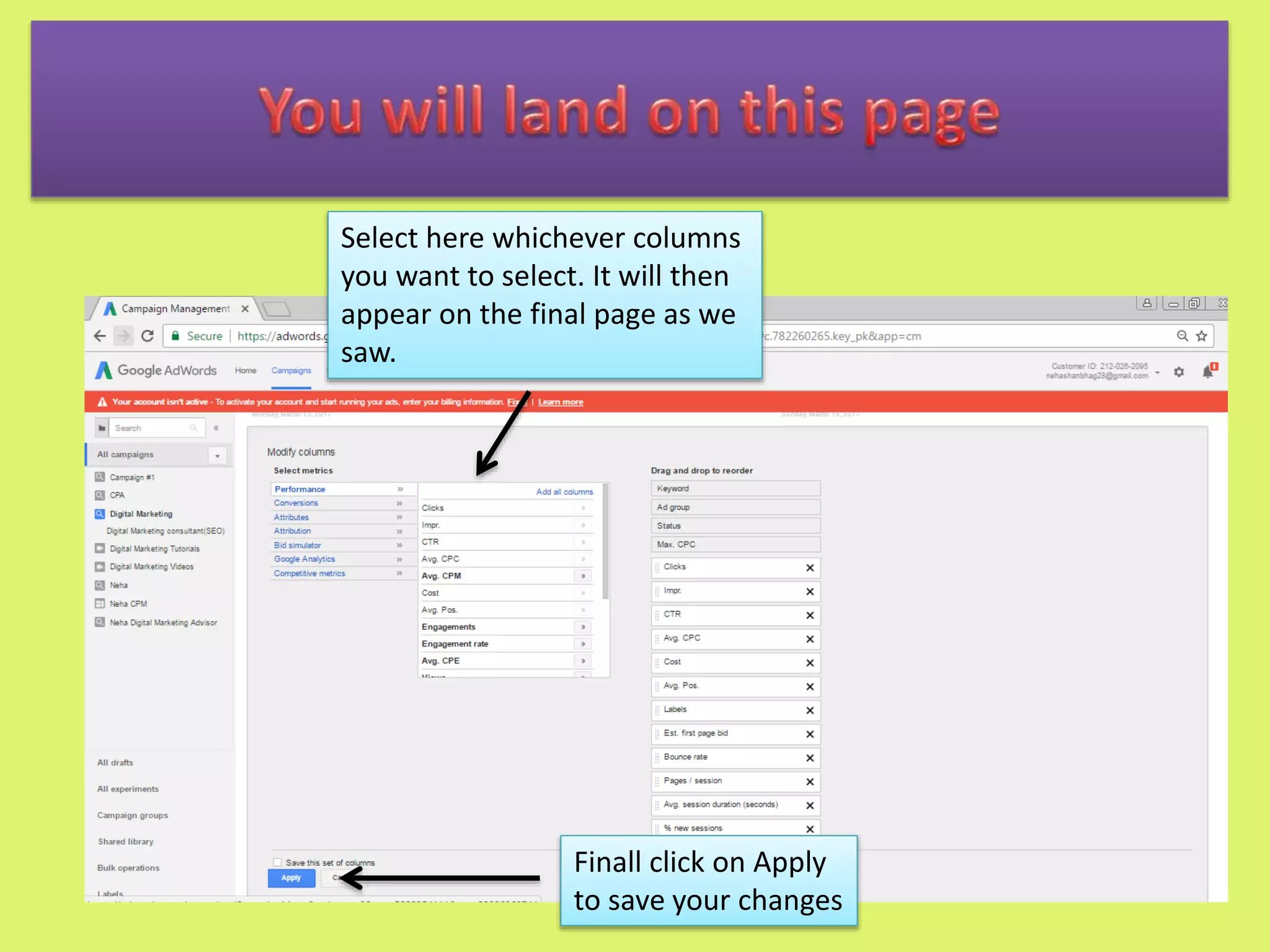
You will land on this page
Select here whichever columns
you want to select. It will then
appear on the final page as we
saw.
Finall click on Apply
to save your changes
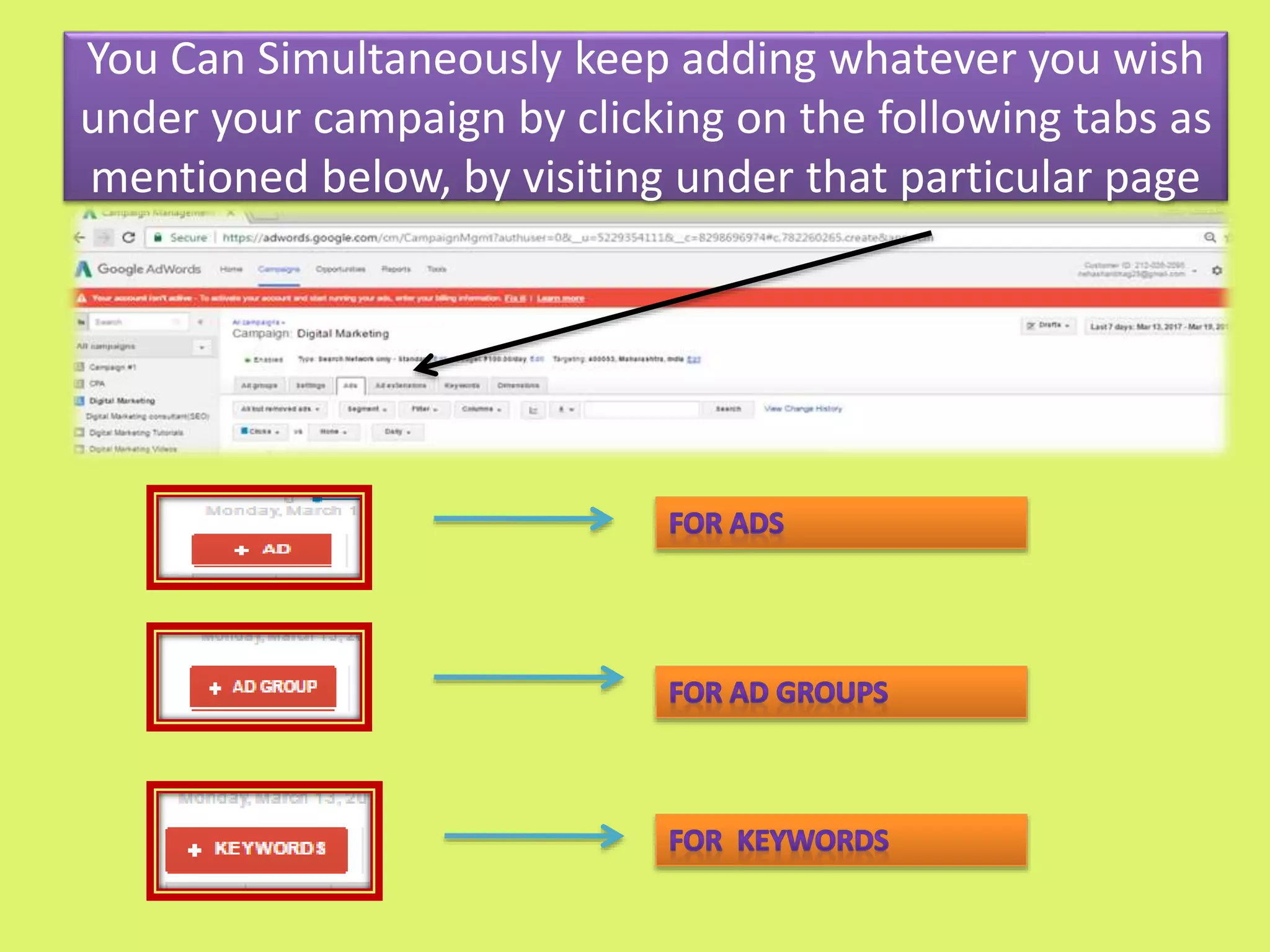
You Can Simultaneously keep adding whatever you wish
under your campaign by clicking on the following tabs as
mentioned below, by visiting under that particular page
Linking of Goole Adwords to Google Analytics
Advantages
 Keep a track of your incoming visitors
 Helps you record your results on your inputs
 Helps you to link your analytics data to adwords
data.
 Helps you improve your ad by analysing the reports
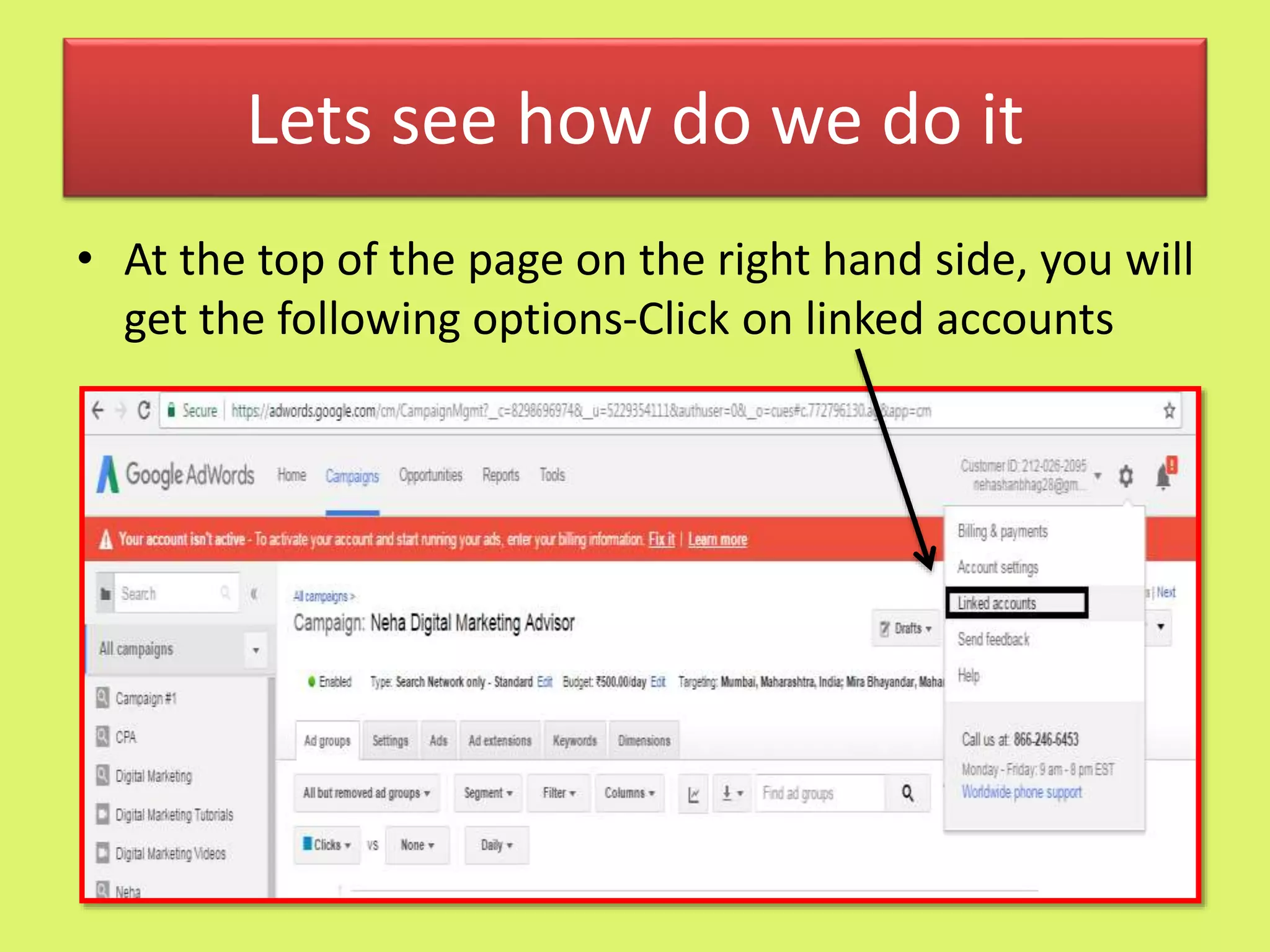
Lets see how do we do it
• At the top of the page on the right hand side, you will
get the following options-Click on linked accounts
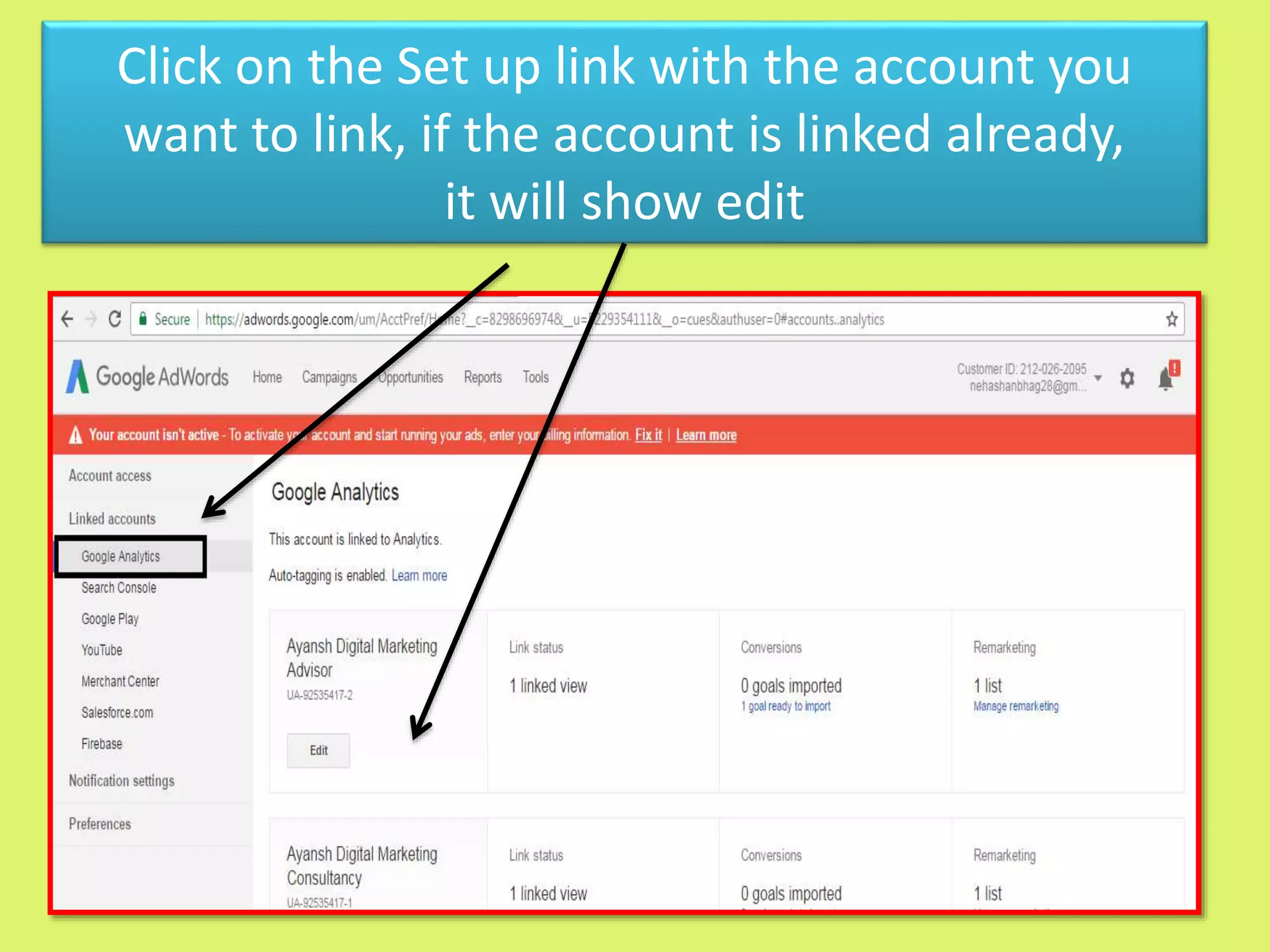
Click on the Set up link with the account you
want to link, if the account is linked already,
it will show edit
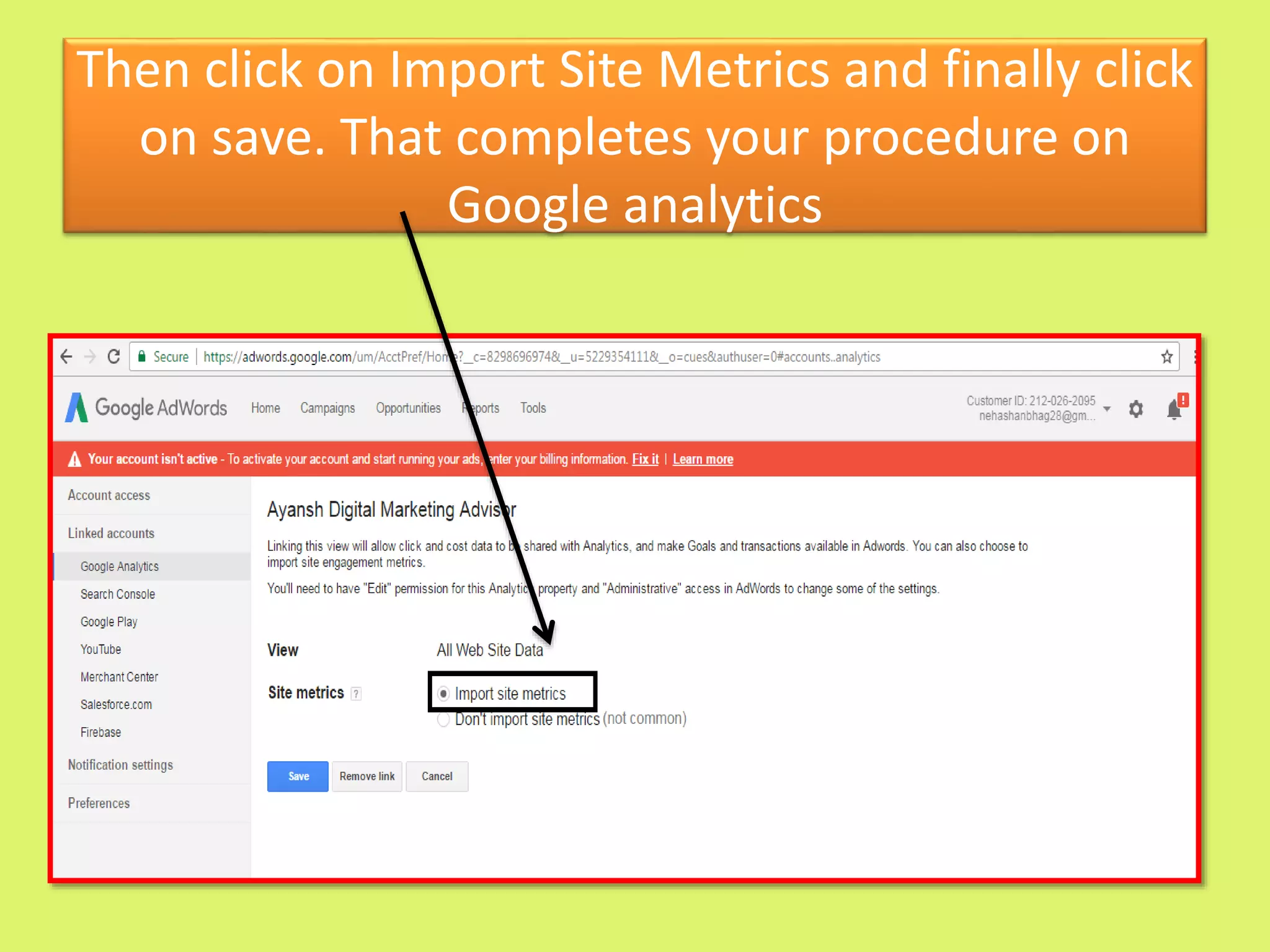
Then click on Import Site Metrics and finally click
on save. That completes your procedure on
Google analytics
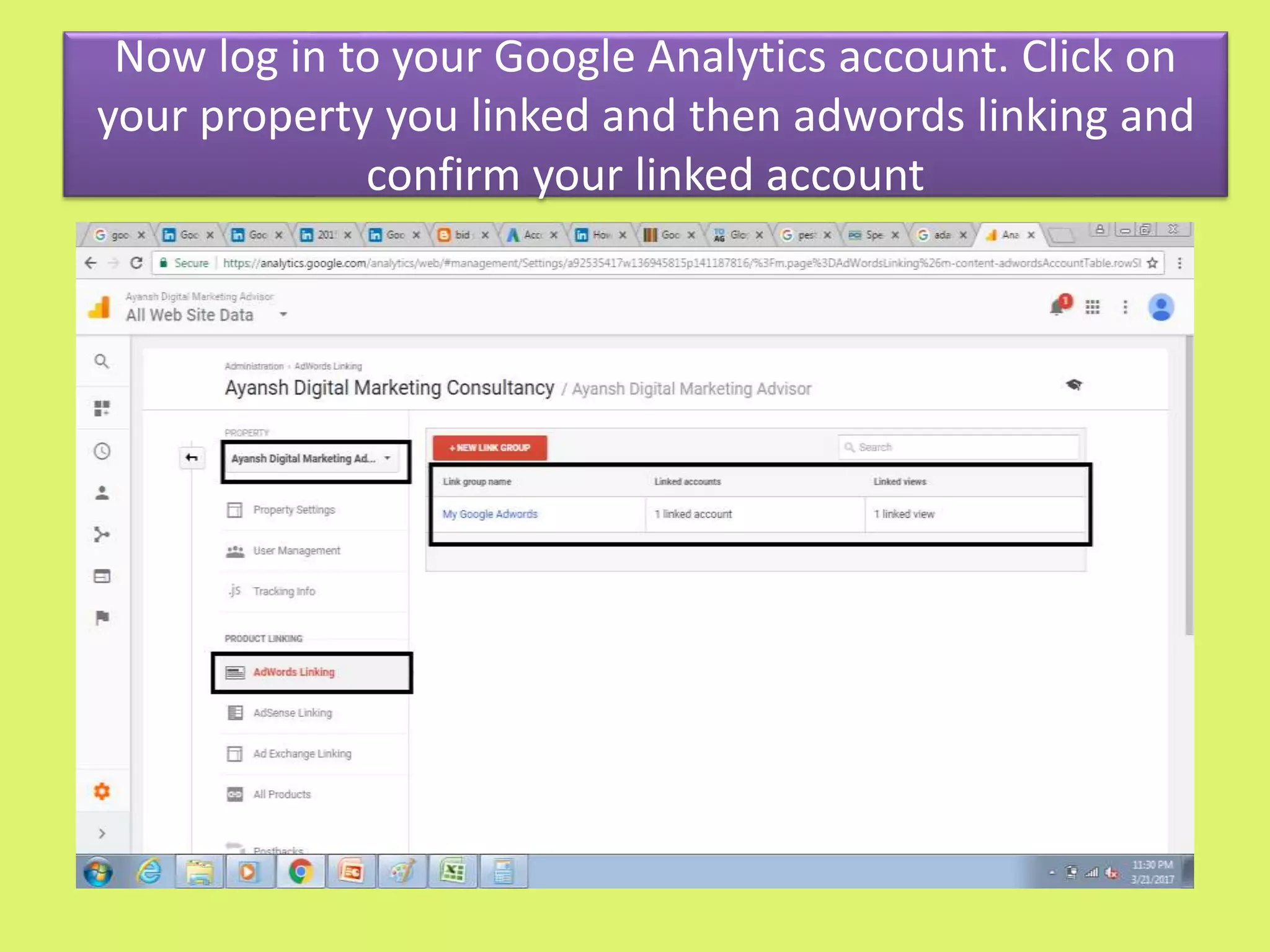
Now log in to your Google Analytics account. Click on
your property you linked and then adwords linking and
confirm your linked account
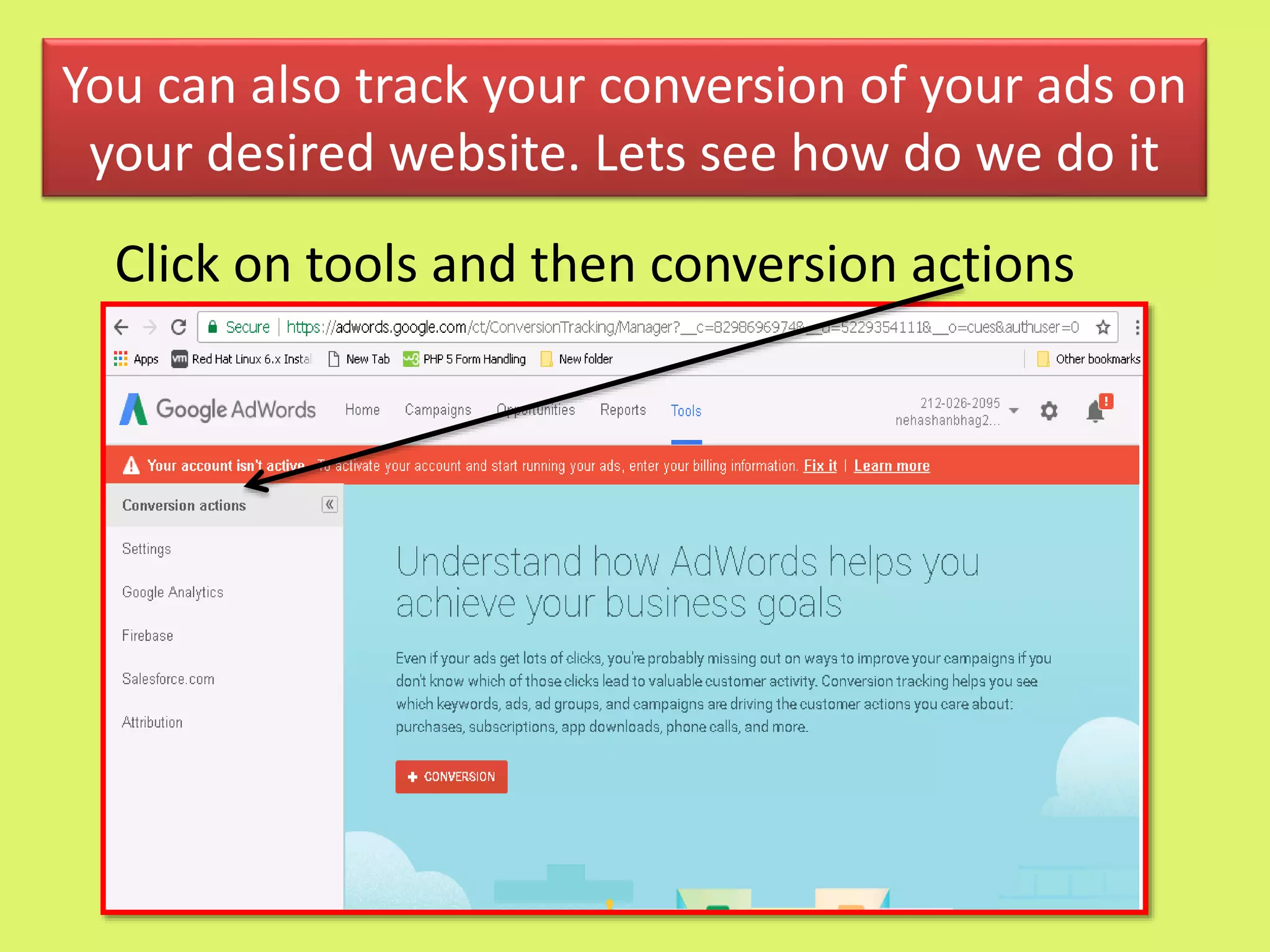
You can also track your conversion of your ads on
your desired website. Lets see how do we do it
Click on tools and then conversion actions
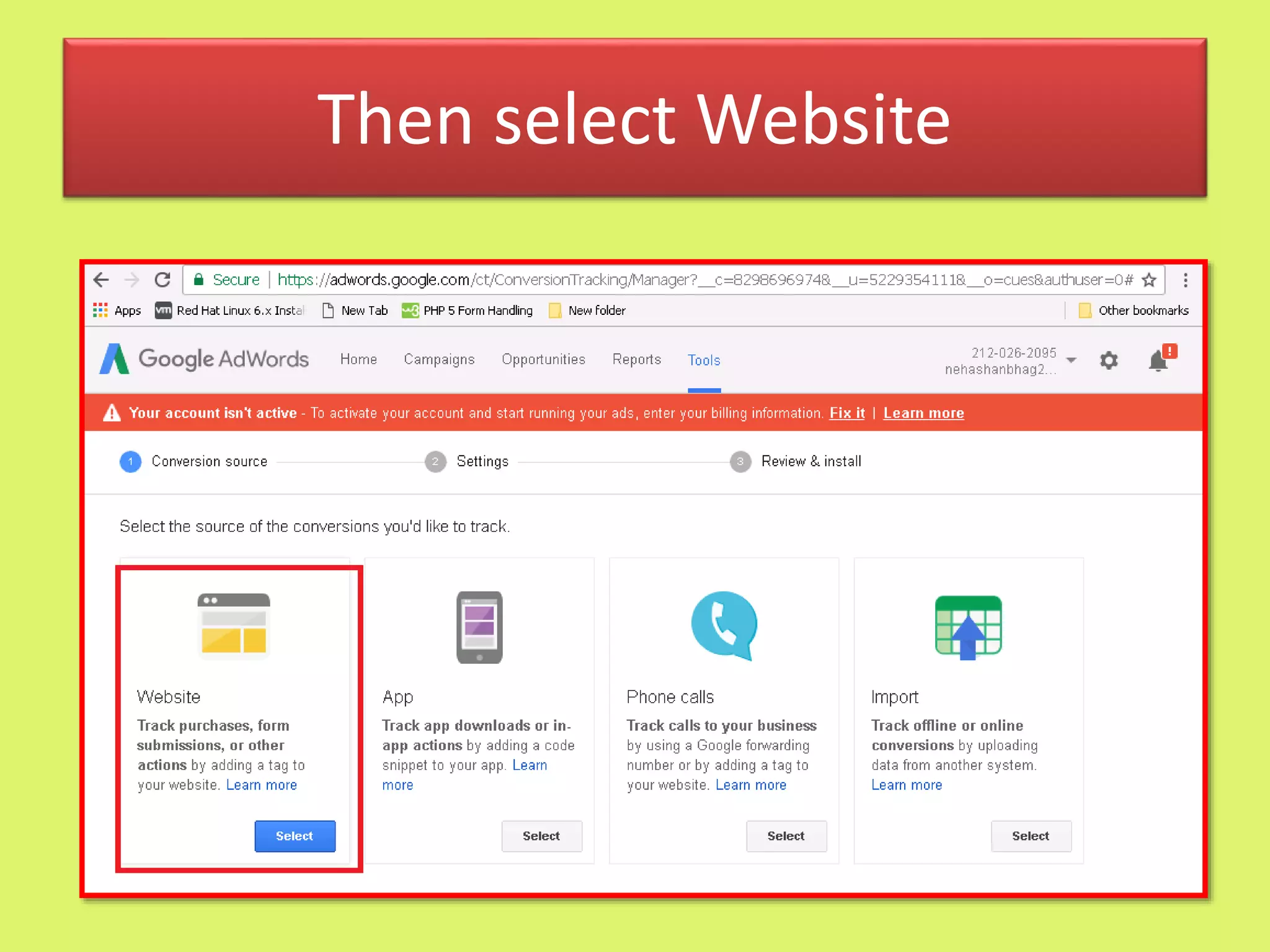
Then select Website
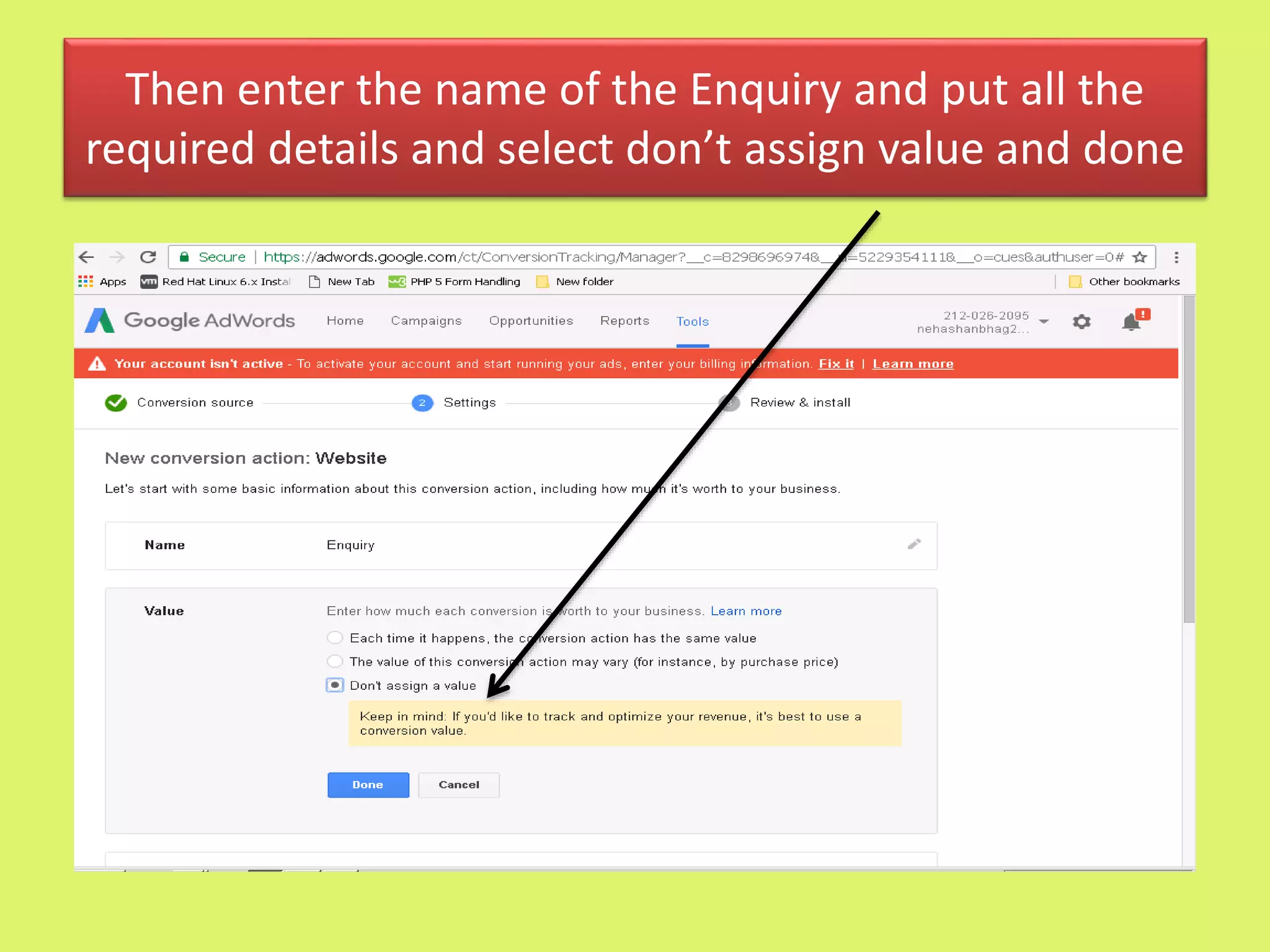
Then enter the name of the Enquiry and put all the
required details and select don’t assign value and done
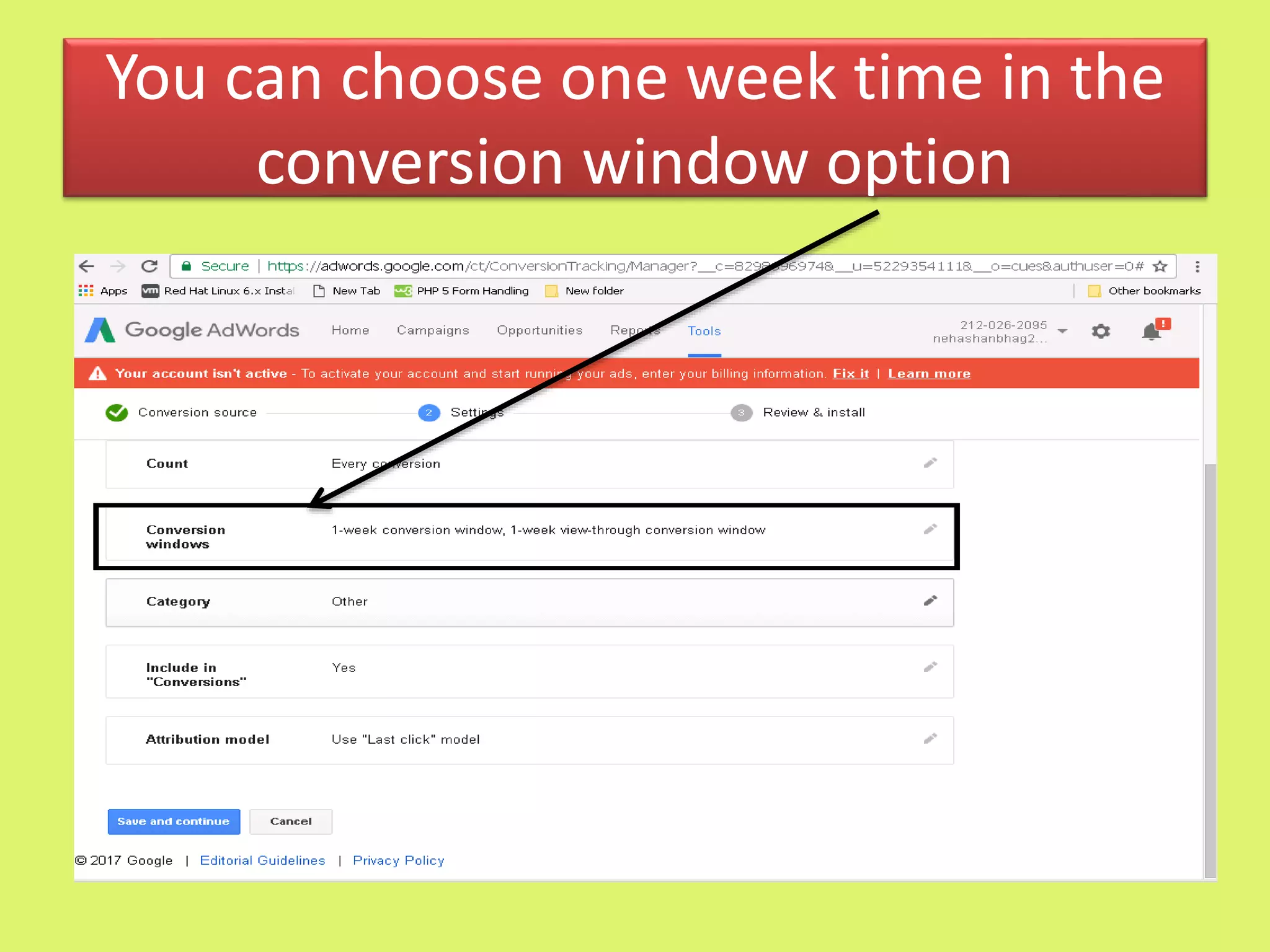
You can choose one week time in the
conversion window option
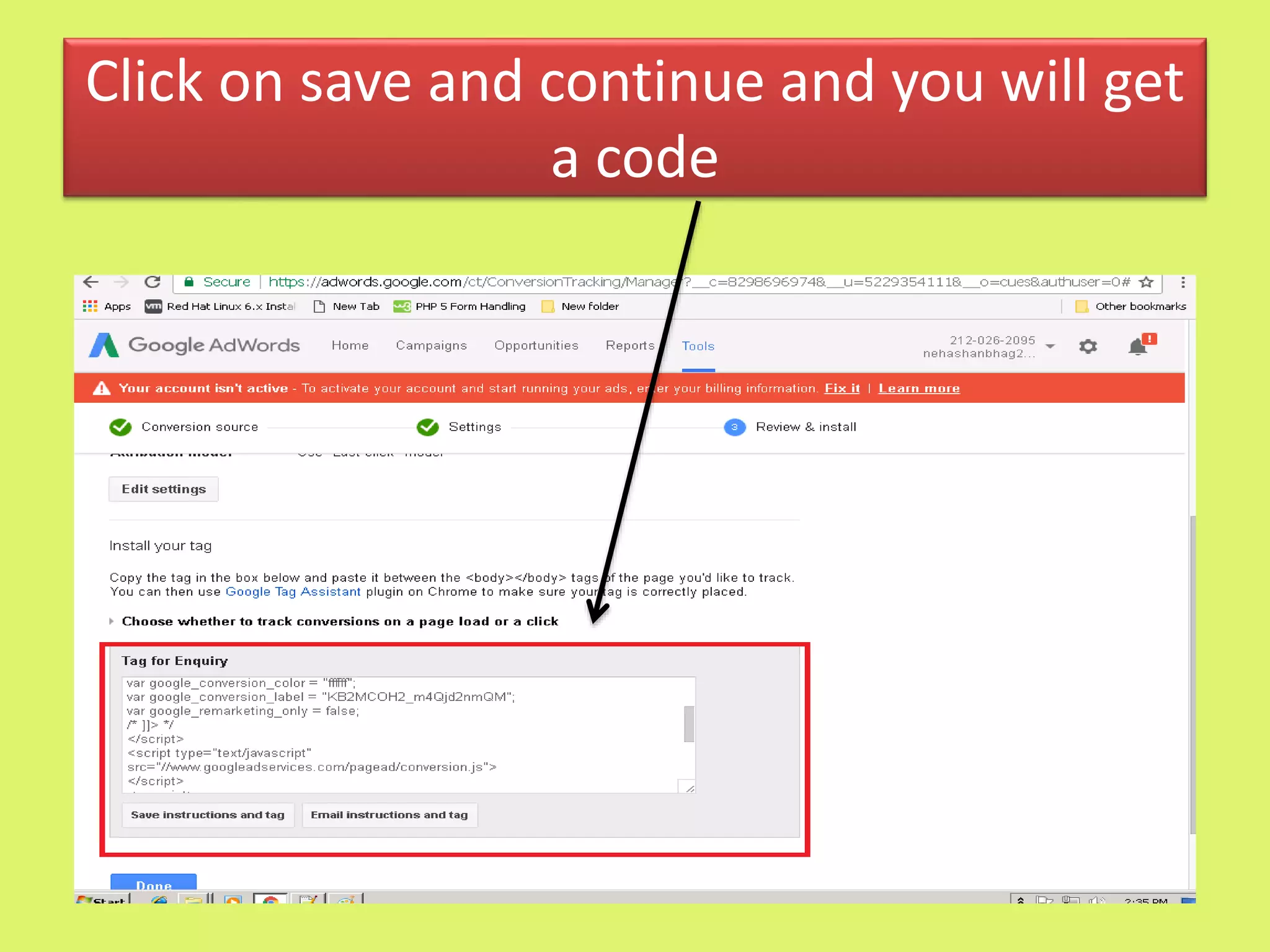
Click on save and continue and you will get
a code
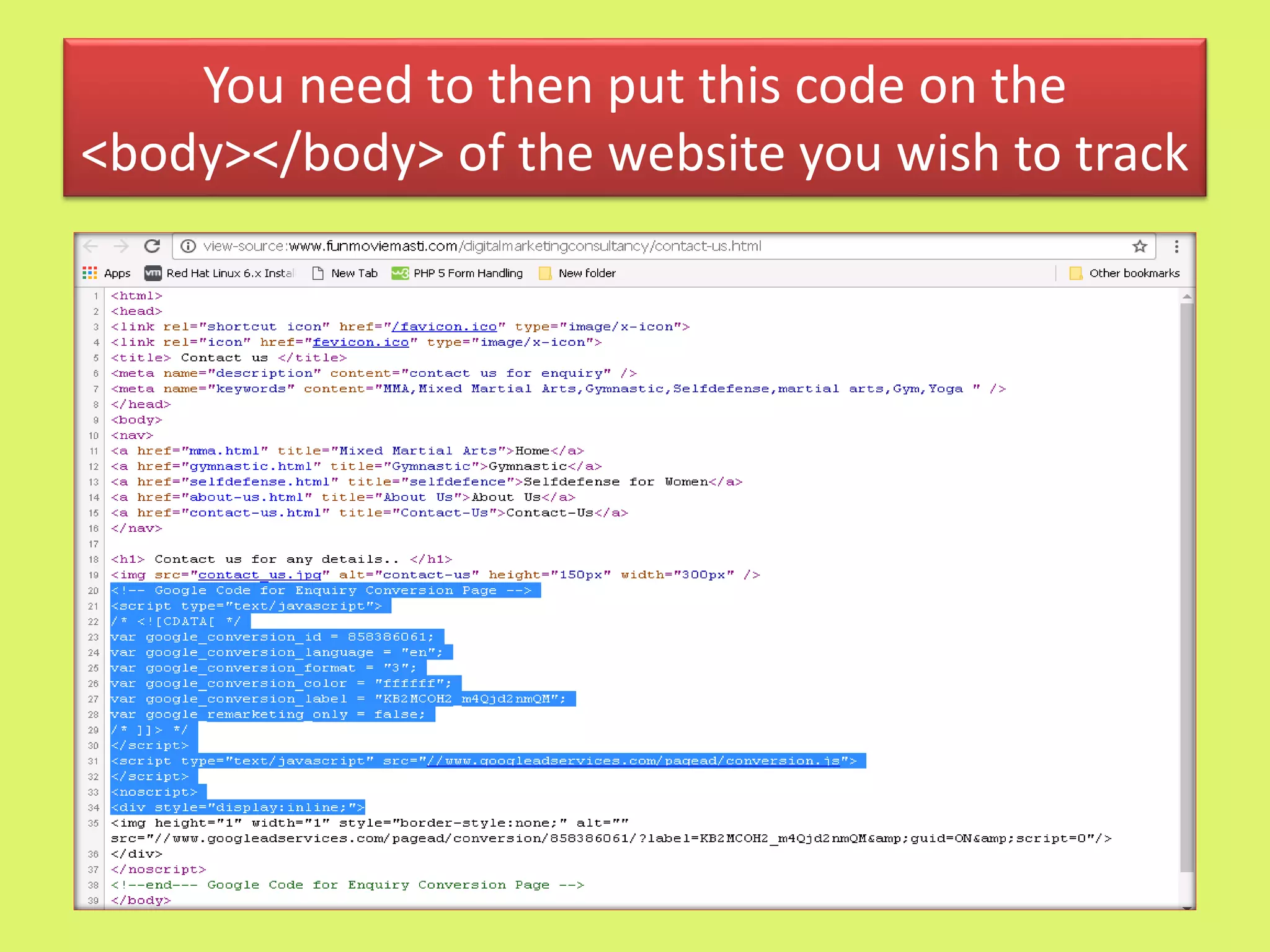
You need to then put this code on the
<body></body> of the website you wish to track
Google adwords   tutorials  by  om sir's  student neha nayak

Google adwords tutorials by om sir's student neha nayak

  • 1.
    By Neha Nayak ByNeha. Nayak
  • 2.
    Outline of thePresentation • Why Choose Google Adwords rather why do digitally • What is Google Adwords and its features • Understanding terms involved in Google Adwords • How to Create an account in Google Adwords followed by a Campaign-Ad Group-Ad • Types of Ads • Types of Keywords • Types of Bidding Strategies and understanding when to use which • How to link adwords to google analytic and its importance • How to track conversion of your ad
  • 3.
  • 6.
     Google Adwordsis an online advertising service or platform by google for businesses or brands who want to display ads on google and its advertising network.  Whenever someone searches anything on the search engine, this program help to grab the attention of the viewers by appearing directly on the first page of the Search Engine Results Page(SERP) based on a bidding system.  In Short, It is a system in which advertisers bid against their desired keywords in an intention to bring their ads on the search engine results page
  • 7.
    Google search sites:Ads can appear above or below search results on Google Search. They can appear beside, above, or below search results on Google Play, Google Shopping, and Google Maps, including the Maps app.
  • 8.
    Google Search Partners E.g: Non-Google websites,as well as Google Video, and other Google sites Google Display Network On the websites that your customer visits E.g Google Finance, Gmail, Blogger, and Youtube On Different Devices When people search on google from their mobile devices and tablets(Android devices, Iphones)Mobile Apps. It is a part of display network In selected locations or languages You can target a specific location, language to reach to your potential customers through campaigns
  • 9.
    It is largelyfocused on keywords It helps to operate by setting a budget and pay only when clicked You yourself can choose where your ad appears It is highly flexible-You can start and stop according to your wish It can be measured and monitored Targeted Results
  • 10.
  • 11.
     Keywords-words orphrases users type to find something desired on a search eng. E.g, if you are entering dress in the search engine, here dress becomes your keyword.  Ad groups- A set of one or more ads which target a common keyword  Campaign-A set of ad groups(ads, keywords and bids) that share a common budget,location and a target. It used to organize categories of products or services that you offer. Your account may have more than one ad campaigns running. We Shall see Campaign and Ad groups examples in the upcoming slides
  • 12.
    • URLs- Weall know URL means the adress of a world wide web which we type in the browser’s address bar. Here there are two types namely Display URL and Actual URL URL Display URL It is the url that appears below your ad text when your ad is shown. It should not be longer than 35 characters and is often the same URL as a site’s homepage E.g www.abc.com Destination URL It is the specific location within your site where you’d like to take a user who clicks on your ad.It does not have to match the display url but should be of the same domain. E.g www.abc.com/contact-us
  • 13.
  • 14.
    Campaign-Digital Marketing Ad Group-Digital Marketing Consultant(SEO) Keyword-SEO Expertsin Mumbai Keyword-SEO Consultant in Mumbai Ads-Best Digital Marketing Advisor 20% discount www.abc.com Get the best DM Strategy
  • 15.
     Go tohttps://www.google.co.in/adwords/  Log in to google adwords account with your gmail id and password  Your account will be associated with a unique email address, password and billing information
  • 16.
    First you needto choose the type of campaign you want to create
  • 17.
    • An adgroup is a set of similar ads and keywords(words or phrases for searching anything on the search engine) • It contains one or more ads which target a common keyword. • Each of your campaign is made up of one or more ad groups
  • 19.
  • 20.
  • 22.
    1 • Select yourcampaign type and name it 2 • Select the location you want to target your ad 3 • Select your bidding Strategy/Type and set your budget 4 • Ignore the Ad extensions at the start.
  • 23.
    5 • Create yourfirst Ad group and prepare your ad 6 • Insert your keyword according to the campaign 7 • Select your maximum cost per click 8 • Cross check Everything 9 • Enter your billing information
  • 24.
    Definitions of theVarious Bidding Strategies- Overview  Cost Per Click(CPC)/Pay Per Click(PPC)-You pay on clicks on your ads(Used in Search Network and Display Network)  Manual CPC-It is technique wherein you have a total control over your bidding  Automatic CPC-You need to set a budget in this and adwords will automically work to get you the clicks. You can even set a CPC bid limit in this according to your wish.  Enhanced CPC-It is basically for the conversion-focused advertisers. Here, Adwords automatically increases or decreases CPC bids to maximize conversions. CPC is the widely used bidding strategy
  • 25.
     Cost PerAction/Acquisition(CPA)- You pay when an action is taken on your ad(Used in Search Network and Display Network)  Target CPA-It is the average CPA you are willing to pay or simply costs deducts upon your target budget set.  Cost Per 1000 impressions(CPM)-Also referred to as viewable CPM. The cost is calculated as per the displayed ad viewed 1000 times(Used in Display Network)  Cost Per View(CPV)-You pay when your ad is clicked and viewed. Here the ad is in video form(Used in Video Campaigns)
  • 26.
    Bidding Strategy isbroadly classified into below mentioned two types Bidding Strategy Automated Bid Strategy Target Search Page location Target CPA Target ROAs Target Outranking Share Maximize clicks Enhanced CPC Manual Bidding Manual CPC
  • 27.
    Sr No Typeof Bid Purpose 1 Target Search Page Location Sets bids to help get your ad on the top of the page or first page of the search results 2 Target CPA Sets bids to help get most conversions according to the set CPA 3 Target ROAs Sets bids to help get most conversions while maintaining your target return on the ad spend 4 Target Outranking Share Sets bids to outrank another domain's ad 5 Maiximize Clicks Sets bids to get you more clicks according to your set budget 6 Enhanced CPC Adjusts your manual bid up or down to increase conversion 7 Manual CPC Set your own CPC for your ads
  • 28.
    How to decidewhich Bidding Strategy to choose? • Firstly we need to decide our goal. • Goal is mainly classified into three types as mentioned below and depending on your goal, you need to choose your bidding strategy • If you want to generate traffic to your website-focusing on clicks could be ideal for you. Cost-per-click (CPC) bidding may be right for your campaign. • If you want to increase brand awareness—not drive traffic to your site—focusing on impressions may be your strategy. You can use cost per thousand viewable impressions (vCPM) bidding to put your message in front of customers. • If you want customers to take a direct action on your site and you're using conversion tracking then it may be best to focus on conversions. Cost-per-acquisition (CPA) bidding lets you do that.
  • 29.
    Overview of ChoosingBidding Strategies according to goals
  • 30.
    Understanding Terms relatedto Advertising on Google Adwords • Impression: No.of times an ad is viewed by the visitor or displayed once on the web page. • CTR Formula= Clicks Impressions If a campaign ran 50,000 impressions and generates 4765 clicks, the CTR would be .09. Publishers should be very aware of what their CTR is on each placement to determine if optimizations should be made to increase the CTR and generate more revenue • CPC Formula= Cost to Advertisers Clicks For e.g, If a campaign cost an advertiser Rs 100 and they received 32 clicks, the CPC would be Rs 3.125 (100/32 = 3.125)
  • 31.
    • Quality Score:It is Google's rating of the quality and relevance of both your keywords and PPC ads. It is used to determine your cost per click(CPC) and multiplied by your maximum bid to determine your ad rank in the ad auction process. We exactly don’t know how google weighs your score but normally it is out of 10.More you score, the better it is. Your Quality Score depends on multiple factors, including:  Your Click through rate (CTR).  The relevance of each keyword to its ad group.  Landing page quality and relevance.  The relevance of your ad text.  How much responsive your ad is.  Your historical AdWords account performance.
  • 32.
    • Ad rank: It is the position of your PPC ad on the Search Engine Results Page(SERP) • Actual CPC: Final amount you’re charged for a click
  • 34.
    Lets quickly makea new campaign  Log in to your google adwords account by your gmail id and password  Lets take an example of a Search Network Type Campaign  There are total 4 steps involed in it. Lets go one by one.
  • 35.
    Name a CampaignSelect Standard Select from existing campaigns
  • 36.
    Choose a locationby clicking on let me choose and go to advanced search Select the desired language
  • 37.
    Enter the location youare targeting You can also choose Radius Targeting for targeting your nearby locations Then finally click on done
  • 38.
    Choose your bidding strategy Youcan choose your desired ad extension from here Select your default bid and budget here Finally click on save and continue
  • 39.
    Enter the urlof the landing page you want the customers to be redirected to Enter name of the Ad group. Should be relevant to the Campaign Enter the keywords relevant to your ad group You will directly get the suggestion for your keywords as per mostly searched Finally, click on continue to ads
  • 40.
    Enter the finalurl as mentioned earlier Enter the heading 1 and 2 you want Then finally enter the path. It is a display URL not a destination URL Whatever you enter, you will get a preview here. Finally click on save ad
  • 41.
    Create one more adfor the same ad group You will be redirected to this page. There should be atleast 2 ads for a Ad group as mentioned Finally, you can click on save and finish You can review your campaign here and edit if you want. After this your ad will be published and you cant make any changes (Step 4)
  • 44.
    Change your bidand make it competitive according to the estimated bid
  • 45.
    Go to Columnsand click on modify columns
  • 46.
    You will landon this page Select here whichever columns you want to select. It will then appear on the final page as we saw. Finall click on Apply to save your changes
  • 47.
    You Can Simultaneouslykeep adding whatever you wish under your campaign by clicking on the following tabs as mentioned below, by visiting under that particular page
  • 48.
    Linking of GooleAdwords to Google Analytics Advantages  Keep a track of your incoming visitors  Helps you record your results on your inputs  Helps you to link your analytics data to adwords data.  Helps you improve your ad by analysing the reports
  • 49.
    Lets see howdo we do it • At the top of the page on the right hand side, you will get the following options-Click on linked accounts
  • 50.
    Click on theSet up link with the account you want to link, if the account is linked already, it will show edit
  • 51.
    Then click onImport Site Metrics and finally click on save. That completes your procedure on Google analytics
  • 52.
    Now log into your Google Analytics account. Click on your property you linked and then adwords linking and confirm your linked account
  • 53.
    You can alsotrack your conversion of your ads on your desired website. Lets see how do we do it Click on tools and then conversion actions
  • 54.
  • 55.
    Then enter thename of the Enquiry and put all the required details and select don’t assign value and done
  • 56.
    You can chooseone week time in the conversion window option
  • 57.
    Click on saveand continue and you will get a code
  • 58.
    You need tothen put this code on the <body></body> of the website you wish to track