CSC 103
Lecture 6
Introduction to Computers and Programming
Pseudo-code and Flow Charts
 There are two commonly used tools to help to
document program logic (the algorithm)
 These are:
 Flowcharts
 Graphical representation
 used for small problems
 Pseudo-code
 English and programming combination
 used for large problems
2
Pseudo-code
 Pseudo-Code is a numbered list of instructions to perform
some task
 Statements are written in simple English without regard to the
final programming language
 Each instruction is written on a separate line
 The pseudo-code is the program-like statements written for
human readers, not for computers
 Implementation is to translate the pseudo-code into programs,
such as “C” language programs
3
Writing Pseudo-code
 Number each instruction
 This is to enforce the notion of an ordered sequence of
operations
 Furthermore we introduce a dot notation (e.g. 3.1 come
after 3 but before 4) to number subordinate operations
for conditional and iterative operations
 Each instruction should be unambiguous and effective
 Completeness: Nothing is left out
4
Basic Elements of Pseudo-code
 A Variable
 Having name and value
 There are two operations performed on a variable
 Assignment Operation is the one in which we associate
a value to a variable.
 The other operation is the one in which at any given
time we intend to retrieve the value previously assigned
to that variable (Read Operation)
5
Basic Operations of Pseudo-code
 Assignment Operation
 This operation associates a value to a variable.
 While writing Pseudo-code you may follow your own
syntax.
 Some of the possible syntaxes are:
 Assign 3 to x
 Set x equal to 3
 x=3
6
Basic Operations of Pseudo-code
 Read Operation
 In this operation we intend to retrieve the value
previously assigned to that variable. For example:
 Set Value of x equal to y
 Read the input from user
 This operation causes the algorithm to get the value of a
variable from the user.
 Get x
 Get a, b, c
7
Basic Operations of Pseudo-code
 Print the output to the user
 Print x (This will print value of variable x)
 Print “Your mileage is” x
 Carry out basic arithmetic computations
 Set x to 10
 Set y to x*x/3
8
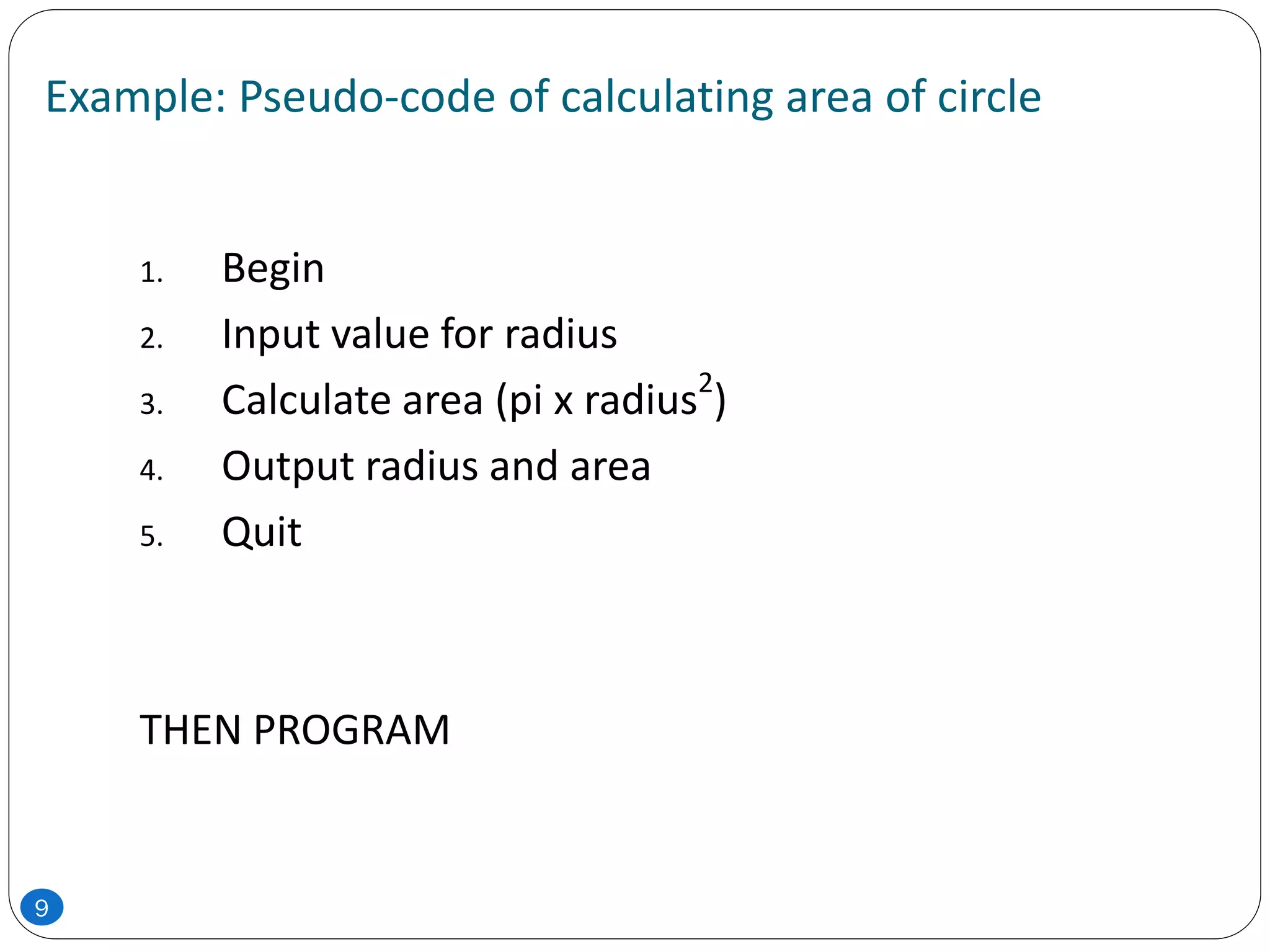
Example: Pseudo-code of calculating area of circle
1. Begin
2. Input value for radius
3. Calculate area (pi x radius2
)
4. Output radius and area
5. Quit
THEN PROGRAM
9
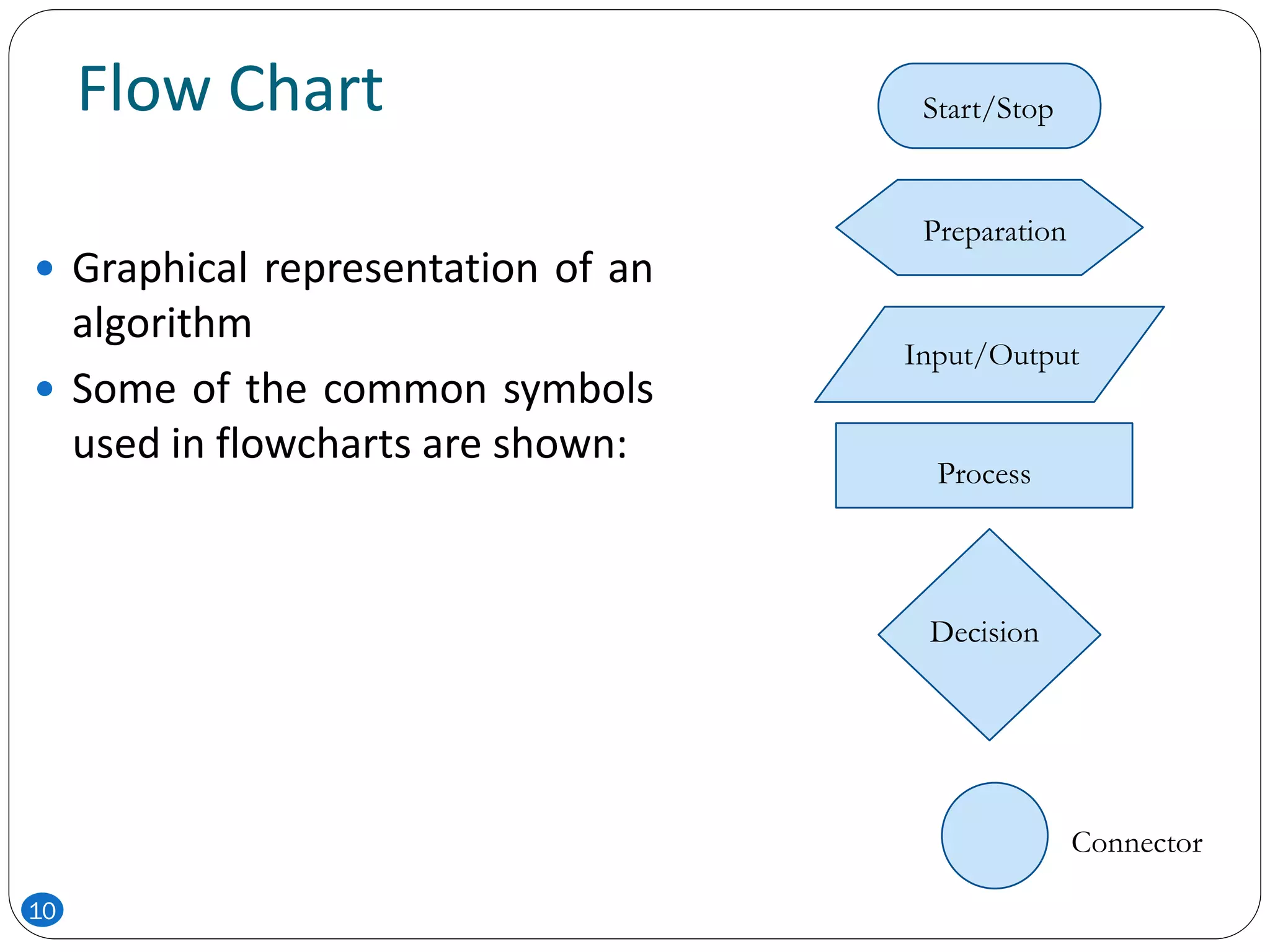
Flow Chart
 Graphical representation of an
algorithm
 Some of the common symbols
used in flowcharts are shown:
Start/Stop
Preparation
Input/Output
Process
Decision
Connector
10
 With flowcharting, essential steps of an algorithm are
shown using the shapes above.
 The flow of data between steps is indicated by
arrows, or flowlines. For example, a flowchart (and
equivalent Pseudocode) to compute the interest on a
loan is shown below:
11
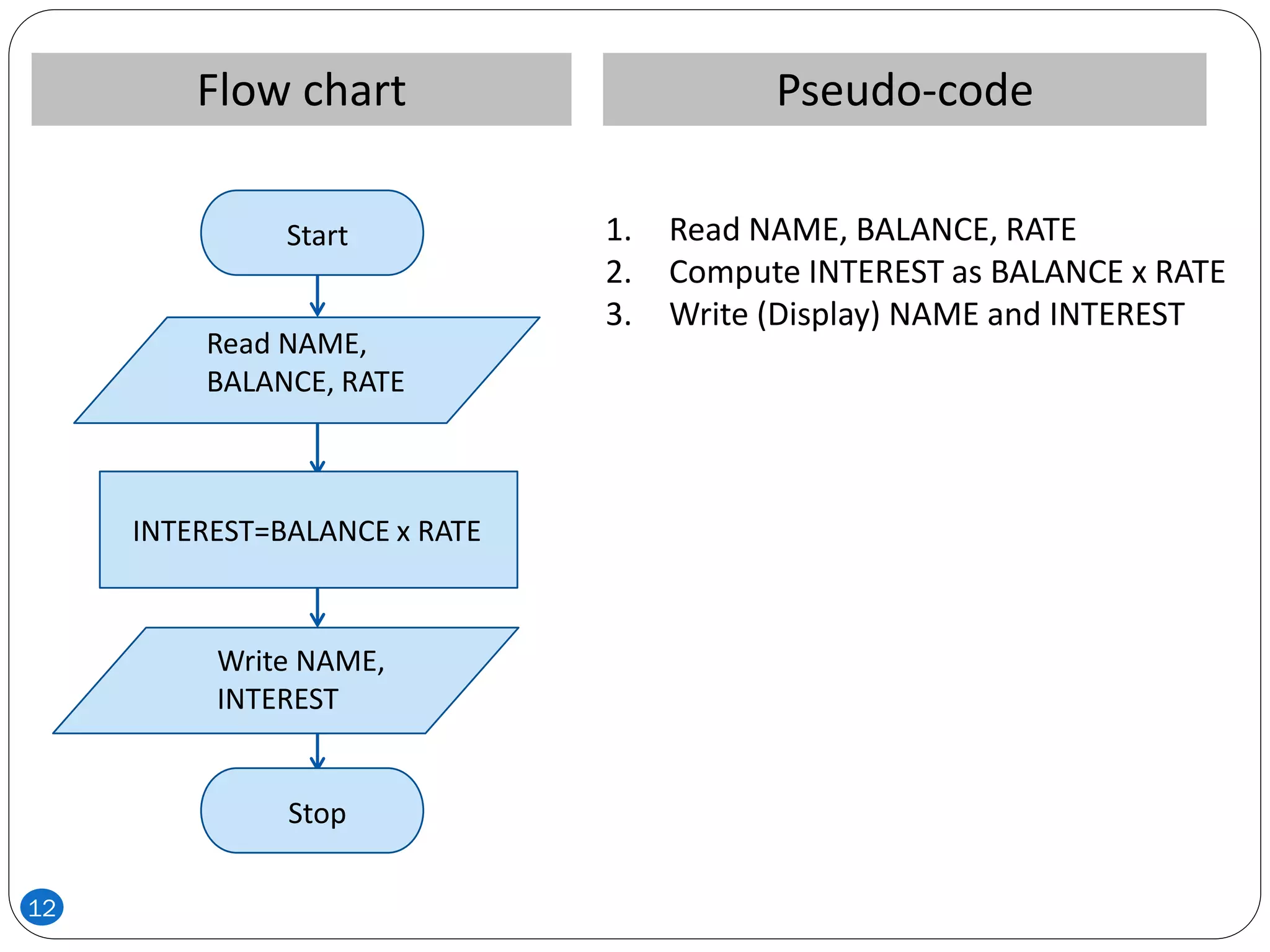
Pseudo-codeFlow chart
1. Read NAME, BALANCE, RATE
2. Compute INTEREST as BALANCE x RATE
3. Write (Display) NAME and INTEREST
Stop
Start
Read NAME,
BALANCE, RATE
INTEREST=BALANCE x RATE
Write NAME,
INTEREST
12
 Note that the Pseudo-code also describes the essential
steps to be taken, but without the graphical
enhancements.
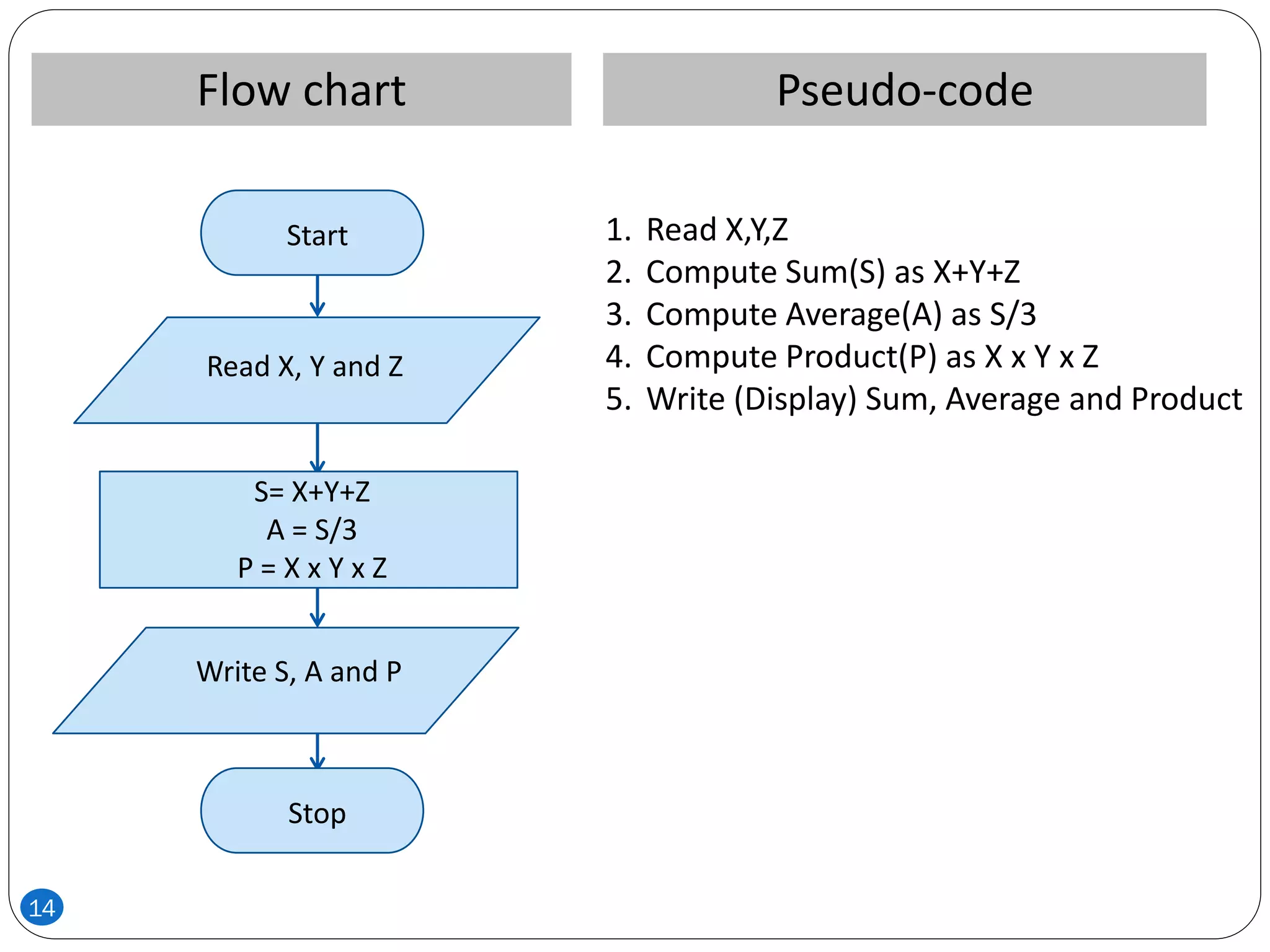
 Another example of a flowchart and the equivalent
pseudo-code is shown next.
13
Pseudo-codeFlow chart
1. Read X,Y,Z
2. Compute Sum(S) as X+Y+Z
3. Compute Average(A) as S/3
4. Compute Product(P) as X x Y x Z
5. Write (Display) Sum, Average and Product
Stop
Start
Read X, Y and Z
S= X+Y+Z
A = S/3
P = X x Y x Z
Write S, A and P
14
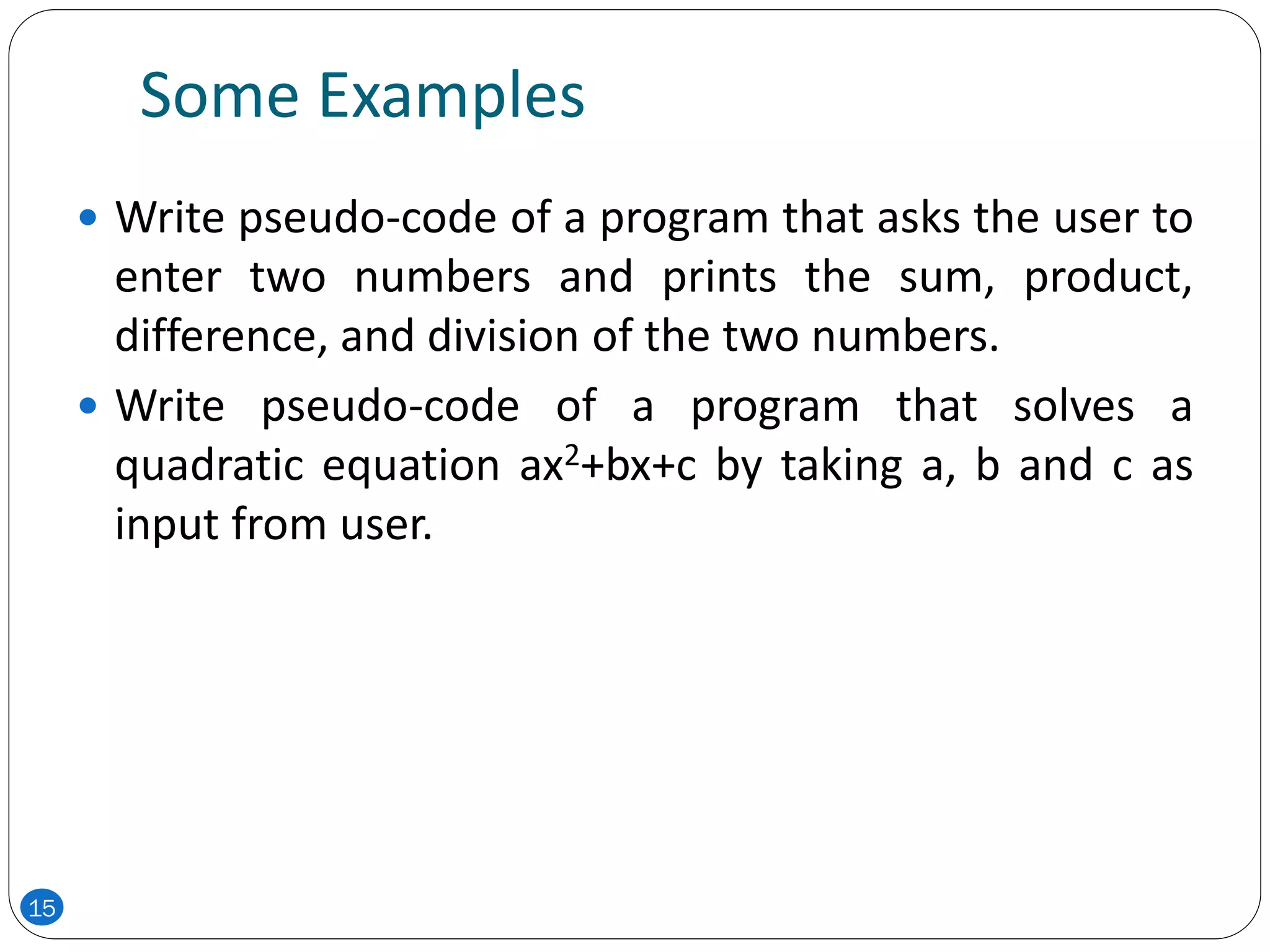
Some Examples
 Write pseudo-code of a program that asks the user to
enter two numbers and prints the sum, product,
difference, and division of the two numbers.
 Write pseudo-code of a program that solves a
quadratic equation ax2+bx+c by taking a, b and c as
input from user.
15
Decision Making and Pseudo-code
16
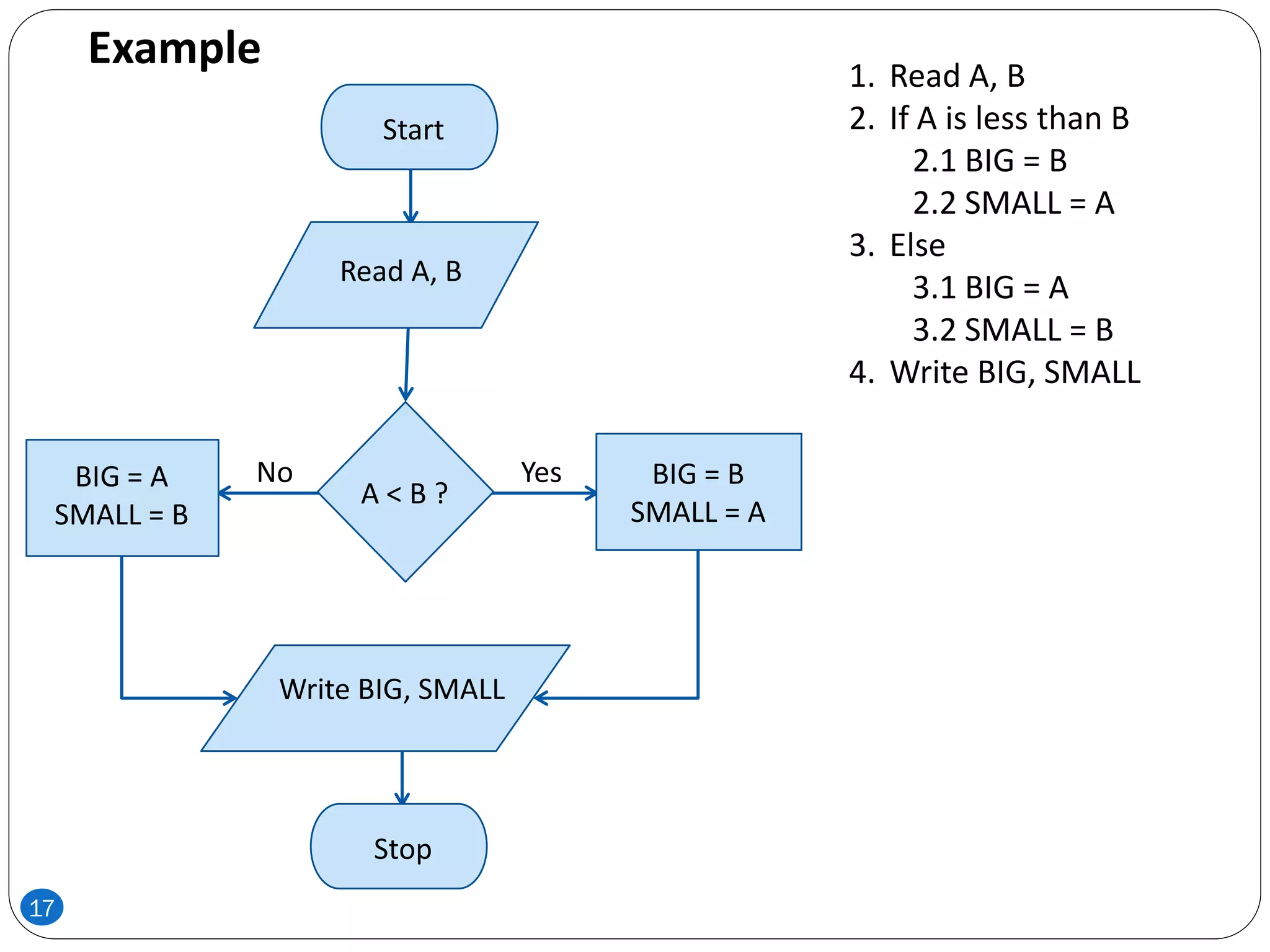
Stop
Start
Read A, B
BIG = A
SMALL = B
Write BIG, SMALL
BIG = B
SMALL = A
A < B ?
YesNo
1. Read A, B
2. If A is less than B
2.1 BIG = B
2.2 SMALL = A
3. Else
3.1 BIG = A
3.2 SMALL = B
4. Write BIG, SMALL
Example
17
Loops and Pseudo-code
18
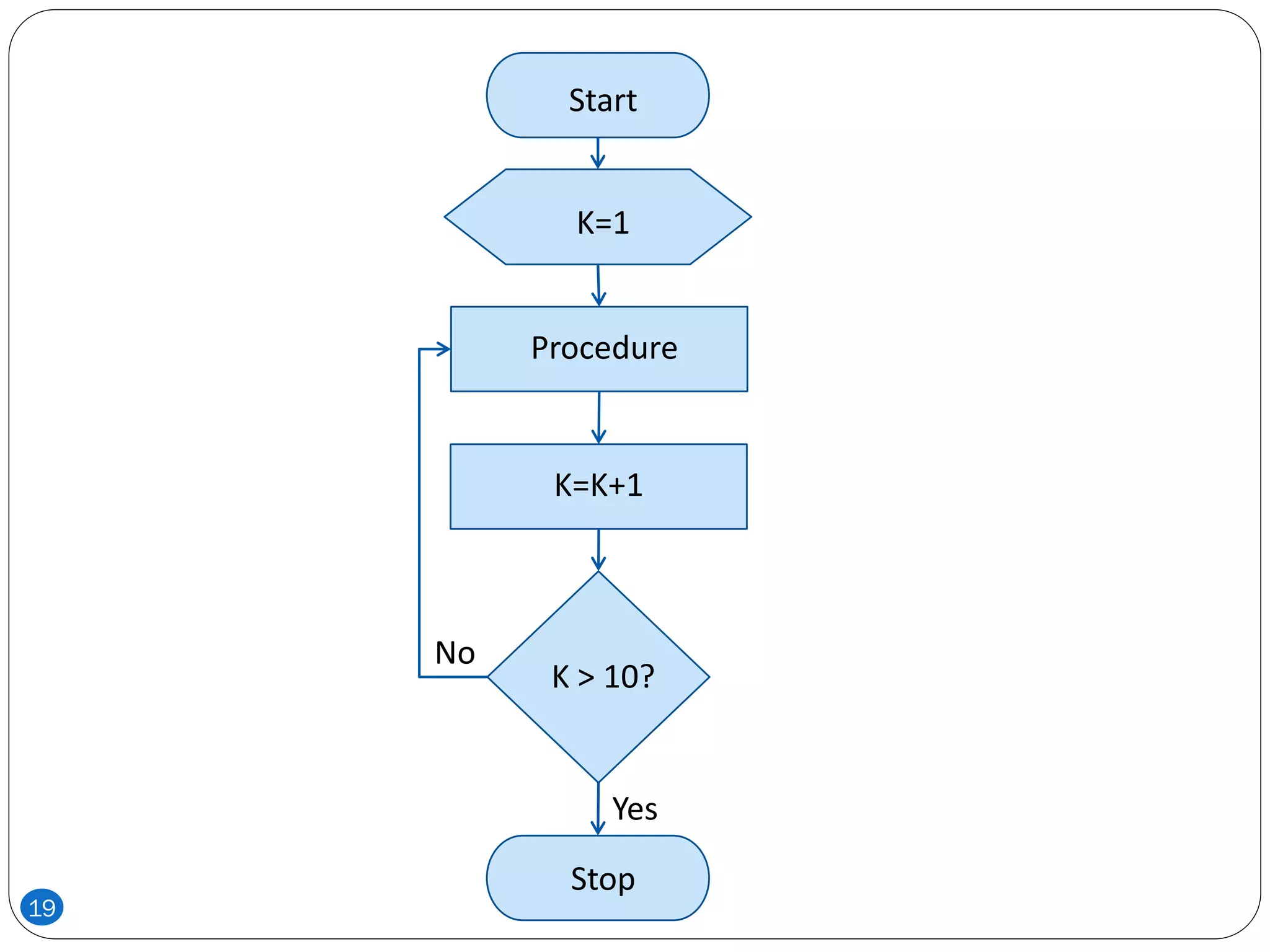
Start
K=1
K=K+1
K > 10?
Procedure
Stop
Yes
No
19
Draw the Flowchart
1. get hours worked
2. get pay rate
3. if hours worked ≤ 40 then
3.1 gross pay = pay rate times hours worked
4. else
4.1 gross pay = pay rate times 40 plus 1.5
times pay rate times (hours worked minus 40)
5. display gross pay
6. End
20
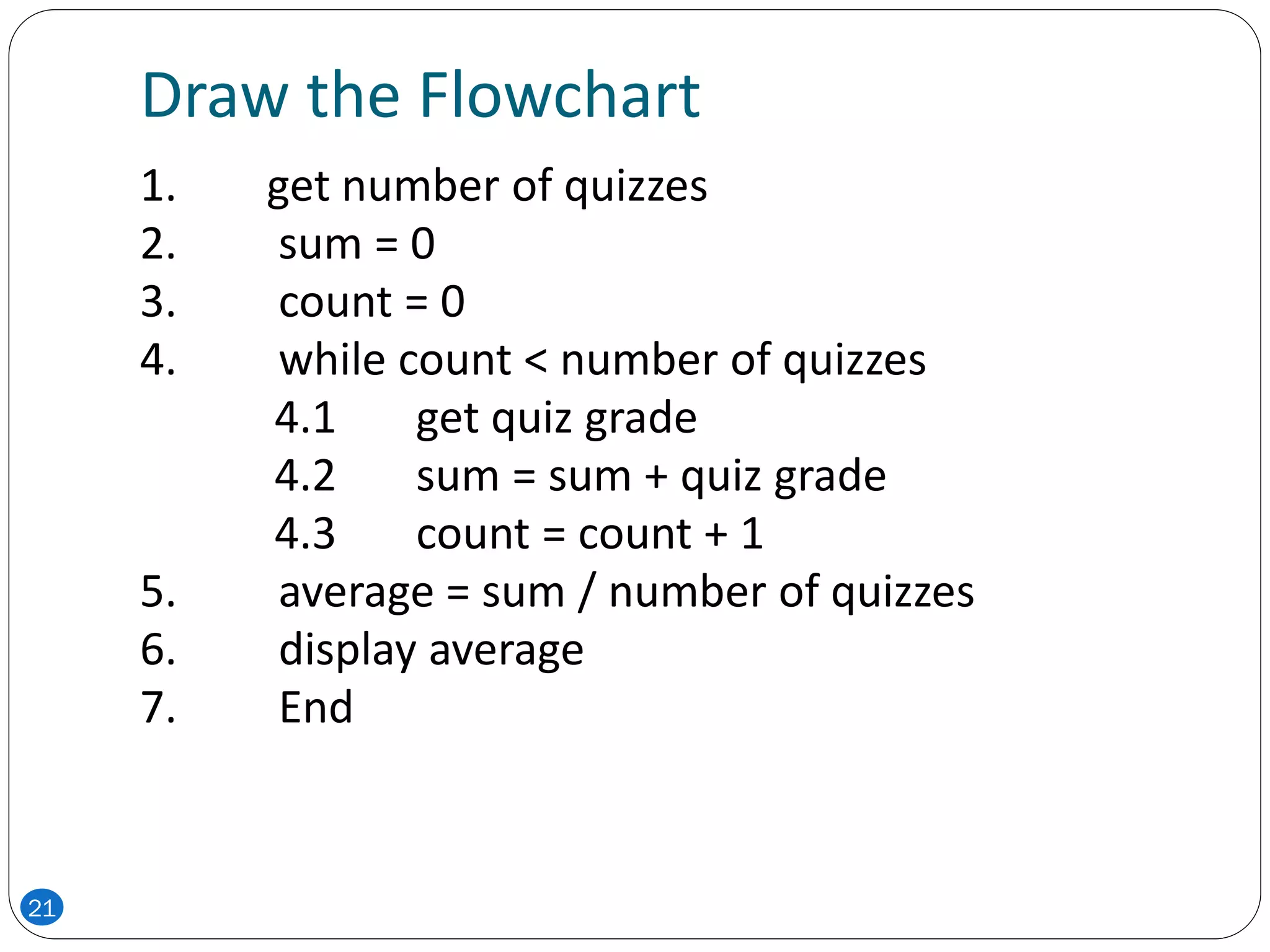
Draw the Flowchart
1. get number of quizzes
2. sum = 0
3. count = 0
4. while count < number of quizzes
4.1 get quiz grade
4.2 sum = sum + quiz grade
4.3 count = count + 1
5. average = sum / number of quizzes
6. display average
7. End
21

ICP - Lecture 6

  • 1.
    CSC 103 Lecture 6 Introductionto Computers and Programming
  • 2.
    Pseudo-code and FlowCharts  There are two commonly used tools to help to document program logic (the algorithm)  These are:  Flowcharts  Graphical representation  used for small problems  Pseudo-code  English and programming combination  used for large problems 2
  • 3.
    Pseudo-code  Pseudo-Code isa numbered list of instructions to perform some task  Statements are written in simple English without regard to the final programming language  Each instruction is written on a separate line  The pseudo-code is the program-like statements written for human readers, not for computers  Implementation is to translate the pseudo-code into programs, such as “C” language programs 3
  • 4.
    Writing Pseudo-code  Numbereach instruction  This is to enforce the notion of an ordered sequence of operations  Furthermore we introduce a dot notation (e.g. 3.1 come after 3 but before 4) to number subordinate operations for conditional and iterative operations  Each instruction should be unambiguous and effective  Completeness: Nothing is left out 4
  • 5.
    Basic Elements ofPseudo-code  A Variable  Having name and value  There are two operations performed on a variable  Assignment Operation is the one in which we associate a value to a variable.  The other operation is the one in which at any given time we intend to retrieve the value previously assigned to that variable (Read Operation) 5
  • 6.
    Basic Operations ofPseudo-code  Assignment Operation  This operation associates a value to a variable.  While writing Pseudo-code you may follow your own syntax.  Some of the possible syntaxes are:  Assign 3 to x  Set x equal to 3  x=3 6
  • 7.
    Basic Operations ofPseudo-code  Read Operation  In this operation we intend to retrieve the value previously assigned to that variable. For example:  Set Value of x equal to y  Read the input from user  This operation causes the algorithm to get the value of a variable from the user.  Get x  Get a, b, c 7
  • 8.
    Basic Operations ofPseudo-code  Print the output to the user  Print x (This will print value of variable x)  Print “Your mileage is” x  Carry out basic arithmetic computations  Set x to 10  Set y to x*x/3 8
  • 9.
    Example: Pseudo-code ofcalculating area of circle 1. Begin 2. Input value for radius 3. Calculate area (pi x radius2 ) 4. Output radius and area 5. Quit THEN PROGRAM 9
  • 10.
    Flow Chart  Graphicalrepresentation of an algorithm  Some of the common symbols used in flowcharts are shown: Start/Stop Preparation Input/Output Process Decision Connector 10
  • 11.
     With flowcharting,essential steps of an algorithm are shown using the shapes above.  The flow of data between steps is indicated by arrows, or flowlines. For example, a flowchart (and equivalent Pseudocode) to compute the interest on a loan is shown below: 11
  • 12.
    Pseudo-codeFlow chart 1. ReadNAME, BALANCE, RATE 2. Compute INTEREST as BALANCE x RATE 3. Write (Display) NAME and INTEREST Stop Start Read NAME, BALANCE, RATE INTEREST=BALANCE x RATE Write NAME, INTEREST 12
  • 13.
     Note thatthe Pseudo-code also describes the essential steps to be taken, but without the graphical enhancements.  Another example of a flowchart and the equivalent pseudo-code is shown next. 13
  • 14.
    Pseudo-codeFlow chart 1. ReadX,Y,Z 2. Compute Sum(S) as X+Y+Z 3. Compute Average(A) as S/3 4. Compute Product(P) as X x Y x Z 5. Write (Display) Sum, Average and Product Stop Start Read X, Y and Z S= X+Y+Z A = S/3 P = X x Y x Z Write S, A and P 14
  • 15.
    Some Examples  Writepseudo-code of a program that asks the user to enter two numbers and prints the sum, product, difference, and division of the two numbers.  Write pseudo-code of a program that solves a quadratic equation ax2+bx+c by taking a, b and c as input from user. 15
  • 16.
    Decision Making andPseudo-code 16
  • 17.
    Stop Start Read A, B BIG= A SMALL = B Write BIG, SMALL BIG = B SMALL = A A < B ? YesNo 1. Read A, B 2. If A is less than B 2.1 BIG = B 2.2 SMALL = A 3. Else 3.1 BIG = A 3.2 SMALL = B 4. Write BIG, SMALL Example 17
  • 18.
  • 19.
  • 20.
    Draw the Flowchart 1.get hours worked 2. get pay rate 3. if hours worked ≤ 40 then 3.1 gross pay = pay rate times hours worked 4. else 4.1 gross pay = pay rate times 40 plus 1.5 times pay rate times (hours worked minus 40) 5. display gross pay 6. End 20
  • 21.
    Draw the Flowchart 1.get number of quizzes 2. sum = 0 3. count = 0 4. while count < number of quizzes 4.1 get quiz grade 4.2 sum = sum + quiz grade 4.3 count = count + 1 5. average = sum / number of quizzes 6. display average 7. End 21