CSC 103
Lecture 5
Introduction to Computers and Programming
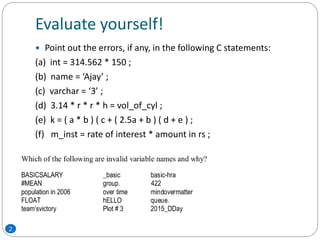
Evaluate yourself!
2
 Point out the errors, if any, in the following C statements:
(a) int = 314.562 * 150 ;
(b) name = ‘Ajay’ ;
(c) varchar = ‘3’ ;
(d) 3.14 * r * r * h = vol_of_cyl ;
(e) k = ( a * b ) ( c + ( 2.5a + b ) ( d + e ) ;
(f) m_inst = rate of interest * amount in rs ;
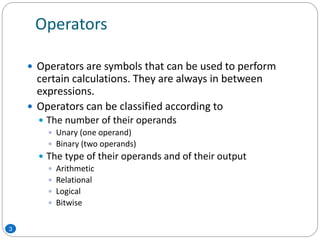
Operators
 Operators are symbols that can be used to perform
certain calculations. They are always in between
expressions.
 Operators can be classified according to
 The number of their operands
 Unary (one operand)
 Binary (two operands)
 The type of their operands and of their output
 Arithmetic
 Relational
 Logical
 Bitwise
3
Assignment operator: =
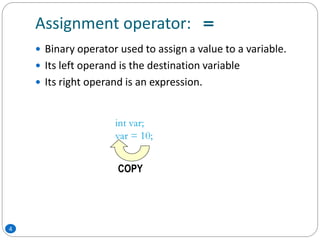
 Binary operator used to assign a value to a variable.
 Its left operand is the destination variable
 Its right operand is an expression.
int var;
var = 10;
COPY
4
Arithmetic operators
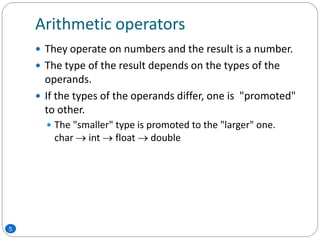
 They operate on numbers and the result is a number.
 The type of the result depends on the types of the
operands.
 If the types of the operands differ, one is "promoted"
to other.
 The "smaller" type is promoted to the "larger" one.
char  int  float  double
5
Arithmetic operators: +, *
 + is the addition operator
 * is the multiplication operator
 They are both binary
6
Arithmetic operator: 
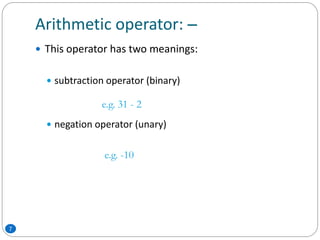
 This operator has two meanings:
 subtraction operator (binary)
 negation operator (unary)
e.g. 31 - 2
e.g. -10
7
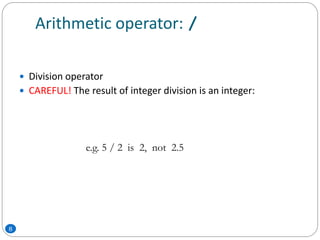
Arithmetic operator: /
 Division operator
 CAREFUL! The result of integer division is an integer:
e.g. 5 / 2 is 2, not 2.5
8
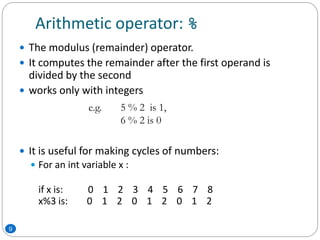
Arithmetic operator: %
 The modulus (remainder) operator.
 It computes the remainder after the first operand is
divided by the second
 works only with integers
 It is useful for making cycles of numbers:
 For an int variable x :
if x is: 0 1 2 3 4 5 6 7 8
x%3 is: 0 1 2 0 1 2 0 1 2
e.g. 5 % 2 is 1,
6 % 2 is 0
9
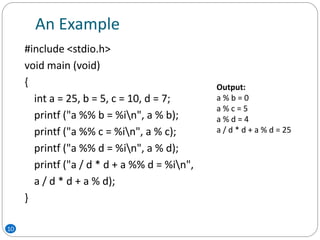
An Example
10
#include <stdio.h>
void main (void)
{
int a = 25, b = 5, c = 10, d = 7;
printf ("a %% b = %in", a % b);
printf ("a %% c = %in", a % c);
printf ("a %% d = %in", a % d);
printf ("a / d * d + a %% d = %in",
a / d * d + a % d);
}
Output:
a % b = 0
a % c = 5
a % d = 4
a / d * d + a % d = 25
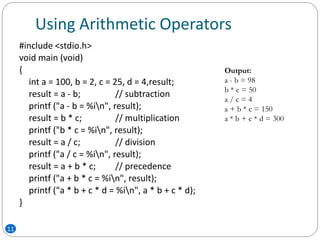
Using Arithmetic Operators
11
#include <stdio.h>
void main (void)
{
int a = 100, b = 2, c = 25, d = 4,result;
result = a - b; // subtraction
printf ("a - b = %in", result);
result = b * c; // multiplication
printf ("b * c = %in", result);
result = a / c; // division
printf ("a / c = %in", result);
result = a + b * c; // precedence
printf ("a + b * c = %in", result);
printf ("a * b + c * d = %in", a * b + c * d);
}
Output:
a - b = 98
b * c = 50
a / c = 4
a + b * c = 150
a * b + c * d = 300
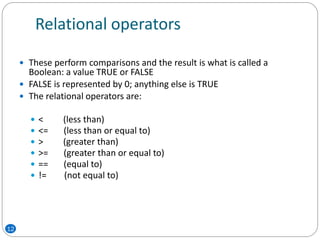
Relational operators
 These perform comparisons and the result is what is called a
Boolean: a value TRUE or FALSE
 FALSE is represented by 0; anything else is TRUE
 The relational operators are:
 < (less than)
 <= (less than or equal to)
 > (greater than)
 >= (greater than or equal to)
 == (equal to)
 != (not equal to)
12
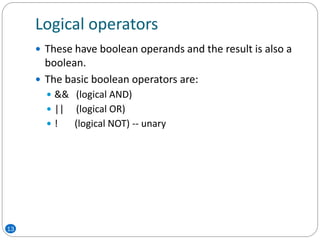
Logical operators
 These have boolean operands and the result is also a
boolean.
 The basic boolean operators are:
 && (logical AND)
 || (logical OR)
 ! (logical NOT) -- unary
13
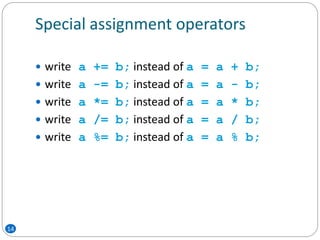
Special assignment operators
 write a += b; instead of a = a + b;
 write a -= b; instead of a = a - b;
 write a *= b; instead of a = a * b;
 write a /= b; instead of a = a / b;
 write a %= b; instead of a = a % b;
14
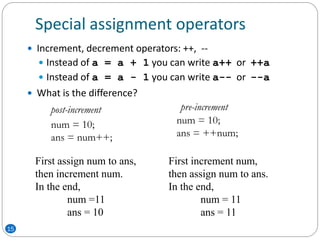
Special assignment operators
 Increment, decrement operators: ++, --
 Instead of a = a + 1 you can write a++ or ++a
 Instead of a = a - 1 you can write a-- or --a
 What is the difference?
num = 10;
ans = num++;
num = 10;
ans = ++num;
First increment num,
then assign num to ans.
In the end,
num = 11
ans = 11
First assign num to ans,
then increment num.
In the end,
num =11
ans = 10
post-increment pre-increment
15
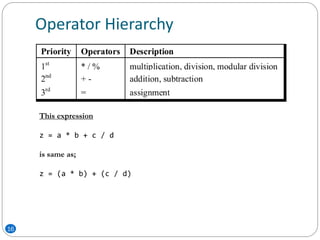
Operator Hierarchy
16
This expression
z = a * b + c / d
is same as;
z = (a * b) + (c / d)
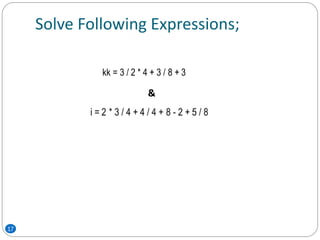
Solve Following Expressions;
17
&
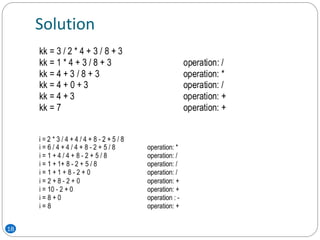
Solution
18
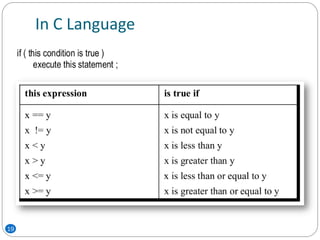
In C Language
19
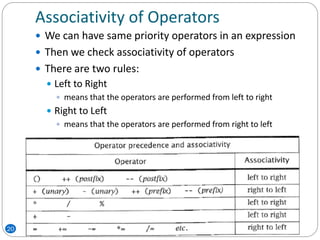
Associativity of Operators
20
 We can have same priority operators in an expression
 Then we check associativity of operators
 There are two rules:
 Left to Right
 means that the operators are performed from left to right
 Right to Left
 means that the operators are performed from right to left

ICP - Lecture 5

  • 1.
    CSC 103 Lecture 5 Introductionto Computers and Programming
  • 2.
    Evaluate yourself! 2  Pointout the errors, if any, in the following C statements: (a) int = 314.562 * 150 ; (b) name = ‘Ajay’ ; (c) varchar = ‘3’ ; (d) 3.14 * r * r * h = vol_of_cyl ; (e) k = ( a * b ) ( c + ( 2.5a + b ) ( d + e ) ; (f) m_inst = rate of interest * amount in rs ;
  • 3.
    Operators  Operators aresymbols that can be used to perform certain calculations. They are always in between expressions.  Operators can be classified according to  The number of their operands  Unary (one operand)  Binary (two operands)  The type of their operands and of their output  Arithmetic  Relational  Logical  Bitwise 3
  • 4.
    Assignment operator: = Binary operator used to assign a value to a variable.  Its left operand is the destination variable  Its right operand is an expression. int var; var = 10; COPY 4
  • 5.
    Arithmetic operators  Theyoperate on numbers and the result is a number.  The type of the result depends on the types of the operands.  If the types of the operands differ, one is "promoted" to other.  The "smaller" type is promoted to the "larger" one. char  int  float  double 5
  • 6.
    Arithmetic operators: +,*  + is the addition operator  * is the multiplication operator  They are both binary 6
  • 7.
    Arithmetic operator:  This operator has two meanings:  subtraction operator (binary)  negation operator (unary) e.g. 31 - 2 e.g. -10 7
  • 8.
    Arithmetic operator: / Division operator  CAREFUL! The result of integer division is an integer: e.g. 5 / 2 is 2, not 2.5 8
  • 9.
    Arithmetic operator: % The modulus (remainder) operator.  It computes the remainder after the first operand is divided by the second  works only with integers  It is useful for making cycles of numbers:  For an int variable x : if x is: 0 1 2 3 4 5 6 7 8 x%3 is: 0 1 2 0 1 2 0 1 2 e.g. 5 % 2 is 1, 6 % 2 is 0 9
  • 10.
    An Example 10 #include <stdio.h> voidmain (void) { int a = 25, b = 5, c = 10, d = 7; printf ("a %% b = %in", a % b); printf ("a %% c = %in", a % c); printf ("a %% d = %in", a % d); printf ("a / d * d + a %% d = %in", a / d * d + a % d); } Output: a % b = 0 a % c = 5 a % d = 4 a / d * d + a % d = 25
  • 11.
    Using Arithmetic Operators 11 #include<stdio.h> void main (void) { int a = 100, b = 2, c = 25, d = 4,result; result = a - b; // subtraction printf ("a - b = %in", result); result = b * c; // multiplication printf ("b * c = %in", result); result = a / c; // division printf ("a / c = %in", result); result = a + b * c; // precedence printf ("a + b * c = %in", result); printf ("a * b + c * d = %in", a * b + c * d); } Output: a - b = 98 b * c = 50 a / c = 4 a + b * c = 150 a * b + c * d = 300
  • 12.
    Relational operators  Theseperform comparisons and the result is what is called a Boolean: a value TRUE or FALSE  FALSE is represented by 0; anything else is TRUE  The relational operators are:  < (less than)  <= (less than or equal to)  > (greater than)  >= (greater than or equal to)  == (equal to)  != (not equal to) 12
  • 13.
    Logical operators  Thesehave boolean operands and the result is also a boolean.  The basic boolean operators are:  && (logical AND)  || (logical OR)  ! (logical NOT) -- unary 13
  • 14.
    Special assignment operators write a += b; instead of a = a + b;  write a -= b; instead of a = a - b;  write a *= b; instead of a = a * b;  write a /= b; instead of a = a / b;  write a %= b; instead of a = a % b; 14
  • 15.
    Special assignment operators Increment, decrement operators: ++, --  Instead of a = a + 1 you can write a++ or ++a  Instead of a = a - 1 you can write a-- or --a  What is the difference? num = 10; ans = num++; num = 10; ans = ++num; First increment num, then assign num to ans. In the end, num = 11 ans = 11 First assign num to ans, then increment num. In the end, num =11 ans = 10 post-increment pre-increment 15
  • 16.
    Operator Hierarchy 16 This expression z= a * b + c / d is same as; z = (a * b) + (c / d)
  • 17.
  • 18.
  • 19.
  • 20.
    Associativity of Operators 20 We can have same priority operators in an expression  Then we check associativity of operators  There are two rules:  Left to Right  means that the operators are performed from left to right  Right to Left  means that the operators are performed from right to left